Manual security threats removal
How to kill a process Delete registry entries Unregister DLL files Find and delete files Disable startup programs
How to kill a process?
What is a process?
The process is a program that is being executed. When you start a program it's executable (for example .exe) will load to memory. A process then requests a certain amount of resources from Windows. The operating system makes sure processes receive requested amount of CPU time, memory, and other resources. When you close the process all used resources will be returned to Windows. To see processes running on your computer use the Windows Task Manager. To enter Task Manager press “Start” button, click “Run”, type “taskmgr” press the “OK” button. You can also use these combinations CTRL+ALT+DEL or CTRL+SHIFT+ESC to enter Task Manager.
1. Press “Start” button:
2. Type “Run” and click on Run entry from the list:
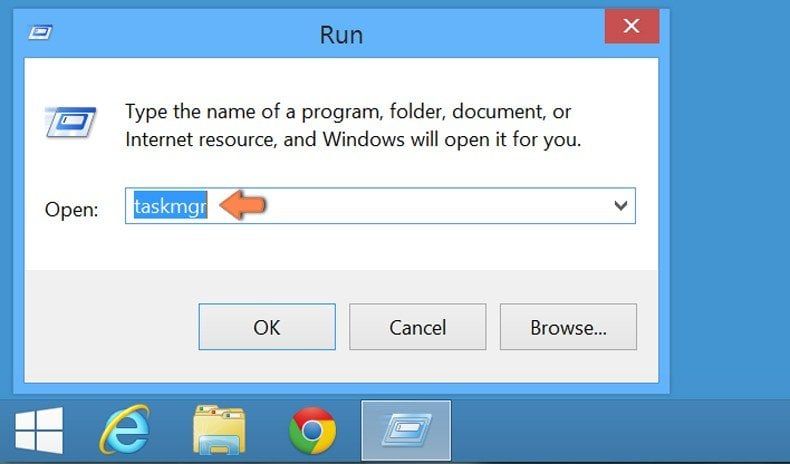
3. In the opened window type “taskmgr” and press OK. You can also use combinations “CTRL+ALT+DEL” or “CTRL+SHIFT+ESC” to enter Task Manager.
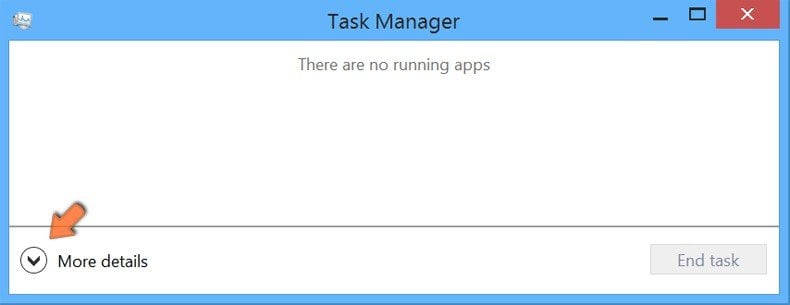
4. In the opened window click on "More details":
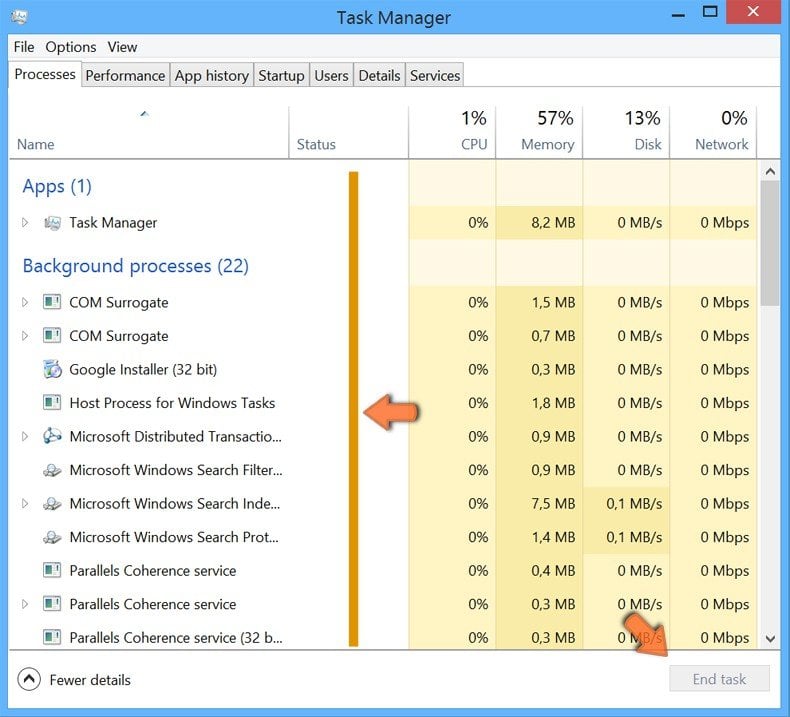
5. Choose the process you want to end then press "End task" button:
How to kill a process Delete registry entries Unregister DLL files Find and delete files Disable startup programs
How to delete registry entries?
What is registry?
The Windows Registry is a hierarchical database that stores configuration settings and options on Microsoft Windows operating systems. It contains settings for low-level operating system components as well as the applications running on the platform: the kernel, device drivers, services, SAM, user interface, and third party applications all make use of the Registry. The registry also provides a means to access counters for profiling system performance. When first introduced with Windows 3.1, the Windows registry's primary purpose was to store configuration information for COM-based components. With the introduction of Windows 95 and Windows NT, its use was extended to tidy up the profusion of per-program INI files that had earlier been used to store configuration settings for Windows programs.
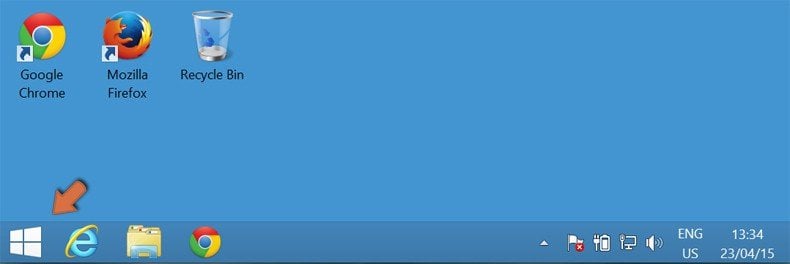
1. Press "Start" button:
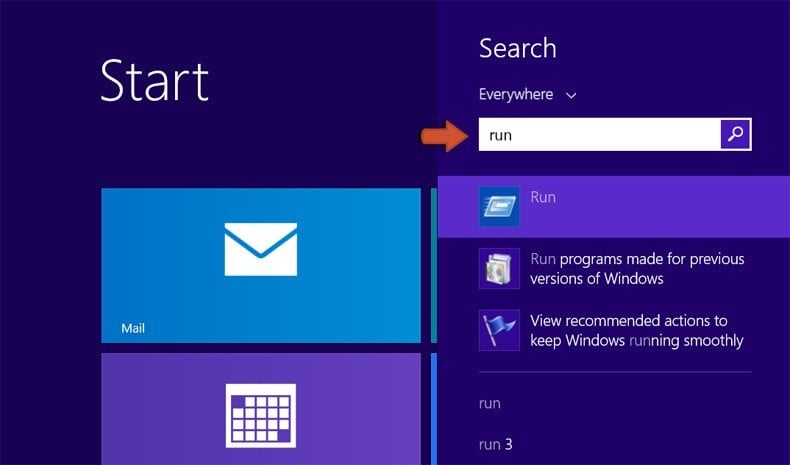
2. Type “Run” and click on Run entry from the list:
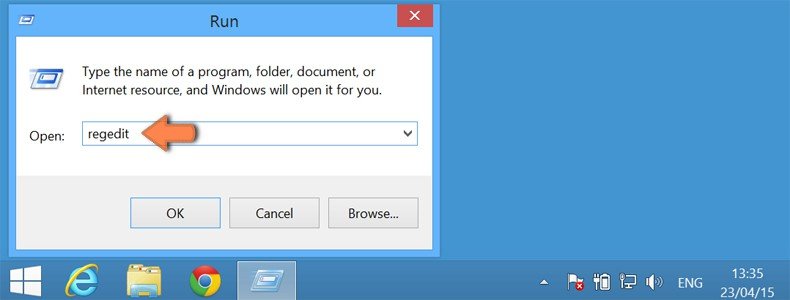
3. In an opened window type "regedit" and click OK.
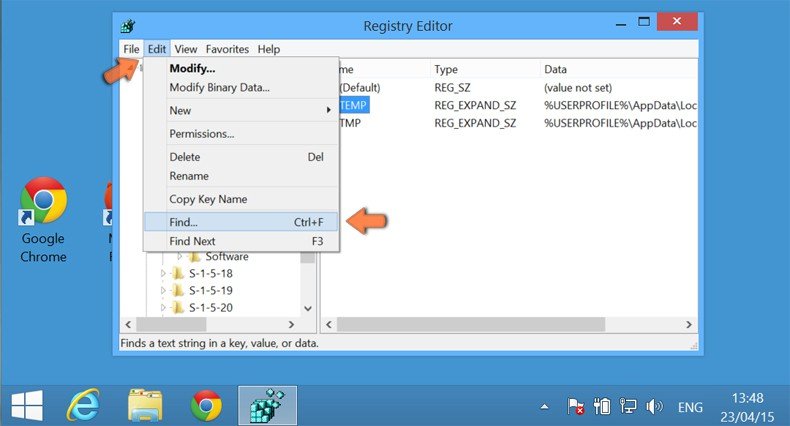
4. To search for registry entries click "Edit" and select "Find..."
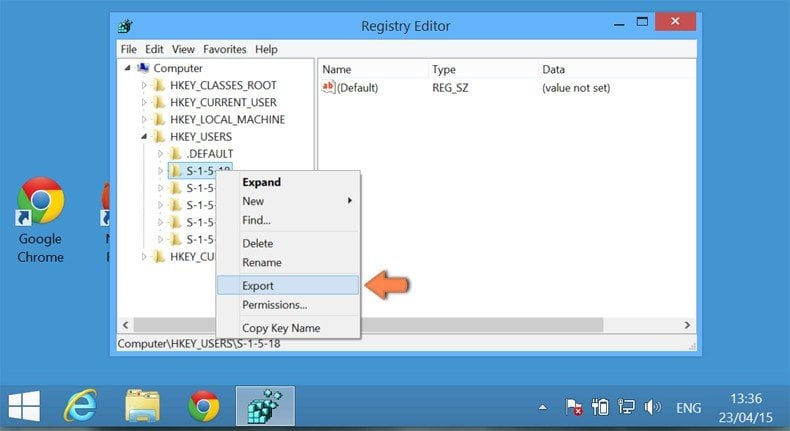
5. To export, right-click on the object and select “Export”. This function is used to back up your registry.
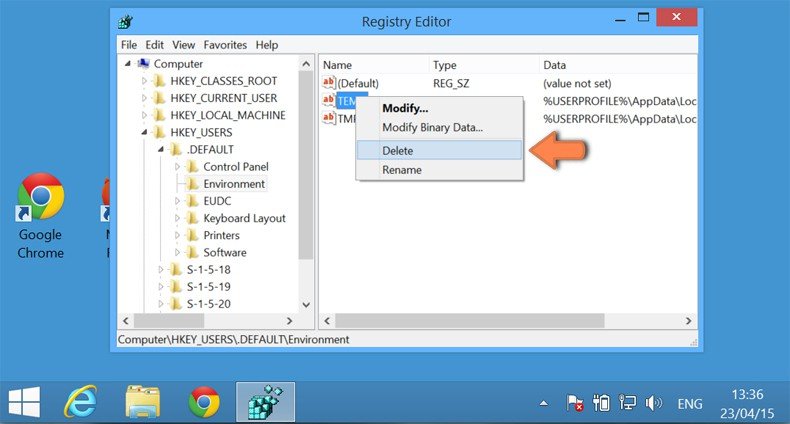
6. To delete the registry entry, right-click on it and click “Delete”.
How to kill a process Delete registry entries Unregister DLL files Find and delete files Disable startup programs
How to unregister DLL files?
What is a DLL file?
Dynamic-link library (also written without the hyphen), or DLL, is Microsoft's implementation of the shared library concept in the Microsoft Windows and OS/2 operating systems. These libraries usually have the file extension DLL, OCX (for libraries containing ActiveX controls), or DRV (for legacy system drivers). The file formats for DLLs are the same as for Windows EXE files — that is, Portable Executable (PE) for 32-bit and 64-bit Windows, and New Executable (NE) for 16-bit Windows. As with EXEs, DLLs can contain code, data, and resources, in any combination. These instructions can be used to unregister DLL files.
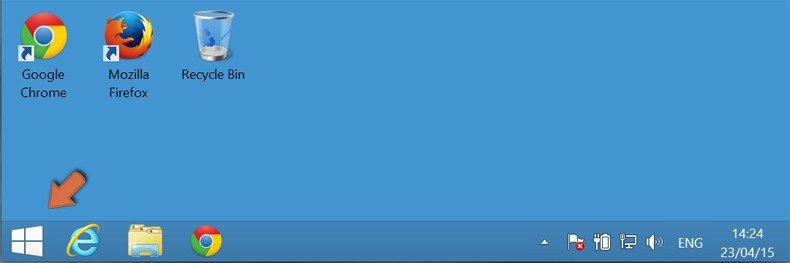
1. Press “Start” button:
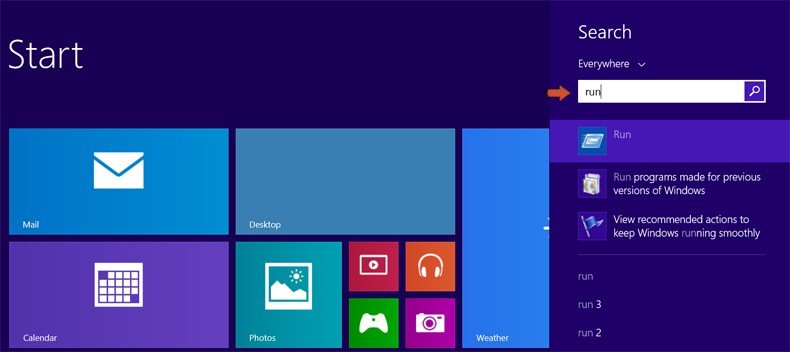
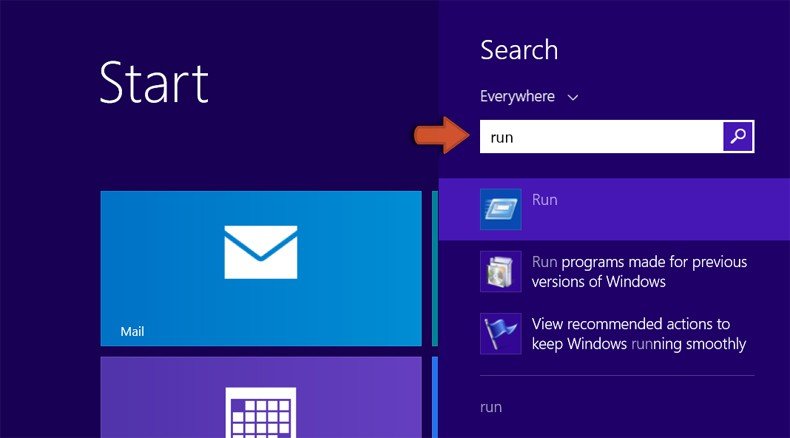
2. Type “Run” and click on Run entry from the list:
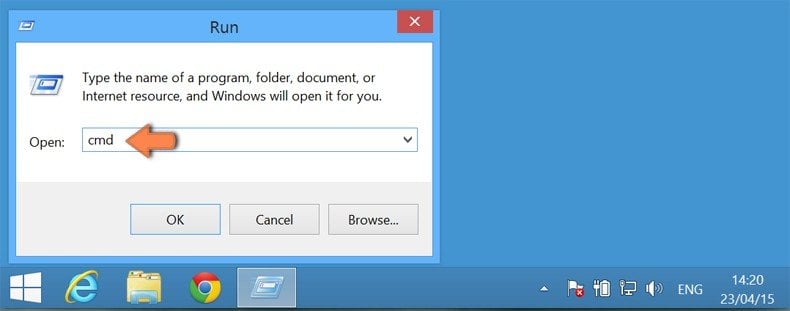
3. in the opened window type "cmd" and click OK:
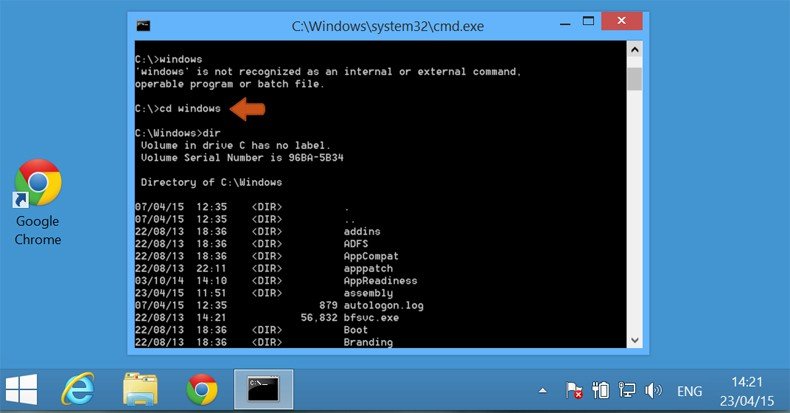
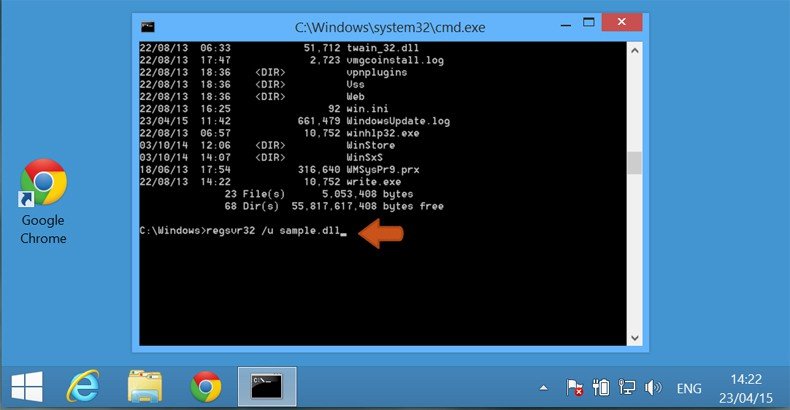
4. Type “cd” to change the current directory, press space on your keyboard, enter full path of the DLL file and press enter. To display the contents of directory, type “dir” and press enter.
5. Type “regsvr32 /u [DLL_NAME]“ and press the “Enter” button.
How to kill a process Delete registry entries Unregister DLL files Find and delete files Disable startup programs
How to find and delete files?
What is a file?
A computer file is a block of arbitrary information, or a resource for storing information, which is available to a computer program and is usually based on some kind of durable storage. A file is durable in the sense that it remains available for programs to use after the current program has finished. Computer files can be considered as the modern counterpart of paper documents that traditionally are kept in offices' and libraries' files, and this is the source of the term. If you want to find an infected file follow these instructions:
1. Make hidden files visible. Click My Computer and click on the down arrow.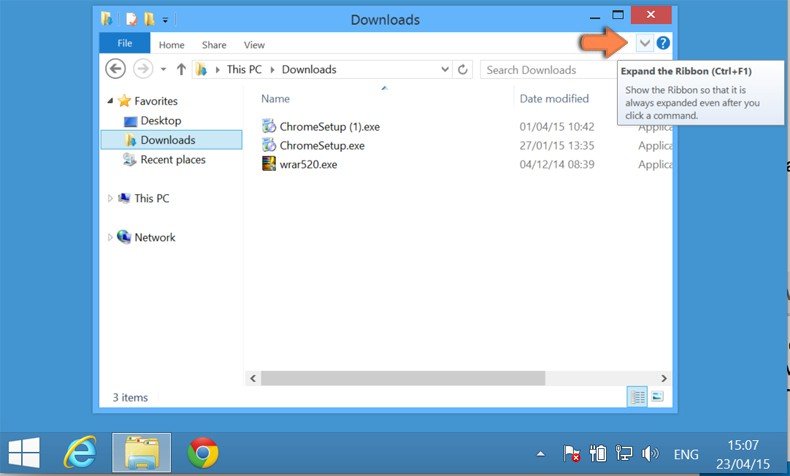
2. In Folders Options window click View and mark Hidden items.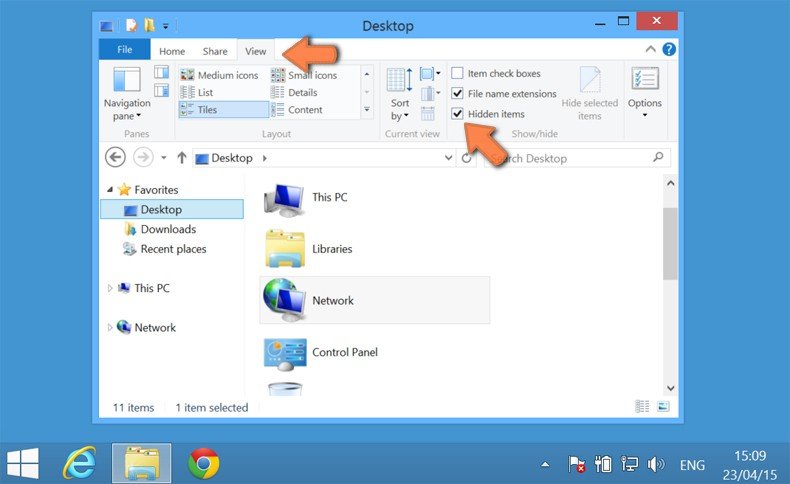
3. Navigate to My Computer, select "This PC" and enter the name of the file you are searching for:
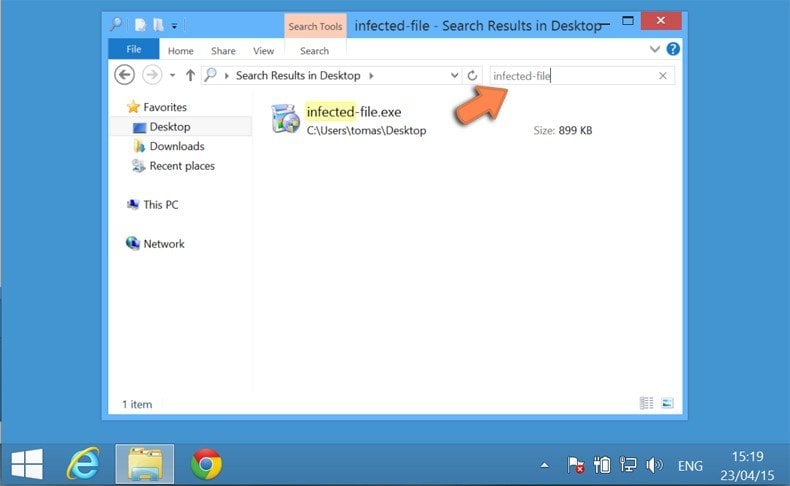
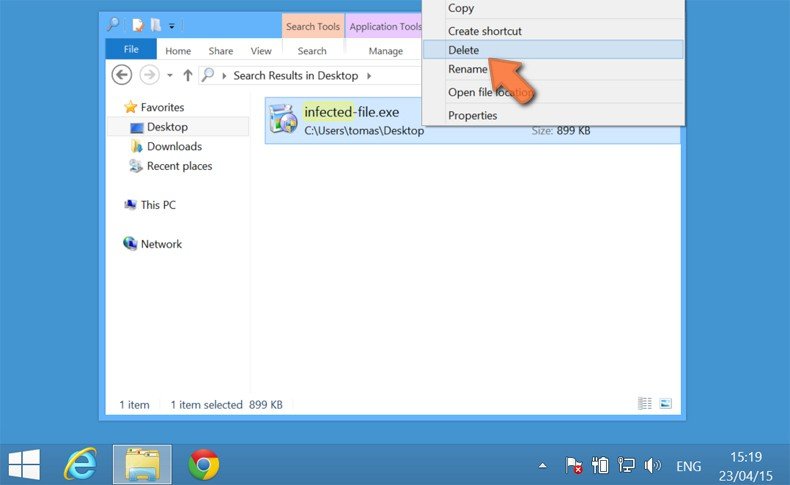
4. Right click on the found file and select "Delete":
How to kill a process Delete registry entries Unregister DLL files Find and delete files Disable startup programs
How to disable startup programs?
Software installed on one's computer will often add to the number of programs that run at operating system start-up. Each program that runs at windows start-up uses a portion of systems memory and resources. Spyware and other rogue software can also add their components to system's start-up and can perform their malicious task without user's consent.
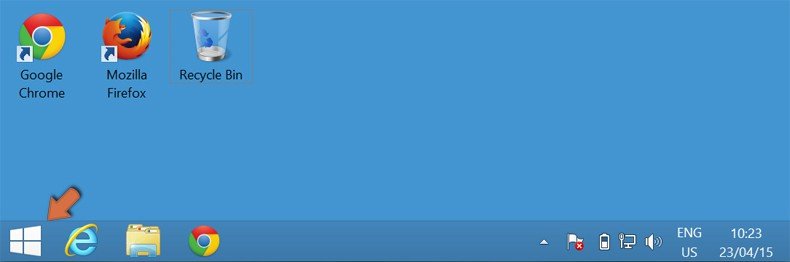
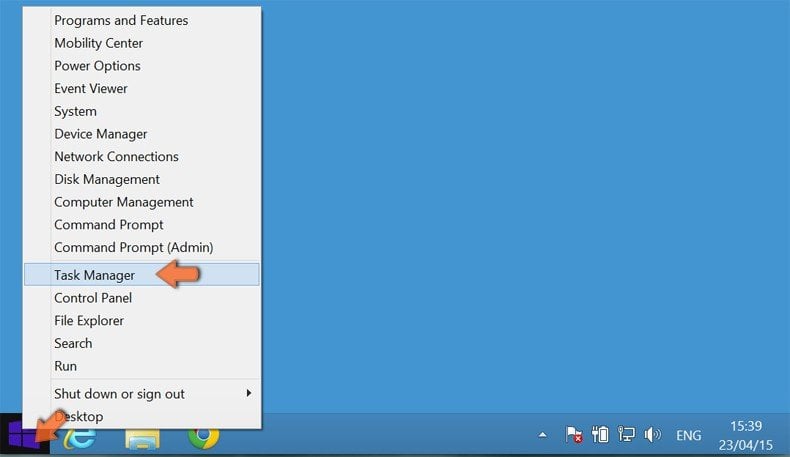
1. Right click on the start button and select "Task Manager":
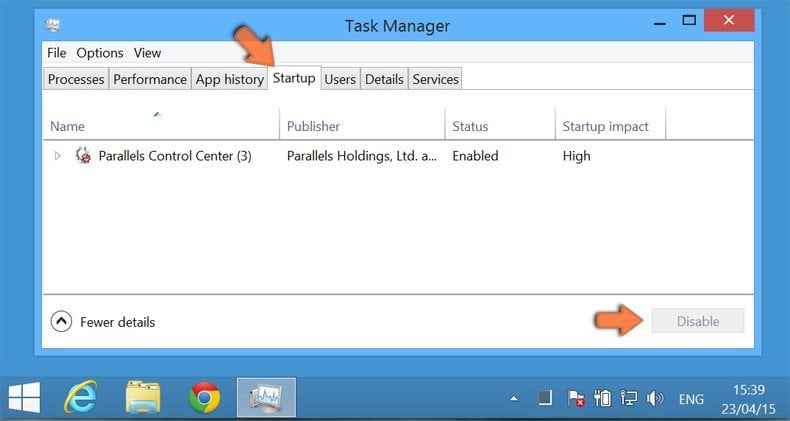
2. In the Task Manager select "Statup" option. Choose the startup item which you want to disable, select it and click "Disable":