Polizia Penitenziaria Virus
 Written by Tomas Meskauskas on (updated)
What is Polizia Penitenziaria?
Polizia Penitenziaria is a ransomware infection targeting computer users from Italy. This screen locker originates from a family of ransomware called Reveton. This family of rogues is infamous for its capability to localize deceptive messages that lock computer users' desktops.
When infected with this scam, computer users are unable to access their desktops or any installed programs; the only visible element is the fake message, which states that the user has violated copyright and other laws, and thus, must pay a 100 Euro fine in order to unlock the system.
This is a scam. If your PC is locked with such a message, do not pay the fine - you will lose your money and your PC will remain infected.
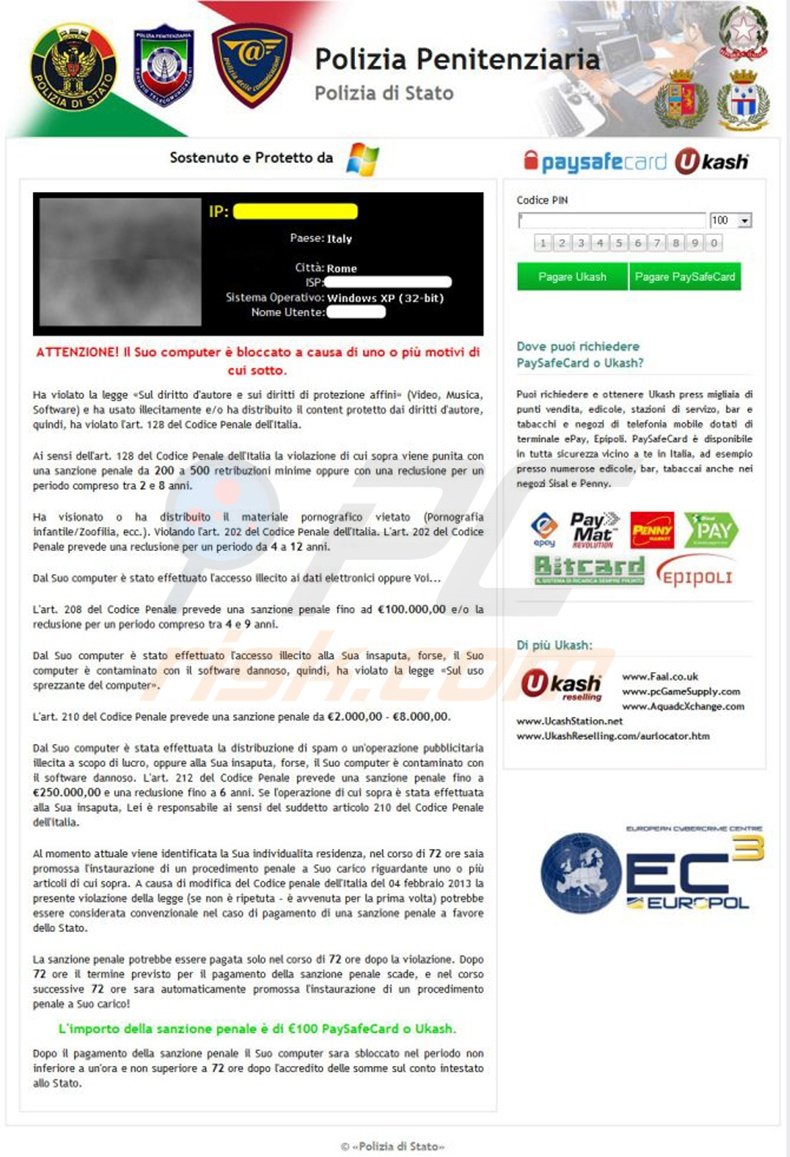
The name of Polizia Penitenziaria is exploited by Cyber criminals with the purpose of scaring PC users into believing that they have committed a crime, and then coercing them into paying a fake fine. Ransomware infections are popular amongst cyber criminals, who continue to develop new infections and translate them into different languages.
Although this message is visible to computer users who live in Italy, the infection has also been localized, thus, different languages, authority names, and graphics are used to infiltrate users from other countries.
Update 2015/02/05 - Cyber criminals have updated the design of Polizia Penitenziaria ransomware virus:
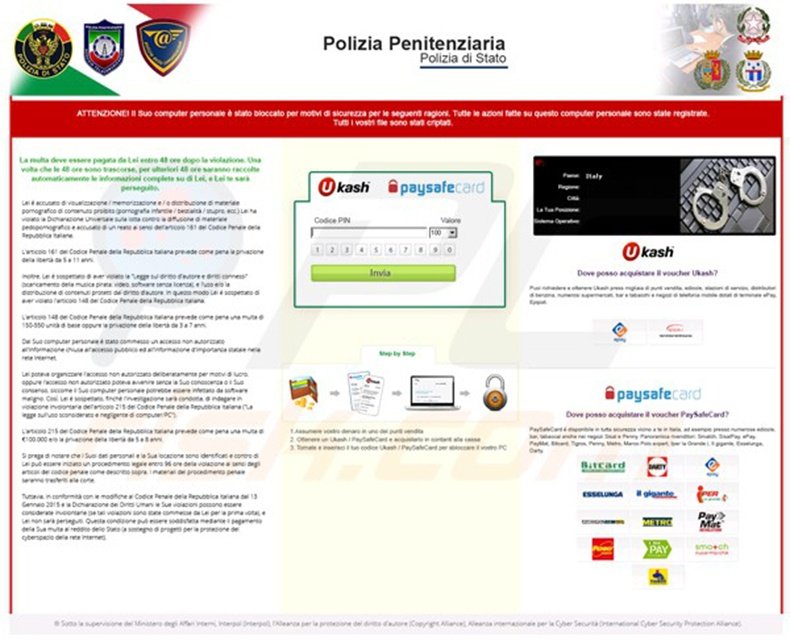
Do not trust this message. Polizia Penitenziaria did not lock your computer; this was done by cyber criminals in the hope that you will fall for their scam and pay the bogus 100 Euro fine. To avoid being traced and caught by the real authorities, cyber criminals use the Ukash and paysafecard services for collecting money for the fake fines, since money transfers using pre-paid cards are difficult to trace.
Recently discovered ransomware infections exploit the names of Polizia Penitenziaria and Polizia Di Stato. If your PC is locked by one of the messages displayed in the screenshots, use the removal instructions provided to eliminate it from your computer.
A fake message displayed by the Polizia Penitenziaria scam:
Polizia Penitenziaria
Il tuo computer è stato bloccato!
li lavoro del suo computer è sostato per i segni della cyberattività vietata. Giù ci sono :e possibili trasgressioni che ha fatto: Articolo 274 - Il diritto d'autore La multa o la pena deteneva per il periodo fino a 4 anni :L'usanza o la distribuzione dei file, diffesi dal diritto d'autore, - i film, i soft) Articolo 183— La produzione pornografica La multa o la pena deteneva per il periodo fino a 2 anni (L'usanza o la distribuzione dei file pornografici) Articolo 184 - La produzione pornografica con i minnorenni (fino a la anni) La pena deteneva per I periodo fino a 15 anni (L'usanza o la distribuzione dei file pornografici) Articolo 104— La popolarizzazione del terrorismo La pena deteneva per il periodo fino a 25 anni :E entrato nei siti delle organizzazioni terrorisbci) Articolo 297— la malusanza del computer con i risultati gravi La multa o la pena deteneva per il periodo fino a 2 anni (Il suo computer e danneggiato dal virus, il quale nel suo turno ha danneggiato gli altri computer) Articolo 108— i giochi d'azzardo La multa o la pena deteneva per il periodo fino a 2 anni [Ha giocato ne; giochi d'azzardo, ma secondo la legge del suo paese questo business è proibito) Secondo il decreto del Governo da 22 agosto tutte queste trasgressioni alla legge possono essere riguardati come condizionali a patto del pagamento della muta. La multa è 100 euro. Il pagamento deve essere fatto durante 48 ore dopo lo svelamento della trasgressione. Se la multa non verrà pagata, automaticamente ci si fa la causa penale per lei.
Dopo il pagamento della multa il computer si sblocco
Instant automatic malware removal:
Manual threat removal might be a lengthy and complicated process that requires advanced IT skills. Combo Cleaner is a professional automatic malware removal tool that is recommended to get rid of malware. Download it by clicking the button below:
▼ DOWNLOAD Combo Cleaner
By downloading any software listed on this website you agree to our Privacy Policy and Terms of Use. To use full-featured product, you have to purchase a license for Combo Cleaner. 7 days free trial available. Combo Cleaner is owned and operated by Rcs Lt, the parent company of PCRisk.com read more.
Quick menu:
- What is Polizia Penitenziaria?
- STEP 1. "Polizia Penitenziaria" virus removal using safe mode with networking.
- STEP 2. "Polizia Penitenziaria" ransomware removal using System Restore.
Polizia Penitenziaria scam removal:
Step 1
Start your computer in Safe Mode. Click Start, click Shut Down, click Restart, click OK. During your computer starting process press the F8 key on your keyboard multiple times until you see the Windows Advanced Option menu, then select Safe Mode with Networking from the list.
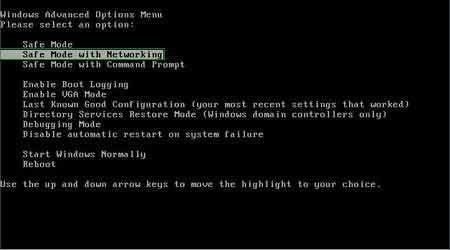
Video showing how to start Windows 7 in "Safe Mode with Networking":
Step 2
Log in to the account infected with Polizia Penitenziaria scam. Start your Internet browser and download a legitimate anti-spyware program. Update the anti-spyware software and start a full system scan. Remove all entries detected.
After completing these steps your computer should be clean. Reboot your computer in Normal Mode.
Alternative Polizia Penitenziaria scam removal guide:
Video showing how to remove ransomware virus using "Safe Mode with Command Prompt" and "System Restore":
1. During your computer starting process, press the F8 key on your keyboard multiple times until the Windows Advanced Options menu appears, and then select Safe Mode with Command Prompt from the list and press ENTER.
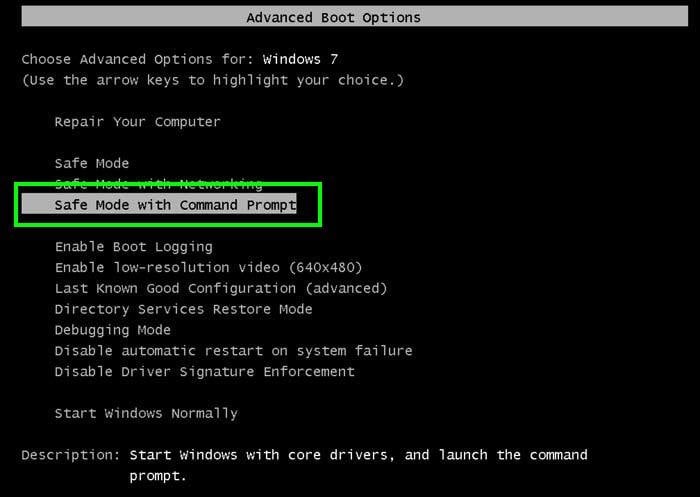
2. When Command Prompt Mode loads, enter the following line: cd restore and press ENTER.

3. Next, type this line: rstrui.exe and press ENTER.

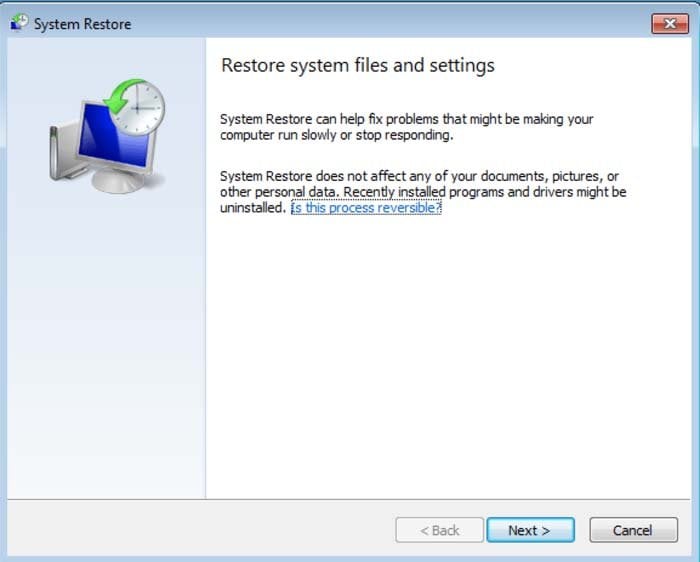
4. In the opened window, click "Next".
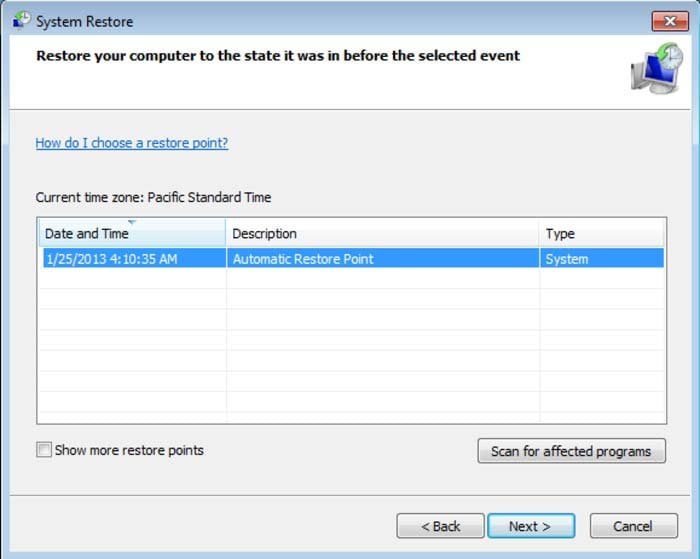
5. Select one of the available restore points and click "Next" (this will restore your computer system to an earlier time and date, prior to the ransomware infiltrating your PC).
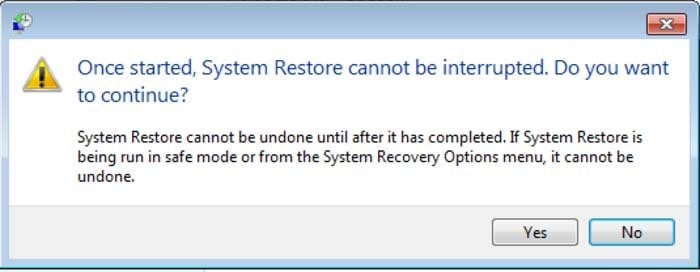
6. In the opened window, click "Yes".
7. After restoring your computer to a previous date, download and scan your PC with recommended malware removal software to eliminate any remnants of Polizia Penitenziaria virus.
Other tools known to remove Polizia Penitenziaria scam:
Other methods used to eliminate this ransomware infection from your PC:
Remove Polizia Penitenziaria virus using a Rescue Disk.


 Outstanding!
▼ Show Discussion