Virus and Spyware Removal Guides, uninstall instructions

What kind of malware is Wormhole?
During our examination of the Wormhole malware, we discovered that it operates as ransomware: its purpose is to encrypt files and demand ransom for file decryption. In addition to encrypting files, Wormhole appends its extension (".Wormhole") to filenames and provides a ransom note ("How to recover files encrypted by Wormhole.txt").
Here is an example of how Wormhole modifies filenames: it renames "1.jpg" to "1.jpg.Wormhole", "2.png" to "2.png.Wormhole" and so forth. Our discovery of Wormhole ransomware occurred during an analysis of malware samples submitted to VirusTotal.

What is the fake "Ice Token Distribution" platform?
We have inspected the fraudulent Ice token distribution site (giveaway-ice[.]io) and found that its purpose is to steal cryptocurrency from unsuspecting individuals. The fake website (giveaway-ice[.]io) masquerades as the real Ice Open Network page (ice[.]io) to trick users into participating in a fraudulent scheme.
What kind of page is lovelypush[.]club?
Lovelypush[.]club is a rogue page discovered by our researchers during a routine inspection of suspicious websites. Upon examination, we determined that lovelypush[.]club promotes browser notification spam and redirects users to different (likely dubious/malicious) sites.
Most visitors to webpages like lovelypush[.]club access them via redirects generated by websites utilizing rogue advertising networks.
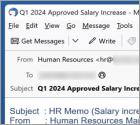
What kind of email is "Salary Increase"?
After examining the "Salary Increase" email, we determined that it is spam. This phishing mail targets email account log-in credentials. The lure used to trick recipients into disclosing this information is a fake document sent by their HR regarding a salary increase.
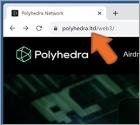
What is a fake "Polyhedra Network $ZK Airdrop"?
Upon inspection, we determined that this "Polyhedra Network $ZK Airdrop" is fake. This cryptocurrency giveaway promoted on polyhedra[.]ltd is merely a lure, and it is not associated with either the Polyhedra Network or zkBridge. This scheme impersonates the aforementioned platform and protocol.
Yet despite the scam's convincing appearance, it has no association with the content it imitates. This "Polyhedra Network $ZK Airdrop" operates as a cryptocurrency drainer that steals funds out of exposed digital wallets.
What kind of scam is "Claim Sum Release"?
We have examined this email and discovered that it is a scam email masquerading as a letter regarding a large amount of money that has been supposedly stolen from the recipient. The intent of the scammers behind this email is to deceive the recipient into divulging personal information and (or) transferring money. Such emails must be ignored.
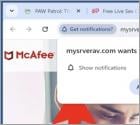
What kind of page is mysrverav[.]com?
Our researchers found the mysrverav[.]com page during a routine investigation of dubious websites. This rogue webpage promotes deceptive content and browser notification spam. It can also redirect visitors elsewhere (likely untrustworthy/dangerous sites).
Pages like mysrverav[.]com are most commonly accessed through redirects generated by websites utilizing rogue advertising networks.
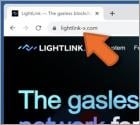
What is the fake "LightLink Wallet Connect"?
"LightLink Wallet Connect" (as hosted on lightlink-x[.]com) is a scam that perfectly imitates the LightLink blockchain platform. The imitator operates as a cryptocurrency drainer that empties funds from victims' digital wallets.
It must be emphasized that the fake website is not associated with LightLink or any other existing platforms or entities.
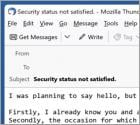
What kind of email is "Internet Is A Dangerous Place"?
After we inspected the "Internet Is A Dangerous Place" email, it became evident that this is a sextortion scam. This bogus letter claims that the recipient's devices were infected, and the infection proliferated to their contacts and family. This unauthorized and illegal access was used to collect highly compromising information and recordings.
It must be emphasized that all the information provided by "Internet Is A Dangerous Place" is false. Hence, no machines were infected, nor was any sensitive content acquired.
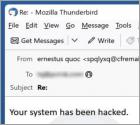
What kind of scam is "You Have Been Under Surveillance"?
Upon thorough examination, we have determined that this email embodies the characteristics of a classic sextortion scam. These scams typically involve cybercriminals threatening to expose sensitive or compromising information about the recipient unless a ransom is paid. Recipients should disregard such fraudulent attempts and refrain from responding or engaging with scammers.
More Articles...
Page 2 of 2134
<< Start < Prev 1 2 3 4 5 6 7 8 9 10 Next > End >>