

Get free scan and check if your device is infected.
Remove it nowTo use full-featured product, you have to purchase a license for Combo Cleaner. Seven days free trial available. Combo Cleaner is owned and operated by RCS LT, the parent company of PCRisk.com.
What is Plusnetwork.com?
The Plusnetwork.com website is promoted through Messenger Plus! Community toolbars. Users who install this toolbar without closely inspecting each installation window are redirected to the Plusnetwork.com website each time they start their Internet browsers (i.e. Internet Explorer, Mozilla Firefox, and Google Chrome).
Furthermore, after installation of this toolbar, each new tab opened within browsers is redirected to Plusnetwork.com. The Messenger Plus! Community toolbar is installed when computer users download and install the Messenger Plus! software (free extension) for Windows Live Messenger or for Skype.
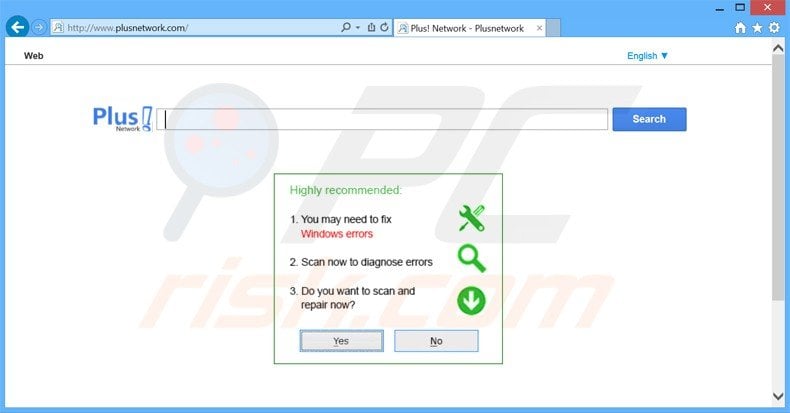
Although these extensions have some useful features (they add emotion sounds, skins, emoticons, etc.), the bundled toolbar uses deceptive methods to monetize incoming web traffic. Messenger Plus! Community toolbar displays deceptive ads and attempts to trick unsuspecting PC users into installing unwanted software.
Furthermore, the Plusnetwork.com website is crowded with dubious advertisements, which can lead to identity theft. Computer users should not click them. Banners stating that you have won a prize, commonly lead to online surveys or subscriptions to expensive mobile services.
The main purpose of redirecting computer users to Plusnetwork.com is to monetize the free software (Messenger Plus!) Developers need to monetize their free software, but in this case, the methods used are deceptive.
The search bar presented by Plusnetwork.com employs a customized Google search service. The organic search results are legitimate, however, sponsored results are delivered by third parties - clicking these could lead to installation of unwanted software, browser add-ons, or malware.
There are no real benefits of using Plusnetwork.com for your daily Internet searches, and furthermore, the deceptive ads could lead to serious privacy and computer security problems.
Plusnetwork.com and the Messenger Plus! community toolbar use deceptive means to earn revenue from unsuspecting PC users. Therefore, if you care about computer security and your privacy, uninstall this toolbar and cease using Plusnetwork.com immediately.
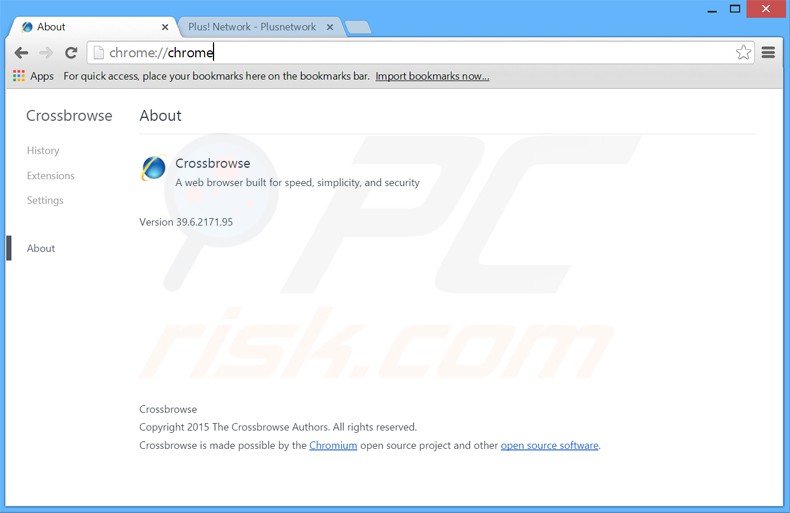
CrossBrowse adware causing browser redirects to the plusnetwork.com website:
Instant automatic malware removal:
Manual threat removal might be a lengthy and complicated process that requires advanced IT skills. Combo Cleaner is a professional automatic malware removal tool that is recommended to get rid of malware. Download it by clicking the button below:
DOWNLOAD Combo CleanerBy downloading any software listed on this website you agree to our Privacy Policy and Terms of Use. To use full-featured product, you have to purchase a license for Combo Cleaner. 7 days free trial available. Combo Cleaner is owned and operated by RCS LT, the parent company of PCRisk.com.
Quick menu:
- What is Plusnetwork.com?
- STEP 1. Uninstall Messenger Plus! Community Smartbar applications using Control Panel.
- STEP 2. Remove Plusnetwork.com redirect from Internet Explorer.
- STEP 3. Remove Plusnetwork.com browser hijacker from Google Chrome.
- STEP 4. Remove Plusnetwork.com homepage and default search engine from Mozilla Firefox.
- STEP 5. Remove Plusnetwork.com redirect from Safari.
- STEP 6. Remove rogue plug-ins from Microsoft Edge.
Plusnetwork.com redirect removal:
Windows 11 users:
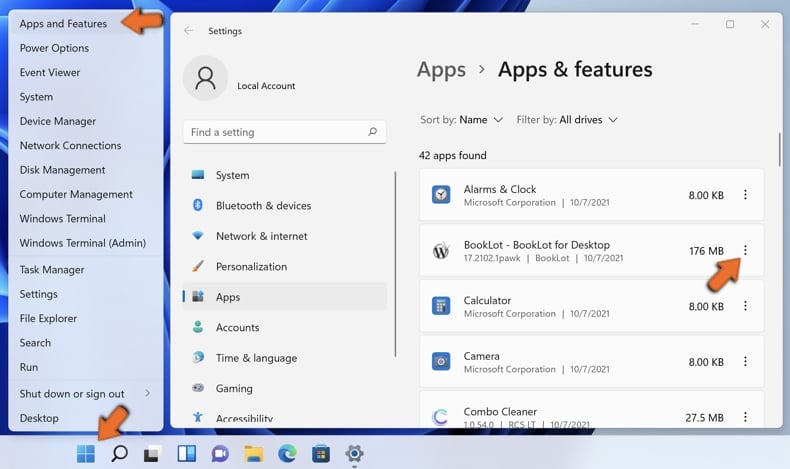
Right-click on the Start icon, select Apps and Features. In the opened window search for the application you want to uninstall, after locating it, click on the three vertical dots and select Uninstall.
Windows 10 users:
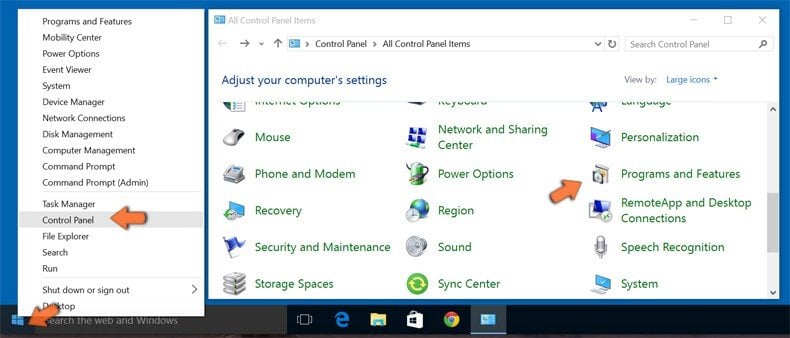
Right-click in the lower left corner of the screen, in the Quick Access Menu select Control Panel. In the opened window choose Programs and Features.
Windows 7 users:
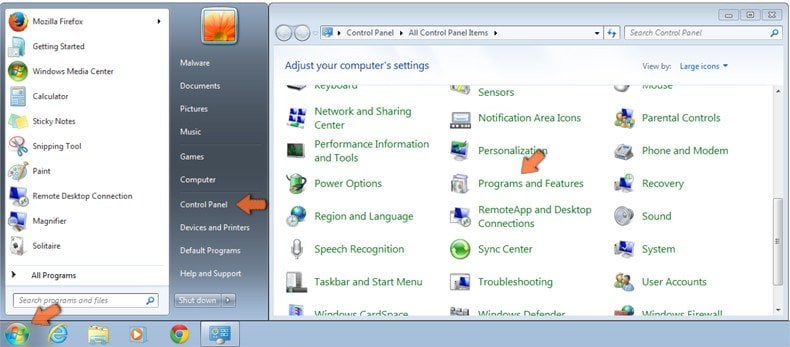
Click Start (Windows Logo at the bottom left corner of your desktop), choose Control Panel. Locate Programs and click Uninstall a program.
macOS (OSX) users:
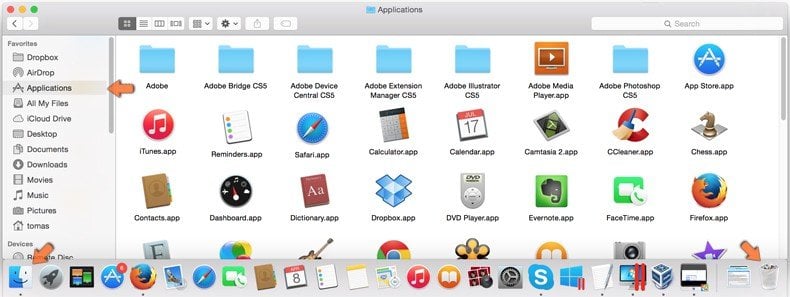
Click Finder, in the opened screen select Applications. Drag the app from the Applications folder to the Trash (located in your Dock), then right click the Trash icon and select Empty Trash.
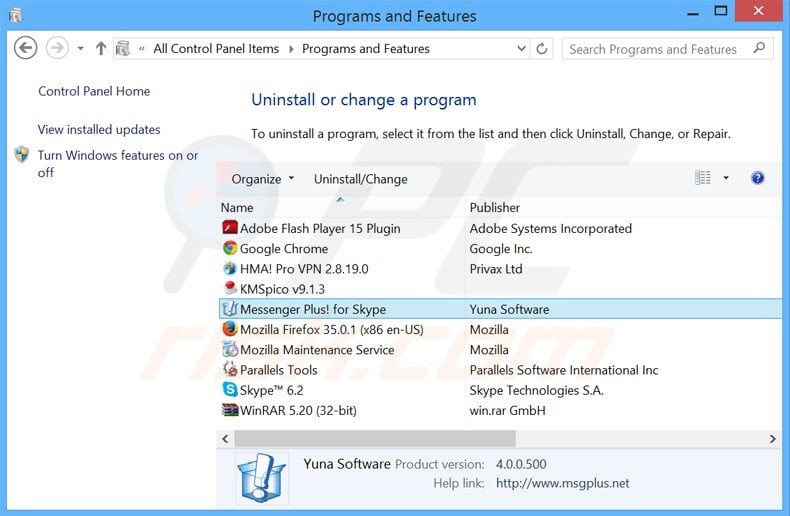
In the uninstall programs window, look for "Messenger Plus! Community Smartbar" or "CrossBrowse", select this entry and click " Uninstall" or "Remove"
After removing Messenger Plus! Community Smartbar, scan your computer for any remaining unwanted components or possible malware infections. Use recommended malware removal software.
DOWNLOAD remover for malware infections
Combo Cleaner checks if your computer is infected with malware. To use full-featured product, you have to purchase a license for Combo Cleaner. 7 days free trial available. Combo Cleaner is owned and operated by RCS LT, the parent company of PCRisk.com.
Plusnetwork.com redirect removal from browsers:
Video showing how to remove potentially unwanted browser add-ons:
 Remove malicious add-ons from Internet Explorer:
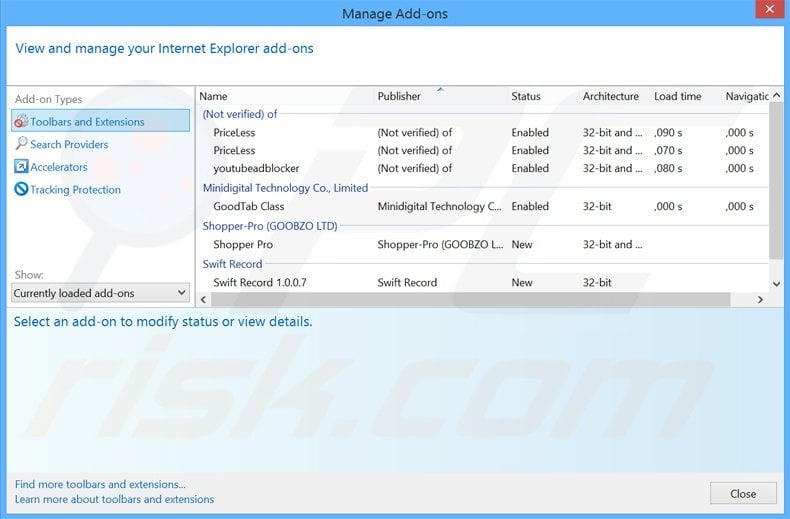
Click the "gear" icon  (at the top right corner of Internet Explorer), select "Manage Add-ons". Look for any recently-installed suspicious browser extensions, select these entries and click "Remove".
Change your homepage:
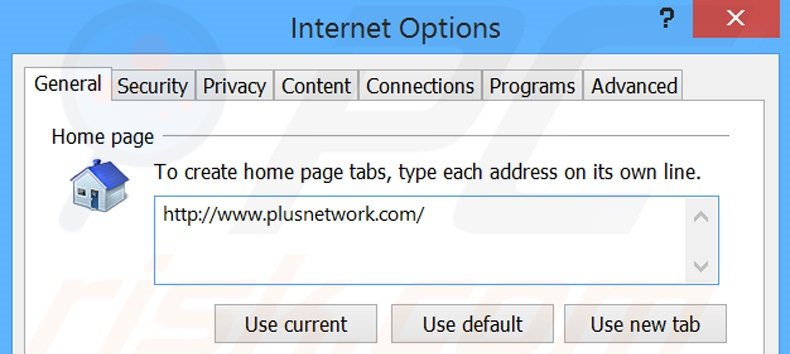
Click the "gear" icon (at the top right corner of Internet Explorer), select "Internet Options", in the opened window, remove hxxp://plusnetwork.com and enter your preferred domain, which will open each time you launch Internet Explorer. You can also enter about: blank to open a blank page when you start Internet Explorer.
Change your default search engine:
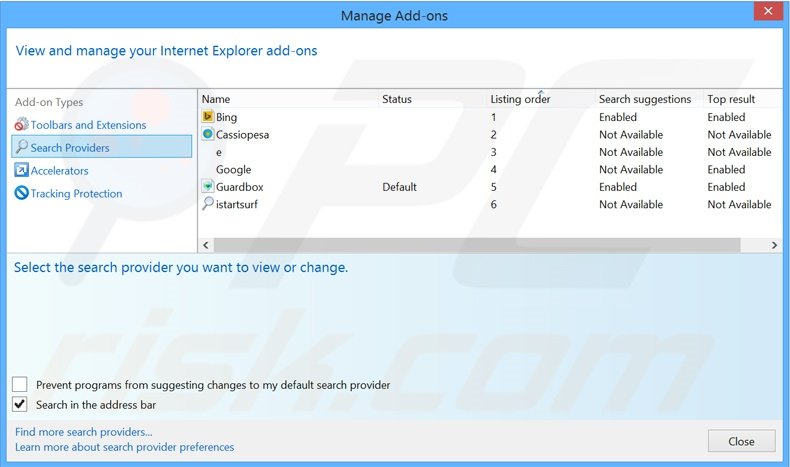
Click the "gear" icon (at the top right corner of Internet Explorer), select "Manage Add-ons". In the opened window, select "Search Providers", set "Google", "Bing", or any other preferred search engine as your default and then remove "plusnetwork".
Optional method:
If you continue to have problems with removal of the plusnetwork.com browser hijacker, reset your Internet Explorer settings to default.
Windows XP users: Click Start, click Run, in the opened window type inetcpl.cpl In the opened window click the Advanced tab, then click Reset.
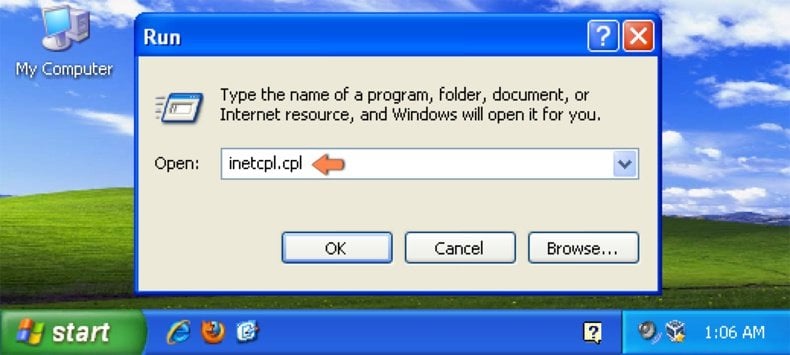
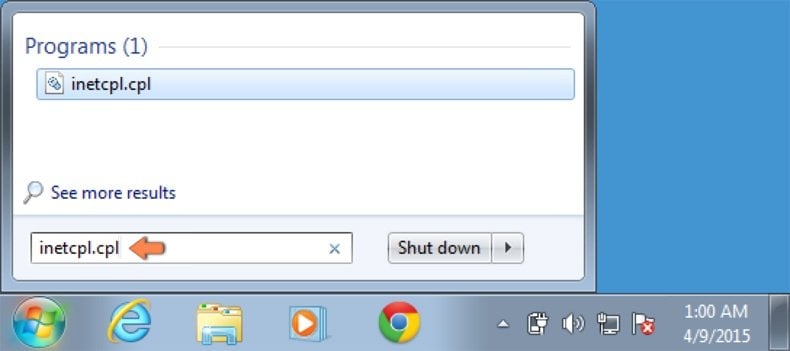
Windows Vista and Windows 7 users: Click the Windows logo, in the start search box type inetcpl.cpl and click enter. In the opened window click the Advanced tab, then click Reset.
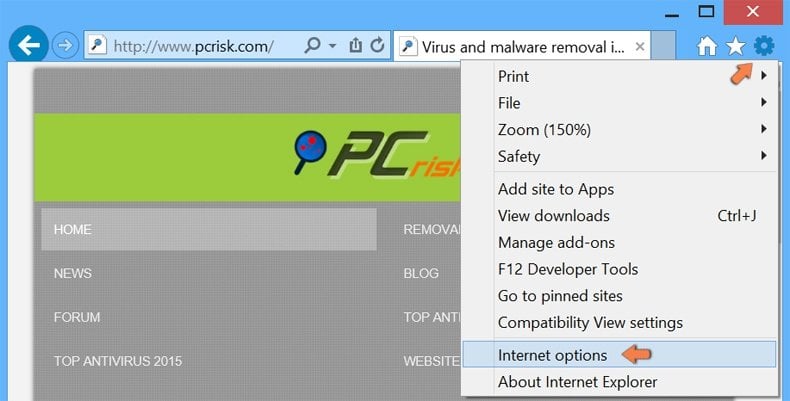
Windows 8 users: Open Internet Explorer and click the gear icon. Select Internet Options.
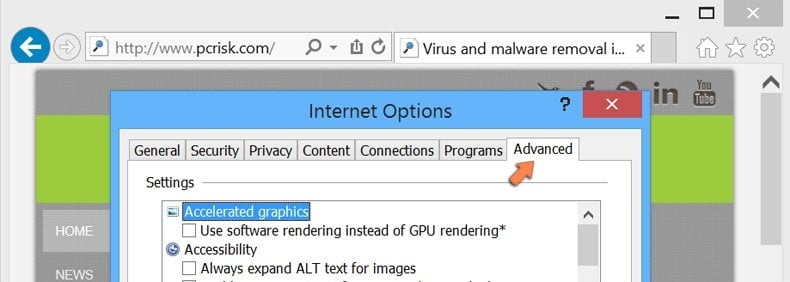
In the opened window, select the Advanced tab.
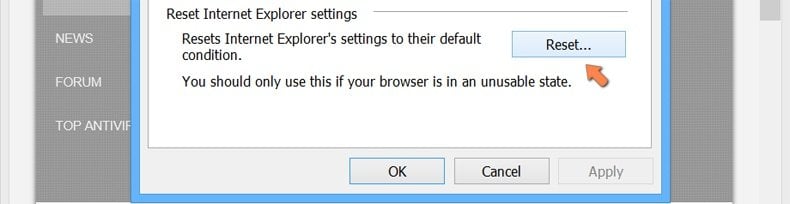
Click the Reset button.
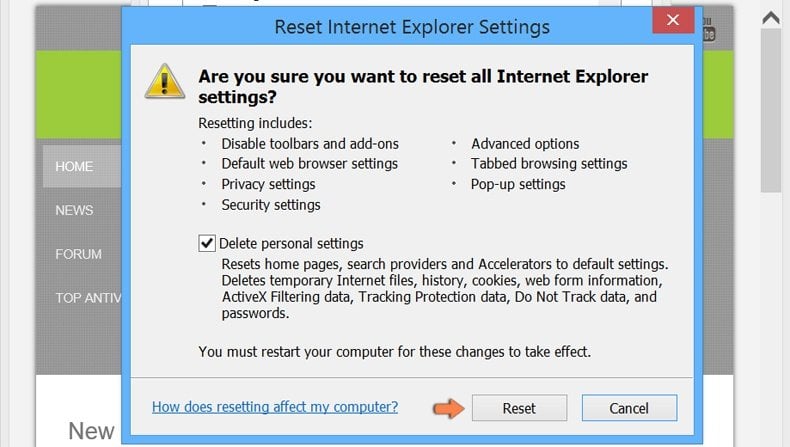
Confirm that you wish to reset Internet Explorer settings to default by clicking the Reset button.
 Remove malicious extensions from Google Chrome:
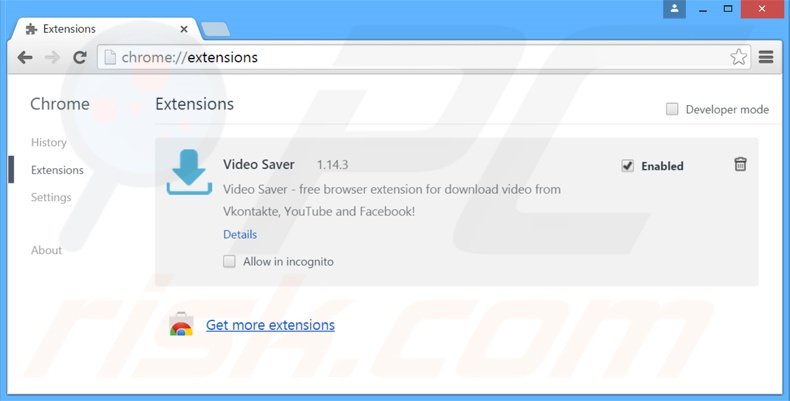
Click the Chrome menu icon  (at the top right corner of Google Chrome), select "Tools" and click "Extensions". Locate all recently-installed suspicious browser add-ons, select these entries and click the trash can icon.
Change your homepage:
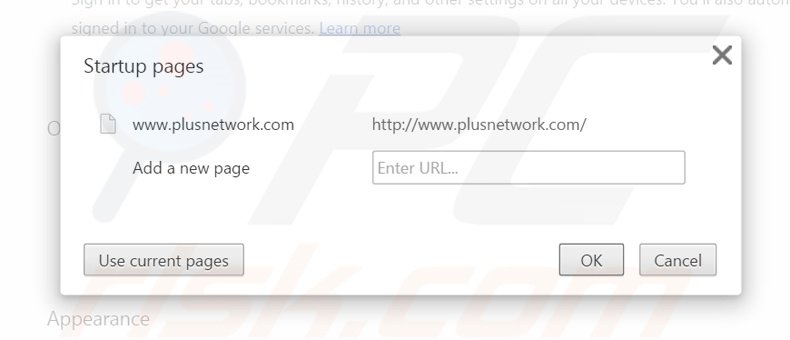
Click the Chrome menu icon (at the top right corner of Google Chrome), select "Settings". In the "On startup" section, click "set pages", hover your mouse over hxxp://www.plusnetwork.com and click the x symbol. Now, you can add your preferred website as your homepage.
Change your default search engine:
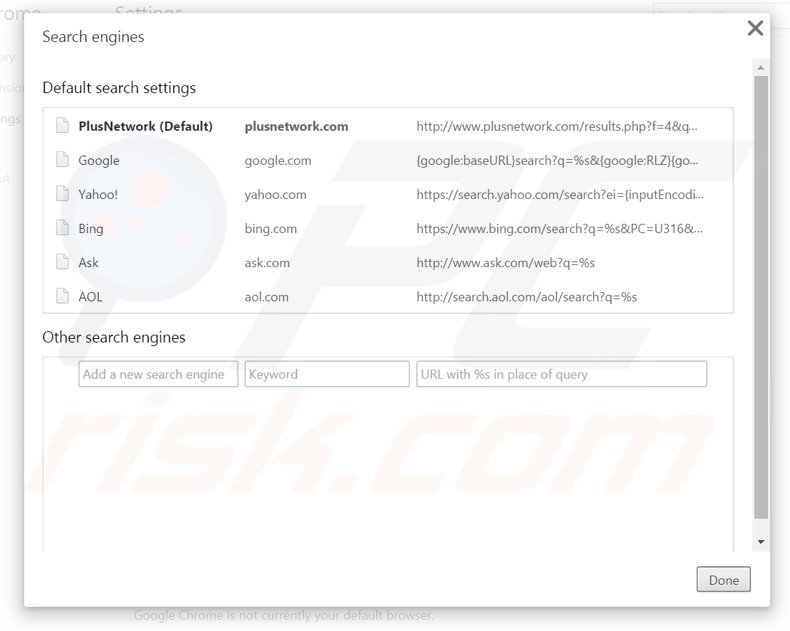
To change your default search engine in Google Chrome: Click the Chrome menu icon (at the top right corner of Google Chrome), select "Settings", in the "Search" section, click "Manage Search Engines...", remove "PlusNetwork" and add or select your preferred domain.
Optional method:
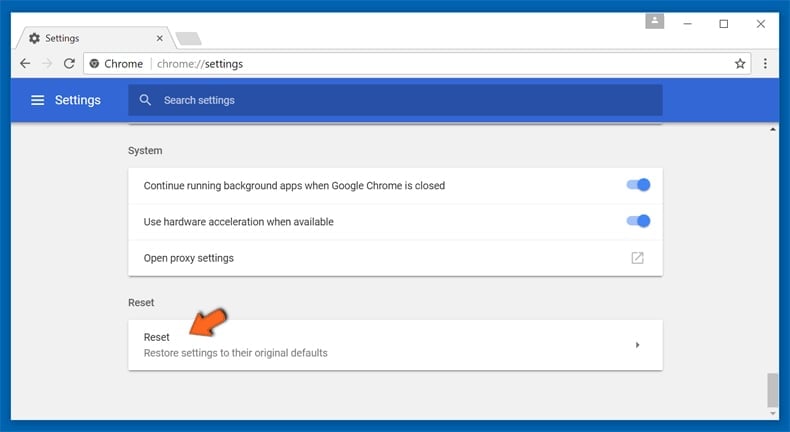
If you continue to have problems with removal of the plusnetwork.com browser hijacker, reset your Google Chrome browser settings. Click the Chrome menu icon  (at the top right corner of Google Chrome) and select Settings. Scroll down to the bottom of the screen. Click the Advanced… link.
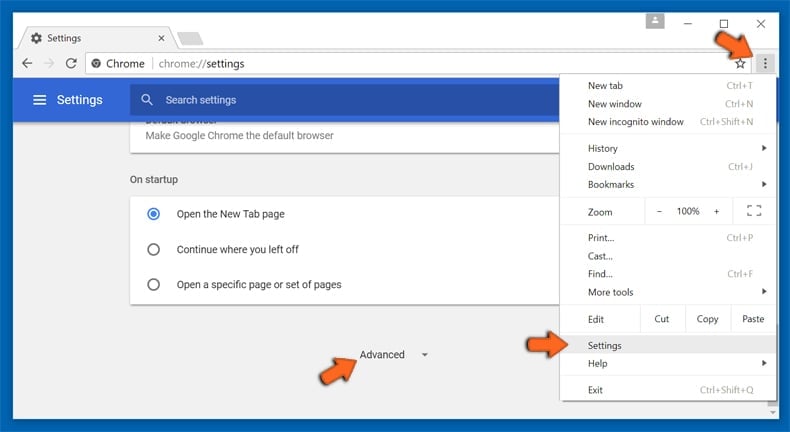
After scrolling to the bottom of the screen, click the Reset (Restore settings to their original defaults) button.
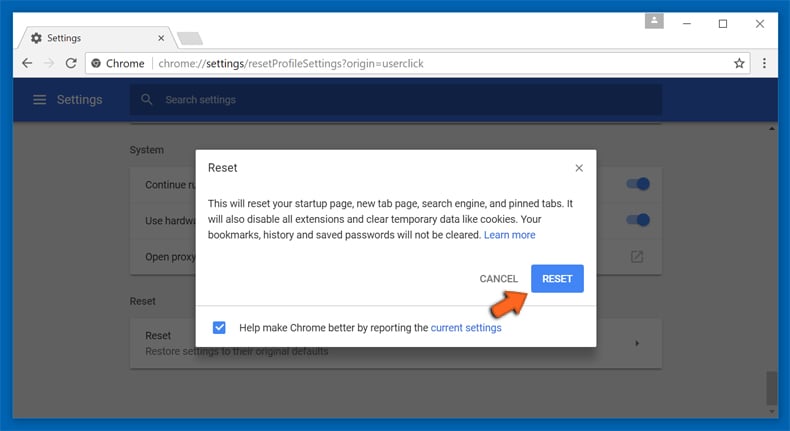
In the opened window, confirm that you wish to reset Google Chrome settings to default by clicking the Reset button.
 Remove malicious plug-ins from Mozilla Firefox:
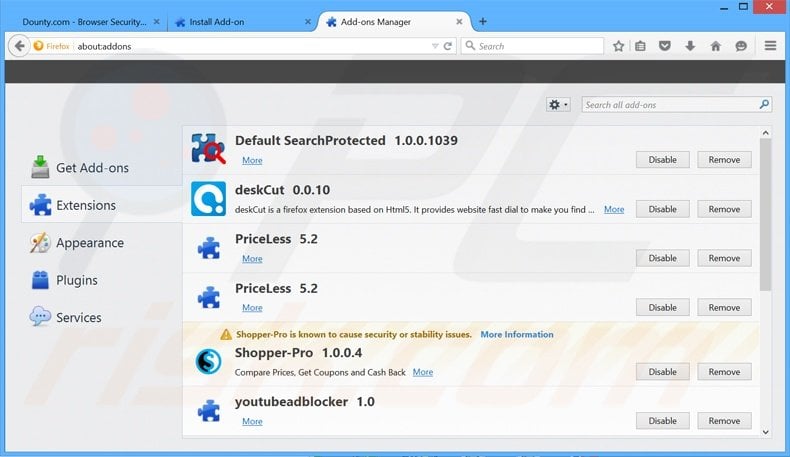
Click the Firefox menu  (at the top right corner of the main window), select "Add-ons". Click "Extensions" and remove all recently-installed browser plug-ins.
Change your homepage:
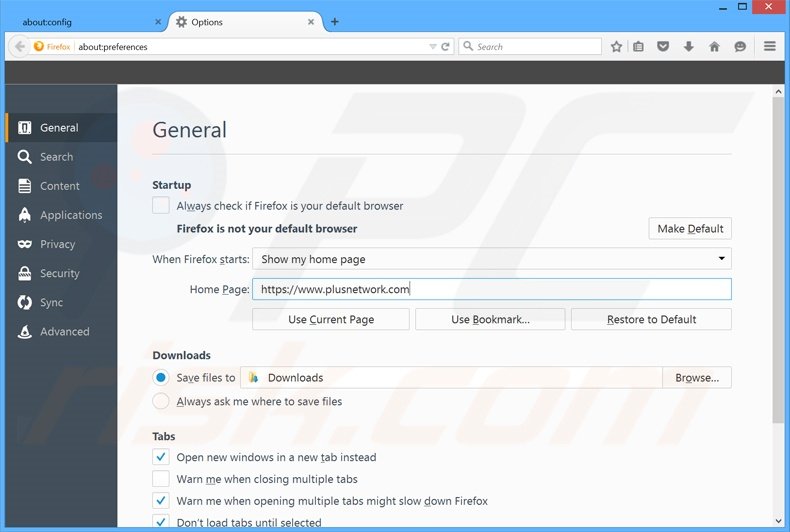
To reset your homepage, click the Firefox menu (at the top right corner of the main window), then select "Options", in the opened window, remove hxxp://plusnetwork.com and enter your preferred domain, which will open each time you start Mozilla Firefox.
Change your default search engine:
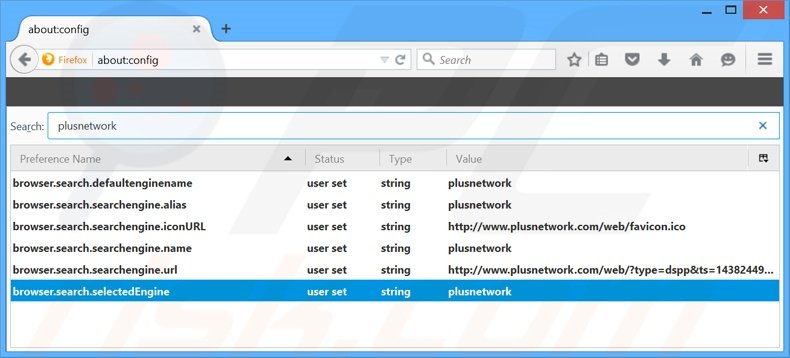
In the URL address bar, type about:config and press Enter.
Click "I'll be careful, I promise!".
In the search filter at the top, type: "plusnetwork"
Right-click on the found preferences and select "Reset" to restore default values.
Optional method:
Computer users who have problems with plusnetwork.com browser hijacker removal can reset their Mozilla Firefox settings.
Open Mozilla Firefox, at the top right corner of the main window, click the Firefox menu, in the opened menu, click Help.
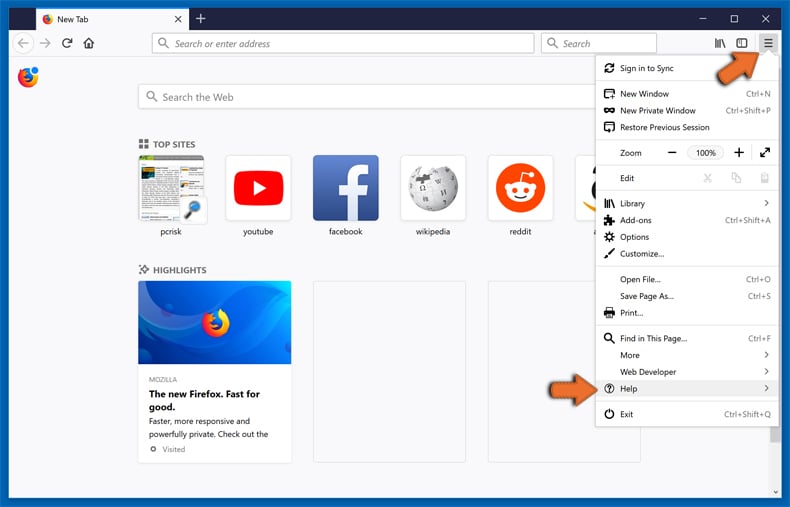
Select Troubleshooting Information.
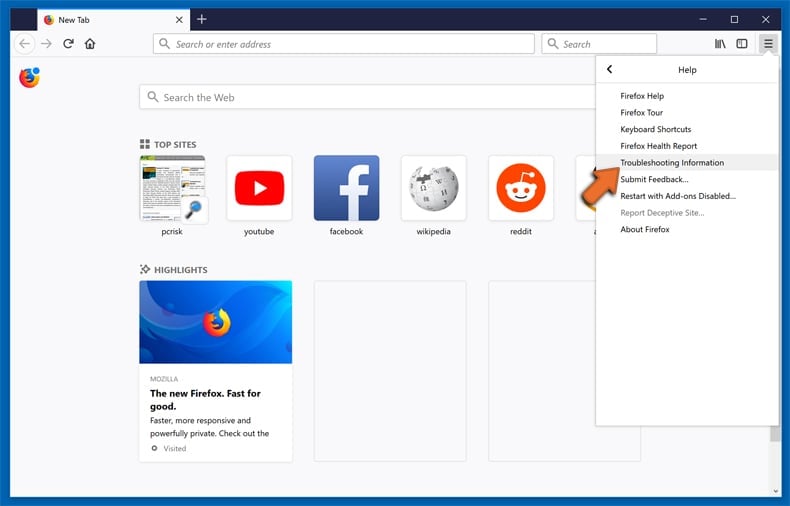
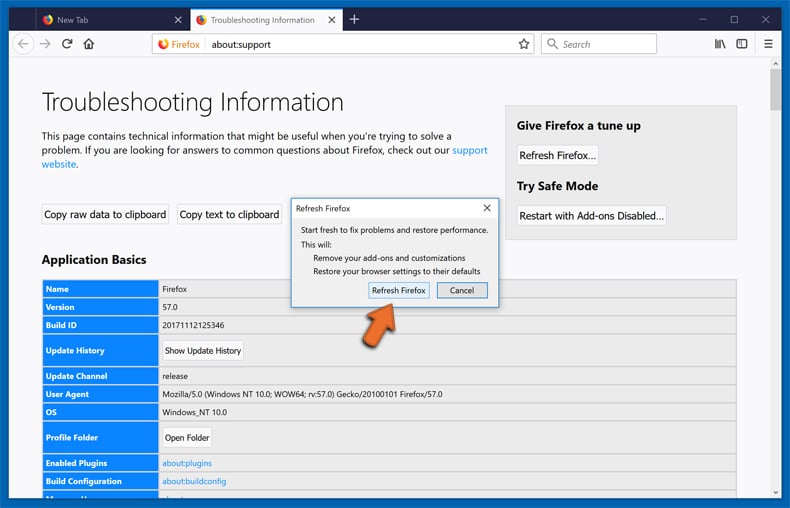
In the opened window, click the Refresh Firefox button.
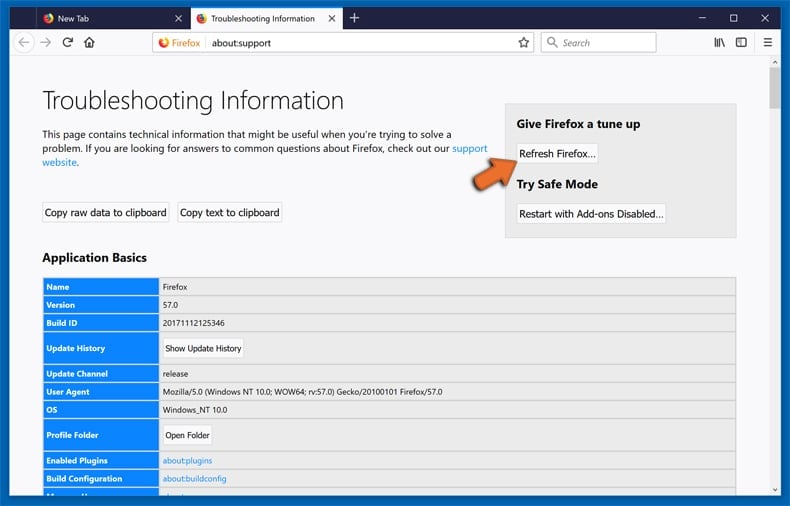
In the opened window, confirm that you wish to reset Mozilla Firefox settings to default by clicking the Refresh Firefox button.
 Remove malicious extensions from Safari:
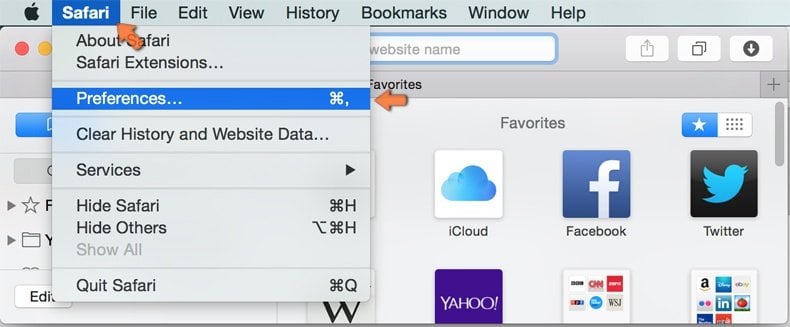
Make sure your Safari browser is active and click Safari menu, then select Preferences...
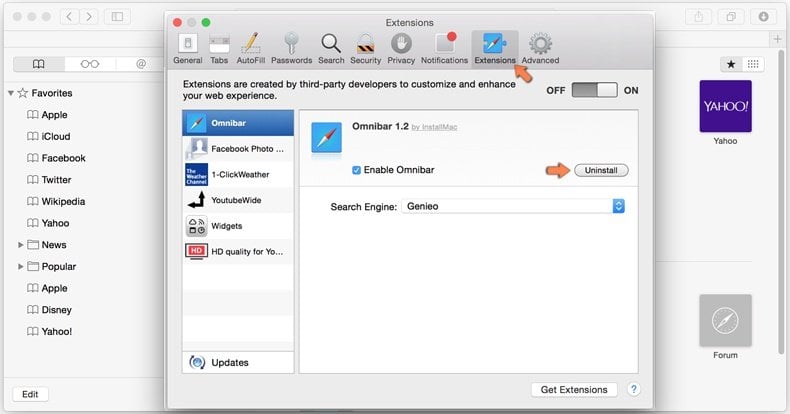
In the preferences window select the Extensions tab. Look for any recently installed suspicious extensions and uninstall them.
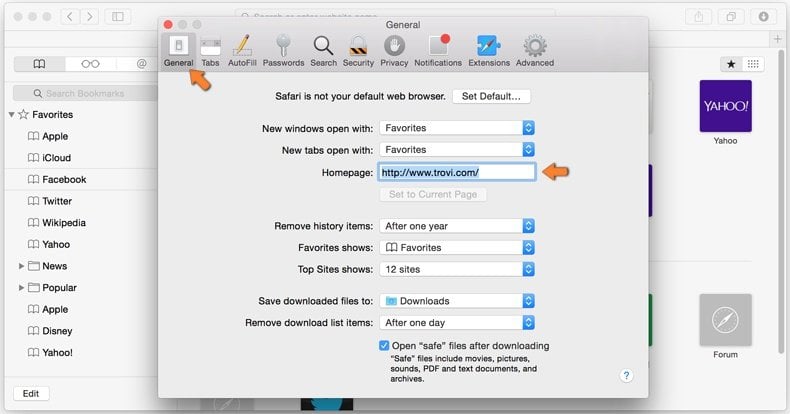
In the preferences window select General tab and make sure that your homepage is set to a preferred URL, if its altered by a browser hijacker - change it.
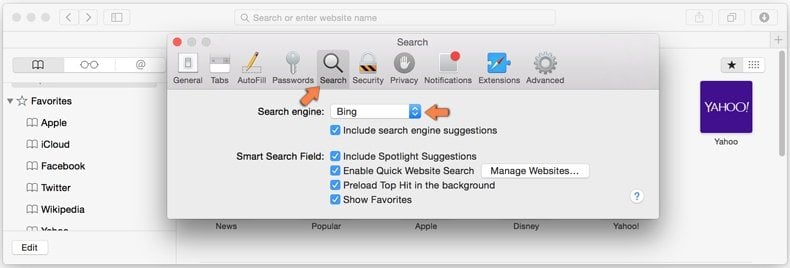
In the preferences window select Search tab and make sure that your preferred Internet search engine is selected.
Optional method:
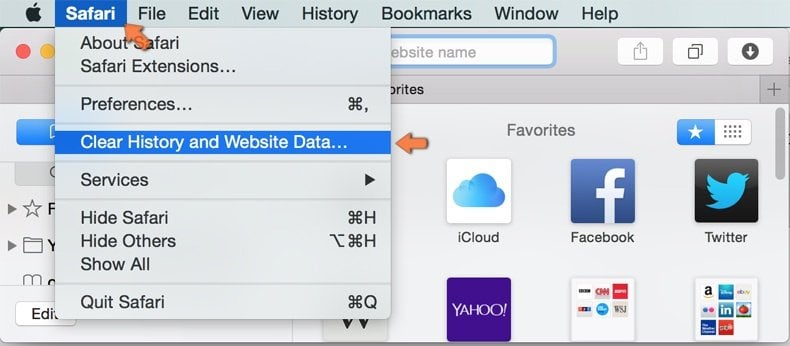
Make sure your Safari browser is active and click on Safari menu. From the drop down menu select Clear History and Website Data...
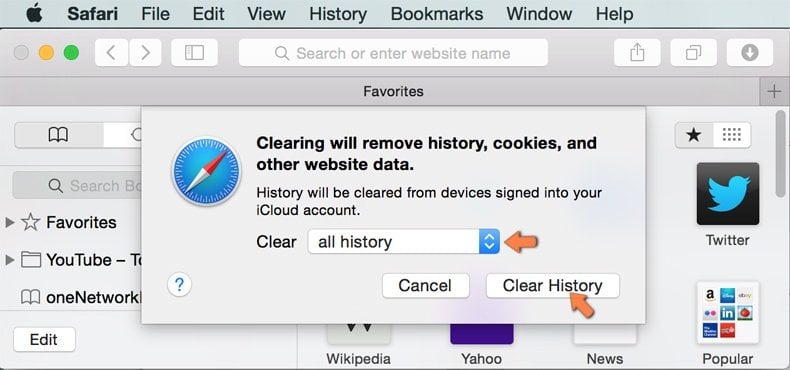
In the opened window select all history and click the Clear History button.
If you continue having problems with browser redirects and unwanted advertisements - Reset Safari.
 Remove malicious extensions from Microsoft Edge:
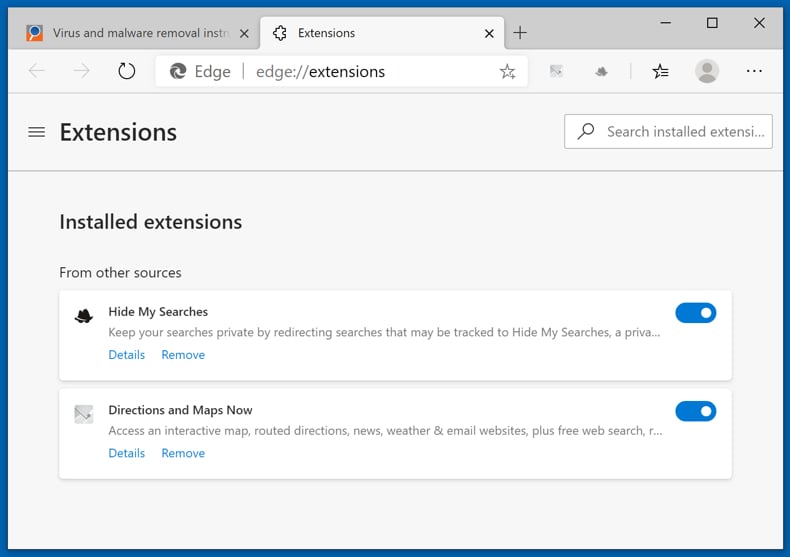
Click the Edge menu icon  (at the top right corner of Microsoft Edge), select "Extensions". Locate any recently-installed suspicious browser add-ons, and remove them.
Change your homepage and new tab settings:
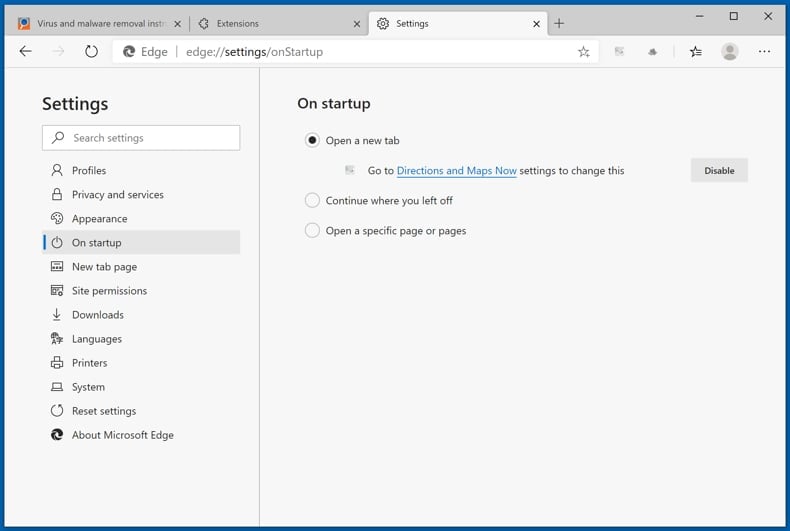
Click the Edge menu icon (at the top right corner of Microsoft Edge), select "Settings". In the "On startup" section look for the name of the browser hijacker and click "Disable".
Change your default Internet search engine:
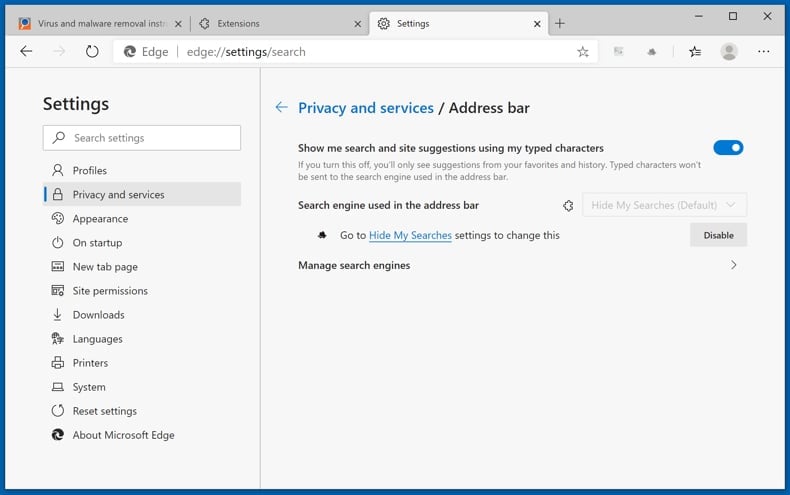
To change your default search engine in Microsoft Edge: Click the Edge menu icon (at the top right corner of Microsoft Edge), select "Privacy and services", scroll to bottom of the page and select "Address bar". In the "Search engines used in address bar" section look for the name of the unwanted Internet search engine, when located click the "Disable" button near it. Alternatively you can click on "Manage search engines", in the opened menu look for unwanted Internet search engine. Click on the puzzle icon  near it and select "Disable".
Optional method:
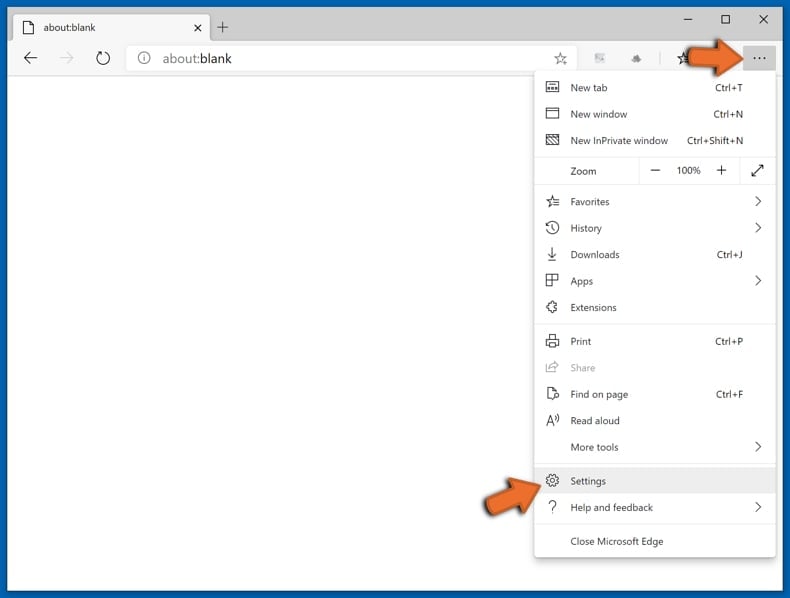
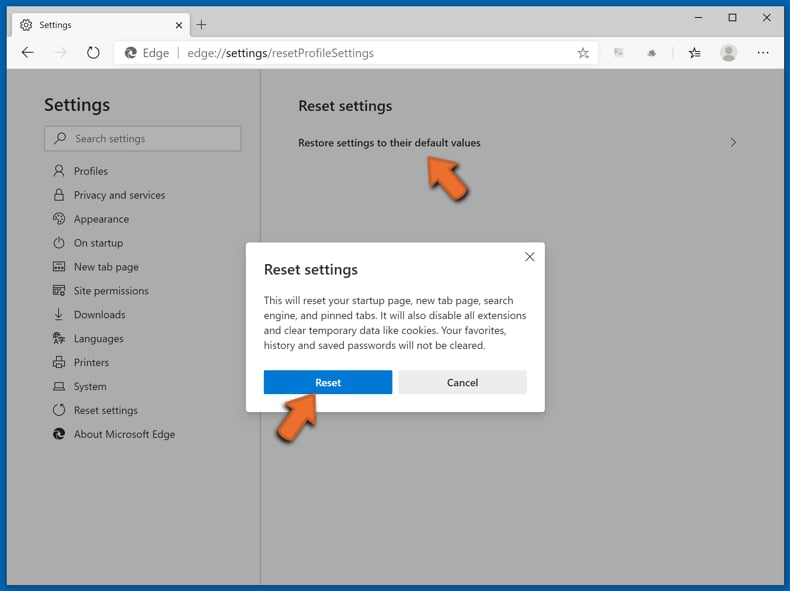
If you continue to have problems with removal of the plusnetwork.com browser hijacker, reset your Microsoft Edge browser settings. Click the Edge menu icon (at the top right corner of Microsoft Edge) and select Settings.
In the opened settings menu select Reset settings.
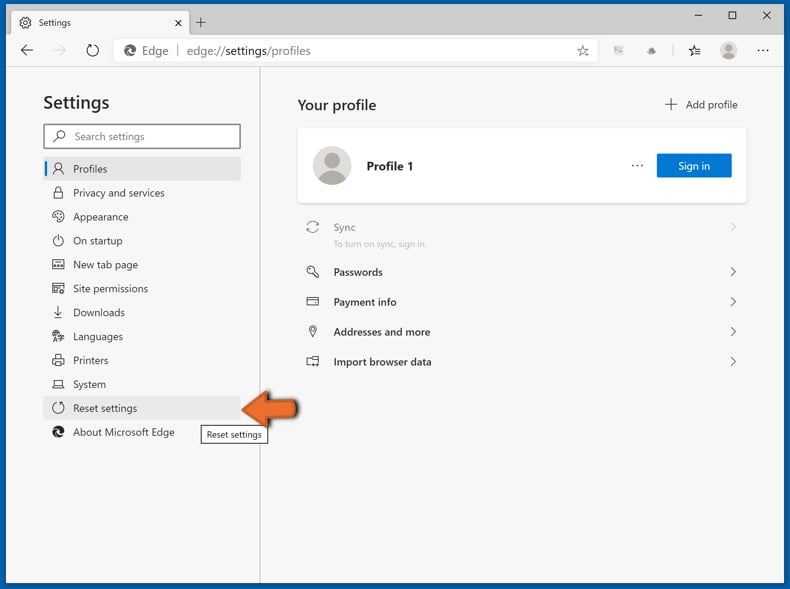
Select Restore settings to their default values. In the opened window, confirm that you wish to reset Microsoft Edge settings to default by clicking the Reset button.
- If this did not help, follow these alternative instructions explaining how to reset the Microsoft Edge browser.
Summary:
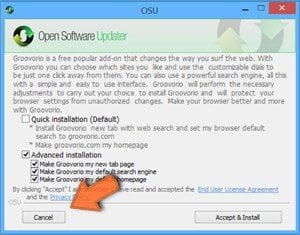 A browser hijacker is a type of adware infection that modifies Internet browser settings by assigning the homepage and default Internet search engine settings to some other (unwanted) website URL. Commonly, this type of adware infiltrates operating systems through free software downloads. If your download is managed by a download client, ensure that you decline offers to install advertised toolbars or applications that seek to change your homepage and default Internet search engine settings.
Post a comment:
If you have additional information on plusnetwork.com browser hijacker or it's removal please share your knowledge in the comments section below.
Share:
 Facebook
 X.com
X.com
 LinkedIn
 Copy Link

Tomas Meskauskas
Expert security researcher, professional malware analyst
I am passionate about computer security and technology. I have an experience of over 10 years working in various companies related to computer technical issue solving and Internet security. I have been working as an author and editor for pcrisk.com since 2010. Follow me on Twitter and LinkedIn to stay informed about the latest online security threats.
PCrisk security portal is brought by a company RCS LT.
Joined forces of security researchers help educate computer users about the latest online security threats. More information about the company RCS LT.
Our malware removal guides are free. However, if you want to support us you can send us a donation.
DonatePCrisk security portal is brought by a company RCS LT.
Joined forces of security researchers help educate computer users about the latest online security threats. More information about the company RCS LT.
Our malware removal guides are free. However, if you want to support us you can send us a donation.
Donate
▼ Show Discussion