
Adblock Plus Review

✓
Fact-checked by:
Tomas Meskauskas
Last updated:
November 14, 2025
Our reviews are written by Internet security experts.
Learn more.
PCRisk score:
4.1
When searching for a comprehensive ad-blocking tool, we recommend shortlisting Adblock Plus.
What we liked:
✓ Effective ad removal: Blocks most ads out of the box, significantly cleaning up web pages.
✓ Easy to use: Simple setup and interface, making it accessible even for non-technical users.
✓ Cross-platform support: Available on all major browsers and mobile devices, ensuring a consistently ad-free experience.
What we disliked:
✗ Acceptable Ads default: Allows certain ads by default, which some users might find misleading until they disable it.
✗ YouTube ad challenges: Struggles with blocking ads on YouTube and similar sites, especially with recent anti-adblock measures.
✗ Premium upsell needed for extras: Features like cookie pop-up blocking require a paid upgrade.
When looking for a way to block intrusive ads, Adblock Plus is one of the go-to solutions. It's famous for its browser extensions and mobile apps. In our review, we'll dissect Adblock Plus through the lens of our internal testing and analysis.
Pricing and Plans
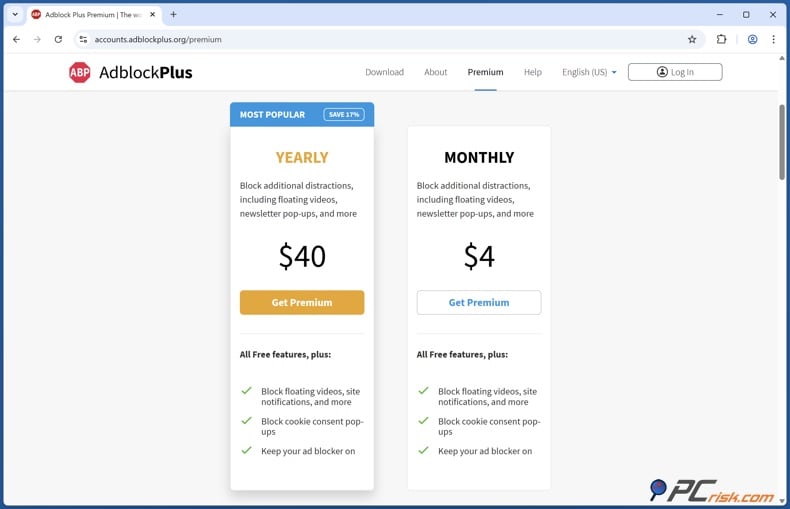
When using Adblock Plus, the core ad blocker is completely free to use on all supported browsers and devices. Adblock Plus Premium is offered as a paid subscription for users who want enhanced capabilities.
Premium can be purchased for around $4 a month, or $40 a year. That's basically 17% cheaper than the monthly rate. The developers' 120-day money-back guarantee also covers New Premium subscribers.
Available Versions
• Adblock Plus Free: When you install the free version of this browser extension or mobile app, it blocks most banner ads, video ads, and pop-ups. It also comes with some ads that are considered to be less intrusive, known as 'Acceptable Ads', which can be turned off if you don't like them.
The free version has a basic set of features that let you block ads, customise your own filters, and whitelist websites. It even includes some tracking protection and annoyances (such as hiding social media share icons or blocking push-notification pop-ups).
• Adblock Plus Premium: When you want more advanced features to block out the noise, Adblock Plus Premium is the paid option to consider. Building on the free version, Premium gives you access to even more types of ads and distractions that the standard blocker might miss, and according to the developers, it can take on annoyances like cookie consent banners, newsletter sign-up pop-ups, floating video players, suppressible site notifications, and more.
Well-known for being a single-tier service with no "Ultimate" beyond the Premium, this service covers all supported browsers once you're signed in to your Adblock Plus account. The premium version has a 120-day money-back guarantee and prioritised support when needed.
Aside from these editions, Adblock Plus also distinguishes itself by platform:
• Browser Extensions: Adblock Plus is offered as a free extension for all major browsers - including Chrome, Firefox, Safari, Edge, Opera, and others. It's basically how most people get Adblock Plus up and running on their computers.
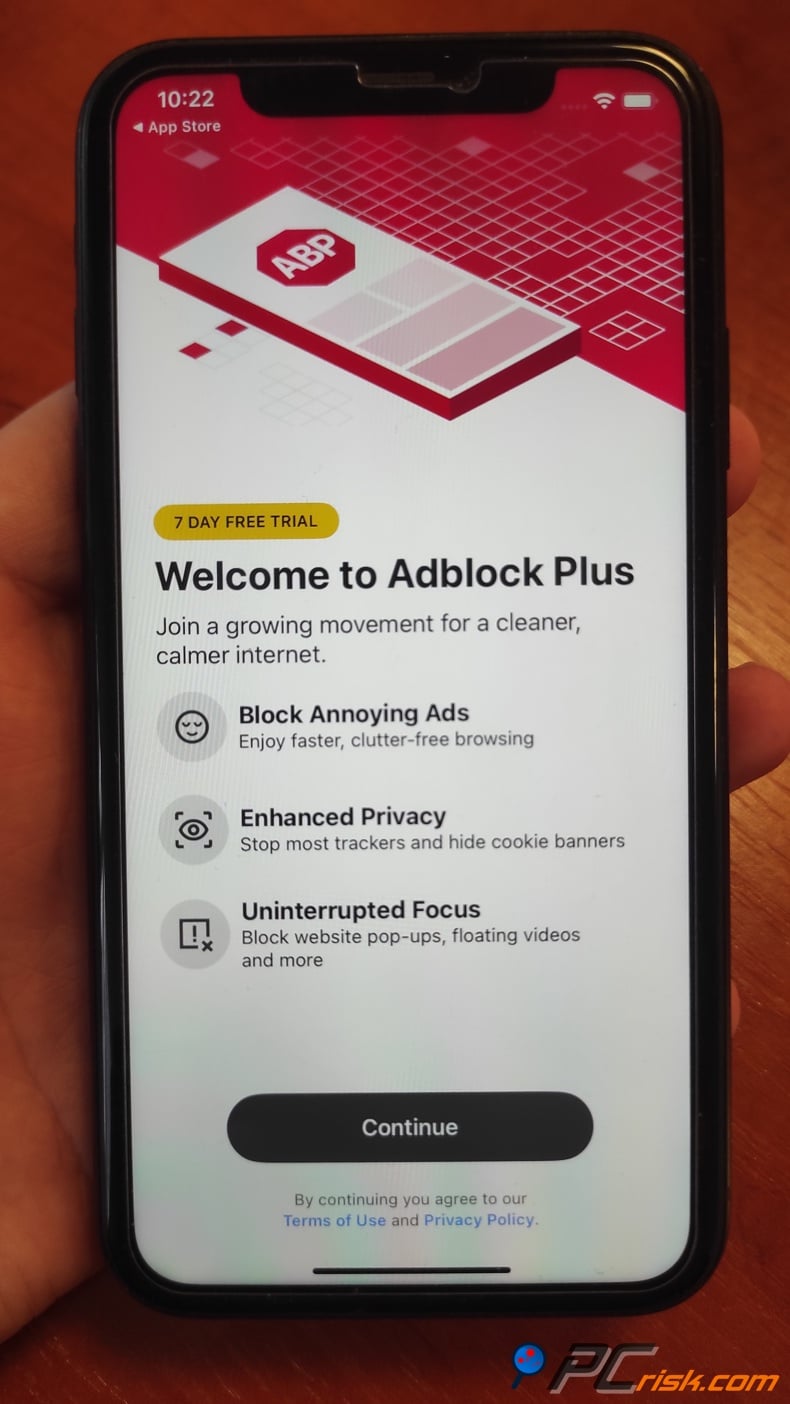
• Mobile Apps: Adblock Plus gives you the Adblock Browser for Android and Adblock Plus for Safari on iOS. Coming over from the desktop, these apps are basically the mobile version of the free service, but with the option to unlock some extra features if you sign up for Premium.
Our In-House Ad Block Test Results
We ran it through several ad-blocking test tools and everyday web usage trials to check how well Adblock Plus performs. Our testing approach includes:
• AdBlock Tester: This tool checks the blocker's efficacy against various ads and trackers and provides a score out of 100. When testing Adblock Plus, the developers threw a wide variety of ad types at it to see how well it could do, and it could block most of them. In our case, Adblock Plus scored 77/100 on AdBlock Tester, which is a good sign of its ability to block ads.
• EFF's Cover Your Tracks: This is a privacy-focused test that examines tracker blocking and browser fingerprinting. We looked at Adblock Plus's ability to prevent tracking scripts. (Result: Adblock Plus achieved a 0/3 score on Cover Your Tracks, meaning it doesn't perfectly mask all online fingerprints)
• "Can You Block It?": A test page that throws a variety of ad elements (banner ads, pop-ups, video ads, etc.) at the blocker. When checking the effectiveness of ad blockers and anti-adblock techniques, we tested YouTube. (Result: Adblock Plus passed 7 out of 7 ad-block tests on CanYouBlockIt)
• Real-world browsing: When testing Adblock Plus, we also looked at popular ad-heavy websites, like Forbes.com. While browsing these websites, Adblock Plus's built-in stats allowed us to see just how many ads were being blocked on each page, so we noted that.
We also wanted to see how Adblock Plus would cut through pre-roll video ads, so we tested it out on YouTube, and in particular, the anti-adblock measures that YouTube has recently implemented. (Observation: On a site like Forbes, Adblock Plus blocked 22 ads on the homepage. On YouTube, it was not able to skip video ads reliably.)
• Performance and browser impact: When testing Adblock Plus's impact on browser speed and resource usage, we looked for significant changes in page load times and CPU/memory consumption.
Based on its preliminary usage and existing benchmarks, Adblock Plus is very good at blocking the bulk of the standard ads you'd find online. However, it might miss a few trackers or the more difficult ads, especially on platforms like YouTube, which often require some manual fine-tuning.
Main Features
• Blocking Web Ads: By default, Adblock Plus removes common ad formats such as banners, sidebar ads, and pop-ups from websites. It uses a vast and frequently updated filter list, powered by the popular EasyList, that takes down any ad-serving domains and scripts it knows about.
• Acceptable Ads: Adblock Plus, when running with its free version, will allow non-intrusive ads to appear on websites, specifically if they meet the community's requirements for size, placement, and how much they disrupt the user experience.
The idea is to support content creators by not blocking mild ads. If you don't want to see any ads, you can easily turn off Acceptable Ads in Adblock Plus' settings.
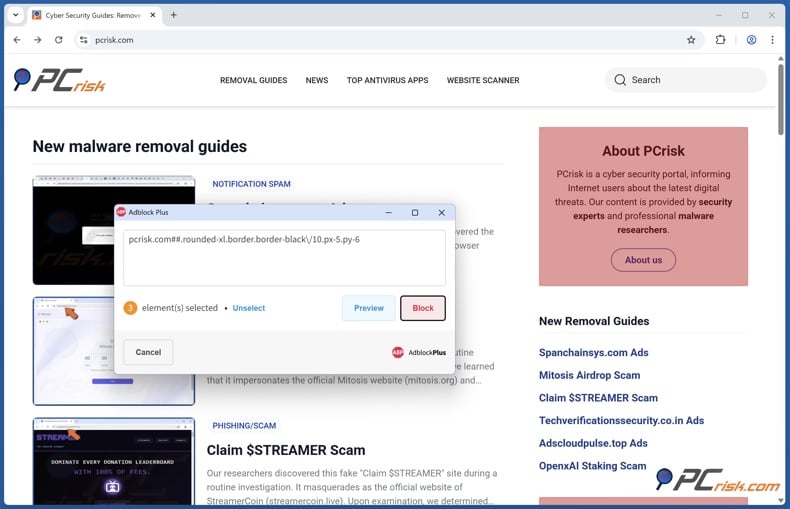
• Element Blocking: The element blocking feature in Adblock Plus lets you handpick page elements that are missed by the default filters, and block anything that you find unpleasant, such as specific images or frames.
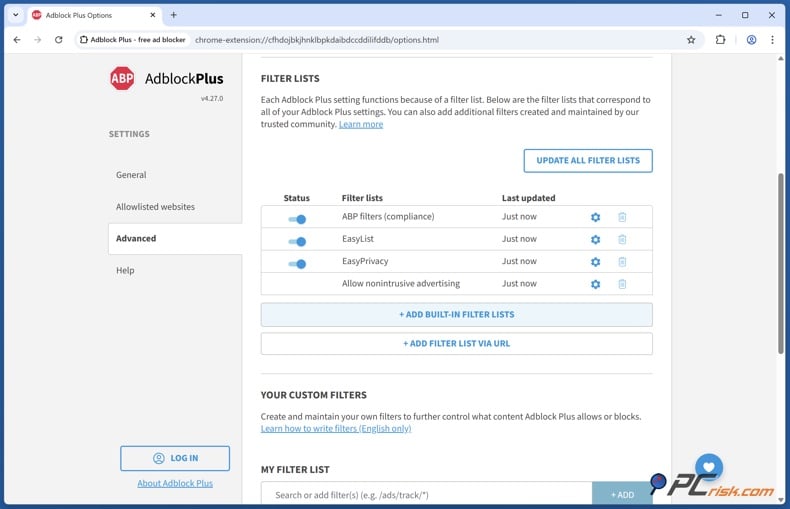
• Custom Filters and Lists: For advanced users, the extension also allows you to add additional filter subscriptions and write custom rules. Adblock Plus is also equipped to block trackers, adult sites, social media widgets, and lots of other types of unwanted content.
You can activate any of these public filter lists in the settings, and even paste custom rules. Making the extension basically a Swiss Army knife for sorting out clutter on the web.
• Tracker Blocking: While primarily an ad blocker, Adblock Plus can also block some tracking and analytics scripts. By enabling the built-in EasyPrivacy list (or if it's enabled by default), the extension will cut down on a lot of the common trackers that follow you around the internet.
• Malware Domain Blocking: Adblock Plus includes filter lists (like Malware Blocking or Malvertising lists) to protect users from malicious ads and scam domains.
This means it can preemptively block connections to known malware-hosting sites or ad networks that have served malware. While it's not a full antivirus, this feature provides an extra layer of safety by cutting off one of the common malware delivery vectors (malicious ads).
Additional Features
• Cookie Consent Pop-up Blocking (Premium): When you're faced with the same old "This site uses cookies, please accept" pop-up, you can now kill it with Adblock Plus Premium. This feature not just hides the banner, but is smart enough to tell the website to reject any non-essential cookies.
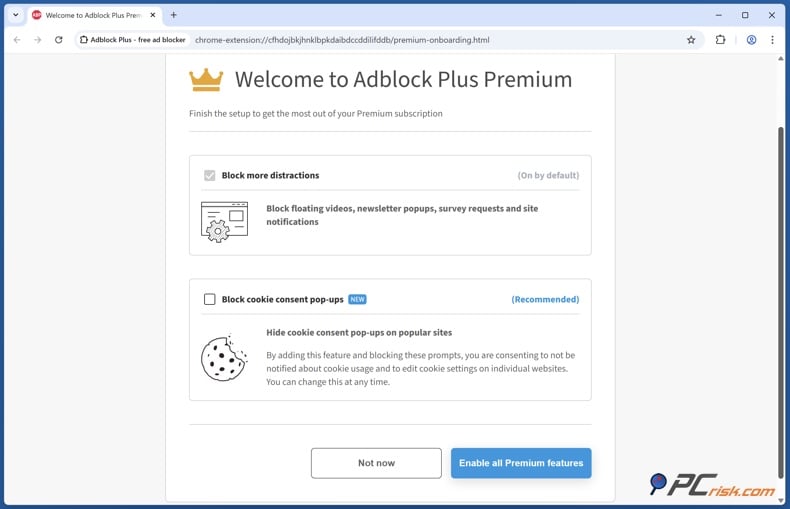
• Blocking Other Annoyances (Premium): Adblock Plus Premium ensures you're not interrupted by annoying pop-ups and floating video windows, newsletters, survey forms, and browser notifications. It's basically blocking everything that falls into the category of 'annoyances' or 'distractions', and filters them out.
• Allowlisting and Customization: You can still allow ads on specific sites, either to support a site you love or to ensure that a site functions as normal, it's a simple process that just takes two clicks.
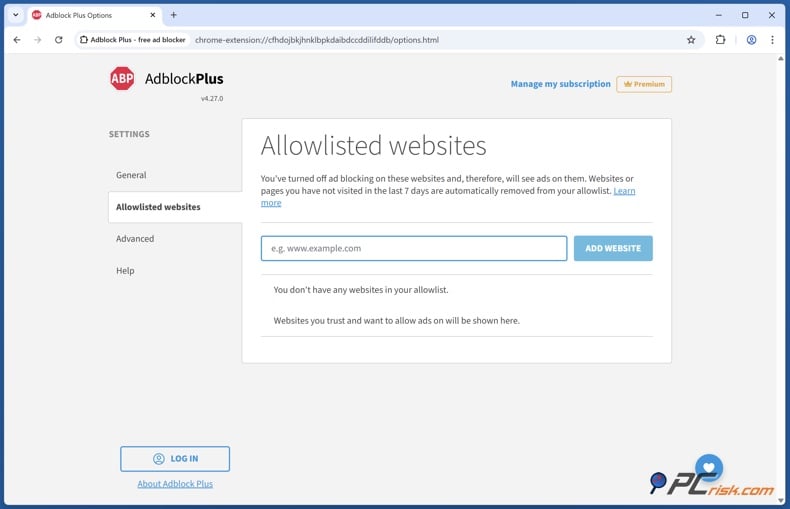
• Anti-Adblock Message Handling: Some websites can tell that you're running an ad blocker and show a message asking you to disable it to continue. Well-known as 'anti-adblock' messages, Adblock Plus tries to outsmart these by using specialized filters.
Ease of Use
One of Adblock Plus's strong points is its user-friendliness. It's designed for a wide audience, from non-technical users who want ads gone, to advanced users who like to tweak settings.
• Installation is straightforward: On desktop, you simply install the Adblock Plus extension from the official site or your browser's add-on store (it's listed in Chrome Web Store, Firefox Add-ons, etc.).
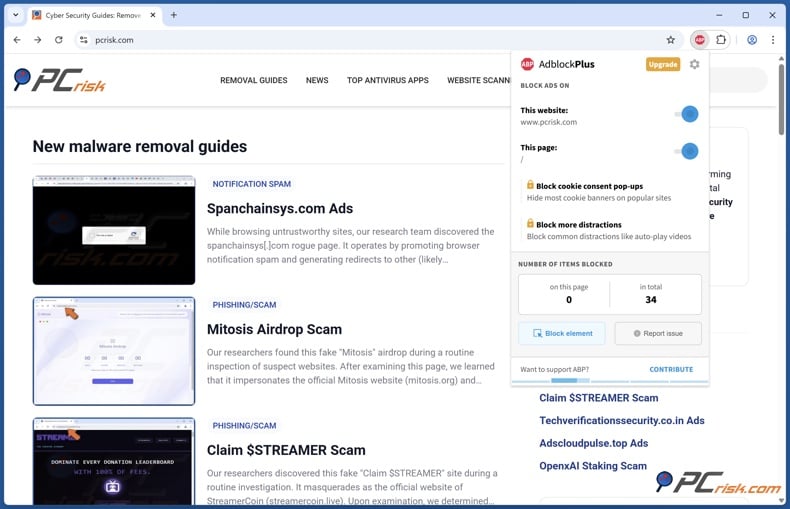
• Interface: Once installed, Adblock Plus drops a neat "ABP" stop-sign icon onto the toolbar. A click opens a clean and intuitive dropdown panel, which gives you a good rundown of what's being blocked on the page and gives you the option to kill or enable ad blocking on a site. Even first-time users will figure out how to whitelist a site or enter the settings.
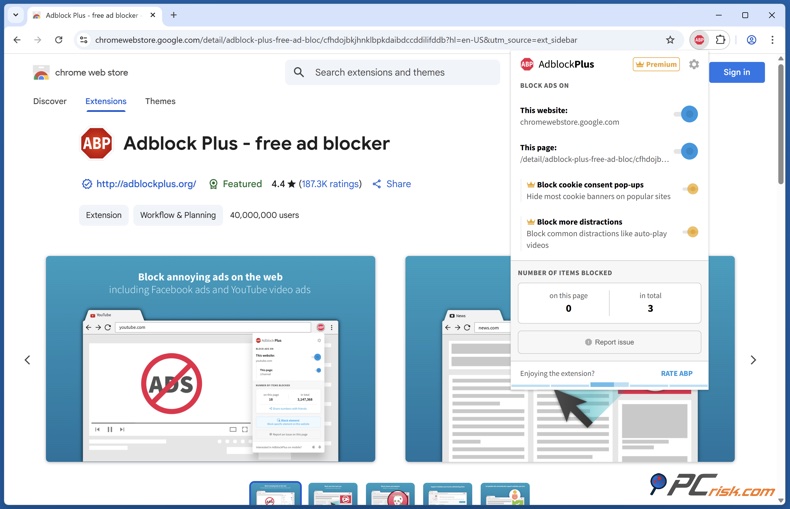
In our usage, we found the settings menu (options page) of Adblock Plus to be well-organized. It's presented as a dashboard where you can toggle features (e.g., turn off Acceptable Ads, enable additional lists) and see your filter subscriptions. Each option has explanatory notes, so you're not left guessing what a particular toggle does.
• Usability: Generally, Adblock Plus works in the background, requiring no supervision. You might occasionally need to use the 'Block element' tool or send in a report for a missed ad (a "Report issue" feature lets you send feedback to the developers), but these are optional features.
• Notifications or Pop-ups: Adblock Plus does send out the odd prompt, usually to let you know about new features or to ask for your support. Some users have found the requests to upgrade to Premium or donate annoying.
Overview of Mobile Apps
• Adblock Browser for Android: On Android, Adblock Plus isn't available as a standalone extension. Instead, the company offers a Chromium-based Adblock Browser with Adblock Plus built in. This gives you seamless ad blocking across all the websites you visit, with no need to install anything extra.
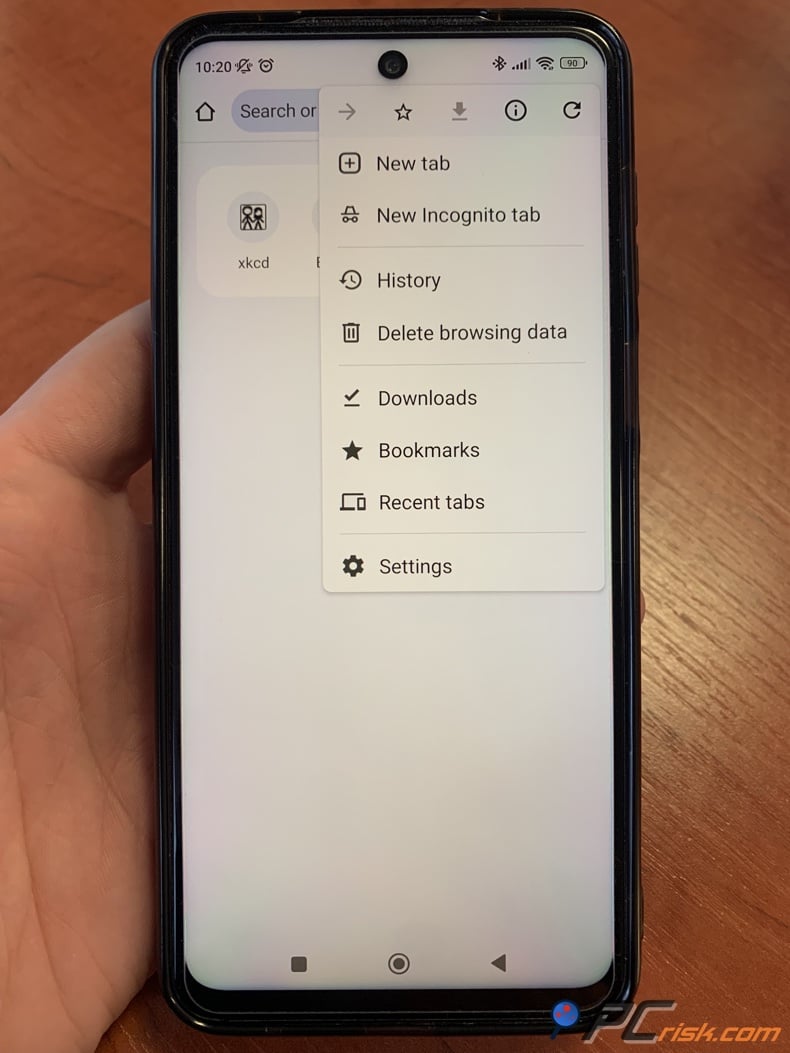
In our usage, Adblock Browser feels like a fairly standard mobile browser. It has tabs, bookmarks, etc., and, of course, it blocks ads effectively.
Well-known for being user-friendly, the interface is similar to Chrome/Firefox mobile, so it won't throw you off. The downside is that you can't use this browser and still have Chrome on your Android, as it won't allow Adblock extensions, so you'd have to choose one or the other.
However, if you don't mind switching to a different browser, this is basically a free all-in-one option that includes the same free features from Adblock Plus. Premium features, such as ad blocking on social media sites and blocking of cookie pop-ups, work automatically.
• Adblock Plus for Safari (iOS): When using Adblock Plus on your iPhone or iPad, ad blocking is done through Safari's content blocker feature, which can be supplied with the Adblock Plus app from the App Store.
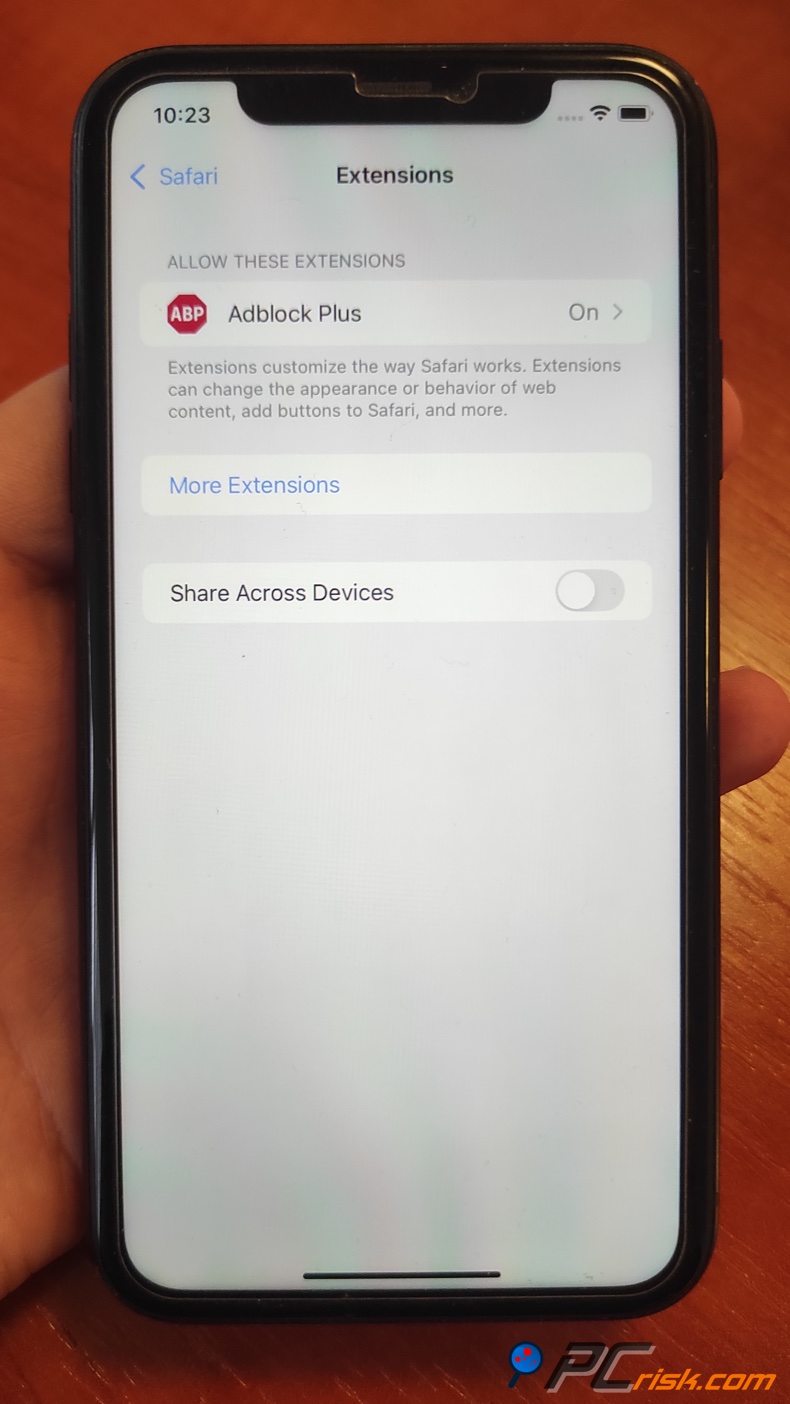
Once the Adblock Plus app is installed, you need to turn it on in Safari settings. Then, the ad-blocking system will kick in and send Safari the necessary instructions to get rid of the ads. The iOS app is pretty straightforward to operate. It's got a minimalist interface where you can switch off various things, such as ads, trackers, and whether you want to see 'Acceptable Ads'.
• Adblock Plus for Samsung Internet: Samsung's native browser, Samsung Internet, has a plugin system, and that's where Adblock Plus for Samsung Internet comes in. Available on the Galaxy Store or Play Store, this add-on basically mimics the functionality of the Safari content blocker. If you're a Samsung phone user and you prefer using Samsung Internet over Chrome, this is a practical option for you.
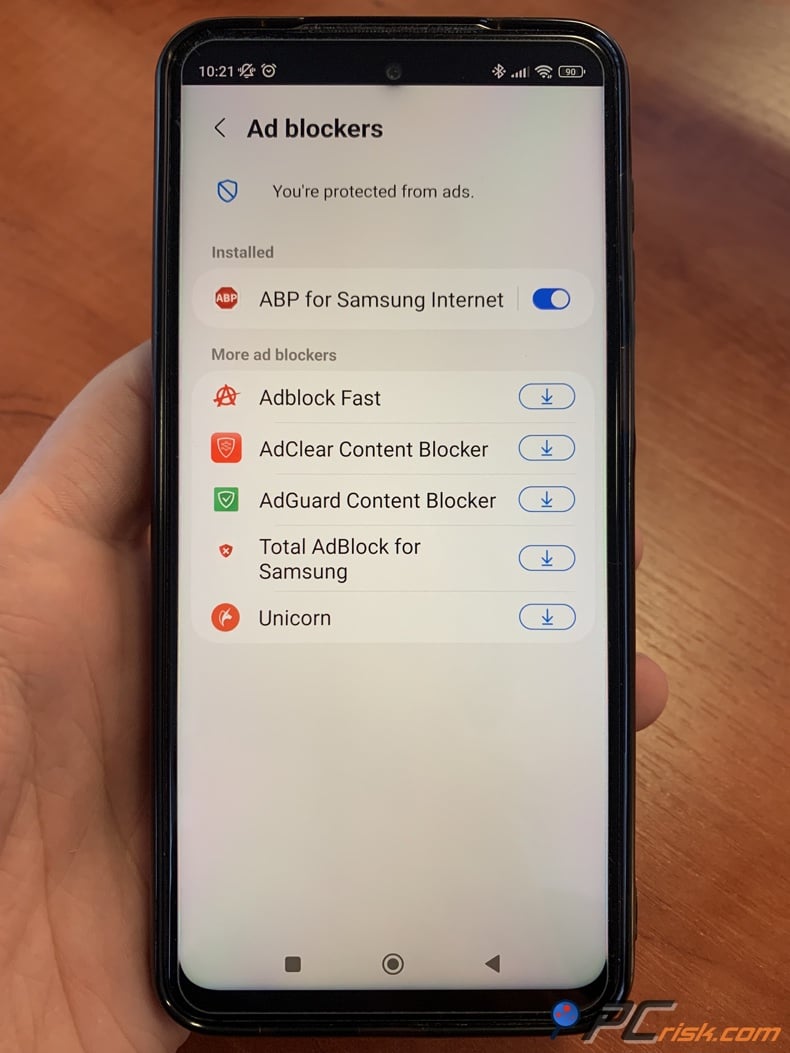
It's worth noting that mobile ad-blocking is not quite as thorough as desktop ad-blocking because of platform limitations. Adblock Plus won't block ads in mobile apps, such as the YouTube app.
Ads will not be blocked because the ad blockers like Adblock Browser or Safari with Adblock Plus are not compatible with the app when using the YouTube app on your phone or tablet. This is because these types of adblockers need to be used in conjunction with a web browser, not a mobile app.
User Reviews and Feedback
Trustpilot: Adblock Plus has a relatively low rating of about 2.3 out of 5 stars on Trustpilot. People are generally unhappy that not all ads, especially YouTube ads, get blocked, and feel that the software doesn't block everything by default.
One of the main things that lets users down is the Acceptable Ads feature, which only allows specific types of ads to pass through. Some users even mention needing the Premium feature for particular websites and feel that this is not the case or could be clarified.
The team behind Adblock Plus, though, does seem to be listening. They're responding to almost all the negative reviews on Trustpilot, which is really impressive (they have replied to 100% of negative reviews, per Trustpilot's stats).
• Reddit and Forums: Looking at the tech-savvy crowd (like the adblocking subreddit and privacy forums), Adblock Plus has come under fire for being too soft on ads, and for its Acceptable Ads policy, which allows some ads to go through.
Many advanced users prefer alternatives like uBlock Origin, claiming Adblock Plus has become "bloated" or even "basically adware" in harsh terms.
They can't stand the idea of ads getting through and claim that uBlock Origin uses fewer system resources.
Some Reddit users were also fed up with Adblock Plus's persistent promotion of its Premium service and the fact that it doesn't work on YouTube.
Widely recognized among power users, Adblock Plus's reputation isn't nearly as high as it was a decade ago, largely due to the rise of better alternatives.
However, many casual Reddit users don't seem to be experiencing any significant issues with Adblock Plus and report that it's working fine, especially if they're not bothered about the Acceptable Ads policy.
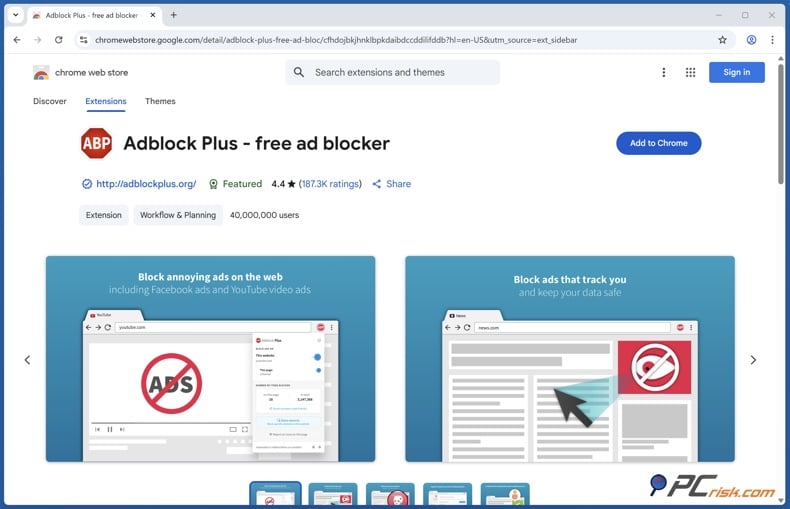
• Browser Extension Stores: When checking out the reviews on the Chrome Web Store and Firefox Add-ons, it's clear that Adblock Plus has a massive user base and a lengthy history, which is reflected in the tens of millions of positive ratings.
Famous for its 40 million downloads on the Chrome Web Store, Adblock Plus has an average rating of 4.4 out of 5. Recently, one of the most common complaints in the reviews has been related to YouTube. Google has been countering ad blockers on YouTube, which has led to problems with videos not playing and/or the extension being auto-disabled.
In summary, user reviews show it to be effective in blocking ads. Its high ratings in the extension store over the years are a testament to this, and people who use it on average are happy.
However, power users and those deeply invested in privacy are more critical of Adblock Plus. They don't like the default list of ads that are allowed to pass through, and have valid reasons to be suspicious, especially considering that Adblock Plus's parent company receives money from some of the same advertisers, thanks to the Acceptable Ads initiative.
Is It Worth Buying Adblock Plus Premium?
Is upgrading to Adblock Plus Premium worth it? The answer depends on what you're looking for:
If you want to block typical ads (banners, basic video ads, pop-ups) and you don't mind spending a couple of minutes tweaking settings (like disabling Acceptable Ads), the free Adblock Plus will serve you very well.
The Adblock Plus Premium package is a cost-effective option for heavy internet users (around $40 a year) who can get a lot of mileage out of its features.
The Premium features go beyond your run-of-the-mill ad blocking and target those things that are really starting to get on people's nerves: cookie notices, overlay pop-ups, and all the other kinds of "junk" that websites throw at us.
In short, if these annoyances drive you mad, Premium is basically a one-click way to get rid of many of them, and for that price, it's well worth considering.
Frequently Asked Questions (FAQ):
Is Adblock Plus really free to use?
Yes, by using Adblock Plus, you won't have to pay anything for the core extension or mobile apps. It's completely free, and the ad blocking it offers is comprehensive and doesn't run out.
What does Adblock Plus Premium include that the free version doesn't?
Notable aspects of Adblock Plus Premium include blocking cookie consent pop-ups, floating videos, site notifications, and newsletter sign-up forms, basically extending the ad-blocking capabilities of the free version. It also gives priority support.
How do I disable Acceptable Ads in Adblock Plus?
You can disable Acceptable Ads in Adblock Plus by clicking on the Adblock Plus icon, going to settings (gear icon), and unchecking "Allow acceptable ads" or "Allow some non-intrusive advertising".
Can Adblock Plus block YouTube ads?
As for YouTube, Adblock Plus blocks ads when watching YouTube on a web browser.
Some users may have encountered messages demanding they disable their ad blocker, and videos may not play if an ad is blocked. Adblock Plus and other blockers work to get around these measures, but it's a continuous cat-and-mouse game.
What browsers and platforms support Adblock Plus?
Adblock Plus is available for Chrome, Firefox, Microsoft Edge, Safari, Opera, Yandex Browser, and many other modern browsers. It's also available for Android via the Adblock Browser app or Samsung Internet extension and for iOS as a Safari content blocker.
Mac users can add Adblock Plus to Safari or run it in Chrome, Firefox, and so on. Basically, any modern browser can run Adblock Plus. It's considered to be one of the most compatible ad blockers.
How does Adblock Plus make money if the extension is free?
Eyeo GmbH, the company behind Adblock Plus, generates income from the Acceptable Ads program, in which large advertisers pay to make their ads 'acceptable' to the ad blocker.
This practice has been controversial, but it allows the ad blocker to remain free for users while still encouraging better ads. Additionally, Adblock Plus accepts direct donations and now offers the Premium subscription for users who want to contribute and get extra features.
Share:
 Facebook
 X.com
X.com
 LinkedIn
 Copy Link

Karolis Liucveikis
Experienced software engineer, passionate about behavioral analysis of malicious apps
Author and general operator of PCrisk's News and Removal Guides section. Co-researcher working alongside Tomas to discover the latest threats and global trends in the cyber security world. Karolis has experience of over 8 years working in this branch. He attended Kaunas University of Technology and graduated with a degree in Software Development in 2017. Extremely passionate about technical aspects and behavior of various malicious applications.
▼ Show Discussion