
Total AdBlock Review

✓
Fact-checked by:
Tomas Meskauskas
Last updated:
November 13, 2025
Our reviews are written by Internet security experts.
Learn more.
PCRisk score:
4.3
When searching for a comprehensive ad-blocking tool, we recommend shortlisting Total AdBlock.
What we liked:
✓ Highly effective ad blocking: In our tests, it removed all kinds of ads, drastically improving the browsing experience.
✓ User-friendly across devices: The extensions and apps are easy to install and use, requiring virtually no technical expertise.
✓ Extra security value: The premium plan includes free antivirus (TotalAV) and other security tools.
What we disliked:
✗ Steep renewal pricing: After the first-year discount, the annual cost jumps significantly (up to around $99/year).
✗ Trial limitations and upsells: The free version is extremely limited, and the product heavily pushes you to upgrade.
✗ Cancellation fuss: Some users report that cancelling the subscription/auto-renewal is not as straightforward as it should be.
Total AdBlock is designed to give you a seamless experience by blocking annoying ads, protecting you from malware and viruses, and speeding up your Internet browsing time. Developed by the team behind TotalAV antivirus, this ad-blocking solution is here to be an all-in-one shield for your internet.
Pricing and Subscription Options
Total AdBlock offers a free trial as well as a premium subscription. The free version is essentially a 7-day trial of the full product - after the trial ends, the free tier becomes very limited.
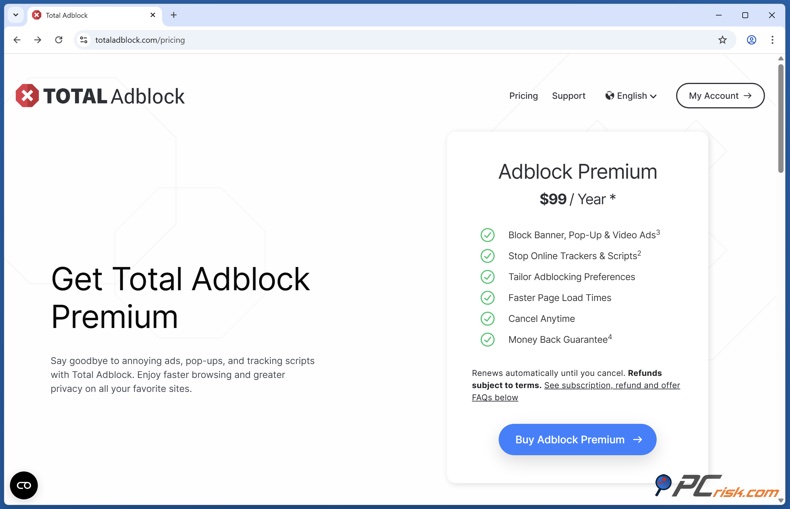
The premium plan is pretty reasonable for a new user, costing around $1.59 a month, annually billed, and that's essentially $19 for the first year.
However, it does renew at the regular annual rate of $99 a year, which is a massive price hike. Monthly and quarterly plans are available, too, with monthly plans being $9.99, and you can pick and choose between these options.
If you don't want to be charged at the higher rate, you'll need to turn off auto-renewal in your account settings.
Available Versions
• Total AdBlock Free: This gives you access to the browser extension or mobile app and the full set of features. When using Total AdBlock, you'll also get a 7-day free trial of the premium features.
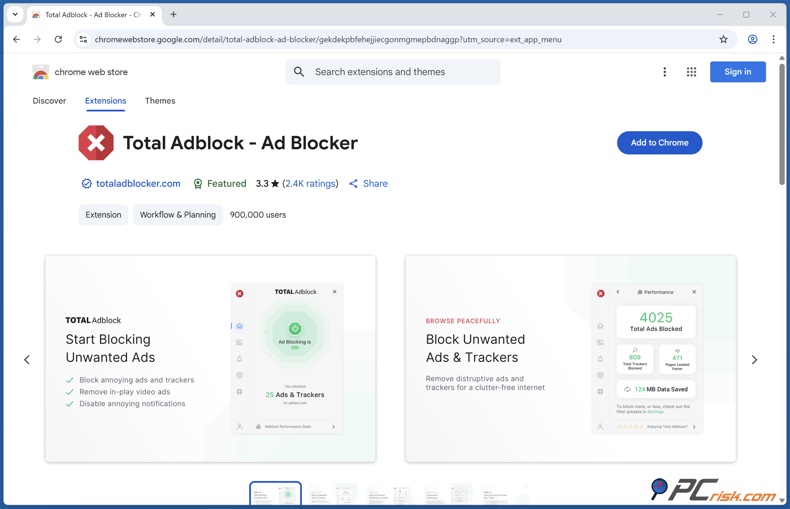
If you don't sign up for the paid plan within the 7-day window, the free version of Total AdBlock will still be available to you. However, it's severely limited, so it won't block ads on the top 15,000 most popular websites and is more of a time-limited trial than a practical ad blocker.
• Total AdBlock Premium: The paid Total AdBlock Premium gives you complete control over ads, no matter which website you visit, and includes features like tracking protection and all the bells and whistles.
It also lets you use the ad blocker on any number of devices under one account and has a default allowance for at least 3 simultaneous devices. The premium package is the full monty, essentially one tier, and you're all set.
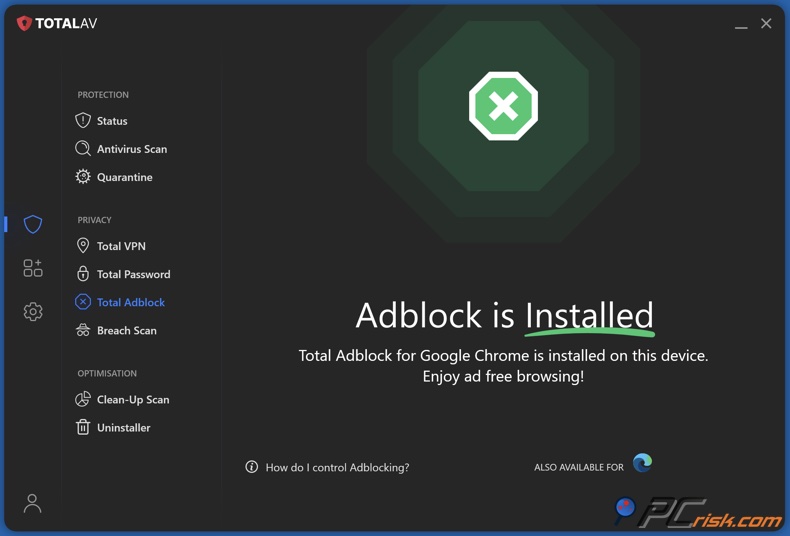
Bundle Option: There's a bundle option, too. Total AdBlock can be gotten as part of a TotalAV antivirus package and is, in fact, thrown in as a free add-on when you sign up for one of TotalAV's suites, such as the annual plan, for approximately $49/year.
Our In-House Ad Blocking Test Results
Testing methodology: We installed the Total AdBlock extension on multiple browsers (Chrome, Edge, Safari, etc.) and the mobile apps on both Android and iOS. We then visited various websites known for heavy advertising - from news sites and blogs to video streaming platforms (like YouTube) - to observe ad-blocking in real-world conditions.
Additionally, we used AdBlock Tester, Can You Block It?, and EFF's Cover Your Tracks to see how well it's working with standardised metrics. These tests check for banner ad blocking, pop-up blocking, tracking script blocking, and resistance to fingerprinting.
As we tested the ad blocker, we measured how much of a difference it made in page load times. We also looked for websites that could tell that we were running the ad blocker and any ads that managed to get past it.
Summary of results: When tested on the AdBlock Tester site, Total AdBlock displayed nearly flawless performance, scoring 100 out of 100 on its ability to block a wide array of ads and trackers, including banners, pop-ups, contextual ads, and analytics scripts.
It's also been able to effectively block YouTube video ads, allowing for a completely ad-free experience. It works on both desktop browsers and its mobile app, which has a neat way to circumvent YouTube ads. Standard display ads and pop-ups on news websites and other pages have consistently been removed, and this feature is the best part, and very much appreciated.
When tested on the "Can You Block It?" ad block tester, we found that Total AdBlock could block all forms of tracking.
In the EFF Cover Your Tracks test, Total AdBlock scored 2 out of 3 in its ability to block fingerprinting, on par with top-notch ad blockers. It's worth noting that no ad blocker completely eliminates fingerprinting.
When we also examined page load times, we witnessed a 30 to 50% reduction on most websites. This was mainly because the browser no longer had to download and render dozens of unnecessary ad elements.
Main Features
• Blocks Almost All Types of Ads: From banners and sidebars to pop-ups, pop-unders, video ads, and sponsored content, Total AdBlock eliminates all types of ads. Our tests have shown that it effectively blocks standard display ads, auto-play video ads, YouTube ads that appear within the browser, and flashy animated ads.
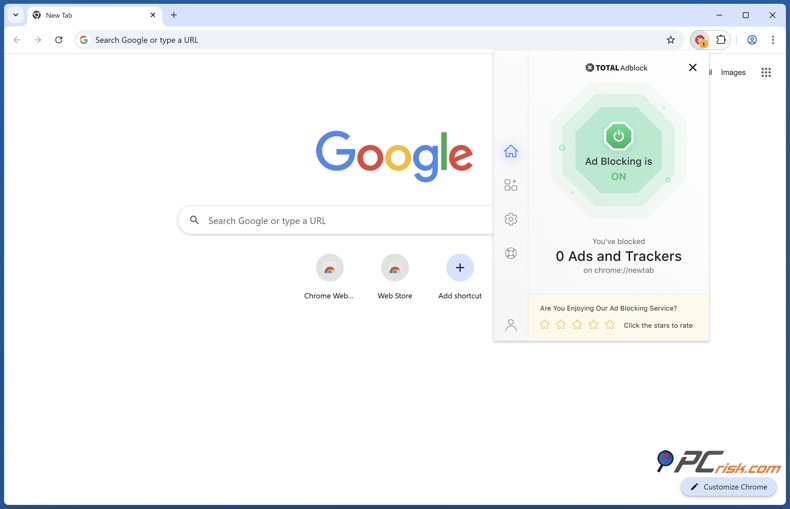
• Third-Party Tracker Blocking: When you install Total AdBlock, it doesn't just block the ads you see; it sends those behind-the-scenes trackers packing.
Analytics scripts, tracking pixels, and social media trackers are all blocked by default. Our tests found that Total AdBlock knocked out Google Analytics, Facebook "like/share" buttons, and other tracker scripts.
• YouTube & Video Ad Blocking: One of the biggest annoyances when watching videos on YouTube is pre-roll and mid-roll ads. Total AdBlock's browser extension puts an end to those. It is a breath of fresh air for those who can't stand in-video ads, particularly on YouTube.
• Whitelisting: With Total AdBlock, you're in charge of what gets blocked and what doesn't. Total AdBlock has a whitelist feature that lets you name the websites where ads are fair game.
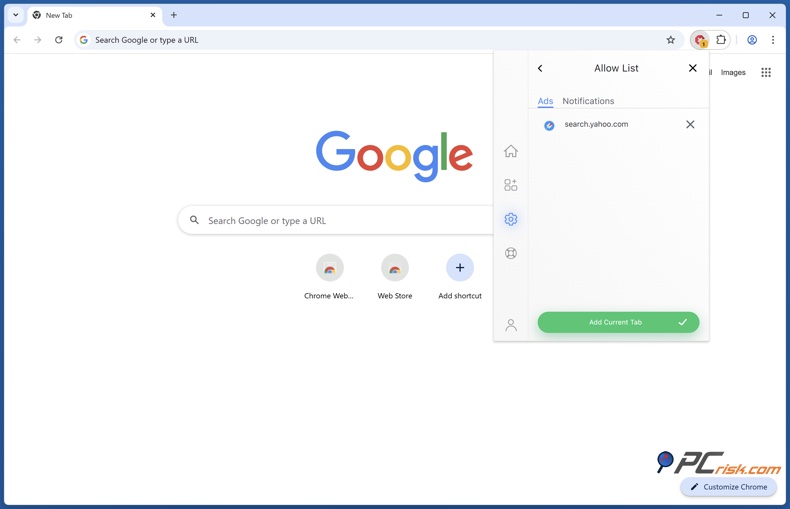
Notable sites that you want to support by allowing their ads, or sites that don't function well when an ad blocker is enabled, can be added to the whitelist with just a few clicks.
• Quiet Mode (Block Pop-ups & Notifications): As for typical ads, Total AdBlock is on the case, but it goes beyond just that. It can eliminate those irritating browser notifications and pop-ups that lots of websites throw at you (e.g., "Allow this site to send notifications?" or subscription pop-ups), and its paid feature "Remove browser notifications" basically guarantees that you won't get any more of them.
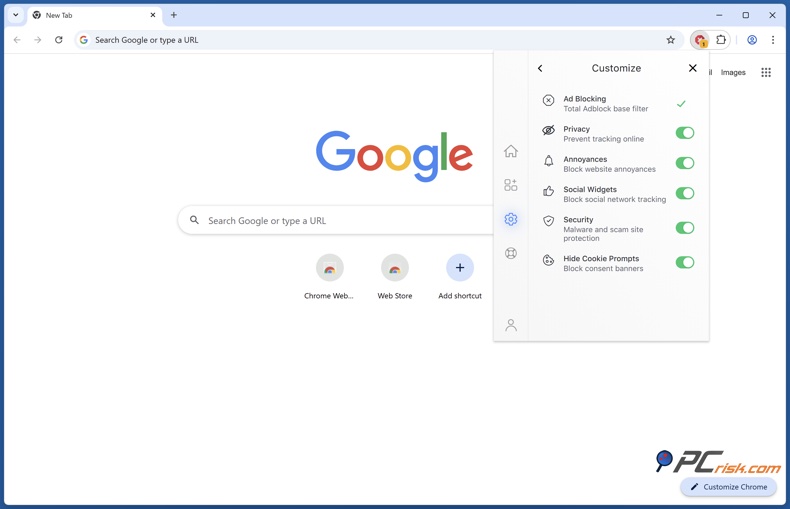
In fact, Total AdBlock can also suppress other types of web annoyance, like those pesky cookie consent banners that appear on many sites. It quietly clicks "accept" for you so that you're not interrupted.
• Malware and Scam Protection: Interestingly, Total AdBlock also functions as a basic security tool, using filter lists to block malicious domains, sites tainted by malware, phishing scams, and "malvertising" networks.
This means if an advertisement is trying to redirect you to a harmful website, or if you click a sketchy ad link, Total AdBlock might block the navigation to protect you.
Additional Features
• Included TotalAV Antivirus: One of the perks you'll get is a top-notch antivirus package when you sign up for Total AdBlock Premium. Total AdBlock Premium subscribers are entitled to a single license of the TotalAV antivirus software, which is absolutely free of charge.
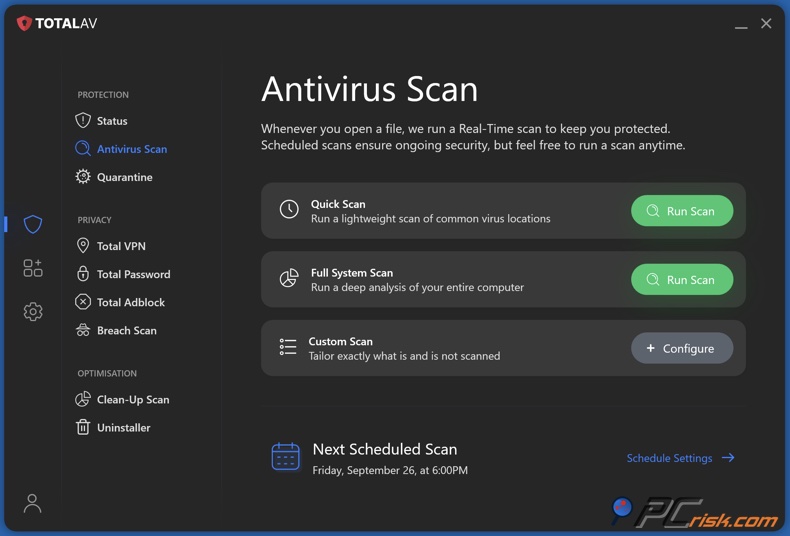
• Total WebShield & Data Breach Monitoring: When using Total AdBlock with a continuous subscription, you'll get access to Total WebShield, a real-time website and phishing blocker, and the Data Breach feature.
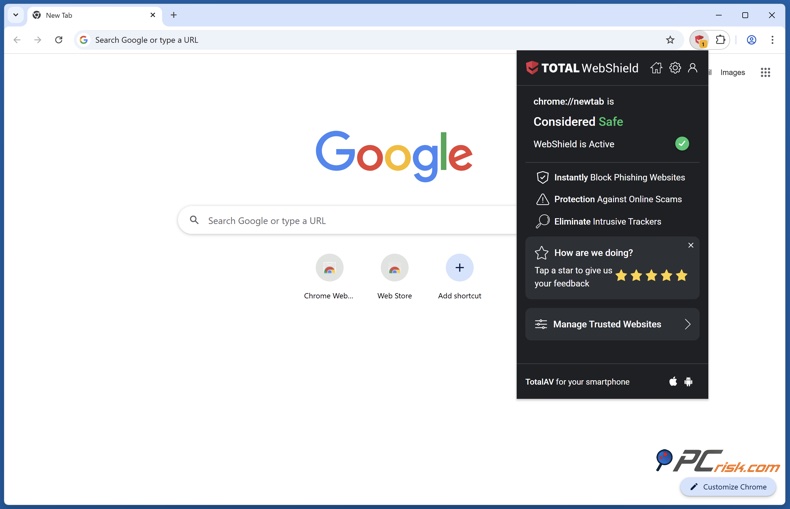
The Data Breach feature lets you check if your email address has been compromised in any of the known data breaches, and sends you alerts if any of your personal information has leaked out online.
Ease of Use
Total AdBlock is designed for a broad audience, including those who are not tech-savvy. It allows users to easily remove ads from their browsing experience.
• Installation and Setup: Getting started with Total AdBlock is straightforward. On desktop, you simply install the browser extension for Chrome, Edge, Opera, or Safari. For mobile, you'll find standalone versions in the Apple App Store for iOS and on the totaladblock.com website for the Android version.
• User Interface: The design of this tool is remarkably intuitive. Rushing into the settings is rarely necessary, even for us, and it's great for anyone who wants something that works right out of the box.
This extension operates in the background, and your primary interaction with it will be if you want to enable ads on a specific site or check the number of ads that have been blocked.
• Advanced Settings: Total AdBlock offers a straightforward experience, but it's not the most flexible ad blocker. It doesn't let you add custom filter lists, set up your own blocking rules, or get super granular with the way your filters work.
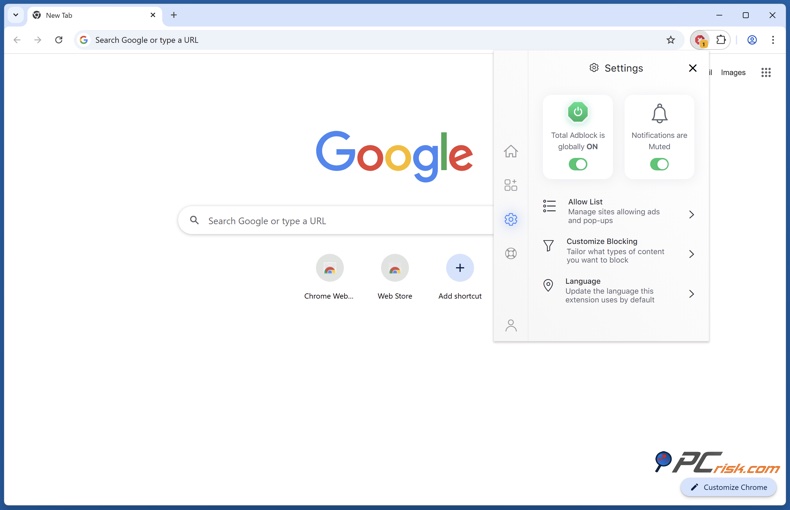
From a user's perspective, Total AdBlock doesn't have an element picker that lets you kill a specific page element, so you're pretty much stuck with the pre-set filters and toggle options, ads, trackers, social media, etc.
Mobile Apps (Android & iOS)
Total AdBlock for Android: The Android app provides system-wide ad blocking via a local VPN technique. When using Total AdBlock for Android, you'll notice that it's capable of blocking ads not only in your browser but across all the apps you have installed, including those that have ads, such as games, and in various browsers.
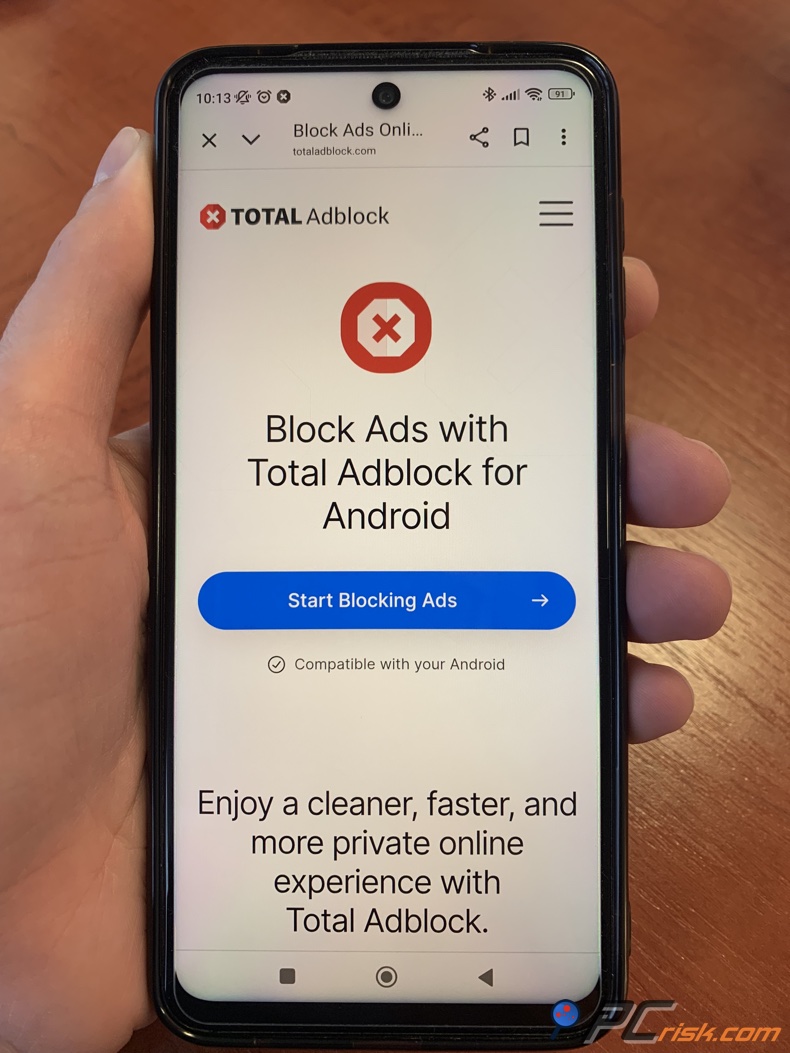
However, due to Google Play Store policies, the full version of Total AdBlock's Android app isn't freely available to most people. People who do want the full app usually have to download it straight from Total AdBlock's website.
The YouTube ad fix on Android is a great feature you'll appreciate if you're a YouTube user. If you want to watch a video ad-free, share the YouTube video to the Total AdBlock app, and it will play it for you without any ads, though it is one extra step.
As a system-wide ad blocker, it also doesn't matter what browser you're using, whether Chrome, Firefox, Opera, or anything else; the ads will be filtered out.
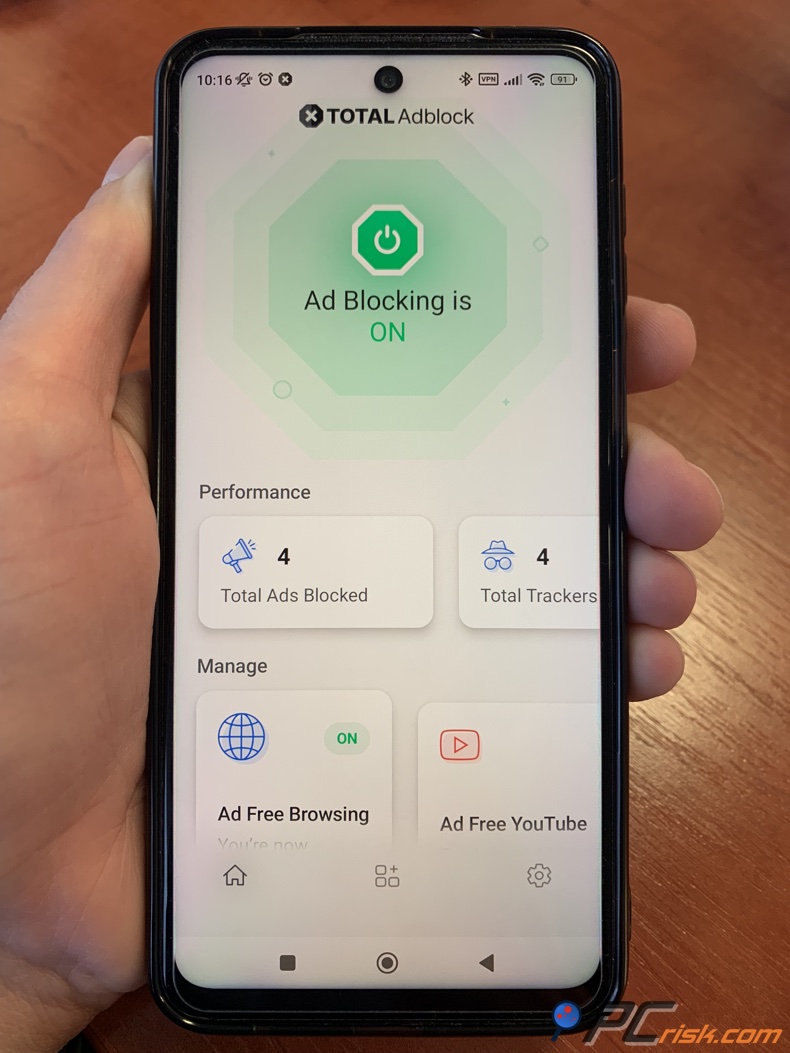
We've found that it reduces the amount of clutter in ad-supported apps, think less annoying banners and ads in mobile games, too.
Overall, the mobile experience is great when using the Android app. However, the installation is a bit of a hassle due to the Play Store restrictions.
Total AdBlock for iOS (iPhone/iPad): Ad blocking works a bit differently on Apple devices. When using Total AdBlock on Apple devices, you're getting a Safari content blocker with a companion app that you can download from the App Store and then enable in Safari settings.
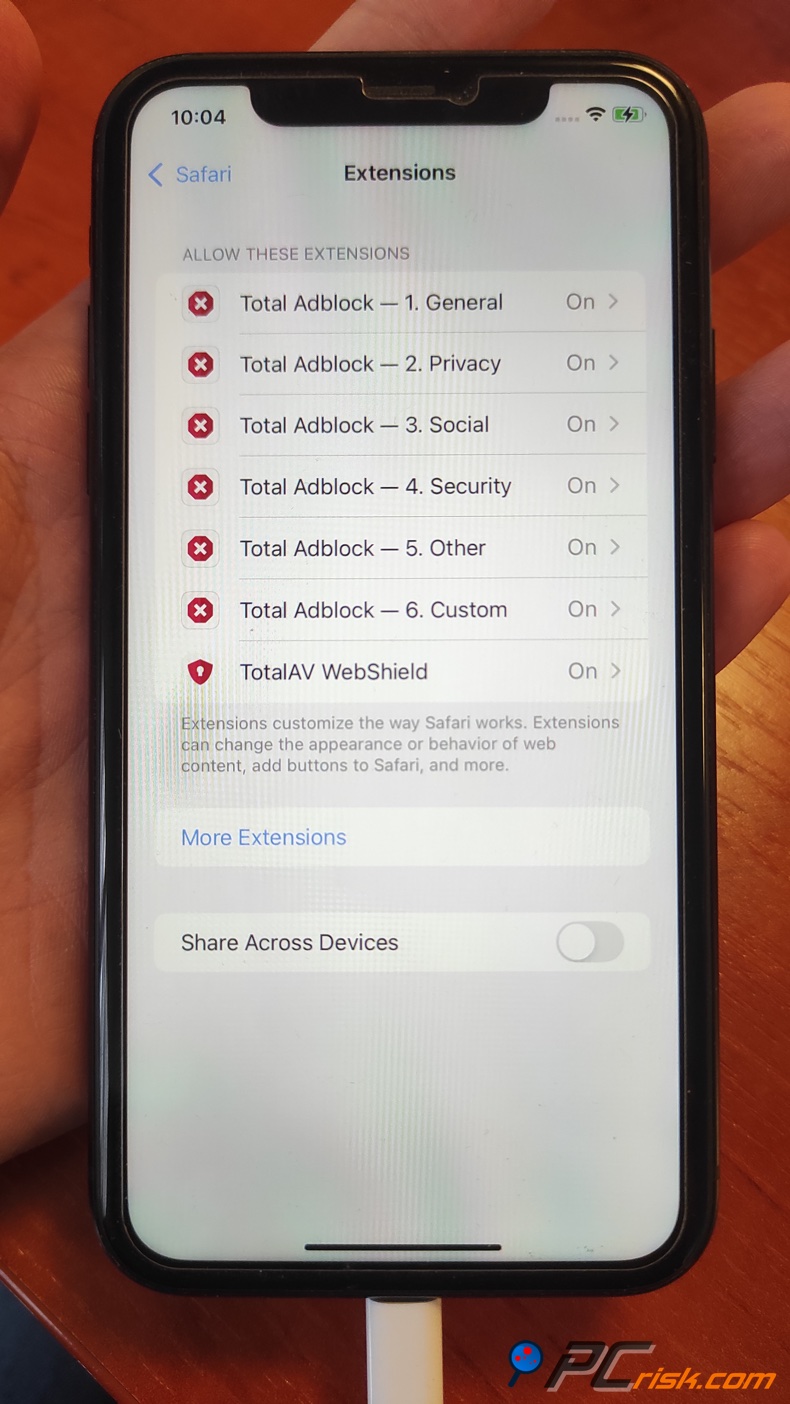
Since iOS doesn't allow third-party apps to filter ads in other apps, Total AdBlock's primary function on iOS will be blocking ads while browsing in Safari or Safari-based web views. It won't remove ads in the YouTube app or in games.
The Total AdBlock iOS app offers several filter options that you can turn on or off. These include blocking general ads, social media trackers, cookie consent pop-ups, and other web annoyances that get under your skin.
Like the Android version, the iOS app isn't free. You can download it, but you need to sign in to your paid account or subscribe via in-app purchase to get the full functionality.
User Reviews and Reputation
• Trustpilot Reviews: Looking at the reviews of Total AdBlock on Trustpilot, you'll see a score of 4.4 out of 5. With tens of thousands of user ratings, most of them raving about the service's effectiveness.
The users are impressed by the user-friendly design and setup, the instant reduction in ads that has transformed their online browsing experience, and the fair price. Many people found the first year's fee well worth it for a completely ad-free web.
They were able to install it easily, and in one day, the unpleasant ads were gone, making their browsing so much more enjoyable. The fact that it integrates well with TotalAV also received some compliments.
However, there were some recurring problems that users complained about, and which anyone considering the service should know about. Many negative reviews are related to the billing and cancellation issues. Users who signed up for the cheap first year but got charged the full year's renewal fee without consent are also unhappy. It's been made difficult for them to cancel the auto-renewal, with people calling the process "frustrating" or "not clear-cut".
Users also complained about the app's effectiveness, saying it didn't block all the ads they expected.
Some also found the aggressive marketing techniques off-putting and mentioned being bombarded with emails or prompts to upgrade after the free trial.
• Reddit and Tech Community Opinions: Power users compare Total AdBlock to free, open-source alternatives when discussing it on Reddit forums. In the ad blocking and privacy-related subreddits, people tend to be pretty critical of the service.
Coming across as a scam, a trap is basically the label given to Total AdBlock because of how they charge, and the fact that you could get mostly the same ad-blocking features with free software.
Some users, one of whom shared a harrowing experience, were billed $119 after a year because they didn't cancel and found out that the software had done nothing to speak of.
Tech-savvy users are much happier with setting up their own ad-blocking systems, like uBlock Origin. They are very hard on products that try to lock users into subscription plans, especially when it can be done for free.
People in these communities also mention that free ad blockers, like uBlock Origin, AdGuard's free extension, and others, can block ads just as well as Total AdBlock.
They say that Total AdBlock is counting on people being lazy, so they don't mind that the free version doesn't do much on popular websites. It's all about making people feel they need to pay for the premium service.
Additionally, multiple people on Reddit, much like on Trustpilot, found it very difficult to cancel their subscriptions and encountered problems with the cancellation process, and they say this was done on purpose.
Is It Worth Buying Total AdBlock?
In terms of ad blockers, Total AdBlock is a viable option for the average user. With Total AdBlock, there's no need to fiddle with browser settings or search for third-party filter lists, it's a complete package that blocks ads on all your devices and even offers some antivirus protection.
However, the renewal price of roughly $99 a year may be a hard pill to swallow, working out to over $8 a month. There are free alternatives that are able to do a lot of the same core ad-blocking.
If you don't want the antivirus and other add-ons, shelling out $99 a year for ad blocking might be a bit of a stretch, and feels especially hard to justify once the promotional period has ended.
Our verdict: We think Total AdBlock is a high-powered ad blocker with some useful extras that, in the short term, offer a lot of value and will be particularly appealing to users who want a hassle-free, cross-platform ad blocking experience, plus a smattering of security, and can live with the monthly fee, remembering to cancel when they don't need the service anymore.
Frequently Asked Questions (FAQ):
Is Total AdBlock safe and legitimate to use?
Yes, it is safe, coming from TotalAV, a well-known cybersecurity brand. However, be sure to download it from the official website or app stores. Third-party versions are a different story when using Total AdBlock.
How does the Total AdBlock free version work?
Total AdBlock's free version is essentially a 7-day trial of its full features, and if you don't sign up for a paid plan, it will severely limit its capabilities, not blocking ads on the top 15,000 websites.
How much does Total AdBlock cost after the first year?
The renewal price for Total AdBlock Premium is approximately $99 a year, and brand new users get a massive discount of about $19 a year as a one-time offer.
Can Total AdBlock block ads in mobile apps and games?
On Android: Yes, when you've installed the Android app from the official website. It functions as a local VPN and eliminates ad traffic all over your phone. On iOS, though, no, Total AdBlock won't be able to block ads inside the YouTube app, or games.
How do I cancel Total AdBlock or turn off auto-renewal if I don't want to continue?
You can cancel your Total AdBlock or turn off the automatic renewal by logging into your account, heading to "My Subscriptions," and finding the option to cancel your subscription and turn off auto-renew for Total AdBlock.
If you are still in the trial period and don't want to be charged, be sure to cancel before the 7 days are up, otherwise, the standard charge will be applied.
Who is behind Total AdBlock and how is it related to TotalAV?
Total AdBlock is run by Total Security Limited, which also happens to be behind the popular antivirus program TotalAV. The company (Protected.net) is based in the UK (with a presence in the US) and has been around since mid-2010s.
Share:
 Facebook
 X.com
X.com
 LinkedIn
 Copy Link

Karolis Liucveikis
Experienced software engineer, passionate about behavioral analysis of malicious apps
Author and general operator of PCrisk's News and Removal Guides section. Co-researcher working alongside Tomas to discover the latest threats and global trends in the cyber security world. Karolis has experience of over 8 years working in this branch. He attended Kaunas University of Technology and graduated with a degree in Software Development in 2017. Extremely passionate about technical aspects and behavior of various malicious applications.
▼ Show Discussion