
AdLock Review

✓
Fact-checked by:
Tomas Meskauskas
Last updated:
November 12, 2025
Our reviews are written by Internet security experts.
Learn more.
PCRisk score:
4.2
When searching for a comprehensive ad-blocking tool, we recommend shortlisting AdLock.
What we liked:
✓ Excellent ad-blocking performance across the board, including the ability to block YouTube and other video ads that many competitors miss.
✓ Multi-platform support with one license for 5 devices, so it's a cost-effective solution for covering all your browsers and gadgets.
✓ No acceptable ads policy and strong privacy stance, ensuring that all ads are filtered and no user data is sold or shared.
What we disliked:
✗ Android app not on Google Play Store, requiring manual installation and preventing use alongside other VPN-based services.
✗ Occasional issues with certain ad types or app bugs, such as failing to block some interstitial ads and needing restarts in rare cases.
✗ Occasional site hiccups: Occasionally breaks website functionality, requiring whitelisting.
As AdLock was released, it presented itself as a multi-platform ad blocker that comes as a free browser extension and a paid standalone app. The company aims to thoroughly eliminate the most obnoxious ads and give users a clean, faster, and private browsing experience.
In this review, we will look into AdLock's pricing, features, our custom ad-blocking test, ease of use, the performance of its mobile app, the experiences of its users, and finally, whether AdLock is worth the investment.
Pricing and Subscription Options
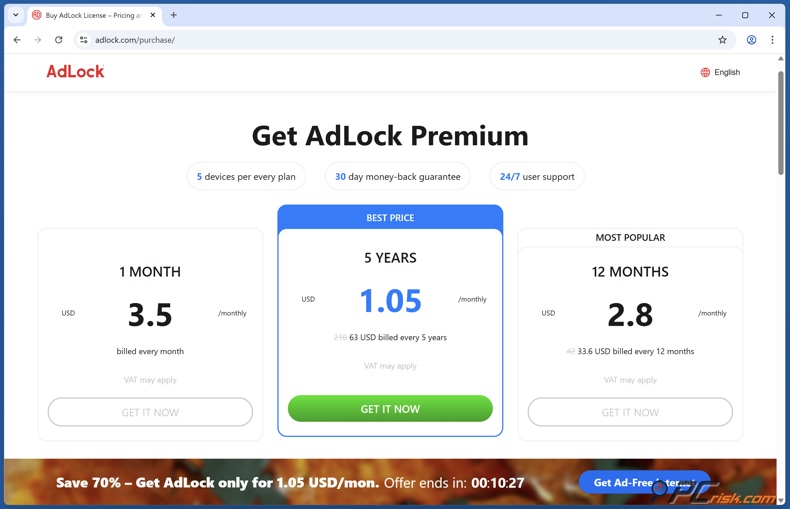
The browser extension is free, but the full-featured desktop and mobile apps come with a price tag and require a paid subscription when using AdLock. Fortunately, all premium plans can cover up to 5 devices per licence. Subscribers can choose from three plan durations:
• Month Plan – $3.50 per month (billed monthly).
• 1 Year Plan – $2.80 per month billed annually (around $34 per year).
• 5-Year Plan – $1.05 per month billed every five years (around $63 for 5 years).
The features are the same, but the price is determined by the time you're committed to, with more extended plans costing less per month when signing up for AdLock. AdLock regularly advertises high discounts (e.g., "70% off" for the 5-year plan), which are reflected in the above pricing. Well-known payment methods such as major credit cards and PayPal are accepted, but don't support cryptocurrency.
A 30-day money-back guarantee covers every purchase, and brand-new users get a 14-day free trial of the premium app. Each license lets you protect up to five devices, which is a big plus for those who want to cover multiple PCs and mobiles under one subscription.
Available Versions of AdLock
AdLock is available in several versions tailored to different platforms and user needs:
• AdLock Free (Browser Extension): The company's free ad blocker extension is available for Chrome, Firefox, Safari, Opera, Edge, and other web browsers. It removes ads and has basic features like element blocking, whitelisting websites, and stopping trackers. These attributes make it the perfect option if you want to eliminate ads when browsing, but won't block desktop app or system-wide ads.
• AdLock Premium (Desktop & Mobile Apps): The paid version of AdLock comes as a standalone application for Windows and macOS, and as mobile apps for Android and iOS. The premium app takes ad blocking to the next level, clearing out ads not just in your browser but all over your system, even inside other programs and mobile apps.
Mobile apps have everything the extension has, plus more sophisticated filters to knock out spyware and social media. It can even block ads in YouTube videos and streaming or gaming apps, which browser extensions often can't do. All premium plans have identical features; the only choice is the subscription length described above.
There are no separate "Pro" or "Ultimate" tiers – just free vs. premium. Free users will get very effective ad-blocking capabilities in their browsers, albeit with some limitations, and the paid option lifts all those restrictions and gives them the full power of AdLock's protection on any platform.
The website explicitly states that the free tier includes the browser extensions for all major browsers, plus short-term trials of the standalone apps on each OS. If you want to block ads on your mobile games or other applications, the Premium app is what you need, and the free browser plugin won't cut it.
Our In-House Ad Block Test Results
We conducted a series of in-house tests to evaluate AdLock's ad-blocking performance. Below is the structure of our testing and the (placeholder) results, which will be updated with final figures after we complete all tests:
• Website Ad Blocking: We visited ad-heavy websites such as Forbes.com to see how many advertisements AdLock would block. Result: AdLock removed most on-page ads, dramatically cleaning up the browsing experience. For example, in an external test, AdLock blocked 13 ads on Forbes, indicating strong filtering capabilities for banner and sidebar ads. In our tests, pages previously cluttered with display ads loaded with minimal to no advertising content were visible.
• YouTube and Video Ads: We streamed videos on YouTube and other platforms to check if AdLock can block video ads (pre-roll and mid-roll ads). Result: AdLock was able to block YouTube pre-roll video ads, allowing us to watch videos without interruption.
This is a notable achievement, as many ad blockers struggle to block YouTube ads consistently. AdLock effectively skipped the ads as if they weren't there, though occasional updates to YouTube's ad delivery might still pose challenges. We will monitor this over time, but AdLock preserved an ad-free YouTube experience during testing.
• AdBlock Tester Benchmark: Using the reputable AdBlock Tester (adblock-tester.com), we measured AdLock's overall ad filtering rate. Result: AdLock earned a high score of 96/100 in a previous independent test, and our initial results were similar. This indicates that AdLock can block the most common ad types (pop-ups, banners, video ads, etc.) in standardized conditions. It performed comparably to top-rated blockers on this benchmark.
• Anti-Tracking and Privacy (EFF's Cover Your Tracks): We evaluated AdLock's ability to block tracking scripts and preserve privacy by running EFF's Cover Your Tracks test. Result: AdLock partially succeeded, scoring 1 out of 3 in the test's tracker protection evaluation.
This suggests that while AdLock does block many trackers (cookies, third-party scripts, etc.), it may not stop all methods of browser fingerprinting or advanced tracking. Competing products that focus more on anti-tracking might do better in this area. Users primarily interested in tracker blocking might want to complement AdLock with additional privacy tools if needed.
• "Can You Block It" Test: Running the CanYouBlockIt.com test, which is designed to challenge a browser extension's ability to block ad formats such as pop-unders, interstitials, etc. AdLock scored 2.5 out of 3, and could eliminate pop-ups and banner ads, but stumbled over a more intricate interstitial ad in one of the cases.
We looked closer at this interstitial ad, a full-page ad that overlays the page, and found that AdLock's extension didn't block it, letting it flash briefly. Coming so close, yet not quite getting it, was a letdown for us, and we're counting on future updates to sort out this particular problem.
Note: When we tested AdLock, we found its ad-blocking performance to be virtually on par with the industry's top ad blockers. From a data-driven perspective, the results showed that AdLock outperformed the rest in several areas, although a few types of ads and more sophisticated tracking techniques proved to be its weak points.
Main Ad-Blocking Features
AdLock offers all the core features one would expect from a top-tier ad blocker, emphasizing comprehensive ad removal and user privacy. Key ad-blocking related features include:
• Blocks All Types of Ads by Default: It doesn't join the 'acceptable ads' scheme, and instead, blocks all types of ads, from banners to video, animated, and sponsored content by default, when AdLock is enabled. This implies that even ads that some other ad blockers may allow, such as unobtrusive ads or ads from specific networks, are caught by AdLock and are blocked unless you opt to let them through.
Recognized video platforms, including YouTube and embedded video ads, were found to be effectively blocked by AdLock's browser extension and apps, a feat that many other extensions cannot claim to have.
• Anti-Tracking and Privacy Protection: You'll notice that it blocks many third-party trackers and ad scripts. These trackers are used to monitor your browsing, and AdLock takes care of them by blocking tracking cookies, analytic scripts, and even cryptocurrency mining scripts that might run inside ads. By cutting off these trackers, AdLock does a lot to shield your privacy and stops advertisers from building a picture of your browsing behaviour.
However, our tests revealed that AdLock may not catch all the more advanced fingerprinting techniques, so there is no guarantee that it will be able to block them in full.
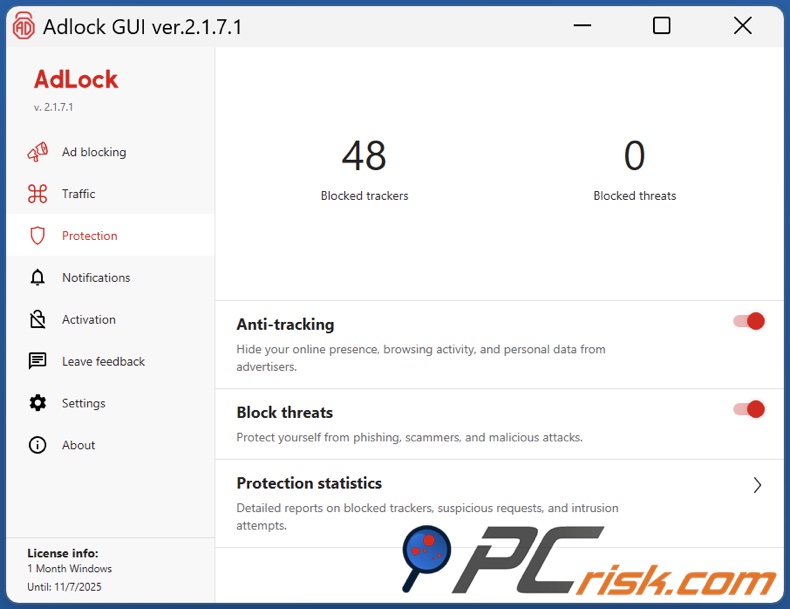
• Malicious Domain Blocking (Safe Browsing): AdLock goes beyond just ads by incorporating a "Secure Surfing" feature based on Google Safe Browsing data. AdLock will block or warn you about dangerous websites known for phishing, malware, or malicious ads when enabled.
For example, if you click a link leading to a phishing page or a site hosting malware, AdLock can alert or block the connection. This adds a security layer, turning the ad blocker into a basic safeguard against online threats, often from malvertising.
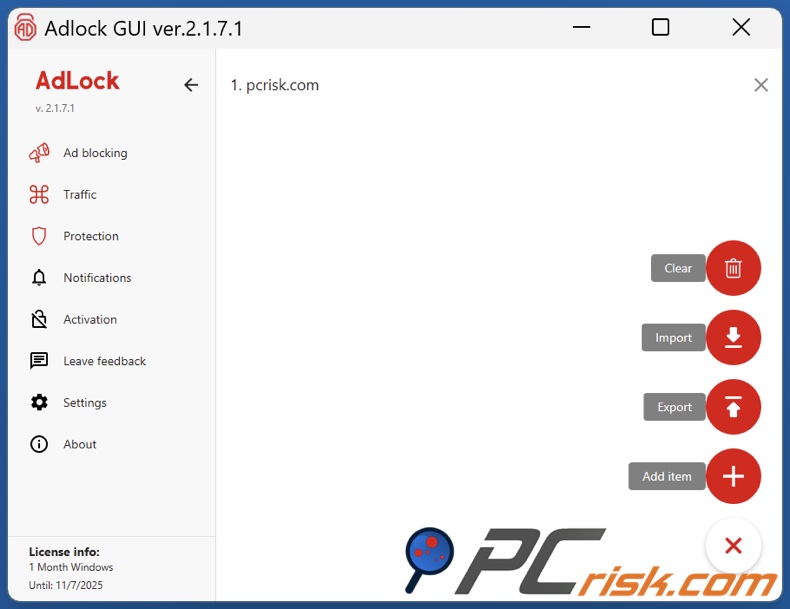
• Custom Filtering (Whitelists and Blacklists): Users have control over what AdLock blocks or allows. You can whitelist specific websites to show their desired ads (for instance, to support a site or if a site breaks due to ad-blocking). Conversely, AdLock also allows manual blacklisting of domains or elements – you can add custom filter rules or block specific URLs that standard lists might miss.
This flexibility is great for advanced users; an element-picker mode lets you manually hide any page element in the browser extension. In the desktop app, you can add URLs to block across all apps. AdLock's filters are based on the well-known EasyList and other community lists, which update automatically to keep blocking new ad sources.
• Ad Blocking in Any App (Premium feature): You can block ads not just in web browsers, but all over your device. Including Skype, uTorrent, games, and even inside the YouTube mobile app and other apps on your phone, when using AdLock Premium. We tested this with the native YouTube app on a test device running AdLock and found that it effectively filtered out video ads.
AdLock works on Android by essentially acting as a local VPN that intercepts ad traffic, and on iOS, it installs a content blocking profile and uses a clever local DNS/VPN trick, which together allow it to deliver the same result.
In essence, AdLock's main features target comprehensive ad removal and privacy defense. It strives to let you browse without distraction while preventing behind-the-scenes tracking and guarding against malicious ad-driven content.
Additional Features and Tools
Beyond ad blocking itself, AdLock provides several supplementary features that enhance security and usability:
• Phishing and Malware Protection: It uses URL filtering to block any websites known to be malicious, thereby shielding you from scams and websites that could be sending you dangerous content when AdLock's Secure Surfing mode is enabled.
AdLock doesn't claim to be a full-fledged antivirus, but it can be an effective layer of protection that's fuelled by threat intelligence from Google Safe Browsing and similar services. Its prime function is to fill the gap in traditional antivirus software by targeting web-based threats that could otherwise be delivered to you via ads.
• Data Savings and Speed Boost: By eliminating ads (which often include large images or video and multiple tracking scripts), AdLock inherently reduces webpage loading times and bandwidth usage. Fewer ads mean less content to download and render.
Mobile users in particular benefit from this, as blocking ads can save mobile data and extend battery life. AdLock's developers highlight that the app uses minimal system resources, so the trade-off for running it in the background is small compared to the performance gains from ad-free browsing.
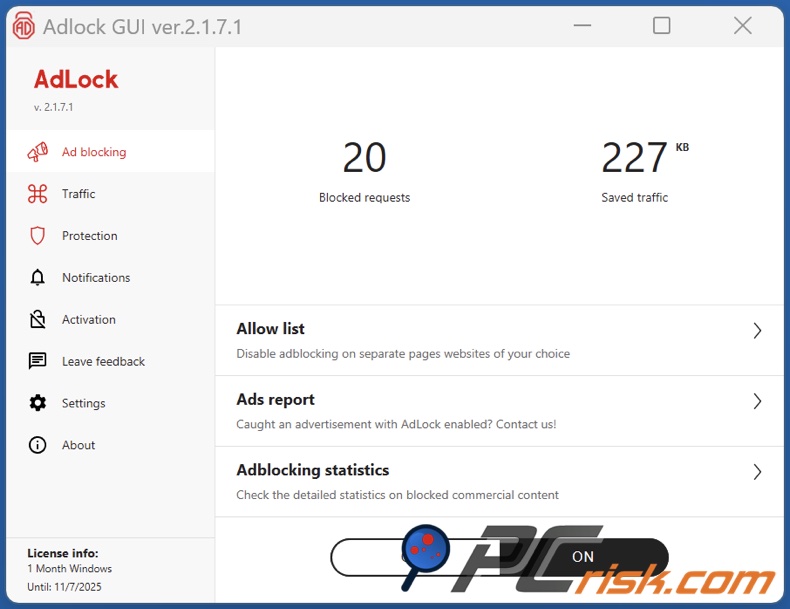
• User-Friendly Interface Options: When using AdLock, you'll find its interface is streamlined and straightforward to get around. The desktop application has a sidebar menu with clear sections (Ad Blocking, Security, Settings, etc.) and a main dashboard showing statistics like the number of ads blocked and data saved.
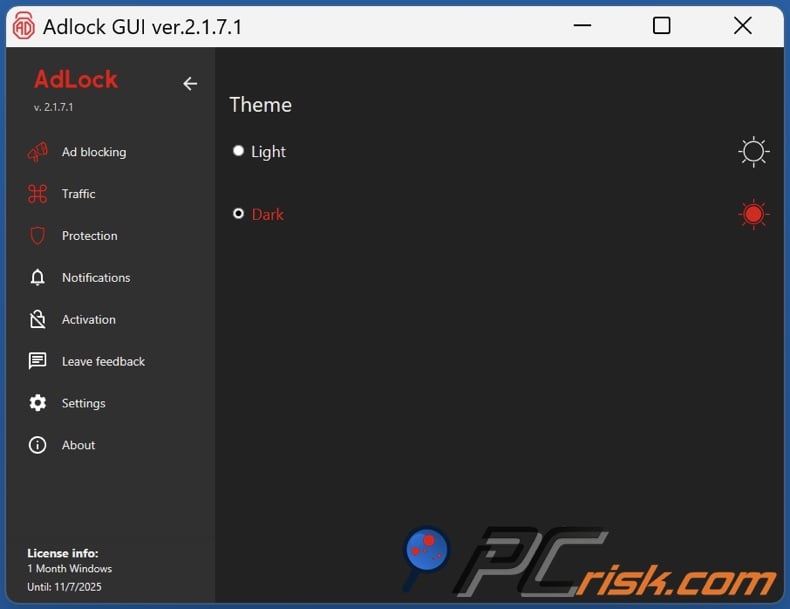
A simple click of a button lets you quickly turn ad blocking on or off, and AdLock also allows for a dark or light mode to suit your mood. These little features take AdLock beyond just blocking ads and make it a pleasure to use daily.
• 24/7 Customer Support: There are a couple of avenues to turn to for help when running into any issues with AdLock. Unusually, AdLock provides phone support and email, and claims to be available 24 hours a day, seven days a week. Users who encounter a problem, such as a blocked ad that wasn't supposed to be blocked or technical issues, can submit an issue and typically receive a response via email within one working day.
AdLock's website also hosts user guides and FAQs that will walk you through the installation, configuration, or troubleshooting process.
• Regular Updates: The development team behind AdLock appears to release frequent filter updates and app improvements. AdLock automatically updates its ad filter lists in the background to catch new ads without requiring user intervention.
The software also sees updates; for example, the iOS app changelog notes regular bug fixes and improvements (as of September 2025, it was on version 2.27). Keeping the ad blocker up-to-date is crucial in the cat-and-mouse world of online advertising, so this commitment to updates is an essential feature for long-term effectiveness.
In summary, AdLock's extra features reinforce its primary purpose (blocking ads) with added security, performance improvements, and user convenience. It aims to be a one-stop tool for cleaner and safer internet use.
Ease of Use
AdLock is generally easy to use, with a straightforward setup and interface, though there are some differences across platforms. Here we break down the user experience:
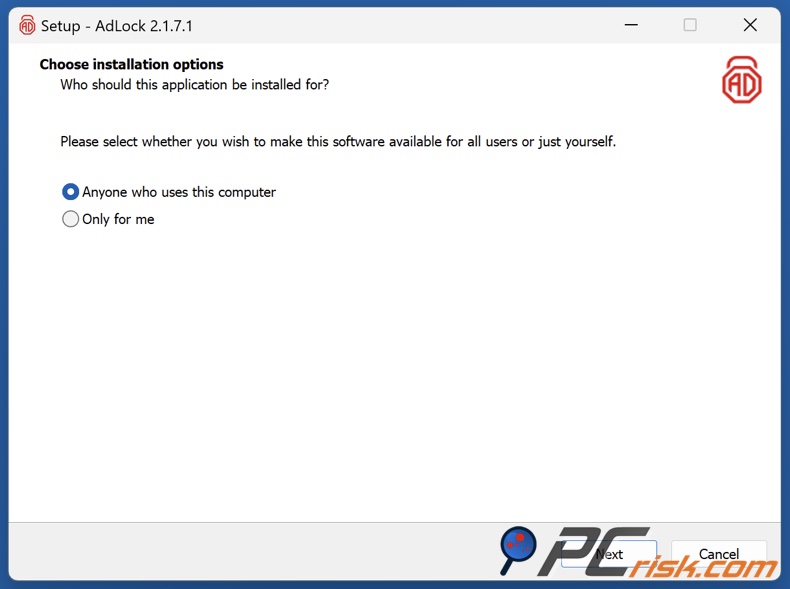
• Installation: Installing AdLock is simple on most platforms. For Windows PC or Mac, you download the installer from the AdLock website and follow the step-by-step prompts. The installer is very lightweight and completes the task in seconds. The software may show a quick tutorial or introduction to its features. The Windows app presents some helpful tips when you run it for the first time.
On iOS, AdLock is available on the App Store and can be installed just like any other app. All you need to do is enable AdLock's content blocking in Settings, which the app will walk you through.
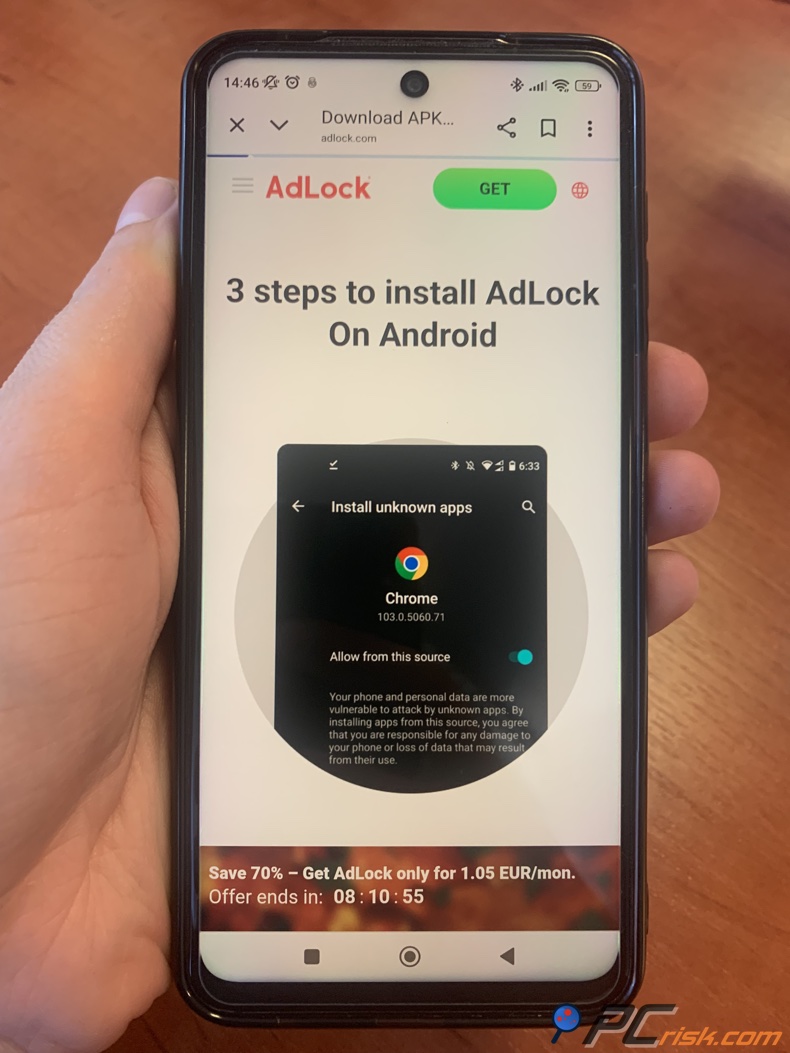
However, on Android, because AdLock isn't in the Google Play Store, you'll have to download the APK from the AdLock website and let your phone allow installation from unknown sources, something AdLock's website and guides will walk you through.
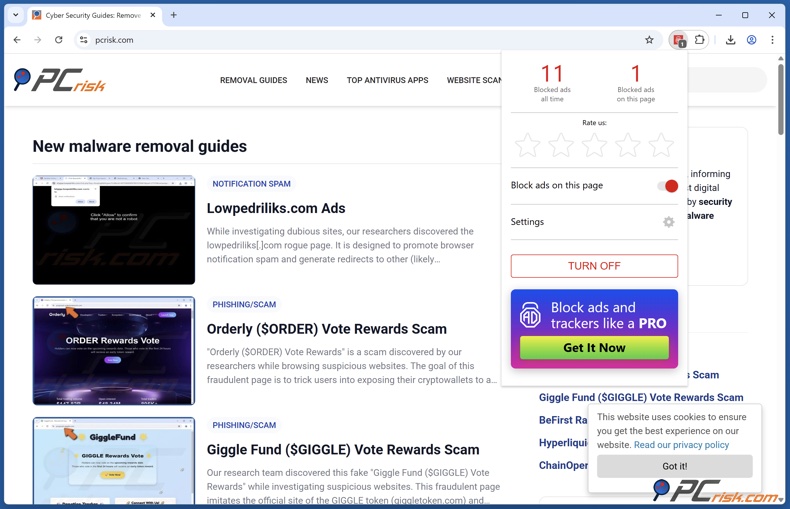
• User Interface: AdLock is very easy to get going. The browser extensions show up as a friendly icon in the address bar that, when clicked, gives you a neat summary of how many ads have been blocked on the current page and lets you pause the ad blocking or add the site to your whitelist.
The design of AdLock is minimalist and similar to other ad blockers, so it won't feel like you're switching to something new. Features like ad Blocking, Privacy, Settings, and so on are all laid out in the desktop app's sidebar, and the main area displays toggles and statistics. You can see exactly how many ads have been zapped, how much bandwidth you've saved, and when you blocked something last.
Turning the ad blocker on or off, or fiddling with the filters, is as simple as a few clicks, and with lots of granular settings, you can really dig deep into the guts of the app. Like disabling individual filter lists, adding custom rules, and switching to dark mode.
• Guidance and Defaults: Its default settings are a good starting point, getting you up and running immediately after installing AdLock. The app comes with a first-run tutorial that takes you through its key features and helps you enable protection on each of your browsers.
On mobile, it guides you to set up the necessary VPN/profile. Protections like ad filters, tracking blockers, and DNS blockers of malware sites are all enabled by default, so you don't have to do anything unless you want to customise how AdLock works. From a new user's perspective, the fact that "acceptable ads" aren't allowed by default means that you'll start with maximum ad blocking, and won't have to dig into settings to enable it.
• Performance and System Impact: In use, AdLock runs quietly in the background. We did not observe any significant slowdowns on a modern PC and smartphone while AdLock was active; websites loaded faster on average due to the ads being stripped out. The memory and CPU usage of AdLock itself is very low, comparable to other ad blockers.
However, one point to note is that on Android, because AdLock uses a local VPN for filtering, it cannot run at the same time as another VPN app. You have to pick one or the other, which is a problem for users who want to run both a VPN service and AdLock.
• Reliability: In our trials, the browser extension worked flawlessly for web browsing. The desktop app initially worked well, blocking ads in various applications. However, we encountered a hiccup while testing the Windows app on one machine – it failed to block ads in that session (ads slipped through as if the app was off). A quick reinstall resolved the issue, suggesting it may have been an installation glitch.
User reports are mixed here: some users on forums have reported that AdLock's filtering can occasionally stop working and needs a restart. On mobile, a few users noted that the iOS app's "Full Protection" mode (which filters in all apps) sometimes had to be toggled off and on to function, or that it could interfere with streaming video playback in rare cases.
In our experience, these were not persistent problems, but they highlight that no ad blocker is perfect 100% of the time. The good news is that AdLock's support is available if you run into any trouble, and the software is actively maintained to fix such issues.
Overall, AdLock scores high on ease of use. Installation is lightning fast, the layout is intuitive, and even someone with no tech background can get up and running in no time, and the default operation is basically just "set it and forget it".
A user with minimal tech knowledge can install AdLock and have an ad-free experience. If you're more advanced, you'll appreciate the possibility of customising the filters and rules. Keep in mind that the Android VPN does have a limitation, and you may need to do a bit of troubleshooting if the blocking stops working, which is not very often.
Overview of AdLock Mobile Apps
AdLock offers dedicated mobile apps for both Android and iOS, aiming to extend ad blocking to smartphones and tablets. Here's what to expect on each mobile platform:
• AdLock for Android: When used as an Android app, AdLock essentially acts as a local VPN that sits on your device, filters all of the internet traffic, and isn't limited to just one or two browsers. It covers everything, from Chrome and Firefox to games, social media apps, and streaming services.
AdLock blocked ads in YouTube, Spotify, and loads of free games in our tests, making them much more bearable. The interface on Android is simple: you have a main switch to enable/disable protection, and menus for ad blocking, DNS filtering, and allowed apps.
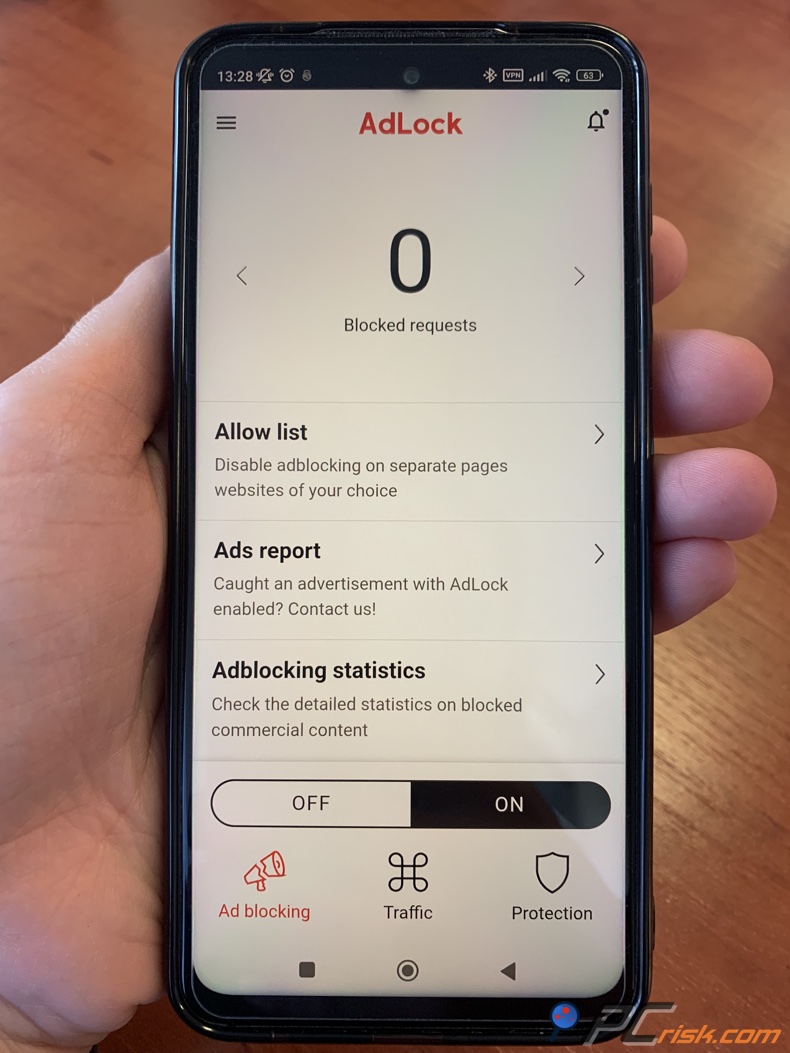
Regrettably, AdLock is not available on the Google Play Store, as Google doesn't allow system-wide ad blockers. You'll need to download the AdLock APK directly from the official website and install it manually. The instructions for doing so are clear, and it's a perfectly safe process if you get the APK from their official website.
When AdLock is running, you may be required to grant the app VPN permissions, and when it's active, you'll notice a key icon on your status bar. One thing to remember is that AdLock won't be able to run in conjunction with another VPN.
• AdLock for iOS (iPhone/iPad): As for iOS, AdLock can be found in the App Store, and its approach is a bit different due to Apple's closed system. It primarily functions as a Safari content blocker, which you enable in iOS Settings after installing the app. This allows AdLock to filter ads and trackers in Safari and webview content across the device. In our tests, AdLock proved to be very effective, making Safari browsing on your iPhone feel like desktop browsing.
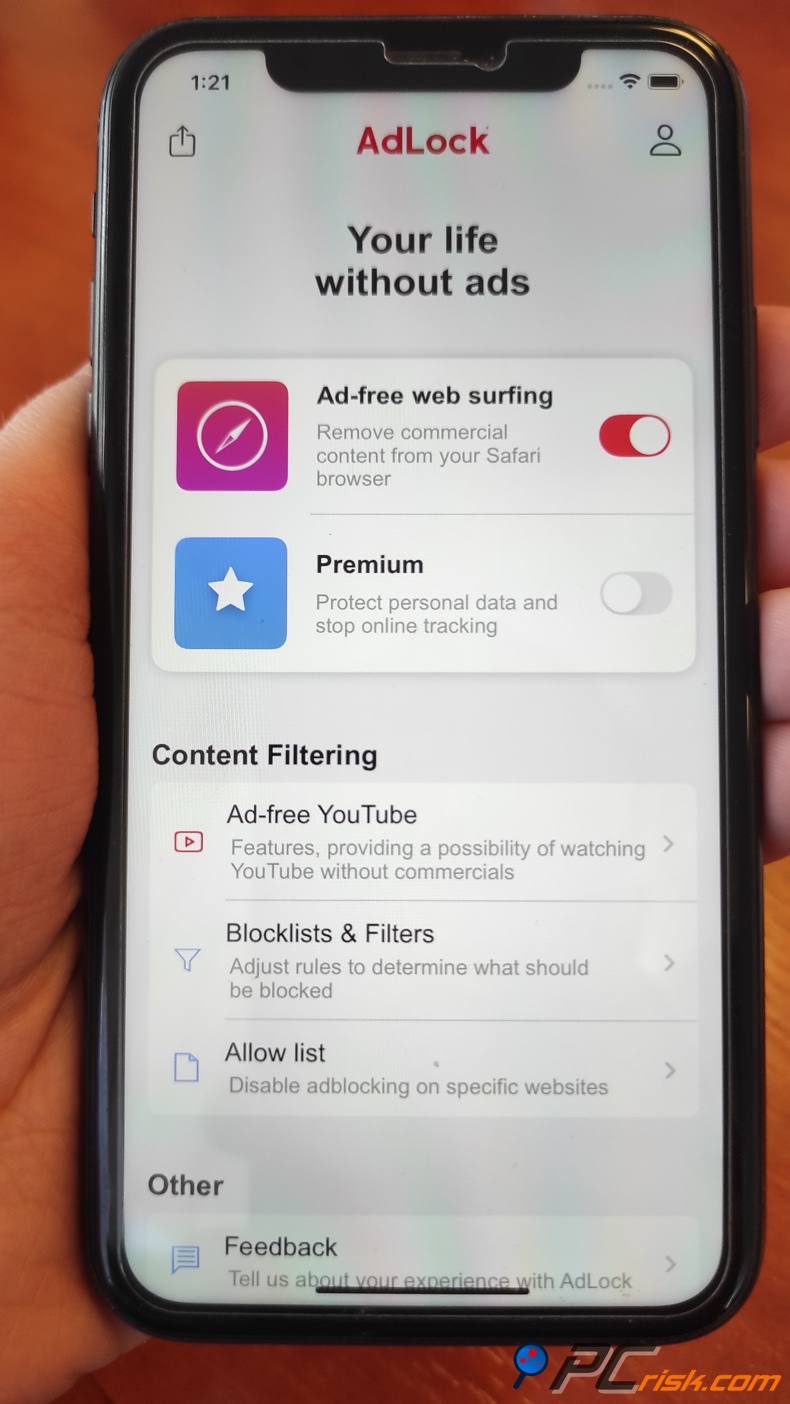
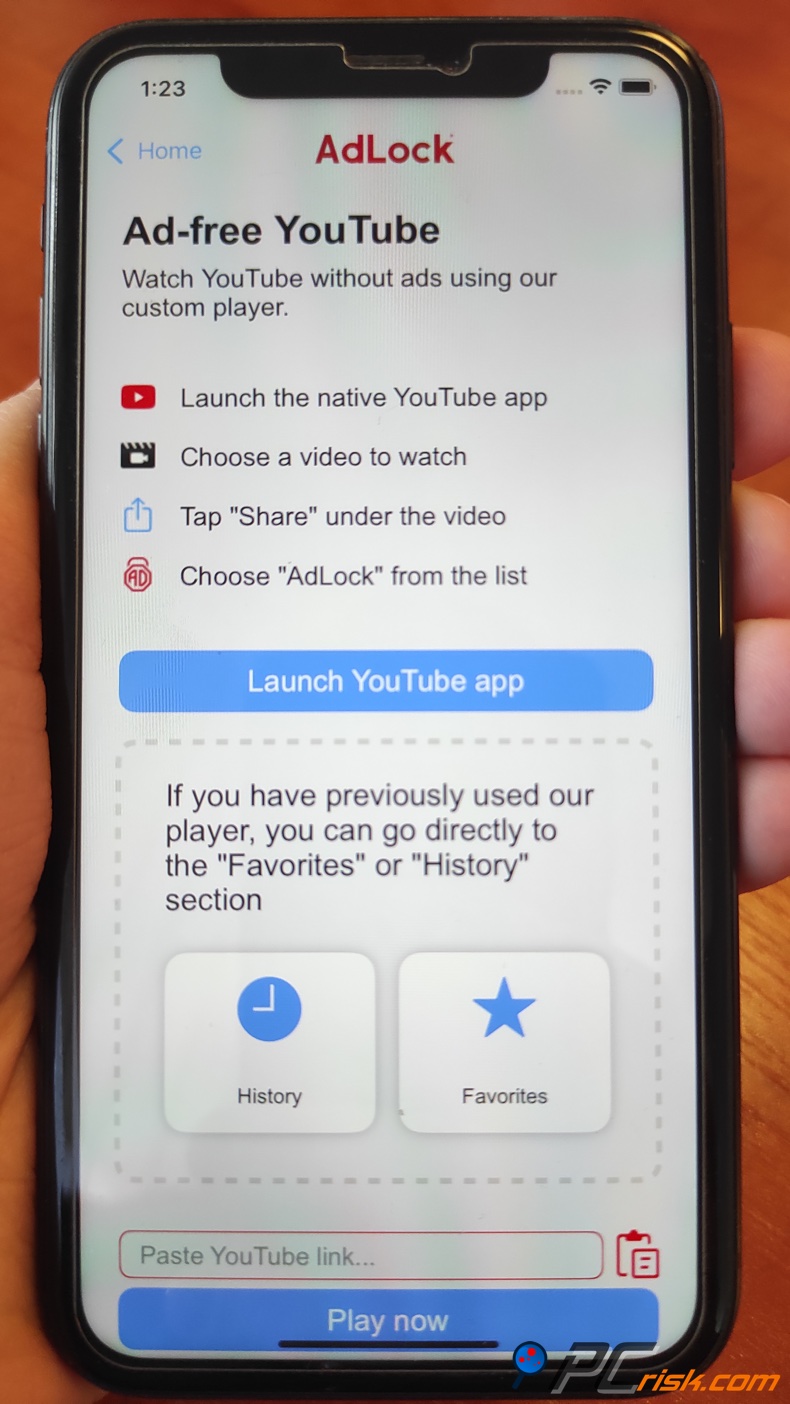
One of the clever features in AdLock's iOS app is its ability to work around YouTube ads and ads in other apps. It provides a menu option to Ad-free YouTube with AdLock when you're in the YouTube app or any app that has in-app video.
Pressing "Share" in the YouTube app (or any app with an in-app browser video), and then choosing AdLock's option, sends the video to AdLock's built-in player, where it can be viewed ad-free. This extra step is a bit of a manual solution, but it's one of the few ways to get YouTube ad-blocking on iOS since content blockers can't directly filter inside other apps. Users report it works well to watch ad-free YouTube on iPhone.
As for other app ads on iOS, Apple's restrictions mean AdLock cannot universally block ads inside all apps (unlike Android). Like on Android, it's mainly limited to Safari and any apps that use Safari's webview, so if a game app pulls its ads differently, AdLock won't be able to remove them, unless the game uses a Safari webview.
The AdLock iOS app is basically a top-notch Safari ad blocker with a bonus feature for ad-free YouTube. It has a simple user interface and has a "DNS blocking" option, which can use a custom DNS profile to block some ads across the board. But this is still experimental and might require a bit of tinkering with.
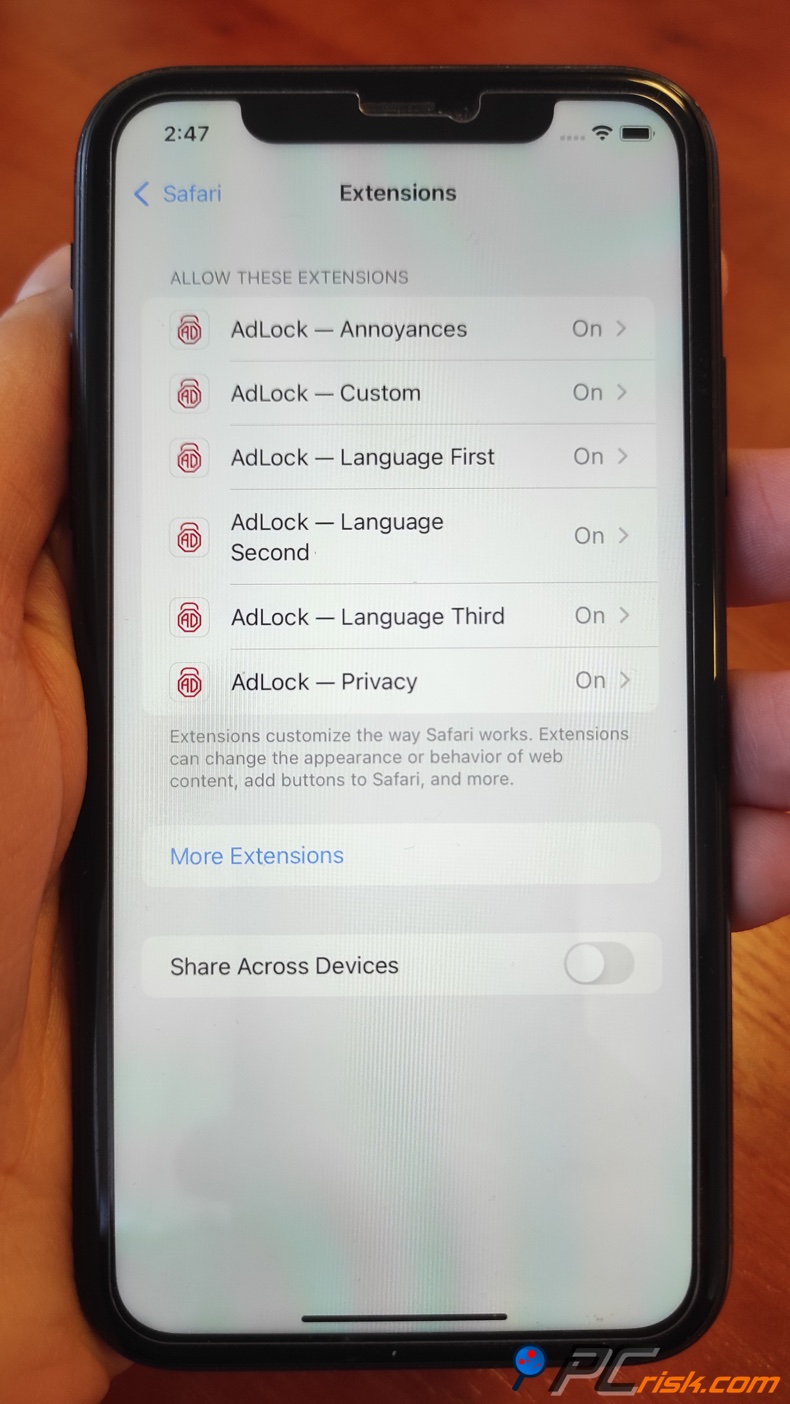
• Performance on Mobile: As for mobile apps, AdLock's Android and iOS versions are incredibly lightweight. We didn't notice any significant battery drain from AdLock on either platform. The Android app's VPN does run continuously when ad blocking is enabled, but it consumes only a small percentage of battery in the background (this could vary by device; on older phones, the VPN approach might be a heavier load).
iOS's content blocker, on the other hand, is super efficient with basically no impact on your phone's performance. One feature that AdLock's mobile apps offer is the display of how many ads were blocked, and that's a pleasant feature to see. On Android, after a day of normal phone use, AdLock had blocked hundreds of ad requests (which also reflects saved data and a cleaner experience).
• Updates and Support: When it comes to mobile apps, they are updated much like the desktop version. The Android app needs a manual update and can be set to automatically check for the latest version from their servers, since it's not through the Play Store. Coming from the App Store, the iOS app normally gets updated. If any issues arise on mobile, AdLock's support team is here to help and is known to respond to user feedback.
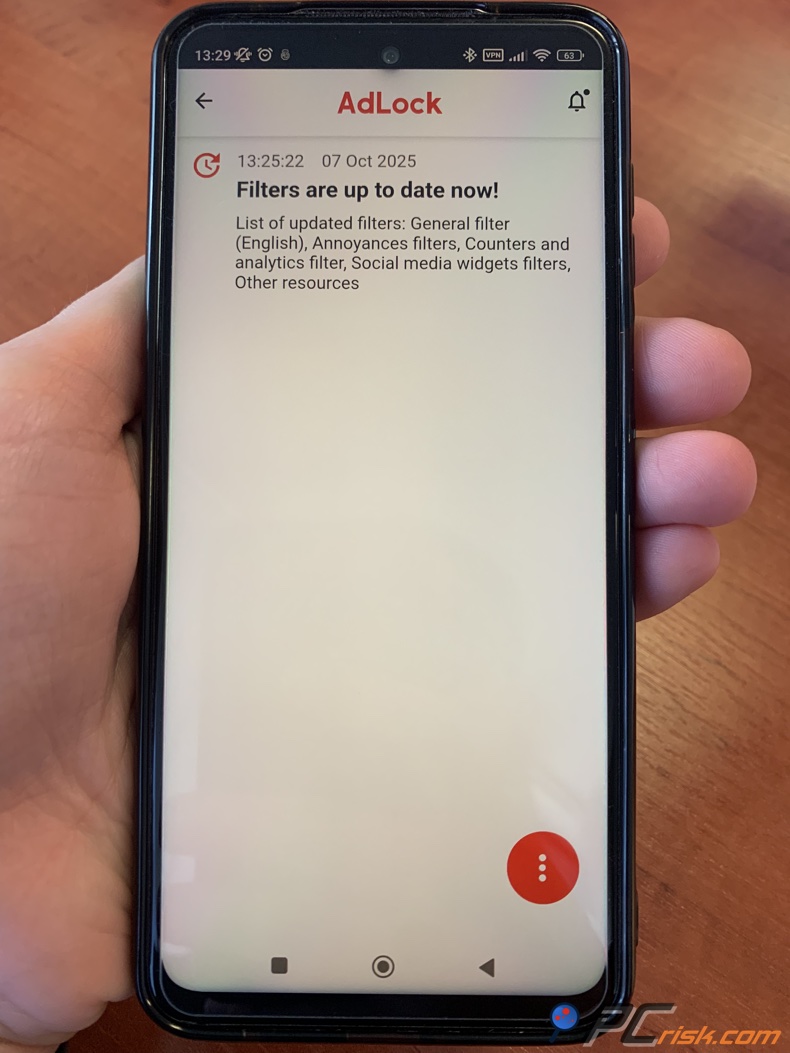
In conclusion, regarding mobile ad blocking, AdLock takes it to the next level on smartphones. The Android app gives you the power to block ads everywhere you go, and is basically a must-have for those who watch a lot of ad-supported videos or apps on their mobile devices. However, be aware that sideloading and VPN limitations are involved.
The iOS app is more constrained by Apple's rules but still provides a first-rate ad-blocking experience in Safari, on par with other top iOS ad blockers, plus creative solutions for YouTube. If you're primarily using an iPhone or iPad, keep in mind that AdLock can't get rid of all in-app ads, since that's the platform's limitation, and no iOS ad blocker can do that, but for web browsing, AdLock is an excellent choice.
User Reviews and Feedback
Official features and tests tell one side of the story, but it's also important to see what everyday users say about AdLock on public platforms. User reviews for AdLock are mixed, varying greatly by platform:
• Trustpilot: You'll see that it has a meager 1.8 out of 5-star rating, and is classified as a "Poor" service, when checking AdLock's reviews on Trustpilot. This is based on a small number of reviews (roughly 35), and the opinions on this site tend to be skewed towards the negative. Many people complain that the product doesn't work as promised and that the customer support and buying process have left them disheartened.
For example, some users experienced issues with the activation process and getting the app running after paying. One of them even got an "invalid code" message and ran into issues with billing. Another gripe people have with AdLock is its approach, and one Trustpilot reviewer pointed out that the local VPN it uses on Android interfered with other services like Android Auto. It's worth noting that AdLock's team appears to respond to some of these reviews, attempting to help troubleshoot.
• Reddit and Forums: Concerning the effectiveness of AdLock, opinions on tech forums and subreddits are very divided. People who are long-time users of Reddit's ad-blocking communities have been praising AdLock, especially its ability to block ads in apps and games where other solutions have failed.
They're also happy that the free browser extension doesn't sell user data, which they claim is a trust factor that AdLock promotes. On the other hand, they've found the ad-blocker can be inconsistent, with some people saying it worked "great" years ago, though now it is unreliable and eats up many resources on PC and Androids.
Some Reddit users claim the add-on could never manage a satisfactory performance. One of them mentions they used AdLock, found it to be "years since it's not working," and will not repurchase it. They'd better opt for an ad blocker that gives them no satisfaction. When there's inconsistent performance and you notice that AdLock is "hogging a lot of resources" on PCs and Androids, people recommend not keeping it running 24/7.
• App Stores: The reception on official app stores is more positive. The Apple App Store shows the iOS version of AdLock with a rating of 4.4 out of 5 from about 1.9K ratings, which is a strong score. Many iOS users praise AdLock for making Safari browsing bearable and blocking YouTube ads via its workaround. A highly upvoted App Store review mentioned "blocks a decent amount of ads in all apps... I wouldn't survive without being able to block ads in games and media." However, the same review noted that the app occasionally needed to be restarted.
On the Google side, since AdLock isn't in the Play Store, there's no official Google Play rating for the Android app. But AdLock is listed on alternative app platforms (like Setapp for Mac, and some Android app repositories) – for instance, on Setapp, AdLock has about 70% positive ratings out of 700+ user ratings, which indicates a majority of users are satisfied.
• Expert Reviews: You'll also want to check out the expert opinions when reading about AdLock. Websites like TechRadar, Cybernews, AllAboutCookies, etc. All seem to agree that AdLock is very good at blocking ads, but it might not be at the top of the class in every single area.
Experts love the same things that regular users do. AdLock blocks a huge number of ads, even YouTube ads, and one license covers multiple devices, and it's got a free browser extension, which is a nice touch. But they're not too happy about some aspects, things like interstitials, being less strong on anti-tracking, the fact that its Android app isn't available on the Play Store, and some of its features are locked behind a paywall.
Cybernews's review, for instance, pointed out that AdLock falls short in fingerprinting prevention, and occasionally trips up on performance too. On the other hand, TechRadar's review is more optimistic, but they still want readers to know that they'll need a premium subscription to get the full protection.
In summary, user feedback is varied. Casual users in the app stores are basically satisfied, especially on iOS, but power users and a few Trustpilot reviewers are raising red flags about reliability and support. This discrepancy could be because those who enjoy AdLock don't feel the need to voice their experience, but those who encounter issues are more likely to do so on online forums.
You may want to try the free extension or the 30-day trial to see how it performs in your particular situation. The core of AdLock is certainly solid, but how much it is "worth it" for any one person is dependent on their unique situation and individual needs, which we'll look at in the next section.
Is AdLock Worth Buying?
Looking at AdLock, the value you'll get out of it largely depends on the ad-blocking features you need:
Regarding blocking ads, AdLock's free browser extension is an option that's basically on par with the likes of uBlock Origin and AdGuard's extension. Coming from a clean interface, AdLock takes a firm stance against all ads, even the ones considered "acceptable" by other services. If you're looking for basic ad-blocking, you won't need to spend a dime, as AdLock's free tier is all you need.
AdLock Premium is an excellent choice when you're looking for a cross-platform solution that goes beyond the confines of your web browser. Its ability to eliminate ads in Windows applications, as well as in mobile apps and games, is a rare feature in the ad-blocking market and is only offered by competing products like AdGuard.
However, AdLock has the edge as many simple ad blockers do not provide such functionality. AdLock's pricing is fairly affordable, especially if you opt for the longer plans – roughly $34 per year (or as low as ~$1 per month on a five-year plan) for use on up to 5 devices. That could be worthwhile if you intend to protect a family's devices or just multiple devices across different operating systems. By covering Windows, Mac, Android, and iOS with one subscription, AdLock makes it convenient to maintain an ad-free ecosystem.
Regarding AdLock, it's a good idea to weigh it against its alternatives. Free browser-based ad blockers such as AdLock's own extension may be enough for some, but if you're looking for system-wide blocking, AdLock is going up against AdGuard Premium, an established name with the same features. AdGuard has a bit more of a polished feel, has a longer track record of getting rid of trackers, and comes equipped with features like parental controls. But AdLock is trying to appeal to those who want something simpler and more budget-friendly.
There are VPN-based ad blockers like Surfshark's CleanWeb, or browser-based VPN/adblock combinations, that package ad-blocking with additional services. AdLock was able to keep up in our testing, especially when it comes to eliminating regular ads and YouTube ads, but didn't reach the top spot in terms of getting rid of every single tracker and every clever ad.
When evaluating AdLock, consider the need to sideload an app on Android and the possibility of having to update or troubleshoot if an ad somehow manages to slip through. If you can live with that, AdLock is a viable option providing fantastic convenience and extensive coverage. However, if you're unwilling to sideload an app, or are fixated on maximum privacy protection (tracking shielding), it might send you down a different path, either separately, or a combination of tools.
For many everyday users, AdLock is worth it for the premium features, given its moderate cost and multi-device support. AdLock will blast most ads and even some malware, and because you can test it for free, you can be sure it's effective on the sites and apps you love.
In conclusion, AdLock is a great option, particularly if you're looking for a comprehensive all-in-one solution that can work across various devices. It's not flawless, but it's extremely useful, and in scenarios where browser-based ad blockers can't cut it, like blocking ads in YouTube apps and other software, AdLock steps up the game. If those use cases resonate with you, investing in AdLock could be worth every penny.
However, if you're looking for a free desktop browser-based ad blocker, you could get away with the free option or some other free tools. The real selling point of AdLock is its ability to let users install it on a bunch of devices, "set it and forget it", and be completely ad-free.
Frequently Asked Questions (FAQ)
Is AdLock safe and legit to use?
AdLock is a legitimate ad-blocking software developed by a recognized company (Hankuper s.r.o., based in Slovakia). It does not contain malware or adware. In fact, it's designed to combat those. AdLock has been around for several years and has a good reputation in terms of not misusing user data. The developers state that they do not collect or sell personal data from the app.
We didn't stumble upon any security issues with AdLock, so it's likely to be a reliable option. Just download AdLock from the official website or app stores to avoid any fakes.
Does AdLock work on YouTube and other streaming sites?
Concerning YouTube and other streaming sites, AdLock does its job, effectively blocking ads on the desktop via its browser extension. On Android, AdLock has a way to remove ads in the YouTube app itself, both in the app and in the browser, and on iOS, it's offering a temporary fix for ad-free YouTube by sending you to a page where you can watch the videos without ads, by using the Share > "Ad-free YouTube with AdLock" option.
Keep in mind that YouTube periodically changes its ad delivery to outsmart blockers. Still, as of our latest checks, AdLock is working perfectly and will probably need an update to stay on top of any future changes.
What's the difference between AdLock's free extension and the paid app?
As for AdLock, the free browser extension can block ads in your web browser, and it's available for Chrome, Firefox, Safari, etc. - Essentially any desktop browser. On mobile, it's free and has no time limit, which is great for casual browsing. The paid version of AdLock for Windows, Mac, Android, and iOS covers your entire device, blocking ads in every browser and even inside other applications.
It also brings many more advanced features, such as blocking spyware domains and social media ads, which the free version might not block. In short, the free version is browser-only, one device at a time, whereas the premium version is system-wide and multi-device. The premium also comes with customer support and guaranteed updates.
How many devices does one AdLock license cover?
When purchasing AdLock Premium, one license will cover up to five devices, and this can be a combination of any supported platforms, so you could essentially use it on your Windows PC, your MacBook, your Android phone, your iPad, and one browser extension, all at the same time.
If you have six or more devices, you would need another licence or to log out of one device so that another could take its place. Switching between devices is rare, so five is a fair amount of space and should be enough for the average individual and family.
Is AdLock available on the Google Play Store or the Apple App Store?
You can find Adlock in the Apple App Store for iOS/iPadOS. However, it's not available on the Google Play Store because Google doesn't allow system-wide ad blockers. You can, however, download the Android app from AdLock's official website as an APK and install it manually. This is a safe process if you get the app from its official website. The browser extensions for Chrome and other browsers are available in their respective web stores, so only the Android app requires this extra step.
What if I need to uninstall or cancel AdLock?
When you want to get rid of AdLock, the process is pretty clear-cut. You'll find the uninstall option on a Windows machine in the Add/Remove Programs menu. On a Mac, you can delete the application (and any browser extension if you installed that separately). On your mobile, it's the usual app removal process.
To cancel the AdLock subscription, which will stop it from auto-renewing, you need to contact AdLock's payment processor, PayPro Global, via Live chat or email. Please provide them with your order details. They'll sort the cancellation hassle-free if you send them your order number. And if you've got a brand-new purchase and aren't happy, you're within the 30-day money-back window and can ask AdLock support for a refund.
Does AdLock block "acceptable ads" or participate in any ad programs?
No, you're not going to see any "acceptable ads", the program doesn't have partnerships to let certain ads slip past the block, when using AdLock. According to its FAQ, AdLock has never been part of any acceptable ads program and won't ever be. You can, however, choose to whitelist any site or specific ads, but nothing is pre-whitelisted when you install AdLock.
Can AdLock break websites or cause any issues?
Such issues didn't happen very often in our experience. The filters AdLock employs are very accurate. When using AdLock, you'll find that any website can potentially be broken if its script is blocked by the ad blocker. Some sites might detect the blocker and ask you to disable it, in which case you can use AdLock's whitelist feature to let that site load.
On Android, AdLock uses a local VPN, and you might get stuck if you're not careful. If you forget it's running and try to start another VPN, it won't let you because its own VPN is in the way. The solution is to pause or turn off AdLock while using the other VPN. Aside from these minor things, using AdLock shouldn't harm your system. And if you ever suspect it's causing a conflict, you can easily disable it temporarily to diagnose the issue.
Share:
 Facebook
 X.com
X.com
 LinkedIn
 Copy Link

Karolis Liucveikis
Experienced software engineer, passionate about behavioral analysis of malicious apps
Author and general operator of PCrisk's News and Removal Guides section. Co-researcher working alongside Tomas to discover the latest threats and global trends in the cyber security world. Karolis has experience of over 8 years working in this branch. He attended Kaunas University of Technology and graduated with a degree in Software Development in 2017. Extremely passionate about technical aspects and behavior of various malicious applications.
▼ Show Discussion