
Avira Antivirus Review

✓
Fact-checked by:
Tomas Meskauskas
Last updated:
November 09, 2025
Our reviews are written by Internet security experts.
Learn more.
PCRisk score:
4.0
When searching for a comprehensive security suite with additional functionality (like VPN, and password manager), we recommend shortlisting Avira.
What we liked:
✓ Practically no impact on system performance.
✓ Simple and easy to navigate interface.
✓ Useful additional tools like a password manager and a VPN.
What we disliked:
✗ Not so great detection rates when it comes to potentially unwanted applications.
Pricing Overview
Avira is a German antivirus brand that's been around for years. It has been part of Gen Digital, the same company behind Norton, Avast, and AVG, since 2021. Still, it offers an expansive suite of security solutions for home users. Avira offers one of the most generous free antivirus plans out there, combined with several paid options with different price tags.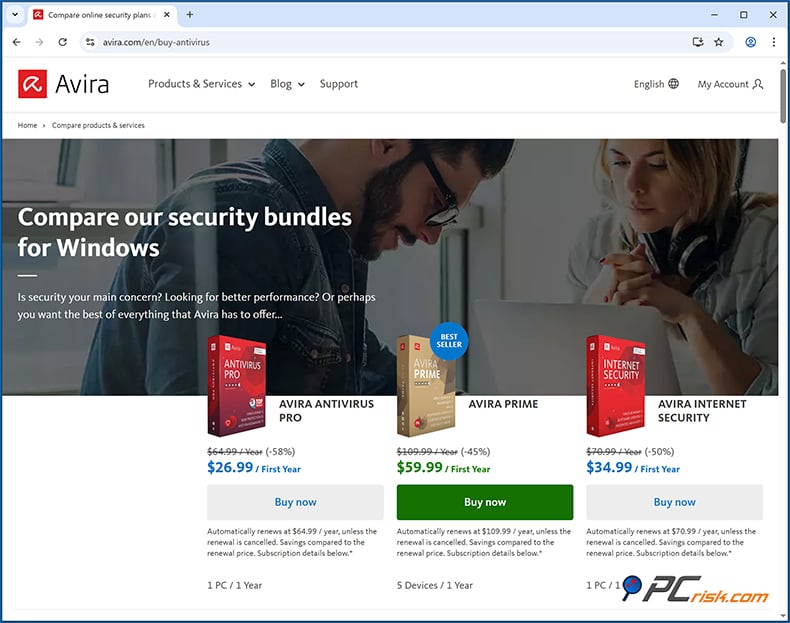
• Avira Free Security: $0 per year. Completely free for 1 device (personal use).
• Avira Antivirus Pro: The first-year price is $26.99 for 1 PC (annual license). This is a discounted introductory price (58% off); renews at $64.99/year.
• Avira Internet Security: The first-year price is $34.99 for 1 PC, 50% off. It renews at $70.99/year.
• Avira Prime: The first-year price is $59.99 for up to 5 devices (it covers Windows, macOS, Android, and iOS). The renewal price is $109.99/year. Avira Prime is the top-tier "ultimate" package with all features included.
All paid plans include a 60-day money-back guarantee, which lets you try Avira out without any financial risk. Keep in mind that the promotional first-year prices are a significant discount, and the renewal price is the full rate. Still, Avira's premium prices are fair and competitive with the top brands.
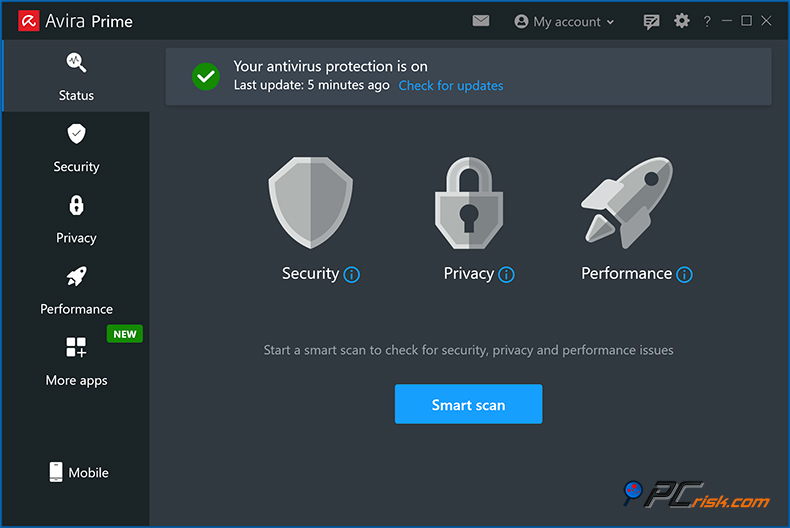
Appearance of the Avira antivirus user interface:
Overview of Avira Versions
Avira's lineup for home users has four main editions, with the free Avira Free Security being the base offering:
• Avira Free Security: Avira Free Security offers features, including its core antivirus engine with on-demand scanning and real-time protection. It also offers a few extras, including anti-malware, a small VPN (500 MB per month), a basic password manager, safe browsing via a browser extension, and system optimisation suggestions. This is quite generous for a free antivirus.
However, it shows ads and sometimes nags you to upgrade. It does not include support from a customer support agent, so users will need to go through the online knowledge base and forums to get help.
• Avira Antivirus Pro: Avira Antivirus Pro is basically the starting point for anyone who wants a paid antivirus. If you go with Avira Antivirus Pro, you get a solid antivirus that includes web protection. It works in real time to block phishing and nasty sites, email protection that scans your incoming emails and attachments, and provides advanced ransomware protection that knows what it's doing.
Antivirus Pro includes dedicated customer support by email and phone, if you need help. It's limited to one device, either Windows or macOS, and will set you back around $26.99 for the first year.
• Avira Internet Security: Avira Internet Security takes the existing Antivirus Pro and adds privacy features and a few upgrades, and gives you a Premium Password Manager that does things like password audits and data breach monitoring, and a Premium Software/Driver Updater. It only covers one Windows PC, and doesn't do anything for macOS.
Some people may find that they can get the same result with the free Avira antivirus and a separate password manager, which could be cheaper, but for those who want a neat all-in-one package on a single machine, Internet Security is a good bet.
• Avira Prime: Avira Prime is the top-of-the-line security package. It covers up to five devices across Windows, Mac, Android, and iOS with limitless VPN data. It also includes some system optimization utilities, including enhanced file cleaning, a startup booster, and a "Game Booster" that will improve your gaming experience.
You'll get VIP customer support too. Avira Prime is a total package for households or individuals with lots of gadgets. Avira Prime turns the standard product into a total security suite, including antivirus, VPN, system tune-up tools, and cross-platform protection. It is a go-to option for anyone who wants comprehensive security. Nevertheless, Avira's free antivirus is still a powerful option for those who don't want to shell out for anything else, but if you're on Windows and don't care about the VPN limit, Internet Security could be the better option.
All of the paid Avira versions have real-time malware protection, web, email, and ransomware shields. The only differences between them are the range of additional features and the number of devices that can be covered.
Our In-House Malware Test
Our malware test was designed to test Avira's real-time threat detection and on-demand scanning capabilities. It consisted of exposing the software to a massive collection of sample threats, seeing how it fared in both proactively stopping threats (real-time protection) and in detecting/removing malware during full system scans. The testing categories include:
• Potentially Unwanted Programs (PUPs) - 5 samples (adware, toolbars, etc. that are not outright malware but undesirable).
• Trojans and Info-stealers - 20 samples (password stealers, remote access Trojans, keyloggers, and similar malware).
• Ransomware - 20 samples (file-encrypting malware representing the latest ransomware families).
• Malicious Email Attachments - 20 samples (documents or files from recent phishing campaigns laden with malware or macros).
• Mac-Specific Malware - 20 samples (macOS malware and adware, to test Avira's protection on Mac systems).
When Avira first detected the malware samples, it found 18 of them, and continued to flag more and send them to quarantine. To really check out its detection capabilities, we ran a full system scan, and it took 19 minutes, which is an excellent result for a full system scan.
Our in-house malware detection test results:
• Potentially Unwanted Programs (PUPs) - Avira caught 4 out of the 5 Potentially Unwanted Programs, a result that isn't impressive but others might consider those same programs legitimate.
• Trojans and Info-stealers - Avira detected and quarantined 19 out of the 20 Trojans and info-stealers.
• Ransomware - Avira caught all 20 ransomware samples.
• Malicious Email Attachments - Out of 20 samples, Avira detected 6, but the ones it missed were mostly .html and .docx files that were stopped by Avira's real-time anti-malware engine, so the system wasn't compromised when testing malicious email attachments.
• Mac-Specific Malware - Out of 20 Mac-specific samples Avira detected 19 samples, note that we are testing Mac samples on a Windows machine and a Windows version of Avira - this indicates that Avira uses a unified antivirus engine for Windows and Mac systems. It's worth noting since some antivirus programs use different antivirus engines for specific operating systems.
Independent Lab Test Results
Avira's engine has impressed in independent lab tests, often getting top marks for its protection. AV-TEST is a top-notch testing lab, and Avira consistently scores 6/6 in the areas of Protection, Performance, and Usability.
In the AV-TEST report for April 2025, Avira Internet Security netted a clean sweep of perfect scores and was dubbed a "Top Product." It effectively blocked 100% of widespread and zero-day malware, caused a negligible slowdown in system performance, and generated zero false alarms. This is what AV-TEST goes for as its top rating. Avira has stuck to the same level of 18/18 in the previous rounds of AV-TEST, too.
Avira has also been highly rated by AV-Comparatives, an independent testing body that recently awarded Avira the Gold Award in the Real-World Protection Test and labelled it an "Approved Security Product" for the year.
Avira won in several different categories and earned Advanced+ and Advanced awards in various areas over the year. AV-Comparatives is also impressed with the Avira Free Security, a free edition of the software, and credits it with a very high level of protection without any jarring drops in performance or false alarms.
Avira's performance in SE Labs' Q2 2023 home antivirus test achieved impressive results. Its Free Security product achieved a 97% total accuracy rating and a top spot in the ranks of the most accurate products. Its strong track record of eliminating a wide variety of threats has been confirmed by independent labs when putting Avira to the test.
AV-TEST's latest certification shows Avira to be 100% effective, and AV-Comparatives' 2024 awards, in particular, show its real-world efficacy, with a commendably low false positive rate. Avira's impressive results in both these cases give users full confidence that the software won't miss threats on the horizon.
Security Features and Malware Protection Tools
Avira fully utilizes its antivirus features by offering on-demand scanning and real-time malware protection of documents and systems. You can run the scan at any time and have Avira quietly monitor your system to block any threats in their tracks.
Combining signature-based detection, advanced heuristics, and behavior analysis, and access to a cloud database, Avira gets a handle on known and unknown malware with speed and efficiency, cutting down on the weight of local updates.
Avira's core package, which includes the virus scanner, real-time file guard, and quarantine, is available in all versions.
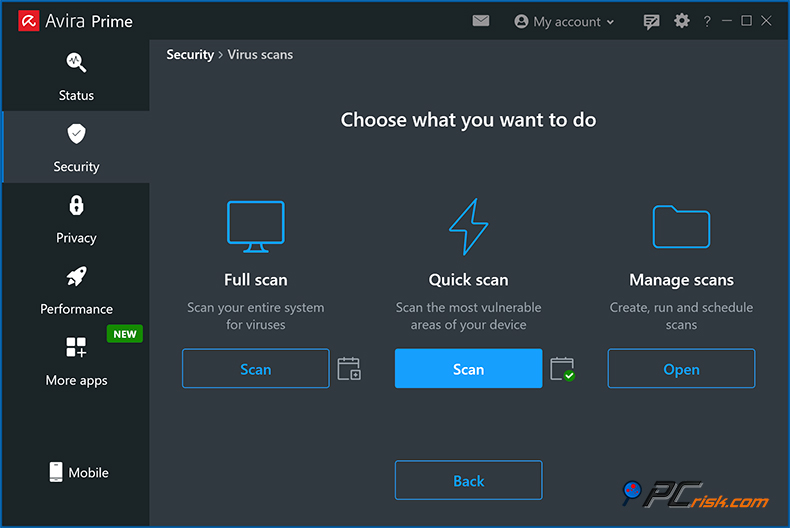
The paid versions bring additional layers of security. The 'Security' section contains Web protection, Email protection, and improved Ransomware protection. Web protection, for instance, can block dangerous websites and intervene with suspicious traffic flow that would otherwise lead to infection.
Avira's Web protection was observed functioning together with the browser. During lab testing, it proved effective in flagging dangerous sites, which is also enabled through Avira's anti-phishing technology. Avira's Email protection scans incoming emails and attachments on your email client for malware and scam messages to block and eliminate trojans and ransomware that might be hidden inside email attachments.
Ransomware protection is a critical feature today. Avira's solution combines traditional signature-based and behavioral-based detection, essentially monitoring programs for any mass file encryption. It can, therefore, catch ransomware even when it's brand-new and doesn't have a record in the virus database.
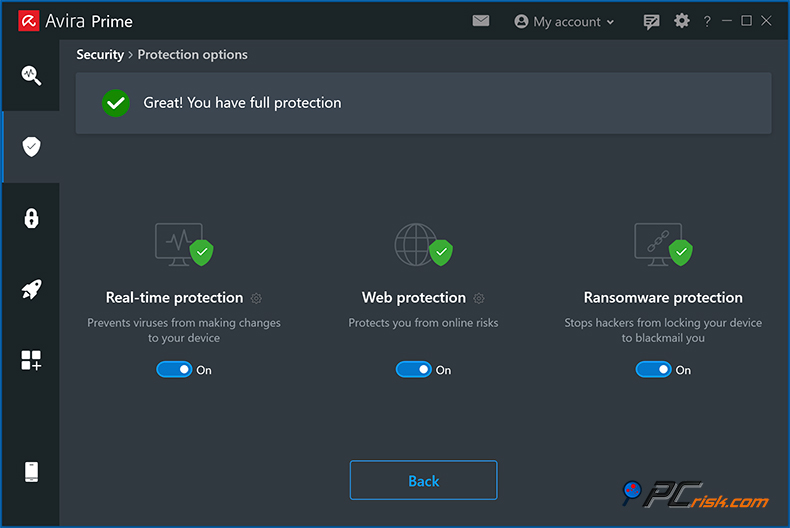
Avira's behaviour blocker kicks in to kill and quarantine any process that starts mass encrypting files or maliciously altering system settings, adding an extra layer of protection against any ransomware infiltrating a system. Its paid versions have consistently scored very well in ransomware tests and have near-perfect blockage rates.
Avira has other notable features, such as Firewall settings and Software Updater. It does not have a custom firewall. Instead, it relies on the Windows Firewall, but through the Avira interface gives users an easy-to-manage firewall panel that they can toggle on/off, and modify.
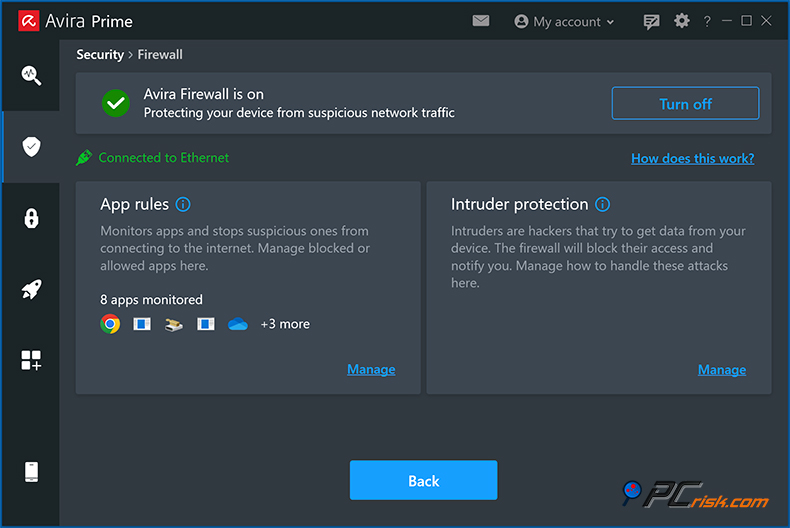
Called Avira Prime, the firewall is basically just a user-friendly frontend to the Windows Firewall. It's useful for less experienced users who may want more control over their network settings. The interface is very simple and doesn't let you set up granular network rules.
Avira's Software updater is also available in the Internet Security and Prime plans. It keeps other programs and drivers up to date. Old software can be a major problem, and Avira scans for out-of-date apps. In the more expensive versions, it automatically gets the updates for you, saving you a lot of time and hassle.
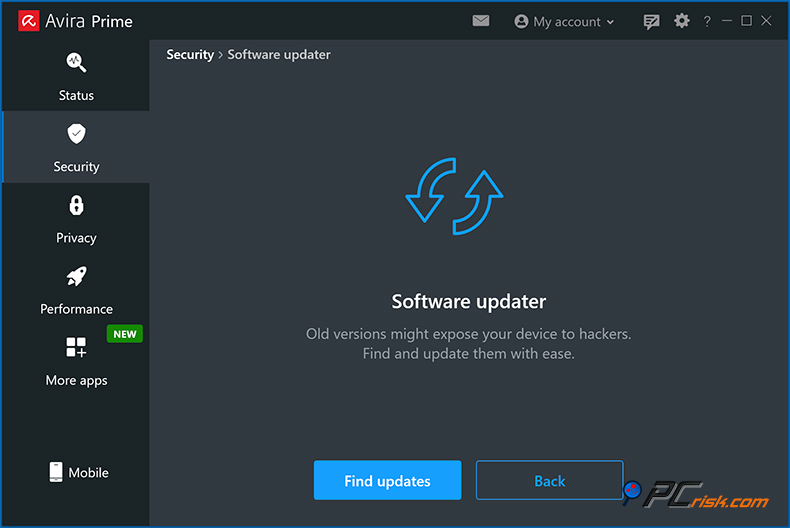
In the free edition, it will just tell you there are updates available, but won't apply them. Still, it's a great way to patch potential security holes. Keeping software updated is a proactive way to prevent malware infections, and Avira's inclusion of this is quite useful for users who might otherwise forget to update programs.
Avira includes a Quarantine for any undesirable files found. When it flags a malicious file, it sends it to a safe place where it can't harm your system. You can go back and review the quarantined items later and either delete them for good or restore them if you think Avira made a mistake.
We have found Avira to have a relatively low false-positive rate (and lab tests corroborate this), but occasionally, some uncommon or suspicious behaviors might trigger an alert. Avira allows you to add a file to its exceptions when you've confirmed it is safe. The quarantine feature in Avira is pretty user-friendly and keeps items locked away until you take action.
Scan Options and Effectiveness
Avira allows users to perform a Quick Scan, Full Scan, or a Smart Scan. The Quick Scan zeroes in on the most frequently infected areas of your system and the folders that are most at risk. The Full Scan is a deeper, more thorough scan of the entire system. The Smart Scan not just looks for malware, but also flags up privacy issues, weak settings, and junk files all at once, and does it all in one go.
Acclaimed for its speed, Avira's Quick Scans take less than a couple of minutes and are essentially the go-to for routine, but won't catch anything that isn't hiding in the most obvious places.
The Full Scan is more thorough and actually pretty snappy even on modern systems with SSD storage, clocking in at around 19 minutes to scan ~500000 files in one test. Avira's scanning engine doesn't consume much resources, either. You can schedule scans in advance, either daily, weekly, or at any other interval you prefer, using Avira's built-in scheduler.
Avira's configurability in scans is something that we particularly like. Advanced users can set up custom scans, decide what to scan and exclude, and fine-tune the heuristic sensitivity, which allows them to personalise Avira to their needs, such as scanning only the folders where they download files, or excluding a folder of trusted programs that would otherwise be flagged as a threat.
Additional Features and Tools
Avira's additional features, particularly in its top-tier suites, make it more than an antivirus software. It's basically a comprehensive security and optimisation package that includes a number of features that aren't related to malware protection:
• VPN (Virtual Private Network): This feature is available in all Avira editions, but has different restrictions. In the Free Security, it's capped at 500 MB of data per month, or 1 GB if you register your account. This is enough for occasional use, like securing a coffee-shop Wi-Fi session, but not for heavy streaming.
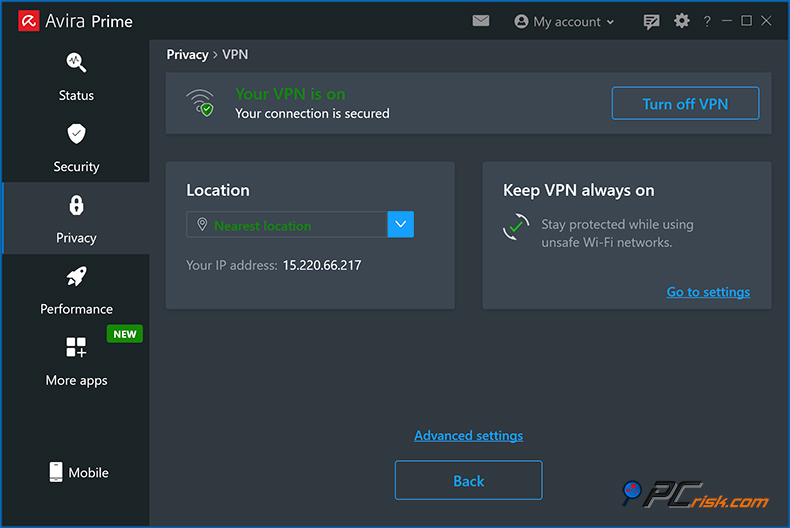
Avira Prime, however, provides unlimited VPN use. Phantom VPN from Avira is an excellent option to encrypt your internet traffic and virtually change your location to a country you choose when you're on a public network. Phantom is pretty easy to set up and decently fast for servers that are close by, but it does have a problem with streaming services, which is something lots of VPNs suffer from.
• Password Manager: Avira includes a password manager, which, in the free and Pro versions, is just a 'basic' password manager that can store and automatically fill in your login credentials, but doesn't have the bells and whistles that the higher-tier plans offer.
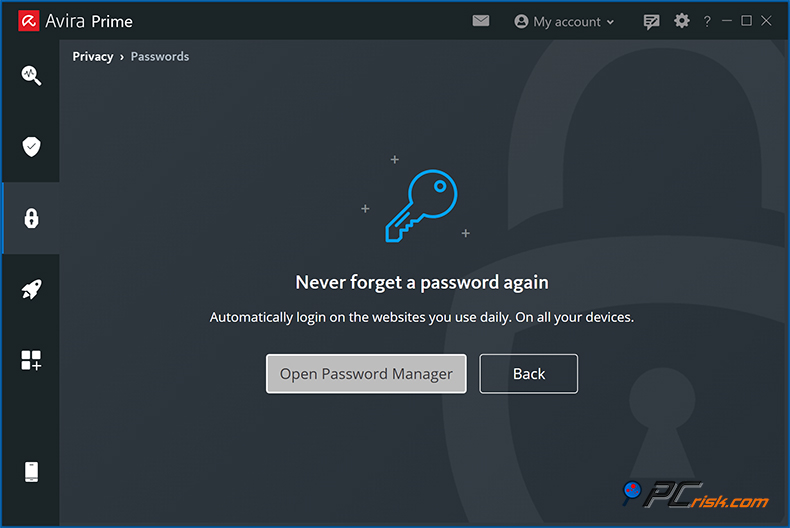
You need the Internet Security and Prime plans to unlock the 'Premium' password manager, which is basically an upgraded version of the Avira Password Manager, and comes with password health checks, data breach monitoring, and secure password sharing. Essentially, it tells you if your email and passwords are floating around in any known leaks or secure password sharing.
In addition, Avira's password manager does a great job of general tasks and integrates well via browser extensions. Some power users might find that dedicated services like Dashlane or LastPass do more, but Avira will tick the boxes for most.
• System Tune-Up Tools: One of the things that sets Avira Prime apart is its suite of system optimization tools. Under the 'Performance' tab, it's got a startup program Optimizer that clears junk files, a duplicate file fi,nder and even a Battery Saver on laptops. All these make your device run faster, freeing up space on your hard drive.
Well-known Avira's Optimizer found an astonishing amount of cache, temporary files, and other rubbish that could be cleaned out, and the Startup Optimizer sorted out a number of apps that were slowing down the boot time.
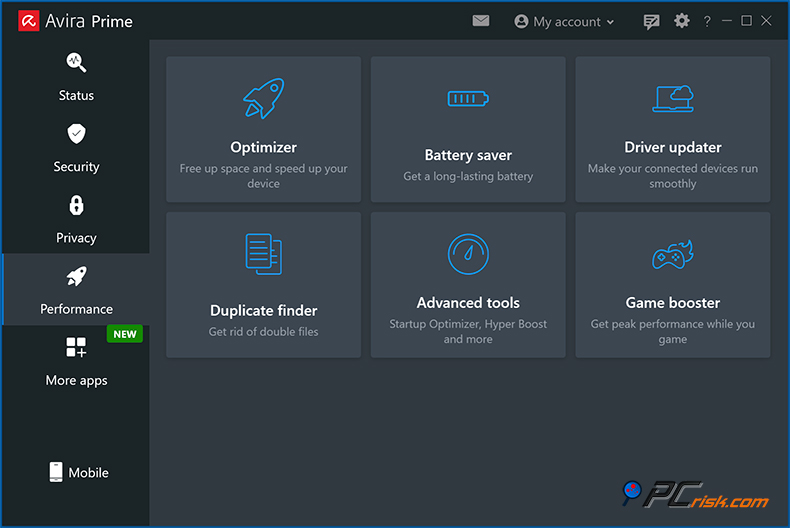
Avira Prime also includes a Driver Updater that ensures your device drivers are up to date and don't cause any issues. The Game Booster will be especially appreciated by gamers, temporarily halting background tasks and lowering CPU usage to give you that bit more performance.
• Safe Shopping & Browser Safety: Avira's browser extension (Avira Safe Shopping and Avira Browser Safety), cuts through malicious sites, tracking scripts, in-your-face ads and includes a price comparison feature for online shopping.
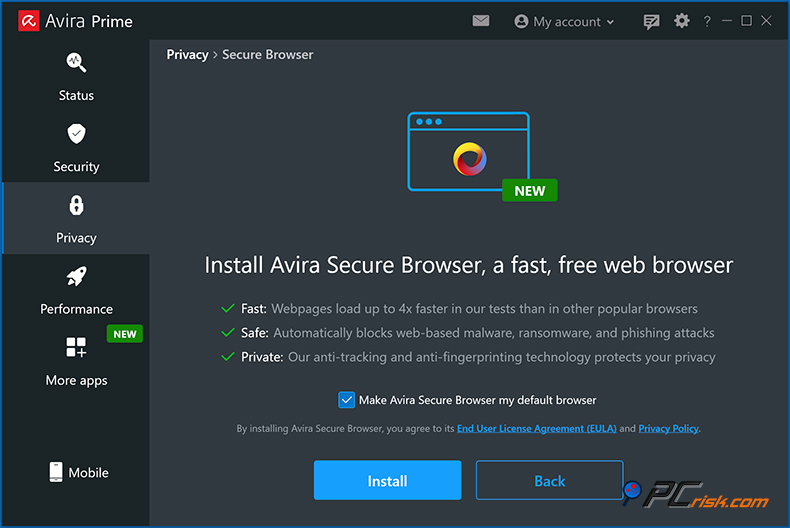
It works even if you're using the Avira Free Security plan. Avira does a great job of detecting scam sites and halting tracking cookies. It also has its Secure Browser, a basically fortified edition of Chrome that prioritises privacy.
• File Shredder: Avira's File Shredder, available in all versions, including the Free Security, is a secure deletion tool that completely obliterates files you want to dispose of and makes it impossible to retrieve them.
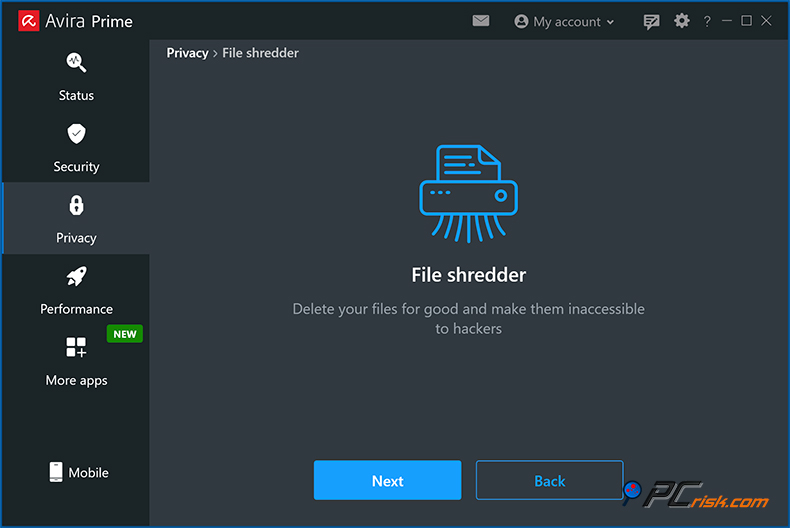
File Shredder is perfect for anyone who wants to wipe out sensitive documents and be sure they're gone for good.
• Privacy Settings and Tools: Avira Free Security and upwards come with a Privacy Settings tool that lets you manage over two hundred Windows privacy settings (like disabling telemetry, customised ads, location tracking, etc.).
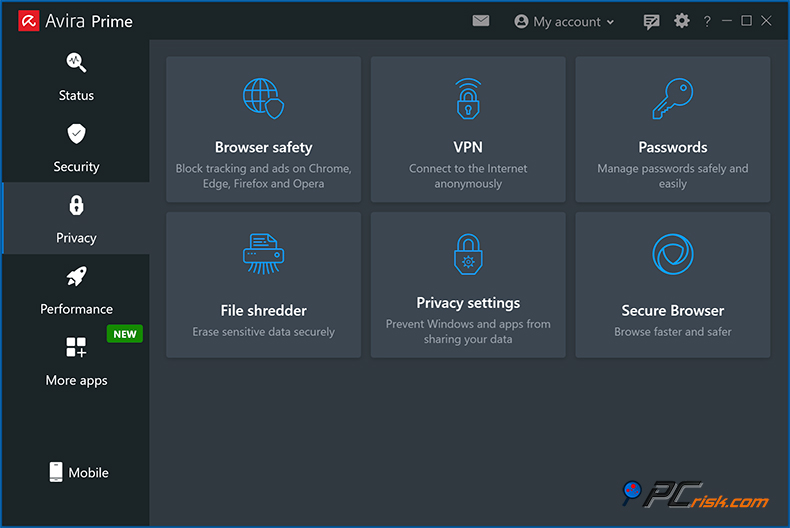
Prime takes this a step further by adding features that automatically block ads and trackers. It isn't quite as extensive as a standalone anti-tracking software, but it shows that Avira cares about its users' privacy as much as their security.
Overall, Avira's offering of additional features, especially in Prime, makes it a versatile security suite. You get antivirus, a VPN for secure browsing, a password manager for online accounts, and a set of fine-tuning and privacy tools to keep your device purring along, all in one place.
These extras can cut the need for half a dozen separate programs, which is why Avira Prime is such good value. Avira Free Security will be sufficient for users who want the core antivirus protection, but those who enjoy having an all-in-one solution will find Avira's extras useful.
One thing to note about Avira in 2026 is that it doesn't offer parental controls, which some other antivirus software providers do. If you need to monitor or limit your kids' device usage, a suite like Norton may be more up your alley. Avira does, however, cover almost every other aspect of a modern antivirus, including its fairly limited anti-theft features, although on mobiles, these anti-theft capabilities are virtually non-existent.
Impact on Performance
Avira's compact footprint on system resources is one of its advantages. You won't notice any slowdowns on your computer most of the time. The lab tests and user experiences have confirmed this. The AV-TEST performance evaluations reveal that Avira gets a perfect score of 6/6 for Performance.
The test includes comparing Avira's ability to launch programs, navigate websites, copy files, etc, all of which take up barely any time, compared to the standard level. In April 2025's AV-TEST results, Avira got a 100% in the performance section, which means it has extremely minor slowdowns on average PCs.
Avira's background jobs, like its real-time scanner and update service, run quietly and consume very little CPU power. Memory usage is also relatively modest. Avira's main service normally takes up a few hundred MB of RAM, roughly the same as or less than many of its competitors, and doesn't increase uncontrollably over time.
When running a full system scan, Avira's impact on the CPU and hard drive is a bit more noticeable, but not anything to worry about. CPU usage goes up to around 50% or more for short periods of time, but Avira has shown itself to be pretty intelligent about not using up all of the available resources when scanning.
A resource-intensive program won't cause it to choke, either. It will scale back its usage so you don't feel the slowdown. You can also customize the scan priority - for example, set it to low - so it doesn't use all your processing power while you're actively working.
We've found that Avira is one of the more lightweight antiviruses out there. It's certainly not as heavy as old-school Norton or McAfee, basically weighs the same as Bitdefender in terms of impact, and has a fraction of the weight of Windows Defender's worst-case scenario. Avira's modern engine was given a brand-new look a few years back and, as a result, it runs much more smoothly.
Avira's initial installation will probably kick off with a full scan, which can take 30 to 60 minutes. Some background tasks, like the software updater and system cleanups, will use a bit of CPU, but they can be scheduled to run during idle times, so they won't really affect what you're doing. We did see that turning on all the features, such as the VPN, can add a tiny bit of overhead. For example, the VPN will slow down your internet a bit because it's encrypting everything.
If you're looking for antivirus software, Avira is certainly up to the task. With top-notch performance, it's basically the go-to option for those who want protection that won't slow down their system. The independent tests and user reviews prove that Avira's impact on system performance is minimal, even outside the time it's actively scanning. It's so well-designed that users barely even notice it's running.
Ease of Use and User Interface
Avira's software is user-friendly and accessible to anyone, making it very easy to navigate and install. The installation process is very smooth and takes no more than a couple of minutes.
Avira's clean, modern UI (User Interface) won't be a problem. Avira's unified client (which goes by the name Avira Free Security on the free version) brings all features under one roof. Organized in a clean left sidebar, it separates Security, Privacy, Performance, and Status. A clear and logical layout is immediately apparent, making it easy to find the features you're looking for when using Avira.
The Security section contains all antivirus-related tools, including scan options, real-time protection toggles, firewalls, and the like. In the Privacy section, you'll find the VPN, password manager, file shredder, and privacy settings. The Performance section is where the system tune-up tools are located. According to users, Avira's interface is basically as intuitive as they could ask for, and a top menu bar with a cog symbol for settings and a question mark that takes you straight to the help section is also a great feature.
Avira lets you switch between light and dark modes and has a sleek appearance in both. AV-Comparatives said Avira's interface is easy to navigate, has practical default settings, and doesn't overwhelm you with notifications.
When you first open Avira, the program comes pre-configured to protect you from harm, so all you need to do is relax and let it do its thing. Real-time protection is turned on, updates are done automatically, and so forth. Notifications from Avira won't pile up in your inbox; you'll only see them when something really matters (like a threat is detected or a task is completed).
The Status screen gives you a good idea of how your system is faring, highlighting any issues and providing one-click actions to resolve them after opening Avira for the first time. Avira's built-in help is fair, the online knowledge base is massive, and in case of a problem, self-help is a good place to start. There's a short explanation of what each feature does on the interface that helps.
Free Security users miss out on live support, but the Avira Free Security interface does try to break down its more complex features so that anyone can figure out what they need.
Avira gives advanced users a wealth of options, and they're accessed by clicking on the gear icon. You can micro-manage the heuristic level, choose what happens when Avira detects a threat, schedule updates, configure proxy settings and so on, but these advanced features are tucked away so as not to confuse less experienced users, who can instead, access the more commonly used features like starting a scan, turning the protection on/off, or updating the software, with just a single click.
Avira's suggestions and alerts to the user are worded in plain English. When Avira detects a threat, it will clearly let you know what's going on and what was done, like "Malware ABC was quarantined."
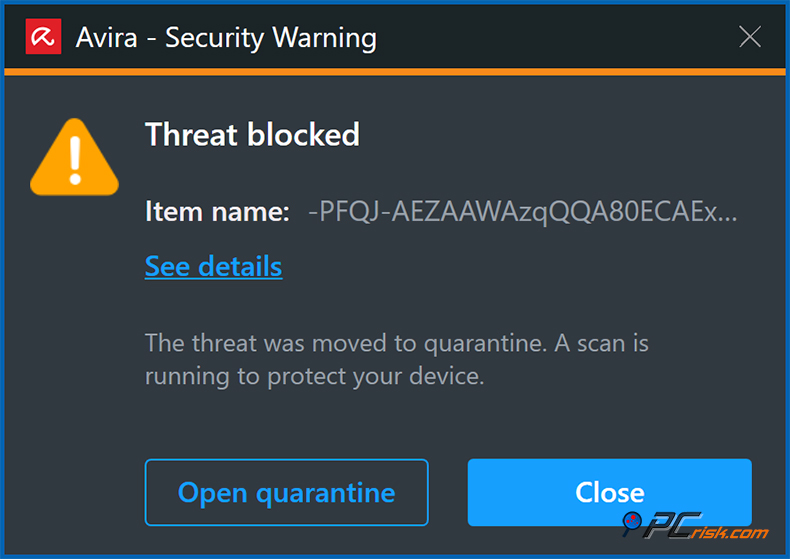
Additionally, Avira will suggest a reboot if your system needs it, and that's all very intuitive.
One criticism that Avira has faced in the past was overaggressive upsell notifications in the free version. However, the pushy notifications are less prevalent now. A small banner or the odd pop-up might appear in the free version, inviting you to try a feature, but it's not a constant nuisance. People who have paid for Internet Security or Prime won't see these ads, and their experience will be completely ad-free.
Avira is extremely user-friendly. It sets up in no time, runs quietly, and gives you an interface that's dead simple yet still allows you to delve into advanced settings if you want to. Avira scores high in usability and design, and because you're interacting with it all the time, this is pretty important for security software.
Avira Mobile Security (Android & iOS Apps)
Regarding mobile security, Avira has covered you with their Android and iOS apps that protect your smartphones and tablets. We took a look at Avira's mobile apps:
• Avira Antivirus Security for Android: Android app functions as a full-fledged mobile antivirus and privacy tool. Avira's Android app includes an on-demand malware scanner that can scan apps and files, real-time protection to prevent malicious apps from installing, and additional privacy features. The antivirus scan completed in under five minutes in our test on Android, and didn't cause any perceptible slowdowns. Avira's cloud-based scanning is most likely the reason behind this snappy performance.
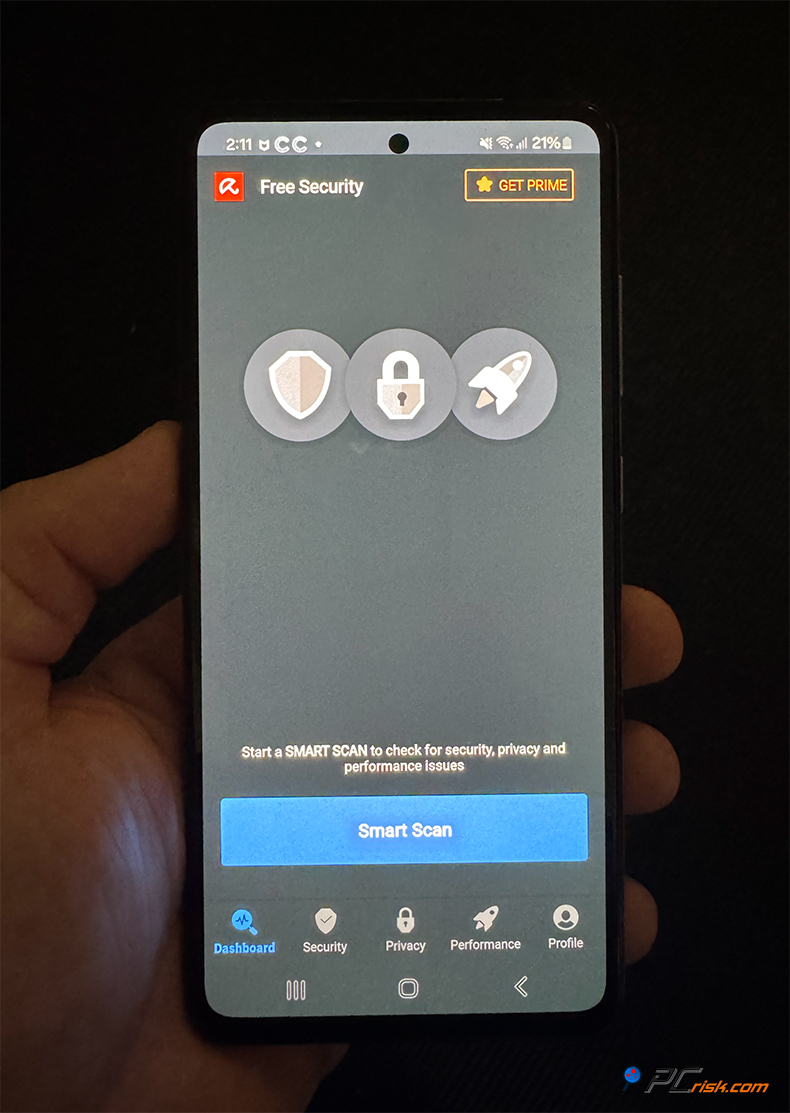
Web Protection is a feature that can block dodgy websites on your mobile browser, which anyone will find handy for secure browsing on the go. The Android app also has various privacy features, including Microphone Protection, which blocks apps from accessing your microphone, a Permissions Manager to review and control what permissions your apps have, and App Locker, which lets you lock down sensitive apps with a PIN or fingerprint.
There's also a Call Blocker to silence unwanted calls, and many people will be happy to see that Avira's VPN has been integrated into the app. Avira's Password Manager is a separate app for mobile and can be synced to the vault you use on your desktop device.
Avira's Android app is lightweight. Avira doesn't eat away at your battery life and gives a welcome boost to your phone's performance when running in the background. However, one of the things we miss most about Avira is the Privacy Advisor (or Permissions Manager). This feature shows you which apps collect sensitive information and allows you to take control. Avira's Microphone Protection is pretty much unique to the company. If an app turns on your microphone without asking, Avira will let you know.
However, Avira's mobile app doesn't come with built-in phone theft protection features offered by its competitors. There isn't a built-in phone locator, remote wipe or alarm trigger. For example, Bitdefender gives you the ability to locate a lost phone, trigger a remote alarm, something that Avira doesn't currently have. If anti-theft is at the top of your list, you may need a separate app or different suite, but both Android and iOS have their own built-in features to locate your device.
Avira Mobile Security for iOS: Avira's iOS app works a bit differently from its Android counterpart. It can't do traditional file system scans, which is down to Apple's sandboxing restrictions.
Avira's iOS app zeroes in on privacy and security, and brings Web Protection, VPN integration, and a breach checker. The latter lets you see if your email or other personal details have been leaked in known data breaches, and the iOS app also has a profile to stop Siri from logging your voice commands to Apple's servers (for users concerned about voice privacy).
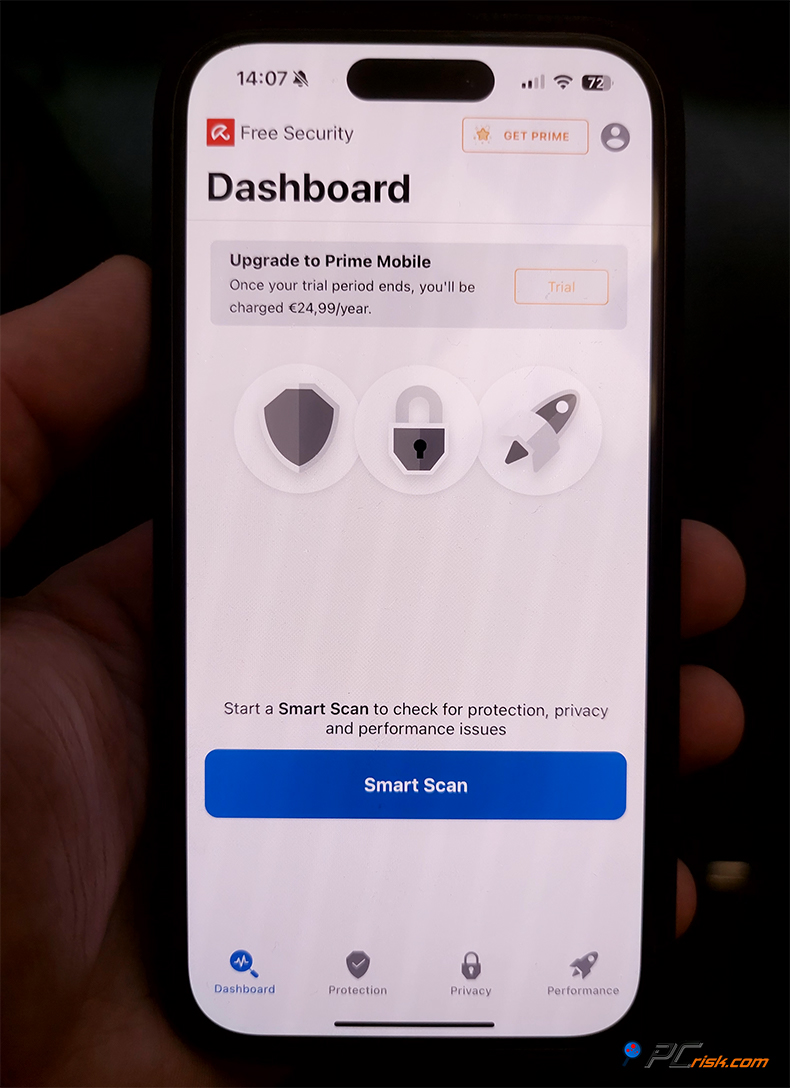
Avira's iOS app provides a neat feature called Device Analyzer that shows how much storage and memory are being used on your device. It also comes with a built-in iOS Update Monitor to gently nudge you to update your device because being on the latest iOS is basically necessary for security. It's got a simple Contacts Backup feature, too. Since iOS is naturally quite secure, the real value of Avira on iOS is in these additional features, plus the rock-solid VPN.
Avira's mobile apps are very user-friendly, mirroring the desktop in terms of minimalism, on Android, the app is crisp, clear and has a bottom menu for Security, Privacy and Performance, you can run a scan or turn on/off protection with just one tap. On iOS it's very much the same story, with not much to scan, the app just shows you how well you're covered, for example whether your VPN is turned on or off, and if any breaches have hit you.
Both the Android and iOS apps are linked to Avira's unified account system. If you've got Avira Prime, you can log in and the apps will automatically know you're a premium user and unlock all features, if you're on the free version, the mobile apps will be more limited, the VPN will be slower. Some advanced features won't be available.
In summary, Avira's mobile apps are full of features, offering protection to all your devices, which is one of the biggest selling points of Avira Prime, and the Android app in particular is basically on par with its desktop counterpart, including real-time scanning, which isn't something all mobile antivirus programs can claim to have. Where Avira falls short is in anti-theft features, otherwise it's top-notch for malware, web threats, privacy and performance tuning.
User Reviews and Reputation
When researching Avira's real-world reputation, we looked at user reviews of the software on various platforms. Reviews show that Avira is well-liked by its customers, who are largely satisfied with its free antivirus and overall protection capabilities but have some gripes with its customer support and sales practices.
On Trustpilot, Avira has a rating of 4.2 out of 5, with over 30,000 user reviews in total, and roughly two-thirds of them award it a 5-star rating. Users rave about Avira's ability to keep their systems clean and malware-free and love the additional system cleaning and optimization features that come with the product.
They say that Avira runs quietly in the background and doesn't bog down their computer, which mirrors what we found in our performance and usability analysis. Those with long-term experience with Avira Free Security tend to be very satisfied.
However, consistent criticism revolves around the inability of Avira Free Security users to contact support beyond a self-help section, which might be the source of some of the one-star reviews. People with legitimate concerns about billing, cancellations, and other issues are not satisfied.
Avira's paid users do have a support forum, phone number, and email service, but some people on Trustpilot think that the service should be more proactive. Regarding negative reviews, Avira responds to all of them on Trustpilot, usually within 24 hours, indicating that they're willing to work things out.
Regarding the password manager, a few users found that it wasn't always able to accurately fill in login credentials on certain websites, making it seem less seamless than some dedicated password managers.
Some mention of "unwanted installations" and confusion about the level of protection refers to the optional offers that come up during the installation of Avira's software, or users who got the free and paid versions mixed up. Avira has a history of bundling additional software and installing it by default, which not everyone appreciates.
Reddit and tech forums have mixed reviews of Avira, which is to be expected. The r/antivirus community on Reddit sees Avira as a respected brand and a good option in the free AV market. It's regularly pitted against Avast/AVG and Windows Defender for those who want a free antivirus.
Reddit users who favor Avira highlight its high detection rates and lightweight nature, and a handful of people were also happy about its usability and ease. Some users were somewhat frustrated when they came across the odd pop-up ad for upsell options.
When compared to other antivirus programs, some people claim that Avira used to have a higher false positive rate, similar to Bitdefender, but others say that Avira has fixed its issue and that its top-notch detection abilities make up for it.
Recognized for its competitive pricing, Avira has made a name for itself by offering free or very affordable protection, and user reviews back that up. Review aggregators show Avira boasting an average rating of 4.7 out of 5, from over 750,000 ratings from all over the world, and with tens of millions of installs in the Google Play Store, where it gets a rating of 4.6 to 4.8.
As far as user feedback goes, Avira is good at fending off malware and extremely user-friendly. Even the free version gives you quite a lot. However, it has a few issues with upsells and a handful of unremarkable customer service experiences or small feature issues. People hardly ever attack Avira's core competence as an antivirus. The complaints they do have are minor and generally related to secondary things.
Is Avira Antivirus Worth Buying?
When evaluating Avira, we should consider its features, test results, and user opinions. You'll see why many users swear by Avira, and why it's worth your money.
Strengths: Avira offers top-tier malware protection that's right on par with the best in the business. It can keep viruses, ransomware, and other threats at bay in virtually all cases, as shown in lab tests and our own observations. It also has a negligible impact on system performance and is super easy to navigate, even for non-technical users.
Another significant advantage is Avira's feature set, especially in the Prime package. You get a complete suite that covers all the bases (antivirus, VPN, password manager, and tune-up tools) and at a more economical price than its competitors. Coming straight over from the free version, you'll already have access to decent protection, and, if you like it, upgrading to a paid plan will just take what you're getting to the next level.
Avira's paid plans are reasonably priced for those specifically looking to purchase an antivirus, especially when compared to the discounted first year. When looking for a high-end security suite that can cover multiple devices, Avira Prime is an excellent option. It is priced at around $60 for the first year and covers five devices, making it one of the more budget-friendly top-tier suites on the market.
Coming into the renewal period, its approximate $110 yearly fee for five devices is on par or cheaper than Norton 360 Deluxe, McAfee, and Bitdefender Family packs when at full price. Avira Prime is a great value for those who have multiple devices, power users, or families.
Avira Antivirus Pro and Internet Security, as the 1-device plans, pose more challenges in being universally recommended, with no fault to the former, which comes with the same excellent protection. It's just that their limited coverage, starting from roughly $27 in the first year and going up to about $65 a year for one computer, makes them less of an economical choice. Internet Security has a good set of tools, but covering just one PC for $35 the first year and then $71 annually can feel restricted.
If you're only protecting a single computer and don't mind the lack of a VPN and other features, Avira Antivirus Pro will be perfectly adequate, and if you can get by with no web/email protection, Avira Free will also satisfy.
When deciding on Avira, a top-notch antivirus option that also comes with a free plan might be very appealing. For example, running Avira on your primary computer and installing Avira Free on a backup machine or passing it to a family member is a popular scenario. Switching between the paid and free plans is made easy, thanks to a consistent user interface across both.
Weaknesses / Things to consider: Avira doesn't have some of the bells and whistles, such as parental controls and anti-theft features, that you'll find in some other antivirus programs, so if these are must-haves, you'll have to look elsewhere or at standalone solutions. The built-in VPN, while a welcome addition, is not the best on the market. Heavy VPN users may prefer a dedicated VPN service, but for occasional use, Avira's VPN is adequate.
Customer support is only available for paid customers and is not 24/7; phone support has set hours, so you can't get immediate help at any time. Coming across live chat 24/7 support is pretty rare in the antivirus world, but some competitors do offer this.
Avira has recently been absorbed by Gen Digital, the same company that owns Norton, and as of now, Avira is still its own brand. Still, corporate takeovers in the cybersecurity space can sometimes result in the elimination of smaller brands. We didn't see any problems, and Avira's growth has continued at a good clip with recent improvements, since Avira changed hands.
From a home user perspective, Avira is a great option, offering reliable protection and a handful of useful features. Avira Prime takes this to the next level by throwing in a VPN and system optimizer. Avira Free Security is still one of the top free antivirus software out there, and if you need a basic level of protection, upgrading to Avira Pro will give you web protection and support.
Bottom line: Avira's got the right balance between security, performance, and features, no showstoppers in its core functions. The initial discounts are very reasonable, and considering the high protection scores, buying Avira is a no-brainer. Sticking with the free version is still a great idea. Over 30 years in the market, Avira has had its fair share of time to test its mettle and adapt to new security threats. Coming very close to being perfect for anyone, Avira is still a go-to option for individuals and families in 2026.
Frequently Asked Questions (FAQ)
Is Avira Antivirus really free?
Yes. Avira Free Security has no time limit and includes on-demand scanning, real-time protection, a somewhat limited VPN, and a password manager that you can use on a personal computer for as long as you want. It does show the odd ad for Avira's paid services, but you don't need to buy anything. The paid editions, Avira Antivirus Pro and Internet Security, are completely optional and throw in more features, but the core antivirus in the free version is basically the same, and knocks out malware just as well.
What's the difference between Avira Antivirus Pro and Internet Security?
Avira Antivirus Pro is the company's entry-level paid plan and gives you the full power of Avira's antivirus engine, real-time protection, plus web and email security that the free version doesn't have, and covers just one device, either a PC or a Mac.
Internet Security takes everything Pro offers for one Windows PC, but also includes a top-notch Password Manager and Software/Driver Updater. Well-known as a Windows-only package, Internet Security is your go-to option if you want a password manager and auto-updater in addition to the antivirus, but if all you care about is malware protection and don't need those two extras, Avira Pro is sufficient.
Both plans come with customer support, and the price difference is usually relatively small, with Internet Security costing just a bit more per year.
Does Avira protect against ransomware?
Avira has dedicated anti-ransomware tech. Even its free version has a basic level of ransomware signature detection, and the paid versions bring an advanced ransomware shield that uses real-time analysis to take down new ransomware threats. If a piece of malware starts scrambling your files, Avira will pick up on the unusual activity and stop it, probably before it gets out of hand. Results from AV-Comparatives and our own internal tests show that Avira does a fantastic job against ransomware.
Is Avira a good choice for Windows 11 and older PCs?
Avira is a safe and reliable choice for older PCs or those that aren't powerful when deciding on an antivirus. Based on the recent AV-TEST evaluations on Windows 11, Avira has been ranked as one of the top products. Avira is compatible with Windows 11 and Windows 10, and still has some support for Windows 8/8.1 and Windows 7. Although on the older OS versions, some features might not be fully functional, and Microsoft's support for those systems has probably ended.
Avira is very lightweight and doesn't put a huge load on older systems, which is fantastic for PCs that don't have much power, and Avira's minimum system requirements are just about 2 GB of RAM and a 1.6 GHz CPU for Windows. Many users who've made the switch from Windows Defender or another heavyweight antivirus suite say that Avira has really perked up their old PCs, due to Avira's optimization tools and low resource usage.
Who owns Avira?
Avira was founded in Germany over three decades ago and is known for its commitment to cybersecurity. In 2021, it was acquired by NortonLifeLock, now called Gen Digital, after merging with Avast. Gen Digital is an American company that owns some other well-known brands such as Norton, Avast, and AVG. But Avira still operates under its own name and development team, and sticks to the German law book for its data handling.
Looking at Avira, rest assured that its massive user base and zero history of scandal or misuse of user data make it a brand you can rely on. Coming from independent AV testing labs, Avira's software has the seal of approval and sets the bar high in terms of quality.
Does Avira include a firewall?
Avira does not have a standalone firewall driver of its own. It instead relies on the built-in Windows Firewall, but has an intuitive Firewall Manager in its interface that lets you control and make the most of the built-in firewall. Prior to 2014, Avira had a built-in firewall, but it was removed to boost compatibility.
For most users, the integration of Windows Firewall with Avira's network protection will provide solid, top-grade inbound and outbound security. The Android app from Avira doesn't have a firewall as per industry norms, Android's networking is run differently, and even then, it can only be allowed access with as much control as possible from its Prime app.
Avira's standard issue for home users, on the other hand, is very effective, and Windows Firewall is basically all you need. Those demanding complex rules in their firewalls would require the services of a third-party tool.
Can Avira remove existing viruses and malware?
Avira can scan, terminate malicious processes, quarantine them, and isolate infected files even when entering an already infected system. It's got a stellar track record at eliminating all sorts of malware, including viruses, trojans, spyware, ransomware, etc. It also zeroes in on Potentially Unwanted Programs (PUPs), often flagging adware or browser hijackers and giving you the option to delete them.
Avira is quite effective, usually completely eradicating the malware. Only in a few rare cases where the malware is very resistant, you might need to boot into Safe Mode or use Avira's Rescue System. A bootable scanner, to get rid of it all, but these situations are not common. Avira performs well in preventing malware from entering your computer and eradicating malware on an infected device.
How does Avira Free compare to Microsoft's built-in Windows Defender?
Avira Free and Microsoft's Windows Defender, the built-in antivirus on Windows 10/11 are often compared, and Avira has a couple of things going for it. It tends to score higher in independent detection tests, and comes with a VPN, password manager, and secure browsing add-on that Defender does not. Avira Free Security also kicks out fewer false alarms according to the AV-Comparatives reports and runs much more smoothly on older PCs, especially when scanning or updating.
Avira does have a habit of asking you about upgrading to the full version, and Avira Free Security does come with ads. If you don't want to see ads and don't require extra features, then Windows Defender is probably the way to go. Interestingly, Avira might protect you in some cases where Defender might miss something or react more slowly, according to lab tests.
What is the best way to buy Avira to get a good deal?
Check out the company's website because it often has a new user discount, and as we've previously listed, the first year's price is when buying Avira. $26.99 for the Pro, $34.99 for Internet Security, $59.99 for Prime, is essentially a very good price.
Additionally, Avira sometimes has promotions around Black Friday, holidays, and back-to-school time, you can expect to see even lower prices. If you want to save money, think about a multi-year subscription. Avira is offering 2 and 3-year plans at a reduced price per year, and they're very popular with customers.
Avira Prime, which covers five devices, can be split between family members. Lots of people split the cost with a partner or sibling, making it an extremely affordable option. Avira gives a free version, so you don't have to commit to anything, you can start there, watch out for a free trial or a limited time discount to step up to the paid version. Because Avira has a 60-day money-back guarantee, you can even buy, test, and use the software for up to two months, and get your money back if you're unhappy.
Share:
 Facebook
 X.com
X.com
 LinkedIn
 Copy Link

Karolis Liucveikis
Experienced software engineer, passionate about behavioral analysis of malicious apps
Author and general operator of PCrisk's News and Removal Guides section. Co-researcher working alongside Tomas to discover the latest threats and global trends in the cyber security world. Karolis has experience of over 8 years working in this branch. He attended Kaunas University of Technology and graduated with a degree in Software Development in 2017. Extremely passionate about technical aspects and behavior of various malicious applications.
▼ Show Discussion