
Avast Review

✓
Fact-checked by:
Tomas Meskauskas
Last updated:
November 07, 2025
Our reviews are written by Internet security experts.
Learn more.
PCRisk score:
4.2
When searching for a comprehensive security suite with additional functionality (like VPN and password manager), we recommend shortlisting Avast.
What we liked:
✓ Excellent malware detection rates proven by independent labs and our own tests.
✓ Generous free version offering strong core protection (even includes a firewall) without cost.
✓ User-friendly interface and installation, making it easy for non-technical users to stay protected.
What we disliked:
✗ Frequent upgrade prompts and ads in the free version can be intrusive if not disabled.
✗ Past privacy concerns (data collection in 2020) still make some users uncomfortable, despite changes.
✗ The Premium tier's added value is modest over the free version, and top-tier suites can be relatively expensive without discounts.
Considering the best cybersecurity solution, Avast is one of the most recognisable brands out there. It now offers antivirus software for multiple platforms, including Windows, Mac, Android, and iOS. Here we test capabilities of the latest Avast's version.
Pricing and Subscription Options
Avast has a free antivirus option, and several paid plans that are geared towards personal use, with yearly pricing and prices that vary according to the features and the number of devices:
• Avast Free Antivirus: Core antivirus protection at no cost.
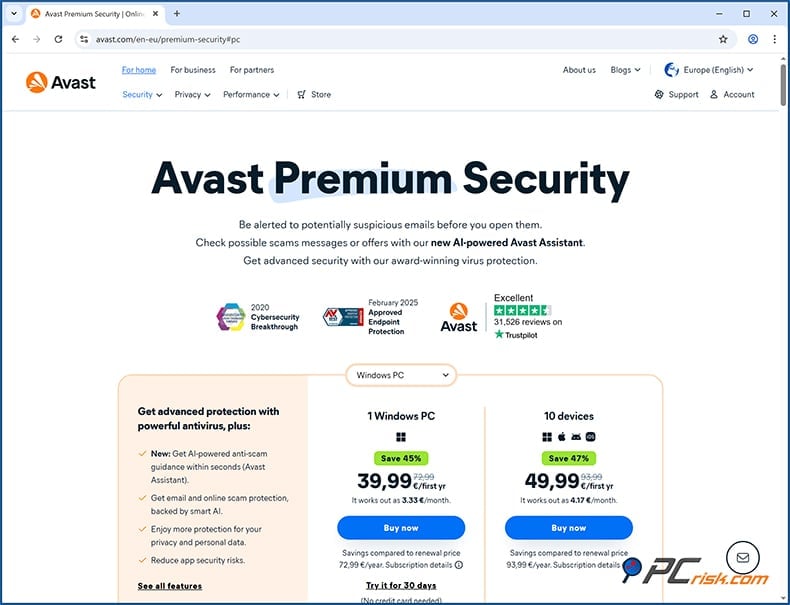
• Avast Premium Security: The cost is around $40 per year for a single device and drops to $50 for a multi-device licence that can cover up to 10 devices. The renewal prices may be much higher, around $77.99 a year for one device and $99.99 for ten, but these prices are subject to change.
• Avast Ultimate: At roughly $50 for the first year (renewing at $109.99/year) for 1 device, and around $70 for the first year (renewing at 139.99/year) for up 10 devices this is Avast's top-tier service. It includes Premium Security, plus some extras such as a VPN and system cleanup.
• Avast One: Avast's latest and greatest all-in-one service, which comes with a free and paid option, where the paid version, Avast One Individual or Avast One Family, is roughly $100 a year for any number of devices, and sometimes can be had for less. Speaking of Avast One, it's essentially an all-in-one suite that includes the features of Avast Premium Security, along with a VPN, privacy tools, and performance optimisation features.
Note: Celebrated for its price drops, at the time of writing Avast Premium Security was $40 for one device and $50 for ten devices for the first year. These introductory deals make it very accessible to cover all of your devices, however it's best to check Avast's website for the latest pricing and special offers.
Overview of Versions and Features
Avast's home user product lineup can be a bit of a jumble, so let's have a look at the various editions and their features:
• Avast Free Antivirus: This is the basic free edition. It's still fairly feature-rich, offering full malware protection, real-time and on-demand scanning, and defences against viruses, spyware, and other malware, which is a rare find in a free antivirus. The Avast free antivirus also includes a firewall that works hand-in-hand with Windows' native firewall and is designed to be user-friendly.
The Avast free version does have Wi-Fi network scanning to determine whether your network has vulnerabilities, browser protection that blocks dangerous sites and downloads, and some general settings such as quarantine, but it doesn't have all the advanced features. Things like ransomware shield, webcam protection, and some anti-phishing features are reserved for paid plans.
• Avast Premium Security: This is the standard paid antivirus suite. It comes with everything in the free version, plus a few game changers. It includes the Ransomware Shield and Webcam Protection and gives your system a serious boost to block out malicious websites. It also tosses in a Sandbox to safely run any suspicious files and a Firewall. If you're coming from the free version, you already know what that is.
Avast Premium can be purchased for a single device or a ten-pack, and is compatible with Windows, macOS, Android, iOS, and anything in between. Well-known for providing more than just basic protection, Premium Security has privacy and network shielding features that the free AV doesn't.
• Avast Ultimate: Ultimate is essentially a comprehensive suite that combines antivirus, Avast's premium tools, and much more in one package. It includes everything in Premium Security, such as ransomware shield, firewall, etc. It also includes Avast SecureLine VPN, Avast Cleanup Premium, and Avast AntiTrack.
It's an all-in-one yearly subscription that covers multiple devices and is the go-to option for users who want total security and privacy. Bundling an antivirus with a VPN or system cleaner is a great idea, and Avast's Ultimate plan combines all three of these features, saving you money.
• Avast One (Essential, Individual, Family): Avast One is their latest concept, a completely new take on their security suite, and is essentially Avast's top-tier product. The free tier, Avast One Essential, is like the free antivirus but has some additional features, such as a limited VPN restricted to a daily data limit and basic privacy monitoring.
Avast One Individual (which covers one user and up to five devices) and Avast One Family (for multiple users and up to thirty devices) offer unlimited VPN, plus data breach monitoring, anti-tracking, device cleanup, and all the bells and whistles of Avast Premium Security.
Avast One combines antivirus, VPN, cleanup, anti-tracking, and identity protection in one place. It has a different user-friendly interface and costs roughly the same as Avast Ultimate. So, if you find a reasonable price or need the identity features, Avast One might be your best bet.
It's worth noting that Avast One and Avast Premium Security are separate products. If you already have one, you don't necessarily need the other. Avast appears to be prioritising Avast One, meaning any brand-new features will appear there.
In summary, you're spoilt for choice when choosing a home antivirus. Avast offers the free option for those who want basic protection, Premium Security for one or many devices, Ultimate if you're after a VPN and a collection of utilities, and Avast One for an all-in-one solution. The free version of Avast won't leave you exposed, and if you want to test the premium features, Avast gives you 60 days of free access to its Premium Security.
Our In-House Malware Test Results
Avast's real-world protection has been extensively tested by us, using a custom-built collection of malware samples, courtesy of our in-house researchers, so you can see how it performs. We examined both real-time threat protection (how well Avast blocks threats as they occur) and on-demand scanning (how well it detects threats during manual scans). Our test includes a diverse mix of current threats:
• Potentially Unwanted Programs (5 samples): These are adware or unwanted software that isn't outright malware but is commonly bundled with downloads. Out of 5 introduced samples, Avast detected and quarantined 1 sample.
• Trojans and Stealers (20 samples): Avast detected and eliminated 16 of the 20 Trojan and stealer samples.
• Ransomware (20 samples): Avast detected and removed all 20 ransomware samples.
• Malicious Email Attachments (20 samples): We gathered phishing emails and malware-laden attachments (e.g., malicious Word/Excel documents and scripts). Out of 20 samples, Avast detected and removed all of them.
• Mac-Specific Malware (20 samples): Avast eliminated 17 of the 20 Mac-specific malware samples.
Independent Antivirus Lab Test Results
When measuring Avast's effectiveness, we look at the results from respected third-party testing labs, including AV-TEST, AV-Comparatives, SE Labs, and Virus Bulletin (VB100). These labs put antivirus products to the test on criteria like malware detection rates, false positives, and system performance. Avast's products have scored excellent results in recent lab tests:
• AV-TEST: Avast Free was basically flawless, earning a top score from AV-TEST in its April 2025 test cycle. It scored a perfect 6 out of 6 points in the Protection, Performance, and Usability categories. This Top Product certification indicates that Avast's malware protection is at the maximum level, has the lightest touch on system speed, and doesn't send harmless files to quarantine.
• AV-Comparatives: In the past, Avast has also consistently shown its prowess in AV-Comparatives' suite of tests. In the 2025 annual summary, Avast won the highest rating of Advanced+ in a number of categories, including Advanced in the Real-World Protection Test (which simulates online malware attacks), Advanced+ in the Malware Protection Test (offline detection of files), and Performance Test (system speed impact).
• SE Labs: In SE Labs' evaluation of Avast Free Antivirus in March 2025, Avast received the AAA rating, the top mark they can give. They look at two main metrics: Total Accuracy, a combination of protection and false positives. Avast came back with a 100% rating for Total Accuracy, which means all of the test threats were neutralised and didn't affect any genuine programs, and landed Avast SE Labs' top AA certificate for consumer-grade security products.
Overall, Avast proved to be near the top in malware detection and received high praise for its low false positive rate, which means it won't flag harmless files as threats when lab tested. This is in line with what we've experienced and goes some way to explaining why the free and paid versions of Avast remain so popular around the world.
Security Features
Avast's feature set is more than just virus scanning; it's a complete suite of security tools. Here's a rundown of the ones that matter most:
• Malware Scanning and Removal: At its core, Avast does an on-demand system scan to root out malware. It can run three types of scan, a Smart Scan (a quick scan of critical areas), Full Virus Scan (deep scan of the entire system), and a custom scan, and zeroes in on viruses, trojans, spyware, rootkits, and other threats.

When a computer gets infected, Avast sends the malware to quarantine or removes it and even lets you schedule regular sweeps. In our use, a Smart Scan is lightning fast, about a minute or two, and a full scan is much more thorough and takes time, so 20 minutes for a test machine with around 500,000 files to scan. Avast's virus database gets updated all the time too.
• Real-Time Shields: When Avast protects you, you're essentially surrounded by four layers of defense. Its File Shield is always watching out for any programs and files you're opening and blocks any malicious ones. Coming from a different direction, Behavior Shield sniffs out unusual activity and can help catch brand-new malware because it knows how it's supposed to behave. Web Guard blocks any dangerous websites and downloads.

Mail Shield looks at incoming email attachments and links for threats. The Ransomware Shield, a Premium feature, guards your important folders from unauthorized changes. Webcam Shield, also a Premium feature, prevents untrusted applications from snooping into your webcam. Avast's built-in firewall gives you a full firewall even in the free version. You'll also find a sandbox in Avast Premium, where you can run suspicious files without putting your system at risk.
• Network Inspector: This tool checks your network for vulnerabilities. It will scan your router and all the devices connected to it for open ports, weak passwords, and other vulnerabilities that could let hackers in.

It's handy if you want to check your home Wi-Fi security, and also very practical when using public Wi-Fi; this feature will let you know if you're at risk.
• Browser and Online Protection: Avast also covers safe browsing, with a Premium feature called Real Site that prevents and stops DNS hijacking and the Web Guard that knocks out malicious scripts and downloads.

You can also use Avast's Browser extension, Avast Online Security, which rates websites and warns you if a site is a phishing scam or otherwise dodgy. When using Avast Secure Browser, you're getting the benefit of a feature called Bank Mode. It is essentially a secure, isolated session for online banking and shopping, shielding against keyloggers and screen grabbers.
• Email and Anti-Spam: The Avast Email Shield will scan your emails for malware and phishing attempts. Since the anti-spam feature isn't exactly built into the current consumer version of Avast, the email client can be a bit hit-and-miss. However, the Avast plugin will help block any nasty attachments or links if you're using a desktop email client like Outlook.
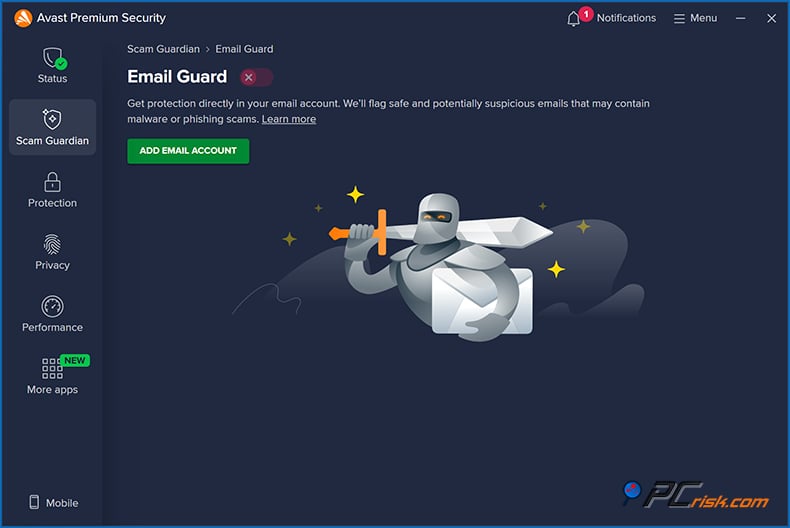
• Scam Guardian: Avast Scam Guardian is also available for you to ask its AI assistant questions.

• Rescue Disk: Avast lets you create a Rescue Disk (on a USB or CD) to boot and clean an infected PC. This is useful if malware messes up your system and prevents normal antivirus operation. It's a good emergency tool to have on hand.
In summary, Avast's security feature set is comprehensive, especially in the paid tiers. The free version covers the essentials: malware scanning, basic firewall, and web protection, which is enough for many users.
You'll get serious ransomware protection and improved privacy controls when you step up to the paid versions of Avast, including webcam and sensitive data shielding and additional layers of protection for advanced threats. Avast's features are well-designed and easily managed from the interface, considering the suite has so much going for it.
Additional Features (Beyond Antivirus)
Avast's higher-tier products come with several additional tools that aren't necessarily about virus detection, but more about bolstering security, privacy, and performance for the user.
• Avast SecureLine VPN: Avast's virtual private network service is included with Avast Ultimate and Avast One.
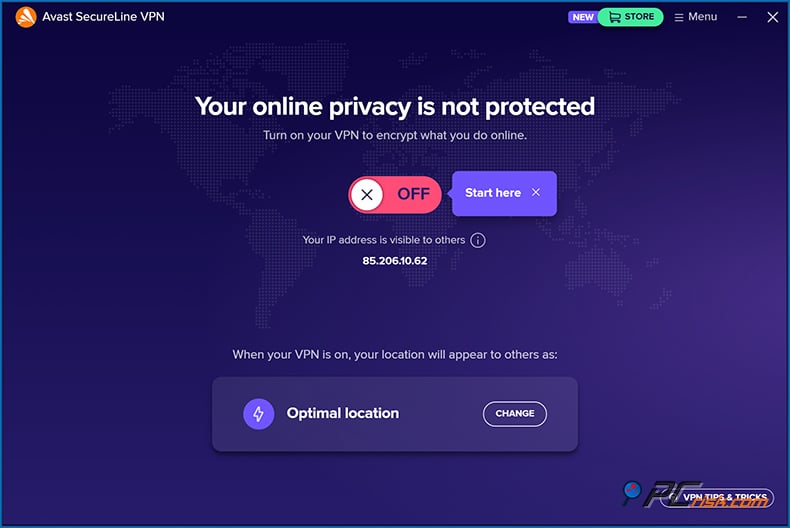
SecureLine VPN does a good job of encrypting internet connections and streaming geo-blocked content. If you buy either Avast Ultimate or One, having an in-built VPN is a great bonus because it saves you the hassle and cost of a separate VPN subscription.
• Avast Cleanup: A system optimization tool included in Avast Ultimate and Avast One. It removes junk files, sorts out registry issues, and can remove any unneeded background programs.
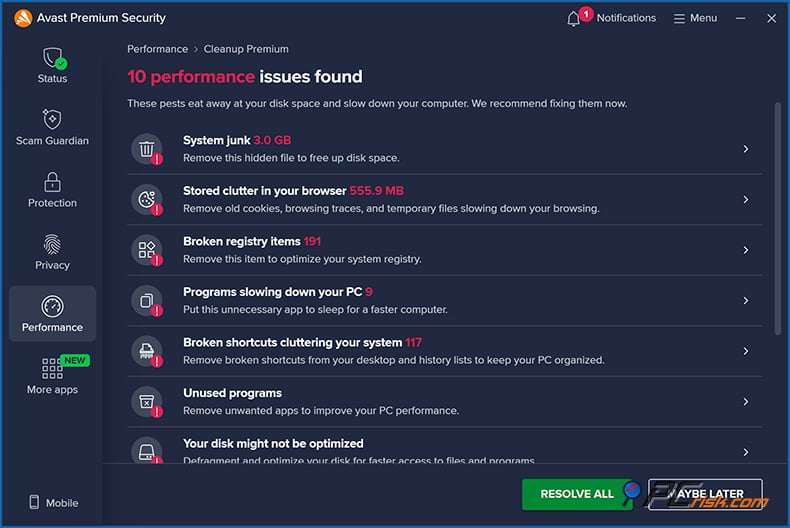
It aims to improve performance and free up disk space. It also has a feature to update or shut down background apps that might slow down your computer.
• Avast AntiTrack: Ultimate and Avast One suites come with Avast AntiTrack. This feature blocks the online tracking of your browsing activities by clearing out tracking cookies and disguising your digital signature, so advertisers and websites have a much harder time profiling you.
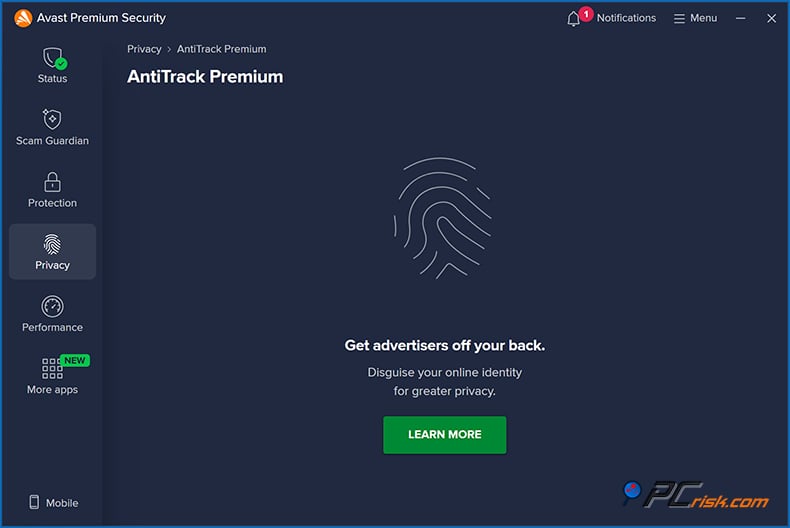
Hiding your IP address is one thing, but hiding your browser fingerprint and killing off nasty web trackers is what AntiTrack does best. Avast One has got built-in anti-tracking capabilities too.
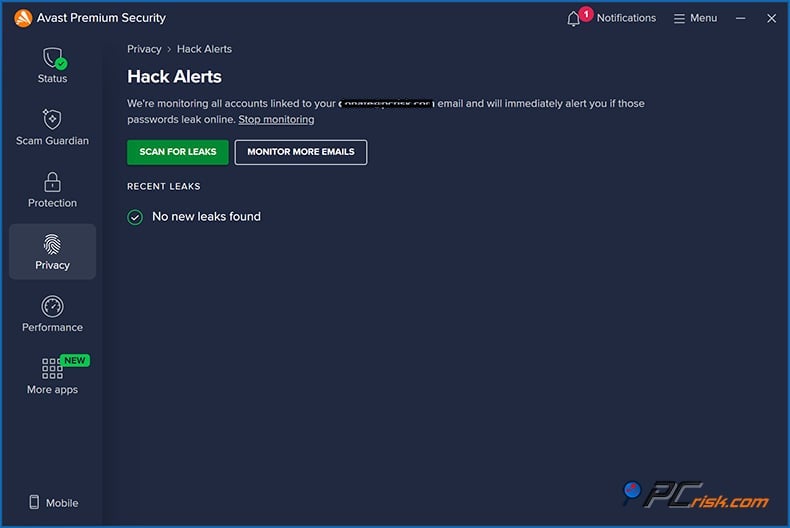
• Hack Alerts: Avast also supplies a hack alert system, which will send you a warning if your email address and other personal data show up in a known data breach.
• Avast Secure Browser: While not technically part of the antivirus, Secure Browser is a free web browser that Avast offers to install when you install the antivirus.

Avast's Secure Browser is a Chromium-based browser that's been cranked up to be super private and secure. It has built-in ad-blocking and anti-tracking and ties in nicely with the rest of Avast's features, like Bank Mode for secure transactions.
In summary, the additional features in Avast's top-tier suites (Ultimate/One) turn the antivirus into a multi-purpose security suite. You get privacy tools (VPN, AntiTrack, Secure Browser), performance tools (Cleanup), and identity protection (breach monitoring).
If you need all these features, the Ultimate bundle could be a good idea. However, if you don't, you can always opt for the Premium Security or the free edition and still be completely covered by the core antivirus features.
Impact on Performance
As far as performance impact is concerned, Avast is a well-known lightweight option. As a full-featured security suite, it uses some computer resources when scanning, but most users won't notice any day-to-day difference.
AV-TEST's Performance test gave Avast a perfect score of 6 out of 6, showing that it doesn't hinder loading websites, software, applications, or file copying.
AV-Comparatives gave Avast an Advanced+ rating in their Performance Test, suggesting that its background tasks and real-time scans cause less drag than many other products.
We found that Avast operates quietly in the background, doesn't gobble up lots of CPU or memory, and, under normal circumstances, sits happily at a few hundred MB of RAM. We didn't notice any slowdown when it was just sitting idle, protecting in real time.
Ease of Use
Avast has a reputation for a user-friendly interface, and our experience confirms that it's easy to install and use. Here are some points on usability:
• Installation: The process is very straightforward. The installer can be found on Avast's website, which will lead you through the installation step by step. Be aware that Avast will try to install the Avast Secure Browser and other Avast products by default, but you can choose not to if you don't want them.
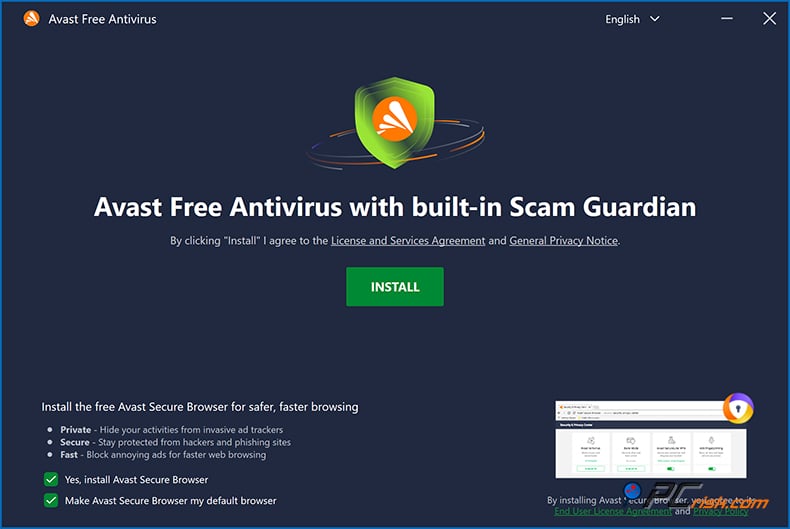
• Interface: Avast's interface is modern, clean, and logical. It has four main sections on the left-hand side of the main window: Status, Protection, Privacy, and Performance. In some versions, there's also an Explore section.

Going through the settings, they're fairly well-organized and don't require much adjustment, as the defaults are sensible and work well.
• Alerts and Notifications: When Avast spots a threat, it displays a clear and concise notification at the bottom-right corner of your screen detailing what it blocked. It doesn't ask for much user action. A click on "Resolve" will either quarantine or remove the threat.
However, we have one issue with the free version of Avast. When it discovers "advanced issues" like out-of-date apps and performance issues, clicking "Resolve" leads to a sales pitch for a paid product. For instance, coming across a performance issue, you will be asked to buy Cleanup Premium to sort it out.
• Settings and Customization: Advanced users can access a wide range of settings, including programming scans to run at specific times, altering sensitivity, excluding particular files or folders, and customising the firewall rules.
In terms of its user interface, Avast has struck a perfect balance between being easy to use for non-tech-savvy users and giving power users the customisation they need.
Mobile Apps (Android & iOS)
Coming hotfooting from the desktop to your mobile phone or tablet is also a piece of cake with Avast's dedicated mobile apps for Android and iOS. If you sign up for one of Avast's multi-device plans, such as Premium Security (covering ten devices) or Avast One, you can use these licenses to shield your mobile phone or tablet as well.
Avast Mobile Security for Android: Android is a top-tier security app, one of the most popular on the Play Store, with over 100 million downloads.
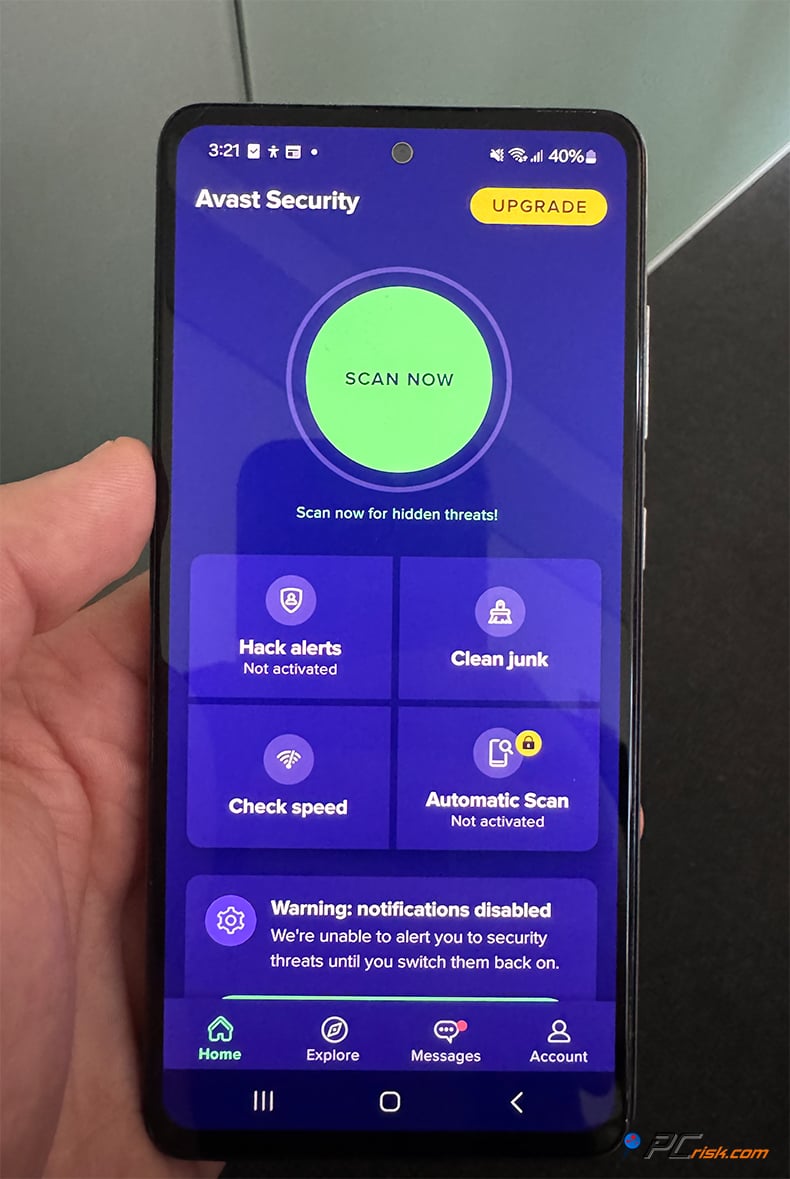
At the core of the app is the antivirus scanner, which can scan every single app and file on your phone to find out if they're harbouring any malware. It's got real-time protection against malicious apps and scans brand-new apps when installed on your phone. In addition, the Android app includes:
• Web Guard: Which knocks out nasty websites and dodgy links if you're surfing on your phone.
• Wi-Fi Security Scanner: It will also test the security of any public Wi-Fi network you connect to, so you can avoid suspect hotspots.
• Privacy Permissions: The app also lets you review the permissions granted to your installed apps and quickly spot overreaching apps.
• Photo Vault: Which allows you to securely store private photos behind a PIN/fingerprint so they aren't accessible to others or other apps.
• Junk Cleaner: A device cleaning tool that helps get rid of temporary files and free up memory - more of a device maintenance feature.
• App Lock (Premium feature): Lets you lock down sensitive apps with a PIN or fingerprint so that even if someone has your phone unlocked, they can't access your banking or photos.
• Anti-Theft: This feature is not as prominent anymore since Android doesn't allow it to do all it used to, but it can still be used to locate your phone, set off a siren, or wipe your phone, all from the Avast web portal or even via SMS commands.
• Scam Protection and Email Guard: They can spot phishing texts or suspicious emails.
• VPN for mobile: The mobile app also gives you access to SecureLine VPN in Avast Premium and Ultimate, which is essentially an encrypted browser on the go.
Known for operating through ad funding in its free version, the Android app presents you with ads for Avast's other products, as well as the occasional pop-up to sign up for the paid Premium service, which wipes out the ads and gives you access to the app locking feature and the full VPN.
Avast Security & Privacy for iOS: Antivirus apps on iPhones and iPads operate a bit differently (iOS doesn't allow scanning other apps or the iOS file system in the traditional sense). Avast's iOS app focuses on privacy and network protection.
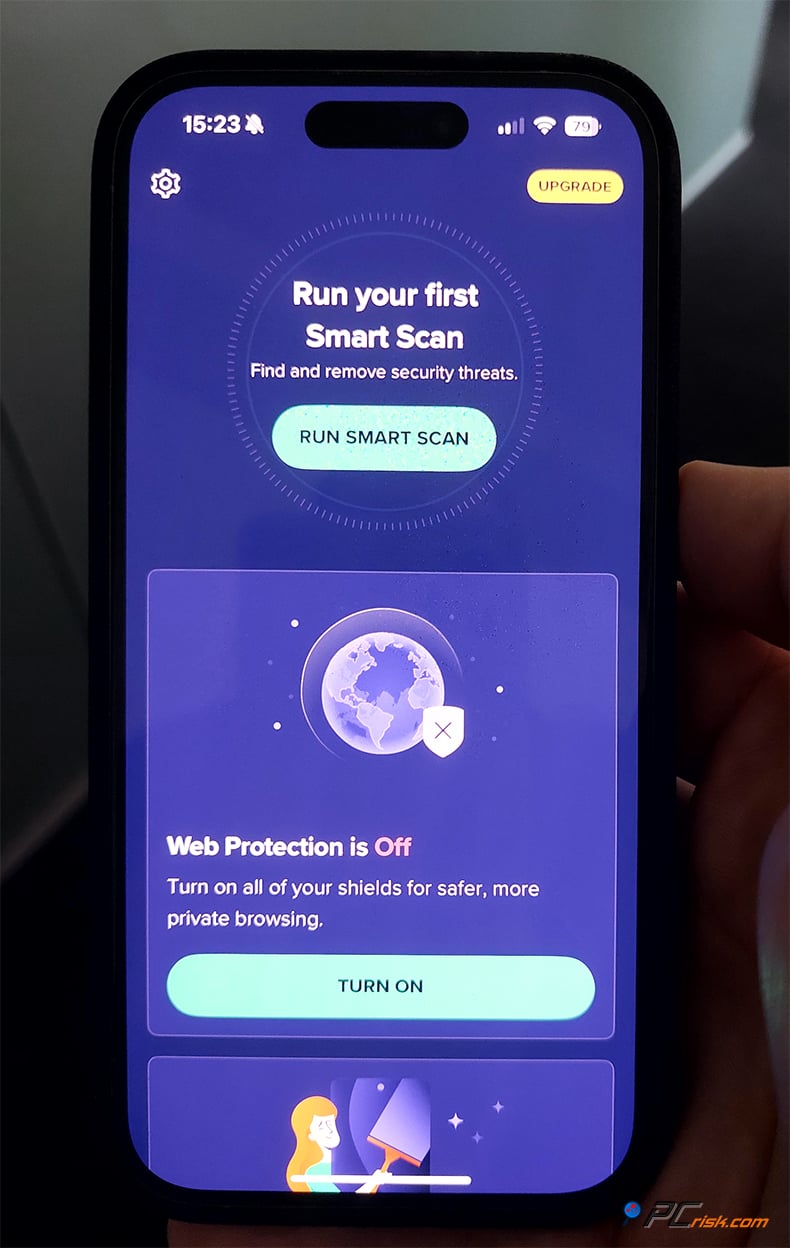
Key features include:
• Wi-Fi Security: Like Android, it will scan Wi-Fi networks you join for vulnerabilities or dangers.
• VPN: Avast's app offers a basic VPN for safe browsing on public Wi-Fi.
• Identity Protection: You can use the app to check if your email has been part of any data breaches.
• Photo Vault: Secure Vault for photos (to hide private photos behind a PIN).
• Call Blocker: There's a call blocking feature to help stop known spam calls (though iOS has its own mechanisms for this, Avast extends it).
• Device Scan: The app can run a scan that essentially checks for any security issues in your iOS settings (for example, if you have an outdated OS, or are not using a passcode, etc., it will advise you).
The app's functionality is more restricted due to Apple's guidelines. When using the Avast mobile app on an iOS device. It can't scan your device for malware, but given that iPhones are less susceptible to viruses, the main goal is to protect you from online threats and keep your personal data private. Avast Security & Privacy app users on iOS will see the most value with the VPN and breach monitoring features.
User Reviews and Reputation
When assessing Avast, the opinions of the millions of users and the online community can be a good indicator of its performance.
Rated 4.3 out of 5 stars on Trustpilot, it's clear that a large majority of Avast's customers are satisfied with the product. Many users rave about the robust yet free solution that roots out infections and provides strong protection. The seamless interface and quiet operation are two of the things users particularly enjoy, and people will tell you Avast just works most of the time.
On the flip side, some users on Trustpilot and other platforms have aired concerns about financial and customer service issues, and they don't like the way Avast sends them pop-ups asking them to upgrade to other products. Avast also upsells to its users, and has been panned for this behaviour, but this is not only a problem with Avast.
In the tech community and forums (e.g., Reddit), opinions on Avast can be polarizing:
• On one hand, some of the more informed users appreciate Avast's adequate protection, and they, along with some forum contributors, believe Avast and its sibling AVG consistently block out malware, thus, it's trustworthy.
• On the other hand, a couple of factors might weigh on the minds of power users. In the aftermath of the early 2020 controversy, Avast's subsidiary Jumpshot was revealed to be collecting and anonymizing browsing data from users of its browser extension, and then selling it to third parties. Something that didn't sit well with many people forced Avast to put a stop to it.
Noted for privacy awareness, these users will likely bring up this incident, and while Avast has made efforts to become more transparent since then, the memory of this scandal is still very much present.
• Customer Support feedback is mixed: paying users get pretty good support, but those who rely on the free tier have to navigate the forums, and negative experiences have been reported with refund processing and subscription cancellations.
It's also notable that Avast merged with AVG and is now part of Gen Digital (alongside Norton/LifeLock as of 2022), but this made a lot of users uneasy. Avast continues to operate as a separate product, still going from strength to strength in tests.
In summary, the reviews for Avast speak highly of its protection and ease of use, especially for the free version.
Is It Worth Buying Avast Premium/Ultimate?
After examining Avast's features, protection, and performance, the question is: Should you pay for Avast, or stick with the free version (or choose a different product)?
Avast Free Antivirus is among the best free antivirus programs. It delivers solid malware defense, web protection, and a firewall. It's an excellent option for those who stick to safe computing and don't want to spend money on an antivirus. Avast Free consistently knocks out malware so that you won't be putting yourself at risk with it.
Avast Free might be the ticket for users just looking for antivirus, and Avast One is perfect for those who want the whole shebang, but don't need VPN and cleanup tools. If you want just the security extras without the frills, Premium Security is the way to go.
Bottom line: If you want a user-friendly interface and robust protection, Avast is worth buying if you want the assurance of premium-level security. The multi-device licenses for family protection are relatively inexpensive, too. Coming in at a lower price than some competitors, Avast Free is an excellent option for someone who needs basic antivirus on one machine and can't afford anything else.
Avast's low yearly subscription fee, combined with its superior ransomware protection, will likely be enough to convince many users that upgrading to Premium Security or Avast One is a good idea. We particularly recommend it to people who are not computer-savvy because Avast's paid options can be set and forgotten, and that sense of peace of mind is priceless.
Take Avast Premium or Ultimate for a spin. If you're not satisfied, Avast Free or another free antivirus in combination with Windows Security will be there to fall back on.
Frequently Asked Questions (FAQ)
Is Avast Free Antivirus really free, and is it enough on its own?
Yes, Avast Free Antivirus is completely free for personal use. It provides core protection that includes real-time virus scanning and web-based threat blocking. From a purely functional perspective, the free version has no significant omissions, but it won't have Ransomware Shield that's part of the paid versions. If you're careful with your browsing and keep your software up to date, the free Avast will be more than enough.
Does Avast protect against ransomware?
Avast's free version does have some ransomware protection, and it uses its behavior-based shield and cloud-based analysis to identify and block many ransomware strains. The paid versions (Avast Premium and above) have a more robust Ransomware Shield, which locks down all your personal files, such as documents, photos, etc., and won't let untrusted applications mess around with them.
Will Avast slow down my computer?
Avast will not slow down your computer much, even on a regular basis. It's built to be lightweight, and background scans and real-time protection will not cause any real hassle.
Independent tests showed that Avast has the lowest impact on system performance, which is one of the best scores among antivirus software.
Is Avast safe to use, considering the privacy concerns I heard about?
When it comes to safety, Avast will certainly shield you from malware, but you're probably aware of the privacy concerns that arose in 2020.
In the summer of '20, Avast was found to be collecting and anonymizing user browsing data with the help of a browser extension, and then sending it to its Jumpshot subsidiary to be monetized. Well-known to be a serious transgression, Avast quickly took the necessary steps and put an end to that practice, shut down Jumpshot and reworked its privacy policy. Today, Avast's privacy policies allow users to opt out of data sharing. We haven't found any signs of ongoing privacy abuse.
How many devices can I protect with Avast?
If you choose Avast Free, you can protect one device, but you'd need to install it on each device individually, with its own free licence. Avast Premium Security offers two possibilities: either a Single-Device option covering one device or a Multi-Device option covering up to ten devices in one go.
Avast Ultimate usually comes with a ten-device bundle, Avast One Individual covers five, and Avast One Family goes up to thirty. So, if you have a large household with many PCs, phones, etc., the Multi-device Premium or Avast One Family is the most cost-effective option. It lets you activate Avast on all your devices, including Windows, Mac, Android, and iOS, and install it with one account.
Do I still need Avast if I have Windows Defender on Windows 10/11?
For the built-in antivirus in Windows 10/11, Microsoft Defender does a fairly good job of basic protection. However, Avast can provide more, and independent tests have shown this.
Avast doesn't have a built-in VPN or file shredder, and its anti-phishing is heavily reliant on the browser's SmartScreen. However, Avast's Web Guard can catch threats no matter which browser you're using. Having Avast and Windows Defender isn't possible, as when you install Avast, it will disable Defender's real-time protection to stop clashing.
If all you need is a basic level of malware protection and nothing more, Defender is passable. However, if you're looking for more comprehensive security and a few handy features, swapping out Defender for Avast, even the free version, will give you a bit of peace of mind and some additional functionality, and lots of users do just that.
Share:
 Facebook
 X.com
X.com
 LinkedIn
 Copy Link

Karolis Liucveikis
Experienced software engineer, passionate about behavioral analysis of malicious apps
Author and general operator of PCrisk's News and Removal Guides section. Co-researcher working alongside Tomas to discover the latest threats and global trends in the cyber security world. Karolis has experience of over 8 years working in this branch. He attended Kaunas University of Technology and graduated with a degree in Software Development in 2017. Extremely passionate about technical aspects and behavior of various malicious applications.
▼ Show Discussion