
Bitdefender Review

✓
Fact-checked by:
Tomas Meskauskas
Last updated:
November 06, 2025
Our reviews are written by Internet security experts.
Learn more.

PCRisk score:
4.5
When searching for a comprehensive security suite with additional functionality (like VPN and password manager), we recommend shortlisting Bitdefender.
What we liked:
✓ Excellent malware detection rates and top scores in independent lab tests.
✓ Rich feature set (firewall, ransomware protection, password manager, VPN, etc.).
✓ Lightweight and non-intrusive performance - runs quietly without slowing down the system.
What we disliked:
✗ VPN usage is limited to 200 MB/day on most plans unless you pay extra for the Premium VPN (or Premium Security suite).
✗ The iOS mobile app is fairly bare-bones (limited features).
✗ Some features and bonus tools are only available in higher-tier plans.
Regarding cybersecurity, Bitdefender is an industry leader that consistently ranks high among top antivirus providers. Its blend of exceptional malware detection and feature-packed security software makes it the go-to security suite for home users. The antivirus engine of Bitdefender stands out in independent lab tests and internal evaluations, solidifying its reputation for reliable protection against viruses, ransomware, phishing, and other threats.
Plans and Pricing - How Much Does Bitdefender Cost?
Bitdefender offers a tiered pricing plan, with a free option and several paid suites and plans. Although all the paid subscriptions are annual, they often go on sale and start at a lower rate. You can sign up for one, two, or three-year periods.
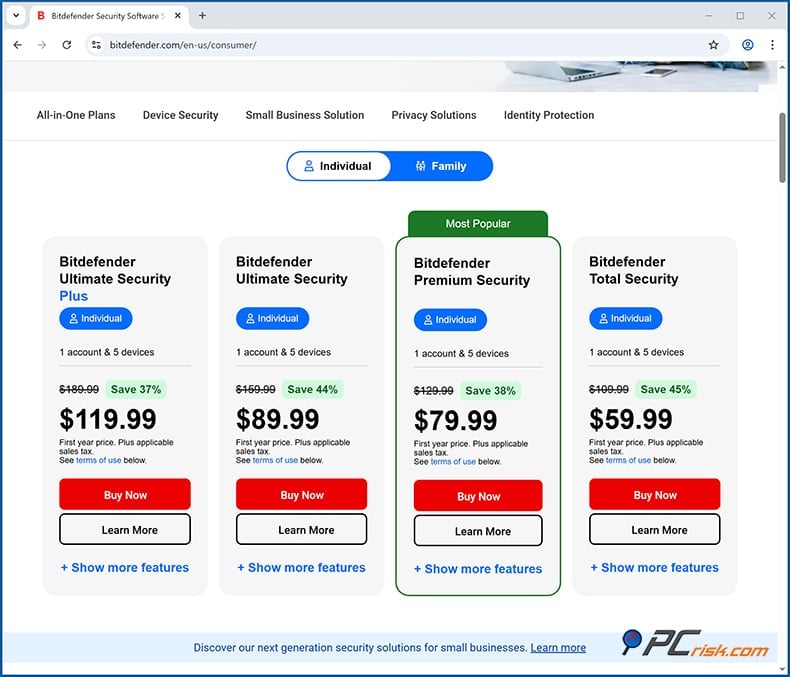
Here's an overview of Bitdefender's consumer offerings and their yearly pricing:
• Bitdefender Antivirus Free: $0 - completely free (for Windows PC users) and offers basic real-time protection against malware and phishing.
• Bitdefender Antivirus Plus: The entry-level paid plan, Bitdefender Antivirus Plus, is $24.99 for 1 device and $29.99 for 3 devices for the first year, renewing at $49.99 and $69.99, respectively. It provides comprehensive coverage for up to three Windows PCs and includes virus protection, web protection, VPN with a 200 MB/day allowance, password manager, SafePay secure browser, scan for vulnerabilities, and various fundamental utilities. However, it's Windows-only and doesn't contain all the more advanced tools.
• Bitdefender Internet Security: The mid-tier plan, priced at ~$49.99/year, covers up to three Windows devices. It builds on the base package by adding a two-way firewall, anti-spam email filtering, and parental control features. If you're looking for a multi-platform antivirus suite, Bitdefender offers a couple of solutions.
• Bitdefender Total Security: ~$59.99/year, Bitdefender Total Security is exclusive to Windows. Still, it provides a more comprehensive suite for those who need the additional features, covering up to 5 devices (Windows, macOS, Android, iOS) and includes all the features of Internet Security, extends protection to Mac and mobile devices and also includes tools for streamlining your PC, anti-theft protection for laptops and mobile phones and can cover more devices, making it perfect for families or anyone with a lot of gadgets.
• Bitdefender Premium Security: ~$119.99/year, but discounted to $79.99 in many deals. Bitdefender Premium Security is essentially a multi-platform bundle, covering ten devices across all platforms, and throws in absolutely everything that the Total Security package has, plus an unlimited VPN that doesn't have a 200 MB/day limit, and priority support.
It's a plan worth considering if you need complete VPN access for multiple devices. The built-in VPN in the lower tiers is limited, so this package bundles an unlimited VPN service with the security suite.
• Bitdefender Ultimate Security: ~$159.99/year, usually knocked down to $89.99, and is designed for five devices across different platforms, and has every feature of Premium Security and then adds identity theft protection services. This includes identity monitoring, credit score tracking, identity theft insurance and a lot of other privacy tools, and is really the go-to choice for anyone who wants advanced digital protection.
Assessing the cost of Bitdefender, the company's entry-level plan, Antivirus Plus, can be had for around $9.99 for the first year with a promotional price, and knocks out many of the competition when it's on sale. Coming up against the end of the first year, the renewal fee for Antivirus Plus is about $39.99, and the top-tier Total Security suite renews at $84.99 a year.
Bitdefender offers a free 30-day trial period for all of its paid products and a 30-day money-back guarantee. However, Bitdefender automatically enrolls you in its auto-renewal plan and will send you a reminder before the next charge.
Bitdefender Versions Overview
When choosing Bitdefender for home, you'll find a broad range of protection options, from free antivirus to premium suites. Here's a rundown of what each one has to offer and who it's best for:
• Free Antivirus: A Windows-only free antivirus with real-time threat detection and anti-phishing. It's a good option for those who need basic protection but don't want to spend money on a paid version, or are looking for a temporary fix. Still, it won't give you the extra features or the ability to protect many different devices. Despite being free, it's based on the same engine as the paid versions.
• Antivirus Plus: The entry-level paid suite for Windows, and it's anything but "basic." It has top-notch malware protection, web filtering, a password manager, a safe browser for online banking, a one-day VPN, and many more. It's tailored for individual PC users who want many features but don't need coverage for many devices.
• Internet Security: Antivirus Plus has added a top-notch firewall, spam filtering, and parental controls, making it the go-to choice for those who are primarily Windows users and want complete security. This is especially good for families who need to protect their children online or have control over the flow of traffic on their PCs.
• Total Security: This is the most popular choice for families and individuals with multiple devices. It covers macOS, Android, and iOS in one package and shields up to five (or ten if you opt for the "Family Pack") different devices. Regarding internet security, Bitdefender's Total Security is an excellent option that includes a full suite of features such as firewalls, device tune-ups, and anti-theft. If you've got one Mac, smartphone, and PC to secure, this is essentially the best value you'll get, merging everything under one roof.
• Premium Security: It offers the same features as Total Security but is additionally bundled with unlimited VPN. If you frequently use VPN for streaming and want it built into your antivirus, this is the way to go. It gives you unrestricted VPN usage on all your devices, plus high-priority 24/7 support.
• Ultimate Security: If you're looking to secure your identity, then the Ultimate Security suite will fit the bill perfectly, coming with Bitdefender's Identity Theft Protection, which can monitor your financial, social security numbers, and so on, and even gives you a guarantee against identity fraud. This package is aimed at those who want extra peace of mind or are extremely privacy-conscious, on top of the standard device protection.
The anti-malware engine in all Bitdefender packages is one of the best in the business and is the backbone of what keeps your devices safe. The higher tiers are really just adding more devices and more features. With plans for anything from a single PC to a household full of laptops, tablets, and phones, Bitdefender has you covered.
Our In-House Malware Test Results
Our malware research team ran a series of in-house tests to evaluate Bitdefender's real-world protection. We collected many live, recent malware samples to represent the kinds of threats the average user might face and examined how Bitdefender performs against these threats.
• Potentially Unwanted Programs (PUPs) - 5 samples: These include adware, browser hijackers, and bundleware. 4 samples out of 5 were detected and removed.
• Trojans and Infostealers - 20 samples: A mix of remote access trojans, password stealers, keyloggers, and other malware designed to silently steal data. 19 samples of 20 introduced samples were detected.
• Ransomware - 20 samples: We used 20 ransomware strains (file-encrypting malware), including some of the latest variants. All 20 samples were detected and removed.
• Malicious Email Attachments - 20 samples: We took infected email attachments (documents with macros, malicious scripts, etc.) from recent spam campaigns. 13 samples were detected and removed.
• Mac-Specific Malware - 20 samples: Since Bitdefender Total Security and above support macOS, we gathered macOS-specific malware (such as fake software installers, adware, etc.) to test on a Mac environment with Bitdefender. 19 samples of the 20 we introduced were detected and removed.
We assessed Bitdefender in two main ways: Real-time Protection and On-Demand Scanning. For the former, we allowed the malware to either execute or enter the system and checked if Bitdefender blocked it. For the latter, we turned off real-time protection and performed a full or quick scan to see if it could detect the dormant samples.
We were interested in monitoring how Bitdefender manages the threats it finds, quarantines them, alerts the user, and, just as importantly, whether any of the infected files managed to slip by initially.
Independent Antivirus Lab Test Results
When evaluating the performance of antivirus software, we're looking at the latest results from reputable test labs, and Bitdefender has certainly performed exceedingly well across the board:
• AV-Comparatives: Bitdefender earned the highest Advanced+ awards in the most recent round of Real-World Protection and Malware Protection tests. This result indicates top-tier effectiveness at blocking active threats.
• AV-TEST: In AV-TEST's evaluations, Bitdefender has gotten perfect 18 out of 18 scores, with 6 points in each of the three categories: Protection, Performance, and Usability in no less than two test rounds, April and February 2025. And, in those particular test rounds, Bitdefender scored a 6 out of 6 in all three categories, and got the AV-TEST "Top Product" label, signifying that it completely knocks out malware, doesn't slow down your system, and sends you zero false warnings.
These lab results (all of them from independent sources) basically tell us that Bitdefender is at the top of the pack in the world of antivirus software, effectively wiping out even the latest, previously unknown malware, without dragging down your system or sending you on a wild goose chase. Few competitors can match this level of performance, which is a strong testament to Bitdefender's technology and threat research.
Security Features and Malware Protection
Bitdefender packs a comprehensive set of security features that go beyond basic virus scanning. Here's an overview of its core protection capabilities:
• Real-Time Threat Detection (Bitdefender Shield): This feature instantly scans every file accessed or downloaded, automatically blocking or quarantining any threat before it can cause any damage.
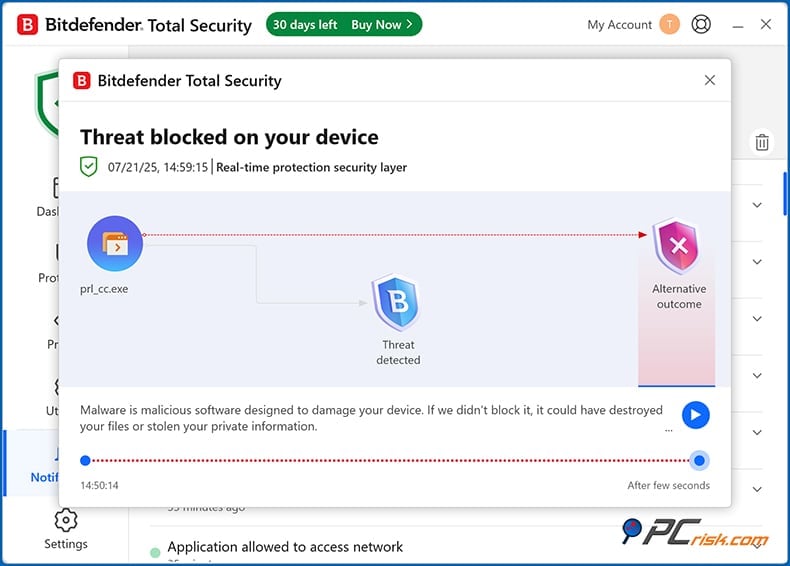
Thanks to its participation in the Global Protective Network, a cloud-based intelligence system monitoring millions of devices, Bitdefender can detect new malware that no one else has seen, making its real-time shield an extremely effective line of defense.
• On-Demand Scanning: You can run Quick, System, or Custom scans anytime, knowing that Bitdefender's malware scanner is thorough and optimised to catch everything.
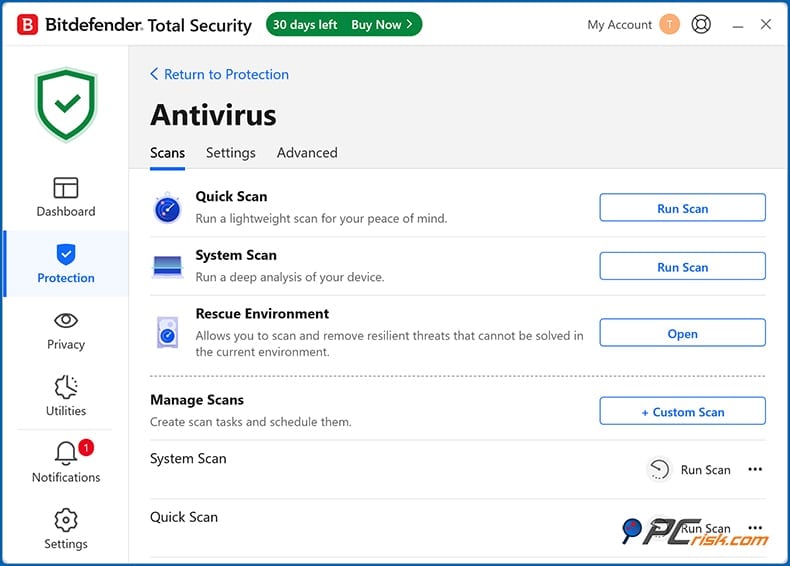
Bitdefender's ability to skip previously verified safe files on full system scans post-install speeds up the process. There's also a Vulnerability Scan that will check for missing system updates, weak passwords, and other security holes in your system.
• Multi-Layer Ransomware Protection: Considering the rise of ransomware, Bitdefender includes specific ransomware defense systems that can cut off any mass file encryption and prevent extortion-based attacks. Bitdefender's Ransomware Remediation feature can also back up and restore the targeted files and then clean up and remove the malware.
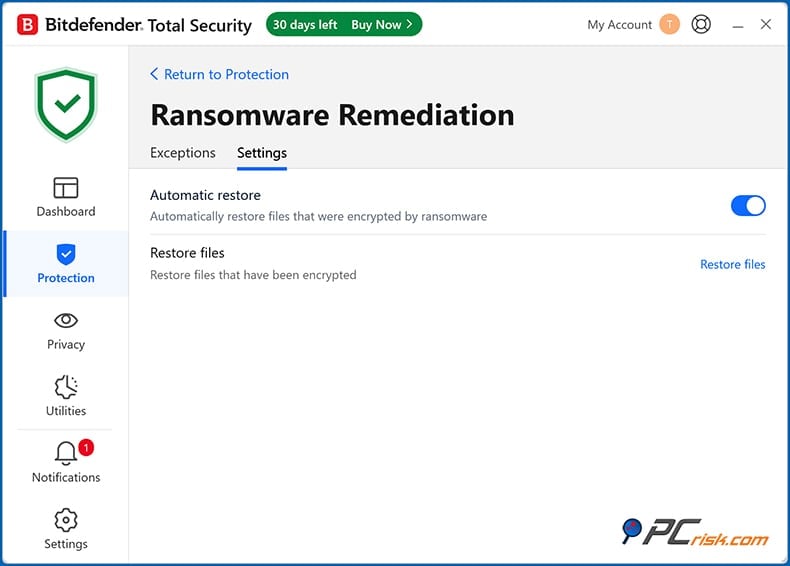
The software also offers the Safe Files feature to designate protected folders. When tested, Bitdefender has shown a high success rate in blocking ransomware before any files were encrypted.
• Web Protection & Anti-Phishing: Bitdefender stops malicious websites, phishing pages, and dodgy URLs through its Traffic web filter and browser extensions, plus a built-in URL checker within the software.
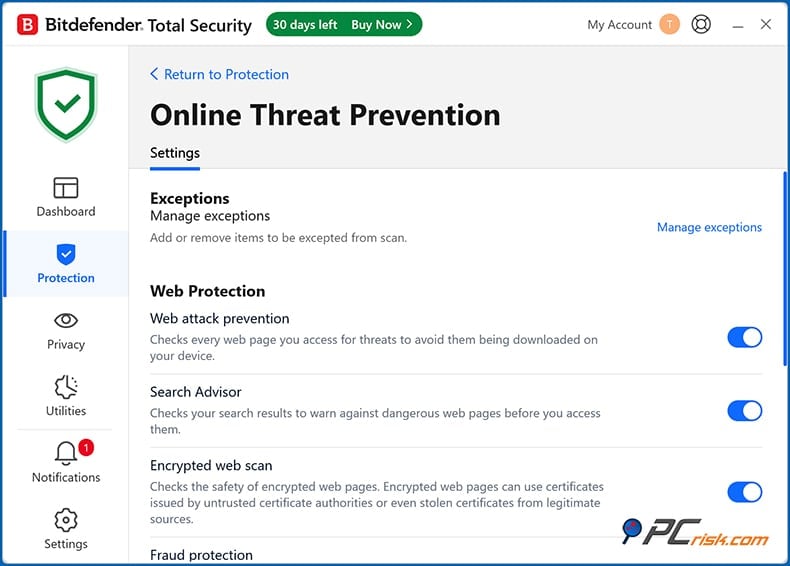
In our web-based phishing and malware tests, Bitdefender consistently batted away access to brand-new phishing sites and websites hosting malware.
• Network Threat Prevention: This feature monitors network-level attacks. It can sniff out and stop password guessing, ARP spoofing, and other sneaky network tricks that hackers and malware use to slip in unnoticed.
• Firewall: Bitdefender Internet Security and higher tiers include a full-fledged two-way firewall. The firewall provides an additional layer of network protection by monitoring and controlling incoming and outgoing connections on your PC.
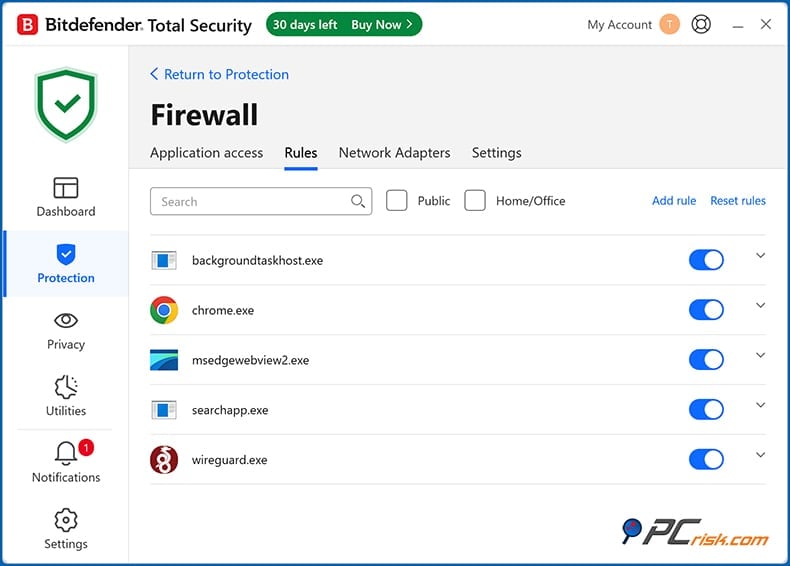
It can sort out most applications automatically, so you don't have to see a plethora of pop-ups. Advanced users can fine-tune the settings and add custom rules, and the firewall is an excellent idea for anyone who uses their device in public places or over unsecured Wi-Fi networks.
• Anti-Spam: For those who use email clients like Outlook or Thunderbird, Bitdefender's anti-spam module (available in Windows suites) can filter out junk and phishing emails from your inbox.
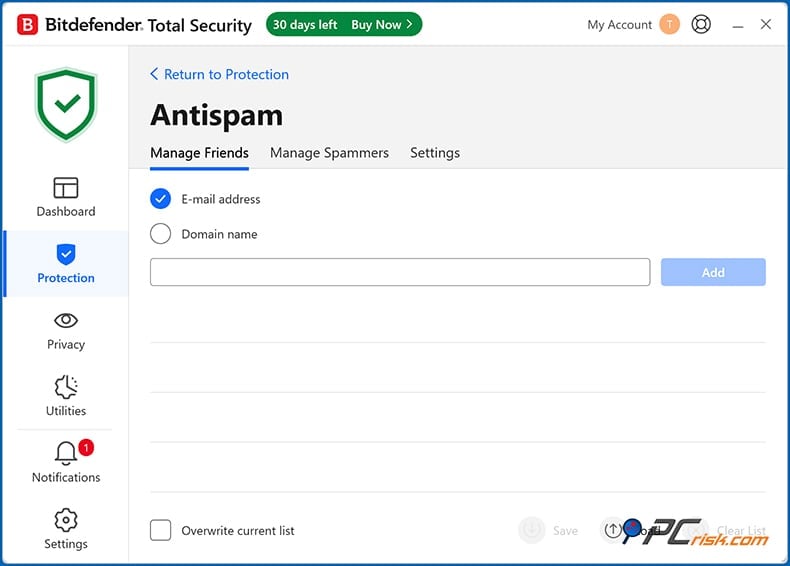
This feature isn't as prominent nowadays (webmail services do some filtering), but it's useful for an extra line of defense if you rely on a local email app.
• Safe Online Banking (Safepay): Safepay in Bitdefender takes over, completely isolating your session to shield against malware such as keyloggers and web injects when performing banking operations or shopping online.
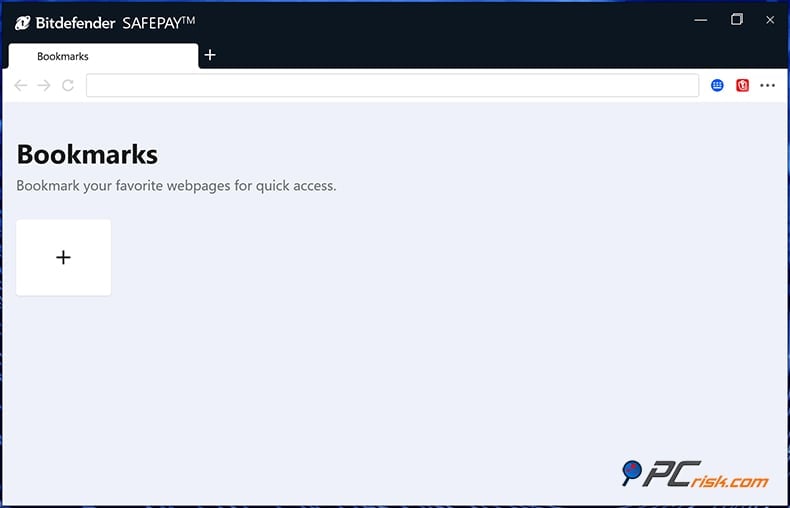
It launches automatically when you access online banking or payment sites (or can be started manually) and functions as a hardened browser that prevents anything else on your PC from interfering with the security of your financial transactions. This feature is especially useful if you regularly do online banking or shopping from your PC.
• Advanced Threat Defense: Bitdefender's behavioural monitoring system constantly monitors the programs running on your system for suspicious activity. It can tell if a program is acting like a malicious one, for example, injecting into other programs, recording your keystrokes, and the like, and then halts it, even if the sample wasn't in its database.
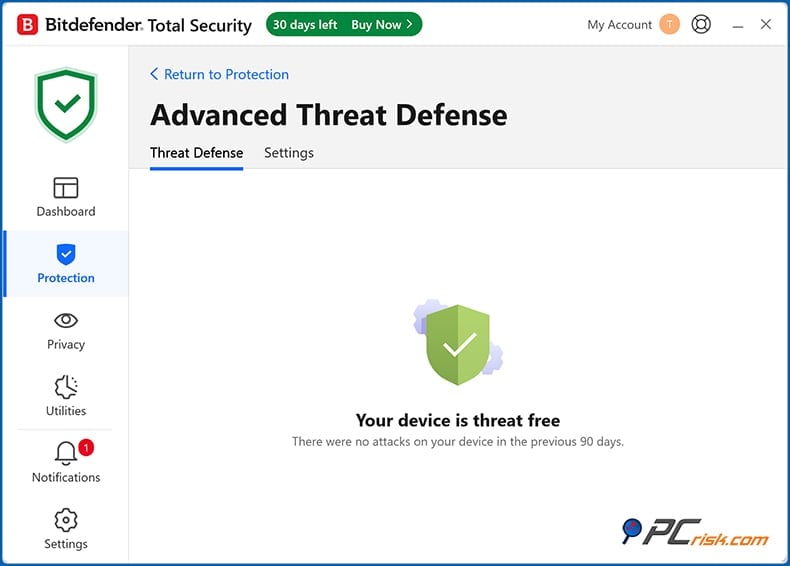
This feature is specifically designed to handle brand-new, never-before-seen threats — known as 'zero-day' threats.
• Anti-Theft Tools: For laptops and mobile phones, Bitdefender allows you to find your lost device, lock it, or, as a last resort, wipe the data, all through its Bitdefender Central web interface.
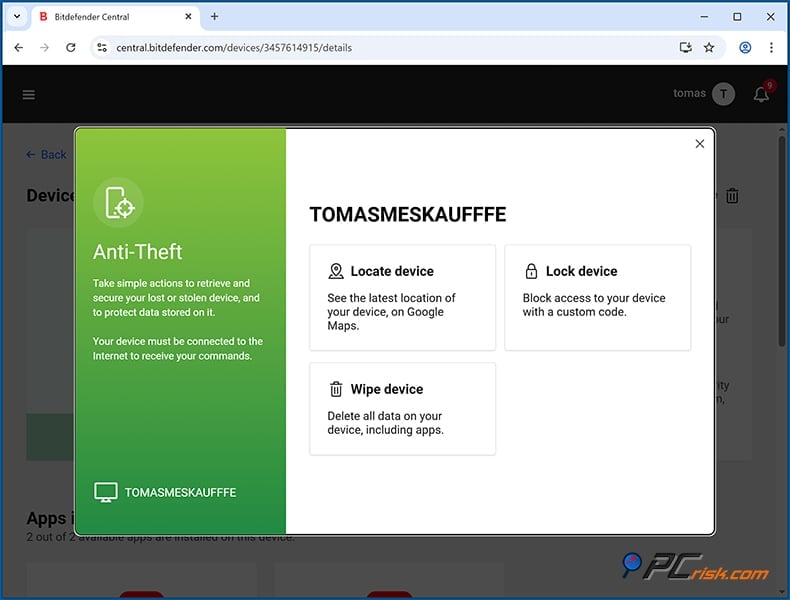
This feature is available in Total Security and above, and is a nice bonus for those who need mobile device protection and laptop users.
In summary, highly regarded as a complete security suite, Bitdefender takes care of malware file scanning, network safety, web threats, and proactive measures to roll back ransomware. These security features operate mainly in the background.
Additional Features (Beyond Antivirus)
You'll get its powerful anti-malware features and a suite of tools and utilities that give it something extra when you sign up for Bitdefender. These aren't strictly "antivirus" functions, but they add significant value to the product:
• VPN (Virtual Private Network): The built-in VPN powered by Hotspot Shield is a nice feature, providing a decent 200 MB of VPN traffic per day per device on most plans. Enough for sending a few emails securely over public Wi-Fi.
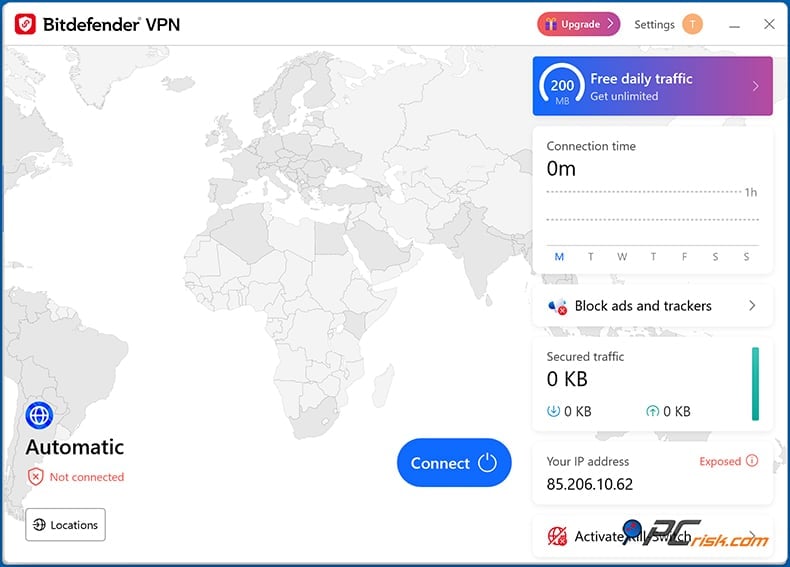
If you require unlimited VPN data, you must either upgrade to Premium Security and get Bitdefender Premium VPN with no cap or buy the full VPN service separately.
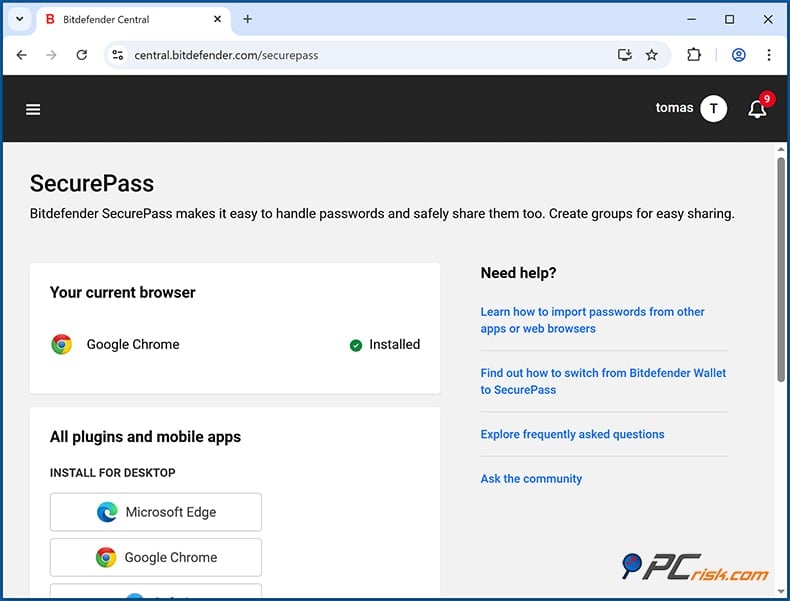
• Password Manager (SecurePass): Bitdefender's SecurePass password manager is a game-changer. It is included with all Total Security and higher plans and available separately. It eliminates the need for third-party password managers and seamlessly integrates into the Bitdefender security framework.
• File Shredder: For privacy, Bitdefender includes a secure file deletion tool.

When you use it to remove a file, it completely overwrites the data so that it cannot be recovered, and gives you a clear peace of mind that your sensitive documents are gone for good.
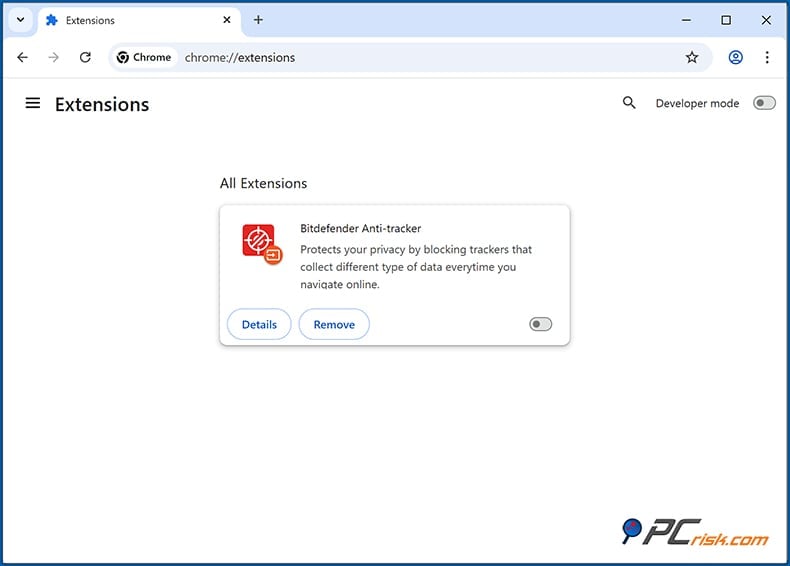
• Anti-Tracker Browser Extension: This extension is one of Bitdefender's many benefits. It gives users a boost in privacy and cuts down the amount of ads and profiling that occurs on websites they visit by killing off trackers and cookies.
• Webcam & Microphone Protection: You'll notice that the software includes settings to protect your webcam and microphone from applications that try to access them, acting as a barrier against any potential spyware, when using Bitdefender Internet Security and above.
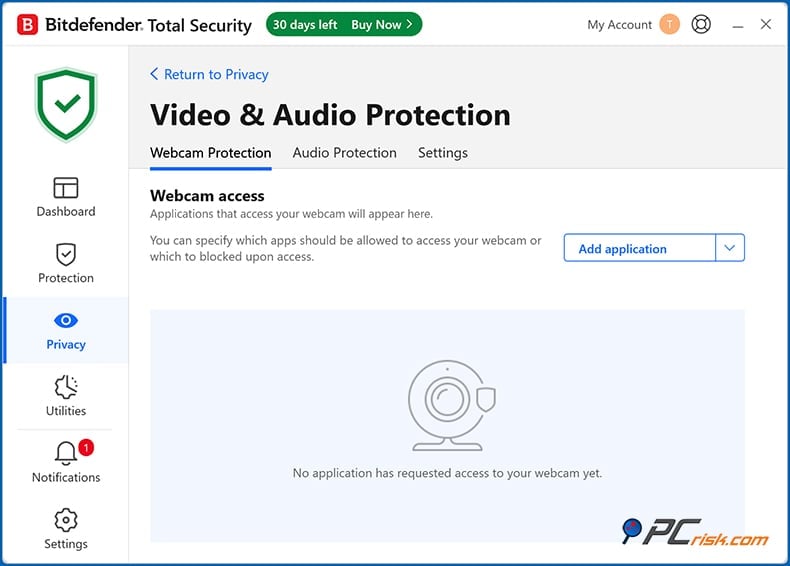
You can, however, allow specific apps to use the webcam/mic, and have Bitdefender send you a warning if any suspicious applications try to access them.
• Parental Control: Bitdefender's parental control module, found in the Central online dashboard, gives you the tools to monitor your child's device usage, filter out inappropriate websites, set screen time limits, monitor their device location, and get reports on their online activities. And these controls don't apply just to Windows, they're functional for Android and iOS too. This feature is included in Internet Security, Total Security, and higher suites.
• System Optimization Tools: Bitdefender Total Security introduces the ability to rapidly tune up your device with OneClick Optimizer, which removes unwanted junk files, erases browser cache, and frees up disk space for a snappier system. It also auto-switches through custom profiles labelled Work, Movie, and Game to fine-tune performance.
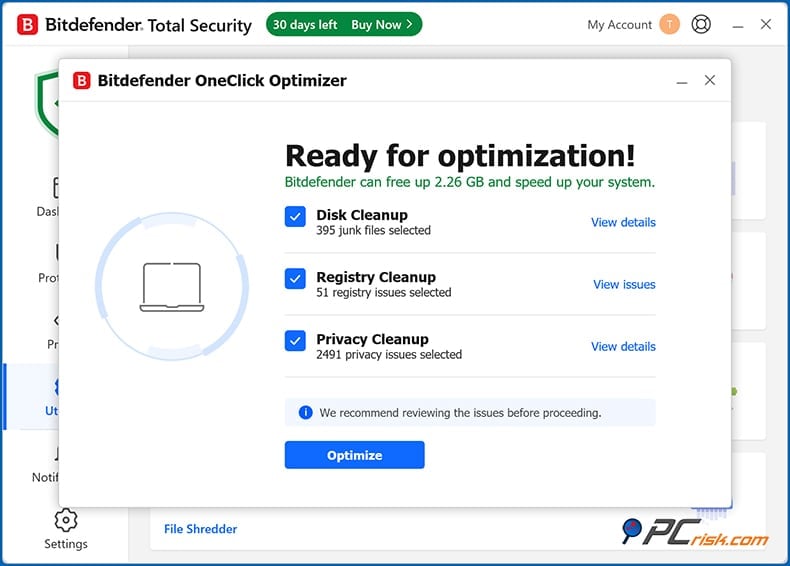
The optimization tool pushes non-essential tasks to the background when gaming or working, so you're not interrupted.
Bitdefender's array of features covers a lot, covering privacy options (VPN, anti-tracker, shredder), utility functions (optimizer, password manager), family safety (parental control), and more. Several of these features can function as standalone applications.
Impact on Performance
Bitdefender is known for being light on the system when people worry about the impact of security suites on their computer's performance. Based on the results of independent tests, Bitdefender consistently ranks well in terms of performance, and our own experience of it is consistent with that.
When running in the background, we found no lag or heavy resource usage during normal activities like web browsing, word processing, and streaming video. Bitdefender only uses a handful of megabytes of RAM and almost nothing of the CPU when the computer is sitting idle. Most of the heavy lifting, like analyzing threats, gets sent to the cloud, so it doesn't slow down your computer at all.
Now, a full system scan will naturally knock out some resources, but it's still manageable. In our tests, we saw a reasonable spike in CPU use but didn't see the computer grind to a halt. Our test system's CPU use hovered between 50% and 80% during a full disk scan, while RAM stayed steady. The full scan took 1 hour and 20 minutes to scan 990,000 files.
Bitdefender is essentially optimized for speed and will run smoothly on any modern PC. Even older or more modest hardware won't see any significant slowdowns in regular use. All you need to do is let the initial scan finish and schedule full scans for times when you're not actively using your computer.
Ease of Use
Bitdefender's software is designed with a strong emphasis on user-friendliness. Both beginners and advanced users will find the interface intuitive and configurable:
• Installation Process: Installing Bitdefender couldn't be simpler. It's essentially a small installer that fetches the latest software version. Then, it walks you through a few options, one of which is declining to send anonymous usage reports. Otherwise, it's a hands-free affair.
• User Interface: The main interface is very user-friendly, a modern, clean design that gets you where you need to go quickly, giving a clear picture of how secure you are. It tells you whether you are safe or if something needs fixing. The Quick Action bar is basically a dashboard within the dashboard, containing the most used features like Quick Scan, VPN connect, Safepay, and Optimize, which can be rearranged to suit your preferences and pinned for one-click access.
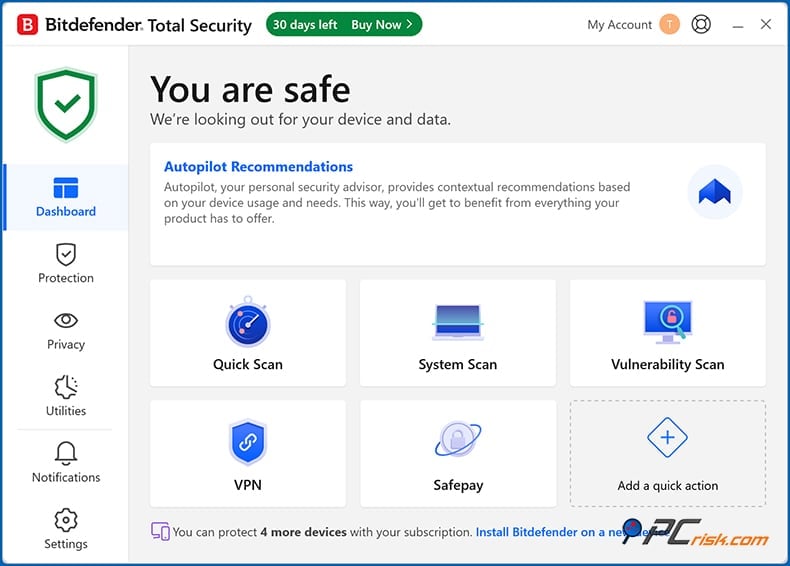
We really appreciate that you can customise the layout to fit what you do most (for instance, if you frequently run scans, or regularly use the VPN, those buttons are right up front).
• Navigation: The left-hand sidebar neatly categorises all the features into sections, dropping each into sub-features. For design, Bitdefender's intuitive icons and labels get the point across. A shield for protection and a key for privacy - it's easy to know what you're looking at.
• Settings and Advanced Controls: For people who want more control, Bitdefender has a comprehensive Settings area. They've laid out a logical menu system separated by categories, allowing you to set scan schedules, exclude files or folders, fiddle with firewall settings, turn on/off notifications, and much more. All with the help of short explanations for each option, so you know what you're getting into.
• Updates: Bitdefender keeps itself and its virus definitions up-to-date without interrupting your workflow. Thanks to its cloud-based capabilities, it gets brand-new virus definitions almost every day and performs real-time checks via cloud lookup. Periodically, it'll download module updates or new versions of the software, and these are automatic and usually don't require a reboot.
• Overall UX: Bitdefender's overall look and feel are slick, sophisticated, and uncluttered. It uses a neutral grey background with green for the good stuff and red for something that needs fixing. Well-known problems didn't occur in our testing, and it's basically stable.
Since Bitdefender is intuitive, people of all skill levels will feel at home with it. Even if you want to turn it on and forget it, Bitdefender has you covered. If you're a tech-savvy person who enjoys digging into settings or manually running scans, Bitdefender also supports that.
Bitdefender Mobile Apps (Android & iOS)
When it comes to protecting your devices, Bitdefender offers a suite of mobile apps for Android and iOS that extends its services to mobile phones and tablets. Bitdefender's mobile security apps are included in their multi-device plans, such as Total Security, Premium Security, etc., and can also be purchased as standalone apps from the app stores.
Bitdefender Mobile Security for Android: This app is often rated among the best antivirus apps for Android, and for good reason. It offers a robust set of features on Android that are nearly equivalent to those of the desktop version.
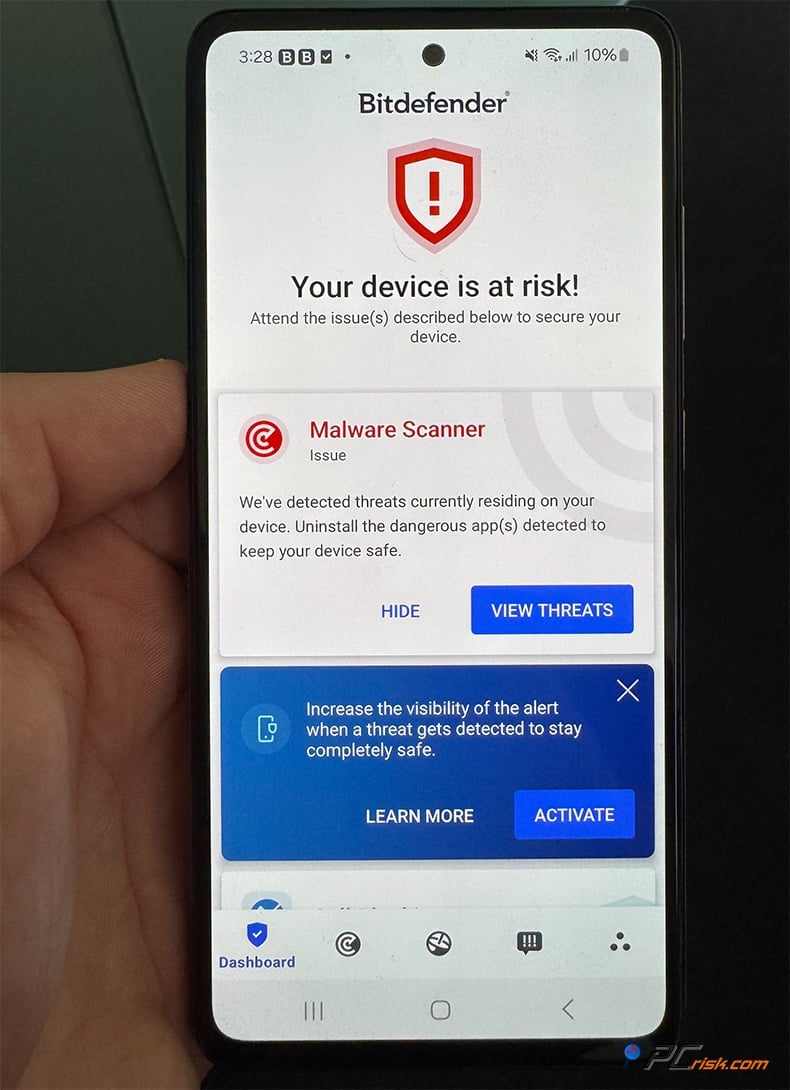
Key capabilities include:
• Malware Scanning: Bitdefender's Android app performs on-demand scans on your device's storage and scans new apps as they're installed. Thanks to cloud-based detection, it doesn't slow down your phone. It's caught Android-specific threats, adware, and problemware quite handily in testing.
• Real-Time Protection: Once set to Autopilot, the app will automatically scan any new application you download from the Play Store for malware. This constant surveillance helps stop you from downloading and installing malicious apps.
• Web Protection: The app monitors your web browsing on Chrome and other browsers for malicious or phishing sites and squelches them like on the desktop.
• Scam Alert: This is a newer feature that detects scam links sent via text messages and messaging apps and alerts you of phishing attempts via SMS or social media.
• Anti-Theft: When your phone goes missing, Bitdefender's anti-theft feature is here to save the day. It enables you to locate it, trigger a loud alarm, lock it down, or wipe all of its data, all through the remote Bitdefender Central web interface. It even locks your device if someone tries to change the SIM card.
• App Anomaly Detection: Bitdefender also has an anomaly detection feature to shield your phone from new and sophisticated threats.
• App Lock: You can now lock sensitive apps with a PIN, fingerprint, or password. Think banking or email apps. This is a great privacy feature.
• VPN: The app also integrates the Bitdefender VPN, which offers 200 MB of daily free usage or unlimited if you sign up for the Premium VPN.
• Account Privacy (Identity Protection): Bitdefender will also check your email addresses for involvement in data breaches (powered by Bitdefender's Digital Identity Protection service) and alert you if your login credentials have been leaked online.
• Performance & Battery: The app is very lightweight, and we found that it didn't slow down the phone or drain the battery. Scans are lightning-fast and can be scheduled so you don't even notice them. The clean-cut interface shows a nice view of your device's security status and allows easy on/off controls for all the features.
Overall, you'll notice it's basically a mobile-friendly take on the desktop experience, laid out in a simple way to navigate with clear labels and just one-click "scan" option right on the home screen when you use the Android app. Coming in at a 4.7 out of 5 rating on Google Play with over a million downloads, user reviews are practically glowing, suggesting a pleased user base.
Bitdefender Mobile Security for iOS: On Apple's iOS platform (iPhone/iPad), antivirus apps are more limited by design (since iOS sandboxing doesn't allow full device scans).
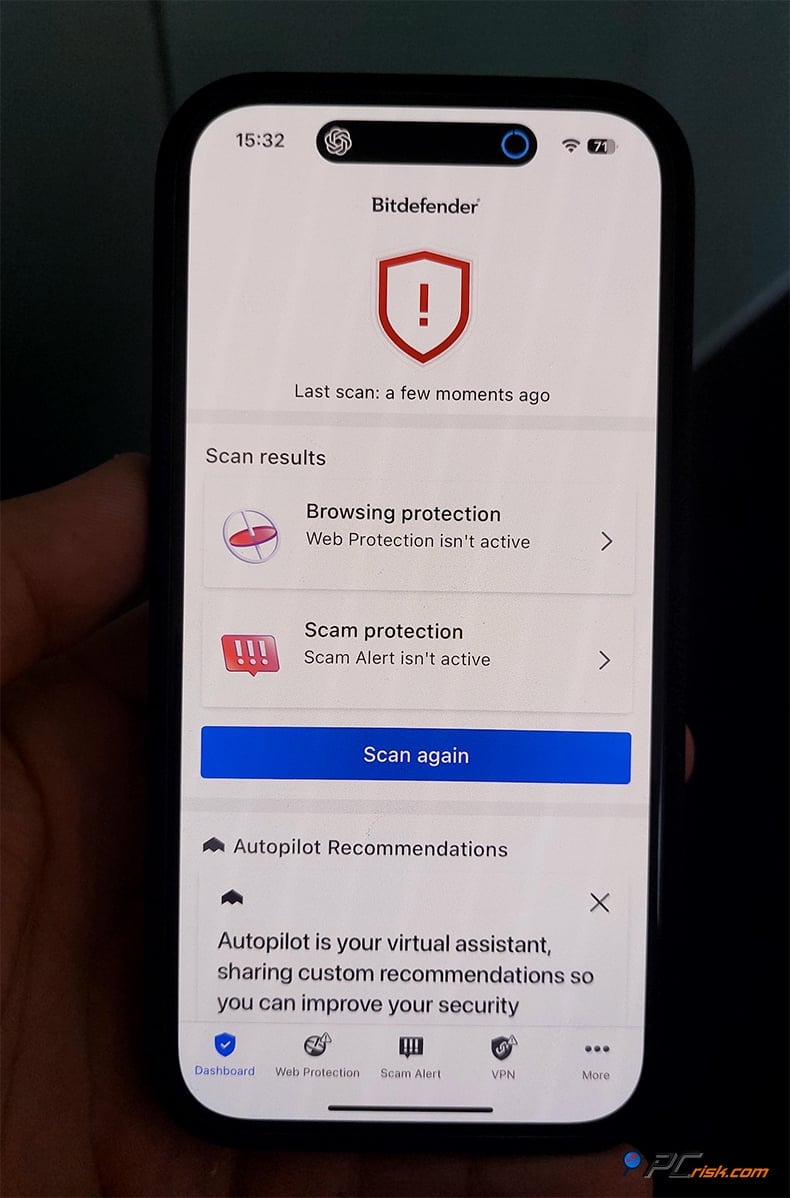
Consequently, Bitdefender's iOS app focuses on a smaller set of features that are all about privacy and web protection:
• Web Protection: This feature kicks in once you've installed the app and allows you to set up a VPN funnel that filters out phishing sites and malware when you're browsing in Safari or any other app. It comes in handy on iOS to keep you from visiting nasty sites.
• VPN: The app includes the Bitdefender VPN, which gives you 200 MB of unrestricted use. It can also be turned on to encrypt your connection to public Wi-Fi or keep your browsing private. The VPN shares the same backend as the desktop/Android VPN.
• Account Privacy Check: This feature lets you see if your email or other personal data has been leaked in known data breaches. Looking at the Bitdefender iOS app, you'll notice it's similar to the Android app's identity protection feature.
• SMS Filtering: The iOS app includes SMS filtering that helps to block phishing and scams.
Notably, due to iOS restrictions, the Bitdefender app does not have a built-in malware scanner. In this case, iOS doesn't let any app scan the entire file system. However, iOS malware is uncommon, and Apple's built-in protections are excellent. The Bitdefender iOS app fills the gaps Apple left by providing anti-phishing, VPN, and breach alerts.
• Ease of Use: The iOS app has a user-friendly interface and is extremely lightweight, with minimal setup, turning the web protection and VPN on or off. It's built to be "set it and forget it." Compared to the Android app, it's definitely less elaborate. It feels somewhat like an add-on, but it is up to the task. It blocks malicious websites, secures your connection, and perfectly complements iOS's built-in security.
This is somewhat expected, as iOS does not allow a full-fledged antivirus, but the Bitdefender iOS app is doing its job to protect iPhone users. The app has received an average rating of 4.8 out of 5 stars on the App Store, and users have found it to be helpful and reliable for what it does.
User Reviews and Reputation
To get a broader perspective, we took a closer look at what users were saying on Trustpilot and Reddit and looked through tech community forums. These various sources show that Bitdefender is a highly respected brand in the antivirus space.
Although some people have mixed experiences, the average rating of approximately 3.6 out of 5, and being classified as 'Average' on Trustpilot, is a testament to the brand's capabilities. Many users praise the company's success in shielding their devices, highlighting that Bitdefender can catch threats that others miss and supplies a feeling of security.
People also appreciate the straightforward design of the interface. "Bitdefender makes having security software on my PC lots simpler for me to understand and, they really do a cracking job at sending me notifications about dodgy websites." one five-star reviewer said.
However, there are problems associated with the subscription and payment arrangements. Many complaints have been made about auto-renewal charges and the difficulty of terminating the subscription. Several users also had issues when requesting refunds or technical help. One common refrain is irritation with the speed of response times.
While generally well-regarded, Bitdefender's support is like that of any huge company. People's experiences can vary, and overall, Trustpilot feedback implies that people are happy with the protection, yet a few have encountered issues that have sullied their perception.
Bitdefender is often one of the top-recommended brands in tech communities and on Reddit. The r/antivirus subreddit, a forum of experts and knowledgeable users discussing antivirus software, listed Bitdefender as one of the top two consumer antiviruses for its detection rates.
According to Reddit users, Bitdefender's robust behavioral detection methods and rare false-positive rate are two major perks to setting up this software. Users cite the software's economic and value aspects as a standout feature, saying it is "fairly cheap for a reliable AV" and that the complimentary edition works quite well for the basics.
As widely recognized in the antivirus industry, Bitdefender has sparked discussions about its footprint on systems. Tech-savvy users have suggested that Bitdefender can be quite demanding on computer memory and is outshone by some of its competitors.
However, others have said that Bitdefender ran extremely lightly on their systems, even outperforming Windows Defender. The level of impact can be dependent on the system's configuration, which implies that it isn't a problem for many people.
Bitdefender customer service has mixed reviews from users, but generally speaking, they've been happy with the 24/7 support and the rapid resolution of their issues via chat or phone. However, there were a couple of cases in the forums where users mentioned edge cases (like the Bitdefender VPN not functioning properly on iPhones or complicated technical issues) that caused them frustration.
When checking the user ratings for Bitdefender's mobile apps, we see a picture of excellence: 4.7/5 on the Google Play store and 4.8/5 on Apple's App Store.
The satisfaction is palpable, as users consistently mention the intuitive interface and sense of security in their ratings. Years of experience show that Bitdefender has a reputation as a reliable, high-performance antivirus, which is why so many people can and do happily recommend it.
Is Bitdefender Worth Buying?
Considering a home antivirus, Bitdefender is certainly one of the top picks in the market for 2026. It's a nearly unbeatable combination of protection and features, at a reasonable price.
The primary reason for choosing Bitdefender is its security efficacy. According to both lab tests and our hands-on testing, it is virtually a guarantee against all forms of malware, including commonplace viruses, sophisticated ransomware, and zero-day exploits. It's the main thing an antivirus is meant to do, and Bitdefender gets it done, and usually hits 100% in independent evaluations, in addition to being a top performer in our own simulated malware tests and blocking the majority of incoming threats.
Beyond the basics, Bitdefender knocks it out of the park with its feature set. If you were to try to assemble the same suite of features with separate products, such as an antivirus, VPN, password manager, parental controls, and so forth, you'd be spending a lot more money. Bitdefender wraps all of these features into its top-tier packages, making it a great option for those serious about their security.
Now, the only real reason not to go with Bitdefender is if you need an unlimited VPN, which is only available in the Premium Security tier, otherwise the built-in VPN is somewhat limited and might require a different solution.
When evaluating the iOS app for Bitdefender, know that it can't scan for malware on iPhones or iPads, a limitation all iOS security apps share. Still, its web protection is essentially what you need on that platform.
Coming from a Romanian company and being based in the EU, an area known for its strong data protection laws, doesn't have to be a problem, but a few people in the US sometimes get concerned about geopolitical issues. Kaspersky is often what they think of, but Bitdefender has no Russian connection, is a respected global company, and hasn't been involved in anything that would shake our faith in it.
Considering all the facts, we think Bitdefender is a great buy for any home user who wants top-notch security and won't break the bank or overwhelm their digital life. There's no need to worry about the free and trial periods either. You can test the app out yourself, and given its reputation and the quality of its features, it will most likely impress. Bitdefender consistently ranks as one of the best antivirus options, which is no coincidence. It has combined powerful security, many features, and a user-friendly design into one package.
Frequently Asked Questions (FAQ)
Is Bitdefender safe and legit?
Yes. When it comes to Bitdefender, the picture is clear-cut. It's a highly respected global cybersecurity company, and its antivirus software is completely safe. Founded in Romania in 2001, Bitdefender has over two decades of experience in the business and now shields hundreds of millions of devices worldwide, leaving no doubt about its legitimacy and reliability as a security product.
Does Bitdefender have a free version or trial?
Yes. Well-known for its high detection rate of widespread malware, Bitdefender has a free version for Windows that's been given a pass by many third-party testers and provides basic, real-time protection at no cost. What's more, all of its paid products come with a 30-day free trial and a 30-day money-back guarantee, giving you a month to test the full capabilities of its software with no financial risk.
Does Bitdefender include a VPN service?
Bitdefender has a built-in VPN with all its security suites, and it caps daily traffic. Internet Security and Total Security plans, you'll get 200 MB of free VPN access daily, perfect for the occasional secure browsing or hotspot use, when using Bitdefender's Plus. If you need an unlimited VPN, you can either sign up for the Premium Security plan, which gives you unlimited VPN for up to ten devices, or buy the standalone Bitdefender Premium VPN.
Will Bitdefender slow down my computer?
As for slowing down your computer, Bitdefender is very much designed to be lightweight, so in general it won't. According to independent tests, it often comes top in low system impact, and regular activities won't be slowed down in real-world use. There may be a slight increase in CPU usage when doing a full system scan, but Bitdefender will run the scan when your PC is idle, so you won't notice it.
On how many devices can I use Bitdefender?
Bitdefender can be used on any number of devices, depending on the plan. Antivirus Plus and Internet Security are generally sold for 1 to 3 Windows devices. Total Security covers 5 devices and has a Family Pack option that goes up to 25 devices on any platform. Premium Security covers 5 (the family pack goes up to 25), and Ultimate Security covers 5, and also includes identity protection per user.
Share:
 Facebook
 X.com
X.com
 LinkedIn
 Copy Link

Karolis Liucveikis
Experienced software engineer, passionate about behavioral analysis of malicious apps
Author and general operator of PCrisk's News and Removal Guides section. Co-researcher working alongside Tomas to discover the latest threats and global trends in the cyber security world. Karolis has experience of over 8 years working in this branch. He attended Kaunas University of Technology and graduated with a degree in Software Development in 2017. Extremely passionate about technical aspects and behavior of various malicious applications.
▼ Show Discussion