
What is the "$PAXOS Token Launch Scam"?
Phishing/ScamAlso Known As: $PAXOS Token Launch crypto drainer

Get free scan and check if your device is infected.
Remove it nowTo use full-featured product, you have to purchase a license for Combo Cleaner. Seven days free trial available. Combo Cleaner is owned and operated by RCS LT, the parent company of PCRisk.com.
What is the "$PAXOS Token Launch Scam"?
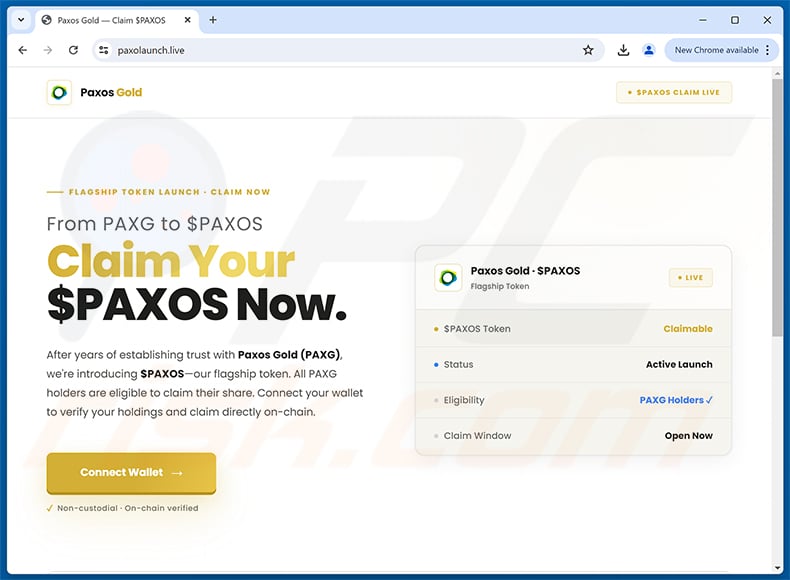
While examining suspicious websites, our team inspected paxolaunch[.]live and found that it promotes a fake cryptocurrency token launch. The page targets holders of Pax Gold (PAXG), falsely claiming they can claim a new token called "$PAXOS." In reality, it is a cryptocurrency drainer scam designed to steal funds from visitors who connect their wallets.
IMPORTANT NOTE: We do not review crypto projects, please do your own research when investing money.
Federal Trade Commission (FTC) states that since the start of 2021, more than 46,000 people have reported losing over $1 billion in crypto to scams – that's about one out of every four dollars reported lost, more than any other payment method.
"$PAXOS Token Launch Scam" in detail
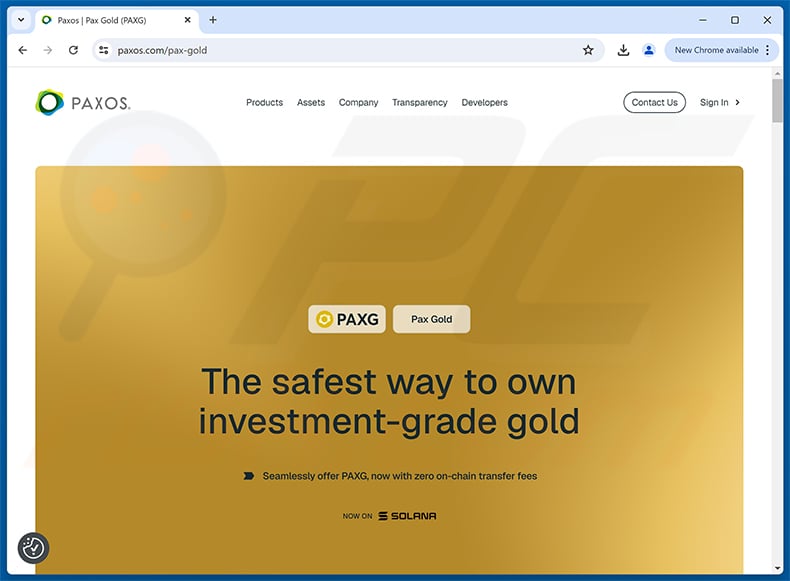
Pax Gold (PAXG) is a legitimate, regulated gold-backed cryptocurrency issued by Paxos Trust Company (paxos.com). Each token represents one fine troy ounce of physical gold held in professional vault facilities and verified through monthly third-party audits.
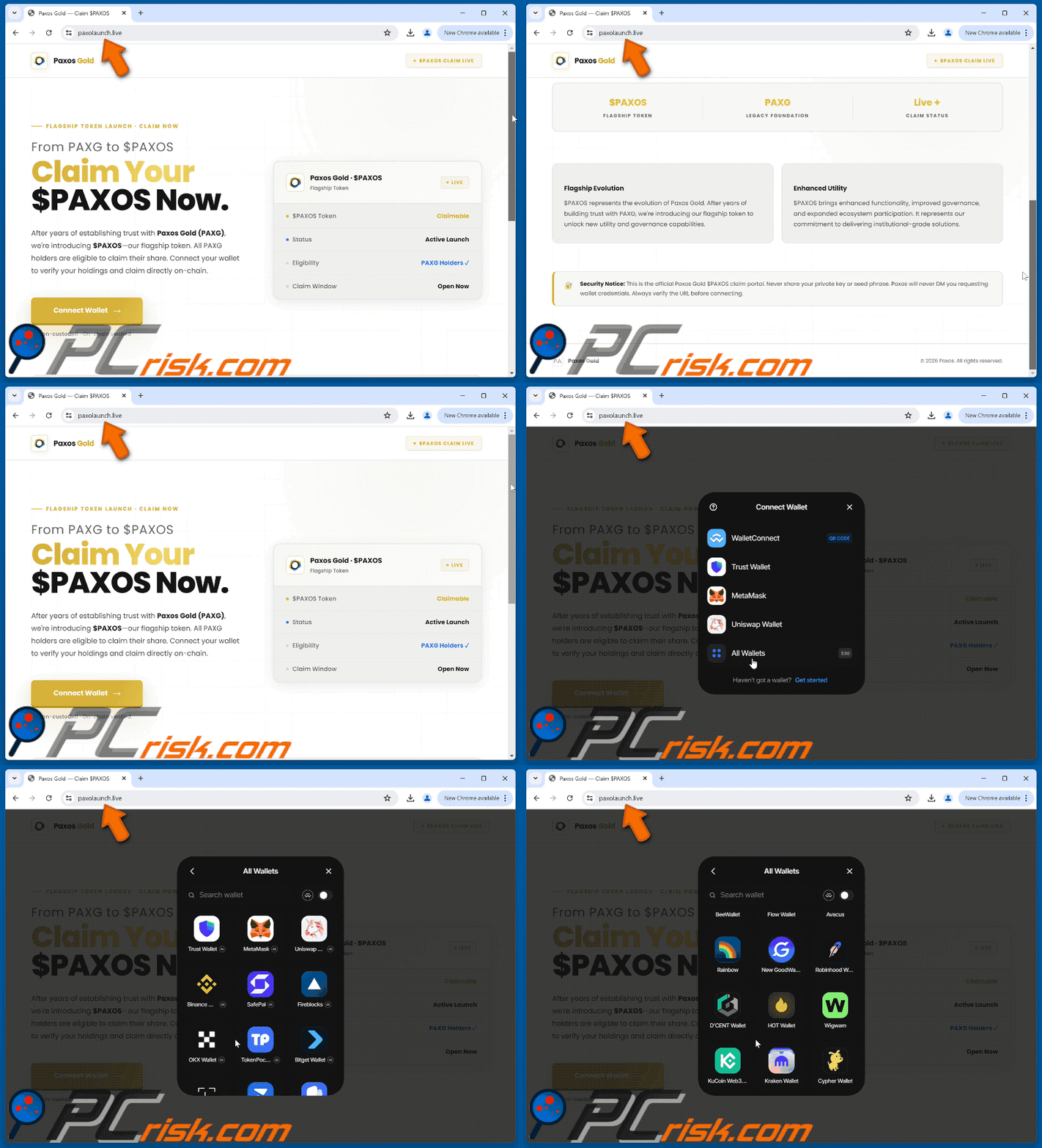
The fraudulent site at paxolaunch[.]live impersonates Paxos and announces a supposed "flagship token" called $PAXOS. It frames this as a transition "From PAXG to $PAXOS" and states that all Pax Gold holders are eligible to claim their share. The page also refers to the platform as "Paxos Gold" - note that the actual product is named Pax Gold, not "Paxos Gold."
$PAXOS does not exist as a real cryptocurrency. Paxos has not announced any such token launch. The offer is entirely fabricated, designed solely to lure Pax Gold (PAXG) holders into interacting with the scam page.
When a visitor clicks "Connect Wallet," a dialog appears offering options such as WalletConnect, Trust Wallet, MetaMask, Uniswap Wallet, and over 530 others. Connecting a cryptocurrency wallet activates a drainer - a malicious tool that automatically transfers the victim's funds to a wallet controlled by the scammers.
Because blockchain transactions are irreversible, stolen funds cannot be recovered once a transfer is confirmed. Victims of crypto drainers lose their digital assets permanently.
Always verify token launches through a project's official website and confirmed social channels before connecting a wallet or taking any action on an unfamiliar page.
| Name | $PAXOS Token Launch crypto drainer |
| Threat Type | Scam, Social Engineering, Fraud |
| Fake Claim | Pax Gold (PAXG) holders can claim a free $PAXOS flagship token |
| Disguise | Paxos Trust Company and the Pax Gold (PAXG) platform |
| Related Domain(s) | paxolaunch[.]live |
| Threat Status (paxolaunch[.]live) | PCrisk Website Scanner Results |
| Symptoms | Unofficial domain, lack of official verification, unrealistic claims, too good-to-be-true promises |
| Distribution methods | Fake social media accounts, deceptive websites, rogue online advertisements |
| Damage | Cryptocurrency theft |
| Malware Removal (Windows) |
To eliminate possible malware infections, scan your computer with legitimate antivirus software. Our security researchers recommend using Combo Cleaner. Download Combo CleanerTo use full-featured product, you have to purchase a license for Combo Cleaner. 7 days free trial available. Combo Cleaner is owned and operated by RCS LT, the parent company of PCRisk.com. |
Conclusion
Paxolaunch[.]live is a fraudulent site that impersonates Paxos and its Pax Gold platform to promote a completely non-existent "$PAXOS" token. Its sole purpose is to trick Pax Gold (PAXG) holders into connecting their wallets so a drainer can empty their funds.
Some examples of similar scams are "Venice ($VVV) Airdrop", "Perpl Vote Rewards", and "Arrow Finance ($ARROW) Vote Rewards".
How did I open a scam website?
Scammers frequently promote fraudulent websites through fake or stolen social media accounts on platforms like X (formerly Twitter) and Facebook. These accounts often impersonate well-known cryptocurrency projects, influencers, or companies to appear trustworthy to potential victims.
Users may also encounter these pages through rogue advertising networks active on torrent sites, illegal streaming services, and other dubious platforms. In some cases, adware installed on a device can redirect users to scam pages or display misleading pop-ups promoting them.
How to avoid visiting scam pages?
Keep your operating system and all applications up to date, and download software only from official sources such as developer websites or verified app stores. Be wary of pirated software and tools, which frequently bundle hidden malware.
Exercise caution with unsolicited emails or direct messages promoting investment opportunities or free token claims. Avoid clicking on suspicious ads, pop-ups, or links on unfamiliar websites. Do not grant notification permissions to sites you do not recognize. If your computer is already infected with unwanted apps, we recommend running a scan with Combo Cleaner Antivirus for Windows to automatically eliminate them.
The appearance of "$PAXOS Token Launch Scam" (GIF):
The official Pax Gold website (paxos.com/pax-gold):
Instant automatic malware removal:
Manual threat removal might be a lengthy and complicated process that requires advanced IT skills. Combo Cleaner is a professional automatic malware removal tool that is recommended to get rid of malware. Download it by clicking the button below:
DOWNLOAD Combo CleanerBy downloading any software listed on this website you agree to our Privacy Policy and Terms of Use. To use full-featured product, you have to purchase a license for Combo Cleaner. 7 days free trial available. Combo Cleaner is owned and operated by RCS LT, the parent company of PCRisk.com.
Quick menu:
- What is $PAXOS Token Launch crypto drainer?
- How to identify a pop-up scam?
- How do pop-up scams work?
- How to remove fake pop-ups?
- How to prevent fake pop-ups?
- What to do if you fell for a pop-up scam?
How to identify a pop-up scam?
Pop-up windows with various fake messages are a common type of lures cybercriminals use. They collect sensitive personal data, trick Internet users into calling fake tech support numbers, subscribe to useless online services, invest in shady cryptocurrency schemes, etc.
While in the majority of cases these pop-ups don't infect users' devices with malware, they can cause direct monetary loss or could result in identity theft.
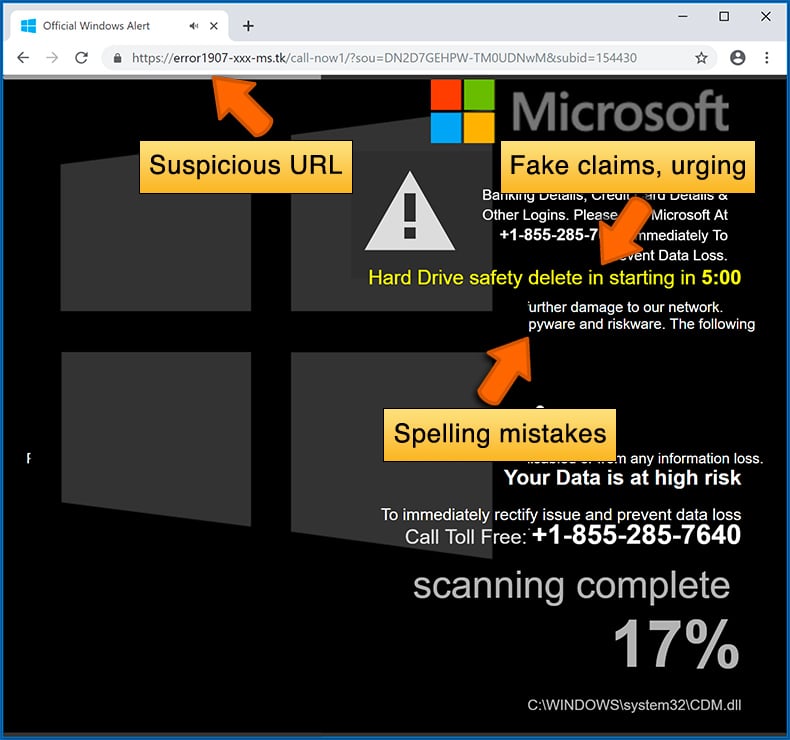
Cybercriminals strive to create their rogue pop-up windows to look trustworthy, however, scams typically have the following characteristics:
- Spelling mistakes and non-professional images - Closely inspect the information displayed in a pop-up. Spelling mistakes and unprofessional images could be a sign of a scam.
- Sense of urgency - Countdown timer with a couple of minutes on it, asking you to enter your personal information or subscribe to some online service.
- Statements that you won something - If you haven't participated in a lottery, online competition, etc., and you see a pop-up window stating that you won.
- Computer or mobile device scan - A pop-up window that scans your device and informs of detected issues - is undoubtedly a scam; webpages cannot perform such actions.
- Exclusivity - Pop-up windows stating that only you are given secret access to a financial scheme that can quickly make you rich.
Example of a pop-up scam:
How do pop-up scams work?
Cybercriminals and deceptive marketers usually use various advertising networks, search engine poisoning techniques, and shady websites to generate traffic to their pop-ups. Users land on their online lures after clicking on fake download buttons, using a torrent website, or simply clicking on an Internet search engine result.
Based on users' location and device information, they are presented with a scam pop-up. Lures presented in such pop-ups range from get-rich-quick schemes to fake virus scans.
How to remove fake pop-ups?
In most cases, pop-up scams do not infect users' devices with malware. If you encountered a scam pop-up, simply closing it should be enough. In some cases scam, pop-ups may be hard to close; in such cases - close your Internet browser and restart it.
In extremely rare cases, you might need to reset your Internet browser. For this, use our instructions explaining how to reset Internet browser settings.
How to prevent fake pop-ups?
To prevent seeing pop-up scams, you should visit only reputable websites. Torrent, Crack, free online movie streaming, YouTube video download, and other websites of similar reputation commonly redirect Internet users to pop-up scams.
To minimize the risk of encountering pop-up scams, you should keep your Internet browsers up-to-date and use reputable anti-malware application. For this purpose, we recommend Combo Cleaner Antivirus for Windows.
What to do if you fell for a pop-up scam?
This depends on the type of scam that you fell for. Most commonly, pop-up scams try to trick users into sending money, giving away personal information, or giving access to one's device.
- If you sent money to scammers: You should contact your financial institution and explain that you were scammed. If informed promptly, there's a chance to get your money back.
- If you gave away your personal information: You should change your passwords and enable two-factor authentication in all online services that you use. Visit Federal Trade Commission to report identity theft and get personalized recovery steps.
- If you let scammers connect to your device: You should scan your computer with reputable anti-malware (we recommend Combo Cleaner Antivirus for Windows) - cyber criminals could have planted trojans, keyloggers, and other malware, don't use your computer until removing possible threats.
- Help other Internet users: report Internet scams to Federal Trade Commission.
Frequently Asked Questions (FAQ)
What is a fake crypto token launch?
These scams promote a fictitious token and claim that holders of a legitimate cryptocurrency can receive it for free. They are designed to mimic official project announcements, using familiar branding to appear credible to their targets.
What is the purpose of a crypto scam?
The goal is to steal cryptocurrency. Scams of this type typically do so by activating a drainer once a wallet is connected, or by convincing victims to hand over their wallet credentials directly.
Why do I encounter fake websites?
Fraudulent pages are spread through compromised social media accounts, phishing emails, rogue advertising networks, and misleading ads or pop-ups found on unsafe websites.
Will Combo Cleaner protect me from scams?
Combo Cleaner can detect suspicious and potentially malicious websites, including scam pages, and alert users before they interact with them. This helps reduce the risk of falling victim to cryptocurrency drainer scams and similar threats.
Share:
 Facebook
 X.com
X.com
 LinkedIn
 Copy Link

Tomas Meskauskas
Expert security researcher, professional malware analyst
I am passionate about computer security and technology. I have an experience of over 10 years working in various companies related to computer technical issue solving and Internet security. I have been working as an author and editor for pcrisk.com since 2010. Follow me on Twitter and LinkedIn to stay informed about the latest online security threats.
PCrisk security portal is brought by a company RCS LT.
Joined forces of security researchers help educate computer users about the latest online security threats. More information about the company RCS LT.
Our malware removal guides are free. However, if you want to support us you can send us a donation.
DonatePCrisk security portal is brought by a company RCS LT.
Joined forces of security researchers help educate computer users about the latest online security threats. More information about the company RCS LT.
Our malware removal guides are free. However, if you want to support us you can send us a donation.
Donate
▼ Show Discussion