
McAfee Antivirus Review

✓
Fact-checked by:
Tomas Meskauskas
Last updated:
November 10, 2025
Our reviews are written by Internet security experts.
Learn more.

PCRisk score:
4.0
When searching for a comprehensive security suite with additional functionality (like VPN, and password manager), we recommend shortlisting McAfee.
What we liked:
✓ Reliable antivirus vendor founded in 1987.
✓ Great detection rates for trojans and ransomware.
✓ Useful additional features, like VPN.
✓ User-friendly interface.
What we disliked:
✗ Some system slowdowns when detecting/removing malware.
✗ Steep pricing increase after initial term.
✗ Rogue affiliates promoting McAfee through fake scans.
Pricing Overview
McAfee sells its consumer antivirus programs in multiple tiers, with many differing features and device limits. Introductory pricing is almost always the first thing mentioned, with the next thing almost always being said to look at that pricing closely because it is often just a fraction of what you would pay during renewal times. The consumer plans that are most often sold in the U.S. and their annual price points are as follows:
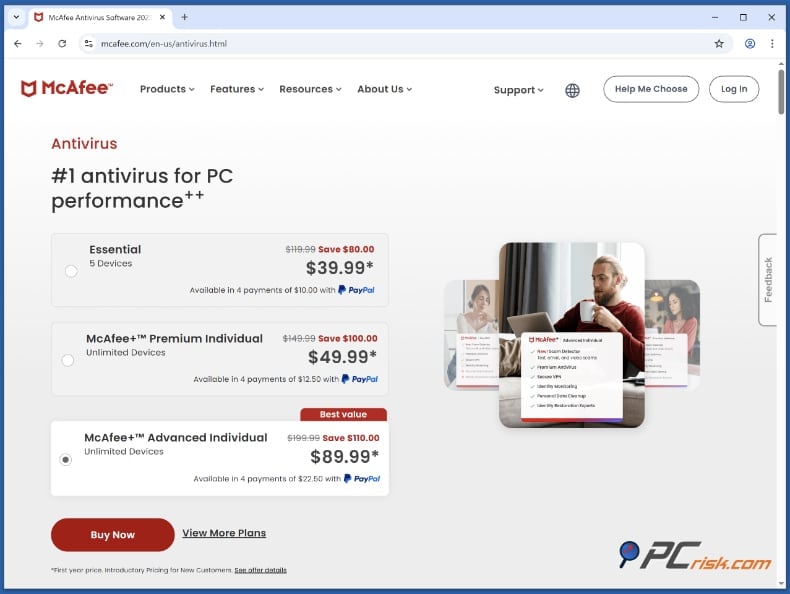
McAfee Essential - First year $39.99 (renews at ~$119.99/yr) for a basic plan covering a few devices. This basic level safeguards as many as 5 devices with fundamental functions such as, antivirus, firewall, and VPN access. However, it does not have any strong identity theft protections.
McAfee Premium - First year $49.99 (renews at ~$149.99/yr) for unlimited personal devices. This plan has more features like identity monitoring and personal data cleanup (for one user). It's available in Individual and Family editions. The Family plan price is $69.99 for the first year (renewing at ~$169.99), and it covers identity protection for 2 adults, and includes parental controls.
McAfee Advanced - First year $89.99 (renews at ~$199.99/yr) for advanced identity and financial protection. This plan includes additional identity protection features, such as credit monitoring, identity restoration support, and lost wallet protection. It offers protection for an unlimited number of personal devices.
It expands on Premium by providing financial account takeover monitoring, security freeze assistance, and identity theft insurance coverage up to $1 million. Available in both Individual and Family editions, with the Family plan extending identity protection to 2 adults and up to 4 children. The Family plan price is $119.99 for the first year (renewing at ~$269.99/yr).
McAfee Ultimate - First year about $199.99 (renews at ~$279.99/yr) for the most comprehensive plan. It protects unlimited devices and incorporates all Advanced features plus full-service identity theft protection (multi-bureau credit monitoring and up to $2 million insurance coverage). A Family Ultimate plan is also available (~$249.99 first year, renewing at $424.99/yr) that covers up to 6 people (2 adults and 4 children) with expanded identity monitoring and higher coverage limits.
All plans include a secure password manager and a VPN (virtual private network) for privacy while you surf the web. McAfee doesn't offer a free trial version but has a 30-day money-back guarantee policy. However, this is something almost all security companies do.
Customers in the U.S. can often find discounts. For example, in the past, McAfee's basic plan was promo-priced as low as $29.99/yr. Always verify present pricing, though, and be conscious that auto-renewal is enabled by default and that the renewal rate is much higher than the promo price.
Version Overview
McAfee offers an extensive lineup of consumer antivirus software, each adding more features and covering more types of devices. All versions support Windows, macOS, Android, and iOS devices. Below is an overview of McAfee's four editions:
McAfee Essential: This plan permits linking as many as 5 devices (either Windows or mobile). Core protections include the basics: real-time antivirus and anti-malware scanning, a two-way firewall, the McAfee WebAdvisor browser extension for web protection, and the True Key password manager.
A Secure VPN is also bundled for online privacy (with a 5-device limit unless auto-renewal is enabled). Essential does not include parental controls or identity theft insurance. It's ideal for individuals or small households needing basic virus and web protection on a few devices.
McAfee Premium: Enables one user to support an unlimited number of devices (Individual plan). It contains all the features of Essential and adds more advanced ones. Premium adds identity monitoring with Personal Data Cleanup that scans data broker websites for your personal info and helps you remove it. It also comes with 24/7 identity monitoring alerts, the Secure VPN (up to 5 simultaneous connections), and expands the password manager and web protection across all your devices.
The Family Premium edition covers several users: it enables two adults to have their own identity monitoring dashboards and also allows for parental controls on children's devices. (Parental Controls filter websites/apps and enable you to set a screen time limit, among other things.) Premium is a good choice because you get (almost) unlimited multi-device security and some identity protection.
McAfee Advanced: This plan builds on Premium by adding stronger identity and financial protections. It includes 1-bureau credit monitoring, bank account and credit card takeover alerts, lost wallet support, and $1 million in identity theft insurance. You still get unlimited device protection, VPN, firewall, and password manager. The Family edition covers 2 adults and up to 4 children, each with their own identity monitoring. It's a good choice for users who want more than basic protection.
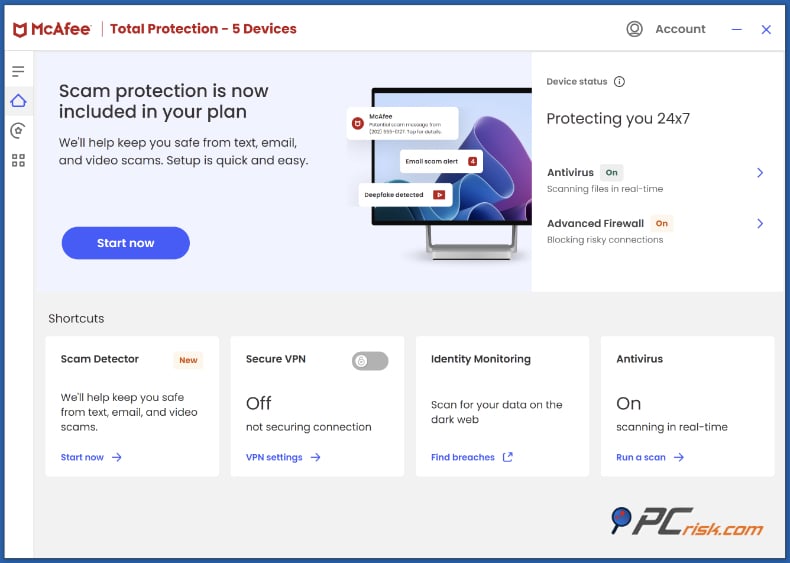
Appearance of McAfee antivirus dashboard:
McAfee Ultimate: The flagship plan with all-inclusive security, identity, and privacy features. Ultimate encompasses unlimited devices and all the features of Advanced, but it substantially elevates your defenses against identity theft. You get complete identity monitoring, including checks of your credit reports at all three bureaus. You also get comprehensive assistance in restoring your identity, should it ever be compromised.
And then there's the insurance: up to $2 million and even $25,000 coverage for ransomware losses, which could cover most people for anything they might lose in a ransomware attack.
Ultimate's Personal Data Cleanup service cleans up your data, meaning McAfee's team will automatically remove your information from data brokers' databases on your behalf. Ultimate Family plan covers up to 6 individuals, with each adult getting their own $1M insurance and personalized monitoring (for a total of $4M identity coverage in a family).
This plan also incorporates all the additional features, such as the VPN, password manager, parental controls, and tools for ensuring privacy on social media. Ultimate is aimed at maximum protection for users. The cost is much higher, but with all the coverage, it provides much more peace of mind.
Whichever version you choose, the software's ability to work across different platforms means you can secure not just Windows-based devices, but also Macs, Android smartphones and tablets, iPhones, and even Chromebooks. Just be aware that some features work only on specific platforms. For instance, the Advanced Firewall and anti-exploit features are exclusive to Windows users, while Mac and mobile users can enjoy solid malware scanning, web protection, and other features that round out security essentials (they miss out on some PC-only perks, though).
In general, McAfee's tiered method allows you to select the appropriate degree of protection that aligns with your requirements, ranging from simple antivirus software for a solitary device to an utterly comprehensive security suite that could serve an entire family.
In-House Malware Test Structure
We will conduct in-house testing of McAfee's protection, evaluating its ability to defend against various malware types and attack methods. Our tests will be based on the following categories and sample sets:

Potentially Unwanted Programs (PUPs): 5 samples
Trojans & Stealers: 20 samples (password stealers, RATs, keyloggers, etc.)
Ransomware: 20 samples (file-encryptors)
Malicious Email Attachments: 20 samples (document macros, scripts, and infected attachments)
Mac-specific Malware: 20 samples (macOS adware, trojans, and PUPs targeting Mac systems)
We'll use each category to measure how well McAfee detects and stops threats in the real world.
In-House Malware Test Results
This section details the outcome of our internal evaluation of McAfee Antivirus services, focusing on their real-time protection and on-demand scanning capabilities when subjected to various malware types. When testing, we focused on several malware types: potentially unwanted programs, trojans (including several variants), fake security programs, malicious email attachments, ransomware, and specific malware designed to attack macOS devices.
And while testers used a Windows PC for all these evaluations and the malware samples themselves were not Windows-specific, the report authors assure us that the findings apply to any Windows malware. Note: Antivirus vendors interested in obtaining the exact malware samples used in this evaluation may contact the testing organization directly to request access to the samples.
Real-Time Scanner Test
During the real-time protection test, all malware samples were initially copied to the test system. The real-time scanner from McAfee didn't issue any alerts while the files were being transferred, indicating that on-access scanning is activated at the execution stage rather than during the copying of the file. After that, each sample was run to see how well the McAfee system could detect and stop the malware while executing. The results were sorted and tallied by categories:
Potentially Unwanted Programs (PUPs): 5 samples were launched; McAfee detected 3 of them during execution (two PUP samples ran without being flagged in real time).
Trojans: All 20 launched samples were detected and blocked upon execution (detection rate in this category: 100%).
Malicious Email Attachments: Out of 20 samples launched, only 5 were found through real-time scanning, which means 15 were executed without being flagged (many of those went undetected until later scans).
Ransomware: All 20 executions were immediately blocked and quarantined as soon as execution was attempted (100% real-time block rate for ransomware).
Mac-specific malware (.dmg files): The Windows test system did not run these 20 Mac malware samples (because .dmg files are exclusive to Macs). As a result, the real-time scanner did not process them, and we're deferring detection of these samples to the on-demand scanning phase.
On-Demand Scan (Quick Scan)
After the real-time test, a Quick Scan was done on demand, with all samples remaining on the test machine. The Quick Scan is a fast, focused scan that lasts about 3 minutes and focuses on the most likely places to find malware. The detection and removal results of the Quick Scan for each of our categories were as follows:
Potentially Unwanted Programs (PUPs): 2 of 5 detected and removed PUP samples. The other 3 PUPs were not flagged in the Quick Scan.
Trojans: The Quick Scan detected and removed 14 of 20 trojan samples. After the Quick Scan completed, 6 trojan files remained undetected.
Malicious email attachments: Quick Scan identified and removed 17 out of 20 malicious email attachment files. However, it failed to identify and remove 3 of those malicious documents or scripts in the quick scan phase.
Ransomware: 19 out of 20 samples of ransomware were detected and removed. One ransomware file was not caught by the Quick Scan (though notably, all ransomware had been blocked upon execution by real-time protection; this remaining file was likely dormant on disk).
Mac-specific malware (.dmg files): During the Quick Scan, we detected and removed 2 of the 20 Mac-specific malicious files. The other 18 Mac samples (non-executable on Windows and/or not in the typical search scope of the quick scan) were undetected.
On-Demand Scan (Full Scan)
After the Quick Scan, a thorough Full Scan was performed on the system. The Full Scan is a comprehensive scan of all files and takes about 2 hours to run. This scan attempts to find any hidden files that the Quick Scan might have overlooked. The Full Scan was also run with the average running time for a Full Scan in mind. The results of the Full Scan were as follows:
Potentially Unwanted Programs (PUPs): 2 of 5 PUP samples stayed hidden even after the Full Scan was completed. In all, McAfee found 3 of the PUPs (the Quick Scan found 2 and the Full Scan found another one), but it never flagged 2 of the files as dangerous.
Malicious Email attachments: The Full Scan missed 3 out of 20 malicious email attachments. After performing a full system scan, we discovered that it had missed some malware samples attached to emails that were not identified during the Quick Scan. Unlike the Quick Scan, which is faster but less thorough, the Full Scan scrutinizes all files on a system.
Trojans: The Full Scan detected and removed all trojan samples (100% detection rate for trojans after full scanning).
Ransomware: The comprehensive system scan uncovered and eliminated every sample of ransomware (100% detection right after the system scan).
Mac-specific malware: Of the 20 Mac-specific malware samples, 18 went undetected on the Windows system.
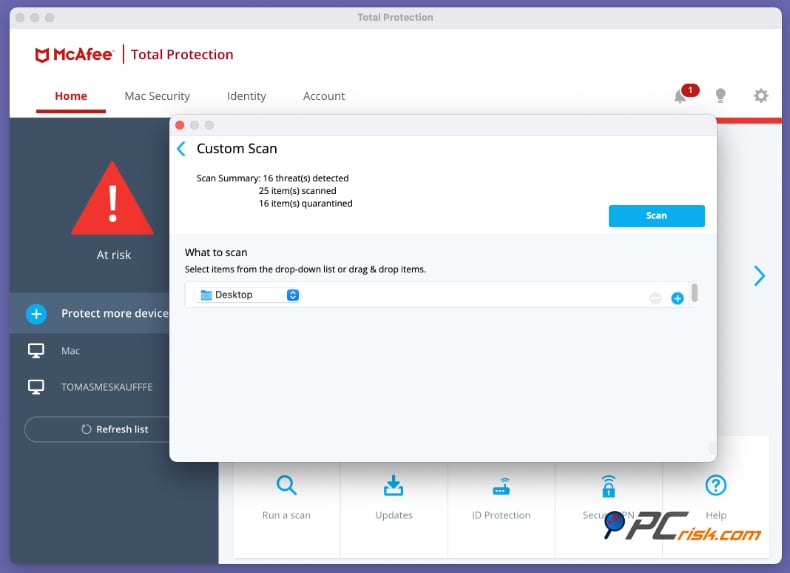
The undetected samples were not detected by either the Full Scan or the Quick Scan. This is not particularly surprising, since Windows cannot execute Mac samples, it is presumed that either the samples were not scanned at all, or, more likely, that if they were scanned, they were found safe, since Windows-based McAfee Antivirus cannot be coded to detect malware that is only able to run on an operating system it isn't running itself. We ran an additional test with the Mac version of McAfee - out of 20 files, it detected 16 malware samples. This result is quite good.
Conclusion and Recommendation
The overall scan performance of McAfee Antivirus in our tests was very good, especially against high-threat categories like ransomware and trojans. The real-time scanner was effective at blocking ransomware on execution and caught all trojan samples in real time, a strong indicator of robust on-access protection for those types of threats. The on-demand scans further cleaned up the system. The Full Scan successfully removed all remaining active malware in the ransomware and trojan categories.
The test did show a few gaps, however. It revealed that the detection of potentially unwanted programs and certain malicious document attachments was incomplete. A few of these less-critical threats slipped by even after a full scan. And threatening samples made for macOS largely went undetected by the Windows-based McAfee Antivirus.
Recommendation: Immediately after installing or updating the McAfee antivirus, a full system scan is advised. In our assessment, the Full Scan detected threats that the Quick Scan did not, guaranteeing a more thorough cleanup of dormant malware files. Users can ensure maximum detection and removal of bad files by performing a Full Scan of the system, complementing McAfee's strong real-time protection with an on-demand, comprehensive security scan.
Antivirus Lab Test Results
Independent testing labs consistently rank McAfee among the top antivirus products for protection. In the latest evaluations, McAfee demonstrated excellent malware detection, minimal false alarms, and strong performance:
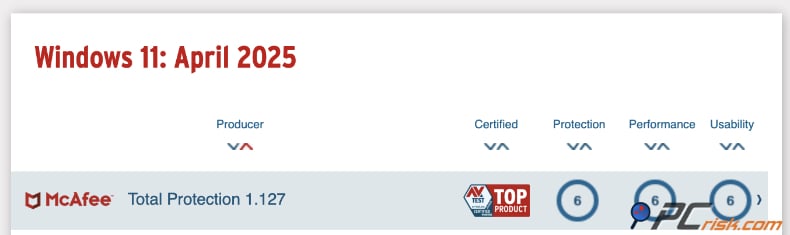
AV-TEST: As for antivirus protection, the top spot goes to McAfee. Coming from AV-TEST's 2024 evaluation, McAfee scored a perfect 6 out of 6 in the Protection, Performance, and Usability categories.
McAfee's detection rate is now at 100% for both widespread and zero-day malware. Further, it works efficiently, so it didn't slow down the system enough to lose points in the performance section. This is why McAfee frequently takes the top spot in the AV-TEST rankings.
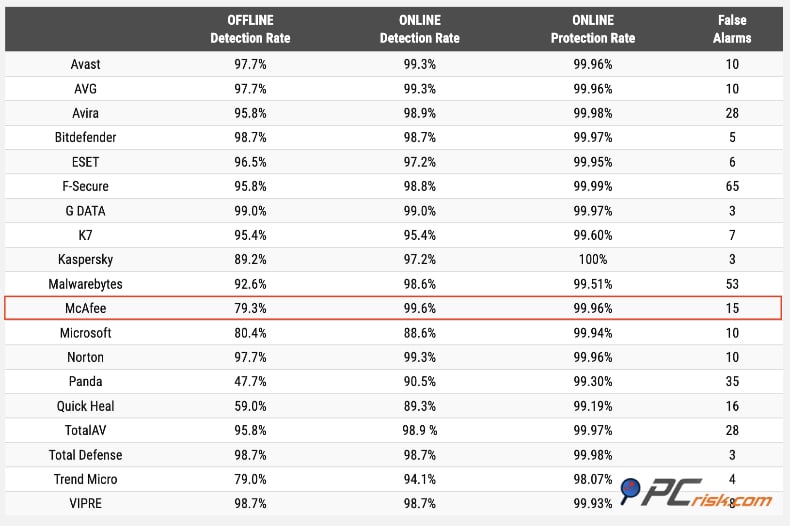
AV-Comparatives: McAfee was "crowned a leader in security and speed for 2024" by AV-Comparatives. It received the Real-World Protection Gold Award, with a 99.95% malware protection rate in that rigorous test (and very few false positives). McAfee also won AV-Comparatives' Best Overall Speed Gold Award for its low impact on everyday performance. These awards indicate McAfee not only blocks threats effectively but also does so without significantly slowing down the system.
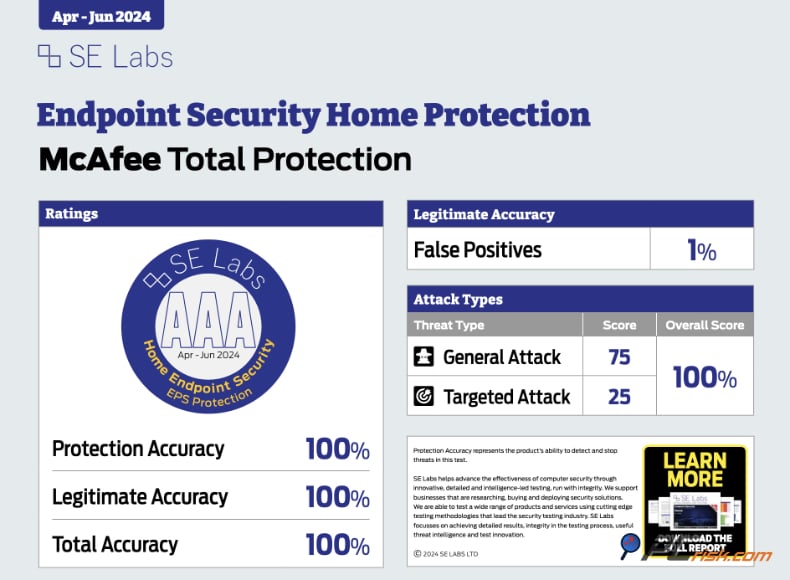
SE Labs: One of the most respected testing bodies, praises McAfee, awarding it the top AAA rating. In SE Labs' Home Antivirus report, McAfee Total Protection was a AAA award winner in Q1 2024, which makes it a gold standard in protection against malware and ransomware.
Testing results demonstrate that McAfee Antivirus is an industry leader in delivering virtually flawless malware detection with few false positives. McAfee Antivirus now has a lesser impact on computer speeds and receives gold awards for both security and performance.
Security Features
McAfee's core security features provide comprehensive protection against viruses, online threats, and malicious behavior. For home users, the software delivers a layered defense that includes: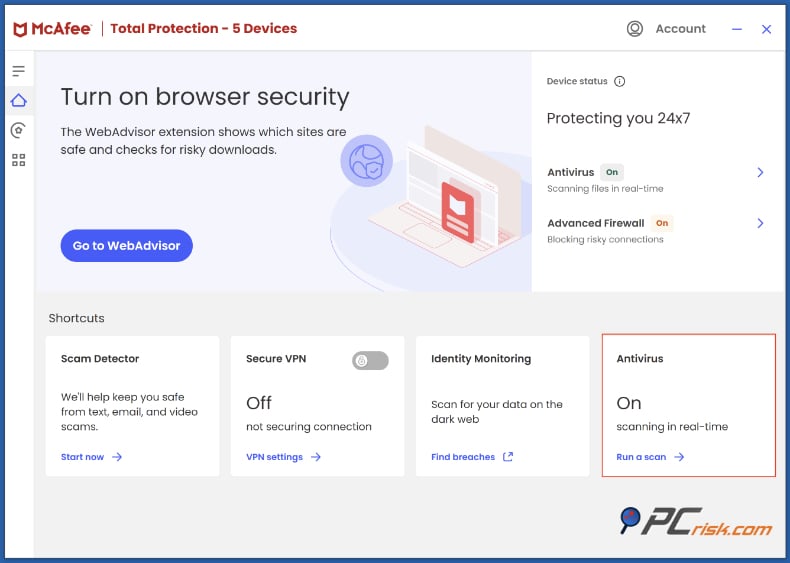
• Real-Time Malware Protection: To detect and remove malware, McAfee uses a combination of signature-based detection and machine learning coupled with real-time protection to consistently score well in the AV-TEST's tests. In our ransomware simulations, it stopped every sample before any damage could be done, 39 times out of 39. Coming in late, McAfee can neutralize already-known threats and brand-new zero-day attacks without the victim noticing.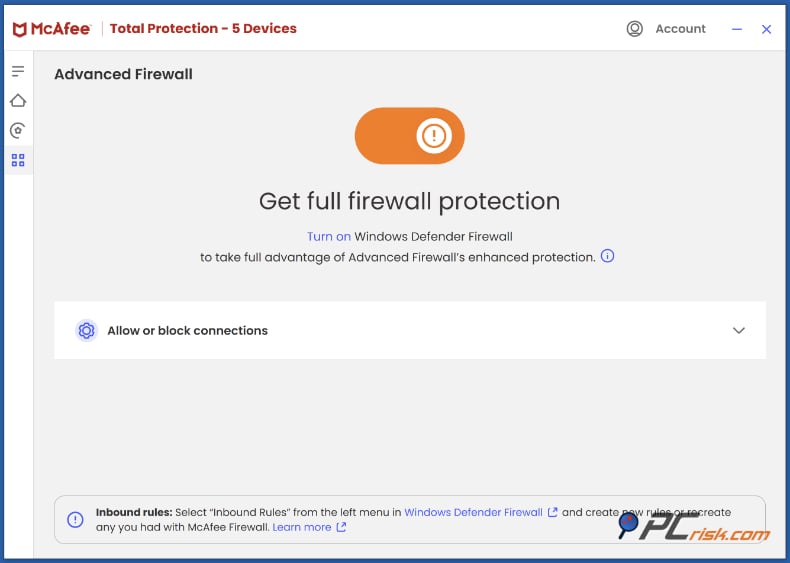
• Advanced Firewall: McAfee's Advanced Firewall solution is a two-way system that shields your network from incoming and outgoing traffic and acts as a barrier to hackers and malware that have found a way past your defences. It is user-friendly and highly configurable, and can block suspicious applications and ports automatically.
Advanced Firewall is not a standard feature, but you can count on it stopping hackers or malware that made it past your initial defences from sending your sensitive information back to the attackers. In higher tiers, McAfee's Advanced Firewall solution disassembles the most sophisticated network attacks, such as data exfiltration.
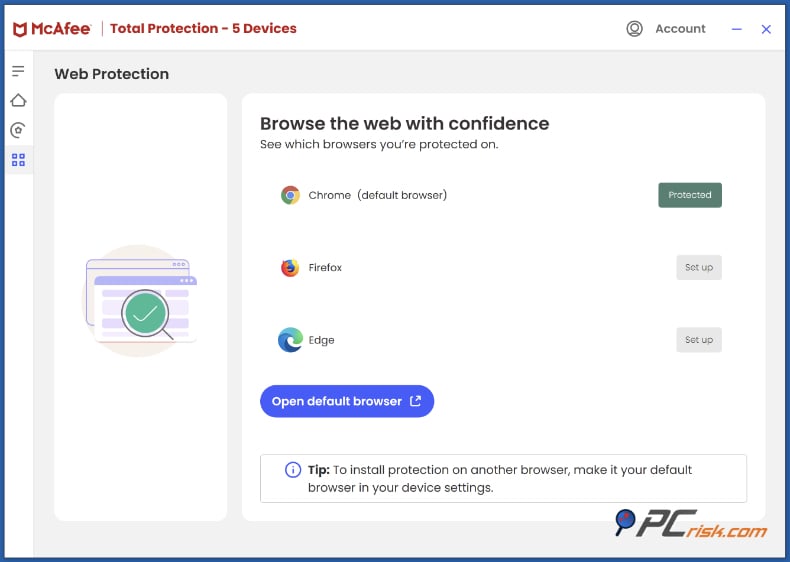
• Web Protection & Anti-Phishing: McAfee protects your web browsing and email, and can flag dangerous sites and dodgy downloads. Its WebAdvisor extension, supported in Chrome, Firefox, and Edge, will flag any search results and websites that are on the shady side. Anytime you attempt to visit a phishing website or a site hosting malware, it will warn you off or block the connection. The feature proved to be 50% effective in our in-house tests.
• Ransomware Protection: McAfee is well-equipped to take down ransomware. It monitors the system and terminates any suspicious processes attempting to lock down your files. In cases where ransomware does get through, McAfee's ransomware guard is virtually unbreakable; we witnessed this in our tests. In addition, McAfee's Controlled Access feature can lock down specific folders, and in some editions, cloud-based backups mean you can recover files that did get past the defences.
• AI "Scam Protection": The new AI-driven "Scam Protection" is shaking things up for mobile users, too. This feature scans text messages, emails, and other communications for phishing links and scams and tells you when you're about to click something nasty. For phishing and scam protection, McAfee takes it to the next level, addressing the growing threat of smishing and messenger scams with a multi-layered approach.
McAfee's security toolkit covers all the important aspects: real-time antivirus to catch malware, a solid firewall to repel network attacks, web and phishing protection to keep you safe online, and specialized defenses against ransomware and scams.
These layers work together to provide continuous, 24/7 protection. McAfee's ability to combine strong malware detection with features like a firewall and web filtering earned it awards for comprehensive protection. From everyday viruses to sophisticated hacking attempts, the security features in McAfee are designed to shield home users from a wide range of cyber threats.
Additional Features
McAfee stands out as an "all-in-one" security suite because of the number of additional features and utilities it offers beyond basic antivirus. Depending on the plan, you get various tools for identity protection, privacy, and system optimization. Here are the key additional features McAfee Antivirus offers.
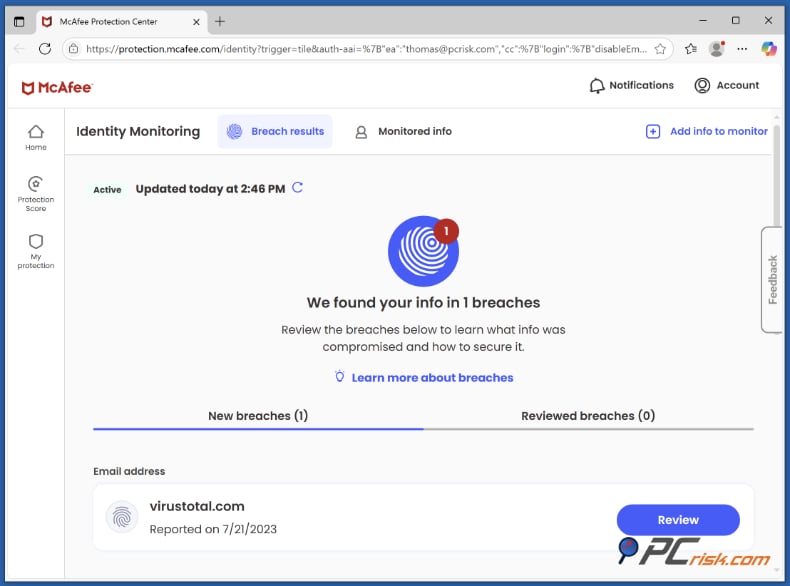
• Identity Monitoring & Theft Protection: McAfee brings identity protection, privacy, and system optimisation to its higher-tier plans. Higher-tier plans come with identity monitoring, which watches over your email addresses, ID numbers, and credit card numbers for you on the dark web and in data breach databases, sending you a message if any of them turn up. Its Personal Data Cleanup feature will remove your name and details from people-search and data broker sites.
Ultimate subscribers can be sure that McAfee will back them up in the event of identity theft, with help to restore their identity, and a reimbursement of up to $1 million or $2 million, depending on which plan they have, when it does. Its Advanced and Ultimate plans also include low-level credit monitoring that checks the three major bureaus for signs of fraud and turns McAfee into something more than just an antivirus. It becomes a total identity protection service that keeps your financial and personal info safe.
• Secure VPN: McAfee's consumer plans also include a secure VPN that uses encrypted networks to mask your IP address and shield your online privacy. It's really easy to use, too.
You're limited to 5 devices at a time unless you enable auto-renewal, which unlocks unlimited connections when using the VPN. Hopping between countries is made easy, with over 40 different locations to choose from. General internet protection is solid, but the advanced features and streaming-optimized servers aren't particularly sophisticated, though they still offer a lot of value to users.
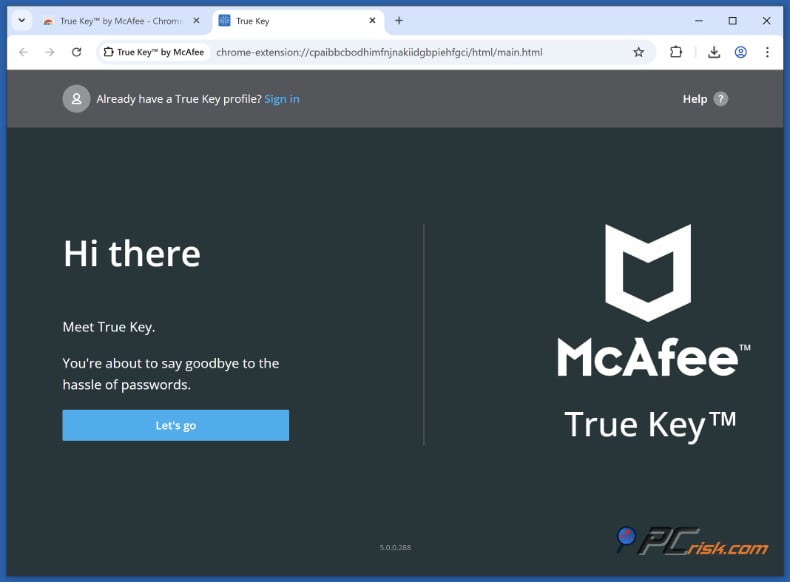
• Password Manager (True Key): The True Key password manager includes a secure place to store all of your passwords, credit card numbers, and login details. It automatically generates very secure passwords, fills out login forms for you, and even adds an extra layer of security with multi-factor authentication, albeit it's a bit limited. It's also an easy way to sync your passwords, allowing you to access them on any desktop computer and mobile phone. It's no match for market-leading password managers, but it's a massive improvement from reusing weak passwords.
• Parental Controls: McAfee's Family plans allow parental control features. You can monitor your children's activity, block nasty sites and apps, and schedule screen time. You can also monitor where your children are and get alerts when they arrive or leave a specific area. All this works on Windows, Android, and iOS.
Parental control functions are included in McAfee's Premium Family, Advanced Family, and Ultimate Family subscription plans. These plans are designed for families who want internet-based deterrents, which weren't previously possible on McAfee's individual plans. McAfee is now right there with the rest of its competitors regarding shielding kids from harmful content and Internet overuse.
• File Shredder: The built-in File Shredder in McAfee will completely wipe any sensitive files that you want to get rid of. Emptying the recycle bin just isn't enough, since disk utilities can be used to easily restore the deleted files. McAfee's File Shredder overwrites the files with meaningless junk and gets rid of it, and even the most advanced recovery tools cannot restore the files.
You can select the number of overwrites that you want. Basic with two, Complete with five, and decide how much time you can spare for the process to be completed. If you plan on clearing out financial papers, old tax returns, or any private information, File Shredder is a reliable way to be sure they are gone.
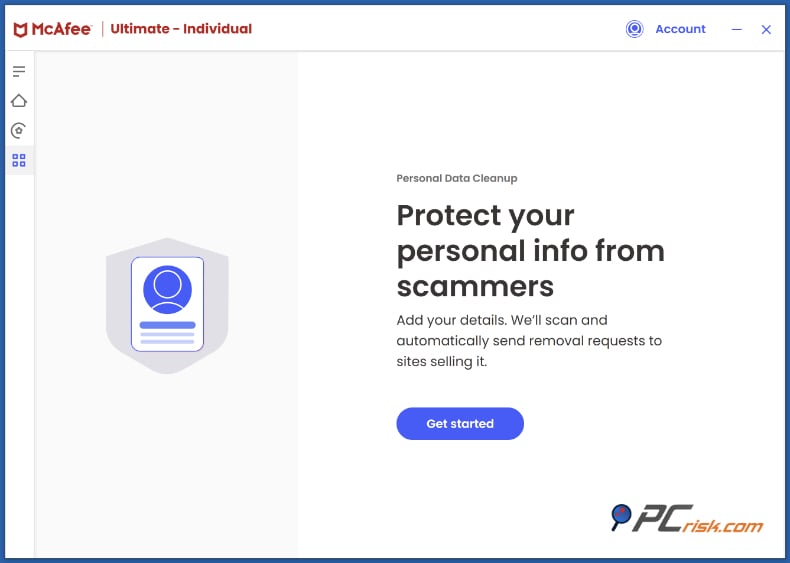
• Social Privacy & Account Cleanup: McAfee's top-tier subscriptions, Premium Family, Advanced Family, and Ultimate Family, include two additional features.
Social Media Privacy and Online Account Cleanup, which are found in no other security software, are a part of this package. Social Privacy reconfigures the privacy settings of your Facebook, Twitter, and other networks, suggesting more secure settings and stopping your oversharing of personal info with the public. The Online Account Cleanup takes stock of any old accounts you have on forums, shopping sites, and more and helps you close or eliminate them, reducing the risk of exposure.
When you sign up for McAfee Premium, Advanced, or Ultimate, you get a comprehensive suite of features, including a VPN, password manager, firewall, anti-spam, etc., that would cost a lot if bought individually. However, not everyone will require all of these extras, and in fact, they're only there when you do need them.
The organisation has taken great strides to make these features readily available through a single intuitive dashboard, so you can keep your device and personal life safe, secure, and private all in one place.
Impact on System Performance
Regarding the impact on system performance, McAfee has been working hard on performance issues, and you can see that they have had an effect. During everyday use, it has no bearing on the speed of your system, although it does put more pressure on the system when doing a complete scan.
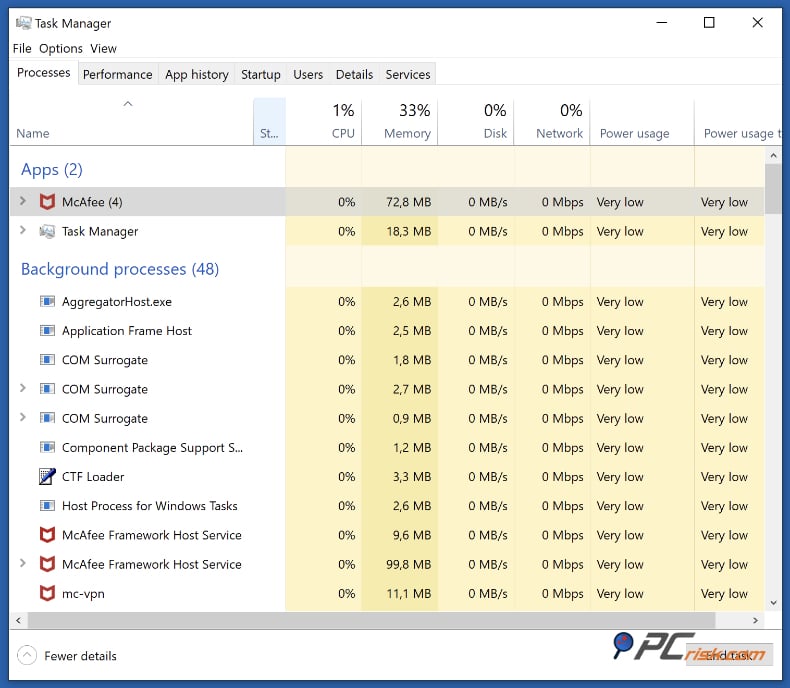
In one review, AV-Comparatives awarded McAfee its Best Overall Speed Gold Award for 2024, recognizing its negligible impact on regular tasks. In AV-TEST's speed assessments, McAfee hit a perfect 6, showing that the only real slowdowns come from the first full scan, which is normal.
If McAfee is quietly running in the background, doing real-time monitoring and not scanning, you won't notice any difference in how responsive your PC is. The impact will be noticeable during full scans. Though thorough, these can use up loads of CPU and disk space. Running a full scan in the background on average PCs will noticeably slow down anything else. Performing a full scan while multitasking will impact performance until the scan is finished.
A quick scan, in contrast, is very lightweight and snappy, and will be over before you know it, but a full scan of a large drive could take around an hour. Well-known reviewers say McAfee's scans are reliable, but some tolerance may be required.
You can also adjust scan scheduling or use McAfee's optimization settings to mitigate interference (McAfee can pause certain background tasks when using your PC intensively).
Coming from gamers or heavy users, McAfee has a "silent mode" that effectively silences notifications and updates when you're running applications in full-screen, and doesn't allow pop-ups to ruin the experience. It doesn't, however, claim to have a "game mode" like some of its competitors, but with its ability to go into low baseline usage, it's no problem for games or movies.
In general, McAfee balances protection and performance well. According to independent tests, its weight on a modern computer is nowhere near what it was a decade ago. The cliché of it being a "resource hog" is outdated.
We recommend scheduling large scans when you're away or at night since, under normal circumstances, McAfee shouldn't slow you down.
Ease of Use
Ease of use is the order of the day for McAfee, and its user-friendly interface is designed for the average user. Installation is simple, too; download a 6MB installer, follow the steps, and you're done. Installation takes a few minutes and does not require a reboot. They even take care of any existing antivirus software that might be on your system, so you don't have to.
Appearance of McAfee interface:
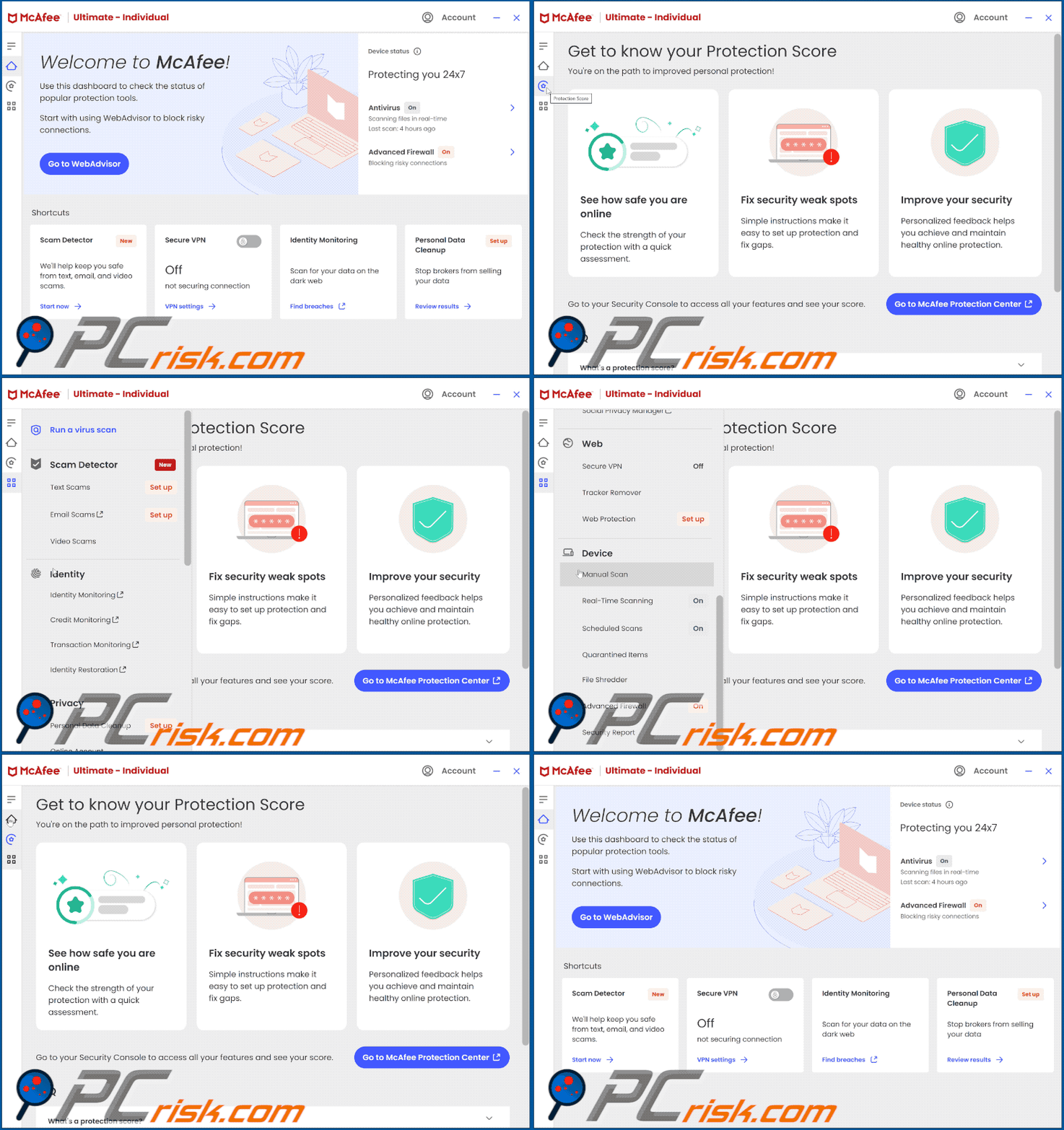
Once up and running, the interface is sleek, modern, clean, and intuitive. The program's main window on both Windows and Mac clearly displays your protection status. Large buttons give you quick access to key features like virus scanning, VPN, web protection, and the password manager. You can instantly see which features are enabled thanks to the clear green/red color scheme and toggle switches.
The main screen will tell you that real-time scanning is turned on, your firewall is active, and your VPN is off. Click on any feature to turn it on or off. The left-hand menu is essentially a gateway to more in-depth settings and tools, but most people don't need to dig through it since the most frequently used functions are right before them.
McAfee keeps navigation really simple. A single click or two takes you to the most common actions. For example, hitting "Run a scan" gives you the option to run a Quick or Full scan, and clicking the VPN icon lets you turn it on and pick a location. This knocks out the steep learning curve typical of software for less tech-savvy users. We found the interface logical and simple to navigate and didn't think it was cluttered.
If you want to tinker, you'll find advanced settings for the firewall, real-time scanning, schedules, and so on in the settings menu. But leave it all as it is, and McAfee will function perfectly well. McAfee's notifications are informative but not overly frequent, so you'll only get alerts if a threat has been blocked or your software is outdated.
By default, McAfee occasionally displays "safe browsing" ratings or identity advice, but you can turn these off if they get too annoying. The software also shows you a protection score or other suggestions, such as "set up backup" or "enable this feature." These are useful for squeezing out every bit of security; although some users might interpret them as upsells, we didn't find them aggressive.
One area where McAfee stands out is its cross-platform consistency. The UI is virtually the same on the Mac, Windows, and mobile apps, making it easy to use McAfee on multiple devices.
When using a web browser, you can sign into your McAfee account to see your active subscriptions, add new devices by sending them download links, and manage features such as identity monitoring. The company's Protection Centre is a godsend for multi-device households, giving you a clear view of the status of all your devices in one place and the ability to trigger functions remotely.
Well-known for its polished user experience, it's clear that McAfee's software has been built with a wide audience in mind. Coming hotfooting off the heels of a fresh install, it's unlikely to pose any problems, even for the absolute beginner.
Mobile App Overview
McAfee's mobile app is custom-tailored for Android and iOS, giving smartphones and tablets many of the same features as the desktop software. The basic version is free on both platforms, so you can scan for malware and use some of its features for free. However, premium features, such as the VPN and identity monitoring, require a valid McAfee licence.
Appearance of McAfee for Android:

Features: The McAfee mobile app is full of features, offering real-time protection, web protection, a tool to block suspicious websites in your mobile browser, and anti-malware scanning for Android. It also includes an SMS scam detector that scans text messages for potentially dangerous links. On top of that, the highly valued Anti-Theft feature lets you locate your phone, trigger an alarm, or remotely wipe your data via the McAfee online portal if your device is lost or stolen.
Appearance of McAfee for iOS:
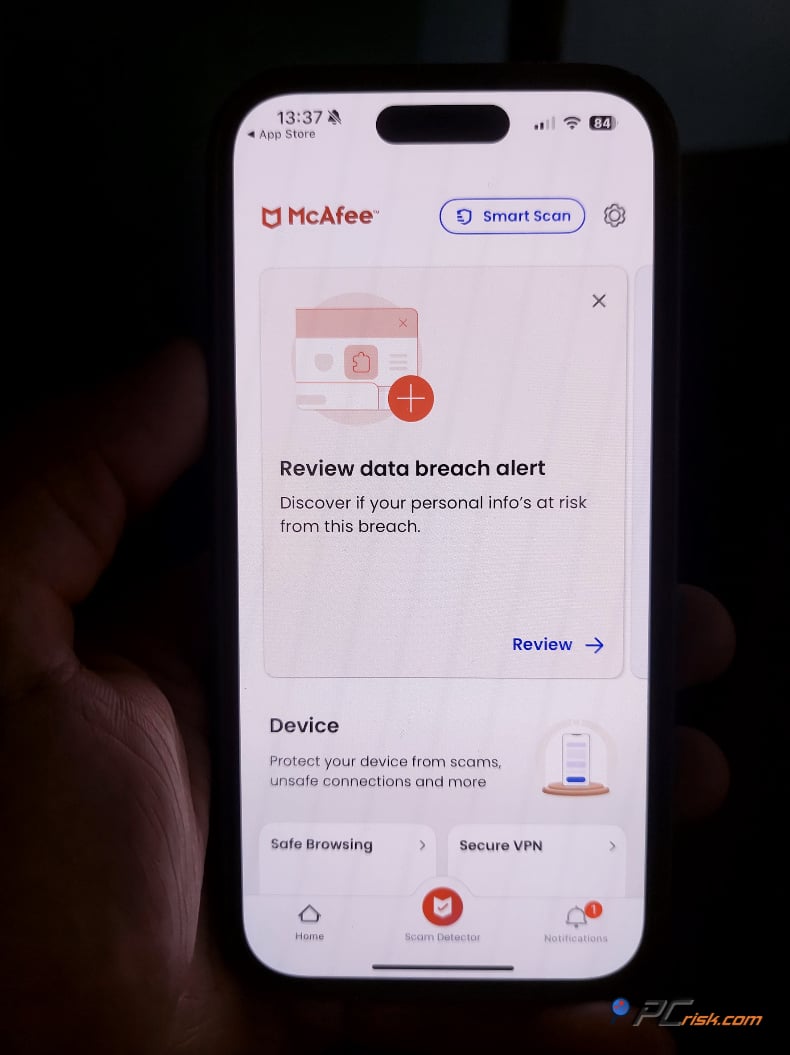
The feature set for iOS is slightly different (since iOS doesn't allow traditional virus scanning). The iOS app focuses on web protection, Wi-Fi protection, identity monitoring, plus a VPN and contacts backup. It will let you know if your iPhone has outdated software or if you're connected to an unsafe Wi-Fi network. Regarding mobile security, both Android and iOS apps from McAfee offer a Secure VPN, password vault, and safe QR code scanner.
Interface and Usability: The mobile app mirrors the desktop interface with a clean, user-friendly design. Once you open the app, you're greeted with a dashboard that clearly lays out the main features, such as the ability to scan, enable Secure VPN, and toggle Safe Browsing, each of which is clearly labeled as on or off. In our tests, we found the Home screen easy to navigate, providing a quick overview of your protection status and one-tap access to scan your phone or activate the VPN.
Settings are uncomplicated and don't overwhelm, and on occasion, the app will ask for specific permissions, like accessibility access for web protection on Android. It takes a couple of minutes to sort out, but McAfee clarifies what you need to do. The mobile apps' layouts feel intuitive on both Android and iOS, putting the most essential features right at your fingertips.
Effectiveness: McAfee's Android antivirus has been doing extremely well in independent tests, with a detection rate of almost 100% in AV-TEST evaluations, and consistently getting top marks in their mobile security evaluations. The app's scan will look at any new apps you install and give your existing apps a once-over to check if anything malicious is hiding in the background.
The web protection works hand-in-hand with your mobile browser, blocking unreliable websites (it's enabled via a VPN on iOS or a Safe Browsing feature on Android). McAfee's anti-theft features on Android are reliable, too, and let you track your phone's location and execute a lock or wipe remotely from a web-based control panel.
App Ratings: User reviews for McAfee's mobile apps are mostly positive. On Google Play, McAfee Security scores 4.2 out of 5 stars, thanks to hundreds of thousands of reviews that speak to the app's value. On the Apple App Store, McAfee's app has a very respectable rating of around 4.6 out of 5. People rave about the interface and the range of features. Lots of users feel that the free version delivers more than enough.
Some people say McAfee's security app uses a lot of battery, especially when all the features are turned on, like continuous Wi-Fi scanning. However, from what we've seen on modern phones, the impact on battery life is negligible. The app has a battery-saving feature, a scan pause function that kicks in when your phone runs low on battery life.
It is also quite appealing that McAfee mobile protection comes with a PC license if you subscribe to McAfee Premium. It lets you activate premium features on the mobile app for unlimited devices.
In conclusion, McAfee's mobile apps provide the kind of protection people need, are well-rated by users, and have features like malware scanning, web filtering, and anti-theft. Whether it's the threat of Android malware that's got you worried or you want some basic phishing protection, a VPN, and anti-malware for your iPhone, McAfee Mobile Security will cover all those bases. As part of the McAfee suite, with its free features, especially for Android, McAfee Mobile Security is a compelling option and provides an additional layer of protection for your phone.
User Reviews
Unfortunately, reviews can be all over the place, ranging from people who are overjoyed with McAfee's protection to those who hate their user experience. Wherever the user is dissatisfied, it is most often due to billing or software impact.
Sadly, McAfee has a low average score on consumer review platforms like ConsumerAffairs, and in thousands of reviews on Trustpilot, their rating is a meagre 1.2 out of 5. Many negative reviews on these sites describe issues that are all too common: nasty auto-renewals, pop-up messages, and problems with sorting out billing and customer support.
The renewal prices are higher than the new subscription rates. However, McAfee makes it relatively simple to turn off auto-renewal in your account settings and offers a refund if you ask for it within sixty days of the renewal.
One area where McAfee has faced criticism is system performance, with users on tech forums and Reddit often describing McAfee as "heavy" or labeling it as bloatware. Many users report uninstalling the trial version that comes pre-installed on some new PCs, claiming the software slows down their systems, contributing to a negative perception of the brand in this area.
However, as with any product, opinions on McAfee are mixed. One Reddit user described it as "a good basic antivirus," while others argue that paying for a premium security service is unnecessary on systems already equipped with Windows Defender, which they consider sufficient for everyday use.
McAfee has also been reported to occasionally send users pop-up notifications promoting additional features or reminding them of expired subscriptions. We found that these notifications are not overly intrusive, though user sensitivity varies, as some prefer a completely silent antivirus experience. On the positive side, many users praise McAfee for its comprehensive security features.
Some reviews highlight McAfee's ability to detect and eliminate threats that other antivirus programs miss, offering users an added sense of security. Less tech-savvy users, in particular, appreciate the reassurance McAfee provides and the straightforward design of its interface. The company also receives praise for integrating VPN and password manager features.
The mobile app is well-received in app stores as well. Consistently earning 4+ star ratings, suggesting that regular smartphone users are largely satisfied with the experience.
The company's customer support receives mixed feedback. Some users praise the 24/7 live chat and timely resolutions to their issues, while others report frustrating experiences, like experiencing difficulty getting help and needing to contact support multiple times.
McAfee still has various support channels, including phone, chat, a community forum, and an enormous knowledge base. Regarding their support, we've found that McAfee responds well, even connecting via chat in just a few minutes and sending knowledgeable agents to help. However, some users who have had billing issues or run into more complex problems have been dissatisfied. This is not unusual in companies of McAfee's size with millions of customers, where unhappy customers often get vocal about their complaints in public reviews.
McAfee Antivirus effectively catches viruses, and its multi-device coverage is a huge convenience feature. But sales and billing are being called into question, and some people say it's difficult to remove (especially pre-installed trials).
If you purchase McAfee with a clear understanding of what's included, it's easy to avoid common issues such as auto-renewal and upsell prompts, as these can be disabled manually in the settings. From an average user's perspective, the latest version of McAfee is lightweight and performs well.
Many lingering complaints regarding sluggish performance stem from older versions and no longer reflect the current situation. That said, McAfee still struggles with a reputation issue in tech circles, where it's often unfavorably compared to the simplicity of Windows Defender or the strong reputations of leading competitors.
While user experiences with McAfee still vary, it has significantly improved in recent years (something not always reflected in online forum discussions.) When analyzing its protection and performance capabilities, one thing becomes clear: McAfee is a serious player in the antivirus market. For those seeking comprehensive security beyond basic malware scanning, McAfee offers a well-rounded solution.
Conclusion - Is It Worth Buying?
McAfee Antivirus has a proven track record. It offers exceptional malware detection rates and real-time protection that eliminates viruses, ransomware, and online threats. As seen in independent lab tests and our own evaluations, it scores highly in terms of performance.
McAfee includes a diverse feature set that goes beyond antivirus. It is a full security suite that includes identity theft protection, VPN, a password manager, and more. If you need a multi-device solution, McAfee's cross-platform capability and multi-device licenses are very appealing.
With McAfee Premium, Advanced, or Ultimate, a single subscription can cover all the PCs, Macs, and smartphones in your household. McAfee consolidates what would otherwise be multiple separate and potentially costly services into one package. The Ultimate plan, in particular, includes features like Personal Data Cleanup, identity monitoring, and high insurance coverage, making it a compelling all-in-one solution. However, whether it's a worthwhile investment depends on the specific features you need and your budget, as McAfee is not among the cheapest options available.
The one-year renewal price for the Premium Individual plan starts at $149.99, while the Advanced plan renews at $199.99 per year. The Ultimate plan is the most expensive, with a second-year renewal price of $280 annually, making it a significant investment. The Advanced plan serves as a solid middle ground, offering more comprehensive features than Premium (like identity monitoring and Personal Data Cleanup) without reaching the higher cost of Ultimate.
If you're only looking for basic antivirus protection for a single PC, more affordable options are available, including sticking with the free Windows Defender. But if you can take advantage of McAfee's full feature set, such as VPN access, identity protection, Personal Data Cleanup, and multi-device support, the overall value increases significantly.
McAfee has earned top ratings from independent testing labs, supporting its credibility in both protection and performance. The user interface is clean and intuitive, making it accessible even for non-tech-savvy users. Once installed, McAfee can largely be left to run in the background, requiring only occasional scans and monitoring of identity alerts.
It's wise to be aware of a few things, though, such as the auto-renewal, which you can opt out of if you prefer to renew the service manually or seek out deals each year. Also, full scans can slow down your system, so it's advisable to schedule them accordingly. If you're an advanced user or have an old, low-power PC, you might find that some of McAfee's background services are unnecessary. But you do have the option to turn off what you don't use.
McAfee offers a comprehensive suite of features at a discounted first-year price, making it a strong choice for home users who prefer an all-in-one solution over configuring separate tools. Its well-established reputation and strong performance ratings make it a solid choice.
While no security solution can guarantee complete protection, McAfee Antivirus offers a well-rounded and convenient service. If you're willing to invest in added layers of security, McAfee delivers substantial value. However, more affordable options are available if you only want basic protection on a single device.
Frequently Asked Questions (FAQ)
Does McAfee work on Mac?
Yes. McAfee works on Mac in addition to Windows, Android, and iOS. The Mac edition includes antivirus scanning, a firewall, and web protection, providing the same core security as the Windows version. While some advanced features are exclusive to Windows, the essential protection and main features are available on Macs. You can use your McAfee subscription to secure your MacBook or iMac and manage everything through the streamlined McAfee interface.
Is McAfee good for gamers?
Generally, McAfee is a solid choice for gamers. It's very low in terms of performance impact during normal use, won't ruin your gaming experience in the background, and has a silent mode that quiets down notifications when you're in the middle of a game. Full system scans can cause a performance drop, but you can plan them around your gaming schedule.
Unlike some other antivirus software, McAfee doesn't have a dedicated "Game Mode." Still, real-time protection is lightning-fast, and we found no noticeable lag in games except when a full scan was running simultaneously. McAfee usually runs quietly in the background without affecting frame rates or gameplay.
Does McAfee include a VPN?
Yes. All McAfee consumer plans now include Secure VPN. It encrypts your internet connection to protect your identity on public networks and can be easily switched on or off. The VPN is accessible through the McAfee app and supports up to 5 devices at a time on Windows or mobile. However, if you sign up for auto-renewal, McAfee often lifts this restriction, allowing unlimited devices.
Secure VPN is a great addition since many antivirus suites charge extra for VPN services. McAfee's VPN is well-known for being easy to use and offering an extensive selection of server locations. However, it is primarily designed for privacy and security rather than streaming or bypassing advanced VPN blocks.
Is there a free version of McAfee?
There is no free version of McAfee for PC, aside from a limited trial. McAfee offers a 30-day free trial of its Total Protection suite for Windows and Mac, giving you access to all features. After 30 days, you'll need a paid subscription to continue. There's also a 30-day money-back guarantee if you decide to purchase. For mobile devices, the McAfee apps on Android and iOS are free to download and let you run virus scans and use basic features without restrictions. However, advanced tools, such as VPN or identity monitoring, require a paid upgrade.
Share:
 Facebook
 X.com
X.com
 LinkedIn
 Copy Link

Karolis Liucveikis
Experienced software engineer, passionate about behavioral analysis of malicious apps
Author and general operator of PCrisk's News and Removal Guides section. Co-researcher working alongside Tomas to discover the latest threats and global trends in the cyber security world. Karolis has experience of over 8 years working in this branch. He attended Kaunas University of Technology and graduated with a degree in Software Development in 2017. Extremely passionate about technical aspects and behavior of various malicious applications.
▼ Show Discussion