
NordVPN Review

✓
Fact-checked by:
Tomas Meskauskas
Last updated:
November 20, 2025
Our reviews are written by Internet security experts.
Learn more.
PCRisk score:
4.5
When searching for a comprehensive VPN suite with additional functionality, we recommend shortlisting NordVPN.
What we liked:
✓ Robust security and privacy: Strong encryption, an audited no-logs policy, and extras like Double VPN and Threat Protection.
✓ Fast speeds and streaming access: A large server network; reliably unblocks Netflix, BBC iPlayer, and more.
✓ Feature-rich apps and ease of use: Intuitive apps with Kill Switch, split tunneling, and other tools; one account covers 10 devices.
What we disliked:
✗ Higher cost on short plans: Month-to-month is pricey; annual plans renew higher; best value is on multi-year subscriptions.
✗ No unlimited free tier: The 7-day trial is Android-only, so most users rely on the 30-day money-back guarantee.
✗ Minor feature gaps on specific platforms: Split tunneling isn't on iOS/macOS, and no port forwarding may limit advanced use.
For VPNs, NordVPN stands out as a top contender. Its global reputation is partly due to its speed, security, and ability to unblock streaming services. We put this to the test, performing a comprehensive hands-on evaluation across desktop and mobile platforms to see how well it works, its user-friendliness, and online protection capabilities.
Pricing and Subscription Options
If you're looking for a VPN service, NordVPN offers a range of premium plans that vary in features and cost. Unfortunately, there isn't a completely free option. New users can try the service with a 30-day money-back guarantee and enjoy a 7-day free trial on their mobile devices.
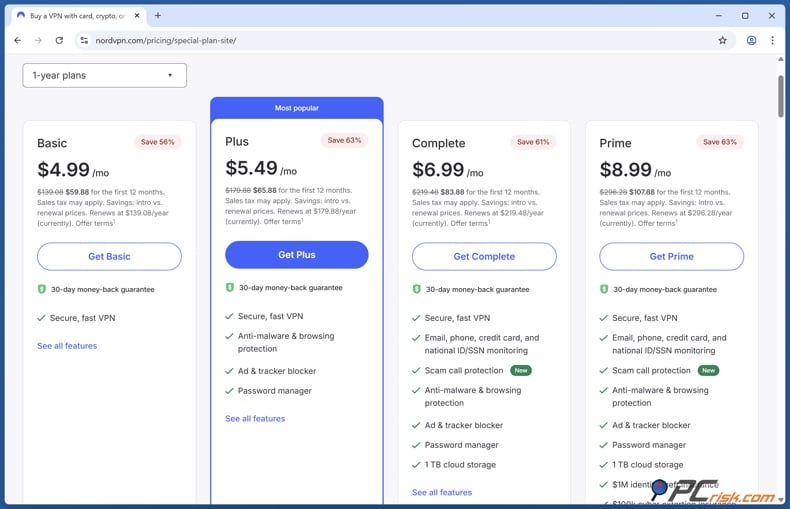
NordVPN's plans are tiered (Standard, Plus, Complete, and Prime in some areas) and have different durations, monthly, yearly, and two-yearly. The more you commit to, the less you'll pay each month.
• Basic Plan: It has everything you need for safe browsing, streaming, and general privacy. If you sign up for a one-year period, it costs around $4.99 per month, or $59.88 for the first 12 months. It covers the VPN service with secure high-speed servers worldwide, basic Threat Protection, and up to ten devices.
• Plus Plan: The Plus plan kicks things up a notch by throwing in advanced Threat Protection Pro, a password manager in the form of NordPass, and a data breach scanner that alerts you to any leaked credentials. The Plus plan costs around $5.49 monthly on a one-year commitment or $65.88 for the first 12 months.
• Complete Plan: This plan from NordVPN is the way to go when you're looking for a VPN. It includes everything the Plus plan has, plus a massive 1 TB of encrypted cloud storage, all nicely packaged as NordLocker, and scam call protection. At $6.99 a month for the one-year commitment ($83.88 billed for the first 12 months). This plan is a strong choice if you have significant backup needs or want the full suite of Nord security products bundled with your VPN.
• Prime Plan: NordVPN has also introduced a Prime tier as an ultimate security bundle in some markets. It offers the same features as the Complete plan but adds identity theft protection (NordProtect), which is specifically designed to monitor the dark web and notify you if your personal information is at risk. It even throws in identity theft insurance coverage.
This plan is primarily aimed at users in the US and is more expensive, approximately $8.99 a month on a one-year term or $107.88 for the first year. It will be overkill for anyone who doesn't need identity fraud protection, but it's an all-encompassing solution for anyone who wants maximum peace of mind.
Regardless of which plan you choose, NordVPN allows up to ten devices to be connected at any given time. However, after the initial year is up, the renewal price will revert to the standard rate, which could be higher.
Considering NordVPN, you're looking at a premium service that doesn't come with a free plan. Free VPNs are often limited in their capabilities and can also risk your privacy. NordVPN differentiates itself by being a secure, top-tier service. But you can basically try NordVPN for a month. If you're unhappy with the service, you can request a refund, and you'll get your money back within the first month.
Our In-House VPN Test Results
When we tested NordVPN, we examined its performance in various aspects: connection speeds, streaming unblocking, security, and torrenting. We've outlined the structure of our test plan and will provide the results for NordVPN's performance in each category.
Speed and Performance Tests
Speed is often the critical factor when considering VPNs. We measured NordVPN's connection speeds, testing against different protocols and conditions: local servers vs. long-distance, different VPN protocols, and various times of day.
• Baseline and Protocols: We started using a high-speed baseline connection and tested NordVPN with its default NordLynx protocol, which is well-known for its efficiency. We compared NordLynx to OpenVPN (UDP) and IKEv2 protocols to see how much of a difference it makes.
• Local server speeds: We connected to a nearby VPN server (within the same country/region) and measured download/upload speeds and ping (latency).
• International server speeds: We tested a remote VPN server on the other side of the world to see how NordVPN handles long-distance connections, e.g., connecting from the US to a server in Europe or Asia.
• Consistency and stability: Our tests also examined how consistent and reliable the speeds are, monitoring connection drops and sudden disconnections.
Our initial findings suggest NordVPN, especially with NordLynx, delivers excellent speeds with only a slight reduction from non-VPN rates - making it suitable for bandwidth-intensive tasks like streaming and gaming.
Streaming and Geo-Unblocking
One of the common uses for a VPN is to unblock region-locked streaming content. We tested NordVPN with popular streaming services:
• Netflix and other platforms: Well-known uses for VPNs include unblocking geo-restricted streaming content, so we tested NordVPN on Netflix and other streaming services like Disney+, HBO Max, BBC iPlayer, Amazon Prime Video, and Hulu by connecting to the right regional servers.
• Video quality and buffering: We checked whether the video streams defaulted to HD or 4K and whether there was any noticeable buffering. According to our tests, NordVPN doesn't let much get in the way of streaming.
Based on user reports and our preliminary tests, NordVPN is excellent for streaming. It allows access to a wide range of international content with minimal hassle.
Security and Privacy Tests
VPNs are fundamentally security tools, so we rigorously tested NordVPN's privacy protection features:
• Encryption and Protocols: NordVPN uses AES-256 encryption with the OpenVPN and IKEv2 protocols, and ChaCha20 encryption with its NordLynx (WireGuard-based) protocol, both of which are considered industry-leading and virtually unbreakable. They've also eliminated weaker protocols like PPTP/L2TP and, as a result, don't offer any less secure options, and threw in a brand-new obfuscation protocol, NordWhisper, back in 2025, designed to make it look like regular web traffic so that VPN blocks can't tell it's coming from a VPN.
• IP/DNS Leak Tests: When testing NordVPN, we ran several leak tests to check if our real IP address or DNS requests ever found their way out of the encrypted tunnel. Thanks to NordVPN's DNS leak protection and its in-house DNS servers, its past independent test results show it's on top of the leak protection game.
• Kill Switch test: NordVPN applications on desktop and mobile include a Kill Switch. This feature cuts off internet access if the VPN connection drops unexpectedly, ensuring your data isn't exposed. We tested the Kill Switch by intentionally interrupting the VPN and observing if our traffic stopped. NordVPN's Kill Switch can be set to system-wide (cut all traffic) or app-specific on some platforms. This is critical for activities like torrenting or using public Wi-Fi, where you don't want any accidental IP leaks.
• No-logs policy and audits: We can't verify logging from within, but we will mention NordVPN's Panamanian location and no-logs stance. Since NordVPN's inception, this stance has been audited multiple times by PricewaterhouseCoopers and Deloitte, showing that NordVPN does indeed live by its word and doesn't store any personal data. Through 2024, NordVPN has gone through five separate audits, giving a serious commitment to your anonymity.
In practical terms, if the authorities knock on the door, NordVPN will have nothing to hand over, and our review didn't find any discrepancy in their claims. A change NordVPN made recently is that all of its servers run in volatile RAM, erasing any data that could be a problem. This really drives home the idea that NordVPN's going all out to keep your info safe.
In summary, our security tests (leak checks, Kill Switch) show that NordVPN effectively shields your data. Combined with strong encryption standards and verified no-logging, we conclude that NordVPN meets a high standard of privacy protection for users.
P2P and Torrenting Performance
For users interested in file sharing, we evaluated NordVPN's support for P2P/torrenting:
• P2P servers: NordVPN has designated specific servers for the purpose, and in the app, these are neatly labeled or fall under the "Specialty Servers - P2P" section, where we hooked into a few and ran a test torrent to see how quickly and reliably they'd deliver.
• Privacy while torrenting: Distinguished privacy features are also well-suited to the demands of torrenting, and NordVPN's kill switch kicked in beautifully, keeping our IP safe.
• No port forwarding: One thing that's missing, though, is port forwarding, a feature that is mainly used by advanced torrenters to boost seeding speeds. NordVPN's conscious decision not to allow port forwarding is essentially to stop people abusing the system and also to reduce the risk of security breaches, as open ports can be exploited, and this is a feature they're unwilling to make available.
Overall, NordVPN proved to be torrent-friendly: it keeps you anonymous while sharing files and provides plenty of bandwidth.
Main Features of NordVPN
NordVPN is packed with features that cater to both casual users and tech enthusiasts. Here's an overview of its main VPN-related features:
• Extensive Server Network: NordVPN operates a huge network of servers worldwide. As of 2026, NordVPN has over 7,400 servers across 118 countries.
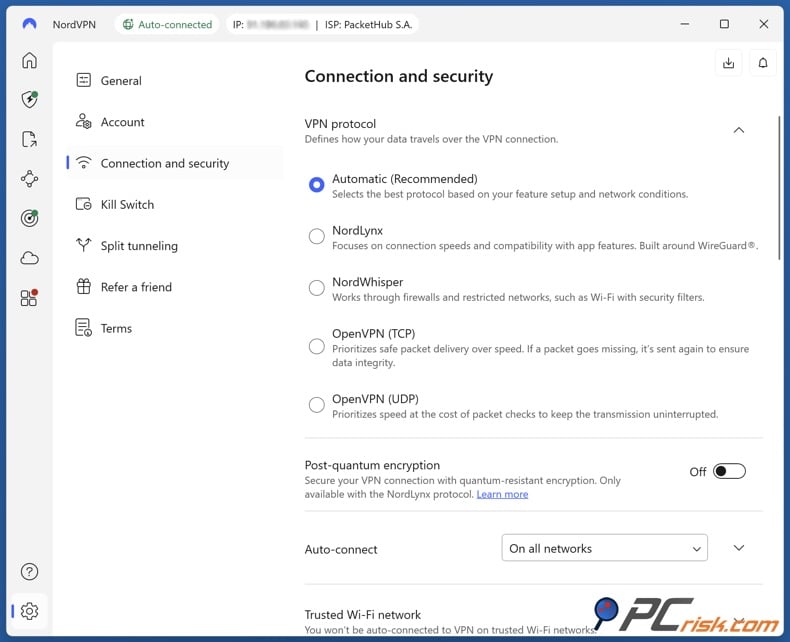
• Strong Encryption and Protocols: NordVPN's AES-256 encryption and 4096-bit RSA handshake will keep you safe and secure. For VPN tunneling protocols, NordVPN supports OpenVPN (UDP/TCP), IKEv2/IPSec (especially on mobile and macOS), and its flagship NordLynx protocol.
• No-Logs Policy and Audits: Another must-have for any VPN, a no-logs policy is a feature that NordVPN takes seriously, promising not to track what you do online.
• Kill Switch: NordVPN's automatic Kill Switch is now a standard feature on all platforms, and in case the VPN connection drops, this kill switch blocks any internet traffic that could potentially leak out.
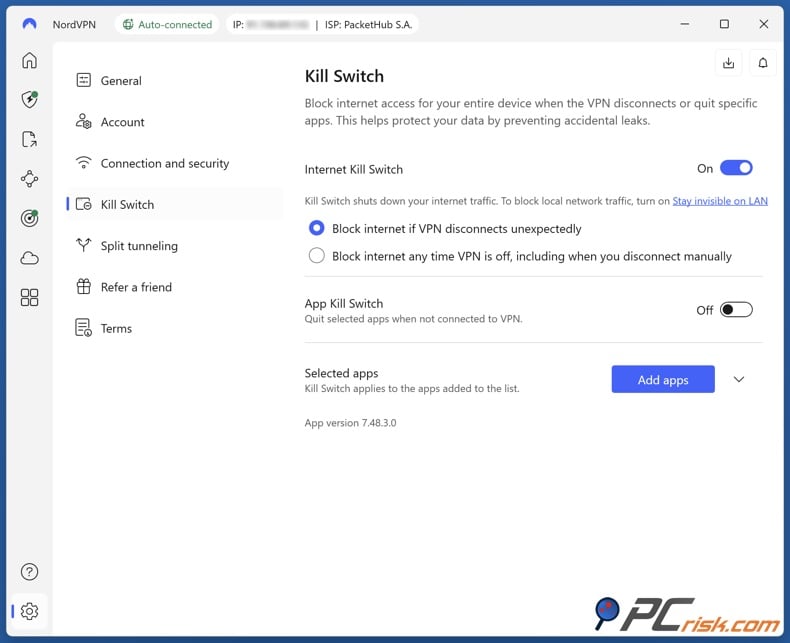
• DNS and IP Leak Protection: When connected, NordVPN uses its own DNS servers by default, ensuring your DNS queries (the websites you visit) are also encrypted and not exposed to your ISP.
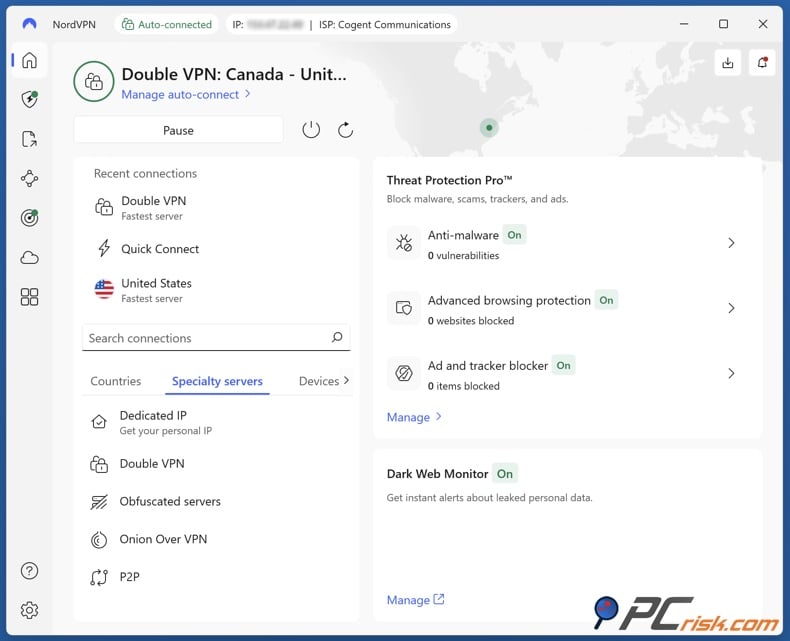
• Double VPN: Routes your traffic through two VPN servers in different locations.
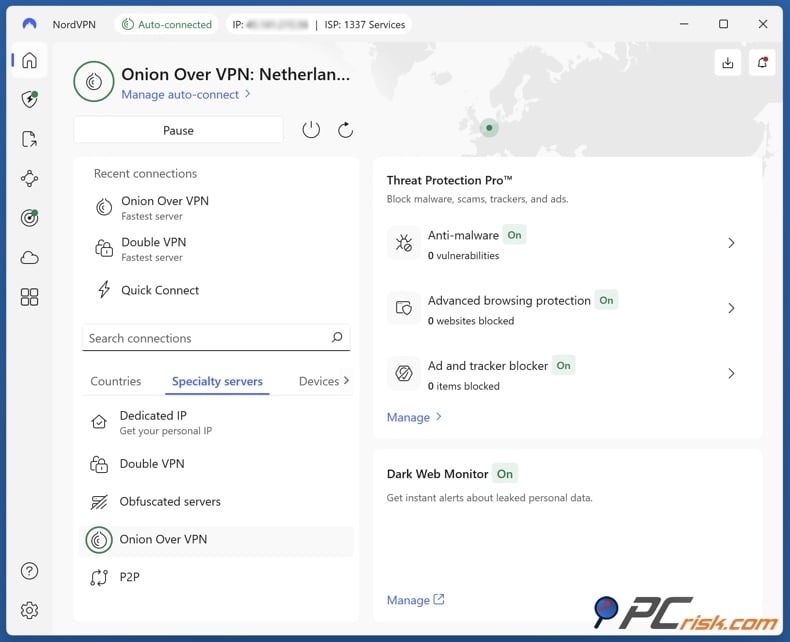
• Onion Over VPN: These servers automatically route your connection into the Tor network after the VPN.
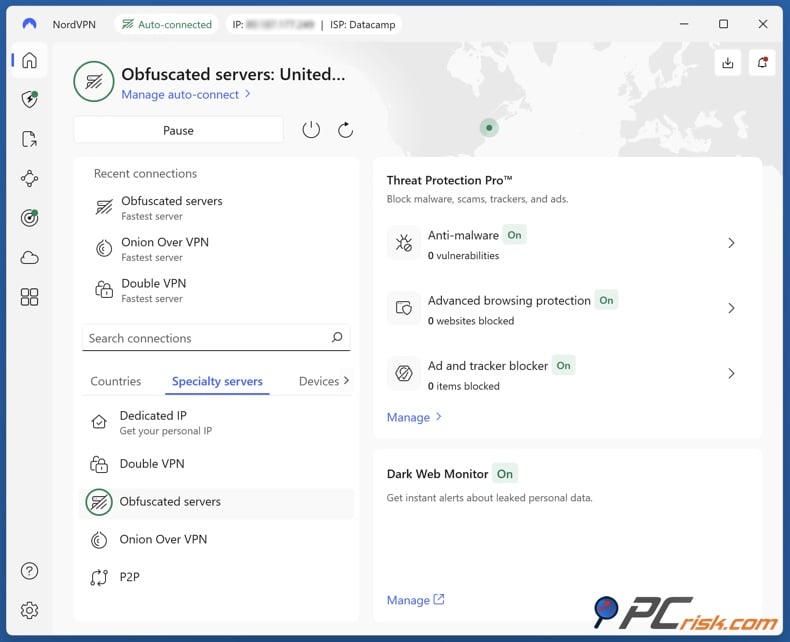
• Obfuscated Servers: Obfuscated servers hide the fact that you're using a VPN by disguising VPN traffic as regular HTTPS traffic.
• Dedicated IP: NordVPN users can pay extra to get a dedicated IP address that only they use (available in several countries, like the US, UK, Germany, etc.)
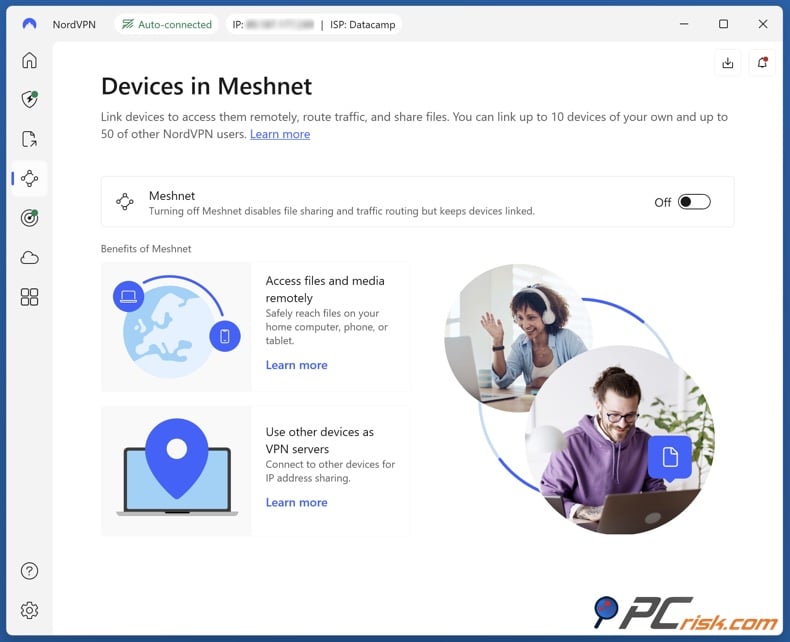
• Meshnet: NordVPN's Meshnet is an innovative feature introduced in 2022 that allows you to create a private network between devices. Up to 60 devices can be linked via Meshnet, letting you route traffic through your own devices (for example, accessing your home PC while on travel as if you were on the same LAN).
• Multi-Platform Support: NordVPN also offers apps for Windows, macOS, Linux, Android, iOS, Android TV, and routers.
Additional Features and Tools
Beyond the core VPN service, NordVPN provides several additional features and services - especially when you opt for the higher-tier plans - that broaden its usefulness as a one-stop cybersecurity solution:
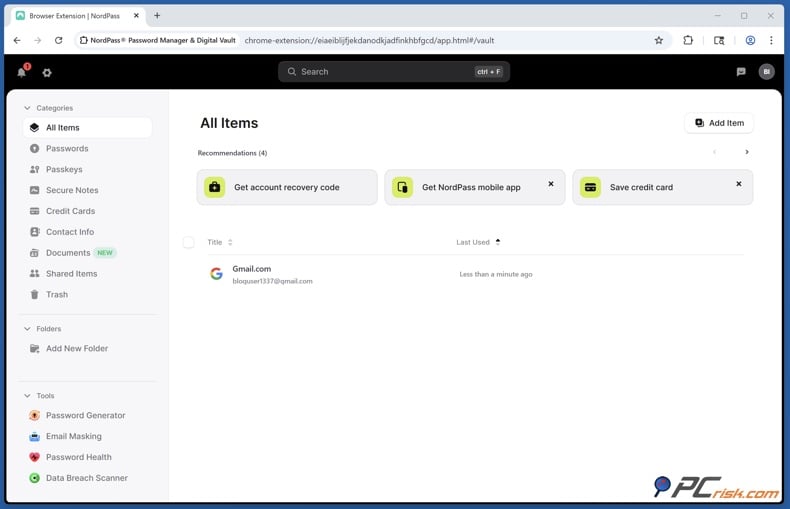
• NordPass (Password Manager): Included with the Plus and Complete plans, NordPass lets you store all your passwords, credit card details, and secure notes in an encrypted vault and sync them across your devices. The password manager also features a Data Breach Scanner that checks if any of your email or passwords have appeared in known data breaches.
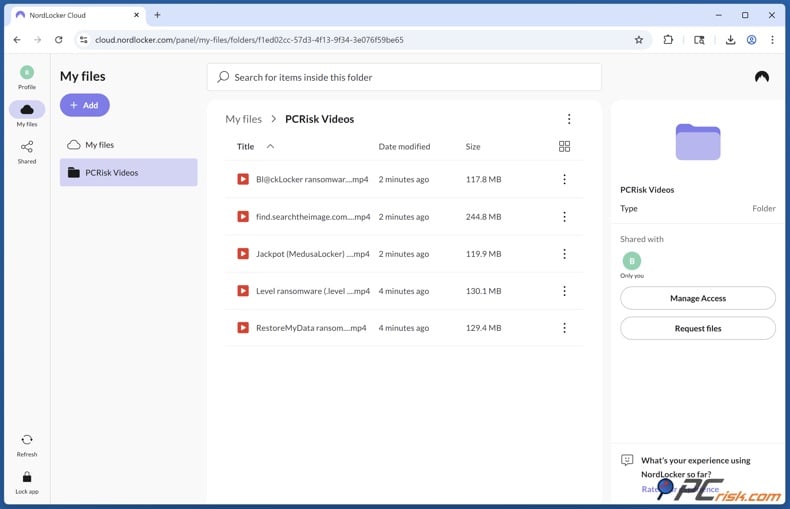
• NordLocker (Encrypted Cloud Storage): Included in the Complete and Prime plans, NordLocker provides 1 terabyte of encrypted cloud storage. This works like a secure Dropbox - upload your files to NordLocker, and they'll be encrypted, and only you and the people you share them with can see them. This comes in handy for backing up personal documents, photos, or any files you don't want anyone else to see.
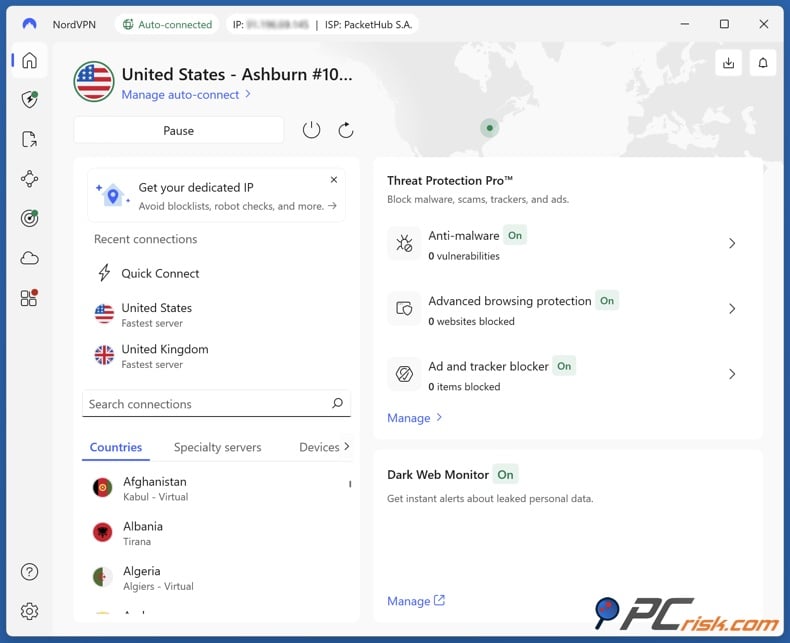
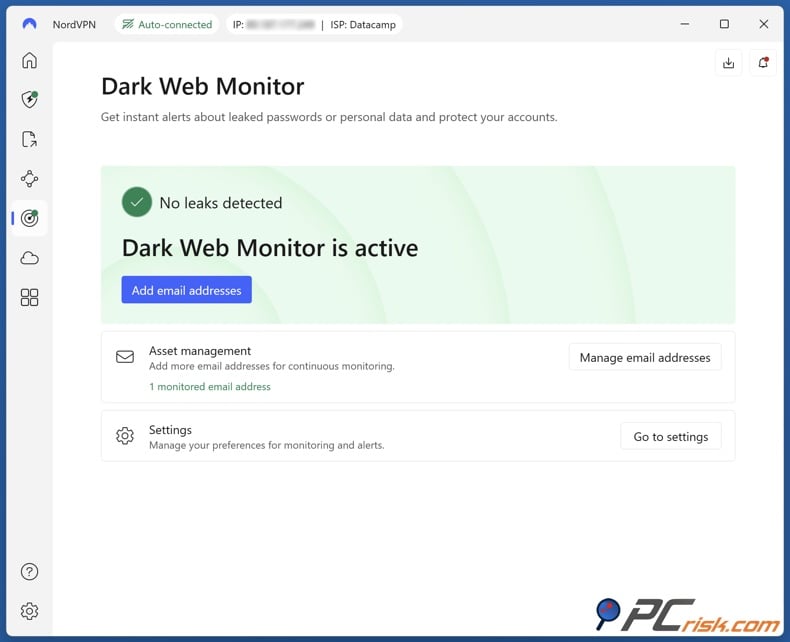
• Dark Web Monitor: NordVPN's account includes a Dark Web Monitor feature, accessible in the account dashboard or app. This feature scans the dark web, forums, and dumps to see if your registered email address has any leaked credentials. If it does, it will send you a notification so you can take action and change your passwords.
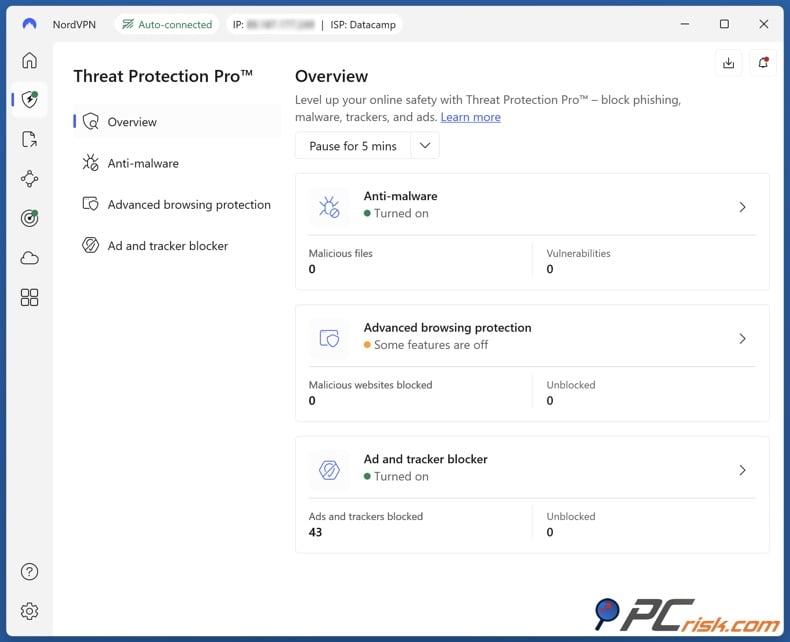
• Threat Protection (Cybersecurity): NordVPN's Threat Protection functions as a built-in malware and ad blocker. It can actively scan files you download for malware, block web trackers, and squash ads or malicious websites. It even works when you're not connected to a VPN server.
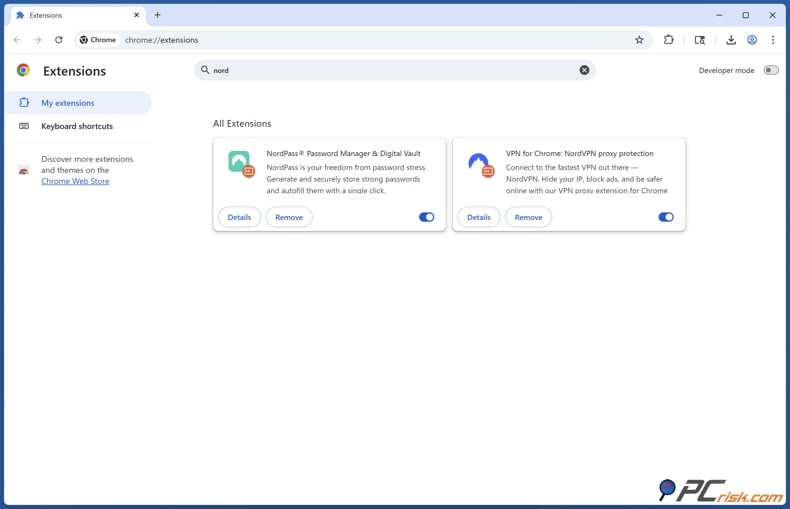
• Browser Extensions: NordVPN offers encrypted proxy extensions for Chrome, Firefox, and Edge that secure only the traffic of your web browser, not your whole computer. This is great for anyone who wants to quickly change their browser location or add a layer of encryption to their web browsing, but isn't fussed about the full VPN application.
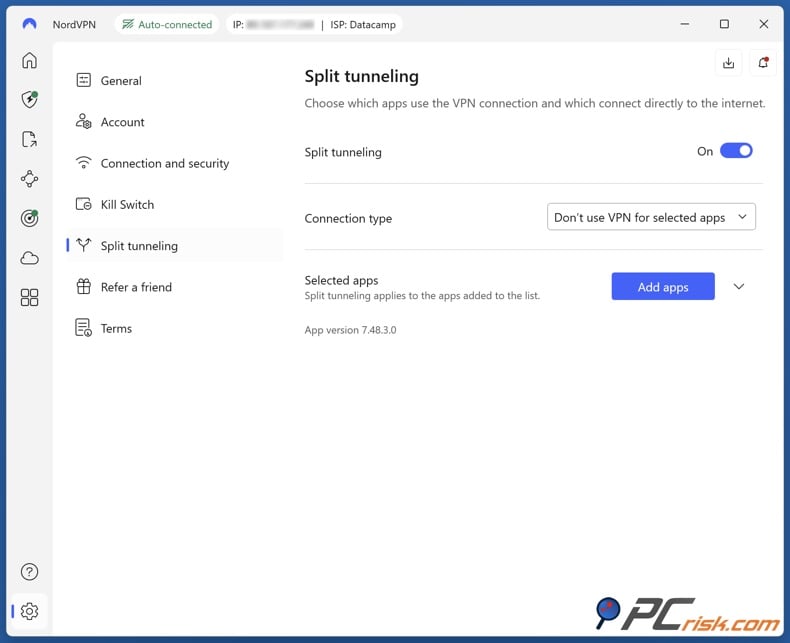
• Split Tunneling: Certain NordVPN apps (currently Windows and Android) have a split tunneling feature. This lets you choose specific apps or websites to bypass the VPN and use your normal connection, or vice versa. For example, you might set your banking site to bypass the VPN (since some banks get suspicious when you log in via a VPN in another country), while all other traffic goes through the VPN.
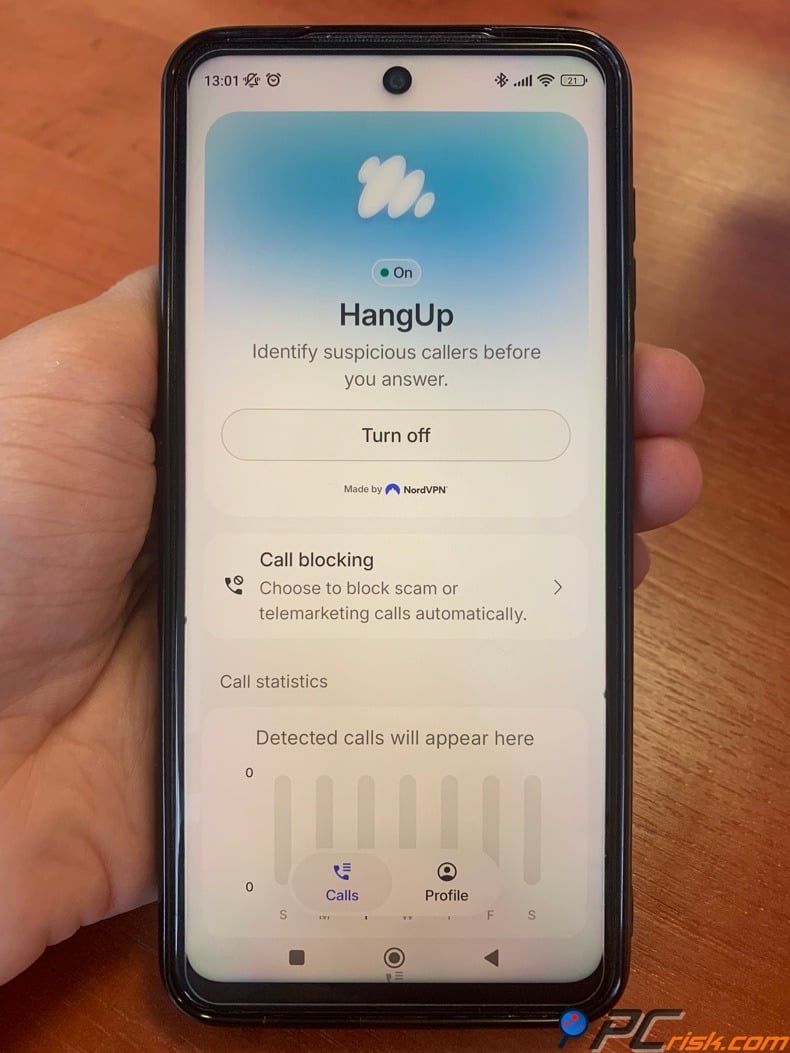
The HangUp app: NordVPN has added HangUp to its mobile security tools. HangUp is a free call-protection app that only requires a free Nord Account, unlike the paid Call Protection feature. On Android, it checks incoming calls against reputation data, shows caller and category details, flags possible scam, spam, or telemarketing calls, and can block certain categories automatically. The app also gives you blocking stats by week, month, or year. There is no mention of custom allowlists, blacklists, or in-app community reporting. According to launch coverage, blocking is based on categories, not individual numbers.
Setting up HangUp is simple. Download it from Google Play, sign in or make a Nord Account, and allow caller-ID and spam permissions. The similar Call Protection feature in NordVPN needs to be set as your default caller-ID and spam app, and it might ask for permission to manage calls. The app is easy to use, with clear warnings, blocking controls, and stats you can see right away. Nord does not share battery impact data for HangUp, but the related Call Protection runs quietly in the background and does not need the VPN to be on.
There are some privacy points to note. Google Play says HangUp does not collect, log, or share user data, but the developer's Data Safety section says the app may collect personal info, app activity, and two other types of data. The app does not share data with third parties, uses encryption in transit, and lets users request data deletion.
Nord's general Call Protection privacy notice says that only needed call metadata, like caller number, reputation flag, and caller ID, is processed - not call content. However, details about HangUp's data retention and analytics opt-out were not found on its privacy page. HangUp is currently available only on Android and can be downloaded worldwide from Google Play. NordVPN says an iOS version is coming.
Ease of Use
Desktop interface (Windows/macOS): When using the desktop app on Windows/macOS, NordVPN presents a well-organised, clean interface with a world map and a list of servers. You can choose a VPN server by clicking on a country on the map, a feature that's both visually pleasing and intuitive. Connecting to a server is as easy as double-clicking a country name or hitting the Quick Connect button.
The app's quick connect feature, which was put to the test in our review, was found to be very reliable and picked out a server with low latency. The app displays your connection status clearly (turning green and showing "Protected" when connected, with info on the selected server).
Navigating settings is also user-friendly: Organising the settings is straightforward, with options arranged in neatly labelled sections (General, Auto-connect, Kill Switch, etc.) and simple language.
Depending on the app version you're running, toggling on the "CyberSec/Threat Protection" feature is one click. The option to set up custom DNS or use obfuscated servers is also present, but these are a bit harder to find, being tucked away in their own section.
It is worth noting that NordVPN has two different versions of its app on macOS: the App Store version and the one you download from NordVPN's site. Due to Apple's policies, the two don't look quite the same. The App Store version has historically used the IKEv2 protocol and missed out on features like custom DNS and obfuscation, whereas the direct download allows for OpenVPN/NordLynx.
Recently, NordVPN has aligned most features, but advanced Mac users often prefer the direct version for maximum functionality. Speaking of using NordVPN for average users, either the desktop or mobile version will do the trick, and the company's tutorials are on hand to help out.
Mobile interface (Android/iOS): The Android and iOS apps have intuitive interfaces. The map feature is on both platforms, but on Android, it's paired with the familiar quick-connect system. iOS users will know the map, and both systems will let you swipe through the country list.
You can mark specific servers or countries as favorites on both so that you can easily connect to them in the future. The app's look is cutting-edge and user-friendly, and the kill switch is turned on by default on both Android and iOS.
Auto-connections can be programmed to kick in automatically when you join a Wi-Fi network that's considered untrustworthy, which is essentially a fail-safe measure when using public hotspots.
We found the apps to be quite responsive. With NordLynx, connections take only a few seconds at most. The apps also handle reconnections seamlessly when switching networks (moving from Wi-Fi to mobile data).
Settings and advanced use: NordVPN provides some settings and more in-depth features for those who need them, without overwhelming the average user. You can choose your protocol (e.g., switch between NordLynx and OpenVPN).
You can enable split tunneling (on Android and Windows) by selecting which apps to exclude/include from the VPN. You can also set the app to start with the system and auto-connect to the VPN, ensuring you're always protected.
NordVPN also has neat touches like showing a server load percentage and ping time if you hover or click on a server, so advanced users can pick a specific, less-loaded server if desired. If you need to use custom DNS servers or configure a proxy, those settings are available, too.
NordVPN Mobile Apps (Android & iOS)
NordVPN's mobile apps on Android and iOS are among the top-rated VPN apps on those platforms, and for good reason. They bring most of the desktop functionality to your phone or tablet with a touch-friendly design.
Android App: The Android app is very feature-rich, in fact, it has a couple of features that aren't found in the desktop version, such as a graphical split tunneling interface, but launching the app gives you the same map interface and the option to quickly connect to the VPN. You can choose the VPN protocol to be NordLynx or OpenVPN UDP/TCP, and the app includes the Kill Switch, "Always-on VPN" in Android settings.
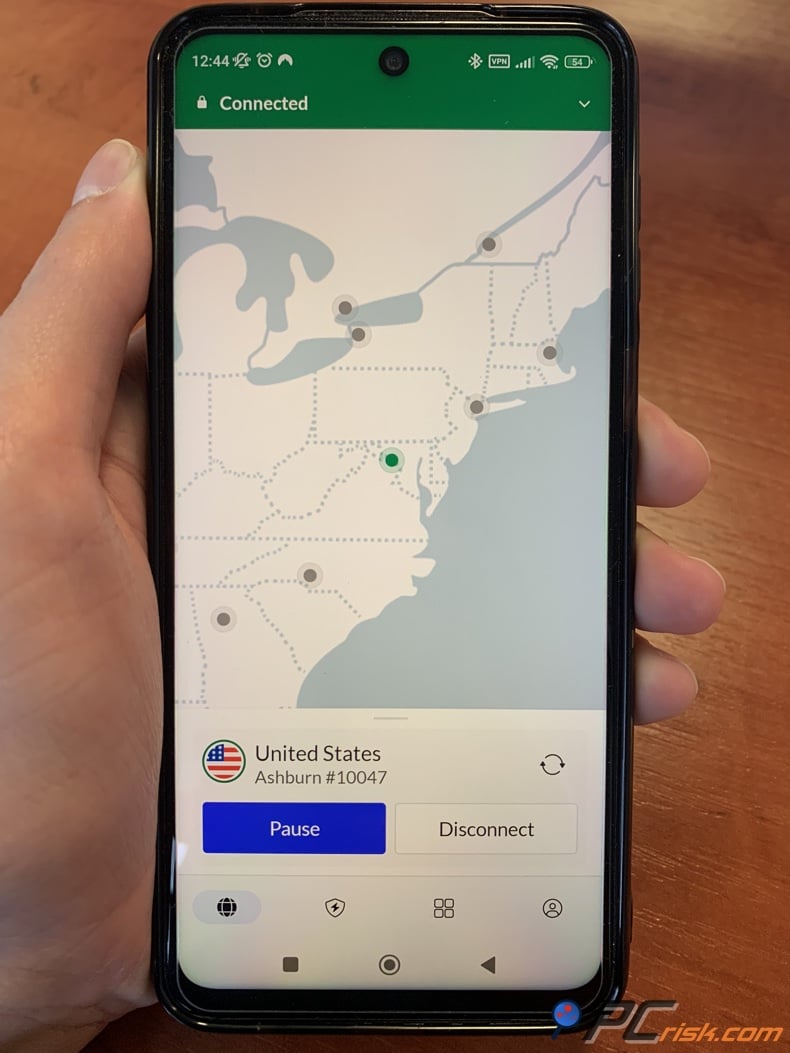
Another feature of the Android app is Split Tunneling, which is great because you can pick and choose the apps that don't need to go through the VPN. We found this useful for video calls to bypass the VPN for speed.
The Threat Protection feature on Android blocks ads and dangerous websites at the DNS level when enabled (in the app settings, it's often called "CyberSec"). This works only when connected to the VPN on Android (unlike desktop where it can run 24/7), but it's still handy for cleaner, safer browsing.
We were impressed with the performance, as you can connect to servers very quickly and without much impact on battery life. Like all VPNs, there's a regular notification when connected, but that's normal. We also like that NordVPN's app can automatically reconnect if you switch from mobile data to Wi-Fi. If you enable auto-connect on untrusted Wi-Fi, the app will intelligently protect you whenever you join a new network.
Call Protection is a feature in the Threat Protection suite of the NordVPN Android app. It checks incoming calls and lets you know if a number could be a scam or telemarketer before you pick up. If a call looks suspicious, you’ll see a warning so you can choose to ignore it, decline it, or send it to voicemail.
This feature works even when the VPN is off. It checks caller numbers against updated scam and telemarketing lists and looks at call patterns and metadata to spot new types of spam. For your privacy, it only checks caller details like the phone number. It never accesses, records, or stores your call audio or content.
To use Call Protection, turn it on in the app and allow the needed call-screening permissions. You’ll need to set NordVPN as your default Caller ID and spam app, and on some devices, let it manage phone calls. You can choose to get only warnings or turn on Call Blocking to automatically block calls marked as scams or telemarketing. The feature’s availability depends on your region and subscription plan.
NordVPN first launched Call Protection for Android users in the United States in July 2025, then added support for the United Kingdom and Canada in November 2025. It became available in more parts of Europe around March 2026, after earlier launches in Japan and Australia. As of March 2026, Call Protection is only available on Android and depends on your country and subscription.
With a rating of around 4.5 out of 5 stars and millions of installations on Google Play, the app is a true user favourite.
iOS App: The NordVPN app is similarly polished. It presents the world map and a list of countries, consistent with the aesthetic of other platforms. On first use, it will ask iOS for permission to add VPN configurations, which any VPN app will require.
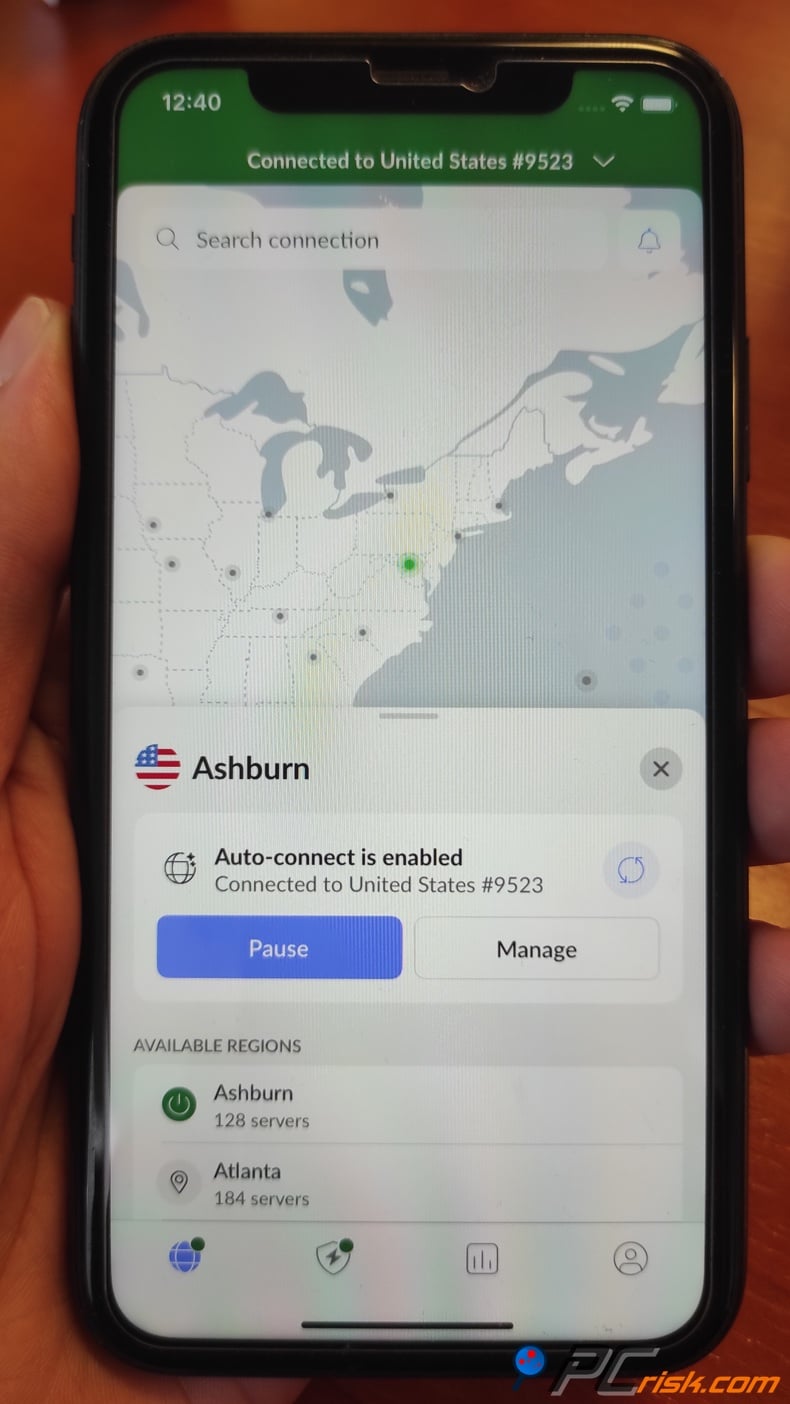
Once set, you can connect with one tap. The iOS app supports the IKEv2 protocol by default (which iOS natively favors) and also NordLynx (WireGuard) in recent versions. In our tests, NordLynx on iOS gave better speed, so it's great that Nord included it.
Unfortunately, due to Apple's restrictions, iOS doesn't allow VPNs to employ a system-wide kill switch. However, you can approximate a kill switch by using the "Always-on VPN (IKEv2)" feature via device management - but that's a bit advanced and not unique to Nord.
One feature we were also impressed by was the NordVPN app's lightning-fast automatic reconnection if a connection drops. Since iOS puts apps into suspended animation, NordVPN has managed a reliable feature: the ability to keep the VPN working, basically even if you switch apps or lock your phone, as long as iOS lets it.
When using the iOS app, you'll also get access to NordVPN's Dark Web Monitor, which allows you to see if any of your accounts have been leaked. You'll also get a scaled-down version of Threat Protection, mainly a DNS-based blocker that takes out nasty domains when you're connected.
Compared to the Android app, the iOS app is missing some of the more advanced features, like split tunneling, and a few of the deeper settings, but in everyday use, it does everything you need: pick a server, connect, and stay safe. Plus, it's got Siri Shortcuts integration. You can say, "Hey Siri, connect to VPN," to get online quickly.
Notably, NordVPN's iOS app has an excellent 4.7 out of 5 rating on the App Store. Users often comment on its ease of use and reliability. In our usage, we didn't run into any bugs; the app was stable on the latest iOS version.
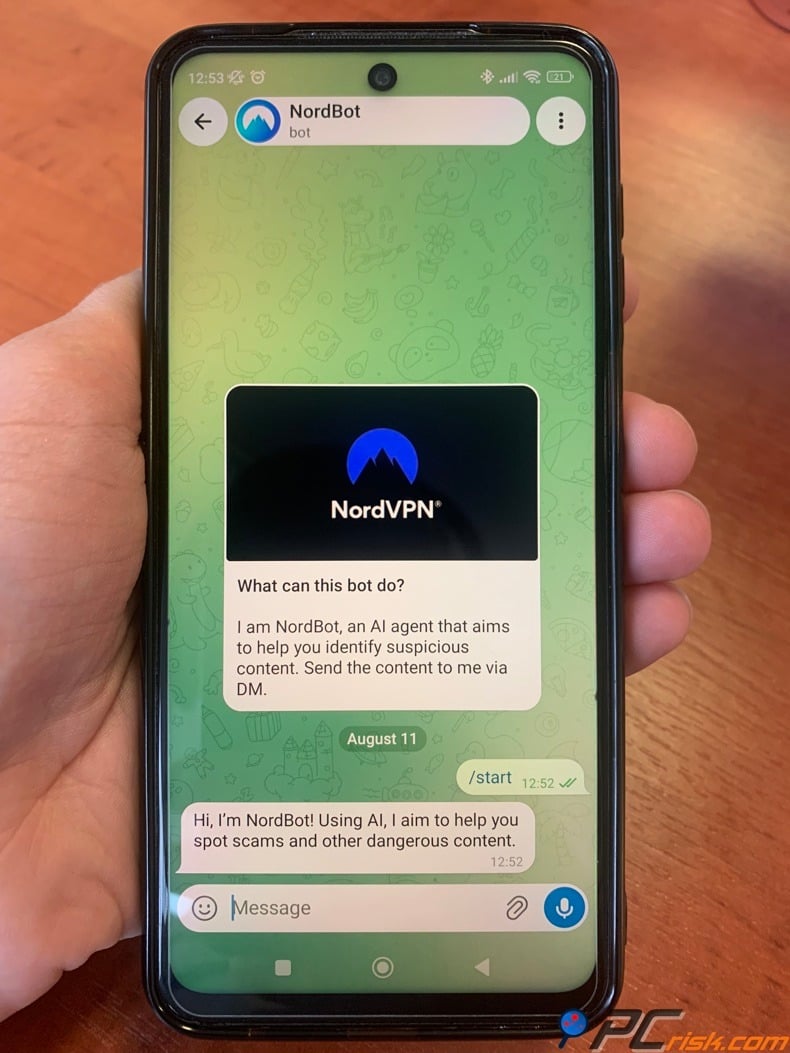
NordBot: NordBot is an experimental AI tool from NordLabs that checks messages, URLs, and images users choose to send through Instagram, Facebook Messenger, Telegram, WhatsApp, or X. It gives one of four results: Safe, Suspicious, Dangerous, or AI generated. Nord describes it as a second opinion, not a replacement for security software or personal judgment, and notes that it can make errors. According to the blog, only the content users submit is checked, but it does not specify how data is stored or used for training.
Other Mobile Platforms: Android TV has an app from NordVPN, which is essentially a VPN app tailored for TV interfaces. It's perfect if you want to run a VPN on an Nvidia Shield, Google TV, etc. We gave it a test on an Android TV, and it was straightforward. It basically allows you to pick a country or go for the quick connect, and that's all you need for unblocking content on a smart TV.
User Reviews and Reputation
If you're looking for a VPN, the opinions of other users can be quite telling, and NordVPN's reputation in the VPN space is generally positive, though it's not without a few complaints. Let's look at a couple of key sources:
Trustpilot Reviews: Trustpilot has over 42,000 reviews for NordVPN. As of mid-2025, the VPN holds a 4.2 out of 5 TrustScore, a 'Great' rating. Many users praise NordVPN's reliability and features.
According to Trustpilot's review summary, people appreciate the reliable VPN connections, multiple useful features, and, above all, the kindness and competence of the customer support. Users enjoy snappy response times and efficient help with technical issues, which is a testament to the calibre of NordVPN's support team.
However, a handful of users have run into issues with their subscription, being charged after cancelling or struggling to turn off the automated renewal. Some have even found it difficult to get refunds. There are also complaints about occasional connection problems or being told the app won't work on certain networks, and a couple of disheartened users say the customer service is too mechanical.
In summary, Trustpilot user feedback is skewed positively overall. Users feel NordVPN delivers on speed and features, but the company could improve clarity around subscriptions and ensure consistent support experiences.
Reddit and Tech Communities: If you're looking for a VPN, Reddit is where tech-savvy users go to discuss the merits of various VPNs. NordVPN is no exception, often recommended on the subreddits r/VPN or r/privacy.
However, Redditors can also be very critical, and this is also the case with NordVPN, which is perceived as being overhyped because of its marketing and sponsorships. People will say things like, "The best VPNs are the ones that aren't paying off influencers, stay clear of Nord," showing that some people don't like how much NordVPN advertises.
Some hardcore privacy advocates, who feel that NordVPN is basically run from a country other than Panama, can also get worked up about it, but this hasn't affected the company's no-logs policy.
Established users who actually use NordVPN defend it, saying that it does what it promises and that they like the consistent Netflix streaming, the snappy speeds on WireGuard/NordLynx, and the bonus features.
App Store/Google Play: NordVPN's mobile apps have sky-high ratings, at 4.7/5 on the App Store and about 4.5 on Google Play. Reading through the reviews, lots of people have praised the user-friendly interface and stable connections. Some grumblings are about specific problems on particular phones or features they want that aren't available.
In conclusion, user reviews of NordVPN are largely positive, emphasizing reliability, speed, and rich features. NordVPN has built a reputation as a trusted VPN, often one of the first VPNs people get. While some in the tech community may be critical, the service does live up to its claims.
As with any service, there are some unhappy customers, mostly over billing or occasional technical snags, but I did not find any widespread serious issues. The company's proactive approach to security (audits, upgrades) has also helped maintain user trust over time.
Is NordVPN Worth Buying?
Considering all of the above - features, performance, security, and user feedback - is NordVPN worth it? In our assessment, yes, NordVPN is absolutely worth considering for anyone who values online privacy, security, and freedom of access. It stands out as one of the top VPN services in 2026 and offers a compelling blend of speed, robust security features, and additional tools that justify its price for most users.
• Excellent Security and Privacy: NordVPN's commitment to securing user privacy is backed by its use of double encryption with its advanced feature sets. Its independently audited no-logs policy proves to be one of the cornerstones for peace of mind that users can take comfort in.
• High Performance for Streaming and Downloads: As one of the fastest VPNs, NordVPN ensures high streaming and downloading performance. Its use of the NordLynx protocol takes the cake from that perspective. It allows NordVPN to keep up with bandwidth-heavy tasks with remarkable accuracy.
• Rich Features and Versatility: The VPN brings iconic features like Threat Protection, Meshnet, and has fortified its packages with NordPass and NordLocker. At its core, it's not a VPN, it's a multi-purpose suite of security tools and one that does its name justice.
• Trust and Track Record: With over a decade in the industry, NordVPN has built a strong track record. They responded to past incidents professionally (e.g., the 2019 server breach, which led to big improvements, and no user data leak occurred). They continue to innovate (adding new features, supporting new technologies like WireGuard early on, and even exploring post-quantum encryption).
When it comes to the cost of NordVPN, it's not the cheapest option if you're only signing up for a month, it's essentially in the premium category. However, if you're willing to commit to a 1- or 2-year plan the price drops to something more reasonable, a few dollars a month.
NordVPN is especially worth it if:
• You stream a lot and want to unlock catalogs from different countries (NordVPN excels here).
• You frequently use public Wi-Fi or travel - NordVPN will secure those connections easily.
• You want a set-and-forget solution to enhance your overall security (with Threat Protection, password manager, etc., if you get one of the higher-tier plans).
• You have multiple devices (NordVPN covers 10 devices, which can include your family's phones and laptops too, under one account).
It might not be worth it if:
• You only need a VPN occasionally (maybe paying for a single month when needed would suffice, or a cheaper monthly VPN could do if you don't need the extra features).
• You require a feature NordVPN lacks, like port forwarding for self-hosting.
• You are on a very tight budget and can't commit long-term.
We consider NordVPN one of the top all-around VPNs on the market. It does everything it says it will, with strong security and speeds, so if you're considering getting a VPN, NordVPN is definitely worth a look.
Frequently Asked Questions (FAQ):
Does NordVPN keep logs of my activity?
No. NordVPN has a strict no-logs policy - it does not record what websites you visit, what data you transfer, or when you connected. This has been verified by independent audits from firms like PwC and Deloitte.
Is NordVPN safe to use?
From a safety perspective, NordVPN is generally considered safe and employs industry-leading encryption, AES-256, and WireGuard-based NordLynx. It's got an automatic kill switch, DNS leak protection, and ultra-advanced server security. Every single server runs on RAM and is regularly audited.
Will NordVPN slow down my internet?
As for speed, all VPNs do slow down the internet to some extent, but NordVPN is one of the fastest out there, thanks to its WireGuard-based NordLynx protocol, so many people won't even notice any difference in their daily browsing and streaming activities.
Does NordVPN work with Netflix and other streaming services?
Yes, NordVPN is excellent for streaming. Popular streaming platforms such as Netflix, Hulu, Disney+, BBC iPlayer, HBO Max, and others are all made to work with NordVPN, which, with its large server network and intelligent SmartPlay system, can help circumvent geo-blocks.
How many devices can I use with NordVPN?
A single NordVPN account lets you connect up to 10 devices simultaneously. You can install NordVPN on all your devices - computers, phones, tablets, etc. - and have them all connected at the same time under one subscription, as long as you don't exceed ten.
Does NordVPN offer a free trial or free version?
NordVPN does not offer a free plan, but they offer a 30-day money-back guarantee, so you can essentially try the service for a month and get a refund if you don't like it, effectively a risk-free trial.
What platforms and devices does NordVPN support?
NordVPN is available for various platforms, including Windows, macOS, Linux, Android, iOS (iPhone/iPad), and Android TV. It also includes manual setup guides for routers (DD-WRT, OpenWRT, AsusWRT Merlin, etc.) and NAS devices and browser extensions for Chrome, Firefox, and Edge.
Can NordVPN be used in restrictive countries (China, etc.)?
NordVPN has the tools to get through heavily censored countries like China, Iran, etc. Their Obfuscated Servers are designed to disguise VPN traffic so it's mistaken for regular HTTPS traffic. Users in China report mixed results, but many have found it effective.
What if I have trouble or don't like the service after subscribing?
If you encounter any issues, you can contact their customer support, available 24/7 via live chat or email. If you're unhappy with the service after signing up, NordVPN has a 30-day money-back guarantee.
Share:
 Facebook
 X.com
X.com
 LinkedIn
 Copy Link

Karolis Liucveikis
Experienced software engineer, passionate about behavioral analysis of malicious apps
Author and general operator of PCrisk's News and Removal Guides section. Co-researcher working alongside Tomas to discover the latest threats and global trends in the cyber security world. Karolis has experience of over 8 years working in this branch. He attended Kaunas University of Technology and graduated with a degree in Software Development in 2017. Extremely passionate about technical aspects and behavior of various malicious applications.
▼ Show Discussion