
Surfshark VPN Review

✓
Fact-checked by:
Tomas Meskauskas
Last updated:
November 17, 2025
Our reviews are written by Internet security experts.
Learn more.
PCRisk score:
4.4
When searching for a comprehensive VPN suite with additional functionality, we recommend shortlisting Surfshark VPN.
What we liked:
✓ Great value: Low-cost long-term plans and unlimited devices make Surfshark one of the best budget VPNs.
✓ Feature-packed: Offers MultiHop, CleanWeb, split tunneling, kill switch with Everlink, plus extras like antivirus and breach alerts.
✓ Strong performance: Fast speeds (especially with WireGuard) and smooth streaming on Netflix, Hulu, and BBC iPlayer.
What we disliked:
✗ Big renewal price jump: Prices rise sharply after the first term, so watch out for renewals.
✗ No free plan: Only a short trial, and the monthly plan is expensive — best for long-term users.
✗ Platform gaps: Some features are missing on iOS and Linux, and advanced tools like port forwarding aren't available.
Surfshark launched in 2018 and quickly grew into a popular VPN choice known for its unlimited device policy and budget-friendly pricing. In recent years, Surfshark has expanded beyond a basic VPN into a comprehensive security suite with tools like antivirus, data breach alerts, and even a unique "alternative identity" feature.
Pricing and Subscription Options
Regarding the cost of Surfshark, this VPN service is known for its competitive, long-term deals. Surfshark gives you the option to subscribe for a month, a year, or two years, and the more time you commit to, the less you pay on average per month:
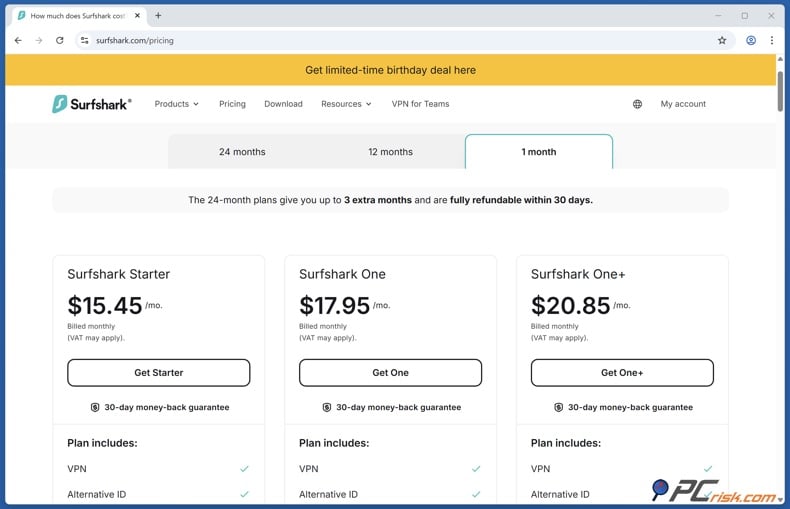
• Monthly plan: Surfshark offers a no-commitment plan priced at around $15.45-$20.85 per month, ideal for someone who only needs a VPN for a short time.
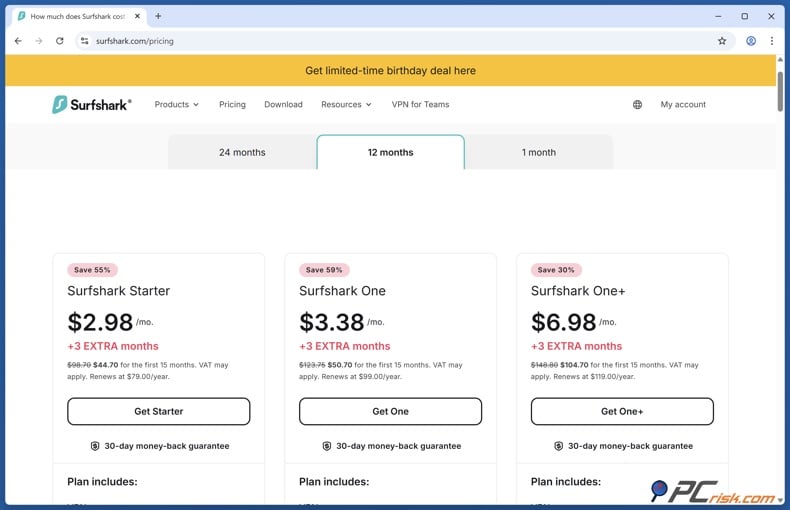
• Annual plan (12 months): Surfshark's annual plans include 3 extra months for first-time customers. Starting at $44.70-$104.70 for the first 15 months, the prices boil down to $2.98-$6.98 per month. Then, annual plans renew at $79-$119 every 12 months.
• Two-year plan: Surfshark's two-year plan is its most cost-effective option and is usually priced at $1.78-$4.18 a month for the first 15 months. When signing up for a two-year subscription, you're essentially paying $48.06-$112.86 upfront for 27 months, depending on the plan. Then, the two-year plans renew at $79-$119 every 12 months.
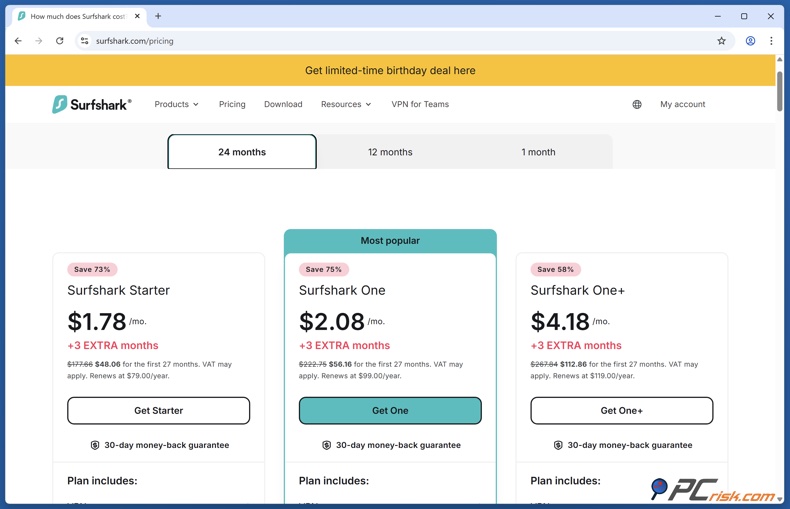
All plans are covered by a 30-day money-back guarantee, so you can test out Surfshark risk-free and get a refund if it doesn't cut it. However, the renewal prices are higher than the initial promotional rates. Surfshark will send you a 30-day notice of the impending renewal. Basically, the annual plan renews at its regular rate (around $79 a year for the Starter plan) unless you cancel or find another deal.
Surfshark Plans
When considering the cost of Surfshark, your price will depend on the tier you go for. Surfshark doesn't have a free option, but it offers a 7-day trial for mobile users and a money-back guarantee for everyone else. They divide their paid plans into three, each with its own feature set:
• Surfshark Starter (VPN only): This is the basic plan that includes a full VPN service and core privacy features, but doesn't include additional cybersecurity tools like antivirus. It is essentially the cheapest and barebones option.
For example, the cost of a two-year subscription is $1.78 a month, and a one-year subscription is $2.98 a month. Billed at $44.70 for 15 months and $48.06 for 27 months for new users. This plan is ideal if you only need a VPN and nothing more.
• Surfshark One (VPN + security bundle): Surfshark One is a bundle that includes all of the features from the Starter, plus features such as Surfshark Antivirus, Data Breach Alert for real-time email and ID breach notifications, and Surfshark Search, which is essentially a private search engine.
This plan is a bit pricier. The 2-year plan costs $2.08 a month over the first 27 months, or $56.16 in total. The 1-year plan is $3.38 a month over 15 months, billed at $50.70 for the first 15 months for new customers. Both plans renew at $99.00 every 12 months. It's a great option if you want a complete privacy suite that includes a VPN, antivirus, and identity protection.
• Surfshark One+ (VPN + security bundle + Incogni): This is the top-tier plan that includes all of the features in the One plan plus Incogni, a data broker removal service that helps scrub personal information from third-party databases.
This one's a bit more expensive, on a two-year term. One+ will cost you $4.18 a month or $112.86 upfront for the first 27 months - renews at $119.00 every 12 months. The one year plan is $6.98 a month, $104.70 for the first 15 months, when initially signed up - renews at $119.00 every 12 months.
Note: Surfshark's pricing can differ depending on the region, currency and any ongoing promotions. The numbers above are in USD and reflect typical discounted rates at the time of writing.
Also, all subscription tiers allow unlimited devices and include all core VPN features - the differences are mainly the extra non-VPN tools you get with One and One+. There is no permanently free Surfshark version besides the short free trial; Surfshark emphasizes that paid VPNs are safer and faster than free ones (which often come with limitations or ads).
Payment options: Surfshark accepts all major credit cards, PayPal, Google Pay, Amazon Pay, cryptocurrencies, and prepaid cards. This allows users to remain completely anonymous by using cryptocurrencies or gift cards. Students may get extra discounts, and sales events like Black Friday can knock the price down even lower.
Our In-House VPN Test Results
When we tested Surfshark VPN, we saw how it performs in a real-world setting. We ran the test on various devices and from different locations to see if it was user-friendly, secure, and up to the task.
• Speed Performance: We checked its speeds with various server locations and encryption protocols. We looked at both local and distant servers (connecting from Europe to the US and Asia), essentially testing how much of an impact the VPN has on your download and upload speeds and how much latency you experience.
Surfshark's performance on local servers was top-notch, and there was hardly any reduction in bandwidth compared to our baseline. On long-distance connections, Surfshark's WireGuard protocol helped keep performance fast enough for full HD streaming and crystal-clear video calls.
• Streaming and Geo-Unblocking: When testing Surfshark's unblocking capabilities, we decided to check out the streaming services that everyone loves: Netflix, Disney+, Amazon Prime Video, Hulu, BBC iPlayer, and others.
Surfshark's results didn't let us down. We watched Netflix libraries from the US, the UK, and other countries without seeing any proxy errors. The streaming services we threw at it, Disney+ and Amazon Prime Video, worked with silky smooth performance. Videos were in HD and had no issues with stuttering, which was particularly impressive in our tests over the internet when connected to the optimized WireGuard location.
• Torrenting (P2P) and Download Tests: Next, we evaluated Surfshark for torrenting and large file downloads. We found that the VPN has no restrictions on P2P traffic and that all of its servers are P2P-friendly. We downloaded several test files, Linux ISOs, and a public domain video via BitTorrent to evaluate speeds and stability.
The VPN's ability to handle torrenting, in particular, was exceptional. Downloads proceeded at a good pace and were completed without any problems, made even smoother by Surfshark's limitless bandwidth and the WireGuard protocol.
• Security Tests (Leaks and Privacy): A critical part of our in-house review was verifying Surfshark's security claims. We performed DNS, IP, and WebRTC leak tests while connected to various Surfshark servers. Surfshark passed all leak tests and we did not detect any DNS or IP leaks.
Surfshark also has a private DNS server that conceals our DNS queries from our ISP and consistently shows our public IP address as the VPN server's IP, not our real one. We also tested the Kill Switch and were reassured when it blocked all internet traffic until the VPN reconnected and took over.
Additionally, the VPN's brand-new Everlink technology, exclusive to the WireGuard protocol, caught our attention. When a VPN server went down for maintenance, Everlink effortlessly re-routed us to another server and didn't even drop the VPN connection. This "self-healing" capability significantly reduces the chance of accidental exposure.
Coming from the Netherlands, a country that's part of the 14-Eyes surveillance alliance, Surfshark does raise some red flags in terms of privacy. However, the company has a clear and strict no-logs policy, and this policy was audited by the respected accounting firm Deloitte, in 2023 and again in 2025.
• Connection Reliability and Other Tests: We used Surfshark for extended periods to see if the connection remains stable. Over a week of testing on both desktop and mobile, we encountered no unexpected disconnects.
Features like Everlink and auto-reconnect got the VPN going in the background. We also tested quick server switching - Surfshark's apps let you change servers or locations in a couple of clicks. Switching was fast and typically took just a few seconds to establish a new connection.
Main Features of Surfshark VPN
Surfshark packs a comprehensive set of VPN features:
• Strong Encryption & Protocols: When browsing the internet with Surfshark, you benefit from AES-256-GCM encryption, which is the industry gold standard and can't be cracked with the tech we have today. It also offers modern VPN protocols: WireGuard, IKEv2, OpenVPN, and its proprietary Dausos protocol.
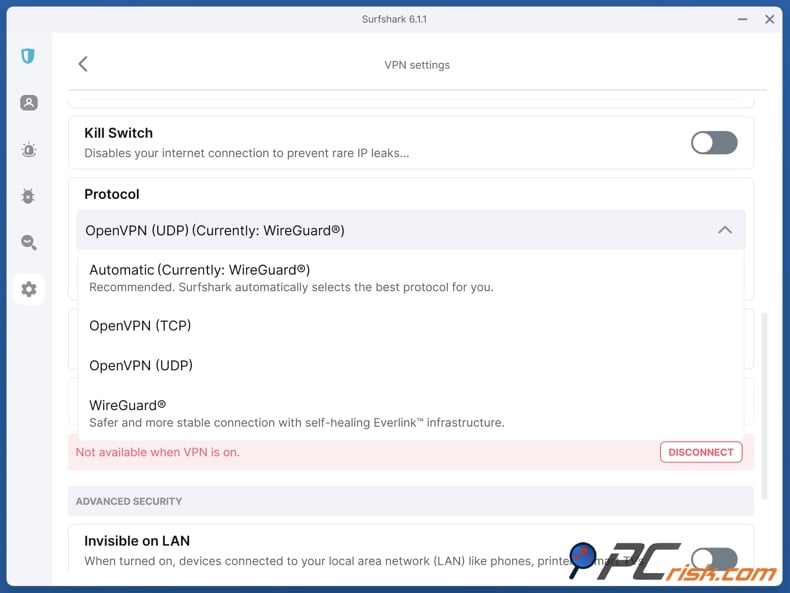
On April 13, 2026, Surfshark introduced Dausos, its own VPN protocol designed for everyday use, joining OpenVPN, WireGuard, and IKEv2. Unlike older protocols that send multiple users through shared tunnels, Dausos gives each connection its own private tunnel. According to Surfshark, this helps keep traffic separate, reduces interference, and boosts performance.
Dausos uses AEGIS-256X2 encryption, offers post-quantum protection, adapts to network changes, and has passed an independent Cure53 security audit. Surfshark says Dausos can be up to 30% faster than standard VPN protocols, but early third-party tests show mixed results. Right now, Dausos is still in beta and only available in the macOS App Store version of the Surfshark app, but support for more platforms is coming.
• No-Logs Policy (Audited): Surfshark is unyielding in its commitment to privacy and makes it clear it does not track your browsing, connection times, IP addresses, or bandwidth usage. That isn't a casual claim; independent auditors have given it their seal of approval.
Surfshark's no-logs stance was confirmed by a 2023 audit by cybersecurity firm Deloitte, which showed that the company's server and operational setup were in sync with its commitment to not logging anything. In June 2025, Surfshark ran a second successful Deloitte no-logs audit, making sure no user-identifying data was collected.
• Server Network: Surfshark is a serious contender, with over 3,200 servers in 100 countries. This is one of the broader country coverages in the VPN market, ensuring you can find a server in most regions of the world. All servers are at least 10 Gbps in capacity, which helps maintain fast speeds even when many users connect.
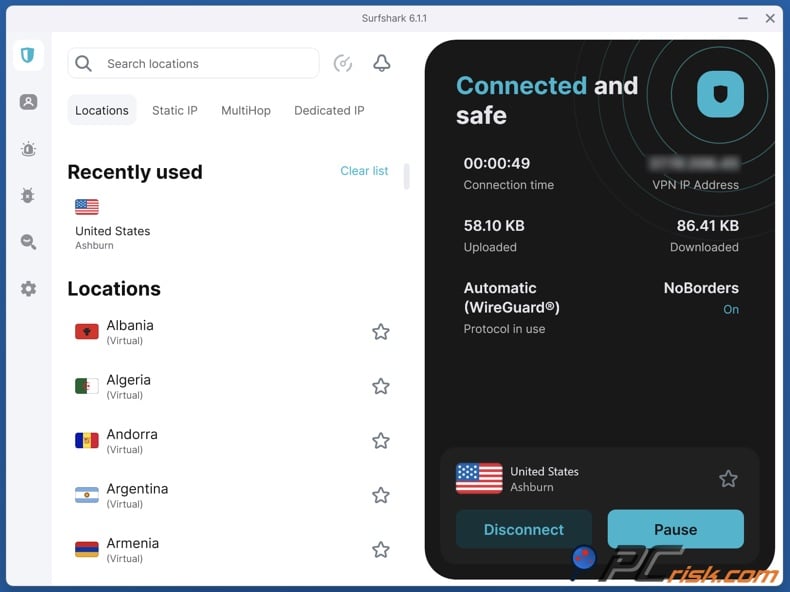
We like that Surfshark includes specialized servers as well: there are MultiHop servers that can help you mask your location by sending your internet traffic through multiple countries, Static IPs so you can use the same IP consistently, and a paid add-on service for Dedicated IPs for when you need your own completely unique IP address.
• Unlimited Devices: Surfshark stands out for its ability to handle unlimited devices, whereas most VPNs cap you at five or ten devices. In practice, this means you can secure your entire household - computers, phones, tablets, smart TVs - all under one subscription.
We tested Surfshark by connecting over a dozen devices at once (a mix of Windows, Mac, Android, and iOS), and all could keep a stable VPN connection. This makes Surfshark incredibly cost-effective for families or users with lots of gadgets.
• Kill Switch and Everlink: When using Surfshark, its kill switch is enabled on all its applications. It acts as a fail-safe, cutting off your internet access the moment the VPN drops, so that your real IP address and unencrypted traffic don't leak out in case of a VPN failure or network issue. In our tests, the kill switch was very responsive (as soon as we manually disrupted the VPN, our internet was blocked).
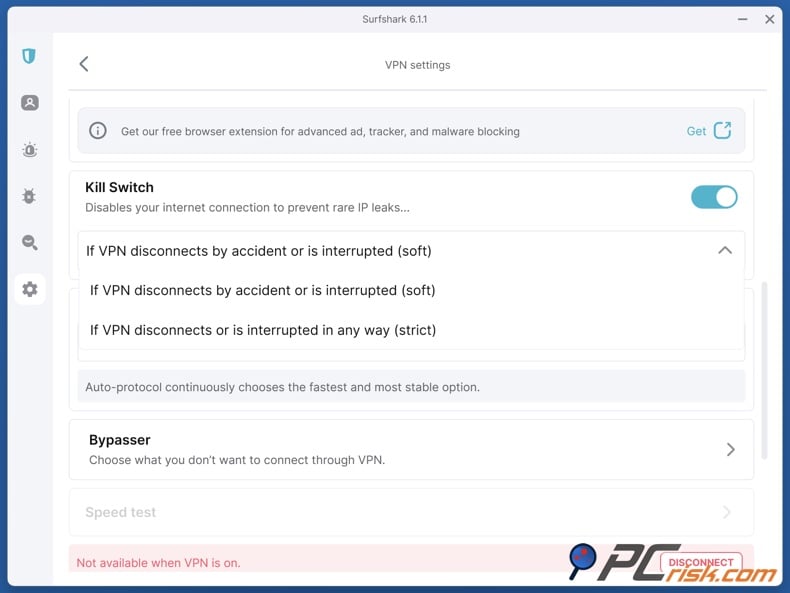
Furthermore, Surfshark's Everlink feature is a clever addition that works hand-in-hand with the kill switch to improve the reliability of your connection. Everlink (available by default when using WireGuard) acts like a smart kill switch that blocks traffic during a disconnect and quickly reconnects you to another server automatically.
• MultiHop (Double VPN): Surfshark offers MultiHop connections for users who want an extra layer of anonymity. It sends traffic through two VPN servers in different countries and, essentially, chains them together for double encryption and IP hopping.
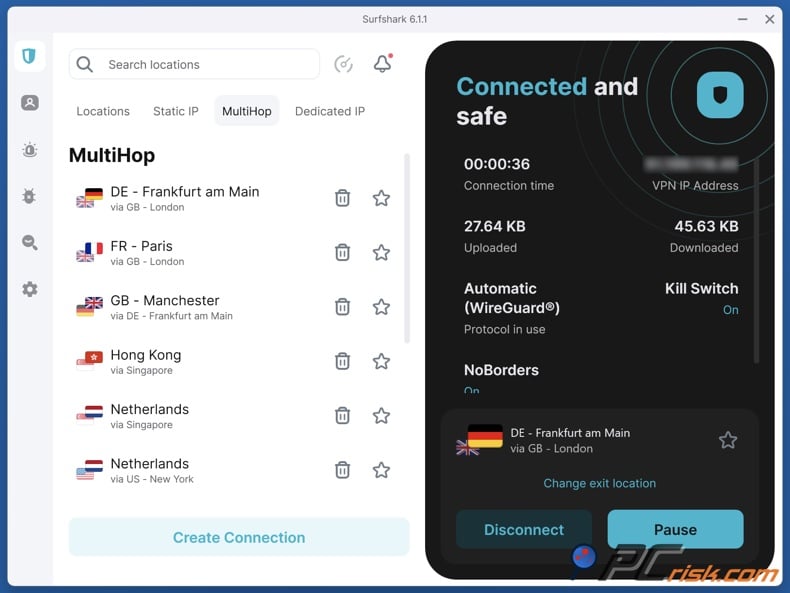
For example, if you select to connect through France via the Netherlands, your traffic goes to a VPN server in France, then jumps to a server in the Netherlands, and finally hits the internet. This makes it extremely difficult for anyone to trace back to you, and your IP shows up as the Netherlands.
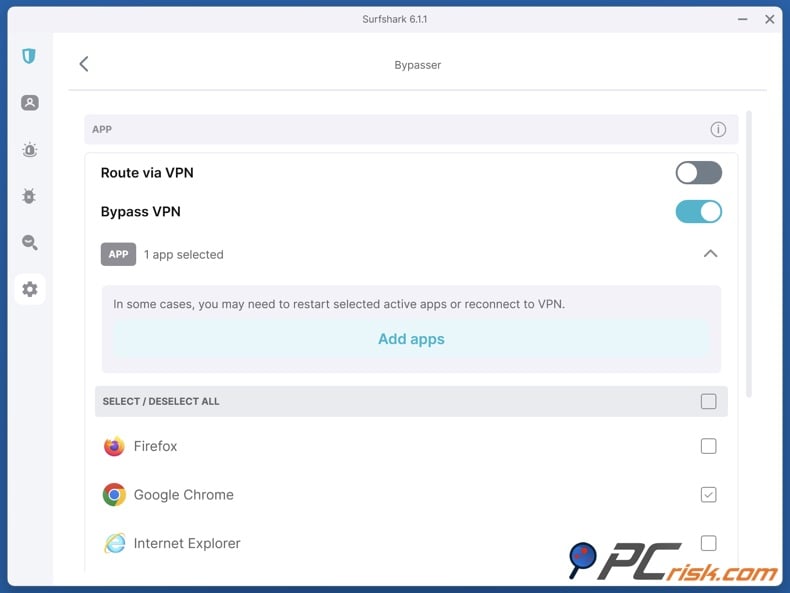
• Bypasser (Split Tunneling): When using Surfshark, you can employ its Bypasser feature on Windows and Android, which allows you to split your internet traffic. In the menu, you can pick which applications or websites should be sent over the VPN and which shouldn't. For example, you can stream local content or access a banking website that might block VPN IPs while keeping the VPN active for the rest of your internet activity.
• Camouflage Mode and NoBorders: When you're in a country with restrictive internet policies, Surfshark has a suite of tools to get you past the censors. Its Camouflage Mode disguises your VPN traffic as regular HTTPS traffic, so network administrators and ISPs won't know that you're using a VPN.
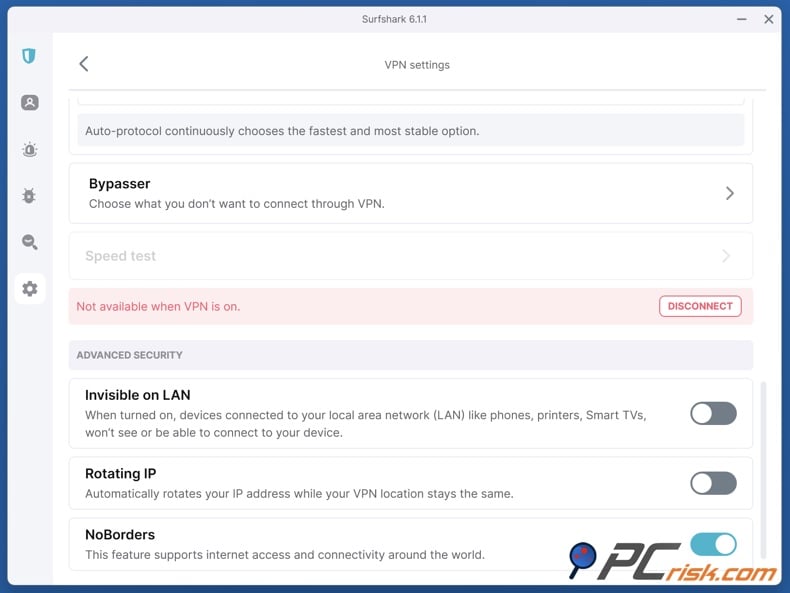
This feature is enabled automatically when using the OpenVPN protocol on Surfshark. In addition, Surfshark's NoBorders mode is designed for countries with internet censorship (like China, Iran, etc.). NoBorders automatically kicks in if the app detects you're on a restricted network - it then filters servers to show those most likely to work under censorship and uses obfuscation to evade VPN bans.
• CleanWeb (Ad & Malware Blocking): CleanWeb, its integrated ad-blocker and malware filter, is part of the package. When enabled, It will block ads, trackers, and known malicious domains at the DNS level while you browse.
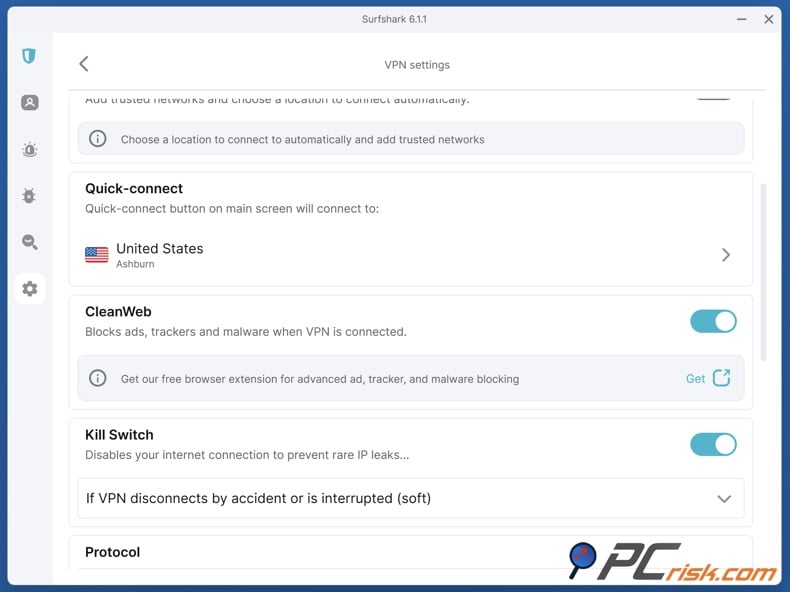
CleanWeb makes web pages load faster by eliminating ad scripts that slow things down. It also gives you an added layer of protection by stopping you from stumbling upon phishing or malware-hosting sites. In our tests, CleanWeb knocked out ads on news sites and YouTube, and marked a couple of shady sites we tried to access.
One more feature of CleanWeb is a Cookie Pop-up blocker, which takes care of those nasty "Accept Cookies" messages. CleanWeb is available on all Surfshark plans. It's essentially a feature of the VPN service and can be turned on/off in the app settings. We think it's a nice bonus, and many VPNs don't offer anything similar.
On mobile, CleanWeb won't block ads within apps, such as the YouTube app, due to how mobile operating systems work, but it does work in the browser.
• IP Rotator: When Surfshark introduced its IP Rotator feature, it aimed to mix up the IP addresses it assigns its users, changing them every 5-10 minutes, for example. The idea is to enhance privacy by not keeping the same IP for too long.
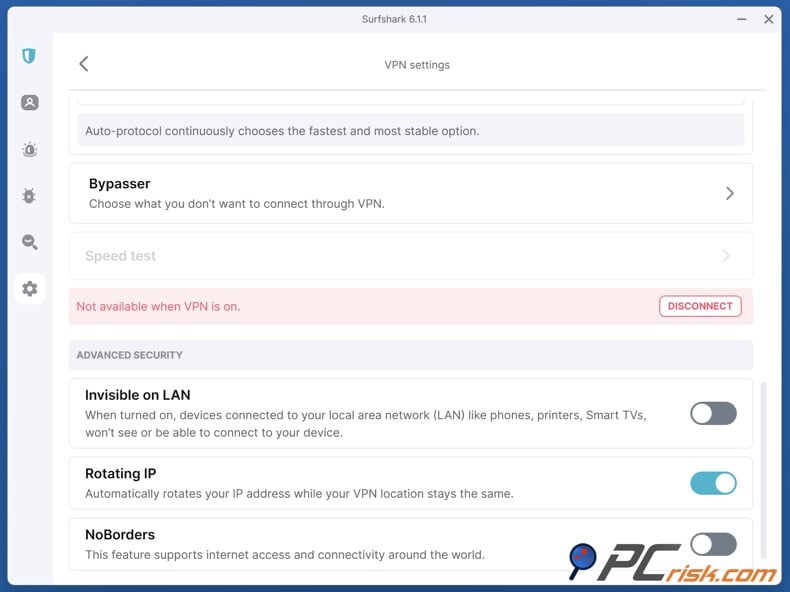
Unlike MultiHop, which uses two fixed servers, IP Rotator uses a single server location but cycles the IP addresses that the server gives out. It's also an advanced feature and is currently a Surfshark exclusive.
It might be useful if you're concerned about tracking - rotating IPs can defeat certain kinds of tracking or blocking. We tested it and saw our IP change seamlessly in the background. It's a niche feature but a superb addition for the privacy-savvy.
When evaluating VPNs, Surfshark is one of the top choices. It comes with top-tier encryption and protocols, a verified no-logs policy, a massive and fast server network, and an extensive list of features that you don't see every day: unlimited devices, MultiHop, ad-blocking, and an intuitive connection stability suite. In 2026, Surfshark pretty much hits all the marks that a regular user or even a power user would expect from a high-end VPN.
Additional Features (Beyond the VPN)
One of the things that sets Surfshark apart is its suite of additional security features. With Surfshark One and One+ subscriptions, these tools can turn Surfshark into a complete cybersecurity suite. Here's a rundown of what else you'll get:
• Surfshark Antivirus: When you purchase the Surfshark One bundle, you get a capable antivirus software that will cover all your devices. It provides real-time protection against malware, viruses, ransomware, and other threats.
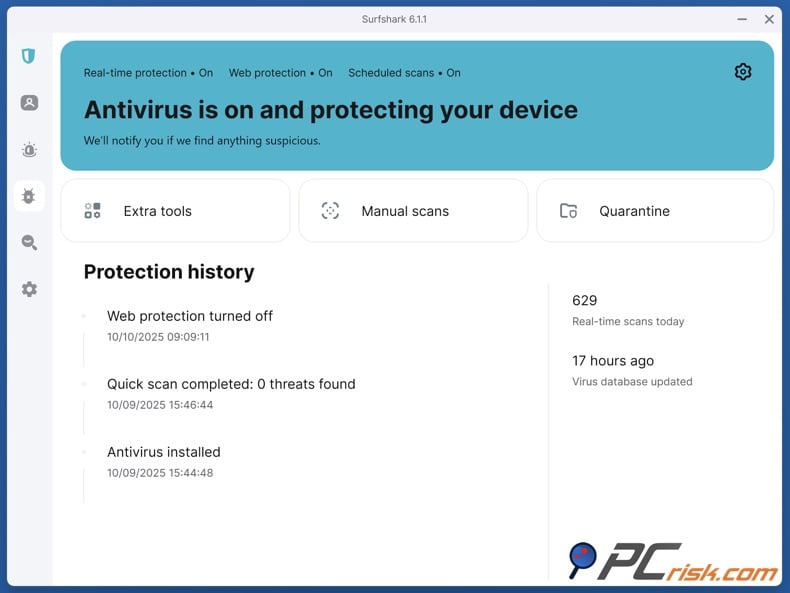
You can run either a quick or full system scan, and the antivirus will lock away any nasty files it finds. Well-known as a multitasker, Surfshark Antivirus has been built right into the Surfshark app for Windows and Android and stands as a separate app on Mac, allowing you to manage both VPN and antivirus from one place.
Surfshark Antivirus is still relatively new, having been released in 2021, but has already received endorsement from independent testers (for instance, it's been certified by AV-TEST in recent evaluations). The antivirus ran quietly in our tests and didn't slow down our test system. It's a useful bonus for anyone who doesn't want to buy a separate antivirus subscription.
• Surfshark Alert (Data Breach Monitoring): When you sign up for Surfshark's Alert service, you can feed it information you'd like to monitor, such as email addresses, credit card numbers, and IDs. The service then continuously searches databases for known leaks, coming from data breaches, dark web leaks, and other sources.
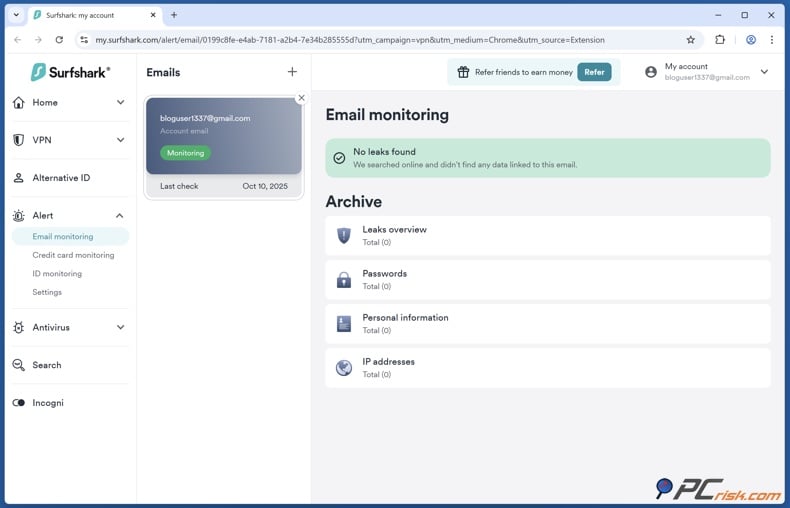
If your info is found in a new breach, Surfshark Alert will immediately notify you so you can take action (change passwords, cancel a card, etc.). We recently tested the email feature, and it showed us a couple of old breaches, which is great for being aware. This feature sends real-time alerts and is basically a safety net for data breaches. It's included in the One and One+ plans.
• Surfshark Search (Private Search Engine): Search is a privacy-friendly search tool (also included with Surfshark One). It allows you to search the web without logging your queries, showing ads, or tracking you. Think of it as Surfshark's answer to DuckDuckGo or Startpage.
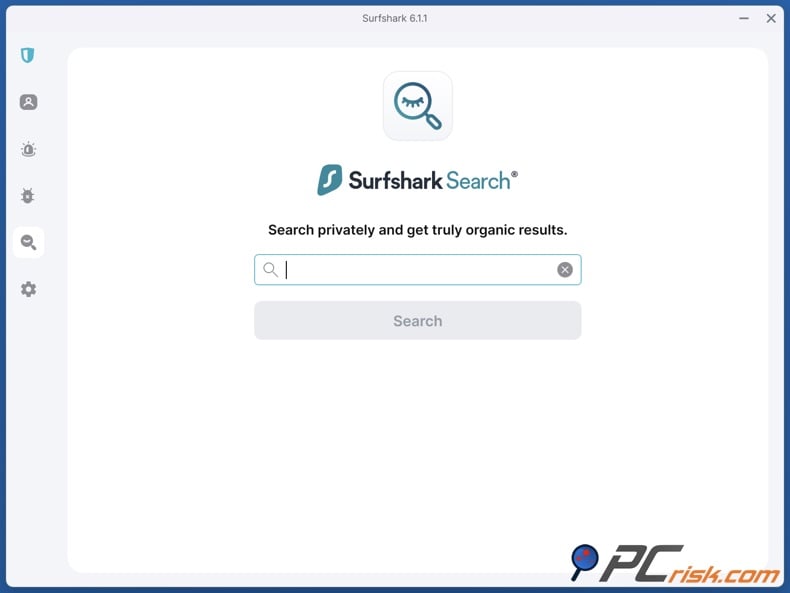
When you use Surfshark Search, you get ad-free, unbiased results. We tested it with a few queries to find that the results were on point, minus the annoying sponsored links. This is a great feature to have if you want your web searches to be completely private. The interface is user-friendly and accessible through the Surfshark website or the client app.
• Alternative ID (Identity Protection Tool): When you sign up for Surfshark's services, you'll notice they've given you a feature called Alternative ID. This tool helps you create a fake identity for online use - including a throwaway email address, name, and other details. The idea is that this alternative identity can be used when registering on websites and signing up for newsletters, shielding your real identity and reducing the spam you receive at your main email address.
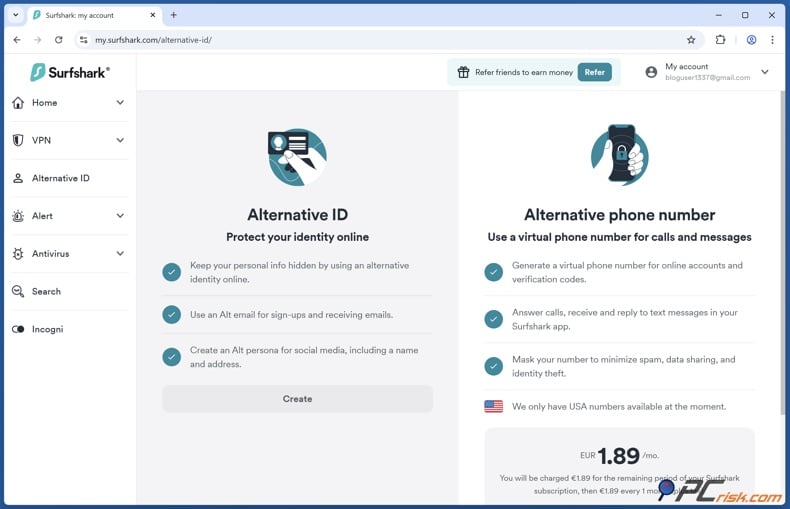
Surfshark's Alternative ID will generate a brand-new email and identity that you can copy with just one click, with the emails it creates being managed by Surfshark. You'll be able to get forwarded mail and access the emails if you need to.
Notably, Surfshark recently made Alternative ID available to all subscribers (even the Starter plan), reflecting how serious they are about privacy tools.
When testing the feature, we created a fake identity and were given a name that looked totally believable and an @surfshark.com email address to go with it, for those who don't want to hand over their personal information.
• Incogni (Data Removal Service): Incogni is an external product by Surfshark (part of Surfshark One+ or purchasable separately). It's a personal data removal service that contacts data brokers on your behalf to request deletion of your data.
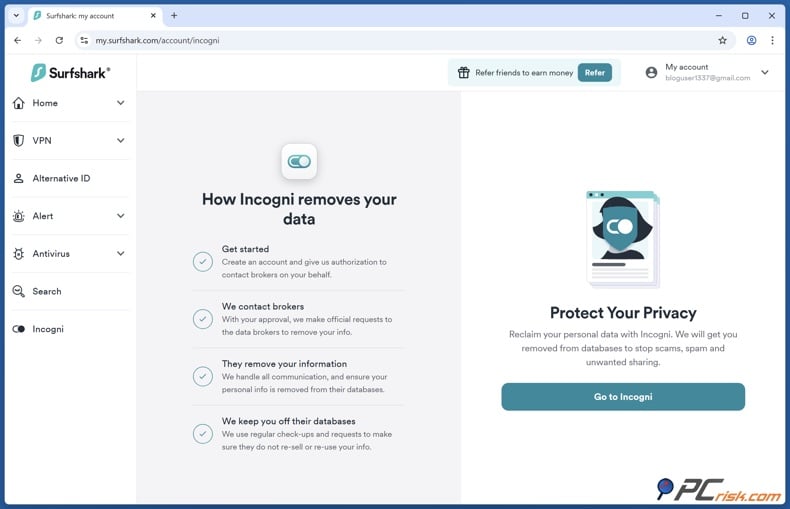
Today, countless data brokers collect and trade personal information (addresses, background info, shopping habits, etc.). Incogni helps reduce exposure by leveraging privacy laws (like GDPR or CCPA) to opt you out of those databases.
How it works: Incogni sends requests to dozens of major data brokers on your behalf and handles the hassle that would otherwise be your problem. In time, this can lead to less spam, fewer unwanted calls, and less visibility of your data to third parties.
Incogni is bundled with Surfshark One+, a complete privacy suite that combines VPN, antivirus, search, breach alerts, and Incogni. For the privacy enthusiast, One+ is a must.
• Dedicated IP (Add-on): When using the Surfshark VPN, one of the features you can add is a dedicated IP address. This is something you'll want if you're looking for a static IP, a private IP address that only you can use. Dedicated IPs are handy for avoiding captchas and getting whitelisted on certain networks. Dedicated IPs are available in around 20 locations and come at an additional cost.
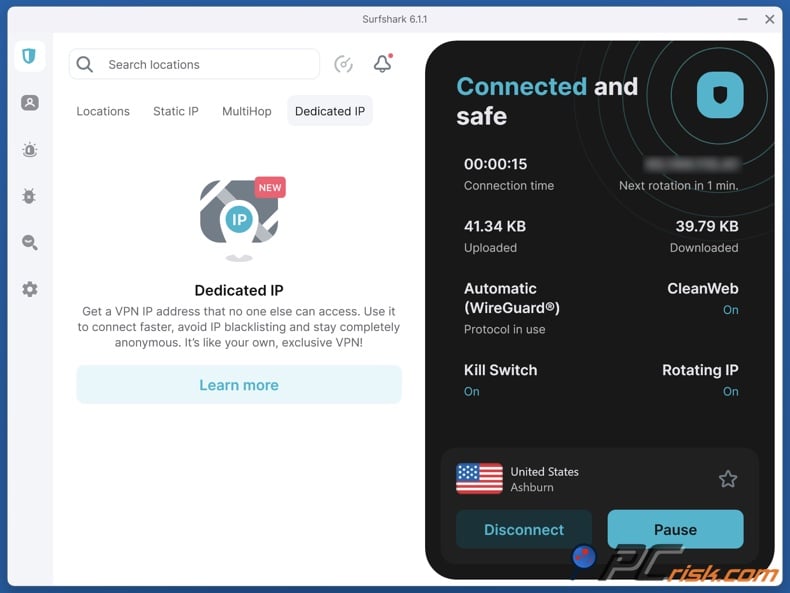
Roughly $3-$6 per month, depending on your plan term. We didn't test this feature in this review, but it's there for users who need it, such as remote workers accessing office systems requiring a static IP.
• Alternative Phone Number (Add-on): Surfshark has a feature called Alternative Number, which gives you a disposable, virtual phone number that you can use in place of your real one to fill out online forms or use on untrusted services. It's a great way to stop spam calls from reaching your personal number.
This feature is a separate small add-on currently available in specific regions. It is a testament to Surfshark's commitment to covering the various areas of digital privacy, including email, phone, data brokers, etc.
In summary, Surfshark offers a lot more than just a VPN. If you pay for one of the upper-tier plans, you'll get a comprehensive security suite that includes antivirus, private search, identity protection, and data leak warnings all under one roof. From the perspective of convenience and affordability, this can be a great option because buying all these services separately would be more expensive.
Even on the Starter plan, features such as CleanWeb ad-blocking, Alternative ID, and unlimited devices add real value. It's not often that VPNs offer this level of features, so Surfshark sets itself apart as an all-around privacy and security tool.
Ease of Use
Surfshark has a user-friendly interface that makes it easy, even for VPN beginners, to get started. We evaluated Surfshark's apps on Windows, macOS, Android, and iOS for ease of use and were impressed with their consistency and simplicity. Here are our observations on Surfshark's usability:
• Installation & Setup: When installing Surfshark, subscribing to the service gets you access to the app, which can be downloaded directly from the Surfshark website or through your mobile device's app store. We didn't encounter any issues during setup, and no complex configurations were needed.
Once you've logged in with your account credentials on desktop, you're all set to start connecting. On mobile, the app will ask for the necessary VPN permissions (as all VPN apps do), and then it's a one-tap to connect.
• Interface Design: Surfshark's app interface is clean and modern. It's main screen presents a "Quick Connect" button and a clear status bar that shows whether you're connected or not, and gives you the server's location. There's a list or menu for server locations that's well-organized by country and city, and we liked the built-in search function which lets you easily find a specific country or server, plus, you can save your faves for future reference.
From a design standpoint, the dark teal/gray color scheme is calming and soothing, appealing to fans of dark mode. The app is not cluttered as the advanced features are tucked away in the settings menu, keeping the front end straightforward for anyone who wants to click connect and go.
In our experience, a single click is all it takes to get connected, and the encryption usually takes just 1-3 seconds, thanks to WireGuard. OpenVPN does take a bit longer, which is normal. When you're connected, a neat pop-up or notification lets you know.
• Settings and Options: Despite its simplicity, Surfshark offers a good range of settings for power users to tweak. In the settings menu, you can change the protocol (WireGuard, IKEv2, OpenVPN TCP/UDP), turn the kill switch on and off, activate the CleanWeb ad blocker, and fiddle with features such as auto-connect on startup, rotating IPs, etc.
Features like MultiHop and Static IP are found within the locations menu and have a few subheadings. We found that the labeling of these features is really clear; each setting comes with a one-sentence description, so you know exactly what it does.
• Platforms and Compatibility: The VPN has an extensive suite of dedicated apps, covering Windows, macOS, Linux, Android, iOS, Amazon Fire TV, and Android TV. The company also offers Chrome, Firefox, and Edge browser extensions that only secure browser traffic.
We tested Surfshark on Windows 11, a MacBook, an Android phone, and an iPhone, and had a smooth experience. If you learn one of their apps, you can easily navigate the rest. Surfshark also allows manual configuration on many routers and provides OpenVPN config files.
They also offer a product "Surfshark VPN for Teams" (for business) and even have guides to set up on gaming consoles via DNS or router. These options show how flexible the service is, but in essence, the average user will probably stick to the standard applications.
• Language and Localization: Surfshark's apps and website support multiple languages (the app interface can be switched from English to other major languages). This is great for non-English speakers as it improves usability. Additionally, their customer support is primarily in English, but they have some multilingual support documentation.
To sum up, it's no wonder that Surfshark scores so well in ease of use, and it's evident that the developers have gone the extra mile to make the user experience straightforward, with lots of thought put into both the default settings and the settings that allow for fine-tuning.
Surfshark Mobile Apps (Android & iOS)
Surfshark offers dedicated mobile apps for Android and iOS devices, and it is among the best VPN apps we've tried. The mobile experience is important, given that so much of our internet usage happens on phones and tablets.
• Android App: Surfshark's Android app is feature-rich and user-friendly. The layout is roughly the same as the desktop, with a one-click connection button and an overview of the countries you can connect to. We found the navigation silky smooth, with no slowdowns or crashes on our mid-range Android phone.
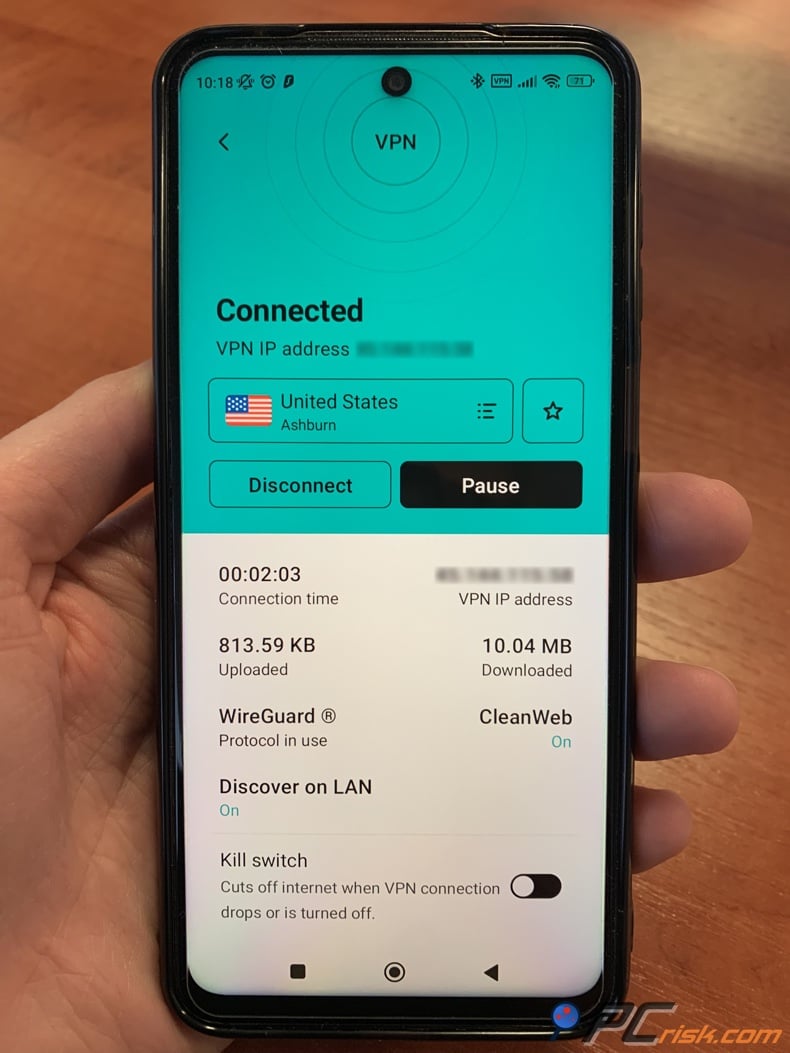
The Android app packs almost all of the features of the desktop, including a Kill Switch, CleanWeb ad-blocker, the Whitelister/Bypasser for sending certain apps through the VPN, MultiHop option, and a few exclusive mobile goodies.
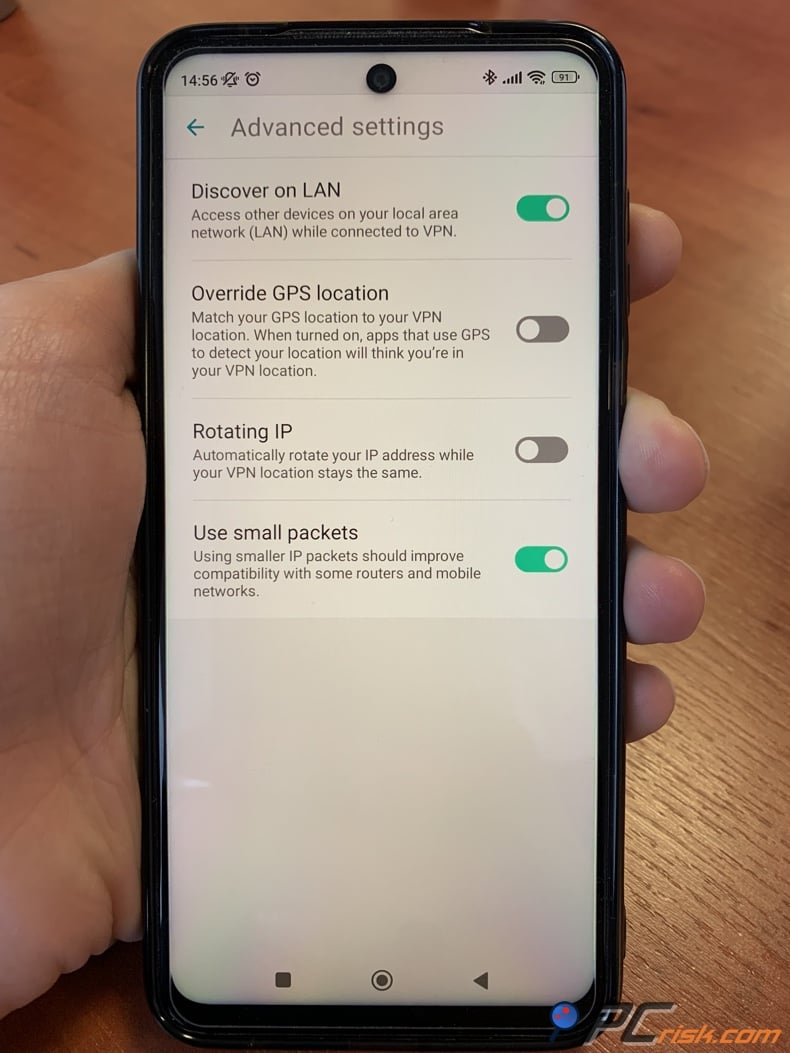
Notably, the Android app has a GPS Override feature - this can fake your GPS location to match the VPN server location. This feature allows the app to mask your phone's location by faking it to match the VPN server's. It's useful if you're using location-based apps and want your GPS coordinates to align with your IP (for privacy or perhaps accessing location-specific apps). We tested GPS override, and indeed, our phone's location was spoofed successfully.
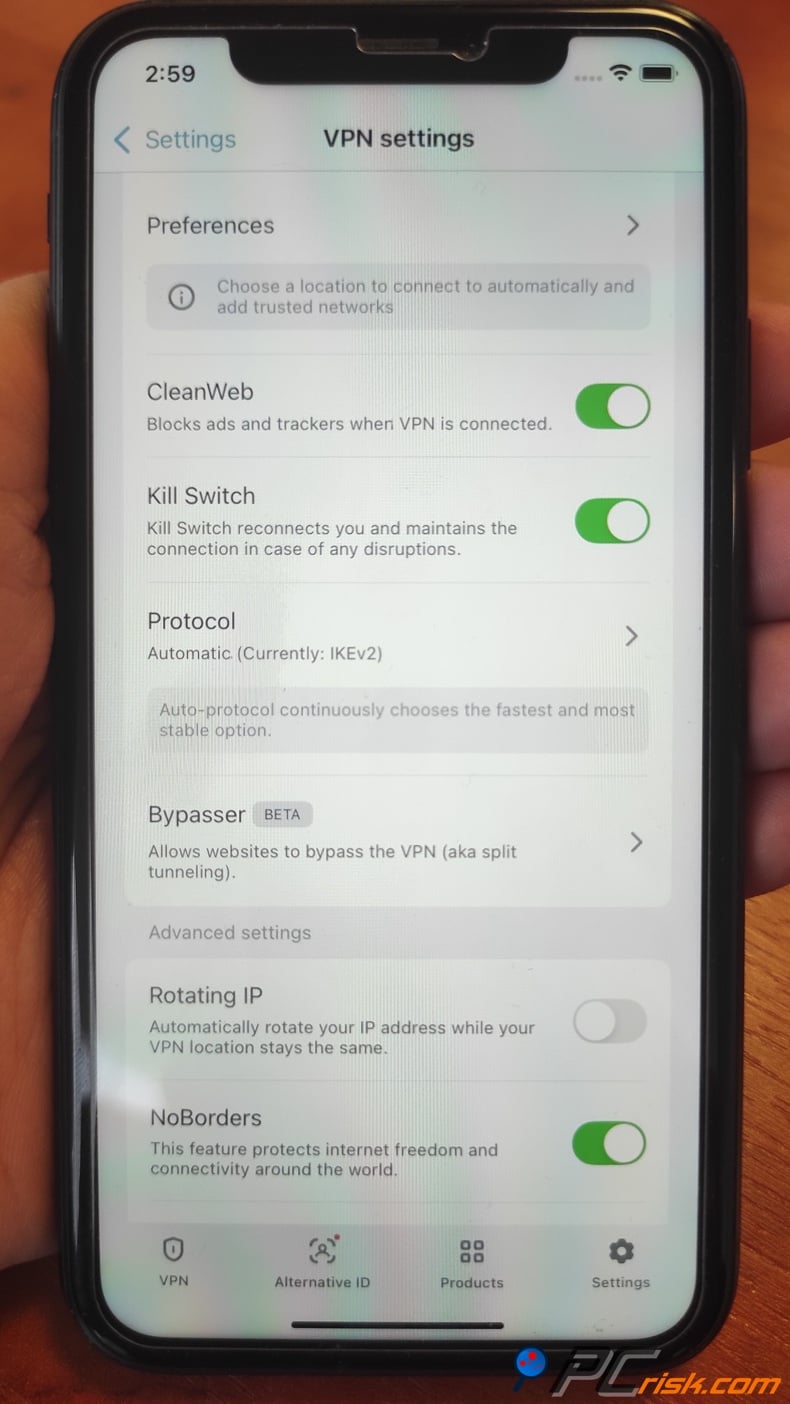
• iOS App (iPhone/iPad): When it comes to the iOS app of Surfshark, the experience is very similar to its Android counterpart, albeit with a few fewer features. The interface is spotless and user-friendly, one tap to connect button, a list of favorite servers, and so on. It doesn't have all of the same bells and whistles, but you'll still find a built-in Kill Switch, which, on iOS, gets activated automatically whenever the VPN is turned on, since iOS doesn't let you toggle it off.
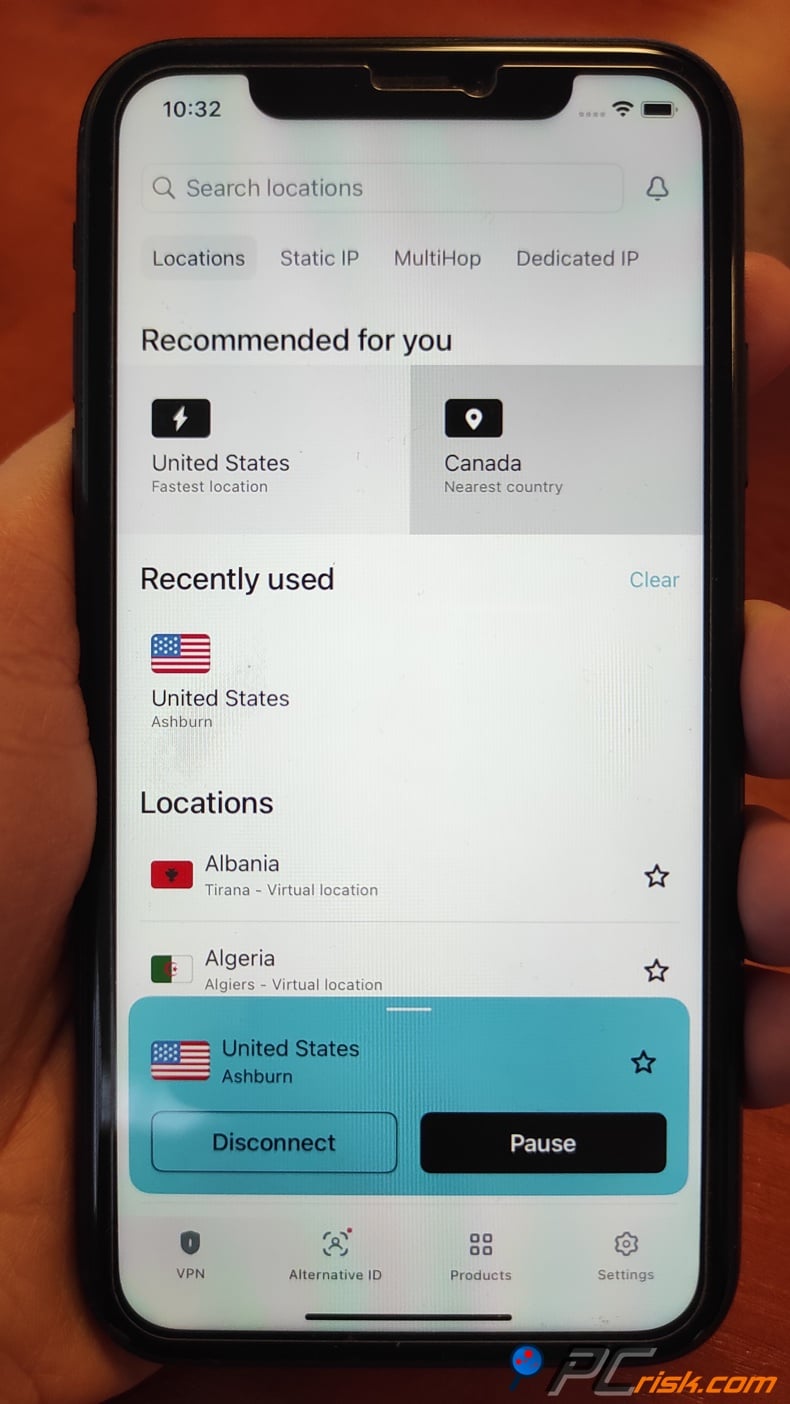
Surfshark iOS supports WireGuard and IKEv2 protocols and, like its Android counterpart, the app has MultiHop, CleanWeb to knock out ads in Safari and other apps, and the brand-new Siri Shortcuts feature.
One thing iOS lacks is the split tunneling feature (Apple does not permit VPN apps to selectively bypass certain traffic). So the Bypasser is not present on iOS. Despite that, most of the core VPN functionality is there and works flawlessly on iPhones and iPads. We tested on an iPhone 15; connections were fast and stable, and streaming on mobile via the VPN was smooth.
• Other Mobile Platforms: When it comes to streaming on a Fire Stick TV or an Android TV/Google TV, Surfshark has got you covered. They've created a dedicated app that can be installed directly on your device and allows you to stream content securely or access geo-blocked apps.
We gave the Fire TV app a quick try. It's essentially a simplified version of the regular app, specifically designed for remote navigation. Its simplicity means that those who use streaming devices can effortlessly choose their servers and get connected. Non-Android smart TVs and Apple TVs won't be able to install the Surfshark app directly. They can use Smart DNS or a router configuration, but that's a more complex setup.
In conclusion, Surfshark's mobile apps are top-tier in the VPN space. Their one-click operation is precisely what most of us are looking for in a VPN, while still packing advanced features for those who want them (especially on Android).
The broad compatibility (covering even TV devices) and high user ratings speak to their quality. Whether you need a VPN for your daily commute, traveling abroad with your iPhone, or streaming on your tablet, Surfshark's mobile solutions have a secure and pleasant user experience.
User Reviews and Feedback
To get a broader sense of Surfshark's reputation, we looked at user reviews on various platforms, including Trustpilot, Reddit, and app store feedback. Overall, Surfshark enjoys a positive reception from users, often praised for its value and support, with a few recurring criticisms to note.
• Trustpilot Reviews: When checking out Surfshark's ratings, we see it's sitting pretty on Trustpilot, where it has garnered over 26,000 reviews and averages an impressive 4.4 out of 5, basically "Excellent." That's thanks to the consistently high-quality service and top-notch help from the team.
Users praise Surfshark's support team for promptly resolving issues, and for the most part, the high ratings are justified. However, a few users did raise some less-than-stellar comments, pointing out billing and subscription problems, and a handful of people even ran into issues with automatic renewal, like being charged for a lengthy term without a reminder or running into issues with refunds.
• Reddit and Tech Communities: On Reddit, in forums like r/VPN or r/Surfshark, the consensus is that Surfshark is a reputable and solid VPN, particularly for its price. Many Reddit users have historically recommended Surfshark as a cheaper alternative to big names like NordVPN, noting that it "punches above its weight" regarding features and speed.
In r/VPN in particular, it's also possible to see some privacy-conscious users raising issues, and Reddit was one of the first places where people noticed that Surfshark had merged with Nord Security back in early 2022, and that made some ask if it was a good or bad thing for competition, and, by extension, users.
Another point raised by a few privacy purists is the Fourteen Eyes jurisdiction (Netherlands) and the clause in Surfshark's privacy policy that it temporarily logs users' original IP during the VPN session (apparently for maintenance/troubleshooting, and it's deleted after the session).
• App Store & Google Play Reviews: Surfshark's mobile apps have garnered tens of thousands of user reviews with scores in the 4.5 to 4.7 out of 5 range, which is basically the best. Scanning through comments on the App Store, users say Surfshark's iOS app is reliable and the best they've used, praising the speed and customer service.
On Google Play, many people gave 5-star ratings for how easy the app is to use. However, there were a few 3-star reviews from people who encountered a problem and got a response from the developers in most cases. Considering these high ratings, it's clear that the average user is very satisfied with the quality of Surfshark's mobile app, and many VPNs struggle to achieve such a consistent high rating.
In summary, the user reviews for Surfshark VPN have been given high marks. The main complaints were about the billing process, which isn't unique to Surfshark and can catch people off guard if they don't read the fine print, and the occasional technical issue.
Is Surfshark Worth Buying?
Is Surfshark VPN worth it? In our analysis, yes - Surfshark is worth considering if you're looking for a reliable, secure, and feature-packed VPN, especially if value for money is a priority. Here's why we come to that conclusion:
When considering a VPN, Surfshark's combination of affordability and premium features sets it apart. With a long-term subscription, you're getting a top-tier VPN service for only a couple of dollars per month.
Surfshark doesn't compromise on the important stuff, either: It provides unbreakable encryption, a no-logs policy verified by audits, and a 1000+ server network with lightning-fast speeds. Day-to-day use shows that Surfshak performs on a par with, and sometimes even better than, VPNs that charge a lot more.
Like many VPNs, one thing to keep an eye out for with Surfshark is the renewal price. While the initial price is a steal, the cost will go up when it's time to renew (for example, the 24-month plan renews annually at a higher rate). This is common with VPNs, but you should be aware of this and perhaps set a reminder to evaluate your options before renewal.
Surfshark is a well-rounded VPN service that delivers high-end features at a budget. It's particularly worth it if you plan to use its unlimited device allowance or find value in the added tools like antivirus and breach alerts.
Considering the 30-day money-back guarantee, it's easy to test Surfshark and see if it fits your needs. Based on our testing and the positive user consensus, we recommend Surfshark as one of the top choices for a VPN in 2026.
Frequently Asked Questions (FAQ):
Is Surfshark safe to use?
When considering Surfshark's safety, the answer is a resounding yes. It is a safe option. Surfshark has got you covered with its top-tier AES-256 encryption, alongside secure protocols like WireGuard and OpenVPN. The service has a strict no-logs policy that has been audited by Deloitte (in 2023 and 2025), confirming that it does not collect or store your browsing information.
Additional safety features, such as a kill switch, DNS leak protection, and two-factor authentication on accounts, ensure that your identity and data stay secure while using Surfshark.
How many devices can I use with Surfshark?
Surfshark allows unlimited simultaneous devices on one subscription. So, you can install it on your computer, laptop, phone, tablet, TV, and more, and they'll all be covered with just one subscription. This is a big deal for people with families or lots of gadgets.
For example, you can run Surfshark on your Windows PC, MacBook, two phones, and router and still incur no extra costs. However, the free trial is restricted to three mobile devices.
Does Surfshark work with Netflix and other streaming services?
Yes. Surfshark is one of the best VPNs for streaming, and can unblock Netflix and a myriad of other services. Users and our tests have been able to successfully stream Netflix libraries in multiple countries, as well as Disney+, Amazon Prime Video, Hulu, BBC iPlayer, HBO Max, and so much more.
When it comes to streaming, Surfshark's expansive server network and clever Smart DNS feature allow you to watch region-locked content without stuttering and enjoy a smooth viewing experience.
Where is Surfshark based, and is the jurisdiction a concern?
Surfshark is based in the Netherlands, a country that is part of the EU and generally viewed as privacy-friendly, with no mandatory data retention policies for VPNs. However, as a member of the 14-Eyes intelligence sharing alliance, it raises some concerns. Privacy purists worry, but since Surfshark, for the most part, doesn't keep logs, the company wouldn't be able to tell authorities much.
Does Surfshark offer a free trial or free version?
Surfshark doesn't offer a completely free plan, but it offers several ways to try it before fully committing, including a 7-day free trial on Android, iOS, and macOS.
You'll need to download the app, sign up for the free trial, and, if you go through the Google Play or Apple process, input your payment information, but you won't be charged unless you don't cancel before the week is over, and then you can only use it on three devices.
As a standard, Surfshark's 30-day money-back guarantee can be seen as a no-risk trial period. You can use the service for up to a month, and if you're not happy with it, claim a refund.
Share:
 Facebook
 X.com
X.com
 LinkedIn
 Copy Link

Karolis Liucveikis
Experienced software engineer, passionate about behavioral analysis of malicious apps
Author and general operator of PCrisk's News and Removal Guides section. Co-researcher working alongside Tomas to discover the latest threats and global trends in the cyber security world. Karolis has experience of over 8 years working in this branch. He attended Kaunas University of Technology and graduated with a degree in Software Development in 2017. Extremely passionate about technical aspects and behavior of various malicious applications.
▼ Show Discussion