
Mullvad VPN Review

✓
Fact-checked by:
Tomas Meskauskas
Last updated:
November 16, 2025
Our reviews are written by Internet security experts.
Learn more.
PCRisk score:
4.3
When searching for a comprehensive VPN suite with additional functionality, we recommend shortlisting Mullvad VPN.
What we liked:
✓ Top-tier privacy: Anonymous sign-up and a strict no-logs policy.
✓ Strong security: Open-source, audited apps with robust encryption.
✓ Fast and stable: Excellent nearby speeds and consistent reliability.
What we disliked:
✗ Poor streaming: Struggles to unblock major services like Netflix.
✗ No discounts: Flat €5/month adds up over time.
✗ Limited network: Fewer locations and missing features like live chat or dedicated IPs.
Mullvad has existed in Sweden since 2009. Since then, it has become known as one of the most privacy-focused VPN services. Today, we will examine whether Mullvad lives up to its high standards and is a good VPN for everyday use in 2026.
Pricing and Subscription Options
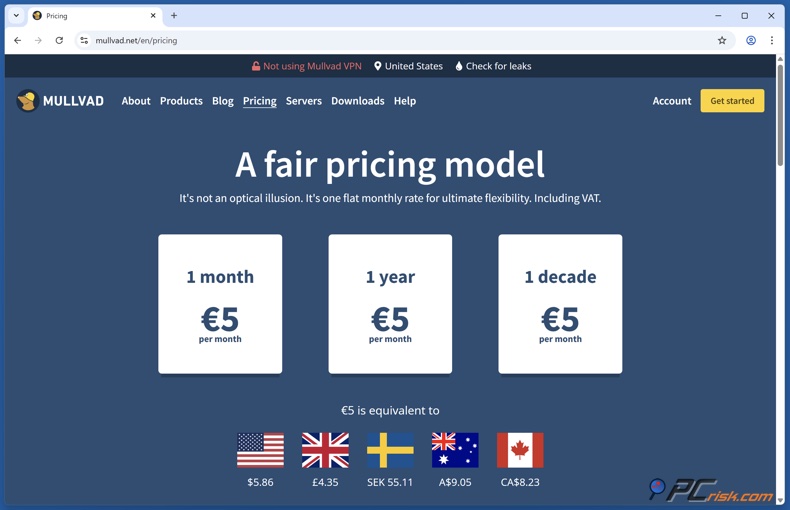
When looking at Mullvad VPN, you'll notice that the pricing is very clear-cut. The monthly fee is a flat €5, roughly $5.50-$6. If you're signing up for a year, that equals €60. They don't offer multi-year discounts, meaning the monthly price stays the same, whether paying for one month or several years in advance.
This "no-nonsense" pricing means you won't encounter any limited-time deals or renewal price hikes, but it also makes Mullvad appear pricier over multi-year periods compared to providers that discount their 2- or 3-year plans.
Taxes, or VAT, are included in that €5/month price, and you get access to every single feature that Mullvad offers, including up to five simultaneous connections on your account. They also have a fourteen-day money-back guarantee, except if you paid in cash, in which case you're out of luck.
There's no free VPN option or free trial. Mullvad is all about the idea that truly free VPNs will either compromise privacy or limit features, and they don't want to do either of those things. Signing up for an account is free, and you don't ask for any payment until you're past a very short test period, which basically gives you a taste of the service.
Payment Methods and Anonymity
Mullvad supports a wide range of payment methods, including some exceptionally anonymous options. You can pay via a credit/debit card, PayPal, bank transfer, Swish, and many more conventional methods. Privacy-conscious users will appreciate that Mullvad also accepts Bitcoin, Bitcoin Cash, Monero, and even cash by mail.
In fact, Mullvad encourages anonymous payments. If you go the cryptocurrency route, Mullvad will knock off 10% of the transaction cost to cover the fees. They also have a system where you can send cash in an envelope to their Swedish office, and they'll credit it to your account. This is basically unheard of in the VPN space and shows how much they care about user anonymity.
Available Versions (Plans)
Unlike many competitors, Mullvad VPN has no tiered versions such as "Basic," "Pro," or "Ultimate." They've basically created a single plan and give everyone the same level of service, no matter how much they pay. They don't reserve any features for premium plans.
There is also no permanent free version of Mullvad. In the past Mullvad briefly offered a limited trial, but currently the approach is to let users try the service risk-free via the 14-day refund policy.
Available platforms: Mullvad has apps for Windows, macOS, Linux, Android, and iOS, plus you can set it up on your router and other devices, all of which are controlled by a single subscription and account.
Our In-House VPN Test Results
We conducted a series of in-house tests to evaluate Mullvad VPN's real-world performance and capabilities. Our tests covered connection speeds, streaming access, security leak checks, and stability. Below is an overview of our findings in each area.
Speed and Performance Tests
Local Server Speeds: Mullvad delivered speeds almost as good as our non-VPN baseline when using a VPN in the same country. The download speed only dropped by a small percentage, which is excellent. Web browsing and 4K video streaming were completely seamless. Since the ping or latency to nearby servers was also very low, this VPN is more than suitable for online gaming and voice calls, and is basically on par with a direct connection.
International Server Speeds: When connecting to long-distance servers, from Europe to the US and back, we noticed a speed reduction, which is to be expected with any VPN. However, Mullvad stood out, as it could handle HD streams and large downloads without buffering.
The latency did increase on distant connections, but remained within reasonable ranges. Overall, Mullvad's use of the efficient WireGuard protocol really shines here, maintaining fast throughput.
In our tests, OpenVPN connections were inferior to WireGuard. Mullvad's WireGuard implementation should be your best option if you need the fastest possible speeds.
Consistency: When we ran a series of speed tests on Mullvad VPN at different times, we found that its speeds were consistently stable, never dropping off or being throttled.
The client's connection times were fast, too. WireGuard, in particular, can establish a secure connection in a second or two. Upload speeds were also strong, boding well for those looking to use the VPN for torrent seeding or uploading files.
In summary, we found that the VPN caused very little to no slowdown for everyday tasks such as browsing, streaming, or downloading. It's clear that Mullvad's network has no bandwidth issues.
Streaming and Torrenting
Streaming Services: When we tested Mullvad's capabilities, we found that they don't prioritize streaming services. Our results showed that they couldn't bypass the geo restrictions of major streaming platforms like Netflix, Amazon Prime Video, Disney+, and Hulu. While connected to different Mullvad servers, Netflix in the US was accessible, and we could watch the US library without any proxy errors.
However, the same can't be said for the Netflix libraries in other countries, nor for the UK's Amazon Prime Video, Disney+, and Hulu, all of which kicked us out for using a VPN.
Established UK streaming services like BBC iPlayer, ITV Hub, and Channel 4 worked fine with Mullvad's UK servers, and so did 9Now, an Australian streaming channel. Unlike some of its competitors, Mullvad doesn't invest much in beating streaming blocks.
Torrenting and P2P: When it comes to torrenting and P2P file sharing, Mullvad is a top contender. All Mullvad servers allow P2P traffic with no restrictions. In our tests, the download speeds for Linux ISO torrents via Mullvad were silky smooth and didn't slow down.
The fusion of Mullvad's exceptional speeds and rock-solid commitment to privacy, courtesy of no logs and anonymous accounts, makes it an attractive option for anyone who wants to torrent but doesn't want anyone watching their back. Unfortunately, Mullvad did, but it no longer offers port forwarding for those who wanted to seed torrents more effectively, scrapping the feature because of security concerns.
We could still find a satisfactory level of seeding performance without port forwarding, albeit not reaching the same level of peers you'd see with an open port. As a result, if torrenting is the primary reason you're choosing Mullvad, its speed and reliability are an excellent signpost, albeit with a note that seeding performance won't be at top speed.
Security and Leak Tests
Mullvad's claim to fame is robust privacy and security, so we paid special attention to this area. We ran several tests to see if Mullvad truly keeps your identity under wraps:
IP & DNS Leak Tests: When we linked up with the Mullvad VPN servers in several countries and ran several leak tests, we found that the service effectively masked our IP address and DNS requests.
Every time, the only IP address visible to the outside was the Mullvad server's IP, and DNS requests were handled by Mullvad's own DNS servers (or by the encrypted DNS we configured), not our real ISP's.
Their built-in leak protection and kill switch also got a workout. We verified that the kill switch will block all internet traffic if the VPN drops, and keep our real IP from spilling out.
Encryption and Protocols: When it comes to VPN protocols, Mullvad has two of the best: OpenVPN and WireGuard. Both of them are extremely secure. OpenVPN's encryption is based on AES-256, whereas WireGuard uses the modern ChaCha20 encryption, which is basically the gold standard in the industry and is fast to boot. We're confident that the encryption will safeguard your data even when you're on a dodgy public Wi-Fi network.
As a bonus, Mullvad is one of the very few VPNs that natively support IPv6, not just assigning it to users, but routing the traffic properly too. Most VPNs don't even bother with IPv6 because they think disabling it will prevent leaks, but our approach is much more elegant and won't let you down.
No-Logs Policy and Audits: When choosing a VPN, technical capabilities are just the beginning. A trustworthy provider is also key, and Mullvad delivers in that department.
Its no-logs policy means that Mullvad doesn't store any of your online activities, nor the connections you've made. You can sign up for an account without providing your name or email, a random account number is all you need.
Even a court order or any other form of attempt to force Mullvad to identify a user's activities will be met with a resounding impossibility of tying activity to a person.
To back up its security claims, Mullvad's software and infrastructure have undergone multiple independent security audits. The apps are fully open-source, allowing experts to inspect the code.
Cure53, a respected security firm, recently conducted an audit and confirmed Mullvad's high level of security by spotting no major flaws. It's very rare to see a VPN go through such a rigorous process and emerge without being exposed to any critical issues.
Overall, we found that Mullvad is absolutely serious about keeping you safe and private. We didn't find any leaks and were impressed by the flawless kill switch and encryption performance. The company's commitment to a no-logs policy and opening up its auditing process is a huge plus. Mullvad quickly became one of our top VPNs.
Connection Stability and Other Notes
When we ran our tests on Mullvad VPN, the connections were stable, with no random disconnects or app crashes. The client efficiently re-establishes the connection if you change servers or if the connection drops.
We also tested Mullvad's advanced features, like multi-hop (Bridge mode), where you can route your connection through two VPN servers for an extra layer of encryption. Setting up a multi-hop connection (for example, chaining a UK server over a US server) worked, though naturally, it doubles the encryption overhead and slightly reduces speeds. This feature can be useful for users who want an extra privacy buffer.
We were also impressed by Mullvad's R&D into quantum-resistant VPN tunnels and its DAITA feature. The average user won't use these cutting-edge features, but it's good to see Mullvad pioneering the field of privacy tech.
In summary, our in-house tests show that Mullvad VPN performs great in all key areas: fast, secure, and reliable.
Main VPN Features
No Logs and Anonymous Accounts: Is Mullvad really as private as they say? It seems its most significant claim is privacy. It keeps no usage or connection logs. Uniquely, you do not need to provide an email or personal details to create an account - instead, Mullvad generates a random account number for you. This anonymous account system means your account isn't personally identifiable, which is a rarity among VPNs.
Strong Encryption & Protocols: When using Mullvad, you can choose between OpenVPN with AES-256 encryption and WireGuard with ChaCha20 encryption. Both are regarded as very secure, and WireGuard is also known for being fast, which is a large part of the reason Mullvad can send data so quickly. You can manually select your preferred protocol or allow Mullvad to choose for you.
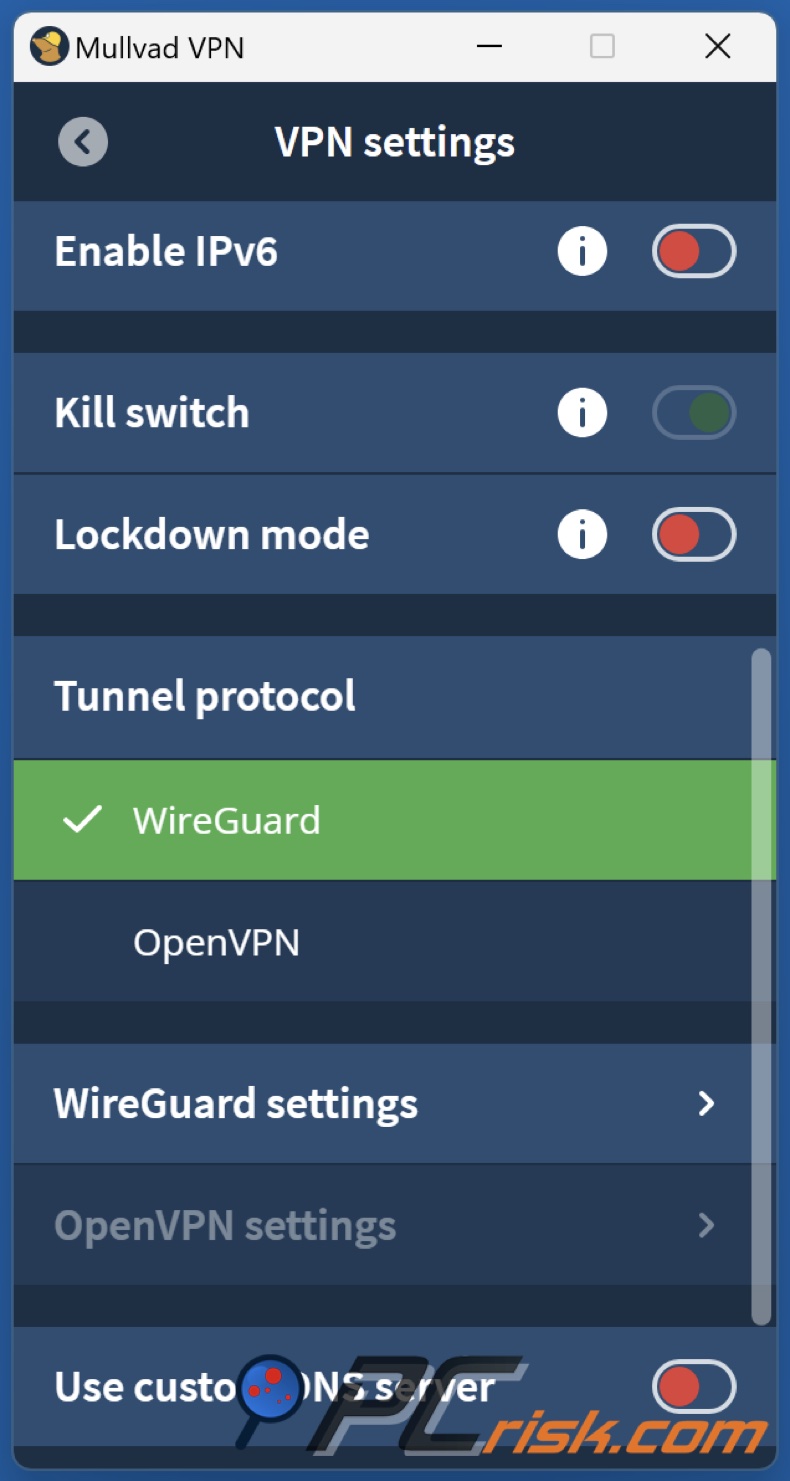
Kill Switch and Leak Protection: When using a Mullvad VPN, all of their apps come with a kill switch feature that, when enabled, will block all internet traffic if the VPN connection drops unexpectedly. This prevents any accidental exposure of your real IP. In addition, Mullvad apps have DNS and IPv6 leak protection, ensuring that your DNS requests are routed securely through the tunnel and that IPv6 is properly tunneled or disabled (to avoid leaks).
Server Network (Countries & Servers): Mullvad operates servers in roughly 40+ countries (over 700 servers in total). Although smaller compared to the thousands of servers of major VPNs, Mullvad's server count is enough to cover the most in-demand regions, including the UK, Europe, North America, the Asia-Pacific, and less popular ones, like South America and the Middle East.
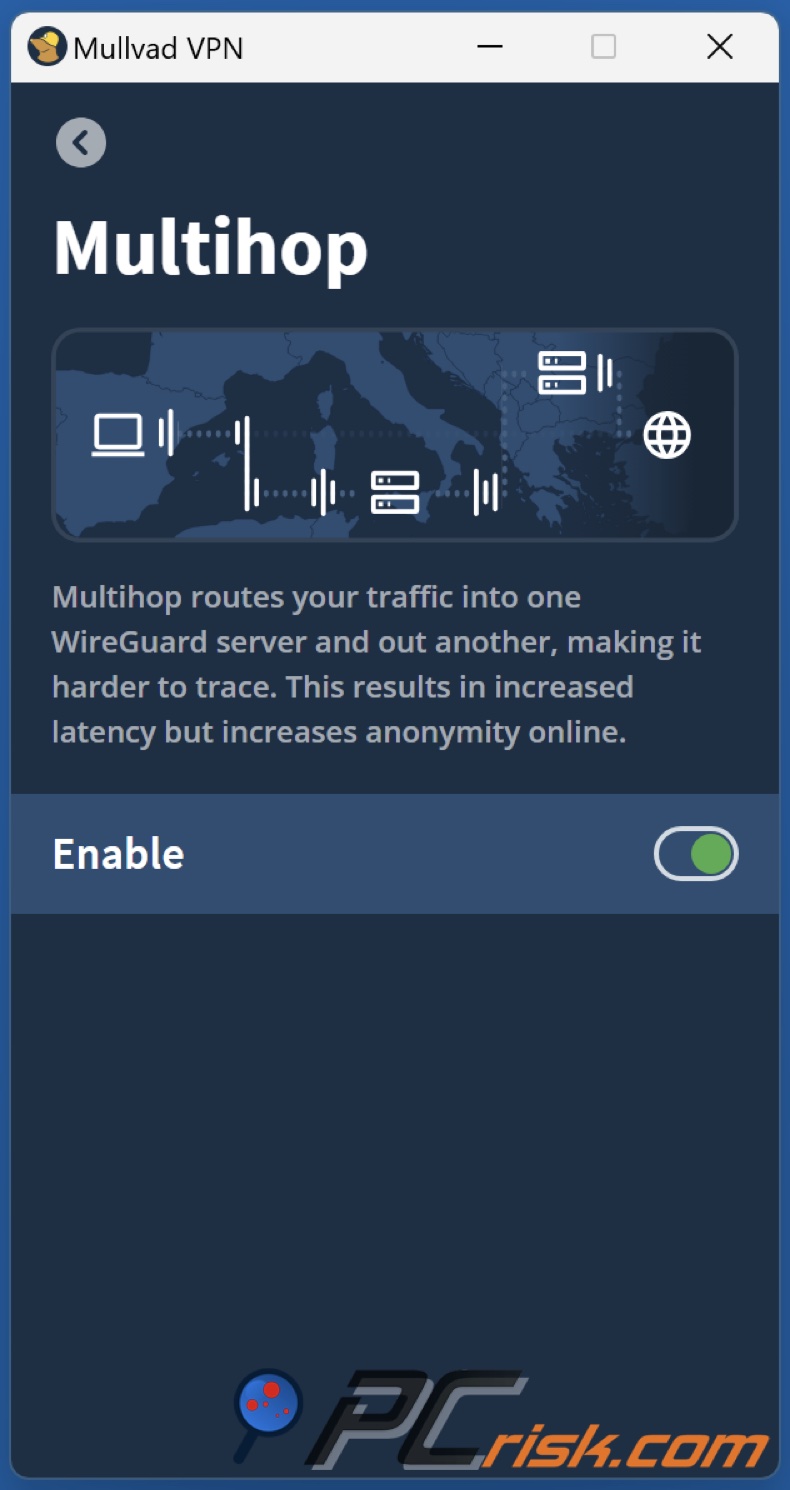
Multi-Hop (Bridge Mode): When using Mullvad VPN, you'll find the "Bridge" feature in the app settings. It is essentially a multi-hop VPN that sends your connection through two VPN servers in different locations. Coming hotfooting from Germany, you could use this feature to send your traffic through a server in the UK and then out through a server in Sweden, and Mullvad makes it very easy to do so. Just enable the feature and choose your entry and exit points.
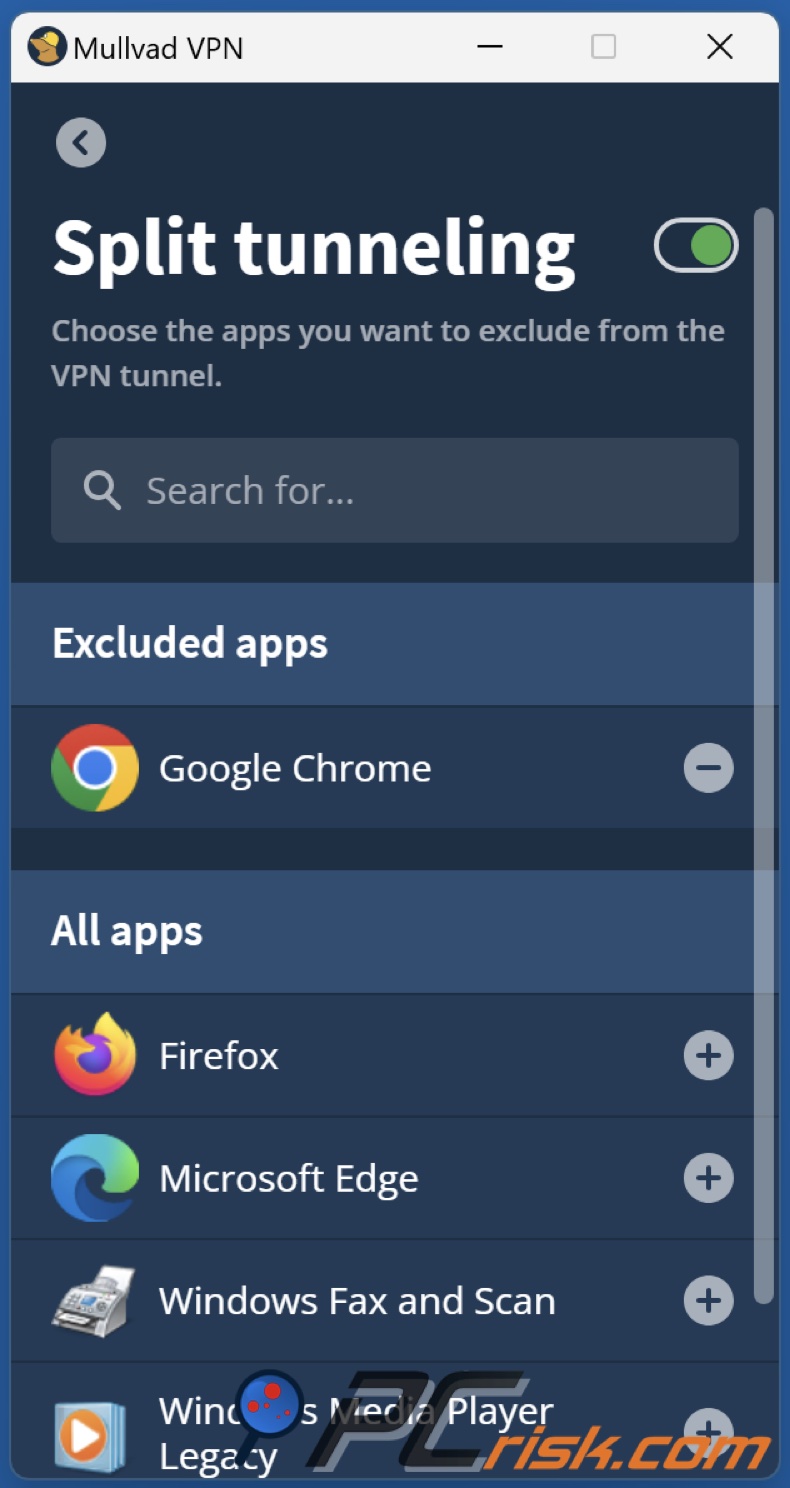
Split Tunneling: The Windows, Linux, Android, and macOS apps feature a split tunneling option, which is a handy feature. Split tunneling lets you choose which applications to send through the regular internet connection, and which to send through the encrypted VPN tunnel.
If, for example, you want your web browser to use the VPN but need a specific app to go through your regular internet connection (such as a banking app or a game), then this is exactly what you need.
Custom DNS and Ad Blocking: The VPN defaults to its private DNS servers, which keep your DNS requests private from your ISP. Additionally, Mullvad offers an optional DNS filtering feature that can block ads, trackers, and malicious domains.
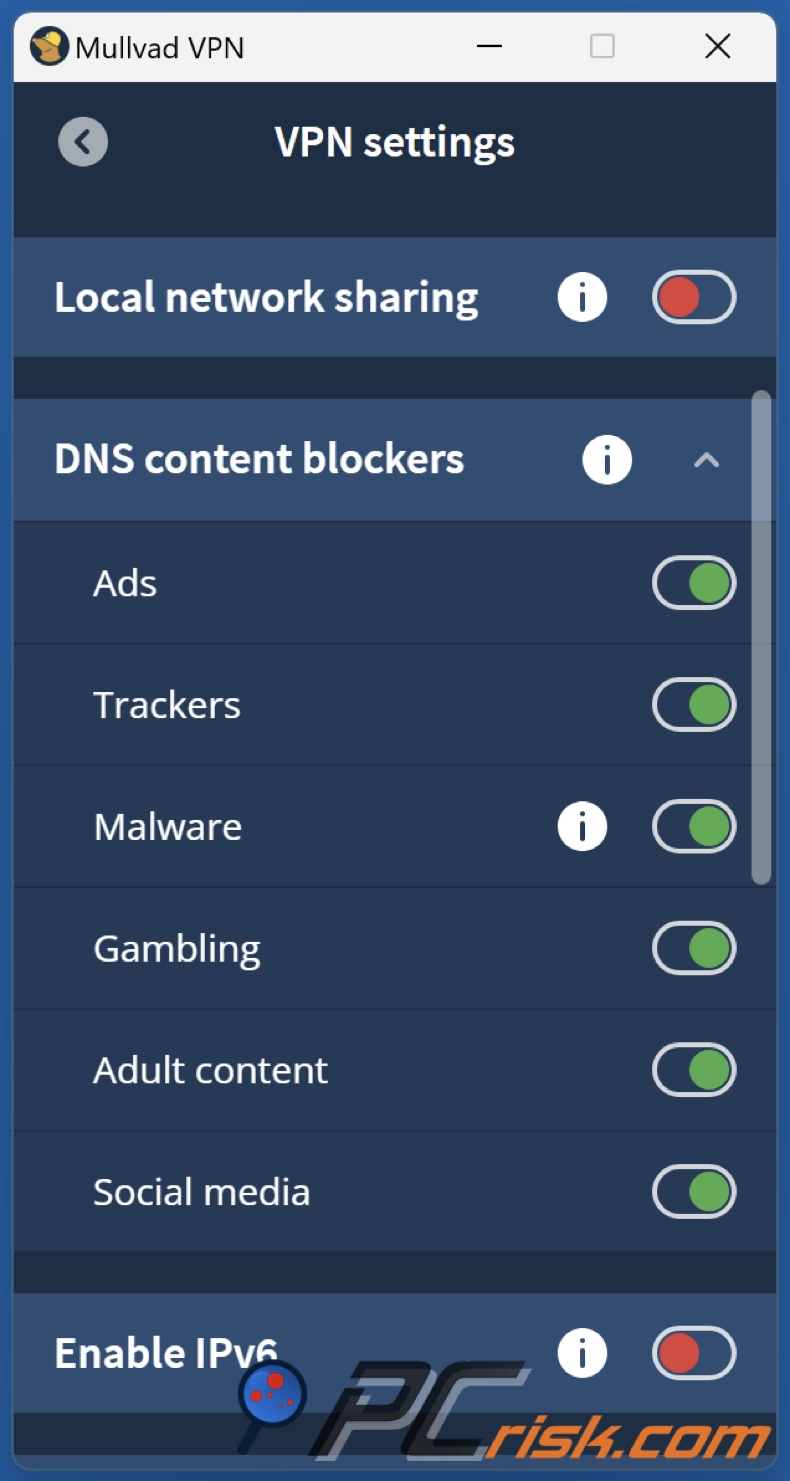
It works by using encrypted DNS, called DNS over HTTPS, and if you activate the filtering feature, it becomes a rudimentary ad-blocker and malware protector at the network level. It's no replacement for a dedicated ad-blocker extension, but it's a nice extra layer of protection against known malicious sites and annoying ads.
Cross-Platform Consistency: When you use the desktop version of Mullvad on Windows, Mac, or Linux, you get the full range of features, and the mobile app for Android has nearly all of them too, including split tunneling and a system-wide kill switch.
However, the iOS app has a couple of restrictions. This is largely due to Apple's iOS policies, one of which is the inability to implement a custom kill switch. Nevertheless, the core functions, privacy features, and consistent interface are still available, whether on a computer or a phone.
5 Simultaneous Connections: When you sign up for Mullvad VPN, you can use it on up to five devices simultaneously. This is similar to most of its competitors, some offering six, seven, or eight, but five is a standard and should cover most personal and family usage. Since Mullvad doesn't use email linking, each account is separate, so if you need to use the VPN on more than five devices, you'll need to sign up for an additional Mullvad account.
In summary, Mullvad sticks to the fundamentals: solid encryption, leak protection, and a few advanced tweaks (multi-hop, split tunneling) for those who need them. It's a lean, focused feature set that will satisfy users who want a VPN to do its core job effectively and transparently.
Additional Features
Mullvad Browser: In 2023, Mullvad launched the Mullvad Browser in partnership with the Tor Project. This privacy-focused web browser is freely available to anyone (not just Mullvad VPN users).
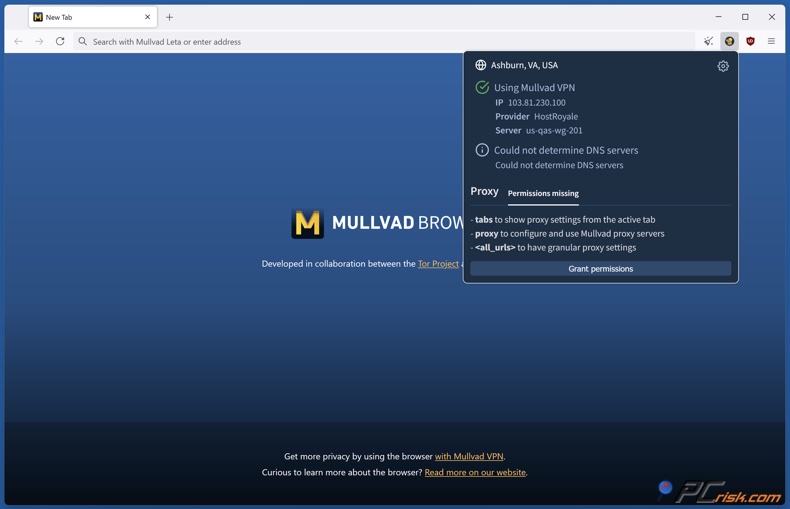
Mullvad Browser is essentially a hardened version of Firefox (similar to Tor Browser) designed to reduce tracking and fingerprinting. It disables or limits many features that can be used to identify you (like certain APIs, fonts, etc.), and it aims to make all users look alike, which improves anonymity.
Unlike Tor Browser, which bounces your traffic around the Tor network, Mullvad Browser is meant to be used in conjunction with a VPN, such as the one they offer, to give you top-notch privacy. Even if you don't use Mullvad VPN, you can still use Mullvad Browser on its own or with another VPN to reduce your online tracking.
Mullvad Search (Leta): When using Mullvad's search engine Leta, you send your search queries to other search engines like Google or Brave through Mullvad's portal, and then get back the results. The idea is that Mullvad acts as an intermediary so that the big search engines don't directly see your IP or build a profile based on your searches. You can even specify a country or language for the results, and still keep your location private.
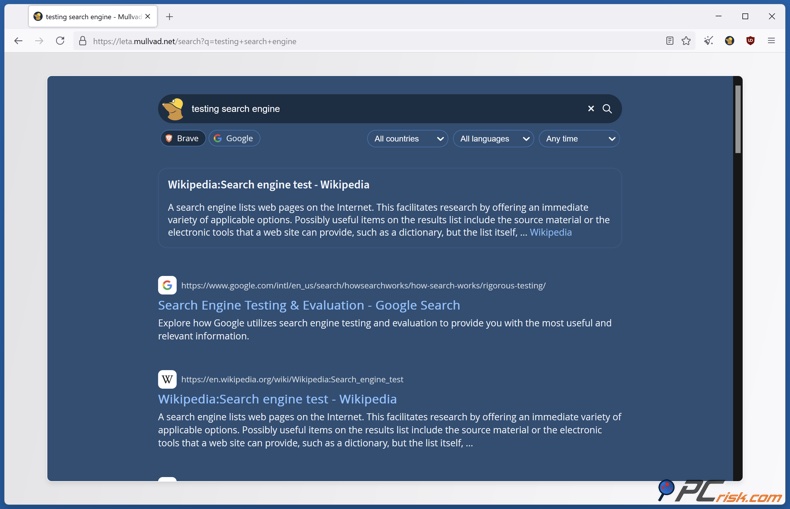
Mullvad doesn't track you, nor do they store logs of your searches. It's a beta service and has some technical aspects, but basically, it's an expression of Mullvad's goal to "free the internet" by offering alternatives that put privacy at the forefront.
Encrypted DNS (Mullvad DNS): Mullvad provides an encrypted DNS service that anyone can use (even without a VPN). This is really just a DNS over HTTPS resolver run by Mullvad, which doesn't store any of the queries that go through it.
If you want to encrypt your DNS lookups, you can set your device or browser to use Mullvad's DNS. This is a nice bonus because it ensures that your ISP won't see what you're looking up online. Additionally, Mullvad's DNS can block ads and trackers, which will be very welcome to privacy enthusiasts.
Browser Extension: To complement the Mullvad Browser, a browser extension is also available (for Firefox and Firefox-based browsers). This extension can be used to check your VPN connection status quickly at a glance, and it has a feature to enable a SOCKS5 proxy in the browser when you are connected to Mullvad VPN.
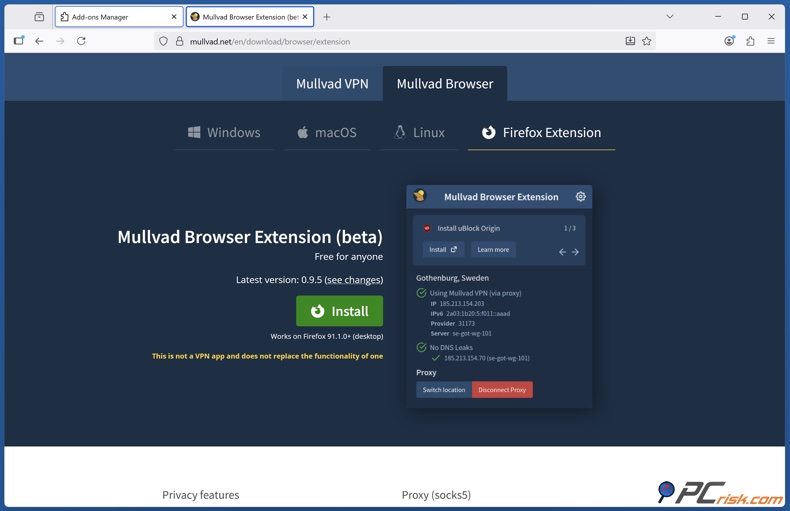
Notable as the 'proxy toggle,' it essentially sends your browser traffic through a bonus layer, the VPN server's internal proxy, giving you a steady exit IP for that browsing session. This is very handy if you want your browser to have one IP address while the rest of your internet traffic bounces around.
It also has a built-in kill switch specifically for the browser. If the VPN disconnects and you have the proxy on, it will block browser traffic. The extension also gives you the option to quickly change the location of the browser traffic, a feature known as multi-hop, which is quite a sophisticated function but very useful.
Integration with Third Parties: Regarding Mullvad VPN's technical side, some third-party services also employ its infrastructure. Mozilla VPN, for instance, uses Mullvad's server network, and Malwarebytes receives Mullvad's back-end assistance. Both are reputable services.
This means that Mullvad's network and privacy standards are acknowledged and respected in the industry. While this doesn't directly change Mullvad VPN for subscribers, it's a positive signal about the company's credibility in the privacy community.
Ease of Use
Account Creation: Setting up a Mullvad VPN is unlike most others. You won't need to sign up with an email and a password. Visit Mullvad's website or open the app, and click "Create Account." This will generate a 16-digit account number. That's basically your login credential minus the password. The number itself is all you need to sign in.
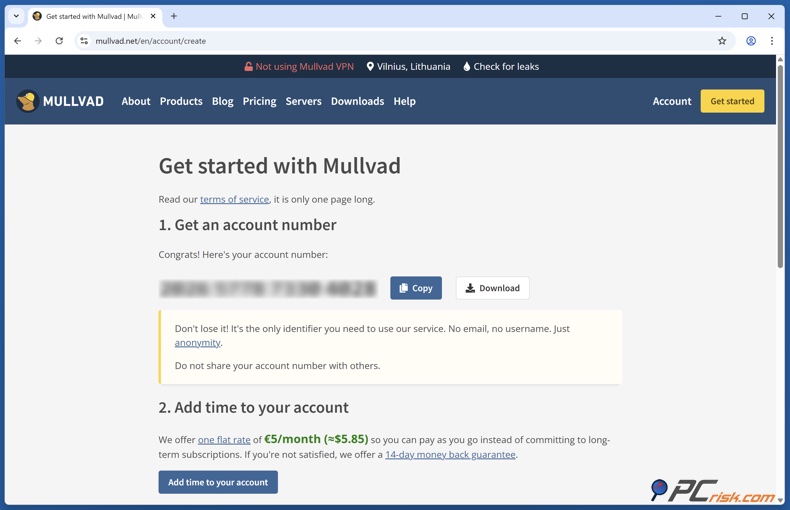
It's a good idea to keep this account number safe since there isn't a recovery option, as Mullvad doesn't have any record of your identity. You can, though, add an email address to your account for recovery, but it's optional. Many users skip this step and just write down their account number.
Subscription Management: When using Mullvad, you'll need to top up your account over time, basically pay in advance for the VPN service. For example, you pay €5 and your account now has 30 days of service. You can prepay multiple months by just adding more credit.
The web interface is really clean and straightforward. It shows you how many days you have left and gives you different payment options to top up. However, your subscription won't renew automatically unless you've specifically set up a recurring payment through PayPal or a credit card.
This pay-as-you-go model gives users flexibility but lacks the typical "subscribe and forget" convenience. From an ease-of-use perspective, it's not hard to manage at all - it's just a different philosophy that actually puts more control in the user's hands.
Desktop App Interface: When you use the Mullvad VPN client on Windows, Mac, or Linux, you'll be presented with a clean, intuitive interface. Upon logging in with your account number, you'll be presented with a one-click "Secure my connection" (connect) button. The app will often automatically connect you to the best server, usually the one closest to your location, or you can handpick a location first.
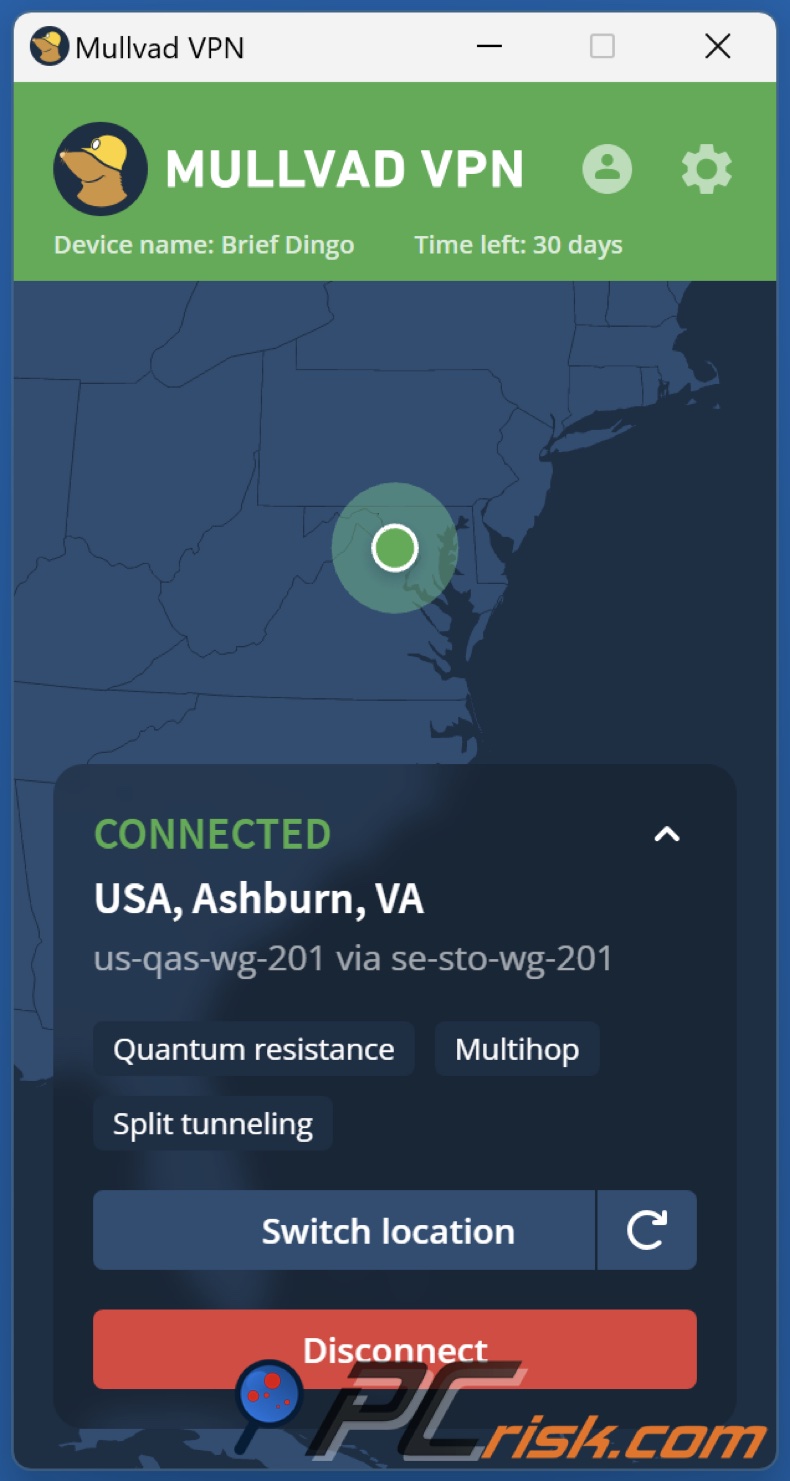
Mullvad's server selection interface includes a list of countries (expandable to cities) and also a world map view where you can click on a location. The design is clean with a dark grey/green theme and a cartoon mole (Mullvad's mascot) illustration.
Unpretentious doesn't mean boring, though. The only thing that matters is right there on screen, and includes your brand-new IP address, the time you've been connected, the protocol you're running, and that's it.
The settings menu is easy to get your head around, letting you toggle the kill switch, auto-connect on startup, protocol preferences, and other advanced features such as Bridge mode and split tunnelling, and by and large, Mullvad's software is as easy to use as you need it to be, just choose a spot and plug in.
Established VPNs offer many extraneous options, annoying cross-selling, and promotional banners, but Mullvad steers clear of all that and gets you connected quickly.
Installation and Setup: Installing Mullvad is as simple as downloading the app from the official website or mobile app store. It's hassle-free and without any unnecessary extras. The installers themselves are streamlined and don't contain any ads. We're also big fans of the fact that Mullvad's apps are digitally signed, have reproducible builds, and even provide checksums and open-source code for the security-conscious.
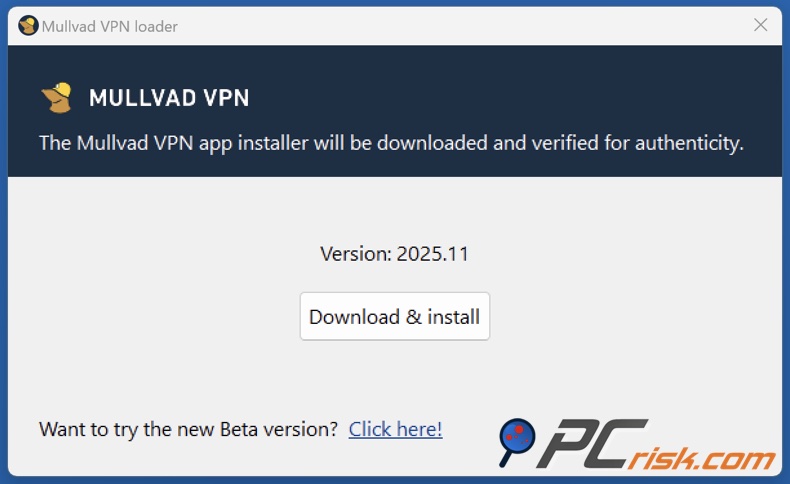
From a regular user's perspective, installation is one-click, and logging in with that account number is the only extra step compared to VPNs that use email logins.
Overall user experience: Mullvad is often praised for being a "set and forget" VPN - meaning once you turn it on, it quietly does its job without needing constant attention. Our experience aligns with that. You can enable settings like auto-connect on startup, and Mullvad will automatically secure your internet whenever your device boots or joins a new network, without further action.
Overview of Mobile Apps
When it comes to protecting your mobile device, Mullvad has developed mobile applications for both Android and iOS platforms. With these apps, you can enjoy the same privacy principles and secure your smartphone or tablet with a single account. Here's what to expect from Mullvad on mobile:
Mullvad for Android: The Android app brings the full experience of its desktop counterpart to mobile. It can be downloaded from the Google Play Store or directly as an APK from its website, giving users the option to sidestep Google's oversight. Logging in is done using the traditional Mullvad account number.
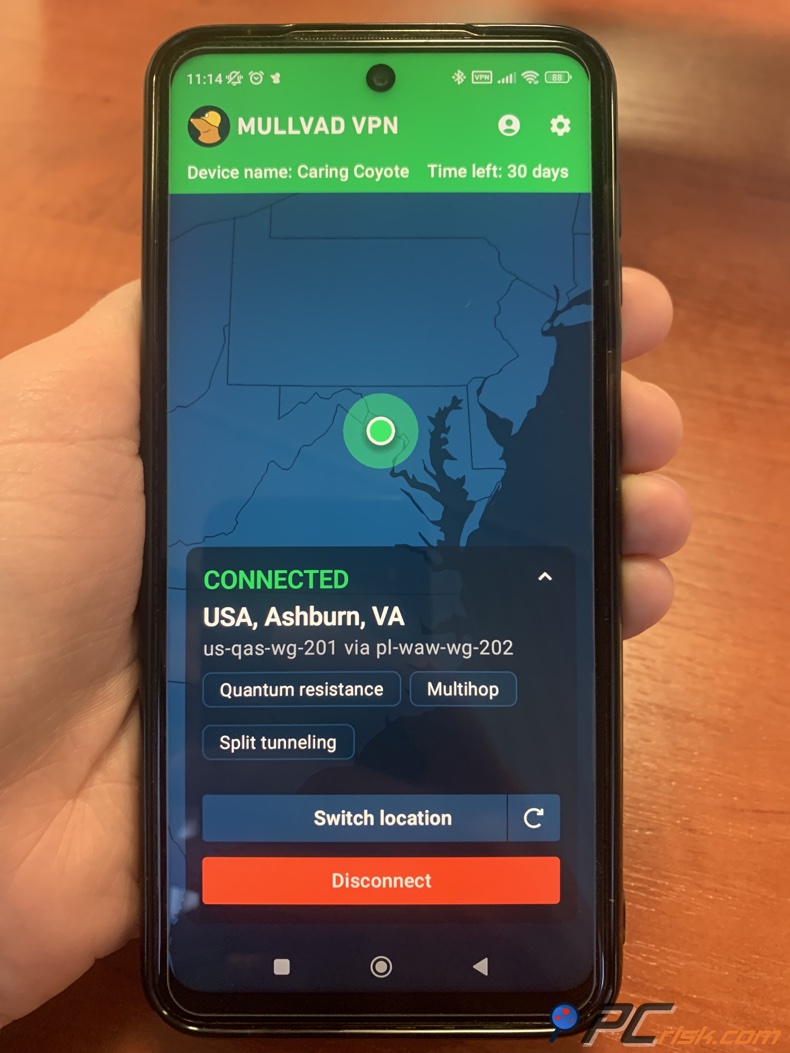
The Android interface has the big connect button, location list/map, and essential status info. In terms of functionality, Android gets almost everything: you have the kill switch (Android's system VPN settings allow blocking connections without VPN), and Mullvad integrates that to ensure no leaks.
It also has the feature to split-tunnel. In the app settings, you can choose which apps get sent through the VPN and which don't, basically the same as on the desktop. We found the Mullvad Android app to be very stable and easy to use, and it gets WireGuard connections sorted out lightning-fast. It runs in the background reliably and can be set to auto-connect on Wi-Fi or cellular networks.
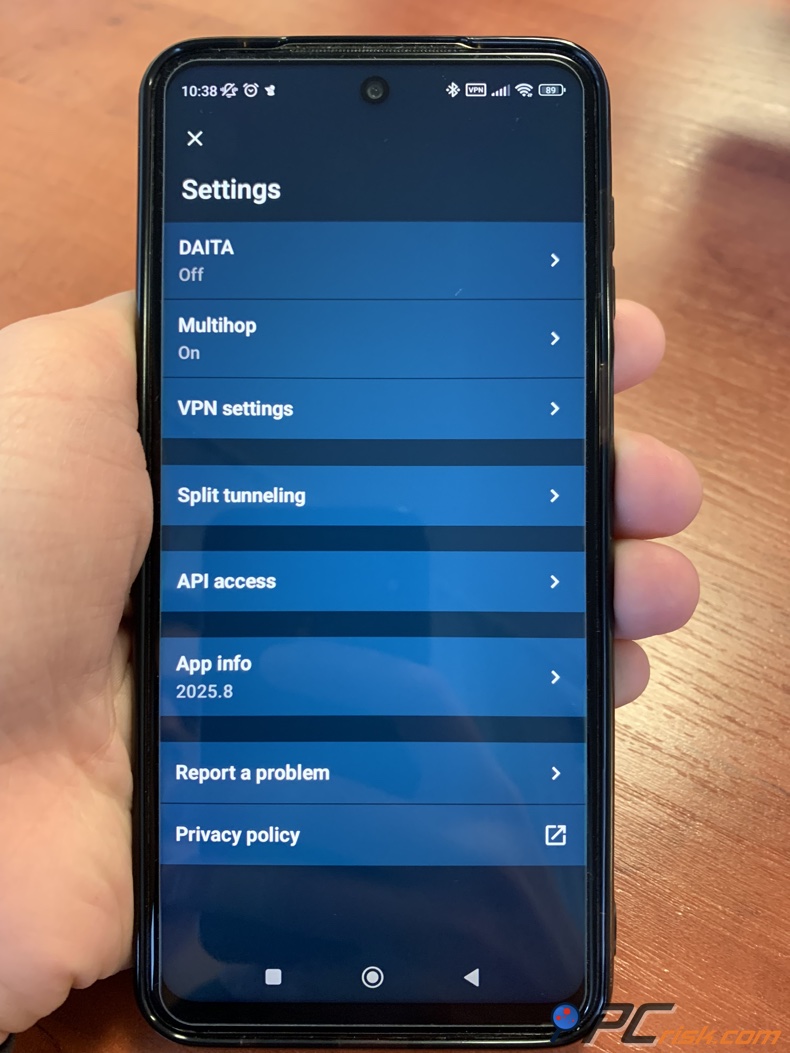
One feature of the Android app that isn't on many other VPNs is the ability to use Mullvad's "Bridge" or multi-hop feature, which lets you send your traffic through two servers. It's a nice feature to see that Mullvad has brought over from the desktop.
Also, if you're privacy-paranoid, Android allows using Mullvad in "VPN always-on" mode with "block connections without VPN". This acts as a kill switch, ensuring all your traffic is going through the VPN and won't leak out anywhere.
Mullvad for iOS (iPhone/iPad): Mullvad's iOS app was released later than the other platforms (for years, Mullvad had no iOS app, but now it's available on the App Store). The iOS app has the same look and feel, making it simple for an iPhone user to pick a server and connect.
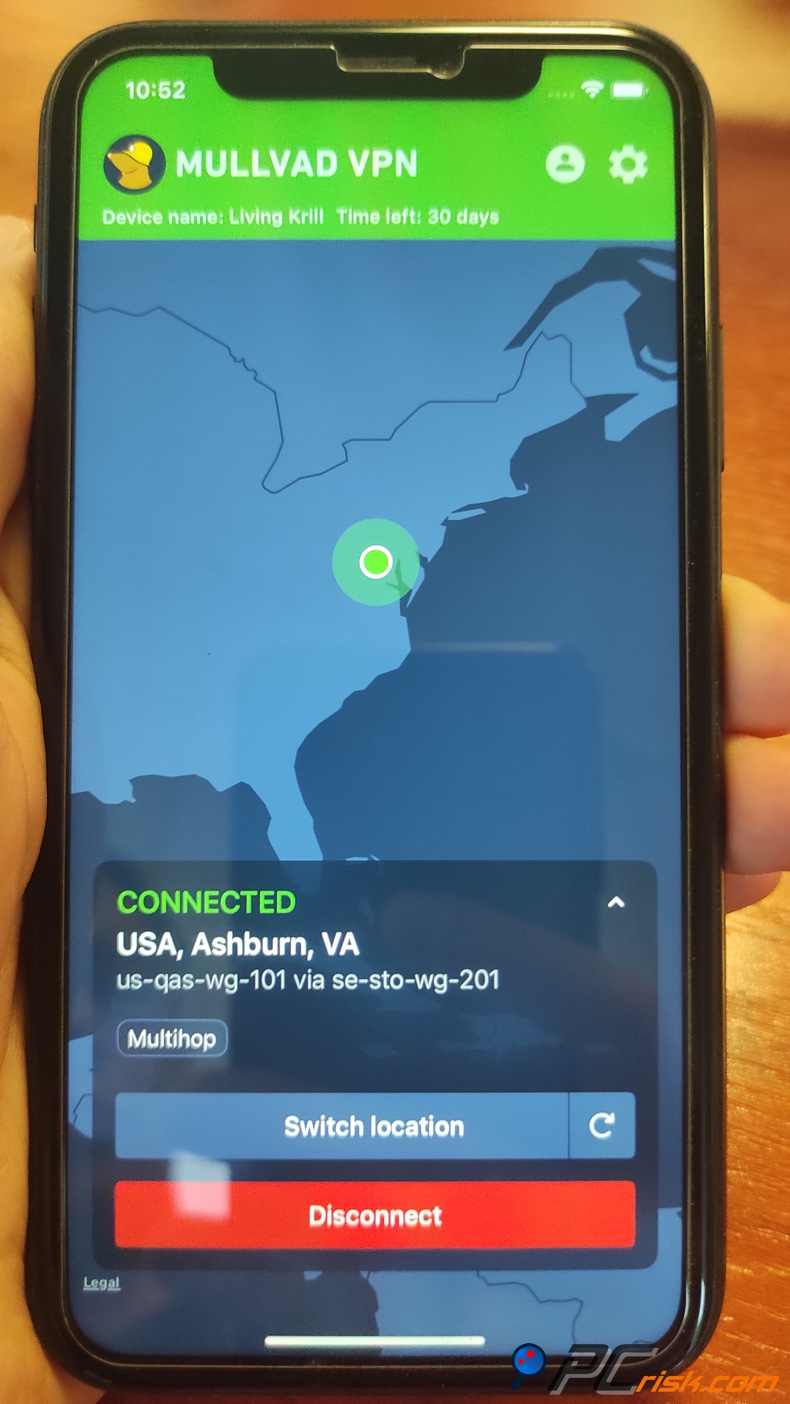
It's built on the WireGuard and OpenVPN protocols and uses Apple's Network Extension framework underneath. In real-life tests, it proved to be very user-friendly and didn't throw up any connectivity problems, even on Wi-Fi and mobile networks.
However, due to Apple's restrictions, the iOS app lacks a couple of the advanced options found elsewhere. For instance, iOS doesn't permit split tunneling in third-party apps, which means Mullvad's iOS app won't be able to send a specific app's traffic through the VPN and leave the rest of the traffic untouched. The kill switch function is also not without its limitations.
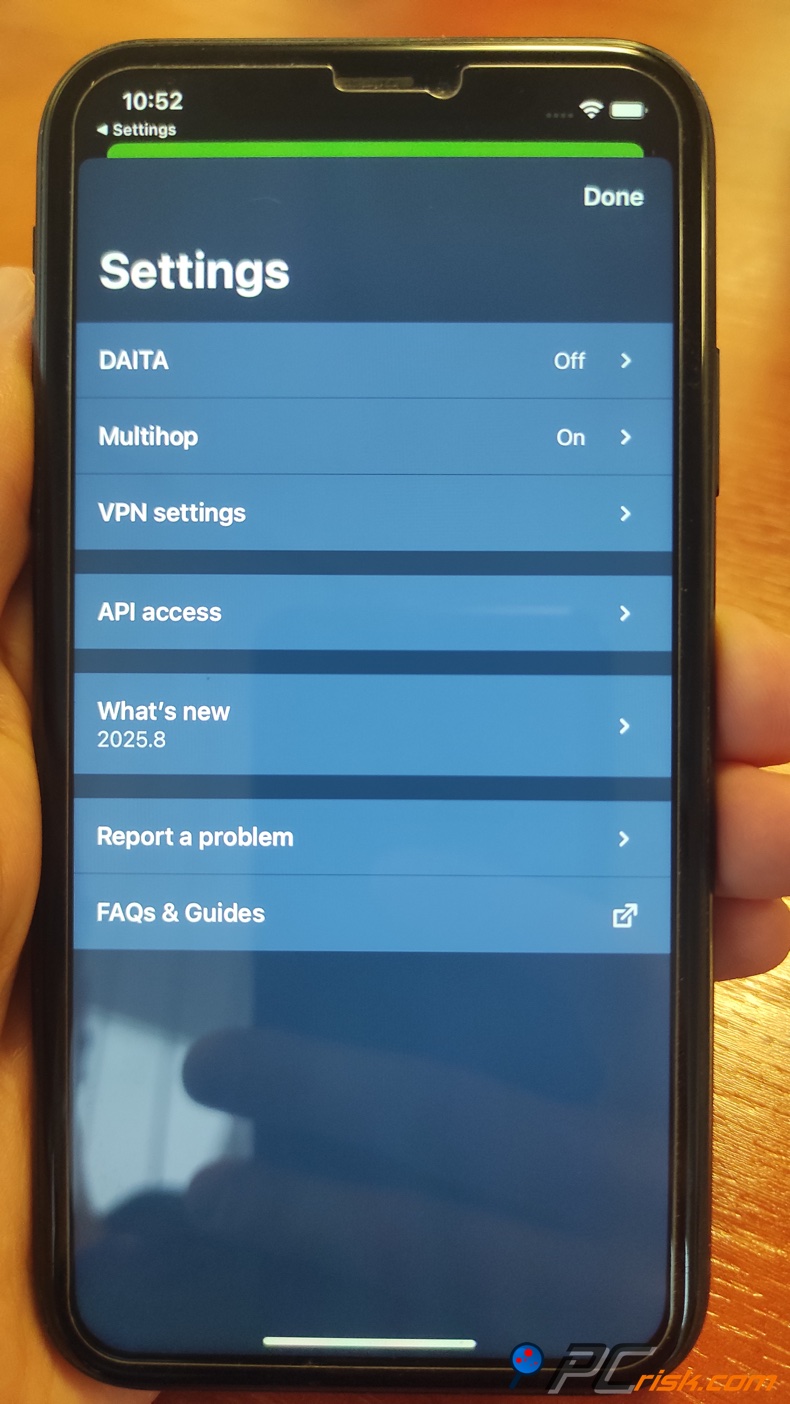
Apple's On-Demand VPN is a feature that Mullvad is working on, but it has revealed that setting certain flags on iOS can cause problems. Since the iOS app doesn't force all internet traffic through the VPN and doesn't work with split tunneling, it relies on a more stable setup because implementing an imperfect kill switch could be disastrous.
Compatibility: Mullvad for Android supports a wide range of Android versions and even has a version on the F-Droid open-source app repository (for those avoiding Google). The Mullvad iOS app is compatible with modern iOS releases. It requires iOS 12 or higher, which is basically the norm. We found that the app ran without any issues on a wide range of devices, from older Android phones to the latest iPhone.
Limitations: When comparing the Android and iOS versions of Mullvad VPN, the Android app is very similar to the desktop experience, offering features like split-tunneling, which is a big deal, but the iOS app is hampered by the restrictions in Apple's ecosystem. The iOS app doesn't have split-tunneling and takes a more modified approach to kill-switch behavior.
Both mobile apps lack any built-in widget or Siri/Assistant shortcuts - minor things, but worth noting. Mullvad is also one of the few VPNs that doesn't have a dedicated browser VPN mode, unlike some VPNs, which can send web traffic through a proxy for mobile browsers. However, you can still install the Mullvad browser on your Android device, which is a workable solution.
User Reviews and Reputation
Trustpilot Reviews: When checking out Mullvad on Trustpilot, you'll see that its average rating is a bit lackluster, a 3 out of 5 stars as of mid-2025. Coming from fewer than 200 reviews, this score is a rough estimate. About two-thirds of reviewers give a perfect 5-star rating, while a significant minority give very low scores (1 or 2 stars). The polarized reviews bring the average down.
According to the positive reviews, users love Mullvad's rock-solid anonymity, straightforward approach, and reliable performance. Many 5-star reviewers love that Mullvad doesn't ask for personal info and that it "just works" with great speeds. They also applaud Mullvad's commitment to privacy and flat pricing.
The one thing the less-than-thrilled customers have a problem with is the customer support. Mullvad doesn't have live chat support, so users have to settle for email support, and claim that it's too slow, and didn't meet their expectations.
Some people also said that Mullvad didn't work with a few streaming services or had a few issues with technical hiccups on their specific devices. For example, one reviewer had problems with the iOS app's filtering and said that features didn't work as they should.
A few 1-star reviews mention people's problems getting a refund and their dissatisfaction with the account system.
Reddit and Privacy Forums: Reddit has long been a source of highly regarded suggestions, and in communities such as r/VPN and r/Privacy, Mullvad is frequently recommended. Tech-savvy users and privacy advocates on the platform sing the praises of Mullvad's ethics, some saying that "Mullvad is one of the only VPNs they can truly trust." It's very much in line with the sentiment of the community to refer to Mullvad as "the no-frills VPN with the best privacy stance," "no drama, no data collection."
Mullvad takes the top spot," and one Redditor went so far as to say that Mullvad has never been at the center of any scandal, in stark contrast to some of the larger VPN brands. As an independent company registered as Amagicom AB, Mullvad's reputation is fortified. It doesn't have the same corporate pressures that some other VPNs have, since they're owned by advertising companies.
However, Redditors know that Mullvad is not the go-to VPN for streaming, saying, "Mullvad isn't great for Netflix and streaming. If that's what you need, go elsewhere." They also point out that the VPN's server network, albeit sufficient, is not as expansive as others and can be quite crowded, which could result in blocked or hampered access to particular websites.
In fact, users have observed that some services (like certain websites, or even Reddit itself at times) might block or CAPTCHA Mullvad IP addresses, because Mullvad's IP ranges are well-known VPN endpoints.
According to our assessment at PCrisk.com, the user sentiment reinforces that Mullvad is one of the most respected VPNs among users, even if it doesn't top the charts in sheer popularity. The company's consistent positive reputation over a decade is a good sign for potential buyers prioritizing trustworthiness.
Is It Worth Buying?
For Privacy-Conscious Users: If your top priority in a VPN is privacy and security, Mullvad is absolutely worth buying. In fact, Mullvad often appears in discussions as one of the most trustworthy VPNs out there. The service is built around the idea of minimizing data collection and maximizing anonymity (from account creation to payment to usage).
Established for its proven no-logs policy, Mullvad is keeping its transparency promises by releasing open-source apps and undergoing regular audits. For users who need a VPN that won't collect or leak their data, Mullvad is the way to go, especially for journalists, activists, and others who would be devastated if their VPN compromised their work or identity.
For Streaming Enthusiasts or Casual Users: When it comes to streaming Netflix or unblocking numerous streaming services, Mullvad may not be the number one VPN option. This isn't because its speeds aren't up to par, which they are, but it doesn't aggressively go out of its way to avoid streaming blocks. Coming across geo-restrictions on Mullvad is not a guarantee but a distinct possibility.
Verdict: If you don't need all these unnecessary extras, Mullvad VPN is an excellent option. It delivers what it promises and does so transparently. The service works smoothly to secure your internet connection and will especially appeal to those who have even a bit of technical appreciation for how a VPN should operate.
Frequently Asked Questions (FAQ):
Does Mullvad VPN keep logs?
No. When you sign up for Mullvad VPN, the company doesn't log anything you do online - it's literally no-logs. The registration page won't require any personal info from you, and because of that, there isn't much that can be linked back to you. Independent audits have confirmed Mullvad's no-log claims.
Is Mullvad VPN safe and trustworthy?
Yes. As for being safe and trustworthy, Mullvad is considered one of the best in the business. It boasts strong encryption courtesy of WireGuard and OpenVPN, leak protection features, and code that is completely open-source and externally audited. The company has been a fixture in the privacy community for years, with a reputation for being open and above board.
Will Mullvad VPN work with Netflix and other streaming services?
When it comes to Netflix and other streaming services, Mullvad does have some capabilities. Still, it won't reliably unblock Netflix in its entirety and barely gets past Netflix's US library and BBC iPlayer. Many other streaming platforms like Amazon Prime Video, Disney+, and Hulu Will often detect and block Mullvad's IP addresses. If streaming is your thing, Mullvad won't be the best option.
What is Mullvad's money-back guarantee?
You can request a refund anytime, but it will take up to two weeks. When using Mullvad VPN, you have a 14-day money-back guarantee. If you don't like the service, you can ask for a refund within that period. The only exception is if you paid with cash by mail (since returning cash is not possible for them). But if you paid with any of the digital methods, card, PayPal or cryptocurrency, they'll sort it out for you no questions asked.
Where is Mullvad VPN based, and does jurisdiction matter?
Mullvad is based in Sweden (part of the EU), and as a country, Sweden has some strong privacy laws. Since VPNs are perfectly legal in Sweden, and the EU generally respects user privacy, Mullvad can operate without worrying about getting shut down.
Even though Sweden is part of the "14 Eyes" intelligence-sharing alliance, Mullvad's zero-logging policy ensures that there's no data for the authorities to request, and their strict adherence to regulations and transparency reports is considered a net positive.
Does Mullvad offer customer support if I have issues?
If you run into any problems, Mullvad has a reliable email support system. You can contact them at support@mullvadvpn.net, and they'll get back to you with any help you need. They've also built a detailed Help Centre on their website that covers the most common issues. Unfortunately, they don't have live chat or phone support.
Share:
 Facebook
 X.com
X.com
 LinkedIn
 Copy Link

Karolis Liucveikis
Experienced software engineer, passionate about behavioral analysis of malicious apps
Author and general operator of PCrisk's News and Removal Guides section. Co-researcher working alongside Tomas to discover the latest threats and global trends in the cyber security world. Karolis has experience of over 8 years working in this branch. He attended Kaunas University of Technology and graduated with a degree in Software Development in 2017. Extremely passionate about technical aspects and behavior of various malicious applications.
▼ Show Discussion