

Get free scan and check if your device is infected.
Remove it nowTo use full-featured product, you have to purchase a license for Combo Cleaner. Seven days free trial available. Combo Cleaner is owned and operated by RCS LT, the parent company of PCRisk.com.
What kind of malware is PackClient RAT?
PackClient is a Remote Access Trojan (RAT) marketed through Telegram channels and deployed by a Chinese-speaking cybercriminal group tracked as TA4922. It gives attackers full remote control over compromised computers and supports over 60 remote commands.
According to research published by Proofpoint, TA4922 has been running targeted campaigns against organizations in China and India. The group uses convincing tax authority impersonation emails to trick victims into opening malicious attachments that silently install the RAT.
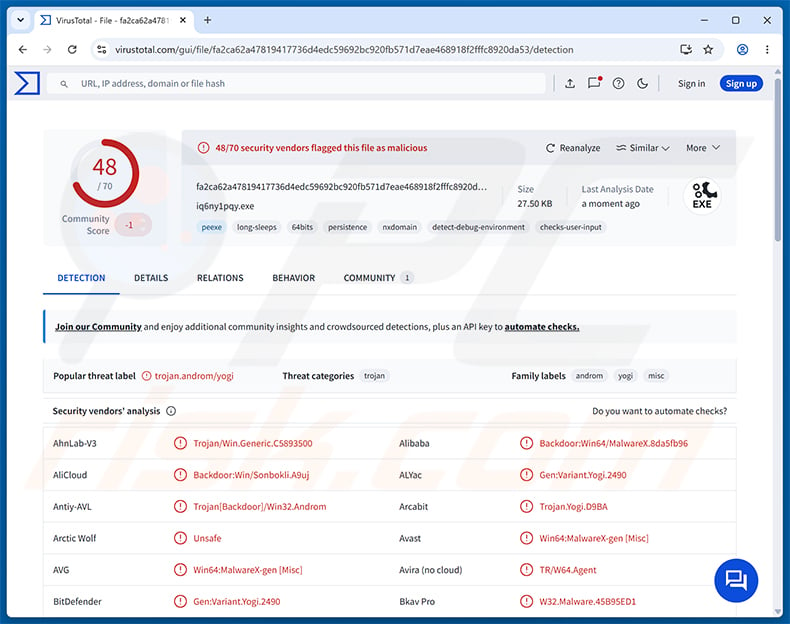
PackClient RAT overview
PackClient is built around a modular, plugin-based architecture. It connects to the attacker's server using a custom TCP-based protocol and can receive instructions, deliver stolen data, and download additional plugin modules on demand.
The RAT can capture screenshots, log keystrokes, intercept clipboard content, stream webcam video, manage files on disk, execute shell commands, and tunnel the attacker's traffic through the victim's connection. It also has dedicated capabilities for monitoring Telegram Desktop on infected machines.
PackClient RAT's infection chain
PackClient reaches the victim through a four-stage infection process. The first stage is an initial downloader that checks the system's privilege level, drops supporting files, and downloads an encrypted payload from a remote staging server using HTTP. It decrypts the payload and sets up a registry entry so the malware runs on the next startup.
The second stage, called PackClientLauncher, acts as a core loader. It reads command-and-control (C2) settings, downloads the main RAT module, and loads it directly into memory. It also launches a guard process that watches the RAT and automatically restarts it if it is closed or killed.
The third stage is PackClientCore - the actual RAT module with support for over 60 C2 commands. The fourth stage is a plugin system that loads optional capabilities on demand: remote desktop access, a file manager, webcam streaming, a SOCKS5 proxy module, and tools for monitoring Telegram Desktop.
PackClient RAT's capabilities
Remote control is the RAT's primary function. Operators can view the victim's screen in real time, take screenshots, control the keyboard and mouse, and run shell commands. They can browse and manage files on the infected computer, including uploading, downloading, and deleting them.
A built-in keylogger records everything the user types, even when the connection to the C2 server is temporarily unavailable. The SOCKS5 proxy module lets attackers route their own network traffic through the victim's internet connection, obscuring the attacker's real location.
PackClient can also deploy a plugin capable of intercepting communications from Telegram Desktop, potentially giving the attacker access to messages from what is normally considered an encrypted messaging application.
Persistence and defense evasion
To survive system reboots, PackClient adds a Windows Registry autorun entry under the name RuntimeBroker, borrowing the name of a legitimate Windows process to avoid attention. Configuration data - including C2 addresses, ports, and device identifiers - is stored in a separate registry path tied to PackClientConsole.
The RAT disguises its main executable as svchost.exe, another common Windows system process, and runs it from the %TEMP% directory. The guard process continuously monitors the main RAT and relaunches it if it is terminated, making manual removal significantly harder.
PackClient also relies on DLL sideloading to reach the victim's system. In this technique, a legitimate application is tricked into loading a malicious DLL file, which can help the malware bypass security software that trusts the hosting application.
| Name | PackClient remote access trojan |
| Threat Type | Remote Access Trojan (RAT) |
| Detection Names | Avast (Win64:MalwareX-gen [Misc]), Combo Cleaner (Gen:Variant.Yogi.2490), ESET-NOD32 (Win64/Agent.JRE Trojan), Kaspersky (Backdoor.Win32.Androm.wdiw), Microsoft (Trojan:Win32/Leonem!rfn), Full List (VirusTotal) |
| Symptoms | Remote Access Trojans are designed to stealthily infiltrate the victim's computer and remain silent, and thus no particular symptoms are clearly visible on an infected machine. |
| Distribution methods | Phishing emails, malicious ZIP archives, disk images. |
| Damage | Stolen passwords and banking information, identity theft, the victim's computer added to a botnet, additional infections, monetary loss, account hijacking. |
| Malware Removal (Windows) |
To eliminate possible malware infections, scan your computer with legitimate antivirus software. Our security researchers recommend using Combo Cleaner. Download Combo CleanerTo use full-featured product, you have to purchase a license for Combo Cleaner. 7 days free trial available. Combo Cleaner is owned and operated by RCS LT, the parent company of PCRisk.com. |
Conclusion
PackClient RAT gives attackers complete remote control over infected devices, allowing them to spy on users, steal sensitive data, deploy additional malware, and carry out further attacks. Its multi-stage architecture, guard process, and system-file masquerading make it difficult to detect and remove manually.
The malware is actively used in targeted campaigns against business and government organizations. Any computer suspected of infection should be scanned and cleaned with a reputable security tool immediately.
More examples of RATs are E4del, PINHOLE, and Golden Gh0st.
How did PackClient RAT infiltrate my computer?
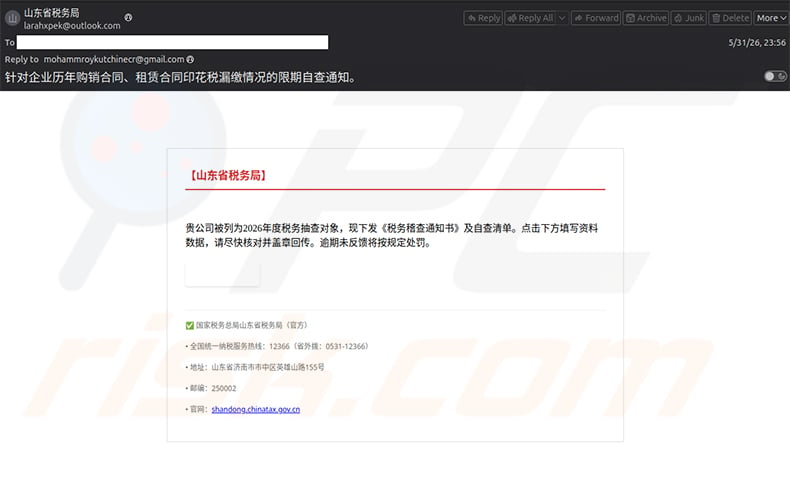
As documented by Proofpoint, TA4922 distributes PackClient through spear-phishing emails impersonating tax authorities. Early campaigns sent emails written in Chinese to organizations in mainland China, posing as the Shandong Provincial Tax Bureau and claiming the recipient was subject to a stamp-tax compliance inspection.
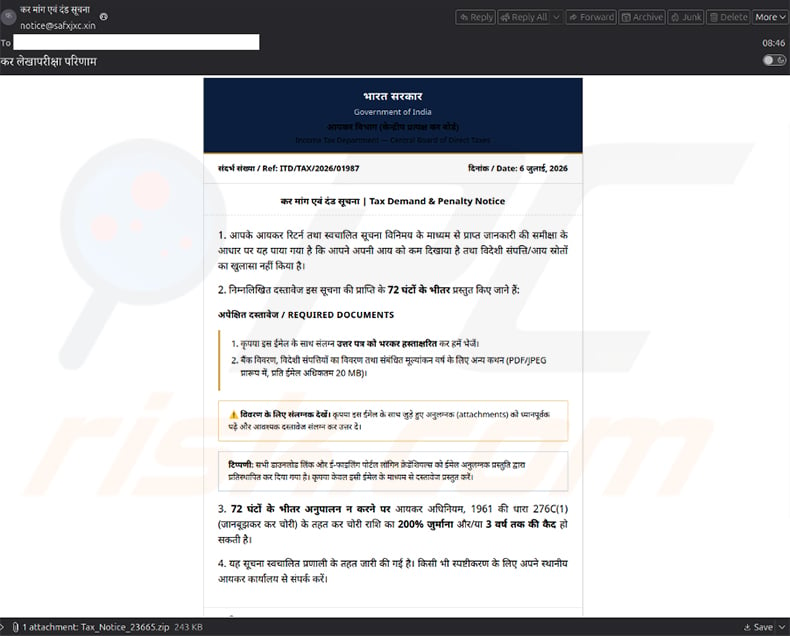
Later campaigns targeted organizations in India with emails written in Hindi that impersonated the Government of India's Income Tax Department. These emails threatened penalties and imprisonment if recipients failed to respond within 72 hours, pressuring them into opening an attached ZIP archive or disk image. Running the enclosed file triggers the four-stage infection chain.
Beyond these targeted campaigns, trojans and RATs often spread through pirated software, fake download sites, malicious advertisements, and infected removable drives. Avoiding files from unofficial sources and keeping software up to date reduces the risk considerably.
How to avoid installation of malware?
Never open attachments or click links in unexpected emails, even when they appear to come from a government agency or tax authority. Cybercriminals routinely impersonate official institutions to create a sense of urgency. Download software only from official websites and avoid pirated content and cracks, which are common vehicles for malware delivery.
Keep your operating system and all installed applications up to date, as attackers frequently exploit known vulnerabilities in outdated software. Use a reputable security program and run regular scans. If you believe that your computer is already infected, we recommend running a scan with Combo Cleaner Antivirus for Windows to automatically eliminate infiltrated malware.
Phishing emails used to distribute PackClient RAT (source: proofpoint.com):
Instant automatic malware removal:
Manual threat removal might be a lengthy and complicated process that requires advanced IT skills. Combo Cleaner is a professional automatic malware removal tool that is recommended to get rid of malware. Download it by clicking the button below:
DOWNLOAD Combo CleanerBy downloading any software listed on this website you agree to our Privacy Policy and Terms of Use. To use full-featured product, you have to purchase a license for Combo Cleaner. 7 days free trial available. Combo Cleaner is owned and operated by RCS LT, the parent company of PCRisk.com.
Quick menu:
- What is PackClient RAT?
- STEP 1. Manual removal of PackClient RAT malware.
- STEP 2. Check if your computer is clean.
How to remove malware manually?
Manual malware removal is a complicated task - usually it is best to allow antivirus or anti-malware programs to do this automatically. To remove this malware we recommend using Combo Cleaner Antivirus for Windows.
If you wish to remove malware manually, the first step is to identify the name of the malware that you are trying to remove. Here is an example of a suspicious program running on a user's computer:
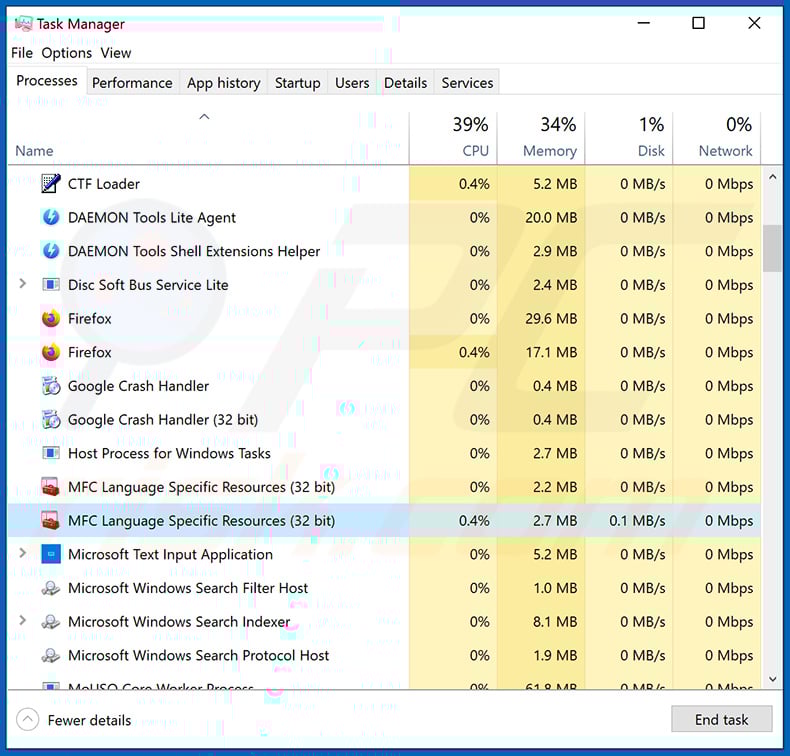
If you checked the list of programs running on your computer, for example, using task manager, and identified a program that looks suspicious, you should continue with these steps:
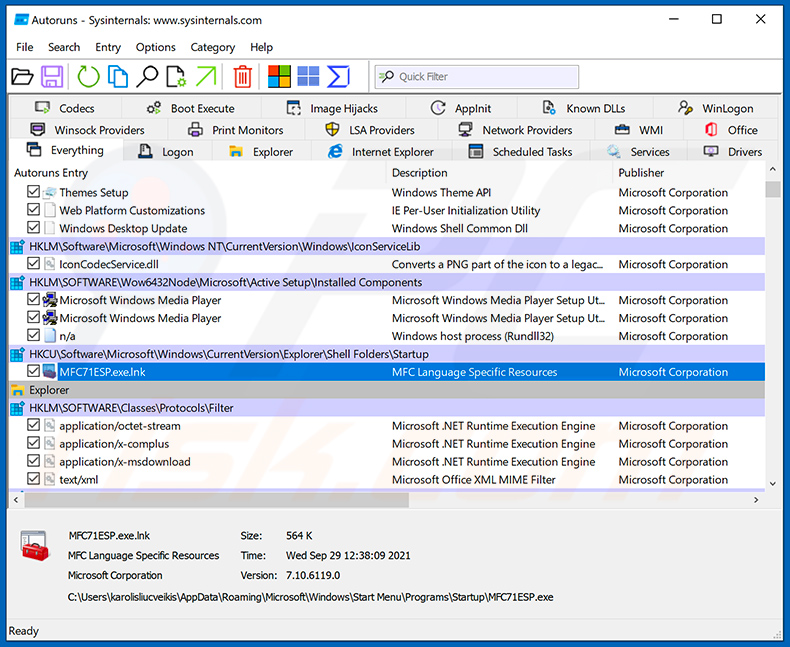
 Download a program called Autoruns. This program shows auto-start applications, Registry, and file system locations:
 Restart your computer into Safe Mode:
Windows XP and Windows 7 users: Start your computer in Safe Mode. Click Start, click Shut Down, click Restart, click OK. During your computer start process, press the F8 key on your keyboard multiple times until you see the Windows Advanced Option menu, and then select Safe Mode with Networking from the list.
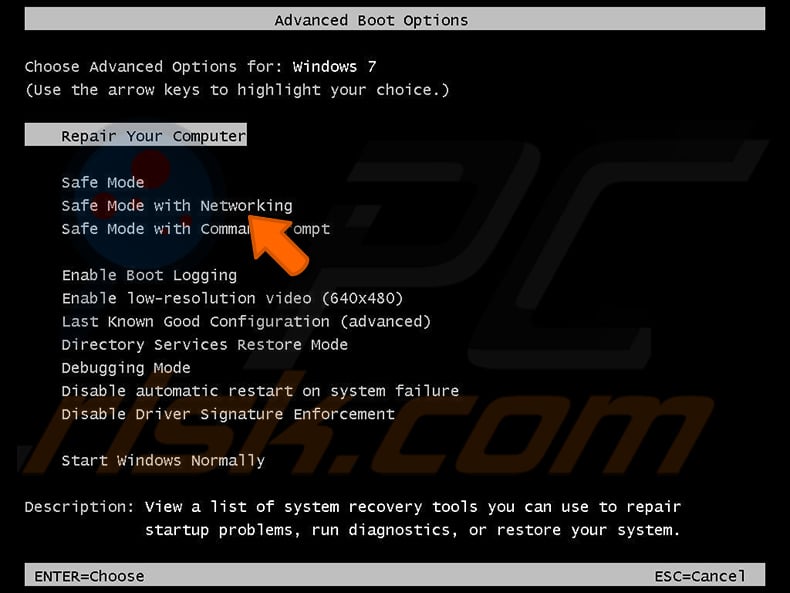
Video showing how to start Windows 7 in "Safe Mode with Networking":
Windows 8 users: Start Windows 8 is Safe Mode with Networking - Go to Windows 8 Start Screen, type Advanced, in the search results select Settings. Click Advanced startup options, in the opened "General PC Settings" window, select Advanced startup.
Click the "Restart now" button. Your computer will now restart into the "Advanced Startup options menu". Click the "Troubleshoot" button, and then click the "Advanced options" button. In the advanced option screen, click "Startup settings".
Click the "Restart" button. Your PC will restart into the Startup Settings screen. Press F5 to boot in Safe Mode with Networking.
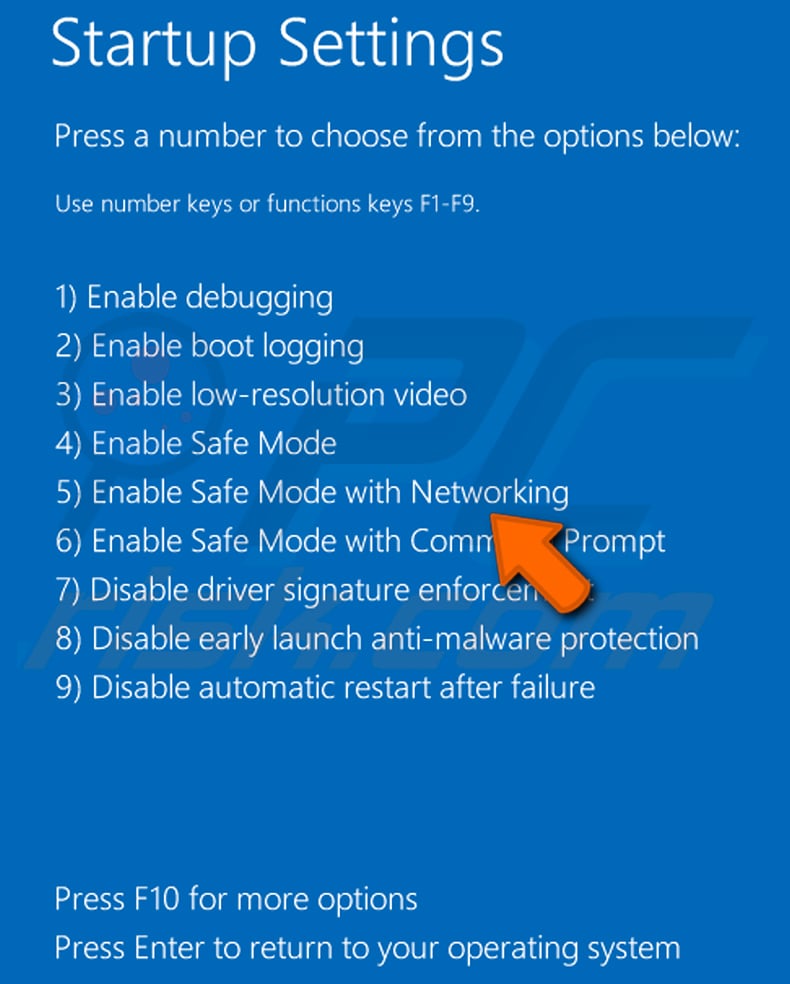
Video showing how to start Windows 8 in "Safe Mode with Networking":
Windows 10 users: Click the Windows logo and select the Power icon. In the opened menu click "Restart" while holding "Shift" button on your keyboard. In the "choose an option" window click on the "Troubleshoot", next select "Advanced options".
In the advanced options menu select "Startup Settings" and click on the "Restart" button. In the following window you should click the "F5" button on your keyboard. This will restart your operating system in safe mode with networking.
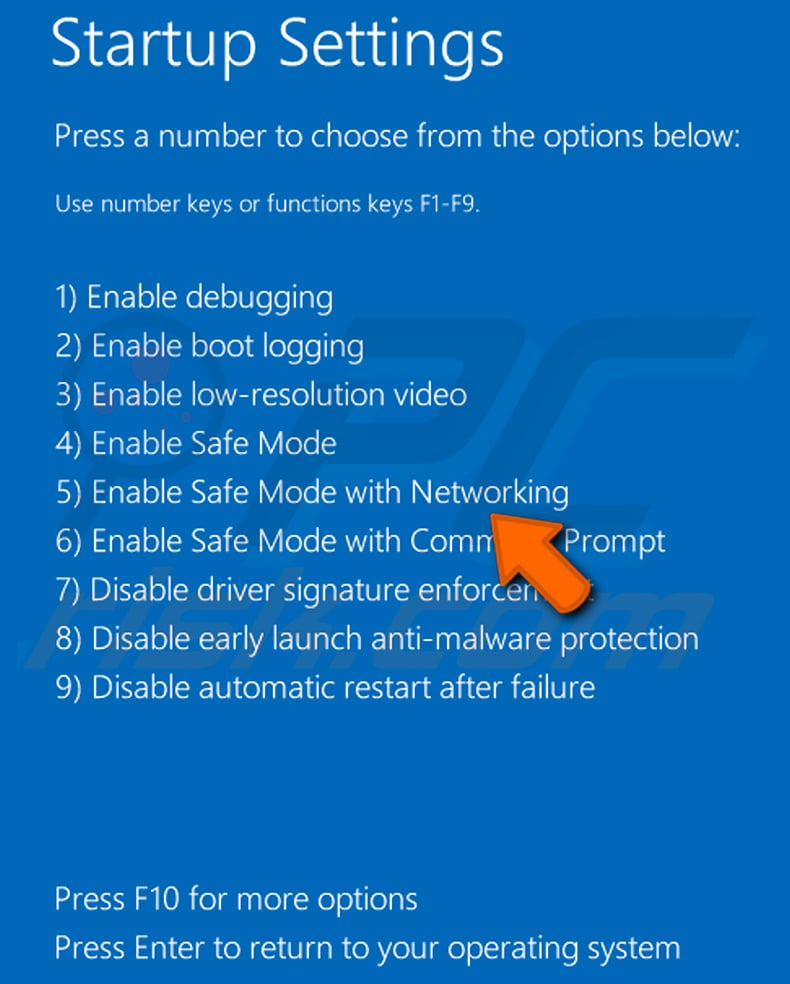
Video showing how to start Windows 10 in "Safe Mode with Networking":
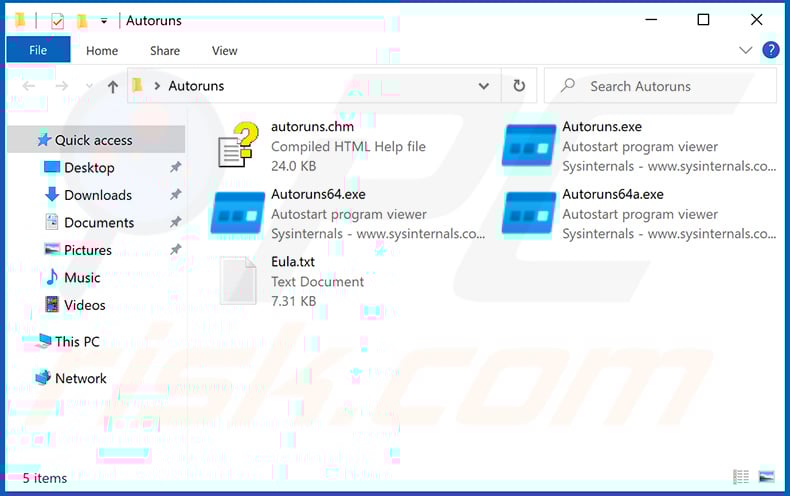
 Extract the downloaded archive and run the Autoruns.exe file.
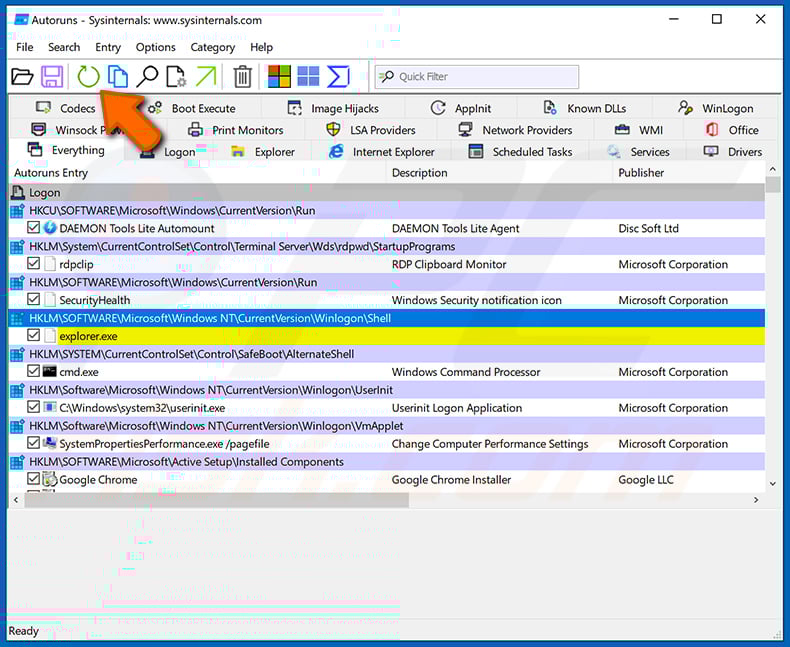
 In the Autoruns application, click "Options" at the top and uncheck "Hide Empty Locations" and "Hide Windows Entries" options. After this procedure, click the "Refresh" icon.
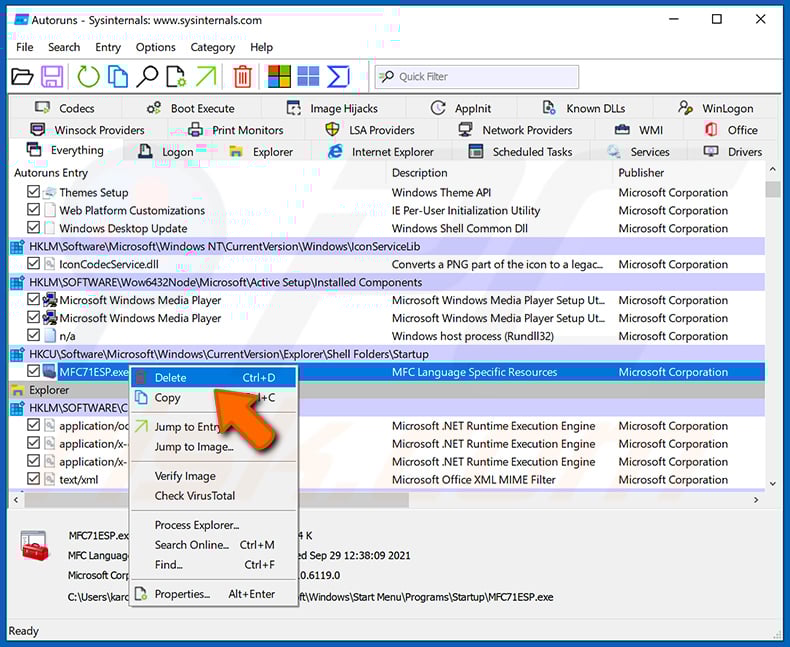
 Check the list provided by the Autoruns application and locate the malware file that you want to eliminate.
You should write down its full path and name. Note that some malware hides process names under legitimate Windows process names. At this stage, it is very important to avoid removing system files. After you locate the suspicious program you wish to remove, right click your mouse over its name and choose "Delete".
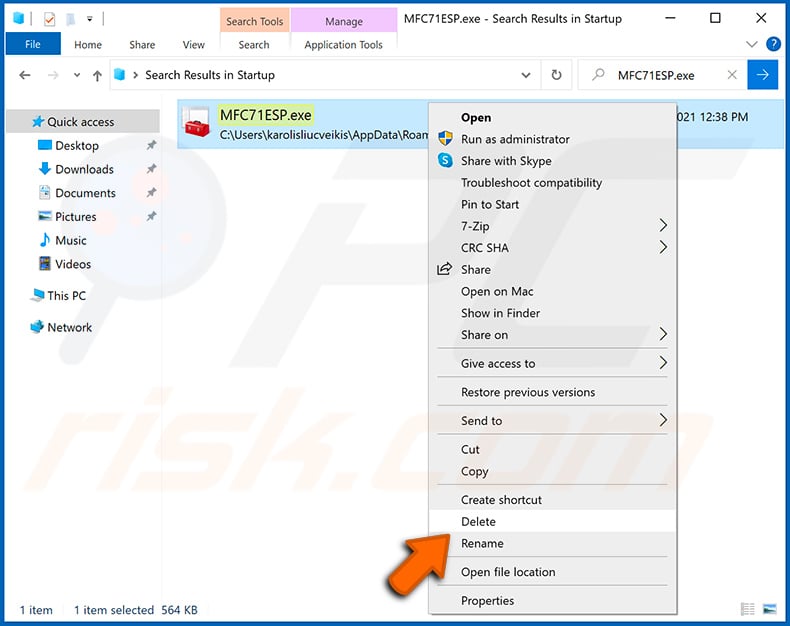
After removing the malware through the Autoruns application (this ensures that the malware will not run automatically on the next system startup), you should search for the malware name on your computer. Be sure to enable hidden files and folders before proceeding. If you find the filename of the malware, be sure to remove it.
Reboot your computer in normal mode. Following these steps should remove any malware from your computer. Note that manual threat removal requires advanced computer skills. If you do not have these skills, leave malware removal to antivirus and anti-malware programs.
These steps might not work with advanced malware infections. As always it is best to prevent infection than try to remove malware later. To keep your computer safe, install the latest operating system updates and use antivirus software. To be sure your computer is free of malware infections, we recommend scanning it with Combo Cleaner Antivirus for Windows.
Frequently Asked Questions (FAQ)
My computer is infected with PackClient RAT malware, should I format my storage device to get rid of it?
Formatting the storage device will remove PackClient RAT but will also erase every file on the drive. A reputable security tool such as Combo Cleaner should be tried first; reformatting is a last resort for cases where the infection cannot be fully cleared any other way.
What are the biggest issues that PackClient RAT malware can cause?
PackClient RAT can give attackers full remote control of the infected device, allowing them to steal personal and financial data, monitor communications, deploy additional malware, and hijack accounts. This can lead to identity theft, financial fraud, and loss of access to important files and services.
What is the purpose of PackClient RAT malware?
The purpose of PackClient RAT is to give attackers remote control over infected computers so they can spy on users, steal sensitive data, and execute commands while remaining hidden. It is marketed through Telegram as a ready-to-deploy tool that cybercriminals can purchase and operate.
How did PackClient RAT malware infiltrate my computer?
PackClient RAT has been distributed through phishing emails impersonating government tax authorities in China and India. The emails carry malicious ZIP archives or disk images that, when opened and executed, trigger a multi-stage infection process installing the RAT silently.
Will Combo Cleaner protect me from malware?
Yes. Combo Cleaner can detect and remove most known malware threats. Because PackClient RAT uses multiple stages, a guard process, and disguises itself as legitimate system files, running a full system scan is important to ensure the infection is completely cleared.
Share:
 Facebook
 X.com
X.com
 LinkedIn
 Copy Link

Tomas Meskauskas
Expert security researcher, professional malware analyst
I am passionate about computer security and technology. I have an experience of over 10 years working in various companies related to computer technical issue solving and Internet security. I have been working as an author and editor for pcrisk.com since 2010. Follow me on Twitter and LinkedIn to stay informed about the latest online security threats.
PCrisk security portal is brought by a company RCS LT.
Joined forces of security researchers help educate computer users about the latest online security threats. More information about the company RCS LT.
Our malware removal guides are free. However, if you want to support us you can send us a donation.
DonatePCrisk security portal is brought by a company RCS LT.
Joined forces of security researchers help educate computer users about the latest online security threats. More information about the company RCS LT.
Our malware removal guides are free. However, if you want to support us you can send us a donation.
Donate
▼ Show Discussion