
Avoid losing your email account via fake "Salary Review" emails
Phishing/ScamAlso Known As: "Salary Review" phishing email

Get free scan and check if your device is infected.
Remove it nowTo use full-featured product, you have to purchase a license for Combo Cleaner. Seven days free trial available. Combo Cleaner is owned and operated by RCS LT, the parent company of PCRisk.com.
What kind of email is "Salary Review"?
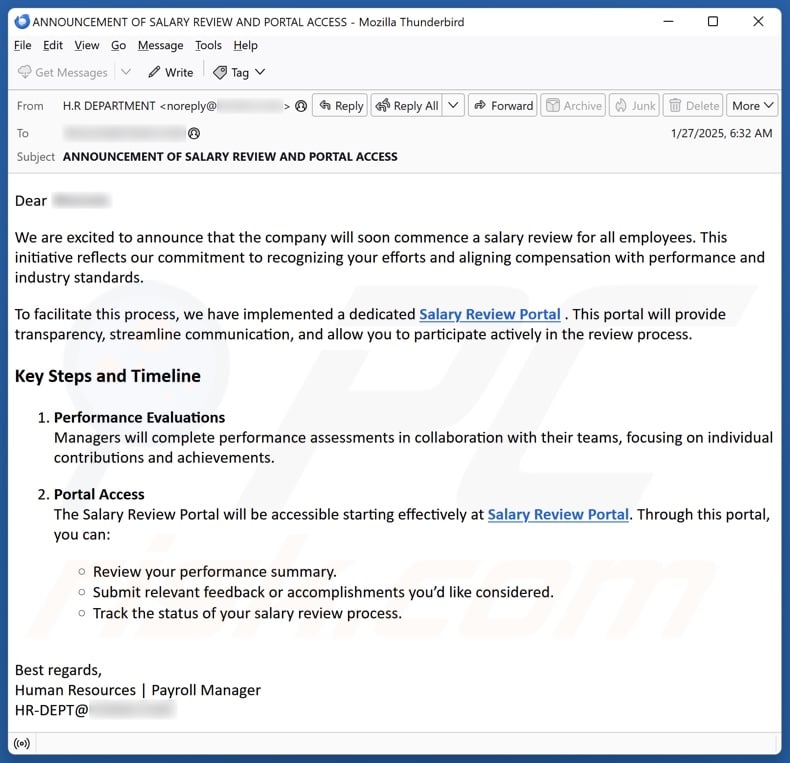
After inspecting this "Salary Review" email, we determined that it is spam. It masquerades as a notification from the recipient's HR (Human Resources)/ payment management department announcing the launch of a salary review portal. The goal of this scam message is to lead recipients to a phishing site that targets email account log-in credentials.
"Salary Review" email scam overview
The spam email with the subject "ANNOUNCEMENT OF SALARY REVIEW AND PORTAL ACCESS" (may vary) announces the launch of a salary review portal. The initiative was driven by the employer's commitment to recognizing employee efforts, rewarding performance, and improving industry standards.
Through the portal, employees will be able to review their performance summary, submit feedback and accomplishments for consideration, as well as track statuses and salary review progress.
It must be stressed that the information in this email is false, and it is not associated with the recipient's HR or other departments, company, or different legitimate entities.
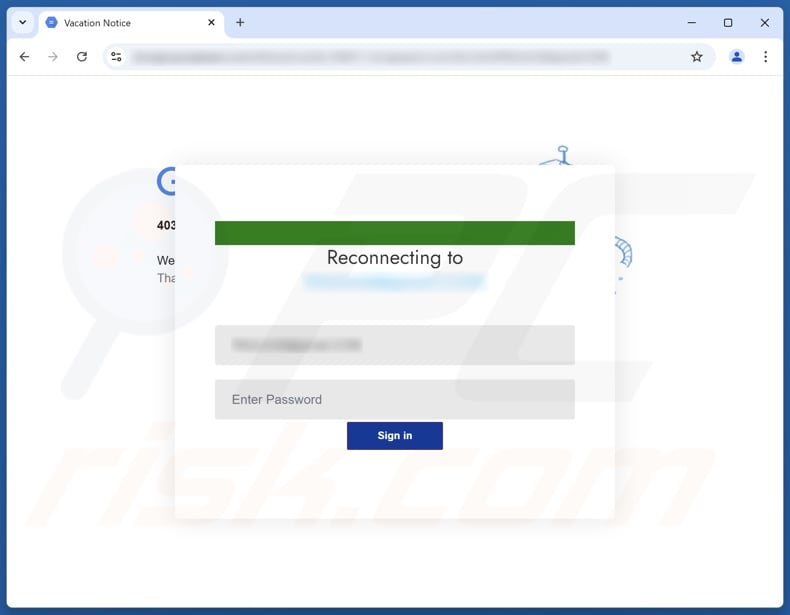
The phishing website promoted by this spam campaign imitates the recipient's email account sign-in page. Log-in credentials entered into this website are recorded and sent to scammers. Thus, they can steal the accounts. The risk exceeds the loss of a single account.
Emails tend to include incredibly sensitive information, which is especially true of work accounts. Cyber criminals might also use these accounts to infect the corporate network with trojans, ransomware, and other malware. Scammers might also gain access to the accounts, platforms, and services registered through or linked with the hijacked email.
To expand upon the potential dangers, criminals can steal account owners' identities (e.g., emails, social networking, social media, messengers, etc.) and ask for loans or donations from contacts/friends/followers, endorse scams, and spread malware by sharing malicious files/links.
Furthermore, stolen finance-related accounts (e.g., e-commerce, digital wallets, money transferring, online banking, etc.) can be used to make fraudulent transactions or online purchases.
To summarize, victims of scam emails like "Salary Review" can experience system infections, serious privacy issues, financial losses, and identity theft.
If you have already entered your log-in credentials into a phishing website or file – immediately change the passwords of all potentially compromised accounts and inform their official support.
| Name | "Salary Review" phishing email |
| Threat Type | Phishing, Scam, Social Engineering, Fraud |
| Disguise | Announcement of a salary review portal launch. |
| Symptoms | Unauthorized online purchases, changed online account passwords, identity theft, illegal access of the computer. |
| Distribution methods | Deceptive emails, rogue online pop-up ads, search engine poisoning techniques, misspelled domains. |
| Damage | Loss of sensitive private information, monetary loss, identity theft. |
| Malware Removal (Windows) |
To eliminate possible malware infections, scan your computer with legitimate antivirus software. Our security researchers recommend using Combo Cleaner. Download Combo CleanerTo use full-featured product, you have to purchase a license for Combo Cleaner. 7 days free trial available. Combo Cleaner is owned and operated by RCS LT, the parent company of PCRisk.com. |
Phishing spam campaign examples
"Classified Documents", "Intuit QuickBooks - Negative Comments From A Consumer", and "Capital One - Unrecognized Purchase" are merely a couple of our latest articles on phishing emails.
Aside from log-in credentials, these messages commonly target personally identifiable information and finance-related data. However, spam campaigns are used to promote various scams and even to distribute malware.
Due to how widespread this mail is and how well-made it can be – we highly recommend exercising caution with incoming emails, DMs/PMs, SMSes, and other messages.
How do spam campaigns infect computers?
Spam campaigns proliferate malware through malicious files that can be attached to or linked inside the emails/messages. These files come in various formats, e.g., documents (PDF, Microsoft Office, Microsoft OneNote, etc.), archives (ZIP, RAR, etc.), executables (.exe, .run, etc.), JavaScript, and so on.
Malware download/installation is jumpstarted once such a file is opened. However, some formats need extra interaction to initiate infection processes. For example, Microsoft Office files require users to enable macro commands (i.e., editing/content), while OneNote documents need them to click on embedded links/files.
How to avoid installation of malware?
Incoming emails, PMs/DMs, SMSes, and other messages must be approached with caution. Attachments or links found in dubious/irrelevant mail must not be opened, as they can be harmful or virulent.
However, malware is not spread exclusively through spam mail. Therefore, we advise vigilance when browsing since the Internet is rife with deceptive and dangerous content.
Additionally, all downloads must be made from official and trustworthy channels. Another recommendation is to activate and update software using functions/tools provided by genuine developers, as illegal product activation tools ("cracks") and third-party updaters can contain malware.
We must emphasize the importance of having a reputable anti-virus installed and kept up-to-date. Security programs must be used to perform regular system scans and remove threats and issues. If you've already opened malicious attachments, we recommend running a scan with Combo Cleaner Antivirus for Windows to automatically eliminate infiltrated malware.
Text presented in the "Salary Review" spam email letter:
Subject: ANNOUNCEMENT OF SALARY REVIEW AND PORTAL ACCESS
Dear -,
We are excited to announce that the company will soon commence a salary review for all employees. This initiative reflects our commitment to recognizing your efforts and aligning compensation with performance and industry standards.
To facilitate this process, we have implemented a dedicated Salary Review Portal . This portal will provide transparency, streamline communication, and allow you to participate actively in the review process.
Key Steps and Timeline
Performance Evaluations
Managers will complete performance assessments in collaboration with their teams, focusing on individual contributions and achievements.
Portal Access
The Salary Review Portal will be accessible starting effectively at Salary Review Portal. Through this portal, you can:
Review your performance summary.
Submit relevant feedback or accomplishments you’d like considered.
Track the status of your salary review process.
Best regards,
Human Resources | Payroll Manager
-
Screenshot of the phishing website promoted by the "Salary Review" spam campaign:
Other examples of emails from "Salary Review" spam campaign:
Sample 1:
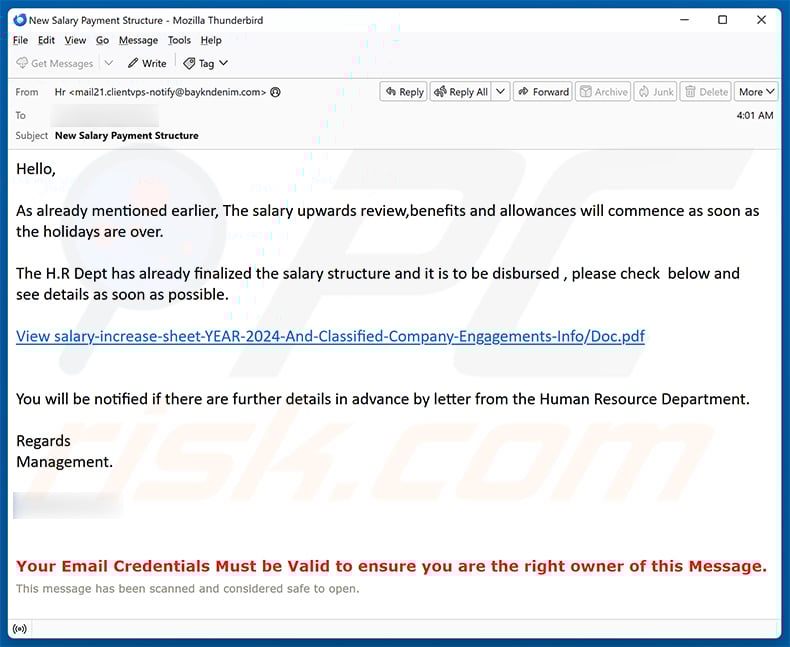
Text presented within:
Subject: New Salary Payment Structure
Hello,
As already mentioned earlier, The salary upwards review,benefits and allowances will commence as soon as the holidays are over.
The H.R Dept has already finalized the salary structure and it is to be disbursed , please check below and see details as soon as possible.
View salary-increase-sheet-YEAR-2024-And-Classified-Company-Engagements-Info/Doc.pdf
You will be notified if there are further details in advance by letter from the Human Resource Department.
Regards
Management.-
Your Email Credentials Must be Valid to ensure you are the right owner of this Message.
This message has been scanned and considered safe to open.
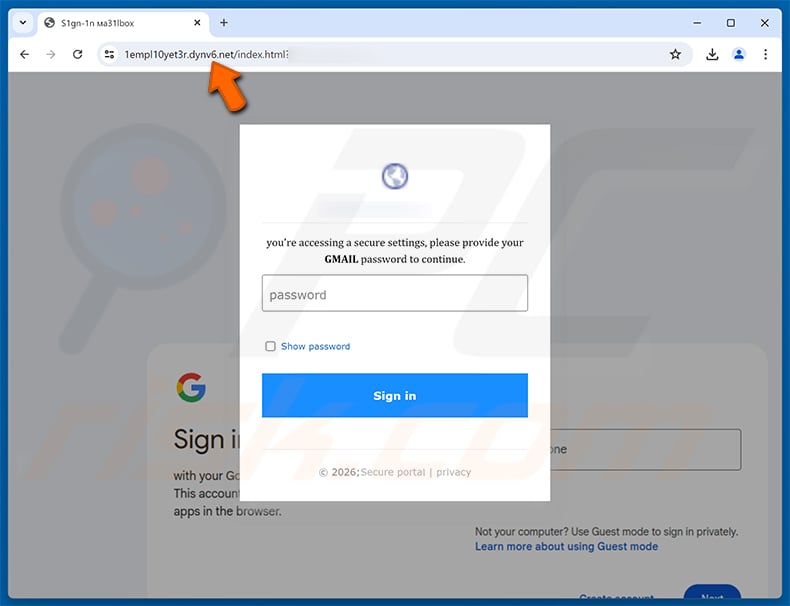
Screenshot of the promoted phishing site designed to imitate recipient's email service provider:
Sample 2:
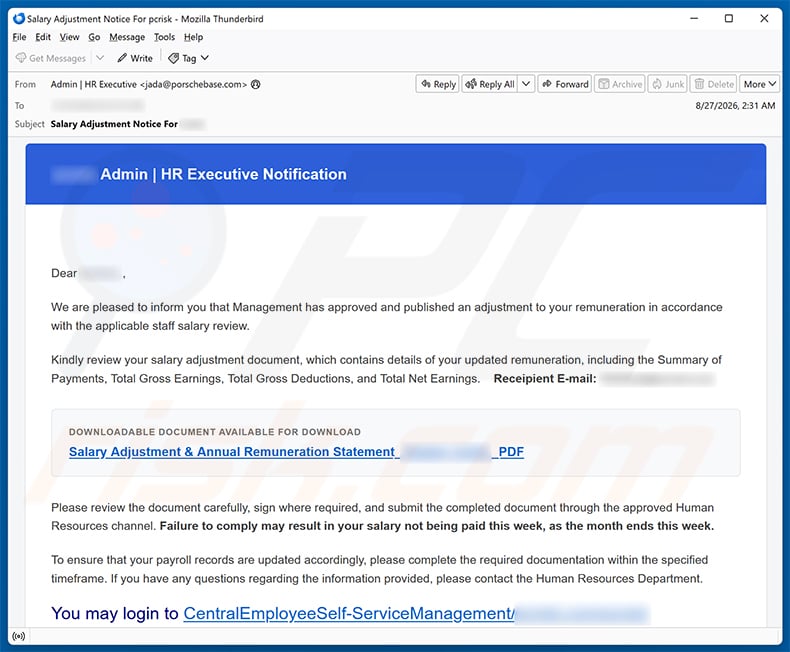
Text presented within:
Subject: Salary Adjustment Notice For ********
******** Admin | HR Executive Notification
Dear ******** ,
We are pleased to inform you that Management has approved and published an adjustment to your remuneration in accordance with the applicable staff salary review.
Kindly review your salary adjustment document, which contains details of your updated remuneration, including the Summary of Payments, Total Gross Earnings, Total Gross Deductions, and Total Net Earnings. Receipient E-mail: ********
DOWNLOADABLE Document Available FOR DOWNLOAD
Salary Adjustment & Annual Remuneration Statement_********_********_PDFPlease review the document carefully, sign where required, and submit the completed document through the approved Human Resources channel. Failure to comply may result in your salary not being paid this week, as the month ends this week.
To ensure that your payroll records are updated accordingly, please complete the required documentation within the specified timeframe. If you have any questions regarding the information provided, please contact the Human Resources Department.
You may login to CentralEmployeeSelf-ServiceManagement/********/********/******** to check your latest salary standing.For security purposes, please access your employment and remuneration information only through this organization's approved Human Resources portal.
Thank you.
Best regards,
Admin | HR Executive ********
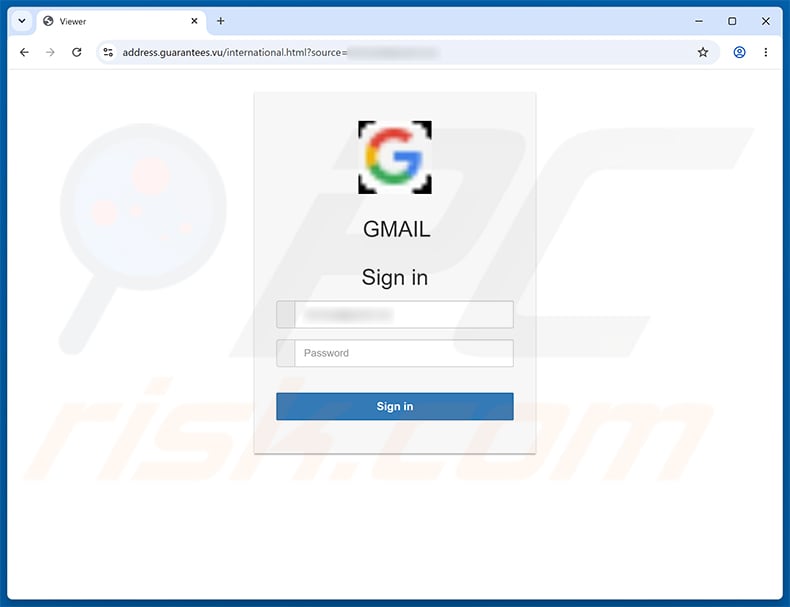
Screenshot of the promoted phishing site designed to imitate recipient's email service provider:
Sample 3:
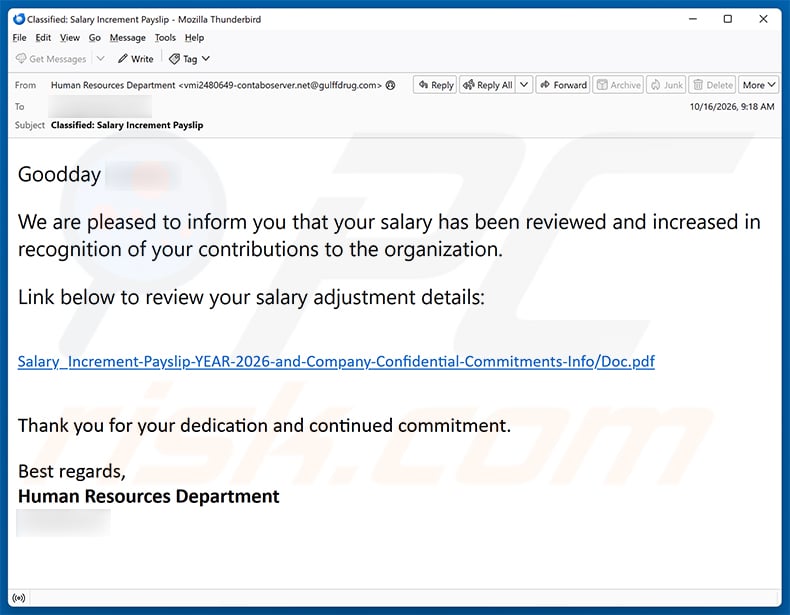
Text presented within:
Subject: Classified: Salary Increment Payslip
Goodday ********,
We are pleased to inform you that your salary has been reviewed and increased in recognition of your contributions to the organization.
Link below to review your salary adjustment details:
Salary_Increment-Payslip-YEAR-2026-and-Company-Confidential-Commitments-Info/Doc.pdf
Thank you for your dedication and continued commitment.
Best regards,
Human Resources Department
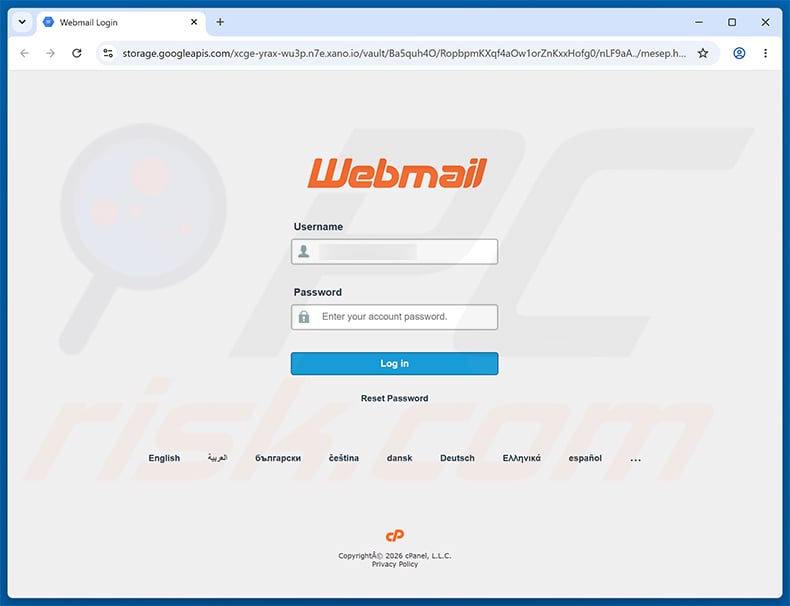
Screenshot of the promoted phishing site:
Instant automatic malware removal:
Manual threat removal might be a lengthy and complicated process that requires advanced IT skills. Combo Cleaner is a professional automatic malware removal tool that is recommended to get rid of malware. Download it by clicking the button below:
DOWNLOAD Combo CleanerBy downloading any software listed on this website you agree to our Privacy Policy and Terms of Use. To use full-featured product, you have to purchase a license for Combo Cleaner. 7 days free trial available. Combo Cleaner is owned and operated by RCS LT, the parent company of PCRisk.com.
Types of malicious emails:
If you opened an attachment or downloaded a file from a suspicious email, run a full system scan with Combo Cleaner. If you only received the email and didn't engage with it, you don't need to scan anything - just identify the scam and delete it. The full procedure below covers both situations and what to do if you already clicked, replied, or sent money.
Credential theft Phishing emails
Fake login pages disguised as PayPal, Microsoft, Apple, banks, or social networks. The email pushes a link to a near-perfect copy of the real login screen. The moment you type your username and password, the attacker has them.
Common subject lines
- "Action required: confirm your account"
- "Your password expires today"
- "Unusual sign-in attempt detected"
- "Verify your billing information"
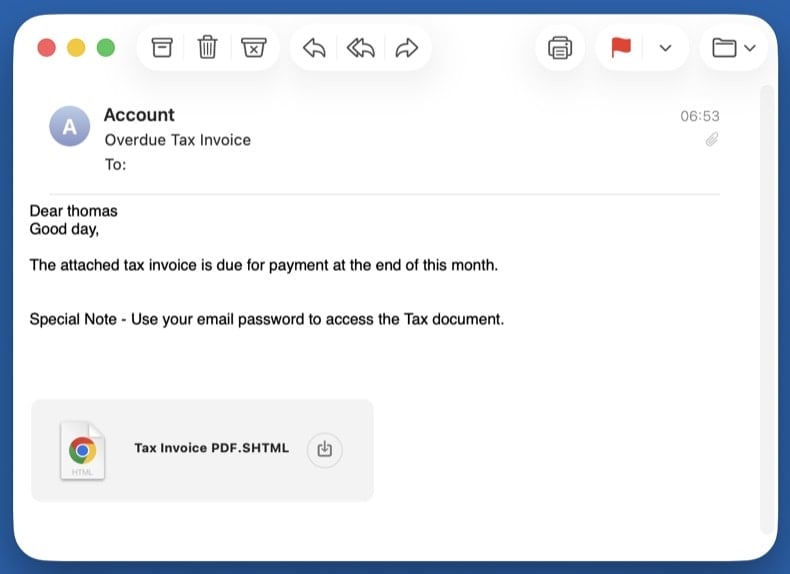
Malware delivery Emails with malicious attachments
Trojans hidden inside fake invoices, faxes, shipping confirmations, or Office documents. Opening the attachment runs the payload and infects the system - often with an info-stealer or remote-access trojan.
Common subject lines
- "Invoice INV-2026-XXXX attached"
- "Fax received - 3 pages"
- "Your shipping document is ready"
- "Voicemail from +1-XXX-XXX-XXXX"
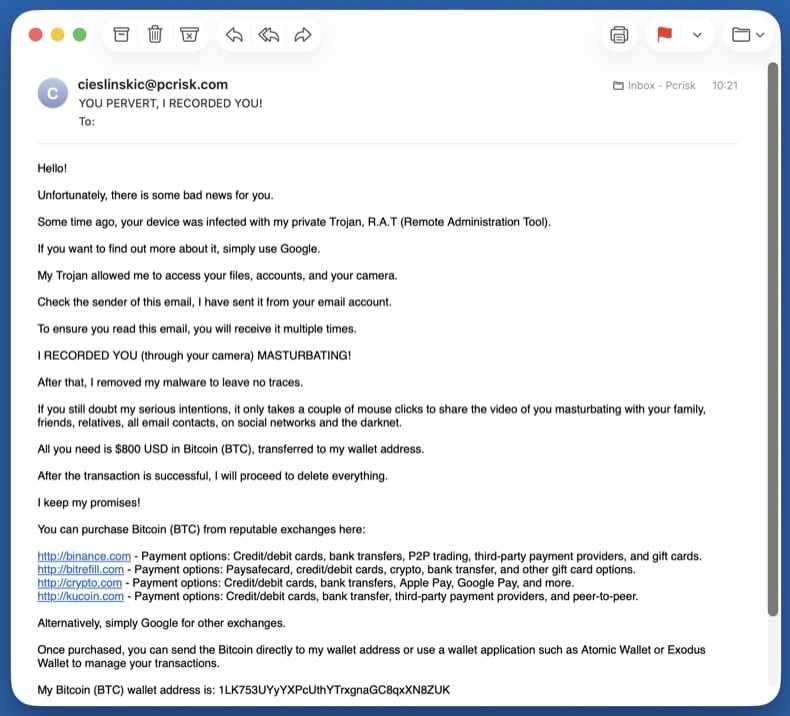
Extortion Sextortion emails
Fake claims of webcam recordings demanding cryptocurrency. Almost always a bluff: the attacker pulls a real password from an old data breach to make the threat look credible, then claims to have video of you. They have no recording and no access.
Common subject lines
- "I know your password is XXXX"
- "Your account has been hacked"
- "I have recorded you - 48 hours to pay"
- "You have been compromised"
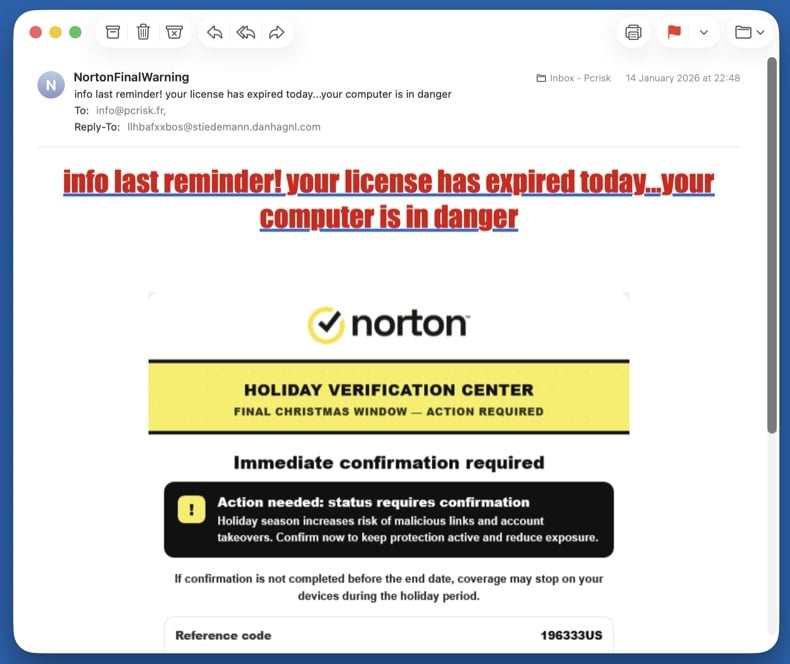
Callback fraud Refund & callback scams
"Your subscription was renewed for $499 - call to cancel." Norton, McAfee, Geek Squad, PayPal, and Wells Fargo variants are all common. There's no real subscription. The phone number in the email connects directly to the scammer, who walks you through "refunding" yourself - which is actually them stealing money from your bank.
Common subject lines
- "Norton subscription auto-renewed - $499.99"
- "McAfee Total Protection invoice"
- "Geek Squad order confirmation"
- "Your PayPal payment is being processed"
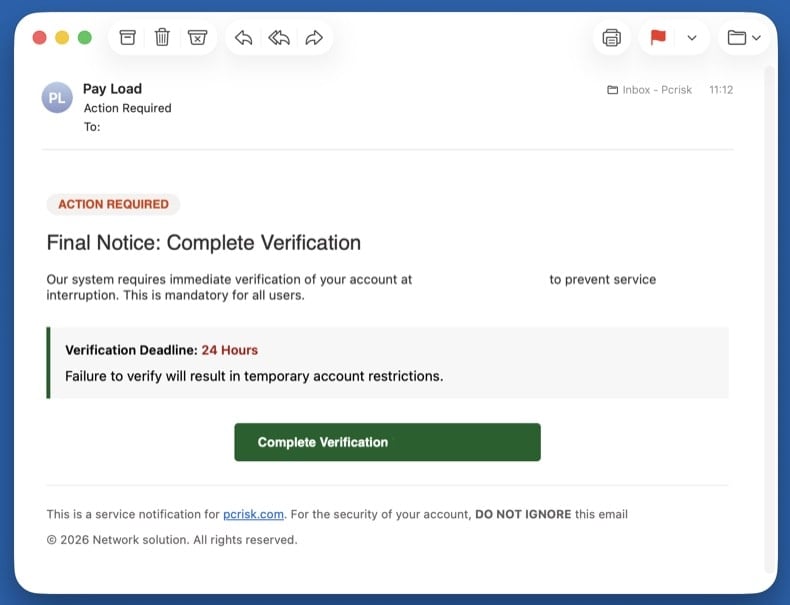
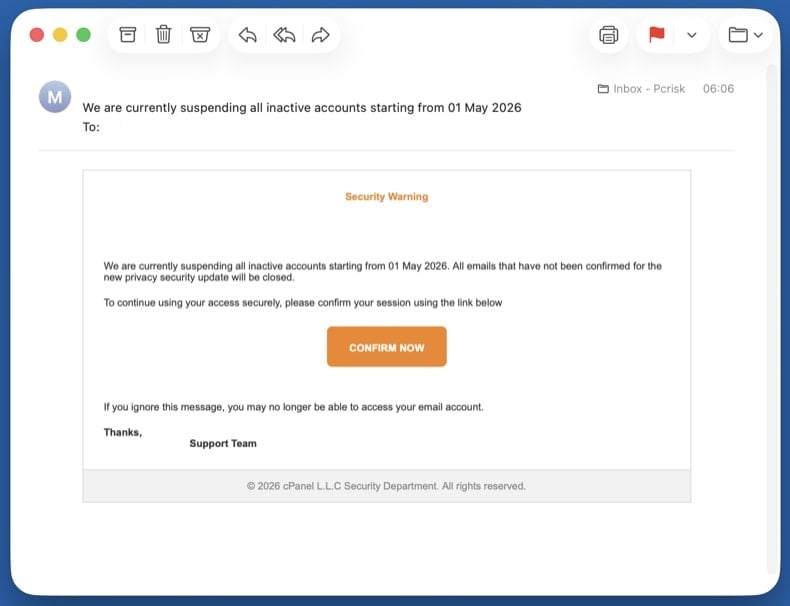
Credential theft Account suspension & verification scams
"Your account will be deleted in 24 hours - verify now." The artificial deadline is the whole point: it pressures you to click before checking details. The "verify" link goes to a phishing page styled to look like the real provider.
Common subject lines
- "Your account will be deleted in 24 hours"
- "Suspicious activity detected - verify now"
- "Final warning: account closure"
- "Action required to keep your account active"
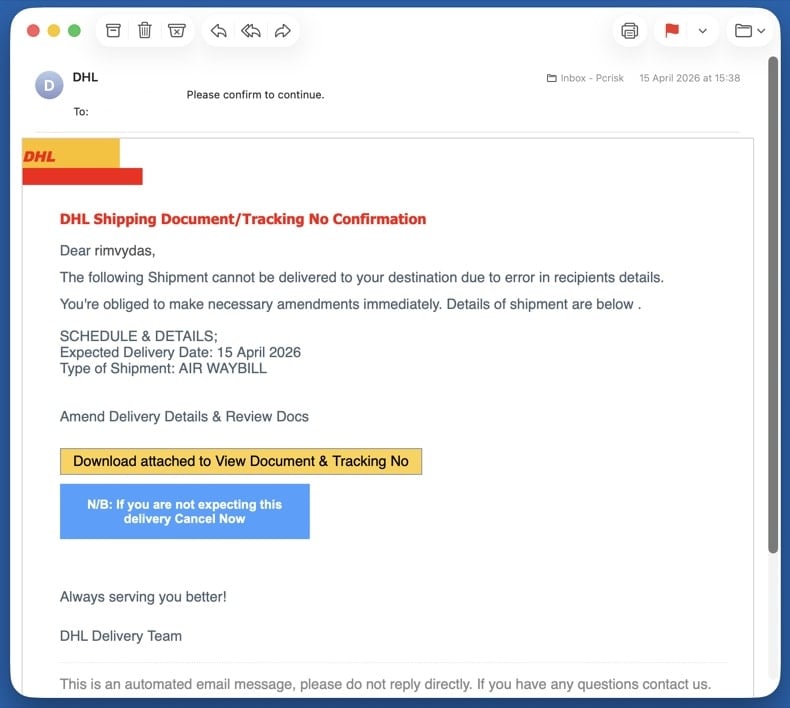
Mixed payload Delivery & package scams
Fake DHL, USPS, UPS, or FedEx tracking, customs fees, or "package undeliverable" notices. Targets anyone expecting a parcel - the timing alone catches many people. The link hides either phishing (asking for card details to "release" the package) or a malware download.
Common subject lines
- "Your DHL package is held at customs"
- "USPS - delivery attempt failed"
- "FedEx tracking update - action required"
- "Pay $2.99 redelivery fee to release your parcel"
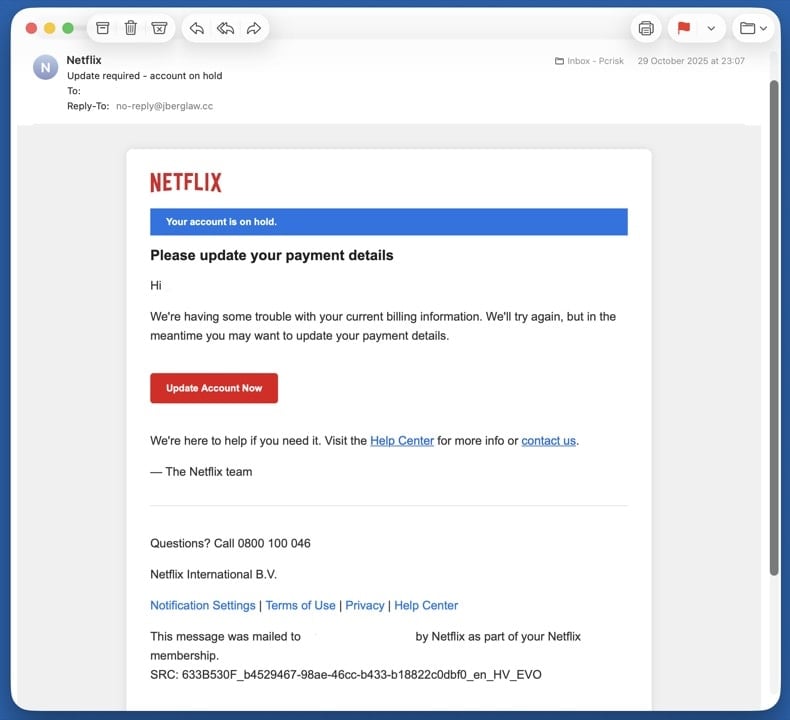
Remote access Tech support scams
Fake Microsoft, Apple, or "Windows Defender" security alerts pushing a phone number. Real Microsoft and Apple never email a phone number to call. The number connects you to a scammer who asks for remote access to "fix" the imaginary problem and then demands payment.
Common subject lines
- "Microsoft Defender expired - renew now"
- "Apple ID security alert"
- "Critical: virus detected on your PC"
- "Windows license expired - call now"
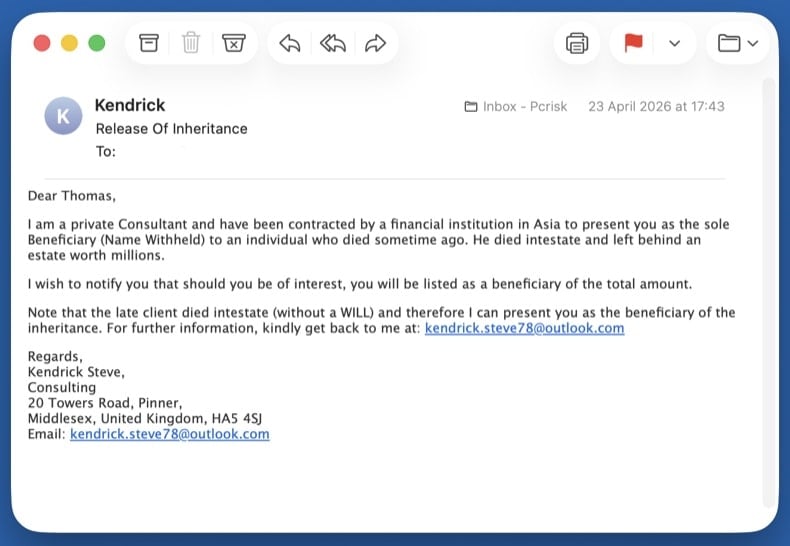
Wire fraud Advance-fee scams
Inheritance, lottery wins, romance, or business deals that ask for a small fee to release a much larger sum. The classic "Nigerian prince" 419 family of frauds. Once you pay the first fee, more fees appear (taxes, lawyer, transfer charges) until you stop paying. The promised money never exists.
Common subject lines
- "Inheritance from a relative you didn't know about"
- "You won the international lottery"
- "URGENT - business proposal worth $XX million"
- "Compensation fund release for fraud victims"
Wire fraud Business email compromise (BEC)
CEO impersonation asking employees to wire money or buy gift cards, or fake supplier invoices with newly "updated" bank details for payment redirection. The email often spoofs a real internal executive's display name and uses an external lookalike domain.
Common subject lines
- "Quick task - need you to buy gift cards"
- "Updated banking details for invoice payment"
- "Wire transfer request - urgent"
- "Are you available?" (CEO impersonation opener)
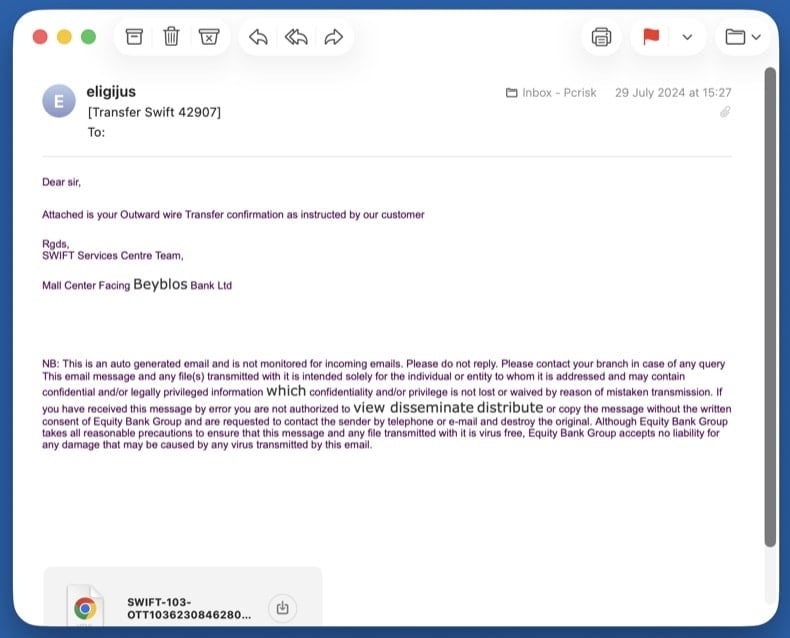
How to spot a malicious email?
Check the sender's actual address, not the display name
The display name (the human-readable part) is trivial to fake. Always check the full address that comes after it. Common red flags:
- Domain mismatch -
service@paypa1.com,support@micros0ft-help.com, look-alike domains using digits or extra hyphens - Free-email impersonation - any "official" message from a bank, courier, or platform sent from a
@gmail.com,@outlook.com, or@yahoo.comaddress - Reply-To mismatch - the From address looks legitimate but Reply-To points somewhere completely different
Real companies own their domains and send mail from them. A "DHL" message from a Gmail address is never legitimate, regardless of how convincing the body looks.
Watch for urgency, threats, and generic greetings
Scams almost always rush you. The point is to make you act before you think. Treat any of the following as a strong signal:
- "Your account will be deleted in 24 hours"
- "Final notice" / "Immediate action required"
- "Dear Customer" or "Dear User" instead of your real name
- Threats of fines, account closure, legal action, or arrest
- Promises of refunds, prizes, or money you didn't earn
- Spelling and grammar mistakes in messages claiming to come from a major brand
Hover over every link before clicking
On a desktop, hover the mouse over the link without clicking. The real destination shows in the bottom-left status bar of your browser or email client. On a phone, long-press the link to preview the URL.
- Real Microsoft, PayPal, or bank links go to those exact domains, not redirects through unrelated sites
- Shortened URLs (
bit.ly,tinyurl,t.co) hide the real destination - never click them in unsolicited mail - The visible link text and the actual URL must match - mismatches are the single biggest phishing red flag
When in doubt, don't click the link. Open a new browser tab and type the company's address yourself, then log in normally. If there really is an issue with your account, you'll see it there.
Treat unexpected attachments as hostile
If you didn't ask for the file, don't open it - even if it appears to come from someone you know. Categories that should never be opened from email without verification through another channel:
.exe,.scr,.iso,.img,.vbs,.bat- executables, never legitimate attachments.docx,.xlsx,.pptxwith "Enable macros" prompts - the macros run the malware.pdfwith "Click here to view" buttons - usually a phishing redirect, not a real document.zip,.rar,.7zarchives, especially password-protected ones - the password defeats the email scanner
If you only received the email and didn't reply, click, or open anything, the steps below are all you need. Your computer is not infected.
Don't reply, don't click "unsubscribe"
Replying confirms your address is real and monitored, which gets you added to higher-value scam lists. The "unsubscribe" link in a scam message is rarely a real opt-out - it usually leads to a phishing page or downloads a tracking pixel.
Instead, mark the message as junk or phishing inside your email client (this trains the spam filter), then block the sender.
Report the scam to your email provider and authorities
Inside your email client:
- Gmail: open the message → ⋮ menu → Report phishing
- Outlook / Outlook.com: ⋯ menu → Report → Report phishing
- Apple Mail / iCloud: Move to Junk, then forward to
reportphishing@apple.com
Forward or report to authorities:
After reporting, delete the email and empty the Trash folder so you don't accidentally open it later.
Pick the step below that matches what you did. If multiple apply, work through them in the order they appear - the steps are arranged from lowest to highest risk.
You only clicked a link (didn't enter anything or download anything)
Close the page right away. Don't enter any information, even if the page looks legitimate.
- Clear your browser cache and cookies for the last hour - → Last hour → check Cookies and Cached files
- Run a quick scan with Combo Cleaner in case the page tried to drop a file silently (drive-by download)
- Update your browser to the latest version - most drive-by exploits target outdated browsers
- Watch for new browser pop-ups, redirects, or unfamiliar notifications over the next few days
Modern browsers block most drive-by attacks, but a single click on a phishing page can still be enough on an outdated browser or unpatched plugin. A quick scan catches anything that landed silently.
You opened an attachment or downloaded a file - run a full malware scan
Opening an attachment is the most common path to actual infection. Treat the system as compromised until the scans below come back clean. Work through these sub-steps in order:
Unplug Ethernet and turn off Wi-Fi. If the attachment was an info-stealer or remote-access trojan, this stops it from sending data out or receiving commands. Keep the network off until you've booted into Safe Mode (next step) - you'll reconnect there briefly to download the scanners.
Windows 11: → Troubleshoot → Advanced options → Startup Settings → Restart → press 5 or F5.
Windows 10: hold Shift, click Power → Restart → Troubleshoot → Advanced options → Startup Settings → Restart → press F5.
Once Safe Mode has loaded, turn Wi-Fi back on and download Combo Cleaner (used in 8.4) and Microsoft Safety Scanner (used in 8.5). Safe Mode loads only minimal drivers, so most malware can't auto-run while you're getting the tools. Save both installers to your Desktop.
Reboot to normal Windows. Open . Select Microsoft Defender Antivirus (offline scan) and click Scan now. The PC restarts into a stripped-down environment and scans the disk before Windows fully loads - this is what catches rootkits and bootkits.
VB100 certified. Includes anti-trojan, registry/persistence scanning, and anti-spyware in one pass. The 7-day free trial is available.
Download Combo CleanerInstall Combo Cleaner and run a full system scan (not the quick scan). Let it complete fully, review what it found, and apply the recommended actions. Combo Cleaner will quarantine known trojans and remove their persistence in the registry.
Download Microsoft Safety Scanner (MSERT.exe). The binary expires every 10 days, which means every download has the latest signatures. Run a full scan after Combo Cleaner to catch anything one engine alone might miss.
Many email-borne trojans drop adware that hijacks browsers. Reset each browser you use:
Chrome: chrome://settings/reset → Restore settings to their original defaults. Then chrome://settings/content/notifications - remove unfamiliar sites.
Edge: edge://settings/reset. Then edge://settings/content/notifications.
Firefox: about:support → Refresh Firefox.
Open and confirm Real-time protection, Cloud-delivered protection, and Tamper Protection are all on. Then run and update browsers and applications.
If the scans keep finding new threats on each run, or files reappear after deletion, you may have a deeper compromise that needs a clean Windows reinstall. See pcrisk's full manual malware removal guide for the extended procedure (Process Explorer, Autoruns, hosts file inspection).
You entered credentials on a fake login page
Assume the attacker has your password and is using it right now. Speed matters.
- Change the password from a different, known-clean device (your phone is fine if it's not infected). Don't reuse the old password anywhere else.
- Enable two-factor authentication if you haven't already. Prefer an authenticator app or hardware key over SMS.
- Sign out of all sessions - most platforms have a "sign out everywhere" option in security settings, which kicks the attacker out.
- Review recent activity - look for unfamiliar logins, new devices, forwarding rules, or app permissions. Remove anything you don't recognize.
- Check your other accounts - if you reused that password anywhere else, change it there too. Check your exposure at haveibeenpwned.com.
- Update security questions - the attacker may have seen the answers in your account profile.
If you only have time to change one password, change your primary email password - it's the recovery hub for every other account. An attacker who controls your email can reset everything else.
You sent money or shared bank, card, or ID details
Time is the single biggest factor in recovering money. Banks can sometimes recall a wire or reverse a card transaction within the first few hours.
- Call your bank or card issuer immediately. Use the number on the back of the card, not any number from the scam email. Ask them to freeze the card, reverse the transaction if possible, and flag the account for fraud monitoring.
- If you sent a wire transfer or used a money-transfer service (Western Union, MoneyGram, Zelle, Wise), call them directly and request a recall. Some can be reversed within minutes if reported fast.
- If you sent cryptocurrency or gift cards, recovery is unlikely - but report it anyway, since law enforcement tracks these patterns.
- File a police report. You'll need the report number for any insurance, bank, or credit-bureau claim. Save the report number.
- File with the right authority for your country:
- US: ic3.gov + reportfraud.ftc.gov
- UK: reportfraud.police.uk (Report Fraud, the successor to Action Fraud; 0300 123 2040)
- Canada: antifraudcentre.ca
- Australia: scamwatch.gov.au
- EU: your national CERT or police cybercrime unit
- Set fraud alerts on all major credit bureaus if you shared any ID details. US: Equifax, Experian, TransUnion. UK: Experian, Equifax, TransUnion (Cifas Protective Registration is a stronger option).
- Save all evidence - the original email (with full headers), screenshots of the fake site, transaction records, any phone numbers or chat logs.
Final scan and startup-app check
Reconnect to the network and run one final full scan with Combo Cleaner, followed by a Windows Defender quick scan. Then open Task Manager (Ctrl + Shift + Esc) and switch to Startup apps - disable anything unfamiliar.
Make sure Windows, browsers, and any applications you use are fully up to date. The infection vector that worked on you once usually involves outdated software.
Monitor accounts and credit for 30 days
Most fraud follow-ups land in the first month. Until that window closes, keep watching:
- Bank and card statements - daily for the first week, then weekly
- Email - watch for password-reset confirmations or login alerts you didn't trigger
- Credit report - US: free at annualcreditreport.com; UK: Experian, Equifax, TransUnion all have free tiers
- Breach alerts - sign up at haveibeenpwned.com to be notified when your email appears in new leaks
If anything new appears in any of those, treat it as a continuing compromise: change passwords again, contact the bank again, and update the police report.
Important: If you didn't click anything, didn't reply, and didn't open any attachment, your computer is not infected - just delete the email and move on. If you opened an attachment or downloaded a file, run an automated scan with Combo Cleaner and Windows Defender and stop there. That path catches the vast majority of email-borne malware without the risk of breaking Windows by deleting the wrong file.
Frequently Asked Questions (FAQ)
Why did I receive this email?
Regardless of any relevant details that these emails may include, they are not personal. This mail is distributed in large-scale campaigns – therefore, thousands of users receive identical or incredibly similar emails.
I have provided my personal information when tricked by this spam email, what should I do?
If you have provided your log-in credentials – change the passwords of all possibly exposed accounts and inform their official support. However, if the disclosed information was of a different personal nature (e.g., ID card details, credit card numbers, etc.) – immediately contact the corresponding authorities.
I have read a spam email but didn't open the attachment, is my computer infected?
No, reading an email will not initiate any malware download/installation processes. Systems are infected when malicious attachments or links are opened/clicked.
I have downloaded and opened a file attached to a spam email, is my computer infected?
If the opened file was an executable – most likely, yes – the device was infected. However, you might have avoided the infection if it was a document. These formats may need additional user interaction (e.g., enabling macros, clicking embedded content, etc.) to jumpstart malware download/installation processes.
Will Combo Cleaner remove malware infections present in email attachments?
Yes, Combo Cleaner is capable of detecting and removing practically all known malware infections. It must be stressed that since sophisticated malicious software usually hides deep within systems – performing a complete system scan is paramount.
Share:
 Facebook
 X.com
X.com
 LinkedIn
 Copy Link

Tomas Meskauskas
Expert security researcher, professional malware analyst
I am passionate about computer security and technology. I have an experience of over 10 years working in various companies related to computer technical issue solving and Internet security. I have been working as an author and editor for pcrisk.com since 2010. Follow me on Twitter and LinkedIn to stay informed about the latest online security threats.
PCrisk security portal is brought by a company RCS LT.
Joined forces of security researchers help educate computer users about the latest online security threats. More information about the company RCS LT.
Our malware removal guides are free. However, if you want to support us you can send us a donation.
DonatePCrisk security portal is brought by a company RCS LT.
Joined forces of security researchers help educate computer users about the latest online security threats. More information about the company RCS LT.
Our malware removal guides are free. However, if you want to support us you can send us a donation.
Donate
▼ Show Discussion