
How to remove Beagle Backdoor from the operating system
TrojanAlso Known As: Beagle backdoor malware

Get free scan and check if your device is infected.
Remove it nowTo use full-featured product, you have to purchase a license for Combo Cleaner. Seven days free trial available. Combo Cleaner is owned and operated by RCS LT, the parent company of PCRisk.com.
What kind of malware is Beagle Backdoor?
Beagle is a backdoor - a type of malware that gives attackers a hidden, persistent channel into an infected computer. According to research by Sophos X-Ops, it was distributed through a fake website designed to impersonate the legitimate Claude AI platform.
Visitors were tricked into downloading what appeared to be a developer tool. The installer silently deployed the backdoor, connecting it to an attacker-controlled server and allowing remote access without any sign of infection.
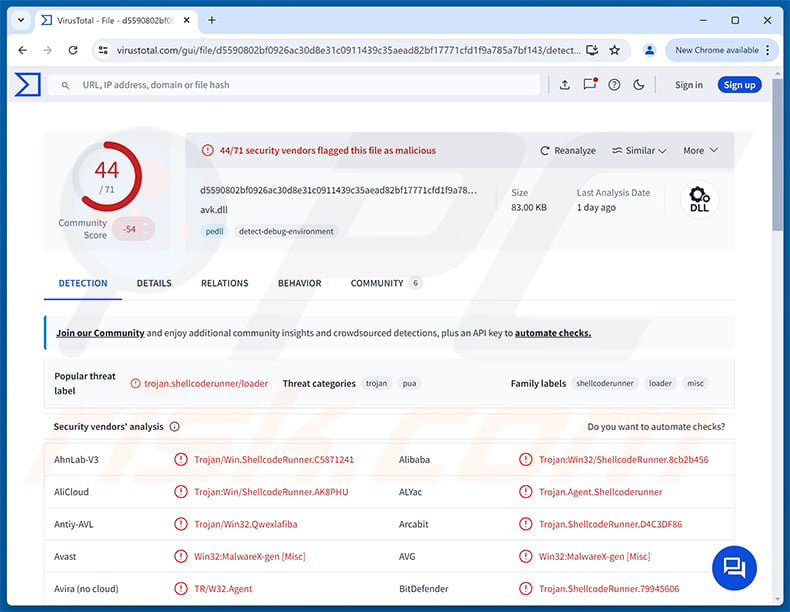
Beagle Backdoor overview
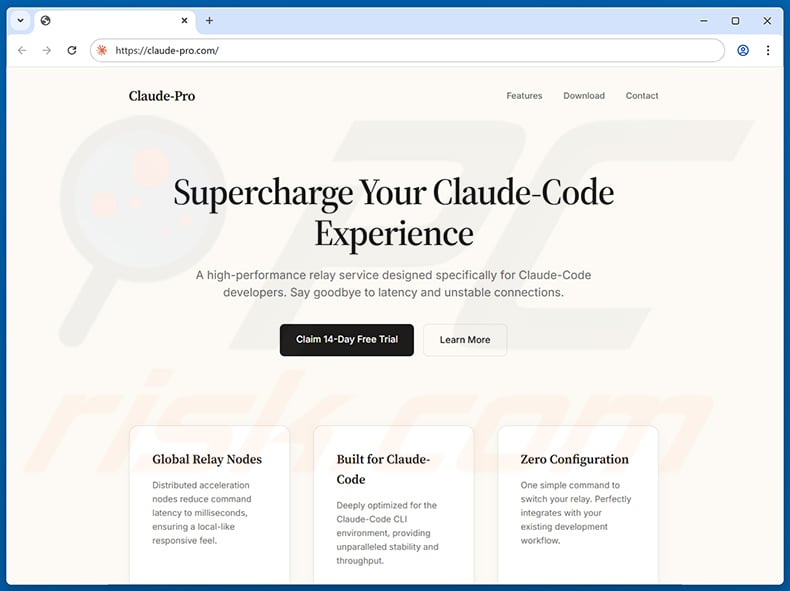
The attack begins at a fake website that presented itself as "Claude-Pro Relay," a service claiming to boost performance for Claude AI users. Those who downloaded the offering received a large ZIP archive with a malicious MSI installer inside.
Running the installer drops three files into the Windows startup folder: a legitimate, signed G DATA antivirus utility (NOVupdate.exe), an encrypted payload file (NOVupdate.exe.dat), and a malicious library (avk.dll). When the signed utility runs at startup, it loads the malicious DLL instead of the real one - a technique known as DLL sideloading.
The malicious DLL decrypts the payload file and executes the resulting shellcode in memory. That shellcode is DonutLoader, an open-source in-memory loader, which then deploys the Beagle backdoor. Because the final payload never touches the disk, file-based security scans have a harder time detecting it.
Once active, Beagle connects to a command-and-control server. Traffic is encrypted and travels over port 443 - normally reserved for secure web traffic - which helps the backdoor blend in with legitimate activity.
Beagle Backdoor's capabilities
Beagle supports eight remote commands. The cmd command lets an attacker execute arbitrary programs or system commands on the infected machine without the victim's knowledge.
File transfers work in both directions. The upload command sends files from the victim's computer to the attacker's server, while download delivers files to the infected device - for example, to push additional malware payloads.
The mkdir, rename, ls, and rm commands give the operator full remote control over files and folders. The uninstall command removes the backdoor agent entirely, letting the attacker clean up once their objectives are complete.
Persistence and defense evasion
Beagle achieves persistence by placing its components in the Windows startup folder, so all three files reload automatically every time the computer starts, maintaining access across reboots.
Using a legitimately signed security vendor's binary to perform DLL sideloading is a deliberate evasion technique. Security tools that trust signed files may allow the binary to execute without flagging it, even as it loads malicious code alongside it.
Running the final stage in memory via DonutLoader means no Beagle executable is ever written to disk. Combined with encrypted traffic on port 443 - the standard port for HTTPS - these measures help the infection stay hidden on a compromised machine for a long time.
| Name | Beagle backdoor malware |
| Threat Type | Backdoor, Trojan |
| Detection Names | Avast (Win32:MalwareX-gen [Misc]), Combo Cleaner (Trojan.ShellcodeRunner.79945606), ESET-NOD32 (Win32/ShellcodeRunner.AEQ Trojan), Kaspersky (Trojan.Win32.Loader.roj), Microsoft (Trojan:Win32/ShellcodeRunner.AB!MTB), Full List (VirusTotal) |
| Symptoms | Backdoors are designed to stealthily infiltrate the victim's computer and remain silent, and thus no particular symptoms are clearly visible on an infected machine. |
| Distribution methods | Fake websites, malicious software installers. |
| Damage | Stolen passwords and banking information, identity theft, the victim's computer added to a botnet, additional infections, monetary loss. |
| Malware Removal (Windows) |
To eliminate possible malware infections, scan your computer with legitimate antivirus software. Our security researchers recommend using Combo Cleaner. Download Combo CleanerTo use full-featured product, you have to purchase a license for Combo Cleaner. 7 days free trial available. Combo Cleaner is owned and operated by RCS LT, the parent company of PCRisk.com. |
Conclusion
Beagle gives attackers a silent foothold on infected computers, letting them run commands, move files, and control the system remotely without leaving any visible trace.
Because it runs in memory and disguises its traffic as ordinary HTTPS, the infection can persist for a long time undetected. Any suspected infection should be addressed immediately.
More examples of backdoors are NANOREMOTE, A0Backdoor, and YiBackdoor.
How did Beagle Backdoor infiltrate my computer?
According to Sophos X-Ops researchers, Beagle was distributed through a fake website (claude-pro[.]com) impersonating the Claude AI platform. The site advertised a "Claude-Pro Relay" tool for developers, and downloading it delivered a malicious MSI installer packed inside a ZIP archive.
Sophos also identified related samples using the same delivery chain but posing as update pages for known security vendors. This suggests the threat actor behind Beagle is actively testing different disguises while reusing the same core technique.
More broadly, threats like Beagle reach victims through phishing emails, malvertising, and deceptive download sites. Downloading software only from official sources is the most reliable defense against this type of attack.
How to avoid installation of malware?
Download software only from official developer websites or reputable app stores. Avoid third-party download sites, unofficial mirrors, and any link in a sponsored search result or unsolicited message. Fake sites used to spread malware like Beagle are often crafted to look convincing at first glance.
Keep your operating system and installed programs up to date, and use reputable security software with real-time protection enabled. Running regular full-system scans helps catch threats that slipped through initial defenses. If you believe that your computer is already infected, we recommend running a scan with Combo Cleaner Antivirus for Windows to automatically eliminate infiltrated malware.
Fake Claude AI website (claude-pro[.]com) used to deliver Beagle Backdoor (source: sophos.com):
Instant automatic malware removal:
Manual threat removal might be a lengthy and complicated process that requires advanced IT skills. Combo Cleaner is a professional automatic malware removal tool that is recommended to get rid of malware. Download it by clicking the button below:
DOWNLOAD Combo CleanerBy downloading any software listed on this website you agree to our Privacy Policy and Terms of Use. To use full-featured product, you have to purchase a license for Combo Cleaner. 7 days free trial available. Combo Cleaner is owned and operated by RCS LT, the parent company of PCRisk.com.
Quick menu:
- What is Beagle Backdoor?
- STEP 1. Manual removal of Beagle Backdoor malware.
- STEP 2. Check if your computer is clean.
How to remove malware manually?
Manual malware removal is a complicated task - usually it is best to allow antivirus or anti-malware programs to do this automatically. To remove this malware we recommend using Combo Cleaner Antivirus for Windows.
If you wish to remove malware manually, the first step is to identify the name of the malware that you are trying to remove. Here is an example of a suspicious program running on a user's computer:
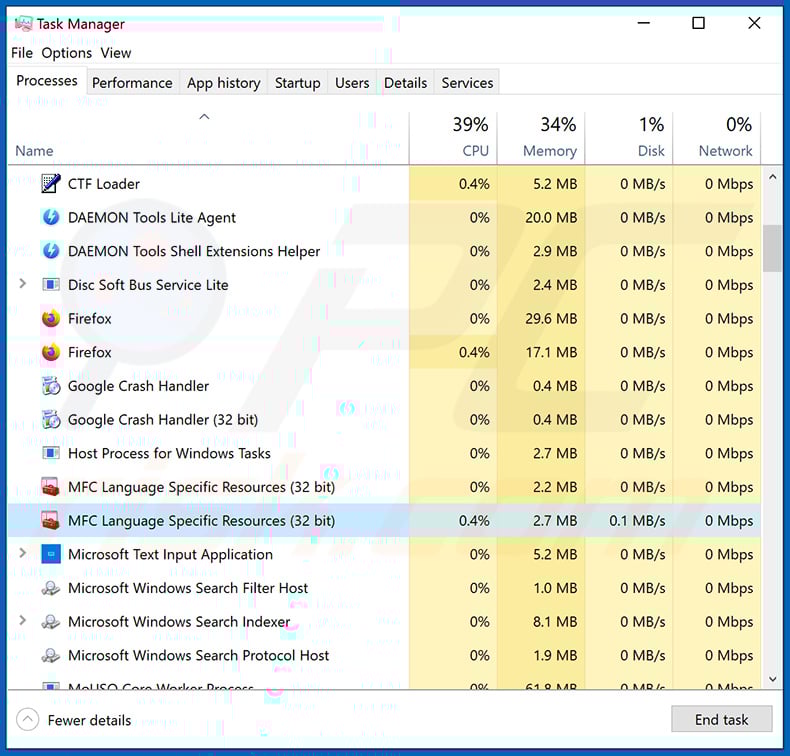
If you checked the list of programs running on your computer, for example, using task manager, and identified a program that looks suspicious, you should continue with these steps:
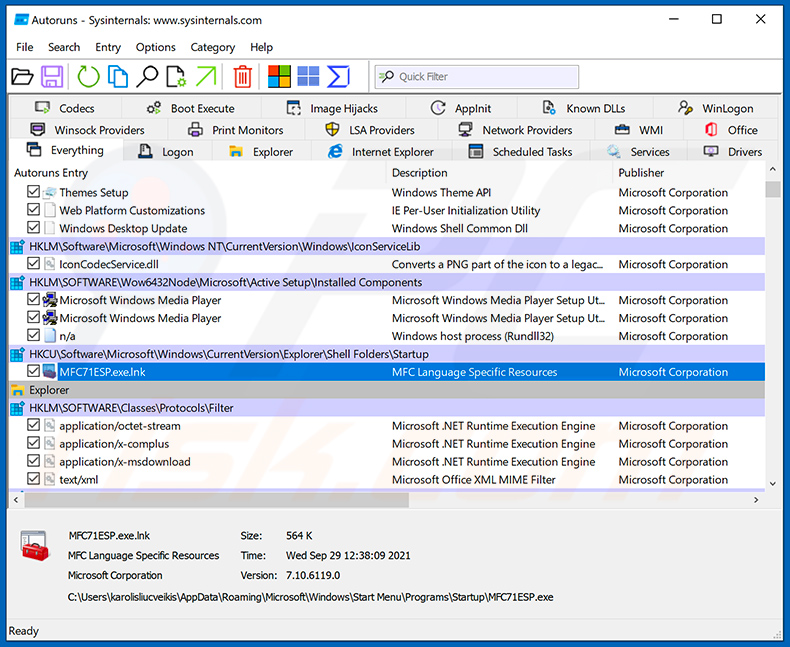
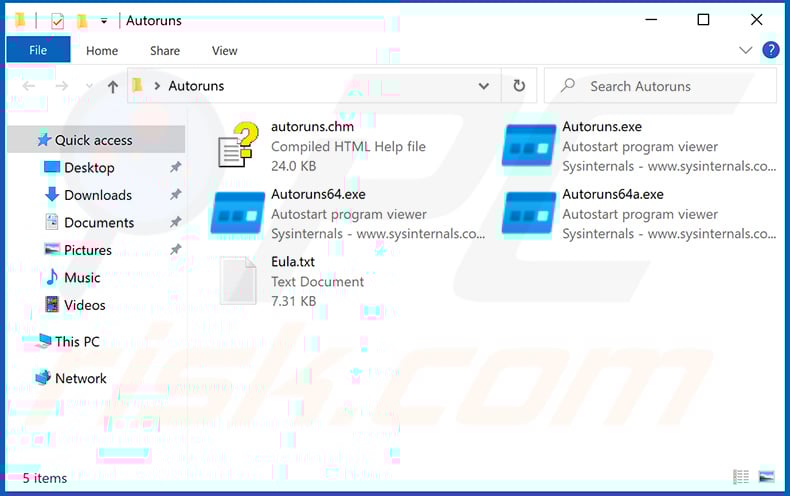
 Download a program called Autoruns. This program shows auto-start applications, Registry, and file system locations:
 Restart your computer into Safe Mode:
Windows XP and Windows 7 users: Start your computer in Safe Mode. Click Start, click Shut Down, click Restart, click OK. During your computer start process, press the F8 key on your keyboard multiple times until you see the Windows Advanced Option menu, and then select Safe Mode with Networking from the list.
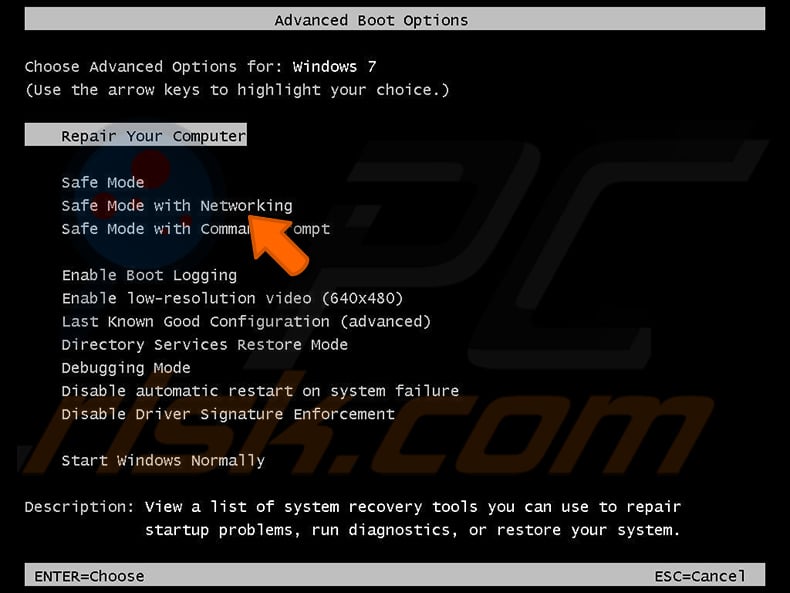
Video showing how to start Windows 7 in "Safe Mode with Networking":
Windows 8 users: Start Windows 8 is Safe Mode with Networking - Go to Windows 8 Start Screen, type Advanced, in the search results select Settings. Click Advanced startup options, in the opened "General PC Settings" window, select Advanced startup.
Click the "Restart now" button. Your computer will now restart into the "Advanced Startup options menu". Click the "Troubleshoot" button, and then click the "Advanced options" button. In the advanced option screen, click "Startup settings".
Click the "Restart" button. Your PC will restart into the Startup Settings screen. Press F5 to boot in Safe Mode with Networking.
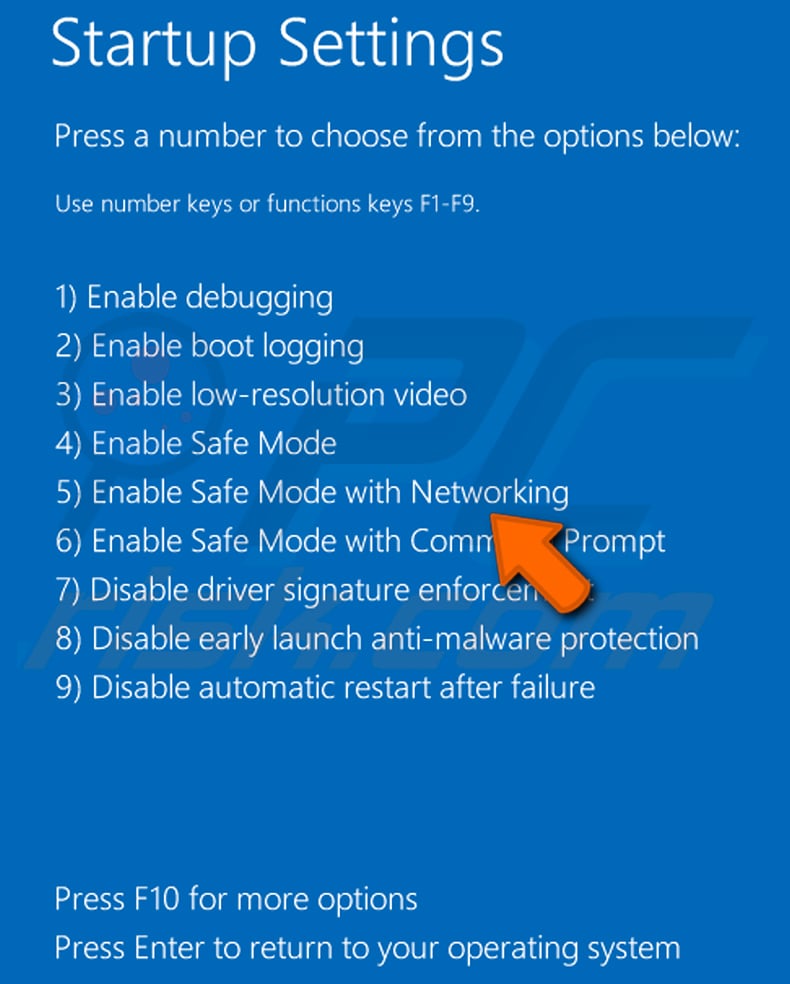
Video showing how to start Windows 8 in "Safe Mode with Networking":
Windows 10 users: Click the Windows logo and select the Power icon. In the opened menu click "Restart" while holding "Shift" button on your keyboard. In the "choose an option" window click on the "Troubleshoot", next select "Advanced options".
In the advanced options menu select "Startup Settings" and click on the "Restart" button. In the following window you should click the "F5" button on your keyboard. This will restart your operating system in safe mode with networking.
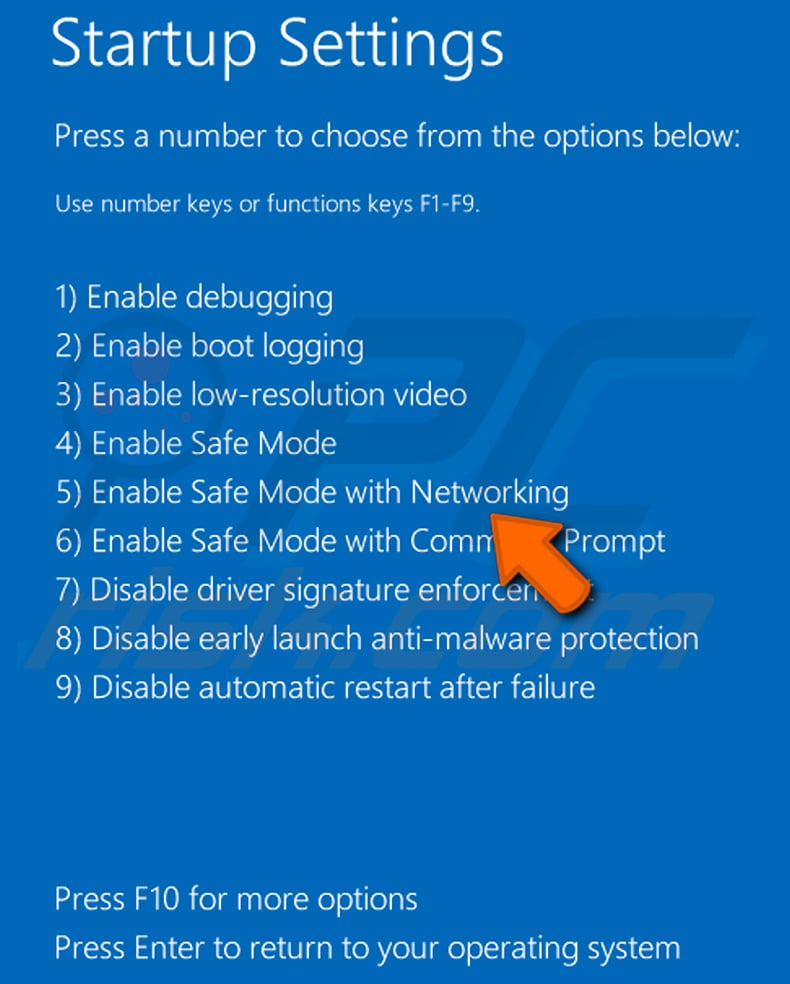
Video showing how to start Windows 10 in "Safe Mode with Networking":
 Extract the downloaded archive and run the Autoruns.exe file.
 In the Autoruns application, click "Options" at the top and uncheck "Hide Empty Locations" and "Hide Windows Entries" options. After this procedure, click the "Refresh" icon.
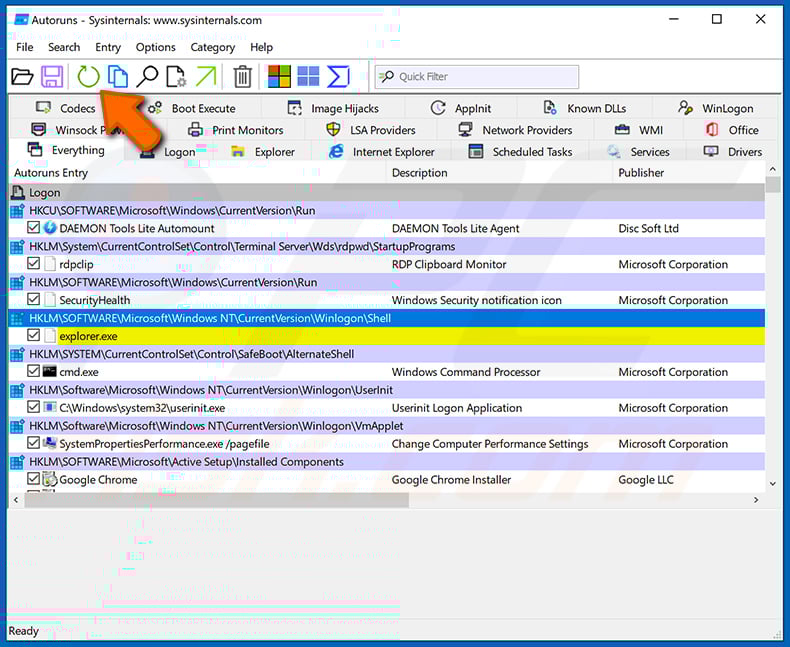
 Check the list provided by the Autoruns application and locate the malware file that you want to eliminate.
You should write down its full path and name. Note that some malware hides process names under legitimate Windows process names. At this stage, it is very important to avoid removing system files. After you locate the suspicious program you wish to remove, right click your mouse over its name and choose "Delete".
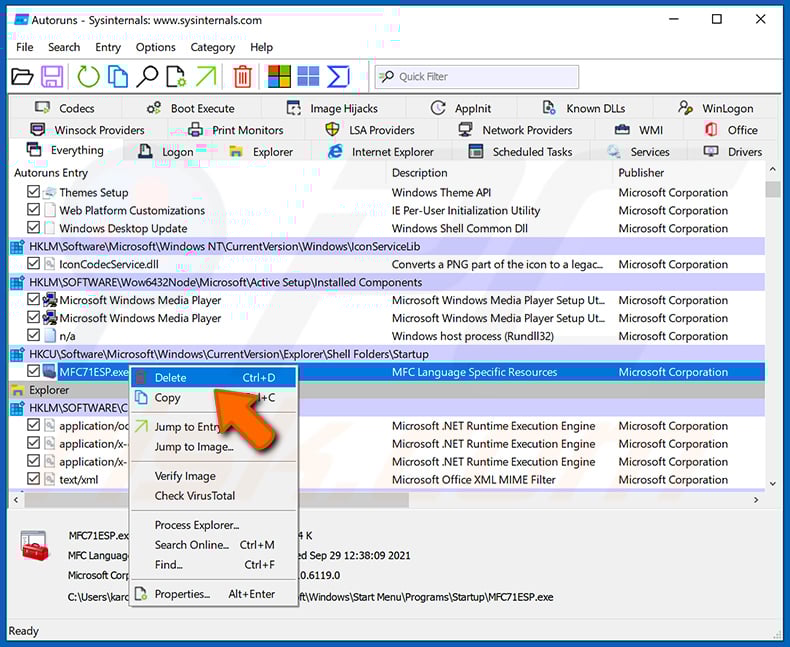
After removing the malware through the Autoruns application (this ensures that the malware will not run automatically on the next system startup), you should search for the malware name on your computer. Be sure to enable hidden files and folders before proceeding. If you find the filename of the malware, be sure to remove it.
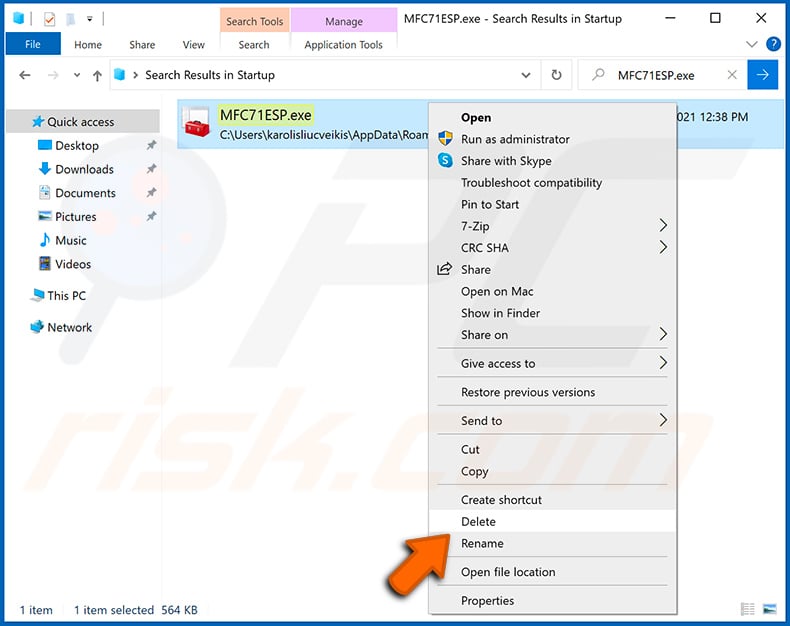
Reboot your computer in normal mode. Following these steps should remove any malware from your computer. Note that manual threat removal requires advanced computer skills. If you do not have these skills, leave malware removal to antivirus and anti-malware programs.
These steps might not work with advanced malware infections. As always it is best to prevent infection than try to remove malware later. To keep your computer safe, install the latest operating system updates and use antivirus software. To be sure your computer is free of malware infections, we recommend scanning it with Combo Cleaner Antivirus for Windows.
Frequently Asked Questions (FAQ)
My computer is infected with Beagle Backdoor malware, should I format my storage device to get rid of it?
Formatting the storage device will remove Beagle Backdoor, but it will also erase all files on the drive. Trying a reputable security tool such as Combo Cleaner first is a safer option that does not put your data at risk.
What are the biggest issues that Beagle Backdoor malware can cause?
Beagle gives attackers full remote access to an infected machine. They can steal personal and financial data, execute malicious commands, and deploy additional payloads such as ransomware or stealers.
The practical consequences can include identity theft, unauthorized access to accounts, financial fraud, and permanent loss of data.
What is the purpose of Beagle Backdoor malware?
The purpose of Beagle Backdoor is to give attackers a persistent, covert channel into infected computers. Through this channel, operators can execute commands, transfer files, and interact with the file system remotely at any time.
How did Beagle Backdoor malware infiltrate my computer?
Beagle was spread through a fake website impersonating the Claude AI platform, where users were offered a download that turned out to be a malicious installer.
Related samples also impersonated security vendor update pages. In general, threats of this kind reach users through phishing, deceptive download sites, and malvertising.
Will Combo Cleaner protect me from malware?
Yes. Combo Cleaner can detect and remove most known threats, including backdoors like Beagle. Running a full system scan is recommended, as advanced threats sometimes hide deeply and a quick scan alone may not catch everything.
Share:
 Facebook
 X.com
X.com
 LinkedIn
 Copy Link

Tomas Meskauskas
Expert security researcher, professional malware analyst
I am passionate about computer security and technology. I have an experience of over 10 years working in various companies related to computer technical issue solving and Internet security. I have been working as an author and editor for pcrisk.com since 2010. Follow me on Twitter and LinkedIn to stay informed about the latest online security threats.
PCrisk security portal is brought by a company RCS LT.
Joined forces of security researchers help educate computer users about the latest online security threats. More information about the company RCS LT.
Our malware removal guides are free. However, if you want to support us you can send us a donation.
DonatePCrisk security portal is brought by a company RCS LT.
Joined forces of security researchers help educate computer users about the latest online security threats. More information about the company RCS LT.
Our malware removal guides are free. However, if you want to support us you can send us a donation.
Donate
▼ Show Discussion