

Get free scan and check if your device is infected.
Remove it nowTo use full-featured product, you have to purchase a license for Combo Cleaner. Seven days free trial available. Combo Cleaner is owned and operated by RCS LT, the parent company of PCRisk.com.
What kind of malware is RemotePE?
RemotePE is a Remote Access Trojan (RAT) attributed to the Lazarus Group, a North Korean state-sponsored hacking collective. According to research by Fox-IT, RemotePE runs entirely in memory and never writes itself to disk, making it extremely difficult to detect with conventional security software.
It operates as the final stage of a three-part attack chain targeting financial and cryptocurrency organizations. The campaign aims for long-term covert access, giving attackers time to observe the target network and prepare for data theft or large-scale financial fraud.
RemotePE RAT overview
RemotePE is the third and final component in a chain that begins with a loader disguised as a legitimate Windows service. Each stage decrypts and loads the next entirely in memory, leaving minimal artifacts on disk. Fox-IT researchers identified the full chain while investigating intrusions at financial and cryptocurrency organizations.
The RAT communicates with its Command and Control (C2) server over HTTP. Messages are encrypted using AES-GCM, and the malware disguises its traffic to resemble legitimate Microsoft service communications, using specific identifiers in its headers and payloads.
Fox-IT observed that all six confirmed payload deliveries took place during daytime Korea Standard Time working hours, suggesting operators manually supervise deployment. The group is linked to earlier Lazarus campaigns including AppleJeus and Gleaming Pisces, and RemotePE's file deletion technique matches patterns in two older Lazarus tools: PondRAT and POOLRAT.
RemotePE's capabilities
RemotePE implements six command categories. Through the IConsole module, it can execute shell commands, navigate directories, and load additional DLL modules on demand. The IFileExplorer module handles reading, writing, and securely deleting files with a seven-pass overwrite.
The IProcess module lets operators list running processes, launch new ones, and terminate them. It can also search for specific environment variables on the infected system. ITimer schedules sleep intervals, and IPing provides a basic connectivity check between the implant and the C2 server.
Evasion and persistence
DPAPILoader, the first stage of the chain, installs itself as a Windows service named "Internet Authentication Service", mimicking a real Windows component. This gives it automatic startup through Svchost.exe on every system boot.
The chain protects its payloads using DPAPI encryption tied to the specific victim machine. The encrypted blobs cannot be decrypted on any other system, making automated sandbox inspection and offline analysis considerably harder.
RemotePE also patches Event Tracing for Windows (ETW) by overwriting the ETW write function at runtime, disabling a common Windows logging channel. It uses the HellsGate and TartarusGate techniques to resolve system call numbers dynamically, bypassing security tools that hook standard Windows API calls.
| Name | RemotePE malware |
| Threat Type | Remote Access Trojan (RAT) |
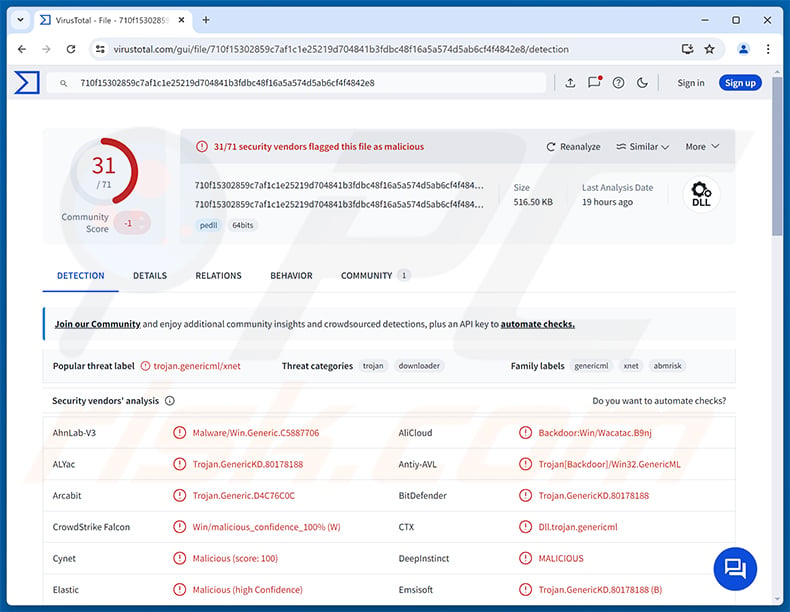
| Detection Names | Avast (MalwareX-gen [Drp]), Combo Cleaner (Trojan.GenericKD.80178188), ESET-NOD32 (Win64/TrojanDownloader.Agent.DCJ Trojan), Kaspersky (UDS:Backdoor.Win32.GenericML.xnet), Microsoft (Trojan:Win32/Yomal!rfn), Full List (VirusTotal) |
| Symptoms | Remote Access Trojans are designed to stealthily infiltrate the victim's computer and remain silent, and thus no particular symptoms are clearly visible on an infected machine. |
| Distribution methods | Targeted attacks, spear-phishing emails, social engineering. |
| Damage | Stolen passwords and banking information, identity theft, the victim's computer added to a botnet, additional infections, monetary loss, account hijacking. |
| Malware Removal (Windows) |
To eliminate possible malware infections, scan your computer with legitimate antivirus software. Our security researchers recommend using Combo Cleaner. Download Combo CleanerTo use full-featured product, you have to purchase a license for Combo Cleaner. 7 days free trial available. Combo Cleaner is owned and operated by RCS LT, the parent company of PCRisk.com. |
Conclusion
RemotePE gives the Lazarus Group covert, persistent access to infected devices. It can receive commands, manage files, execute additional tools, and maintain access silently through reboots.
Organizations in the financial and cryptocurrency sectors face serious risk of data theft and large-scale financial fraud from this threat. The malware should be removed from the system immediately.
More examples of RATs are Banana, QUIC, and NexusRAT.
How did RemotePE infiltrate my computer?
Fox-IT's research links RemotePE to the Lazarus Group, a North Korean state-sponsored threat actor with a documented history of targeting financial institutions and cryptocurrency platforms. The campaign prioritizes sustained, covert access as a precursor to large-scale data theft or financial fraud.
The specific initial access method used in RemotePE campaigns is not fully described in public reporting. Lazarus is historically known for targeted phishing emails, malicious job offer lures, and exploitation of public-facing services. Once a foothold is established, DPAPILoader is installed as a Windows service to stage the full attack chain in memory.
More broadly, targeted malware of this kind can also reach victims through malicious email attachments, compromised software installers, and exploitation of vulnerabilities in outdated software. Organizations in financial services and cryptocurrency should treat any unexpected requests for software installation or credential entry with extra caution.
How to avoid installation of malware?
Keep your operating system and all installed software fully up to date, as attackers often exploit known vulnerabilities to gain an initial foothold. Download software only from official developer websites and trusted app stores, and avoid cracked software, key generators, or pirated programs.
Be cautious of unsolicited emails, job offer messages, and documents prompting you to enable macros, run scripts, or install new software. Use reputable security software and run regular system scans. If you believe that your computer is already infected, we recommend running a scan with Combo Cleaner Antivirus for Windows to automatically eliminate infiltrated malware.
Instant automatic malware removal:
Manual threat removal might be a lengthy and complicated process that requires advanced IT skills. Combo Cleaner is a professional automatic malware removal tool that is recommended to get rid of malware. Download it by clicking the button below:
DOWNLOAD Combo CleanerBy downloading any software listed on this website you agree to our Privacy Policy and Terms of Use. To use full-featured product, you have to purchase a license for Combo Cleaner. 7 days free trial available. Combo Cleaner is owned and operated by RCS LT, the parent company of PCRisk.com.
Quick menu:
- What is RemotePE?
- STEP 1. Manual removal of RemotePE malware.
- STEP 2. Check if your computer is clean.
How to remove malware manually?
Manual malware removal is a complicated task - usually it is best to allow antivirus or anti-malware programs to do this automatically. To remove this malware we recommend using Combo Cleaner Antivirus for Windows.
If you wish to remove malware manually, the first step is to identify the name of the malware that you are trying to remove. Here is an example of a suspicious program running on a user's computer:
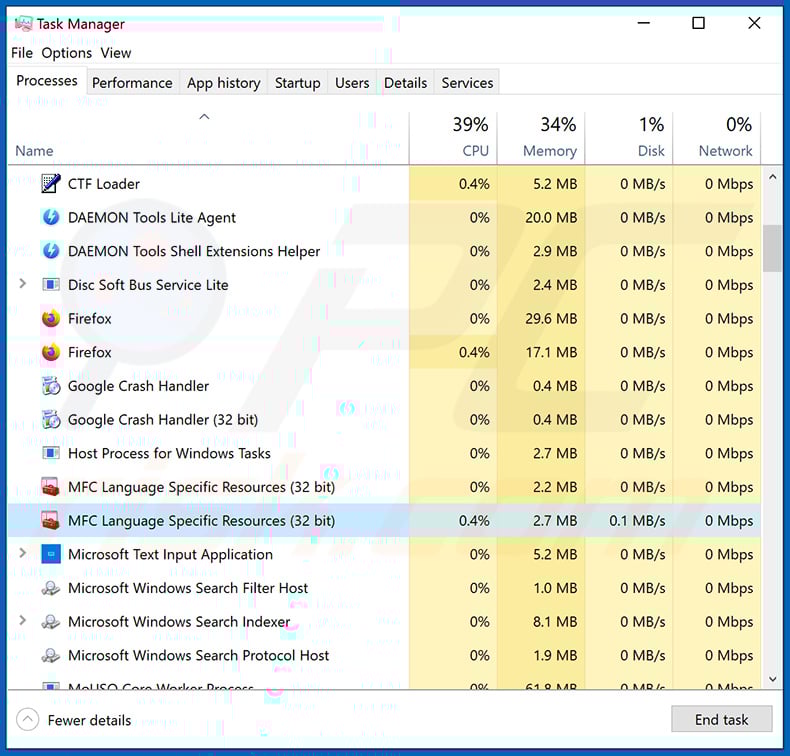
If you checked the list of programs running on your computer, for example, using task manager, and identified a program that looks suspicious, you should continue with these steps:
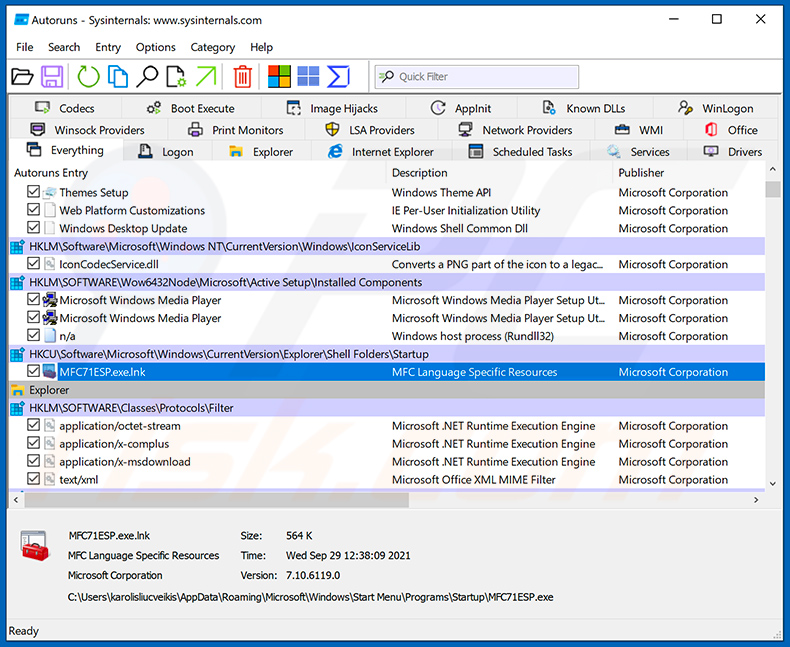
 Download a program called Autoruns. This program shows auto-start applications, Registry, and file system locations:
 Restart your computer into Safe Mode:
Windows XP and Windows 7 users: Start your computer in Safe Mode. Click Start, click Shut Down, click Restart, click OK. During your computer start process, press the F8 key on your keyboard multiple times until you see the Windows Advanced Option menu, and then select Safe Mode with Networking from the list.
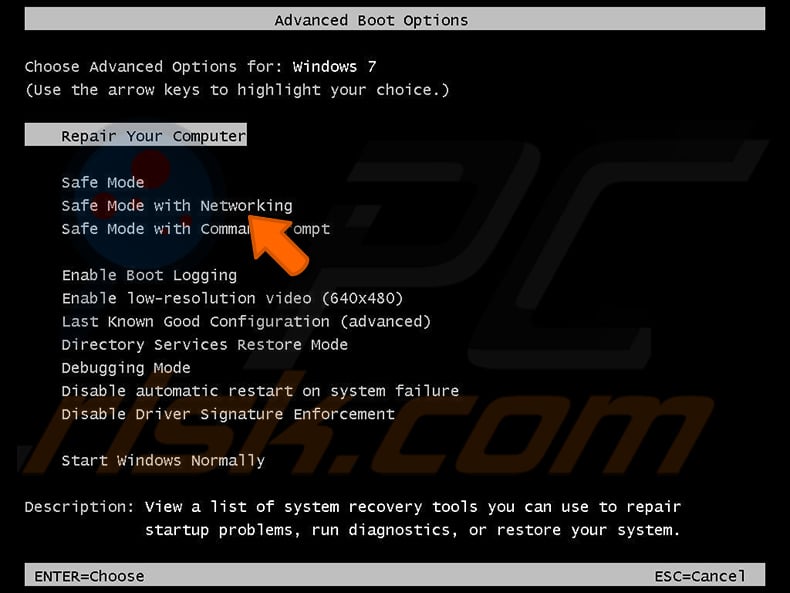
Video showing how to start Windows 7 in "Safe Mode with Networking":
Windows 8 users: Start Windows 8 is Safe Mode with Networking - Go to Windows 8 Start Screen, type Advanced, in the search results select Settings. Click Advanced startup options, in the opened "General PC Settings" window, select Advanced startup.
Click the "Restart now" button. Your computer will now restart into the "Advanced Startup options menu". Click the "Troubleshoot" button, and then click the "Advanced options" button. In the advanced option screen, click "Startup settings".
Click the "Restart" button. Your PC will restart into the Startup Settings screen. Press F5 to boot in Safe Mode with Networking.
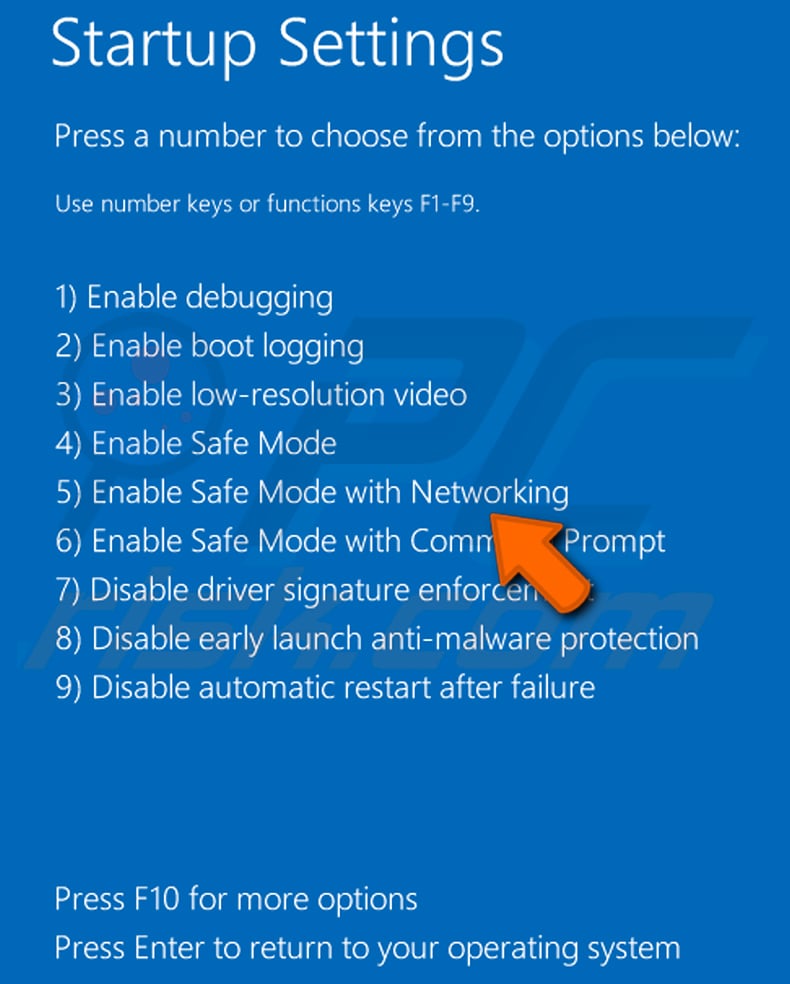
Video showing how to start Windows 8 in "Safe Mode with Networking":
Windows 10 users: Click the Windows logo and select the Power icon. In the opened menu click "Restart" while holding "Shift" button on your keyboard. In the "choose an option" window click on the "Troubleshoot", next select "Advanced options".
In the advanced options menu select "Startup Settings" and click on the "Restart" button. In the following window you should click the "F5" button on your keyboard. This will restart your operating system in safe mode with networking.
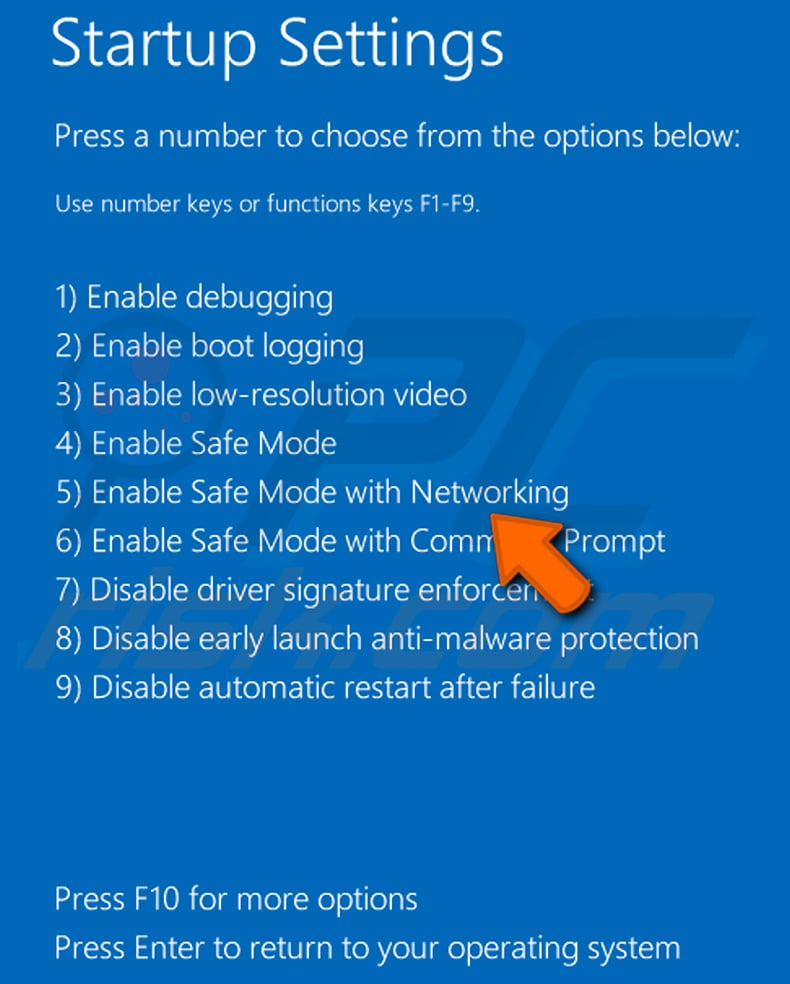
Video showing how to start Windows 10 in "Safe Mode with Networking":
 Extract the downloaded archive and run the Autoruns.exe file.
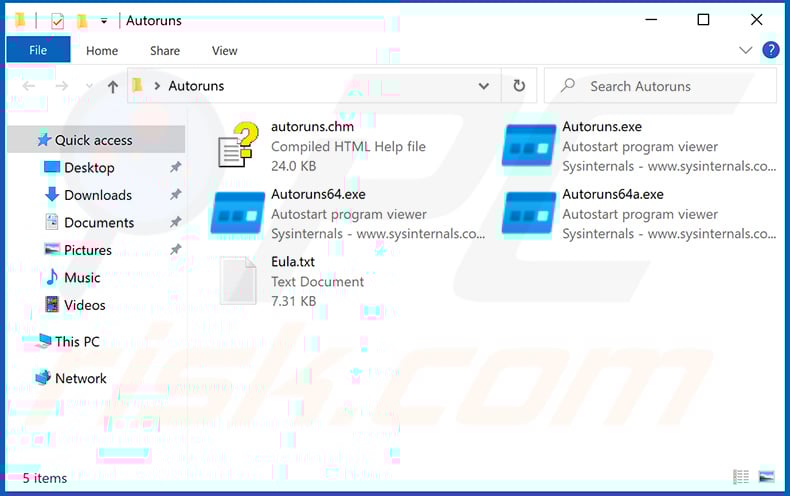
 In the Autoruns application, click "Options" at the top and uncheck "Hide Empty Locations" and "Hide Windows Entries" options. After this procedure, click the "Refresh" icon.
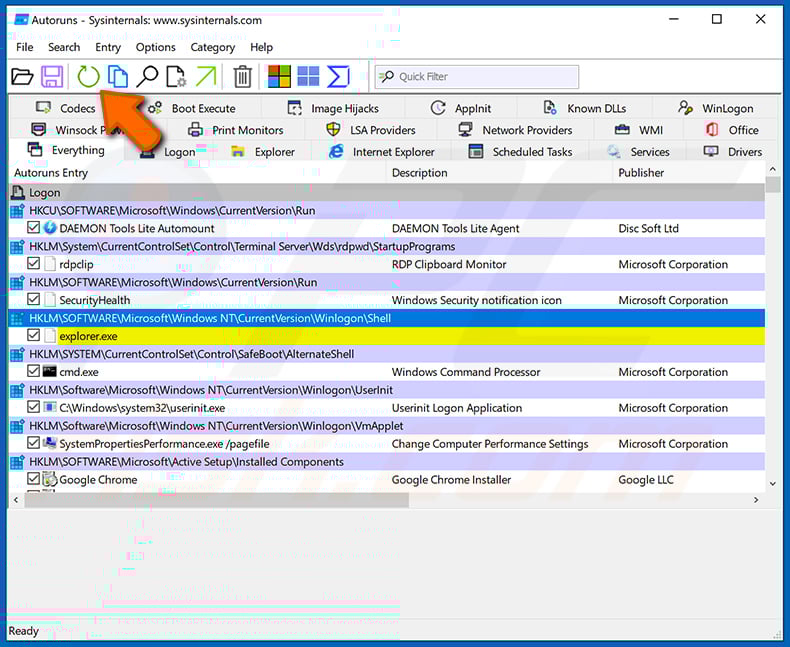
 Check the list provided by the Autoruns application and locate the malware file that you want to eliminate.
You should write down its full path and name. Note that some malware hides process names under legitimate Windows process names. At this stage, it is very important to avoid removing system files. After you locate the suspicious program you wish to remove, right click your mouse over its name and choose "Delete".
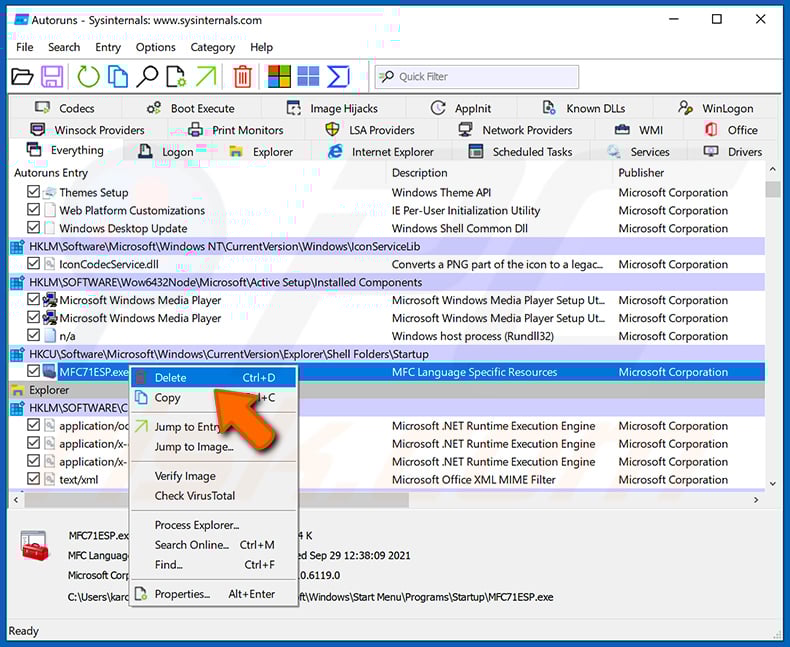
After removing the malware through the Autoruns application (this ensures that the malware will not run automatically on the next system startup), you should search for the malware name on your computer. Be sure to enable hidden files and folders before proceeding. If you find the filename of the malware, be sure to remove it.
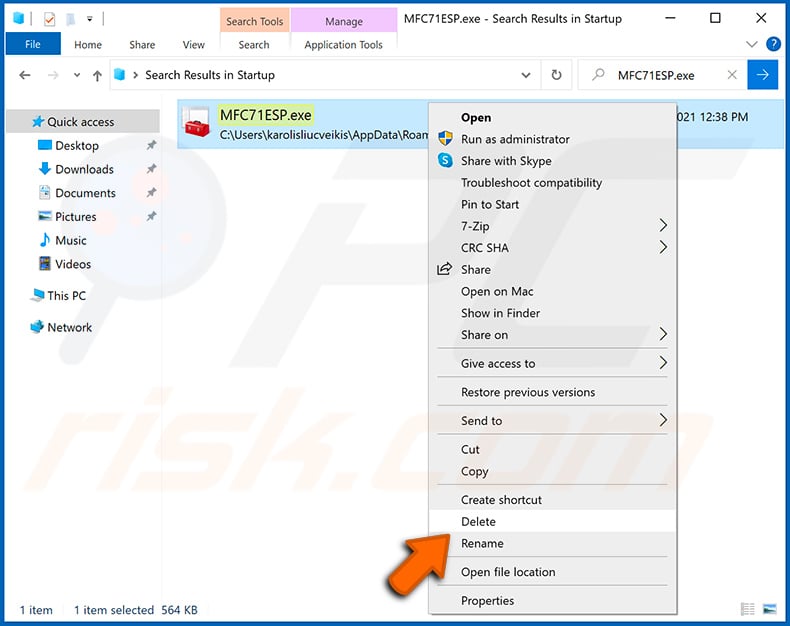
Reboot your computer in normal mode. Following these steps should remove any malware from your computer. Note that manual threat removal requires advanced computer skills. If you do not have these skills, leave malware removal to antivirus and anti-malware programs.
These steps might not work with advanced malware infections. As always it is best to prevent infection than try to remove malware later. To keep your computer safe, install the latest operating system updates and use antivirus software. To be sure your computer is free of malware infections, we recommend scanning it with Combo Cleaner Antivirus for Windows.
Frequently Asked Questions (FAQ)
My computer is infected with RemotePE malware, should I format my storage device to get rid of it?
Formatting the storage device will remove RemotePE, but it will also erase every file on the drive. Running a trusted security tool like Combo Cleaner is the better first step - it can eliminate the malware without destroying your data.
What are the biggest issues that RemotePE malware can cause?
RemotePE gives attackers full remote control over an infected device. This can lead to stolen financial data and login credentials, unauthorized access to cryptocurrency accounts, additional malware infections, and sustained covert surveillance of the victim's network.
What is the purpose of RemotePE malware?
The purpose of RemotePE is to give the Lazarus Group covert, long-term remote access to infected systems - primarily at financial and cryptocurrency organizations - so attackers can observe activity, steal data, and prepare for large-scale financial theft.
How did RemotePE malware infiltrate my computer?
Fox-IT researchers linked RemotePE to targeted campaigns against financial and cryptocurrency organizations. The initial access vector is not fully described in public reporting, but Lazarus typically uses phishing emails and malicious job offer lures.
Once installed, the malware stages its attack chain entirely in memory through a sequence of loaders, with RemotePE as the final payload.
Will Combo Cleaner protect me from malware?
Yes. Combo Cleaner can detect and remove a wide range of malware threats. Because sophisticated implants like RemotePE use in-memory techniques and deep system integration, running a full system scan is recommended to ensure the infection is fully cleared.
Share:
 Facebook
 X.com
X.com
 LinkedIn
 Copy Link

Tomas Meskauskas
Expert security researcher, professional malware analyst
I am passionate about computer security and technology. I have an experience of over 10 years working in various companies related to computer technical issue solving and Internet security. I have been working as an author and editor for pcrisk.com since 2010. Follow me on Twitter and LinkedIn to stay informed about the latest online security threats.
PCrisk security portal is brought by a company RCS LT.
Joined forces of security researchers help educate computer users about the latest online security threats. More information about the company RCS LT.
Our malware removal guides are free. However, if you want to support us you can send us a donation.
DonatePCrisk security portal is brought by a company RCS LT.
Joined forces of security researchers help educate computer users about the latest online security threats. More information about the company RCS LT.
Our malware removal guides are free. However, if you want to support us you can send us a donation.
Donate
▼ Show Discussion