
We may earn commissions from products we recommend. Learn more.
Best Ad Blockers for YouTube in 2026

Best Ad Blockers for YouTube in 2026
YouTube ads are now more than a minor inconvenience. They often break up long videos with frequent ads, slow down playback on weaker internet connections, and add tracking you didn't sign up for. At the same time, YouTube has become stricter about ads. The platform says blocking ads breaks its Terms of Service and warns that using ad blockers could stop videos from playing.
This article will focus on the best ad blockers for YouTube, as reviewed by PCrisk. Our goal is to help you pick the best option for how you watch YouTube in 2026 - on a desktop browser, mobile browser, the YouTube app, or a mix. We'll share what works and what doesn't, based on real tests and known limits.
Disclaimer: PCrisk.com does not encourage, support, or endorse the violation of YouTube’s Terms of Service. This content is provided strictly for informational and educational purposes. Users are responsible for ensuring that their use of any software, tools, or services complies with YouTube’s policies and all applicable laws.
 Our top-rated VPN
4.5/5 in our review. Our top pick of the year: almost no slowdown in our speed tests, and it unblocked Netflix, BBC iPlayer and Disney+ without trouble.
Table of Contents:
- Introduction
- Why Should I Consider Using an Ad Blocker on YouTube?
- Best Ad Blockers for YouTube in 2026
- How We Select and Test Adlockers for YouTube
- How Do You Set Up and Use an Ad Blocker on YouTube?
- Why Did My YouTube Ad Blocker Stop Working?
- Ad Blocker vs. YouTube Premium - Which Is Better?
- Wrapping Up
- Frequently Asked Questions (FAQs)
Why Should I Consider Using an Ad Blocker on YouTube?
Most people use ad blockers for one main reason: fewer interruptions. A good YouTube ad blocker removes or skips video ads and reduces banner clutter around the video. With the right setup, watching YouTube becomes much more enjoyable, especially for long videos, playlists, or background viewing.
Security and privacy are also big reasons to use an ad blocker in 2026. PCrisk.com notes that a good ad blocker protects you from harmful ads and trackers, not just banners. Security experts and government agencies warn that "malvertising" can cause harm just by appearing, even if you don't click. Some real-world attacks have reached almost a million devices.
But there are some trade-offs to keep in mind:
- YouTube doesn't "approve" of ad blocking. The platform explicitly states that ad blocking violates its Terms of Service and may block playback if you continue using an ad blocker.
- Results depend on the platform. The same ad blocker might work great on a desktop but not as well in the YouTube mobile app. This is mostly because mobile operating systems and the difference between apps and browsers affect what can be blocked.
- Things change fast. YouTube often updates how it shows ads and spots ad blockers, so what works now might not work next month. That's why PCrisk.com checks how often each blocker gets updated.
Key Features to Consider When Choosing an Ad Blocker
If you mainly want to see fewer YouTube ads, here are the features that matter most:
- Works where you watch YouTube most (browser vs app). Some tools reliably block YouTube ads in the browser but do little in the YouTube mobile app. Others provide workarounds or system-wide filtering on certain platforms.
- Anti-detection resilience. We at PCrisk.com explicitly score "avoid being detected by advertisers" as part of ad-blocking effectiveness, because anti-adblock scripts can break playback or trigger pop-ups.
- System-wide filtering vs browser-only. Browser extensions typically only affect YouTube playback in that browser. A system-wide app can potentially reduce ads across browsers and some apps (platform limitations still apply).
- Device coverage and licensing. In 2026, it's common to watch YouTube across multiple devices. "One device" pricing can look cheap until you try to cover a laptop, phone, and tablet.
- Usability and a simple setup matter too. If a blocker needs constant tweaks, it can get annoying, especially if you just want YouTube to work smoothly.
Best Ad Blockers for YouTube in 2026
All five options below come directly from PCrisk.com's ad blocker review list for 2026 and have corresponding in-depth reviews.
Since YouTube works differently on each device, the best ad blocker depends on whether you mostly watch on a desktop browser, mobile browser, the YouTube app, or a mix. PCrisk.com highlights the importance of picking a blocker that fits your situation.
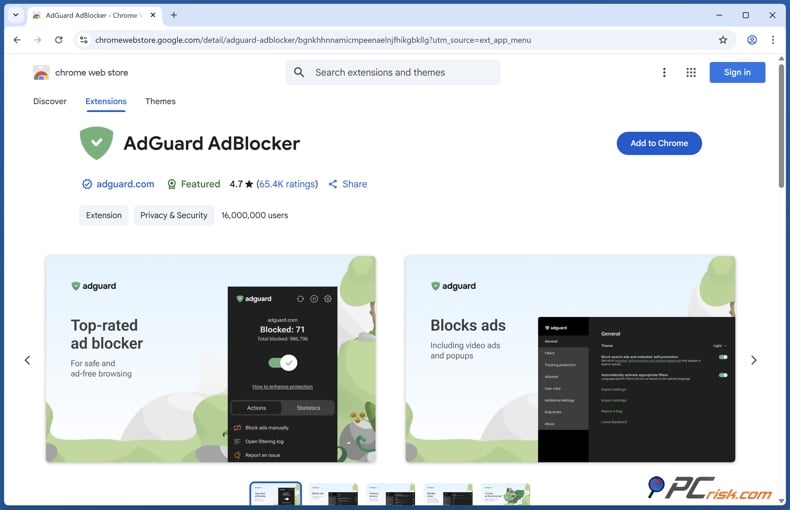
AdGuard - We rank AdGuard as the top pick for 2026 because it blocks ads well, adds privacy and security features, and (in paid versions) can filter ads across your whole device, not just in one browser.
In our tests, AdGuard blocked YouTube ads in web browsers on both desktop and mobile. On some platforms, it can also block ads outside the browser, which is useful if you use different browsers or want protection in other apps.
What makes AdGuard strong for YouTube in 2026
- Cross-platform and multi-device licensing. AdGuard offers a Personal plan for up to 3 devices and a Family plan for up to 9, with annual and lifetime options.
- Browser + system-level approach. The review distinguishes between the free browser extension and the paid desktop/mobile apps that can filter across multiple browsers.
- AdGuard is also more resilient on sites with lots of ads. In tests, it avoided some anti-adblock warnings and handled complex ads and trackers. This is important as YouTube keeps changing how it delivers ads.
Potential drawbacks to understand upfront
- You may need to tweak some settings for the best results. Adding extra filters or changing options can help you get the most from AdGuard.
- iOS limits still exist. iOS restrictions can limit in-app ad blocking (often limiting it to Safari and related modes).
- To install AdGuard on Android, you might have to download it from outside the Google Play Store. This is due to platform rules, so installing the Android version is a different process than most apps.
Mobile compatibility (YouTube-specific)
- Android: Positioned as strong because it can run system-wide using local VPN-style filtering and (with appropriate setup) can block in-app ads more broadly than a browser extension.
- iOS: Primarily Safari content blocking / DNS-style protection; deeper in-app blocking is constrained by the OS.
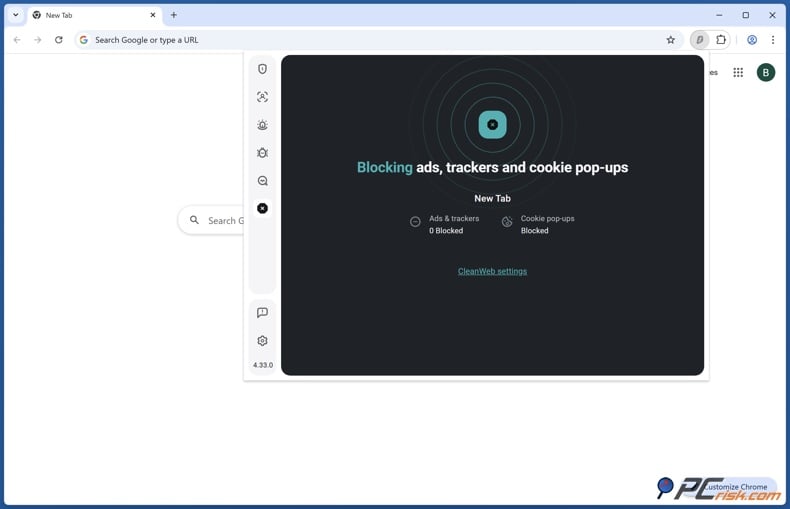
Surfshark CleanWeb - Surfshark CleanWeb is different because it's not a standalone ad blocker. It's a feature included with a VPN subscription that blocks ads and trackers. We at PCrisk.com list it as the second-best choice for 2026 and highlight unlimited device coverage as a big plus.
The most important nuance for YouTube in 2026 is the split between CleanWeb (within VPN apps) and CleanWeb 2.0 (within Surfshark browser extensions). In PCrisk.com's testing, YouTube ad-blocking success was primarily tied to the browser extension's implementation: it skipped pre-roll and mid-roll ads on desktop when the extension was used.
What makes Surfshark CleanWeb good for YouTube
- Strong YouTube results in a desktop browser (with the extension). CleanWeb 2.0 in the browser extension cleanly skipped YouTube pre-roll and mid-roll ads in testing, which is notable given YouTube's more aggressive anti-adblock behavior.
- Unlimited device coverage. If you have a lot of household devices, this "one subscription covers everything" factor can matter as much as raw ad-blocking power.
- It's easy to use, with simple on/off switches. We call it plug-and-play, with fewer settings to manage than more advanced blockers.
Where Surfshark CleanWeb can disappoint YouTube watchers
- Mobile YouTube app limitations. PCrisk.com's testing found that the VPN-app-level CleanWeb did not block ads in the native YouTube mobile app; we recommend browser + extension if YouTube ad blocking is your priority.
- Limited customization options. You can whitelist sites, but you can't add custom filters or advanced rules like you can with some other blockers.
- It's not a standalone product. If you don't want a VPN subscription, this isn't the right choice for you.
Mobile compatibility (YouTube-specific)
- Android/iOS: Works as a general ad/tracker blocker at the VPN level, but we observed major gaps with in-app ads, including the YouTube app.
- Best fit: People who primarily watch YouTube in a desktop browser and also want the VPN bundle and unlimited device licensing.
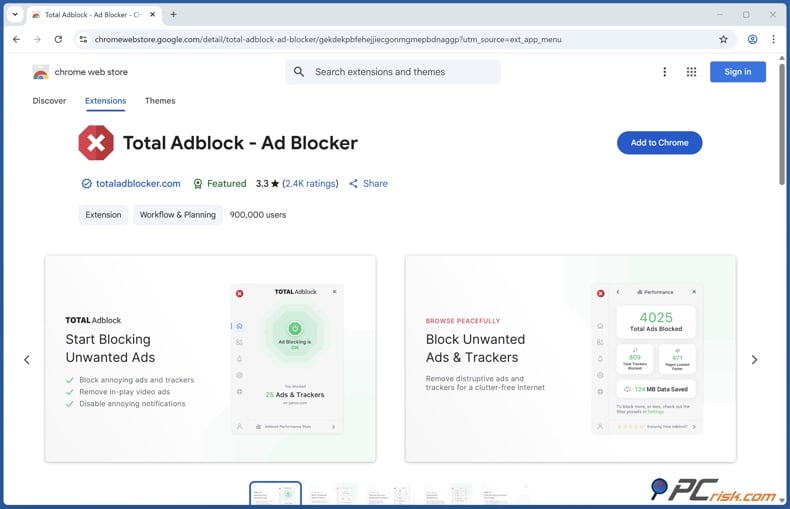
Total AdBlock - We rank Total AdBlock as a middle option for 2026, but note for YouTube users: it blocked YouTube video ads well in tests and offers a special Android "YouTube ad fix" that's helpful if you watch on mobile.
This tool is often framed as an "all-in-one" product: ad blocking plus security add-ons (including antivirus in some cases).
Why Total AdBlock can be compelling for YouTube
- Strong YouTube ad blocking in-browser. It can block YouTube pre-roll and mid-roll ads via its browser extension, which is a major quality-of-life improvement.
- Android: a practical workaround for ad-free playback. Sharing a YouTube video to the Total AdBlock Android app to play it without ads (an extra step, but relevant if you care about mobile YouTube).
- It's easy for beginners to set up. It's simple to use and works right away, but it doesn't offer many advanced options.
The big trade-offs: pricing and control
- Renewal prices are much higher. While the first year can be cheap, the renewal price goes up a lot (about $99 per year).
- Aggressive upsells and cancellation complaints. User complaints about cancellation and clarity around auto-renewal.
- Limited advanced controls. Total AdBlock does not allow custom filter lists or granular user-created rules, which can matter when you're trying to solve edge cases on YouTube.
Devices per subscription: You can use it on any number of devices under one account, with a limit on how many can be active at once. It's best to check your account or checkout details for the exact device count rather than relying solely on marketing claims.
Mobile compatibility snapshot (YouTube-specific)
- Android: System-wide local VPN method plus the share-to-app playback workaround for YouTube.
- iOS: Safari content blocker approach; We note that iOS doesn't allow third-party apps to filter ads inside other apps (including the YouTube app).
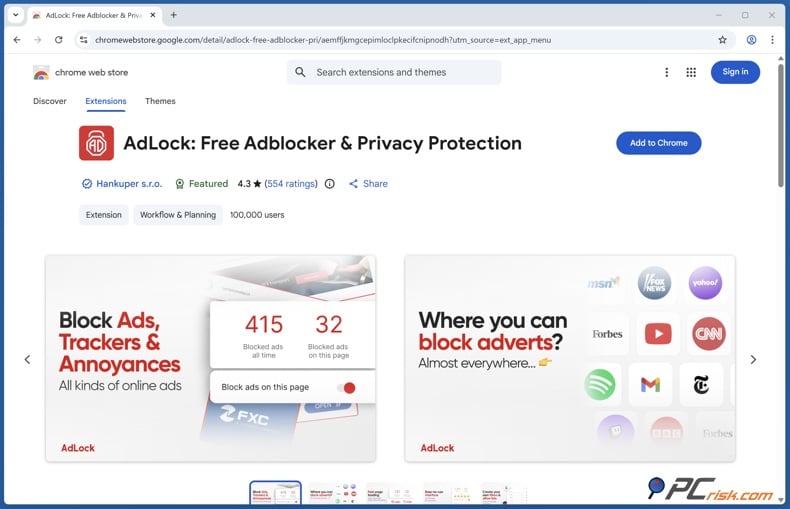
AdLock - AdLock takes a simple approach: it offers a free browser extension and a paid Premium app for broader coverage. We at PCrisk.com highlight its strong ability to block YouTube and video ads, and note that the Premium version can block ads across the entire system.
For YouTube specifically, our review reports successful blocking of YouTube pre-roll ads in testing and describes additional mobile strategies, including system-wide filtering on Android and a share-to-player workaround on iOS.
Why AdLock can be a strong YouTube pick
- YouTube ad blocking performance. It was able to block YouTube pre-roll ads in testing, which is notable, given how often other tools struggle in this area.
- No "acceptable ads" by default. AdLock doesn't join any acceptable-ads program, which matters if you want YouTube to be totally ad-free unless you decide otherwise.
- Premium covers up to five devices. That's a practical number for many people juggling a PC, a laptop, a phone, and a tablet.
Where AdLock can be frustrating
- Android requires manual installation and has VPN conflicts. The Android app isn't on the Google Play Store, and its local VPN approach means you generally can't run another VPN at the same time.
- Occasional site/app issues. Apps/sites occasionally break or require whitelisting, and there are occasional bugs or restarts.
- It's not the easiest tool for everyone. While the default settings work well, there are many options, and you might need to troubleshoot if issues come up.
Mobile compatibility (YouTube-specific)
- Android: Broad filtering via a local VPN, and it blocks ads in the YouTube app.
- iOS: Safari content blocking plus a "share to AdLock player" workflow to view ad-free video when coming from the YouTube app.
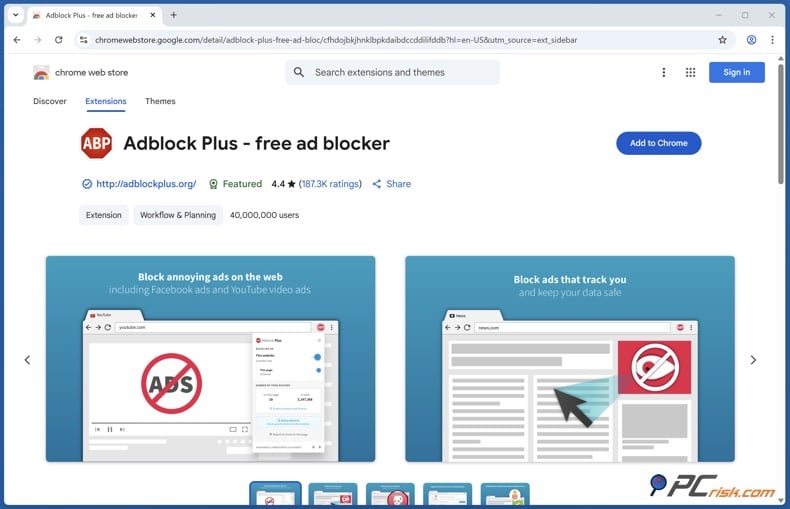
Adblock Plus - Adblock Plus is a well-known ad blocker, and we highlight its wide compatibility and easy setup. However, the main problem with YouTube today is that traditional browser-based ad blockers work well on most sites but can be unreliable against YouTube's anti-adblock measures.
Adblock Plus struggles to reliably skip YouTube video ads during testing, particularly in light of YouTube's newer anti-adblock approach.
Where Adblock Plus still makes sense for YouTube watchers
- Free and beginner-friendly. The main product is free on supported browsers and devices, has a simple interface, and is easy to set up.
- Wide browser coverage. Major browser support, including mobile approaches (Android browser app, iOS Safari content blocker, Samsung Internet add-on).
- Custom filter capability. For users willing to tweak, you can add filter subscriptions, create rules, and use element blocking.
What limits it as a "YouTube-first" ad blocker
- Acceptable Ads is turned on by default in the free version. Some users may find this confusing until they turn it off. If you want absolutely no YouTube ads, this setting is important.
- YouTube results can be inconsistent. YouTube is a weak spot, and blocking may not always skip video ads, especially when YouTube changes how it delivers or detects ads.
- App-level blocking isn't the point. It won't block ads in mobile apps like the YouTube app; you generally need to watch in a supported browser environment for it to apply.
Premium note (when it's relevant) Adblock Plus Premium is positioned as an "annoyance removal" upgrade, cookie pop-ups, newsletter prompts, floating videos, and similar distractions, rather than a guaranteed solution to YouTube's evolving ad system.
Watch YouTube ad-free with AdGuard
Best Adblockers for YouTube Comparison
To compare these tools, start by matching them to how you watch YouTube:
- Mostly desktop browser YouTube: AdGuard or Surfshark CleanWeb (with the browser extension) are the strongest "skip YouTube ads in-browser" candidates in PCrisk.com testing and summaries.
- YouTube on Android (including the YouTube app): Tools that take a system-wide/local-VPN approach or provide a workaround flow (AdGuard, Total AdBlock, AdLock) have clearer paths described by PCrisk.com than browser-only solutions.
- YouTube on iPhone/iPad: Expect Safari-focused blocking and/or "share to built-in player" workarounds (which PCrisk.com specifically describes for Total AdBlock and AdLock).
- Households with many devices: Surfshark CleanWeb stands out for its licensing, as PCrisk.com highlights unlimited device coverage under one account.
- If you want a free starting point: Adblock Plus is the most clearly "free-first" product in the list, but PCrisk.com notes that YouTube is where you may run into reliability issues.
How We Select and Test Adlockers for YouTube
PCrisk.com reviews ad blockers through a security-first lens and aims to recommend tools that don't just hide ads, but also reduce exposure to malicious advertising and invasive tracking. The "How we test ad blockers" methodology explains that evaluations are designed to be objective and conducted without sponsorship influence, and are backed by the site's long-running malware research and threat-analysis background.
What gets tested (and why it matters for YouTube)
- PCrisk.com tests ad blockers against a spectrum of ad formats: banner/display ads, pop-ups/pop-unders, autoplay video ads (including pre-roll), native ads/sponsored content, and in-app ads when applicable. Video ad testing is directly relevant to YouTube's reliability claims.
- Performance is evaluated using page load time comparisons, CPU/memory usage, and overall browsing fluidity, because a blocker that causes video playback to stutter is effectively unusable on YouTube.
- Compatibility and usability testing looks at different platforms (Windows, macOS, Android, iOS), how easy it is to install, how clear the interface is, and how well it works right away. An ad blocker that needs expert-level setup isn't a good fit for most people.
- Update consistency is explicitly evaluated, since advertisers and browsers evolve quickly, and outdated blockers can become ineffective.
Testing environment (why results are meant to be comparable). We at PCrisk.com use a controlled environment: modern Windows test PCs (multi-core CPU like Intel Core i7 or better and 16GB+ RAM), comparable macOS hardware, recent Android/iOS test devices, clean browser profiles without other extensions, and consistent high-speed network conditions. We also use developer/network tools to log requests and measure what gets blocked, and we run tests repeatedly across multiple runs to avoid "one lucky run" results.
How scoring works. Overall scores weigh ad-blocking effectiveness most heavily (around 40%), followed by privacy/anti-tracking (around 20%), speed/performance impact (around 15%), ease of use/compatibility (around 15%), and features/customization (around 10%). This weighting is especially relevant for YouTube, because YouTube ad blocking isn't valuable if it causes playback errors, breaks site functionality, or loses effectiveness after a browser/platform change.
How Do You Set Up and Use an Ad Blocker on YouTube?
Setup depends on whether your ad blocker is browser-only, system-wide, or bundled with a VPN. The biggest mistake is thinking that just installing the blocker means it will work everywhere on YouTube. Our reviews show that browser extensions work best in browsers, while app-level blocking depends a lot on the platform and how the product is built.
Here are the most practical setup paths based on the products reviewed:
If you watch YouTube mostly in a desktop browser
- Install the product's browser extension (or desktop app + browser integration, depending on the tool).
- Open YouTube in the same browser where you installed the extension and check that video playback works as expected. Some blockers remove YouTube ads right away, while others may need extra filters or settings for the best results.
- If playback breaks, try temporarily allowlisting or whitelisting YouTube to see if the blocker is the cause. Then adjust settings instead of using multiple blockers at once. We recommend whitelisting as a normal troubleshooting step.
If you watch on Android
- Several products reviewed by PCrisk.com use a local-VPN style technique for system-wide filtering on Android, but may require installation outside the Google Play Store due to platform policy.
- If your blocker uses a local VPN, keep in mind that it usually can't run at the same time as another VPN app. This limitation is specific to AdLock.
- For Total AdBlock specifically, there's a feature that lets you share to the app to play YouTube videos ad-free (an extra step, but designed around mobile constraints).
If you watch on iPhone/iPad
- Expect Safari to use content blocking and/or DNS-style filtering, not a universal "block ads in every app" behavior. iOS has limitations, as shown in multiple reviews.
- If you want fewer YouTube ads on iOS, one reliable method is to use the built-in "share to player" feature (as described for tools like AdLock) to watch a video ad-free outside the regular app.
Why Did My YouTube Ad Blocker Stop Working?
When a YouTube ad blocker "stops working," the cause is usually one of these real-world issues:
YouTube is actively enforcing ads. YouTube states that blocking ads violates its Terms of Service and warns that it may block playback for users who continue using ad blockers. So sometimes the "not working" symptom isn't just an ad slipping through - it can be interrupted playback, warnings, or broken video loading.
Your blocker works in browsers, not in the YouTube app. This is the most common mismatch on mobile. Browser-based blockers won't necessarily affect the YouTube app, and (depending on the product) iOS may prevent app-level blocking entirely.
Your blocker relies on DNS or domain blocking. VPN-bundled or DNS-style blocking works by blocking known ad-serving domains, which helps on many sites but doesn't always remove all in-app ads, especially when ads use different delivery methods. This limitation was apparent during CleanWeb testing, where browser extension blocking performed better than VPN-level blocking for YouTube.
Browser extension platform changes have reduced effectiveness. On Chromium browsers, moving away from Manifest V2 has changed how some blocking extensions work. The new Manifest V3 model uses different rules, which limit how complex blocking can be. If your ad blocker had to change for new browser requirements, YouTube is often where you'll first notice it doesn't work as well, since it's a tough environment for blockers.
Filter lists or settings may be outdated or misconfigured. Our testing checks how often ad blockers update and how quickly they respond to browser changes, since old blockers can stop working as advertisers change tactics. For some tools, turning on extra filters can make a big difference, especially as ad formats and detection methods change.
Practical troubleshooting steps
- Update the extension/app, then restart your browser/device (many "it's broken" issues are caused by version mismatches after silent updates).
- Confirm you're watching YouTube in a supported environment (browser vs app).
- Temporarily disable the blocker to confirm whether it's the cause of playback problems (then re-enable and adjust settings or whitelist as needed).
- Avoid running multiple ad blockers simultaneously. Besides slowing things down, using more than one can break pages and make it easier for sites to detect that you're blocking ads.
There's no single option that's always best. It depends on what you care about and how you watch YouTube.
What YouTube Premium does best. YouTube Premium is the most stable "no ads" solution because it's the platform's supported path. The official YouTube Help documentation describes Premium benefits, including ad-free viewing (fewer banners/search ads), offline downloads, and background play, with support across devices/platforms that access YouTube. It also includes YouTube Music Premium.
In 2026, YouTube also announced additional benefits for Premium Lite, including background play and downloads for most videos in areas where Premium Lite is available. Still, full Premium is the best choice if you want all videos ad-free and YouTube Music Premium included.
What a good ad blocker can do that Premium doesn't. Even if Premium solves YouTube ads, it doesn't help with:
- Ads and tracking across the rest of the web (news sites, blogs, shopping pages, etc.). Ad blockers are both a convenience and a privacy/security layer for general browsing.
- Malvertising exposure reduction across the web. While nothing is perfect, blocking ad delivery paths can reduce exposure to ad-driven threats, and the security community continues to treat malvertising as a real risk vector.
- Fine-grained control. Ad blockers often let you whitelist sites you want to support and adjust which ads are blocked. Premium doesn't offer this kind of control because it's a subscription, not a filtering tool.
How to decide what's best for you
- If you want the most consistent experience and use the YouTube app on TVs/phones constantly, Premium (or Premium Lite, where it fits) is usually the least frustrating route.
- If your main goal is to reduce ads and tracking across all your browsing, and you mostly watch YouTube in a browser, a strong ad blocker can offer more value than a YouTube-only subscription. Just remember that YouTube may still try to block playback for ad-block users.
Wrapping Up
In 2026, the best YouTube ad blocker isn't just about blocking ads well. It also depends on where you watch (browser or app), how many devices you need to cover, and how much hassle you're willing to handle if YouTube tries to block ad blockers. PCrisk.com's shortlist for 2026 - AdGuard, Surfshark CleanWeb, Total AdBlock, AdLock, and Adblock Plus - covers the main types: dedicated blockers, system-wide apps, and VPN-bundled options.
No matter which option you pick, keep your expectations realistic. YouTube clearly warns that ad blocking violates its Terms of Service and may result in playback being blocked. Platform restrictions, especially on iOS, can also limit what ad blocking can do in the YouTube app.
Frequently Asked Questions (FAQs)
Will an ad blocker always remove YouTube ads in 2026?
No. Even strong blockers can be disrupted by YouTube detection changes, and YouTube warns it may block playback for continued ad-block use.
Why does my ad blocker work on desktop YouTube but not on my phone?
Because desktop browser extensions and mobile apps are different environments. Many blockers work best in browsers, while mobile app ad blocking is heavily constrained (especially on iOS).
If I use a VPN with ad blocking, will it block YouTube app ads?
Not necessarily. PCrisk.com's testing notes that VPN-level blocking may not block YouTube ads in the YouTube mobile app; browser extensions can be more effective for YouTube.
Which ad blocker is best if I use many devices?
Surfshark CleanWeb stands out for its licensing: it offers unlimited device protection under a single account (as part of the VPN subscription).
Which option is most likely to help with YouTube ads on Android?
Android solutions that use system-wide filtering or workarounds (AdGuard, Total AdBlock, AdLock) can extend beyond browser-only blocking.
Can I block YouTube ads inside the iPhone YouTube app?
iOS restrictions make universal in-app ad blocking difficult; hence, Safari-focused blocking and "share to built-in player" workarounds.
Why do some ad blockers require manual installation on Android?
Some full-featured Android blockers aren't available on the Google Play Store due to platform policies, so users may need to install them from the vendor's website.
Should I run multiple ad blockers simultaneously to beat YouTube detection?
Usually no. Multiple blockers can conflict, break sites, and increase overhead; PCrisk.com's methodology emphasizes stability and compatibility because a broken playback experience defeats the purpose.
Is YouTube Premium still the most reliable way to remove YouTube ads?
Yes. Premium is YouTube's supported approach and includes ad-free viewing plus benefits like downloads and background play, depending on plan.
Do ad blockers help with security, or are they only for convenience?
They can help with both. Ad blockers are a security layer that can reduce exposure to malicious ads and intrusive tracking, and security authorities describe malvertising as a real threat vector.
Share:
 Facebook
 X.com
X.com
 LinkedIn
 Copy Link

Rimvydas Iliavicius
Researcher, author
Rimvydas is a researcher with over four years of experience in the cybersecurity industry. He attended Kaunas University of Technology and graduated with a Master's degree in Translation and Localization of Technical texts. His interests in computers and technology led him to become a versatile author in the IT industry. At PCrisk, he's responsible for writing in-depth how-to articles for Microsoft Windows.
▼ Show Discussion