
We may earn commissions from products we recommend. Learn more.
How to Get a NordVPN Free Trial in 2026 | Easy Guide

How to Get a NordVPN Free Trial in 2026
PCrisk currently ranks NordVPN as the top VPN for 2026, but we recommend testing it before you subscribe. In 2026, you have two real options: try the Android trial from Google Play, or buy a new subscription directly from NordVPN and use the 30-day money-back guarantee. Both work, but they are different, so it’s important to know which one fits your needs to avoid unexpected charges or refund issues.
Accuracy matters here. As of April 27, 2026, NordVPN’s Android page states that the official mobile trial is a 3-day offer for first-time users via Google Play. Their support center also confirms there’s no free trial for website purchases. If you see older guides mentioning a 7-day or site-wide free trial, rely on NordVPN’s current official information instead. Also, avoid unofficial “premium unlocked” APKs or cracked versions, since NordVPN warns that these can steal your credentials.
Get the NordVPN dealSpecial deal30-day money-back guarantee→
Table of Contents:
- Introduction
- NordVPN’s Free Trial Policy
- How to Get the NordVPN Free Trial on Android
- How to Get a Refund Using the 30-Day Money-Back Guarantee
- How to Cancel NordVPN’s Free Trial
- Is it Possible to Get a NordVPN Free Trial Without a Credit Card
- NordVPN Free Trial Vs Free VPNs
- In Closing
- Frequently Asked Questions (FAQs)
NordVPN’s Free Trial Policy
NordVPN’s policy in 2026 is straightforward once you separate the two testing routes. The first route is the Android-only free trial delivered through Google Play. NordVPN’s support article says the website does not offer a free trial, but Android users who download the app from Google Play can get one. NordVPN also says it allows only one free trial per customer, which is why using the correct account and official app channel matters.
The second option is the 30-day money-back guarantee for new subscriptions. NordVPN’s refund page says this guarantee only covers your first purchase. Once your subscription renews, you can’t get a refund under this policy unless local law requires it. Don’t mix up “canceling auto-renewal” with “getting a refund.” They are related but not the same. NordVPN’s billing guide says you need to request a refund through support or the refund process - just turning off auto-renewal won’t return your money.
This difference matters because NordVPN handles cancellations and refunds differently depending on where you bought your subscription. If you buy directly from NordVPN, you cancel through your Nord Account and request refunds through their support or refund process. If you subscribe through Google Play, Apple, Amazon, or a reseller, the cancellation and refund steps can change. For example, Apple purchases follow Apple’s refund rules, Amazon purchases go through Amazon, and reseller purchases are handled by the retailer. For Google Play, you can sometimes request a refund through NordVPN support if you meet the terms, and Google says purchases made in the last 48 hours may be eligible for a refund directly through Google Play.
Here’s the bottom line from PCrisk: If you want a real free trial, use the Android option. If you need more time or want to test NordVPN on other devices like Windows, macOS, iPhone, or smart TVs, go with a direct subscription and the 30-day guarantee. Don’t expect a permanent free plan.
Our top recommendation for streaming and privacy. NordVPN consistently leads our tests with fast speeds, reliable geo-unblocking, and a strict no-logs policy.
- ✔ Unblocks geo-restricted streaming services reliably
- ✔ 202+ locations across 111 countries
- ✔ 30-day money-back guarantee · Special deal available
How to Get the NordVPN Free Trial on Android
If you want to use NordVPN without paying right away, the official way is through the Android trial. NordVPN’s Android page says the trial only works with the Google Play version of the app, not the APK from NordVPN’s website. So, make sure you use the Play Store version for the free trial.
Top VPN ReviewsExclusive dealsExpert-tested · hands-on reviews→
Before starting, check that your device is compatible and your billing is set up. NordVPN’s Android app works with Android 9 or newer. Google Play requires you to be signed in to the right Google account and to pick a supported payment method. Even though the trial is free, Google says subscriptions continue by default, and billing starts automatically after the trial unless you cancel in time.
1. Open the Play Store and install the official NordVPN Android app. Search for NordVPN in the Play Store, open the official app listing, and install it on your Android device. NordVPN’s Android page confirms that only the Play Store version offers the 3-day free trial for first-time users. If you want the trial, avoid third-party APK sites or “free premium” downloads.
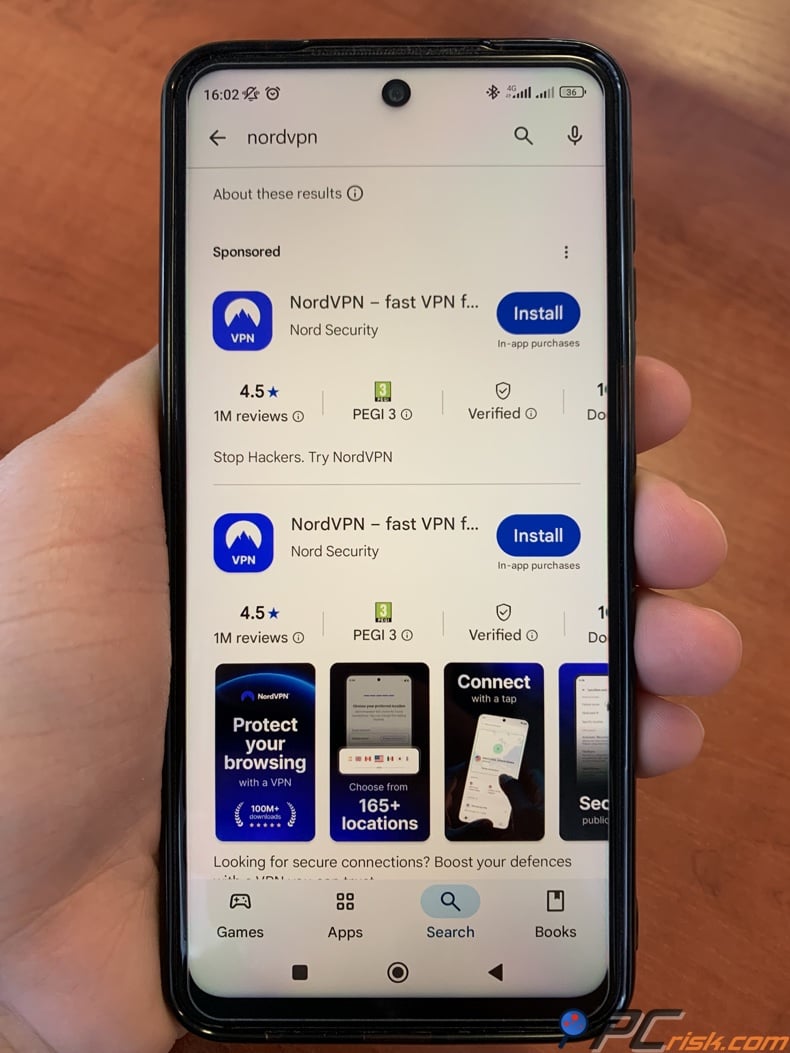
2. Open the app and create or sign in to your Nord account. After installing the app, open it and choose the sign-up option if you’re new. NordVPN’s Android instructions say to select “Sign up” for a new account or “Log in” if you already have one. The free trial is limited to one per customer, so if you’ve used it on your account before, you won’t see the offer again.
3. Select the subscription offer shown in the app and review the trial terms carefully. Google Play will ask you to pick a plan, review the details, choose a payment method, and then subscribe. If you see the free trial, check the billing screen carefully before confirming. Google says you’ll get an email before the trial ends, and billing starts automatically after the trial unless you cancel in time.
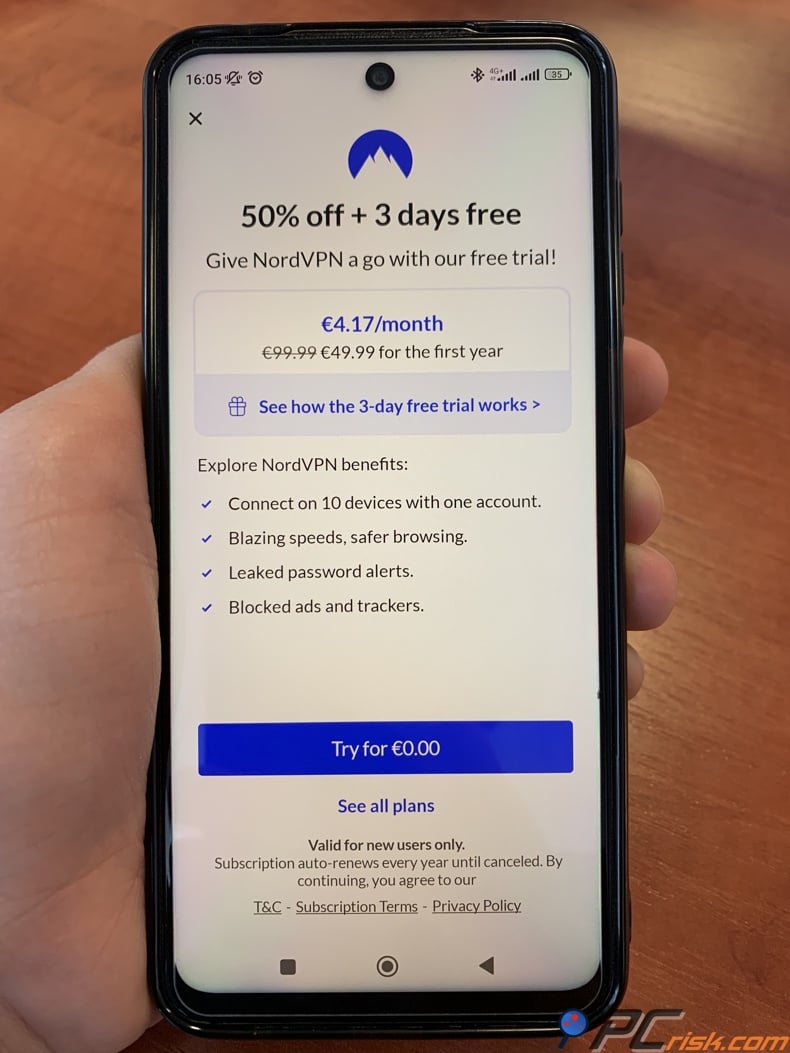
4. Confirm that the trial is attached to the correct Google account. This step is easy to overlook but important. Google’s help pages remind users to make sure they’re signed in to the right account for subscriptions. If you have more than one Google account on your phone, check that the NordVPN subscription is linked to the account you use most, since that’s where your receipts and renewal notices will go.
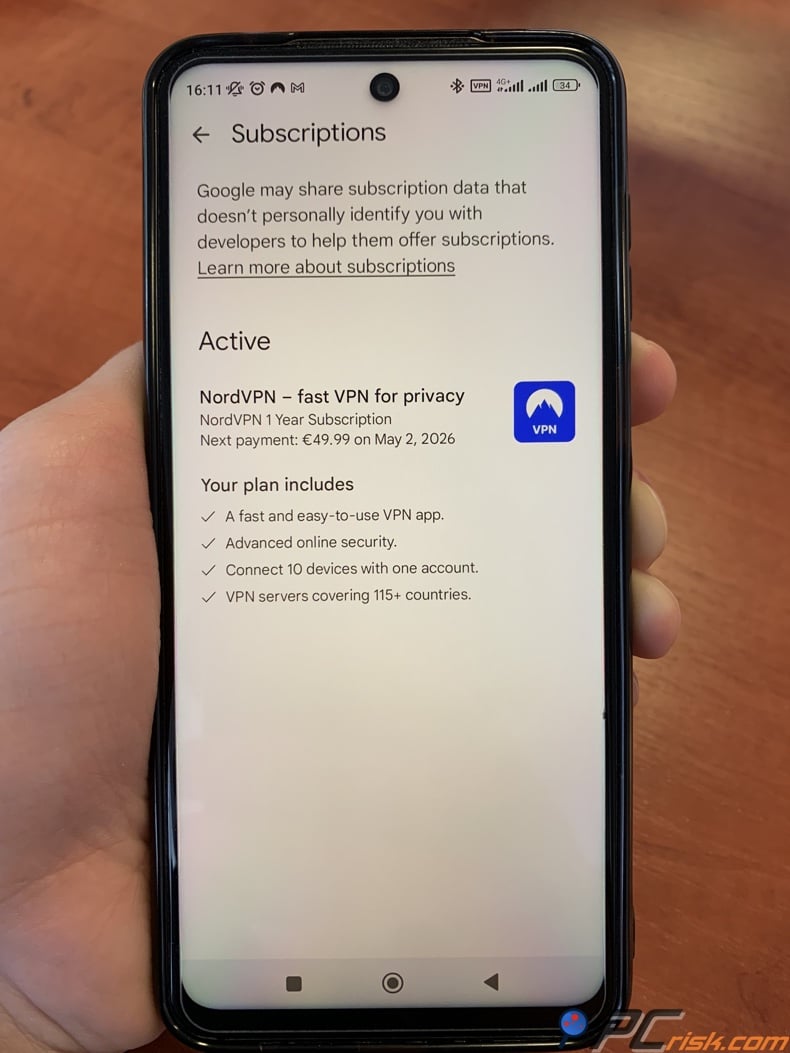
5. Verify the subscription inside Google Play immediately after activation. Once your trial is active, open Google Play, tap your profile icon, go to Payments & subscriptions, then Subscriptions, and check that NordVPN is listed. It’s a good idea to do this right away. Google’s cancellation steps start from the Subscriptions screen, so seeing NordVPN there means your trial is active and you can manage it from your account.
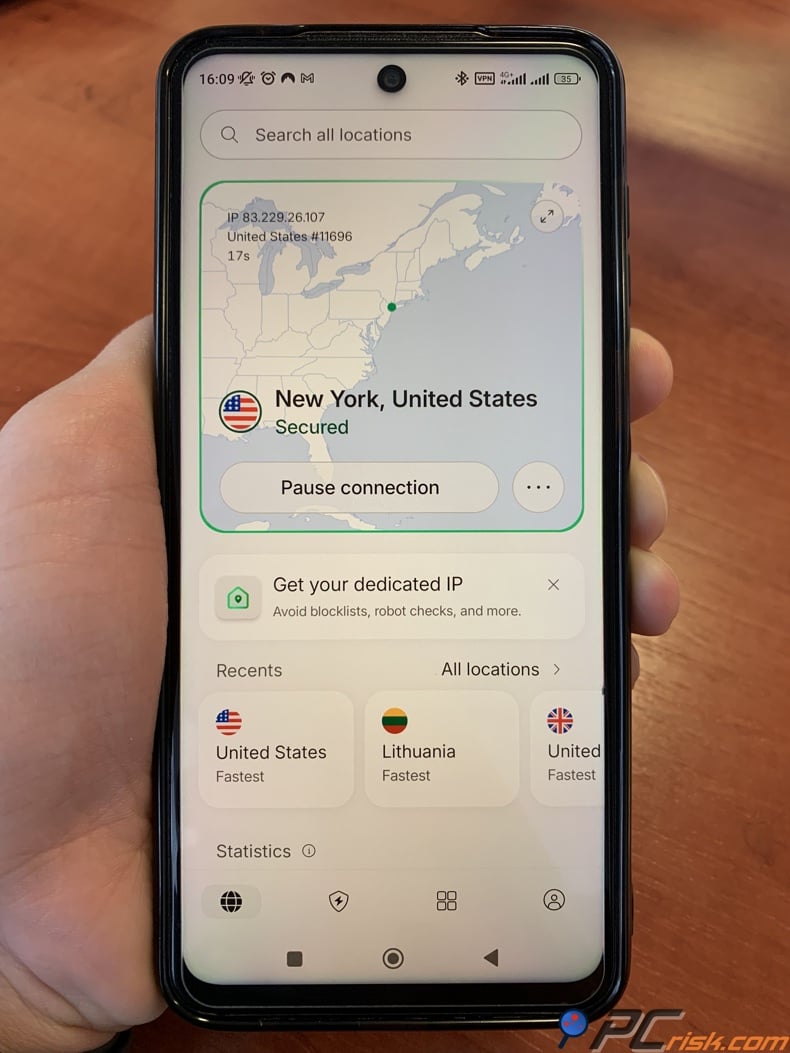
6. Use the trial like a real test, not a symbolic one. During your trial, focus on what matters most: connection speed on local servers, app stability on mobile data and Wi-Fi, streaming reliability, and whether the interface is easy to use every day. If you only open the app once, you won’t really know if NordVPN fits your needs.
7. Set a reminder before the trial ends. Don’t just rely on your memory. Google will email you when your trial is ending, but it’s smart to set your own reminder too. Google also says your payment method might get an authorization hold up to 48 hours before renewal, so don’t wait until the last minute. Set a calendar reminder for the day before the trial ends to be safe.
One last security warning: NordVPN’s Android page clearly says that modded APKs are a serious risk and can steal your VPN credentials. If you see a forum, Telegram channel, or third-party site offering “NordVPN Premium for free,” consider it a red flag. The point of a VPN is to protect your privacy and trust. Using a tampered app does the opposite.
How to Get a Refund Using the 30-Day Money-Back Guarantee
If three days isn’t enough, the 30-day money-back guarantee is a better choice. It’s not exactly the same as the Android free trial, but it lets you test NordVPN with full access for a longer time. NordVPN’s support center says the guarantee is for new subscriptions, and you need to cancel and request a refund within 30 days of your first purchase. This makes it a flexible option if you want to try NordVPN on desktops, routers, smart TVs, or several devices over a few weeks.
The easiest way is to subscribe directly on NordVPN’s website instead of using an app store. This keeps cancellations and refunds within NordVPN’s own system. After signing up, use the service as you normally would. Test server speeds, try different locations, check streaming, and see if features like split tunneling matter to you. PCrisk rates NordVPN highly in 2026, but the refund window is there, so you can see if it fits your devices and habits.
If you decide not to keep NordVPN, go to their support or billing section before the 30-day period ends. NordVPN’s refund article says the support team can send you a verification link, and eligible payments will show a Refund button. Choose your reason, confirm, and your request will be processed. NordVPN says refunds may take up to four hours to process, and the money can take up to 10 business days to reach your account, depending on your payment method and bank.
If you paid for NordVPN through Google Play after a trial, there’s an extra detail to know. NordVPN’s refund page says you can request a refund through their support if you meet the terms, and purchases made in the last 48 hours may also be refunded directly by Google Play. Google’s policy says refunds within 48 hours depend on the details, and after that, you need to contact the developer. So if you were charged through Google Play, act quickly and check both options.
There are two key restrictions to remember. First, the guarantee only covers your first purchase, not renewals. Second, some stores and resellers have their own refund process. NordVPN says Apple refunds go through Apple, Amazon refunds go through Amazon, and retailer purchases are handled by the seller. That’s why buying directly is usually the simplest if you want to try and possibly refund later.
How to Cancel NordVPN’s Free Trial
If you activated the free trial through Google Play, cancel it through Google Play. That is the rule. NordVPN’s own support page says the Android free trial is organized by Google Play and follows Google Play’s terms. NordVPN’s cancellation article repeats that if your subscription was purchased via Google Play, Apple, or Amazon, you should follow the instructions for that marketplace rather than trying to cancel inside Nord Account.
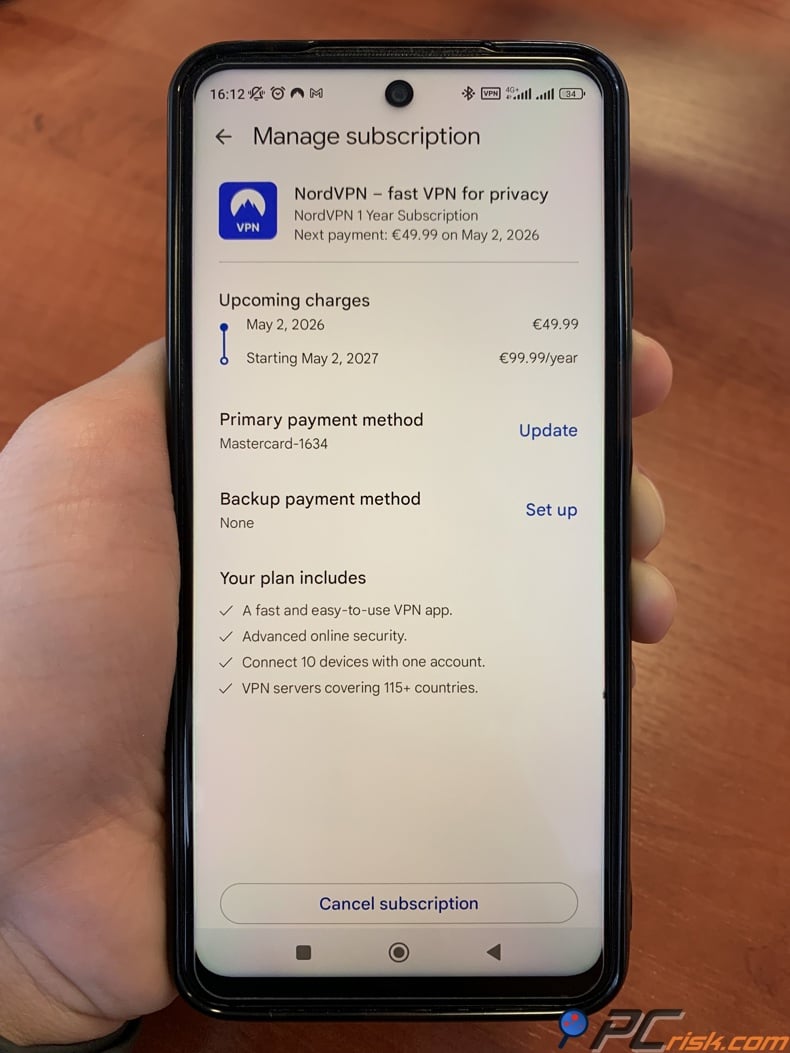
To cancel on Android, open the Play Store, tap your profile icon, go to Subscriptions, select NordVPN, tap Cancel subscription, and follow the steps. Google’s help pages warn that uninstalling the app does not cancel your subscription. Deleting the app only removes it from your phone, but your billing through Google Play stays active.
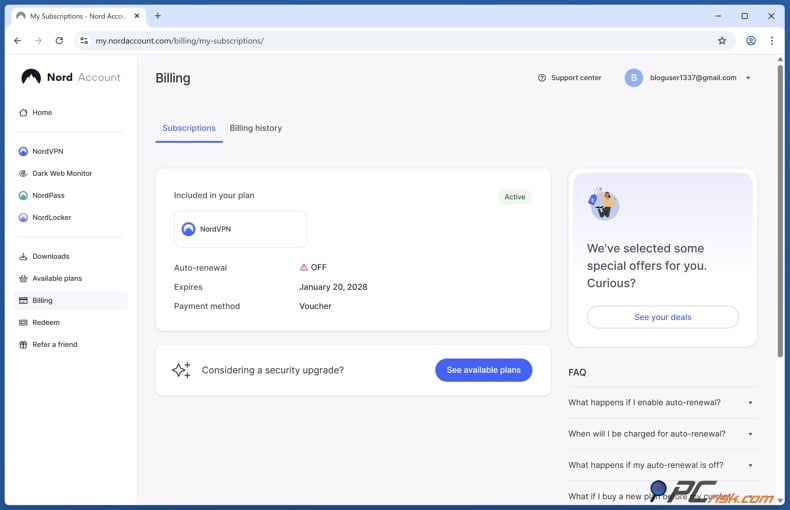
If you bought directly from NordVPN, the steps are different. Log in to your Nord Account, go to the Billing tab, click Cancel next to auto-renewal, and confirm. NordVPN says you’ll get a confirmation email if the cancellation works. This stops future renewals, but if you want a refund within 30 days, you still need to request it through NordVPN’s refund process.
If you see a pending transaction near renewal time, don’t panic. Google’s payment help pages say temporary authorizations can show up on cards, and authorization holds may appear before the next billing cycle. A hold isn’t always a final charge. Check if the payment is pending or posted, make sure you canceled in time, and contact support if you still have concerns.
Is it Possible to Get a NordVPN Free Trial Without a Credit Card
The honest answer is that sometimes you can, but not always, and not without any payment method. The Android free trial is managed by Google Play, so your real limit is which payment methods Google Play supports in your country. NordVPN says the Android trial is run by Google Play, and Google’s documentation says payment methods vary by country.
So, a credit card isn’t always required. Google’s payment pages show that, depending on your region, Google Play may support carrier billing, PayPal, Play balance, or other options besides cards. You can add Play balance and other methods, and in some countries, carrier billing is available in the Play Store app. In some places, you can start the NordVPN trial without a traditional credit card.
However, many people get confused by simple advice. Google’s help pages say some carriers can’t be used for subscriptions, prepaid numbers may not work, and you can’t split payments for subscriptions with a free trial. So, even if you have a non-card method in your Google account, it might not work for this subscription. If your country only shows certain methods or the checkout only offers cards, there’s no official way around it.
So, for PCrisk readers, the practical answer is: yes, you can start a NordVPN free trial without a credit card in some places, but only if Google Play offers another supported payment method for subscriptions. If not, don’t try to get around it with fake cards, cracked APKs, or “free trial generators.” These workarounds are risky and not worth it.
NordVPN Free Trial Vs Free VPNs
For most people, the best choice is the official NordVPN trial or the 30-day money-back option - not a random free VPN from an app store. The reason is simple: with NordVPN, you’re testing a full premium service that PCrisk ranks as the top VPN for 2026. Many free VPNs don’t offer premium features; instead, you often get slower speeds, fewer servers, questionable business models, or services that aren’t built for long-term trust.
Still, not all free VPNs are the same. Some are more trustworthy than others. The most common alternatives people compare to NordVPN are Proton VPN, Windscribe, and VPN Gate. These services aren’t the same, and each has different privacy trade-offs.
Proton VPN is the strongest permanent free fallback
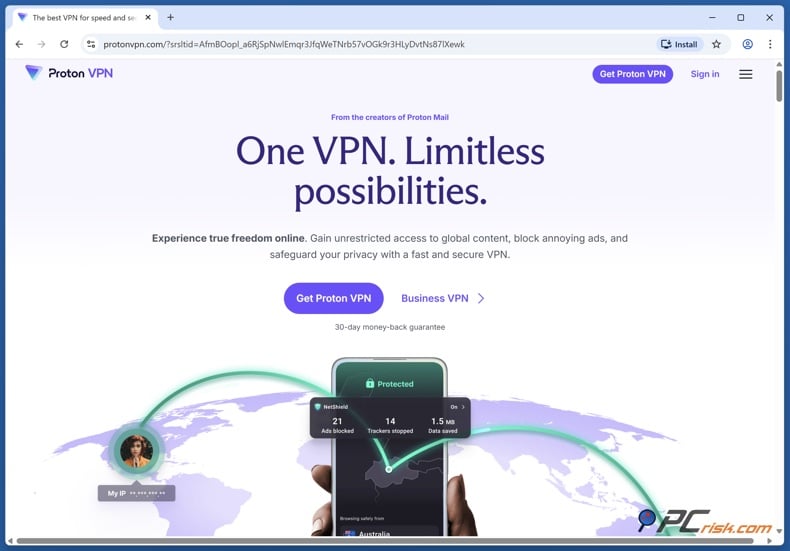
Within PCrisk’s current 2026 review hub, Proton VPN is the only listed VPN that clearly advertises a permanent free version. PCrisk’s review hub lists Proton VPN as offering a free version, while NordVPN does not. Proton’s official free-plan pages say the service offers no data limits, no ads, and no logs, and the current pricing page describes the free plan as covering one device at a time with servers in 10 countries selected at random. PCrisk’s own Proton review also notes the free plan’s meaningful limitations: one device, fewer locations, and restrictions on streaming and P2P compared with the paid tier.
Proton VPN is a good fallback if you need something free for the long term. However, it doesn’t match NordVPN’s trial for testing premium performance. If you want to check speeds, streaming, more locations, or the full experience of a top paid VPN, a short NordVPN trial or the 30-day refund option gives you a better idea. Proton’s free plan is best seen as a limited, long-term free option, not a full replacement for NordVPN’s premium features.
Windscribe is workable, but it is outside PCrisk’s current review hub
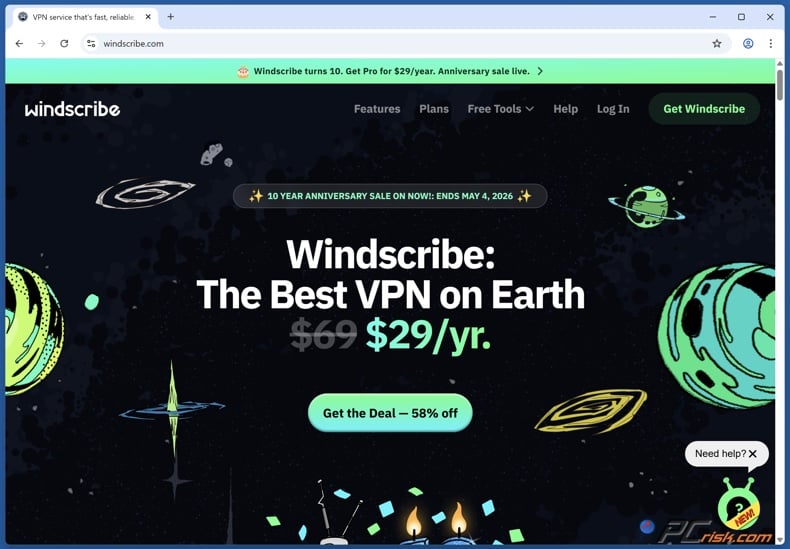
Windscribe often comes up in free VPN discussions, and PCrisk has mentioned it as a known free option outside its current review hub. Windscribe’s official pages say the free plan gives you 10 GB per month with a confirmed email, 2 GB without email, unlimited connections, and servers in 10 countries. Free users also get the same app features as paid users, which is better than many low-end free VPNs.
Still, Windscribe’s free plan is more limited than NordVPN’s trial if you want to test a premium experience. The 10 GB cap goes fast if you stream, download large files, or use the VPN a lot on different devices. Windscribe isn’t bad - it just serves a different purpose. It’s a freemium option for light use, not a full replacement for a paid VPN.
VPN Gate is a last-resort relay, not a privacy-first consumer VPN
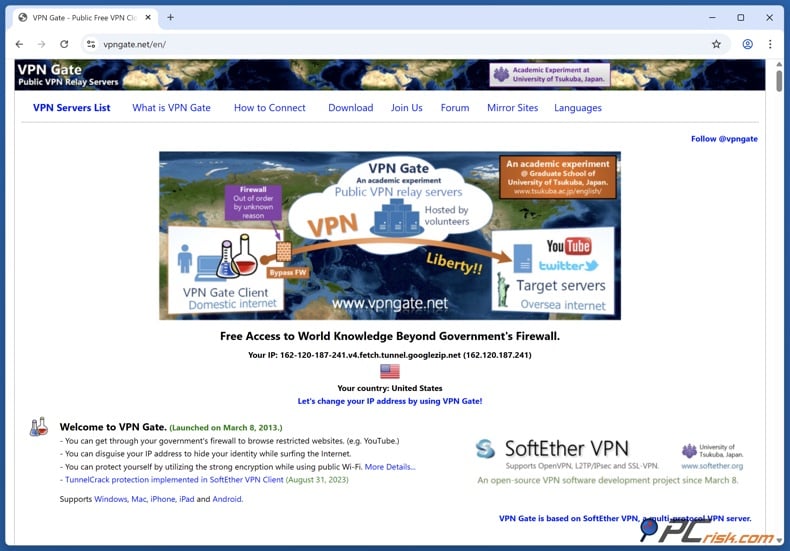
VPN Gate is a different kind of service. It’s not a typical commercial VPN with a polished promise. Its official site calls it an academic project, using public relay servers run by volunteers worldwide instead of a single company. No user registration is needed, and servers can appear or disappear at any time. This setup can help with censorship or access issues, but performance and consistency are very different from a mainstream premium VPN.
For privacy-focused users, VPN Gate’s anti-abuse policy is clear about logging. It keeps VPN connection logs for at least three months and packet logs on each volunteer server for at least two weeks. These logs can be shared with authorities if required by law. This transparency is helpful, but it’s also why VPN Gate isn’t a privacy-first alternative to NordVPN. PCrisk recommends treating VPN Gate as a last resort, not as your main privacy tool.
The bigger issue is with random free VPNs you find in app stores.
The real risk isn’t Proton VPN or Windscribe. It’s the many anonymous, poorly documented, and overhyped free VPN apps that promise “unlimited premium protection” for free. Research has warned about this for years. An ICSI summary of a study by CSIRO, ICSI, UC Berkeley, and the University of New South Wales found that out of nearly 300 Android VPN apps, 84% leaked traffic and 18% didn’t use encryption. The study also found insecure tunneling, IPv6 and DNS leaks, TLS interception, and apps injecting JavaScript for tracking or ads.
This warning is still important in 2026. Zimperium’s 2025 report on insecure mobile VPNs found that many free VPN apps don’t provide real privacy, ask for risky permissions, leak data, or use outdated code. Not every free VPN is bad, but “free” alone isn’t enough. If a provider’s business model, documentation, audits, or location are unclear, assume there’s a risk until you know more.
This is why PCrisk readers should avoid unofficial “NordVPN premium unlocked” packages. NordVPN warns that modded APKs can steal your credentials, compromise your device, and give control to others. A real free trial from an official app store is safe, but a cracked app from a forum is a big risk.
If you’ve tried a few free VPNs while searching for a NordVPN alternative, your device might have picked up unwanted programs like adware, browser hijackers, or bundled installers. Combo Cleaner can scan your computer for these issues and help protect your privacy, browser settings, and VPN performance.
A VPN encrypts your traffic — but your device still needs protection against malware and ransomware. Combo Cleaner adds the missing layer of defense.
Download Combo CleanerAntivirusDetect & remove malware threats→So, which option is best? If you want to test a premium VPN, NordVPN’s official trial or 30-day money-back option is your best bet. If you need a permanent free VPN and accept the limits, Proton VPN is the strongest choice here. Windscribe is fine for light, limited use but isn’t in PCrisk’s current review hub. VPN Gate is best for special cases, not everyday privacy. Most random free VPNs are more likely to cause problems than help.
In Closing
Here’s the short version: In 2026, NordVPN doesn’t offer a free trial on its website. The official ways to test it are a 3-day Android trial through Google Play or a 30-day money-back guarantee for new subscriptions. This is the current policy on NordVPN’s support and Android pages, and it’s the only one you should trust when money is involved.
For most people, the best option depends on what you want to test. If you just want a quick look at the mobile app and have an Android device, the Play Store trial is the easiest. If you want to try NordVPN for several days on different devices and networks, the 30-day money-back guarantee is better. Remember, refunds only apply to your first purchase, and buying directly usually makes cancellations and refunds simpler than using a third-party store.
Our final advice is simple: stick to official sources, play it safe, and stay skeptical. Use the real app from the Play Store, follow NordVPN’s official refund policy, and avoid sketchy APKs or “free premium VPN” offers. If you really need a permanent free VPN, keep your standards high and your expectations realistic. In security software, “free” and “trustworthy” only go together when the provider has earned your trust.
Frequently Asked Questions (FAQs)
Does NordVPN offer a real free version in 2026?
No. NordVPN’s official materials state there is no free version or free trial for website purchases. The current official free-testing options are the Android trial through Google Play and the 30-day money-back guarantee for new subscriptions.
How long is NordVPN’s free trial in 2026?
As of April, 2026, NordVPN’s own Android page says Android users can get a 3-day free trial through Google Play. NordVPN’s support center confirms that the Android free trial is available on Google Play, while website purchases do not offer one.
Can I get the NordVPN free trial on iPhone, Windows, or Mac?
Not as a direct store-managed free trial. NordVPN’s support page says the free trial is available for Android users via the Google Play Store. If you want to test NordVPN on iPhone, Windows, or Mac, the practical workaround is to subscribe directly and use the 30-day money-back guarantee instead.
Do I cancel the trial through NordVPN or through Google Play?
If the subscription or trial was started through Google Play, cancel it there. NordVPN’s support articles explicitly state that the Android trial is handled by Google Play, and Google’s own help pages provide the cancellation path through the Subscriptions screen. Direct website subscriptions are canceled through Nord Account instead.
Will uninstalling the NordVPN app cancel the free trial?
No. Google’s official subscription help page says uninstalling an app does not cancel the subscription. You must go to Google Play subscriptions and cancel it there.
What happens if I forget to cancel before the trial ends?
Google says that at the end of the trial period, the first billing period begins automatically, and you are charged according to the subscription terms unless you cancel before the trial expires. If that happens, cancel right away and check refund options. NordVPN says Google Play purchases may still be eligible for a refund through Nord support if they meet the refund terms, and Google says payments made within 48 hours may be eligible for a direct refund through Google Play.
Can I get a NordVPN free trial without a credit card?
Possibly, but it depends on your country and which Google Play payment methods support subscriptions there. Google says payment methods vary by country, and its help pages show that some markets support carrier billing, PayPal, Play balance, or other methods in addition to cards. At the same time, Google also warns that some carriers cannot be used for subscriptions and that not every method works in every subscription scenario.
Is Proton VPN better than NordVPN’s free trial?
It depends. If you need a permanent free plan, Proton VPN is stronger because it offers a long-term free tier with no data cap, no ads, and one-device access. If you want to test a premium VPN experience with more performance and broader feature access, NordVPN’s official trial or 30-day refund path is the better option.
Is Windscribe a good replacement for NordVPN’s free trial?
Windscribe is a usable freemium option for light use, not a true replacement for premium testing. Windscribe says its free plan offers 10 GB per month, unlimited connections, and servers in 10 countries, with a confirmed email address. That is decent for casual browsing, but it is still a capped plan.
Is VPN Gate safe enough for everyday private browsing?
It is better treated as a special-purpose academic relay than as a privacy-first daily VPN. VPN Gate’s official documentation states that its servers are volunteer-run, that logs are kept for investigation and anti-abuse purposes, and that disclosures may be made to authorities under applicable law. That transparency is useful, but it is not the same privacy model as a mainstream audited commercial VPN.
Should I use third-party APKs to get NordVPN for free?
No. NordVPN explicitly warns that modded APKs are a serious security risk and can steal your credentials. If a VPN app is not coming from the official Play Store listing or NordVPN’s own website, it should not be trusted.
Share:
 Facebook
 X.com
X.com
 LinkedIn
 Copy Link

Rimvydas Iliavicius
Researcher, author
Rimvydas is a researcher with over four years of experience in the cybersecurity industry. He attended Kaunas University of Technology and graduated with a Master's degree in Translation and Localization of Technical texts. His interests in computers and technology led him to become a versatile author in the IT industry. At PCrisk, he's responsible for writing in-depth how-to articles for Microsoft Windows.
▼ Show Discussion