
We may earn commissions from products we recommend. Learn more.
Best ad blockers for Twitch in 2026 | Top 5 picks

Best ad blockers for Twitch in 2026
Twitch is a top platform for live gaming, esports, music, talk shows, and creator streams, but ads can really disrupt your viewing. Pre-roll ads show up right when you open a channel, and mid-roll ads can interrupt key moments during a live broadcast. Since you can't pause live content for ads, Twitch ads often feel more disruptive than those on regular on-demand video sites. Twitch also depends on ads to pay creators, so the platform has a reason to make ad blocking harder.
At PCrisk, we test ad blockers by looking at how well they remove ads, protect privacy, perform, work across devices, resist anti-adblock measures, and keep things secure. For Twitch, we pay extra attention to blocking video ads and making sure streams still work after ads are removed. Based on our tests, AdGuard is our top pick for Twitch in 2026, followed by Surfshark CleanWeb, Total AdBlock, AdLock, and Adblock Plus. These five are also in our main ad blocker roundup.
Block ads on Twitch with AdGuardSpecial deal30-day money-back guarantee→
Table of Contents:
- Introduction
- Why you may want an ad blocker for Twitch
- What to look for when choosing an ad blocker for Twitch
- Our top-tested ad blockers for Twitch
- Best ad blockers for Twitch comparison
- How we test ad blockers
- How to fix the Twitch purple screen
- Conclusion
- Frequently asked questions (FAQs)
Why you may want an ad blocker for Twitch
Twitch ads aren't like simple banners on news sites. They can show up right before a stream starts or even during the broadcast, covering the content you came to watch. Twitch offers Twitch Turbo as its official way to watch streams without most video and banner ads, though channel sponsorships can still appear. This shows how important ads are to the usual Twitch experience.
The main reason to use an ad blocker is to cut down on interruptions. If you miss 30 seconds of a YouTube video, you can just rewind, but if you miss part of a live tournament or conversation on Twitch, you might not get it back. A good blocker can stop some pre-roll and mid-roll ads, but Twitch often changes how ads work, so no blocker can promise totally ad-free viewing forever. Our tests at PCrisk also show that no ad blocker can remove every ad on every site all the time.
Performance is another reason to use an ad blocker. Ads today aren't just images - they can include videos, scripts, trackers, and links to other sites. Blocking these can lower the amount of data your browser has to handle. In our tests, we compare how fast pages load with and without ad blockers, since effective filtering can speed things up and reduce resource usage.
Privacy matters too. Ads often come with tracking tools like analytics scripts, tracking pixels, and cookies that watch what you do online. So, we don't just look at whether ads disappear - we also check if the blocker stops trackers, blocks cookies, protects against fingerprinting, and has good privacy practices itself.
Good ad blockers can also help protect you from harmful ads and dangerous websites. Some of the products we review block phishing and malware domains, as well as regular ads. While this isn't a replacement for antivirus software, blocking these connections can reduce your risk of encountering online threats.
It's important to remember that ads help pay for Twitch and its creators. If you want to support a channel, you can add it to your ad blocker's allowlist, subscribe for ad-free viewing if that's an option, or use Twitch Turbo. The best ad blockers we reviewed make it easy to turn off blocking for sites you want to support.
What to look for when choosing an ad blocker for Twitch
Blocking video ads is the most important feature to look for. Most good blockers can handle regular banners, but since Twitch is focused on video, we prefer products that do well with video ads in our tests. AdGuard, Surfshark CleanWeb, Total AdBlock, and AdLock all did a great job filtering video ads in PCrisk testing, even removing tough ads on sites like YouTube. Adblock Plus worked well for standard ads but was less reliable with advanced video ads and anti-adblock measures.
Handling anti-adblock measures is especially important on Twitch. Streaming sites can change their ad systems or detection methods at any time. This means an ad blocker needs regular filter updates and should adapt quickly to new detection tricks. AdGuard stands out for its strong customization and anti-adblock features. AdLock and Adblock Plus also let you set custom rules. Surfshark CleanWeb is simpler to use but offers less detailed filter control.
Browser compatibility is important. Twitch is usually easiest to filter when you watch it in a desktop browser, where ad blocker extensions or apps can work directly with browser traffic. The five services here support Chrome, Firefox, Edge, Safari, and others to different extents. Mobile Twitch apps are harder to filter because iOS and Android have extra restrictions, and native apps don't show their traffic like browser pages do.
Mobile support is different from desktop support. Android usually allows more system-wide filtering. AdGuard, Total AdBlock, and AdLock have their own Android apps that can filter more than just browser pages. Sometimes, you need to download the full version directly from the company instead of Google Play. iOS is stricter, so ad blocking often works best in Safari, not in the Twitch app.
Customization is important for keeping Twitch working smoothly. If a blocker is too aggressive, it can break the video player, but if it's too weak, ads get through. We prefer blockers that let you adjust filter lists, make exceptions, pause protection, or allow certain sites. These options help when troubleshooting Twitch, since you can see if the blocker is causing playback issues.
Also consider price, device limits, privacy, renewal costs, and whether the ad blocker comes with another product. For example, Surfshark CleanWeb is part of Surfshark's VPN, not a separate subscription. Total AdBlock starts cheap, but PCrisk found the renewal price is much higher. AdGuard has annual and lifetime licenses, and Adblock Plus still offers its basic blocker for free.
Our top-tested ad blockers for Twitch
The list below features five ad blockers from PCrisk's 2026 roundup. We tested each one for ad and video blocking, tracking, performance, anti-adblock measures, mobile support, and ease of use. Because Twitch can alter its advertising delivery independently of an ad blocker's general performance, we do not claim that any blocker will permanently remove every Twitch ad. For our Twitch picks, we focused on features that matter most for streaming.
1. AdGuard: best overall ad blocker for Twitch
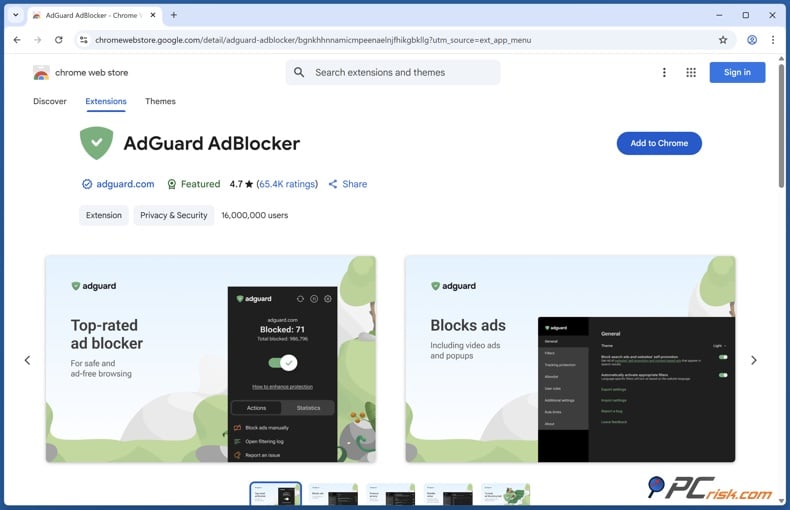
AdGuard is our top pick because it offers strong ad filtering and lots of ways to customize how it works. In PCrisk's main ranking, it scored 4.5 out of 5 and took first place. AdGuard works on Windows, macOS, Linux, Android, iOS, and Android TV. You can choose a Personal license for three devices or a Family license for nine devices.
AdGuard stands out for Twitch because it can block ads both in your browser and across your whole system. The free browser extension works with all major browsers, while the paid desktop app can filter ads in more places than just your browser. On Android, AdGuard uses a local VPN to block ads in different apps and browsers, but you need to download the full app from outside Google Play. On iOS, it mainly blocks ads in Safari and uses DNS filtering for extra protection.
Our tests showed why AdGuard came out on top. Even with default settings, it blocked most ads. Turning on extra filter lists boosted its AdBlock Tester score to a perfect 100 in several tests, and it blocked all ad types on Can You Block It. It also removed YouTube video ads in our browser tests and worked well against anti-adblock features on other ad-heavy sites. These strengths make it the best choice here for a streaming site like Twitch, which is constantly evolving.
AdGuard is also one of the easiest blockers to customize. You can add more filters, set up your own rules, hide page elements, keep allowlists, and use privacy tools to block trackers. These options are helpful if Twitch changes something and you need to tweak your settings rather than switch to a new blocker.
The main drawbacks are that AdGuard can be complex and costs money for full features. Most casual users won’t need all its settings, and you need a paid license for the best system-wide protection. Also, iOS users don’t get the same deep filtering as Android users.
- Pros: Excellent video and general ad blocking, advanced filters, strong anti-tracking features, desktop and mobile apps, system-wide filtering on supported platforms, three or nine device plans, and strong customization.
- Cons: Full functionality requires Premium, advanced options can require some configuration, and iOS filtering is more restricted than Android.
2. Surfshark CleanWeb: best Twitch ad blocker bundled with a VPN
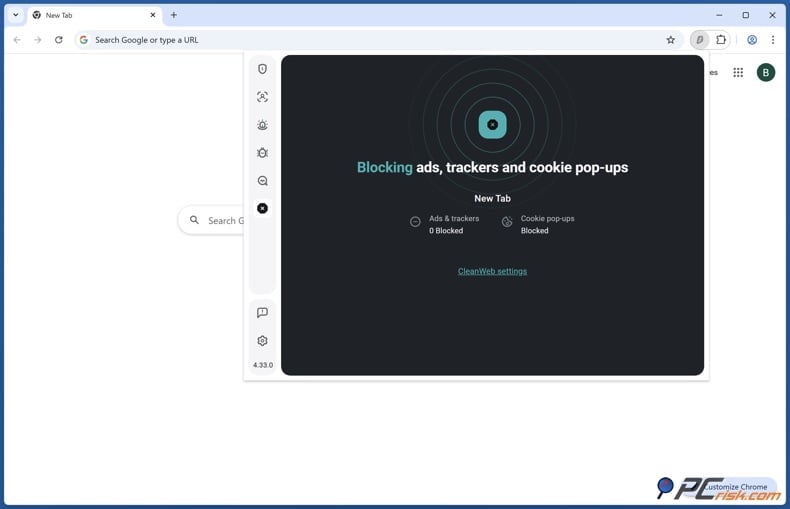
Surfshark CleanWeb is second in PCrisk's ranking with a 4.4 out of 5. Unlike AdGuard, CleanWeb comes as part of Surfshark, not as a separate ad blocker. Its biggest advantage is that you can use it on unlimited devices, which is great for families with lots of computers, phones, or streaming devices.
CleanWeb did very well in PCrisk's browser tests. CleanWeb 2.0 scored over 90 out of 100 in AdBlock Tester, blocked all ad types on Can You Block It, and removed both pre-roll and mid-roll YouTube ads with its desktop extension. It also blocks trackers, harmful sites, and cookie pop-ups.
For Twitch viewers, Surfshark's main strength is its convenience. You get both ad blocking and a secure VPN in one package. CleanWeb works on Windows, macOS, Linux, Android, iOS, and several browsers, and you can use your Surfshark account on as many devices as you want at the same time.
CleanWeb does not offer as much customization as AdGuard. PCrisk did not find any options to manually select detailed filter lists or to set up specific blocking rules. This is important for Twitch, where advanced streaming ads may need faster filter changes. Mobile in-app blocking is also unreliable, especially on iOS, and the regular VPN app version of CleanWeb does not block video ads as well as the browser extension.
- Pros: Strong video ad performance, VPN included, unlimited devices, excellent cross-platform support, tracker and malicious site blocking, and very simple setup.
- Cons: No standalone purchase, fewer advanced filtering controls than AdGuard, and weaker native mobile app ad blocking.
3. Total AdBlock: easy to use with strong video ad blocking
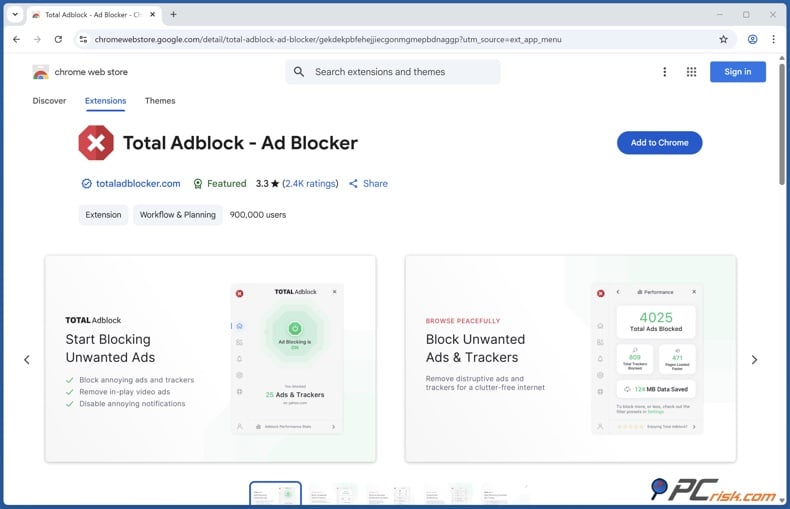
Total AdBlock is third in PCrisk's roundup with a 4.3 out of 5 rating. We found it very easy to install and use, so it works well for Twitch viewers who want strong filtering without having to set up many rules.
The blocker got a perfect score of 100 out of 100 in our AdBlock Tester and removed video ads on YouTube. It also blocked banners and pop-ups in our tests, and its tracker protection worked fairly well. These results make Total AdBlock a good choice for watching Twitch in a browser.
Total AdBlock also works well on mobile. It has an Android app that filters traffic across the whole device using a local VPN. You usually need to download the full Android version from the company's website. On iOS, filtering mostly works in Safari because Apple does not allow third-party ad blockers to filter traffic in other apps.
The biggest downside is the price. PCrisk found a good introductory offer of about $19 for the first year, but after that, the yearly renewal can go up to around $99. Some users have also complained about canceling subscriptions and auto-renewal. Total AdBlock is much more attractive at the starting price than at the higher renewal rate.
Another limitation is customization. Total AdBlock is designed to be simple and does not offer the custom filter lists or manual rule options you get with AdGuard or Adblock Plus.
- Pros: Excellent general ad test results, strong video ad filtering, beginner-friendly interface, Android system-wide filtering, additional security tools, and inexpensive introductory pricing.
- Cons: Expensive renewal pricing, limited customization, restrictive free version, and weaker iOS app coverage.
4. AdLock: strong system-wide alternative
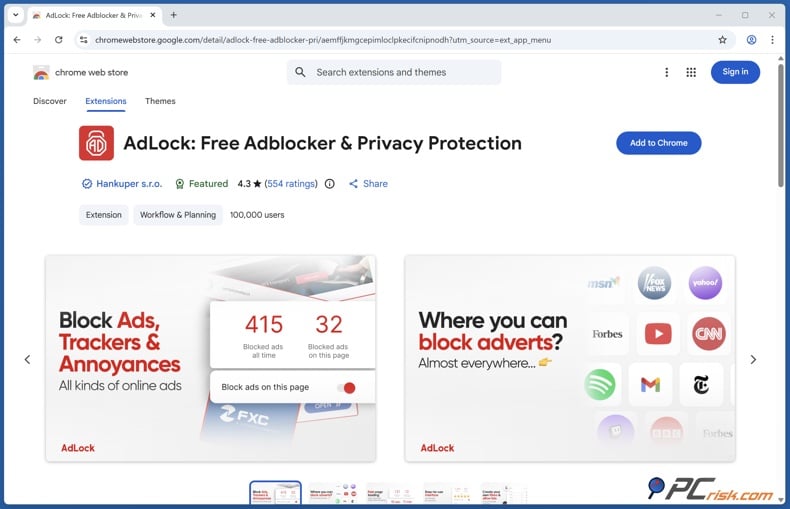
AdLock ranks fourth in PCrisk's ranking with a score of 4.2 out of 5. A Premium license covers up to five devices, and free browser extensions are available for all major browsers. The paid app works on Windows, macOS, Android, and iOS, and can filter ads beyond just one browser.
AdLock stands out because it does not use an "acceptable ads" system. It aims to block as many ads as possible instead of letting some ads through by default. PCrisk's tests showed that it successfully filtered YouTube pre-roll ads and removed regular ads, performing about as well as other top blockers in standard tests.
AdLock offers good customization tools. It has filter controls, custom rules, allowlisting, privacy features, protection against malicious sites, and system-wide apps. This gives Twitch users more ways to troubleshoot than simpler blockers do.
However, there are some reliability concerns. In PCrisk's tests, a Windows filtering problem was fixed by reinstalling the software. Sometimes, apps needed to be restarted or filtering would stop working for a short time. On Android, AdLock uses a local VPN, so you usually cannot run it with another VPN app at the same time.
- Pros: Strong video ad performance, five devices per license, system-wide applications, no Acceptable Ads policy, custom filtering options, and good privacy controls.
- Cons: Android installation is less convenient, local VPN filtering can conflict with VPN apps, and occasional reliability issues were observed.
5. Adblock Plus: best simple free option
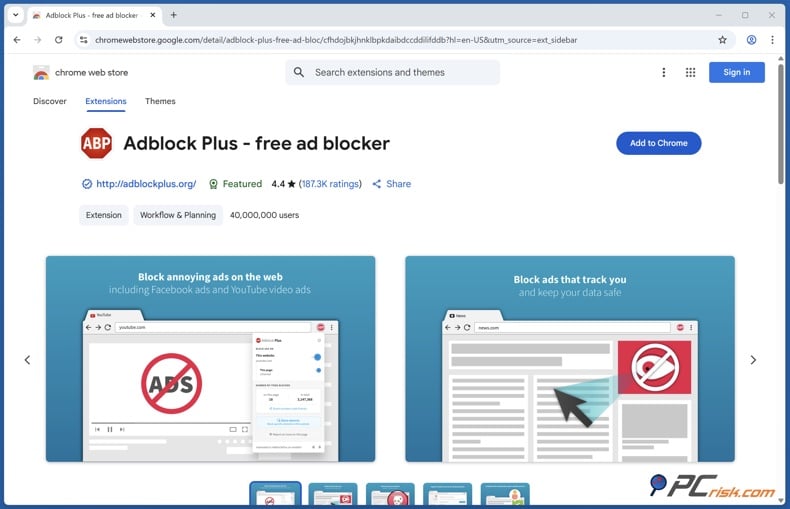
Adblock Plus is probably the best-known browser extension on our list and has a 4.1 out of 5 score from PCrisk. The main ad blocker is free, but you can pay about $40 a year for Premium, which adds extra features like blocking cookie pop-ups.
Adblock Plus works well for regular web ads. It blocked all seven types in the Can You Block It test and cleared lots of ads from sites with heavy advertising. It’s also very easy to install and works with Chrome, Firefox, Safari, Edge, and Opera.
However, for Twitch, we rank it last because it struggles with advanced video ads. We found it couldn’t always block Twitch ads, so you might need to adjust settings to keep up with changing streaming ads. Still, it lets advanced users try custom rules and filter lists.
Adblock Plus turns on Acceptable Ads by default, so if you want stricter blocking, you’ll need to turn this off. On mobile, it mainly works through the Adblock Browser on Android and as a Safari content blocker on iOS, instead of blocking ads across all apps.
- Pros: Free main blocker, simple to install, works with many browsers, supports custom filters, covers unlimited browsers, and offers helpful manual controls.
- Cons: Not as strong against advanced video ads, Acceptable Ads is on by default, weaker results in tracker tests, and limited filtering for native mobile apps.
Best ad blockers for Twitch comparison
Block ads on Twitch with AdGuardSpecial deal30-day money-back guarantee→
The table below highlights the features that are most important for watching Twitch.
| Ad blocker | PCrisk score | Twitch suitability | Devices | Mobile support | Video ad performance in PCrisk tests | Free option | Main limitation |
| AdGuard | 4.5/5 | Best overall | 3 or 9 | Android and iOS | Excellent | Yes, browser extension | Premium needed for full system filtering |
| Surfshark CleanWeb | 4.4/5 | Excellent | Unlimited | Android and iOS | Excellent in browser | Trial only | Requires Surfshark subscription |
| Total AdBlock | 4.3/5 | Very good | 6 in PCrisk roundup | Android and iOS | Excellent | Limited | High renewal price |
| AdLock | 4.2/5 | Very good | 5 | Android and iOS | Very good | Browser extension | Occasional filtering issues |
| Adblock Plus | 4.1/5 | Good | Unlimited browser use | Android and iOS | Mixed on advanced video ads | Yes | Less consistent against streaming ads |
Here’s the bottom line: AdGuard is the best overall choice for Twitch, thanks to its strong video filtering, flexible filters, and system-wide coverage. If you need a VPN and want to cover unlimited devices, Surfshark CleanWeb is a better fit. Total AdBlock is easy to use and effective, but its renewal price makes it less appealing over time. AdLock stands out for its system-wide filtering and customization, while Adblock Plus is a solid free option for basic browser ad blocking.
How we test ad blockers
At PCrisk, we don’t just install an ad blocker and see if a single banner goes away. We look at several factors to decide if a blocker gives you a clean, safe, and easy browsing experience.
Ad blocking effectiveness makes up about 40% of our overall score. We test how well each blocker handles banners, display ads, pop-ups, pop-unders, autoplay videos, native ads, sponsored content, and ads inside apps when possible. We use both real ad-heavy websites and special test pages to see what each blocker can remove.
When testing for Twitch, we focus especially on video filtering. A blocker that removes banners but can’t stop video ads isn’t very helpful for live streams. We also check how blockers handle anti-adblock measures, since blocking ads but breaking the video player isn’t a good outcome.
Privacy and anti-tracking account for around 20%. We check whether products block analytics requests, advertising trackers, tracking pixels, cookies, and other profiling technologies. We also review the privacy practices of the ad blocking software itself because a blocker should not solve third-party tracking by creating a new privacy problem.
Performance contributes approximately 15%. We measure page loading behavior, CPU consumption, memory usage, browser responsiveness, and general stability. Testing is performed against an unfiltered baseline so we can determine whether an ad blocker speeds up browsing, has little effect, or introduces unnecessary overhead.
Ease of use and compatibility are another 15% of our review. We check which browsers and operating systems are supported, how easy it is to install and set up, the design of the interface, mobile apps, and whether the experience is consistent across devices. For Twitch, it’s important that the blocker works the same way in different browsers, since switching browsers can help you figure out if a problem is caused by an extension or browser setting.
The last 10% of our score comes from extra features and customization. We test things like custom filters, allowlisting, cosmetic filtering, phishing protection, malware blocking, and other helpful tools. We also check how often the blocker updates, since up-to-date filters are important.
We test using clean browser profiles with no other extensions installed. We clear caches and cookies between tests and use up-to-date browsers on Windows, macOS, Android, and iOS when possible. We also use stable network conditions to ensure any issues stem from the blocker, not the internet connection.
This clean testing setup is especially important for Twitch. Using more than one ad blocker at the same time can cause filter conflicts, slow down your browser, and make troubleshooting harder. That’s why we suggest using just one well-configured ad blocker instead of piling on multiple extensions.
How to fix the Twitch purple screen
The Twitch "purple screen" usually appears when Twitch detects interference from third-party tools that load the stream or its ads. Instead of the video, you might see a purple info screen or have playback interruptions. This can change over time as Twitch and ad blocker developers update their systems.
Start by updating your ad blocker and its filter lists. Since advertising methods change often, old rules might block part of Twitch's player, but not the ads themselves. AdGuard, AdLock, Adblock Plus, and other well-maintained blockers get regular filter updates to keep up with these changes.
Next, disable any additional ad blockers. Using AdGuard and Adblock Plus together does not provide additional protection. Instead, it can cause conflicts and make it hard to know which one is causing problems. We recommend sticking to one good blocker instead of using several at once.
After that, reload Twitch once you have cleared the site's cached data and cookies. Sometimes, your browser keeps old scripts or settings that can cause issues. Try opening Twitch in a private window to see if an extension, cookie, or saved data is the problem. For a better test, use a clean browser session and turn on only the ad blocker you want to use.
If you still have problems, try turning off ad blocking for Twitch for a moment. If the stream works right away, you know the blocker is causing the issue. Then update the blocker, reset its filters, or turn off any extra-aggressive filter lists one by one. AdGuard, Surfshark CleanWeb, Total AdBlock, AdLock, and Adblock Plus all let you control blocking for specific sites.
AdGuard users have an advantage: they can try different filtering options rather than relying on a single setup. With custom filters, element blocking, HTTPS filtering, and allowlists, it is easier to determine what is causing the problem.
It is also worth trying a different browser. If Twitch works in one browser but not another, the problem is likely with the extension, browser version, cached data, or how that browser handles filtering - not your Twitch account.
If you watch Twitch on your phone, remember that the Twitch app works differently from Twitch in a browser. An ad blocker for Safari on iOS will not block ads in the Twitch app. Android blockers can filter more, but their effectiveness depends on how ads are shown.
If you want a more reliable official solution instead of dealing with ad blocker changes, Twitch offers Twitch Turbo. Twitch says this gives you ad-free viewing across the service, except for some channel sponsorships. This is not the same as a third-party ad blocker and does not protect you from trackers or malicious ads like the products reviewed here.
Most importantly, do not download random extensions that claim to fix Twitch ads if you do not know the source. Extensions can access your browsing data, so it is best to use trusted, well-maintained products with clear privacy policies. PCrisk checks each ad blocker's reputation, privacy practices, and whether it sends unexpected data.
Conclusion
After comparing the five products in PCrisk's ad blocker ranking, we recommend AdGuard for Twitch in 2026. It got the highest PCrisk rating at 4.5 out of 5. AdGuard offers strong video ad filtering, works on many browsers, has system-wide apps, anti-tracking features, custom filters, and flexible troubleshooting tools. This flexibility is valuable since Twitch often changes its ads and anti-adblock methods.
Surfshark CleanWeb is our second choice, especially if you also need a VPN. Its unlimited device policy is great for families, and CleanWeb 2.0 did very well in PCrisk's ad-blocking tests. The main downside is that it has fewer advanced filtering options than AdGuard and is part of the Surfshark system.
Total AdBlock is also a strong choice, especially for beginners. It scored 100 out of 100 on AdBlock Tester and did well in video ad tests. However, make sure to check the renewal price before buying, since the low starting price can go up a lot after the first term.
AdLock is a good option if you want a system-wide blocker with lots of settings and a license for five devices. Adblock Plus is still the simplest free choice in this group, but our tests show it is less reliable against advanced video ads than the others listed above.
No matter which product you choose, keep your expectations realistic. Twitch ad blocking is always changing. A blocker that works well today might need new filters after Twitch updates its ads. No third-party blocker can promise to remove every ad forever or guarantee perfect playback. The best approach is to use a trusted, regularly updated blocker that you can customize when needed.
For most PCrisk readers, AdGuard is our top recommendation. Surfshark CleanWeb is the best all-in-one VPN choice, and Total AdBlock is the easiest premium option.
Block ads on Twitch with AdGuardSpecial deal30-day money-back guarantee→
Frequently asked questions (FAQs)
Does Twitch block ad blockers?
Twitch can sometimes detect or be affected by certain ad blockers and third-party filters. This might let some ads through, cause playback issues, or show the purple screen. Since both ad systems and blockers are updated often, the situation keeps changing. Using a reliable blocker with up-to-date filters helps, but there’s no way to guarantee you’ll avoid all problems forever.
Is it safe to use an ad blocker on Twitch?
Using a well-known ad blocker is usually safe from a cybersecurity perspective. The bigger risk is installing unknown browser extensions that claim to block Twitch ads but lack a trusted developer or a clear privacy policy. At PCrisk, we consider privacy policies, tracking behavior, permissions, protection against malicious domains, and reputation when reviewing ad blockers.
Can I remove all ads on Twitch?
A third-party ad blocker can remove many Twitch ads, but we can’t promise that any blocker will get rid of every ad for good. Twitch can change its player, ad system, or anti-adblock tools, and filter lists need time to adjust. At PCrisk, we believe no blocker can guarantee 100% ad removal everywhere, all the time.
Twitch’s official Twitch Turbo subscription gives you ad-free viewing for regular video and banner ads, but Twitch says that channel sponsorships might still show up.
What is the best ad blocker for Twitch in 2026?
We recommend AdGuard. It’s our top pick in PCrisk’s 2026 ad blocker roundup, earning a 4.5 out of 5 rating. AdGuard offers strong ad and video filtering, extra filter lists, anti-tracking tools, custom rules, allowlisting, and works across your whole system. These features give you more control when dealing with changes on streaming platforms.
Does AdGuard work well for streaming video?
Yes. In our PCrisk tests, AdGuard removed YouTube video ads in the browser and scored up to 100 out of 100 in AdBlock Tester after we turned on extra filters. It also blocked anti-adblock messages in our tests. While doing well on one video site doesn’t mean it will always work on Twitch, these results are a big reason we rank AdGuard first for Twitch.
What is the best free ad blocker for Twitch from this list?
Of the five products we reviewed, AdGuard’s free browser extension and Adblock Plus are the main free choices. We like AdGuard best because its paid features and advanced filters make troubleshooting easier. Adblock Plus is simple and flexible, but in our tests, it didn’t do as well against complex video ads.
Do Twitch ad blockers work on Android and iPhone?
How well ad blockers work depends on how you watch Twitch. On Android, blockers have more ways to filter ads across the system, and apps like AdGuard, Total AdBlock, and AdLock offer Android versions. iOS has stricter rules for third-party filters, so ad blocking usually works better in Safari than in the Twitch app.
Can an ad blocker slow down Twitch?
A good blocker should normally have a small performance impact and may reduce unnecessary advertising and tracking requests. However, aggressive filters, poorly optimized extensions, or several blockers running simultaneously can increase CPU and memory usage or interfere with video playback.
Can I use a VPN together with a Twitch ad blocker?
On desktop computers, you can usually use a VPN and an ad blocker together. Surfshark CleanWeb combines both features in one product. AdGuard also works with most VPN software on desktops. On mobile devices, it’s trickier because apps like AdGuard and AdLock use a local VPN for filtering, and your device might not let you run another VPN at the same time.
Why does the Twitch purple screen keep appearing even after changing my ad blocker?
The issue might not be just your ad blocker. Outdated filters, cached Twitch scripts, cookies, too many extensions, browser quirks, or aggressive filtering can all play a part. We suggest updating your blocker, refreshing its filters, turning off other ad blockers, clearing Twitch data, and trying a clean browser session. If Twitch works after you temporarily allowlist the site, it’s likely your current filter setup is causing the problem.
If you run into this problem often, we recommend AdGuard because its advanced filtering controls make troubleshooting simpler. If you prefer something easier to use and don’t want to deal with custom rules, Surfshark CleanWeb is a better choice.
Share:
 Facebook
 X.com
X.com
 LinkedIn
 Copy Link

Rimvydas Iliavicius
Researcher, author
Rimvydas is a researcher with over four years of experience in the cybersecurity industry. He attended Kaunas University of Technology and graduated with a Master's degree in Translation and Localization of Technical texts. His interests in computers and technology led him to become a versatile author in the IT industry. At PCrisk, he's responsible for writing in-depth how-to articles for Microsoft Windows.
▼ Show Discussion