
We may earn commissions from products we recommend. Learn more.
How to access Instagram at school or work in 2026 with a VPN

How to access Instagram at school or work in 2026 with a VPN?
Instagram is a photo and video-sharing social media platform owned by Meta Platforms. It is used for messaging, short-form video, and creator content. Instagram's expanding features have made it a primary communication tool for many individuals, communities, and businesses.
If Instagram does not load on a school, university, or workplace network, the issue is typically due to network restrictions rather than a problem with the app. Organizations often block social media to reduce distractions, conserve bandwidth, and minimize risks such as harassment, data leaks, and malware. This article covers common Instagram access issues and provides a guide on using a VPN (Virtual Private Network) to access this platform.
Disclaimer: PCrisk does not promote, encourage, or endorse bypassing network restrictions, violating school or workplace rules, or breaking local laws. Always follow an institution's acceptable-use policies and local regulations. Use any methods described at your own risk.
Access Instagram with NordVPNSpecial deal30-day money-back guarantee→
Table of Contents:
- Introduction
- Why can't I access Instagram at school or work?
- Can Instagram be inaccessible for other reasons?
- Common Instagram error messages
- How to access Instagram?
- Accessing Instagram with a VPN
- Best VPNs to access Instagram in 2026
- Can you use a free VPN to access Instagram?
- Common issues and solutions when accessing Instagram with a VPN
- Is using a VPN to access Instagram legal?
- In closing
- Frequently Asked Questions (FAQ)
Instagram started as a mobile photo-sharing app, and it has since evolved into a multi-format platform. It allows users to share photos, Stories, and short videos, as well as communicate with others (comments, direct messaging, etc.).
Instagram may be inaccessible from certain managed networks; in short, there are three primary reasons for this:
Bandwidth management - Instagram requires and drives significant traffic. The platform's feeds prioritize media; video consumes a substantial amount of bandwidth. Meta has collaborated with telecom partners to improve video delivery efficiency, emphasizing the operational importance of video traffic for networks.
Productivity - the goal is to limit non-work activities, especially in settings that require concentration (e.g., classrooms, libraries, front desks, customer service roles, etc.).
Security - even casual browsing may lead to serious issues, particularly in workplaces, since it can result in a breach of the entire corporate network. Social platforms are frequently used to spread phishing scams, impersonation attempts, and social engineering schemes. Although Instagram is not inherently malicious, it may be part of an attack chain. For example, it can begin with an Instagram DM (Direct Message) leading to credential theft or malware infections. Hence, web controls are commonly utilized to restrict access to domains/categories associated with phishing, malware, spam, and other threats.
Furthermore, many schools have safeguarding and policy responsibilities that extend beyond bandwidth and productivity concerns. For example, in the United States, many K-12 schools and libraries receiving specific Internet funding must implement filters to block certain visual content categories (such as obscenity, child pornography, and other material harmful to minors). While this does not necessitate blocking social networking sites, it does require creating a filtering infrastructure. Therefore, many institutions adopt broader, locally defined restrictions as part of their Internet safety policies.
Modern filtering systems can block traffic by:
- Category-based web filtering (e.g., blocking "social networking" or "image sharing" categories).
- Domain and URL filtering (e.g., blocking instagram.com or related domains).
- DNS filtering and policy-based routing.
- Firewall rules and proxy enforcement.
Even mainstream enterprise tools describe this approach simply as allowing or denying categories (e.g., "social networking"). The categories are sometimes classified by risk or business impact, such as "productivity loss" or "high bandwidth".
When you are at school or work, where the network is managed, you may see Instagram fail in one of these ways:
- App opens, but the feeds cannot refresh, Stories fail to load, and messages cannot be sent.
- Website loads on mobile data but does not on Wi-Fi.
- Instagram works for some devices but not others (e.g., works on personal phones but not on managed laptops).
- Instagram works sometimes and stops when the network policy updates or high usage is detected.
Can Instagram be inaccessible for other reasons?
Even in places where Instagram is generally accessible, it may be unavailable for reasons that have nothing to do with your school or employer. The inaccessibility could be caused by local and temporary issues, such as Wi-Fi or mobile network instability, device storage limitations, outdated apps, corrupted cached data, or permission errors. Basic troubleshooting steps like restarting the app, checking connectivity, freeing storage, or updating/reinstalling the app can often resolve these problems.
Another reason Instagram may become inaccessible is due to account-level security checks. Additional verifications or temporary restrictions could be prompted due to logging in from a new device/network, or due to having an unusual IP address. The latter is more likely to occur with frequent network switching or usage of tools that change your apparent IP address.
Access can also be blocked at the country level. In which case, Instagram is not just restricted on a network, but blocked at the ISP (Internet Service Provider) or state level, or even disrupted through broad Internet shutdowns.
Some examples of this type of blocking include:
China - has blocked Instagram as part of its Internet censorship system, commonly referred to as the "Great Firewall". This platform was blocked alongside other major international websites during the 2014 pro-democracy protests in Hong Kong.
Russia - has blocked access to Instagram since 2022, following the invasion of Ukraine, as part of broader platform controls and censorship practices.
Iran - although Instagram has often been accessible, it has been made unavailable together with other social platforms during periods of unrest. Restrictions were put in place during protests in 2022, and (near) nationwide disruptions and blackouts in early 2026 have impacted Internet access in general.
North Korea - has also blocked access to Instagram, the same as most foreign websites and platforms.
From the user's perspective, when Instagram is "down" or "blocked" - can appear incredibly similar. One significant difference is that when an ISP or a government is disrupting access, widespread failures are likely to occur across many apps and websites, not exclusively Instagram.
Our top recommendation for streaming and privacy. NordVPN consistently leads our tests with fast speeds, reliable geo-unblocking, and a strict no-logs policy.
- ✔ Unblocks geo-restricted streaming services reliably
- ✔ 202+ locations across 111 countries
- ✔ 30-day money-back guarantee · Special deal available
Common Instagram error messages
In many instances, Instagram access issues appear as short messages that may not clearly indicate what is the actual problem. Below are some of the most common error messages (note that wording may differ due to browsers, app versions, etc.).
"Couldn't refresh feed" - is a message that often indicates connectivity problems, server-side issues, or a network block. Switching from Wi-Fi to mobile data and vice versa may be the solution. If you are on a managed network, filtering may be involved.
"No internet connection" - is a message that can appear even when your Internet is working, because the network is blocking Instagram specifically. You can eliminate general Internet connectivity issues if other websites or (Internet-dependent) apps open and operate as usual, in which case the problem is likely filtering or DNS restrictions.
"Sorry, something went wrong" - is a generic message that can be displayed during server issues, sign-in problems, or following actions that continuously failed. Potential solutions include waiting, restarting the app, and checking whether there are reports about a wider outage.
"Please wait a few minutes before you try again" - is a message associated with temporary rate limits or security restrictions after repeated log-in attempts or activity patterns deemed suspicious. Pausing your activity or sign-in attempts, then retrying later, should help.
"Challenge required" - is a message that typically signals an account security checkpoint. Instagram may require you to verify your identity, confirm a log-in, or complete a challenge before allowing access. Unusual sign-ins, such as device and network changes, can prompt this message.
"We noticed an unusual login attempt" - is a message that is displayed when measures are taken to protect your Instagram account. These actions could be taken because your sign-in appears to be coming from a different location, which may be due to using a VPN or switching networks. Ensure that your recovery information (e.g., email, telephone number, etc.) is up-to-date, and use the official account recovery flow to regain access.
"Action blocked" or "Try again later" - is a message that may appear due to suspicious behavior associated with spam or automation. As a response, Instagram may temporarily restrict the account. Stop repeated actions and try later.
"We restrict certain activity to protect our community" - is another message linked to repeated, high-frequency actions (e.g., refreshes, follows/unfollows, sign-in attempts, etc.). Likewise, the solution is to pause the activity and attempt later.
"Feedback_required" - is a message typically associated with anti-abuse or anti-spam. The fix is stopping the actions and waiting as well.
"Couldn't load activity" or "Something isn't working" - are messages that can appear due to app instability, missing permissions, or corrupted app data. Restart the application, review permissions, check for app updates and implement them, and lastly - try reinstalling.
"Sorry, there was a problem with your request" - is a message that may be displayed regarding log-in or action requests, including when the network blocks certain scripts or endpoints. If it occurs only on school/office Wi-Fi - the reason is likely filtering; if the message appears everywhere, on all networks - account or device-related issues may be to blame.
If the standard resolutions do not work, reporting the issue through Instagram's help center may yield the correct solution.
How to access Instagram?
If Instagram is blocked at school or work, and you want to access it - you typically have three broad options, yet each has its own downsides.
Use mobile data (cellular) instead of Wi-Fi. This is the simplest method to bypass the managed network's filtering. Note that this may increase your data usage and costs, particularly since Instagram is incredibly media-heavy. If you do decide to use your mobile data, consider enabling limits or warnings - so as not to exceed your monthly plan.
Ask for access or use an allowed network path. If you are in a workplace, you could enquire the IT department if there is an approved way to access social media (e.g., during breaks, on a guest network, on personal devices, etc.). Legitimate reasons for accessing Instagram could exist, as it may be a work tool (e.g., marketing, customer support, brand monitoring, etc.).
Use a VPN. This is the most flexible solution, as VPN services encrypt your Internet traffic and route it through a remote server - thus preventing local filters from detecting your connection to Instagram. Additionally, VPNs can be a solution for access issues caused by ISP restrictions, censorship, or geoblocking (location-based restrictions).
Furthermore, VPNs are great tools for enhancing your privacy and security. These services can help bypass restrictions, secure public Wi-Fi networks, and enable remote access. However, it must be stressed that while a VPN protects data in transit and changes your apparent IP address, it does not guarantee anonymity or remove your responsibility online. For example, if you log in to Instagram, your identity remains known because you are authenticating it through your account.
Accessing Instagram with a VPN
If Instagram is blocked on a school or workplace network, a VPN can often restore access. These services work by routing your Internet traffic through servers operated by the VPN provider. Typically, during this process, your connection is encrypted. This can help you access Instagram, as your connection is routed through a server outside the restricted network. A VPN also works in the same manner when accessing sites that are blocked by local filters or ISP policies.
In practice, setting up a VPN is usually a simple four-step process:
1. Choose a reliable VPN provider. Prioritize fast speeds, reliable apps, and an extensive server network. Do not ignore the service's privacy policies and safety features. For 2026, we recommend our top choice of the year - NordVPN. This provider offers a large server network and has an independently verified no-logs policy.
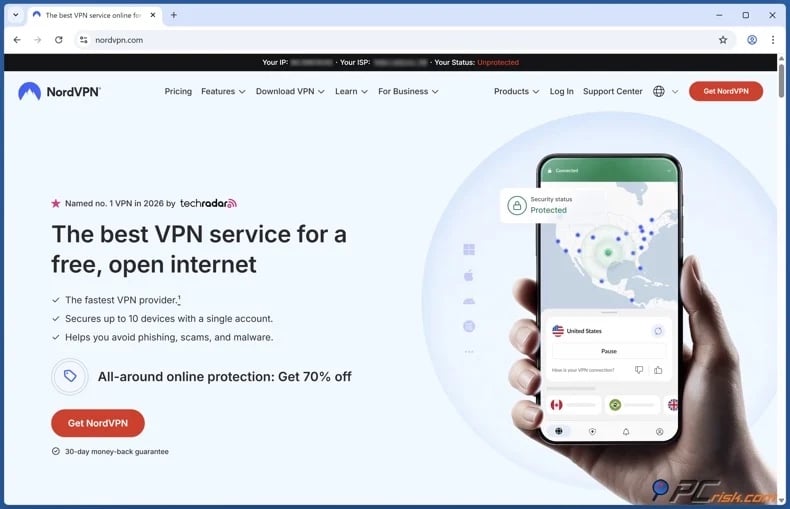
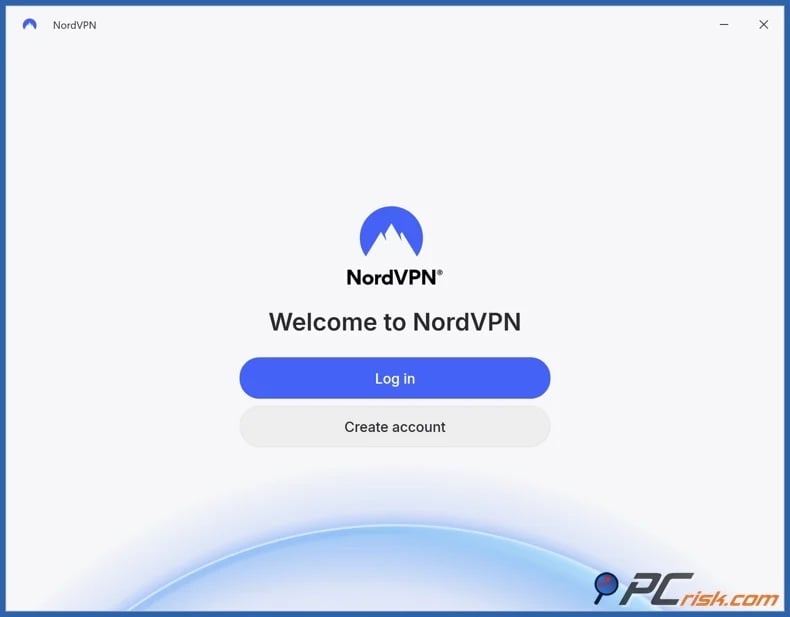
2. Install the VPN app on the device you intend to use and sign in. If Instagram is blocked on your laptop but not your phone, install the VPN on the device where access is restricted. Most reputable VPN services support both desktop and mobile platforms. Note that if your school or workplace device is managed, you may need admin permission to install VPN apps.
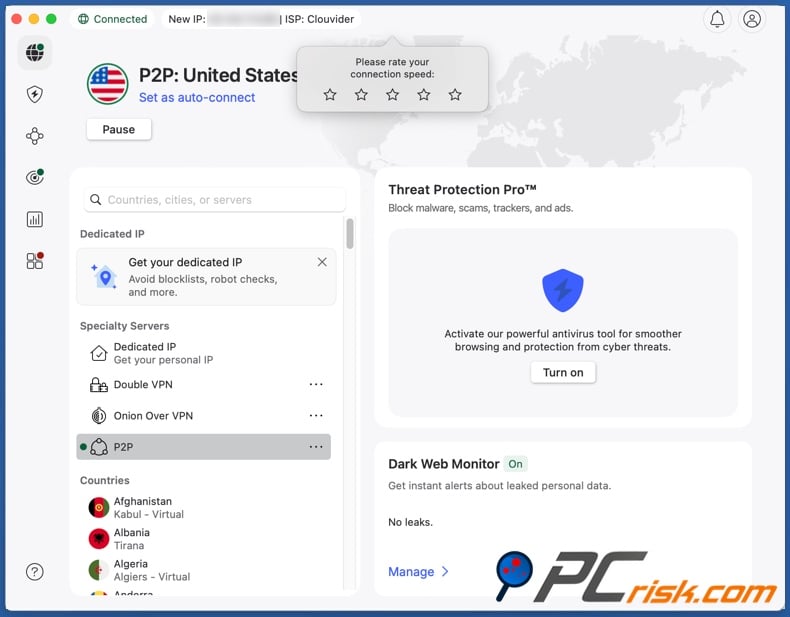
3. Connect to a server. To access Instagram on restricted Wi-Fi, you typically do not need a distant server. Selecting one nearby reduces latency and any potential speed loss.
4. Open Instagram and refresh your session. If you tried to access the platform without a VPN earlier, cached data may cause issues, especially on browsers. Hence, clear the browser cookies or use a private browsing window. And if you used the Instagram app - close it completely and relaunch.
Keep in mind that no VPN service can ensure continuous access to any specific platform. Websites can be inaccessible due to a myriad of reasons, and there are networks/services that aim to detect and block VPN traffic.
Best VPNs to access Instagram in 2026
If your goal is to access Instagram reliably (at school, at work, while traveling), you should look for the following in a VPN service:
Large and diverse server network. If a server is slow, overcrowded, or blocked - a broad selection of alternatives is desirable.
Strong privacy. A VPN is in a sensitive position in your network stack. Hence, strict no-logs policies, independent audits, and other assurance engagements - are critical to your privacy.
Stable performance. Using a VPN causes a speed reduction, as this type of service encrypts and tunnels your Internet traffic - therefore, it is important to choose one with a reliable performance track record.
Apps that are easy to use and troubleshoot. Fast server switching, present and clear status information, and responsive support - are key to a seamless experience browsing with a VPN.
The VPN services listed below are our Top Choices for 2026 (detailed comparisons are available in our dedicated article):
1. NordVPN: our Top Choice for 2026
NordVPN distinguishes itself through its extensive global server network and regular independent audits of its no-logs policy. The combination allows for secure and rapid server switching in response to blocks or performance issues.
2. Surfshark: value and unlimited device connections
If you use multiple devices, Surfshark's unlimited simultaneous connections offer an obvious benefit. Since Instagram blocks can be device-specific, you may need VPN protection on your phone, laptop, and tablet - and this service can provide that with just one subscription.
3. Mullvad VPN: privacy first
Mullvad is recognized for minimizing data collection. This service has a strong no-logs policy, account creation requires no personal identifiers (not even an email address), and there are anonymous payment options. However, Mullvad provides a comparatively smaller server network.
4. Proton VPN: security, transparency, and a reputable free plan
Proton VPN emphasizes transparency and boasts a large server network. It also has a free plan that does not cap data but does have a limited server selection compared to its paid tiers.
5. ExpressVPN: premium choice and simplicity
ExpressVPN offers extensive coverage with its vast server network. Its RAM-only server technology is designed to minimize data persistence risks. ExpressVPN's app is well-designed and easy to use. Although this service is a pricier choice.
Can you use a free VPN to access Instagram?
If your school or employer is only using basic filtering, a free VPN can be enough to allow you to access Instagram. However, it must be mentioned that these free services usually come with significant limitations and, in many cases, risks that should not be underestimated.
Top VPN ReviewsExclusive dealsExpert-tested · hands-on reviews→
Security risks: some free VPN apps have inadequate protective measures, and there have been instances of these tools posing malware infection threats. Data leaks are not uncommon with free VPNs, and this risk may beat the purpose of using such a tool in the first place. Hence, it must be stressed that a "VPN" label alone is no guarantee of privacy or safety.
Free VPNs and suspicious download sites can put you at risk for malware, phishing, and unwanted browser add-ons, rather than keeping your information private. Combo Cleaner protects your device with real-time anti-malware scanning and web protection against scams, phishing, dangerous websites, and harmful downloads. It also removes browser extensions that cause redirects, intrusive ads, and tracking.
A VPN encrypts your traffic — but your device still needs protection against malware and ransomware. Combo Cleaner adds the missing layer of defense.
Download Combo CleanerAntivirusDetect & remove malware threats→Privacy tradeoff: in many instances, free VPN services are monetized through user data or aggressive advertising. Operating a VPN requires funding for servers, bandwidth, maintenance, and support. These costs must be covered in some manner, so it is not uncommon for free VPN providers to generate revenue via intrusive ads and/or data collection. Even if a provider claims to protect privacy, the underlying business model may compromise it.
Performance limitations: free services typically offer fewer server locations, experience significant overcrowding, and use lower priority routing. Hence, when accessing Instagram - users may experience slow loading, buffering, or repeated failures when connecting to Stories and Reels.
Feature gaps: free VPNs are often limited tools for bypassing restrictive networks, and may be incapable of dealing with advanced filters. On networks that detect VPN traffic, features like obfuscation or alternative routing may be necessary - and these features are usually only available with paid services.
If you have decided on using a free VPN, pick a plan from a trustworthy provider. These free plans are more likely to be entry-level products rather than ad-driven services. We recommend Proton VPN, as its free plan uses the same apps and core encryption as paid tiers, but has limitations on server locations and features. It is worth noting that streaming and other bandwidth-intensive activities are only reliable on paid plans.
Common issues and solutions when accessing Instagram with a VPN
A VPN can solve network-level blocking, but may introduce new friction. Below are common failures and practical fixes:
If Instagram does not load even when using a VPN - your school or workplace may be blocking VPN traffic in addition to Instagram. Some organizations actively detect and block VPN protocols. The same is true of some countries, wherein regulators restrict tools like VPNs.
Solutions:
- Switch VPN servers - change to a different server in the same country first, if necessary - try one in a nearby country.
- Change VPN protocols - if your VPN supports it (some networks can be more aggressive with blocking specific protocols).
- Enable obfuscation or stealth mode - if your VPN offers it, these modes can make your connection appear less associated with VPN traffic.
If Instagram is repeatedly requesting verification or flagging an "unusual log-in" - it could be because a VPN changed your IP address. These types of security checks are often prompted due to a new location or suspicious activity.
Solutions:
- Use a closer VPN server - a location that is geographically closer to you will not create the appearance of extreme or impossible travel.
- Stop repeatedly logging in and out - repeated actions often cause temporary locks.
- Ensure your recovery details are correct and complete the verification steps.
- If possible, log in on a trusted network - signing in from a network, such as your home Wi-Fi, then keeping the session active when you use the VPN may reduce flagging.
Instagram works, but is incredibly slow - some speed reduction is expected with VPN usage. Distance and the number of users connected to a server can worsen the effect.
Solutions:
- Connect to a closer server.
- Connect to a less crowded server or (if congestion is not indicated by the VPN) try several different ones.
- Avoid peak hours on free VPNs or crowded servers.
- If available, enable performance features or faster protocols.
Instagram loads, but some features fail (e.g., Stories, Reels, DMs, uploads, etc.) - partial blocking could be the issue. Some domains could be disallowed on managed networks, or the network could be interfering with the nonstop media delivery patterns that Instagram uses.
Solutions:
- Fully restart the Instagram app.
- Clear app cache (Android) or reinstall the app (iOS) - if the issue persists.
- Temporarily disable other network-manipulating apps (e.g., ad blockers, custom DNS apps, etc.).
Instagram works on one device but not another (e.g., works on phone but not on laptop, or vice versa) - the devices may be on different policies, especially if one is managed by an institution. Additionally, when accessed via a browser, Instagram can retain cookies and old location signals that may be conflicting.
Solutions:
- On a browser, clear cookies/cache or use a private browsing window.
- Install the VPN on the device where access fails. Administrator permission may be necessary if the device is managed.
Your VPN works, but Instagram is blocked in your region - in some countries, filtering can occur at scale, Internet access can be disrupted (shutdowns), or have restrictions at the infrastructure-level.
Solutions:
- Try another server location.
- Try a different VPN provider if the above fails.
Note that this may be a safety issue entailing personal risk if the jurisdiction you are in criminalizes VPN usage.
If common solutions are not working for the issues you are encountering, try the VPN's customer support - reputable providers offer fast and reliable support.
Is using a VPN to access Instagram legal?
In many countries, VPN use is completely legal and common. VPNs are considered to be widely used privacy tools that secure traffic and enable remote access. However, there are regions where these services are restricted and potentially even criminalized.
The following are some examples of governments that have imposed restrictions on VPNs:
China - requires VPN providers to obtain governmental authorization and has taken enforcement actions against unlicensed services.
Iran - has pursued tighter controls on unauthorized VPN services and promoted government-approved alternatives.
Russia - has issued certain legal obligations aimed at VPN providers, wherein they are required to cooperate with authorities and restrict access to banned content or face penalties.
Temporary restrictions and blocks have occurred in other countries as well. Note that the legality of VPNs may change, and it is important to keep up-to-date with current law.
There are two key considerations:
VPNs can violate policies even if they themselves are legal. Schools, universities, and employers may prohibit VPN usage on their networks or devices. Violating these rules may lead to consequences, including disciplinary actions.
VPNs do not grant legal immunity. Even where these tools are legal, using them to engage in illegal activities remains illegal. In other words, a VPN does not eliminate the responsibility for your actions.
In closing
Instagram may be inaccessible for various reasons, and the appropriate solution depends on the circumstances. If access issues arise only on school or workplace Wi-Fi networks, filtering policies related to productivity, bandwidth management, or safety are the most probable causes.
If Instagram is inaccessible on all networks, potential causes include device malfunctions, outdated applications, account security verifications, or a widespread service outage. In regions where Instagram is restricted or down due to Internet outages - the issue may exceed the scope of standard troubleshooting methods.
Mobile data may serve as a temporary workaround, although costs can rise quickly when browsing media-heavy platforms like Instagram. For users seeking a reliable long-term solution, a reputable VPN service is generally the most effective option. VPN services may bypass local filtering, encrypt your Internet traffic, and provide alternative connection routes.
Frequently Asked Questions (FAQ)
Why can't I access Instagram at school or work?
Schools and workplaces commonly block Instagram using web filters, DNS policies, or firewalls to conserve bandwidth, minimize distractions, and enhance security.
Can I access Instagram with a VPN?
In many cases, yes. A VPN encrypts and reroutes your traffic, which may bypass local network restrictions. However, some networks and countries also restrict VPN usage, which may impede consistent and continuous access.
Can I access Instagram without a VPN?
In some cases, yes. You can try switching to mobile data, using another network, or requesting access from your network admin. If the block is enforced at the network level, a VPN is usually the most technically flexible solution.
Share:
 Facebook
 X.com
X.com
 LinkedIn
 Copy Link

Karolis Liucveikis
Experienced software engineer, passionate about behavioral analysis of malicious apps
Author and general operator of PCrisk's News and Removal Guides section. Co-researcher working alongside Tomas to discover the latest threats and global trends in the cyber security world. Karolis has experience of over 8 years working in this branch. He attended Kaunas University of Technology and graduated with a degree in Software Development in 2017. Extremely passionate about technical aspects and behavior of various malicious applications.
▼ Show Discussion