
We may earn commissions from products we recommend. Learn more.
Best VPNs for CapCut in 2026 | Top 5 Picks

Best VPNs for CapCut in 2026
CapCut is a popular video editor that works well for short-form creators, small businesses, and anyone looking for quick, polished edits without learning complex software. Still, how well CapCut works for you can depend on where you are, your network, and your privacy needs.
This guide covers the VPNs that PCrisk.com reviewed and ranked as the best for 2026. It explains how each VPN can help with common CapCut needs, such as stable performance, bypassing region locks, and staying safer on public or shared networks.
Access CapCut with NordVPNSpecial deal30-day money-back guarantee→
Table of Contents:
- Introduction
- Why Should You Use a VPN for CapCut?
- How to Set Up a VPN for CapCut
- The Best VPNs for CapCut in 2026
- How We Select and Test VPNs for CapCut
- Key Features to Consider When Choosing a VPN
- Can I Use a Free VPN for CapCut?
- Common Issues and Solutions When Using a VPN With CapCut
- Wrapping Up
- Frequently Asked Questions (FAQs)
Why Should You Use a VPN for CapCut?
A VPN (virtual private network) makes an encrypted connection between your device and a VPN server. This helps keep your data safe from others on your network and limits what your internet provider or others can see about what you do online. PCrisk.com tests focus on encryption quality, leak protection (IP/DNS/WebRTC), and kill-switch reliability, since these are important for real privacy. Without these features, many of the privacy benefits of a VPN might not work as you expect.
For CapCut users, VPNs can be helpful in several practical ways:
Creators often face region-based limits, not just full app blocks, but also smaller problems like missing templates, effects, or assets. CapCut says some templates or effects are only available in certain countries or regions, usually because of licensing or market rollouts. If you're in a place that doesn't offer certain features, a VPN can help you determine whether the restriction is based on your IP address.
In some countries, CapCut is completely unavailable because of government restrictions. For example, during the 2020 Chinese app bans in India, CapCut was among the blocked apps. In these situations, people may use VPNs to access services that are otherwise blocked on their networks. Remember, though, that laws and rules vary by country, and just because a VPN connects doesn't always mean it's safe or legal to use the service.
Our top recommendation for streaming and privacy. NordVPN consistently leads our tests with fast speeds, reliable geo-unblocking, and a strict no-logs policy.
- ✔ Unblocks geo-restricted streaming services reliably
- ✔ 202+ locations across 111 countries
- ✔ 30-day money-back guarantee · Special deal available
Editing videos in places like cafés, airports, hotels, or coworking spaces means using public Wi-Fi, which can be risky. A VPN protects you by encrypting your data before it leaves your device. This matters when you don't know who else is on the network or what equipment is being used. PCrisk.com's tests show that leak prevention and a reliable kill switch are especially important here, since even a short disconnect can reveal your real IP address and data.
If you work with clients, private drafts, or sensitive content, a VPN gives you extra privacy, especially when using CapCut with cloud sync, asset libraries, or account logins. Still, it's important to know what a VPN can and can't do. It hides your IP address and encrypts your data in transit, but it doesn't stop CapCut from collecting account, device, or usage data as part of normal use. For most privacy-focused users, the goal is to lower risk, not to be completely invisible.
A VPN can also help if you're in a place that blocks certain websites or apps, like at school, work, or on strict Wi-Fi hotspots. Whether you can use a VPN depends on the network's rules. Some VPNs use obfuscation to make their traffic appear like normal HTTPS traffic, helping them work on networks that try to block or slow down VPNs. PCrisk.com checks for this when testing how well VPNs handle geo-unblocking and censorship.
How to Set Up a VPN for CapCut
Here's a practical setup guide using NordVPN as an example. It's PCrisk.com's top-ranked VPN for 2026 and is designed to be easy for beginners, yet still offers advanced options.
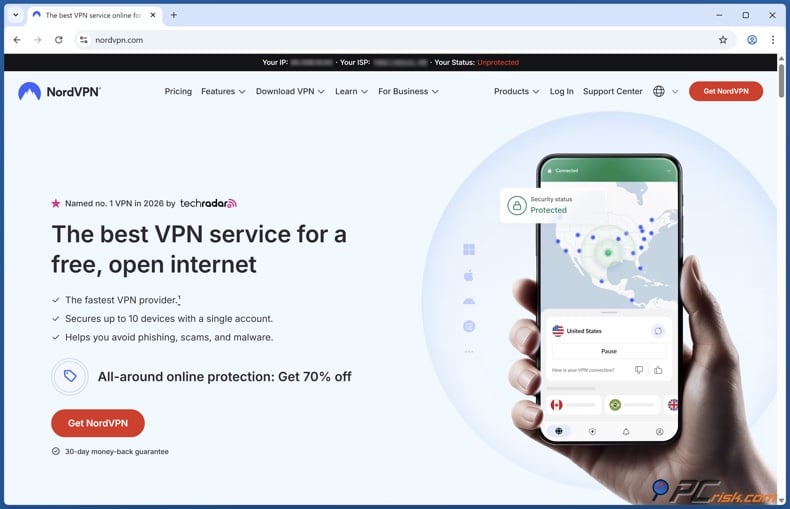
1. Install and sign in. Download the NordVPN app for your device (Windows, macOS, iOS, Android, or Linux) and sign in. NordVPN supports many platforms and has a user-friendly design, making it easy to get started.
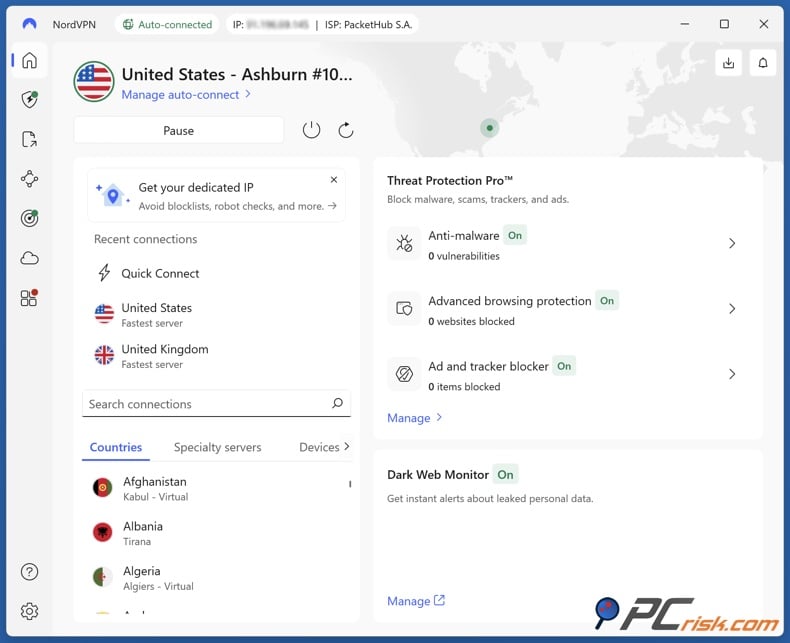
2. Pick the right server location for your goal. For the best editing experience, with faster uploads and downloads and fewer delays, choose a server close to where you are. This usually means lower latency and better performance than using a server in a faraway country. We at PCrisk.com test this by measuring server speed and latency at different distances.
If you're checking region-limited templates or effects, or want to see if something is restricted by location, connect to a server in the country where those assets are available. CapCut notes that some templates and effects are limited by country or region, so this is a simple way to test.
3. Connect, then confirm you're protected. Use Quick Connect or choose a specific country or server, then connect. NordVPN's app clearly shows when you're connected and which location you're using.
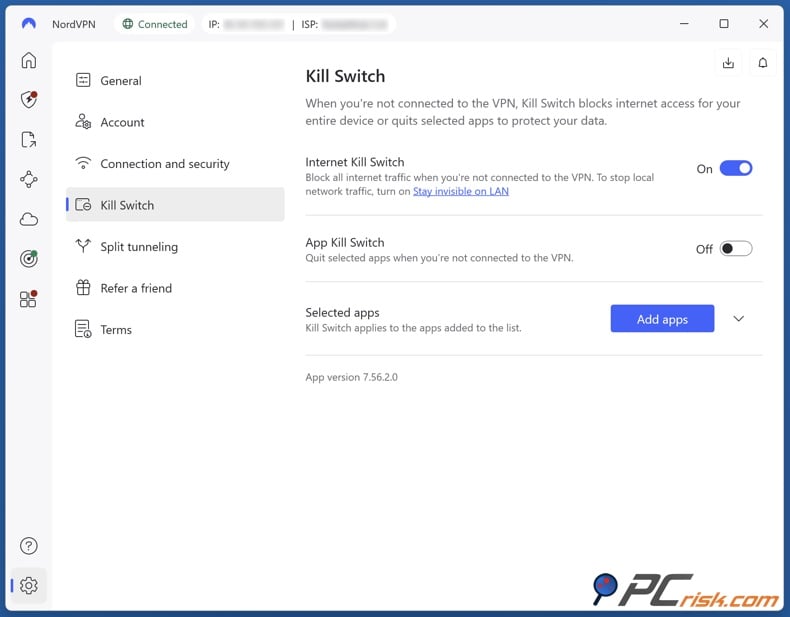
4. Turn on the kill switch. This feature stops your internet traffic if the VPN disconnects unexpectedly, helping to prevent accidental data leaks. We test kill switches by simulating dropouts to ensure the VPN really protects users in real-world situations.
If you're on an untrusted network, like hotel or café Wi-Fi, consider turning on auto-connect so the VPN starts automatically when you join new networks. NordVPN has this feature and lets you set it up once so you don't have to think about it again.
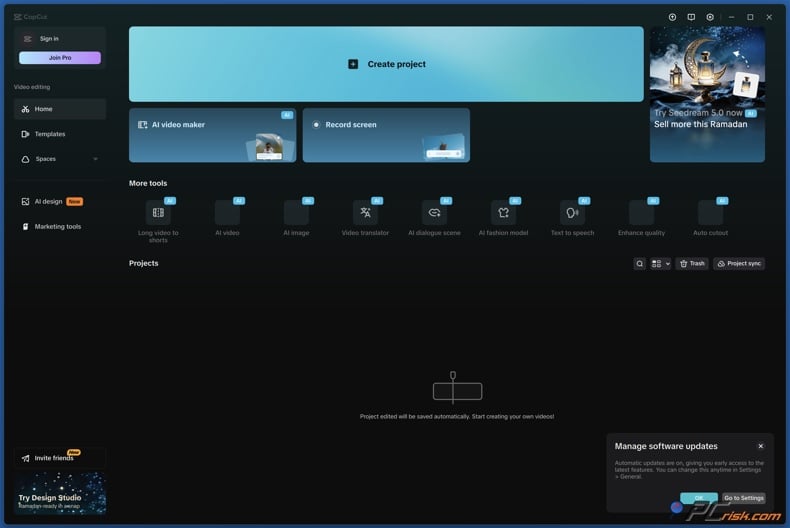
5. Open CapCut and test the feature you care about. After you connect, open CapCut and check if your issue is fixed, like template availability, asset library access, or account login. If you're testing region-based features, change one thing at a time: switch the VPN location, refresh CapCut, and see if anything changes.
6. Optimize if things feel slow. If CapCut seems slow while you're using the VPN:
- Try connecting to a server closer to you, either in the same country or a nearby region.
- Try switching the VPN protocol if your app allows it, since newer protocols are often faster and more stable. NordVPN supports several protocols and recommends NordLynx for the best performance.
- Turn off features like multi-hop or Double VPN for now, since using multiple servers can slow things down.
The Best VPNs for CapCut in 2026
PCrisk.com's list of the best VPNs for 2026 includes 5 top choices. The ranking below keeps PCrisk.com's top pick at number one and compares all 5 based on what matters most to CapCut users: consistent speed, stability, a large number of server locations, and useful features like kill switches and split tunneling.
1. NordVPN (best overall for CapCut users in 2026). NordVPN is PCrisk.com's top-ranked VPN of 2026, and the reasons translate well to CapCut: it's built for high performance, offers a broad spread of server locations, and includes extra tools that can be useful if you create (or travel) a lot. As of 2026, it operates 9,100+ servers across 167 countries, which is exactly what you want when you're testing CapCut features across different regions or simply want a nearby server for smoother uploads and browsing.
NordVPN is fast and stable, uses strong encryption, and offers advanced options like Double VPN and Onion over VPN. For CapCut use cases, the practical takeaway is: you can generally prioritize a nearby server for speed, but still have more specialized options if you're on a network that blocks VPN traffic or want additional layers of privacy.
NordVPN's privacy posture is repeatedly tied to audits and a strict no-logs stance, and it also runs an ecosystem of add-ons (depending on plan) such as password management and encrypted storage. For creators who treat their workflow as a business, that "suite" approach can be either a plus (one subscription covering more risk areas) or a downside (you only want a VPN, not the whole suite).
Strengths for CapCut: strong performance, huge location coverage, features for restrictive networks (obfuscation), and reliable apps across major platforms. Limitations to be aware of: Split tunneling limitations on macOS and iOS, which can matter if you were hoping to send only CapCut through the VPN while keeping other apps on your normal connection.
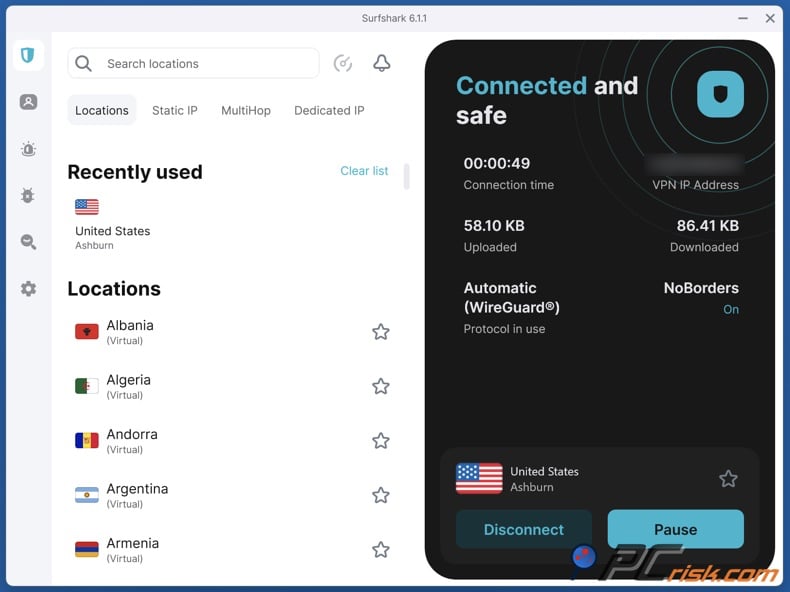
2. Surfshark (best for unlimited devices and strong value). Surfshark is our second-ranked VPN in 2026 and is particularly well-suited if CapCut is something you use across many devices (or within a household where multiple people create content). Surfshark's "unlimited devices" policy (rare among major VPNs) is hard to overstate for creator setups that include phones, tablets, multiple laptops, and even shared family devices.
In terms of network scale, PCrisk.com reports 4,500+ servers across 100 countries. That's less than NordVPN's server count, but still plenty for most CapCut tasks: you get meaningful regional flexibility, and you're unlikely to be "stuck" without a nearby server in most parts of the world.
Surfshark also differentiates itself with features like MultiHop (routing through multiple countries) and tools aimed at stability and reliability. Its Everlink behavior stands out as part of its reliability story, and server switching is fast - useful when you're troubleshooting region quirks (for example, testing whether a template catalog changes when you switch countries).
The trade-offs are mostly commercial and platform-specific: Renewal pricing can jump significantly from the initial term, and some features are missing on iOS and Linux. For CapCut users, Surfshark is often an excellent value at the initial price - especially if you actually benefit from unlimited devices, but you should still treat the renewal date as a decision point rather than an autopilot expense.
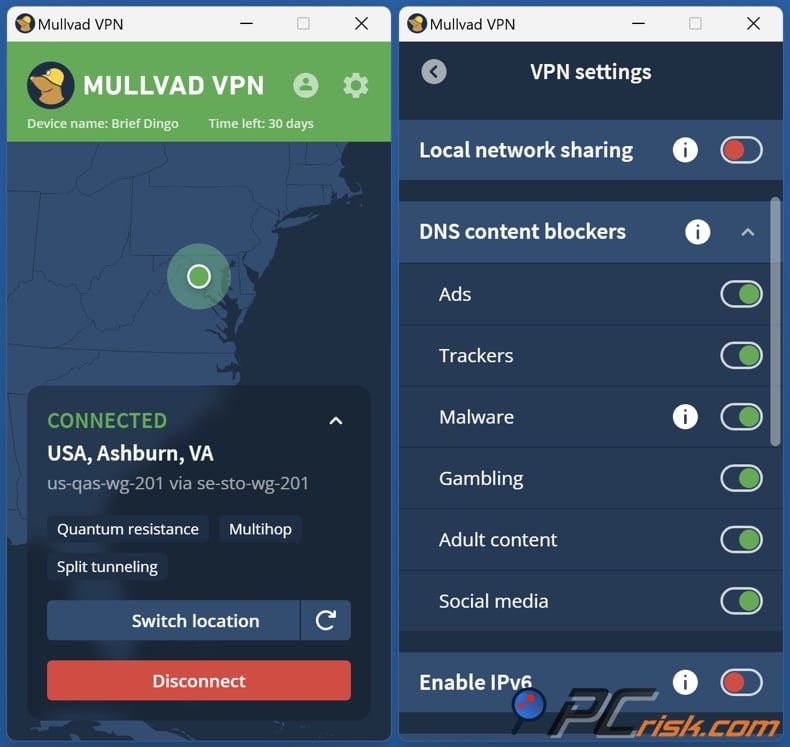
3. Mullvad (best for privacy purists, less ideal for bypassing blocks). Mullvad is PCrisk.com's third-ranked VPN for 2026 and is one of the most privacy-forward options in the mainstream VPN space. The standout feature is anonymity by design: Its signup approach does not require an email address and emphasizes minimal data collection. For creators who want to reduce the amount of personal footprint tied to their VPN account, that's meaningful.
From a CapCut perspective, Mullvad's strengths are "core VPN correctness": reliable performance, strong protocols, a kill switch, and leak protection. If your goal is simply to encrypt traffic on public Wi‑Fi or reduce tracking tied to your home IP, Mullvad does that job well.
However, Mullvad is the least "content-unblocking-oriented" of the five. It struggles with major streaming services and doesn't aggressively invest in bypassing blocks. Even if CapCut itself isn't a streaming platform, the same blocker dynamics can apply when services restrict content by region or attempt to limit VPN usage. For CapCut, this means Mullvad may not be your best option if your primary VPN goal is accessing region-based catalogs or working around network-level restrictions.
On network size, PCrisk.com reports roughly 580+ servers across 50+ countries. That's respectable for everyday usage, but it's clearly smaller than NordVPN/Proton/Surfshark/ExpressVPN. Practically: you may have fewer "close" server choices, and fewer countries to test if you're trying to see how CapCut behaves in specific regions.
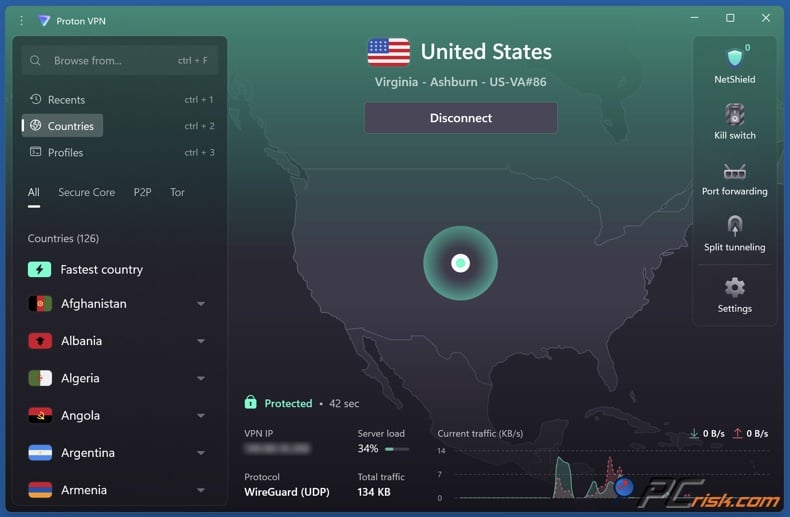
4. Proton VPN (best for huge server coverage and a trusted free plan option). Proton VPN is PCrisk.com's fourth-ranked VPN in 2026 and is positioned around transparency, strong privacy culture, and a large server footprint. PCrisk.com reports 18,700+ servers in 134+ countries as of 2026 - one of the broadest networks in the industry. For CapCut users, this can matter in a very direct way: more countries and more servers generally mean more chances to find a fast nearby connection, and more flexibility if you're checking whether features differ by region.
Proton VPN is also the only VPN in our top 5 list to explicitly offer a free plan, which changes how it fits into CapCut workflows. If you're not ready to pay yet, the free plan can be a safer testing ground than random "free VPN" apps - though it comes with important limits (fewer locations, restrictions on what the free servers can access, and often less suitability for geo-unblocking). Free-server limitations can include the inability to use streaming services and P2P, and the free plan's location choices are narrower than those of paid tiers.
Beyond the VPN basics, Proton VPN's extra features, such as multi-hop ("Secure Core") and NetShield blocking, are relevant for people who want a more security-forward browsing environment while working online. The trade-off is that Proton VPN isn't always the cheapest long-term, and support responsiveness may vary by plan. If your CapCut use is casual and you only need occasional VPN access, the free plan may be enough to test regional questions. Still, most serious creators will likely prefer a paid tier for consistent performance and location choice.
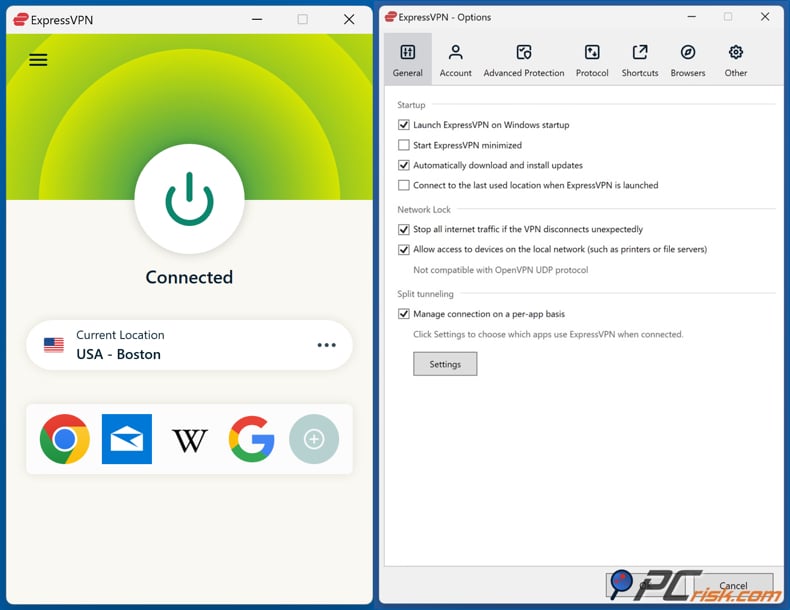
5. ExpressVPN (best for polished apps and reliable everyday use, but expensive). ExpressVPN is PCrisk.com's fifth-ranked VPN of 2026, often regarded as a premium, user-friendly service with strong security fundamentals. PCrisk.com describes a network footprint of 3,000+ servers across 105+ countries, and its review emphasizes stable performance and a beginner-friendly experience. For CapCut users, that combination can be ideal when you simply want a VPN you can turn on and trust without constant tweaking.
ExpressVPN's privacy posture includes RAM-only server design and a verified no-logs stance, and PCrisk.com highlights its proprietary Lightway protocol as part of the speed/stability story. For practical CapCut use, that typically translates to fewer random disconnects and reliable performance on both desktop and mobile devices - especially on nearby servers.
Where ExpressVPN can fall short for power users is in the breadth of its features relative to its price. It's pricey compared to many VPNs and may lack some advanced features (like multi-hop or built-in malware scanning). For CapCut, that means ExpressVPN is excellent if you value simplicity and consistent reliability, but less compelling if you want "the most features per dollar" or if you're choosing a VPN primarily to experiment with many region endpoints at the lowest cost.
Best VPNs for CapCut comparison
If you want a VPN that does everything well, NordVPN is the most balanced choice. Its large global network and strong speed and reliability make it the option least likely to let you down in different CapCut situations.
If you need to use a VPN on many devices or don't like device limits, Surfshark is the most practical choice. It also has enough servers for most region-based testing.
If you want strict privacy and don't need to bypass region blocks, Mullvad offers a very clean privacy approach. However, its smaller network and weaker ability to unblock content can be limiting if you need to test CapCut in different regions.
If you want a wide range of server options and a free plan from a privacy-focused provider, Proton VPN is a strong choice. The paid plans give you even more locations to choose from.
If you want a premium experience and easy-to-use apps, ExpressVPN is a good pick. Just remember you're paying for a polished, consistent service, not for the most features.
How We Select and Test VPNs for CapCut
PCrisk.com's VPN recommendations are based on structured testing, not just marketing claims. That matters for CapCut, because you don't want a VPN that's "theoretically secure" but leaks during a disconnect, or one that's "fast in ads" but becomes unstable when you actually need to upload assets, browse templates, or edit while traveling.
Security testing is foundational. PCrisk.com evaluates encryption standards and modern protocols (expecting AES‑256 or ChaCha20 equivalents, and secure tunneling protocols), then validates real-world leak behavior (IP/DNS/WebRTC). Kill-switch behavior is tested by simulating dropouts to determine whether traffic is actually blocked when the VPN connection fails. These checks matter for creators because the risk isn't theoretical: a one-second leak on public Wi‑Fi can reveal your real IP and unencrypted traffic.
Performance testing is treated as a disciplined process rather than a one-off speed test. PCrisk.com records baseline speed (no VPN), then tests local/mid-distance/far-flung servers at different times of day. It logs download, upload, and ping results, repeating tests to obtain more realistic averages (PCrisk.com averages 9 data points across servers and times). In CapCut terms, this approach is directly relevant: latency can affect how smooth web-based assets load, and upload speed can affect how quickly you share or sync large projects.
Streaming and geo-unblocking are tested because they're a strong proxy for "can this VPN reliably avoid blocks." PCrisk.com tests major content services and also checks whether VPNs work in heavily restricted environments, looking for specialized modes such as obfuscation. Even if you're not using your VPN for entertainment, the same ability to evade geo restrictions can help when CapCut assets, features, or services behave differently across regions.
Privacy analysis goes beyond a "no logs" claim. PCrisk.com describes reviewing privacy policies and evaluating whether the provider's jurisdiction and audit history support the provider's privacy story. This is important for CapCut users who want a VPN for privacy reasons, because your VPN's data practices can matter just as much as its technical encryption.
Usability and features also factor into scoring: how easy is installation, are the apps stable, do key features like split tunneling or multi-hop actually work, is support responsive. In real CapCut usage, that translates to fewer interruptions when you're trying to edit quickly and fewer "VPN babysitting" tasks.
Key Features to Consider When Choosing a VPN
For CapCut, the best VPN isn't just about privacy. It's also about making your creative work smoother. Here are the features that matter most in real use:
Top VPN ReviewsExclusive dealsExpert-tested · hands-on reviews→
Consistent speed matters more than just having the highest speed. CapCut users often browse templates, download assets, sync, and export projects. We test VPNs at different times and locations to ensure they remain reliable every day.
A wide and well-spread server network is important. To keep latency low, pick a server near you. If you need to test region-limited templates or effects, having many countries to choose from helps. Proton VPN and NordVPN have the widest coverage, while Mullvad's smaller network can be limiting.
Leak protection and a reliable kill switch are essential. If a VPN leaks or its kill switch fails, it defeats the main reason for using it, especially on public Wi-Fi. PCrisk.com treats leak tests and kill-switch checks as must-haves, not just nice extras.
Your VPN should have stable apps for both mobile and desktop, since CapCut is used on both. PCrisk.com checks how easy the apps are to use and how well they work across different platforms, noting that some features, like split tunneling, may not be available everywhere.
Split tunneling when you need it. Split tunneling can be useful if you only want CapCut traffic to go through the VPN while keeping other apps on your normal connection (or the other way around). The catch is that platform support varies. Split tunneling isn't available on all platforms for some providers.
Obfuscation or stealth options are useful if you're on networks that block VPNs or if you travel to places with strict internet rules. These features can help your VPN connect when it might otherwise be blocked. NordVPN and Surfshark both have tools for these situations.
Device limits and account flexibility matter because many CapCut users edit on multiple devices. Surfshark stands out by allowing unlimited devices, while other VPNs may limit how many you can connect at once, depending on your plan.
Can I Use a Free VPN for CapCut?
Free VPNs can give you basic encryption for occasional use, but they usually have downsides that hurt the CapCut experience. These include fewer servers, limited locations, slower speeds, data limits, and sometimes privacy risks. Free VPNs often have these restrictions, and some have been caught logging or selling user data.
If you want a smooth CapCut experience, especially for changing regions to check templates or effects, free VPNs can be frustrating because they offer limited location choices. However, Proton VPN is an exception, since it offers a free plan and is included in PCrisk.com's top 5 VPNs.
If you're testing out different VPNs, it's a good idea to add an extra layer of security. Combo Cleaner gives you real-time anti-malware scanning for your downloads, protects you from scams, phishing, and dangerous websites, and removes harmful browser extensions that cause redirects, pop-up ads, or tracking.
A VPN encrypts your traffic — but your device still needs protection against malware and ransomware. Combo Cleaner adds the missing layer of defense.
Download Combo CleanerAntivirusDetect & remove malware threats→However, Proton VPN's free plan has real limits, such as fewer server locations, support for only one device, and restrictions that make it less useful for streaming or unblocking regions. For CapCut, the free plan is good for basic privacy, especially on public Wi-Fi, but it may not be enough if you need to access region-specific assets often or want reliable performance for big projects.
If you plan to use a VPN regularly with CapCut, a reputable paid VPN is the best choice. Paid VPNs offer more servers, better performance, and more reliable connections, which help prevent problems like buffering, slow asset loading, or random disconnects during editing.
Common Issues and Solutions When Using a VPN With CapCut
VPNs are usually easy to set up and leave running, but CapCut may act differently if your IP address changes often or if your account shows unusual login activity. Here are some common problems and how to fix them.
If templates, effects, music, or assets look different from those on another device or for another user, it may be a region issue. CapCut acknowledges that certain templates/effects may be released only in specific countries or regions (for example, due to licensing or marketing). A simple test is to connect to a VPN server in a different country, then refresh the relevant CapCut section to see if availability changes. If it does, you've likely identified regional gating, not a "bug."
If you can't find template search on the desktop, it may not be your VPN at all. CapCut's help materials indicate that template search is available on mobile and web, while the desktop app only shows a limited set of built-in templates (without a template search function). If you're troubleshooting "missing templates," confirm you're comparing the same platform type.
If CapCut login starts failing after you switch VPN regions, slow down your location changes. CapCut's support guidance for "Retry after 24h" indicates the error can appear when the system detects unusual login activity or potential policy issues. Rapidly hopping countries can look suspicious to automated systems. A good practice is to choose one VPN location and stick with it for a session instead of changing every few minutes.
If CapCut feels slow while the VPN is connected, your server choice is usually the cause. VPN performance depends heavily on distance and congestion. PCrisk.com's methodology explicitly measures latency and tests across local and distant servers because far-flung connections predictably add overhead. For CapCut, the default improvement path is straightforward: choose a server close to you and use distant regions only when testing access or troubleshooting.
If the VPN connects but CapCut still seems blocked, you may be dealing with app distribution or account-region issues, not network routing. VPNs can change your IP location, but app store access can be shaped by local restrictions and storefront rules. For example, reporting around the ByteDance app removals in the United States described how users could be blocked from downloading or updating certain apps within the country, even if the apps were already installed. That's a different layer of restriction than "the app won't load," and a VPN doesn't always solve it cleanly.
If you're on a restrictive Wi‑Fi network and the VPN won't connect at all, try obfuscation/stealth options and alternative protocols. PCrisk.com's testing process specifically checks whether VPNs can function in restrictive environments, and providers like NordVPN and Surfshark offer options intended to help the VPN connection blend in better on censored networks.
If you suspect your VPN is leaking (or you're not sure it's working), run leak checks and verify kill switch behavior. We at PCrisk.com treat IP/DNS/WebRTC leak tests and kill-switch dropout simulation as essential checks; if the VPN fails those tests, it isn't providing the privacy you think you're getting. This matters even more if you're editing on public Wi‑Fi.
Wrapping Up
For most CapCut users in 2026, NordVPN is the most reliable choice among our top-reviewed VPNs, especially if you want speed, stable apps, and lots of country options. Surfshark is the best alternative if you need unlimited devices. Proton VPN is great if you want wide coverage and a trustworthy free plan. ExpressVPN is a premium option for simplicity and stability, while Mullvad is best for users who care most about privacy and don't need to unblock content or test many regions.
Frequently Asked Questions (FAQs)
Will a VPN make CapCut faster?
Sometimes, but not usually by default. A VPN often adds overhead because traffic must be encrypted and routed through another server. You're more likely to see speed improvements only if your local network is throttling certain traffic routes or if connecting through a nearby VPN endpoint results in better routing. PCrisk.com's speed testing notes that distance and latency are key factors, which is why local servers tend to perform best.
Which VPN is best for CapCut overall in 2026?
NordVPN is our top-ranked VPN in 2026 and is generally the best overall fit for CapCut because it combines strong performance, broad location coverage, and mature apps.
Which VPN is best for using CapCut on multiple devices?
Surfshark is the standout in our top 5 because it supports unlimited device connections, which is ideal for multi-device homes or creator setups.
Can a VPN unlock CapCut templates or effects that are unavailable in my region?
Sometimes. CapCut indicates that certain templates/effects may be released only in specific countries/regions, so switching VPN location can be a useful test. Whether it works consistently depends on how CapCut enforces that limitation (IP location, account region, licensing controls, and other factors).
Can I use Proton VPN's free plan for CapCut?
You can use it for basic encryption and light testing. Still, the free plan is limited (fewer countries, one device, and restrictions that reduce suitability for streaming/geo-unblocking on free servers). For serious CapCut workflows, a paid tier is typically more reliable.
Why did CapCut show "Retry after 24h" after I started using a VPN?
CapCut's own support information indicates that this message can occur when unusual login activity is detected or when policies are triggered. Rapidly changing VPN locations can appear suspicious. Stick to one server location for a while and avoid frequent country hopping during logins.
Should I keep my VPN on all the time while using CapCut?
If you're using public Wi‑Fi or you want consistent IP masking, keeping the VPN on can make sense. If you only need the VPN to test location-based availability, you may only need it while checking that specific feature. PCrisk.com's emphasis on leak protection and kill switch reliability is a reminder that "always on" only makes sense if your VPN is configured safely (kill switch enabled, no leaks).
What VPN features matter most for creators?
Reliable speeds (especially on nearby servers), stable apps, strong leak protection, a functioning kill switch, and a broad location list are the factors that tend to matter most in creative workflows. These priorities align with how we weigh VPN scoring: security and privacy highest, speed high, then streaming/geo-unblocking and usability/features.
Is Mullvad a good choice for CapCut?
It can be, if your priority is privacy, minimalism, and secure everyday browsing rather than bypassing restrictions. But expect weaker results for bypassing blocks on major services and a smaller location footprint - both of which can be limiting if you're using a VPN to access region-based features.
Share:
 Facebook
 X.com
X.com
 LinkedIn
 Copy Link

Rimvydas Iliavicius
Researcher, author
Rimvydas is a researcher with over four years of experience in the cybersecurity industry. He attended Kaunas University of Technology and graduated with a Master's degree in Translation and Localization of Technical texts. His interests in computers and technology led him to become a versatile author in the IT industry. At PCrisk, he's responsible for writing in-depth how-to articles for Microsoft Windows.
▼ Show Discussion