
We may earn commissions from products we recommend. Learn more.
How to get a cheaper DAZN subscription in 2026 with a VPN

How to get a cheaper DAZN subscription in 2026 with a VPN?
DAZN is a sports streaming platform with catalogs and pricing that differ by country. Subscriptions offer different content and value depending on the region. In some markets, the focus is on football, while others include boxing, NFL Game Pass, basketball, rallying, or specialized packages - like baseball or US sports.
Depending on a user's needs, a VPN may help them subscribe to DAZN through a lower-priced region. A VPN can change your apparent location, which may allow access to local offers. However, it must be mentioned that platform rules may restrict access.
Disclaimer: PCrisk.com does not promote, encourage, or endorse bypassing geoblocks/geo-restrictions or violating streaming platforms' terms of service. This article is for educational and informational purposes only. Use any method described here at your own risk, and always consider local law and platform rules before proceeding.
Watch DAZN with NordVPNSpecial deal30-day money-back guarantee→
Table of Contents:
- Introduction
- Content available on DAZN and differences in pricing
- Can you get a cheaper DAZN subscription?
- How to get a cheaper DAZN subscription with a VPN?
- Best VPNs to stream DAZN
- Can you use a free VPN to get a cheaper DAZN subscription?
- Common issues and solutions when streaming DAZN with a VPN
- Is using a VPN to get a cheaper DAZN subscription legal?
- In closing
- Frequently Asked Questions (FAQ)
Content available on DAZN and differences in pricing
DAZN is a global sports streaming platform offering live and on-demand access to various sporting events. Unlike traditional broadcasters, DAZN operates primarily as a subscription-based digital service available through apps, web browsers, and connected devices. DAZN is available in 200+ countries, though full service availability varies significantly by region. Each country has a distinct catalog determined by local broadcasting rights.
DAZN is unavailable in the following countries and regions:
- China
- Crimea
- North Korea
- Russia
- Syria
- Iran
Content available on DAZN
DAZN's content varies significantly by region, but across its markets, it typically includes:
Football competitions - such as the UEFA Champions League (in select markets), Serie A, domestic leagues, and regional tournaments.
American sports - including NFL Game Pass and NCAA coverage.
Combat sports - boxing and MMA events.
Motorsports - Formula-style and other racing categories (in certain countries).
Basketball and niche sports - including FIBA-related content.
Add-on services - such as NFL Game Pass, Rally TV, NHL.TV, and National League TV.
Some markets emphasize local leagues. For example, Japan prominently features J.League, while others focus on international competitions.
DAZN packages
DAZN does not sell a universal subscription. Instead, it offers region-specific packages that are based on licensing agreements. Broadcasting rights are negotiated separately in each country, hence:
- Different sports are available in different markets.
- Plans vary in scope (e.g., football-only vs multi-sport).
- Different stream limits and features.
- Prices reflect rights costs and local competition.
Some examples of regional package structures include:
Canada - Standard, Ultimate, DAZN+, Soccer.
France - DAZN base plan, Ligue 1+, and bundles.
Italy - Sports, Full, Family, Goal, MyClubPass.
Japan - Standard, Soccer, Global, Baseball.
Spain - Motor, Football, Premium, Basketball, "Made in USA".
Furthermore, local billing rules affect final pricing. Payment methods, taxes, and foreign transaction fees can vary by country - therefore, the actual cost may differ from the advertised price.
Recent examples of DAZN pricing and packages by country:
| Country | Lowest recent entry price | Higher-tier pricing | Notes on content |
| Global / Free tier | Free (ad-supported in some regions) | - | Limited access to highlights, women’s football, combat sports, and promotional streams |
| Spain | From €4.99/month (entry-level niche plan) | Up to €44.99/month (Premium) | Separate plans for football, motorsport, basketball, and multi-sport bundles |
| Japan | ¥980/month (Global) | Up to ¥4,200/month (Standard) | Strong local focus (J.League, baseball) plus international sports |
| France | €14.99/month (base DAZN) | Ligue 1+ and bundles priced higher | Domestic football sold via add-ons |
| Italy | €14.99/month (Sports) | Up to €71.99/month (Family) | Serie A-focused structure with multiple tiers |
| Germany | €24.99/month (Super Sports) | Up to €44.99/month (Unlimited) | Football-heavy bundles and premium plans |
| Belgium | €24.99/month (annual commitment) | €34.99/month (flexible monthly) | Lower pricing with long-term contracts |
| United States | $20.99/month (annual pay-monthly) | $30.99/month (rolling monthly) | Boxing, combat sports, and selected football rights |
| Canada | CAD 34.99/month (Standard) | Up to CAD 54.99/month (DAZN+ / Soccer plans) | NFL Game Pass, football, and premium add-ons |
DAZN pricing varies by region, reflecting differences in sports rights, features, and subscription structures beyond currency fluctuations. Lower-cost plans offer limited content, while higher-tier packages include broader coverage and more streaming features. Hence, which package is the best or cheapest - depends on the viewer's specific interests. It must also be emphasized that DAZN's catalog and packages can change between rights cycles.
Can you get a cheaper DAZN subscription?
DAZN prices and packages vary by region, so a lower-priced offer may be available if the streaming platform recognizes your connection as coming from that area. This is the primary reason to use a VPN in this context. A VPN routes your Internet traffic through a server in another country - thereby masking your IP address. Hence, accessed websites and platforms may detect the IP address provided by the VPN instead of your actual IP.
Our top recommendation for streaming and privacy. NordVPN consistently leads our tests with fast speeds, reliable geo-unblocking, and a strict no-logs policy.
- ✔ Unblocks geo-restricted streaming services reliably
- ✔ 202+ locations across 111 countries
- ✔ 30-day money-back guarantee · Special deal available
However, a VPN is not a guaranteed solution. It may allow you to compare regional DAZN storefronts or access lower-priced sign-up options, but it does not ensure a successful purchase or stable playback. DAZN's official VPN policy states that it does not support VPNs. The payment guidelines require the billing address on your card or bank account to match the country from which you access DAZN. Accepted payment methods also vary by country. These are significant obstacles for anyone attempting to purchase a subscription outside their usual market.
It is important to distinguish between using DAZN while traveling and attempting to subscribe from another market. Within the European Economic Area (EEA), DAZN complies with the Portability Regulation, which allows users to access their home-country content while traveling within the EEA (provided the account was created in their country of permanent residence and is properly configured). This portability feature is different from subscribing to a less expensive foreign package. If you reside in a supported EEA market and are traveling temporarily, portability may resolve your access issues without requiring a different regional subscription.
In summary, while a VPN may allow you to obtain a cheaper DAZN subscription, there are several hurdles to consider. These include VPN detection, billing-country verification, limited payment options, and potential bank fees. It must also be mentioned that should DAZN increase enforcement or change how it determines user geolocation - playback issues may arise, even if registration is successful.
How to get a cheaper DAZN subscription with a VPN?
To access a lower-priced DAZN region, use a reputable VPN and connect before opening DAZN. To ensure the best chances of success, carefully review the payment requirements for the country you select before proceeding to checkout. Since DAZN does not support VPNs, results may vary. However, the proper setup can enable you to view regional storefronts, compare local offers, and determine which markets are accessible.
Below are the standard VPN setup steps:
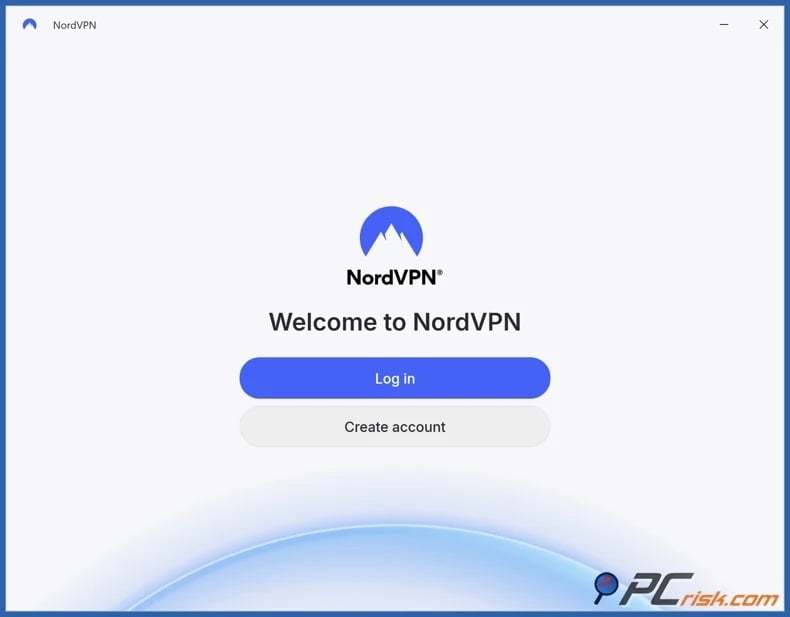
1. Pick a reputable VPN provider. Focus on services with large server networks, fast and stable speeds, good TV support, and solid troubleshooting guides. A strong privacy stance and safety features are crucial as well. We recommend our Top 2026 VPN Choice - NordVPN.
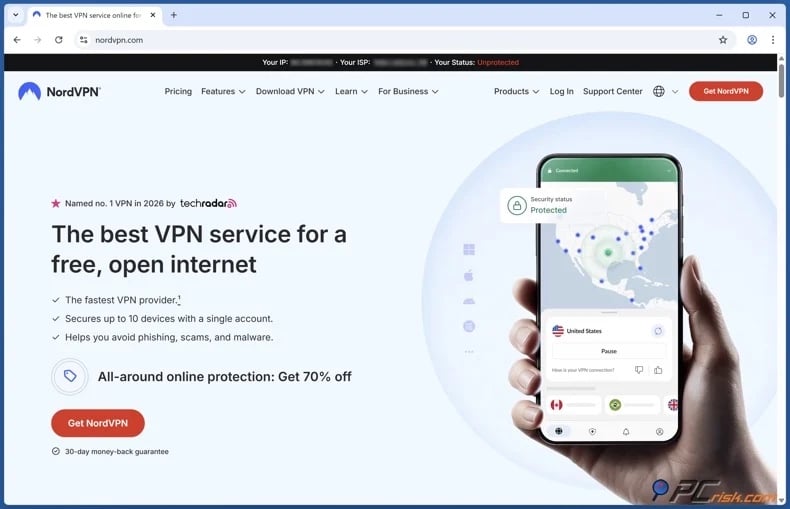
2. Install the VPN on the device you will use to sign up. DAZN supports many devices, including smart TVs, smartphones, tablets, consoles, and computers. The same is true of major VPN services, which are compatible with multiple platforms (Windows, macOS, iOS, Android, streaming hardware, etc.).
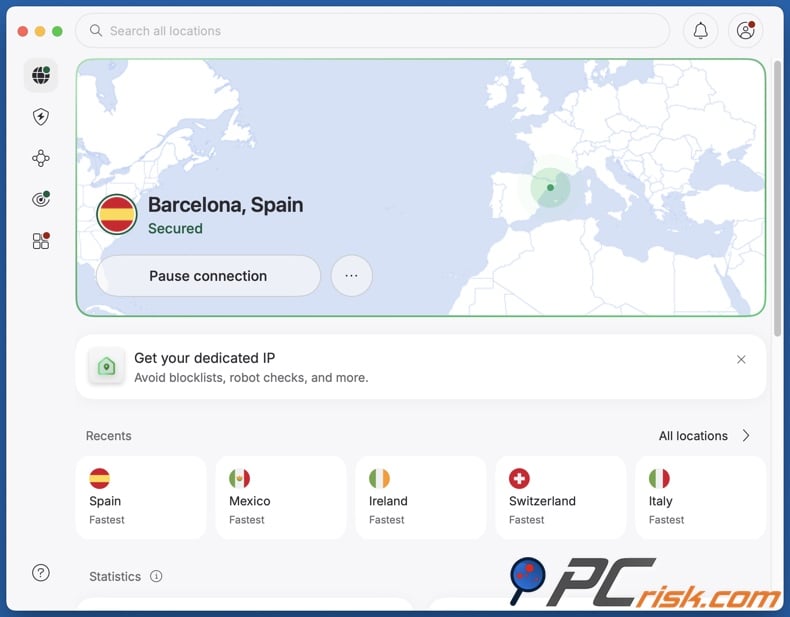
3. Connect to a server in the country whose DAZN pricing you want to try. If possible, choose a stable server with low load. If performance is poor later, switching to another server in the same country is often the first fix.
4. Open DAZN, create your account, select the local plan, and attempt checkout. Payment-country checks can be incredibly important. DAZN states that your billing address must match the country you are accessing the platform from, and country-specific terms indicate that accepted payment methods vary by market. After subscribing, test playback immediately. If DAZN fails to load or shows the wrong region, check out the "Common issues and solutions when streaming DAZN with a VPN" section of this article.
Notes on setting up a VPN on a smart TV:
If your TV supports VPN apps - setup is usually straightforward and simple. Major VPN applications provide the required compatibility. DAZN is also available on many smart TVs and streaming devices. Hence, you can install the VPN on the TV, connect to the target country, then open DAZN and sign in on the same device.
If your TV does not support VPN apps - common alternatives include router-level VPN, Smart DNS, or sharing a connection from another device. Reputable VPNs typically offer guides for a variety of TV setups, and some even offer specialized tools or features. It is noteworthy that troubleshooting is the simplest with a native VPN app setup. A router-level setup ensures that all network devices have the same VPN-provided IP address, but changing servers is more complex.
It must be reiterated that using a VPN is only part of the process. Payment can be a significant obstacle. If DAZN requires a local billing address or country-specific payment method, accessing a different store page may not be sufficient. Keep in mind that DAZN's rules, regional pricing, and technical checks may change, so a market that works now could change in the future. It must be stressed that relying on dodgy "services" promising to pay for DAZN (or other streaming services) on your behalf may result in you falling victim to a scam.
Best VPNs to stream DAZN
A VPN for streaming services from outside your country should offer a large and diverse server network for regional access. It should also deliver fast and stable speeds to prevent buffering or interruptions. Reliable apps, DNS leak protection, a "kill switch" feature, and consistent performance across devices are likewise essential for smooth playback. Strong privacy policies - particularly a strict no-logs policy - are crucial; they ensure that your browsing activity is not stored or shared, protecting your data on public networks and providing additional security when accessing region-locked content.
Based on our research and hands-on testing, we have narrowed down our top five VPN picks for 2026 (read our dedicated article for an in-depth service comparison):
1. NordVPN
NordVPN is our Top 2026 Pick and our recommendation for DAZN users. This VPN offers a large network comprising 9,000+ servers in over 160 countries. NordVPN's no-logs policy has undergone multiple independent audits. The service has strong TV compatibility, including native support for Android TV and Apple TV, as well as SmartDNS, router setup, and shared-connection options for devices without VPN app support. NordVPN also provides 24/7 customer support, which is valuable when streaming issues arise during live events.
2. Surfshark
Surfshark is a great choice for household and multi-device users. A single subscription supports unlimited simultaneous connections, follows a no-logs policy, provides 24/7 support, and operates over 4,500 RAM-only servers in over 100 countries. Surfshark supports various smart TVs and router-based setups, which makes it a flexible choice for a living-room DAZN streaming experience.
3. Mullvad VPN
Mullvad is the leading choice for privacy. Creating an account does not require sharing personal details, not even an email address. Numbered accounts, a strict no-logs policy, and external audits reinforce its privacy commitments. This VPN is ideal for users focused on minimizing data exposure rather than entertainment-driven features. Mullvad VPN is not optimized for streaming and offers 580+ servers in over 50 countries - a network that is smaller than those of major competitors.
4. Proton VPN
Proton VPN is the best option for users seeking both paid streaming and a reliable free plan. Streaming is available on all paid plans, while the free plan has no ads or data limits. The latter offers a narrower server selection and fewer features. Paid Proton VPN tiers provide strong smart TV support and are well-suited for streaming with robust security.
5. ExpressVPN
ExpressVPN is one of the most user-friendly options. It is known for its intuitive and easy-to-use applications, which are compatible with various smart TVs. The MediaStreamer tool provides support for smart TV models that are incompatible with VPN apps. ExpressVPN features an independently audited no-logs policy, 24/7 live chat support, and a polished streaming experience.
Remember that a VPN cannot guarantee continuous, uninterrupted access to all websites and platforms. Streaming services in particular are proactive in detecting and blocking VPN-related traffic.
It must be mentioned that a VPN does not substitute dedicated security software. VPNs are powerful privacy tools, but security programs can protect you from malicious ads, phishing pages, and fake download prompts, as well as detect and remove unwanted applications and malware. We recommend Combo Cleaner for enhancing your safety online and securing your devices.
A VPN encrypts your traffic — but your device still needs protection against malware and ransomware. Combo Cleaner adds the missing layer of defense.
Download Combo CleanerAntivirusDetect & remove malware threats→Can you use a free VPN to get a cheaper DAZN subscription?
While a free VPN may allow you to access DAZN and might even enable you to subscribe, these tools are generally unsuitable for streaming. Free services typically come with a host of limitations that can render bandwidth-demanding activities - such as streaming - incredibly frustrating or downright impossible. Additionally, there are serious trust concerns. Free VPNs have extensive access to your data, and some have poor security, while others may outright monetize it through sale to third-parties. As these services require a revenue source, they may also profit through aggressive and even harmful advertisements or software bundling (potentially malware).
Top VPN ReviewsExclusive dealsExpert-tested · hands-on reviews→
The following issues are especially relevant for streaming DAZN:
Unreliable unblocking - DAZN often blocks known VPN endpoints, and free providers typically rotate fewer IP addresses.
Overcrowded servers - high user volume on free servers is likely to cause slower speeds, increased buffering, and less stable checkout or playback.
Limited region control - free VPNs usually provide random or restricted server selection, making it difficult to access a specific DAZN market.
Poor support - should DAZN block your connection, most free services offer minimal assistance. Quality troubleshooting guides and live chat support are standard for reputable paid services, but are practically nonexistent for free VPNs.
Increased privacy risk - using unverified VPNs may expose your data to providers you have no reason to trust.
If you require a free option, the free plan from Proton VPN is a quality choice. It follows a strict no-logs policy and is not ad-supported. However, Proton's paid tiers are more reliable for consistent streaming. Keep in mind that while a free VPN may suffice for testing or checking regional offers, a paid service is the practical solution for subscribing to and reliably streaming DAZN.
Common issues and solutions when streaming DAZN with a VPN
Even premium VPNs may encounter issues with DAZN. Troubleshooting is not uncommon, as streaming services regularly update location checks and VPN providers adjust endpoints and routing. Most DAZN and VPN failures fall into a few categories - blocked VPN traffic, payment-country mismatches, outdated browser/app data, overloaded servers, or TV device setup issues.
Below are some of the most common issues and solutions:
DAZN loads, but playback is blocked or the stream will not start - typically indicates the VPN server has been flagged, the session contains outdated location data, or your DNS or IP details are not fully concealed.
Potential solutions:
- Switch to another server in the same country.
- Close the browser or DAZN app before reconnecting.
- Clear browser cookies and cache, or clear the app cache on Android.
- Retry in a private or incognito window.
- (If possible) Check for IP or DNS leaks and disable Secure DNS or DNS over HTTPS if needed.
Payment fails during checkout - one of the most common DAZN issues. According to official help documentation, users' billing addresses must match the country from which DAZN is accessed, and accepted payment methods depend on the sign-up country.
Potential solutions:
- Ensure your payment method is accepted in the target market.
- Check that your billing address matches the sign-up country requirements.
- (If available) Try another supported method, such as PayPal.
- Check with your bank whether the transaction is being declined as unusual international activity.
Stream works, but buffering is constant - typical causes include crowded VPN servers, distant server locations, or general connection issues unrelated to DAZN or the VPN.
Potential solutions:
- (If this data is available) Switch to a lower-load server.
- (If possible) Switch to a server that is geographically closer.
- Restart your router and the DAZN app.
- Test another currently live event to check whether the issue is event-specific.
- (If possible) Use a wired connection or stronger Wi-Fi.
DAZN works on a laptop, but not on a TV - TV platforms vary in compatibility. Some support native VPN apps, while others require router-level setup or Smart DNS. Outdated firmware or apps may also cause issues.
Potential solutions:
- Update TV firmware and the DAZN app.
- Reinstall the DAZN app on the TV.
- Use your VPN's recommended solution(s) for VPN-unsupported TVs.
- If necessary and possible, use separate streaming hardware instead of the TV's built-in operating system.
The incorrect storefront or outdated region information is displayed - old DAZN session data may remain even after a VPN server change.
Potential solutions:
- Sign out of DAZN and reconnect to the VPN before signing back in.
- Clear browser cookies or app cache to eliminate potential location signals.
- Use a private or incognito window to test regions.
- Switch to a different server in the same country.
- Restart the device before opening DAZN.
DAZN app crashes or does not launch - may not be related to the VPN. The first steps are trying the standard app or router troubleshooting.
Potential solutions:
- Close (or force-close) the DAZN app.
- Restart the device and router.
- Update the app and device software.
- Uninstall and reinstall the DAZN app.
Most DAZN and VPN issues can be resolved by switching servers, clearing session data, using a market-appropriate payment method, or adjusting your device setup. Note that reputable VPN services usually provide reliable guides and quick support that may be able to resolve your DAZN issues.
Is using a VPN to get a cheaper DAZN subscription legal?
Using a VPN is legal in most countries. These services are commonly used for privacy, remote work, and secure browsing. Even in countries where VPNs are not unlawful, using them for illegal activities does not eliminate legal accountability. There are countries that restrict or penalize VPN use; some examples include:
North Korea: VPN use is effectively irrelevant for the general population, as access to the global Internet is highly restricted. Only a small number of state-approved users can access external networks.
Turkmenistan: VPNs are heavily restricted and actively blocked. The government maintains tight control over Internet access, and bypass attempts can lead to penalties.
China: "unauthorized" VPNs are illegal and frequently blocked. The country's "Great Firewall" enforces extensive censorship, and only state-approved VPN services are permitted.
Iran: unlicensed VPNs are prohibited, and authorities promote state-controlled alternatives. However, VPN usage remains widespread.
Russia: authorities have blocked many VPN services and protocols as part of broader Internet control measures. While not outright illegal, access is increasingly restricted.
Myanmar: reporting indicates VPN blocking, fines, and arrests in certain periods - particularly during times of political instability and unrest.
Belarus: reporting describes VPN restrictions alongside broader Internet censorship and repression, including blocking independent media and limiting access to external content.
Oman: VPN use is legal but regulated. Using a VPN to access restricted services or bypass controls may violate the law and lead to penalties.
Iraq: VPNs are not explicitly illegal, but authorities have periodically restricted Internet access and services.
Keep in mind that regulations and laws can change. Therefore, always stay informed and up-to-date with local law.
As for purchasing a cheaper DAZN subscription, the primary risk in most countries is contractual. Even if trying to secure a foreign market subscription is not illegal in your country, it may violate DAZN Terms of Service (ToS). Breaking ToS may have repercussions, such as subscription cancellation or account termination. Furthermore, the platform does not support VPNs, and its payment and country-matching rules may block checkout if relevant details do not match.
In closing
DAZN pricing varies by region, and the differences may make using a VPN a cost-saving solution. This approach can be viable if several factors align - the target market offers a genuinely cheaper plan for your preferred sports, the VPN connection is stable, and DAZN's billing checks accept your payment method.
No VPN service guarantees success. For the most reliable experience, choose a reputable paid VPN, test the storefront in the target market before subscribing, and keep in mind that DAZN does not support VPN use.
Frequently Asked Questions (FAQ)
Can you get a cheaper DAZN subscription?
Yes, potentially. DAZN pricing differs between countries, and a VPN might allow access to a cheaper storefront. However, DAZN does not support VPN use, and payment-country verification or accepted payment methods may prevent you from completing the purchase.
Where are DAZN subscriptions the cheapest?
Pricing depends on the specific package. Recent low entry prices include limited plans, such as Spain's "Made in USA" and Japan's DAZN Global. Broader sports packages in Italy and France may be less expensive than similar plans in Canada or Germany. Remember that packages differ in content and coverage.
Is it legal to use a VPN to purchase a cheaper DAZN subscription?
In most countries, using a VPN is not illegal. However, some jurisdictions, including China, Russia, Iran, Myanmar, and Belarus, impose strict restrictions on VPN use. Even where VPNs are legal, using one to purchase a cheaper DAZN subscription may violate the terms of service and could result in failed transactions, loss of service, or account termination.
Share:
 Facebook
 X.com
X.com
 LinkedIn
 Copy Link

Karolis Liucveikis
Experienced software engineer, passionate about behavioral analysis of malicious apps
Author and general operator of PCrisk's News and Removal Guides section. Co-researcher working alongside Tomas to discover the latest threats and global trends in the cyber security world. Karolis has experience of over 8 years working in this branch. He attended Kaunas University of Technology and graduated with a degree in Software Development in 2017. Extremely passionate about technical aspects and behavior of various malicious applications.
▼ Show Discussion