
Starcat (.starcat) ransomware virus - removal and decryption options
RansomwareAlso Known As: Starcat virus

Get free scan and check if your device is infected.
Remove it nowTo use full-featured product, you have to purchase a license for Combo Cleaner. Seven days free trial available. Combo Cleaner is owned and operated by RCS LT, the parent company of PCRisk.com.
What kind of malware is Starcat?
Our discovery of Starcat occurred while inspecting malware samples submitted to VirusTotal. Upon examining Starcat, we concluded that it is ransomware that encrypts files (and makes them hidden after encryption) on the infected device.
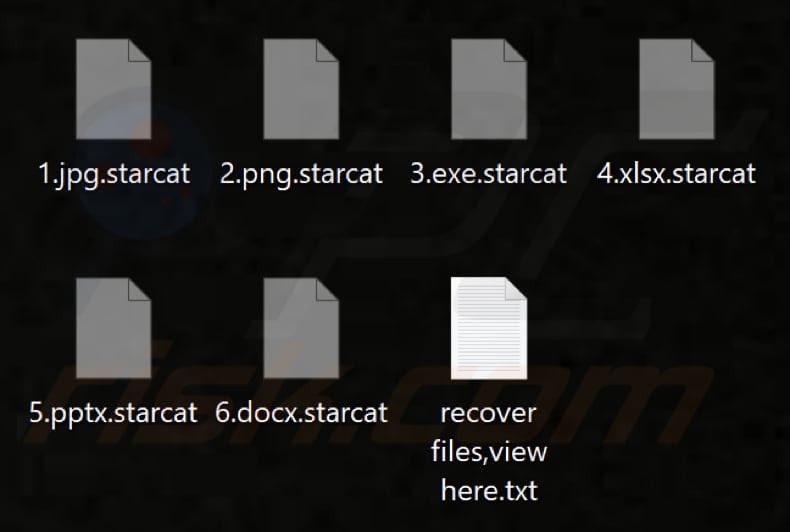
Also, Starcat changes the desktop wallpaper, creates a ransom note ("recover files,view here.txt"), and appends the ".starcat" extension to filenames. For example, it renames "1.jpg" to "1.jpg.starcat", "2.png" to "2.png.starcat", and so forth.
Screenshot of files encrypted by this ransomware:
Starcat ransom note overview
The ransom note is written in several languages (English, Russian, Chinese, German, Japanese, French, Korean, Portuguese, Thai, Hebrew, Spanish, Italian, and Arabic). It informs the victim that all their files have been encrypted using the CHACHA20+RSA4096 algorithm, and the decryption key is also encrypted with RSA16384.
It says that only the attackers can decrypt the files and instructs the victim to pay $5,000 in XMR (Monero) within seven days. It warns that if the ransom is not paid, the key will be deleted, and the files will be made public. Lastly, the note provides an email address (cos.luise@gmx.com) for contact and a Monero wallet address for payment.
More details about ransomware
Victims of ransomware attacks typically cannot decrypt their files without the involvement of cybercriminals. It is not recommended to pay the attackers, as there is no guarantee that they will actually provide the decryption tools. Paying for data recovery can be avoided if the victim has data backups or access to third-party decryption tools.
Additionally, it is essential to remove ransomware from infected systems as quickly as possible. The malware can encrypt more files and spread to other devices on the local network if it is not removed.
Ransomware in general
There are numerous examples of ransomware variants, however, the purpose of most ransomware attacks is to extort money from victims. Unfortunately, victims are often forced to pay for decryption tools as the attackers are the only ones who have them.
Thus, it is advisable to regularly back up files and keep them on a remote server or unplugged storage device to avoid losses in case of a ransomware attack. Examples of different ransomware variants are Gengar, RedLocker, and Help_restoremydata.
How did ransomware infect my computer?
Cybercriminals often distribute ransomware via shady websites hosting pirated software, cracking tools, key generators, or technical support scams. Users become victims of ransomware attacks after they download and execute ransomware on their computers.
Additionally, threat actors can exploit vulnerabilities in outdated operating systems or programs and employ malicious advertisements, infected USB drives, P2P networks, compromised websites, third-party downloaders, and similar channels to deploy ransomware.
| Name | Starcat virus |
| Threat Type | Ransomware, Crypto Virus, Files locker |
| Encrypted Files Extension | .starcat |
| Ransom Demanding Message | recover files,view here.txt |
| Free Decryptor Available? | No |
| Ransom Amount | $5,000 in XMR (Monero) |
| Monero Wallet Address |
48hDBzD7J8fMVxcy7J6gTy3tJ3gZDgBgigrzrKVDuK8o2FYb v6CjWeJFU6ar3Mp8oFUtXDZExcoH41wqA1x8cnuVUkbqDai |
| Cyber Criminal Contact | cos.luise@gmx.com |
| Detection Names | Avast (FileRepMalware [Misc]), Combo Cleaner (Dump:Generic.Ransom.Spora.01F280B9), Emsisoft (Dump:Generic.Ransom.Spora.01F280B9 (B)), Kaspersky (Trojan.Win32.Agent.xbuthd), Microsoft (Program:Win32/Wacapew.C!ml), Full List Of Detections (VirusTotal) |
| Symptoms | Cannot open files stored on your computer, previously functional files now have a different extension (for example, my.docx.locked). A ransom demand message is displayed on your desktop. Cyber criminals demand payment of a ransom (usually in bitcoins) to unlock your files. |
| Additional Information | Files are hidden after encryption |
| Distribution methods | Infected email attachments (macros), torrent websites, malicious ads. |
| Damage | All files are encrypted and cannot be opened without paying a ransom. Additional password-stealing trojans and malware infections can be installed together with a ransomware infection. |
| Malware Removal (Windows) |
To eliminate possible malware infections, scan your computer with legitimate antivirus software. Our security researchers recommend using Combo Cleaner. Download Combo CleanerTo use full-featured product, you have to purchase a license for Combo Cleaner. 7 days free trial available. Combo Cleaner is owned and operated by RCS LT, the parent company of PCRisk.com. |
How to protect yourself from ransomware infections?
Always download apps and files from reputable sources, such as official web pages or app stores. Do not download pirated software or utilize cracking tools. Be careful with emails from unfamiliar senders, particularly those containing unexpected or irrelevant links or attachments.
Avoid clicking pop-ups, ads, and links on dubious websites and do not allow suspicious sites to show notifications. Regularly update the operating system and software, and use a trustworthy security tool to protect your system and remove threats.
If your computer is already infected with Starcat, we recommend running a scan with Combo Cleaner Antivirus for Windows to automatically eliminate this ransomware.
Starcat's ransom note, "recover files,view here.txt" (GIF):
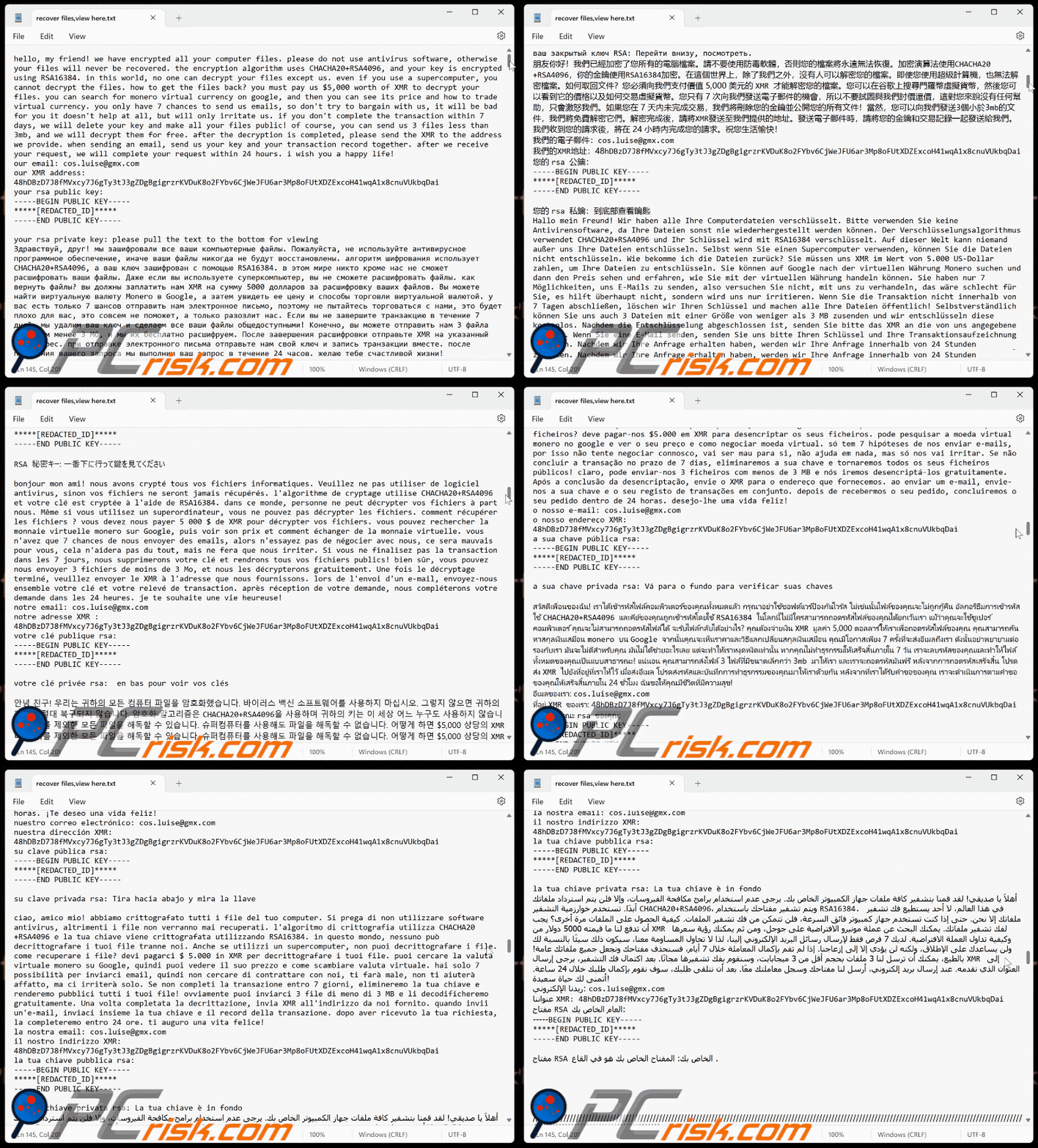
Text presented in Starcat ransomware's text file:
hello, my friend! we have encrypted all your computer files. please do not use antivirus software, otherwise your files will never be recovered. the encryption algorithm uses CHACHA20+RSA4096, and your key is encrypted using RSA16384. in this world, no one can decrypt your files except us. even if you use a supercomputer, you cannot decrypt the files. how to get the files back? you must pay us $5,000 worth of XMR to decrypt your files. you can search for monero virtual currency on google, and then you can see its price and how to trade virtual currency. you only have 7 chances to send us emails, so don't try to bargain with us, it will be bad for you it doesn't help at all, but will only irritate us. if you don't complete the transaction within 7 days, we will delete your key and make all your files public! of course, you can send us 3 files less than 3mb, and we will decrypt them for free. after the decryption is completed, please send the XMR to the address we provide. when sending an email, send us your key and your transaction record together. after we receive your request, we will complete your request within 24 hours. i wish you a happy life!
our email: cos.luise@gmx.com
our XMR address: 48hDBzD7J8fMVxcy7J6gTy3tJ3gZDgBgigrzrKVDuK8o2FYbv6CjWeJFU6ar3Mp8oFUtXDZExcoH41wqA1x8cnuVUkbqDai
your rsa public key:
-----BEGIN PUBLIC KEY-----
*****[REDACTED_ID]*****
-----END PUBLIC KEY-----your rsa private key: please pull the text to the bottom for viewing
Здравствуй, друг! мы зашифровали все ваши компьютерные файлы. Пожалуйста, не используйте антивирусное программное обеспечение, иначе ваши файлы никогда не будут восстановлены. алгоритм шифрования использует CHACHA20+RSA4096, а ваш ключ зашифрован с помощью RSA16384. в этом мире никто кроме нас не сможет расшифровать ваши файлы. Даже если вы используете суперкомпьютер, вы не сможете расшифровать файлы. как вернуть файлы? вы должны заплатить нам XMR на сумму 5000 долларов за расшифровку ваших файлов. Вы можете найти виртуальную валюту Monero в Google, а затем увидеть ее цену и способы торговли виртуальной валютой. у вас есть только 7 шансов отправить нам электронное письмо, поэтому не пытайтесь торговаться с нами, это будет плохо для вас, это совсем не поможет, а только разозлит нас. Если вы не завершите транзакцию в течение 7 дней, мы удалим ваш ключ и сделаем все ваши файлы общедоступными! Конечно, вы можете отправить нам 3 файла размером менее 3 Мб, и мы их бесплатно расшифруем. После завершения расшифровки отправьте XMR на указанный нами адрес. при отправке электронного письма отправьте нам свой ключ и запись транзакции вместе. после получения вашего запроса мы выполним ваш запрос в течение 24 часов. желаю тебе счастливой жизни!
наша электронная почта: cos.luise@gmx.com
наш адрес XMR: 48hDBzD7J8fMVxcy7J6gTy3tJ3gZDgBgigrzrKVDuK8o2FYbv6CjWeJFU6ar3Mp8oFUtXDZExcoH41wqA1x8cnuVUkbqDai
ваш открытый ключ RSA:
-----BEGIN PUBLIC KEY-----
*****[REDACTED_ID]*****
-----END PUBLIC KEY-----ваш закрытый ключ RSA: Перейти внизу, посмотреть.
朋友你好!我們已經加密了您所有的電腦檔案。請不要使用防毒軟體,否則您的檔案將永遠無法恢復。加密演算法使用CHACHA20+RSA4096,你的金鑰使用RSA16384加密。在這個世界上,除了我們之外,沒有人可以解密您的檔案。即使您使用超級計算機,也無法解密檔案。如何取回文件?您必須向我們支付價值 5,000 美元的 XMR 才能解密您的檔案。您可以在谷歌上搜尋門羅幣虛擬貨幣,然後您可以看到它的價格以及如何交易虛擬貨幣。您只有 7 次向我們發送電子郵件的機會,所以不要試圖與我們討價還價,這對您來說沒有任何幫助,只會激怒我們。如果您在 7 天內未完成交易,我們將刪除您的金鑰並公開您的所有文件!當然,您可以向我們發送3個小於3mb的文件,我們將免費解密它們。解密完成後,請將XMR發送至我們提供的地址。發送電子郵件時,請將您的金鑰和交易記錄一起發送給我們。我們收到您的請求後,將在 24 小時內完成您的請求。祝您生活愉快!
我們的電子郵件:cos.luise@gmx.com
我們的XMR地址:48hDBzD7J8fMVxcy7J6gTy3tJ3gZDgBgigrzrKVDuK8o2FYbv6CjWeJFU6ar3Mp8oFUtXDZExcoH41wqA1x8cnuVUkbqDai
您的 rsa 公鑰:
-----BEGIN PUBLIC KEY-----
*****[REDACTED_ID]*****
-----END PUBLIC KEY-----您的 rsa 私鑰:到底部查看鑰匙
Hallo mein Freund! Wir haben alle Ihre Computerdateien verschlüsselt. Bitte verwenden Sie keine Antivirensoftware, da Ihre Dateien sonst nie wiederhergestellt werden können. Der Verschlüsselungsalgorithmus verwendet CHACHA20+RSA4096 und Ihr Schlüssel wird mit RSA16384 verschlüsselt. Auf dieser Welt kann niemand außer uns Ihre Dateien entschlüsseln. Selbst wenn Sie einen Supercomputer verwenden, können Sie die Dateien nicht entschlüsseln. Wie bekomme ich die Dateien zurück? Sie müssen uns XMR im Wert von 5.000 US-Dollar zahlen, um Ihre Dateien zu entschlüsseln. Sie können auf Google nach der virtuellen Währung Monero suchen und dann den Preis sehen und erfahren, wie Sie mit der virtuellen Währung handeln können. Sie haben nur 7 Möglichkeiten, uns E-Mails zu senden, also versuchen Sie nicht, mit uns zu verhandeln, das wäre schlecht für Sie, es hilft überhaupt nicht, sondern wird uns nur irritieren. Wenn Sie die Transaktion nicht innerhalb von 7 Tagen abschließen, löschen wir Ihren Schlüssel und machen alle Ihre Dateien öffentlich! Selbstverständlich können Sie uns auch 3 Dateien mit einer Größe von weniger als 3 MB zusenden und wir entschlüsseln diese kostenlos. Nachdem die Entschlüsselung abgeschlossen ist, senden Sie bitte das XMR an die von uns angegebene Adresse. Wenn Sie eine E-Mail senden, senden Sie uns bitte Ihren Schlüssel und Ihre Transaktionsaufzeichnung zusammen. Nachdem wir Ihre Anfrage erhalten haben, werden wir Ihre Anfrage innerhalb von 24 Stunden bearbeiten. Ich wünsche dir ein glückliches Leben!
unsere E-Mail: cos.luise@gmx.com
unsere XMR-adresse: 48hDBzD7J8fMVxcy7J6gTy3tJ3gZDgBgigrzrKVDuK8o2FYbv6CjWeJFU6ar3Mp8oFUtXDZExcoH41wqA1x8cnuVUkbqDai
Ihr öffentlicher RSA-Schlüssel:
-----BEGIN PUBLIC KEY-----
*****[REDACTED_ID]*****
-----END PUBLIC KEY-----Ihr privater RSA-Schlüssel: Bitte ziehen Sie den Text zum Anzeigen nach unten
こんにちは、友よ!あなたのコンピュータファイルはすべて暗号化しました。ウイルス対策ソフトウェアは使用しないでください。そうしないと、ファイルは回復されません。暗号化アルゴリズムはchacha20 + RSA4096を使用し、キーはRSA16384を使用して暗号化されます。この世界では、私たち以外の誰もあなたのファイルを復号化できません。スーパーコンピューターを使用しても、ファイルを復号化することはできません。ファイルを取り戻すには?ファイルを復号化するには、5,000ドル相当のXMRを支払う必要があります。Googleでmonero仮想通貨を検索すると、その価格と仮想通貨の取引方法を確認できます。メールを送信できるチャンスは7回だけですので、私たちと交渉しないでください。それはあなたにとって悪いですし、まったく役に立たず、私たちを苛立たせるだけです。7日以内に取引を完了しないと、キーを削除し、すべてのファイルを公開します。もちろん、3MB未満のファイルを3つ送信していただければ、無料で復号化します。復号化が完了したら、弊社が提供するアドレスに XMR を送信してください。メールを送信する際は、キーとトランザクション レコードを一緒に送信してください。リクエストを受信してから 24 時間以内にリクエストを完了します。幸せな人生をお祈りします!
弊社のメール アドレス: cos.luise@gmx.com
弊社の XMR アドレス: 48hDBzD7J8fMVxcy7J6gTy3tJ3gZDgBgigrzrKVDuK8o2FYbv6CjWeJFU6ar3Mp8oFUtXDZExcoH41wqA1x8cnuVUkbqDai
RSA 公開キー:
-----BEGIN PUBLIC KEY-----
*****[REDACTED_ID]*****
-----END PUBLIC KEY-----RSA 秘密キー: 一番下に行って鍵を見てください
bonjour mon ami! nous avons crypté tous vos fichiers informatiques. Veuillez ne pas utiliser de logiciel antivirus, sinon vos fichiers ne seront jamais récupérés. l'algorithme de cryptage utilise CHACHA20+RSA4096 et votre clé est cryptée à l'aide de RSA16384. dans ce monde, personne ne peut décrypter vos fichiers à part nous. Même si vous utilisez un superordinateur, vous ne pouvez pas décrypter les fichiers. comment récupérer les fichiers ? vous devez nous payer 5 000 $ de XMR pour décrypter vos fichiers. vous pouvez rechercher la monnaie virtuelle monero sur Google, puis voir son prix et comment échanger de la monnaie virtuelle. vous n'avez que 7 chances de nous envoyer des emails, alors n'essayez pas de négocier avec nous, ce sera mauvais pour vous, cela n'aidera pas du tout, mais ne fera que nous irriter. Si vous ne finalisez pas la transaction dans les 7 jours, nous supprimerons votre clé et rendrons tous vos fichiers publics! bien sûr, vous pouvez nous envoyer 3 fichiers de moins de 3 Mo, et nous les décrypterons gratuitement. Une fois le décryptage terminé, veuillez envoyer le XMR à l'adresse que nous fournissons. lors de l'envoi d'un e-mail, envoyez-nous ensemble votre clé et votre relevé de transaction. après réception de votre demande, nous compléterons votre demande dans les 24 heures. je te souhaite une vie heureuse!
notre email: cos.luise@gmx.com
notre adresse XMR : 48hDBzD7J8fMVxcy7J6gTy3tJ3gZDgBgigrzrKVDuK8o2FYbv6CjWeJFU6ar3Mp8oFUtXDZExcoH41wqA1x8cnuVUkbqDai
votre clé publique rsa:
-----BEGIN PUBLIC KEY-----
*****[REDACTED_ID]*****
-----END PUBLIC KEY-----votre clé privée rsa: en bas pour voir vos clés
안녕 친구! 우리는 귀하의 모든 컴퓨터 파일을 암호화했습니다. 바이러스 백신 소프트웨어를 사용하지 마십시오. 그렇지 않으면 귀하의 파일은 절대 복구되지 않습니다. 암호화 알고리즘은 CHACHA20+RSA4096을 사용하며 귀하의 키는 이 세상 어느 누구도 사용하지 않습니다. 우리를 제외한 모든 파일을 해독할 수 있습니다. 슈퍼컴퓨터를 사용해도 파일을 해독할 수 없습니다. 어떻게 하면 $5,000 상당의 XMR을 지불해야 합니까? 파일을 해독하려면 Google에서 모네로 가상 화폐를 검색하면 해당 가격과 가상 화폐 거래 방법을 확인할 수 있습니다. 이메일을 보낼 수 있는 기회는 7번뿐이므로 우리와 흥정하려고 하지 마세요. 전혀 도움이 되지 않지만 우리를 짜증나게 할 뿐입니다. 7일 이내에 거래를 완료하지 않으면 우리는 귀하의 키를 삭제하고 모든 파일을 공개할 것입니다. 물론 우리에게 보낼 수 있습니다! 3MB 미만의 파일 3개, 암호 해독이 완료되면 이메일을 보낼 때 제공한 주소로 XMR을 보내주십시오. 귀하의 요청을 받은 후 키와 거래 기록을 함께 보내주십시오. 24시간 안에 행복한 삶을 기원합니다!
이메일: cos.luise@gmx.com
XMR 주소: 48hDBzD7J8fMVxcy7J6gTy3tJ3gZDgBgigrzrKVDuK8o2FYbv6CjWeJFU6ar3Mp8oFUtXDZExcoH41wqA1x8cnuVUkbqDai
귀하의 RSA 공개 키:
-----BEGIN PUBLIC KEY-----
*****[REDACTED_ID]*****
-----END PUBLIC KEY-----귀하의 rsa 개인 키: 맨 아래로 당겨.열쇠 보기
我的朋友,你好!我们已将你电脑文件全部加密,请不要使用杀毒软件,否则你的文件将永远无法找回.加密算法采用CHACHA20+RSA4096,你的钥匙采用RSA16384加密.这个世界上除了我们可以解密你的文件以外,其他任何人都无法解密已经加密的文件.就算你使用超级计算机也无法解密文件.怎么找回文件?你必须向我们支付价值5000美元的XMR,才可以解密你的文件.你可以谷歌搜索门罗虚拟货币,然后你就可以看到它的价格以及如何交易虚拟货币.你只有7次向我们发送邮件的机会,你不要尝试和我们讨价还价,这样做对你没有一点帮助,反而只会激怒我们.如果你在7天内没有完成交易,我们会删除你的钥匙并且把你的文件全部公开!当然,你可以向我们发送3个小于3MB的文件,我们会为你免费解密,解密完成以后,请你把XMR发送到我们提供的地址.发送邮件的时候把你的钥匙和你的交易记录一起发送给我们,我们接到你的请求以后,我们会在24小时内完成你的请求.祝你生活幸福!
我们的邮箱:cos.luise@gmx.com
我们的XMR地址:48hDBzD7J8fMVxcy7J6gTy3tJ3gZDgBgigrzrKVDuK8o2FYbv6CjWeJFU6ar3Mp8oFUtXDZExcoH41wqA1x8cnuVUkbqDai
你的RSA公匙:
-----BEGIN PUBLIC KEY-----
*****[REDACTED_ID]*****
-----END PUBLIC KEY-----你的RSA私匙:到下面,查看你的钥匙
olá, meu amigo! encriptamos todos os ficheiros do seu computador. Por favor, não utilize software antivírus, caso contrário os seus ficheiros nunca serão recuperados. o algoritmo de encriptação utiliza CHACHA20+RSA4096 e a sua chave é encriptada utilizando RSA16384. neste mundo, ninguém pode desencriptar os seus ficheiros, exceto nós. Mesmo que utilize um supercomputador, não conseguirá desencriptar os ficheiros. como recuperar os ficheiros? deve pagar-nos $5.000 em XMR para desencriptar os seus ficheiros. pode pesquisar a moeda virtual monero no google e ver o seu preço e como negociar moeda virtual. só tem 7 hipóteses de nos enviar e-mails, por isso não tente negociar connosco, vai ser mau para si, não ajuda em nada, mas só nos vai irritar. Se não concluir a transação no prazo de 7 dias, eliminaremos a sua chave e tornaremos todos os seus ficheiros públicos! claro, pode enviar-nos 3 ficheiros com menos de 3 MB e nós iremos desencriptá-los gratuitamente. Após a conclusão da desencriptação, envie o XMR para o endereço que fornecemos. ao enviar um e-mail, envie-nos a sua chave e o seu registo de transações em conjunto. depois de recebermos o seu pedido, concluiremos o seu pedido dentro de 24 horas. desejo-lhe uma vida feliz!
o nosso e-mail: cos.luise@gmx.com
o nosso endereço XMR: 48hDBzD7J8fMVxcy7J6gTy3tJ3gZDgBgigrzrKVDuK8o2FYbv6CjWeJFU6ar3Mp8oFUtXDZExcoH41wqA1x8cnuVUkbqDai
a sua chave pública rsa:
-----BEGIN PUBLIC KEY-----
*****[REDACTED_ID]*****
-----END PUBLIC KEY-----a sua chave privada rsa: Vá para o fundo para verificar suas chaves
สวัสดีเพื่อนของฉัน! เราได้เข้ารหัสไฟล์คอมพิวเตอร์ของคุณทั้งหมดแล้ว กรุณาอย่าใช้ซอฟต์แวร์ป้องกันไวรัส ไม่เช่นนั้นไฟล์ของคุณจะไม่ถูกกู้คืน อัลกอริธึมการเข้ารหัสใช้ CHACHA20+RSA4096 และคีย์ของคุณถูกเข้ารหัสโดยใช้ RSA16384 ในโลกนี้ไม่มีใครสามารถถอดรหัสไฟล์ของคุณได้ยกเว้นเรา แม้ว่าคุณจะใช้ซูเปอร์คอมพิวเตอร์ คุณจะไม่สามารถถอดรหัสไฟล์ได้ จะรับไฟล์กลับได้อย่างไร? คุณต้องจ่ายเงิน XMR มูลค่า 5,000 ดอลลาร์ให้เราเพื่อถอดรหัสไฟล์ของคุณ คุณสามารถค้นหาสกุลเงินเสมือน monero บน Google จากนั้นคุณจะเห็นราคาและวิธีแลกเปลี่ยนสกุลเงินเสมือน คุณมีโอกาสเพียง 7 ครั้งที่จะส่งอีเมลถึงเรา ดังนั้นอย่าพยายามต่อรองกับเรา มันจะไม่ดีสำหรับคุณ มันไม่ได้ช่วยอะไรเลย แต่จะทำให้เราหงุดหงิดเท่านั้น หากคุณไม่ทำธุรกรรมให้เสร็จสิ้นภายใน 7 วัน เราจะลบรหัสของคุณและทำให้ไฟล์ทั้งหมดของคุณเป็นแบบสาธารณะ! แน่นอน คุณสามารถส่งไฟล์ 3 ไฟล์ที่มีขนาดเล็กกว่า 3mb มาให้เรา และเราจะถอดรหัสมันฟรี หลังจากการถอดรหัสเสร็จสิ้น โปรดส่ง XMR ไปยังที่อยู่ที่เราให้ไว้ เมื่อส่งอีเมล โปรดส่งรหัสและบันทึกการทำธุรกรรมของคุณมาให้เราด้วยกัน หลังจากที่เราได้รับคำขอของคุณ เราจะดำเนินการตามคำขอของคุณให้เสร็จสิ้นภายใน 24 ชั่วโมง ฉันขอให้คุณมีชีวิตที่มีความสุข!
อีเมลของเรา: cos.luise@gmx.com
ที่อยู่ XMR ของเรา: 48hDBzD7J8fMVxcy7J6gTy3tJ3gZDgBgigrzrKVDuK8o2FYbv6CjWeJFU6ar3Mp8oFUtXDZExcoH41wqA1x8cnuVUkbqDai
รหัสสาธารณะ rsa ของคุณ:
-----BEGIN PUBLIC KEY-----
*****[REDACTED_ID]*****
-----END PUBLIC KEY-----รหัสส่วนตัว rsa ของคุณ: ตรวจสอบกุญแจของคุณที่ด้านล่าง
שלום, ידידי! הצפנו את כל קבצי המחשב שלך. נא לא להשתמש בתוכנת אנטי וירוס, אחרת הקבצים שלך לעולם לא ישוחזרו. אלגוריתם ההצפנה משתמש ב-CHACHA20+RSA4096, והמפתח שלך מוצפן באמצעות RSA16384. בעולם הזה, אף אחד לא יכול לפענח את הקבצים שלך מלבדנו. גם אם אתה משתמש במחשב על, אתה לא יכול לפענח את הקבצים. איך מחזירים את הקבצים? עליך לשלם לנו XMR בשווי $5,000 כדי לפענח את הקבצים שלך. אתה יכול לחפש מטבע וירטואלי monero בגוגל, ואז אתה יכול לראות את המחיר שלו וכיצד לסחור במטבע וירטואלי. יש לך רק 7 הזדמנויות לשלוח לנו מיילים, אז אל תנסה להתמקח איתנו, זה יהיה רע לך זה לא יעזור בכלל, אלא רק יעצבן אותנו. אם לא תשלים את העסקה תוך 7 ימים, אנו נמחק את המפתח שלך ונהפוך את כל הקבצים שלך לציבוריים! כמובן, אתה יכול לשלוח לנו 3 קבצים פחות מ-3MB, ואנו נפענח אותם בחינם. לאחר השלמת הפענוח, אנא שלח את ה-XMR לכתובת שאנו מספקים. בעת שליחת אימייל, שלח לנו את המפתח שלך ואת רשומת העסקאות שלך יחד. לאחר שנקבל את בקשתך, נשלים את בקשתך תוך 24 שעות. אני מאחל לך חיים מאושרים!
הדוא"ל שלנו: cos.luise@gmx.com
כתובת ה-XMR שלנו: 48hDBzD7J8fMVxcy7J6gTy3tJ3gZDgBgigrzrKVDuK8o2FYbv6CjWeJFU6ar3Mp8oFUtXDZExcoH41wqA1x8cnuVUkbqDai
מפתח ה-rsa הציבורי שלך:
-----BEGIN PUBLIC KEY-----
*****[REDACTED_ID]*****
-----END PUBLIC KEY-----מפתח ה-rsa הפרטי שלך: למשוך למטה ולבדוק את המפתח
¡hola mi amigo! Hemos cifrado todos los archivos de su computadora. No utilice software antivirus; de lo contrario, sus archivos nunca se recuperarán. el algoritmo de cifrado utiliza CHACHA20+RSA4096 y su clave se cifra mediante RSA16384. En este mundo, nadie puede descifrar sus archivos excepto nosotros. Incluso si usa una supercomputadora, no podrá descifrar los archivos. ¿Cómo recuperar los archivos? debe pagarnos $5,000 en XMR para descifrar sus archivos. Puede buscar moneda virtual Monero en Google y luego podrá ver su precio y cómo operar con moneda virtual. Sólo tienes 7 oportunidades para enviarnos correos electrónicos, así que no intentes negociar con nosotros, será malo para ti, no ayuda en absoluto, solo nos irritará. Si no completa la transacción dentro de los 7 días, eliminaremos su clave y haremos públicos todos sus archivos. Por supuesto, puedes enviarnos 3 archivos de menos de 3 MB y los descifraremos de forma gratuita. Una vez completado el descifrado, envíe el XMR a la dirección que le proporcionamos. al enviar un correo electrónico, envíenos su clave y su registro de transacción juntos. Después de recibir su solicitud, la completaremos dentro de las 24 horas. ¡Te deseo una vida feliz!
nuestro correo electrónico: cos.luise@gmx.com
nuestra dirección XMR: 48hDBzD7J8fMVxcy7J6gTy3tJ3gZDgBgigrzrKVDuK8o2FYbv6CjWeJFU6ar3Mp8oFUtXDZExcoH41wqA1x8cnuVUkbqDai
su clave pública rsa:
-----BEGIN PUBLIC KEY-----
*****[REDACTED_ID]*****
-----END PUBLIC KEY-----su clave privada rsa: Tira hacia abajo y mira la llave
ciao, amico mio! abbiamo crittografato tutti i file del tuo computer. Si prega di non utilizzare software antivirus, altrimenti i file non verranno mai recuperati. l'algoritmo di crittografia utilizza CHACHA20+RSA4096 e la tua chiave viene crittografata utilizzando RSA16384. in questo mondo, nessuno può decrittografare i tuoi file tranne noi. Anche se utilizzi un supercomputer, non puoi decrittografare i file. come recuperare i file? devi pagarci $ 5.000 in XMR per decrittografare i tuoi file. puoi cercare la valuta virtuale monero su Google, quindi puoi vedere il suo prezzo e come scambiare valuta virtuale. hai solo 7 possibilità per inviarci email, quindi non cercare di contrattare con noi, ti farà male, non ti aiuterà affatto, ma ci irriterà solo. Se non completi la transazione entro 7 giorni, elimineremo la tua chiave e renderemo pubblici tutti i tuoi file! ovviamente puoi inviarci 3 file di meno di 3 MB e li decodificheremo gratuitamente. Una volta completata la decrittazione, invia XMR all'indirizzo da noi fornito. quando invii un'e-mail, inviaci insieme la tua chiave e il record della transazione. dopo aver ricevuto la tua richiesta, la completeremo entro 24 ore. ti auguro una vita felice!
la nostra email: cos.luise@gmx.com
il nostro indirizzo XMR: 48hDBzD7J8fMVxcy7J6gTy3tJ3gZDgBgigrzrKVDuK8o2FYbv6CjWeJFU6ar3Mp8oFUtXDZExcoH41wqA1x8cnuVUkbqDai
la tua chiave pubblica rsa:
-----BEGIN PUBLIC KEY-----
*****[REDACTED_ID]*****
-----END PUBLIC KEY-----la tua chiave privata rsa: La tua chiave è in fondo
أهلاً يا صديقي! لقد قمنا بتشفير كافة ملفات جهاز الكمبيوتر الخاص بك. يرجى عدم استخدام برامج مكافحة الفيروسات، وإلا فلن يتم استرداد ملفاتك أبدًا. تستخدم خوارزمية التشفير CHACHA20+RSA4096، ويتم تشفير مفتاحك باستخدام RSA16384. في هذا العالم، لا أحد يستطيع فك تشفير ملفاتك إلا نحن. حتى إذا كنت تستخدم جهاز كمبيوتر فائق السرعة، فلن تتمكن من فك تشفير الملفات. كيفية الحصول على الملفات مرة أخرى؟ يجب أن تدفع لنا ما قيمته 5000 دولار من XMR لفك تشفير ملفاتك. يمكنك البحث عن عملة مونيرو الافتراضية على جوجل، ومن ثم يمكنك رؤية سعرها وكيفية تداول العملة الافتراضية. لديك 7 فرص فقط لإرسال رسائل البريد الإلكتروني إلينا، لذا لا تحاول المساومة معنا، سيكون ذلك سيئًا بالنسبة لك ولن يساعدك على الإطلاق، ولكنه لن يؤدي إلا إلى إزعاجنا. إذا لم تقم بإكمال المعاملة خلال 7 أيام، فسنحذف مفتاحك ونجعل جميع ملفاتك عامة! بالطبع، يمكنك أن ترسل لنا 3 ملفات بحجم أقل من 3 ميجابايت، وسنقوم بفك تشفيرها مجانًا. بعد اكتمال فك التشفير، يرجى إرسال XMR إلى العنوان الذي نقدمه. عند إرسال بريد إلكتروني، أرسل لنا مفتاحك وسجل معاملتك معًا. بعد أن نتلقى طلبك، سوف نقوم بإكمال طلبك خلال 24 ساعة. أتمنى لك حياة سعيدة!
ريدنا الإلكتروني: cos.luise@gmx.com
عنواننا XMR: 48hDBzD7J8fMVxcy7J6gTy3tJ3gZDgBgigrzrKVDuK8o2FYbv6CjWeJFU6ar3Mp8oFUtXDZExcoH41wqA1x8cnuVUkbqDai
مفتاح RSA العام الخاص بك:
-----BEGIN PUBLIC KEY-----
*****[REDACTED_ID]*****
-----END PUBLIC KEY-----
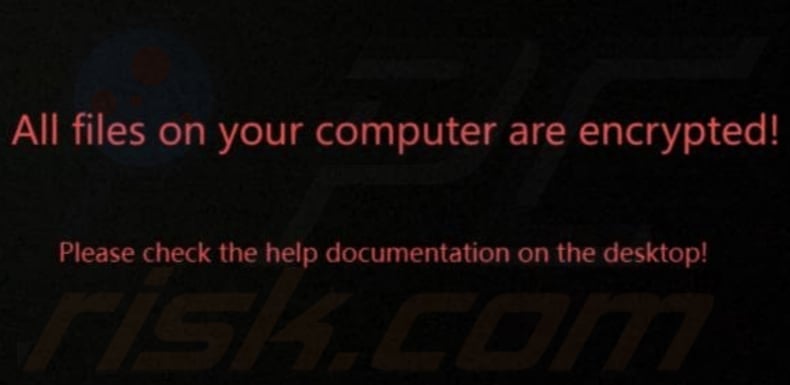
Screenshot of Starcat's desktop wallpaper:
Text in the wallpaper:
All files on your computer are encrypted!
Please heck the help documentation on the desktop!
Video showing how to remove Starcat ransomware using Combo Cleaner:
Starcat ransomware removal:
Instant automatic malware removal:
Manual threat removal might be a lengthy and complicated process that requires advanced IT skills. Combo Cleaner is a professional automatic malware removal tool that is recommended to get rid of malware. Download it by clicking the button below:
DOWNLOAD Combo CleanerBy downloading any software listed on this website you agree to our Privacy Policy and Terms of Use. To use full-featured product, you have to purchase a license for Combo Cleaner. 7 days free trial available. Combo Cleaner is owned and operated by RCS LT, the parent company of PCRisk.com.
Removal and file recovery procedure
If your files are encrypted with a new extension and a ransom note has appeared, you've been hit by ransomware. Don't pay. The procedure below works in order: contain the infection, identify the variant, remove the ransomware itself (so anything you restore doesn't get re-encrypted), and try to recover files using free decryption tools, Windows Volume Shadow Copies, or backups. Run a full system scan with Combo Cleaner to remove the infection - then move on to file recovery.
Common ransomware behaviors
VisibleEncrypts your files and renames them
The ransomware reads each file, encrypts the contents with the attacker's public key, and writes the encrypted bytes back to disk. Most variants also rename the file by appending a new extension - .net, .locked, .crypt, .lockbit, .djvu, etc. Without the matching private key, the encrypted files cannot be opened normally. Recovery depends on a free decryption tool, a recoverable Volume Shadow Copy, or a clean backup.
VisibleDrops a ransom note in every encrypted folder
A text or HTML file (usually named HOW_TO_DECRYPT.txt, README.txt, _readme.txt, or similar) is placed in every folder that contains encrypted files. The note explains the situation, lists a payment amount in cryptocurrency, gives a deadline, and provides a contact email or .onion site. Save the note - don't delete it. Its exact wording, the email address, and the bitcoin wallet are how you identify the variant in the next phase.
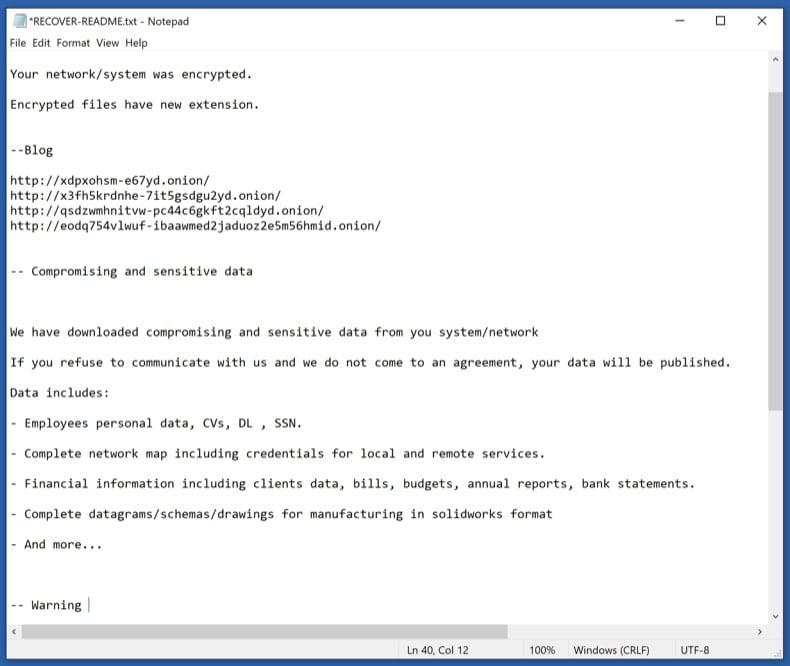
VisibleReplaces the desktop wallpaper
Many ransomware variants change the Windows wallpaper to a black or red image with the ransom message and instructions. The wallpaper is just a visual scare tactic - it doesn't add any actual capability and reverts to normal once the ransomware is removed. Photograph it before removal in case the contact details are useful for variant identification or for reporting to authorities.
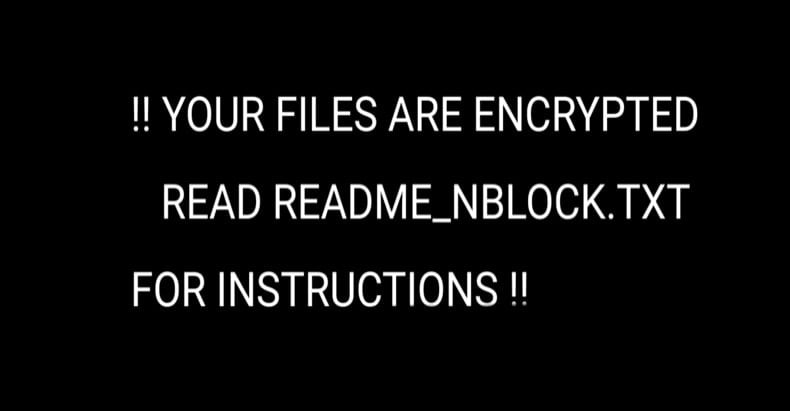
HiddenDeletes Volume Shadow Copies
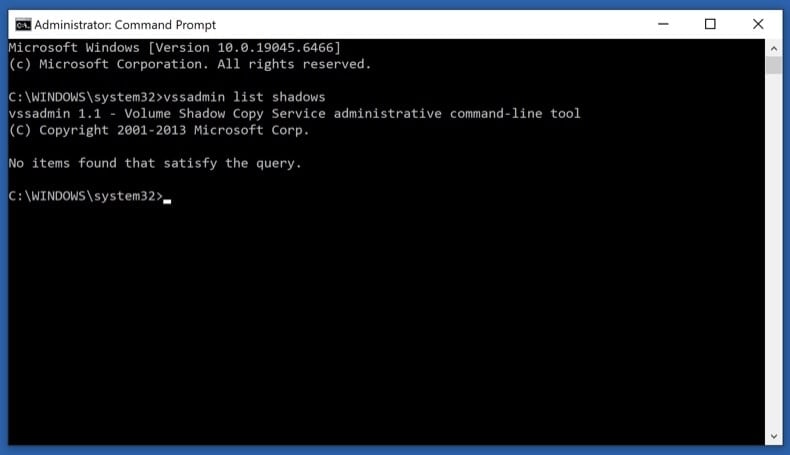
One of the first things modern ransomware does after launching is run vssadmin delete shadows /all /quiet to wipe Windows' built-in Volume Shadow Copies - the snapshots that Previous Versions and System Restore rely on. Some ransomware doesn't fully succeed (especially on systems where the user lacks full admin rights), leaving partial shadow copies recoverable. Phase 4 step 11 covers how to check what survived.
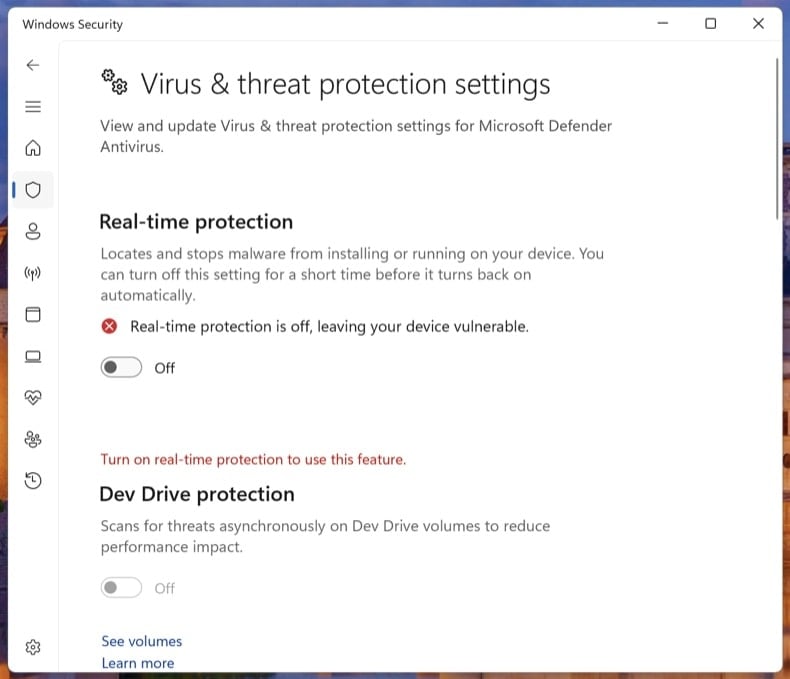
HiddenDisables Windows Defender and other security tools
Before encrypting, the ransomware tries to silence anything that could alert you or block it - Windows Defender real-time protection, third-party antivirus services, backup agents (Veeam, Acronis), and sometimes the Windows Event Log service. It often modifies Group Policy or registry keys to keep these off after reboot. Phase 3 step 9 explicitly turns Tamper Protection back on so the next ransomware attempt can't repeat the trick.
HiddenSpreads laterally to other PCs on the network
Network-aware ransomware (LockBit, Conti, BlackCat, Akira families) doesn't stop at the first machine. It scans for SMB shares, mapped drives, and other PCs on the same network, then encrypts whatever it can reach. On Windows domains, a single compromised user with admin rights can lead to all-domain encryption. This is why Phase 1 step 2 disconnects the network as the very first action - it stops the spread immediately.
HiddenSteals data before encrypting (double extortion)
Modern ransomware (LockBit, BlackCat / ALPHV, Akira, Cl0p, Royal) almost always exfiltrates data before encrypting. The attacker then runs a "double extortion" play: pay the ransom for decryption, plus pay again to prevent the stolen data from being leaked on the group's leak site. Paying the first ransom does not get the leaked data back - assume that anything the ransomware could read was uploaded. This is one more reason not to pay: the data is already out.
Don't pay the ransom
Paying the ransom does not guarantee you'll get your files back. Major ransomware response studies consistently show that a meaningful percentage of paying victims either receive a non-working decryptor, only partial decryption, or no decryptor at all. Beyond that:
- Paying confirms you as a willing target - re-attack rates within 12 months are high
- Several ransomware groups have been sanctioned (US OFAC, UK OFSI). Paying these groups may be illegal under sanctions law in your country
- The ransom funds the next attack - on you or someone else
- Modern ransomware almost always exfiltrates data first, so paying doesn't get the leaked data back. Assume anything the malware could read was uploaded
- Decryptors, even when they work, often leave files corrupted because the encryption itself was buggy or rushed
The path below tries every legal, free recovery option first. Pay only as an absolute last resort, after consulting a lawyer and your country's cyber crime authority.
Disconnect from the network and log out of cloud storage
Pull the Ethernet cable and turn off Wi-Fi on the affected PC. If multiple computers share the network, do the same on every machine you suspect could be affected, including any servers and NAS units.
Then sign out of cloud storage clients (OneDrive, Dropbox, Google Drive, iCloud) from their app settings. If you can, pause the sync. Some ransomware uses the running sync client to push encrypted versions over your clean cloud copies.
Modern ransomware spreads laterally across SMB shares, mapped drives, RDP, and reachable network neighbors. Disconnecting stops the spread the moment you do it. Logging out of cloud sync clients prevents the ransomware from encrypting the cloud copies of your files via the sync API.
Unplug external drives and USB storage
Safely eject any external drives, USB sticks, SD cards, and network-attached storage shares - then unplug them. If a drive was connected when the ransomware ran, the files on it may already be encrypted, but unplugging stops further damage.
Critically: don't reconnect any drive (including your most recent backup) to this PC until the ransomware is removed in Phase 3. Reconnecting an external backup to an actively-infected PC is the most common way that backup gets encrypted too.
Save the ransom note and a sample encrypted file
Copy the ransom note and one small encrypted file (under 1 MB) to a USB stick, or photograph the note with your phone. You'll need both for the variant identification step.
The ransom note is usually one of:
- A
.txtfile in every encrypted folder (typicallyHOW_TO_DECRYPT.txt,README.txt, or_readme.txt) - An
.htmlfile with the same purpose - A changed desktop wallpaper - photograph it
- A lock-screen interrupt that runs at startup - rarer
Don't delete the note. Variant identification depends on its exact wording, the contact email, and the bitcoin wallet address. The note is also evidence if you report to authorities.
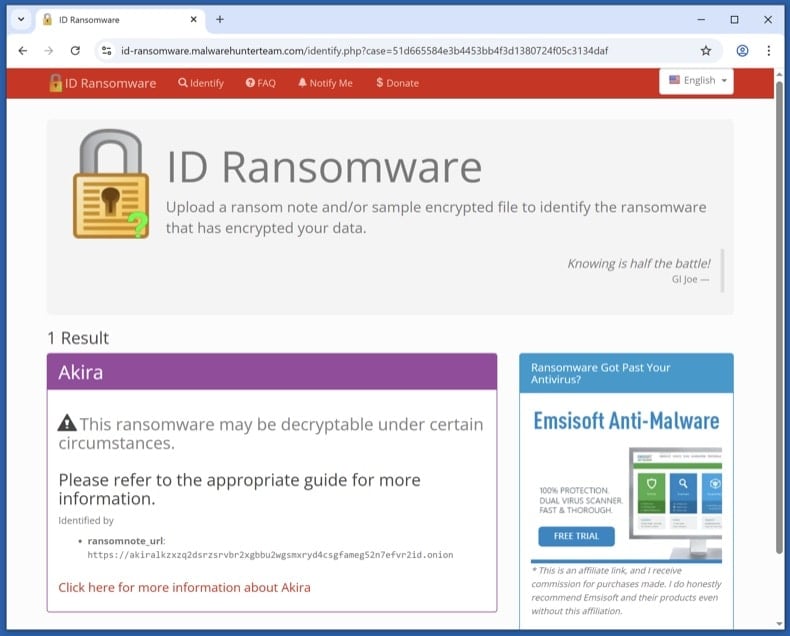
Identify the variant with ID Ransomware
From a clean device (your phone is fine, or another PC that wasn't on the affected network), visit id-ransomware.malwarehunterteam.com. Upload the ransom note and the sample encrypted file. The site identifies the variant family and tells you whether a free decryptor exists.
ID Ransomware is run by the Malware Hunter Team. Files you upload are kept private - they're used for analysis, not published. If you're concerned about uploading data anyway, you can paste the contact email and bitcoin wallet from the note - those are often enough for identification.
The ransomware itself must be removed before any file recovery. If it's still active, anything you restore in Phase 4 gets re-encrypted within minutes.
Boot to Safe Mode with Networking and download the scanners
Safe Mode loads only the minimal Windows drivers, which prevents most ransomware from auto-running while you set up the scanners.
Windows 11: open , click Restart now next to Advanced startup. After the restart, click , then press 5 or F5.
Windows 10: click the Windows logo, hold Shift, click the Power icon and choose Restart. From the Choose-an-option screen, click , then press F5.
Once Safe Mode has loaded, turn Wi-Fi back on and download Combo Cleaner (used in step 8) and Microsoft Safety Scanner (used in step 9). Save both installers to your Desktop, then disconnect Wi-Fi again before scanning.
Run Microsoft Defender Offline
Reboot to normal Windows. Open . Select Microsoft Defender Antivirus (offline scan) and click Scan now. The PC restarts into a stripped-down environment and scans the disk before Windows fully loads.
Some ransomware variants drop bootkit components or kernel hooks that hide from any scanner running on the same Windows session that's already infected. A pre-boot offline scan sees the disk before the malware can load itself.
VB100 certified. Includes anti-trojan, registry/persistence scanning, and anti-spyware in one pass. The 7-day free trial is available.
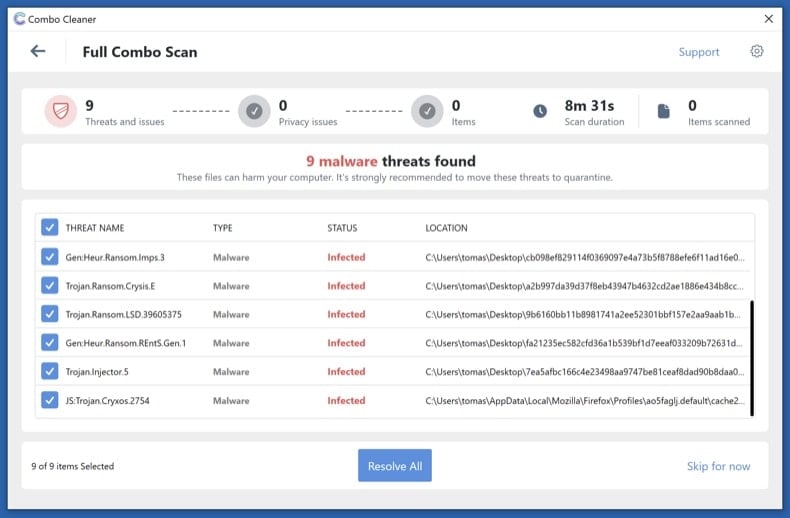
Download Combo CleanerRun a full Combo Cleaner scan
Run the installer you downloaded in step 6 and start a full system scan (not the quick scan). Let it complete, review what it detected, and apply the recommended actions. Combo Cleaner quarantines the ransomware executable and the registry / scheduled-task entries that re-launch it on reboot.
Run Microsoft Safety Scanner and re-enable Defender
Run Microsoft Safety Scanner (MSERT.exe) as a second-opinion full scan. The binary expires every 10 days so the copy you downloaded has the latest signatures.
Once it finishes, open and confirm Real-time protection, Cloud-delivered protection, and Tamper Protection are all on. Many ransomware variants disable Defender during the attack - this is where you switch it back on so the next attempt can't repeat the trick.
Different scanning engines catch different threats. Running an additional Microsoft scan after Combo Cleaner is the most underused verification step in malware removal - and free.
Try the steps in order. The first decryptor that works ends the recovery process - no need to do all four.
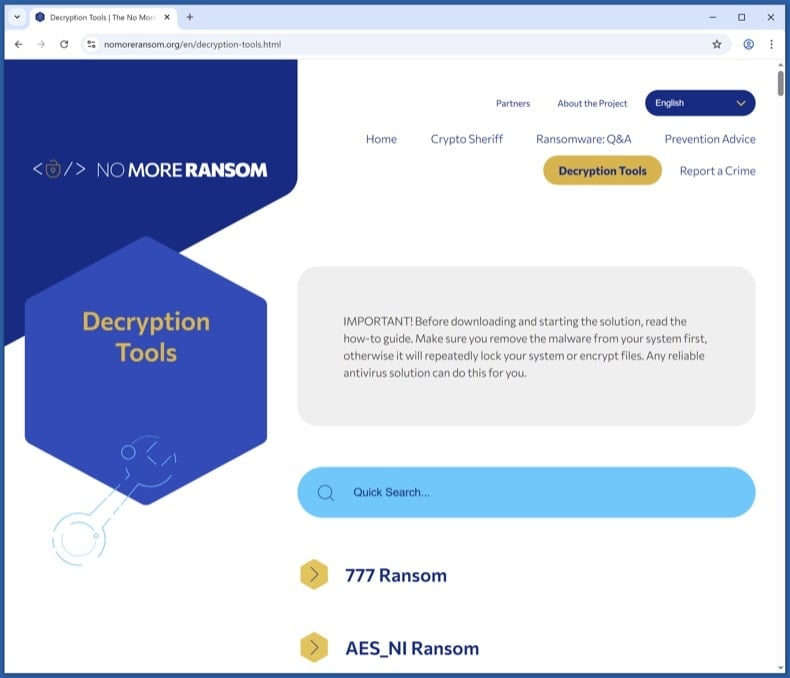
Check the No More Ransom Project for a free decryptor
Visit nomoreransom.org and search the Decryption Tools list for the variant name returned by ID Ransomware. The project is run by Europol, the Dutch Police, and security vendors - everything listed is legitimate and free.
If a decryptor exists, download it onto a clean PC, copy it across, and follow its instructions exactly. Decryptors usually want you to point them at a sample encrypted file plus its known unencrypted version (sometimes any image you previously had a backup of works).
Free decryptors exist for parts of the STOP/Djvu, GandCrab, REvil, Avaddon, Conti and Hive families, among others. Most modern variants don't have public decryptors - if yours isn't listed, that's expected; move to the next step.
Try Windows Volume Shadow Copies
Windows automatically creates Volume Shadow Copies of files when System Restore points are made or scheduled backups run. Most ransomware tries to wipe these (vssadmin delete shadows /all /quiet), but the deletion sometimes fails partially - especially if the running user doesn't have full admin rights. When it does fail, snapshots survive that contain pre-encryption versions of your files.
First, check what's there. Open Command Prompt as Administrator and run:
vssadmin list shadows
If you see entries listed, shadow copies survived. To restore from them:
- Built-in: right-click any folder → Properties → Previous Versions tab. Pick a snapshot dated before the infection and restore.
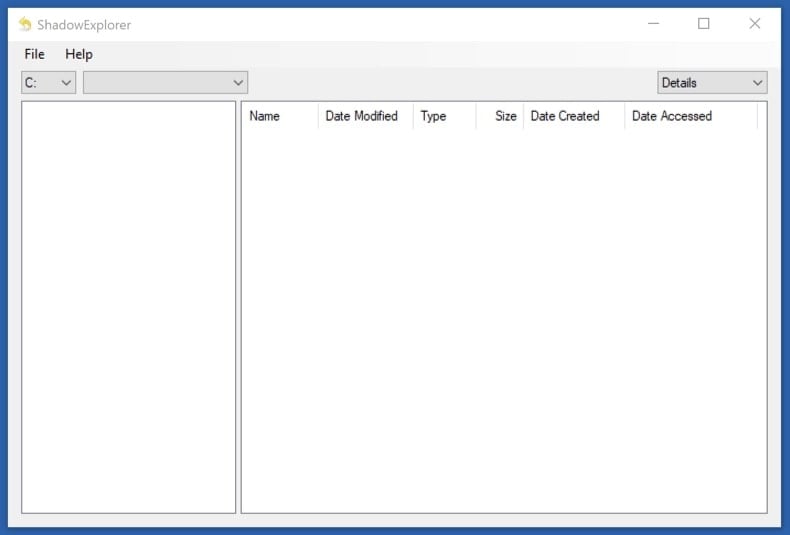
- Better tool for browsing: install Shadow Explorer (free). It shows all snapshots as a normal file tree and lets you copy out only the files you want.
Shadow Copies recover the original files exactly, with no risk of decryption errors. If they survived, this is faster and cleaner than running a decryptor on the encrypted set.
Restore from cloud or external backup
If you have a backup that pre-dates the infection, this is the cleanest recovery available. Important precautions:
- Don't reconnect a backup drive until Phase 3 is complete. If the ransomware is still active, plugging in the backup encrypts it too.
- For cloud backups (OneDrive, Dropbox, Google Drive, iCloud), use the Version History feature to roll individual files back to pre-encryption versions.
- OneDrive specifically has a "Restore your OneDrive" feature: if it detected mass file changes, you can roll back the entire account up to 30 days. Sign in at OneDrive on the web, click the Settings gear, and choose Restore your OneDrive. Microsoft 365 subscribers also get ransomware detection alerts; non-subscribers get one free recovery.
- Verify the restored files open correctly before you delete the encrypted set. Test a few documents, photos, and any database / project files.
Try Recuva as a last-resort recovery
Recuva is a long shot, not a primary recovery tool. Most modern ransomware encrypts files in place - it reads the original, encrypts the data, and writes the encrypted bytes back to the same disk location. In that case, the original isn't deleted, just rewritten - and Recuva has nothing to find.
But for older or simpler variants that deleted originals before creating encrypted copies (rather than encrypting in place), Recuva can sometimes pull the originals from unallocated disk space. Worth trying as a last resort, especially before you use the disk much further.
If you try it:
- Stop using the disk as much as possible - every disk write reduces recovery odds
- Run Recuva from a USB stick, not from the affected disk
- Use Deep Scan mode (slower but the only mode worth running for this scenario)
Don't skip the steps above expecting Recuva to bail you out. It works in maybe 5-20% of cases, depending on the variant and how soon you try.
Report the attack to authorities
Even if your files aren't recovered, your report helps authorities track variants, attribute groups, and warn future victims. In some jurisdictions (especially the US and UK) early reporting can sometimes help recall a wired ransom payment via banking partners.
Save the report number - banks, insurers, and credit bureaus will ask for it. If you operate a business, you may also have legal disclosure obligations (GDPR in the EU, state breach laws in the US) that run on a 72-hour clock.
Plan 3-2-1 backups going forward
The single best defense against ransomware is a tested backup. Use the 3-2-1 rule:
- 3 copies of your data
- 2 different storage media (e.g., internal drive + external drive)
- 1 offline / air-gapped copy (an external drive that isn't always connected)
Recommended cadence:
- Daily: cloud sync (OneDrive, Dropbox, Google Drive) - convenient, but vulnerable if the ransomware reaches the sync folder. The Version History feature is what saves you
- Weekly: external drive that you connect briefly, then disconnect - the air-gap is what protects against ransomware
- Monthly: a second external drive stored off-site (different physical location) - protects against fire, theft, flood
Test the backup at least once. Open a few files from it, check sizes match, restore one to a different folder. An untested backup isn't a backup - it's a hope.
Patch the entry point and monitor for 30 days
Most reinfections happen via the same vector that worked the first time. Until you've patched the entry point, watch for:
- Unusual disk activity, unexpected file modifications, or unfamiliar processes in Task Manager
- Unexpected reboots or new accounts you didn't create
- Defender or your antivirus turning itself off again
Common entry vectors and what to do about each:
- Phishing email with a malicious attachment - review email filters and train yourself / staff to recognise the patterns - see pcrisk's Phishing/Scam reference
- Exposed RDP with weak passwords - disable Remote Desktop from if you don't need it. If you do, put it behind a VPN and require a long password plus MFA
- Unpatched VPN appliances or public-facing apps - check the vendor's advisories page and apply the latest firmware
- Cracked / pirated software - was the most common vector for STOP/Djvu in particular. Don't run software from torrent sites
Run a Combo Cleaner scan weekly for the first month. Update Windows, browsers, and applications aggressively.
Important: Removing a ransomware infection requires a full system scan, not a manual file delete. If you're not confident with the manual procedure, run an automated scan with Combo Cleaner and Windows Defender and stop there - that combination removes the vast majority of consumer ransomware variants. Then move to Phase 4 for file recovery, or to Phase 5 if your files are unrecoverable and you need to start fresh from a clean Windows install.
Frequently Asked Questions (FAQ)
How was my computer hacked and how did hackers encrypt my files?
Threat actors often spread ransomware through shady websites offering pirated software, cracking tools, or fake technical support. Computers become infected when users download and run ransomware. Ransomware can also be delivered via malicious ads, infected USB drives, outdated software vulnerabilities, P2P networks, compromised websites, and third-party downloaders.
How to open ".starcat" files?
Your files have been encrypted by ransomware. Decryption is necessary to access and use them.
Where should I look for free decryption tools for Starcat ransomware?
In case of a ransomware attack you should check the No More Ransom project website (more information above).
I can pay you a lot of money, can you decrypt files for me?
We do not offer this service. Files encrypted by ransomware are usually impossible to decrypt without the developers' involvement unless the ransomware has flaws. Therefore, any third party offering paid decryption either acts as a man-in-the-middle or is trying to scam you.
Will Combo Cleaner help me remove Starcat ransomware?
Yes, Combo Cleaner will scan your computer and remove active ransomware. However, it is important to note that while antivirus software is crucial for eliminating the ransomware, it cannot decrypt the files that have already been encrypted.
Share:
 Facebook
 X.com
X.com
 LinkedIn
 Copy Link

Tomas Meskauskas
Expert security researcher, professional malware analyst
I am passionate about computer security and technology. I have an experience of over 10 years working in various companies related to computer technical issue solving and Internet security. I have been working as an author and editor for pcrisk.com since 2010. Follow me on Twitter and LinkedIn to stay informed about the latest online security threats.
PCrisk security portal is brought by a company RCS LT.
Joined forces of security researchers help educate computer users about the latest online security threats. More information about the company RCS LT.
Our malware removal guides are free. However, if you want to support us you can send us a donation.
DonatePCrisk security portal is brought by a company RCS LT.
Joined forces of security researchers help educate computer users about the latest online security threats. More information about the company RCS LT.
Our malware removal guides are free. However, if you want to support us you can send us a donation.
Donate
▼ Show Discussion