
We may earn commissions from products we recommend. Learn more.
How to access Pinterest in 2026 with a VPN

How to access Pinterest in 2026 with a VPN?
Pinterest is a social media platform for visual search and discovery. It allows users to save ideas, plan projects, and shop for products through images and curated collections. In many locations, you can access Pinterest by simply opening the app or visiting the website.
However, access may vary based on your location and network. Pinterest may not load, may be partially restricted, or may block certain actions such as logging in or saving Pins. This article covers common inaccessibility issues and provides a guide on how to access Pinterest using a VPN (Virtual Private Network) service.
Disclaimer: PCrisk does not promote, encourage, or endorse the bypassing of geoblocking/geo-restrictions or breaking your school/workplace network rules. This information is provided for educational purposes only. Always abide by local laws - use any methods described at your own risk.
Access Pinterest with NordVPNSpecial deal30-day money-back guarantee→
Table of Contents:
- Introduction
- Why can't I access Pinterest?
- Where is Pinterest inaccessible?
- How to access Pinterest?
- Accessing Pinterest with a VPN
- Best VPNs to access Pinterest in 2026
- Can you use a free VPN to access Pinterest?
- Common issues and solutions when accessing Pinterest with a VPN
- Can I access Pinterest without a VPN?
- Is using a VPN to access Pinterest legal?
- In closing
- Frequently Asked Questions (FAQ)
Why can't I access Pinterest?
Pinterest is a social media platform operating as a visual discovery engine where users can search, browse, and save visual content (Pins) to collections (boards). While designed for global use, Pinterest is not accessible from every network or country. Most access issues fall into a few common categories:
National blocking and censorship can make Pinterest unreachable. Some governments and telecom operators block access to social media platforms or their features using national filtering systems. These systems operate at various levels, such as DNS tampering, IP filtering, and traffic interception. As a result, users may experience websites that do not load, repeated connection timeouts, or redirects to a block page. There has been reporting about Pinterest being blocked in some jurisdictions, as part of broader Internet censorship.
Sanctions and compliance restrictions may limit the features or availability of Pinterest. Limitations are not always the result of government-imposed blocks. The platform independently restricts certain services to comply with sanctions. According to Pinterest’s policy documentation, personal and business accounts are unavailable in specific locations, and business accounts are further restricted in several sanctioned regions. This is important since a VPN may be capable of bypassing a network block, but it cannot change what Pinterest is allowed to offer in a region.
If Pinterest is accessible at home but not on a campus or office network, the issue is likely due to a policy-based block rather than a technical outage. Schools, libraries, and employers often use URL filtering, DNS filtering, and firewall rules to restrict access to social media. These measures help reduce distractions, manage risk, and ensure compliance.
For instance, in the United States, many K-12 schools and libraries implement filtering to meet compliance requirements for federal funding programs. CIPA (Children's Internet Protection Act) is a key example of how these obligations are enforced. Even if the regulations do not target Pinterest directly, social media categories are typically filtered, which can include this platform.
Pinterest may temporarily block your login or other actions if it detects "suspicious activity". In some cases, you may be able to access the site but be unable to sign in, save, or otherwise interact with the platform. Pinterest states that it may restrict activity from certain IP addresses or regions under these circumstances. The official recommendation is to wait before trying again, as restrictions are often lifted automatically.
The following can be deemed as "suspicious activity" by Pinterest:
- Many users sharing the same exit IP address (common with VPNs and proxies).
- Visitor's network being linked to automation, excessive requests, or abnormal behavior patterns.
- Rapid sign-in attempts or other activity after a previous block.
Common Pinterest error messages and what they can mean:
Below are examples of platform messages and behaviors linked to specific causes. While wording may differ by device, browser, or Pinterest updates, these patterns remain consistent.
- "Your login was blocked" or messages about "suspicious activity" may appear when Pinterest detects unusual activity from your IP address or region. Due to this, users may also be unable to save Pins or complete other actions. Pinterest recommends waiting before trying again and avoiding repeated login attempts in quick succession.
- Pinterest loads, but some actions or features appear unavailable in your region. Pinterest business tools may display notices about service restrictions, and company policies specify where business accounts or ad services are not offered. If your issue relates to feature availability, using a VPN is unlikely to resolve it.
- If a Pin link appears blocked or leads to a blank page, Pinterest may have blocked it due to redirects, misleading content, spam, or policy violations. Pinterest may also replace links automatically. If the Pin is yours, Pinterest provides steps to edit or fix the link.
When filtering occurs at the network level through DNS, IP blocking, DPI, or proxy interception, users typically encounter generic browser errors such as timeouts, connection resets, or endless loading. These symptoms often appear instead of a clear block notice, especially in state-level censorship or institutional networks.
Our top recommendation for streaming and privacy. NordVPN consistently leads our tests with fast speeds, reliable geo-unblocking, and a strict no-logs policy.
- ✔ Unblocks geo-restricted streaming services reliably
- ✔ 202+ locations across 111 countries
- ✔ 30-day money-back guarantee · Special deal available
Where is Pinterest inaccessible?
Pinterest access varies by location. Some regions block the platform entirely, while others restrict specific features, such as business tools and advertising. Pinterest may be available in a country but be blocked on certain networks, including schools, workplaces, or mobile providers with restrictive policies.
Countries where Pinterest has been reported as blocked or censored:
China - Pinterest has been reported as blocked as part of China's broader Internet censorship (often referred to as the "Great Firewall"). Reports from March 2017 documented Pinterest becoming inaccessible, and Internet freedom reporting from the same period noted the block.
Iran - Pinterest has been reported as blocked or intermittently filtered. The platform has also been listed among blocked social networks based on observed block pages and measurement data.
Countries/Regions where Pinterest may be limited due to sanctions or service restrictions:
Pinterest also documents access limitations tied to sanctions compliance and service availability. Hence, users may find that Pinterest works partially, but business features (and especially advertisements) are unavailable.
North Korea - Pinterest policy documentation states that personal accounts and business accounts are unavailable. However, it is worth noting that almost all foreign websites are inaccessible from North Korea.
Syria - Pinterest policy documentation states business accounts are unavailable; separate availability tracking has described Pinterest as having limited access.
Cuba and certain Ukrainian regions (Crimea, Donetsk, and Luhansk) - Pinterest policy documentation states that business accounts are currently unavailable; the Pinterest advertising policy lists its ad service as unavailable as well.
Pinterest may be inaccessible even in countries where it is typically available. You might still encounter access issues due to the following reasons:
- Restricted networks, such as those at schools, workplaces, or public Wi-Fi, may use URL or DNS filtering, or firewall policies that block social platforms.
- Temporary political or security events may result in stricter blocks on platforms and circumvention tools.
- Pinterest may temporarily block an IP address or region if suspicious activity is detected.
How to access Pinterest?
If you cannot access Pinterest because of network restrictions or a country-wide block, using a VPN (Virtual Private Network) service is often your best bet. With a VPN, your Internet traffic travels through a secure, encrypted tunnel, and you are provided with a new public IP address. These tools may allow you to bypass IP-based blocks and keep local network filters from seeing which sites you are visiting.
If Pinterest is blocked by a school or workplace policy, using a VPN usually works as a bypass, as the service prevents the local network from easily perceiving what you are browsing.
If Pinterest is blocked at the national level, using a VPN can work. However, keep in mind that some countries are proactive in blocking or interfering with VPN connections.
If Pinterest itself limits certain services in a region (e.g., business or ad services in sanctioned territories), a VPN may not be enough to restore access to them.
Pinterest may be accessed using alternative tools, such as open proxies or the Tor Browser. However, they are not considered reliable, long-term solutions. These services are often slow and may pose privacy or security risks (especially if the proxy service operator is untrustworthy).
Accessing Pinterest with a VPN
In most cases, using a VPN service is the best option for accessing Pinterest if the social media platform is blocked by your network or local ISP (Internet Service Provider). When choosing a VPN provider - consider the breadth of its server network, speed, as well as privacy policies and features.
1. Choose a reliable VPN provider. The service should have a large server network, so that you could easily switch locations to find unblocked/unrestricted regions. If Pinterest is blocked for you, you need at least one server location where Pinterest remains accessible (multiple alternatives would be ideal). Browsing image-rich platforms like Pinterest also requires speed. Strong security and privacy protections are a must as well. We recommend our Top Choice of 2026 - NordVPN - for its reliability and overall performance.
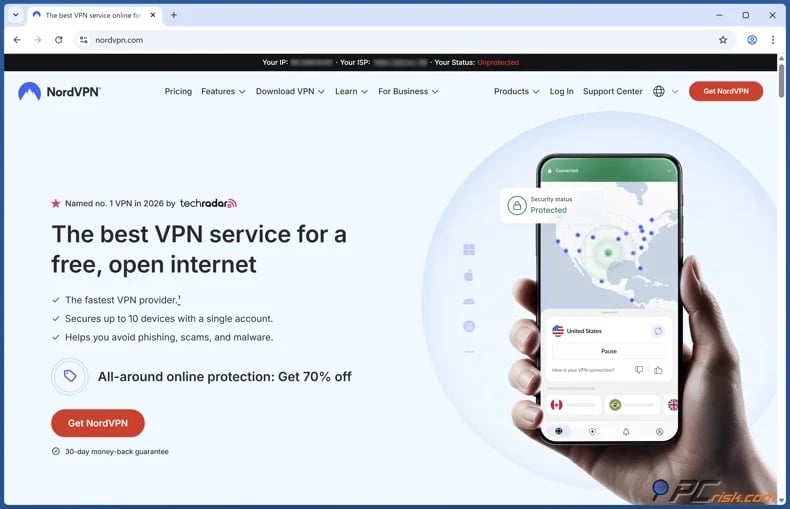
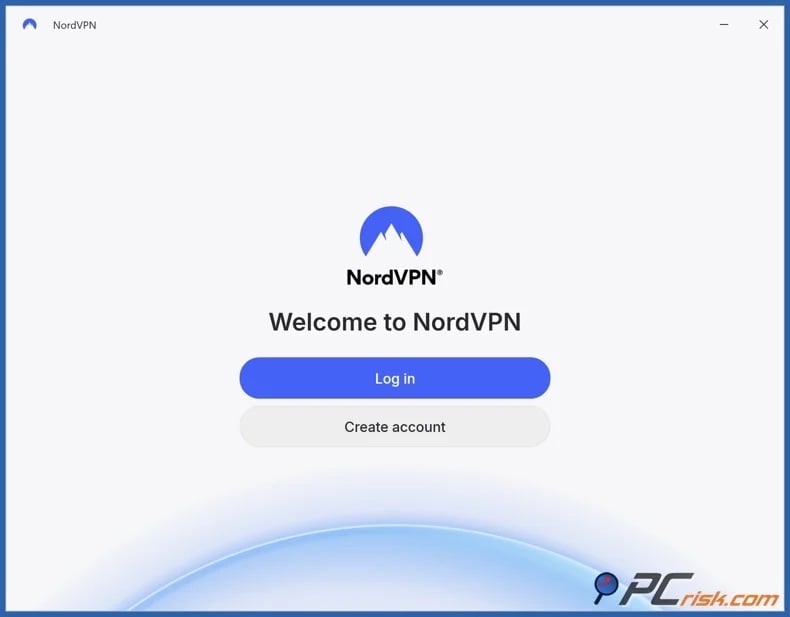
2. Download and install the VPN app, then sign in. It is noteworthy that major VPN providers typically support various platforms (Windows, macOS, iOS, Android, etc.).
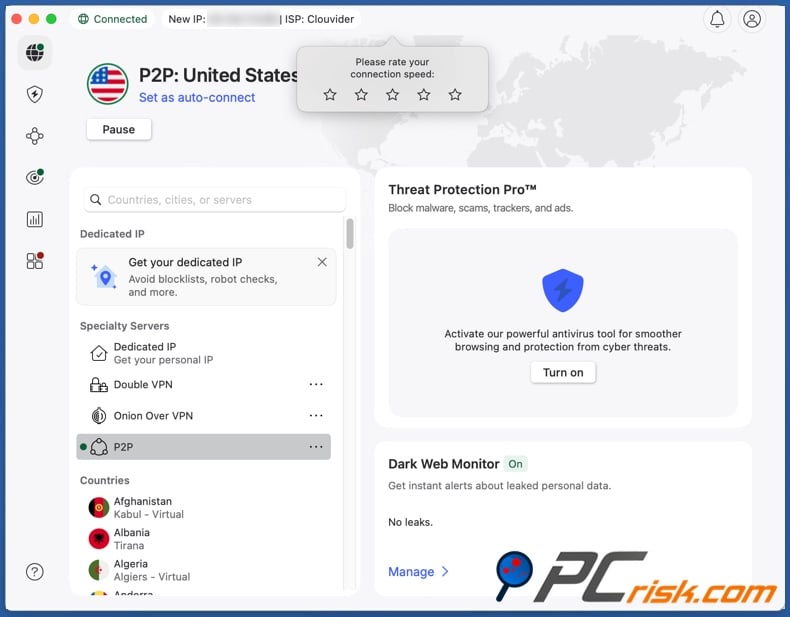
3. Connect to a server where Pinterest is available. Connecting to a nearby country where it is not blocked is best for speeds. If Pinterest is blocked in your region, try several locations. If the website does not load while connected, change servers, as VPN IP ranges may be flagged.
4. Open Pinterest and test browsing, search, and saving. If Pinterest loads but does not function properly, clear your cookies and cached site data, or use a private browsing session, then reload the site. For the app, clear the app cache or restart your device to refresh the connection.
Remember that no VPN can guarantee uninterrupted access to any specific platform. Websites regularly update abuse controls and may block heavily shared IP addresses. Pick a VPN service with numerous servers and fast server switching - for better reliability.
Best VPNs to access Pinterest in 2026
When choosing a VPN for Pinterest, it is all about consistency - you want stable browsing, fast image loading, and enough location variety to quickly switch servers in case you need to change locations if access is restricted on your current network.
Based on performance in our in-house and independent tests, we have determined the following five VPN services as our top choices for 2026 (detailed comparisons are available in our dedicated article):
1. NordVPN - our top 2026 pick. NordVPN is a reliable, well-rounded option for quick browsing without giving up your privacy. If a website flags your current IP, switching to another server is quick and easy.
2. Surfshark - our second choice. Surfshark is popular for households because it offers unlimited device connections. This service also provides the server coverage and speeds necessary for uninterrupted daily browsing.
3. Mullvad VPN - the best choice for privacy. Mullvad prioritizes minimizing data collection and account privacy. However, it is a less flexible option due to a smaller server network than that of its competitors.
4. Proton VPN - the choice for security and transparency. Proton VPN offers a free plan with no data caps but a smaller server network than its paid tiers.
5. ExpressVPN - the premium, user-friendly choice. ExpressVPN is an investment that provides well-designed applications that are easy to use, a vast server network, good speeds, and a variety of other features.
Can you use a free VPN to access Pinterest?
Free VPNs are available, and some reputable providers offer limited free plans. However, due to the limitations (and trust concerns) with free services, these VPNs are not good long-term solutions. Pinterest is a platform rich with images, which require a considerable amount of bandwidth to load properly, and free VPNs tend to come with speed or data limits.
Top VPN ReviewsExclusive dealsExpert-tested · hands-on reviews→
Free VPNs are associated with the following shortcomings and risks:
Limited speed and reliability
Free VPN services frequently have fewer servers and heavier congestion, which can mean slow loading, failed image retrieval, and frequent disconnects. In many cases, free providers set speed limits - yet even if they do not, their servers can still get crowded.
Higher chance of getting flagged due to shared IPs
When multiple users share the same exit nodes, platforms may flag the traffic as suspicious. Pinterest states that it may block activity from certain IPs or regions based on suspicious activity signals. Free VPN IP addresses, which are often heavily shared, are more likely to be flagged than typical home ISP addresses.
Privacy tradeoffs and tracking risk
Not all VPN apps are designed to protect privacy. Significant privacy and security issues, such as traffic leaks and inadequate user protection - are real concerns. These services may be monetized through dubious or even nefarious tactics, such as collecting and selling private user data.
Security risks: poor practices and misleading claims
Some "free privacy" tools have made deceptive privacy claims while continuing to collect and monetize user data. Although specifics differ by product, the key point remains - if you are not paying for a product, carefully consider how it is actually funded.
Free VPNs and unofficial download sites can sometimes put your privacy at risk. Combo Cleaner protects your browsing by scanning for malware in real time and blocking scams, phishing, harmful downloads, and dangerous websites.
A VPN encrypts your traffic — but your device still needs protection against malware and ransomware. Combo Cleaner adds the missing layer of defense.
Download Combo CleanerAntivirusDetect & remove malware threats→Practical exception: reputable free plans
Some reputable providers offer free plans as entry-level options intended to promote paid tiers, and not as data-harvesting schemes. For example, Proton VPN offers a free plan with a smaller server network but unlimited bandwidth, and a focus on privacy. While this does not guarantee effectiveness for bypassing geoblocks and other restrictions, it is fundamentally different from unknown free VPN apps that lack transparency about their funding or security.
Common issues and solutions when accessing Pinterest with a VPN
Even with a perfect VPN setup, issues when accessing Pinterest or other platforms can still occur. The following are some of the most common problems and their solutions:
Issue: Pinterest loads, but you cannot log in or save ("suspicious activity" blocks).
Solution: Pause and limit the sign-in attempts. According to Pinterest, the solution is to wait since most restrictions are lifted automatically. If the problem persists, connect to a different VPN server or country before trying again.
Issue: Pinterest does not load after connecting to a VPN.
Solution: First, switch VPN servers. If the issue persists, delete your browser cookies and cache or use a private window, then reload the page. On mobile devices, restart the app and clear the app cache if necessary.
Issue: Pinterest is blocked only on a work or school network.
Solution: Verify the block by switching networks, such as from Wi-Fi to mobile data. If the restriction is due to network policy, a VPN may help, though some organizations block VPN protocols or websites. For managed devices, such as school or corporate laptops, policy enforcement may also include device-level controls.
Issue: Pinterest is slow or images load poorly
Solution: Select a server where Pinterest is accessible but is geographically closer to your location. If you need to connect from a distance, try servers in nearby countries instead of those on other continents. Close any applications or processes that use significant bandwidth. Because Pinterest relies heavily on media, slow VPN connections or base Internet speed can significantly impact performance.
Issue: Pinterest blocks specific links you try to share
Solution: This issue is unrelated to your VPN. Pinterest may block links that redirect, mislead users, or violate its policies. If you own the Pin, update it with a direct, policy-compliant URL.
It must be mentioned that trustworthy VPN services provide reliable customer support. Therefore, if you are using such a service and cannot find a common solution - try contacting your VPN support.
Can I access Pinterest without a VPN?
Two common alternatives to VPNs are open proxies and Tor Browser. Both can work in specific situations, but neither is a solid replacement for a reputable VPN service.
Open proxies (also known as web-based proxies)
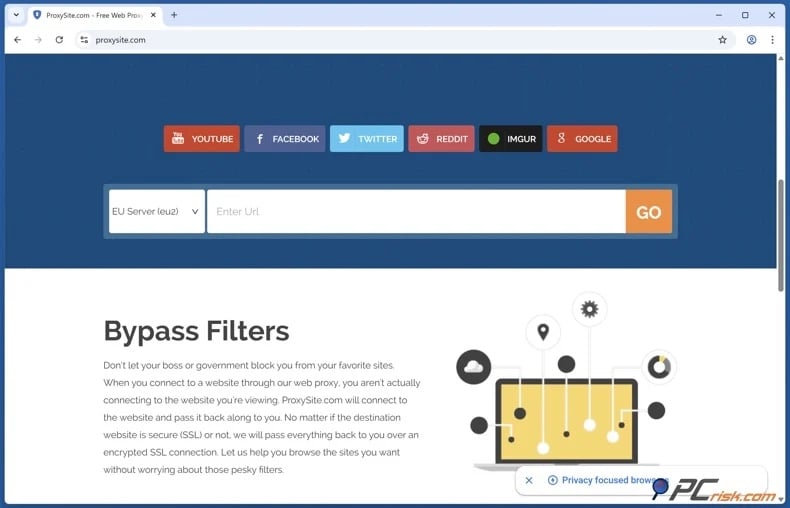
Pros: easy to use, no installation required, and may bypass basic URL restrictions.
Cons: open proxies are considered risky because their operators are unknown and may log your traffic or expose you to interception. These proxies are also vulnerable to abuse and compromise, including session manipulation.
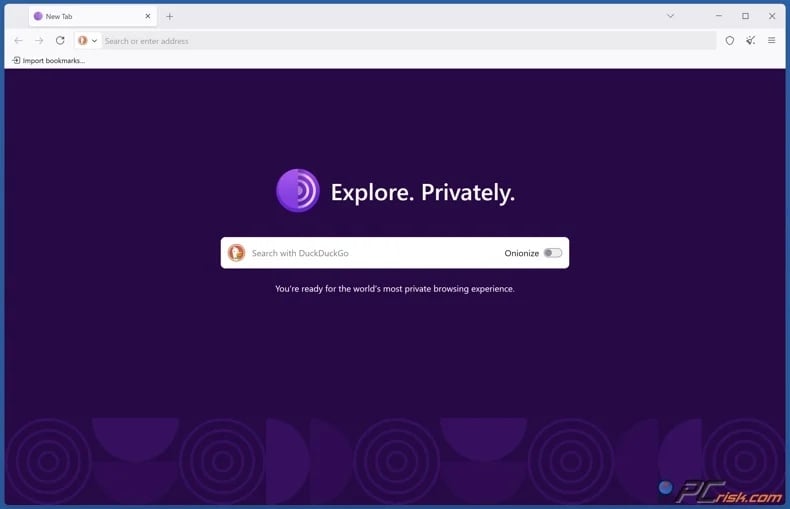
Pros: Tor Browser enables users to access sites blocked by local networks and routes traffic through the Tor network with layered encryption.
Cons: Tor may be slower due to global relay routing, and performance varies with network load and latency. Some websites may flag Tor traffic as suspicious, leading to additional verification or access restrictions.
Note that if Pinterest restricts access due to sanctions or account-level availability rules, using Tor or an open proxy will not necessarily restore access to restricted products (such as business accounts or advertising services).
Is using a VPN to access Pinterest legal?
VPN legality varies by country. In many regions, VPN use is permitted. In others, VPNs are either prohibited, require government approval, or are subject to strict restrictions.
Countries where VPN use is considered illegal or is legally blocked include:
Belarus: Internet freedom reports indicate that VPNs and Tor have been legally blocked since 2015, although enforcement has varied (meaning that it has not been universally criminalized).
Turkmenistan: Official travel guidance states that VPNs are illegal and are frequently blocked when detected.
Countries where VPN use is restricted or requires government approval include:
China: Reports indicate increased restrictions on VPNs since 2017. Unlicensed VPN use is targeted, and providers are prohibited from establishing VPNs without government approval.
Iran: Reports state that unauthorized VPNs are restricted or blocked, and authorities promote government-approved VPN providers.
Russia: Reporting and human rights analysis describe a regulatory environment that targets proxy services, blocks circumvention tools, and penalizes distribution or promotion of VPN services, even if consumer use is not framed as a universal criminal offense.
VPNs can be temporarily banned, such as in Iraq in 2014. Currently, these tools do not appear to be deemed illegal. Since legality can change anywhere at any time, it is critical to keep up to date with current law.
It must be emphasized that even where VPN use is legal, it does not protect you from liability if you engage in illegal activities. A VPN only changes how your traffic is routed; it does not alter what the law allows.
In closing
Pinterest is widely available, but not always accessible. Common barriers include censorship, sanctions compliance, and network filtering. Pinterest may also temporarily restrict logins or actions if it detects suspicious activity from a specific IP address or region.
If Pinterest is blocked by your school, workplace, ISP, or national filters, a reputable VPN is often the most practical solution. VPNs can bypass many IP-based and network restrictions while encrypting your traffic. However, VPNs cannot override Pinterest's own service availability rules, especially for business and advertising products.
It must be stressed that there are countries where VPN usage is illegal or heavily restricted. Therefore, always mind local laws, choose reputable tools, and stay safe.
Frequently Asked Questions (FAQ)
Why can't I access Pinterest?
You may be unable to access Pinterest due to national censorship, school or workplace filters, sanctions-related feature restrictions, or temporary blocks by the platform on your IP address or region due to suspicious activity.
Can I access Pinterest with a VPN?
In many cases, you can access Pinterest with a VPN. If the restriction is based on your IP address or network policy, a VPN is likely to help. However, if Pinterest limits access due to service availability rules (like business or advertising service unavailability in sanctioned locations) - a VPN may not enable those features.
Can I access Pinterest without a VPN?
There are some alternative tools that may be able to help you access Pinterest in some cases. Open proxies and Tor Browser may bypass certain restrictions, but proxies can pose security risks, and Tor may be slow or blocked by some websites.
Share:
 Facebook
 X.com
X.com
 LinkedIn
 Copy Link

Karolis Liucveikis
Experienced software engineer, passionate about behavioral analysis of malicious apps
Author and general operator of PCrisk's News and Removal Guides section. Co-researcher working alongside Tomas to discover the latest threats and global trends in the cyber security world. Karolis has experience of over 8 years working in this branch. He attended Kaunas University of Technology and graduated with a degree in Software Development in 2017. Extremely passionate about technical aspects and behavior of various malicious applications.
▼ Show Discussion