
We may earn commissions from products we recommend. Learn more.
Best antivirus software for iPhone in 2026 | Top 5 picks

Best Antivirus Software for iPhone
If you are looking for antivirus software for your iPhone, it is important to know that iPhone security works differently from Windows or Android. Apple uses a strict sandbox for apps, controls app distribution, and adds layers of protection to lower the risk of classic file-based malware. Because of this, no third-party iPhone security app can scan your whole device like a desktop antivirus. On iPhone, 'antivirus' usually means a security app that helps protect you from phishing, bad links, scam texts, risky Wi‑Fi, account leaks, and privacy issues.
This difference is important because most iPhone users do not need a big security suite, but many still need some extra protection. Apple warns about phishing, fake pop-ups, scam calls, unwanted calendar invites, and harmful web content. It also says that keeping iOS updated is one of the best ways to stay secure. So, the best iPhone antivirus app should work alongside Apple’s built-in protection, not try to replace it. For this guide, we only included antivirus brands that PCrisk.com has already reviewed: Bitdefender, ESET, Malwarebytes, Avast, and Norton.
Table of Contents:
- Introduction
- Do I Need an Antivirus App on My iPhone?
- Best iPhone Antivirus Comparison
- Best Antivirus Apps for iPhone in 2026
- How We Test Antivirus Apps for the iPhone
- What Security Threats Can iPhone Users Encounter?
- Will an antivirus app slow down your iPhone?
- Are free antivirus apps for iPhone any good?
- Final Thoughts
- Frequently Asked Questions (FAQs)
Do I Need an Antivirus App on My iPhone?
In the old-fashioned sense, not really. iPhones are already protected by Apple’s security model, which relies on code signing, centralized app distribution, and strict sandboxing. Apple states that third-party apps are sandboxed so they cannot freely inspect or change other apps or the operating system, and it also describes the iPhone’s app security model as one designed to minimize malware, tampering, and unauthorized access. That is exactly why iPhone antivirus apps do not offer the same deep device scans you see on PCs.
However, many people today can still benefit from using an iPhone security app. Apple’s support pages often warn about social engineering, phishing emails, fake support calls, harmful messages, fake promotions, and unwanted calendar invites. In April 2026, Apple also provided guidance on web-based attacks targeting outdated iOS versions via malicious web content. It pointed out that simply clicking a bad link or visiting a risky site can put your data at risk if your device is not up to date. This is where iPhone 'antivirus' apps help: they block dangerous sites, filter scam messages, flag risky settings, warn about data breaches, and help keep you safe on public networks.
To sum up, you do not need an antivirus app on your iPhone as you do on a Windows PC, but a good iPhone security app can still be helpful. If you browse the web often, use public Wi‑Fi, get a lot of spam texts, deal with fake delivery messages, worry about data leaks, or want more control over calls and web filtering, the right app is worth it. If you are already careful and keep iOS updated, Apple’s built-in protections might be enough, especially if you want to save money.
It is also important to distinguish between everyday risks and rare, targeted attacks. Apple says Lockdown Mode is for very rare and advanced attacks, and most people will never face that kind of spyware. If you are a journalist, activist, executive, public figure, or someone at higher personal risk, keeping iOS updated and using Lockdown Mode if needed is more important than installing a regular 'antivirus' app. For most users, though, stopping phishing and scams is the main concern.
Best iPhone Antivirus Comparison
The best way to compare these six apps is to focus on what matters for iPhones: blocking harmful sites, filtering scams, offering privacy tools, monitoring for breaches, protecting your network, and being easy to use.
| App | PCRisk score | Best for | Key iPhone strengths | Free option | Main drawback |
| Bitdefender | 4.5 | Best overall balance | Strong web protection, scam filtering for SMS and calendar invites, security scan for risky settings, breach alerts, built-in VPN | 7-day trial | VPN allowance is capped at 200 MB/day unless you upgrade |
| ESET | 4.4 | Existing ESET households | ESET HOME integration, VPN and identity protection on eligible plans | No real free iPhone antivirus | No dedicated iPhone antivirus solution, and Password Manager is being phased out |
| Malwarebytes | 4.3 | Spam, scam, and text filtering | Strong messaging focus, robocall and text filtering, ad blocking, AI Scam Guard, VPN on paid tier | Yes | Web protection, call protection, and VPN are locked behind paid plans |
| Avast | 4.2 | Best free toolkit | Good free starter features, web guard, hack alerts, AI assistant, photo vault, optional call and SMS tools | Yes | Frequent upgrade prompts and Avast’s older privacy controversy still hurt trust |
| Norton | 4.1 | Scam protection and family coverage | Safe Web, Safe SMS, Wi‑Fi security, device security alerts, secure calendar, strong cross-device ecosystem | No permanent free tier | Plan structure is confusing, and VPN availability depends on which Norton package you buy |
Looking at current iPhone features and PCrisk’s review scores, Bitdefender is the best all-around choice. Norton is the top pick for scam protection. Malwarebytes is great if you get a lot of unwanted calls and messages. Avast is the best free option. ESET only makes sense if you already use other ESET products.
Best Antivirus Apps for iPhone in 2026
When we focus only on apps reviewed by PCrisk.com, the rankings look different from other 'best antivirus' lists online. ESET and Malwarebytes are great on PC, but on iPhone, features matter more than reputation alone. The best iPhone app is the one that protects you from real iPhone threats like phishing, smishing, malicious websites, unsafe networks, data breaches, and device misconfigurations.
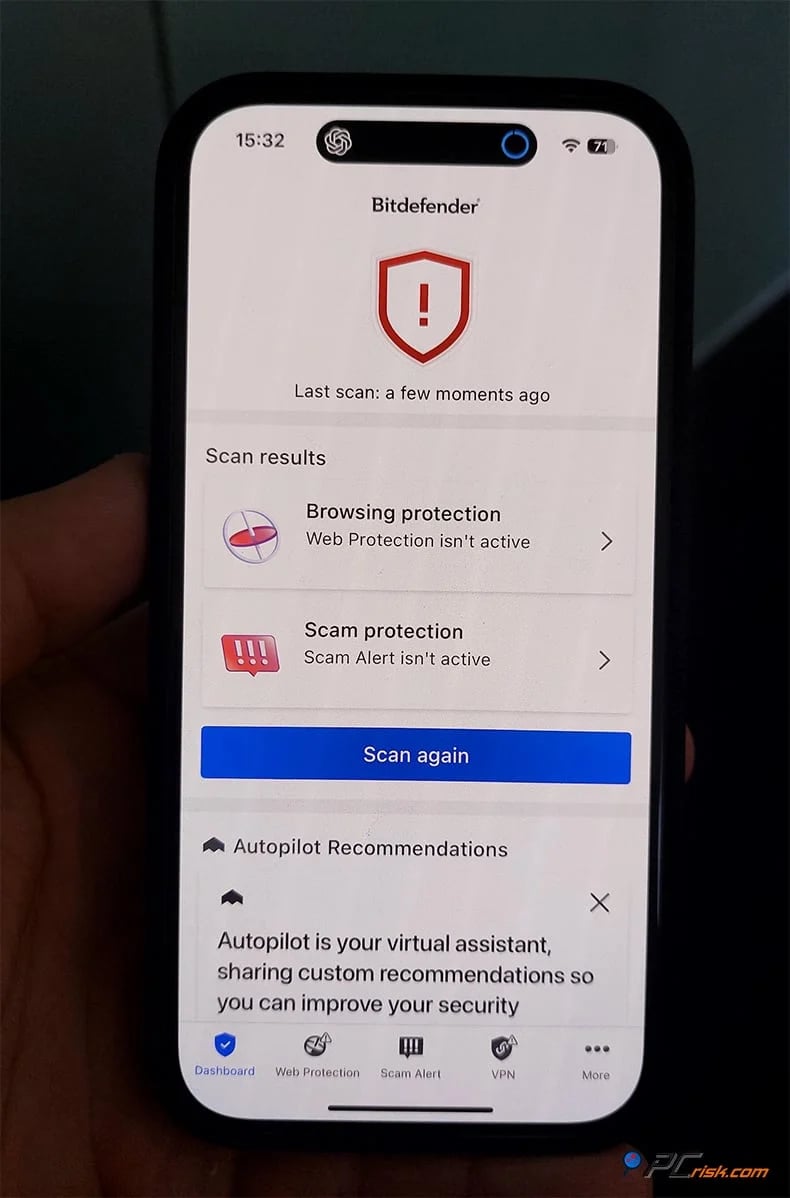
1. Bitdefender is the best overall antivirus app for iPhone. PCrisk gave Bitdefender the highest score among the six products in this guide, which aligns well with what iPhone users actually need. Bitdefender’s iOS app focuses on Security Scan, Web Protection, Scam Protection for malicious links in texts and calendar events, Account Privacy for breach alerts, and a built-in VPN. That is a strong and sensible bundle for iPhone, because it focuses on the gaps Apple leaves exposed in everyday use rather than pretending it can run full-system malware scans on iOS. The app is also notably lightweight, making it appealing to people who want protection without constant maintenance.
What makes Bitdefender especially easy to recommend is how well it aligns with the iPhone security model. Apple handles deep platform security. Bitdefender adds anti-phishing and anti-scam protection, risk-setting checks, breach monitoring, and a modest VPN. That means it covers the modern “I clicked the wrong thing” threat much better than many users expect. Its biggest weakness is straightforward: the app is not as feature-rich as some broader suites, and the included VPN is limited to 200 MB per day unless you pay for a higher tier.
Pros: excellent balance, very light footprint, and one of the most rational iPhone feature sets in this group.
Cons: the iOS app is intentionally minimalist, and the built-in VPN cap feels stingy.
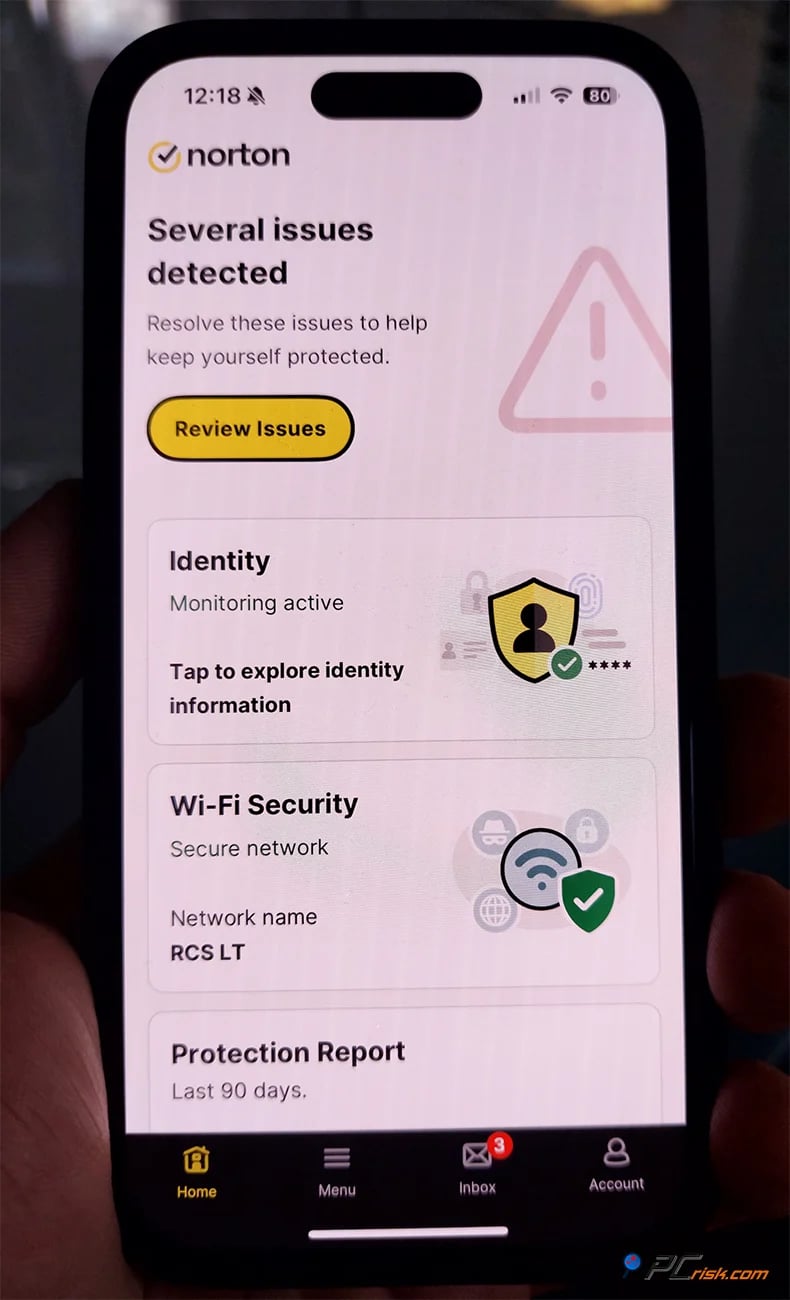
2. Norton is the strongest option if your main concern is scams, risky networks, and broader family coverage. Norton’s current iPhone offering is one of the most feature-rich in this guide, especially around scam defense. Its official iOS product page highlights AI-powered Scam Protection, Safe SMS, Wi‑Fi Security, Safe Web, Device Security, Device Report Card, Suspicious Network Detection, and Secure Calendar. PCrisk’s Norton review also emphasizes its strong web protection, Wi‑Fi checks, device alerts, and the convenience of its cross-device ecosystem when protecting a whole household rather than just one phone.
Norton’s main issue is not protection, but complexity. The features you get depend on whether you buy Norton Mobile Security, Norton Mobile Security + VPN, Norton 360 for Mobile, or a bigger Norton 360 bundle. This can be confusing, especially if you expect every Norton app to have the same VPN and identity features. Renewal prices can also be high, and PCrisk points out that Norton’s interface and product lineup are not as unified as they could be.
Pros: strong scam protection, great web and message security, and a good choice if you already use Norton on other devices.
Cons: confusing options, higher renewal costs, and more complexity than some simpler rivals.
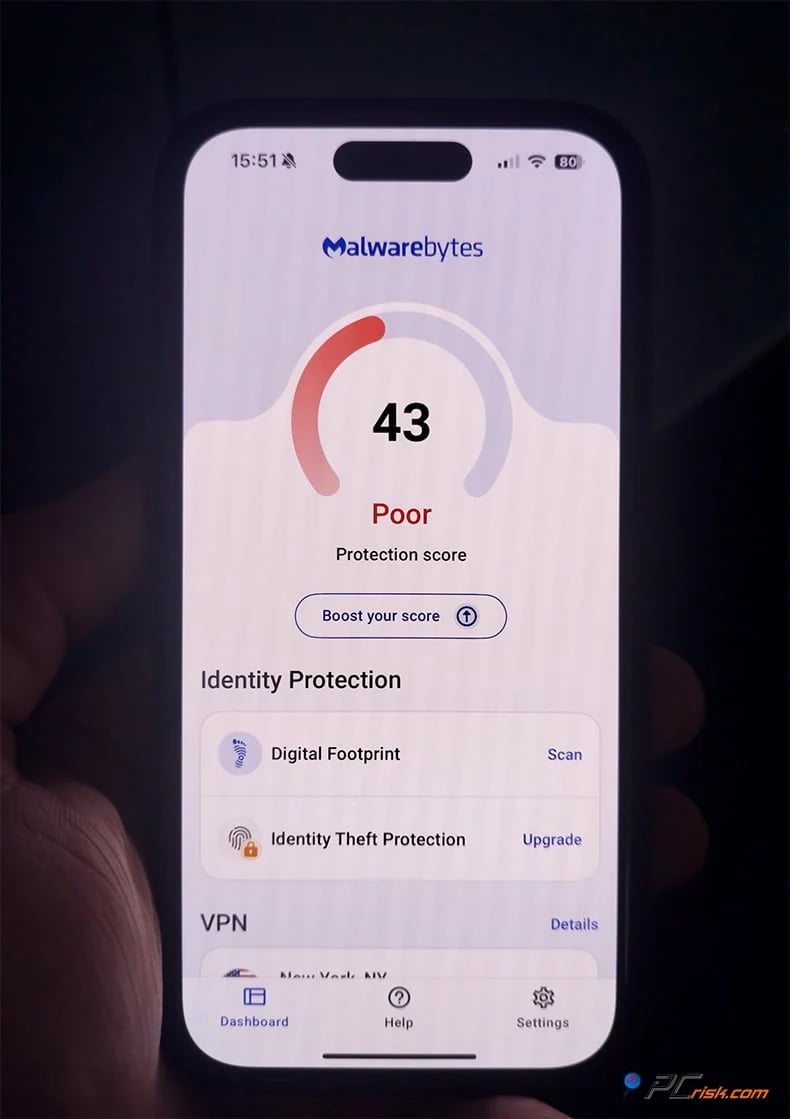
3. Malwarebytes is one of the best iPhone apps for users who want simple protection against robocalls, spam texts, malicious links, and cluttered browsing. Malwarebytes has long been strong at dealing with junk, scammy, and low-quality threats on desktop, and that personality carries over well to iPhone. PCrisk’s review describes an iOS app focused on call protection, text filtering, Safari protection, ad blocking, AI Scam Guard, VPN, and identity monitoring in higher plans. Malwarebytes’ current iPhone product page also emphasizes robocall detection, fake texts, malicious sites, ad and tracker blocking, and its built-in Scam Guard assistant.
Where Malwarebytes really separates itself is on the free tier. Its current feature table shows that on iPhone, ad blocking, SMS protection, and Scam Guard are free, while web protection, call protection, and VPN require payment. That makes Malwarebytes one of the more useful “start free, upgrade later” options in this list. It is very easy to live with, and the interface is clean. The trade-off is that it is not trying to be a giant all-in-one suite. If you want a more complete bundle with a stronger identity or broader network extras, Bitdefender or Norton may feel fuller.
Pros: excellent spam and scam focus, one of the better free options, very easy to use.
Cons: a premium is needed for some of the most important protections, and it is lighter on suite-style extras.
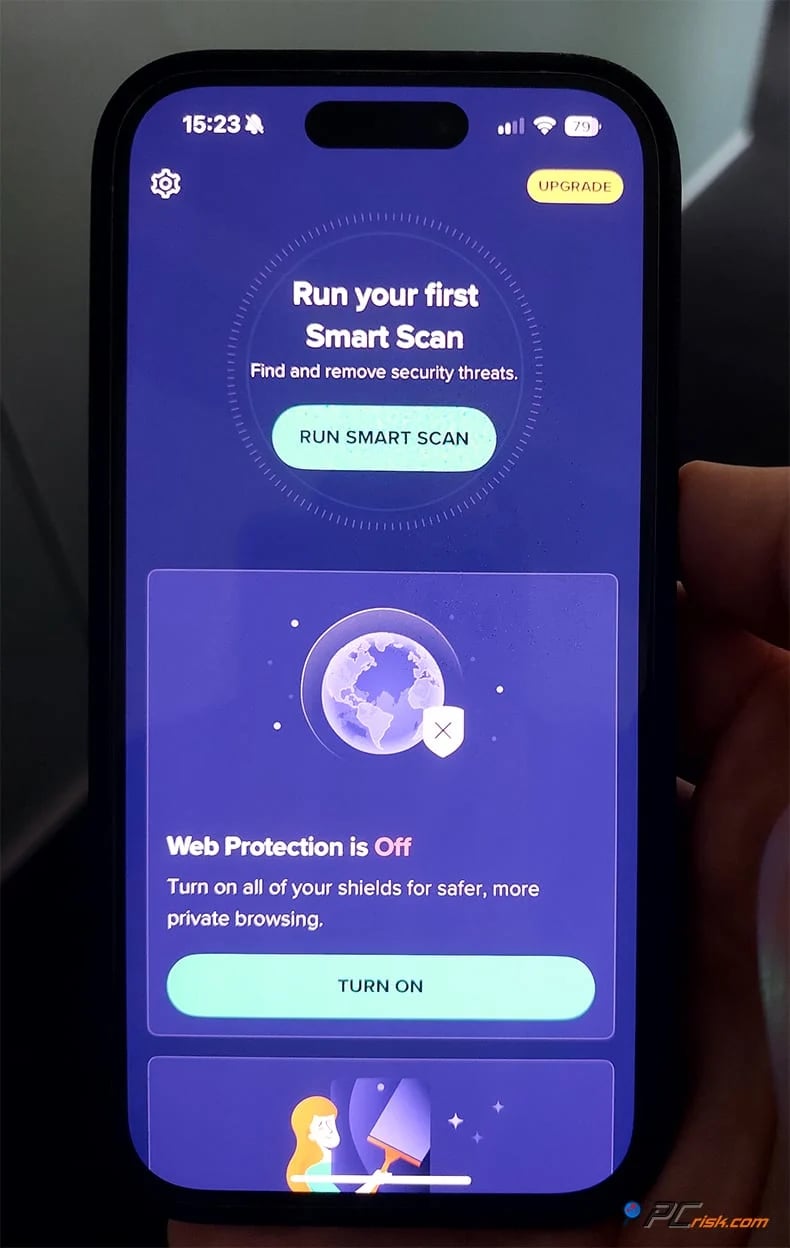
4. Avast is the best free iPhone antivirus-style app in this group. If your goal is to improve your iPhone’s day-to-day security without paying immediately, Avast is the easiest recommendation. Avast’s free iPhone page highlights free web guard functionality, password leak alerts, a small encrypted Photo Vault, and AI-based scam guidance, while the premium version expands on that with SMS and call blocking, broader breach monitoring, and an unlimited photo vault. Avast support documents also show that its newer iPhone security feature set now includes Web Guard, Email Guard, SMS Guard, Call Guard, and VPN in higher mobile tiers. That is a meaningful amount of functionality for a free starting point.
Avast is not perfect, though. PCrisk’s review highlights frequent upgrade prompts, ads across the wider Avast ecosystem, and concerns about Avast’s past data-collection issues, which still make some users uneasy. This history is important when trust matters. So, while Avast is a strong free iPhone security app, it is not the easiest 'install and forget' choice.
Pros: best free starting point, helpful scam and privacy tools, and good coverage for iPhone.
Cons: lots of upselling, and some users may still worry about past privacy issues.
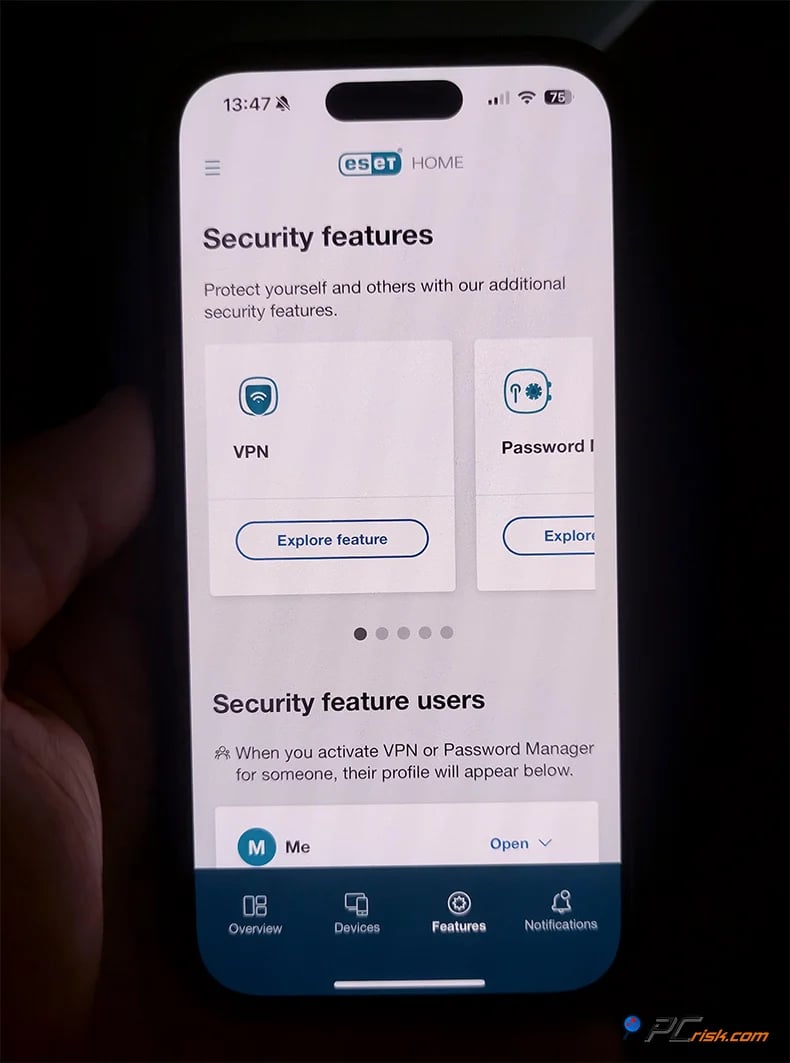
5. ESET ranks last for iPhone, even though it is an excellent security brand overall. This is the clearest example of why iPhone-specific rankings can look very different from desktop rankings. PCrisk gave ESET a strong overall score, but ESET does not have a conventional antivirus app for iOS. ESET’s current official pages are even more direct: the company says it does not provide an antivirus solution for iOS and instead offers select privacy and identity features for iPhone and iPad. The ESET HOME iOS app can provide device management, subscriptions, notifications, VPN, and Identity Protection on supported plans, but that is not the same as a full-featured iPhone security app.
ESET is not a strong choice for iPhone-only users. It makes more sense for households that already use ESET on Windows, Mac, or Android and want everything under one account. There is also an issue with ESET Password Manager, which is being discontinued; sales have already ended, and support ends on October 18, 2027. This further lowers the iPhone's long-term value.
Pros: good as a companion app in an ESET household, decent integration, and VPN and identity features on some plans.
Cons: no real iPhone antivirus, less value for iPhone users, and the password manager is being phased out.
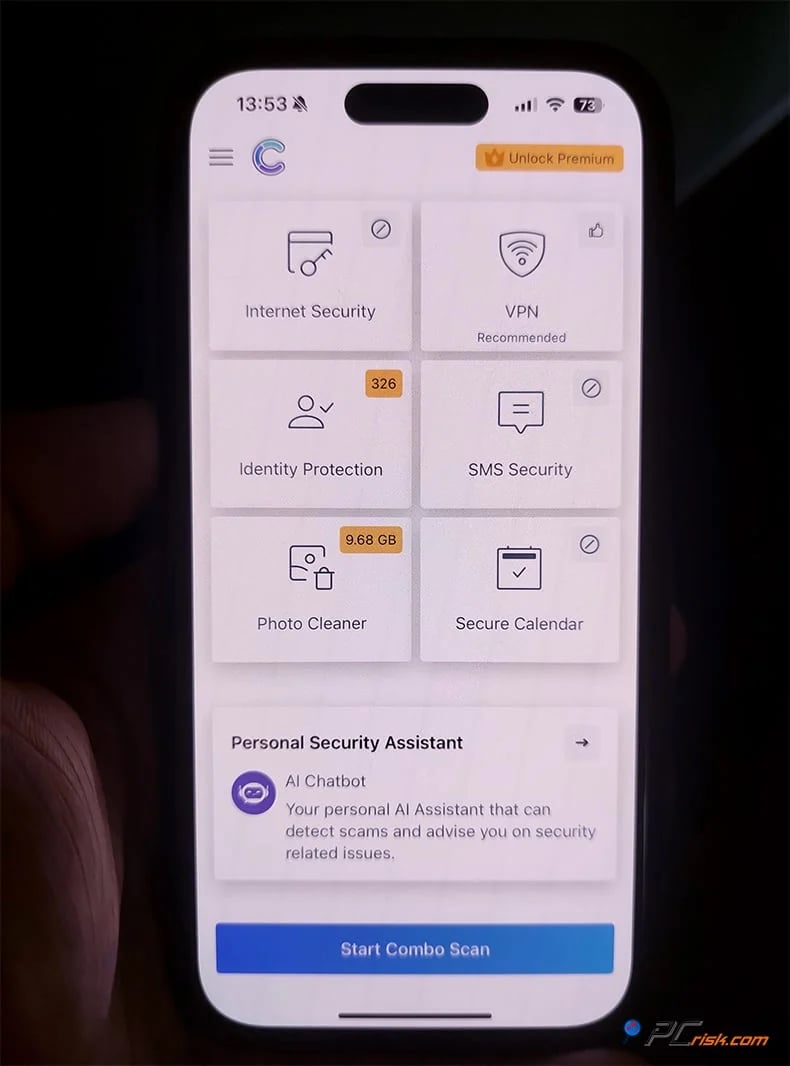
Editor's Choice - Combo Cleaner. We have left Combo Cleaner out of the top five to be transparent. PCrisk’s 2026 antivirus roundup makes it clear that Combo Cleaner is owned and run by RCS LT, which also owns PCrisk.com. For this reason, it is only fair to keep it separate from the main comparison table. Still, Combo Cleaner stands out for its practical, user-friendly approach to iPhone security, which many people will appreciate.
Combo Cleaner for iPhone offers real-time web protection against phishing and scam sites, filters out spam events from your calendar, checks SMS messages for suspicious links, and scans for identity leaks and exposed passwords. It also includes photo cleanup tools to remove duplicate or low-quality images. According to PCrisk’s review, the iOS app is free to download with limited features, and you can unlock more security tools with a premium upgrade. This mix of security and cleanup features sets Combo Cleaner apart from others on the list. It not only blocks scam pages but also helps users keep their devices organized.
This mix of features is a great option for iPhone users who prefer all-in-one utility apps and want more than just web filtering. However, unlike Bitdefender or Norton, Combo Cleaner does not have as much recognition from independent antivirus testers.
Pros: practical feature mix, strong fit for common iPhone annoyances, and cleanup plus security in one place.
Cons: less third-party benchmark depth, and not as broad an identity/security suite as the biggest names.
How We Test Antivirus Apps for the iPhone
PCrisk’s standard antivirus methodology puts the heaviest weight on protection, then on performance, usability, and extras. On desktop platforms, that means real-time blocking, seeded malware samples, on-demand scans, cleanup quality, performance impact, and the usefulness of bundled features. That philosophy still works for iPhone, but the execution needs to change because Apple’s sandboxing prevents third-party apps from inspecting the operating system or other apps the way a desktop antivirus can.
For an iPhone-focused test, the core category would shift from file-based malware detection to real-world scam and web protection. We would prioritize how well an app blocks phishing links, malicious URLs, fraudulent calendar invites, risky SMS messages, suspicious networks, and device-security misconfigurations. That still follows PCrisk’s principle of simulating real-world attacks, but on iPhone, the attacks users most commonly face are phishing, smishing, browser threats, rogue links, and breach fallout rather than traditional executable malware. Apple’s own support material strongly supports that emphasis.
A good iPhone testing method should focus most on web and scam blocking, then on network and privacy tools, followed by performance, ease of use, and value. We ask questions like: Does the app block known phishing sites? Does it filter out junk texts? Does it warn about scam calls, unsafe Wi‑Fi, or risky settings? Is the VPN reliable? Does breach monitoring give useful alerts? Most importantly, is the app simple enough for regular users to keep using? This matches PCrisk’s focus on clear protection, user-friendliness, and useful features.
Performance testing would also be adapted. PCrisk’s desktop process looks at boot delays, CPU and RAM usage, and full-scan load. On iPhone, there is no classical full antivirus scan to benchmark, so the questions become subtler: Does the app feel heavy during browsing? Does always-on web filtering or VPN noticeably drain battery? Does it interrupt calls, messaging, or normal browsing? Does it spam the user with upgrade prompts, unnecessary alerts, or confusing setup steps? Apple notes that iPhone apps can only do background processing through system-provided APIs specifically to avoid degrading performance or dramatically hurting battery life, which supports the expectation that a well-made iPhone security app should stay light.
Finally, we judge iPhone apps by how honest they are. Some companies still advertise iOS tools as if they are traditional antivirus, but what really matters is if the app is actually useful on iPhone. A good iPhone app does not need to do everything a Windows suite does. It just needs to protect against real iPhone threats in a clear and effective way. That is the standard we used for our rankings.
What Security Threats Can iPhone Users Encounter?
The most common threats for iPhones are not classic self-replicating 'viruses.' Instead, they are scams, stolen credentials, harmful websites, and social engineering. Apple’s support pages warn about fake emails and messages, misleading pop-ups about security problems, scam calls pretending to be Apple Support, fake promotions, and unwanted calendar invites. These are the same threats that the iPhone security apps in this guide are designed to block: harmful links, message scams, and risky browsing, not traditional file-based malware.
Phishing and smishing remain the biggest everyday risk. PCrisk has repeatedly documented iPhone-targeted SMS scams that mimic Apple security alerts or “Find My iPhone” messages to steal credentials, and it has also covered fake support-style and virus-style pages that try to panic users into installing junk software or handing over information. Because the iPhone screen is small and mobile users are more likely to tap quickly, these attacks can be especially effective when they arrive through delivery messages, fake password alerts, or urgent financial notifications.
Malicious or compromised websites are another real concern, particularly on outdated iOS versions. Apple said in 2026 that security researchers had identified web-based attacks targeting out-of-date iPhones through malicious web content, and it emphasized that simply visiting a compromised website or clicking a malicious link could put user data at risk. Apple also noted that keeping iOS updated is the single most important thing users can do, and that Safari’s Safe Browsing is enabled by default for known malicious domains involved in those attacks. That is one reason iPhone security apps with strong web filtering still make sense: they add another layer of protection against a threat Apple itself has publicly spotlighted.
Calendar spam is a more specific but still important iPhone nuisance. Apple provides official steps for deleting junk events or reporting unexpected invitations from unknown contacts, which tells you all you need to know about how common the problem is. Apps such as Bitdefender, Norton, and Combo Cleaner now explicitly include calendar-link screening or cleanup features because fake invites are a well-known way to push users toward scam pages and fake alerts. Many users casually call this a “calendar virus,” but in most cases, it is really a scam-delivery method rather than a device infection.
Credential leaks and account takeover are just as important as web scams. Even if your iPhone itself is not infected, your Apple Account, email, shopping accounts, or banking logins can be exposed through data breaches or phishing pages. That is why breach monitoring shows up so often in the best iPhone security apps. Bitdefender, Avast, Norton, Malwarebytes, Combo Cleaner, and ESET now place some weight on identity, leak, or account monitoring, which is appropriate because modern mobile risk is often account-centric.
Unsafe public Wi‑Fi is also a reasonable concern, although it is often oversimplified in marketing. Apple already supports strong Wi‑Fi security standards and recommends secure router settings, but public networks still pose privacy and interception risks, especially when logging into sensitive accounts or using apps on networks you do not control. That is why VPNs and network-warning tools are common in the better iPhone security apps, particularly from Bitdefender, Norton, Avast, Malwarebytes, and ESET.
High-end targeted spyware does exist, but it is rare. Apple sends threat notifications to users who may be targeted by advanced spyware and says these attacks are very sophisticated and affect only a small number of people. For most users, this is not the main reason to install an iPhone security app. Still, it shows that 'iPhones never get attacked' is not true. Targeted attacks happen, and Apple’s Lockdown Mode is designed for this.
Jailbreaking is another avoidable source of risk. Apple explicitly says unauthorized modification of iOS bypasses built-in security features and can create security vulnerabilities, instability, and shortened battery life. If your iPhone is jailbroken, the threat model changes dramatically, and the safety assumptions underlying Apple’s platform security are weakened. In that scenario, an iPhone security app is not a substitute for restoring the device to a secure, supported state.
Will an antivirus app slow down your iPhone?
Usually, an antivirus app will not slow down your iPhone much. Because of Apple’s sandboxing, iPhone security apps do not scan your whole device in the background. Most work by using local VPN-based web filtering, blocking content, filtering texts and calls, monitoring for breaches, and checking security settings. Apple also says background processing is tightly controlled to protect performance and battery life. So, a good iPhone security app should feel light most of the time.
The features most likely to affect battery life are always-on VPN connections and aggressive web filtering, not the app icon sitting on your Home Screen. Bitdefender and Malwarebytes are particularly easy to recommend if you care about staying light, because PCrisk’s reviews describe them as quiet, user-friendly, and low-impact. Avast and Norton remain usable on iPhone, but they can feel busier due to their broader feature sets and, in Avast’s case, a more noticeable upsell culture across the product ecosystem. If you want the least intrusive experience, Bitdefender is the safest pick. If you want good free protection and can tolerate more prompting, Avast is fine.
If an iPhone security app ever feels slow or heavy, the easiest solution is to turn off features you do not need. Many people do not need an always-on VPN all day. Some may want web and SMS filtering but not call blocking or identity features. The best apps let you keep the important protections on without making your phone feel cluttered.
Are free antivirus apps for iPhone any good?
Some are. But on iPhone, free apps are best treated as a first layer, not a complete security solution. The best free option in this guide is Avast. It's free iPhone offering includes core security and privacy features such as web protection, leak alerts, AI scam assistance, and a limited photo vault, while premium adds stronger call/SMS tools and broader identity monitoring. For users who want a no-cost app that still feels meaningfully useful, Avast is the strongest starting point.
Malwarebytes is another honest and worthwhile free option. Its current mobile feature tables show that on iPhone, the free tier includes ad blocking, SMS protection, and Scam Guard, while web protection, call protection, and VPN are paid. That makes Malwarebytes especially good for users whose biggest problems are junk texts, annoying browser clutter, or uncertainty about suspicious messages. You can get real utility from the free version before deciding whether a premium upgrade is worth it.
Combo Cleaner is also free to download on iPhone and is worth a look if you want a blend of cleanup and security. Its App Store listing highlights web protection, calendar, and SMS link checks, password checking, leak checks, and photo cleaning. That said, as with most mobile security apps, the most compelling protection value comes once you step into the paid side. Think of Combo Cleaner’s free availability as a low-friction way to try the app rather than a promise of complete no-cost protection.
Bitdefender is excellent, but it is not a true permanent free pick for iPhone. It offers a 7-day premium trial, which is enough to test the app thoroughly, but it is better understood as a premium product with a short runway rather than a real free tier. Norton is even less attractive for free seekers, since the current iPhone offering is mainly premium-focused. And ESET, as already discussed, is not really playing in the same iPhone antivirus category.
So, free iPhone antivirus apps can be useful, but it is important to be realistic about what 'good' means. Free versions usually offer features such as text filtering, scam tips, ad blocking, leak checks, and basic privacy tools. Paid versions give you stronger web protection, VPN, call filtering, and more identity features.
Final Thoughts
If you want a complete all-around pick, Bitdefender is the top choice in this guide. It aligns well with the iPhone threat model, offering web protection, scam filtering, breach monitoring, risky-setting checks, and a light design. It does not promise what it cannot deliver. Instead, it covers the areas that matter most on iPhone.
If your biggest worry is scams, Norton is the standout. If your priority is robocalls, junk texts, and suspicious messages, Malwarebytes is a very smart pick. If you want the strongest free option, Avast offers the most features before you pay. If you want one app that mixes scam protection with cleanup, Combo Cleaner has a persuasive, practical niche. And if you already use ESET elsewhere, the iPhone app can make sense as a companion, but it is not a top recommendation for iPhone-only buyers.
The most important advice is not about any specific app. Keep your iOS updated. Use two-factor authentication. Be careful with unexpected texts, pop-ups, and calendar invites. Turn on Apple’s message filtering and reporting if needed. If you are at high risk, focus on Lockdown Mode before worrying about antivirus marketing. A good iPhone security app is helpful, but it works best when it supports good security habits rather than replacing them.
Frequently Asked Questions (FAQs)
What is the best antivirus software for iPhones right now?
Based on PCrisk’s existing review scores and the current iPhone feature sets of the six products in this guide, Bitdefender is the best overall pick. It offers one of the clearest iPhone-focused bundles of web protection, scam filtering, breach monitoring, and device-security checks without feeling bloated.
Do iPhones really need antivirus apps?
Not in the same way computers do. Apple already provides strong built-in protections through code signing, centralized app distribution, and strict sandboxing. But many users still benefit from an iPhone security app because the biggest real-world threats are phishing, scam texts, malicious links, data breaches, and unsafe browsing, rather than traditional file-based malware.
Can an iPhone get viruses or malware?
Traditional iPhone malware is less common than on more open platforms, but harmful content, malicious websites, account theft, and even highly targeted spyware attacks are real. Apple publicly warns users about phishing, malicious web content, and mercenary spyware, which is why the claim that “iPhones cannot be attacked” is simply too simplistic.
Can third-party apps scan my iPhone like desktop antivirus software?
No. Apple’s sandboxing prevents third-party apps from freely examining other apps or the operating system. That is why iPhone “antivirus” apps focus on web protection, scam filtering, device security checks, leak monitoring, and privacy tools rather than deep file-system scans.
What should I prioritize in an iPhone security app?
Look for strong web protection, SMS and scam filtering, useful breach alerts, clear device-security checks, and a lightweight interface. VPN and Wi‑Fi tools are nice extras if you use public networks often. On iPhone, these features matter more than flashy claims about malware scanning.
Which free antivirus app for iPhone is the best?
Avast is the best free overall option in this group, while Malwarebytes is also very good if your main concerns are spam texts, ad blocking, and guidance on suspicious messages. Combo Cleaner is free to download as well, but it makes the most sense if you specifically want its security-and-cleanup angle.
Will an antivirus app drain my iPhone battery?
Usually only a little, if at all. Because iPhone security apps don't perform deep, whole-device scans, the biggest battery impact typically comes from features like always-on VPN or continuous web filtering. Well-optimized apps such as Bitdefender and Malwarebytes tend to stay light, while broader suites can feel a bit busier.
Why is ESET ranked so low if it is a strong security brand?
Because this is an iPhone-specific ranking, not a desktop ranking. ESET remains a respected security brand, but its current iPhone story is much weaker than its PC and Android story. ESET itself says it does not provide an antivirus solution for iOS, and the iPhone value is mostly limited to the ESET HOME companion app, VPN, and identity features on supported plans.
Is Combo Cleaner actually a good option for iPhone users?
Yes, especially if you want a more practical mix of anti-phishing protection and phone-cleanup tools. Combo Cleaner offers a useful combination of web protection, SMS and calendar filtering, leak monitoring, password checking, and photo cleanup. It makes the most sense for users who like the idea of one app that keeps both security annoyances and storage clutter under control.
What protects an iPhone more: an antivirus app or keeping iOS updated?
Keeping iOS updated matters more. Apple explicitly says software updates are the single most important thing users can do to maintain device security, especially against web-based attacks targeting older versions of iOS. A good iPhone security app is a useful layer on top of that, not a replacement for it.
Share:
 Facebook
 X.com
X.com
 LinkedIn
 Copy Link

Rimvydas Iliavicius
Researcher, author
Rimvydas is a researcher with over four years of experience in the cybersecurity industry. He attended Kaunas University of Technology and graduated with a Master's degree in Translation and Localization of Technical texts. His interests in computers and technology led him to become a versatile author in the IT industry. At PCrisk, he's responsible for writing in-depth how-to articles for Microsoft Windows.
▼ Show Discussion