
We may earn commissions from products we recommend. Learn more.
12 Ways to get around paywalls in 2026

12 Ways to get around paywalls in 2026
At PCrisk, we believe that getting around paywalls is less about finding a single trick and more about knowing what type of paywall you are facing. There is a big difference between an article hidden by a simple overlay and one that is truly kept back on the server until you log in or pay. In 2026, publishers are still updating both types, and the gap between "sometimes open" and "fully locked" is bigger than ever. Google still treats paywalled content as a normal part of the web, and publisher platforms keep offering metered, premium, freemium, and hybrid options.
There is a bigger picture, too. The Reuters Institute's 2025 Digital News Report says traditional news outlets are seeing less engagement, lower trust, and slow growth in digital subscriptions, even as publishers keep looking for direct reader payments. Reuters started offering digital subscriptions in October 2024, saying it would help fund more reporting. This shows that paywalls are here to stay. So, instead of trying to get past every paywall, it is more realistic to use legal access options, archives, reader tools, and privacy features when they work, and to know when a subscription or library login is the better choice.
Bypass content paywalls with NordVPNSpecial deal30-day money-back guarantee→
Table of Contents:
- Introduction
- What are paywalls and how do they work?
- Why do websites use paywalls?
- Our tried and tested methods for bypassing paywalls
- How to bypass soft paywalls
- Free paywall removers and their risks
- Wrapping up
- Frequently asked questions (FAQs)
What are paywalls and how do they work?
A paywall is a system that limits access to content until you subscribe, register, or otherwise prove entitlement. In practice, publishers usually pick from several common models. Hard paywalls block access immediately. Metered, or soft, paywalls let you read a set number of articles before you have to pay. Freemium models make some content available while premium content remains restricted. Hybrid models mix those approaches depending on content type, device, referral source, or subscription strategy. Google describes metering and lead-in previews as the two broad sampling approaches it sees most often, while publisher tools such as Pelcro and Fingerprint describe hard, metered, freemium, and hybrid implementations as standard building blocks.
How these systems are enforced is just as important as the type of paywall. Some sites use browser tricks like JavaScript overlays, article counters, and cookies. Others handle more of the process on the server. Google's paywalled content guide says that if publishers do not want content to be accessible in the browser, they should ensure the paywalled text is never sent to the browser. Arc XP's developer docs show that a signed paywall cookie can decide if you see a shortened or paywalled version. In simple terms, some pages are just visually blocked, while others never send you the full article in the first place.
Tracking has become more complex over time. Cookies are still important, but they are not the only way sites track you. Fingerprint explains that modern browser fingerprinting can use things like your operating system, language, time zone, screen size, browser version, plugins, and more to create a stable ID that sometimes survives even after you clear cookies. Mozilla's fingerprinting protection page also says websites can collect identifying details through graphics, device, and browser APIs. This is why some privacy tricks work on one site but not on another.
Our top recommendation for streaming and privacy. NordVPN consistently leads our tests with fast speeds, reliable geo-unblocking, and a strict no-logs policy.
- ✔ Unblocks geo-restricted streaming services reliably
- ✔ 202+ locations across 111 countries
- ✔ 30-day money-back guarantee · Special deal available
Why do websites use paywalls?
The main reason is money. Publishers want a more stable and direct connection with readers than ads alone can give. Reuters made this clear when it started consumer subscriptions, saying it would help fund more reporting and subscriber products. This is not unique to Reuters. The company also said that many big publishers already charge for online access, showing that paywalls are now a normal part of digital publishing.
The bigger picture is that publishers are trying to balance making money with reaching more people. Google tells publishers to be careful with metering and previews, since too many limits can hurt user access and search rankings. Leaky Paywall says metered systems work best when they offer some free articles, so content can be indexed and shared on social media. That is why many paywalls are easier to get around through search, social media, newsletters, and referrals than through direct visits. Publishers are not always trying to block every loophole. Often, they want to turn frequent readers into subscribers while still letting new people discover their content.
This tradeoff also explains why paywall bypass methods do not always work the same way. Publishers who want search traffic might show enough of the article for Reader Mode or an archive to save it. Others, using server-side checks, may not send any content until you subscribe. For readers, this can feel random, but for publishers, it is usually a planned choice.
Top VPN ReviewsExclusive dealsExpert-tested · hands-on reviews→
Our tried and tested methods for bypassing paywalls
Before you try any of these methods, keep in mind the most important rule for 2026: these tricks mostly work on archived pages, client-side overlays, or soft paywalls. If a site uses a true server-side hard paywall, your best options are usually a subscription, a gift link, or library access.
1. Turn on Reader Mode
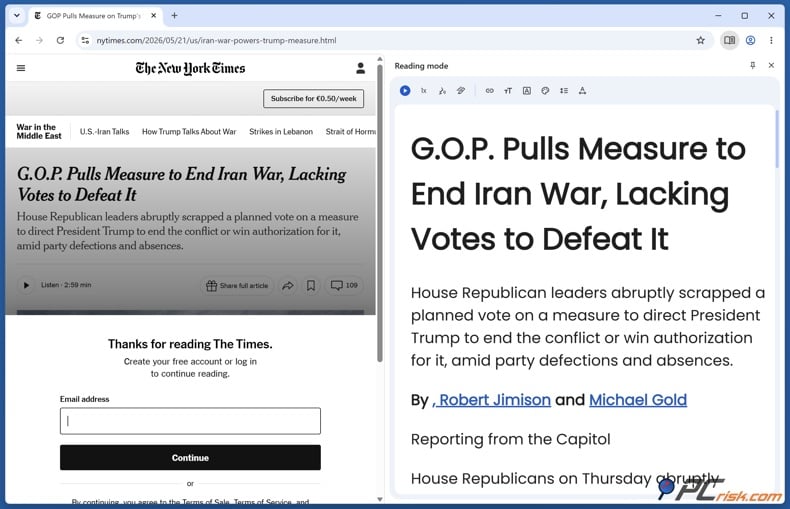
Reader Mode is one of the easiest tools to try because it is built into most browsers and does not need any third-party service. Firefox says Reader View removes clutter like buttons, ads, background images, and videos. Microsoft says Edge's Immersive Reader makes layouts simpler and removes clutter. Apple says Safari Reader shows the main text and images on supported pages. If the article text is already loaded and the paywall is just a visual block, Reader Mode can sometimes give you a clean reading view.
The catch is that Reader Mode only works with what is already on the page. If the publisher does not send the full article to your browser, no reader tool can create it out of nothing. Google's documentation is clear about this, recommending server-side methods for publishers who do not want paywalled content to be accessible in the browser. That is why Reader Mode works great on some sites and not at all on others.
2. Use a browser paywall remover or archive extension
Yes, these extensions are still around in 2026, but most of them just make it easier to find public archives. Mozilla's "Remove Paywall" add-on says it removes paywalls legally by searching public internet archives. The Chrome "Remove Paywalls" extension says it gets around paywalls by finding archived versions of articles. If you use these tools, you are usually not breaking the live paywall, just automating the process of checking archives.
These tools are helpful for occasional use, especially if you know the article was public for a short time. But their success depends on what is in the archives. At PCrisk, we do not see these as tools you should leave running all the time. Use them as needed, install only from official extension stores, check the permissions, and remove them if you do not use them regularly. Mozilla and Chrome both warn that extensions can ask for wide access to your page content and browser activity, so be careful with what you allow.

3. Use uBlock Origin on Firefox
This is one of the few methods that still deserves its own section, especially on Firefox. Mozilla's add-on listing describes uBlock Origin as a "wide-spectrum content blocker," not just an ad blocker, and notes that it blocks ads, trackers, miners, and popups out of the box. Firefox is also unusually friendly to the full version of uBlock Origin in 2026 because Mozilla says it will keep support for both Manifest V2 and Manifest V3, while some other browsers have made full-strength content blockers harder to maintain.
Setting up uBlock Origin with Firefox takes a few steps, but the instructions here are simple to follow. This guide shows you how to make a custom uBlock Origin filter so you can use the Bypass Paywalls Clean extension.
uBlock Origin helps with soft paywalls because it does more than just block ads. Its Element Picker lets you remove page elements by making cosmetic or network filters, and you can save rules for specific sites. This means you can sometimes get rid of a modal, blur, or overlay that is hiding text that is already loaded. But this will not work on hard paywalls. If the main text was never sent to your browser, removing the overlay just leaves you with nothing.
4. Get access through your library
This is the cleanest and most reliable route on this list, and it is the one more people should try first. NewsBank says its resources are acquired by libraries and institutions and may be available to authorized users through remote login. Sonoma County Library offers 72-hour remote access to The New York Times and related products. Calgary Public Library offers PressReader access to newspapers and magazines from over 100 countries and explains how remote login works with a library card and PIN. Mt. Lebanon Public Library shows remote access listings for Gale OneFile News, America's Newspapers, local NewsBank databases, and more.
The main point is simple: before you pay for another news subscription, check your public library, university library, work library, or alumni benefits. You might already have access to a lot of paywalled journalism through PressReader, Gale, NewsBank, ProQuest, or special remote offers. This method is also the most reliable over time, since it is not a loophole but licensed access.
5. Use Bardeen
Bardeen is worth mentioning because the company itself has documented a remove-paywall workflow. Its official playbook page says the workflow bypasses paywalls by using web archives, and its support page makes the limitation explicit: it is not guaranteed to work on all sites because it looks for a copy of the webpage in web archives. If no copy exists, you get no result.
So, Bardeen is really just an automation tool, not a new way to bypass paywalls. It can be handy if you already use Bardeen for browser tasks, research summaries, or web automation, but it still relies on web archives like other free tools. There is another thing to note: Bardeen's playbook page says it no longer supports Autobooks and Playbooks the same way as before, so we would not recommend making it your main reading tool in 2026.
6. Check Google Search for an archived version
The old Google Cache trick no longer works in 2026. Google removed cached page links in February 2024, so the "Cached" button is no longer available. Now, Google Search shows links to the Internet Archive's Wayback Machine in the "More about this page" panel. So, the new way is to search for the article, click the three-dot panel next to the result, and see if there is a Wayback link.
This method works best if the article was public long enough to be archived before the paywall appeared. If there is no archived copy, or if the publisher blocked archiving, you will not get anything. Bardeen's support page says the same thing: if there is no copy in web archives, its paywall-removal tool will not work. So, think of this as a way to look up old versions, not a sure thing.
How to bypass soft paywalls
Soft paywalls are the only type where privacy and session tricks still often work. That is because soft paywalls usually just count your visits, not block you completely. Google's flexible sampling guide says metering gives users a set number of articles before asking for a subscription or login, and publishers still use cookies, IP checks, and referral tracking for this. If you are up against a real server-side hard paywall, the methods below are much less likely to work.
1. Use a VPN
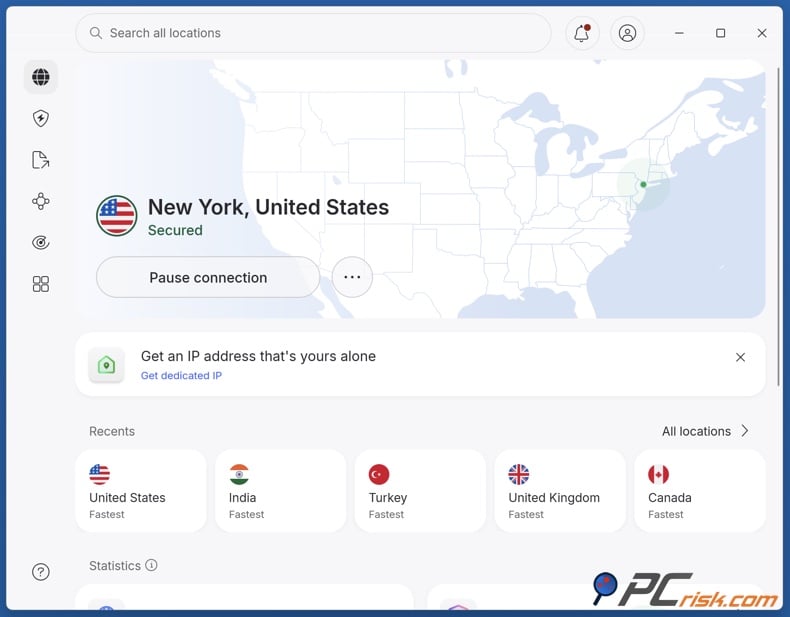
A VPN is not a magic paywall key, but it can help with some soft paywalls. That is because not all meters rely only on cookies. Leaky Paywall even sells an IP blocker to stop people from switching or using incognito browsers, which shows that IP-based checks still matter on some sites. So, if a site tracks your network identity, changing it with a VPN can sometimes reset or change what the site knows about you.
If you want to try a VPN, we recommend NordVPN. PCrisk ranks NordVPN as the top VPN for 2026, and our review highlights its strong security, privacy, audited no-logs policy, fast speeds, large server network, and support for up to ten devices. The UK National Cyber Security Centre also says VPNs use encrypted network connections, which makes them useful for more than just paywalls. But remember, a VPN can help with some IP-based meters or regional blocks, but it will not reliably get past a hard paywall, and it might not work against browser fingerprinting or account checks.
2. Use the Tor Browser
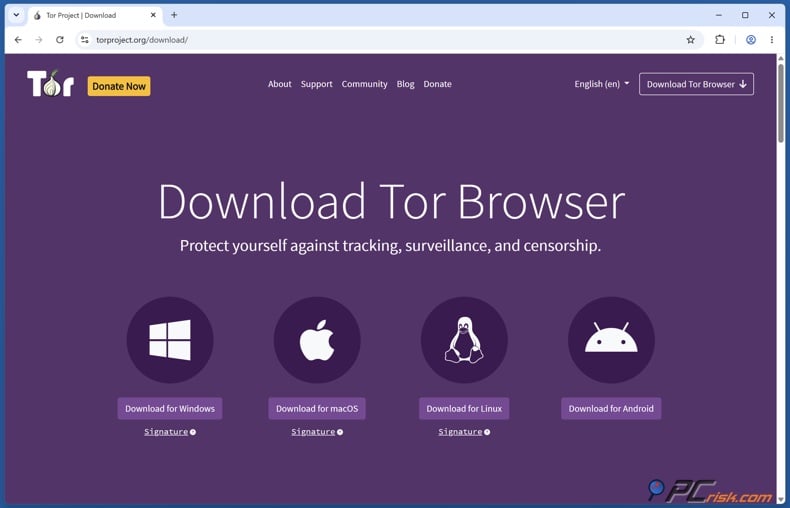
Tor Browser is still one of the easiest ways to force a truly fresh session without much manual cleanup. The Tor Project says Tor Browser does not keep browsing history by default and that cookies are valid only for a single session until Tor Browser is exited or a New Identity is requested. That makes it well-suited to testing whether a site's soft wall is mostly session-based. If the wall resets after a new identity, you have your answer.
Tor also offers extra anti-tracking features that regular private browsing does not. The Tor Project says all traffic goes through Tor and the browser has built-in defenses against tracking and fingerprinting. Mozilla also explains that fingerprinting protections make many tracking signals less useful. The downside is that many news sites now challenge, slow down, or block Tor exit nodes, so this method often sacrifices convenience for privacy. It is best for occasional research, not for everyday reading.
3. Open an Incognito or Private window
This is the oldest soft-paywall trick on the list, and it still works often enough to be worth trying first. Chrome says that after an Incognito session ends, it does not retain site data or a record of visited sites, and Firefox says Private Browsing does not save browsing information such as history and cookies after the session ends. If a publisher is counting your free reads with short-lived browser storage, opening the article in a new private session can reset the meter.
But private mode does not make you anonymous. It just cleans up your session. Leaky Paywall's docs mention IP-level controls made to stop incognito-based meter resets, and fingerprinting tools can still recognize your browser after cookies are cleared. So if this trick works, the paywall was probably weak. If it does not, you did nothing wrong - it just means the publisher is using more than one way to track you.

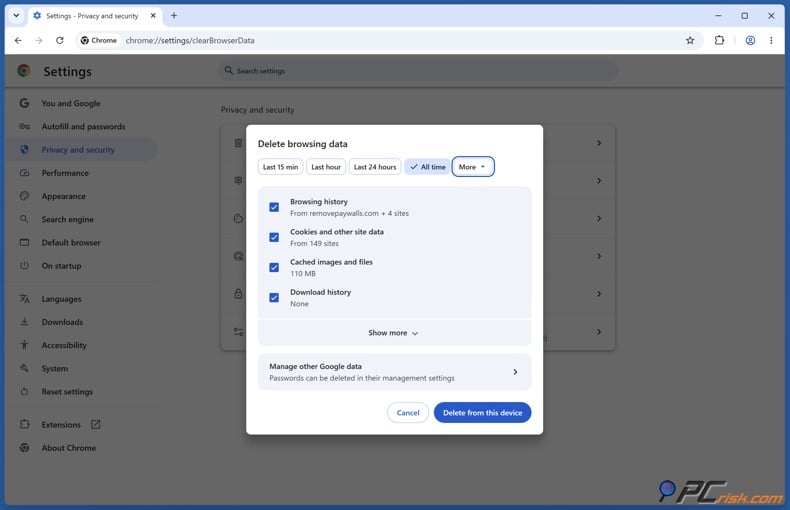
4. Delete your browser cookies
If you have already hit the limit on a metered site, manually deleting cookies and site data is the most direct reset you can do. Chrome provides built-in steps for deleting "Cookies and other site data," and Firefox's support page explains that cookies store information such as site preferences and login status and can be cleared either globally or for a specific site. This method is effectively the manual version of opening a fresh private session.
The limitation is similar, but clearer. Arc XP explains server-side signed paywall cookies and entitlement checks, and fingerprinting can still link returning visitors even after cookies are deleted. So, clearing cookies is still worth trying, especially on smaller sites, but the more advanced the paywall, the less likely cookies are the only barrier. Also, expect to be signed out of sites and lose saved preferences when you clear cookies.
5. Try the Facebook URL trick
This is a niche workaround in 2026, but it has not fully disappeared. The logic behind it is straightforward. Some publishers intentionally allow one article from certain referring sources so content can still circulate on the web. Leaky Paywall's docs say publishers can "let referring sources in for 1 article" for indexing and discovery. Meta's crawler documentation says that FacebookExternalHit crawls content shared on Meta apps and gathers, caches, and displays information such as titles, descriptions, and thumbnails. That combination helps explain why opening a genuine shared Facebook link can occasionally land you in a softer experience than loading the article directly.
In practice, this method is only worth trying when you are viewing the article through a real Facebook share or referral link. It is not reliable enough to count on, and many publishers have made referral handling stricter. Still, as a soft-paywall test, it is one of those old web tricks that sometimes works because publishers want the social click, just not repeated visits.
6. Use an iOS Shortcut
This method is not really about breaking paywalls, but about making soft-paywall workarounds easier to use on an iPhone or iPad. Apple says the Shortcuts app lets you create your own multi-step shortcuts, and Safari Reader on iPhone can automatically show just the main text and images on supported pages. So, a simple shortcut that opens a copied URL in Safari and puts you in Reader Mode can be helpful if you often switch between social apps, messages, and articles.
There is an important point to remember. Apple does not guarantee that every page will work with Reader, and if a page does not support it, the shortcut will not help. This is just a convenience for supported articles, not a way to get past hard paywalls. It is most useful if you read on mobile and want to make your workflow smoother.
Free paywall removers and their risks
Can you use a free paywall remover?
Yes, but only if you understand what you are actually using. The most credible free tools in this space tend to do one of two things: search for archived copies or automate browser cleanup that you could have done yourself. Mozilla's "Remove Paywall" add-on says it searches public internet archives. The Chrome "Remove Paywalls" extension says it accesses archived versions of articles. Bardeen's official paywall workflow likewise says it opens the article link in a web archive and is not guaranteed to work if no archived copy exists.
So yes, a free paywall remover can work, but mostly if the article was once public, lightly metered, or easy to archive. What it usually cannot do is get past a real server-side paywall. Google's paywalled content guide tells publishers who want stronger protection not to send the full paywalled content to the browser. When a site is built this way, free removers cannot do much. In those cases, using a library login, a gifted article, or a paid subscription is the best option.
Why you should avoid free paywall removers
The biggest reason is privacy. Browser extensions often require deep access in order to work. Firefox's permissions guide says that an extension with access to your data for all websites can read the content of any page you visit, as well as the data you enter on those pages, including usernames and passwords. Chrome's extension documentation says many permissions trigger warnings that users must allow. If you install the wrong tool, you are effectively inviting a stranger into every tab you open.
There is also a broader security problem. The UK's National Cyber Security Centre warns that third-party extensions increase the attack surface of the browser because they may contain vulnerabilities. Georgia Tech reported in 2024 that thousands of browser extensions extracted sensitive data without explicit user consent, and that hundreds of them automatically pulled private user content from webpages. That is not a hypothetical risk. It is a measured one.
Finally, your browsing data is very sensitive. The FTC says browsing and location data can reveal personal details about your life and treats this data as sensitive in enforcement actions. So, the advice is simple: avoid random paywall-removal services, do not use sideloaded extensions unless you fully trust them, never enter your credentials into a "remover" site, and do not keep broad-access extensions installed longer than needed. If you must try one, use a separate browser profile and remove it afterward.
If you have used free paywall removers, unfamiliar browser extensions, or suspicious 'article unlocker' sites, you should check your device for unwanted apps, browser hijackers, or other threats. Combo Cleaner can scan your system and remove harmful items that might have been installed without you knowing.
A VPN encrypts your traffic — but your device still needs protection against malware and ransomware. Combo Cleaner adds the missing layer of defense.
Download Combo CleanerAntivirusDetect & remove malware threats→Wrapping up
Start with the safest and most legitimate methods. Check for an archived copy using Google Search and the Wayback Machine. Try Reader Mode. See if you can get access through your public or university library. These options are low-risk, often work well, and are much less likely to expose your browsing data.
If you are dealing with a soft paywall, then try session and identity tools. Using Incognito or Private windows, clearing cookies, Tor Browser, or a VPN can help in some cases. But keep your expectations realistic. Publishers now use a mix of cookies, IP checks, signed entitlements, and fingerprinting, so no single trick works everywhere. The more advanced the paywall, the more likely it is a real server-side block that these methods cannot get past.
For VPNs, our advice is simple. If you want to use a VPN for soft paywalls and better privacy, NordVPN is our top pick for 2026 because of its strong security, audited no-logs policy, fast speeds, and large network. But do not expect it to unlock every paywall. Think of it as a privacy tool that sometimes helps when a paywall uses IP or region checks.
One last point, because it is important: if you read a publisher often and value their work, paying for it is still the best long-term choice. Paywalls exist because publishers need to fund reporting when reach and ad money are not enough. Workarounds are helpful for occasional access, research, or library articles, but they are not a replacement for supporting the journalism you rely on.
Frequently asked questions (FAQs)
What is the difference between a soft paywall and a hard paywall?
A soft paywall usually lets you read some content before restricting you, often through a meter or partial preview. A hard paywall blocks access immediately unless you subscribe or log in. Google's flexible sampling guidance describes metering and lead-ins as common soft approaches, while Fingerprint's paywall overview describes hard paywalls as the most restrictive, as they allow no free access at all.
Why do some paywall tricks work on one site but fail on another?
Because not all paywalls are built the same way. Some sites send the full article to your browser, then hide it with JavaScript or CSS. Others use server-side entitlement systems and do not send the full article at all unless your subscription check passes. Google and Arc XP both document this difference clearly, which is why Reader Mode or overlay removal may work on one site and do absolutely nothing on another.
Is Incognito enough to get around paywalls?
Sometimes, but only for weak or purely session-based meters. Chrome and Firefox both say private browsing sessions discard cookies and site data when the session ends, which can reset a soft meter. But if the site is also checking IP address, account status, or browser fingerprinting, Incognito alone is often not enough.
Does deleting cookies still work in 2026?
Yes, sometimes. It is still worth trying on metered sites because cookies can store article counts, site preferences, and login state. Chrome and Firefox both provide built-in controls for clearing cookies and site data. But newer stacks may rely on server-side signed cookies, account entitlements, or fingerprinting, which means cookie deletion is helpful but no longer universal.
What replaced Google Cache?
Google retired its cached page links in early 2024. The practical replacement is Google Search's integration with the Internet Archive's Wayback Machine, which began rolling out in September 2024. If the feature is available for a result, you can use the three-dot panel and the "More about this page" route to reach archived versions.
Is a VPN really useful for paywalls?
A VPN helps only in certain soft-paywall situations, especially when a site factors in IP address, geography, or network identity. Publisher documentation from Leaky Paywall shows that some paywall products explicitly use IP-level controls. That said, a VPN is not a guaranteed bypass, as publishers may also use cookies, accounts, and other fingerprinting techniques. It is best understood as a privacy tool that sometimes helps with metered access, not as a universal unlocker.
Why does PCrisk recommend NordVPN here?
Among the VPNs reviewed on PCrisk's VPN page, NordVPN is our top pick for 2026. PCrisk's ranking page labels it the top pick of the year, and the full review highlights its strong privacy posture, audited no-logs policy, fast speeds, and broad device support. If you want a VPN as part of your toolkit for soft paywalls and general privacy, that is the most straightforward recommendation from our reviewed list.
Are paywall-remover extensions safe?
Not automatically. Firefox warns that some extensions can read the content of pages you visit and the data you type into them, including usernames and passwords. Chrome likewise warns that some permissions trigger user-facing warnings. On top of that, NCSC says third-party extensions increase the browser's attack surface, and Georgia Tech found widespread extension-based data-extraction risks in 2024. So safety depends entirely on the specific extension, its permissions, its developer, and how long you leave it installed.
Is library access the best legal alternative to a subscription?
For occasional reading, yes, it is usually the best alternative. Library systems and institutional databases often provide remote access to newspapers, magazines, and archives through services such as NewsBank, PressReader, Gale OneFile News, and paper-specific offerings such as New York Times remote access. If your local or university library includes one of those services, you may already have access without paying for a separate membership.
Share:
 Facebook
 X.com
X.com
 LinkedIn
 Copy Link

Rimvydas Iliavicius
Researcher, author
Rimvydas is a researcher with over four years of experience in the cybersecurity industry. He attended Kaunas University of Technology and graduated with a Master's degree in Translation and Localization of Technical texts. His interests in computers and technology led him to become a versatile author in the IT industry. At PCrisk, he's responsible for writing in-depth how-to articles for Microsoft Windows.
▼ Show Discussion