
We may earn commissions from products we recommend. Learn more.
How to block ads on FirstRowSports in 2026 | Easy guide

How to block ads on FirstRowSports in 2026
If you have tried to watch a match on FirstRowSports, you know the main issue is not the stream itself but the clutter around it. Pop-ups, redirects, fake play buttons, autoplay overlays, notification prompts, and low-quality banners can make watching a game frustrating. The good news is that users now have better tools, stronger browser protections, and easier ways to deal with these problems without having to clean up every session by hand.
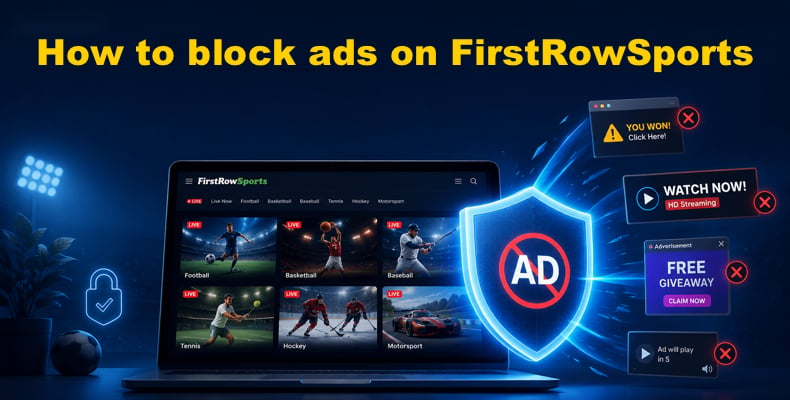
At PCrisk, we test security tools and study malware threats, so we examine streaming-site ads from a practical perspective. The aim is not just to clear away clutter, but also to reduce tracking, limit redirects, lower the risk of landing on harmful pages, and speed up page loading. In this guide, we focus only on the ad blockers featured on our ad blocker reviews page, ranking them by how well they handle busy sites like FirstRowSports on both desktop and mobile.
Block ads on FirstRowSports with AdGuardSpecial deal30-day money-back guarantee→
Table of Contents:
- Introduction
- Reasons you may want to block ads on FirstRowSports
- Features to look for in an ad blocker
- Best ad blockers for FirstRowSports
- How to block ads on FirstRowSports with an ad blocker
- Other ways to block ads on FirstRowSports
- Final recommendations
- Frequently asked questions (FAQs)
Reasons you may want to block ads on FirstRowSports
The main reason is to make watching smoother. Sports streams already test your patience when links break or mirrors change. Add pop-ups, overlays, banners, and tricky controls, and the page gets harder to use. A good ad blocker removes much of this hassle, so you have fewer accidental clicks, fewer redirects, and spend less time looking for the real player.
Blocking ads also helps your device run better. Pages with lots of ads load extra scripts, images, trackers, and background requests. Mozilla says tracking protection blocks trackers and harmful scripts, and AdGuard’s research shows that blocking ads and trackers saves bandwidth and speeds up loading. Simply put, fewer ads mean faster pages, less resource use, and a better chance the stream will work well on slower devices or over mobile data.
Privacy is another big reason. Many ad systems do more than just show banners - they track your behavior, add tracking scripts, and bring in third-party domains unrelated to the site you wanted. Mozilla says social media trackers and similar tools collect data about your browsing, but ad blockers with anti-tracking features help stop this. On sites that rely on aggressive ads, this is more important than many people think.
Cybersecurity is our top concern. The FTC warns that fake software ads can spread malware, and Google tells users not to click on suspicious update or download pop-ups. Apple also says to avoid pop-ups that take over the screen. So blocking ads on FirstRowSports is not just for convenience - it is a basic way to reduce risk. If a page is full of tricky prompts, blocking them means fewer chances to click something dangerous.
If you have already seen suspicious redirects or fake update prompts, blocking future ads is only part of the solution. Combo Cleaner can scan for malware, adware, and other unwanted apps. It also has cleanup tools like Disk Cleaner, Big Files, and Duplicates, so you can check if anything unwanted got in and clean up your system afterward.
A VPN encrypts your traffic — but your device still needs protection against malware and ransomware. Combo Cleaner adds the missing layer of defense.
Download Combo CleanerAntivirusDetect & remove malware threats→There is also the quality-of-life benefit. Notification spam, surprise tabs, and pop-up chains can keep bothering you even after you leave the site if you accidentally allow a permission. Microsoft, Google, Apple, and Mozilla all let users block pop-ups or notifications because these are real problems. So blocking ads on FirstRowSports is not just about that site - it helps stop the side effects noisy sites can leave behind.
Features to look for in an ad blocker
When we look at ad blockers for a site like FirstRowSports, we care about more than just hiding banners. We want to know how much of the ad system they can actually stop. The best blockers handle pop-ups, overlays, video ads, trackers, malicious sites, and some anti-adblock tricks. This matters on streaming pages because the worst interruptions usually come from scripts and redirects, not just banners. PCrisk's testing focuses on broad ad-blocking, privacy and security, custom options, compatibility, and the frequency of updates. All of these are important here.
Compatibility is another key factor. If you only watch on a desktop browser and want a quick solution, a browser extension is usually enough. But many people use Windows, Android, iPhone, and tablets during the week. Some want ads blocked everywhere, not just in one browser tab. That is when system-level or network-level filtering is useful. For example, AdGuard offers browser blocking, desktop apps, Android-wide filtering, and DNS protection on iOS. Most basic blockers only work in the browser.
Control and transparency matter as much as blocking strength. Streaming sites often have stubborn overlays that get past blockers. If your blocker lets you add custom rules, hide elements by hand, or whitelist pages, you have more ways to adjust. AdGuard's Safari extension lets you block page elements yourself, and Adblock Plus and others let you fine-tune filters and settings. Also, check the pricing, renewal terms, and any 'acceptable ads' policies, since not all blockers treat 'blocking' the same way.
The final feature we look for is trust. A good blocker should have a clear business model, regular updates, and a reason to keep up with new ad tricks. Streaming sites and ad networks are always changing their scripts and page layouts. If a blocker is not updated often, it will fall behind. That is why we like well-supported products with a proven history, even if they cost a bit more. On a site as messy as FirstRowSports, old filters are not much help.
Best ad blockers for FirstRowSports
We’re only ranking the five ad blockers featured on PCrisk’s ad blocker reviews page: AdGuard, Surfshark CleanWeb, Total Adblock, AdLock, and Adblock Plus. This way, we stick to tools we’ve actually reviewed and tested, making it easier for you to compare trusted options without sorting through endless extensions of unknown quality.
1. AdGuard
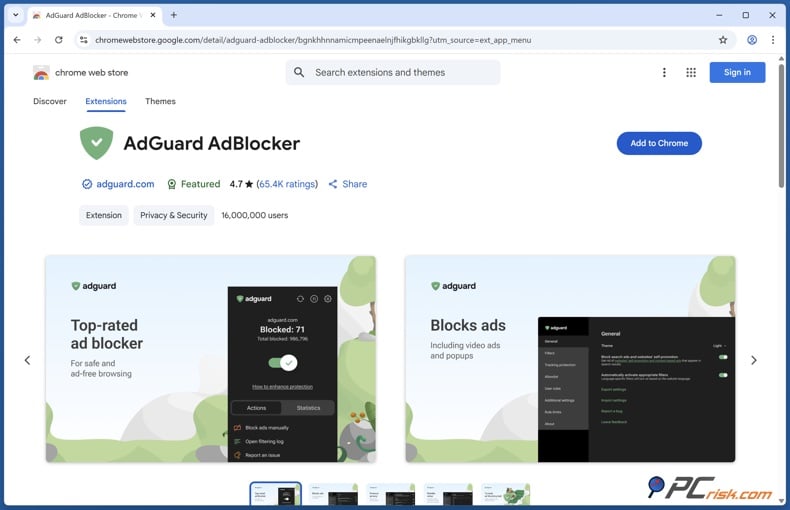
AdGuard is our top pick for FirstRowSports in 2026 because it’s the most complete option here. We ranked it first with a 4.5 score. It supports 3 to 9 devices depending on your plan, starts at $29.88 per year, and works on Windows, macOS, Linux, iOS, Android, and Android TV. AdGuard’s official pricing confirms Personal and Family plans, covering up to nine devices.
AdGuard stands out for FirstRowSports because it does more than just clean up visible ads. In our reviews, it blocks almost all ads, including pop-ups, video ads, in-app ads, and trackers, and offers privacy tools like Stealth Mode and browsing security features. It also did very well against anti-tracking and anti-adblock tests in our hands-on review. For a streaming site full of overlays and redirects, this kind of broad filtering is exactly what you need.
Another big plus is AdGuard’s mobile support. On Android, its standalone app blocks ads and trackers in both browsers and apps. On iOS, it blocks ads in Safari and can extend protection beyond Safari with DNS filtering, plus extra filtering through the Safari web extension. This makes AdGuard the closest thing to a one-stop solution for desktop, Android, and iPhone users.
There are some downsides. AdGuard may need extra filters or some tweaking for the best results, and full system-wide features require a paid license. On iOS, platform restrictions still limit how much any blocker can do outside Safari. Still, these issues don’t change our overall view. If you want the most capable blocker for FirstRowSports, AdGuard is our top choice.
2. Surfshark CleanWeb
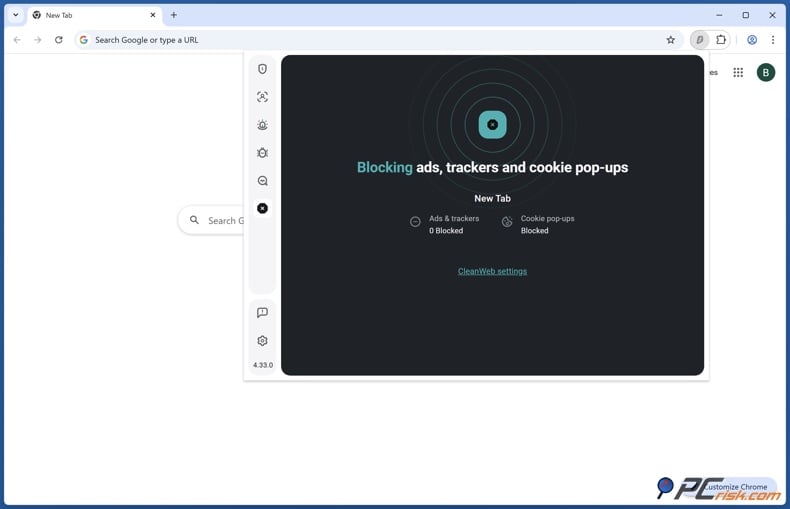
Surfshark CleanWeb ranks second because it offers ad blocking, anti-tracking, malicious-site blocking, and VPN protection in a single subscription. We gave it a 4.4 score. It covers unlimited devices, starts at $47.85 per year, and works on Windows, macOS, Linux, iOS, and Android. Surfshark’s official page confirms that one subscription covers as many devices as you need.
For FirstRowSports users, CleanWeb is appealing because it blocks ads, pop-ups, trackers, and malicious websites, and the VPN keeps your connection secure. If you already want a VPN and prefer not to install several different tools, this convenience stands out. It’s also a good choice for households with many devices, since the unlimited-device policy makes sharing easier than plans that limit you to a set number of devices.
However, we do not put it in first place for a reason. CleanWeb is not a standalone ad blocker - you need a Surfshark VPN subscription, and its ad-blocking controls are less detailed than those in dedicated blockers. In our review, we noted that mobile coverage for in-app ads is weaker on iOS and in some Android apps, and that there can be occasional site issues that require whitelisting. On busy streaming pages, this means it is less precise than AdGuard.
We think Surfshark CleanWeb is best for people who already want a VPN and like having ad blocking included in a privacy bundle. If your main goal is to block ads on FirstRowSports as effectively as possible, we still recommend AdGuard. But if you want one subscription that covers everything, Surfshark is a strong option.
3. Total Adblock
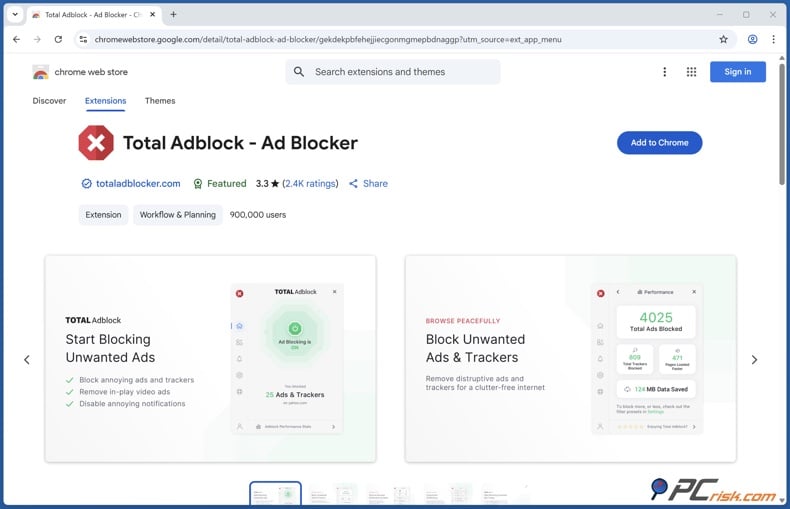
Total Adblock is the easiest to recommend if you want a simple, beginner-friendly setup. We gave it a 4.3 score, supports six devices, starts at $19 per year, and works on Windows, macOS, iOS, and Android. In our review, we highlighted its strong ad-blocking, easy setup on different devices, and extra value from bundled TotalAV security features.
For FirstRowSports, Total Adblock is a good choice because it covers the basics that matter most. It removes visible ads, pop-ups, and trackers, and is easy to use. If you want something simple from the start and do not need advanced filter controls, it is a comfortable option. On sports streaming sites where you just want fewer interruptions and redirects, that simplicity is valuable.
The downside is how pricing works over time. The free version is very limited, there are many upsells, and the first-year discount can jump to a much higher price when you renew. There have also been complaints about subscription cancellations. These are important things to know before you subscribe. Even a good ad blocker can lose points if the subscription process is frustrating.
So, where does that leave Total Adblock? it is a solid pick for beginners who want an easy-to-use blocker and are willing to keep an eye on renewal terms. It is not as flexible as AdGuard or as wide-ranging as a VPN bundle like Surfshark CleanWeb, but it is easier to recommend than many ad blockers that make big promises but do not deliver.
4. AdLock
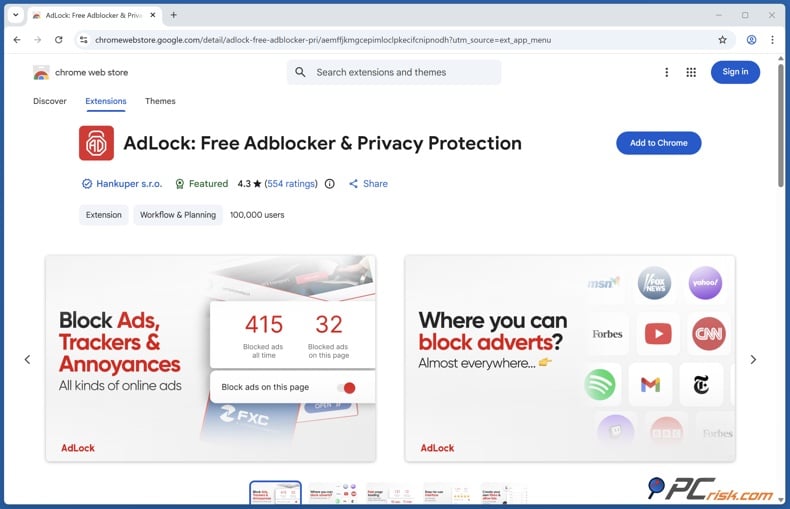
AdLock comes in fourth, but it is closer to the top three than the ranking suggests. We gave it a 4.2 score, covers five devices, starts at $33.60 per year, and works on Windows, macOS, iOS, Android, and Android TV. Official info confirms a five-device license and offers both free browser extensions and premium system-level apps.
We like AdLock for FirstRowSports because it takes a straightforward approach to blocking. We highlight its strong ad-blocking, including video ads that many other blockers miss. It also has a strict "no acceptable ads" policy, anti-tracking features, and a focus on privacy. If you do not want a blocker that allows some ads by default, AdLock is a good choice.
AdLock also does well on mobile. It offers desktop and mobile apps, along with free extensions. The premium apps provide more than just browser filtering, which is important on Android and for anyone wanting protection across the whole device. However, there are two things to consider. The Android app is not on Google Play and must be installed manually. Also, it has occasional bugs, some inconsistent ad-blocking on mobile, and issues with other VPN-based tools.
AdLock is a great choice for anyone who wants strong ad blocking, a license for five devices, and a tougher stance on ads. We rank it just below AdGuard because AdGuard feels more polished and works better across different platforms. Still, AdLock is a solid option for FirstRowSports.
5. Adblock Plus
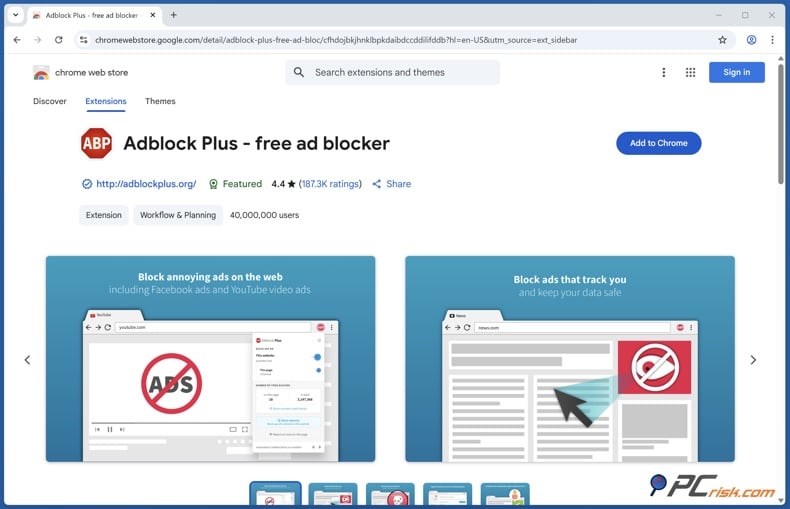
Adblock Plus comes in fifth on our list. It's still one of the most well-known ad blockers, and we rated it at 4.1. It covers unlimited devices, works on Windows, macOS, iOS, and Android, starts at $40 per year, and has a free version. The free version works on supported browsers and mobile apps, while Premium removes extra annoyances like cookie banners and floating video players.
Adblock Plus has some clear advantages. It's easy to install, many people already know it, and it works well for most banners, pop-ups, and basic clutter. It also has Android and iOS versions, but on mobile, it mainly works in the browser, not across the whole device. If you want a familiar name and don't need lots of features, it can still make FirstRowSports easier to use than having no protection at all.
However, these trade-offs are more noticeable on aggressive streaming sites. Acceptable Ads are enabled by default, so some ads may appear unless you change the setting. Also, Adblock Plus is less effective against YouTube-style anti-adblock tactics and advanced tracking scripts, and you need Premium for some extra cleanup features. This doesn't mean Adblock Plus is bad, but it is less ideal for sites with lots of intrusive ads.
Adblock Plus still has its place. It's the easiest option here for anyone who wants a popular free blocker and doesn't mind changing a few settings. But if your main goal is to use FirstRowSports, the stronger and more specialized tools listed above will usually save you more hassle.
How to block ads on FirstRowSports with an ad blocker
For this guide, we suggest using AdGuard because it's the best all-around choice here and works smoothly on desktop, Android, and iPhone. How you set it up depends on whether you want to block ads just in your browser or across your whole device. The good news is that AdGuard can do both.
Block ads on FirstRowSports with AdGuardSpecial deal30-day money-back guarantee→
On a desktop browser
If you just want to block ads in your browser, the quickest way is to use the AdGuard browser extension. According to AdGuard's official guide, on Chrome and other Chromium browsers, go to the Chrome Web Store, click "Add to Chrome," and confirm with "Add extension." On Microsoft Edge, install it from the Edge Add-ons store by clicking "Get" and then "Add extension." Keep in mind, the extension only protects your browser, while the full desktop app covers your whole device.
Here’s what we suggest for FirstRowSports: If you mostly watch in one desktop browser and want a fast fix, start by installing the extension. After it’s active, open FirstRowSports, reload the page, and try a stream. If you still see an overlay or fake button, use the block-element feature to hide it. For stronger protection against redirects, trackers, and other clutter, consider upgrading to the full AdGuard desktop app.
To get the full Windows app, AdGuard’s knowledge base says to visit the AdGuard website, click Download, and open the installer once it finishes downloading. After you install it, you can add Browser Assistant from the app settings for easier browser control. For sites like FirstRowSports, the full app is a better long-term option because it works across your whole device and offers stronger filtering than a basic extension.
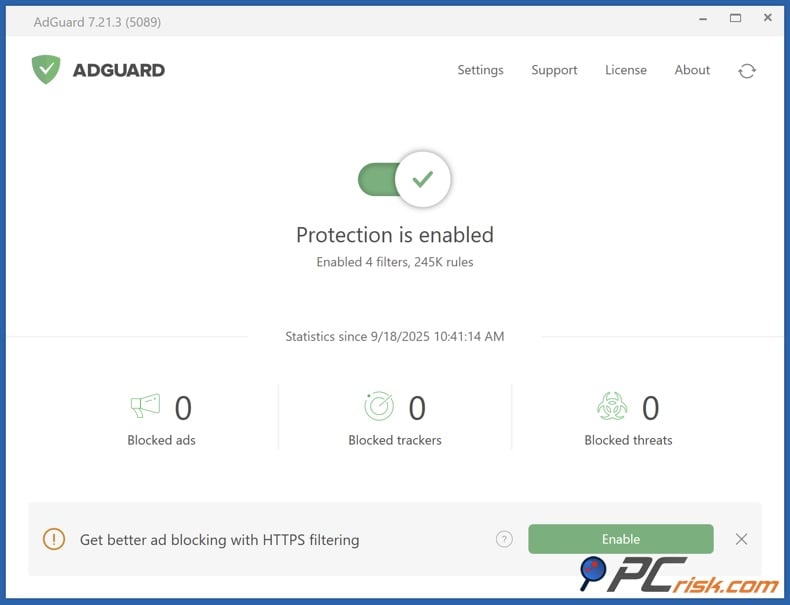
On iPhone and iPad
iOS works a bit differently because Apple limits ad blocking across all apps more than Android does. According to AdGuard’s official guide, you install the iOS app from the App Store by searching for AdGuard and tapping GET and INSTALL. After that, you need to enable the Safari extension, and if you want more filtering, turn on DNS protection.
Setting up the Safari extension is key. AdGuard’s guide says to open Settings, go to Apps, then Safari, then Extensions, find AdGuard, and turn on "Allow Extension." You can also allow it on websites or choose "Ask" for more control. In Safari, turn on the AdGuard web extension and the content blockers. On supported iOS versions, Advanced Protection can improve filtering even more, but you’ll need Premium for that feature.
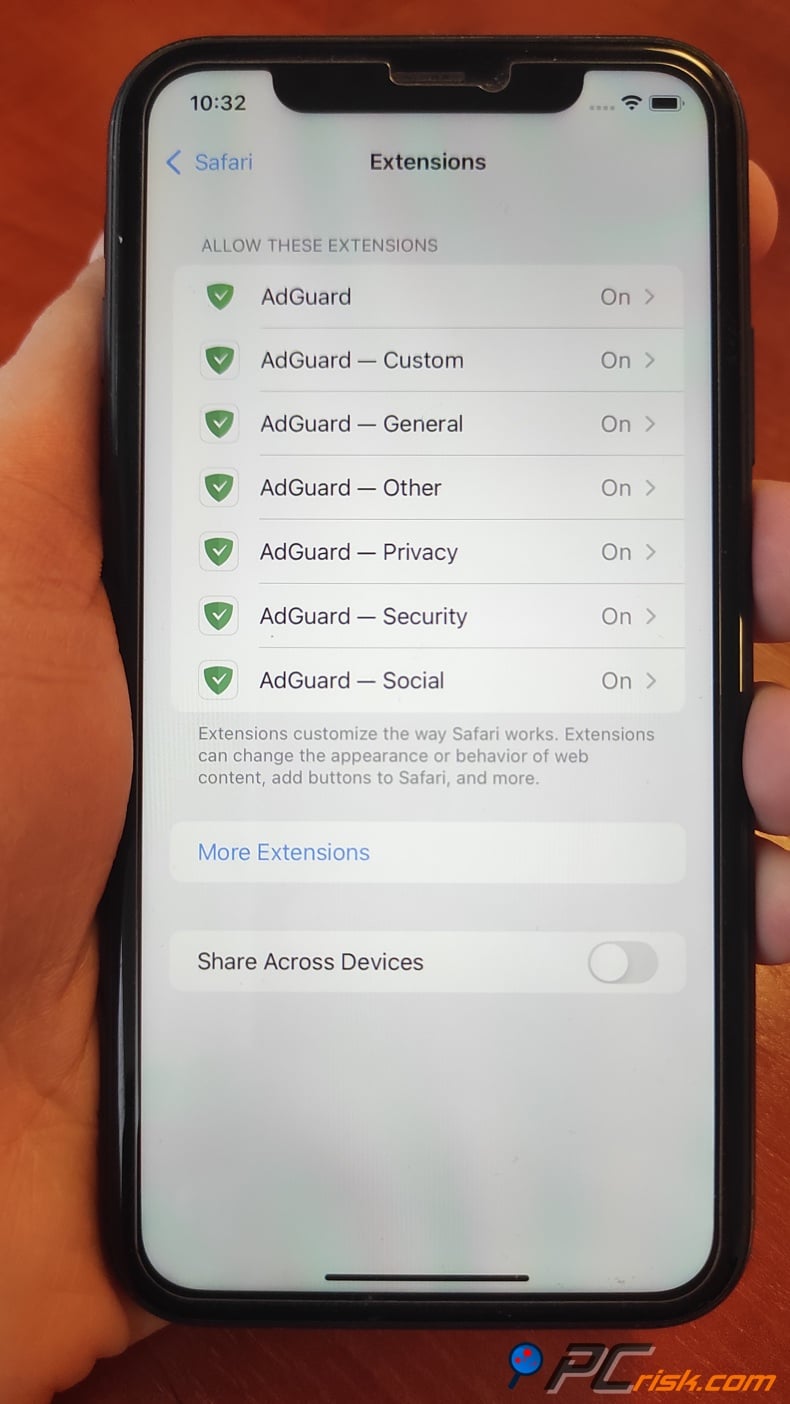
For FirstRowSports, using an iPhone is straightforward. First, install AdGuard and turn on the Safari extension. Open the site in Safari and reload the page. If you still see ads, check that both the web extension and content blockers are enabled. For filtering beyond Safari, AdGuard recommends DNS filtering, which you can activate in the Protection section under DNS protection. From there, you can enable the AdGuard DNS filter or pick another blocking DNS server.
When using an iPhone, it’s important to have realistic expectations. Safari can be cleaned up well, but iOS limits what any blocker can do in all apps. If you mainly want to make FirstRowSports easier to use in your browser, AdGuard on Safari is still one of the best options.
On Android phones and tablets
AdGuard works best on Android, where it has more freedom to block ads. The full AdGuard app isn’t on Google Play because Google doesn’t allow ad blockers that work across other apps. To get it, you need to download the APK directly from AdGuard’s official website and install it yourself.
Setting up AdGuard on Android is simple, even if it seems technical at first. Download the APK, allow installation from unknown sources in your device, install the app, and let AdGuard create a local VPN. This VPN only filters traffic on your device and doesn’t send data elsewhere. For better ad blocking, AdGuard recommends enabling HTTPS filtering, especially if your Android version supports it.
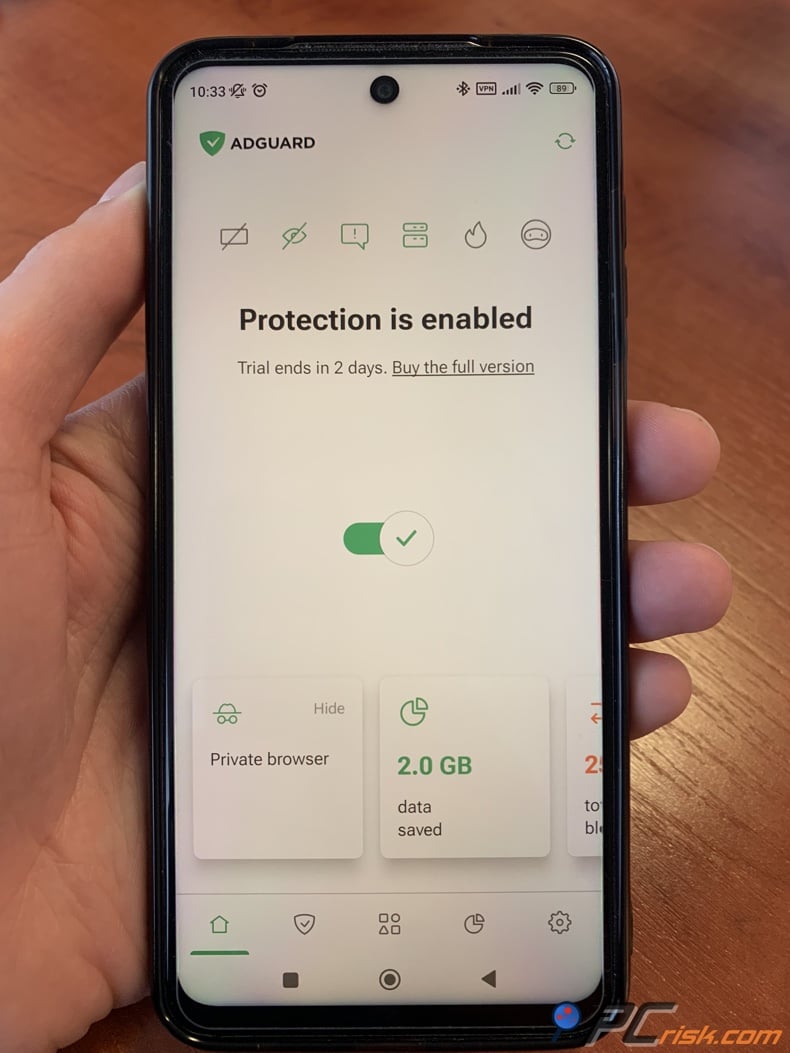
Android users should see great results with this method for FirstRowSports. After setting up the app, open the site in your browser and test the stream. Since AdGuard on Android works beyond just browser extensions, it often blocks more trackers and ads than simpler mobile solutions. If something isn’t working, check if the site is reacting to blocked scripts, refresh the page, and adjust filters if needed.
To sum up: on a desktop, start with the extension but use the full app for stronger protection. On iPhone, use Safari with DNS protection. On Android, the dedicated app offers the best coverage. That’s why AdGuard is our top pick for FirstRowSports in 2026.
Other ways to block ads on FirstRowSports
An ad blocker is still your best option, but you can also use other tools. If you’re dealing with a stubborn overlay and need a quick fix, you can use browser developer tools to edit the page’s HTML. In Chrome DevTools, you can inspect elements, edit HTML, hide nodes with the H key, or delete them with the Delete key. Firefox’s Inspector also lets you edit HTML and see changes right away. This helps when an overlay blocks the player, but it’s only a temporary and manual fix that disappears when you reload the page.
It’s also a good idea to turn on your browser’s built-in pop-up protection. Microsoft says Edge can block pop-ups and redirects in Settings under Site permissions, with "Blocked" as the recommended setting. Apple says Safari on iPhone, iPad, and Mac can block pop-ups and warn about fraudulent sites in Safari settings. Firefox links its pop-up blocking to third-party redirect blocking. While these controls won’t replace a full ad blocker, they can help reduce surprise tabs and unwanted interruptions.
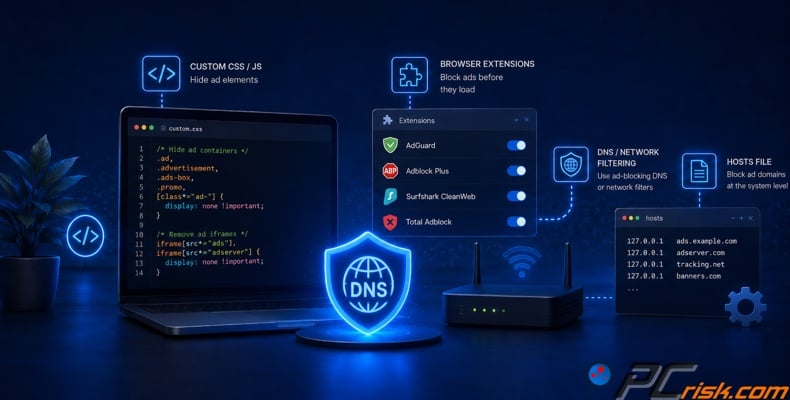
It’s also wise to block unwanted notifications. Streaming and mirror sites often try to turn a single click into ongoing spam by asking for browser notifications. In Edge settings, Microsoft lets you block notifications for each site. Apple lets you stop websites from requesting notification permission in Safari on Mac, and Google and Mozilla offer similar controls in their browser settings. If you accidentally clicked "Allow," you can revoke that permission to stop the spam from following you after you leave the page.
Another option is to temporarily turn off JavaScript if a page is unusable due to script-based overlays. In Chrome DevTools, you can disable JavaScript from the Command Menu. This can remove some overlays and problematic scripts, but it’s a trade-off since video players and some streams also require JavaScript. This method is best for troubleshooting, not as a permanent fix. Use it to check if a page element is controlled by scripts, not as your main solution.
So, there are other ways to block ads on FirstRowSports, but each one is either only partly effective, temporary, or takes more effort than just installing a good blocker. We consider these backup options, not replacements for a proper ad-blocking setup.
Final recommendations
If you want a quick answer, start with AdGuard. It works best for FirstRowSports because it blocks ads well, supports many devices, protects your privacy, and has useful mobile options for both Android and iPhone. Since FirstRowSports is full of interruptions, AdGuard is the most complete choice among these five products.
If you already use a VPN or want one service for many devices, Surfshark CleanWeb is a good choice. For easy setup and a low starting price, Total Adblock is worth considering, but check the renewal terms. If you want a license for five devices and no "acceptable ads," try AdLock. If you prefer a free, browser-based option, Adblock Plus still works, but we recommend checking its settings and turning off “acceptable ads” for stricter blocking.
It's also important to know what ad blocking can and can't do. It helps cut down on clutter, redirects, trackers, and risks, but it doesn't mean you should click every button you see. The FTC, Google, and Apple all warn against trusting suspicious ads, download prompts, or pop-ups that take over your screen. So, use strong ad-blocking software and good judgment: block ads, be careful with clicks, and if you think something got through, scan your device instead of ignoring the problem.
Frequently asked questions (FAQs)
Are ad blockers legal and safe?
In most cases, yes. Ad blockers are legal in most countries and allow users to control their web experience. As for safety, trusted ad blockers are usually safe, but the key is to use reputable ones. Stick with well-known products that have clear privacy policies and are actively maintained, instead of random extensions from unknown sources.
Do ad blockers track you?
Most good ad blockers are designed to reduce tracking, not increase it, but not all are the same. Mozilla says blocking trackers is a key privacy feature, and our ad blocker reviews show that some blockers protect privacy better than others. Some also use policies like “acceptable ads” by default. It's a good idea to read the privacy policy, check the permissions the blocker asks for, and pick one with a solid reputation.
Why am I getting so many ads and pop-ups on FirstRowSports?
Free sports streaming sites often make money through lots of ads, redirects, and pop-ups. Reports on these sites say they rely on cheap ads for income, and guides about FirstRowSports mention that heavy ads and pop-ups are normal. That's why even a good stream can feel almost unusable until you use an ad blocker.
Is it legal to block ads on FirstRowSports?
In most places, using an ad blocker on your own device is legal. The bigger issue is how websites react. Some sites may notice your ad blocker, block your access, or ask you to turn it off. That doesn't mean ad blocking is illegal; it just means the site is enforcing its own rules or trying to make money.
Can FirstRowSports ads be dangerous?
Yes, they can be dangerous. The FTC warns that harmful software can spread through fake online ads, Google warns about suspicious update or download pop-ups, and Apple tells users not to interact with pop-ups that take over the screen. On busy streaming sites, it's safest to treat every ad or prompt as risky unless you know it's safe.
Can I block ads on FirstRowSports on my phone?
Yes, you can block ads on your phone, but the best way depends on your device. AdGuard's Android app blocks ads and trackers in both browsers and apps. On iPhone, AdGuard mainly works with Safari and can add extra protection using DNS filtering. So, mobile ad blocking is possible, but Android usually offers more coverage than iOS.
Why do some ads still get through even with a blocker?
No ad blocker catches everything all the time. Ads keep changing, websites use anti-adblock tools, and some ad types are harder to block. On mobile, these limits are even more obvious, especially on iOS and in some apps. Usually, updating filters, using a stronger blocker, or switching from a browser extension to a full app helps.
Will an ad blocker slow down my device?
In most cases, the opposite is true. Blocking ads, trackers, and extra third-party requests usually makes pages load faster and feel more responsive. Mozilla says that blocking trackers helps stop harmful scripts and tracking. Research from AdGuard also found that removing ads can save bandwidth and speed up loading times. Some blockers with lots of features might slow things down a bit, but for most people, a good blocker makes browsing smoother, not slower.
What should I do if FirstRowSports detects my ad blocker?
Start by refreshing the page and checking that your blocker is updated. If the site still has issues, try switching to a stronger mode, turning on extra filters if your blocker allows, or manually blocking the overlay. For example, AdGuard’s Safari extension lets you block page elements by hand. On desktop, you can also use developer tools to hide a stubborn part of the page for now. If the site still does not work, it usually means you need a blocker that is better supported, not that you should stop using one.
Share:
 Facebook
 X.com
X.com
 LinkedIn
 Copy Link

Rimvydas Iliavicius
Researcher, author
Rimvydas is a researcher with over four years of experience in the cybersecurity industry. He attended Kaunas University of Technology and graduated with a Master's degree in Translation and Localization of Technical texts. His interests in computers and technology led him to become a versatile author in the IT industry. At PCrisk, he's responsible for writing in-depth how-to articles for Microsoft Windows.
▼ Show Discussion