
We may earn commissions from products we recommend. Learn more.
How to get cheaper flights with a VPN: A step-by-step guide

How to get cheaper flights with a VPN
Airfare pricing is complicated by design. The price for the same route can change based on when you search, which airport you use, who is selling the ticket, the taxes added, the currency at checkout, and even the point of sale. Google points out that fares can vary by date and airport, and its help pages explain that fares, taxes, fees, and available flights can change by city according to airline business rules. Meanwhile, airlines and booking platforms now calculate fares, taxes, and surcharges in real time to maximize revenue as demand shifts.
This is why we do not see a VPN as a magic way to get discounts. Instead, it should be used as a practical tool for comparing prices. A reliable VPN lets you see how the same trip looks from different regions and keeps your connection secure on public Wi-Fi. At PCrisk, we suggest using trusted paid VPNs because free ones often have fewer servers, slower speeds, and weaker privacy, which makes comparing fares less effective.
Get cheaper flight tickets with NordVPNSpecial deal30-day money-back guarantee→
Table of Contents:
- Introduction
- Why do flight prices vary?
- How to use a VPN to get cheaper flights
- Best tested VPNs for booking cheaper flights
- Other ways to find cheaper flights
- What is the best VPN location to find the cheapest airline tickets?
- Can a free VPN be used to book cheaper flights?
- Final recommendations
- Frequently asked questions (FAQs)
Why do flight prices vary?
The first reason is dynamic airline pricing. Modern airlines do not keep prices fixed. Amadeus says airlines use real-time pricing and AI to adjust fares and boost revenue, so the price you see is often set by live business logic, not a fixed number. IATA also explains that offers can expire, and a displayed price is not always guaranteed. Simply put, the price you see now might be different in 20 minutes, even if you do not change your location.
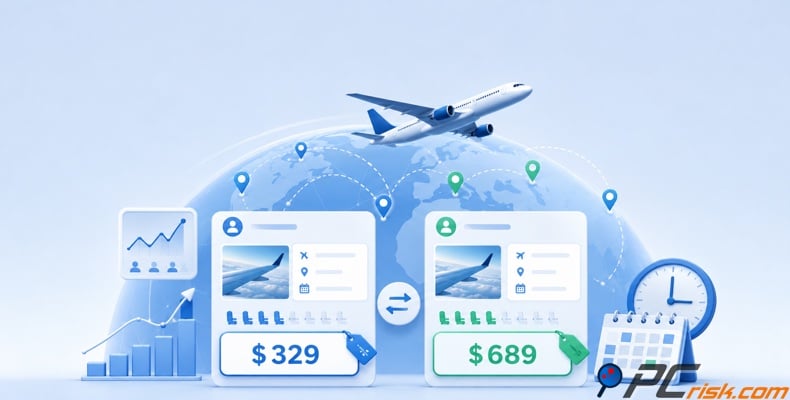
The second reason is the point of sale, which many travelers miss. The 'sales city' affects fares, taxes, fees, and available flights based on airline business rules. IATA also shows that tickets can be taxed or handled differently depending on where the sale happens. If a booking site thinks you are shopping from a different market, you might see a different total, fare type, or tax calculation.
The third reason is taxes, fees, and currency conversion. IATA says these charges can depend on where you buy or where you travel, and exchange rates are used to convert prices into different currencies. This matters because a fare that seems cheaper in another country might not be a good deal after converting it to your home currency, especially if your bank adds fees or uses a poor exchange rate. A VPN can help you find lower fares, but it cannot fix bad currency conversions.
The fourth reason is who sells the ticket. If the seller is the merchant of record, they can add their own margin to the airline's price. Google works with over 300 airlines, travel agencies, and aggregators. So, if I check a fare on one travel site, then another, and then the airline itself, I might see different prices even without changing countries, just because each seller has different costs and rules.
Our top recommendation for streaming and privacy. NordVPN consistently leads our tests with fast speeds, reliable geo-unblocking, and a strict no-logs policy.
- ✔ Unblocks geo-restricted streaming services reliably
- ✔ 202+ locations across 111 countries
- ✔ 30-day money-back guarantee · Special deal available
This is also why we do not believe the old myth that searching over and over from the same browser is the main reason fares change. In reality, airline prices change because of revenue management, offer expiry, taxes, distribution rules, and point-of-sale logic. Repeated searches might change what you see, but the airfare system is already highly dynamic before cookies are even involved.
The main point is simple. Since flight prices change due to demand, taxes, seller margins, currency, and point of sale, a VPN is useful not because it tricks airlines, but because it helps compare different market conditions more easily. This is a more honest and accurate way to look at how airline pricing works.
How to use a VPN to get cheaper flights
We recommend NordVPN for this guide because it's our top VPN choice. We ate PCrisk appreciate NordVPN's large network, fast speeds, and simple country selection. According to the latest figures, NordVPN has over 9,100+ servers in 167 countries.
Top VPN ReviewsExclusive dealsExpert-tested · hands-on reviews→
Here is the workflow we recommend:
1. Install NordVPN and sign in on your computer or phone. In the app, you can connect by choosing a country from the list, the map, or by using the search bar.
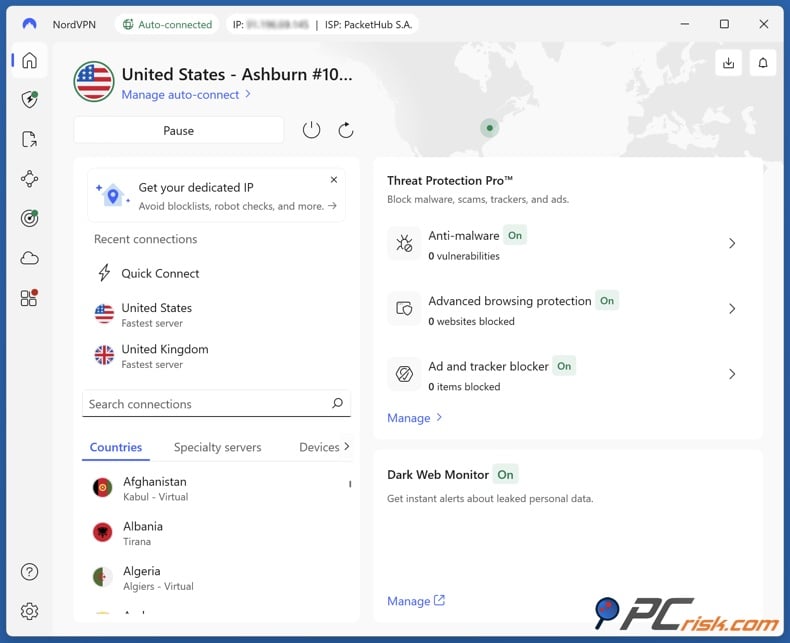
2. Open a new private browsing window before you start comparing prices. We also suggest denying location permissions if an airline or booking site asks, since browsers can show your real location if you allow access.
3. First, search your route without the VPN and write down the full price, including the fare, baggage rules, and booking partner. This gives you a clear starting point. Google Flights is helpful here because it shows calendar prices, price graphs, other airports, and booking partners.
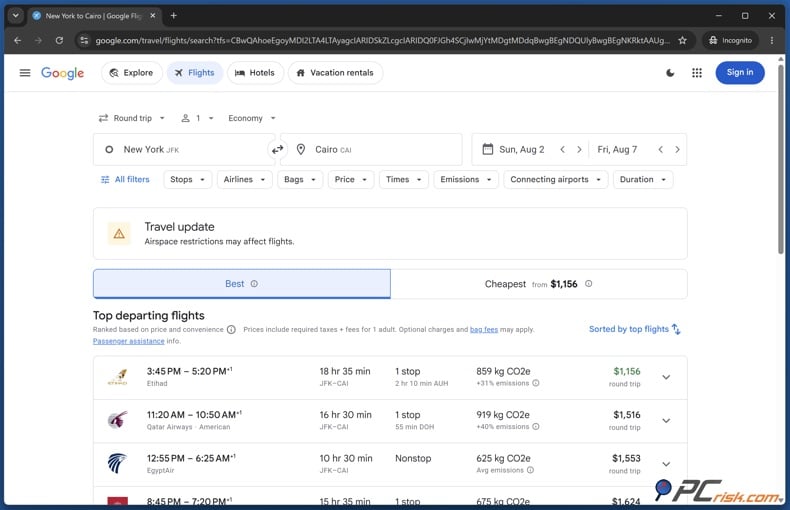
4. Connect to a different country in NordVPN and repeat the same search. Try starting with the departure country, the airline's home country, your own country, and a couple of nearby markets. There isn't a single best country, so focus on comparing a few realistic options instead of guessing at random. This advice comes from how location, booking partners, and sales rules can change your results.
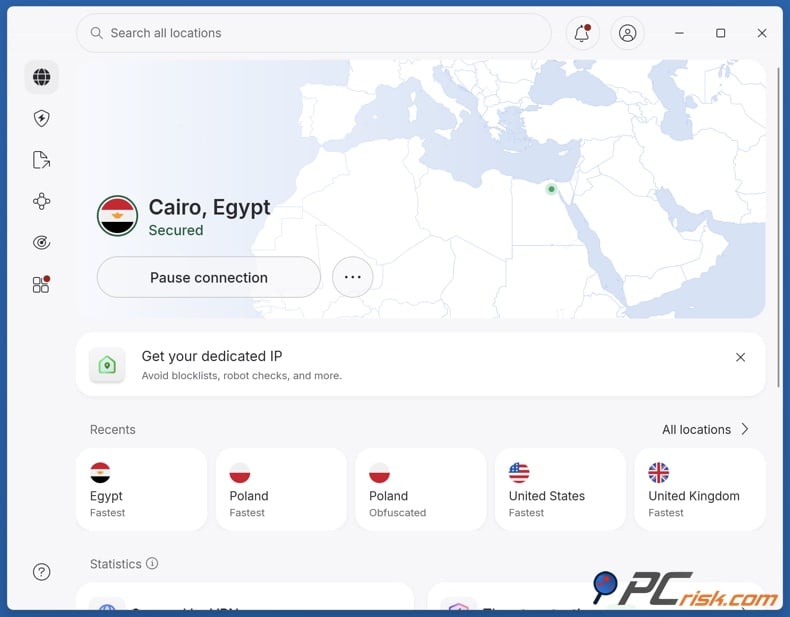
5. Repeat the search for each country you test and write down the total price, currency, booking partner, and the final price after clicking through. Google points out that prices can change after you pick an itinerary, so only trust the lower price if it stays the same on the airline or booking site.
6. If you find a cheaper fare, check the payment conditions before you buy. Google Flights says payment methods can change by location, so some deals might need a local card or have different refund rules. If you can't meet the requirements, skip that fare.
7. Before you pay, check the extras again. Bag fees can be different, and the lowest fare isn't always the cheapest once you add luggage and seat costs.
8. Once you've found a cheaper option and are happy with the fare rules, book it right away.
To sum up: change your country, repeat the search, check the final price after clicking through, and only trust the fare when you see the total on the seller's page.
Before switching between airline sites, price trackers, and payment pages, add another layer of protection to my device. Combo Cleaner offers anti-malware scanning, real-time protection, web browsing protection, and anti-ransomware features. This is helpful when searching for travel deals on unfamiliar networks and third-party booking sites. If you're booking on public Wi-Fi, use Combo Cleaner as a safety companion to a VPN, not as a replacement.
A VPN encrypts your traffic — but your device still needs protection against malware and ransomware. Combo Cleaner adds the missing layer of defense.
Download Combo CleanerAntivirusDetect & remove malware threats→Best tested VPNs for booking cheaper flights
At PCrisk, we based this ranking only on VPNs from our 2026 reviews: NordVPN, Surfshark, Mullvad VPN, Proton VPN, and ExpressVPN. When searching for flights, we focus on coverage of locations, reliable connections, clear pricing, and how easily you can switch regions. Privacy is still important, but for this purpose, having lots of locations and an easy-to-use app are just as valuable.
1. NordVPN
We rank NordVPN first because it offers the best mix of reach, speed, and ease of use. According to its server page, NordVPN has 224 locations and over 9,100 servers in 167 countries. Our PCrisk review puts it at the top for its fast speeds, audited no-logs policy, and strong overall performance, though split tunneling is limited on macOS and iOS. For finding cheaper flights, the large network lets you check many markets quickly, and the app makes switching countries easy. The main drawback is the price. NordVPN is not the cheapest option for long-term use, so if you only need a VPN for occasional price checks while traveling, it might be more than you need.
2. Surfshark
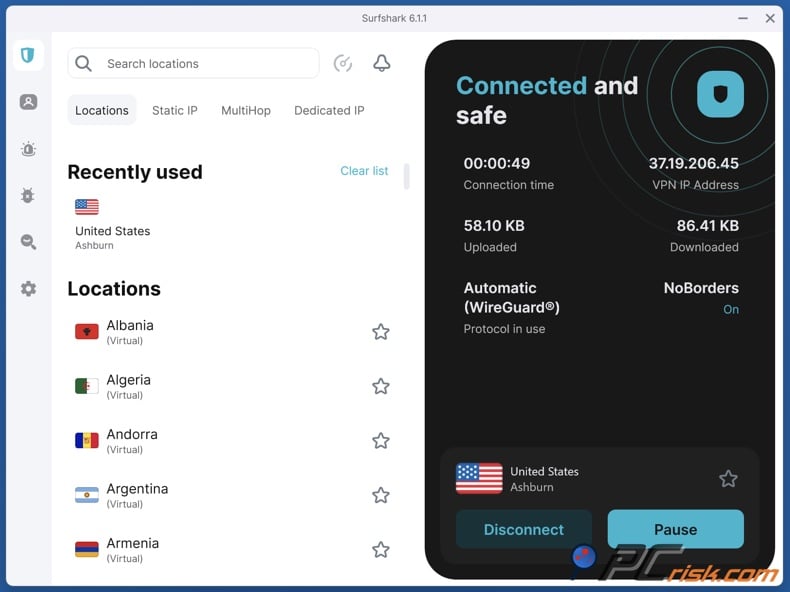
Surfshark is our second pick because it offers the best value for most travelers. Surfshark reports over 4,500 servers in 100 countries, and we praise its affordability, fast speeds, unlimited device support, and wide range of features. For this purpose, 100 countries are plenty to compare different routes and markets. The downside is that renewal prices can increase significantly, and some features are missing on iOS and Linux. If NordVPN is our top choice for performance, Surfshark is our top choice for saving money.
3. Proton VPN
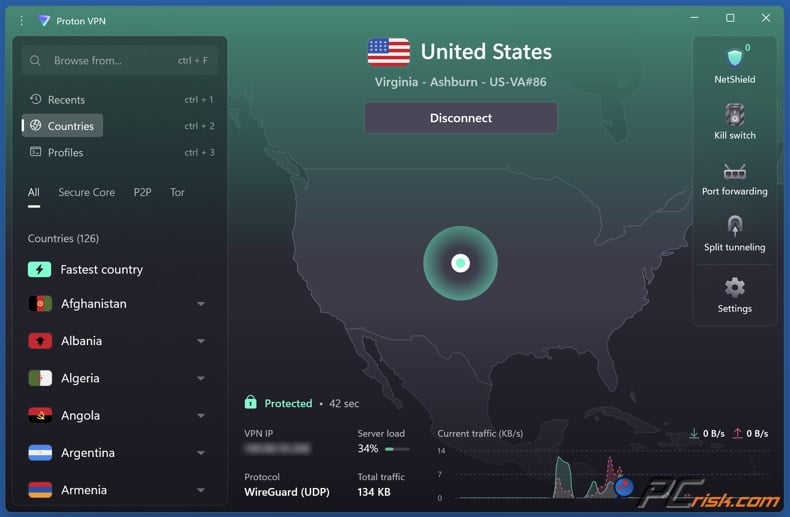
Proton VPN is our third choice because it has a huge network and a free plan that is more generous than most. Proton says paid users get access to over 18,700+ servers in more than 134 countries. Our PCrisk review highlights its transparency, audited no-logs policy, open-source apps, and strong privacy reputation. This makes Proton a great pick if you want to compare prices in less common markets. However, it is not always the fastest or cheapest, and its customer support can be slower than others. If you care about privacy as much as finding deals, Proton is a strong option.
4. ExpressVPN
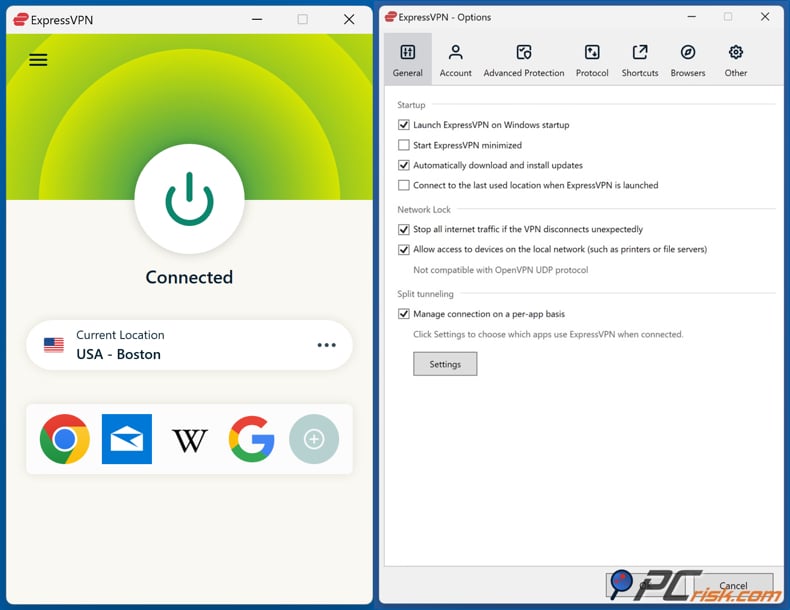
ExpressVPN is fourth on our list, not because it is bad, but because it costs more than others for a task that often involves switching countries and checking fares quickly. ExpressVPN says it covers 105 countries with over 214 server locations and 3,000+ servers. We like its easy-to-use design, strong reliability, and steady performance, but it is more expensive than most and may not have advanced features some users want. If you want something simple, ExpressVPN is great. But if you care most about value, I would choose NordVPN, Surfshark, or Proton for flight shopping.
5. Mullvad VPN
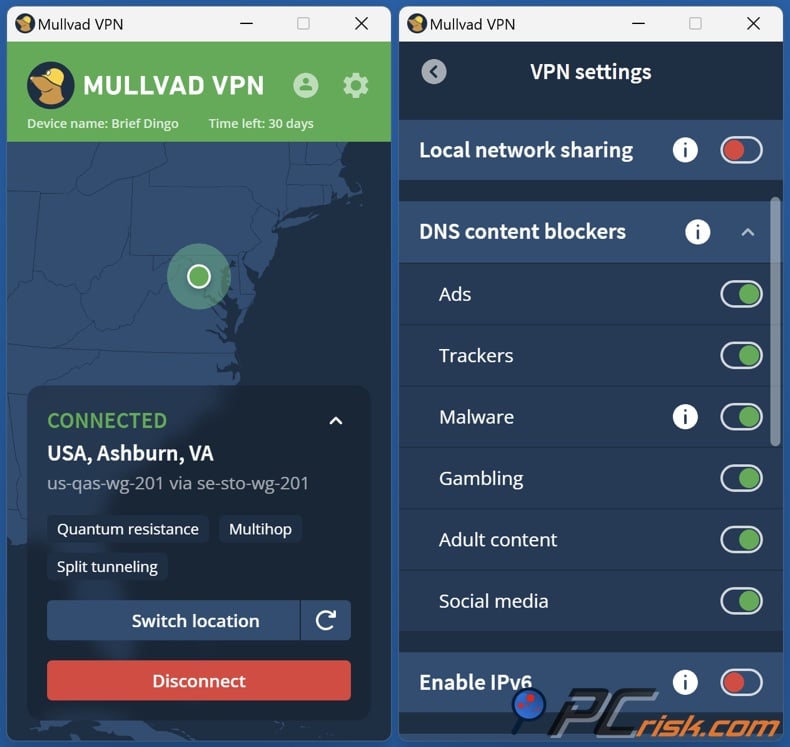
Mullvad is the best choice for privacy, but it is the weakest option for finding cheaper flights. Right now, Mullvad lists 580+ servers in 50 countries and 91 cities. We appreciate Mullvad's anonymous sign-up, open-source design, and simple flat pricing, but we're disappointed by its smaller server network and lack of live chat support. For comparing airfares, having fewer countries to choose from means fewer markets to test, which limits its usefulness for this purpose. We like Mullvad for privacy, but it is not the best if you want to check flight prices in many regions.
Other ways to find cheaper flights
A VPN is just one part of a good flight-search strategy. Google Flights is still one of the best tools for finding fares because it shows the lowest prices by day, supports round trip, one-way, and multi-city searches, and can find cheaper flights from different airports. If your travel dates are flexible, the calendar and price graph are often more helpful than switching locations with a VPN.
We also suggest turning on price tracking. Google says it can alert you when the price for a tracked flight or route changes a lot. This is important because flight prices update about every 24 hours, and airline deals can end before you are ready to buy. Tracking lets you wait for real price changes instead of checking the same trip over and over.
Another easy but often missed tip is to check the real total cost, not just the main fare. Google Flights lets you filter by bag fees, and Google's booking terms remind you that extra baggage charges may still apply. If a "cheaper" ticket is only cheaper because it does not include carry-on or checked bags, it might not really save you money. Also, compare prices from multiple sellers, since Google works with many airlines, OTAs, and aggregators, and IATA's guide shows that sellers can add their own fees to airline prices.
What is the best VPN location to find the cheapest airline tickets?
There is no single best country for finding cheap flights. This is important to remember. Fares, taxes, fees, and available flights change depending on the sales city and airline rules. Point of sale, taxes, and currency conversion all affect the final price. So, the best location depends on your route, airline, seller, local taxes, and the currency you use.
You may get the best results by testing a sensible group of markets, not just random countries that social media says are cheap. Check the departure country, the destination country, the airline's home country, and one or two nearby countries that make sense for the trip. This approach is based on how airline rules and taxes work, not on the idea that one country is always cheapest.
When looking for airfare differences, it is more important to pick a server in a relevant market, even if it is a bit farther away. Once you find a lower price, you can always switch back to a local server for a more stable payment process.
Can a free VPN be used to book cheaper flights?
Technically, you can use a free VPN, but we do not recommend it for flight searches. Our advice is this: free VPNs are usually slower, have fewer servers, data limits, and possible privacy risks. We generally think paid VPNs are better for reliable performance. For finding flights, a limited server list means fewer markets to test, and unstable connections make it harder to compare prices accurately.
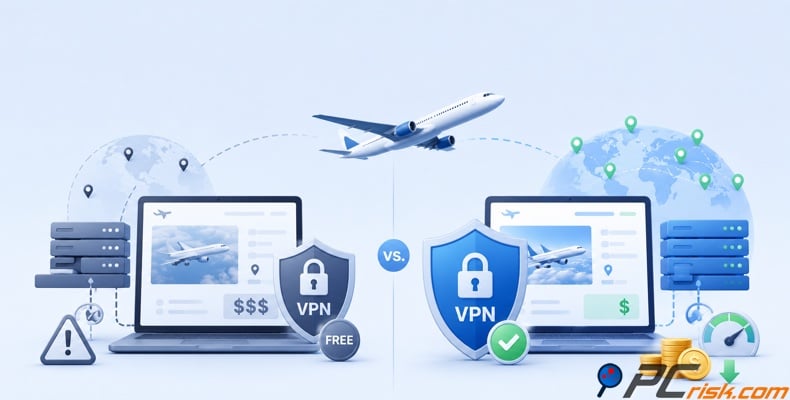
The only real exception is Proton VPN's free plan. Proton says its free service has no data limits and offers free servers in ten countries, including the United States, the Netherlands, Japan, Poland, Romania, Norway, Switzerland, Singapore, Mexico, and Canada. However, Proton's support pages say the app connects you to the fastest free server for your location, so you have less control over which region you use compared to a paid plan. This makes it better for privacy or light testing, not for serious airfare comparisons.
So here is our simple answer: If you just want to try this once, Proton's free plan is the only free option on our list that we would recommend. If you want to check prices in several countries, compare OTAs with airline sites, or book from a different region, we recommend a paid VPN, especially NordVPN or Surfshark.
Final recommendations
Our final advice is to use a VPN as a careful comparison tool, not as a magic fix for high airfares. The facts show that ticket prices can change because of where you buy, taxes, seller fees, currency changes, competition, and real-time airline pricing. A VPN lets you check these differences, but it does not change the airline's inventory or guarantee a lower price in another market.
If you want the most reliable process today, here is what you should do: First, find a baseline fare on Google Flights. Next, test four to six logical markets using NordVPN. Then, check that baggage rules and refund policies are the same. After that, compare the final total price, not just the main fare. Finally, only book if the savings are still there after taxes, exchange rates, and card fees. This method is less flashy than viral "secret hacks," but it is much closer to how real airfare shopping works.
If saving money is your main goal, Surfshark is the easiest choice. If you care most about privacy and a large network, Proton VPN is a strong option. If you want something simple, ExpressVPN is still one of the easiest premium services. But for most PCrisk readers, NordVPN is the best all-around VPN for booking cheaper flights because it has a wide network, fast speeds, and an app that makes testing different countries easy.
Frequently asked questions (FAQs)
Do airlines know I'm using a VPN?
Yes, sometimes. Websites can often recognize when traffic comes from a VPN server's IP address, but they cannot see what you are browsing. NordVPN explains that websites and ISPs can tell if you are using a VPN, and your ISP can see which VPN server you connect to.
Is using a VPN to buy cheaper plane tickets legal?
In most countries, yes. VPNs are legal in places like the US, Canada, the UK, and most of Europe, though some countries do restrict them. NordVPN and Surfshark also say using a VPN to look for cheaper flights is usually legal, but you should still check local laws and the website's terms.
Does a VPN guarantee a lower airfare?
No. A VPN just makes it easier to compare prices in different regions. Whether you save money depends on airline rules, taxes, seller fees, exchange rates, and the current pricing at the time you search.
Which countries should I test first?
Try the departure country, the destination country, the airline's home country, and one or two nearby markets. This approach follows Google's sales-city advice and IATA's tax rules, but there's no single country that is always cheapest.
Why did the fare change between search and checkout?
Because airline prices and offers change all the time. Amadeus says airfares and extras can be updated in real time, and IATA explains that offers can expire and prices are not always guaranteed.
Should I change currency and sales city as well as my VPN location?
Yes, if the search tool lets you. Google Flights lets you change your location and currency. Fares, taxes, fees, and available flights can all change depending on the city, based on airline rules.
Can I use Google Flights for research and still book elsewhere?
Yes, definitely. Google works with over 300 airlines, OTAs, and aggregators, so it's a great tool for comparing options. Use Google Flights to find a good fare, then check the final price with the airline and a couple of other sellers before booking.
Is a free VPN good enough for this?
Usually not. Free VPNs often have fewer servers and weaker performance, which makes comparing airfares harder. Proton's free plan is the only free option we recommend, but it still limits the number of countries and gives you less control than a paid plan.
Share:
 Facebook
 X.com
X.com
 LinkedIn
 Copy Link

Rimvydas Iliavicius
Researcher, author
Rimvydas is a researcher with over four years of experience in the cybersecurity industry. He attended Kaunas University of Technology and graduated with a Master's degree in Translation and Localization of Technical texts. His interests in computers and technology led him to become a versatile author in the IT industry. At PCrisk, he's responsible for writing in-depth how-to articles for Microsoft Windows.
▼ Show Discussion