
We may earn commissions from products we recommend. Learn more.
How to Bypass Adultwork Age Verification in the UK With a VPN

How to Bypass AdultWork Age Verification
Age checks for pornography and other high-risk content in the UK have become much stricter. Since July 25, 2025, regulators have required adult platforms to use robust age verification. This has changed how UK users access adult content online.
This article explains what has changed, why age verification is needed, what strong age checks involve, and how VPNs fit into these rules in 2026. It also examines common VPN issues and provides a guide to safer, responsible age verification, with a focus on privacy and security.
Disclaimer: This article is for informational purposes only. PCrisk.com does not promote, encourage, or endorse bypassing of age restrictions and laws. It also does not promote bypassing age verification requirements on adult websites or other safety measures intended to protect minors. This article does not provide instructions for bypassing age-verification systems. Instead, it focuses on following the rules and browsing with privacy in mind.
Access AdultWork in the UK with NordVPNSpecial deal30-day money-back guarantee→
Table of Contents:
- Introduction
- Why Does AdultWork Require Age Verification in the UK?
- How to Access AdultWork with a VPN in the UK
- Best VPNs to Bypass AdultWork Age Verification in the UK
- Legality and AdultWork's VPN Policy
- Common Issues and Solutions When Accessing AdultWork With a VPN
- Guide on How to Verify Your Age on AdultWork
- Wrapping Up
- Frequently Asked Questions (FAQ)
Why Does AdultWork Require Age Verification in the UK?
UK age verification rules exist because the country's online safety laws require services offering pornography to UK users to meet specific standards. The main goal is to prevent minors from seeing pornographic material and other serious harms, not to ban legal adult content for adults.
The regulatory trigger
This change became clear to users in mid-2025. Since July 25, 2025, Ofcom has said that "all sites and apps that allow pornography" must have strong age checks for UK users.
The UK government has made it clear that people "have to prove their age to access pornography." Platforms are expected to use methods such as facial scans, photo ID checks, or credit card checks.
Our top recommendation for streaming and privacy. NordVPN consistently leads our tests with fast speeds, reliable geo-unblocking, and a strict no-logs policy.
- ✔ Unblocks geo-restricted streaming services reliably
- ✔ 202+ locations across 111 countries
- ✔ 30-day money-back guarantee · Special deal available
What "highly effective" age checks look like in practice
The exact method depends on the platform, but Ofcom's guidance lists standard options like facial age estimation, open banking checks, digital identity services, credit card checks, email-based age estimation, mobile network operator checks, and photo-ID matching. Currently, AdultWork offers age verification checks via credit card purchases, SMS verification, and Yoti.
Ofcom also says that age-check processes should be "technically accurate, robust, reliable and fair."
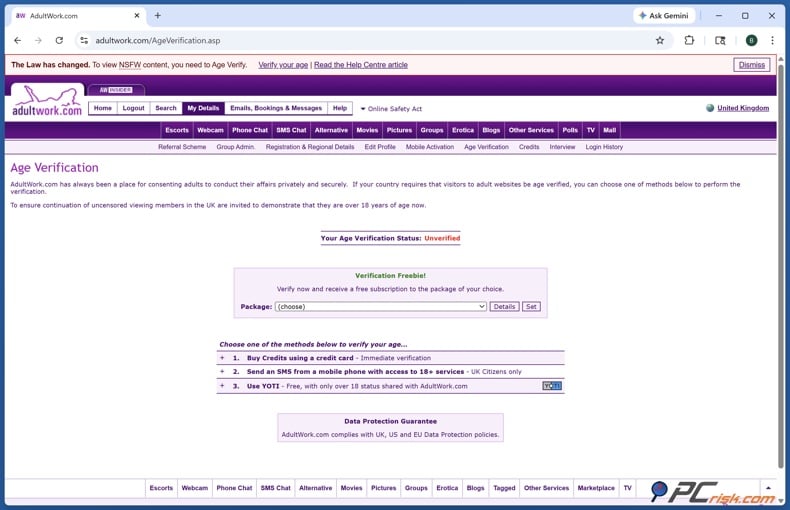
Why "where the check appears" matters
Regulators want not only stronger methods but also safer placement of age checks. In January 2026, Ofcom said that dedicated pornography sites should check age at the entry point or make sure no harmful content is shown before the age check is complete.
This is why many UK users now see age-check barriers earlier when browsing than they did before 2025.
Enforcement pressure is real
Enforcement is real. In late February 2026, Britain's regulator fined an adult-content company £1.35 million for failing to implement adequate age checks and imposed an additional fine for failing to respond to an information request.
Ofcom has clearly stated its powers: for non-compliance, it can fine up to £18 million or 10% of worldwide revenue (whichever is higher). In serious cases, it can also take court-backed actions that could block or restrict services in the UK.
How to Access AdultWork with a VPN in the UK
A VPN can help protect your privacy and security while browsing, but it does not remove legal or platform age checks. The UK government says VPNs are legal, but platforms still need to prevent minors from bypassing safety protections with VPNs.
If you use adult sites in 2026, a VPN can protect you from network monitoring, such as on public Wi-Fi, and help keep your browsing private. However, you should still expect sites to require age verification if they follow the rules.
Top VPN ReviewsExclusive dealsExpert-tested · hands-on reviews→
Step-by-step: using NordVPN for safer connectivity (not bypassing age checks)
These steps are meant to help with privacy and secure connectivity. They are not instructions for evading age verification.
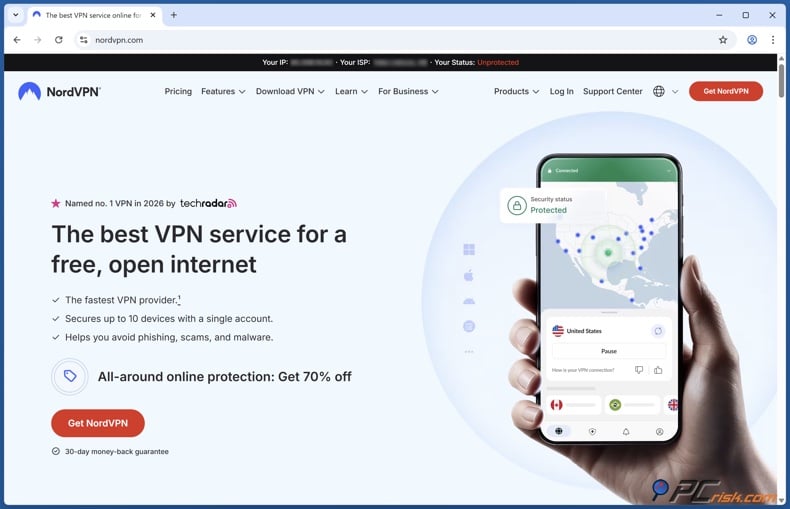
1. Install and sign in. Download and install the NordVPN app for your device (Windows, macOS, iOS, Android, or Linux).
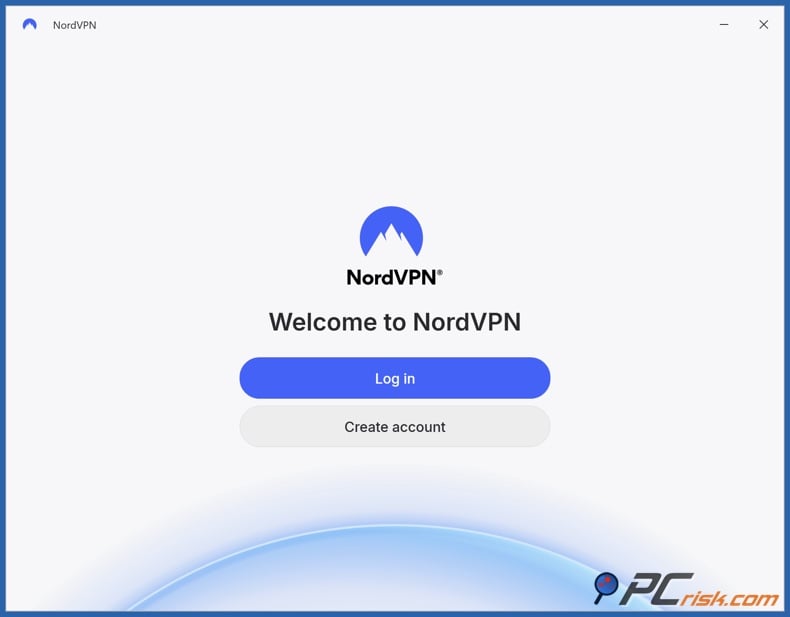
2. Sign in to the app using your Nord account. NordVPN is considered a feature-rich VPN for 2026, focusing on speed, security, and support for multiple devices.
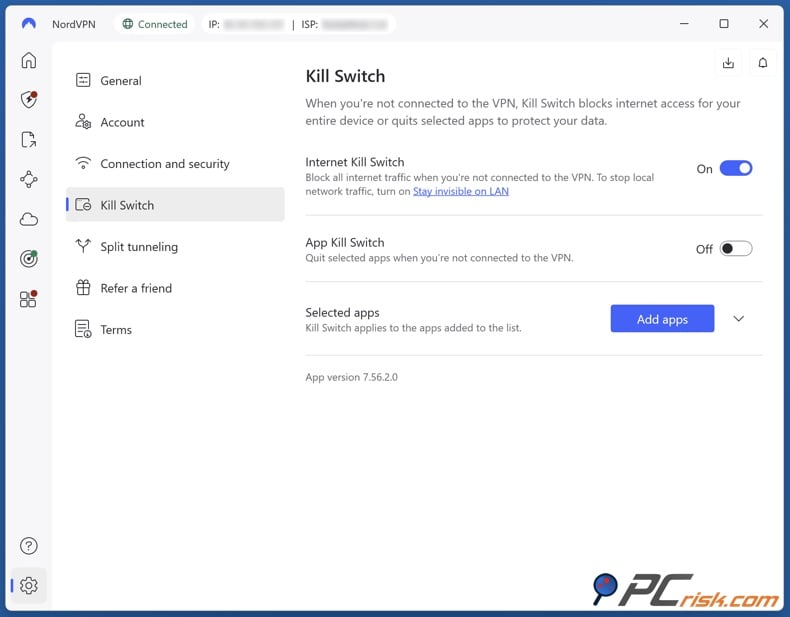
3. Turn on leak-prevention features. Enable the Kill Switch feature if your VPN supports it. This stops internet traffic when the VPN connection drops, helping prevent your real IP from being exposed. Keep DNS leak protection turned on if your VPN app offers it. Avoid switching to a custom DNS unless you are sure of what you are doing, as mistakes can often cause DNS leaks.
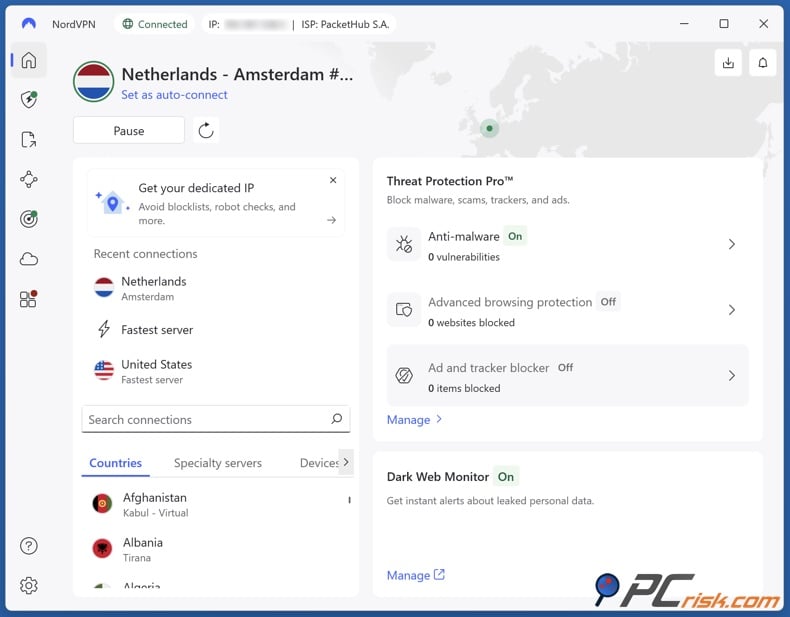
4. Connect and browse. Connect to a VPN server. For better privacy and performance, choosing a nearby server is usually the most stable choice. Go to AdultWork in your browser. If the site asks for age verification, follow its official process (explained later in this article).
5. If you run into blocks, try changing your basic VPN settings rather than trying to force access. If pages fail to load, try common VPN troubleshooting steps: switch protocol, clear your cache, use a private window, or try a different server. These are standard fixes for sites or apps that don't work well with VPN connections.
Best VPNs to Bypass AdultWork Age Verification in the UK
While many online guides describe VPNs as bypass tools, this article does not recommend or explain how to avoid age checks. The list below is included because VPNs are still useful for privacy, device security on untrusted networks, and reducing some types of tracking.
The following 5 VPNs are taken from the "top 5 picks for 2026" list published on PCrisk.com's VPN review hub.
NordVPN - NordVPN is ranked as the top pick for 2026 on that list and is described as a fast VPN with a wide range of security features.
In hands-on review notes, NordVPN is described as combining strong encryption, a no-logs posture supported by external audits, and features such as a kill switch and (platform-dependent) split tunneling.
Practical pros for privacy-sensitive browsing:
- Strong leak prevention tools are available if you enable them correctly, especially the kill switch.
- NordVPN performed well in testing, which is important if an adult site uses more demanding media features.
Cons/tradeoffs:
- Pricing is usually less favorable on short-term plans, as the best value is often found with longer subscriptions.
- Split tunneling is not available on some platforms.
Surfshark - Surfshark is ranked second in the 2026 list and is often described as a VPN that offers good value and features, including unlimited devices in the reviewed setup.
Pros for everyday users:
- Unlimited simultaneous device connections (useful for households).
- Surfshark offers a wide range of features, such as MultiHop, and has an audited no-logs policy, according to reviews.
Cons/tradeoffs:
- Reviews mention that jurisdiction and privacy debates are important for extremely privacy-sensitive users, even if the no-logs policy is audited.
- Renewal pricing can be much higher than the introductory price, which is common in the VPN industry.
Mullvad VPN - Mullvad is ranked in the middle of the 2026 list but stands out for its privacy-first account model, which requires less identifying information at signup, and for its straightforward pricing, according to reviews.
Pros for privacy purists:
- Mullvad strongly emphasizes anonymity and minimal account identity, and its open-source and audit approach is mentioned in the review.
- Leak and kill-switch behavior tested positively in PCrisk.com's review.
Cons/tradeoffs:
- Mullvad has a smaller server network than some larger VPN brands, which can be a problem if you need many location options for performance or reliability.
- It also offers fewer convenience features and places less emphasis on unblocking major media services, as noted in reviews.
Proton VPN - Proton VPN is ranked fourth in the list and is described as a transparency-focused VPN, with open-source apps and a free tier.
Pros:
- A free plan exists, with no bandwidth caps, as described in the review (though it is limited in terms of locations and features).
- Proton VPN has a strong privacy focus, with Swiss jurisdiction, an audited no-logs policy, open-source apps, and advanced routing options like Secure Core.
Cons/tradeoffs:
- The free plan has significant limitations for many users, such as fewer countries and no streaming support, according to the review.
- Some advanced privacy features can reduce speeds, as multi-hop style routing usually adds overhead.
ExpressVPN - ExpressVPN is ranked fifth and is often highlighted for its stability and ease of use, with strong performance and broad device support mentioned in reviews.
Pros:
- ExpressVPN is known for stable connections and easy-to-use apps, which is helpful if you want simple, always-on privacy.
- Reviews discuss ExpressVPN's extensive leak protection, including IP and DNS leak tests and kill-switch behavior.
Cons/tradeoffs:
- ExpressVPN often costs more than competitors, which can be a drawback if you only need basic VPN protection. Its advanced features, like multi-hop, are not always as strong as those offered by feature-heavy competitors.
Which VPN is best for AdultWork?
Because AdultWork is a website intended for adults, recommending a VPN specifically to access it from locations where access is restricted could amount to advising on bypassing gambling restrictions or laws, which is something this article will not do.
If you are looking for the best all-around VPN for general privacy and security in 2026, the top-5 VPN list above ranks NordVPN first overall for its balance of speed, security, and versatility.
Legality and AdultWork's VPN Policy
Is it legal to use a VPN in the UK?
The UK government has publicly stated that VPNs are legal in the UK.
That said, "VPN legal" does not mean "rules-free." A VPN does not make illegal activity legal, and providers and platforms can still enforce their own terms and fraud controls.
Is it legal to use a VPN to access AdultWork in the UK?
Using a VPN for privacy is generally legal, but what matters most is how you use it and whether you are violating a platform's terms. The UK framework requires platforms to protect children and discourages content that promotes VPN workarounds aimed at minors.
Also, if someone is under 18, attempting to get around age gates to access pornography is exactly what the rules are intended to prevent. Ofcom expressly frames these age checks as a child-protection measure.
Does AdultWork allow VPNs?
Public reporting and user-shared excerpts suggest that AdultWork's terms restrict "masking" your IP address with VPNs or proxies, and may instruct users who use such technology to allow specific domains.
Platforms may see VPN use as a risk for fraud, geo-integrity, or compliance. Users should expect that VPN connections might be blocked or trigger extra checks, even if VPNs are legal.
Alternative solutions without a VPN
Some articles recommend open proxies or the Tor browser as alternatives, often to bypass restrictions. This article does not recommend using any tool to evade age verification requirements.
From a cybersecurity perspective:
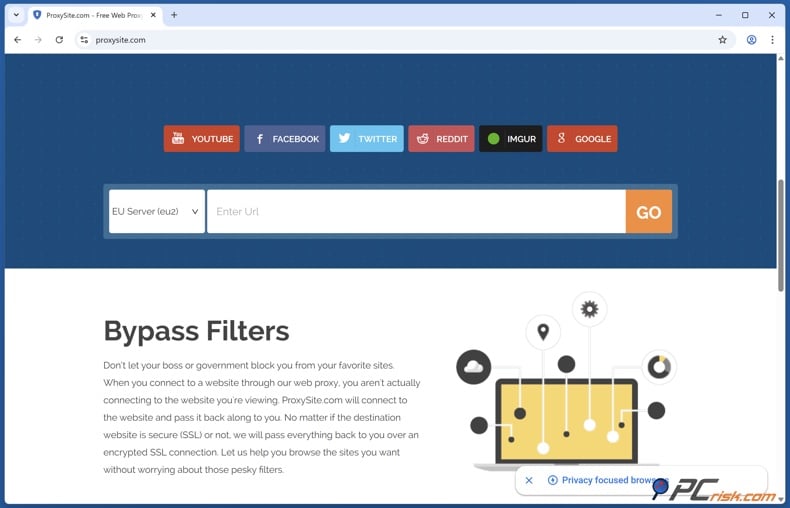
Open proxies are widely considered risky for privacy and security because they may not encrypt traffic, log activity, or be abused by malicious operators.
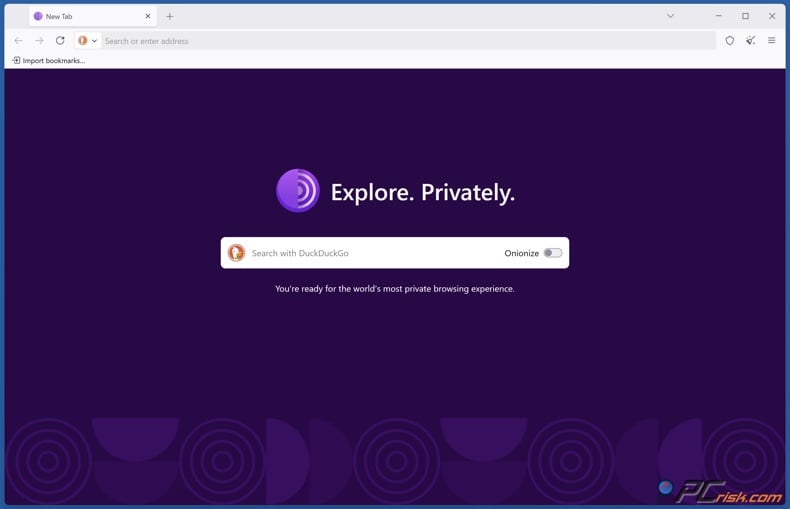
Tor Browser is a privacy-focused browser that routes traffic through the Tor network to hide your IP and reduce tracking. It is also designed to resist fingerprinting more than typical browsers.
However, Tor's privacy features do not mean you can ignore site rules. Many services actively block Tor exit traffic because of abuse or fraud concerns.
Common Issues and Solutions When Accessing AdultWork With a VPN
In 2026, most "VPN not working" problems fall into a few technical categories. Even though this article focuses on AdultWork, these issues are common across many high-risk or heavily-scraped websites.
Your VPN IP is blocked or rate-limited
If you see messages like "your IP has been temporarily blocked," it is often because many users share the same VPN IP, and the site's abuse or bot defenses throttle it. NordVPN's guidance notes that site security measures can block an IP and suggests contacting the site if needed.
Fixes that usually help (without trying to evade age gates):
- Switch to a different server, as you may just be on a blocked or overused IP.
- Try a different VPN protocol if your provider supports it.
CAPTCHA loops or endless "verify you're human" checks
CAPTCHAs can break due to blocked scripts, aggressive privacy extensions, or stale cookies.
Practical fixes:
- Clear your cookies and cache, or use a new private window.
- Disable ad or script blockers on that page, or try testing in a clean browser profile.
WebRTC leaks exposing your real IP
Some browsers can reveal your IP information through WebRTC, which can undermine the privacy you expect from a VPN. Both Surfshark and ExpressVPN provide guidance on testing for WebRTC leaks and fixing them, such as changing browser settings or using extensions.
Practical fixes:
- Run a WebRTC leak test and make sure the public IP shown matches your VPN endpoint, not your ISP.
- Apply browser-specific mitigations if needed (especially on desktop browsers that allow it).
DNS leaks (your ISP can still see the domains you request)
A DNS leak means DNS requests keep going to your ISP or another non-VPN resolver, even when your traffic is otherwise tunneled. This can expose browsing patterns and sometimes location cues.
Practical fixes:
- Keep your VPN DNS settings enabled and avoid changing browser "secure DNS" settings unless you know what you are doing.
VPN connects, but the site/app won't load
NordVPN's troubleshooting advice for "can't access websites or apps" includes common steps: try another protocol, clear your cache and use incognito mode, reinstall apps, test another browser, and check for antivirus or extensions that might interfere.
How to Verify Your Age on AdultWork
This section focuses on compliant access. Ofcom's consumer guidance provides a useful map of the age-check methods UK users are likely to encounter in practice.
The age verification methods you're most likely to see
Ofcom lists multiple "strong age check" options that services may use (directly or via a third party), including facial age estimation, open banking, digital ID services, credit card checks, email-based estimation, mobile operator checks, and photo-ID matching.
Since different platforms use different vendors and processes, what you see on AdultWork can change over time and by device. Some public reports about AdultWork mention government-issued ID or digital ID checks for UK IP addresses.
Step-by-step: safer, privacy-conscious verification
These steps are about reducing risk while complying with age-check requirements.
Start with a trusted connection. Avoid public Wi-Fi if you can. If you must use it, a VPN adds encryption between your device and the VPN server, which helps reduce the risk of local network snooping.
Make sure you are on the official verification process. Look for a clear explanation of the method being used and the data being processed. Ofcom expects transparency about the types of age checks used and how they work.
Fake verification pages and harmful downloads can quickly turn a simple privacy worry into a real security issue. Combo Cleaner helps keep you safe with real-time anti-malware scanning, web protection against scams, phishing, infected sites, and dangerous downloads. It also removes harmful browser extensions that might cause redirects, ads, or tracking.
A VPN encrypts your traffic — but your device still needs protection against malware and ransomware. Combo Cleaner adds the missing layer of defense.
Download Combo CleanerAntivirusDetect & remove malware threats→Choose the least invasive method that works for you. Ofcom lists several options, and some can confirm you are over 18 without revealing your full identity, depending on the provider.
If using photo-ID matching:
- Use good lighting and an unblurred image.
- Only upload the data that the process requests.
- Follow any instructions to capture both ID and selfie in real time if requested.
If using facial age estimation:
- Expect a selfie/video-based scan that estimates age.
- The government says these tools may estimate age without storing your image or identifying you, depending on how they are set up. However, you should still read the provider's notices.
If using open banking:
- You will usually be asked to grant permission for limited access to confirm your age. Use caution and only proceed if the provider is reputable and the consent scope is clear.
After you verify your age, review your account and privacy settings. Use strong passwords and enable multi-factor authentication if available, as account compromise is a bigger risk than many people expect.
Wrapping Up
The UK's adult-site age checks are based on a child-safety legal framework. Since July 25, 2025, pornography sites accessible in the UK are expected to implement strong, "highly effective" age assurance.
A VPN can still offer real benefits in 2026, such as encrypting your data on untrusted networks, reducing what your ISP can see, and protecting against certain leaks if set up correctly. However, you should use it as a privacy tool, not to avoid age verification or legal safeguards.
Frequently Asked Questions (FAQ)
What is the Online Safety Act?
The Online Safety Act is the UK's framework for regulating online safety duties, including requirements designed to prevent minors from accessing pornography and other harmful content. The UK government and Ofcom describe it as focusing on child safety while preserving adults' rights to access legal content.
Can I access AdultWork in the UK without verifying my age?
If a service is complying with the UK's pornography-related age assurance requirements, you should expect not to be able to access pornographic content until you complete a strong age check. Ofcom explicitly states users should not be able to see pornography before confirming age, and that simple self-declaration/tick boxes are not sufficient.
How can I bypass AdultWork's age verification safely?
This article does not provide instructions for bypassing age verification. Age checks are intended to protect minors, and the UK government has explicitly urged people to support these protections rather than look for ways around them.
If your concern is privacy, the safer approach is to use the platform's official age-check options and pick the least invasive compliant method available, while following good security practices (secure device, trusted network, careful review of what data is being requested).
Is it legal to use a VPN to access AdultWork in the UK?
VPNs are legal in the UK. But legality does not override a platform's terms or compliance systems, and services may block VPN traffic or require additional checks.
Does AdultWork allow VPNs?
Some reporting and user-shared excerpts indicate AdultWork restricts masking IP addresses via VPNs or proxies in its terms, and may require certain domains to be allowlisted if you do use those tools.
Because terms and enforcement can change, readers should check the current terms presented by the service during login or account use.
Does AdultWork store my personal information if I verify my age?
This depends on the method and the third-party provider used. Regulators emphasize data protection compliance and data minimization in age assurance contexts, and the UK government's messaging stresses confirming age without collecting/storing personal data unless necessary.
Your best protection is to read the notice presented during the verification flow and to use only the minimum data required for the check you choose.
Can I use a free VPN to access AdultWork in the UK?
Free VPNs often come with serious limitations (speed, server choice, reliability) and can be blocked more frequently. This is especially relevant on sites that aggressively filter traffic.
If your goal is basic privacy rather than advanced features, one notable exception is Proton VPN's free plan, which is described as having no bandwidth limits - while still being restricted in server locations and capabilities (and not aimed at media unblocking).
Is it possible to access xHamster in the US with a free VPN?
Free VPNs may work inconsistently, and access can depend on the site's own blocking policies and local rules. The same practical constraints apply: limited locations, higher risk of IP blocks, and reduced reliability.
Share:
 Facebook
 X.com
X.com
 LinkedIn
 Copy Link

Rimvydas Iliavicius
Researcher, author
Rimvydas is a researcher with over four years of experience in the cybersecurity industry. He attended Kaunas University of Technology and graduated with a Master's degree in Translation and Localization of Technical texts. His interests in computers and technology led him to become a versatile author in the IT industry. At PCrisk, he's responsible for writing in-depth how-to articles for Microsoft Windows.
▼ Show Discussion