
We may earn commissions from products we recommend. Learn more.
How to access YouTube at school or work with a VPN in 2026

How to access YouTube at school or work with a VPN in 2026?
YouTube is a foremost platform for entertainment, education, music, news, and tutorials. However, access may be restricted. Schools, universities, workplaces, libraries, and other organizations often block YouTube or limit available videos on their networks. Additionally, YouTube access can be restricted by country or region.
If a local network restricts YouTube, you have several options. Switching to mobile data is one option, but using a reputable VPN (Virtual Private Network) is typically more effective, as it encrypts your traffic and routes it through another server. This article outlines reasons why YouTube may be inaccessible, what restrictions may be bypassed, and how to do so using a VPN.
Disclaimer: PCrisk does not promote, encourage, or endorse bypassing network restrictions, violating school or workplace rules, or breaking local laws. Always follow an institution's acceptable-use policies and local regulations. Use any methods described at your own risk.
Access YouTube with NordVPNSpecial deal30-day money-back guarantee→
Table of Contents:
- Introduction
- Why can't I access YouTube at school or work?
- Can YouTube be inaccessible for other reasons?
- How to access YouTube?
- Accessing YouTube with a VPN in 2026
- Best VPNs to access YouTube
- Can you use a free VPN to access YouTube?
- Common issues and solutions when accessing YouTube with a VPN
- How to access YouTube without a VPN?
- Is using a VPN to access YouTube legal?
- In closing
- Frequently Asked Questions (FAQ)
YouTube, operated by Google, is a video-sharing platform that hosts not only entertainment content but also educational lectures, tutorials, product demonstrations, podcasts, live broadcasts, music, documentaries, and material from businesses, universities, governments, and individual creators. As a result, its uses extend well beyond entertainment.
Despite its multifaceted nature, YouTube is often restricted on managed networks in schools, universities, offices, libraries, and similar institutions. If YouTube is accessible on your home or mobile connection but not on institutional Wi-Fi, the network administrator has likely imposed the restriction. Various methods are used by administrators to block access to specific websites or service categories, including DNS filtering, firewalls, web filters, proxy policies, and other controls.
Organizations may restrict YouTube for several reasons:
Bandwidth management - video streaming uses significantly more bandwidth than standard web browsing. When many users watch high-resolution videos at once, it is capable of straining shared networks, especially where Internet capacity is limited.
Productivity and concentration - schools and workplaces often block entertainment platforms to reduce distractions. While YouTube offers educational and work-related content, it also provides extensive entertainment. Blocking the entire platform is easier to manage than classifying individual videos.
Content controls - educational institutions may be required by policy or regulation to limit access to inappropriate, mature, or distracting material. YouTube's Restricted Mode can limit visible content, and managed environments can enforce these restrictions so users cannot disable them.
Security and acceptable-use policies - while YouTube is legitimate, links in descriptions, ads, comments, and videos can lead users to external sites. Some videos promote pirated software, game cheats, cryptocurrency schemes, or software "cracks", which have been used in malicious campaigns. Organizations may restrict entertainment and social platforms as an aspect of larger security policies.
The symptoms depend on how the block is implemented. YouTube may not load at all, the browser may show an "Access denied" or "This site can't be reached" message, or the organization's filtering service may display a block page. Sometimes, the website loads, but certain videos are unavailable due to Restricted Mode. Therefore, before troubleshooting, try accessing another site and testing YouTube on a personal mobile connection, if possible. If YouTube works there, the managed network is likely causing the issue.
Can YouTube be inaccessible for other reasons?
A school or workplace filter is just one possible reason why YouTube can be inaccessible. YouTube may be temporarily unavailable due to technical outages. Issues such as a faulty DNS service, browser extensions, parental controls, firewall software, incorrect device settings, or an unstable Internet connection can also cause access problems. Individual videos may be inaccessible if they have been deleted, made private, removed for policy reasons, or restricted to certain regions.
Geoblocking constitutes a significant factor. YouTube allows video owners to restrict content to specific countries or regions, commonly owing to licensing rights. The platform may also limit material to comply with local laws. As a result, YouTube may load normally, but certain videos may display a message stating they are unavailable in your country.
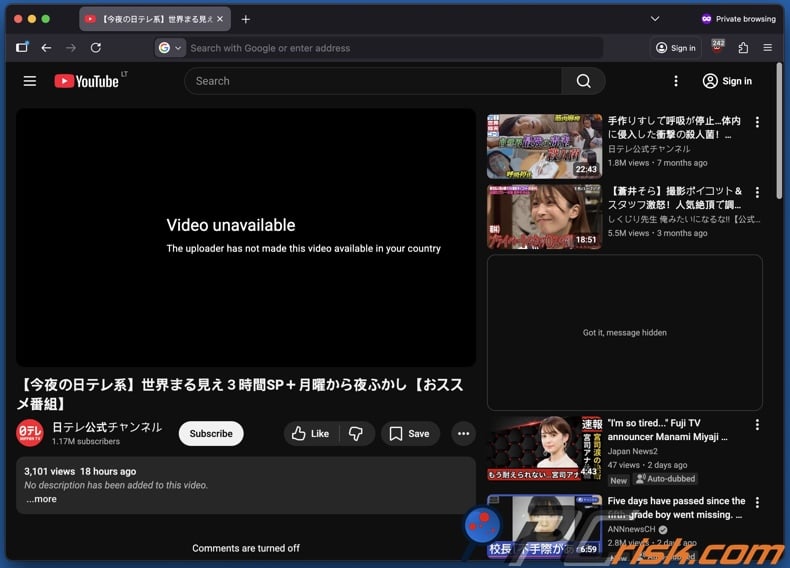
On a larger scale, some governments have blocked, throttled, or otherwise significantly restricted YouTube. The situation can change quickly, and the following examples should not be treated as a permanent or exhaustive list:
China - YouTube has been blocked in mainland China since 2009 and remains inaccessible via ordinary connections under the country's extensive Internet filtering system, commonly known as the Great Firewall.
Iran - YouTube has faced long-running restrictions as part of Iran's wider Internet filtering system. During the extensive 2026 Internet shutdown, international connectivity was severely disrupted for months. When access began recovering in May, major platforms (including YouTube) remained restricted.
Turkmenistan - foreign websites, independent media, social platforms, and circumvention tools face extensive government filtering. YouTube has experienced blocking or periods of unavailability alongside wider restrictions on access to external information.
North Korea - ordinary residents generally cannot access the global Internet and instead use a state-controlled domestic intranet. Consequently, services such as YouTube are unavailable to most of the population through ordinary Internet access.
Russia - YouTube access deteriorated significantly beginning in 2024. Users experienced major slowdowns and outages, while Russian officials openly discussed reducing YouTube speeds as pressure on the company. Availability has since increasingly depended on the ISP (Internet Service Provider), location, and the technical restrictions being applied.
Several countries have also imposed temporary or repeated YouTube blocks:
Turkey - YouTube has been restricted repeatedly since 2007. A lengthy block occurred in 2008 and lasted until 2010. YouTube was blocked again in 2014 after leaked recordings of senior security officials appeared online, temporarily restricted alongside other social platforms in 2015, and affected by further access restrictions in later years. In September 2025, access to YouTube and several other major platforms was again restricted across multiple Turkish networks.
Pakistan - YouTube was blocked nationwide in September 2012 following controversy surrounding the "Innocence of Muslims" video. The restriction lasted for more than three years and was lifted in January 2016 after a localized version of YouTube became available.
This illustrates that YouTube restrictions can range from long-term national filtering to temporary blocks imposed during political, security, or social events. Availability can also vary between ISPs and change with little notice.
How to access YouTube?
The most effective solution to accessing YouTube depends on the specific method used to block it. If YouTube is blocked only on school or workplace Wi-Fi, switching to mobile data will bypass the organization's network. Disable Wi-Fi on your smartphone and use your cellular connection, or create a personal hotspot if permitted by your mobile plan and institutional policies.
However, do not forget to monitor your data usage, as video streaming is bandwidth-intensive. Higher YouTube resolutions consume more data than lower-quality playback. YouTube offers separate quality settings for Wi-Fi and mobile networks, including a Data Saver option to reduce data use. Set a mobile data warning or threshold on your smartphone before extended streaming. Most operating systems and carriers allow you to monitor usage and can alert you as you approach your plan's limit. Lowering YouTube playback quality and disabling autoplay can further reduce data consumption.
For ongoing access, a VPN (Virtual Private Network) is typically a more flexible solution. These services create an encrypted connection between users' devices and the servers operated by the providers. Internet requests travel through that server before reaching their destination. The local network can generally see that your device is communicating with a VPN endpoint, but encryption makes it substantially more difficult for the network to inspect the websites and services carried inside the tunnel. Websites typically see the VPN server's public IP address rather than your normal one.
This results in two key effects. First, a VPN can bypass basic school or workplace filters because YouTube traffic no longer passes directly through the network. DNS or domain-based blocks that typically identify YouTube may become ineffective. Second, choosing a VPN server in another country changes your apparent location. If a YouTube video is unavailable due to regional licensing, connecting through a country where it is accessible may grant access.
Our top recommendation for streaming and privacy. NordVPN consistently leads our tests with fast speeds, reliable geo-unblocking, and a strict no-logs policy.
- ✔ Unblocks geo-restricted streaming services reliably
- ✔ 202+ locations across 111 countries
- ✔ 30-day money-back guarantee · Special deal available
VPNs also grant broader privacy benefits. They limit the visibility of your browsing activity to ISPs or Wi-Fi operators and add protection on public or untrustworthy networks. A reputable VPN is therefore valuable beyond accessing YouTube.
However, there are limitations. While a VPN may help bypass IP, DNS, or network-based restrictions - it cannot recover deleted videos, make private videos public, or provide access to unauthorized accounts. Schools and businesses may block VPN protocols, prevent installation of VPN apps on managed devices, or restrict unknown encrypted connections. Countries with strict censorship can also block VPN servers and protocols. Additionally, account-based, age-based, or permissions-based YouTube restrictions may persist regardless of your IP address. Therefore, no VPN can guarantee uninterrupted access to YouTube.
It must be stressed that while a VPN safeguards the connection, it does not offer complete device security. Although it is capable of encrypting transmitted data and hiding your public IP address, malicious software, phishing websites, harmful downloads, and unwanted programs can still get onto the system. That is why we advise using a reputable VPN in combination with dedicated security software such as Combo Cleaner. Combo Cleaner monitors systems for malicious activity, blocks access to harmful sites, scans suspicious files and apps, as well as detects and removes unwanted software and known malware.
A VPN encrypts your traffic — but your device still needs protection against malware and ransomware. Combo Cleaner adds the missing layer of defense.
Download Combo CleanerAntivirusDetect & remove malware threats→Accessing YouTube with a VPN in 2026
If your network blocks YouTube and VPN use is allowed, setup is usually simple:
1. Choose a reputable VPN. For streaming, your priorities should include speed, connection reliability, a wide server network, modern protocols, privacy protections, and reliable applications. NordVPN is our Top Choice for 2026.
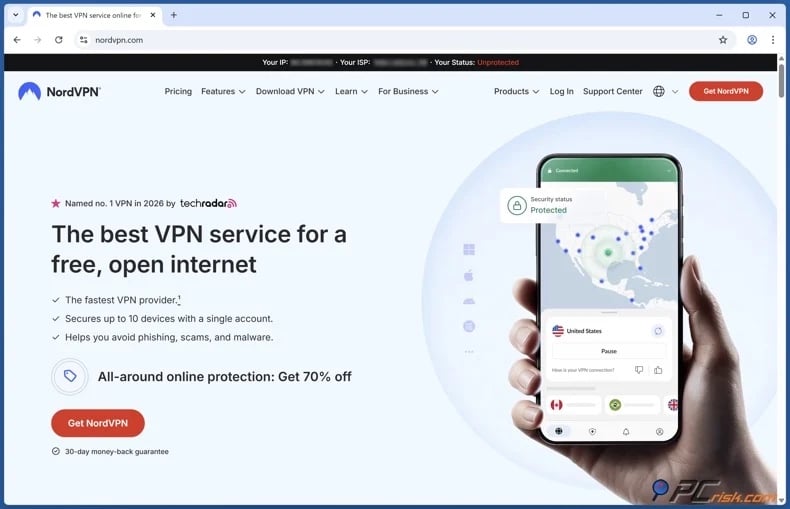
2. Install the VPN app and sign in. Download the application only from official sources, such as the provider or your device's official app store. Do not use unofficial or modified VPN clients. Major providers typically offer compatible apps for various operating systems, including Windows, Linux, macOS, iOS, Android, and streaming hardware.
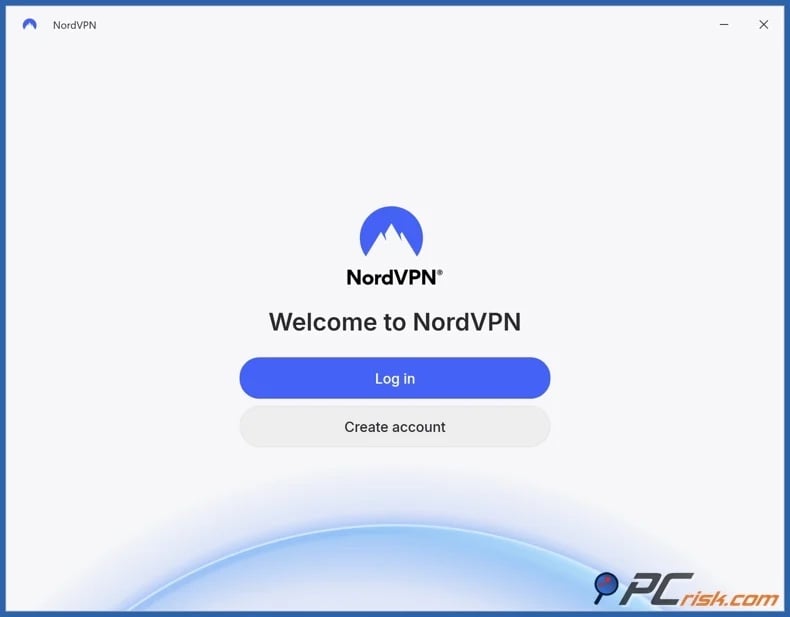
3. Connect to an appropriate server. For school or workplace blocks, choose a nearby server for better performance. If a YouTube video is geoblocked, select a server in a country where the video is available.
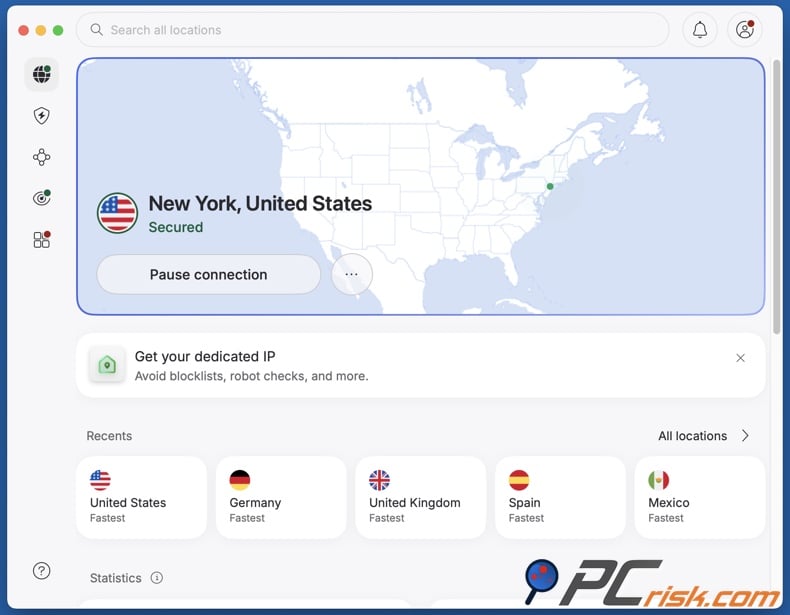
4. Open YouTube after connecting to the VPN server. Use the website or official app. If YouTube was open before connecting, restart the app or browser. Clear cached location data if needed. Cookies, cached sessions, and account information may conflict with the VPN location. If you continue to experience issues, check out the "Common issues and solutions when accessing YouTube with a VPN" section of this article.
If the network blocks the VPN, do not try to bypass administrative controls on school or employer devices. Use an authorized connection, a personal network, or contact the administrator if YouTube access is required for study or work.
Best VPNs to access YouTube
Our 2026 VPN ranking assesses security, privacy, speed, features, usability, device support, and overall value. You can read our dedicated article for an in-depth comparison.
1. NordVPN - best overall
NordVPN is our top choice. It offers strong performance, extensive server coverage, mature applications, modern protocols, and strong security features.
Speed and consistency are essential for YouTube. A VPN that bypasses network blocks is not useful if videos buffer or drop in quality. NordVPN's large network provides ample alternatives when a server is congested or blocked. Overall, NordVPN offers the best balance for YouTube, general browsing, public Wi-Fi, streaming, and daily privacy.
2. Surfshark - best for multiple devices
Surfshark is our second-ranked VPN and is especially appealing for users looking to protect many devices. Its unlimited simultaneous connections allow one subscription to cover all compatible equipment without the need to disconnect devices.
The flexibility is useful for YouTube, where viewing tends to move between devices. This VPN also performed well in our speed tests and offers a broad server network. Surfshark is a perfect choice for multi-device households due to its value and unlimited device support.
3. Mullvad VPN - best privacy-focused option
Mullvad VPN ranks third overall due to its strong privacy focus. Registration requires minimal personal information, its applications are open-source, and it offers modern protocols.
Mullvad VPN provides fast and stable connections for typical YouTube use. However, its server coverage and streaming features are less extensive than those of mainstream competitors. Mullvad VPN is an excellent choice when privacy is the top priority.
4. Proton VPN - best free option
Proton VPN ranks fourth overall but stands out for YouTube due to its legitimate free plan. The paid service offers strong privacy protections, open-source apps, audited policies, leak protection, and a large international server network. Our testing confirmed smooth HD streaming and effective IP and DNS leak prevention.
The free plan is more limited in server selection and premium features, but it does not restrict data to the extent that many free VPNs do. For a free option - we recommend Proton VPN, it is also an excellent choice for those who want to test VPN access to YouTube before subscribing.
5. ExpressVPN - best for simplicity
ExpressVPN ranks fifth overall but is an excellent premium option for easy setup and stable performance. Its applications are available for all major desktop and mobile platforms and are intentionally simple to use.
Simplicity is incredibly valuable for users who frequently switch between home Wi-Fi, cellular networks, hotels, and public hotspots. ExpressVPN is ideal for those who prefer a polished app over manual configuration. Additionally, our testing confirmed smooth HD streaming. ExpressVPN is reliable for uninterrupted YouTube streaming and privacy.
It must be reiterated that no provider, including those listed, can guarantee access on all school, workplace, ISP, or country-level networks. Administrators and governments may update blocking methods, and VPN server addresses can be filtered.
Can you use a free VPN to access YouTube?
A free VPN may sometimes bypass basic YouTube restrictions, but the quality of free services varies widely. Streaming video needs considerable bandwidth and stable connections, making the limitations of free VPNs more apparent than during regular browsing.
Top VPN ReviewsExclusive dealsExpert-tested · hands-on reviews→
Below are some of the key drawbacks and risks:
Limited server choice - free plans typically offer access to only a small portion of the provider's network. If these servers are congested, blocked, or distant, alternatives may be unavailable.
Server congestion - popular free servers usually have many users at once, leading to slow video startup, frequent buffering, lower resolution, or unstable connections.
Speed restrictions - some providers intentionally limit speeds on free plans. Since YouTube adjusts video quality depending on bandwidth, reduced VPN performance frequently results in lower video quality.
Data caps - streaming video uses substantial data. Limited monthly or daily allowances can be quickly exhausted, making most free VPNs impractical for regular YouTube use.
Privacy concerns - running VPN infrastructure incurs costs, so free providers must generate revenue. Some rely on aggressive advertising, extensive tracking, or data monetization. A VPN that collects more data than it protects undermines its privacy purpose.
Weak security - some free applications lack reliable encryption, DNS leak protection, a kill switch, or up-to-date VPN protocols. Others may include intrusive software or tracking components.
Unstable connections - unexpected VPN disconnections can return your traffic to your regular network, interrupting YouTube and exposing your IP address and browsing activity.
Poor IP reputation - many users often share the same free VPN addresses, which can develop a poor reputation and lead to more CAPTCHA tests or access checks.
Missing censorship-resistance features - networks that detect VPN use may require obfuscation or alternative protocols, which free plans often reserve for paid users.
If you need a free VPN, we recommend Proton VPN's free plan over unknown "unlimited free VPN" apps. Proton offers unlimited data and is backed by an established provider, though server options and features are more limited than on paid plans. Hence, a reputable paid VPN is better for frequent YouTube use, as subscriptions support larger networks, faster infrastructure, technical support, and ongoing security improvements.
Common issues and solutions when accessing YouTube with a VPN
Even a properly configured VPN cannot resolve every YouTube problem. The following are the most common difficulties when using a VPN on managed networks:
YouTube is still blocked - the organization may be blocking both YouTube and known VPN connections, or the server address you selected may itself be filtered.
Potential solutions:
- Connect to another server.
- If available with your VPN, try another protocol.
- If available with your VPN, use an obfuscated or stealth connection.
- If possible, test the VPN on your personal mobile connection to check whether the managed Wi-Fi is responsible.
The VPN application cannot connect - firewalls can identify and reject particular VPN protocols and destination IP addresses. Managed devices may also prevent VPN software from running.
Potential solutions:
- If available with your VPN, try another protocol.
- Connect to another server.
- If applicable, update the VPN app.
- If the device is managed, contact the administrator rather than trying to bypass the restrictions.
YouTube loads, but videos buffer - encryption adds some overhead, and routing traffic through a distant VPN server can increase latency or reduce throughput. Server congestion can produce the same symptoms.
Potential solutions:
- If this data is indicated by your VPN, connect to a less congested server.
- If possible, connect to a server that is geographically closer.
- Connect to another server.
- Disable multi-hop features, if they are not required.
- Reduce YouTube video quality when the connection is limited.
- If applicable, end or pause other high-bandwidth processes (unrelated streams, downloads, cloud backups, etc.).
A video says it is unavailable in your country - the video owner may have imposed a regional licensing restriction, or YouTube may be complying with local law. Google confirms both as possible causes of country-specific video unavailability.
Potential solutions:
- Connect to a server in a region where the video is available.
- Clear YouTube cookies and browser cache.
- Restart the YouTube app.
- Use a private browser window.
- Note that a VPN cannot restore deleted or privated content.
YouTube opens, but some content remains hidden - Restricted Mode may be enabled. A school or other administrator can enforce this independently of ordinary website blocking.
Potential solutions:
- Check whether Restricted Mode is enabled.
- If permitted, sign in with the appropriate personal account.
- If possible, test another, preferably personal, network.
- If the setting is administrator-enforced, request access if required for legitimate educational or professional purposes.
The VPN disconnects repeatedly - the server may be overloaded, the Wi-Fi signal may be unstable, or the network may be interfering with the VPN protocol.
Potential solutions:
- Connect to another server.
- If available with your VPN, try another protocol.
- If possible, move closer to the wireless access point.
- Disable multi-hop features, if they are not required.
- If available with your VPN, enable the kill switch.
- If available with your VPN, enable the always-on functionality.
YouTube asks for repeated CAPTCHAs - VPN users share public IP addresses, and heavy traffic from one address can trigger automated abuse protections.
Potential solutions:
- If this data is indicated by your VPN, connect to a less congested server.
- Connect to another server.
- Avoid repeatedly changing countries during the same YouTube session.
The VPN works on a personal device but not a school or work computer - device-management software, administrative permissions, security policies, or application allowlists may prevent installation or operation.
Potential solutions:
- Do not attempt to remove management software or security controls.
- Where permitted, use your own device and authorized connection.
- If YouTube access is required for legitimate work or coursework, contact the administrator.
It is pertinent to mention that a major advantage of established paid VPNs is technical support. Reputable providers maintain support teams familiar with blocked servers, protocol problems, application configuration, and network-specific issues. Therefore, if standard troubleshooting does not resolve the problem, contact the VPN provider's official support rather than downloading unverified tools or modifying security settings.
How to access YouTube without a VPN?
A VPN is not the only technology able to route connections differently. Web-based proxies and the Tor Browser can sometimes provide access, although neither is as well-suited to YouTube streaming.
Web-based proxies
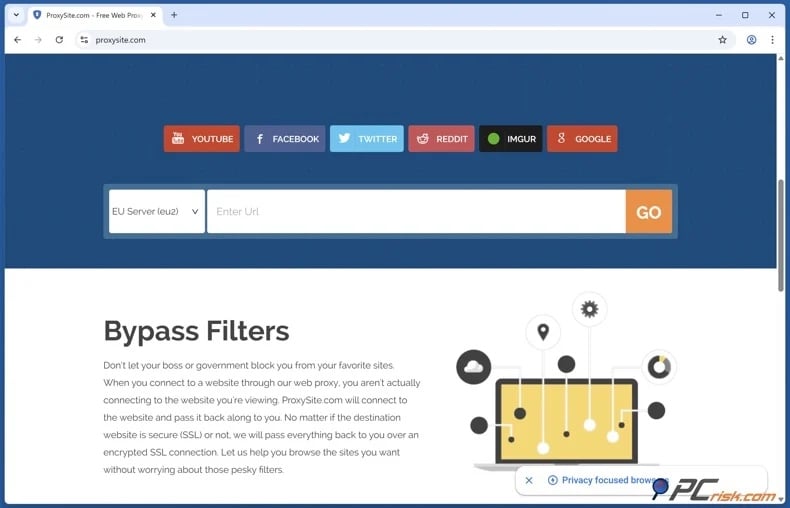
A web proxy operates as an intermediary. Essentially, you access the proxy service, enter the website you want to visit, and it then retrieves and displays the content. Hence, YouTube interacts with the proxy server instead of your public IP address. This setup can sometimes bypass basic domain or IP-based restrictions.
The main advantage is convenience. Web proxies work directly in the browser and usually require no software installation, making them easy to try. However, the disadvantages are considerable. Many web proxies offer weak or incomplete encryption, enabling operators to have significant access to your data. Untrustworthy services may log activity, inject adverts, alter pages, or redirect users to unwanted content. Furthermore, free proxies are often overloaded, which is likely to cause performance issues. Streaming on YouTube requires consistent bandwidth. A proxy sufficient for basic web browsing may not support continuous HD video. Additionally, public proxy IPs are often abused and may be blocked by websites.
For these reasons, we advise against entering sensitive information through untrusted proxies and do not recommend web proxies as a long-term alternative to a reputable VPN.
Tor Browser
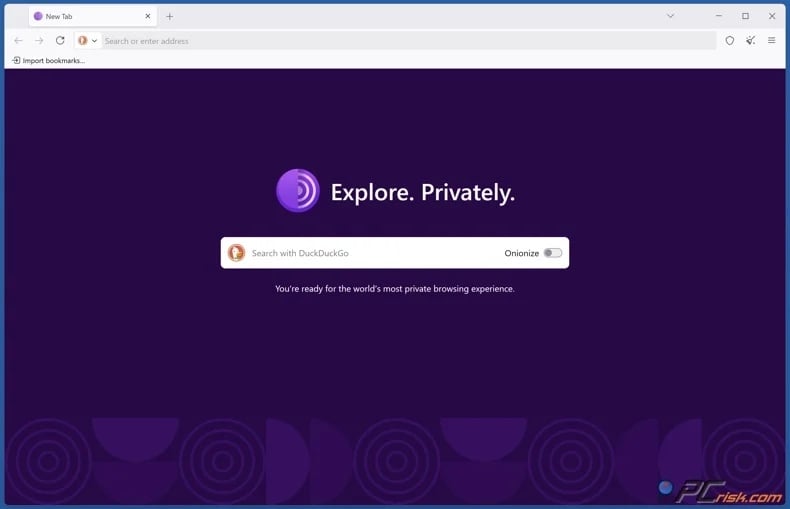
The Tor Browser is a substantially more sophisticated privacy technology. The Tor Project explains that Tor Browser sends Internet traffic via three randomly selected Tor relays. The first relay knows where the connection originated but not its final destination, while the exit relay communicates with the destination without directly knowing the user's original IP address. This multi-hop architecture is designed to improve anonymity and resist tracking and censorship.
This provides meaningful privacy advantages over an ordinary web proxy. Tor Browser is specifically modified to reduce tracking and browser fingerprinting, and it can use additional censorship-circumvention mechanisms, such as bridges, when direct Tor connectivity is blocked. However, these privacy features make Tor unsuitable for video streaming. Traffic passes through multiple volunteer-operated relays instead of a direct connection, which increases latency and reduces speed. Hence, YouTube videos may load slowly, buffer often, or play at lower resolutions. Known Tor exit addresses can also encounter CAPTCHA tests or access restrictions.
The Tor Browser is valuable when anonymity and censorship resistance are the main priorities, but it is not ideal for regular YouTube viewing. For high-bandwidth streaming, a VPN typically offers a better balance of privacy, speed, and usability.
Is using a VPN to access YouTube legal?
VPNs are legal and widely used in many countries. Businesses rely on them for secure remote access, while individuals use commercial VPNs to protect public Wi-Fi traffic, limit local monitoring, change their visible IP address, and enhance online privacy. However, VPN laws and enforcement differ significantly by country, and restrictions may change rapidly. Below are some examples of countries with significant VPN restrictions:
Belarus - VPN and anonymization technologies are restricted as part of wider efforts to block access to certain online content. Services and circumvention infrastructure may be disrupted.
China - VPN services are strictly regulated. Government-approved connections are permitted, while unauthorized commercial VPNs and unapproved infrastructure are routinely blocked.
Iran - VPNs are widely used but subject to strict regulation, filtering, and enforcement. Restrictions often increase during political unrest or Internet shutdowns. The wider Internet environment has remained heavily censored since the major 2026 shutdown.
Russia - while VPN use is not universally prohibited, the government increasingly blocks noncompliant VPN services, restricts information about circumvention, and applies technical measures against VPN infrastructure.
Turkmenistan - Internet access and circumvention tools are under extensive state control. VPN services are heavily restricted, and attempts to bypass filtering carry significantly higher risks than in countries where VPN use is common.
North Korea - most residents face extremely limited access to the global Internet. Circumventing state communications controls involves risks far greater than those associated with typical VPN use in other countries.
It must be emphasized that legal permission to use a VPN does not grant the right to bypass school or workplace restrictions. Schools, universities, and employers may enforce acceptable-use policies on their networks and devices. Circumventing these controls can result in consequences, such as network suspension, disciplinary action, loss of device privileges, or workplace sanctions, even if no criminal offense has occurred.
What is more, a VPN does not eliminate legal responsibility. Activities that are unlawful without a VPN remain illegal when conducted through one. Encryption and a changed IP address do not provide legal immunity. Therefore, always review current local laws and comply with the policies governing equipment or networks you do not own.
In closing
YouTube is frequently blocked at schools, universities, and workplaces to conserve bandwidth, preserve productivity, enforce content policies, or enhance network security. Restrictions may also result from licensing, local laws, government censorship, or account-level controls.
Mobile data is a straightforward alternative when Wi-Fi is restricted, though video streaming can use significant data. For consistent access, a reputable VPN is typically the most flexible option. We recommend NordVPN, followed by Surfshark, Mullvad VPN, Proton VPN, and ExpressVPN. Proton VPN is our recommended free option. Keep in mind that VPNs do not guarantee access and should be utilized responsibly. Always comply with local laws, YouTube's terms, and your institution's policies.
Frequently Asked Questions (FAQ)
Why can't I access YouTube at school or work?
YouTube may be blocked to conserve bandwidth, limit distractions, enforce content restrictions, or comply with its acceptable-use and security policies. Administrators can implement these restrictions through DNS filtering, firewalls, web filters, proxy rules, Restricted Mode, or device-management systems.
Can I access YouTube with a VPN?
In many cases, yes. A VPN encrypts your connection and routes traffic through a VPN server, which can bypass some local network filters and change the public IP address visible to YouTube. However, a VPN does not guarantee access.
Can I access YouTube without a VPN?
Sometimes. You can switch to an authorized alternative network, such as personal mobile data. Web-based proxies and the Tor Browser can also route traffic differently, but proxies can introduce privacy and security risks, while Tor is ill-suited for video streaming.
Is it legal to access YouTube with a VPN?
VPN use is legal in many countries, but some governments regulate, restrict, or interfere with VPN services. Additionally, using a VPN to bypass a school or workplace restriction can violate institutional policies. A VPN does not remove legal liability, so users must follow local laws and the rules governing the network and device they are using.
Share:
 Facebook
 X.com
X.com
 LinkedIn
 Copy Link

Karolis Liucveikis
Experienced software engineer, passionate about behavioral analysis of malicious apps
Author and general operator of PCrisk's News and Removal Guides section. Co-researcher working alongside Tomas to discover the latest threats and global trends in the cyber security world. Karolis has experience of over 8 years working in this branch. He attended Kaunas University of Technology and graduated with a degree in Software Development in 2017. Extremely passionate about technical aspects and behavior of various malicious applications.
▼ Show Discussion