
We may earn commissions from products we recommend. Learn more.
Unblock Roblox on a School Computer

How to Unblock Roblox on a School Computer
Roblox is a very popular gaming platform, so it is understandable that students want to play it during breaks or free time at school. But most school networks block gaming sites automatically. Sometimes, the network's filters or firewall blocks the website. In other cases, the school computer is set up to prevent students from installing apps or using certain services.
Because of this, students often wonder if there is a safe and practical way to use Roblox at school without risking their privacy. The best option is usually to use a trusted VPN. A VPN protects your data and helps you access blocked sites. However, not all VPNs work well for gaming, and some methods can compromise your privacy or security.
It is important not just to get around a block, but to do it safely. A good VPN should help you access Roblox while also protecting your account and privacy. This guide recommends trusted VPNs and safe setup steps instead of risky shortcuts.
Disclaimer: PCrisk.com does not promote, encourage, or endorse bypassing school network restrictions, breaking school IT policies, or violating acceptable use rules. Before using any VPN or attempting to access blocked services, make sure you understand your school’s policies, the rules attached to any school-issued device, and the laws that apply in your region. If you do use a VPN, choose a reputable provider and avoid risky tools such as shady browser extensions, random proxy sites, or “free unblocking” apps.
Unblock Roblox with NordVPNSpecial deal30-day money-back guarantee→
Table of Contents:
- Introduction
- Why Can't I Play Roblox on a School Computer?
- How to Unblock Roblox at School With a VPN
- The Best VPNs to Unblock Roblox in School
- Common Issues and Solutions When Accessing Roblox on a School Computer
- Can I Use a Free VPN to Unblock Roblox?
- Can I Unblock Roblox Without a VPN?
- Wrapping Up
- Frequently Asked Questions (FAQs)
Why Can't I Play Roblox on a School Computer?
There are a few reasons why Roblox might not work on a school computer. The main reason is to help students stay focused. Schools often block games, streaming, and social media to reduce distractions. Instead of blocking just one game, they usually block entire categories of sites.
Another reason is bandwidth. While Roblox does not use as much data as streaming high-quality video, if many students play games or download updates at the same time, it can slow down the school's internet. Schools need to save bandwidth for learning tools and important systems, so they often block gaming traffic.
Security is another reason. School IT staff have to protect many devices, often used by minors. They are cautious with apps that allow chatting, user content, downloads, or purchases. Because Roblox has social features, some schools block it on their networks or devices.
Sometimes, Roblox is blocked not just by the network but also by the computer itself. For example, a school laptop might prevent you from installing new software or using certain apps. In these cases, even a good VPN will not work unless you can install and run the app.
Blocking can happen in different ways. Sometimes, the Roblox website is blocked in your browser, but the desktop app still tries to connect. Other times, the school blocks Roblox at several levels, so you might see an error in your browser or be able to log in but not start a game.
Some schools use time-based or rule-based blocks. Filters might be relaxed after school hours, or they might stay the same all day. Restrictions can also be different for staff, students, guests, or different devices, so Roblox might work in one place but not another, even within the same building.
Some schools also block VPN traffic. Modern firewalls can detect many types of VPNs, and network admins may block known VPN servers. This is why cheap or free VPNs often do not work on school Wi-Fi; they are easy to detect or already blocked.
Our top recommendation for streaming and privacy. NordVPN consistently leads our tests with fast speeds, reliable geo-unblocking, and a strict no-logs policy.
- ✔ Unblocks geo-restricted streaming services reliably
- ✔ 202+ locations across 111 countries
- ✔ 30-day money-back guarantee · Special deal available
How to Unblock Roblox at School With a VPN
If you decide to use a VPN, the easiest way is to choose a reputable provider with fast nearby servers, reliable apps, and strong privacy features.
For this guide, we recommend NordVPN because it is fast, easy to use, and consistently strong in both privacy and performance. The steps below are general instructions for a Windows device.
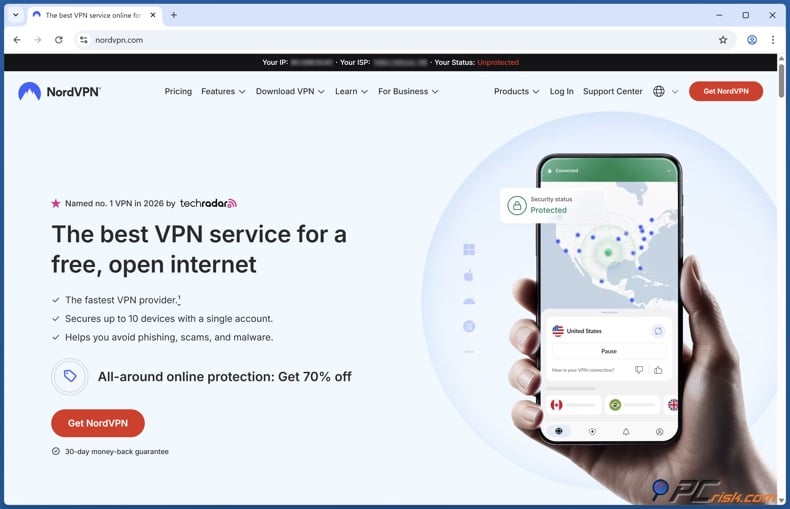
1. Create your VPN account. Go to NordVPN, choose a subscription, and create your account. Use an email address you can access easily because you may need it for login confirmation or two-factor authentication.
2. Download the app. From your account area, download the NordVPN app. Save the installer somewhere easy to find, such as your Downloads folder.
3. Install the VPN. Run the installer and follow the setup prompts. If the computer asks for administrator permission and you do not have it, stop there. This usually means the school has restricted software installation on the device, and you should not try to get around those controls.
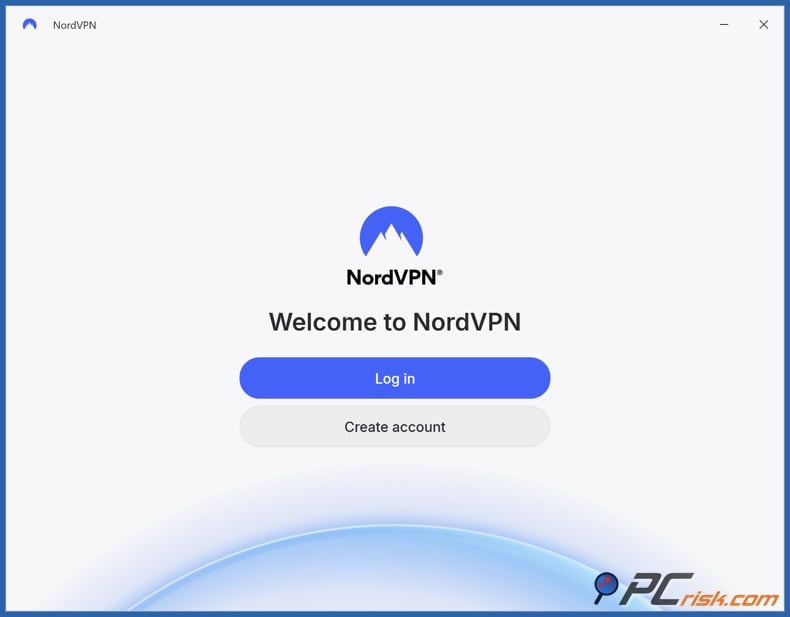
4. Open NordVPN and sign in. Launch the app and log in with your Nord account credentials. Once signed in, you should see the main dashboard, a search bar, and connection options.
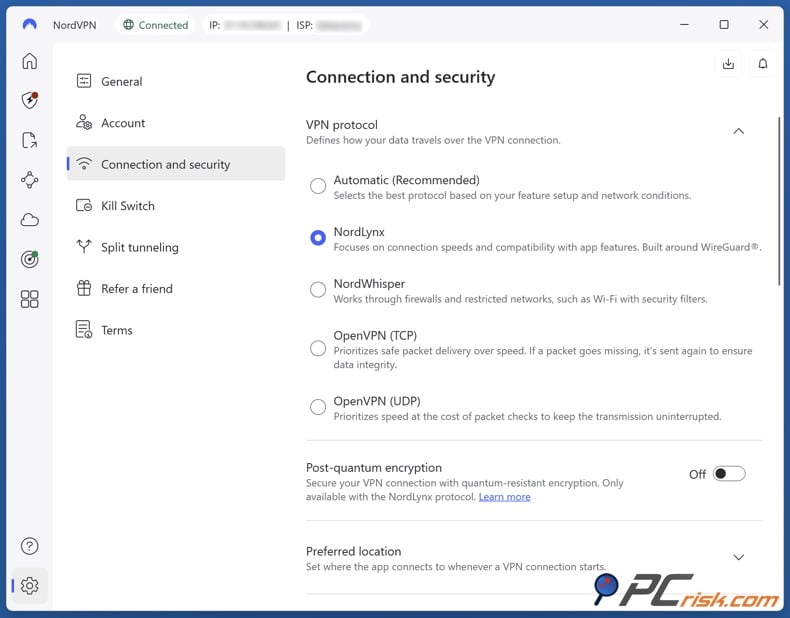
5. Check the basic settings before you connect. On Windows, enable the kill switch to keep your data safe if the VPN disconnects. You can leave the protocol on automatic or choose NordLynx for better speed and less lag.
6. Choose a server close to you. For Roblox, speed matters more than picking a faraway location. A nearby server, in your country or region, usually gives you lower ping and a better gaming experience.
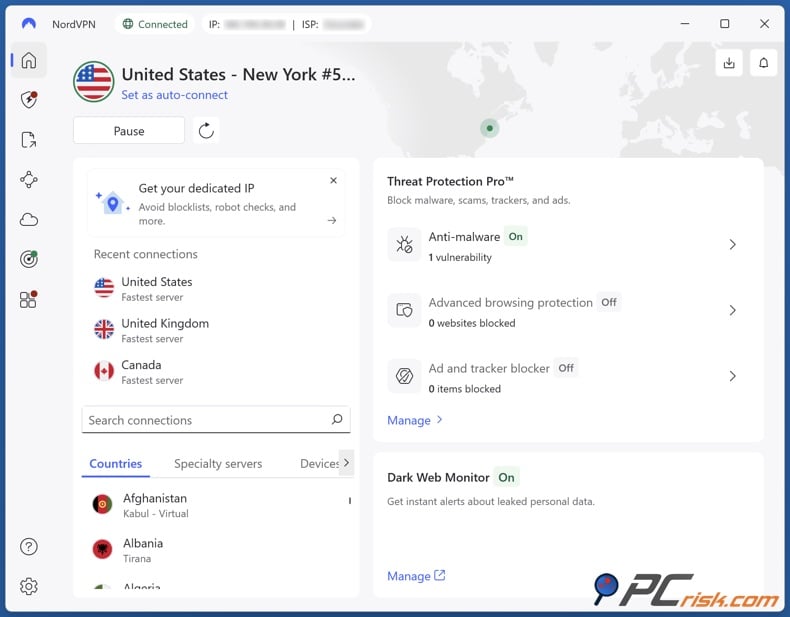
7. Connect to the VPN by clicking Quick Connect or choosing a country. Wait until the app shows you are connected before opening Roblox. When you see a timer or a 'Connected' status, you can move to the next step.
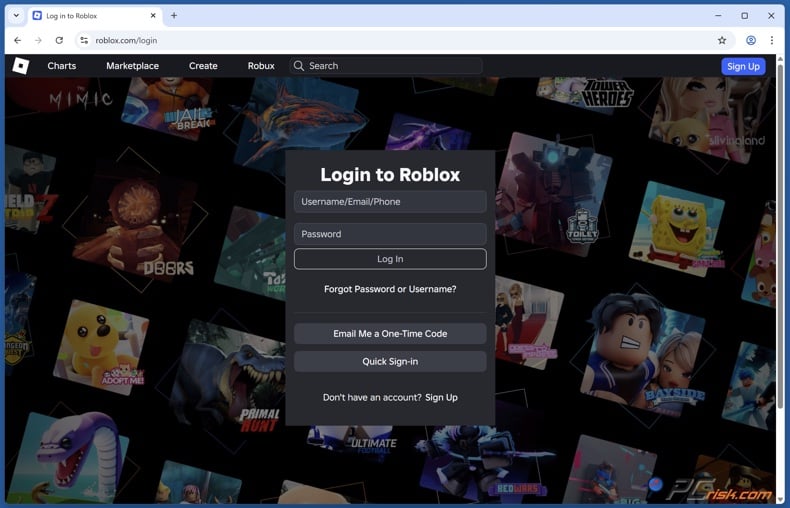
8. Open Roblox and sign in. Go to the Roblox website or open the Roblox app, then sign in as normal. Launch a game and check whether it loads correctly. If everything works, stay on the same nearby server instead of hopping between locations.
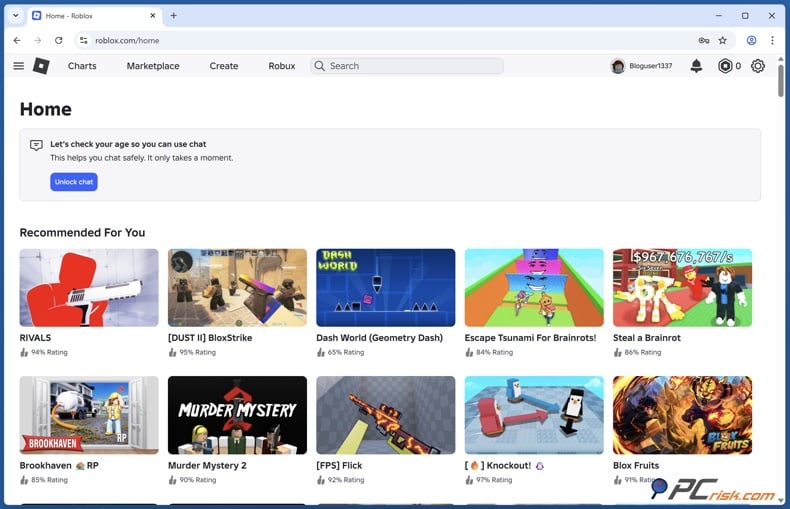
9. Test how well Roblox runs before joining big games. If you can log in but the game is slow, disconnect and try another nearby server. Switching servers in the same country can often fix lag quickly.
10. Troubleshoot if Roblox still does not open. Close Roblox completely, reconnect to a different nearby VPN server, and try again. If you are using the browser, clear cookies and cached site data. If you are using the desktop client, restart the app or reboot the computer.
11. Be consistent with your login behavior. Avoid switching countries often. Rapid changes in IP and location can trigger security checks on many online accounts. For gaming, it is usually better to stick with one region and keep your login pattern steady.
12. Disconnect when you are done. After you finish playing, disconnect from the VPN and close Roblox. This helps reduce unnecessary background traffic and keeps your device behavior predictable on shared or managed computers.
You can also make the setup more reliable by testing the VPN before you need it. Open a regular website first, make sure the connection is stable, and then launch Roblox. If your provider offers auto-connect on untrusted Wi-Fi, use it on public or shared networks so you do not forget to turn on protection before signing in.
Here are a few tips to remember. A browser extension is not the same as a full VPN app; it usually only protects browser traffic, not the Roblox app. Some schools also use monitoring tools, so a VPN does not always hide what you do on a school computer. If the device is very restricted, it is often best to use your own laptop and connection, or wait until you are off the school network.
The Best VPNs to Unblock Roblox in School
Not all VPNs work well with Roblox on a school computer. Some are fast but too expensive, while others are private but not great at unblocking or have fewer servers. Based on PCrisk's reviews, here are the top five VPNs for Roblox at school. We chose them for speed, reliability, privacy, ease of use, and how well they work for students.
1. NordVPN. NordVPN is the strongest overall pick for most users who want to access Roblox on a school network. It combines very good speeds with a large global network, polished apps, and a feature set that is useful without feeling overwhelming. For Roblox, that matters because you want a VPN that connects quickly, stays stable, and adds minimal latency.
- Country selection: 167 countries.
- Number of servers: 9,100+.
NordVPN is strong in speed, privacy, and overall balance. Its NordLynx protocol is fast for gaming, and the apps are simple even for beginners. It also has security features like a kill switch and leak protection. Short-term plans can be expensive, and some features are not on every system, but for most students, NordVPN is the easiest choice because it covers the basics very well.
2. Surfshark. Surfshark is the best budget-friendly option in this group and a very strong choice if value matters most. It is especially attractive for users who want to install a VPN on several devices because it allows unlimited simultaneous connections. That will not matter to everyone on a school computer, but it does make the subscription more flexible overall.
- Country selection: 100 countries.
- Number of servers: 4,500+.
Surfshark works well for gaming and general browsing, especially when using WireGuard. It also has many features, including ad and tracker blocking, split tunneling on supported platforms, and multi-hop options. The main downside is that renewal prices can rise a lot after the first term, and some features are less complete on iOS and Linux than on Windows. Even so, it is still one of the best choices for users who want a capable VPN without paying premium prices.
3. Mullvad VPN. Mullvad is the most privacy-focused option on this list, and that makes it appealing to users who care more about anonymity than flashy extras. It has a strong reputation for straightforward pricing, open-source apps, and minimal data collection. If your priority is a clean, privacy-first service, Mullvad deserves serious attention.
- Country selection: 50+ countries.
- Number of servers: 580+.
However, Mullvad is not the easiest VPN to recommend for unblocking Roblox at school. Its network is much smaller than NordVPN, Surfshark, or Proton VPN, and it does not focus much on bypassing entertainment blocks. It is fast and reliable on nearby servers, but its weaker unblocking record and smaller selection of locations make it a more specialized choice. In short, Mullvad is excellent for privacy, but it is not the most practical first choice for most students trying to access Roblox on a filtered school network.
4. Proton VPN. Proton VPN stands out because it offers a good mix of transparency, strong privacy, and a reputable free plan. It is developed by the team behind Proton's privacy-focused ecosystem, and it has built a strong reputation among users who want security without giving up usability. For paid users, the service is much stronger than many people realize.
- Country selection: 134+ countries.
- Number of servers: 18,700+.
For Roblox at school, Proton VPN's paid plans are the most useful. They offer a large server network, good country choices, strong privacy, and features like Secure Core and ad blocking. The main downside is price. Long-term plans can cost more than other VPNs. The free plan is safer than most free VPNs, but it is not great for gaming because it is limited and less reliable. As a paid service, Proton VPN is a strong all-round choice.
5. ExpressVPN. ExpressVPN is the premium, simplicity-first option. It has long been known for polished apps, reliable connections, and strong privacy practices, and that reputation still holds up. If you want a VPN that feels refined and beginner-friendly, ExpressVPN remains one of the easiest services to use.
- Country selection: 105 countries.
- Number of servers: 3,000+.
For Roblox, ExpressVPN's Lightway protocol keeps things running smoothly, and the apps are easy for beginners. It covers many countries and has a stable network. The main downside is price. ExpressVPN costs more than similar VPNs and has fewer extra features. If you care more about quality than price, it is still a great option.
If you want the safest choice for most people, go with NordVPN. If you want better value, Surfshark is a strong option. If privacy is your top priority, Mullvad is worth considering. If you want transparency and a reputable free plan, Proton VPN is a good alternative. If you prefer a premium app experience with very little learning curve, ExpressVPN is still a great pick.
Common Issues and Solutions When Accessing Roblox on a School Computer
Even with a good VPN, things do not always work perfectly the first time. One common issue is that the VPN app installs successfully, but will not connect on school Wi-Fi. This usually means the network is blocking known VPN traffic or certain protocols. The easiest fix is to switch to another server in the same region, keep the protocol on the provider's recommended default, and try again.
Another common problem is that the VPN connects, but Roblox still does not load. In that case, the issue may be cached browser data, a stuck client session, or a previously blocked DNS result. Closing the Roblox app, clearing browser cookies, or restarting the device often fixes it. If it does not, changing to another nearby server can help.
Lag is another common complaint. A VPN protects your traffic, but it can also make your ping higher if you use a distant or busy server. The fix is simple: connect to the closest reliable server. For gaming, a shorter route is almost always better. The safest approach is to keep your VPN location consistent and enable two-step verification on your Roblox account.
There are real security risks to watch out for. The biggest is using a shady free VPN or proxy site. These are often slow, blocked, or full of ads and tracking. Installing random browser extensions that promise to 'unblock everything' is also risky, as they might collect your data or add ads. Using shared school computers can also be unsafe, especially if you save passwords or leave sessions open.
Phishing is another problem that is often overlooked. Students who are frustrated by a block may click the first search result that promises instant access, and that is how fake VPN installers and credential-stealing sites catch users. If a tool asks for strange permissions, tells you to turn off security software, or looks poorly made, do not trust it. The same warning applies to unofficial Roblox launchers, cracked clients, or "performance boosters."
A fake "unblock Roblox" tool might seem like a quick fix, but it can lead to malware, annoying ads, or even a stolen account. Combo Cleaner helps keep you safe with real-time anti-malware scans for your downloads, web protection against scams and phishing, and tools to remove harmful browser extensions that cause redirects, ads, and tracking.
A VPN encrypts your traffic — but your device still needs protection against malware and ransomware. Combo Cleaner adds the missing layer of defense.
Download Combo CleanerAntivirusDetect & remove malware threats→The safest way is to use a trusted VPN, avoid unknown tools, never use your school password for gaming, and always log out when you are done. If you are using a school computer, assume it is monitored and do not save personal information on it.
Can I Use a Free VPN to Unblock Roblox?
You can try using a free VPN, but it is usually not a good idea. Free VPNs often have slow speeds, crowded servers, few country options, unstable connections, and IPs that are already blocked. Even if they work for a short time, gaming will likely be too laggy.
Top VPN ReviewsExclusive dealsExpert-tested · hands-on reviews→
The bigger concern is trust. A VPN sits between you and the internet, so it can see a lot of sensitive connection data. If the provider is not clear about how it makes money, that should raise questions. Some free services rely on aggressive ads, data collection, or bundled software. Others set strict data caps or quietly limit the features you need for gaming.
That does not mean every free VPN is automatically unsafe. A reputable privacy company with a clearly limited free plan (like the one offered by Proton VPN) is very different from a random "unblock Roblox now" app found through a search result. Even so, for Roblox on a school computer, a good paid VPN is usually the more realistic option. You get faster speeds, more reliable servers, broader country coverage, and a much better chance of actually connecting when the network is restrictive.
Free plans can still be useful as a trial if your main goal is to see how a VPN works before paying for one. But once gaming performance matters, the limits become clear. In practice, it is better to choose a paid provider with a refund period or money-back guarantee, test it on your device, and keep it only if it works well for Roblox.
Can I Unblock Roblox Without a VPN?
It is possible, but the alternatives are usually less reliable or less safe. If the block is only on the school network and not on your personal connection, the best workaround is to use your own device and your own internet access, if allowed. That could mean playing off-campus or waiting until you are on a home network instead of trying to force it on school hardware.
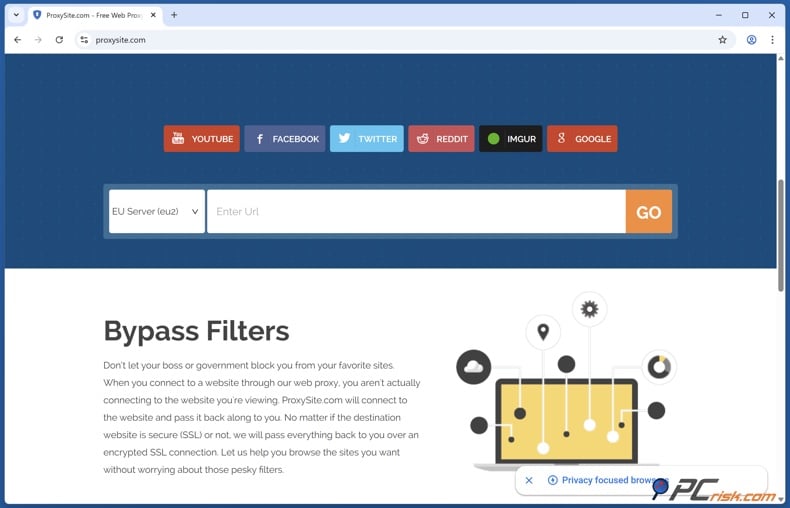
Some people try web proxies, mirror sites, or browser 'unblockers,' but these rarely work well. Many are already blocked, do not work with modern games, or are risky for your privacy. DNS changes and browser tricks also usually fail on school devices because admins control those settings.
The best non-VPN option is to ask for access if you have a good reason, or play Roblox on your own device and network. If you just want to play during free time, it is much safer to use your own device on a permitted connection than to try risky tools on a school computer. Unofficial launchers can create bigger privacy and security problems than the original block. If a workaround sounds too clever, too fast, or too good to be true, it usually is.
Wrapping Up
If Roblox is blocked on your school computer, using a trusted VPN is usually the best way to access it, as long as you are allowed to install it and follow school rules. Choose a VPN that is fast, reliable, and safe for gaming. NordVPN is our top pick, with Surfshark, Mullvad, Proton VPN, and ExpressVPN as other good options.
It is just as important to avoid shortcuts that cause more problems than the block itself. Random proxies, risky extensions, and bad free VPNs can put your data and accounts at risk. If you use a VPN, keep things simple, pick a nearby server, protect your Roblox account, and remember that security is as important as access. The goal is to play Roblox easily and safely.
Frequently Asked Questions (FAQs)
Can a school's network admin detect me playing Roblox?
A school admin may still be able to see that your device is connected to the network and that it is sending encrypted traffic to a VPN service. On a managed school computer, they may also have device-level monitoring tools. A VPN usually hides the content of your traffic, but it does not make a school-issued device magically invisible.
Why do schools block Roblox?
The usual reasons are distraction, bandwidth management, and student safety. Many schools block games as part of broad category-based filtering policies rather than singling out Roblox specifically. If gaming, chat-enabled platforms, or user-generated content fall into blocked categories, Roblox often gets caught in that net.
Could using a VPN cause my Roblox account to be banned?
Using a VPN is not the same thing as cheating, but sudden location changes or suspicious logins can still trigger account security checks. The safest approach is to use a reputable VPN, keep your login region consistent, and enable two-step verification on your Roblox account.
Is it possible to use a VPN to access Roblox in a country where it's restricted?
In some cases, a VPN may help you reach Roblox on restricted networks or in regions where access is inconsistent. However, laws and internet regulations vary by country, and some places actively block VPN traffic as well. Always follow local laws and platform terms before attempting access.
What if I can't install a VPN on a school laptop?
If the device requires administrator approval or blocks software installation, that is a sign the machine is tightly managed. In that case, the better option is to use a personal device on a connection you control or wait until you are off the school network. Trying to force an installation on a locked-down school laptop is not worth the risk.
Why is Roblox still slow after I connect to a VPN?
The most common reason is server choice. If you connect to a faraway or overloaded server, your ping rises and gameplay suffers. Switch to a nearby server, close background apps, and avoid crowded school Wi-Fi periods if possible.
Are browser extensions enough to unblock Roblox?
Usually not. Browser VPN extensions often secure only browser traffic, while Roblox may rely on a separate app or launcher. For that reason, a full VPN app is generally the more reliable choice when you need Roblox itself to connect properly.
Share:
 Facebook
 X.com
X.com
 LinkedIn
 Copy Link

Rimvydas Iliavicius
Researcher, author
Rimvydas is a researcher with over four years of experience in the cybersecurity industry. He attended Kaunas University of Technology and graduated with a Master's degree in Translation and Localization of Technical texts. His interests in computers and technology led him to become a versatile author in the IT industry. At PCrisk, he's responsible for writing in-depth how-to articles for Microsoft Windows.
▼ Show Discussion