
We may earn commissions from products we recommend. Learn more.
How to unblock games at school with a VPN in 2026

How to unblock games at school with a VPN in 2026?
It is common for school networks to block gaming websites in order to keep students focused, lower bandwidth usage, safeguard managed devices, and enforce acceptable-use policies. Such restrictions may apply to popular browser-based game sites as well as those that are specifically advertised as "unblocked games". Websites that are promoted as "unblocked" are not guaranteed to work on every school network, since administrators can block individual domains, content categories, VPN connections, browser extensions, and applications.
A VPN may allow access if restrictions are set at the local network level. It can also encrypt your Internet traffic, thus improving privacy on shared networks. However, a VPN cannot bypass administrator controls on managed devices and should only be used where allowed. This article outlines which browser game websites remain available in 2026, describes how VPNs function, recommends VPN options, addresses common issues as well as security considerations, and covers the legal implications of using a VPN at school.
Disclaimer: PCrisk does not promote, encourage, or endorse bypassing network restrictions, violating school rules, or breaking local laws. Always follow an institution's acceptable-use policies and local regulations. Use any methods described at your own risk.
Play games at school with NordVPNSpecial deal30-day money-back guarantee→
Table of Contents:
- Introduction
- Why are game websites blocked at school?
- Which unblocked game websites still work in 2026?
- How can a VPN help with unblocking game websites at school?
- Unblock game websites at school with a VPN in 2026
- Best VPNs for unblocking game websites at school
- Can you use a free VPN to unblock game websites at school?
- Common issues and solutions when using a VPN to unblock game websites at school
- Is using a VPN to unblock games at school legal?
- In closing
- Frequently Asked Questions (FAQ)
Why are game websites blocked at school?
Schools and organizations manage Internet access primarily to preserve productivity. Gaming, social media, streaming, and entertainment sites can distract students during study. Therefore, network administrators often block these websites or maintain lists of restricted domains.
Another key concern is security. Schools are responsible for many devices, and unrestricted access to unknown sites increases the risk of malware, phishing, unwanted downloads, and other threats. Chrome Enterprise tools allow administrators to block or allow specific URLs on managed Chrome browsers and ChromeOS devices, supporting productivity and security.
Schools can enforce restrictions in various ways. Firewalls or secure web gateways can block access to specific domains. DNS filtering can stop certain domain names from resolving. Proxies can inspect and filter web requests. Advanced systems may block entire categories, such as "Games", "Streaming", or "Social Networking", instead of individual websites.
Restrictions can also be applied directly to school-owned devices. For example, managed Chromebooks can receive policies from the Google Admin console that block URLs, prevent installation of applications or browser extensions, configure network settings, and enforce restrictions whenever a student signs in with a managed account. These device-level controls remain effective even if the network changes or a VPN is used.
In certain countries, such as the United States, filtering also has a regulatory component. In the US, schools receiving certain E-Rate discounts are subject to the Children's Internet Protection Act (CIPA), which requires Internet safety policies and technology protection measures that filter specified categories of harmful visual content. CIPA does not simply require every game website to be blocked. Schools can establish broader filtering policies based on their own educational, security, and administrative requirements.
Bandwidth is another consideration. Modern browser games can use significant resources through downloads, multiplayer connections, video ads, or cloud gaming. On shared networks, administrators typically prioritize educational platforms, video conferencing, cloud documents, and learning management systems.
The term "unblocked game website" can be misleading. It usually refers to a gaming site accessible through a standard browser that may not be blocked by some school filters. Some websites also market themselves as school-friendly or "unblocked". However, there is no universal unblocked status. A site accessible at one school may be blocked at another, or may become blocked if filtering rules change. Similarly, a site might work on a personal laptop using school Wi-Fi but be unavailable on a school Chromebook due to device policies.
Students using managed hardware should contact the school's IT department or use approved resources if they encounter administrator-level restrictions. Attempting to bypass device management may violate school policies and result in further restrictions.
Which unblocked game websites still work in 2026?
As of August, 2026, the websites listed below are active and offer browser-based games. For this list, we prioritized established gaming and educational platforms over temporary mirror domains and anonymous "unblocked games" sites. This distinction is important. Smaller unblocked-game websites often disappear, change domains, lose hosting, or are copied to new addresses. Many simply aggregate embedded games from other sources, and some include aggressive advertisements or redirects. Even if a site is operational, it may still be inaccessible at school if the network administrator blocks its domain or categorizes it as gaming.
Hooda Math: a strong choice for schools, combining educational content with browser games. The website offers over 1,000 games in mathematics, logic, physics, board games, escape games, and more. Games require no downloads or installations, and parts of the library are marketed as suitable for school Chromebooks.
Coolmath Games: a well-known browser game platform that remains active in 2026. It offers about 2,500 curated games focused on logic, puzzles, and skill. Titles include Run, OvO, 2048, and various multiplayer games. Its educational focus may make it more acceptable in some schools, though administrators can still block it.
Math Playground: an established educational gaming website offering hundreds of mathematics games, logic challenges, puzzles, sports games, and analytical activities. The site continues to add new content in 2026 and organizes subjects by age and grade. This makes it a strong choice for integrating games into learning rather than bypassing classroom restrictions.
ABCya: offers browser-based educational games for students from pre-K through sixth grade. Categories include mathematics, reading, language arts, typing, logic, and other educational activities. It remains active in 2026 and is a reputable alternative to anonymous game mirrors, especially for younger students.
PBS KIDS Games: maintains a large browser game collection based on programs like Curious George, Wild Kratts, Daniel Tiger, and other PBS properties. As an educational service for children, it differs significantly from typical "unblocked games" websites. However, access still depends on each school's filtering rules.
Poki: a major browser-gaming platform operating since 2014. Games run directly in the browser without downloads, and the website offers extensive collections of puzzles, racing, platformers, action, sports, and more. Poki reports that its team tests and reviews games before publishing. While currently operational, its focus on gaming makes it more likely to be blocked by school content filters than educational platforms.
CrazyGames: a well-established general browser game platform. It hosts games that run directly in modern browsers and regularly adds new titles. Categories include casual, racing, adventure, action, and multiplayer games. Like Poki, CrazyGames is a mainstream gaming site rather than a school-specific service, so many managed networks may block it.
Armor Games: remains online in 2026 and offers a large collection of free browser games. Its catalog includes strategy, platform, puzzle, tower-defense, and classic games, such as Kingdom Rush. As an established gaming brand with a broad entertainment focus, schools may choose to restrict access.
These platforms are safer options than choosing a recently created "Unblocked Games 2026" mirror from search results. However, reputation does not guarantee access. School filtering is managed locally, so no public website can ensure its domain will work on every school computer or network.
How can a VPN help with unblocking game websites at school?
VPNs, or Virtual Private Networks, create encrypted connections between users' devices and VPN servers. When a VPN is active, Internet traffic is routed through one of its servers before continuing to the destination website. With a VPN, the local network, such as that of a school, mainly sees an encrypted connection linking your device and the VPN infrastructure, rather than the destination sites. The website also perceives the VPN server's public IP address instead of your actual public IP. Therefore, a VPN may help bypass local network blocks on game websites. For example, if a DNS filter blocks a gaming domain, a properly configured VPN routes DNS queries and website traffic through its encrypted tunnel, preventing local DNS filters from blocking access.
Our top recommendation for streaming and privacy. NordVPN consistently leads our tests with fast speeds, reliable geo-unblocking, and a strict no-logs policy.
- ✔ Unblocks geo-restricted streaming services reliably
- ✔ 202+ locations across 111 countries
- ✔ 30-day money-back guarantee · Special deal available
However, a VPN cannot bypass every type of restriction. If a school administrator blocks a website through managed Chrome browser or ChromeOS policies, changing the network route with a VPN does not override those restrictions. Administrators can also prevent VPN or browser extension installation, restrict applications, and interfere with VPN connections at the network level. ChromeOS supports VPN connections, but on school-managed devices, configuration options may be restricted or need administrator assistance. You can read more on this in our "How to unblock websites on a school Chromebook" article. Furthermore, schools may detect or block VPN traffic. Hence, certain VPNs offer obfuscation technologies to make their traffic resemble standard encrypted web traffic. While these features can improve connectivity on restricted networks, they do not grant administrator privileges or bypass device-management policies.
VPNs also improve privacy by encrypting Internet traffic, making it more difficult for others on the same network to view your data. The destination site sees only the VPN's public IP address, not your own. This is especially valuable on public Wi-Fi, hotel networks, airports, cafes, and other networks outside your control.
It is equally important to understand what a VPN does not protect against. Some low-quality gaming websites feature deceptive ads, fake download buttons, browser notification prompts, phishing links, misleading "virus detected" messages, or redirects to unrelated sites. Malicious advertising can lead to fraudulent websites or malware infections, and attackers can exploit advertising networks even if the initial site is legitimate.
A VPN does not prevent you from clicking malicious ads, entering credentials on phishing pages, installing malware, or accepting unwanted browser notifications. Therefore, we advise using a reputable VPN alongside reliable antivirus software. We recommend Combo Cleaner; this security and cleanup software can block access to harmful websites, detect suspect files, and remove known malware. Additionally, we advise using an ad blocker when visiting unfamiliar game sites. You can check out our dedicated 2026 reviews for antivirus software and ad blockers to learn more. Remember to always keep your browser and operating system updated and use the built-in protections.
A VPN encrypts your traffic — but your device still needs protection against malware and ransomware. Combo Cleaner adds the missing layer of defense.
Download Combo CleanerAntivirusDetect & remove malware threats→To summarize, VPNs have many legitimate uses outside of school networks. These tools are able to enhance privacy on public Wi-Fi, reduce exposure of your IP address, provide secure remote access, and may help access geoblocked and geo-restricted services. However, it must be emphasized that a VPN does not override website terms, local laws, or other legal obligations.
Unblock game websites at school with a VPN in 2026
If VPN use is allowed on your device and network, setup is usually simple. We recommend using a personal device or one where you have authorization to install and configure VPN software.
1. Select a reputable VPN provider. Prioritize fast connections, modern protocols, DNS leak protection, a kill switch, reliable applications, and support for restrictive networks. We recommend NordVPN - our top choice for 2026.
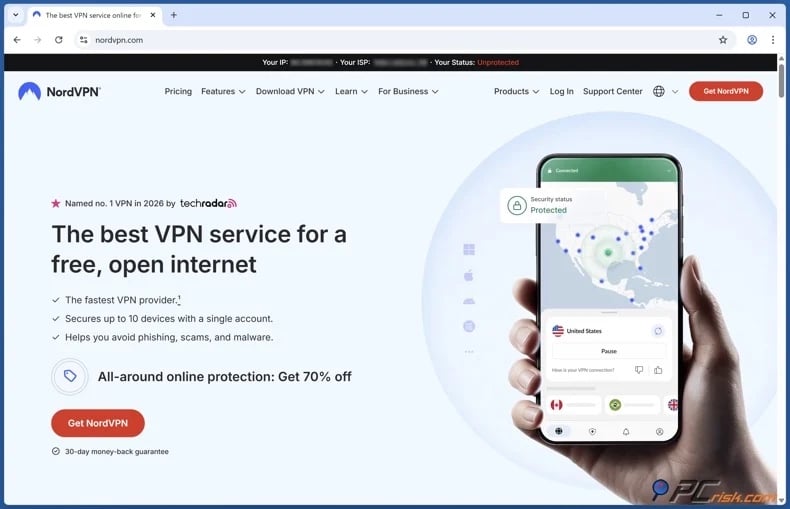
2. Install the official VPN application and sign in. Do not download "cracked" VPN clients or repackaged installers from unofficial sources to avoid infecting your device with unwanted or malicious software.
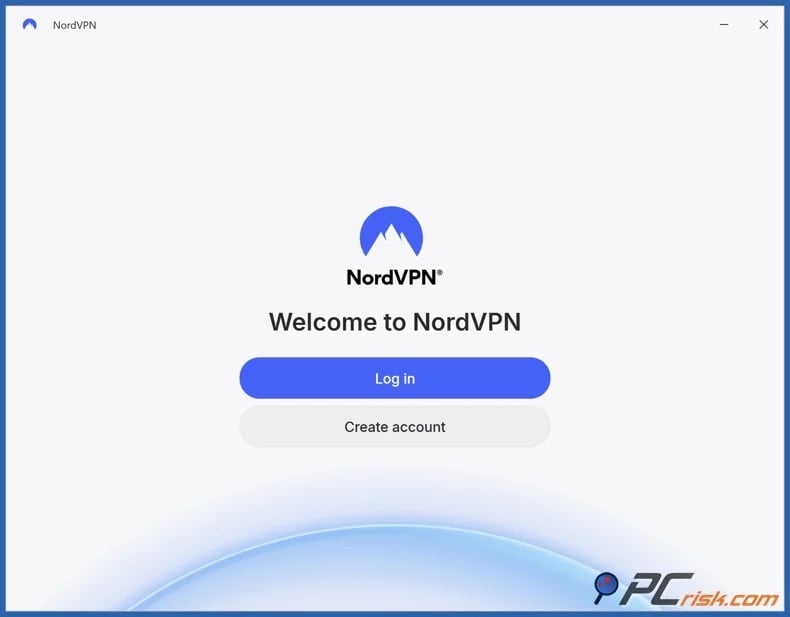
3. Connect to a nearby server. For browser games, select a server close to your actual location unless another region is necessary. Note that increased distance typically raises latency, which can reduce responsiveness in rapid-fire games.
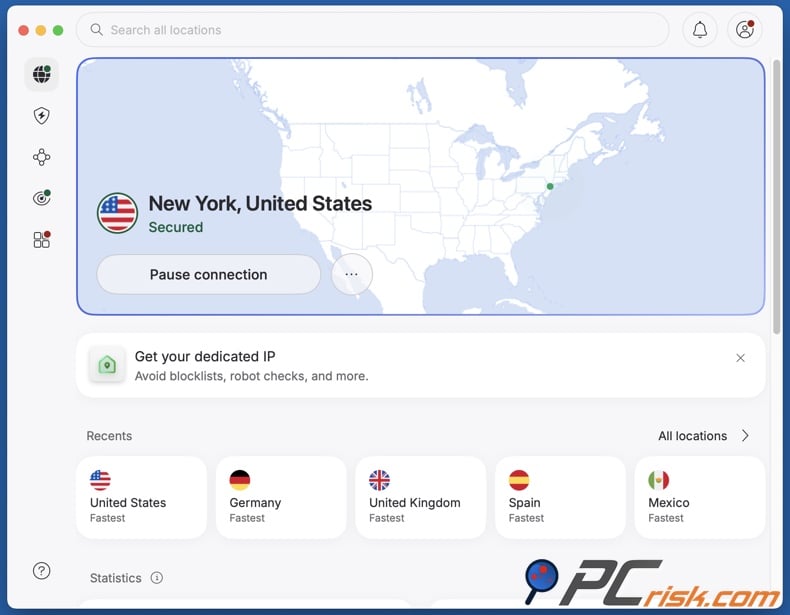
4. Open the game website and start playing. If you experience issues, check out the "Common issues and solutions…" section of this article. However, troubleshoot only within your authorized permissions. If a managed device indicates that VPN, application installation, or website access is disabled by an administrator, do not try to bypass these restrictions. Instead, request approval from the administrator.
It must be reiterated that a VPN is most effective when restrictions are present in the network path. Likewise, a VPN does not replace the need for administrator permission on institution-owned computers.
Best VPNs for unblocking game websites at school
For unblocking game sites at school, the VPN priorities include reliable connections, low latency, intuitive applications, strong privacy controls, compatibility with restrictive networks, and support for multiple operating systems. The following services are our top 2026 VPN choices:
1. NordVPN - best overall VPN for unblocking game websites
NordVPN is our top recommendation for most users. It offers high connection speeds, modern protocols, an extensive server network, DNS and IP leak protection, a kill switch, and applications for all major operating systems.
NordVPN's obfuscation support is especially valuable on restricted networks. Its Windows software uses NordWhisper to make VPN traffic harder to detect. The standard NordLynx protocol, based on WireGuard technology, delivers strong performance for both general browsing and latency-sensitive activities. For gaming websites, speed and connection flexibility are more important than specialized gaming features. Thus, NordVPN is the most balanced option in this review.
2. Surfshark - best value for multiple devices
Surfshark is our recommendation for students or households seeking a single VPN subscription for multiple devices. It allows unlimited simultaneous connections, enabling use across laptops, phones, tablets, and other supported devices.
Surfshark offers modern VPN technologies and includes features to improve reliability on restricted networks. Camouflage Mode makes VPN usage less detectable, and its restrictive-network functionality helps users connect where standard VPN traffic is blocked. The unlimited-device policy is its main advantage over many competitors. Surfshark's value goes beyond browser gaming, as it also performs well for browsing, streaming, and travel.
3. Mullvad VPN - best privacy-focused option
Mullvad is our recommendation for users prioritizing a strong privacy-focused approach. All of our recommended VPNs have independently audited no-logs policies, but Mullvad's infrastructure has been independently audited as well, and account creation for this service does not require personal data (not even an email).
Mullvad is highly flexible with challenging connections. Its anti-censorship tools include Lightweight WireGuard Obfuscation, QUIC, Shadowsocks, and UDP-over-TCP on supported platforms. These features are valuable on networks where standard VPN protocols encounter connectivity issues. However, its smaller geographic coverage offers fewer location options than leading competitors. Hence, Mullvad VPN is ideal for users who value decreased data collection and uncomplicated VPN protection over entertainment-oriented features.
4. Proton VPN - best free and paid combination
Proton VPN is our recommendation for users who prefer not to start with a paid subscription. Its paid plans include a large server network, modern applications, a kill switch, leak protection, and privacy-focused features.
Proton developed Stealth, a protocol designed to help VPN connections function on networks that block or detect standard VPN traffic. Alternative routing offers another method to access Proton's infrastructure if direct connections are blocked. The free plan is a key advantage. Unlike many free VPNs, Proton's free tier has no data cap, does not display ads, and does not log browsing activity. However, this plan supports only one device at a time and offers a limited selection of server countries compared to paid plans. Therefore, Proton VPN is a top free choice for basic encrypted browsing and testing, while the paid version offers greater flexibility in location selection and performance.
5. ExpressVPN - best for ease of use
ExpressVPN is our premium service recommendation that focuses on intuitive applications, reliable connectivity, and easy troubleshooting. It has an extensive server network, and the Lightway protocol delivers fast, stable connections.
Automatic obfuscation helps users in restrictive environments. ExpressVPN claims its network can disguise VPN traffic to sustain connectivity where VPN use is restricted, such as in schools or workplaces. The service includes an Internet kill switch and supports a broad range of devices. However, ExpressVPN is not a low-cost option for browser games, and users may find better value with other providers.
Keep in mind that no VPN can guarantee access on every restricted network. Network administrators can block VPN protocols, servers, apps, or domains, and managed devices may enforce browser or operating-system policies that a VPN cannot override. VPNs are most useful for network-level filtering and privacy, not for bypassing administrator-controlled restrictions.
Can you use a free VPN to unblock game websites at school?
A free VPN may change your IP address, encrypt your traffic, and occasionally allow access to network-blocked websites. However, "free VPN" refers to both reputable limited plans and lesser-known software from companies with unclear or possibly nefarious business models. Operating VPN servers incurs costs. Therefore, it is essential to understand how the provider finances its service without subscription revenue.
Top VPN ReviewsExclusive dealsExpert-tested · hands-on reviews→
Below are some of the main limitations linked to free VPNs:
Limited server selection: free plans typically offer fewer locations than paid VPNs, making it harder to find nearby servers. This can increase latency and cause sluggish performance in browser games.
Congested servers: a limited number of free servers often serve many users, resulting in slow page loading, unstable multiplayer gaming sessions, or frequent disconnections.
Data restrictions: many free VPNs set monthly or daily data limits. Games with frequent downloads, video ads, or multiplayer features can quickly exhaust these allowances.
Limited features: free tiers commonly lack advanced options, such as unrestricted server selection, specialized obfuscation, split tunneling, or full support. These limitations are especially apparent on restricted networks.
Overused IP addresses: when many users share a few addresses, websites may deem them suspicious, thus leading to CAPTCHA tests, temporary blocks, or failed connections.
Privacy issues: an untrustworthy free VPN may compromise your privacy more than not using a VPN. VPN providers handle your Internet traffic, so services with unclear ownership, vague privacy policies, excessive permissions, or aggressive advertising must be avoided.
Weak customer support: free products often offer limited support, which can be problematic if the VPN works at home but fails on specific Wi-Fi networks.
For a permanently free service, we recommend the free tier of Proton VPN. It offers unlimited data, no advertising, one simultaneous device connection, and free servers in select countries. It is a far more credible option than an unknown "free school VPN" extension.
Common issues and solutions when using a VPN to unblock game websites at school
VPN access depends on the device, Wi-Fi configuration, browser, VPN protocol, and the website itself. Therefore, the source of a failure can vary. The following are some of the most common issues and solutions:
The VPN application cannot be installed: the computer or Chromebook may be managed by the school, with app installation and browser extensions disabled through administrator policy.
Potential solutions:
- Check whether the device or account is managed.
- Ask the school administrator whether VPN installation is permitted.
- Use the VPN on a personal device.
The VPN will not connect on school Wi-Fi: the network may block a particular protocol, VPN server, port, or known VPN address. It is also possible that the Wi-Fi itself has not completed authentication.
Potential solutions:
- Confirm that websites in general work without the VPN.
- Complete the school's Wi-Fi or captive-portal log-in before connecting to the VPN.
- Reconnect to another nearby VPN server.
- If available with your VPN, try another protocol.
- If available with your VPN, use the provider's standard restrictive-network or obfuscation feature.
- Restart the VPN app and network connection.
The VPN connects, but the game website remains blocked: usually indicates that the restriction is not only based on the school's network. A managed browser policy, browser extension, endpoint security application, or account-level rule may be enforcing the restriction instead. Google administrators can apply URL policies to managed Chrome users and devices.
Potential solutions:
- Test another general website to confirm the VPN is transferring data.
- Close and reopen the browser after establishing the VPN connection.
- Clear cached site data if the website is displaying an outdated error.
- Reconnect to another nearby VPN server.
- Check whether the device, account, or browser is managed.
- Ask the school administrator for access if the block is device-managed.
Browser games are slow or laggy: a VPN adds an additional network route and encryption overhead. High latency can also result from a distant VPN server, overloaded school Wi-Fi, a congested VPN server, or the game server itself.
Potential solutions:
- Reconnect to the geographically closest VPN server.
- Test several nearby VPN servers.
- If available with your VPN, use a modern, performance-oriented protocol.
- End or pause bandwidth-intensive activities (e.g., downloads, cloud backups, streams, etc.).
- Compare performance with and without the VPN.
The Internet stops after the VPN disconnects: a kill switch may intentionally block Internet access when the VPN tunnel fails. This is a security feature rather than necessarily a malfunction.
Potential solutions:
- Reconnect the VPN.
- Check the kill-switch status in the VPN app.
- Restart the VPN app.
- Restore normal network connectivity only after confirming that you understand the privacy implications.
The school Wi-Fi log-in page will not appear: captive portals often need to load before a VPN connection can be established.
Potential solutions:
- Disconnect the VPN temporarily.
- Connect to the Wi-Fi network.
- Complete the legitimate school network sign-in page.
- Reconnect the VPN afterward.
The game loads, but particular features do not work: browser games may depend on JavaScript, cookies, WebGL, WebSockets, pop-ups, or third-party content. A privacy extension, ad blocker, browser policy, or school firewall can prevent one component from loading while the main page continues to be accessible.
Potential solutions:
- Update your browser.
- Check whether JavaScript or another required browser feature is disabled.
- Temporarily adjust ad blocker settings, but only for trusted sites.
- Try another reputable browser game site.
It is noteworthy that the best VPN providers maintain troubleshooting documentation and customer support for connection problems. If standard troubleshooting fails on a permitted device, contact your VPN provider's support team.
Is using a VPN to unblock games at school legal?
VPNs are legal in many countries, and these tools are commonly used by businesses, remote workers, travelers, cybersecurity professionals, and general Internet users. Encrypting an Internet connection or using a corporate VPN is lawful where VPN technology is permitted.
However, legality and school policy are separate matters. Your school may prohibit personal VPNs under its acceptable-use policy, even if they are legal in your country. Deliberately bypassing school filtering may result in consequences, such as loss of network privileges, account restrictions, temporary loss of device access, disciplinary action, or meetings with administrators. Specific outcomes depend on the institution and its policies.
It must be stressed that using a VPN does not make unlawful activities legal. Copyright infringement, unauthorized system access, harassment, fraud, distribution of illegal material, and other prohibited activities remain illegal, even if conducted through a VPN. These services alter networking and privacy characteristics but do not provide legal immunity.
VPN regulations vary widely by country. Because restrictions can change, travelers to countries with Internet censorship should verify current local laws before installing or using circumvention software. Some examples of countries with considerable restrictions or controls include:
China: VPN services are heavily regulated. Unauthorized providers are routinely restricted, while approved services are subject to government requirements.
Russia: VPN use is subject to increasing restrictions. Authorities block many VPN services, limit promotion of circumvention tools, and impose penalties for accessing certain prohibited content, including through VPNs. Recent reporting claimed that Russia had blocked hundreds of VPN services.
Iran: Internet access and circumvention tools are tightly controlled. VPN restrictions and blocking are common, and Iran experienced extensive Internet shutdowns in 2026.
Belarus: authorities restrict anonymization and circumvention technologies, including services for accessing blocked sites.
Turkmenistan: Internet access is tightly controlled, and VPN services are heavily restricted.
North Korea: ordinary residents have extremely limited access to the global Internet, rendering unauthorized circumvention technology effectively inaccessible or prohibited.
United Arab Emirates: VPN technology is not inherently illegal, but using it for prohibited or criminal activity can result in serious penalties.
Iraq: temporary VPN and Internet restrictions have been imposed, particularly during periods of increased government control.
It must be emphasized that VPN regulations, enforcement, Internet shutdowns, and content laws are subject to change.
For school use, technical capability and authorization have an important distinction. While a VPN may allow access to certain websites, this does not mean the school permits students to bypass its filtering. If a restriction blocks a legitimate educational website, the appropriate measure is to request that the IT staff unblock it.
In closing
Schools often block game websites to minimize distractions, safeguard devices, conserve bandwidth, and enforce Internet policies. Some "unblocked" sites may still be accessible - however, access cannot be guaranteed because of varying school filters.
VPNs can bypass local network blocks by encrypting traffic and routing it through a remote server. However, these tools cannot bypass school device management, block malicious websites, or remove legal and policy responsibilities. Therefore, we recommend using a VPN only where permitted and combining it with an ad blocker and antivirus software.
Frequently Asked Questions (FAQ)
Why are game websites blocked at school?
Schools block game sites to minimize distractions, enforce acceptable-use policies, conserve bandwidth, and limit exposure to inappropriate content. These restrictions are implemented through firewalls, DNS filters, web gateways, proxies, or device management policies. Administrators can also restrict specific URLs, apps, and browser functions on managed devices.
Are unblocked game websites safe?
Not necessarily, "unblocked" refers to accessibility, not security. Well-known websites may be safer than unknown mirror sites, but you should still be cautious.
How to access game websites at school?
If the website is blocked only by the local network and VPN use is permitted, install a reputable VPN, connect to a nearby server, and access the game site. However, a VPN may not work if the school restricts access on managed devices, browsers, or user accounts. In this case, request access from the school administrator.
What should I look for in a VPN for unblocking game websites at school?
Look for fast speeds, low latency, nearby servers, a kill switch, DNS leak protection, modern VPN protocols, strong privacy practices, intuitive apps, and reliable support. Features for restrictive networks or obfuscated connections are also helpful if standard VPNs are blocked.
Is it legal to use a VPN for unblocking game websites at school?
VPN use is legal in many countries, but regulations vary. For example, China, Russia, Iran, Turkmenistan, and Belarus impose significant restrictions on VPNs and circumvention tools. Even where VPNs are legal, using one to bypass a school's filters may violate acceptable-use policies and result in disciplinary action or loss of access.
Share:
 Facebook
 X.com
X.com
 LinkedIn
 Copy Link

Karolis Liucveikis
Experienced software engineer, passionate about behavioral analysis of malicious apps
Author and general operator of PCrisk's News and Removal Guides section. Co-researcher working alongside Tomas to discover the latest threats and global trends in the cyber security world. Karolis has experience of over 8 years working in this branch. He attended Kaunas University of Technology and graduated with a degree in Software Development in 2017. Extremely passionate about technical aspects and behavior of various malicious applications.
▼ Show Discussion