
We may earn commissions from products we recommend. Learn more.
Best VPNs for Roblox in 2026 | Top 5 Picks

Best VPN for Roblox in 2026
Internet quality is important when playing Roblox. A fast, stable connection can mean the difference between smooth gameplay and annoying disconnects or lag. Since many people play Roblox on phones, laptops, and shared networks like school or public Wi-Fi, players often face network restrictions, privacy issues, or slowdowns caused by their internet provider, not the game.
A VPN can help with these issues, but you need to choose the right one and set it up correctly. Just turning on any VPN won’t always improve your experience. In some cases, the wrong server or settings can actually make online games worse. Our picks come from VPNs we’ve tested ourselves, with a focus on what’s most important for Roblox: low lag, stable connections, strong security, and easy use on different devices.
Play Roblox with NordVPNSpecial deal30-day money-back guarantee→
Table of Contents:
- Introduction
- Why Should You Use a VPN for Roblox?
- How to Set Up and Use a VPN for Roblox
- The Best VPNs for Roblox in 2026
- Where Has Roblox Been Banned?
- How We Select and Test VPNs for Roblox
- Key Features to Consider and Free VPN Options
- Can I use a free VPN for Roblox?
- Common Issues and Fxes When Using a VPN With Roblox
- Wrapping Up
- Frequently Asked Questions (FAQs)
Why Should You Use a VPN for Roblox?
A VPN (Virtual Private Network) establishes a secure connection between your device and the VPN server, sending your internet traffic through it. In simple terms, it changes your public IP address and hides your online activity from others on your local network while you’re connected.
However, most people don't need a VPN just to play Roblox. Whether you need one depends on your situation. Here are the most common reasons to use a VPN with Roblox:
Avoiding network blocks on restrictive Wi‑Fi
Many players run into Roblox restrictions on networks they don’t control, like school Wi‑Fi, workplace networks, hotels, or public hotspots. In those environments, Roblox (or parts of it) may be blocked at the DNS or firewall level, even when the broader internet works.
A VPN can sometimes get past these blocks by encrypting your traffic, which makes it harder for the network to see what services you’re using. How well this works depends on how strict the network is and whether it also blocks VPN traffic. VPNs with stealth or obfuscation features usually work better on restricted networks.
Our top recommendation for streaming and privacy. NordVPN consistently leads our tests with fast speeds, reliable geo-unblocking, and a strict no-logs policy.
- ✔ Unblocks geo-restricted streaming services reliably
- ✔ 202+ locations across 111 countries
- ✔ 30-day money-back guarantee · Special deal available
Reducing exposure of your real IP address
Your IP address reveals your general location and internet provider. In online games, some people use this information to harass others, launch targeted attacks, or disconnect you from the game. A VPN hides your real IP by replacing it with the VPN server’s IP, so your true address isn’t visible to Roblox or anyone on your local network.
This won’t make you completely anonymous, and it won’t prevent things like account bans, scams, or moderation actions. Still, it can reduce the risk of harassment that targets your IP address.
Protecting traffic on public Wi‑Fi
Public Wi-Fi can be risky. Even though most websites use HTTPS, shared networks can still have privacy and security problems, like people watching your traffic or trying to intercept it. A VPN helps by encrypting your data so others on the same network can’t easily see what you’re doing.
Playing while traveling
If you travel across regions, you may run into:
- different Roblox service behavior due to local routing
- network restrictions (e.g., hotel or school networks)
- regional blocks or nationwide restrictions in some countries
A VPN lets you send your traffic through another country, but you should check local laws first. In some places, using a VPN is restricted or even illegal.
Reaching Roblox in countries where access is blocked
In the past few years, several countries have blocked or banned Roblox, usually due to child-safety or content concerns. In these places, a VPN is often the main way to get around the block, but it could break local laws or platform rules and put you at legal or account risk, depending on where you are.
A reality check about performance and ping
A VPN won’t always lower your ping. Sometimes it can even make it worse due to extra encryption and longer routes, especially if you connect to a faraway server. But a VPN can help if your internet provider has bad routing or there’s network congestion. For gaming, it’s best to pick the closest stable server.
Playing Roblox online means staying alert to more than just in-game threats. Malicious links, fake Robux generators, and shady downloads can put your device at risk. Combo Cleaner helps keep your system clean by detecting and removing malware, adware, and other unwanted software before they cause real damage.
A VPN encrypts your traffic — but your device still needs protection against malware and ransomware. Combo Cleaner adds the missing layer of defense.
Download Combo CleanerAntivirusDetect & remove malware threats→How to Set Up and Use a VPN for Roblox
We use NordVPN as an example in these steps because it’s our top-rated VPN and has worked well in our tests for gaming and other high-bandwidth tasks.
Step-by-step setup on Windows or macOS
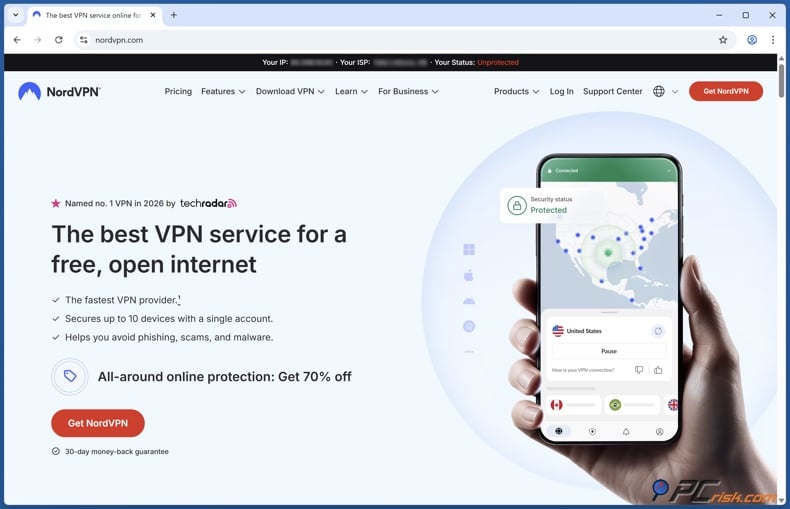
1. Create your VPN account and install the app. Download the official NordVPN app for your operating system. Install it like any standard desktop app.
2. Sign in and run a quick connection test. Open the app and sign in. Use “Quick Connect” first, just to confirm the VPN works and the connection is stable.
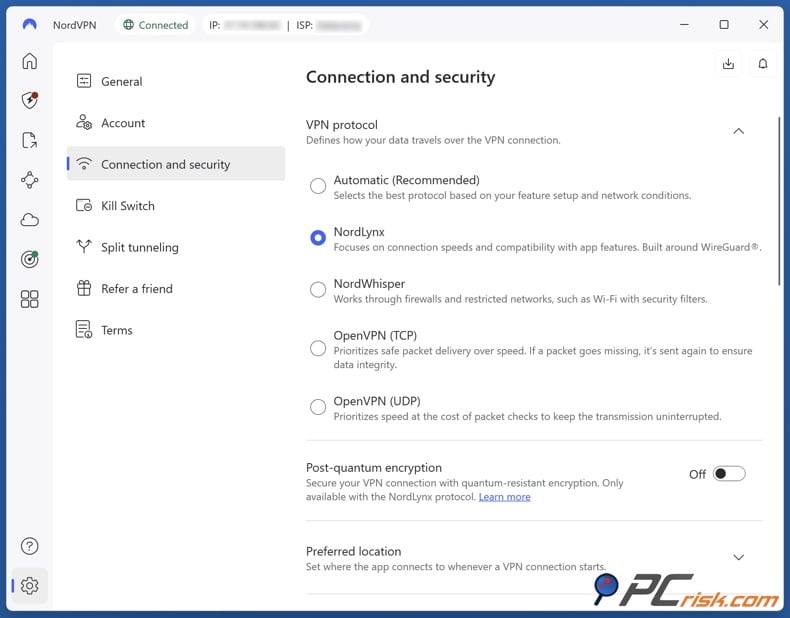
3. Choose the best protocol for speed. For gaming, you typically want a modern protocol designed for speed and stability. In NordVPN’s case, that’s usually NordLynx (their WireGuard-based protocol).
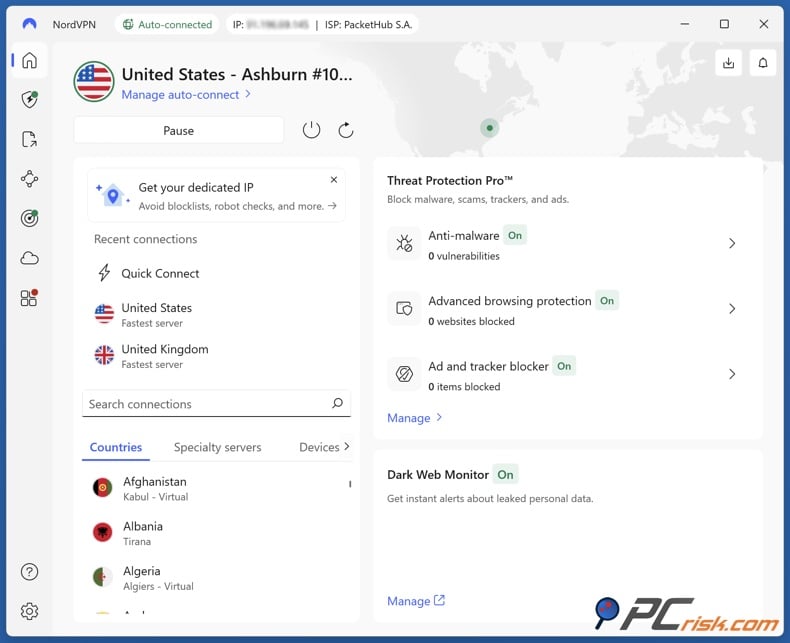
4. Pick a server location based on your goal. If you’re trying to reduce lag, choose a server close to your physical location. If Roblox is blocked on your network, choose a server in a country where Roblox access is normal, ideally geographically close (for lower ping).
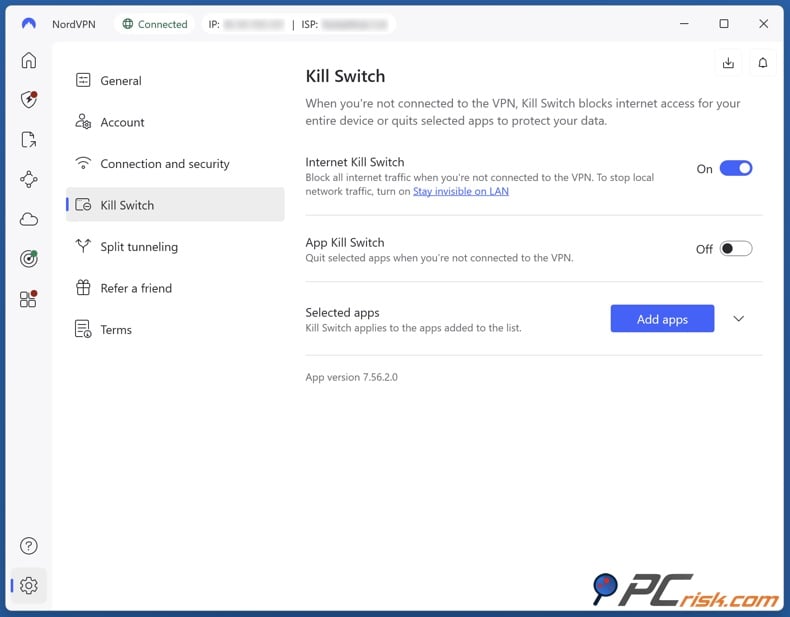
5. Enable leak-prevention safety features. Turn on the Kill Switch (system-wide or app-specific if your platform supports it). Make sure DNS leak protection is on. We focus on stopping IP, DNS, and WebRTC leaks in our tests, since leaks can defeat the purpose of using a VPN.
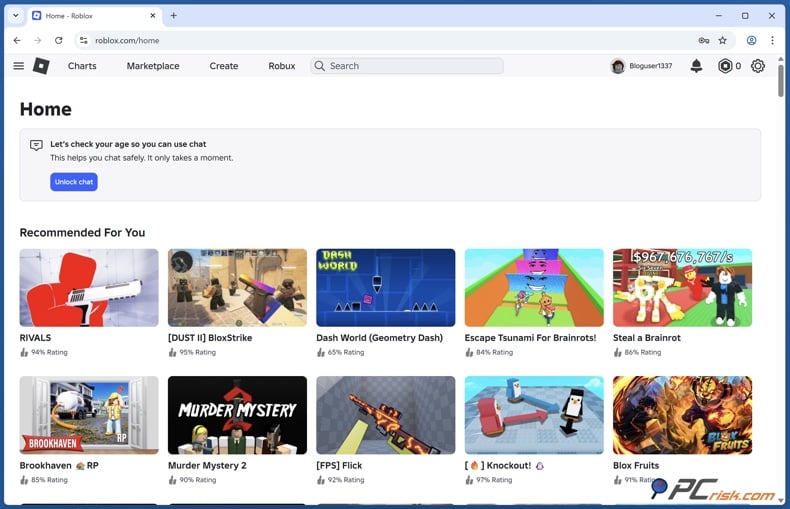
6. Launch Roblox and test in a low-stakes session. Join a simple experience first. Watch for: ping stability, disconnects, and voice chat behavior.
Step-by-step setup on Android or iOS
1. Install NordVPN from your platform’s app store.
2. Sign in and allow the VPN configuration prompt.
3. Use Quick Connect.
4. If performance is poor, manually select a nearby server region.
5. Enable Always-on VPN or a similar kill switch if your device supports it. Keep in mind that mobile devices may handle this differently.
Using a VPN on consoles
Roblox is available on multiple device types, and not all of them support full VPN apps.
If you want VPN coverage on a console, you usually have two practical options:
- Install the VPN on your router (so all devices are covered at once).
- Use your VPN provider’s Smart DNS feature if it’s available. This can help you access Roblox on devices that don’t support VPN apps, but keep in mind that Smart DNS doesn’t encrypt your traffic like a VPN.
A quick “best practices” checklist for Roblox
- Prefer the closest server that meets your needs.
- If you’re troubleshooting lag, change one variable at a time: server location first, then protocol, then features like obfuscation.
- Keep the kill switch on when privacy matters.
- Avoid using double-hop or multi-hop modes for gaming unless you need them to get around censorship. These modes usually add extra delay.
The Best VPNs for Roblox in 2026
Our VPN review hub currently highlights five leading VPN services based on hands-on testing and broader evaluation factors like privacy posture, usability, performance, and reliability.
Below are the top five options for Roblox from our reviewed lineup.
NordVPN - NordVPN is our top pick overall because it combines strong real-world performance with a large server network and a feature set that covers most “why people get a VPN” use cases (gaming included). In our own testing results referenced in the review hub, it’s described as extremely fast and stable, and we note it is well-suited for demanding tasks like gaming and streaming.
Server network and country selection
NordVPN’s review cites 8,900+ servers across 127 countries. A network this large is useful for Roblox for two reasons: you can usually find a nearby server for lower ping, and you have flexibility if some IP ranges are blocked or congested.
Pros for Roblox
- Strong speeds with NordLynx (helpful when every millisecond matters).
- A large global network for flexibility when you need to switch locations.
- Strong safety stack: kill switch, leak protections, and additional security tools (useful if you also play on public Wi‑Fi).
Cons and limitations
- No permanent free plan (only trial/guarantee options depending on platform/terms).
- Split tunneling is not consistently available across all platforms (notably limited on some Apple platforms in our review).
- No port forwarding is noted in our review; advanced users who rely on it for specific networking scenarios may dislike this limitation.
NordVPN is best for players who want a VPN that works well for gaming, is reliable when traveling, and has a big enough network to handle blocks and server changes without much hassle.
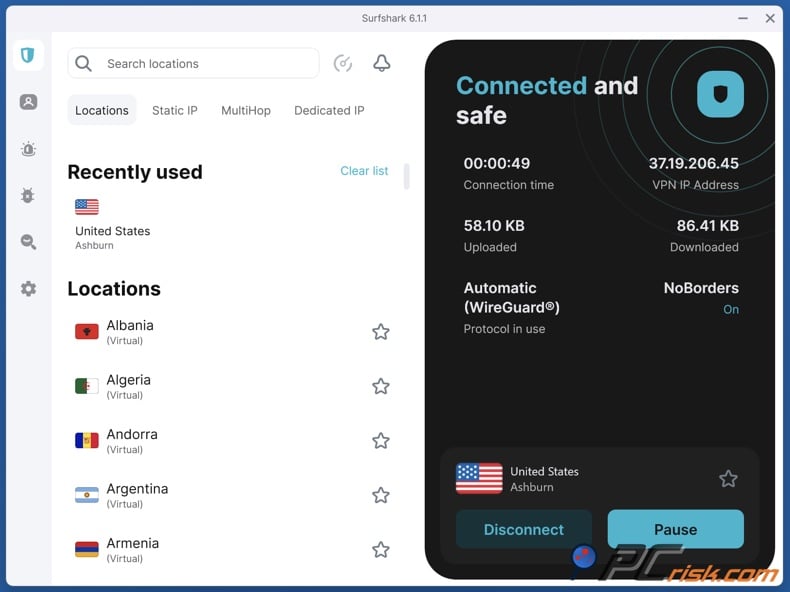
Surfshark - Our second pick offers a particular advantage for households: unlimited simultaneous devices. For many families, Roblox isn’t played on “one PC.” It’s played on phones, tablets, laptops, and shared devices - often all at the same time. Surfshark’s device policy can be a major cost advantage in that scenario.
Server network and country selection
Our review cites 4,500+ servers in 100 countries. That’s smaller than NordVPN by raw count, but still broad enough for most Roblox needs, especially if you prioritize nearby servers.
Pros for Roblox
- Unlimited devices (ideal for families or multi-device homes).
- Strong feature set, including multi-hop options, ad-blocking feature, and reliability enhancements (Everlink is highlighted in our review as a stability-focused feature).
- Very strong overall performance, particularly on modern, high-speed protocols.
Cons and limitations
- Renewal pricing can be much higher than introductory offers, making it important to watch plan terms and renewal dates.
- Some platform-specific feature gaps exist (our review notes missing features on iOS and Linux relative to other platforms).
- Jurisdiction and privacy concerns come up more often in community discussions because the service is based in the Netherlands (our review discusses this context while also noting audited no-logs claims).
Surfshark is a good choice for Roblox players who use many devices and want strong performance and features, while also saving money by covering all their devices with one plan.
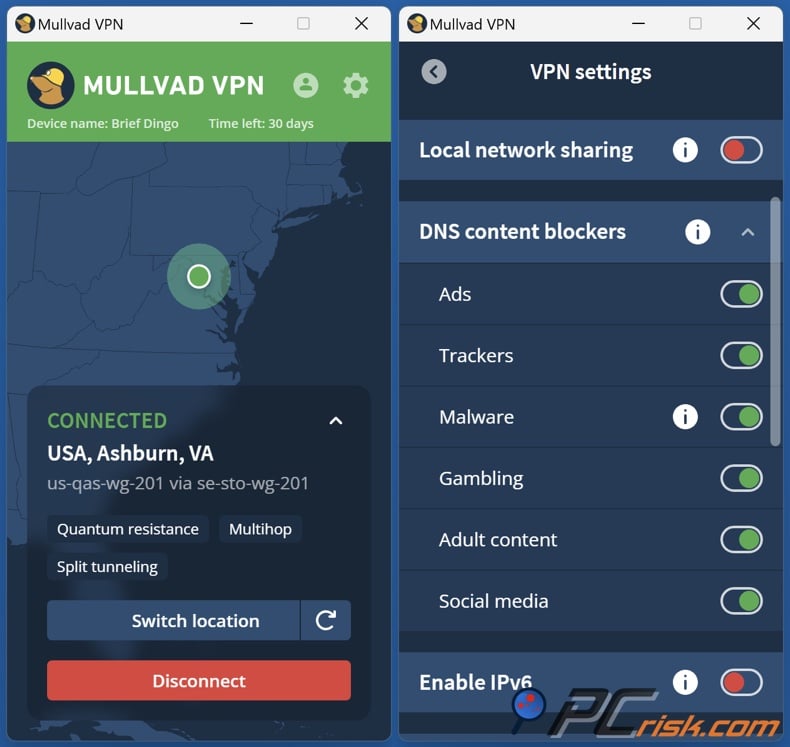
Mullvad - Mullvad is not a “mainstream gamer VPN” in the marketing sense. It’s a privacy-first VPN built around minimal data collection and unusual account anonymity (including options like anonymous sign-up). For Roblox, the practical question is: does it remain stable and fast on nearby servers? In our testing notes, we describe it as fast and stable, with excellent nearby speeds and strong reliability.
Server network and country selection
Our review describes 700+ servers across 50+ countries. That’s significantly smaller than the other top picks, meaning you may have fewer nearby location options depending on where you live.
Pros for Roblox
- Strong stability and performance on local servers (useful for gaming).
- Strong privacy posture: open-source/audited emphasis and an approach that prioritizes anonymity.
- Straightforward pricing model (flat monthly fee rather than complex tiering).
Cons and limitations
- Streaming unblocking is not its strong point in our testing, which matters if you also want a VPN primarily for entertainment access beyond Roblox.
- No live chat support is noted.
- A smaller network footprint can be limiting for users who need many different country options.
Mullvad is best for players who care more about privacy and steady performance than having lots of server locations. It’s a good fit if you mostly need a VPN for local or regional use, not for switching countries often.
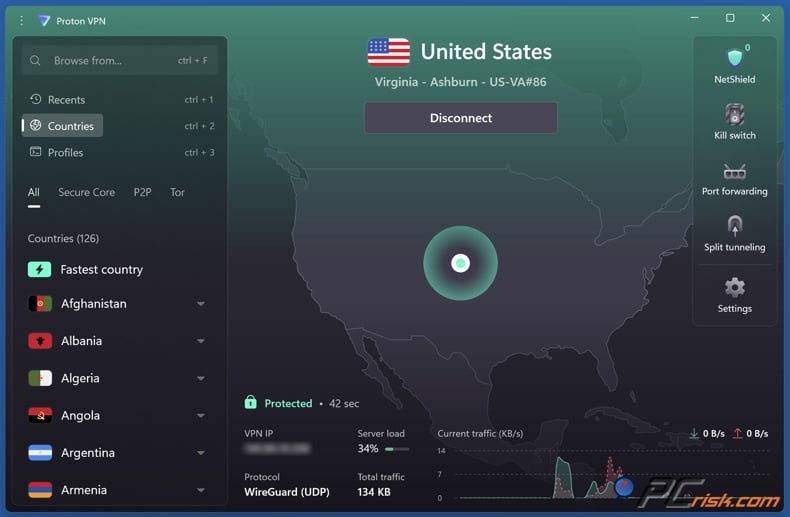
Proton VPN - Proton VPN stands out for two reasons relevant to Roblox users: it has one of the broadest country coverages in our reviews, and it offers a genuinely usable free plan (with important limitations). If you’re a beginner who wants to test whether a VPN helps your Roblox situation (without committing immediately), this is the most practical entry point among the VPNs in our review hub.
Server network and country selection
Our review describes a very large network, citing 18,000+ servers in 130+ countries. The key takeaway is that this VPN has extremely broad geographic coverage.
Pros for Roblox
- Free plan available with no data cap (useful for basic privacy and testing; not ideal for high-performance needs).
- Large country coverage, which helps if you need a specific region for travel or access.
- The feature set includes a multi-hop architecture (Secure Core), DNS filtering, and a strong privacy posture emphasized in our review.
Cons and limitations
- The free plan is limited in server choice and does not target performance for streaming/torrenting; for gaming, that typically means higher congestion risk and fewer options if a server is slow.
- Paid plans can be more expensive than some competitors, and our review notes that performance is strong but not necessarily the fastest across the board.
- Support responsiveness can be slower, particularly for free users, according to our review notes.
Proton VPN is a good choice for Roblox users who want a trusted, privacy-focused VPN with a free plan for basic use or testing. You can upgrade later if you need better gaming performance.
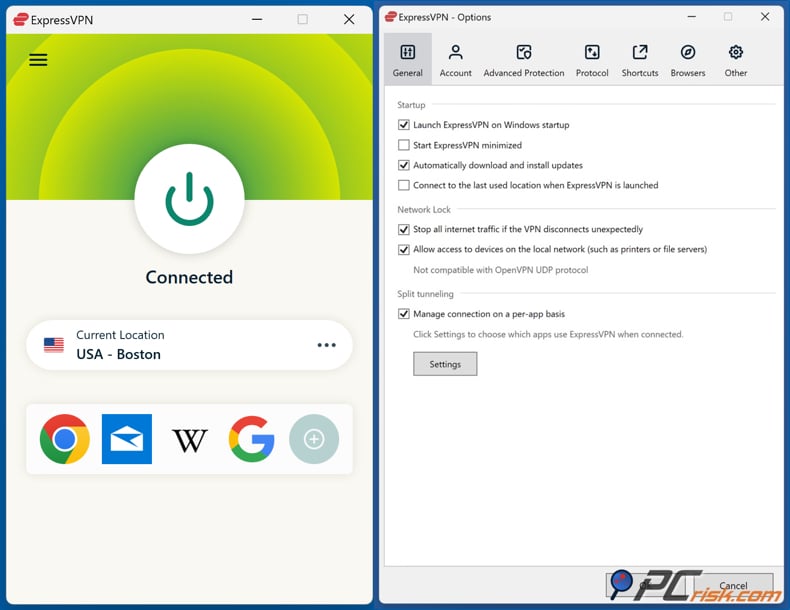
ExpressVPN - ExpressVPN is the “pay more, expect polish” option in this list. In our full review, it’s positioned as premium: strong reliability, strong usability, and strong performance, but typically at a higher price and with fewer “extra” VPN experimentation features than some rivals.
Server network and country selection
Our review cites 3,000+ servers and availability in 105 countries. Country coverage is excellent; server count is solid but not the largest.
Pros for Roblox
- Strong stability and consistency. For gaming, stability is often more important than chasing theoretical max speeds.
- Very easy-to-use apps across platforms, which reduces the risk of configuration errors that cause disconnects or leaks.
- Streaming and censorship-resistance features are discussed in our review, which can matter if you want one tool for Roblox plus broader access needs.
Cons and limitations
- Price is consistently listed as a downside in our review.
- Fewer advanced extras than some competitors (for example, fewer multi-hop-style options in the core offering).
- Plan structure is more tiered now (with different device limits depending on plan), which can be confusing if you just want a straightforward “VPN only” purchase.
ExpressVPN is best for players who want a reliable VPN with an easy-to-use interface and are willing to pay more for a smoother experience.
Where Has Roblox Been Banned?
Roblox access has been restricted in multiple countries, typically driven by child-safety and content-moderation concerns. In some cases, officials cite risks like grooming, inappropriate content, or dangerous interactions; in others, broader “values” or censorship frameworks apply.
Below is a practical, date-specific overview based on widely reported blocks and official statements. (Dates below refer to reported enforcement or public confirmation dates.)
Countries with widely reported active blocks or bans
Turkey - Blocked in August 2024. Reuters reported the block was tied to concerns about content that could lead to child abuse, described publicly by the justice minister and connected to a court decision.
Russia - Blocked in December 2025. Reuters reported that the communications watchdog stated Roblox was blocked because it was “rife with inappropriate content” that could harm children’s moral development.
Iraq - Banned in October 2025. Reuters reported the ban was motivated by concerns about direct communications exposing children to exploitation or cyber-extortion and that content was considered incompatible with “social values and traditions.”
Egypt - Blocked in early February 2026. Multiple outlets reported that the decision was framed around protecting children from harmful content/behavior and implemented through coordination between the media regulator and the telecom authority.
Oman - Reported banned as of June 2025 in regional reporting, with child-safety concerns cited.
Qatar - Reported inaccessible/blocked starting August 13, 2025, amid child-safety calls and regional reporting describing a ban to protect children. Reporting also noted that, at the time, official confirmation from a government body was not clearly published.
Algeria - Reported to be banned in September 2025. Reporting tied the ban to insufficient child-protection tools and risks like harassment, scams, and exploitation.
Palestine - Announced a complete ban in November 2025. Local reporting cites monitoring of “immoral content” and “dangerous digital behaviors,” with children described as vulnerable to harassment and inappropriate content.
Countries where restrictions were reported but later eased or changed
United Arab Emirates - Reported as banned from 2018 to 2021, with restrictions later lifted; later reporting also describes partial limitations and safety-related feature controls in the region.
Kuwait - Reported temporarily blocked in August 2025, then reversed by October after safety controls and restrictions were implemented.
Jordan - Reported to have restricted access since 2020, then unblocked in December 2025 following an agreement involving tighter supervision and limiting certain communication functionality.
If Roblox is blocked in your country, using a VPN might break local laws or put you at legal risk. Also, using a VPN to get around restrictions could go against Roblox’s rules, depending on the situation.
How We Select and Test VPNs for Roblox
Our rankings and recommendations are based on the same methodology we use across our VPN reviews. We don’t “check boxes”; we test VPNs in real-world scenarios and then weigh results across categories that reflect how people actually use VPN software.
Top VPN ReviewsExclusive dealsExpert-tested · hands-on reviews→
Security and leak testing
For Roblox users, security is not abstract. If you’re using a VPN to reduce IP exposure (for example, on public Wi‑Fi or in harassment-prone communities), then leaks matter. Our methodology includes checking encryption standards and tunneling protocols, and then running leak tests for IP/DNS/WebRTC exposure. We also simulate connection drops to validate kill-switch behavior, because a VPN that drops traffic outside the tunnel can expose your real IP at the worst possible moment.
Speed, performance, and latency basics
Gaming is less about “maximum download speed” and more about:
- consistent stability
- low latency
- predictable routing
Our test approach measures a baseline connection, then tests local, mid-distance, and far-distance servers, repeating checks at different times of day to avoid misleading “one-off” results. We also track ping and latency because latency is a key part of the gaming experience.
Geo-access and restriction resistance
Even though Roblox is a game platform, geo-access matters in two scenarios:
- You’re traveling and encountering network restrictions.
- Roblox access is blocked or limited in your country or on your current network.
Our methodology includes testing geo-unblocking behavior and checking whether VPNs offer specialized “stealth” approaches when networks use stronger restriction systems.
Privacy policy analysis and trust factors
A VPN is only as trustworthy as its policies and its operational reality. We review privacy policies and logging claims, look for independent audits where available, and consider jurisdiction and company background as part of the trust evaluation.
Usability across devices
Roblox players are often multi-device users. So usability matters: how easy it is to install, whether apps behave consistently across platforms, and whether key safety features are available where you actually play. Our methodology explicitly includes usability and support responsiveness, because even a high-performance VPN can be undermined by clunky design or unreliable connection behavior.
Key Features to Consider and Free VPN Options
Features that matter most for Roblox
If you’re choosing a VPN specifically for Roblox, prioritize these traits.
Low-latency server availability near your physical region
A huge country list is great, but for gaming, you need a good “local” or near-local server that stays stable. That’s where large networks can help because they give you more nearby choices when one location is congested.
Modern protocols designed for speed
WireGuard-based options (or equivalent modern protocols) are typically preferred for gaming because they’re designed to be fast and efficient. Our reviewed VPNs emphasize support for modern protocols.
Kill switch and leak protection
This is essential if you’re using a VPN for privacy or to reduce IP exposure. A kill switch that actually blocks traffic during disconnects is a core part of our security evaluation.
Split tunneling
Split tunneling can be useful when you want Roblox to use the VPN but want everything else (or specific apps) to use your normal connection. But availability varies widely by platform due to OS restrictions and provider choices, so you should treat this as a “nice-to-have,” not a guarantee.
Obfuscation for restrictive networks
If you’re on a network that blocks VPNs outright, you may need to use an obfuscated/stealth VPN. Not every VPN implements this equally, and it may require toggling specific protocols or “restricted network” modes.
Can I use a free VPN for Roblox?
When it comes to Roblox, free VPNs often fall short.
Most free VPNs suffer from some combination of:
- fewer server locations
- congested servers and inconsistent performance
- stricter throttling
- weaker support
- more limited features
These problems are especially noticeable in gaming, where stable connections and low lag matter more than just speed. Free VPNs often involve trade-offs in performance and privacy, and paid VPNs are usually better for reliable results.
Among the VPNs we have reviewed, Proton VPN is the clear exception because it offers a free plan with unlimited data, making it viable for basic privacy and light usage. But it still has limitations (fewer countries on free, and feature restrictions), so it’s best viewed as:
- a way to test whether a VPN helps your situation
- a basic safety layer on public Wi‑Fi
- a temporary solution (not a high-performance gaming tool)
Reliable free VPN brands outside our current VPN review hub include Windscribe. Keep in mind that this Roblox guide’s recommendations are restricted to the tested and reviewed VPNs in our VPN review section.
Common Issues and Fxes When Using a VPN With Roblox
High ping and lag
- Switch to a nearer VPN server.
- Avoid multi-hop modes.
- If your VPN lets you choose protocols, use the fastest modern option (often WireGuard-based).
Roblox disconnects or has unstable sessions
- Disable extra filtering features temporarily (ad blockers/DNS filtering) to see if they’re interfering, then re-enable them one at a time.
- Switch servers if the current one is overloaded.
- Make sure your kill switch isn’t trapping your connection in a reconnect loop after a brief dropout.
Voice chat issues
- Some voice systems are sensitive to latency and routing changes. Try a closer server.
- If your account has region-based verification or safety checks enabled, frequent location switching can sometimes cause friction.
Captcha loops or “suspicious activity” behavior
- Some VPN IPs are heavily used and can be flagged by websites and services. Switching servers (or using a provider with a larger pool) can help. Large networks can reduce the chance of getting stuck on a heavily abused exit IP.
Wrapping Up
A VPN can be helpful for Roblox, but it won’t automatically improve your gaming. If you use it correctly, it can improve privacy, hide your IP address, and help you get around network blocks. But if you pick the wrong server, region, or settings, it can actually slow things down or cause more problems.
If you want the most balanced option, NordVPN is still our top pick because it offers strong performance, a very large network, and security features that work well beyond Roblox, like for travel, public Wi-Fi, and general privacy.
If you want a VPN for your whole household, Surfshark is a great choice because it allows unlimited devices. If privacy is your main concern, Mullvad is a unique and transparent option, but keep in mind it has a smaller network and isn’t as strong for streaming.
Frequently Asked Questions (FAQs)
Is it legal to use a VPN for Roblox?
In many countries, VPN use is legal for privacy and security. However, some countries restrict VPN use, and using a VPN to bypass national blocks can expose users to legal risk. Always check local law.
Will a VPN get me banned on Roblox?
Using a VPN is not automatically “ban-worthy” on most platforms, but using one to evade enforcement actions or regional restrictions may violate terms depending on the scenario. Also, frequent country switching can trigger security checks.
Will a VPN reduce ping in Roblox?
Sometimes, but not reliably. A VPN often adds overhead and can increase ping, especially when connecting to a distant server. It can help in niche cases where your ISP routing is poor, and the VPN provides a better route.
Which VPN is best for Roblox on a family plan?
If you have many devices, Surfshark is notable for allowing unlimited simultaneous connections with a single subscription.
Can a VPN protect me from Roblox scams or phishing?
A VPN helps protect network privacy and mask IP addresses, but it does not stop scams, malicious links, or social engineering on its own. For that, you still need safe browsing habits and layered security.
What should I do if Roblox is blocked in my country?
First, understand the local legal risk. Roblox has been blocked in multiple countries in recent years, often tied to child-safety or content concerns. In strict jurisdictions, bypassing blocks may be illegal.
Do I need a VPN if I only play Roblox at home?
Not necessarily. If your home internet is stable and unrestricted, you may not benefit much. VPNs are most useful when you need privacy on untrusted networks, want to reduce IP exposure, or must bypass restrictive network controls.
Which VPN is best for a free option on Roblox?
Among the VPNs in our reviewed list, Proton VPN is the standout because it offers a free plan with unlimited data, but you should expect limitations that can affect gaming performance.
Share:
 Facebook
 X.com
X.com
 LinkedIn
 Copy Link

Rimvydas Iliavicius
Researcher, author
Rimvydas is a researcher with over four years of experience in the cybersecurity industry. He attended Kaunas University of Technology and graduated with a Master's degree in Translation and Localization of Technical texts. His interests in computers and technology led him to become a versatile author in the IT industry. At PCrisk, he's responsible for writing in-depth how-to articles for Microsoft Windows.
▼ Show Discussion