
We may earn commissions from products we recommend. Learn more.
How to Change Netflix Region in 2026 With a VPN

How to Change Netflix Region in 2026 With a VPN
Netflix offers different shows and movies depending on where you are. Sometimes, a show available in one country is missing in another, even though everyone pays the same subscription price. This is mainly because of licensing and local market rules. That's why many people still look for ways to change their Netflix region in 2026.
In 2026, Netflix is clearer about how it handles VPNs. Their help pages explain that if you use a VPN, you might only see shows and movies that Netflix has rights to show everywhere. Some features, like live events, also won't work with a VPN. So while VPNs are still helpful for privacy and testing location-based features, they are no longer a guaranteed way to change your Netflix region.
Change Netflix region with NordVPNSpecial deal30-day money-back guarantee→
Table of Contents:
- Introduction
- Why Netflix Locks Content to Regions
- Can I Access Netflix Libraries in Other Countries?
- How to Change the Netflix Region on Your Device With a VPN
- The Best VPNs for Netflix in 2026
- How to Change Netflix Region on Various Devices
- How We Test VPNs for Netflix
- Best Available Netflix Libraries
- Common Issues and Solutions When Using a VPN With Netflix
- How to Change Netflix Region Without a VPN
- Can I Use a Free VPN to Access Netflix?
- Final Thoughts
- Frequently Asked Questions (FAQs)
Why Netflix Locks Content to Regions
Netflix's selection of shows and movies varies by country and changes over time. Rather than having one global library, Netflix offers many local versions.
This is mostly due to business and licensing reasons, not technical issues:
Netflix explains that it licenses TV shows and movies from studios and other content partners, and those licensed titles may only be available in certain countries or for a limited time. In other words, the same title can be on Netflix in one market and unavailable elsewhere because the rights were negotiated differently, or because another service holds exclusivity in your region.
Netflix also explains that shows and movies can leave when licensing deals end. Whether something comes back depends on its popularity, if the rights are available, and the cost. So, even if two countries had the same title before, that can change.
Netflix's help pages also explain that sometimes a title isn't available in a country because there are several rights owners, the rights aren't for sale in that region, or the title is tied up with another service. Even some Netflix "originals" might not be available everywhere because of older deals or rights issues.
Can I Access Netflix Libraries in Other Countries?
What "changing Netflix region" really means
Netflix uses your IP address to see where you're connecting from. When you travel, you might notice a different list of shows, movies, or even audio and subtitle options. Netflix treats you as if you're in the country you're visiting.
However, Netflix separates two things clearly:
Your account country (where your account is established) generally cannot be "changed" on demand unless you move to a new country. Netflix states that the country on your account can't be changed unless you move.
Your viewing country (where Netflix thinks you are) changes when you travel, which affects what you can watch. Netflix says that if you're outside your signup country, your selection may differ. In the European Union, Netflix will show your home country's content for a limited time.
Our top recommendation for streaming and privacy. NordVPN consistently leads our tests with fast speeds, reliable geo-unblocking, and a strict no-logs policy.
- ✔ Unblocks geo-restricted streaming services reliably
- ✔ 202+ locations across 111 countries
- ✔ 30-day money-back guarantee · Special deal available
Accessing Netflix with a VPN in 2026
A VPN can make it seem like your device is connecting to Netflix from another country. Netflix confirms this in its help center.
But Netflix's support pages make it clear: if you use a VPN, you'll only see shows and movies that Netflix has worldwide rights for (they even give examples). If you can't find titles available in your country, Netflix suggests turning off your VPN.
There are more restrictions, too: you can't watch Netflix with a VPN if you have an ad-supported plan, and live events won't work with a VPN either.
Here's the best way to think about using VPNs with Netflix in 2026:
A VPN can change your apparent IP location.
If Netflix detects the VPN, your catalog might shrink to only "worldwide rights" titles, or streaming could be blocked completely, depending on your plan and the type of content.
If Netflix doesn't detect the VPN, you might see a larger catalog that matches the VPN server's country. Many users hope for this, but Netflix doesn't guarantee it, and it doesn't always work with every VPN or server.
Because of these changes, we suggest using VPNs that we have tested ourselves. Keep in mind that Netflix compatibility is not guaranteed and can change at any time.
How to Change the Netflix Region on Your Device With a VPN
We chose NordVPN for this walkthrough because it's PCrisk's top-rated VPN in 2026. In our tests and reviews, it stands out as a strong option for streaming and unblocking content.
Top VPN ReviewsExclusive dealsExpert-tested · hands-on reviews→
1. Make sure you have an ad-free Netflix plan if you want to watch with a VPN. Netflix says you can't use a VPN with an ad-supported plan.
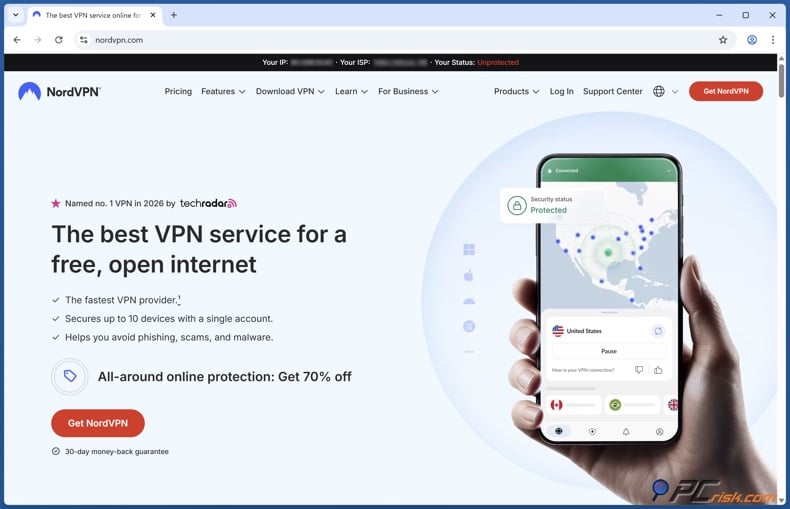
2. Download and install the NordVPN app on your device. In our review, we found NordVPN's apps easy to use across all major platforms and compatible with many devices, including computers and phones.
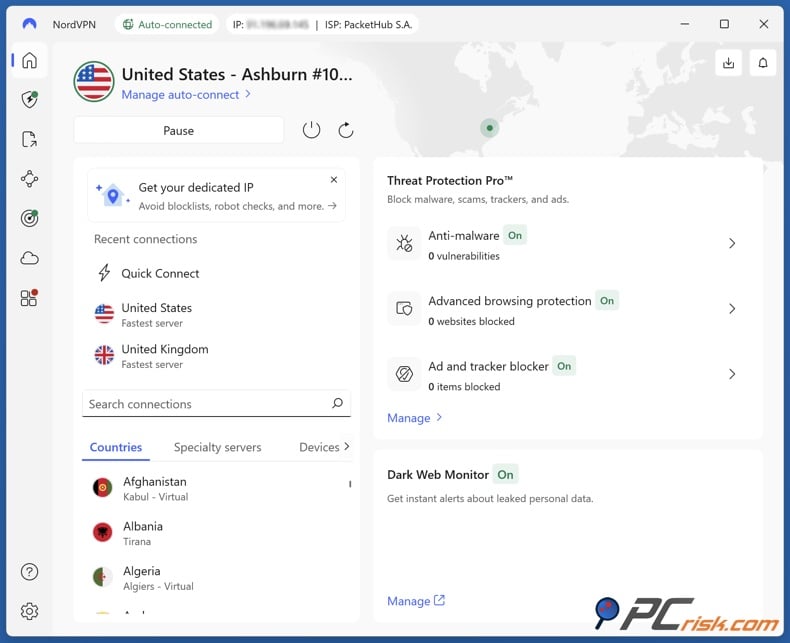
3. Sign in and connect to a server in the country you want to try. We found that NordVPN makes this easy. You can pick a country from a map or list, or just use quick connect.
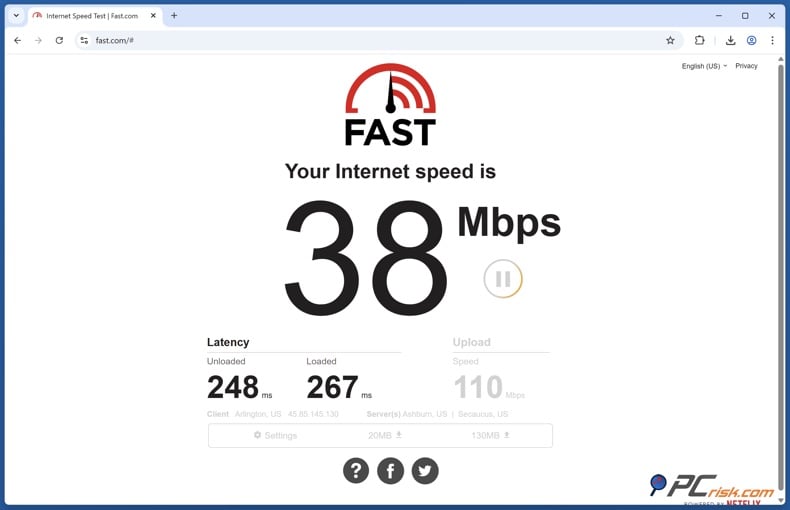
4. Check which country Netflix thinks you're in before opening the app. Netflix recommends using fast.com (their speed test) and looking at the "Client" country under "Show more info." If the country shown isn't your real location, Netflix says this usually means a VPN is active.
5. Open Netflix and see what appears in the catalog. If Netflix detects VPN use, you might only see titles that are available worldwide. If you can't find a specific show, Netflix's help center says this can happen when you're using a VPN.
If the catalog doesn't change or you see a VPN/proxy error, don't worry. It's not always something you did wrong. Netflix will show a message, "You seem to be using a VPN or proxy" (error code E106) if it detects one. Some antivirus programs also include VPN features that can be enabled.
What to expect in 2026
Older VPN guides often say it's easy to connect to another country and refresh Netflix. In 2026, that's no longer the case. Netflix now says that using a VPN can limit your catalog to worldwide titles, and that some plans or types of content are blocked when you use one.
That doesn't mean VPNs are useless. It does mean "Netflix region switching" is now best treated as:
- a catalog test (to see what you can reliably access right now),
- a privacy tool for general browsing and travel scenarios, and
- a troubleshooting variable when Netflix thinks you're in the wrong country.
The Best VPNs for Netflix in 2026
PCrisk's VPN review hub currently highlights 5 top picks in 2026: NordVPN, Surfshark VPN, Mullvad VPN, Proton VPN, and ExpressVPN.
For Netflix specifically, we prioritize (a) streaming reliability and (b) the practical tooling that helps on devices where VPN apps aren't available, such as Smart DNS features. It's also essential to be realistic: Netflix actively detects VPN/proxy traffic and can restrict catalogs or block playback based on plan and content type.
NordVPN - In our main "Best VPN software" roundup, we rank NordVPN as the top VPN overall in 2026 and explicitly note it "doesn't struggle to unblock major platforms, including Netflix."
In our full NordVPN review, we also list "reliably unblocks Netflix" as one of the service's key positives and position the service as a feature-rich option with fast performance and broad utility for streaming and everyday privacy.
From a practical standpoint, NordVPN's strengths for Netflix-related use cases include:
Large network and location choice. Our review states that as of 2026, NordVPN has over 9,100 servers across 167 countries, which matters when you need alternatives, as some endpoints get blocked or flagged.
Strong speed profile. In our in-house testing write-up within the NordVPN review, we describe NordVPN's performance (especially with its NordLynx protocol) as delivering excellent speeds with only slight reductions versus baseline, which helps with HD streaming.
Streaming-focused system. Our review notes NordVPN's SmartPlay system as part of its support for streaming use cases.
Device coverage. NordVPN allows up to ten simultaneous devices per account in our review, and it supports a wide range of platforms (including Android TV).
Key limitations to know:
Platform feature gaps. Our review notes split-tunneling limitations on iOS/macOS and no port forwarding, which don't matter much for Netflix but are relevant if you want one VPN for everything.
Netflix's own restrictions still apply. Even a high-performing VPN won't override Netflix's official policies on worldwide rights titles, ad-supported plan limitations, or live-event restrictions for VPN users.
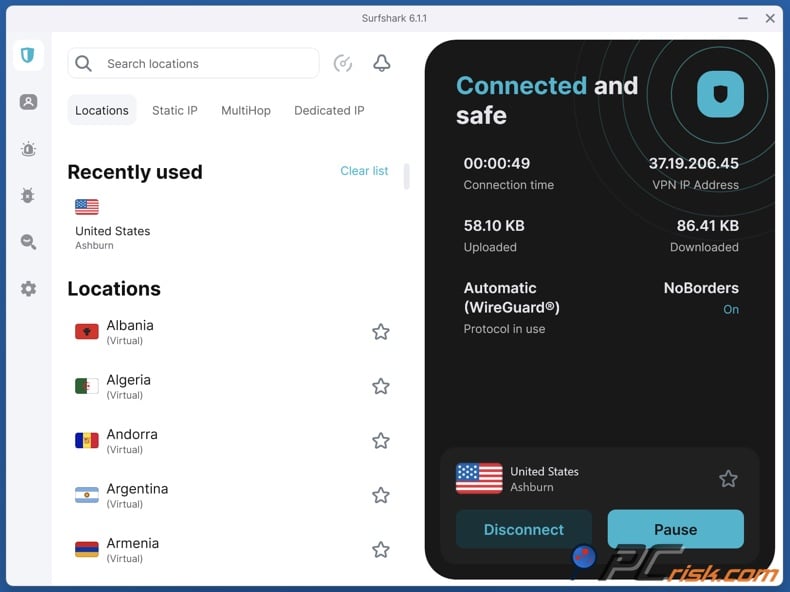
Surfshark - Surfshark is PCrisk's second-ranked VPN overall in 2026, and in our roundup, we specifically note that it works "seamlessly with Netflix" in our testing, with smooth streaming and no buffering issues.
In our Surfshark review, we highlight streaming performance as a standout, and note that during testing, we streamed multiple Netflix libraries without proxy errors.
Why Surfshark is strong for Netflix-oriented users:
Unlimited device connections. Surfshark allows unlimited simultaneous devices per subscription in our review, which is a major practical advantage for households that stream on multiple phones, laptops, and TVs.
Solid global coverage. We state Surfshark has 4,500+ servers in 100 countries, which is broad enough for most region testing.
Smart DNS support. Our Surfshark review highlights Smart DNS as part of streaming support - useful on devices that don't support VPN apps directly.
Good performance with modern protocols. We describe strong speeds, especially using WireGuard, including long-distance connections that still held up for full HD streaming in our tests.
Honest downsides:
Renewal pricing can be steep. In the roundup, we warn that renewal prices can jump significantly, altering the long-term value equation.
As with every VPN, Netflix compatibility can fluctuate. Netflix itself can restrict or block VPN/proxy traffic, and Surfshark can't change Netflix's plan-level restrictions.
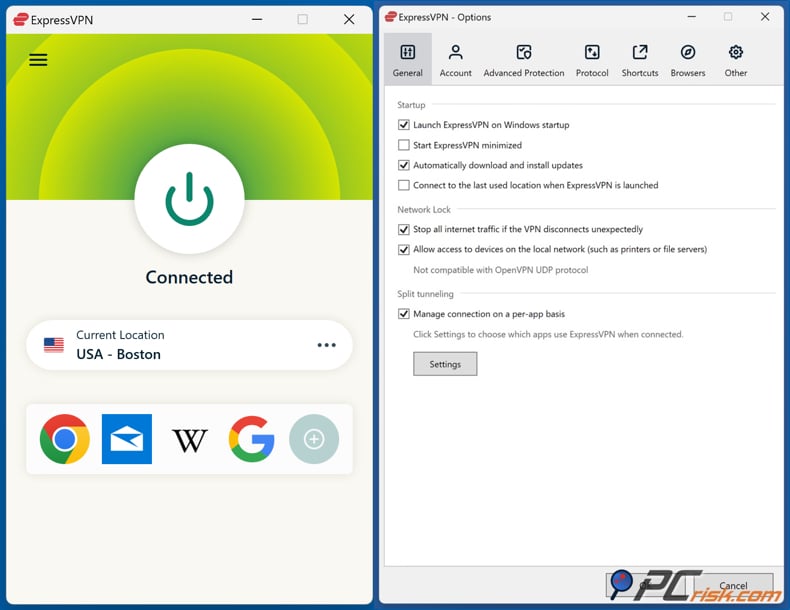
ExpressVPN - ExpressVPN is consistently positioned in our testing as a premium, "it just works" option. In our Best VPN roundup, we state that our in-house tests show it can unblock major streaming services, including Netflix.
In our ExpressVPN review, we document specific Netflix region tests: we were able to unblock Netflix in multiple regions and stream in HD with smooth playback.
Why ExpressVPN is a strong Netflix pick:
Strong streaming results in our tests. The ExpressVPN review is explicit that our streaming and unblocking tests were successful across multiple Netflix regions, with HD playback and minimal buffering.
MediaStreamer DNS. ExpressVPN includes MediaStreamer DNS (a Smart DNS service) for devices that don't support VPN apps (such as smart TVs, consoles, and some streaming boxes). That's an especially practical Netflix advantage because TV-based setups are where many people struggle.
Good coverage. In our review, we describe ExpressVPN as having 3,000+ servers across 105 countries, which is plenty for targeting common Netflix regions.
More generous device limits than older plans. Our ExpressVPN review notes that, as of 2026, it allows up to 14 devices to be used simultaneously.
Tradeoffs:
Price. We consistently flag ExpressVPN as pricier than many competitors.
Netflix can still restrict VPN usage. Even if ExpressVPN performs well technically, Netflix's official policy on VPN use, worldwide rights catalogs, ad-supported limitations, and live-event restrictions still apply.
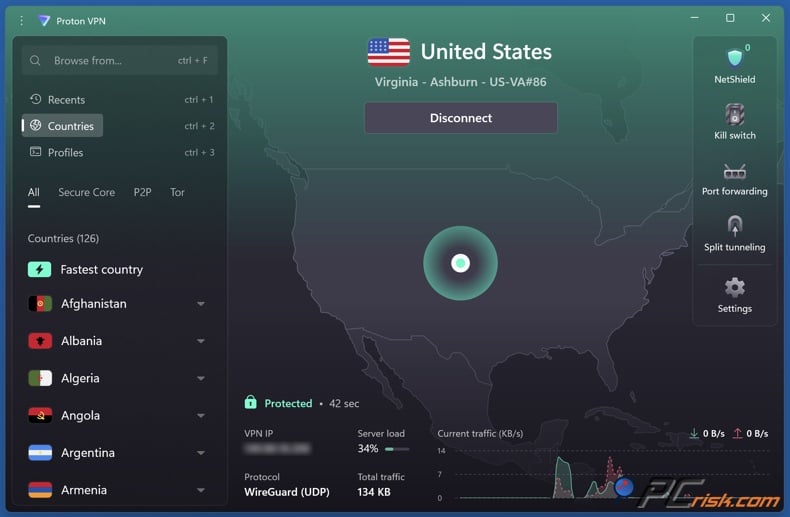
Proton VPN - Proton VPN is PCrisk's fourth-ranked VPN overall in 2026, and our roundup states that in testing, Proton VPN Plus delivered smooth HD streaming on Netflix.
In our Proton VPN review, we found that Proton VPN Plus could successfully unblock Netflix libraries, with HD and even 4K streaming possible on the servers we tested, while the free version doesn't support streaming services in our testing context.
Why Proton VPN can be a good Netflix tool:
Large network on paid tiers. Our review describes Proton VPN's network as 18,700+ servers in 134+ countries as of 2026, which offers plenty of location choices.
Strong privacy posture. We emphasize audited, open-source apps and privacy-oriented features like Secure Core (multi-hop) and NetShield. These aren't Netflix features, but they matter if you're choosing one VPN for streaming plus everyday security.
A genuinely useful free plan for basic privacy. In our review, we call Proton VPN's free plan one of the strongest free tiers in the market for basic use, with no data limits or ads, while still acknowledging its restrictions.
Important limitations for Netflix use:
Free plan streaming limitations. In our testing notes, we state that the free version doesn't allow access to streaming services (and that streaming requires Plus servers). Proton's own support guidance also states that streaming is available only on paid plans.
Cost and support speed can be weaker. Our review notes higher long-term costs than many competitors and slower support.
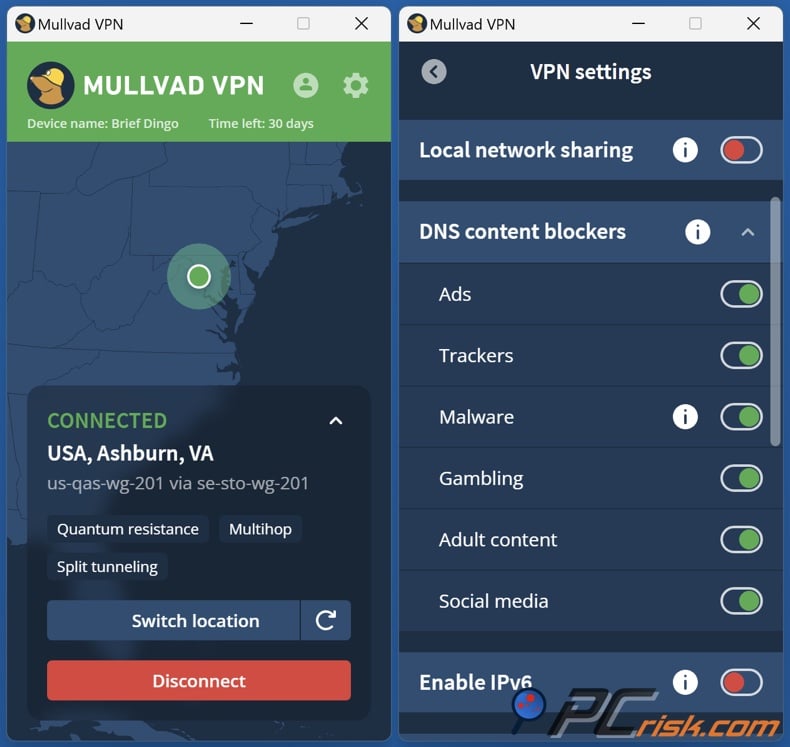
Mullvad VPN - Mullvad is one of our top privacy-focused VPN picks overall in 2026 - and if your primary goal is anonymity, simplicity, and a clean, transparent approach, it's excellent.
But for Netflix specifically, we need to be blunt: Mullvad is not a "Netflix-first" VPN in our testing.
In our main roundup, we explicitly state that Mullvad "struggles with unblocking Netflix and Disney+," which makes it less attractive for streaming-focused users.
Our Mullvad review supports that: we found it could access Netflix in the US in our tests, but it did not reliably work for Netflix libraries in other countries, and several other major platforms blocked it.
Where Mullvad still has value in a Netflix conversation:
Strong security. Our Mullvad review highlights robust leak protection, an effective kill switch, and strong protocols (WireGuard and OpenVPN).
Straightforward pricing. In our roundup, we highlight the simplicity of Mullvad's approach (flat pricing) compared with complicated tiers.
Why we rank it lower for Netflix:
Streaming reliability is inconsistent. Our tests and review commentary show Mullvad doesn't invest heavily in beating streaming blocks and may be detected or blocked for non-US Netflix libraries.
Smaller network footprint. We describe Mullvad's network as roughly 50+ countries and 580+ servers - fine for many privacy use cases, but not ideal for region-hopping.
How to Change Netflix Region on Various Devices
The device you use matters because Netflix's behavior depends not just on your account, but also on your network and how Netflix detects your location or VPN use. Netflix's help pages mention these device and network differences and suggest checking your network settings, including your modem or router, if your location seems wrong.
Devices where you can install a VPN app directly
On Windows and macOS laptops/desktops, the most straightforward method is:
Install your VPN app, connect to a server in your target country, verify your apparent country with fast.com, then open Netflix in your browser or app. Netflix itself recommends using fast.com to verify the "Client" country when diagnosing VPN/proxy behavior.
For mobile devices (Android and iOS), the workflow is similar:
Install the VPN app, connect, and then open Netflix. In our Proton VPN review, for example, we specifically tested streaming Netflix via the iOS app on a paid tier and succeeded.
Android TV and similar smart TV platforms
Android TV is one of the easiest "TV" environments because some major VPNs offer native apps.
In our NordVPN review, we note NordVPN has an Android TV app, and our testing found it straightforward to use for unblocking on a TV interface.
If you have an Android-based streaming box or TV, a dedicated VPN app is the cleanest approach, as it avoids the complexity of router configuration.
Fire TV devices
In our Surfshark review, we note that Surfshark has a Fire TV app for remote navigation, and that it's a simplified version of the main app - useful for streaming setups.
Apple TV, consoles, Roku, and other devices without VPN apps
For many living-room devices, you can't install a VPN app. In those cases, you have two realistic approaches:
Use Smart DNS features (where offered). Surfshark offers Smart DNS as part of streaming support, and ExpressVPN provides MediaStreamer DNS as a Smart DNS solution included in the subscription for devices like smart TVs and game consoles.
Use a router-level VPN setup. This is more technical, but it can cover every device on your home network. Our NordVPN review notes router setup guidance availability, and our ExpressVPN review discusses router support and even dedicated router products.
A crucial caveat: Smart DNS is not the same as a VPN. ExpressVPN's MediaStreamer doesn't encrypt data - it's mainly a convenience add-on for streaming device compatibility. That matters if you're using a "Netflix region" setup but also care about privacy.
How We Test VPNs for Netflix
PCrisk's VPN testing approach is designed to be security-first and hands-on. We don't treat VPN claims (fastest, most secure, best for streaming) as marketing copy; we test performance, privacy protections, and real-world usability.
The core PCrisk method
In our "How we test VPNs" methodology, we break evaluation into pillars:
Security validation. We review encryption/protocol standards and test for leaks (IP, DNS, WebRTC). We also simulate dropouts to verify kill switch behavior, because a VPN that leaks defeats the entire purpose.
Speed and performance baselining. We measure baseline speeds without a VPN, then test local, mid-distance, and far-distance servers at different times of day. The point is to see not only peak speed but consistency.
Streaming and geo-unblocking checks. Our methodology explicitly calls out testing streaming capabilities across different apps and devices, because services may detect VPN usage differently in an app versus on a website. We also test general geo-unblocking via region-locked sites and services.
Usability and features. We evaluate installation, UI clarity, stability, and practical features like auto-connect, split tunneling, and support quality.
Controlled test environment. We describe using a controlled setup (including high-speed connections and multiple OS/device types) to reduce the chance that the test rig (not the VPN) is the limiting factor.
A Netflix-specific testing methodology
To adapt our approach specifically for Netflix in 2026, we focus on repeatability and "failure mode" clarity:
Plan-aware Netflix testing. Because Netflix explicitly restricts VPN usage on ad-supported plans and blocks live events over VPN, we separate "Netflix works" into three scenarios: ad-free streaming, ad-supported streaming, and live-event playback. We expect VPN behavior to differ between those scenarios because Netflix says it does.
Catalog behavior under VPN detection. Netflix states that when using a VPN, it will only show worldwide rights titles. So we test whether a VPN connection results in (a) a country-specific catalog, (b) a worldwide-only catalog outcome, or (c) explicit proxy/VPN errors.
Multiple device types and apps. We test Netflix access in browsers and, where possible, in the Netflix apps (desktop and mobile), because VPN detection can vary by surface.
Endpoint variability. We retest multiple servers within the same country because streaming blocks can be IP-specific. This is why larger networks can matter: more "clean" endpoints mean fewer dead ends during re-testing.
User-facing troubleshooting outcomes. Netflix publishes clear error states (like the E106 "VPN or proxy" message) and network-reset guidance. When something breaks, we check whether the user can realistically recover without deep technical work.
The main point is that in 2026, getting Netflix to work with a VPN isn't just about speed. It's about whether the VPN can keep working while Netflix tries to detect VPN or proxy traffic and limit what you can watch.
Best Available Netflix Libraries
Available Netflix country versions
Netflix says it is available in over 190 countries, underscoring the key reality that the library varies by country and changes periodically.
When people talk about "the biggest Netflix libraries," they're usually referring to third-party catalog trackers. One example is a StreamLocator summary that cites uNoGS figures and lists ten of the largest catalogs (movies and TV shows combined) at the time of writing:
| United Kingdom | Canada |
| United States | India |
| Slovakia | Czechia |
| Australia | Hungary |
| South Africa | Japan |
These "biggest library" rankings can change depending on the data and timing, but the list shows a pattern: some European catalogs are surprisingly large by number of titles, and having more titles doesn't always mean a catalog is the best.
Which Netflix library is the best
"Best" depends on what you actually watch.
If you care about raw catalog size, the UK often ranks near the top in third-party catalog comparisons. For example, the "What's on Netflix" library-by-numbers analysis for end-of-year 2025 describes Netflix UK as leading the US, Canada, and Australia in total titles, and another analysis summarizing the same dataset highlights the UK as leading by total title count.
If you want easy access to mainstream content, the US catalog is often seen as the standard, partly because it's a big market and much of the media coverage is based on US availability. Still, the "best" library is the one that fits your interests. Some regions have more of certain genres, languages, or local shows, which Netflix mentions when it talks about regional popularity and catalog choices.
Our practical advice is not to look for a single "best library." Instead, decide what matters most to you:
More total titles (catalog breadth)
More English-language mainstream releases (often associated with major markets)
More local/regional picks (which Netflix says it tries to tailor by region)
Specific niche strengths (for example, Japan is frequently cited in third-party catalog comparisons as a large catalog overall)
Keep in mind how Netflix deals with VPNs: if it detects you're using one, you won't see the full country library. You'll only get worldwide titles, so the idea of a "best library" doesn't apply in that situation.
Common Issues and Solutions When Using a VPN With Netflix
In 2026, Netflix-related VPN problems typically fall into a few predictable categories - many of which Netflix documents in its own help center.
Netflix shows only a limited catalog (worldwide rights only). Netflix states that when using a VPN, it will only show titles for which it has worldwide rights. If you can't find a title, Netflix's help center repeats the same point: using a VPN may mean you only see shows and movies that are globally available.
Netflix shows "You seem to be using a VPN or proxy" (error E106). Netflix explicitly ties this message to connecting through a VPN or proxy, and it recommends turning off any active VPNs to continue watching. Netflix also notes that some antivirus suites include VPN features that can be turned on.
Netflix blocks playback on ad-supported plans (error E121). Netflix states that you can't use a VPN while watching Netflix on an ad-supported experience. The E121 help page spells out that this specific error is triggered when Netflix detects VPN/proxy usage while you're on an ad-supported plan.
Netflix live events won't play over VPN. Netflix states live events can't be watched while using a VPN. So if you're troubleshooting a live stream, the "solution" may simply be that Netflix doesn't allow it in that scenario.
Netflix thinks you're in the wrong country when you're not trying to spoof. This happens more often than people think, because location can be misidentified due to network routing or configuration. Netflix's guidance is to check whether a VPN is turned on (again using fast.com), then reset network settings, and, if needed, contact your ISP.
If you want a simple PCrisk-style troubleshooting rule for Netflix and VPNs in 2026, here it is:
First, check what country Netflix thinks you're in using fast.com. Then figure out if you're running into a plan limitation (like ad-supported plans) or a detection issue (such as only seeing worldwide titles or getting an E106 proxy error). Netflix's help steps are based on this process.
If Netflix still isn't working right, your VPN might not be the only problem. Sometimes, adware, bad browser extensions, or other unwanted apps can get in the way, slow down your device, or put your privacy at risk. Combo Cleaner can find and remove these issues, helping you stream more smoothly and safely.
A VPN encrypts your traffic — but your device still needs protection against malware and ransomware. Combo Cleaner adds the missing layer of defense.
Download Combo CleanerAntivirusDetect & remove malware threats→How to Change Netflix Region Without a VPN
If you interpret "change Netflix region" literally (as Netflix does), the most legitimate ways are travel and moving, because Netflix ties your experience to where you're actually using the service.
Travel to another country. Netflix says selection can differ when you watch outside your signup country. It also notes that within the EU, you may get the same content as in your home country for a limited period, while outside the EU, your choices may differ.
Use your normal connection in the country you're in. Netflix's troubleshooting guidance often suggests turning off VPN/proxy services when the catalog appears incorrect or when content is missing, suggesting that standard playback is designed around a "real location" model.
There are also "VPN-adjacent" methods people mention (like Smart DNS), but those are still location-spoofing tools and, in practice, they live in the same cat-and-mouse ecosystem as VPN endpoints. ExpressVPN's own description of MediaStreamer DNS makes clear it can be used to make your device appear in another country for streaming services, but it is not a VPN and does not encrypt traffic.
Can I Use a Free VPN to Access Netflix?
This is where we see the biggest mismatch between expectations and reality.
Netflix actively detects VPN/proxy usage and may restrict catalogs to worldwide-rights titles; on ad-supported plans, Netflix says VPN usage isn't allowed at all. Free VPNs are typically the least well-positioned to work in that environment because they have fewer servers, more crowded endpoints, and IP ranges that are flagged quickly.
That said, there are a few free VPN names that are consistently brought up by privacy-conscious users:
Proton VPN (free tier). Our own Proton VPN review calls its free plan unusually strong for basic privacy (no data limits or ads), but we are also clear: the free tier is not a Netflix solution in our testing context, because streaming support is associated with paid tiers/Plus servers. Proton's own support guidance similarly states that streaming access is available only on paid plans.
Windscribe (free tier). Windscribe offers a documented free plan with monthly data limits and a limited server set. Windscribe's own help documentation describes 10GB/month for verified accounts (and lower allowances for unverified accounts) and notes access to a defined set of countries for free.
VPN Gate. VPN Gate positions itself as a free public relay network tied to an academic project, with volunteer-run relay servers and a stated logging policy (for example, the service displays a "2 weeks" logging policy on server listings). Because it is volunteer-run and not designed as a commercial streaming product, performance and reliability can be inconsistent, and the transparency of its logging alone is enough for us to caution against using it for sensitive accounts or for stable streaming.
There are other reliable free VPNs out there, and some reviewers rate options like PrivadoVPN Free highly for certain uses. But for Netflix in 2026, the reality is that using a free VPN to change regions is usually frustrating. If it works, it's often temporary. If it doesn't, you'll likely see only worldwide titles, get proxy errors, or run into plan-based blocks - just as Netflix describes.
Final Thoughts
If you read older guides about changing your Netflix region, it might look like using a VPN is a simple, permanent solution. But Netflix's 2026 documentation shows that things are more limited now: your catalog may be restricted to worldwide titles when a VPN is on, and VPN use is blocked on ad-supported plans and for live events.
Even so, VPNs are still important. They help protect your privacy, keep you safer on public Wi-Fi, and let you see how Netflix works in different regions - especially when you travel and Netflix shows you a different catalog based on your location.
If your primary goal is the best chance of stable Netflix access under modern conditions, our tested picks remain:
NordVPN as the most balanced overall option (network size, speed, mature apps, and streaming positioning in our review work).
Surfshark for households: unlimited devices plus Smart DNS give you flexibility across streaming devices.
ExpressVPN if you value polish and want a strong Smart DNS option (MediaStreamer) for TVs and consoles.
Proton VPN if you want a privacy-centered ecosystem and you're willing to use paid tiers for reliable streaming.
Mullvad if your priority is privacy, simplicity, and you're not relying on full multi-region Netflix access (because our testing shows it's inconsistent for that use case).
Frequently Asked Questions (FAQs)
Does Netflix allow VPNs in 2026?
Netflix states that, through a VPN, you'll only see titles it has worldwide rights for, and that you can't watch Netflix with a VPN on an ad-supported plan.
Why does Netflix show fewer titles when a VPN is on?
Netflix explicitly states that when using a VPN, it will only show TV shows and movies for which it has worldwide rights, and its support guidance repeats that VPN use may restrict you to globally available titles.
Can Netflix ban your account for using a VPN?
Netflix's help center focuses on restricting playback and instructing users to turn off the VPN when issues occur, including the E106 message. It does not describe account bans as the primary response in its troubleshooting documentation.
How do you check what country Netflix thinks you're in?
Netflix recommends using fast.com, clicking "Show more info," and checking the "Client" country. If it doesn't match your current location, Netflix says it usually means a VPN is active.
Why does Netflix say "You seem to be using a VPN or proxy"?
Netflix ties that message (error E106) to detecting that your device or network is connected via a VPN or proxy service, and it recommends turning off any active VPNs to continue watching.
Can you watch Netflix live events with a VPN?
Netflix explicitly states that live events on Netflix can't be watched while using a VPN.
What is the best way to use a VPN with Netflix on a smart TV?
If your TV platform supports VPN apps (for example, Android TV), installing a VPN app directly is usually the simplest option. Otherwise, Smart DNS features (like ExpressVPN's MediaStreamer DNS) or router-level VPN setups are common approaches for devices without VPN apps.
Can you permanently change your Netflix account country?
Netflix states that the country on your account can't be changed unless you move to a new country.
Does a bigger VPN server network matter for Netflix?
In practice, more servers and more country coverage can matter because streaming access can fail on specific endpoints. In our reviews, we highlight the large network sizes and broad country coverage of providers like NordVPN, Surfshark, Proton VPN (paid tiers), and ExpressVPN as a meaningful advantage for streaming and location choice.
Share:
 Facebook
 X.com
X.com
 LinkedIn
 Copy Link

Rimvydas Iliavicius
Researcher, author
Rimvydas is a researcher with over four years of experience in the cybersecurity industry. He attended Kaunas University of Technology and graduated with a Master's degree in Translation and Localization of Technical texts. His interests in computers and technology led him to become a versatile author in the IT industry. At PCrisk, he's responsible for writing in-depth how-to articles for Microsoft Windows.
▼ Show Discussion