
We may earn commissions from products we recommend. Learn more.
Best VPNs for YouTube in 2026 | Top 5 Picks

Best VPNs for YouTube in 2026
YouTube is a leading video-sharing platform. Users may find individual videos blocked or the entire website inaccessible on school or workplace networks, or in countries with strict censorship. By 2026, these restrictions have become a routine aspect of Internet access, licensing, and content regulation.
This article outlines the reasons YouTube videos or the platform itself may be unavailable, and explains how a VPN can help restore access while enhancing privacy and security, particularly on untrustworthy networks.
Disclaimer: PCrisk.com does not promote, encourage, or endorse the bypassing of geoblocks and geo-restrictions. This information is provided for educational purposes to help users understand their privacy options. Always abide by local laws - use any methods described at your own risk.
Watch YouTube with NordVPNSpecial deal30-day money-back guarantee→
Table of Contents:
- Introduction
- Why are certain YouTube videos unavailable?
- Why is YouTube inaccessible?
- How can a VPN help access YouTube or regionally-locked videos?
- Accessing YouTube with a VPN in 2026
- Best VPNs to access YouTube
- Can you use a free VPN to access YouTube?
- Common issues and solutions when accessing YouTube with a VPN
- How to access YouTube without a VPN?
- Is using a VPN to access YouTube legal?
- In closing
- Frequently Asked Questions (FAQ)
When YouTube marks a video as "unavailable", it does not always mean the video has been permanently removed. This term covers several situations, and the solution depends on the specific case.
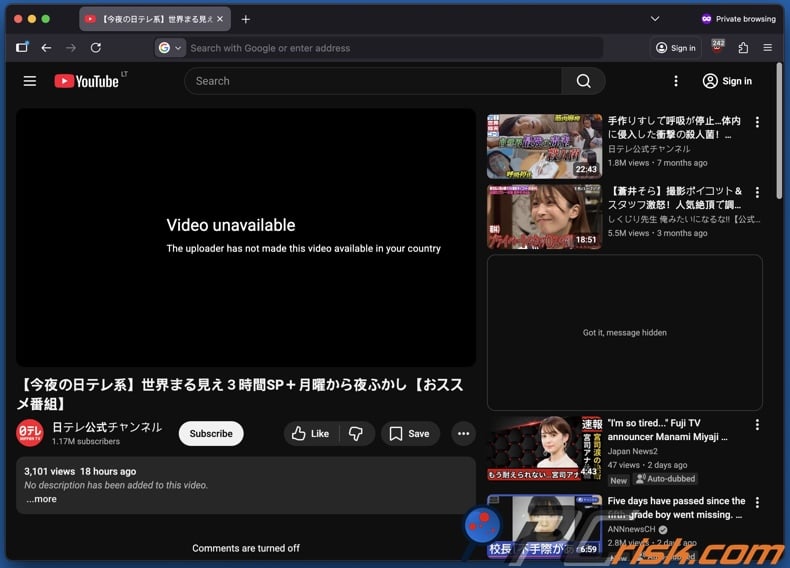
Regional restrictions are one of the most common reasons for video unavailability. Owners and/or uploaders may limit access based on distribution rights, which is the reason for messaging like "not available in your country/region". YouTube may also block videos in certain locations to comply with local laws.
Copyright enforcement can result in regional blocks as well. YouTube's Content ID system scans videos and enables rightsholders to determine actions (such as blocks) when copyrighted material is detected. These actions can be specific to certain countries - hence, the same upload may be available in one region but not in another.
Country-specific limitations on purchased or rented content are another reason. Licensing agreements can differ between countries, and due to this, access may be unavailable in some locations or while traveling.
However, an "unavailable" message does not always indicate a region or licensing issue. The reason could be policy violations, removal after review, or other platform actions. When YouTube removes a video for policy reasons, it will appear as "removed" or "unavailable" to viewers.
Uploader settings also affect availability. Private videos are not publicly viewable, even with a direct link. Only viewers who are signed in and explicitly invited can access them. If you are not invited, the video will appear unavailable.
Content controls on your end can impact availability as well. The "Restricted Mode" on YouTube is an AI-based filter that limits access to potentially mature content by hiding videos and disabling comments. It is noteworthy that "Restricted Mode" can be enforced in settings such as schools, libraries, or other managed institutions. Therefore, on such a network, even if YouTube is functioning properly - videos will appear missing or inaccessible.
Why is YouTube inaccessible?
While a single blocked video is frustrating, a complete YouTube outage typically has different causes. In most instances where YouTube is inaccessible, it is due to national censorship, network restrictions, or technical blocks at the ISP (Internet Service Provider) or DNS level.
Usually, governments that block YouTube do so as part of their broader Internet censorship efforts. The following are some countries where YouTube has been blocked or restricted:
China - YouTube has been inaccessible for many years, with major blocks reported since 2009. It is noteworthy that China has a large-scale, state-run Internet censorship system referred to as the "Great Firewall".
North Korea - YouTube and other mainstream websites are blocked. It is worth mentioning that most foreign sites are inaccessible from North Korea, and many citizens have incredibly limited Internet access.
Iran - YouTube has been blocked for extended periods, particularly during times of political unrest. The platform has been intermittently inaccessible since June 2009. According to the reporting at the time, the purpose of this block was to limit the spread of protest-related images and videos following the disputed reelection of the same year.
Turkmenistan - access to YouTube and some other sites has been heavily restricted since the end of 2009. This was part of broader efforts to control online information and external communications.
Eritrea - access to YouTube and foreign platforms is tightly controlled by the authorities. It is pertinent to mention that Internet availability is limited overall.
Russia - restrictions on YouTube and other platforms have changed rapidly since 2024. Initially, it was reported that speed throttling was leveraged against YouTube. By early 2026, reports emerged claiming that the authorities were using DNS manipulation and DPI-style filtering to disrupt access. Hence, YouTube's availability and usability vary. Additionally, officials have kept increasing pressure on platforms and circumvention tools (such as VPNs).
Country-level restrictions are not always permanent. Many countries have temporarily blocked YouTube during political events, protests, or disputes over specific content. Some examples include: Pakistan blocking YouTube in 2012 due to unrest linked to the "Innocence of Muslims" controversy; the ban was lifted in 2016, following the introduction of a localized version that allows the government to make direct removal requests. YouTube was blocked in Turkey in 2014 due to national security concerns, and the ban lasted two months. Thailand's block on YouTube occurred in 2007 over content deemed offensive to the monarchy, and access was restored after five months. Bangladesh has also imposed temporary blocks during sensitive political periods, including in 2009, 2012-2013, and disruptions were reported in 2024.
In addition to national censorship, managed networks in schools, workplaces, hotels, and public Wi-Fi often block or restrict YouTube to conserve bandwidth, enforce productivity, or filter content. Administrators may enable YouTube's "Restricted Mode", which displays a message stating it is "turned on by your network administrator". When other network-level controls such as DNS filtering, firewalls, or content filtering systems are used, users typically see connection errors, blank pages, or messages like "This site can't be reached", "Access denied", or a network-branded block page.
How can a VPN help access YouTube or regionally-locked videos?
A VPN (Virtual Private Network) directs your Internet traffic through a VPN server and encrypts the connection. Hence, your local network typically cannot view the sites you access with ease. Instead of your IP address, the websites you visit generally see the IP provided by the VPN - thus, changing your apparent location.
Our top recommendation for streaming and privacy. NordVPN consistently leads our tests with fast speeds, reliable geo-unblocking, and a strict no-logs policy.
- ✔ Unblocks geo-restricted streaming services reliably
- ✔ 202+ locations across 111 countries
- ✔ 30-day money-back guarantee · Special deal available
The location change is why VPNs are effective for accessing regionally restricted YouTube videos. If a video is only available in certain countries, connecting to a VPN server based in one of them will likely lead YouTube to perceive your connection as coming from that region. While this does not alter the restrictions on the video, it changes which regional rules apply when you access the video.
These tools can also aid in bypassing YouTube blocks at the network level, such as those imposed by schools or workplaces. When networks use domain, DNS, or basic web filtering to restrict access, an encrypted VPN tunnel prevents them from seeing which websites you visit. Typically, the network only detects the connection to a VPN server, and not your activity on YouTube.
In countries where YouTube is blocked by the government, VPNs are commonly used to restore access. Although success varies depending on the methods used to deny access. Some governments block VPN sites, restrict known VPN IP addresses, or disrupt VPN protocols with advanced filtering. Therefore, access is not guaranteed and may be disrupted at any time.
VPNs can enhance privacy and security when using YouTube on public Wi-Fi. Although YouTube uses HTTPS, a reputable VPN can limit local network surveillance, complicate certain tracking methods, and help protect other browsing activity on your device.
YouTube Premium may be another motivator to use a VPN. Pricing and availability differ by country, and these services might enable you to sign up from a lower-cost region. However, doing so is not without risk. YouTube states that Premium memberships should primarily be used in the country of sign-up, and extended travel or relocation may result in pauses or cancellation of subscription. Therefore, keep in mind that while a VPN may assist with the initial purchase, ongoing usage may be monitored.
While VPNs are powerful privacy tools, they are not substitutes for security software. Security tools are essential, and YouTube is a known infection vector. For example, videos promoting video game "hacks" or software "cracks" have served as lures for tricking users into installing malware. We recommend Combo Cleaner to protect your device from adware, unwanted software, and malware infections.
A VPN encrypts your traffic — but your device still needs protection against malware and ransomware. Combo Cleaner adds the missing layer of defense.
Download Combo CleanerAntivirusDetect & remove malware threats→Accessing YouTube with a VPN in 2026
Using a VPN to access YouTube can help you bypass network restrictions by encrypting your traffic and routing it through a remote server. VPN services can also enhance your privacy by obscuring your IP address. However, performance may be affected by server distance and network conditions. Likewise, some restrictions - such as account-based or regional limitations - may still apply.
The standard VPN setup is a straightforward four-step process:
1. Choose a reputable VPN provider. If streaming YouTube is your goal, select a service that offers strong speeds, reliable connections, and modern protocols. We recommend our Top Pick of 2026 - NordVPN.
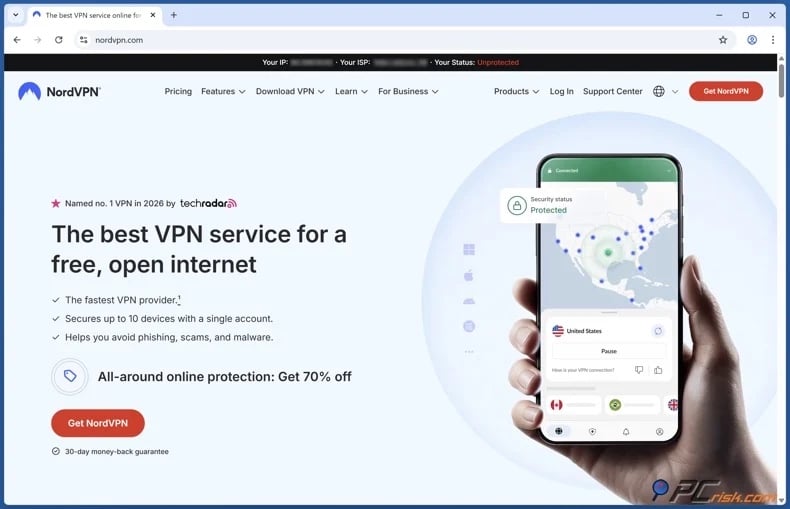
2. Install the VPN app on the device you want to stream YouTube on and sign in. Major VPN providers offer cross-platform compatibility (Windows, macOS, iOS, Android, streaming hardware, etc.) and allow for multiple device connections on a single subscription (e.g., smartphones, tablets, laptops, desktops, smart TVs, etc.).
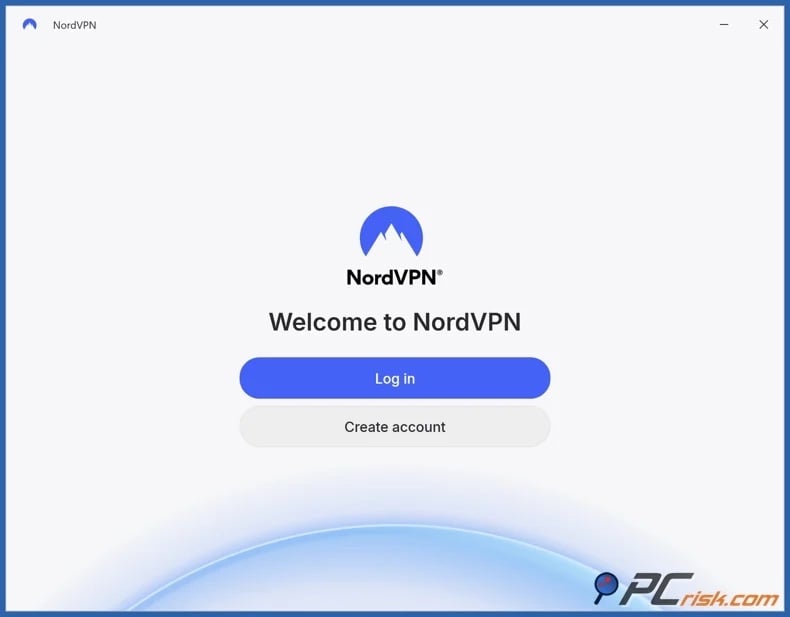
3. Select a server located in a region that suits your needs. To bypass regional video restrictions, choose a server in a country where it is available. As for accessing YouTube on restricted networks (e.g., schools, workplaces, hotels, etc.), select a server that is closest to you - since that will reduce any potential speed loss that could impact streaming quality.
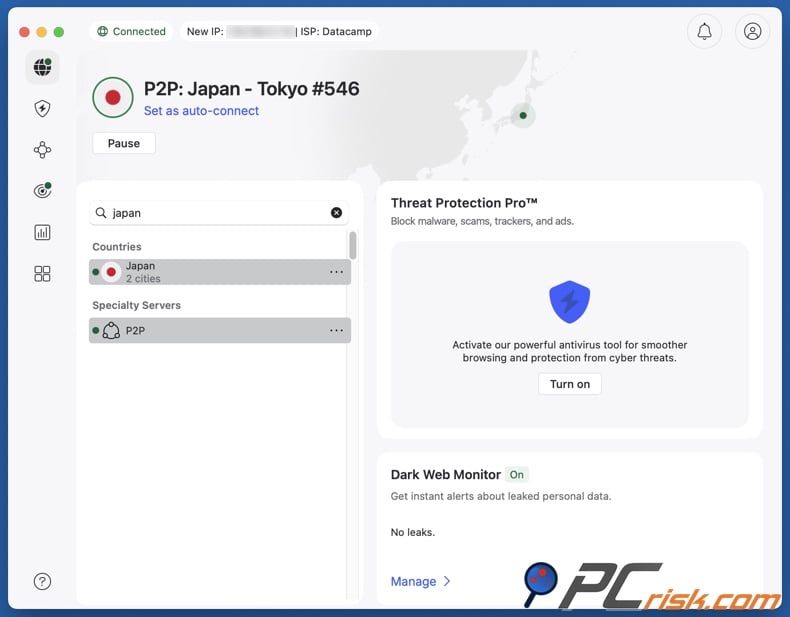
4. Open YouTube and begin streaming. However, especially if you have attempted to access the platform prior to connecting, clear any data that could conflict with your new VPN-provided location. YouTube may use cached sessions, cookies, or account signals to determine your location. Your browser might retain previous location signals - so clear the cookies and cache, then reload YouTube in a private browsing window.
If you intend to purchase YouTube Premium, exercise caution. YouTube's travel policy states that subscriptions should primarily be used in the country where they were purchased. Extended use in a different region may result in suspended access.
Best VPNs to access YouTube
The best VPNs for YouTube maintain fast, stable connections at high resolutions, provide a wide range of server locations to address regional availability, and work reliably on all your devices.
Below are our top five VPN choices, which we determined by researching and testing these services in-house (for an in-depth comparison, check out our dedicated article):
1. NordVPN
NordVPN offers strong real-world performance and a broad server network. This VPN is fast, stable, and well-suited for demanding tasks (such as browsing media-heavy sites, streaming video, etc.). Its extensive global coverage is also helpful when accessing region-limited content. NordVPN is an excellent choice if you need a single VPN for multiple scenarios, such as accessing YouTube on public Wi-Fi, avoiding ISP tracking, or managing connectivity issues while traveling.
2. Surfshark
Surfshark is ideal for households and users with multiple devices. Its unlimited simultaneous connection policy is especially beneficial when YouTube is accessed on several phones, tablets, or laptops. This VPN provides a strong and reliable performance, a broad server network, and great speeds - which is important for a smooth streaming experience.
3. Mullvad VPN
Mullvad prioritizes privacy. It is notable for its speed and stability, but this VPN provides weaker performance in streaming and unblocking when compared to mainstream competitors. Mullvad VPN has a strict no-logs policy, registration does not require personal details (including no email address), and offers anonymous payment methods.
4. Proton VPN
Proton VPN is a reliable option that also offers a free plan. It can serve as practical entry point for users who want to test a VPN without immediate commitment. The free plan offers unlimited data but has fewer servers compared to the paid tiers. Proton VPN emphasizes security and transparency.
5. ExpressVPN
ExpressVPN is a dependable and easy-to-use choice. It is a valuable investment for users who prefer not to troubleshoot settings or manage frequent reconnects. As for streaming YouTube, ExpressVPN's stable and consistent performance can be essential for uninterrupted playback, particularly when traveling or using unreliable Wi-Fi networks.
It must be mentioned that no VPN service can guarantee uninterrupted and continuous access to any given website or online content. YouTube videos can be unavailable for various reasons, and availability may change over time. It is also worth noting that many services are proactive in restricting and blocking VPN traffic.
Can you use a free VPN to access YouTube?
Free VPN services are abundant, and some are completely legitimate. These tools may work for YouTube occasionally, but they are not ideal for regular streaming. Free VPNs tend to have significant drawbacks and may pose serious risks. Below are some of the most notable limitations and threats associated with these VPNs.
Limited servers and congestion: free VPNs usually provide fewer server locations, which may be shared by numerous users. This can result in overcrowding that leads to buffering, reduced video quality, and unstable playback.
Speed throttling: many free providers intentionally limit connection speeds to manage network load and encourage upgrades. These limitations can cause longer load times, frequent buffering, and difficulty maintaining HD or 4K streaming.
Data caps: some free VPNs set daily/monthly bandwidth limits. Streaming video uses large amounts of data, meaning that these caps can be reached quickly. Thereby, browsing activities can be interrupted or require users to wait until the limit resets.
Privacy concerns: free VPNs often use alternative revenue models, including advertising, tracking, or data sharing/selling. Understanding how your data is managed can be complicated, and there are no guarantees that the provided information is correct. VPNs that engage in data tracking and collection can cause serious privacy issues, in part defeating the purpose of using these services for privacy purposes. It is noteworthy that rogue advertising networks, which can be used to monetize free VPNs, may promote scams or malware.
Malicious or low-quality apps: some free VPN services may contain trackers, weak encryption, or bundled malware - increasing the risk of data exposure, unwanted software installation, or potential system infections.
Shared IP reputation issues: free VPNs commonly use shared IP addresses that are more likely to be flagged by platforms like YouTube. This can lead to repeat CAPTCHA tests, temporary access restrictions, or reduced service quality.
Connection stability risks: free VPN connections may drop unexpectedly. Without reliable "kill switch" features, your real IP address could be exposed during a session, which is a concern if you are avoiding network monitoring or bypassing restrictions.
Limited features and protections: free versions often lack advanced features like kill switches, DNS leak protection, and modern VPN protocols. The absence of such features reduces security and reliability.
Limited long-term usability: even reputable free VPNs have constraints. We recommend the free plan of Proton VPN - however, while it offers unlimited data, it has a smaller server network compared to the paid tiers.
To summarize, free VPN services are a poor choice for long-term use. These services can be highly unsuitable for bandwidth-intensive activities, such as streaming video. If you are set on using a free VPN, research your options and choose a trustworthy provider.
Common issues and solutions when accessing YouTube with a VPN
Even with a reliable VPN, YouTube access issues may continue because location and availability depend on more than just your IP address. The following are the most common problems and effective solutions:
If you still see the "Video isn't available in my country/region" messaging after connecting, cached sessions may be conflicting with the location indicated by your VPN-provided IP. Clear your cookies and cache, then reload YouTube in a private browsing window.
If a video is blocked due to Content ID or licensing, changing servers may help. Rights holders can set geo-specific restrictions, so switching to a server in another country is often the most effective way to test access. If you are unsure which countries are permitted, try several options.
If YouTube loads but many videos are missing, check if "Restricted Mode" is enabled. This mode limits available content and may be enforced by a network administrator. In which case, you may be unable to disable it without having admin access. Depending on how this restriction is enforced, a VPN may or may not bypass it.
If a link appears unavailable, check if the video is set to Private. Private videos require you to sign in with the invited account; the link alone will not grant access. This issue is often mistaken for a block, but it is usually a permissions problem.
If YouTube loads but playback is slow, this is likely a routing issue. Switch to a closer or alternative server in the same country, and consider changing the VPN protocol if your app allows. Protocol selection affects speed and reliability.
If YouTube Premium features do not work as expected while using a VPN, it is due to subscriptions being linked to the sign-up location and are intended for use primarily in that region. Consistent use in other locations may result in YouTube pausing or canceling your subscription under its travel policy.
If common solutions are insufficient for resolving the issues you are experiencing when accessing YouTube (or other sites), contact your VPN's support. Reputable VPN services offer quick and reliable support.
Top VPN ReviewsExclusive dealsExpert-tested · hands-on reviews→
How to access YouTube without a VPN?
A VPN is typically the easiest way to access YouTube, but alternatives do exist. Two popular options are open (web-based) proxies and the Tor browser. These options are not direct substitutes for a VPN, and each has significant limitations.
Open (web-based) proxy
Open proxies serve as intermediaries between your browser and the destination website, routing requests through a third-party server. Using a proxy may change your apparent IP address and provide basic access to network-blocked platforms (such as YouTube). Open proxies are easy to use and usually require no installation or configuration. Thus, they offer a quick solution for simple and limited needs.
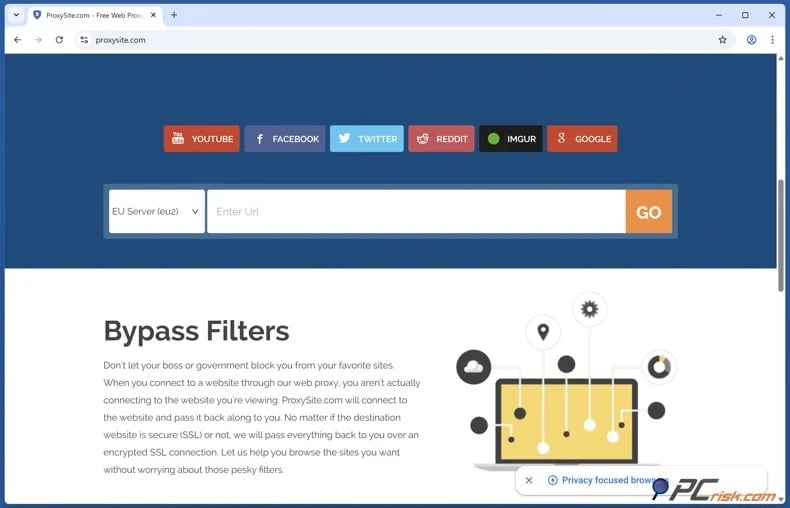
However, open proxies have significant drawbacks. In many cases, they lack end-to-end encryption, meaning that your traffic could be observed or modified by proxy operators or intermediaries. The widespread misuse often results in poor IP reputation and frequent blocking. It is not uncommon for open proxies to lack adequate security, and that increases the risk of malicious activity. When used with YouTube, these proxies may struggle to provide reliable access and the required speed.
Tor browser
Tor provides stronger privacy protection than open proxies, but it is not optimized for high-bandwidth streaming. Traffic on the Tor network is routed through multiple relays, which inherently comes with speed reduction. Hence, when streaming services like YouTube are accessed via Tor, users usually experience lower resolution, increased buffering, and frequent interruptions.
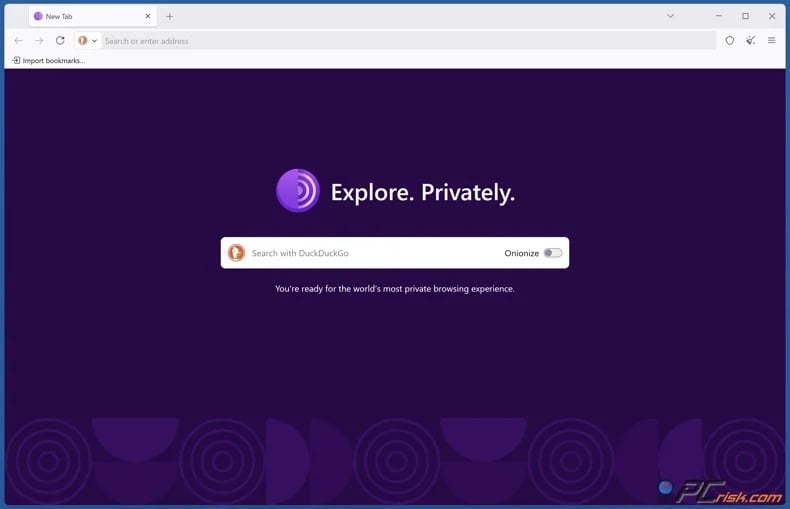
Tor also presents challenges related to access restrictions, as many websites block known Tor exit nodes due to their public nature and association with abusive activity. Therefore, even if Tor can technically access platforms such as YouTube, users are likely to encounter increased CAPTCHA challenges, additional verification prompts, or complete service blocks. Additionally, malicious or poorly configured Tor exit nodes can intercept unencrypted traffic, potentially exposing sensitive information, such as log-in credentials or browsing activity. Using secure connections (HTTPS) and avoiding the submission of personal or financial information on unencrypted sites decreases the risk.
In summary, open proxies are generally the least effective option, and Tor, though designed for anonymity, is slower and more likely to be blocked. Therefore, neither is a reliable substitute for a trustworthy VPN service.
Is using a VPN to access YouTube legal?
VPN usage is legal in many countries. These tools are commonly used to enhance privacy, secure public Wi-Fi connections, and promote safer browsing. However, legality is not universal; regulations differ based on local laws, enforcement practices, and the specific manner in which VPNs are utilized.
Below are some examples of countries where VPN use has been restricted:
Belarus - VPN services and anonymization tools are restricted as part of broader measures for controlling access to blocked content. Monitoring and service disruption have been reported.
China - VPN usage is regulated, with only government-approved services permitted. Unauthorized VPNs are routinely blocked, and enforcement intensifies during politically sensitive periods.
Iran - while VPN usage is widespread, it is subject to regulation. Only approved VPNs are officially permitted, and authorities have restricted unlicensed VPN use, particularly during periods of civil unrest. Reporting indicates that the implementation of restrictions is inconsistent.
Russia - VPN usage is not explicitly illegal; however, providers are required to comply with government blocking mandates. Authorities have restricted or blocked numerous non-compliant VPN services and have increased pressure on such technologies.
Turkmenistan - VPN access is heavily restricted due to strict state control over Internet connectivity. Attempts to use VPNs may result in service disruption or potential legal penalties.
It must be stressed that a VPN does not remove legal accountability, regardless of your location. These services change how your traffic is routed and can enhance privacy - however, using them to engage in illegal activities does not eliminate legal repercussions. Users must comply with local laws.
Note that VPNs may be against platforms' ToS (Terms of Service) and if detected - could lead to account or subscription suspension, cancellation, or termination. For example, YouTube links Premium memberships to the country of registration and might cancel subscriptions after extended travel or relocation. Therefore, remember that using a VPN does not guarantee uninterrupted access to account-based features.
In closing
YouTube access issues typically fall into two categories - content and platform level restrictions. In case of the former, specific videos are unavailable, and in the latter - YouTube is blocked on managed networks or by the government. In 2026, both types of unavailability remain common due to licensing rights, copyright enforcement, network filtering, and local laws.
Using a VPN may help restore access to YouTube content by encrypting your traffic and changing your visible IP address. Whether such a tool will be able to grant you access depends on why and how the content or platform is unavailable. Furthermore, VPNs are powerful privacy tools that can secure your data on public networks. Always use VPN services responsibly and keep up-to-date with local laws.
Frequently Asked Questions (FAQ)
Why can't I watch certain YouTube videos?
YouTube video unavailability can be due to regional licensing restrictions set by the owner/uploader, geography-specific actions through Content ID, or YouTube blocking videos to comply with local laws. Videos may also be private, removed, or hidden by "Restricted Mode".
Why can't I access YouTube?
YouTube may be blocked at the country level due to state censorship, by ISPs or DNS providers, or by managed networks (schools, workplaces, etc.). Several countries, such as China and North Korea, have nationwide blocks, while others - impose temporary restrictions during periods of unrest.
How can I watch unavailable videos on YouTube?
If the issue is a regional or network-level restriction, a VPN may help. However, if the video is private or removed, a VPN will not resolve the issue, as these limitations are not location-based.
Is it legal to access YouTube using a VPN?
In many countries, VPN use is legal. However, there are regions where VPNs are restricted. For example, users are allowed only government-approved VPN services, and misuse may carry legal penalties. Note that a VPN does not remove legal accountability. Additionally, breaking platform ToS can have repercussions (e.g., account suspension, subscription cancellation, etc.).
Share:
 Facebook
 X.com
X.com
 LinkedIn
 Copy Link

Karolis Liucveikis
Experienced software engineer, passionate about behavioral analysis of malicious apps
Author and general operator of PCrisk's News and Removal Guides section. Co-researcher working alongside Tomas to discover the latest threats and global trends in the cyber security world. Karolis has experience of over 8 years working in this branch. He attended Kaunas University of Technology and graduated with a degree in Software Development in 2017. Extremely passionate about technical aspects and behavior of various malicious applications.
▼ Show Discussion