
We may earn commissions from products we recommend. Learn more.
Best VPNs for OnlyFans: How to Unblock OnlyFans

Five Best VPNs for: How to Unblock OnlyFans
If you can’t access OnlyFans, it’s usually not by chance. Most often, the site is blocked by filters on school, work, or hotel networks, or by your internet provider. Sometimes, anti-abuse systems also mark some VPN IP addresses as suspicious. In 2026, these problems are more common and can happen on any device or network.
This guide uses the same practical, security-first approach as our other PCrisk.com articles. We’ll explain what actually works, which VPN features matter most for OnlyFans, how to set up your VPN safely, and how to fix common issues like the site not loading even when your VPN is on.
A VPN is helpful for privacy and security. It encrypts your internet traffic, hides your IP address, and can sometimes help you access OnlyFans if it’s blocked by simple network filters. But a VPN isn’t a free pass. It doesn’t remove your legal responsibilities or bypass local laws, court orders, work rules, or platform policies.
Disclaimer: We do not promote, encourage, or endorse circumventing adult content restrictions, bypassing lawful age verification, or violating local laws or platform terms. This article is provided for informational purposes - primarily privacy, cybersecurity, and safe VPN use. If a location blocks adult content by law or policy, do not attempt to evade those restrictions.
Unblock OnlyFans with NordVPNSpecial deal30-day money-back guarantee→
Table of Contents:
- Introduction
- Why is OnlyFans getting restricted or blocked?
- Why you should use a VPN with OnlyFans
- How to unblock OnlyFans with a VPN
- The best VPNs to unblock OnlyFans
- How we test VPNs for OnlyFans
- Common issues and solutions when accessing OnlyFans with a VPN
- Is using a VPN to access OnlyFans legal?
- Can I use a free VPN to unblock OnlyFans?
- Final thoughts
- Frequently asked questions (FAQs)
Why is OnlyFans getting restricted or blocked?
OnlyFans access problems usually fall into a few main types. Knowing which one you’re dealing with is important, since each has a different solution. Sometimes a VPN can help, but in other cases it won’t. In some cases, using a VPN for certain reasons can also expose you to legal risks.
National-level and ISP-level filtering
Some countries and ISPs enforce filtering policies that block categories such as pornography, nudity, or “vice.” For example, regulators in the United Arab Emirates specify prohibited content categories and require ISPs to block websites that fall into them. Independent monitoring of online freedom in the UAE similarly describes large-scale filtering that includes categories such as pornography and nudity.
When OnlyFans is affected by filtering at the national/ISP layer, you may see:
- a hard “This site is blocked” message,
- a connection reset or DNS resolution failure,
- or the site loading intermittently, depending on whether you’re on Wi‑Fi vs mobile data.
In these situations, a VPN might help by sending your traffic through an encrypted tunnel. But this is also when you need to pay close attention to local laws and rules.
Local network blocks
Schools, workplaces, hotels, and public Wi‑Fi often use DNS filters and web gateways to block adult content. Sometimes, the block is only partial: you might see the homepage, but logging in or loading media doesn’t work. PCrisk often sees this when troubleshooting. Errors usually appear only on restricted networks, while everything works fine at home.
This is a common situation where a VPN can help, since you’re just getting around local filters, not breaking national laws. Still, keep in mind that the network owner might not allow VPN use on their devices or network.
Platform-side anti-abuse and “suspicious traffic” blocks
Not every access issue is a censorship issue. Highly trafficked platforms often deploy anti-bot and anti-fraud defenses that can:
- challenge IP ranges associated with VPN servers,
- force repeated CAPTCHAs,
- trigger “unusual login” checks,
- or temporarily rate-limit requests when traffic patterns look automated.
In these cases, using a VPN can sometimes make things worse, especially if you use a smaller or free VPN with few servers and crowded IP addresses. A good VPN with many servers in different locations is more likely to have clean IPs and more options if one server is blocked.
Payment ecosystem and policy volatility
OnlyFans has historically faced pressure within the payments ecosystem. In August 2021, the company announced a plan to prohibit content showing “sexually explicit conduct,” citing requirements of banking partners and payment providers, and then reversed course days later after securing assurances. While that episode did not permanently change OnlyFans, it highlighted how financial and regulatory pressure can influence adult-adjacent platforms over time.
The key thing to remember is that changes in policy or compliance can affect your access and make things more difficult. It’s not always just random outages.
Our top recommendation for streaming and privacy. NordVPN consistently leads our tests with fast speeds, reliable geo-unblocking, and a strict no-logs policy.
- ✔ Unblocks geo-restricted streaming services reliably
- ✔ 202+ locations across 111 countries
- ✔ 30-day money-back guarantee · Special deal available
Why you should use a VPN with OnlyFans
Using a VPN with OnlyFans is mainly for privacy and keeping your connection secure, not for breaking rules. Here’s what a VPN does well.
Better privacy against network observers and ISPs
Even though most websites use HTTPS, PCrisk believes VPNs still give you a much safer connection between your device and the internet, especially on public Wi‑Fi or when you’re traveling. A VPN also keeps your internet provider from seeing which websites you visit, but it doesn’t make you completely anonymous.
This is a clear privacy benefit. Your traffic is encrypted to the VPN server, so local Wi‑Fi owners or your ISP can’t easily see what you’re doing online.
Stronger protection against leakage and dropouts
PCrisk’s VPN methodology emphasizes leak resistance and kill switch behavior, because these are the failure points that matter in real life:
- IP and DNS leaks can expose what you’re doing and where you are, even “with a VPN on.”
- Connection dropouts can briefly expose your real IP if the VPN doesn’t block traffic immediately.
That’s why we consider kill switch and leak tests essential, not just nice extras. It’s also why we recommend using trusted VPNs with reliable apps, not just any free VPN you come across.
A realistic chance of resolving basic blocks
A VPN can sometimes restore access when the block is:
- DNS-based (the network resolves “nowhere”),
- basic domain filtering,
- or simple “adult category” filtering on a local network.
But to be clear, no VPN can guarantee you’ll always have access to a specific site. Networks change, and more services can spot and block VPN IP addresses. PCrisk always mentions this limitation in our advice.
A VPN helps keep your online activity private, but it does not detect malware, remove unwanted apps, or remove threats already on your device. Combo Cleaner gives you extra protection by scanning for harmful files and helping keep your system safe and clean. If you want both privacy and device security, using Combo Cleaner with a trusted VPN is a practical choice.
A VPN encrypts your traffic — but your device still needs protection against malware and ransomware. Combo Cleaner adds the missing layer of defense.
Download Combo CleanerAntivirusDetect & remove malware threats→How to unblock OnlyFans with a VPN
Here’s a practical setup guide, using NordVPN as an example because it’s our top VPN pick for 2026 and excels in security, stability, and high-bandwidth use.
Top VPN ReviewsExclusive dealsExpert-tested · hands-on reviews→
Step-by-step instructions
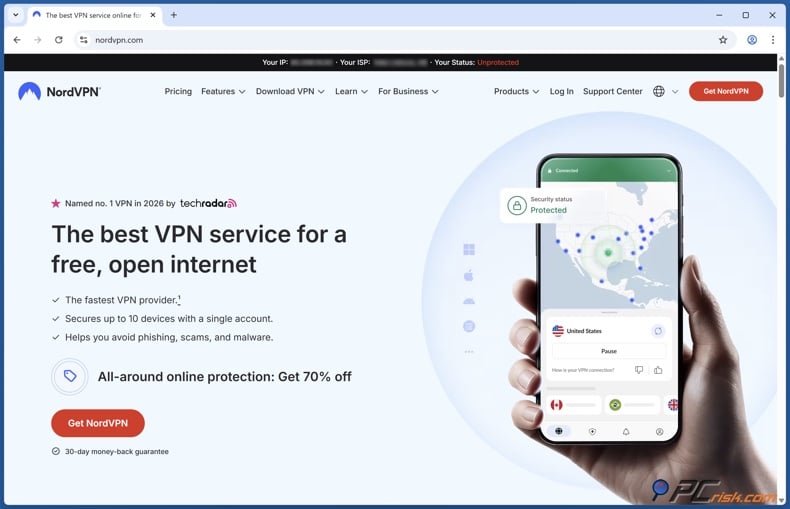
1. Choose a reputable VPN and install it from official sources. Avoid unofficial download pages and offers for “free premium VPNs.” Fake VPN brands and harmful installers are common, so we consider downloading from official sources a basic part of staying secure.
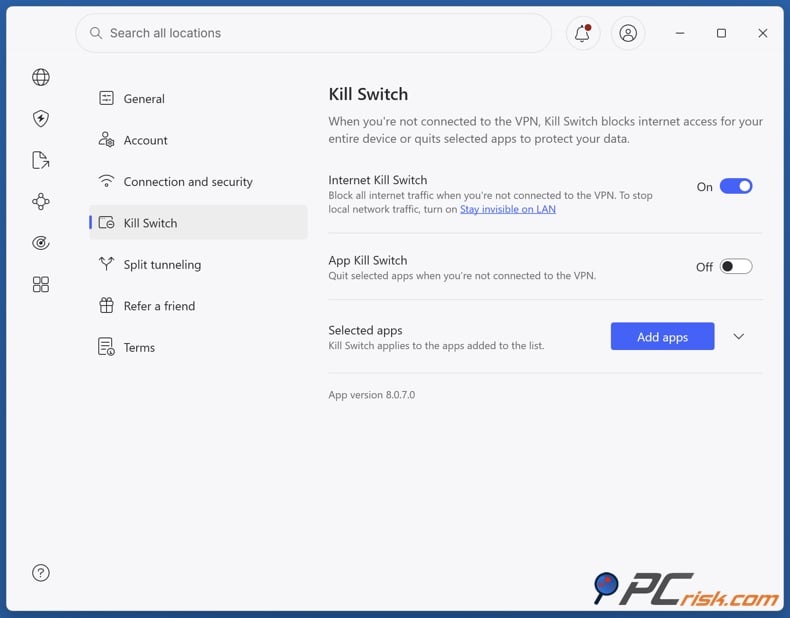
2. Sign in and enable core protection features before browsing. If privacy is important, turn on the kill switch and leak protection before you visit the site. NordVPN has both features, and we consider them essential in our reviews.
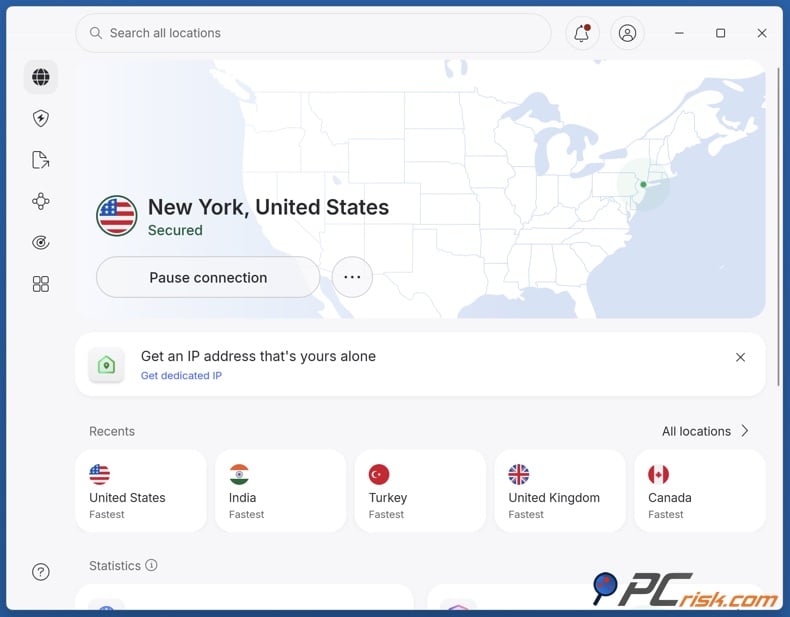
3. Pick a server location based on your goal.
- For privacy and speed: choose a nearby server with low load.
- For a local network block: choose a server outside the restricted network’s region.
- PCrisk’s speed tests show that servers closer to you are usually faster, and crowded servers can slow things down.
4. Confirm you’re actually connected. Don’t assume your VPN is working just because you installed it. Check that the app shows you’re connected and your traffic is going through the VPN. This might seem obvious, but it’s a common reason people think their VPN isn’t working.
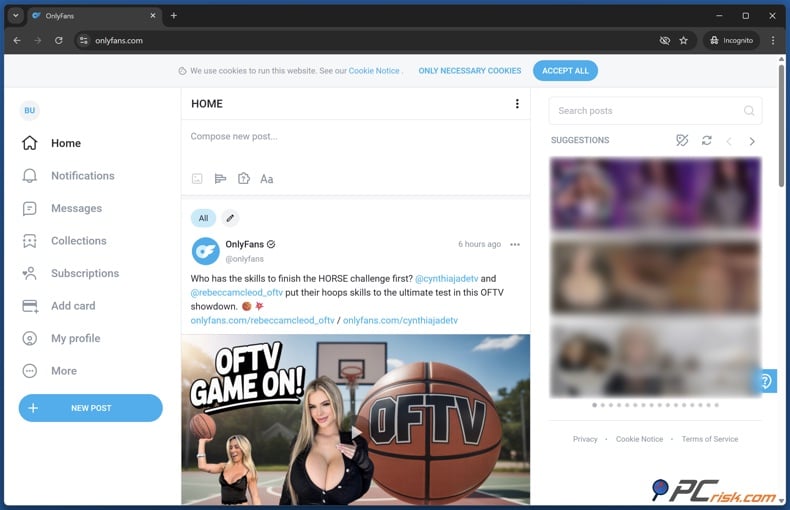
5. Use a private browsing window for your first attempt. If you tried to visit OnlyFans before turning on your VPN, your browser’s cached data and cookies might keep showing the same error. PCrisk often suggests clearing cookies or using private browsing if a site has problems after you change networks or locations.
If the site still fails, switch servers (and optionally protocols). If one server is blocked or slow, it doesn’t mean the VPN is bad. It usually means the server’s IP address is flagged, crowded, or experiencing connection issues. PCrisk tests unblocking by trying different servers and locations when a site blocks a VPN.
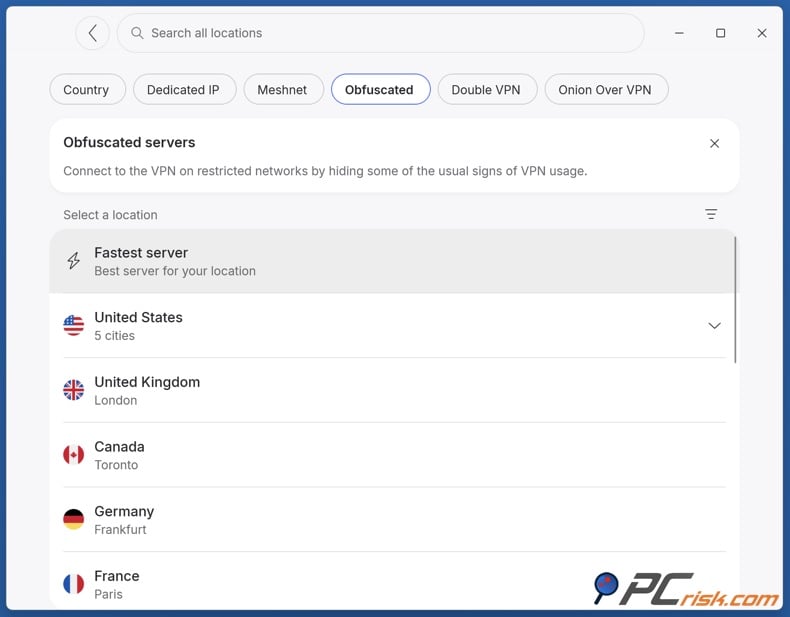
Use obfuscation/stealth features only when needed. On networks with strict restrictions, you might need to use stealth or obfuscated modes to make VPN traffic appear as normal HTTPS traffic. PCrisk checks for these features when reviewing VPNs that claim to work under strong censorship. Our NordVPN review covers its obfuscation features and recent updates for use in tough environments.
The best VPNs to unblock OnlyFans
This list only includes VPNs we’ve reviewed and ranked in our “Best VPN software in 2026” guide. We ranked the VPNs by what works best for OnlyFans: fast speeds, stable connections, large server networks, and features that help you get around blocks.
NordVPN - NordVPN is our top VPN pick of 2026 because it balances speed, security, and versatility better than most competitors. In our NordVPN review, we highlight strong security fundamentals (including an audited no-logs posture and modern encryption and protocol support), plus practical features such as a kill switch and DNS protection that directly reduce the chance of leaks on unstable networks.
From a “country selection” and capacity perspective, NordVPN’s footprint is large: the review cites 9,100 servers across 167 countries as of 2026. This matters for OnlyFans because it gives you multiple fallback options when a specific server is blocked, slow, or triggers repeated verification challenges.
- Pros: It performs strongly in bandwidth-intensive browsing and is positioned as reliable for streaming-style use; it also includes privacy tools like Threat Protection and advanced routing options (for users who need them).
- Cons: Short-term plans can be pricey, there’s no unlimited free plan, and some features, like split tunneling, are limited on certain devices. Port forwarding isn’t available either, but these issues mostly affect advanced users, not casual browsing.
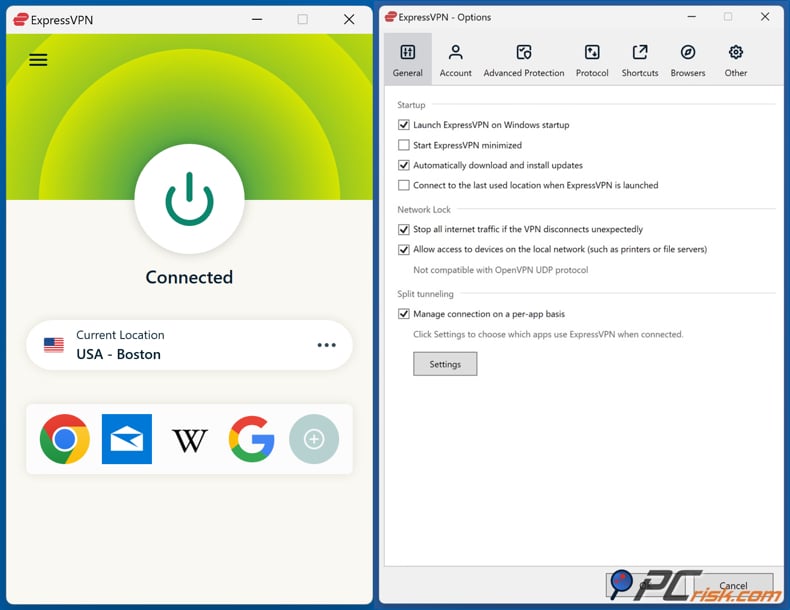
ExpressVPN - ExpressVPN is a premium VPN that emphasizes stability, ease of use, and strong everyday performance. In our review, we describe a global server network spanning 105 countries with 3000+ servers, which is sufficient for most real-world “try another location” troubleshooting.
ExpressVPN tends to be a strong option when you want a “polished” experience: stable connections, fast server switches, and broad device support. Our review also highlights features relevant to IP reputation and platform behavior, such as strong leak protection, a RAM-only server design, and a kill-switch approach that blocks traffic if the tunnel drops.
For users who might access OnlyFans from multiple devices, ExpressVPN’s device limit depends on plan structure, but our review notes it can support up to 14 simultaneous connections as of 2026.
- Pros: Excellent usability, stable performance, and broad country coverage; strong privacy fundamentals and a focus on leak protection.
- Cons: It costs more than many other VPNs, and some advanced users might find it has fewer features than VPNs with larger bundles, such as fewer multi-hop options.
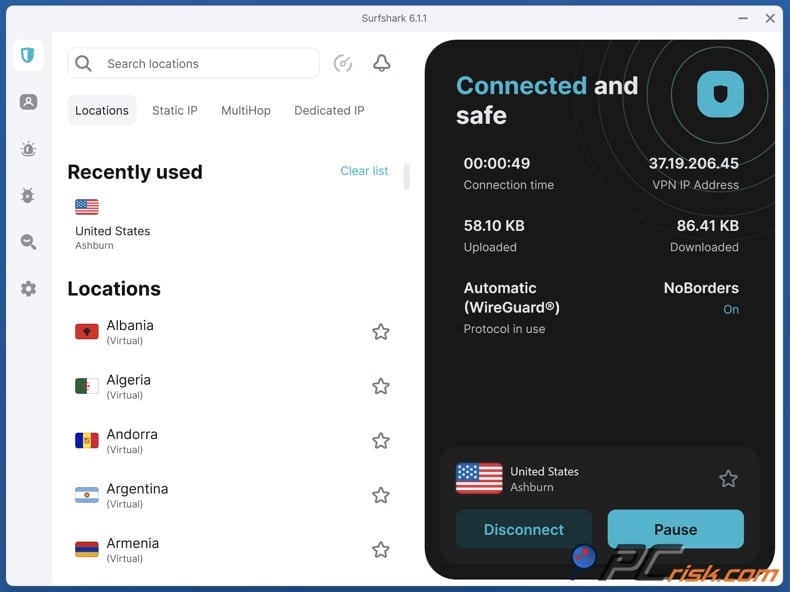
Surfshark VPN - Surfshark VPN is one of the most competitive “value and features” VPNs we’ve reviewed. It’s especially attractive if you have multiple devices, because it supports unlimited simultaneous connections.
For OnlyFans, Surfshark’s key practical advantage is the blend of speed plus flexibility. Our Surfshark review cites over 4,500 servers across 100 countries, which is a strong country selection for trying alternate locations and avoiding congested servers. It also includes features that can matter when networks try to identify or block VPN traffic, such as obfuscation-oriented modes designed for restrictive conditions.
- Pros: Strong performance, unlimited devices, and a large country footprint that helps with troubleshooting; useful extras like MultiHop and ad/tracker-blocking features (depending on plan).
- Cons: The price can increase significantly after your first term, and some features are missing on certain devices. This is important if you need a specific feature on a particular operating system.
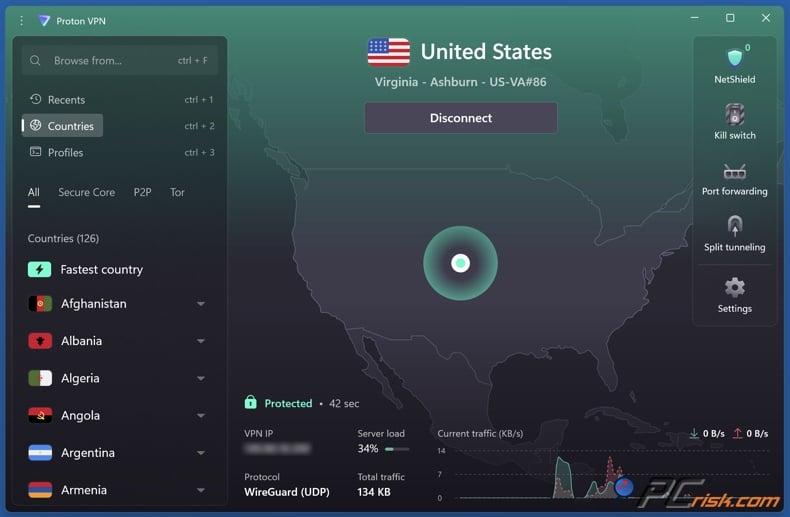
Proton VPN - Proton VPN is a privacy-first VPN built around transparency, audited claims, and an unusually strong free plan. This makes it appealing for users who want to test whether a VPN helps their situation before paying, or users who prioritize an “ethical” posture and open-source app visibility.
Proton VPN’s network is large. In our review, we cite over 18,700 servers across 134 countries as of 2026. Country breadth matters for OnlyFans access because it provides additional fallback routes when specific IP ranges are blocked.
Proton’s biggest limitation for OnlyFans use is that the free tier is not designed for streaming and is limited in terms of locations and capabilities; our review notes that streaming and P2P are not available on the free tier, and that locations are restricted.
- Pros: Strong privacy posture, large global footprint, and useful security features; paid tiers provide the practical performance and access features most users need.
- Cons: It’s not always the fastest, support can be slow (especially for free users), and the long-term cost can be higher than that of cheaper VPNs.
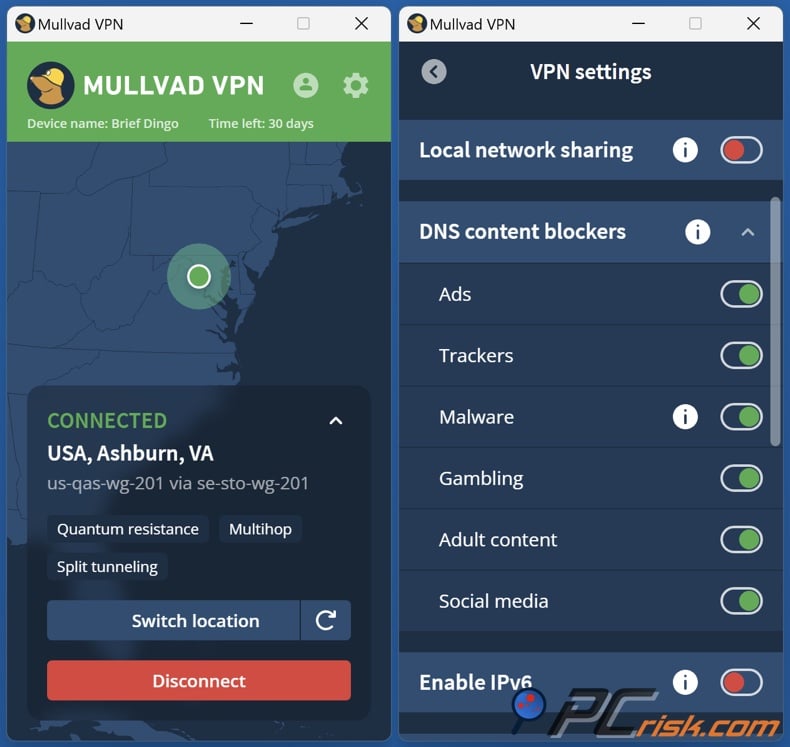
Mullvad VPN - Mullvad VPN is the “privacy purist” choice. It’s designed around minimal account identification - our review highlights anonymous account numbers and a strict approach to privacy and transparency. For users who want to reduce personal data exposure in their VPN account itself, Mullvad is one of the rare mainstream choices aligned with that goal.
However, Mullvad is not the strongest “unblocking” VPN for media platforms. Our review explicitly flags poor streaming unblocking across major services, and that general weakness can also show up with “VPN-hostile” platforms. Its network is also smaller: over 580 servers across roughly 50 countries. That’s fine for general privacy browsing, but it creates fewer fallback options when you hit IP reputation blocks.
- Pros: Strong privacy posture, emphasis on audited/open-source, stable performance on nearby servers, and straightforward monthly pricing.
- Cons: It has a smaller network and isn’t as strong at unblocking sites. There are also fewer convenience features, such as a wide range of servers and some support options.
How we test VPNs for OnlyFans
We don’t just check boxes in our testing. We test VPN claims in real situations and run repeatable tests for security, speed, access reliability, and ease of use. If a VPN fails in any of these areas, it can put users at risk or just be too hard to use daily.
To adapt PCrisk’s general approach to OnlyFans specifically, we treat it as a high-bandwidth, account-linked platform where privacy matters. That changes what “good performance” means: not just fast speed tests, but also stable sessions, smooth media loading, low login failure rates, and resilience when a network is hostile to VPN traffic.
Security and leak resistance
We evaluate encryption and protocol choices (expecting modern standards such as AES-256 or ChaCha20, and secure protocols like OpenVPN, WireGuard, or IKEv2/IPSec). We then run IP, DNS, and WebRTC leak tests and treat leaks as serious failures, because they undermine the purpose of a VPN. We also simulate network dropouts to validate kill switch performance - if packets slip out during drops, that’s a major red flag.
For OnlyFans, the kill switch is important because short connection drops can reveal your real IP address, especially on unstable public Wi‑Fi.
Speed, stability, and real-world usage
PCrisk’s speed tests start by measuring your connection without a VPN, then test servers that are close, mid-range, and far away at different times of day. We record download and upload speeds, latency, and repeat tests to get an average. We also test real-world use, such as streaming HD and 4K video, downloading large files, and checking whether the connection stays stable.
For OnlyFans, we emphasize:
- how quickly media-heavy pages load,
- whether playback remains stable (no constant buffering),
- and whether the VPN stays connected during longer sessions.
Geo-access and “VPN hostile” conditions
For geo-unblocking, we test whether a VPN can access region-locked sites and whether it works in more restrictive environments. If a VPN claims it works in high-censorship regions, we specifically verify whether it offers stealth/obfuscation features and what configuration is required.
For OnlyFans, this means you should be able to load the site and stay logged in without having to complete CAPTCHAs or getting blocked. You should also be able to quickly fix problems by switching servers or locations if one IP is blocked.
Privacy policy analysis and trust signals
We analyze no-logs claims, privacy policy language, independent audits, jurisdiction, and company background. A “no logs” claim matters only if it clearly excludes sensitive data such as source IP addresses, browsing activity, and DNS queries, and if it is backed by credible third-party validation.
Common issues and solutions when accessing OnlyFans with a VPN
If OnlyFans still won’t load when your VPN is on, don’t assume the VPN isn’t working. Usually, the problem is one of four things: cached data, blocked IP addresses, DNS or leak issues, or a network that’s too restrictive.
The site still shows the same error page or restriction screen
If you visited OnlyFans before enabling a VPN, your browser may keep old cookies, cached scripts, or geo-related state. PCrisk troubleshooting guidance for blocked platforms strongly recommends clearing cookies/site data or using private browsing for the first retry.
Fix:
- Try a private/incognito window first.
- If it works there, clear site data in your primary browser profile.
- Restart the browser after reconnecting the VPN.
Sign-in works, but parts of the site fail to load
On restrictive networks, you might see partial blocking: the web page loads, but images, video, or interactive elements fail. PCrisk notes that some networks block specific scripts/endpoints, causing “request problem” style errors that appear only on certain Wi‑Fi networks.
Fix:
- Switch networks (mobile data vs Wi‑Fi) to confirm it’s a network block.
- Try another VPN server, preferably near you.
- If the VPN offers protocol switching, test an alternative protocol.
- Temporarily disable other network-modifying tools (custom DNS apps, some ad blockers) to reduce conflicts.
Endless CAPTCHAs or “suspicious activity” warnings
This usually happens because of IP reputation. Some VPN servers are used by many people, so platforms see those IPs as higher risk. PCrisk notes that switching servers is a common way to fix geo-access issues, since different servers can yield different results.
Fix:
- Change servers within the same country first (fastest option).
- If you keep encountering CAPTCHAs, try a less popular location nearby.
- Avoid repeated rapid login attempts (this can trigger temporary locks).
Slow speeds or buffering
It’s normal for speeds to drop when using a VPN, but the best VPNs keep this to a minimum. PCrisk’s tests show that distance and server crowding are the main causes of slowdowns, so it’s important to try different server locations to find the best fit.
Fix:
- Use a closer server location.
- Switch to a less crowded server.
- If your VPN supports faster protocols (often WireGuard-based options), use them for media-heavy browsing.
The VPN won’t connect on a restrictive network
Some networks block VPN protocols on purpose. That’s why PCrisk looks for stealth or obfuscated VPN modes. If your VPN has obfuscation, it can help your connection blend in better on restricted networks.
Fix:
- Enable obfuscation/stealth mode if available.
- Try a different VPN protocol.
- If you’re in a jurisdiction that restricts VPNs, recognize that this may entail personal risk - do not proceed.
Is using a VPN to access OnlyFans legal?
In the United States, VPNs are generally legal to use, and PCrisk has stated that there is no law prohibiting adults from using a VPN to access internet content (even as age-verification laws expand in some contexts). That said, legality varies worldwide, and you must also consider platform terms and local regulations.
In some countries, VPN use is increasingly restricted or actively targeted. For example, Russian media reports intensified efforts to curb VPN use, including large-scale blocking of VPN services and broader internet controls. This is a fast-moving area where legality and enforcement can change.
In countries with strict content filtering (such as the United Arab Emirates), official guidance emphasizes that VPN technology itself is not necessarily banned for legitimate use, but misuse can lead to legal accountability. Legal analysis and regulatory statements have also noted that using a VPN “fraudulently” to commit a crime or to prevent its discovery can carry severe penalties, and interpretations can be strict. Always check local law before using a VPN in restrictive jurisdictions.
Can I use a free VPN to unblock OnlyFans?
Sometimes you can, but it’s not reliable. Free VPNs usually have fewer servers, limited locations, slower speeds, and IP addresses that get blocked more often. PCrisk generally warns that free VPNs have many limits and can even defeat the purpose if they leak data or don’t work well.
Where free VPNs can make sense:
- You want basic privacy on public Wi‑Fi.
- You want to test whether a VPN helps your specific network block before paying.
Where free VPNs usually fail for OnlyFans:
- consistent media playback,
- stable logins without friction,
- reliable access when a site flags common VPN IPs.
Examples worth knowing (with honest caveats):
Proton VPN Free: Our Proton VPN review highlights one of the strongest free plans on the market (no ads, no data limits), but it comes with major limitations: free servers are limited in number and location, and streaming-style functionality is not available on the free tier. For OnlyFans, this means it’s useful as a basic privacy tool, but not a reliable “unblock anything” solution.
Windscribe Free: Windscribe states that its free plan provides 10 GB per month with email confirmation and allows unlimited connections, but you should expect limited locations and typical free-tier constraints.
VPN Gate Academic Experiment Project: This is a public VPN relay network run by the University of Tsukuba. It’s not a commercial VPN, and its FAQ says that logging depends on each volunteer server operator. Anti-abuse pages also mention that connection logs may be kept. For privacy, you should only use VPN Gate as a last resort, not as your main privacy tool, especially for sensitive browsing.
How to unblock adult sites without a VPN (alternative solutions)
If you’re looking for other ways to access adult sites like xHamster without a VPN, keep in mind that most alternatives are worse for privacy and security than a good VPN.
Open proxies: Open proxies may route traffic through a third party, but they often do not provide strong encryption or trustworthy privacy guarantees. Security vendors warn that open proxies increase the risk of interception and tracking and can be abused by malicious actors. If you care about privacy, open proxies are usually the wrong choice.
Tor Browser: The Tor network routes traffic through multiple relays (typically three) to improve privacy and reduce tracking. This can be useful when access is restricted, and you need a privacy-preserving browsing method. However, Tor is frequently slower than a good VPN and can be challenging for media-heavy browsing.
If you want to watch high-quality video without interruptions, Tor usually isn’t the best choice.
Final thoughts
Most OnlyFans access problems are caused by filtering at the local or ISP level, or by the platform detecting VPNs. Not just any VPN will work. In 2026, you need a VPN with strong security, stable performance, and, most importantly, a large and diverse server network so you can switch if one server is blocked or crowded. That’s why our top picks are VPNs we’ve tested ourselves and ranked using our standard methods.
For the most reliable experience, start with NordVPN. If you want easy-to-use apps or need to connect many devices, try ExpressVPN or Surfshark. If privacy is your main concern and you want to test a free tier, Proton VPN is a good choice, but you’ll need a paid plan for the best performance and server options. If you care most about anonymity and using as little account data as possible, Mullvad is a unique option, but it’s not the best for getting around platform blocks.
Frequently asked questions (FAQs)
What’s the most common reason OnlyFans doesn’t work on a VPN?
Cached cookies/state (from trying without a VPN first) and VPN server IP reputation blocks are the two biggest causes in our experience, which is why private browsing and server switching are the first-line troubleshooting steps.
Does a VPN make my OnlyFans use anonymous?
No. A VPN protects traffic in transit and changes your apparent IP address, but if you log into a personal account, the platform can still associate activity with your credentials and account signals.
Should I choose a server in the same country or a different country?
For the best speed and stability, start with a server close to you. If the block is based on your region or network, you might need to pick a different location. PCrisk’s tests show that distance and server crowding are big factors in performance.
Why do I get CAPTCHAs when using a VPN?
Because many people use the same VPN server IPs, platforms treat those IPs as higher risk. Switching servers and not logging in too often can help reduce these problems.
Is NordVPN actually large enough to help with blocks?
Our NordVPN review lists over 9,100 servers in 167 countries. This large network helps a lot when some servers are blocked or crowded.
Can I rely on Proton VPN Free for OnlyFans?
It’s good for basic privacy, but our review notes that the free version doesn’t support streaming and is available in only a limited number of locations. So, it’s not a reliable tool for unblocking OnlyFans.
Is Tor a good replacement for a VPN for OnlyFans?
Tor sends your traffic through several relays to boost privacy, but it’s usually slower and not great for browsing sites with lots of media. It can also get blocked on some websites.
Are VPNs legal everywhere?
No. VPN laws vary by country. Some governments restrict or block VPN use. For example, there have been major crackdowns in Russia, and PCrisk notes that some countries require special permission to use a VPN. Always check your local laws.
Is using a VPN in the UAE automatically illegal?
Regulators say VPNs can be used for legal reasons, but using them the wrong way can get you in trouble. Laws in the UAE can be strict, so don’t assume it’s safe to use a VPN for blocked content - always check local laws first.
Share:
 Facebook
 X.com
X.com
 LinkedIn
 Copy Link

Rimvydas Iliavicius
Researcher, author
Rimvydas is a researcher with over four years of experience in the cybersecurity industry. He attended Kaunas University of Technology and graduated with a Master's degree in Translation and Localization of Technical texts. His interests in computers and technology led him to become a versatile author in the IT industry. At PCrisk, he's responsible for writing in-depth how-to articles for Microsoft Windows.
▼ Show Discussion