
We may earn commissions from products we recommend. Learn more.
Best antivirus software for Windows 11 in 2026 | Top 5 picks

Best antivirus software for Windows 11 in 2026 | Top 5 picks
Windows 11 offers a solid security foundation, but built-in protection alone is not enough to keep a PC secure. Threats such as malware, ransomware, credential theft, phishing, malicious downloads, and potentially unwanted applications still target Windows users. Third-party antivirus software provides additional protection, surpassing basic malware scanning.
In this article, we evaluated top antivirus solutions for Windows 11 based on malware detection, security features, performance impact, ease of use, independent testing, and overall value. Our recommendations address a range of needs, including extensive protection, minimal system impact, effective malware removal, free real-time security, and all-in-one security features.
Table of Contents:
- Introduction
- Does Windows 11 require antivirus software?
- What security threats can Windows 11 users encounter?
- Best Windows 11 antivirus software comparison
- Best Windows 11 antivirus software in 2026
- How we test antivirus software
- Will antivirus software slow down Windows 11?
- Is free antivirus software any good?
- In closing
- Frequently Asked Questions (FAQ)
Does Windows 11 require antivirus software?
The Windows 11 operating system includes the Microsoft Defender Antivirus, which is managed through the built-in Windows Security app. Built-in protections cover firewall, phishing and download safeguards, ransomware controls, and hardware-based security. Microsoft Defender offers real-time malware scanning and behavior monitoring. Microsoft Defender SmartScreen warns about malicious and phishing websites, suspicious applications, and unsafe downloads. Windows Security also provides features such as Controlled Folder Access, Secure Boot, TPM-based security, core isolation, and device encryption on supported systems.
Windows 11 offers a strong security baseline, but a dedicated third-party antivirus can deliver more comprehensive and convenient protection. Independent tests confirm Microsoft Defender's solid performance, yet many premium antivirus solutions enhance this with stronger web protection, advanced ransomware defenses, broader behavior monitoring, simpler remediation, and added privacy and identity features. Users looking for more than basic protection may benefit from upgrading to a reputable security suite.
Third-party antivirus software may deliver advanced anti-phishing tools, secure browsing, password management, VPN access, identity monitoring, parental controls, cloud backup, device optimization, and broader network protection. These features are especially valuable for households, less experienced users, and those who prefer managing security through a single interface rather than multiple Windows features.
Windows is designed to prevent two primary antivirus engines from running at the same time. When a compatible third-party antivirus is active, Microsoft Defender Antivirus typically suspends its real-time protection and resumes if the other product is removed. This allows users to replace the default antivirus without manually disabling Windows security components.
No antivirus can eliminate all risks - therefore, strong security habits are essential. Keep Windows and applications up-to-date, create unique passwords, use Multi-Factor Authentication (MFA) or passkeys, maintain reliable backups, and exercise caution with unexpected attachments, "cracked" software, unfamiliar browser extensions, and suspicious log-in prompts. A reputable third-party antivirus is most effective as part of an integrated security strategy.
What security threats can Windows 11 users encounter?
Windows PCs are vulnerable to attacks from email attachments, downloads, compromised websites, fake updates, malicious ads, pirated software, removable drives, and messaging platforms. Modern antivirus solutions are not limited to traditional virus signatures; they also use heuristics, behavior analysis, web filtering, exploit defenses, and cloud reputation systems to detect threats before or after they reach the PC.
The following are some of the most common threats:
Viruses, worms, and conventional malware - these threats can modify files, damage data, spread between systems, establish persistence, or download additional payloads. Effective antivirus software should quickly detect known threats and identify suspect behavior from new or altered malware.
Trojans, loaders, backdoors, and remote-access malware - these often disguise malicious functions as legitimate software. Fake installers, "cracked" applications, documents, or game cheats can install loaders that download more malware or backdoors that enable remote access. Security software can interrupt this process during download, execution, suspicious activity, or network communication.
Ransomware - this malware type aims to block access to files or systems, typically by encrypting data and demanding payment. Some attackers also steal data before encryption to pressure victims into paying the ransom by threatening to leak the extracted information. Antivirus software can detect known ransomware and monitor for suspicious encryption activity. Windows 11 offers Controlled Folder Access, and third-party suites may include additional ransomware protection and recovery tools.
Information stealers, spyware, and keyloggers - these malicious programs can collect browser passwords, authentication cookies, cryptocurrency wallet data, payment information, documents, and other credentials. Keyloggers and spyware may also capture input or monitor activity. Since removing malware does not recover stolen data, prompt detection and immediate password or session resets are essential.
Malicious scripts and fileless malware - these implement techniques that do not require traditional executables. Attackers may misuse PowerShell, script interpreters, macros, or legitimate Windows tools. Behavior monitoring and exploit protection are important because security products must assess process activity, not just file signatures. Windows also uses behavior monitoring and heuristics in its protections.
Rootkits and low-level threats - these are designed to conceal malicious activity and maintain privileged access. Windows 11 mitigates some risks with Secure Boot, TPM-backed security, core isolation, and hardware protections. Secure Boot prevents untrusted software from taking control during startup, but these measures do not stop malware that runs after Windows loads.
Cryptominers, botnets, and potentially unwanted applications - these present additional risks. Malicious cryptominers abuse CPU or GPU resources to generate cryptocurrency for the attackers, while botnet malware can make a PC part of a network for spam, proxying, Denial-of-Service (DoS) attacks, or further malware delivery. Potentially Unwanted Applications (PUAs), adware, and browser hijackers may alter settings, inject ads, collect excessive data, or install bundled components.
Phishing, malicious downloads, and harmful attachments - these threats usually rely on deception. Fake Microsoft 365 log-ins, delivery alerts, bank warnings, tech-support pages, or browser updates can trick users into revealing credentials or running malware. Web protection can block known phishing domains and suspicious downloads, while email and browser protection offer additional safeguards. Microsoft Defender SmartScreen also provides reputation-based protection against phishing and malicious sites and downloads.
Antivirus software has limitations. It cannot protect against threats if users disable safeguards, authorize fraudulent payments, or share sensitive information with cyber criminals. The most effective approach consists of security software with updated applications, protected accounts, reliable backups, and cautious handling of links and files.
Best Windows 11 antivirus software comparison
Each of the five products below can protect a Windows 11 PC, but they are suited for different needs. Bitdefender offers the best overall balance, ESET is lightweight and configurable, Malwarebytes delivers focused protection, Avast provides the strongest free option, and Norton features a comprehensive security suite.
| App | PCrisk score | Best for Windows 11 | Windows 11 strengths | Free option or trial | Main drawback |
| Bitdefender | 4.5 | Best overall | Real-time and behavioral protection, ransomware defenses, web protection, firewall and secure-browsing features in applicable plans. | Free Windows edition and 30-day premium trial | Some extras require higher tiers; basic VPN allowance is limited in several plans. |
| ESET | 4.4 | Lightweight, customizable protection | Strong malware detection, anti-phishing, network and exploit defenses, detailed settings, low overhead. | 30-day trial | No permanent free desktop tier; advanced settings may overwhelm beginners. |
| Malwarebytes | 4.3 | Simple, focused anti-malware | Real-time malware, ransomware, exploit and malicious-site protection in Premium; clean interface. | Free on-demand scanner and 14-day Premium trial | Free edition lacks real-time protection; fewer suite extras. |
| Avast | 4.2 | Best fully free option | Real-time protection, email and web defenses, firewall, Wi-Fi security tools, strong lab results. | Permanent free version | Frequent upgrade prompts; historical privacy concerns. |
| Norton | 4.1 | Feature-rich security suite | Real-time malware protection, smart firewall, password manager, cloud backup, plus VPN and other extras in Norton 360 plans. | Time-limited trials; no permanent fully free tier | Renewal pricing, upselling, and a somewhat fragmented experience. |
Recent AV-TEST results are in concurrence with our ranking. In the June 2026 Windows 11 test, Bitdefender, ESET, Avast, and Norton received top scores for protection, performance, and usability. In April 2026, Malwarebytes scored highly for protection, performance, and usability.
Best Windows 11 antivirus software in 2026
These antivirus products are our top Windows 11 recommendations for 2026, selected for their malware protection, performance, usability, independent test results, and overall feature quality. Each presents notable advantages, including extensive protection, efficient performance, straightforward malware removal, free real-time security, or all-in-one security features. You can check out the in-depth comparison by reading our dedicated article.
Bitdefender - best antivirus for Windows 11 overall
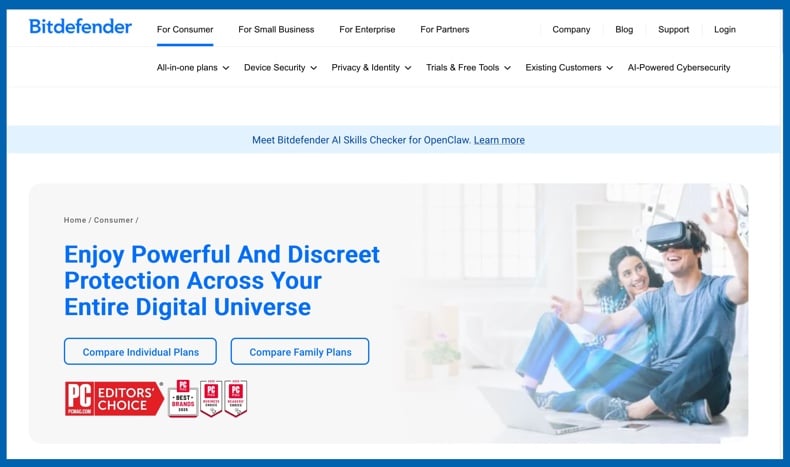
Bitdefender ranks first for its strong malware protection, effective security tools, and unobtrusive performance. Its Windows protection includes real-time malware detection, behavioral defenses, ransomware protection, and web security. Higher-tier plans add a firewall, secured banking, password management, and VPN access.
Bitdefender is ideal for users who want reliable default settings with the option for advanced controls. However, its full feature set is divided among different subscription tiers, and the VPN in lower plans has a daily data limit. A free Windows antivirus edition is available, and Bitdefender offers a 30-day Total Security trial with no credit card required.
Pros: excellent malware protection, strong Windows 11 test results, effective ransomware and web defenses, and a balanced mix of automation and advanced features.
Cons: some features require higher-priced plans, and the basic VPN in several packages has limited data.
ESET - best for lightweight and customizable Windows 11 protection
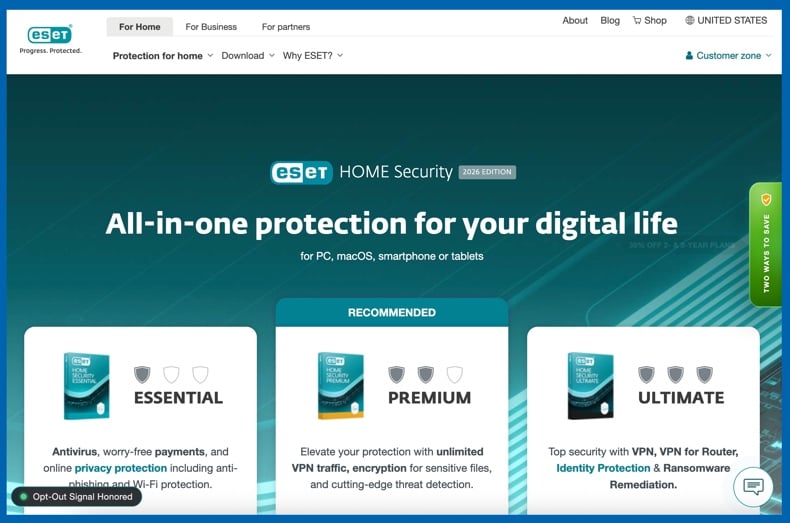
ESET ranks second and offers strong protection without intrusive operation. It runs quietly, delivers solid detection, and gives experienced users significant control over security settings. ESET provides real-time malware protection, ransomware defenses, anti-phishing, and network attack prevention.
Firewall and additional tools are available in select ESET HOME Security plans. Detailed configuration is valuable for fine control, though beginners may find some settings unnecessary. ESET does not offer a permanent free desktop version, but provides a 30-day ESET HOME Security Premium trial with no credit card required.
Pros: lightweight operation, excellent independent Windows 11 results, strong anti-phishing and network protection, and detailed configuration options.
Cons: no permanent free desktop version, and advanced settings may be more complex than beginners require.
Malwarebytes - best for simple and focused malware protection
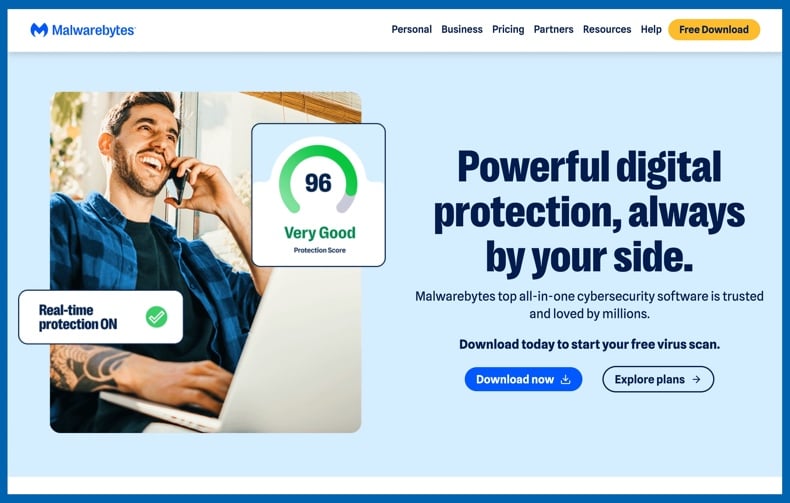
Malwarebytes ranks third, and its Premium version offers real-time protection against malware, ransomware, exploits, and malicious websites. Its clean interface is appealing as a straightforward solution rather than a comprehensive security suite.
The free edition scans and removes malware on demand, making it a useful cleanup tool. However, only the Premium version provides continuous real-time protection. A 14-day Premium trial is included with the free download.
Pros: clean interface, effective real-time anti-malware in Premium, useful free on-demand scanning, and simple operation.
Cons: limited suite features, lacks built-in firewall and parental controls, and no real-time protection in the free edition.
Avast - best free antivirus for Windows 11
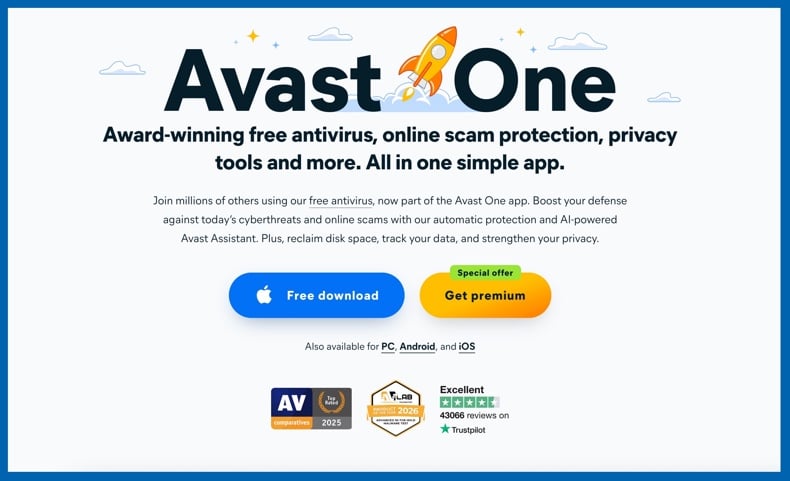
Avast ranks fourth overall, and it's our top choice for a fully free antivirus for Windows 11. Avast Free Antivirus offers real-time malware protection, email protection, hack alerts, Wi-Fi security scanning, and a firewall, providing a larger free toolkit than many competitors.
The free edition provides ongoing real-time protection and does not expire after a trial period. Paid versions add privacy, ransomware, webcam, sandbox, VPN, and other features depending on the plan. Most drawbacks relate to the user experience. Avast has a history of privacy issues, and the free version frequently promotes paid upgrades. Despite this, its permanent real-time protection, useful features, and strong lab results make it our top free choice.
Pros: comprehensive free features, full real-time protection, strong Windows 11 lab results, firewall, and effective email and Wi-Fi tools.
Cons: frequent upgrade prompts and lasting relevance of past privacy issues.
Norton - best feature-rich Windows 11 security suite
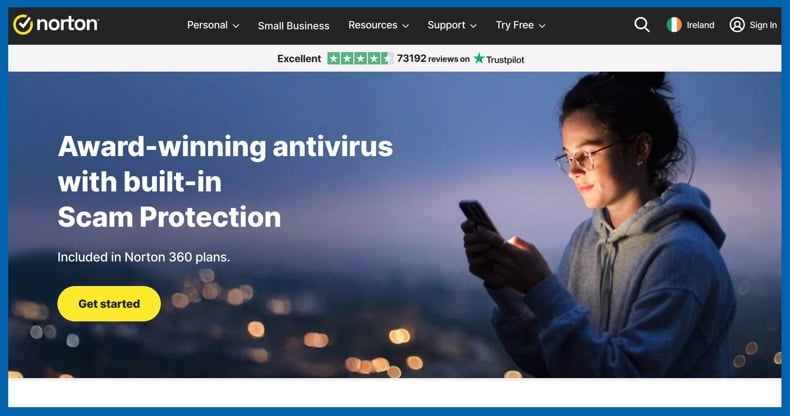
Norton ranks fifth and provides comprehensive security features within a single subscription. It offers real-time malware protection, a smart firewall, and a password manager. Norton 360 plans can also include VPN access, cloud backup, parental controls, dark web monitoring, and other services, depending on the package.
The main concerns are higher renewal pricing, frequent upselling, and a moderately fragmented feature experience. For households that will use cloud backup, VPN, parental controls, and other extras, the comprehensive package may be worthwhile. Norton does not provide a permanent free antivirus option. Time-limited trials are available for select products, but duration, billing requirements, and availability may vary.
Pros: strong malware protection, excellent recent Windows 11 lab results, smart firewall, and a broad range of security and privacy features.
Cons: higher renewal costs, frequent upselling, and greater complexity than some users may prefer.
Editor's Choice: Combo Cleaner
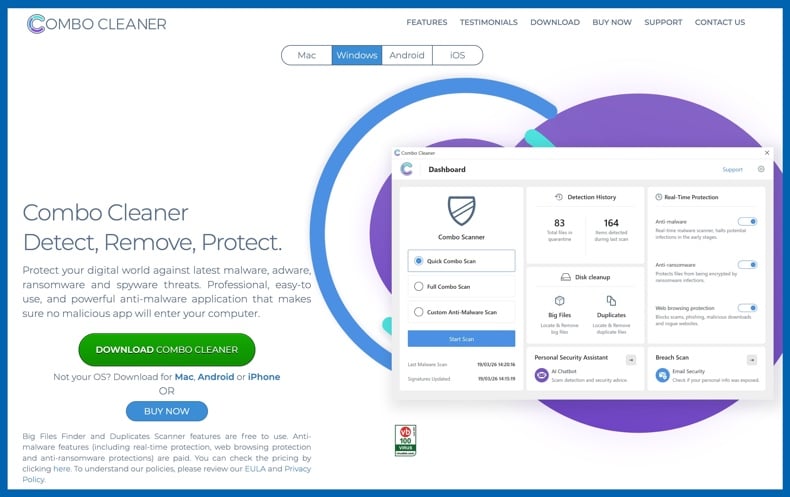
Combo Cleaner is another strong option for Windows 11. It offers both malware protection and cleanup tools in one application. Combo Cleaner supports Windows 10 and 11, provides real-time malware protection, on-demand scanning, web protection, ransomware defenses, quarantine, and cleaning utilities. A 7-day trial is available. In free mode, the software can scan and display detected threats, but removal and real-time protection require a paid license or active trial. For transparency, Combo Cleaner is developed by RCS LT - PCrisk's parent company. Therefore, we list it separately from the five-product ranking above.
How we test antivirus software
We evaluate antivirus products by combining controlled malware tests, usability assessments, performance monitoring, and independent lab results. An effective Windows 11 antivirus must block real threats, remove infections accurately, minimize false positives, offer an easy-to-use interface, and protect PCs without disrupting daily tasks.
We conduct malware testing with live, up-to-date samples within controlled environments. We assess real-time blocking during downloads or execution, on-demand scanning, quarantine actions, and remediation after infection attempts. Test scenarios include Trojans, ransomware, information stealers, malicious email attachments, and potentially unwanted applications. Follow-up scans confirm that no active threats remain.
We also evaluate startup behavior, CPU and memory usage, scan activity, file operations, browsing, application installation, and overall Windows responsiveness. Usability testing includes installation, default settings, alerts, scan controls, quarantine, exclusions, and upgrade prompts. Independent results from AV-TEST and AV-Comparatives offer additional validation under standardized conditions.
We also consider valuable Windows 11 extras, including firewalls, anti-phishing tools, ransomware protection, secured banking modes, password managers, VPNs, cloud backup, parental controls, network monitoring, and identity services. While extras cannot make up for poor malware detection, well-designed tools can augment the value of a product that already delivers strong core security.
Will antivirus software slow down Windows 11?
On a modern Windows 11 PC, reputable antivirus software typically does not produce noticeable slowdowns during daily use. Most products run real-time components in the background and progressively depend on cloud-based analysis for security decisions. Independent antivirus labs test performance separately from protection, and current Windows security products are expected to minimize their impact on everyday tasks.
Antivirus software still uses CPU, memory, disk, and network resources. The most noticeable slowdowns are usually temporary. An initial full-system scan can access many files and increase CPU or storage activity. Large archives, software installations, game updates, executable downloads, removable drives, and antivirus engine updates may also trigger intensive scanning. After these tasks, routine real-time protection is generally less demanding.
Hardware condition is important. An older processor, limited RAM, a nearly full drive, or a mechanical hard disk can make scans more noticeable. The same is true when resource-heavy applications, such as games, video editors, virtual machines, or many browser tabs - are running. Scheduling full scans during off-peak times can help reduce disruption.
Running multiple real-time antivirus products can reduce performance. Two engines may scan the same files or processes, increasing resource use and generating conflicts. Windows detects compatible third-party antivirus software and adjusts Microsoft Defender's role as needed. Using a single, well-maintained real-time antivirus is generally recommended.
If security software suddenly slows down Windows 11, check if a full scan or update is running, if another security program is active, or if the PC is low on storage or memory. Persistent slowdowns should not be accepted without investigation.
Exclusions can reduce overhead for specialized workloads, but use them with caution. Excluding entire downloads folders or other high-risk locations to improve speed creates security risks. Adjust scan schedules and settings first, and only add targeted exclusions when clearly necessary.
Is free antivirus software any good?
Free antivirus software can offer effective malware protection. "Free" does not necessarily mean poor detection. Windows 11 includes Microsoft Defender Antivirus at no cost, and several third-party vendors provide permanent free editions with real-time protection. However, fully free security software can still have drawbacks:
Reduced real-time or advanced protection. Some free products function mainly as on-demand scanners. For example, Malwarebytes Free can scan and remove malware, but real-time protection is only available in the Premium version.
Fewer security and privacy tools. Premium plans are more likely to include advanced ransomware controls, a firewall, secured banking, webcam protection, VPN, password management, cloud backup, identity monitoring, or parental controls.
Advertising and upgrade prompts. Some free products promote paid features within the application. Frequent prompts can be distracting and may confuse less experienced users.
More limited support or device coverage. Free tiers may provide fewer account management tools, less direct support, or protection for fewer devices than paid subscriptions.
Feature fragmentation. Some tools appear in the interface but require payment to access. Verify which features are included before relying on the product's menu.
Free antivirus software may conceal unwanted or harmful software. Free apps can be bundled with PUAs or dangerous software. Fake security applications often display false warnings, promote unnecessary subscriptions, install unwanted components, collect data, or introduce additional threats, possibly even malware. Download antivirus software only from official vendor websites or trusted app stores, and avoid tools advertised through aggressive pop-ups or fake infection alerts.
For users in search of permanent, no-cost third-party protection for Windows 11, we recommend Avast as our top choice. Bitdefender also offers a free Windows edition and is a credible option for those who prefer a more minimal feature set.
In closing
Windows 11 offers strong built-in security with Microsoft Defender Antivirus, Windows Firewall, SmartScreen, ransomware controls, and hardware-based protections. While a third-party antivirus is not required for all users, it can be a valuable upgrade if you need broader web protection, enhanced ransomware tools, additional privacy features, simplified security management, or comprehensive multi-device coverage.
We recommend Bitdefender as the leading antivirus for Windows 11 in 2026, with ESET as a strong alternative for lightweight, customizable protection. Malwarebytes offers targeted security, Avast is our preferred free option, and Norton provides comprehensive coverage. Combo Cleaner is a sensible choice for malware scanning, real-time protection, malicious website blocking, and removing potentially unwanted software. Whichever solution you choose, keep Windows and your applications updated, maintain reliable backups, secure important accounts, and stay alert to unexpected links, attachments, and log-in prompts.
Frequently Asked Questions (FAQ)
Do I need an antivirus for Windows 11?
Windows 11 includes Microsoft Defender Antivirus and other security features, so a separate antivirus is not required for basic protection. However, a third-party product may be beneficial if you need additional anti-phishing, ransomware, privacy, identity, family, or multi-device features.
What kind of threats can an antivirus protect me from?
A dependable antivirus can detect or block viruses, Trojans, ransomware, stealers, spyware, keyloggers, malicious scripts, cryptominers, unwanted applications, dangerous downloads, malicious attachments, and phishing websites. However, no antivirus can prevent every scam or stop users from intentionally sharing sensitive data with attackers.
What should I look for in an antivirus for Windows 11?
Prioritize strong real-time malware protection, positive independent test results, low performance impact, effective web defenses, reliable ransomware protection, clear alerts, and features you will use. Also, compare renewal pricing, device limits, trial terms, and which features require a higher subscription tier.
Is Combo Cleaner a good option for Windows 11?
Combo Cleaner supports Windows 11 and offers real-time malware protection, on-demand scans, web protection, ransomware defenses, quarantine, and cleanup tools.
Share:
 Facebook
 X.com
X.com
 LinkedIn
 Copy Link

Karolis Liucveikis
Experienced software engineer, passionate about behavioral analysis of malicious apps
Author and general operator of PCrisk's News and Removal Guides section. Co-researcher working alongside Tomas to discover the latest threats and global trends in the cyber security world. Karolis has experience of over 8 years working in this branch. He attended Kaunas University of Technology and graduated with a degree in Software Development in 2017. Extremely passionate about technical aspects and behavior of various malicious applications.
▼ Show Discussion