
We may earn commissions from products we recommend. Learn more.
Best antivirus software for Android devices in 2026 | Top 5 picks

Best antivirus software for Android devices in 2026 | Top 5 picks
Android is the world's most widely used mobile operating system, making it a primary target for scammers, malware developers, and data thieves. Google has established a strong security foundation for Android, blocking many common threats before they can cause harm.
However, built-in security is not comprehensive. Android users still face malicious apps, phishing pages, smishing attacks, spyware, banking trojans, and unsafe downloads from outside Google Play. These risks highlight the value of reputable third-party Android antivirus apps, which offer enhanced web filtering, scam detection, privacy controls, anti-theft tools, and breach or identity protection extending beyond Android's default features.
Table of Contents:
- Introduction
- Do I need an antivirus for my Android device?
- What security threats can Android users encounter?
- Best Android antivirus comparison
- Best Android antivirus apps in 2026
- How we test antivirus software for Android
- Will an antivirus app slow down my Android device?
- Are free antivirus apps for Android any good?
- In closing
- Frequently Asked Questions (FAQ)
Do I need an antivirus for my Android device?
Strictly speaking, an Android phone can function without third-party antivirus software. Android already uses an application sandbox to isolate apps from one another, Verified Boot to ensure the operating system starts from a trusted state, and Google Play Protect to scan apps on the device (including ones from outside Google Play). Google also publishes Android security bulletins on a regular basis, and those updates are an important part of keeping devices safe.
However, these protections are only a starting point. While Android's security stack is comprehensive, modern attacks commonly rely on social engineering. Threats such as fraudulent banking messages, scam SMSes, malicious links, imitator log-in pages, fake delivery notifications, deceptive QR codes, and trojanized APK installers target users directly rather than the operating system. Google continues to identify scams, phishing, malware, and similar threats as continuous challenges. In 2025, Google blocked over 1.75 million policy-violating apps and banned 80,000+ developer accounts, while Play Protect scanned over 350 billion apps daily.
A reputable Android antivirus application has valuable tools for everyday use, such as malicious-site blocking, scam filtering, app reputation checks, anti-phishing, Wi-Fi risk alerts, anti-theft features, app locking, identity monitoring, and sometimes privacy features like a VPN (Virtual Private Network). These protections are especially beneficial if you frequently install apps, shop or bank on your phone, sideload software, click links from messages, or share your device with family.
The best security approach is a layered one. Therefore, keep your Android device updated, enable Play Protect, install applications only from trustworthy sources, review permissions, use strong passwords or passkeys, and apply 2FA/MFA where possible. Consider adding a high-quality security application to improve protection against phishing, scams, and malicious apps.
What security threats can Android users encounter?
Android threats extend beyond traditional "viruses". Prevalent risks include trojans, phishing, spyware, ransomware, billing fraud, root exploits, malicious downloaders, spam, and other potentially harmful applications. The Android threat landscape is broad, dynamic, and not limited to a single attack type.
Below are some of the primary Android threats:
Malicious apps and droppers: some harmful apps pose as legitimate utilities, streaming tools, fake updates, or clones of trusted services. Google Play Protect scans all applications, regardless of source, and can disable or remove those identified as malicious. However, this type of software may still bypass these protections or reach users through sideloading.
Phishing and smishing: many Android threats arrive through links in texts, chat messages, emails, and social media rather than through direct malware installers. Android automatically filters spam and phishing messages, warns about malicious sites, and uses on-device AI for scam detection in some cases. Regardless of all these measures, scams continue to evolve by exploiting trust and creating a sense of urgency. Third-party security apps can provide additional filtering for messages and links.
Banking trojans and credential theft: remain one of the most serious threats for Android users. This malware can target banking, finance, cryptocurrency, and social media apps. These threats aim to steal log-ins, intercept messages, capture credentials, and exploit accessibility or installation processes. Some advanced banking malware is even capable of carrying out stealthy financial transactions.
Fake APKs and fraudulent sideloads: malware commonly spreads through SMS phishing and fake APK installers posing as government, social support, or Chrome-related apps. These packages request extensive permissions and may capture credentials, including banking, social media, and so on. Hence, sideloading remains a severe Android security risk.
Spyware, stalkerware, and unwanted surveillance: these tools can expose messages, device data, credentials, and user behavior. Even less prominent tracking or predatory applications can seriously endanger privacy. Robust web protection, app scanning, and permission management help lessen these risks.
Ransomware and financial abuse: while mobile ransomware is less prevalent than on desktops, it is still a threat. On phones, this malware more often operates as a screenlocker that demands payment for access recovery. In rare cases, it also encrypts files or engages in data theft to pressure victims into paying under threat of leaking the stolen information.
Unsafe networks and data exposure: public Wi-Fi is a practical, though less severe, Android threat compared to phishing or malicious apps. Many leading Android security apps now combine antivirus with Wi-Fi alerts, encrypted browsing, or VPN features, as users increasingly access sensitive information on untrusted networks. While this does not replace malware scanning, it strengthens overall security.
To summarize, while Android security has improved, users still encounter active malware, fake applications, scams, banking trojans, malicious links, and privacy-invasive software. An effective Android antivirus app does not replace cautious behavior, but it provides an important layer of protection if a threat bypasses your initial defenses.
Best Android antivirus comparison
The best Android antivirus is defined by its protection quality, Android-specific features (where available), independent lab results, reasonable free or trial access, and minimal daily impact. The following is a comparison of our top choices for Android users in 2026:
| App | PCrisk score | Best for | Key Android strengths | Free option | Main drawback |
| Bitdefender | 4.5 | Best overall balance | App anomaly detection, on-install scanning, anti-phishing web protection, scam protection, anti-theft, App Lock, very light impact. | 14-day trial, plus a basic free Android antivirus option | Standard mobile VPN allowance is limited to 200 MB/day unless you move to a higher tier. |
| ESET | 4.4 | Privacy-minded and advanced users | Real-time scanning, payment protection, anti-phishing, app lock, proactive anti-theft, call filter, long 30-day premium trial. | Free version available, premium features free for 30 days | The Android app is strong, but current independent Android lab visibility is less straightforward than with some rivals. |
| Malwarebytes | 4.3 | Simplicity and scam-focused mobile use | Web protection, scam text protection, AI Scam Guard, threat scanning, identity tools, optional VPN, clean interface. | Free version available, 7-day trial for premium | Free mode is limited, and full real-time protection sits behind the trial or paid tier. |
| Avast | 4.2 | Best fully free starting point | Free malware scanning, scam guidance, web guard, Wi-Fi checking, cleaner tools, good lab results. | Yes | Frequent upgrade nudges remain part of the experience, and premium extras like App Lock and VPN are separate. |
| Norton | 4.1 | Scam protection and broader suite | Scam protection, Safe Web, Safe SMS, Wi-Fi Security, App Advisor, device security, secure VPN in mobile offering. | Free trial only | No permanent free tier, and Norton still feels more suite-driven and subscription-led than some simpler alternatives. |
Combo Cleaner is recognized as an editor's choice, separate from the main ranking. On Android, it offers antivirus and cleanup features, such as virus scans, junk and duplicate photo removal, app management, and paid real-time and web protection. It must be mentioned that Combo Cleaner is developed by RCS LT, the company behind PCrisk.com.
Best Android antivirus apps in 2026
The following are our top five 2026 choices for Android antivirus software (read our dedicated article for an in-depth comparison):
1. Bitdefender
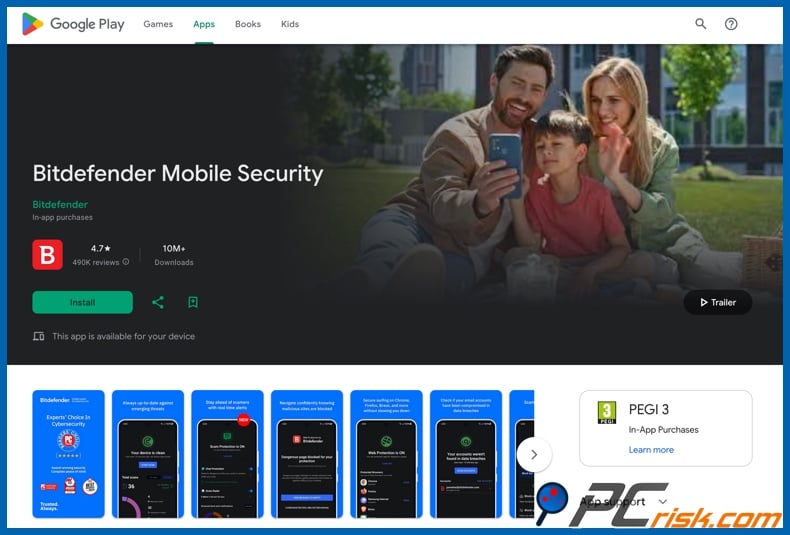
Bitdefender is our top Android choice due to its full feature set, free of unnecessary complexity. The application offers on-demand and on-install scanning, web protection, scam protection for texts, calls, and chat apps, anti-theft, App Lock, account privacy alerts, and minimal resource usage. Its App Anomaly Detection adds a behavior-based layer against evolving threats, which is especially valuable for detecting malicious Android apps that often appear legitimate before becoming harmful.
Bitdefender is a practical option since it offers a 14-day full trial for Android and a basic free antivirus version. The main limitation is the included VPN, which is capped at 200 MB per day on standard plans, so it should not be considered a complete privacy solution unless you upgrade. For Android protection, feature depth, and overall usability, Bitdefender remains our leading recommendation.
2. ESET
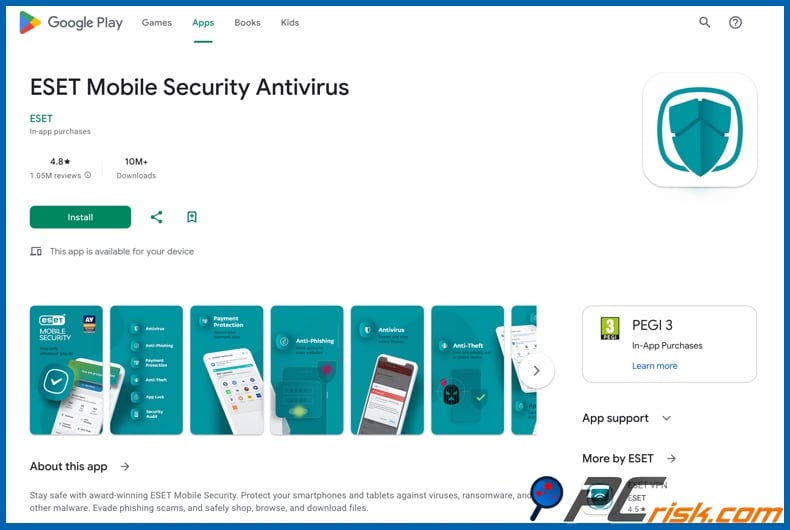
ESET is our second pick for its privacy controls, anti-theft features, and streamlined interface. The app offers real-time scanning, payment protection, proactive anti-theft, app lock, anti-phishing, scheduled scanning, and automatic virus database updates. Premium features are free for 30 days, with a free version available afterward, making ESET one of the most comprehensive Android packages on this list.
ESET stands out on Android due to its practical extra features. Payment Protection benefits users who bank on their phones, while Proactive Anti-Theft assists in loss or theft situations. App Lock is valuable for shared devices or securing sensitive apps. ESET is well-suited for users looking for greater control and a quieter experience.
3. Malwarebytes
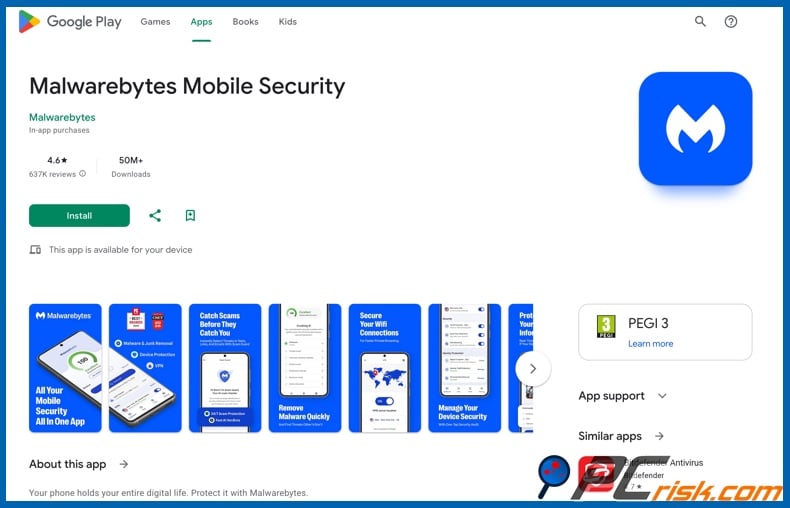
Malwarebytes is our third pick for its simplicity and protection against modern scams. The mobile security offering highlights Web Protection, Scam Text Protection, Scam Guard, threat scanning and removal, a privacy VPN, a digital footprint scanner, identity theft protection, and customized security guidance. This practical emphasis addresses the most common Android threats, such as malicious links, fake texts, decoy webpages, and suspicious app behavior, and less so traditional file-based malware.
Malwarebytes allows users to try premium features with a 7-day trial before committing or to use the free version immediately. The distinction between free and premium is significant, as advanced live protection is only available with the premium subscription. While it offers fewer features than Bitdefender or ESET, this can be advantageous to users seeking a lightweight, easy-to-use app focused on mobile scams and web threats.
4. Avast
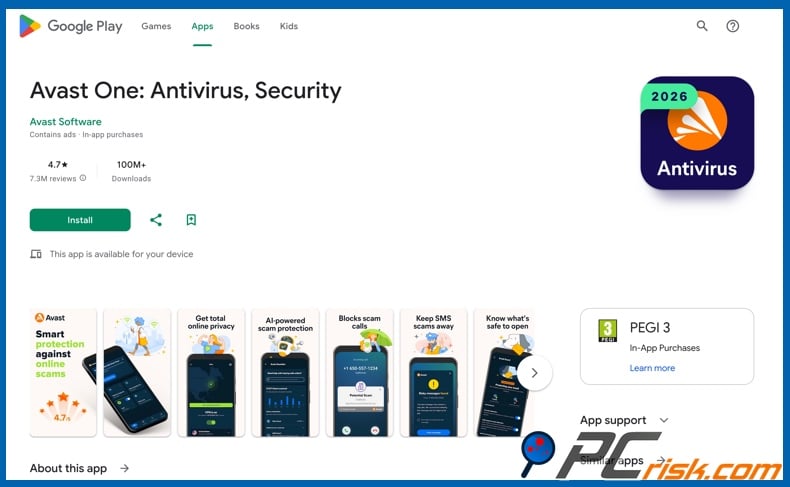
Avast is the strongest fully free option in this ranking. Its Android app provides free protection against viruses and spyware, anti-scam guidance, a cleaner tool, website and phishing defenses via Web Guard, Wi-Fi checks, and quick scans for hidden threats. Avast also clearly distinguishes between free and premium features, reserving tools like App Lock and VPN for paid plans rather than overstating the free version's capabilities.
Avast One Mobile detects harmful messages, untrustworthy links, spyware, ransomware, fake apps, banking trojans, and other malware. The main drawback remains the presence of upgrade prompts, which some users may find overly intrusive. However, for a fully free Android antivirus in 2026, Avast is the recommended starting point.
5. Norton
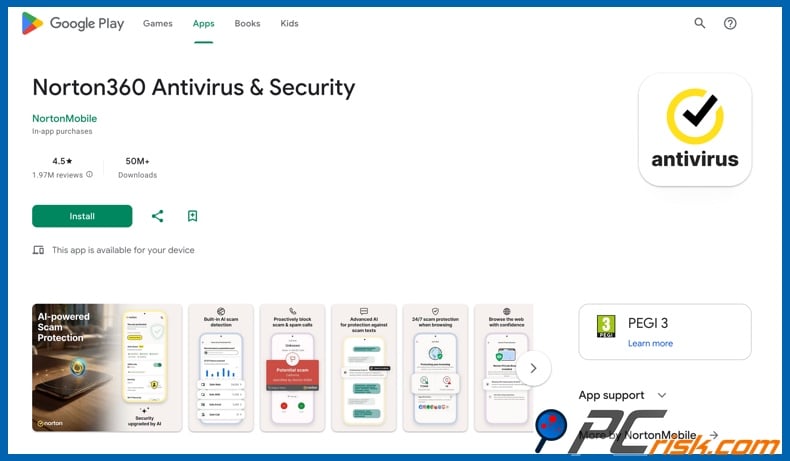
Norton is our fifth pick for its robust scam protection and comprehensive subscription ecosystem, rather than the lowest price or simplest interface. Norton Mobile Security for Android focuses on Scam Protection, Safe Web, Wi-Fi Security, Device Security, Safe SMS, and App Advisor. It goes beyond malware detection to identify text-message scams, suspicious apps, unsafe networks, and malicious browsing activity before threats reach the user.
Norton ranks below Bitdefender, ESET, Malwarebytes, and Avast mostly due to its more complex subscription model and limited free options. There is no permanent free tier, and Norton is best suited for users who are comfortable with a wider suite ecosystem. However, if scam prevention is your priority or you already use Norton on other devices, its Android application remains an excellent choice meriting the ranking.
Editor's choice: Combo Cleaner
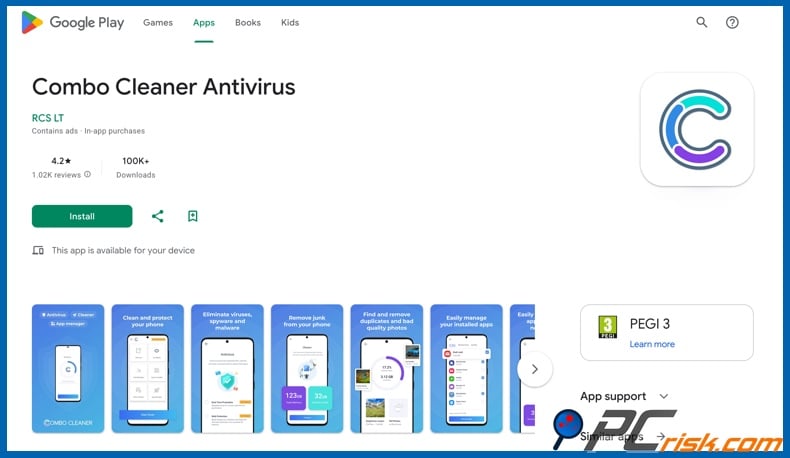
Combo Cleaner is not included in the main top-five ranking because it is developed by RCS LT, the company behind PCrisk. With this in mind, Combo Cleaner is a credible Android choice for users seeking antivirus and cleanup features. It offers on-demand and real-time virus scanning, junk removal, duplicate photo cleanup, cache cleaning, app management, and paid web protection.
Combo Cleaner is well-suited for users who value both device performance and malware protection. The app uses a freemium model, permitting users to try cleanup features for free, while anti-malware and web protection require a subscription. If you prefer a cross-platform cleaner and security toolkit over a dedicated mobile antivirus, Combo Cleaner is a strong option to consider.
How we test antivirus software for Android
At PCrisk, we assess Android antivirus apps individually. Our evaluation begins with platform fit, focusing on whether the application delivers relevant features beyond marketing claims, such as real-time scanning, malicious-site blocking, anti-phishing, scam filtering, anti-theft, privacy alerts, and responsible permission use. We also review how clearly the free, trial, and paid tiers are presented.
We consider independent test results when available. When current results are available, they are given priority. If not, we rely more on the vendor's official feature disclosures, app maturity, and the brand's overall standing. We focus on daily usability. An effective Android security application should be easy to use, simple to understand, unobtrusive, and transparent about free and paid features. Highly polished applications often rank higher because friction on mobile devices is critical. If an app frequently nags for upgrades, conceals its limitations, or drains battery - users may lose trust or disable it.
Finally, we assess value. Paid Android antivirus applications are worthwhile only if their additional features are genuinely useful for phones or tablets, including enhanced phishing defense, scam protection, identity monitoring, improved anti-theft, safer banking tools, and a clear upgrade path. If key features are hidden behind confusing tiers, it negatively impacts our recommendation.
Will an antivirus app slow down my Android device?
Modern Android antivirus apps are designed to run efficiently in the background, and independent labs routinely test for performance and battery impact. Current security software rarely adversely affects device performance in everyday use, as is confirmed by testing.
However, you may occasionally notice increased CPU, battery, or storage use during initial scans, on-demand scans, large updates, or after installing a new application. Older or lower-end Android devices with limited RAM and storage are more likely to experience these peaks. In daily use, though, reputable Android antivirus applications are typically much lighter than expected.
If performance is a priority, choose an app known for efficient operation, avoid running multiple security apps simultaneously, keep your device updated, and do not mistake cleaner features for true speed enhancement. A well-maintained Android device is unlikely to slow down due to a single high-quality security application. Most slowdowns result from old hardware, excessive background apps, nearly full storage, or unnecessary premium features.
Are free antivirus apps for Android any good?
While free Android antivirus applications are available, it is often the case that this software does not provide full protection. A reliable free antivirus can offer app scanning, basic threat alerts, and scam awareness. Avast is our recommendation for the best fully free option. ESET and Malwarebytes offer limited free modes, while Bitdefender provides a basic free version. Norton offers only a trial, not a permanent free tier.
Limited real-time protection: the most common tradeoff. For example, Malwarebytes' Android help pages show that the 7-day trial includes real-time protection, ransomware defense, spyware safeguards, and malicious website alerts, while the free version does not. Free protection is useful, but it commonly lacks robust, always-on security.
Blocked premium features: the best mobile extras are often reserved for paid plans. To elaborate, ESET includes payment protection, proactive anti-theft, app lock, anti-phishing, and call filtering only in its premium tier. Avast restricts privacy tools like App Lock and VPN to paid upgrades. Bitdefender's advanced privacy features and unlimited VPN are also available only in higher tiers. Free apps may scan your phone, but they might not address certain scams or privacy risks.
More upselling and alerts: free applications often make money by constantly pointing users toward paid upgrades. This does not change the software's effectiveness, but it can be a significant annoyance. For example, while Avast's free-first design is useful, it is still flagged for its constant upgrade prompts. This can be an important downside on a phone, where users already deal with numerous notifications.
Feature confusion: free mobile security apps commonly confuse cleaning, privacy, and antivirus terms, which can mislead users about their level of protection. Clear information about what is included in free, trial, or subscription modes is essential. If features are unclear, users may make riskier decisions.
Variable quality in the wider ecosystem: not every app calling itself an "Android antivirus" is worth installing. Google continues to block huge volumes of malicious apps and accounts, and a "free antivirus" is a common disguise for fake antivirus tools, adware, unwanted applications, even ransomware and other malware. Hence, stick to well-known vendors with credible test histories and clear product documentation.
If you want to test a product before purchasing, Bitdefender offers a 14-day trial, ESET provides 30 days of premium features, Malwarebytes and Avast each offer 7-day trials, and Norton has a free trial as well. For the best fully free option - choose Avast.
In closing
Android offers strong security features, including sandbox isolation, Verified Boot, Play Protect, and regular security bulletins. However, threats such as phishing, banking trojans, fake APKs, spyware, scam texts, and malicious applications continue to target both users and devices.
Therefore, adding an extra security layer remains important in 2026. Bitdefender is our top Android antivirus recommendation. ESET is great for those seeking privacy-focused controls and advanced features. Malwarebytes delivers a straightforward and intuitive option. Avast is the top fully free choice. Norton provides one of the most comprehensive suites with scam protection. Combo Cleaner is also a valid option.
Whether you need an antivirus or what product is best for you depends on how you use your phone. If you bank, shop, travel, sideload apps, or manage sensitive accounts on Android - using a reputable antivirus application will add a critical protective layer.
Frequently Asked Questions (FAQ)
Does my Android device need an antivirus?
While Android includes built-in security, a reputable antivirus can provide additional safeguards against phishing, scam texts, malicious links, unsafe apps, and account-related threats.
What kind of threats can an Android antivirus protect me from?
A reliable Android antivirus protects against threats such as malicious apps, trojans, phishing, spyware, ransomware, adware, fake APK installers, banking trojans, unsafe links, and certain scam campaigns. However, protection depends on the specific app and subscription tier.
What should I look for in an antivirus for my Android device?
Choose an antivirus with real-time scanning, strong web and anti-phishing protection, scam filtering, transparent free or trial terms, minimal performance impact, credible lab results, and useful features like anti-theft, app lock, or payment protection. Avoid apps that make broad claims without straightforward explanations.
Is Combo Cleaner a good option for Android?
Combo Cleaner is a credible choice for Android users seeking antivirus and cleanup features in one app. It provides virus scanning, junk and cache cleanup, duplicate photo removal, app management, and paid real-time and web protection.
Share:
 Facebook
 X.com
X.com
 LinkedIn
 Copy Link

Karolis Liucveikis
Experienced software engineer, passionate about behavioral analysis of malicious apps
Author and general operator of PCrisk's News and Removal Guides section. Co-researcher working alongside Tomas to discover the latest threats and global trends in the cyber security world. Karolis has experience of over 8 years working in this branch. He attended Kaunas University of Technology and graduated with a degree in Software Development in 2017. Extremely passionate about technical aspects and behavior of various malicious applications.
▼ Show Discussion