
We may earn commissions from products we recommend. Learn more.
Best antivirus software for Trojan removal in 2026 | Top 5 picks

Best antivirus software for Trojan removal in 2026 | Top 5 picks
Trojans are highly versatile and dangerous malware. They can grant criminals remote access, steal passwords and financial data, replace cryptocurrency wallet addresses, install ransomware, or prepare systems for further infection. Because many Trojans are designed to remain hidden, victims often notice issues only after accounts are compromised or files are lost.
Reliable antivirus software can detect Trojans before execution, identify suspect behavior, quarantine threats, and remove persistence mechanisms. However, protection quality, system impact, false-positive detection metrics, and cleanup effectiveness vary by product. This article reviews the top antivirus software for Trojan removal in 2026. Our recommendations are based on PCrisk testing, product features, independent lab results, usability, performance, and the ability to address the wider malware ecosystem linked to modern Trojans.
Table of Contents:
- Introduction
- What is a Trojan virus?
- Do I need an antivirus to remove a Trojan?
- What security threats can antivirus software protect me from?
- Comparison of best antivirus for Trojan removal
- Best antivirus software for Trojan removal in 2026
- How we test antivirus software
- Will antivirus software slow down my device?
- Is free antivirus software any good?
- In closing
- Frequently Asked Questions (FAQ)
What is a Trojan virus?
A Trojan, or Trojan horse, is malware that is commonly disguised as legitimate or desirable software. It may appear as an installer, document, game modification, browser update, illegal software activation tool ("crack"), email attachment, or other seemingly harmless file. Once opened or installed, the hidden malicious code activates on the device.
The term originates from the Trojan Horse in Greek mythology, where attackers hid inside a wooden horse presented as a gift. Similarly, malicious code is concealed within files or programs that appear trustworthy. Trojans typically use social engineering instead of self-replication. Although the term "Trojan virus" is common, a Trojan is not technically a virus. A virus attaches to other files and replicates, while a Trojan requires the user to download, open, or execute it.
"Trojan" refers to a broad category of threats and not a single specific malware. Two Trojan infections may have entirely different objectives and technical features. Some serve as simple delivery tools, while others are advanced remote-access platforms with extensive capabilities.
Common Trojan categories include:
Backdoors: a type of malware designed to open a "backdoor" into a system, i.e., provide hidden access to an infected device. Attackers use them to execute commands, modify files, monitor activity, capture screenshots, install malware, and some also have RAT capabilities.
RATs (Remote Access Trojans): a RAT allows attackers to control an infected device remotely. They may access files, record keystrokes, capture screenshots, activate cameras or microphones, monitor applications, steal credentials, execute commands, and install malware. RATs often function as backdoors and may imitate legitimate remote administration tools, but are installed without the victim's knowledge or consent.
Loaders and downloaders: a loader delivers or prepares another malicious payload. They may download files from attacker-controlled servers, decrypt embedded payloads, launch malware in-memory, or install additional components. Even small loaders can cause more severe infections, such as ransomware, spyware, or other Trojans.
Injectors: an injector inserts malicious code into another process, such as a legitimate Windows process or web browser. This technique aids malware in hiding among trusted applications, collecting sensitive information, and circumventing detection.
Stealers: an information stealer searches devices for valuable data, such as browser passwords, authentication cookies, cryptocurrency wallets, autofill data, messaging sessions, email credentials, screenshots, system information, and documents. Stolen session cookies may allow criminals to access accounts without passwords.
Grabbers: the term "grabber" often overlaps with stealer and refers to tools that collect specific information, such as browser data, Discord tokens, gaming accounts, cryptocurrency wallets, clipboard content, files, or screenshots. Some tools combine grabbing, keystroke recording (keylogging), and remote-control features.
Banking Trojans: this threat type is designed to steal online banking credentials or manipulate financial transactions. They may record keystrokes, display fraudulent log-in overlays, inject content into banking websites, intercept form data, capture authentication codes, or provide remote access while the victim is signed in.
Clippers: a clipper monitors the system clipboard and may replace a copied cryptocurrency wallet address with one controlled by the attacker. Because wallet addresses are difficult to verify visually, victims may unknowingly send funds to criminals. Clippers can also collect other copied data.
Botnet and DDoS Trojans: this malware links infected devices to a network of compromised systems. Attackers use these networks to send spam, distribute malware, commit advertising fraud, mine cryptocurrency, or launch Distributed Denial-of-Service (DDoS) attacks.
A single Trojan can fall into multiple categories. For instance, a remote access Trojan may include credential stealing, keylogging, loading, clipping, and cryptocurrency mining functions. We at PCrisk have extensively documented malware that combines these capabilities, which shows that rigid labels often fail to explain the full risk.
Trojans are particularly dangerous because they are built to operate stealthily. There may be no clear warnings, error messages, or visible applications. Indicators might include unfamiliar processes, unexpected network activity, disabled security tools, reduced performance, new startup entries, altered browser settings, unexplained account log-ins, or messages sent without the user's knowledge. However, a lack of symptoms does not guarantee the device is free of infection.
Common distribution methods include malicious email attachments, deceptive links, fake software updates, pirated programs, "cracks", game cheats, torrent downloads, malicious advertisements, compromised websites, and social engineering tactics such as "ClickFix". Some campaigns prompt users to paste and execute malicious commands, while others use convincing installers or documents to initiate infection.
The impact of a Trojan can extend well beyond the infected device. Stolen credentials may compromise email, social media, banking, shopping, cloud storage, or cryptocurrency accounts. A backdoor can allow ongoing access even after the original malware is removed. Loaders can install ransomware, and stolen browser cookies can enable account hijacking. For these reasons, suspected Trojan infections should be treated as high-priority security incidents.
Do I need an antivirus to remove a Trojan?
In most cases, using reputable antivirus or anti-malware software is the safest option for removing a Trojan or another high-risk malicious program. Modern security products go beyond signature-based detection by combining file analysis, cloud reputation, behavioral monitoring, machine learning, exploit protection, web filtering, script analysis, and ransomware defenses. This approach is effective because a Trojan may initially go undetected but can be identified when it attempts to inject code, change security settings, establish persistence, contact a Command-and-Control (C&C) server, or steal credentials.
Automated removal typically starts with an updated full-system scan. The antivirus detects suspicious components, quarantines them, blocks active processes, and removes or repairs affected items. Advanced products also check common persistence locations such as startup entries, scheduled tasks, services, browser components, and system configuration changes. Real-time protection helps prevent the Trojan from running again during cleanup.
Independent malware-protection testing supports this approach. AV-Comparatives scans files online and offline, runs undetected samples, and assesses whether the security product prevents or reverses malicious system changes. In March 2026, AV-Comparatives tested 10,000 recent and prevalent malware samples on an updated 64-bit Windows 11 system.
Manual removal is possible but requires advanced technical knowledge. Users may need to identify malicious processes, files, registry entries, services, scheduled tasks, browser modifications, network settings, and other persistence mechanisms. High-end malware can use legitimate process names, run only in-memory, reinstall deleted components, disable security software, or conceal its main payload behind a loader.
Removing the wrong file or registry entry may damage the operating system or installed applications. Deleting only the obvious executable may leave a backdoor, scheduled task, injected process, or credential-stealing component intact. This is why in PCrisk removal guides, we always warn that manual malware removal requires advanced computer skills and may not be effective against sophisticated infections that are deeply hidden within the system.
If you suspect an infection, disconnect the affected device from unnecessary networks, avoid signing in to sensitive accounts, update your antivirus, and run a full scan. If the first product finds no threats but symptoms persist, consider a second opinion scan. After cleanup, change important passwords from a known-clean device, revoke active sessions where possible, enable Multi-Factor Authentication (MFA), and review financial and online accounts for unauthorized operations.
If the Trojan has obtained administrator-level access, deployed a rootkit, compromised business systems, or continues to return after removal - reinstalling the operating system from a trusted source is often safer than repeated manual repairs. Backup important files carefully, but do not restore executable files, scripts, installers, or suspicious archives without scanning them first.
What security threats can antivirus software protect me from?
Effective security software must defend against more than just the initial Trojan file. Trojans often act as gateways for additional threats, enabling attackers to install spyware, ransomware, credential stealers, rootkits, cryptominers, and other malicious components. Therefore, advanced antivirus solutions should integrate file scanning, behavioral monitoring, web protection, exploit prevention, and detection of suspicious system changes.
Antivirus software also protects against threats that may be associated with Trojan infections:
Trojans and their payloads: effective security requires detecting both the initial Trojan and any components it installs, such as RATs, stealers, loaders, injectors, banking Trojans, clippers, keyloggers, and botnet clients.
Ransomware: loaders or backdoors may deploy ransomware following an initial compromise. This malware is designed to encrypt files and demand payment for their decryption. These infections are often combined with information-stealing software to facilitate double extortion, i.e., threats of leaking extracted data. Antivirus software can block known ransomware, detect suspicious encryption, and stop unauthorized changes to protected folders. However, backups are essential, as no security product guarantees full recovery.
Spyware and credential theft: security software can detect keyloggers, password stealers, screen-capture tools, stalkerware, malicious browser components, and programs that collect sensitive data or system information. Targeted data can include account passwords, banking credentials, cryptocurrency wallets, and so forth.
Rootkits: rootkits hide malware or enable privileged access. Detecting them often requires specialized scanning, as they operate at a deeper level than standard applications.
Malicious scripts and fileless activity: some threats use PowerShell, command-line tools, macros, JavaScript, Windows Management Instrumentation, or legitimate administrative utilities. Behavior monitoring and anti-exploit tools can detect harmful activity even without a traditional malicious executable on disk.
Phishing and malicious websites: web protection blocks fake log-in pages, exploit sites, scam domains (such as those hosting tech support scams), and known malware-hosting locations before threats reach the device. This is critical, as email links and deceptive websites are common entry points.
Malicious attachments: antivirus software inspects downloaded archives, executables, documents, scripts, and other attachments. While email-provider filtering is useful, a local security product provides an additional layer of protection.
PUAs (Potentially Unwanted Applications): adware, browser hijackers, rogue optimizers, bundlers, and similar programs may not be as destructive as Trojans, but they can weaken security, collect browsing data, display deceptive ads, or lead to additional downloads.
Cryptominers and botnet malware: unauthorized mining software uses system resources for attackers. Botnet clients can exploit the victim's system for spam, fraud, malware delivery, or DDoS attacks.
It must be mentioned that no antivirus can compensate for all risky actions. Regular operating system updates, safe download practices, strong individual passwords, multi-factor authentication, limited administrator privileges, and reliable backups are essential. Remember that antivirus software is part of a layered security strategy, and not a replacement for safe computer practices.
Comparison of best antivirus for Trojan removal
Public antivirus laboratories typically test broad sets of malware instead of assigning separate scores to each Trojan subtype. This comparison evaluates overall malware protection, behavioral detection, real-time blocking, on-demand cleanup, false positives, performance, and product features.
| App | PCrisk score | Best for | Trojan removal strengths | Free option or trial | Main drawback |
| Bitdefender | 4.5 | Best overall | Strong file, behavior, web, exploit, and ransomware protection with high independent test results. | Free Windows edition and 30-day trial | Some extras are restricted to higher plans |
| ESET | 4.4 | Lightweight, configurable protection | Strong detection, exploit blocking, low system impact, detailed controls, and few false positives in recent real-world testing. | 30-day trial | No permanent free Windows antivirus |
| Malwarebytes | 4.3 | Straightforward malware cleanup | Effective on-demand removal, real-time behavior protection in paid plans, anti-exploit tools, and a simple interface. | Free on-demand scanner and 14-day Premium trial | Recent comparative results showed more false positives than leading rivals |
| Avast | 4.2 | Best fully free option | Strong real-time protection, behavior monitoring, web protection, and excellent 2026 lab scores. | Permanent free version | Frequent upgrade prompts and historical privacy concerns |
| Norton | 4.1 | All-in-one household security | Strong malware and web protection, behavior analysis, ransomware defense, VPN, and cross-platform plans. | Trial availability varies by product and region | Product tiers and renewal terms can be confusing |
It must be emphasized that there are no guarantees that any product will detect every Trojan. Detection depends on the sample, configuration, platform, connectivity, and when the threat is encountered. The best option offers strong prevention, effective cleanup, manageable false positives, regular updates, and features suited to the user's devices.
Best antivirus software for Trojan removal in 2026
The following five are our top 2026 choices for Trojan-removing antivirus software based on our in-house testing and independent test results (for an in-depth review, check out our dedicated article):
1. Bitdefender
Bitdefender is our leading antivirus for Trojan removal in 2026. It offers strong preventive protection, behavior-based detection, effective cleanup, minimal system impact, and valuable security features. For Windows users, pre-execution file scanning, active process monitoring, suspicious behavior blocking, web filtering, exploit protection, and ransomware defense - are incredibly beneficial.
Bitdefender's approach is well-suited for combating Trojans. Signature detection recognizes known threats, while behavior monitoring can stop unfamiliar loaders during suspicious activity. Web protection blocks malicious sites or downloads before infection, and behavioral defenses offer additional protection against malware that bypasses initial scans.
While the interface is user-friendly for beginners, advanced settings are available for experienced users. Full, quick, and custom scans allow users to inspect the entire device or target specific folders and external drives. Additional features depend on the subscription and may include ransomware protection, firewall controls, vulnerability assessment, a secure browser, scam protection, password management, device optimization, and VPN access.
Bitdefender's main drawback is its plan structure. The VPN in lower-cost plans has limited functionality, while unlimited traffic and some identity or privacy tools require higher-tier subscriptions. These limitations do not seriously impact Trojan removal, but users should confirm included features before purchasing. The iOS app is also more restricted than the Windows and Android versions due to Apple's platform policies.
Bitdefender provides a free Windows antivirus edition for basic protection. New users can also try Bitdefender Total Security with a full-featured 30-day trial, no credit card required in supported regions. Hence, a comprehensive scan can be performed before committing to a subscription. Overall, Bitdefender is the top choice for reliable malware protection without undermining performance or usability.
2. ESET
ESET is well-suited for lightweight protection, wide-ranging configuration options, and low false-positive detection rates. Its features include real-time file scanning, behavioral analysis, exploit protection, anti-phishing, ransomware defenses, network protection, and removable media controls. These capabilities address all stages of a Trojan attack, from initial download to post-execution activity.
ESET is especially attractive to experienced users. The advanced settings provide greater control over scanning, exclusions, detection categories, network rules, and potentially unwanted applications than many consumer suites. The flexibility is valuable for investigating suspected infections or managing systems with specialized software.
ESET does not provide a permanent free Windows edition. However, users can try ESET HOME Security Premium for 30 days. The current US trial requires no credit card and does not automatically charge at the end of the period.
ESET ranks second due to its reliable protection, minimal system impact, and robust control over security settings. While beginners may find its advanced configuration less intuitive than Bitdefender's, the default settings are suitable for typical use.
3. Malwarebytes
Malwarebytes started as a malware-cleanup tool and has evolved into a full real-time antivirus solution. It is especially effective when a device is already suspected of infection. The Free version offers on-demand scans and malware removal, while Premium provides continuous protection against malicious files, ransomware, exploits, phishing websites, and suspicious activity.
The simple interface is a key advantage. Users can install the program, update databases, and start scans without dealing with unnecessary features. This makes Malwarebytes an effective second-opinion scanner if another antivirus reports the device is clean, but problems continue.
Malwarebytes addresses modern Trojans by combining signature detection, behavior monitoring, and anti-exploit technology. Even if a stealer, loader, or RAT is not recognized by its file hash, it can be blocked based on its actions. Premium plans also deliver real-time monitoring of file-system and process activity.
The free edition does not offer continuous real-time protection for desktops. For proactive protection Premium or another real-time antivirus is required. Malwarebytes provides a 14-day trial of Premium protection, after which it reverts to limited free scanning. Its main drawbacks are the lack of features like a proprietary firewall or comprehensive parental controls.
Malwarebytes is a strong choice for straightforward malware removal, second-opinion scanning, and users who prefer a focused security product over a feature-heavy suite.
4. Avast
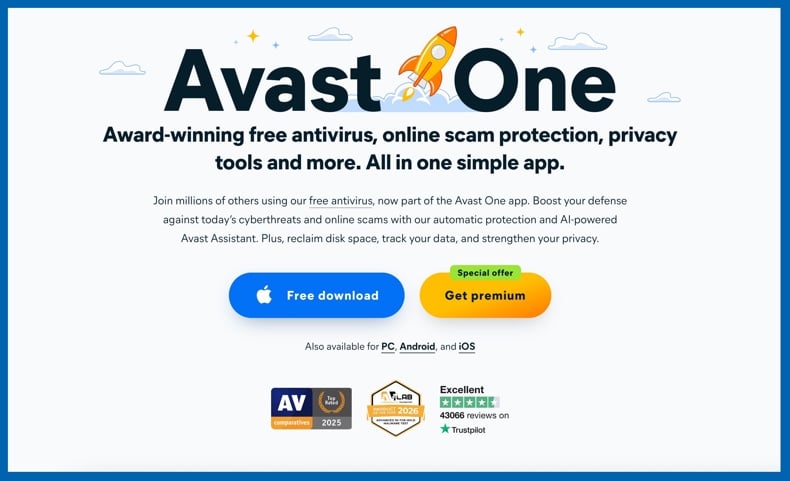
Avast is the leading fully free antivirus in this selection. Avast One with Free Antivirus offers real-time malware protection, not just manual scans. It features file monitoring, behavior analysis, web protection, malware scanning, and defenses against ransomware and other common threats.
These protections are effective against Trojans, as Avast can inspect suspicious installers before they open, monitor unknown programs after launch, and block connections to malicious websites. Its Behavior Shield identifies software that behaves like malware, helping to detect new or modified Trojan variants.
The free edition is more capable than many competitors that reserve real-time scanning for paid users. Avast is a sensible option for those who need continuous Trojan protection but cannot purchase a subscription. Paid editions add privacy, identity, optimization, and network-security features.
The main usability drawback is the frequent promotion of paid features. Free users may see upgrade suggestions or encounter functions that require an additional subscription. Avast also has a history of privacy controversies related to past data collection. While Avast's current products are technically strong, this history may concern users who prioritize vendor trust.
5. Norton
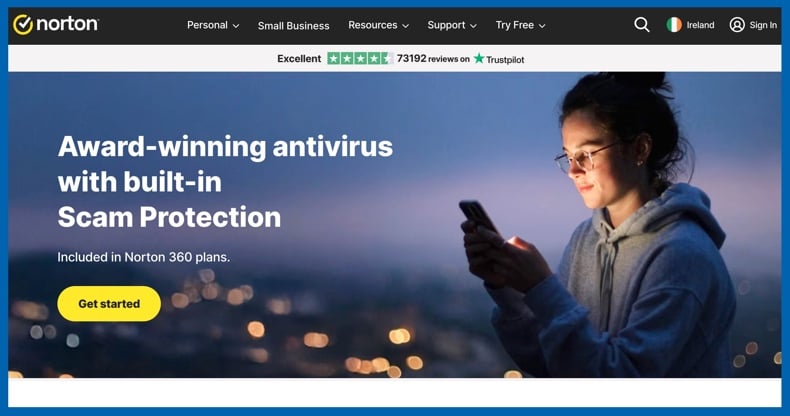
Norton is a strong option for households seeking Trojan protection within a comprehensive security suite. Its products include antivirus, behavioral analysis, web filtering, ransomware defenses, password management, and, in Norton 360 plans, a VPN and dark web monitoring.
Norton classifies files and activity using reputation analysis, machine learning, emulation, and behavioral monitoring. Hence, it can block known Trojans before execution or respond to suspect behavior from unknown programs. Safe Web protection also prevents access to phishing and malware-hosting websites.
Norton's primary drawback is its complexity. Available features vary by product, subscription tier, country, and number of devices. Introductory prices may increase at renewal, so users should review automatic-renewal terms carefully.
Norton provides free trials in supported regions, though duration and payment requirements differ. In the US, a 30-day Norton AntiVirus Plus trial requires a payment method and automatically converts to a paid subscription unless canceled. Norton is ideal for reliable Trojan protection, along with privacy and household security features in a single subscription.
Editor's choice: Combo Cleaner
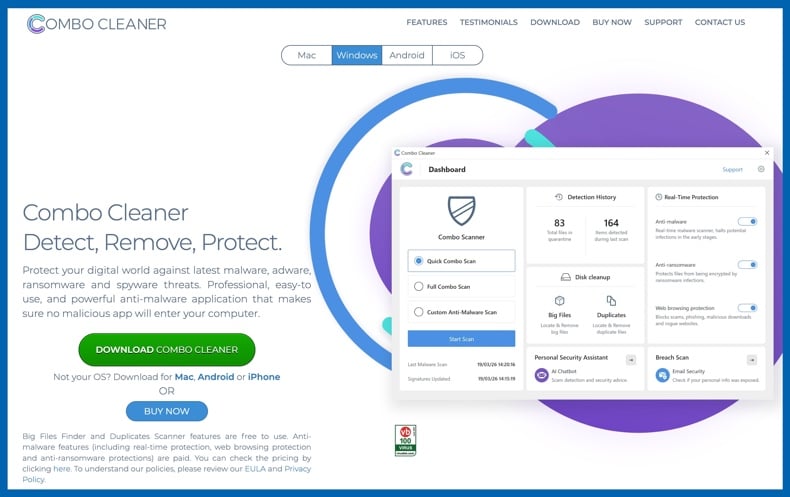
Combo Cleaner is effective for scanning and removing Trojans. We do not include it in our independently ranked top five, as Combo Cleaner is developed by RCS LT, the parent company of PCrisk.com.
On Windows, Combo Cleaner offers real-time malware protection, full and custom scans, web protection, anti-ransomware features, quarantine, and system-cleaning tools. In our in-house test, it detected and removed 19 of 20 Trojan and information-stealer samples, all 20 ransomware samples, and 17 of 20 malicious email attachments.
The free version scans and displays detected threats, but malware removal and real-time protection require a paid license or trial. A seven-day trial grants access to all features. Combo Cleaner is ideal for straightforward malware protection, as well as duplicate-file, large-file, and disk-cleaning tools.
How we test antivirus software
Trojan-focused testing should assess more than static file detection. Modern threats may be identified at download, on execution, during process creation, code injection, or command server contact. Effective evaluation covers multiple attack stages.
Testing starts with current product versions, updated malware definitions, default settings, and a controlled environment. Samples must cover various Trojan functions, such as loaders, stealers, keyloggers, RATs, clippers, banking malware, and malicious scripts. Tests include on-demand scans and real-time execution.
The main considerations include:
- Detection before execution, including scans of downloads, archives, attachments, removable drives, and manually selected folders.
- Real-time blocking when a malicious file is opened or launched.
- Behavioral detection of process injection, persistence creation, suspicious script execution, credential access, and ransomware-like activity.
- Removal of active processes, secondary payloads, startup entries, scheduled tasks, services, and other components.
- Web protection against phishing pages, exploit sites, fake updates, and known malware-hosting domains.
- Offline protection when cloud reputation services are unavailable.
- False positives involving legitimate programs and clean files.
- Performance during ordinary activity and full-system scanning.
- Ease of installation, configuration, quarantine management, restoration, exclusions, and support.
Independent laboratories are essential, as they test products on a larger scale than editorial reviews. AV-Comparatives' March 2026 methodology comprised offline and online scans, execution of undetected samples, behavioral defenses, and false-alarm testing. Its real-world evaluation used live malicious URLs to determine system compromise. AV-TEST separately assessed protection, performance, and usability over two months with current public versions and cloud access enabled.
Note that no single test can determine overall rankings. Results may change after product updates, and one sample set cannot represent all active Trojan families. We consider trends across tests, in-house experience, product design, usability, false positives, and the software's ability to clean infected systems.
Will antivirus software slow down my device?
Reputable antivirus software usually does not produce noticeable slowdowns during regular computer use. Modern products integrate optimization, such as caching scanned files, employing cloud services, prioritizing active content, and scheduling intensive tasks for suitable times.
Temporary increases in CPU, disk, and memory usage are normal during installation, initial full-system scans, major database updates, or when inspecting large archives. Older computers with mechanical hard drives, limited memory, or low-power processors are more likely to experience noticeable slowdowns.
AV-Comparatives' April 2026 performance test evaluated tasks such as file copying, archiving, installing and launching applications, downloading files, and browsing on a low-end Windows 11 system with a Core i3 processor, 8 GB of memory, and an SSD. The test used repeated measurements and median values to minimize variability, thus demonstrating that modern products can be assessed under realistic resource restrictions.
To minimize performance impact, schedule full scans outside working hours, avoid running multiple security scans simultaneously, remove outdated antivirus software, keep the operating system updated, and only exclude files that are confirmed safe. Do not add exclusions solely to suppress unexplained detections.
Installing two real-time antivirus suites is generally unnecessary and may cause conflicts, duplicate scanning, increased resource usage, or confusing alerts. Instead, use a primary real-time antivirus with an on-demand second-opinion scanner, provided the secondary tool is compatible with other protection.
Is free antivirus software any good?
Free antivirus software can provide effective core protection, particularly when it includes real-time scanning and receives the same malware definitions as the vendor's paid products. Avast Free Antivirus, for example, participated directly in AV-TEST and AV-Comparatives testing and achieved strong 2026 results.
However, fully free products often have drawbacks:
Limited real-time protection: some free tools scan only on demand. They remove threats after a manual scan, but do not continuously block new infections.
Fewer behavioral and ransomware defenses: features such as advanced monitoring, protected folders, exploit prevention, and specialized remediation are frequently limited to paid plans.
Reduced web and phishing protection: free scanners may detect downloaded malware, but often do not block the malicious websites that distribute it.
Upgrade prompts: free products typically display advertisements, promotional notifications, or restrict access to certain features.
Limited customer support: paid users usually receive priority support, while free users may need to rely on documentation and peer forums.
Fewer devices and platforms: free Windows antivirus solutions may not offer equivalent protection for macOS, Android, or iOS.
Missing suite features: firewalls, password managers, identity monitoring, VPNs, parental controls, and backup tools are typically included only in paid subscriptions.
A reputable free antivirus is preferable to having no protection. We recommend Avast as a fully free option, as it offers continuous protection and has performed well in recent independent tests. Trials are another practical option. Bitdefender and ESET offer 30-day trials, Malwarebytes provides a 14-day trial, Norton offers trials with varying terms, and Combo Cleaner has a seven-day trial. Trials let users perform a full scan and assess performance, interface, and compatibility before purchasing. However, be sure to review renewal terms. Some trials end automatically, while others require payment details and convert to paid subscriptions unless canceled.
In closing
Trojans are a broad category of malware that includes downloaders, injectors, information stealers, banking Trojans, clippers, and remote-access backdoors. These threats can hide, install additional payloads, and maintain persistent access - making manual removal risky without advanced technical expertise.
Bitdefender is the top antivirus for Trojan removal in 2026 due to its strong detection, behavioral protection, effective web defenses, high independent test scores, and low system impact. ESET is a lightweight, configurable alternative. Malwarebytes is effective for cleanup and second-opinion scans. Avast offers the best fully free option, while Norton delivers reliable protection as part of a comprehensive household security suite.
Regardless of the product you choose, update it before scanning and run a full-system scan if you suspect a Trojan. After removal, change important passwords from a clean device, revoke active sessions, enable multi-factor authentication, and monitor financial accounts. Antivirus software is essential, but it is most effective when combined with updated software, careful downloading, secure accounts, and regular backups.
Frequently Asked Questions (FAQ)
Do I need an antivirus to remove a Trojan virus?
Most users should use antivirus or anti-malware software. Manual removal requires advanced expertise and may leave hidden threats or altered settings. If you suspect an infection, run a full-system scan instead of relying on a quick scan.
What should I look for in an antivirus for Trojan removal?
Look for strong real-time protection, behavioral detection, thorough full-system scanning, web and phishing protection, low false-positive rates, ransomware defenses, frequent updates, and independent test results. The antivirus should also quarantine threats and remove any secondary components installed by the Trojan.
What kind of threats can an antivirus protect me from?
Reliable antivirus protects against Trojans, ransomware, spyware, stealers, keyloggers, rootkits, malicious scripts, cryptominers, botnet malware, dangerous attachments, phishing websites, and many potentially unwanted applications. Note that protection levels vary by product, plan, and platform.
Is Combo Cleaner a good option for Trojan removal?
Combo Cleaner offers on-demand scanning, real-time protection, web filtering, and ransomware defenses. It detected 19 of 20 Trojan and information-stealer samples in our in-house test. It is pertinent to mention that Combo Cleaner is developed by RCS LT, the parent company of PCrisk.com.
Share:
 Facebook
 X.com
X.com
 LinkedIn
 Copy Link

Karolis Liucveikis
Experienced software engineer, passionate about behavioral analysis of malicious apps
Author and general operator of PCrisk's News and Removal Guides section. Co-researcher working alongside Tomas to discover the latest threats and global trends in the cyber security world. Karolis has experience of over 8 years working in this branch. He attended Kaunas University of Technology and graduated with a degree in Software Development in 2017. Extremely passionate about technical aspects and behavior of various malicious applications.
▼ Show Discussion