
We may earn commissions from products we recommend. Learn more.
X (Twitter) age verification: what changed and what your options are

X (Twitter) age verification: what changed and what your options are
X, formerly known as Twitter, has updated its approach to managing age-restricted content. Now, just entering your date of birth or turning on the "Display media that may contain sensitive content" setting often isn't enough. X uses a broader "age assurance" system that checks whether users are above or below certain age limits, such as 18. The company says these changes are due to new rules, including the UK's Online Safety Act, Ireland's Online Safety Code, the EU Digital Services Act, and Australia's Online Safety Act.
This is important because the age check can vary from person to person. X might use details it already has, like past ID checks, how old your account is, or information from your email or phone. If that's not enough, X may ask for a live selfie to estimate your age or request a government-issued ID. If X still can't confirm your age, you might not be able to see sensitive content.
Another key change is that X's latest documentation is clearer about who can use age verification. Earlier, it seemed like manual age checks were only for X Premium users. But as of September 25, 2026, X says you don't need Premium for selfie or government-ID age checks. If X can't confirm your age in other ways, you'll be offered a choice between a live selfie or showing your ID. X Premium still has a separate, optional ID verification that adds a label to your profile, but that's a different process.
Another reason this can be confusing is that age rules now depend a lot on where you are and what you want to see. In the UK, strict age checks are needed for some adult or harmful content. In Australia, since December 10, 2025, X and other platforms must try to stop people under 16 from having accounts. In the EU, the Digital Services Act requires platforms to protect minors from inappropriate content.
Using a VPN can sometimes change which regional rules X applies, since it changes your public IP address and where you seem to be online. Tests in 2026 showed this can affect whether you see certain age checks. But a VPN doesn't verify your age, doesn't alter the signals X uses, and isn't a reliable way to bypass age verification.
This guide covers how X's age assurance works, how to complete an official age check, what options free users have, when a VPN might help adults with regional restrictions, and which VPNs we think are best based on PCrisk's 2026 tests.
 Our top-rated VPN
4.5/5 in our review. Our top pick of the year: almost no slowdown in our speed tests, and it unblocked Netflix, BBC iPlayer and Disney+ without trouble.
Table of Contents:
- Introduction
- Why does X ask for age verification?
- Can you bypass X age verification?
- How to bypass X age verification with a VPN
- Best VPNs to bypass X age verification
- Is bypassing X age check with a VPN legal?
- In closing
- Frequently Asked Questions (FAQs)
Why does X ask for age verification?
Regulation is the main reason for age checks. X points to the UK's Online Safety Act, Ireland's Online Safety Code, the EU Digital Services Act, and Australia's Online Safety Act as reasons it may need to confirm a user's age. For example, X uses 18 as a common age limit for certain content.
The UK shows why just asking "Are you over 18?" is not enough anymore. Ofcom now says age checks must be "highly effective" under the Online Safety Act. Acceptable methods at age 18 include facial age estimation, photo ID matching, digital identity services, email or mobile checks, credit card checks, and more. Ofcom specifically says self-declaration alone is not effective at 18.
For platforms where users interact, the rules aim to protect children from harmful material. Ofcom says age checks should be accurate, reliable, fair, and practical, but adults should still be able to access legal content.
The EU has different rules from the UK. The Digital Services Act requires platforms to protect minors, including limiting access to things like pornography and gambling. This is why X users in different European countries might see different restrictions.
Australia has its own approach. Since December 10, 2025, X and other big social platforms must try to stop Australians under 16 from having accounts. The eSafety Commissioner says under-16s are not fined or charged for having an account, but platforms must try to block workarounds.
So, "X age verification" can mean a few things: checking whether you are an adult before showing sensitive content, estimating whether you are a minor, meeting a country’s minimum age requirement for social media, or verifying your identity for X Premium. The restrictions you see depend on your account, the content, and your country’s rules.
Can you bypass X age verification?
Sometimes you can get around a regional content block by changing the network location X sees, but this is not the same as passing X's age check.
A VPN routes your connection through a remote server and assigns you a different public IP address. Tests in 2026 showed this could change whether some regional X age checks appear. This means a VPN can help adults who are allowed to view content but are blocked by location.
But it’s important not to oversimplify. X says its age-check system has many layers. An IP address is just one factor. If your account already has an age status, changing your IP may not remove the restriction.
This difference matters a lot in Australia. The eSafety Commissioner says platforms can look at factors such as IP addresses, GPS data, device language, time settings, device IDs, Australian phone numbers, app store settings, and account activity to determine whether someone is really in Australia. They also talk about identifying users who try to use a VPN to appear to be outside the country.
Because of this, we suggest using a VPN primarily for privacy or to access content from other regions, not to avoid real age checks. If you are an adult who was incorrectly marked as a minor, it is usually better to go through the official age-verification process or appeal the decision.
How does Twitter's (X) age verification work?
X first checks for what it calls "highly reliable signals." These include things like a user’s earlier age entry showing they are under 18, past ID checks, being a verified public figure, having an account from 2012 or before, or certain gray and gold organization badges.
If those signals are unavailable, X says it might use other information it already has to estimate your age. This can include checking your email address or phone number.
If X still cannot figure out your age, it says you will get one of two options:
- Facial age estimation, using a live selfie that is analyzed by X's artificial intelligence systems.
- Government-ID verification, in which an ID is submitted and used to estimate age.
If X decides you are under the required age, it will block sensitive media. If you are old enough, you should be able to see sensitive content, unless other rules or local laws apply. If X cannot tell your age, sensitive content might stay hidden.
How to verify your age on Twitter (X)
When X asks you to verify your age, use the options shown on the screen instead of trying a third-party website.
1. Open the restricted content and check for X’s age verification prompt.
2. Choose the verification method that X offers for your account.
3. If you choose facial age estimation, follow the steps to take the live selfie as instructed.
4. To verify your ID, upload a valid government-issued ID using X's official process.
5. Once you're done, open the content again to check if it works.
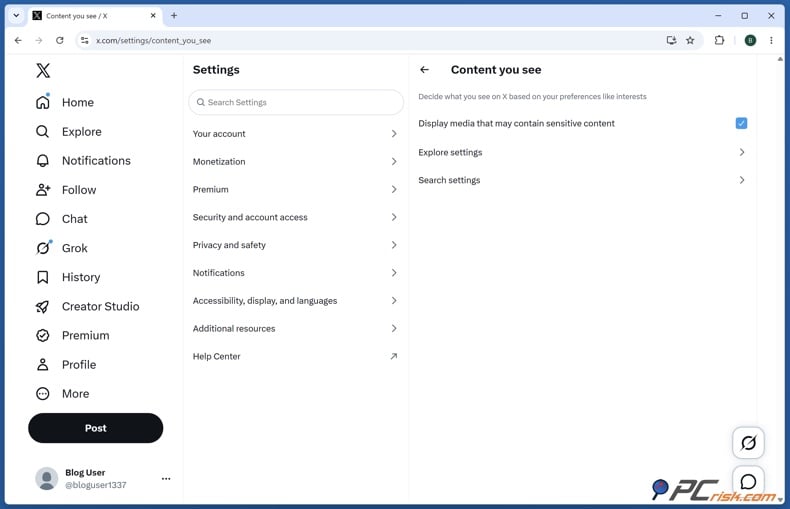
6. If you're an adult and still can't see sensitive media, go to Settings and privacy > Privacy and safety > Content you see, and turn on "Display media that may contain sensitive content." X says this setting saves automatically.
Keep in mind that turning on the sensitive-media setting doesn't verify your age. It just lets your account show content X marks as sensitive, but age checks or legal rules can still block access.
What to do if verification on X does not work
First, check that you're using the latest X app or a current browser. If you need to take a live selfie, make sure your camera has permission. For ID checks, follow the instructions in the image and use only real, unedited documents.
If X has mistakenly marked you as underage, you can appeal through X Support in the app or on the website. This is a better option than repeatedly changing your account details to get a different outcome.
It's a good idea to turn off your VPN while going through X's official verification if the VPN location doesn't match your usual account location. This is just a troubleshooting tip, not an official rule from X. After you finish verifying, you can turn your VPN back on for privacy.
Be extra cautious if you see an "X verification" page after a sudden redirect, pop-up, ad, or message you didn't expect. Only share your government ID or selfies through X's real verification process, since this information is very sensitive.
If you notice strange redirects, pop-ups, or odd browser behavior during verification, scan your device with Combo Cleaner before sharing any sensitive details. Combo Cleaner is PCrisk's security tool and works on Windows, macOS, Android, and iOS.
 Made by RCS LT, the company behind PCrisk
- Detect malware already on the device
- Block phishing pages once you open them
- Remove adware or browser hijackers
- Scans for free and shows what it finds
- Removes it with a licence, 7-day free trial
- Blocks scam and phishing sites in the browser (Windows)
How to bypass X age verification with a VPN
If you are an adult and legally allowed to view the content, a VPN might help if X's restriction is based on your region. Tests in 2026 showed that changing your region could affect the age-related content block on X. However, since X and regulators update their systems, no VPN can promise this will always work.


For this guide, we use NordVPN, which was our top-rated VPN in PCrisk's 2026 review. In our tests, NordVPN offered fast speeds, strong privacy, and reliable access to region-locked services.
Step 1: Make sure you are legally entitled to access the content.
You should not use a VPN to help a minor circumvent age restrictions or access content that is illegal in your country. Many countries are making their age checks harder to bypass.
Step 2: Install NordVPN.
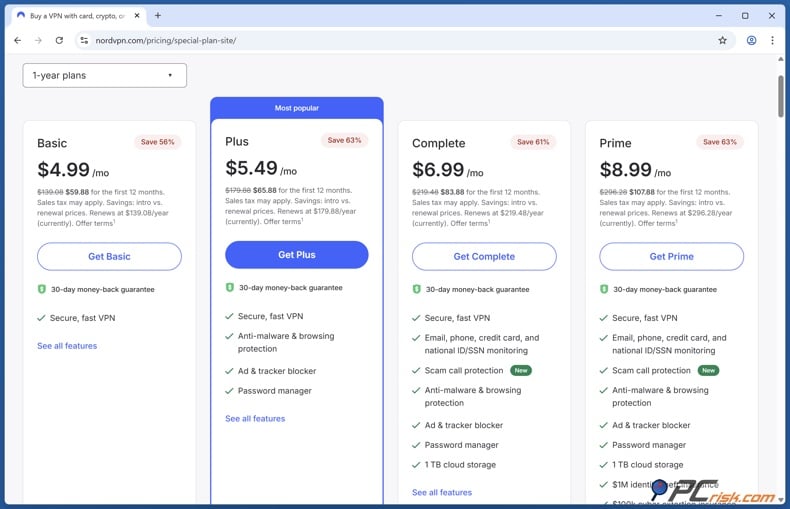
Download NordVPN on the device you use for X, install it, and sign in. NordVPN works on Windows, macOS, Chromebook, Linux, iOS, and Android.
Step 3: Close X before changing locations.
Close the X app or browser tab before connecting to the VPN. This way, your next visit to X will use the VPN connection.
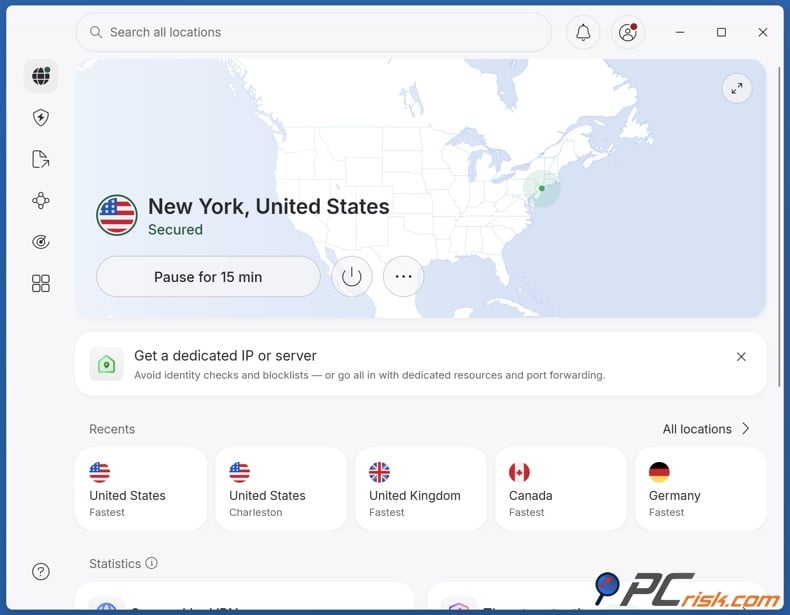
Step 4: Connect to an appropriate NordVPN server.
Choose a VPN server in a country where the content is legal and VPNs are allowed. Don't trust lists of "age-check-free" countries, since laws and X's rules can change. For example, saying the whole US or another country will always avoid X age checks can quickly become outdated as rules change.
Step 5: Reopen X.
Once your VPN is connected, open X again and try to access the content. X will now see the VPN server's IP address instead of your original one.
Step 6: Check the sensitive-content setting.
Go to Settings and privacy > Privacy and safety > Content you see, and make sure "Display media that may contain sensitive content" is turned on. Sometimes, this setting is the only thing blocking content, not an age check.
Step 7: If necessary, start a fresh web session.
If you're using X on the web, try a private browsing window to see if stored data is causing problems. Logging out and back in can also help. Never enter a fake birthday or use false ID.
Step 8: Know when a VPN will not solve the problem.
If X has already decided your account is underage, just changing your IP address probably won't change that. X uses several methods to verify age, and regulators such as Australia's eSafety Commissioner expect platforms to consider more than just IP addresses.
If you're an adult who has been wrongly marked as underage, use X's official verification or appeal process instead of trying different VPN servers. X lets users challenge a wrong under-18 decision through X Support.
Best VPNs to bypass X age verification
For this article, we picked the top five VPNs from PCrisk's 2026 comparison. We looked at encryption, privacy, speed, ease of use, and real-world performance. For X, we also focused on reliable connections and easy IP location changes.


NordVPN: Best overall choice
NordVPN is our top pick. PCrisk's 2026 tests gave it a 4.5 rating and ranked it first overall. It supports up to 10 devices, offers fast NordLynx connections, Double VPN, Onion over VPN, and Threat Protection. We also found it worked well for accessing region-locked services.
For X, NordVPN is easy to recommend because it's fast, has simple apps, and lets you switch locations reliably.
- Pros: fast speeds, strong privacy, audited no-logs policy, supports many devices, and unblocks content well.
- Cons: no permanent free version, and split-tunneling is limited on macOS and iOS.
Surfshark VPN: Best for many devices
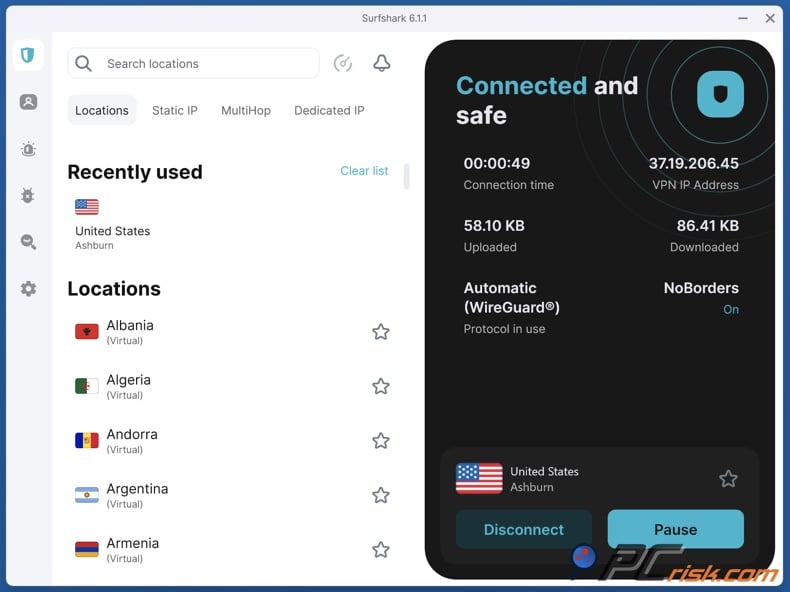
Surfshark is a great choice for homes with many devices, since it supports unlimited simultaneous connections. PCrisk's review also praised its WireGuard speeds, MultiHop, CleanWeb, split tunneling, and Everlink connection recovery.
If you use X on many devices, unlimited connections are a big plus.
- Pros: unlimited devices, fast WireGuard speeds, good at unblocking, strong privacy, and easy-to-use apps.
- Cons: renewal prices can be much higher than the starting price, no permanent free version, and some features are missing on iOS and Linux.
Mullvad VPN: Best privacy-focused choice
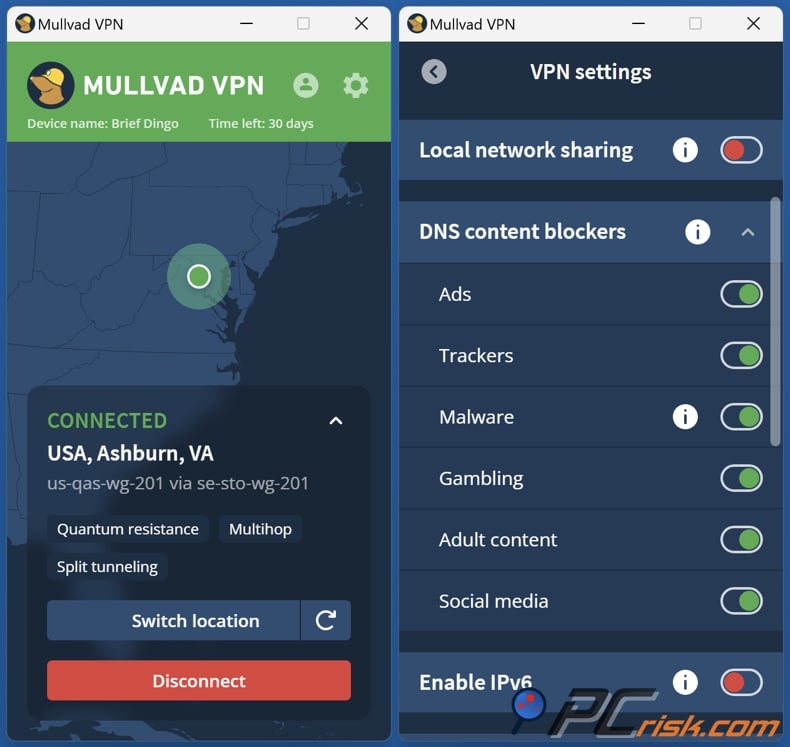
Mullvad is more minimalist. PCrisk gave it a 4.3 rating and liked its privacy-friendly signup, which doesn't need an email or personal details. Its apps are open source and support WireGuard, OpenVPN, multi-hop, a kill switch, DNS leak protection, and encrypted DNS.
Mullvad is best if privacy matters more to you than unblocking media.
- Pros: great privacy, simple pricing, open-source apps, independent audits, and strong security.
- Cons: only five devices at once, fewer servers, no live chat, and not as good at unblocking as some others. For switching X locations, we rate NordVPN and Surfshark higher.
Proton VPN: Best option with a free tier
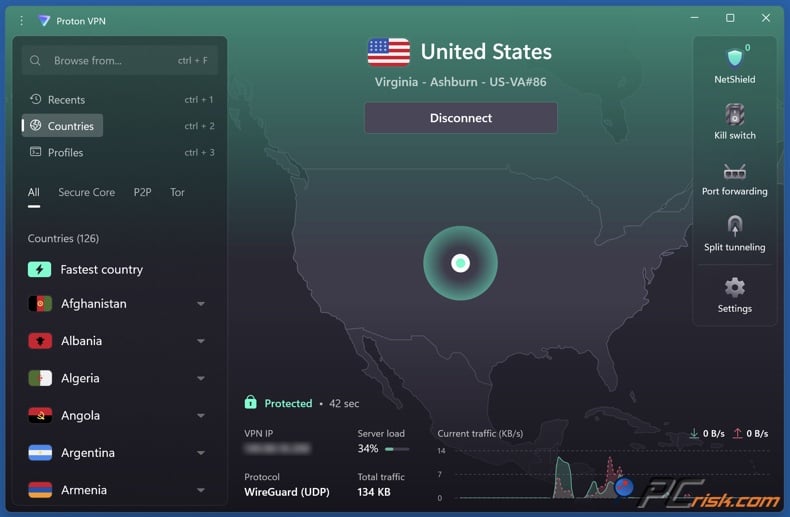
Proton VPN is the only VPN in PCrisk's top five with a permanent free version. Our 2026 review praised its open-source apps, audited no-logs policy, multi-hop, NetShield, VPN Accelerator, and protection against IP and DNS leaks. The free plan gives unlimited data with no ads.
- Pros: strong privacy, open-source apps, free plan with unlimited data, reliable paid plans, and good privacy features.
- Cons: not the fastest or cheapest paid VPN, and customer support can be slower than some others. If you need reliable location switching and unblocking, the paid plans work better.
ExpressVPN: Best for simplicity
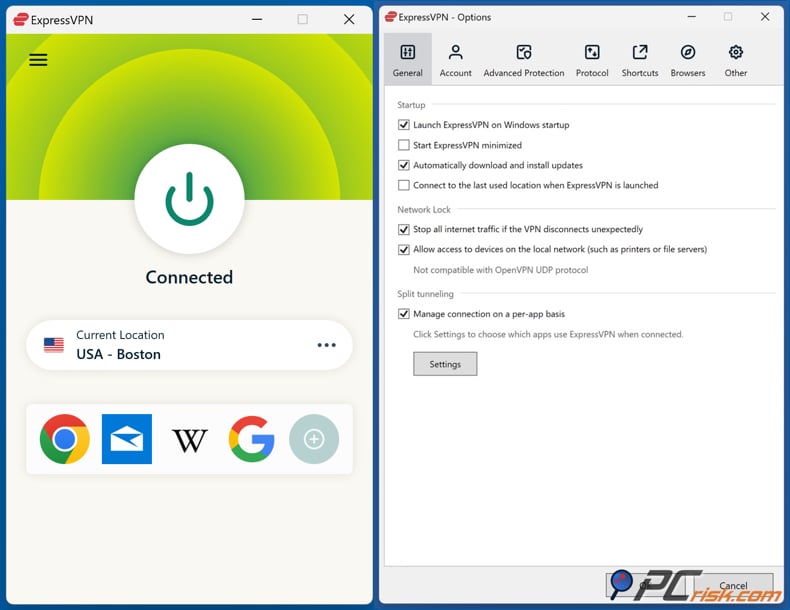
ExpressVPN is a good choice if you want something easy to use. We found its apps simple to navigate and its performance reliable. Lightway helps keep connections fast. ExpressVPN also uses AES-256 encryption, RAM-only servers, and a verified no-logs policy.
- Pros: easy-to-use apps, stable connections, works well for unblocking, supports many platforms, and offers strong privacy features.
- Cons: it can be more expensive than some competitors and does not have the advanced multi-hop feature that some other services offer.
If you are trying to get around a regional X restriction, we suggest NordVPN first. Surfshark is a good pick if you have many devices, and Proton VPN is a solid free option. Mullvad is great for privacy, but not as strong for unblocking content. ExpressVPN remains a simple, polished premium choice.
Is bypassing X age check with a VPN legal?
There is no one answer that applies everywhere. Using a VPN is not illegal just because it can change your location. Whether it is legal depends on your country, your age, what you are accessing, and the rules of the platform.
It is important to know the difference between rules for platforms and rules for users. In the UK, Ofcom's age-assurance guidance is mainly for regulated services. Providers covered by the Online Safety Act must use effective age checks.
This does not mean that every way to get around a control is allowed. Users still need to follow the law, and platforms can set their own rules. We suggest checking X's current terms and your local laws instead of assuming that using a VPN is always allowed.
Australia is a good example of this difference. The eSafety Commissioner says that Australians under 16 who access age-restricted social media accounts are not breaking the law and will not be charged or fined, and neither will their parents or carers. However, platforms must try to stop users from getting around these rules, including attempts to appear outside Australia.
The Australian regulator lists several location signals that platforms can use, such as IP addresses, GPS, device settings, phone numbers, device IDs, app store details, and account activity. So, using a VPN alone may not be enough to change how a service decides where your account is really based.
In the EU, the Digital Services Act requires platforms to protect minors from age-inappropriate content. National laws can add more rules, so you cannot assume that one VPN approach will be legal in every EU country.
Our advice is simple: adults can use a VPN for privacy and, if allowed, to solve regional access issues. Minors should not use this guide to get around age restrictions. Never use a VPN to access illegal material. If an adult is wrongly marked as underage, X's official age-assurance and appeal options are safer and more reliable.
In closing
In 2026, X's age verification is more advanced than just asking for your birthday. X now uses a layered age-assurance system that can check account signals, email and phone details, facial age estimation, or government ID to determine whether an account meets the age requirement.
The key update is that X's current age-assurance guide does not say that selfie or government ID checks are only for Premium users. The optional ID-verified profile label is a separate feature for X Premium. Free users who see an age-assurance prompt should use the available methods before thinking they need to pay for a subscription.
If you are an adult but still face regional content restrictions, using a VPN might help. A VPN changes your public IP address to one from another region, which can sometimes make X apply different rules. Tests in 2026 showed this method works in some cases. However, it is only a workaround and does not replace proper age verification.
This limitation matters more as age-assurance systems improve. Regulators now expect platforms to use stronger methods rather than simply asking users to self-report their age. In Australia, rules already address people trying to circumvent restrictions using false locations or VPNs. X can also check several age signals that a VPN cannot change.
If privacy is most important to you, we found NordVPN to be the best overall choice in our 2026 review. Surfshark is a good pick if you want unlimited devices, Mullvad is focused on privacy, Proton VPN has a strong free option, and ExpressVPN is easy to use and well-designed.
If you are an adult but X has wrongly marked you as underage, start by using X's official age-assurance or appeal process. You can use a VPN if it is legal in your area and you want more privacy or need access to content from another region. However, do not expect a VPN to change your legal location, your age, or how X checks your account.
Our top pick of the year: almost no slowdown in our speed tests, and it unblocked Netflix, BBC iPlayer and Disney+ without trouble. $3.39/mo on the 2-year plan or $4.99/mo on the 1-year plan, 30-day money-back guarantee. Compare all three
Frequently Asked Questions (FAQs)
Does X offer age estimation to free users?
X’s current age-assurance documentation does not say you need Premium for the process. If X cannot confirm your age through its usual checks, such as email or phone, you can choose between facial age estimation using a live selfie and government ID verification. The optional ID-verified profile label is a separate feature for X Premium users.
Is X age verification the same as X Premium ID verification?
No. Age assurance and the optional X Premium ID-verified badge are separate. X Premium users can choose to verify their identity for an ID-verification label and extra benefits. Age assurance is used to check if someone is above or below a certain age for safety and legal reasons.
Why is X asking for an ID or selfie?
X may ask for a live selfie or a government-issued ID if it cannot confirm your age through other checks. The live selfie helps estimate your age, while your ID can be used to estimate or verify it. X says any third-party providers involved must follow data-protection rules.
What to do if age verification on X fails?
Check that you are using X’s official app or website, update your app or browser, and allow camera access for a live selfie if needed. Follow X’s ID instructions closely. If X has mistakenly marked you as under 18, you can challenge this by contacting X Support through the app or website.
How to fix "due to local regulations, this content is restricted on X" problem?
"Display media that may contain sensitive content" in your Privacy and safety settings. If you are an adult facing a location-based restriction, using a VPN might change the region X sees, but it does not guarantee access and will not always change your account’s age status.
How to enable 18+ content on X?
Go to Settings and privacy, then Privacy and safety, and then Content you see. Turn on "Display media that may contain sensitive content." X says this setting saves automatically. Keep in mind, turning it on does not bypass age-assurance restrictions, underage status, or local legal blocks.
Can changing my date of birth remove the X age restriction?
Do not use a false birthday to get around an age restriction. X checks several signals, not just the age you enter, and regulators like Ofcom say self-declared age alone is not enough to prove someone is over 18. If your age is wrong, use X’s verification or appeal process.
Does a VPN guarantee that X age verification will disappear?
No. A VPN can change your IP address and network location, which might affect certain regional X restrictions. However, X also uses other age-related checks. In places like Australia, platforms are expected to use more location-based signals to spot users trying to appear to be outside the country.
Can under-16 users in Australia use X with a VPN?
Since December 10, 2025, X must take steps to stop Australians under 16 from having accounts. Australia’s eSafety Commissioner says platforms should address attempts by under-16s to claim they are outside Australia by using IP addresses and other location signals. We do not recommend using a VPN to get around Australia’s under-16 rule.
Share:
 Facebook
 X.com
X.com
 LinkedIn
 Copy Link

Rimvydas Iliavicius
Researcher, author
Rimvydas is a researcher with over four years of experience in the cybersecurity industry. He attended Kaunas University of Technology and graduated with a Master's degree in Translation and Localization of Technical texts. His interests in computers and technology led him to become a versatile author in the IT industry. At PCrisk, he's responsible for writing in-depth how-to articles for Microsoft Windows.
▼ Show Discussion