
We may earn commissions from products we recommend. Learn more.
How to access Minecraft at school with a VPN in 2026

How to access Minecraft at school with a VPN in 2026?
Minecraft is a widely recognized sandbox game, but access may be restricted on school, university, library, or workplace networks. Administrators can block gaming services, the Minecraft website or launcher, multiplayer server connections, or application communication through non-essential ports and services. Minecraft is available in Java and Bedrock editions for computers, mobile devices, and consoles. Minecraft Education is a separate product designed for classroom use.
If Minecraft is unavailable due to network restrictions, several options may help. Using mobile data on a personal device is often the simplest solution. A reputable VPN (Virtual Private Network) can also encrypt your connection and may bypass basic network restrictions. However, bypassing institutional controls may violate acceptable-use policies.
Disclaimer: PCrisk does not promote, encourage, or endorse bypassing network restrictions, violating school or workplace rules, or breaking local laws. Always follow an institution's acceptable-use policies and local regulations. Use any methods described at your own risk.
 Our top-rated VPN
4.5/5 in our review. Our top pick of the year: almost no slowdown in our speed tests, and it unblocked Netflix, BBC iPlayer and Disney+ without trouble.
Table of Contents:
- Introduction
- Why can't I access Minecraft at school?
- Can Minecraft be inaccessible for other reasons?
- How to access Minecraft?
- Accessing Minecraft with a VPN in 2026
- Best VPNs to access Minecraft
- Can you use a free VPN to access Minecraft?
- Common issues and solutions when accessing Minecraft with a VPN
- How to access Minecraft without a VPN?
- Is using a VPN to access Minecraft legal?
- In closing
- Frequently Asked Questions (FAQ)
Why can't I access Minecraft at school?
Minecraft is an open-world sandbox game developed by Mojang Studios. Instead of following a set path, players explore procedurally generated environments, gather resources, build, craft, fight hostile creatures, and set their own goals. Creative mode focuses on unrestricted building, while Survival mode adds resource management, health, enemies, and other challenges. The game supports solo play as well as multiplayer through worlds, servers, and Minecraft Realms.
There are two main consumer editions. Minecraft: Java Edition is available on Windows, macOS, and Linux, and is known for community servers, modifications, and customization. Minecraft: Bedrock Edition runs on Windows and a wide range of devices, including Android, iOS, Chromebooks, Xbox, PlayStation, and Nintendo Switch. According to official documentation, Bedrock and Java multiplayer environments are separate, so players cannot join each other's worlds across editions.
Minecraft Education is particularly relevant when discussing school restrictions. It is not just the ordinary consumer game being permitted on an educational network. Microsoft describes Minecraft Education as an immersive learning platform designed for classroom use. It incorporates curriculum-oriented activities and can be used for subjects including mathematics, reading, history, computer science, and coding. It is intended for schools and organizations and operates within an educational licensing and account environment.
Therefore, a school may support Minecraft Education while restricting the standard Minecraft launcher, public multiplayer servers, or consumer gaming services. Permitting the educational version does not automatically grant students permission to use the network for recreational Minecraft.
Schools and universities have several reasons for restricting games:
Decreasing distractions: while Minecraft can be educational, the consumer version is also entertainment. Institutions may block gaming services during classes or on student networks to keep school devices and Internet access focused on coursework.
Bandwidth management: multiplayer games usually use less bandwidth than high-resolution video streaming. However, game downloads, updates, resource packs, Marketplace content, cloud services, and many simultaneous users can still strain a shared network. Schools may block entire gaming categories instead of distinguishing between individual activities.
Security and network administration: managed networks can use various Internet filters, as well as application controls and device management policies. For example, firewalls can allow or block network connections depending on addresses, ports, or applications. Minecraft multiplayer requires more than basic website access, so the homepage may work even if multiplayer does not.
Acceptable-use policies: schools determine which software and Internet services are allowed. On managed laptops or Chromebooks, administrators can block installation of the consumer Minecraft client or a VPN, even if the network technically allows the connection.
The type of failure can indicate the cause. If Minecraft works at home but stops connecting on school Wi-Fi, the school network is likely responsible. If the launcher works but a Realm or server does not, the restriction may target multiplayer traffic or authentication services rather than Minecraft entirely.
Can Minecraft be inaccessible for other reasons?
A school network block is only one possible cause for Minecraft inaccessibility. According to Minecraft's official troubleshooting guidance, multiplayer issues may result from Internet instability, insufficient bandwidth, firewalls, outdated versions, account problems, or other connectivity issues. Realms may also be inaccessible due to service outages, expired subscriptions, unsupported devices, or outdated game versions.
Multiplayer requires compatible game editions, a consistent Internet connection, and appropriate account permissions. Child accounts may have multiplayer disabled. Console players may also need a platform-specific online subscription, such as Nintendo Switch Online or PlayStation Plus.
Regional availability varies. To elaborate, Minecraft offers a separate "Minecraft: China Version" available only in China, showing that distribution and service availability differ worldwide. Stores, payment systems, online services, and Minecraft products may also vary by platform and region. Therefore, difficulty purchasing, downloading, authenticating, or connecting to Minecraft in a specific country should not be assumed to result from a local Wi-Fi restriction.
Before trying a workaround, test Minecraft on another legitimate connection, such as your home Internet or personal mobile data. If the problem continues, troubleshoot the game, account, server, or device before concluding the school network is at fault.
How to access Minecraft?
If Minecraft is blocked on school Wi-Fi, using mobile data is often the simplest alternative, as it bypasses the school's Internet connection. Minecraft Bedrock is available on Android and iOS, so players can disable Wi-Fi and connect through their carrier's cellular network. If your plan allows tethering, you can also use a personal hotspot to provide Internet access to another device.
Review your carrier's terms and your institution's policies before using a hotspot. Schools may prohibit personal hotspots in classrooms, especially if they interfere with wireless infrastructure or bypass network controls.
Monitor your cellular data usage. While regular Minecraft multiplayer traffic is less demanding than video streaming - installations, updates, downloadable worlds, and texture packs can greatly increase data consumption. Set a mobile data warning or limit on your phone before playing or tethering, especially if your plan has a limited allowance. Avoid downloading large updates over cellular unless you are certain of your remaining data.
For more extensive Internet use, a VPN offers greater flexibility and privacy. A VPN creates an encrypted connection between your device and a server operated by the VPN provider. Rather than sending Internet requests directly from your local network, supported traffic is routed through this encrypted connection and exits from the VPN server. Websites and services typically see the VPN server's public IP address instead of your own. Important features of a trustworthy VPN service include encryption, leak protection, privacy practices, speed, server coverage, and reliable applications.
Therefore, VPNs can help bypass some basic network restrictions. For example, if a network blocks a destination using DNS or IP filtering, the encrypted VPN connection can prevent the local network from applying these blocks. However, administrators can still detect VPN usage and may block this traffic.
Connecting to a server in another country changes the approximate location of your public IP address, which is why VPNs are often used to access regional content while traveling or to bypass geoblocking. More broadly, VPN encryption prevents local Wi-Fi operators or Internet Service Providers (ISPs) from viewing the contents of your traffic, though the VPN provider must be trusted. VPNs are useful beyond Minecraft, especially when using public or untrusted Wi-Fi.
However, there are important limitations. A VPN does not make you anonymous, override Microsoft account permissions, or remove device management controls. You can read more on managed devices in our "How to unblock websites on school Chromebook in 2026" article. Hence, a VPN cannot guarantee Minecraft access. For example, routing traffic through another country will not make a Java client compatible with a Bedrock server, renew an expired subscription, enable multiplayer on a child account, update an outdated game, or restore an offline server. Furthermore, schools may block VPN servers or protocols, and managed computers can prevent VPN apps from being installed or run.
What is more, a VPN does not replace dedicated security software. It cannot detect malware, remove unwanted applications, scan suspicious downloads, or block every malicious website. For comprehensive protection, we recommend using a reputable VPN alongside Combo Cleaner, which offers real-time malware protection, malicious website blocking, threat detection, and removal of harmful or unwanted software.
 Made by RCS LT, the company behind PCrisk
- Detect malware already on the device
- Block phishing pages once you open them
- Remove adware or browser hijackers
- Scans for free and shows what it finds
- Removes it with a licence, 7-day free trial
- Blocks scam and phishing sites in the browser (Windows)
Accessing Minecraft with a VPN in 2026
For Minecraft, stable connections and low latency are more critical than for standard web browsing. Choose a provider with fast protocols, nearby servers, reliable performance, native apps for your device, a kill switch, DNS leak protection, a clear no-logs policy, and responsive customer support. A broad server network is important, as it offers alternatives for congested or flagged servers.
In 2026, setting up a VPN is usually straightforward:
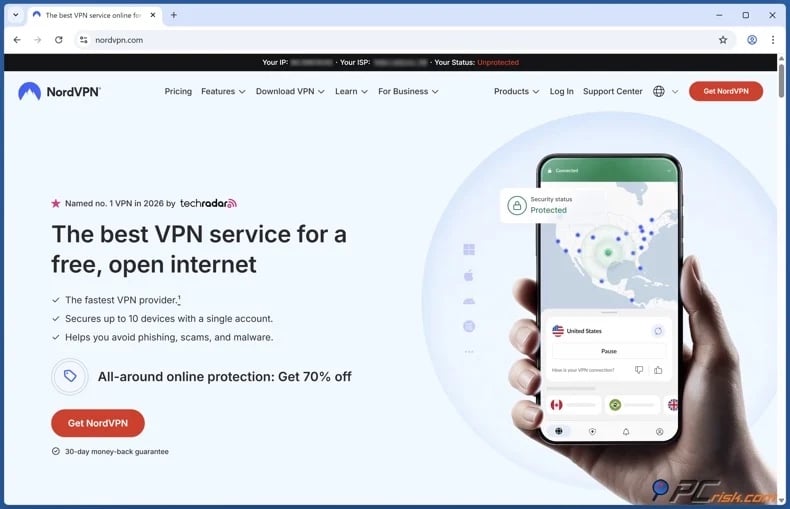
1. Select a reputable VPN provider. Avoid unknown VPN applications, even if they offer unlimited free service. Prioritize a broad server network with multiple nearby servers, fast speeds, and a strong privacy stance. We recommend NordVPN - our Top Choice for 2026.
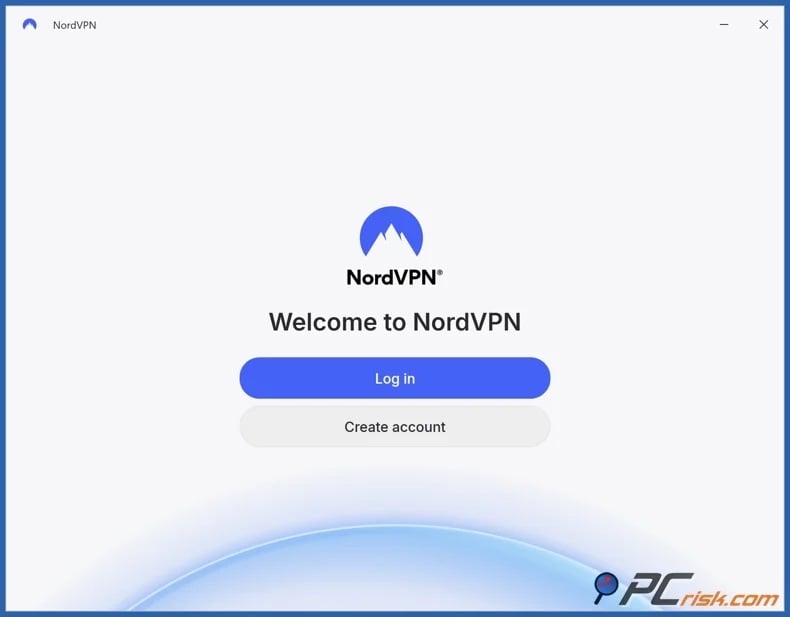
2. Install the official VPN app and sign in. Download the application from official sources; do not use third-party channels to avoid allowing unwanted or malicious software into your device. Major providers offer apps compatible with various platforms, including Windows, macOS, iOS, Android, Linux, and others. A single subscription from mainstream services typically covers multiple devices.
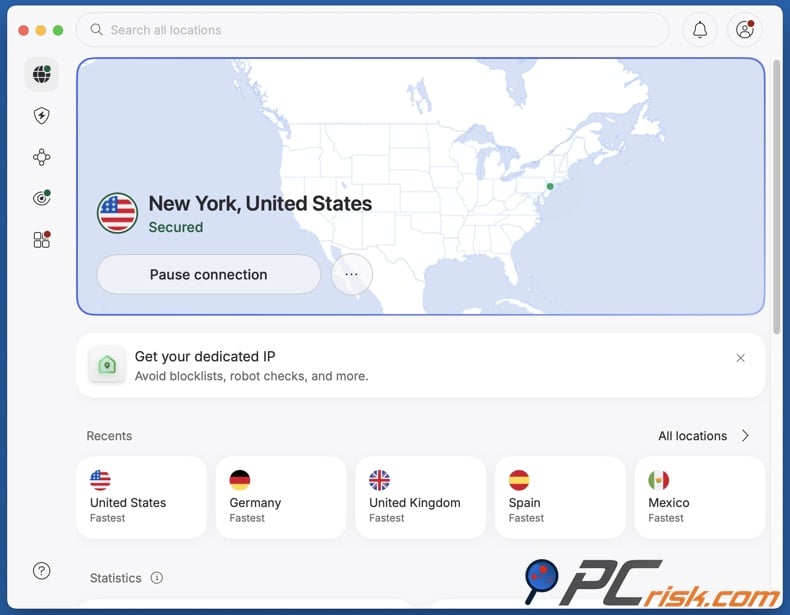
3. Connect to a nearby server. For local school-network restrictions, a server close to your location typically offers better latency than one farther away.
4. Ensure the VPN connection is active before launching Minecraft. If the launcher or game was open, close and reopen it after connecting to the VPN. Test the specific Minecraft service you need. A successful sign-in does not guarantee multiplayer access. Try your usual Realm or server. If problems continue, check whether the problem is with the network, account, game version, or destination server. Check out the "Common issues and solutions when accessing Minecraft with a VPN" section of this article for more information.
If the institution blocks VPN connections, do not modify managed devices, disable monitoring software, or bypass security controls. Use an authorized connection, play later on your home network, or ask an administrator if Minecraft access can be provided for a legitimate educational purpose.
Best VPNs to access Minecraft
The following are our Top VPN Choices for 2026 (for an in-depth comparison, read our dedicated article):




1. NordVPN - best overall
NordVPN is our top choice. It supports up to ten devices and offers applications for all major desktop and mobile platforms. The NordLynx protocol, based on WireGuard, performed well in our tests. NordVPN also provides privacy and security features, such as a kill switch and other protective tools, depending on the platform and plan.
Fast connections, reliable apps, and a broad server network make this VPN well-suited for Minecraft, where low latency and stable routing are essential for responsive multiplayer gameplay. Hence, NordVPN offers the most balanced package for Minecraft, browsing, travel, streaming, and public Wi-Fi.
2. Surfshark - best for many devices
Surfshark's main advantage is unlimited simultaneous device support, allowing one subscription to cover all compatible phones, tablets, laptops, and other devices without managing device limits. Our review also found strong WireGuard performance and a comprehensive set of security and privacy tools.
Surfshark is especially appealing for households with multiple Minecraft players or users who switch between devices. Its excellent performance and competitive long-term pricing are advantages, though users should review renewal pricing before subscribing.
3. Mullvad VPN - best for privacy-focused users
Mullvad VPN minimizes personal information during registration and supports both WireGuard and OpenVPN. Our testing found its connections fast and stable for gaming and regular Internet use.
The trade-off is that Mullvad VPN offers fewer convenience and streaming features than larger competitors, and its customer support is more limited. For Minecraft, this does not reduce its effectiveness, but users who need immediate live support on restricted networks may prefer NordVPN, Surfshark, or ExpressVPN.
4. Proton VPN - best free option
Proton VPN ranks fourth overall, but stands out for its legitimate free tier. Its apps support all major platforms, and the service focuses on open-source software, independent privacy audits, DNS and IP leak protection, and modern VPN technology.
The paid service offers more locations and features, but Proton's free plan is notable for not imposing the restrictive data limits common among free competitors. We recommend it for users who do not require a paid subscription, as long as the free connection meets their network needs.
5. ExpressVPN - best for simplicity
ExpressVPN's applications are straightforward, and the Lightway protocol delivers efficient, responsive connections. Our tests found the service reliable on major desktop and mobile platforms.
ExpressVPN is a strong choice for a polished app and simple setup experience over one involving advanced configuration. While it may offer less value than some competitors, its stability, performance, and support are compelling.
It must be emphasized that a VPN does not ensure access to Minecraft on a managed school network. Schools may block or restrict traffic using firewalls, DNS filtering, blocked ports, application filtering, or systems that detect and disrupt VPN connections. Even if a VPN connects, these measures can still prevent Minecraft from functioning properly. Additionally, managed school devices may enforce administrator policies that block Minecraft, prevent VPN installation, disable extensions, or restrict changes to apps and network settings.
Can you use a free VPN to access Minecraft?
Free VPNs can be functional, but their drawbacks are particularly evident during online gaming. Below are some of the key limitations and risks associated with free VPNs:
Limited server selection: free users often have access to only a few locations. If the nearest server is overloaded or blocked, alternatives may not be available.
Congestion and higher latency: free servers commonly experience heavy traffic. Even with acceptable download speeds, unstable latency can cause delays, interruptions, or poor multiplayer performance.
Data limits: many free VPNs restrict monthly or daily data usage. Game updates and downloads can quickly exceed these limits.
Speed restrictions: providers typically reserve their fastest infrastructure and protocols for paid users.
Possible privacy issues: operating a VPN incurs costs. Some free providers rely on advertising, tracking, or data collection, which is especially worrying considering their access to your Internet traffic.
Weak security and limited support: free VPNs may lack essential features such as a kill switch, modern protocols, independent audits, or effective customer support.
Overused IP addresses: many free users share the same IP addresses, boosting the risk of blocks, rate limits, and security checks.
For those seeking a free option, we recommend the free plan from Proton VPN. This tier offers unlimited data without advertising, though server choices and premium features are limited compared to the paid version.
Common issues and solutions when accessing Minecraft with a VPN
Troubleshooting Minecraft is more complex than resolving access to a blocked website, as it involves factors such as authentication, multiplayer permissions, game version compatibility, server status, Realms, firewalls, and the VPN connection. Minecraft support recommends checking connectivity, bandwidth, firewall settings, account requirements, game versions, and service subscriptions when multiplayer does not work. Below are some of the most common issues and their potential solutions:
The VPN connects, but Minecraft multiplayer still does not work: the school may be restricting additional traffic, the selected VPN server may have connectivity problems, or Minecraft itself may be experiencing an unrelated issue.
Potential solutions:
- Restart Minecraft after establishing the VPN connection.
- Connect to another nearby VPN server.
- If available with your VPN, try another supported protocol.
- Confirm that the destination server or Realm is online.
- Test Minecraft on home Internet or personal mobile data to determine whether the institutional network is the cause.
Minecraft says it cannot connect to online services: this may involve Microsoft authentication, account permissions, an outdated game version, or a temporary service problem rather than the VPN. Minecraft requires appropriate permissions and compatible versions for multiplayer.
Potential solutions:
- If available, update Minecraft and the launcher.
- Sign out of your Microsoft account in Minecraft, restart the game, and sign back in.
- Restart the device.
- Verify that multiplayer permissions are enabled.
- Check that any required console online subscription is active.
- Temporarily test without the VPN on a trusted network to isolate the problem.
Minecraft works, but latency is high: a VPN creates an additional routing step and encryption processing. Connecting to a distant location can substantially increase the distance packets must travel.
Potential solutions:
- Connect to the nearest practical VPN server.
- If this data is available with your VPN, connect to a less congested practical VPN server.
- If available with your VPN, use the provider's recommended high-performance protocol.
- Pause or stop bandwidth-intensive activities, such as unrelated downloads, streams, cloud synchronization, game updates, etc.
- If possible, switch to stronger Wi-Fi or a wired connection.
The VPN repeatedly disconnects: Wi-Fi instability, congestion, VPN server problems, or network restrictions can cause repeated connection failures.
Potential solutions:
- Connect to another nearby VPN server.
- If available with your VPN, try another supported protocol.
- If available, update the VPN app.
- Move closer to the wireless access point if the signal is weak.
- Contact the VPN provider if the problem also occurs on your personal network.
The VPN works on a personal computer but cannot be installed on a school device: the device is probably managed through administrative policies. Application allowlists, restricted user permissions, mobile-device management, or endpoint security software can prevent unauthorized VPN installation.
Potential solutions:
- Do not attempt to remove management software or security controls.
- Use an authorized personal device when institutional rules permit it.
- Ask the administrator for access if Minecraft is required for coursework.
- Use your normal home connection for recreational play.
It is pertinent to mention that established VPN providers offer reliable support for application, server, connection, and protocol issues. If standard troubleshooting does not resolve the problem, contact official support rather than using modified clients, unknown VPN software, or tools that claim to unlock managed devices.
How to access Minecraft without a VPN?
Web proxies and the Tor Browser are often suggested for accessing blocked websites. However, neither is an effective replacement for a full VPN when running the Minecraft game client. Browser-based versions of Minecraft are a partial exception because their traffic originates from the browser itself.
Web-based proxies
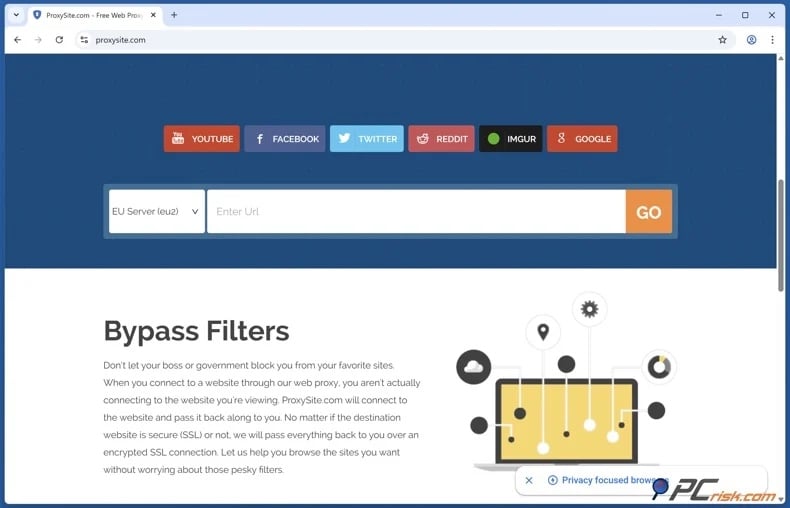
A web proxy serves as an intermediary between your browser and the destination website. You access the proxy's site, enter a web address, and the proxy retrieves the website for you. As a result, the destination communicates with the proxy instead of your public IP address. This can help with basic domain filtering on standard websites. However, browser-based proxies only handle browser traffic, not the traffic generated by the Minecraft application. Therefore, accessing minecraft.net through a proxy does not mean Minecraft Java, Bedrock, Realms, or multiplayer servers will use the proxy.
Minecraft offers an official browser-based version called Minecraft Classic, accessible through its website. This version recreates the early 2009 game and is much more limited than the current Java or Bedrock Editions. While a web proxy could affect access to the Minecraft Classic webpage, the game depends on browser technologies like WebGL and WebRTC, which many basic proxies do not fully support. Hence, using a proxy does not guarantee that the game or its multiplayer features will function properly.
Unofficial browser-based Minecraft recreations and ports also exist. Since these run mainly through the browser, some may technically work through certain web proxies. Compatibility depends on how the game communicates with its servers and what the proxy supports. These sites are not official Minecraft services, and as such, we advise caution. Unverified operators may display intrusive ads, collect user data, imitate Microsoft sign-in pages, or distribute unwanted content. Do not enter Microsoft account credentials on any unofficial Minecraft website.
Public proxies also pose major privacy and security risks. Operators can monitor user activity, and low-quality services may display intrusive advertisements, redirect pages, or offer unreliable connections. We strongly advise against entering Microsoft credentials or other sensitive information into untrusted proxy services.
Tor Browser
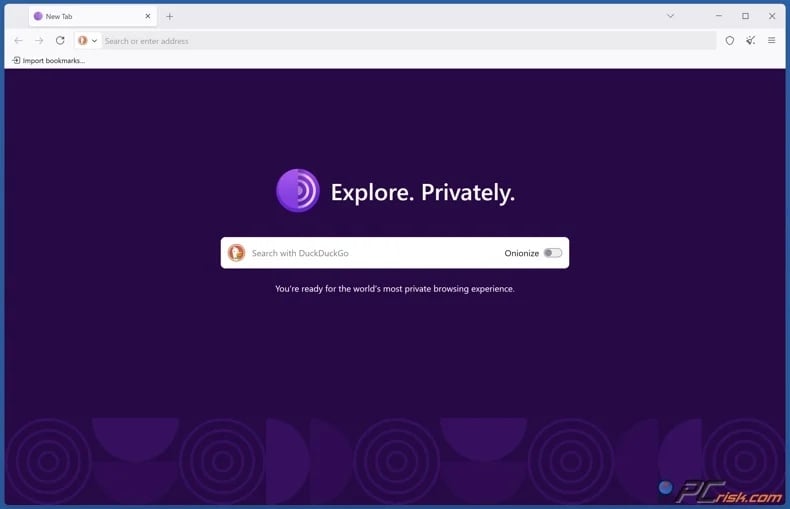
Tor is an advanced privacy system. It routes traffic through volunteer-operated relays and uses multiple layers of encryption. Tor Browser reduces tracking and enables access in censored environments, thus offering stronger privacy than a standard open web proxy. However, Tor Browser mainly routes only its own traffic. Installing and opening it does not route the standard Minecraft Java or Bedrock client through Tor.
Browser-based Minecraft versions differ as they run within the browser. Official or unofficial versions may load through Tor if the browser supports the necessary features and network connections, but compatibility is not assured. Browser security restrictions and required technologies may limit functionality, and Tor's multi-hop routing can increase latency.
Tor uses a multi-hop design, sending traffic through several relays instead of a single VPN server. While this improves anonymity, it usually results in higher latency than a well-placed VPN, which is a considerable drawback for real-time multiplayer games.
To summarize, a web-based proxy is better suited for accessing webpages or browser-based games than for running the standard Minecraft client. Minecraft Classic is the official browser version, and while unofficial versions exist, proxy compatibility is inconsistent. Tor Browser can route browser traffic, but does not support Java or Bedrock Edition by default, and it is not ideal for lag-sensitive multiplayer games. A standard VPN generally provides better performance, compatibility, privacy, and usability.
Is using a VPN to access Minecraft legal?
VPNs are legal for typical use in many countries. Companies use VPNs for secure remote access, while consumers rely on them for privacy, travel, public Wi-Fi protection, and changing their IP address.
However, VPN regulations differ widely and may change with little notice. Countries that ban, heavily restrict, or tightly control VPNs or circumvention technologies include Belarus, China, Iran, Russia, Turkmenistan, and North Korea. Other jurisdictions may require provider registration, data retention, content filtering, or authorization, even if they do not ban all VPN connections. Therefore, always check the current laws in your location. Do not rely on outdated articles, as governments can implement new VPN and Internet-control rules with little warning.
There is also an important distinction between law and institutional policy. A VPN may be legal in your country but prohibited on a school's Wi-Fi network or devices. Schools can set acceptable-use rules for their infrastructure. Deliberately bypassing these restrictions may result in loss of network access, suspension of device privileges, disciplinary action, or other measures defined by the institution.
Similarly, owning a personal laptop does not grant permission to bypass restrictions on another network. If an administrator prohibits gaming or VPN connections, you should use an authorized personal Internet connection, play at home, or request permission if Minecraft serves a legitimate educational purpose.
It must be stressed that a VPN does not remove liability. Activities that are illegal without a VPN remain unlawful when using one. Encryption and a different IP address provide privacy, but do not exempt you from laws, contracts, platform rules, or school policies.
In closing
Minecraft may be unavailable at school due to administrative restrictions on entertainment services, app installations, domain access, firewall rules, or multiplayer traffic. The availability of Minecraft Education does not necessarily affect these restrictions, as it is a separate, classroom-focused platform intended for supervised learning. Minecraft may also be inaccessible for other reasons, such as old software, Microsoft account permissions, Realms issues, firewall settings, connectivity problems, or incompatible editions.
Our top pick of the year: almost no slowdown in our speed tests, and it unblocked Netflix, BBC iPlayer and Disney+ without trouble. $3.39/mo on the 2-year plan or $4.99/mo on the 1-year plan, 30-day money-back guarantee. Compare all three
On a personal device, using mobile data is the simplest way to avoid restricted Wi-Fi, but users should monitor their data usage and set warnings as needed. If VPN use is allowed, a reliable service can improve privacy and route traffic through another server. However, no VPN can guarantee access to Minecraft. Do not disable administrative controls or alter school-managed devices to bypass restrictions. Mind your institution's policies and respect all applicable laws.
Frequently Asked Questions (FAQ)
Why can't I access Minecraft at school?
Schools may block gaming using DNS filters, firewalls, app controls, device management policies, or by restricting multiplayer traffic. Minecraft may also not work due to an outdated version, account permissions, server issues, or an unstable connection.
Can I access Minecraft with a VPN?
In some cases, yes. A VPN encrypts supported Internet traffic and routes it through a VPN server, which may circumvent certain IP, DNS, or network restrictions. However, access is not guaranteed, as schools can block VPN traffic or prevent VPN software from running on managed devices.
Can I access Minecraft without a VPN?
Yes. If Minecraft is blocked only on the current Wi-Fi network, you can use the mobile version over cellular data or an authorized personal hotspot to bypass these restrictions. Web proxies and Tor Browser are less effective, as they mainly handle browser traffic and do not automatically route Minecraft connections.
Is it legal to access Minecraft with a VPN?
VPNs are legal for legitimate use in many countries, though some countries ban or strictly regulate them. Even where VPNs are legal, bypassing school Internet restrictions may violate acceptable-use policies and lead to disciplinary action. Using a VPN does not make illegal activities lawful.
Share:
 Facebook
 X.com
X.com
 LinkedIn
 Copy Link

Karolis Liucveikis
Experienced software engineer, passionate about behavioral analysis of malicious apps
Author and general operator of PCrisk's News and Removal Guides section. Co-researcher working alongside Tomas to discover the latest threats and global trends in the cyber security world. Karolis has experience of over 8 years working in this branch. He attended Kaunas University of Technology and graduated with a degree in Software Development in 2017. Extremely passionate about technical aspects and behavior of various malicious applications.
▼ Show Discussion