
We may earn commissions from products we recommend. Learn more.
Best antivirus software without auto-renewal in 2026

Best antivirus software without auto-renewal in 2026
At PCrisk, we do not see auto-renewal as always a bad thing. Security companies often turn it on by default to help users avoid service gaps and keep their protection running without worrying about expiration dates. The real issue comes up when renewal prices are much higher than the first-year deal, or when turning off auto-renewal is harder than it should be. In this guide, "without auto-renewal" means antivirus software you can keep on manual renewal in 2026, either by turning off automatic billing in your account or by buying from a place that does not require another automatic payment at the end of your term.
This article covers antivirus products reviewed by PCrisk: Bitdefender, ESET, Malwarebytes, Avast, Norton, and Combo Cleaner. If you want to avoid automatic billing, protection is just one part of the decision. It is also important to look at how clear the renewal process is, whether there is a free version to fall back on, and what happens to your protection if your subscription ends.
Table of Contents:
- Introduction
- How to choose the best antivirus without automatic renewal
- The best antivirus without auto-renewal in 2026
- How we test antivirus software
- What happens if you don't renew your antivirus
- How to disable auto-renewal
- Should you get an antivirus without auto-renewal?
- Final thoughts
- Frequently asked questions (FAQs)
How to choose the best antivirus without automatic renewal
The first thing to check is not the discount on the homepage, but how the billing works behind the scenes. Many products offer great first-year prices, but the renewal cost can be much higher later. Bitdefender's plans are yearly and can renew at much higher rates, Avast's prices can also go up after the first year, and Norton is very clear that renewal prices can be much higher than the starting offer. If you want manual control, a good antivirus without auto-renewal is one where the company is open about both the first payment and what you will pay later.
The next thing to look at is how easy it is to turn off auto-renewal. Bitdefender lets you do this through Bitdefender Central or its billing portal. Norton allows it in the My Subscriptions section of your account, but you may see some offers to stay before you finish canceling. Avast's process is also account-based and simple. ESET lets you opt out too, but you need to confirm by email before you can turn off auto-renewal. Malwarebytes is different: if you buy from their online store, auto-renewal is on by default, but if you buy from a retail store, manual renewal is the default. Combo Cleaner's subscriptions auto-renew through Paddle, and you can cancel using the purchase email link, by contacting support, or through Paddle's support tools.
The third thing to consider is what happens when your subscription ends. Many people overlook this. A product might be easy to cancel, but if it doesn't offer a good free option after expiry, it may not be the best choice for manual renewal. Avast and Bitdefender are best here because both offer free versions. Malwarebytes and Combo Cleaner also have free modes, but they are more limited. ESET and Norton do not have a permanent free desktop version, so if you forget to renew, you could be left unprotected. This is important if you tend to forget about renewals.
Protection quality is still the most important factor, and our testing shows this. Malware detection and removal account for 60% of the total score, far more than performance, usability, or extra features. So, buyers should not choose based only on billing. All the products, Bitdefender, ESET, Avast, Norton, Malwarebytes, and Combo Cleaner, offer strong security, but each has its own strengths. Bitdefender and ESET are balanced and light on system resources, Norton has the most features, Avast stands out for its free version, Malwarebytes is simple, and Combo Cleaner combines security with cleanup tools.
The next thing to think about is which features you need. If you just want reliable malware protection for one Windows computer, ESET NOD32 or Bitdefender Antivirus Plus are good choices, and you do not have to pay for extra features you will not use. If you want more, Norton 360, Bitdefender Total Security, or Premium Security, and Avast's higher plans include things like VPN, firewall, parental controls, privacy, or identity tools. Malwarebytes is different because it focuses on core protection and privacy, without extras like a firewall or parental controls. Combo Cleaner is unique because it combines antivirus with system cleanup and optimization tools, and it offers six-month billing rather than yearly plans.
Do not forget about free trials and refund periods. ESET offers a 30-day full trial. Bitdefender gives you a 30-day trial and a 30-day money-back guarantee. Norton has a 14-day free trial and a 60-day money-back guarantee. Avast lets you try Premium Security for 60 days. Malwarebytes offers a 14-day Premium trial, and Combo Cleaner has a 7-day free trial plus a 30-day money-back guarantee. These trials and refund options are important if you want to avoid billing surprises, because they let you test both the protection and the company's billing and cancellation process before you decide.
The best antivirus without auto-renewal in 2026
This list features only antivirus products reviewed by PCrisk, with a focus on options for people who want to avoid automatic renewals.
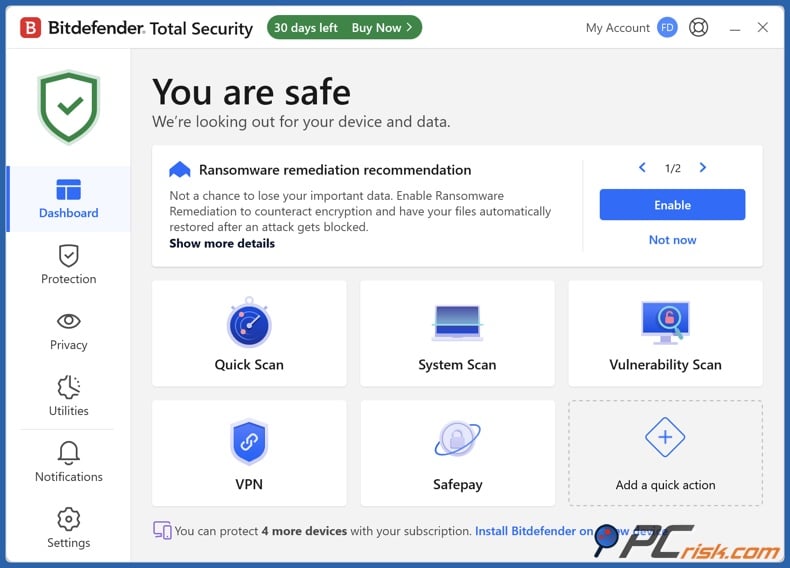
Bitdefender offers the best mix of protection, features, and control over manual renewal. It's our top-rated antivirus, and for good reason. Our test results show strong performance: 19 out of 20 trojans detected, all 20 ransomware samples blocked, and 19 out of 20 Mac-specific threats removed. Bitdefender also includes real-time detection, ransomware defense, web protection, firewall features in higher tiers, SafePay for secure banking, a vulnerability scanner, password manager support, and a built-in VPN. Overall, it's the easiest product to recommend from this list.
Bitdefender stands out here because it gives you several ways to manage your renewal. It offers one, two, and three-year plans, a free Windows version, and reminders before your next auto-renewal. Bitdefender's support pages also explain how to turn off auto-renewal in Bitdefender Central or through the Verifone billing portal. This level of control is important.
- Pros: excellent malware protection, many features, multi-year options, and a truly free Windows version.
- Cons: the VPN is limited to 200 MB per day on most lower-priced plans, the iOS app is basic, and some top features are only in higher tiers.
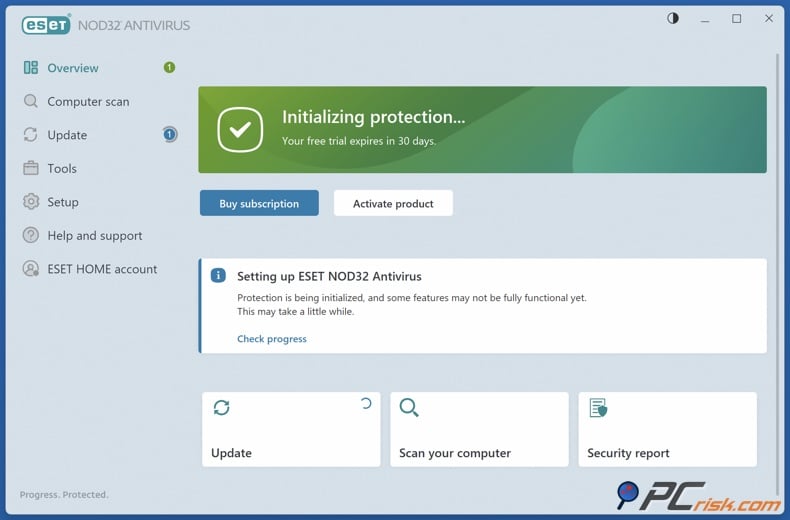
ESET is the best pick if you want strong protection with minimal impact on your computer and lots of control. We ranked it second and it is a top choice for users who want serious malware defense without slowing down their system. ESET's low resource use, strong detection rates, and deep customization. In our tests, ESET blocked all 20 ransomware samples, caught 19 out of 20 trojans in full scans, and removed 19 out of 20 Mac threats. The suite includes real-time scanning, exploit blocking, ransomware protection, network and firewall features, anti-theft tools, and optional extras like password management and file encryption, all while running quietly.
When it comes to avoiding auto-renewal, ESET is a mixed bag. You can turn off auto-renewal, and ESET's support guides explain how to do this through the eStore after email verification. The company also notifies annual subscribers 30 days before renewal. However, ESET does not offer a permanent free desktop version, so if you miss a renewal, you may be left without protection.
- Pros: great protection, low system impact, and strong customization for advanced users.
- Cons: the top tier is pricey, settings can be overwhelming for non-technical users, and there's no permanent free version as a backup like Bitdefender or Avast.
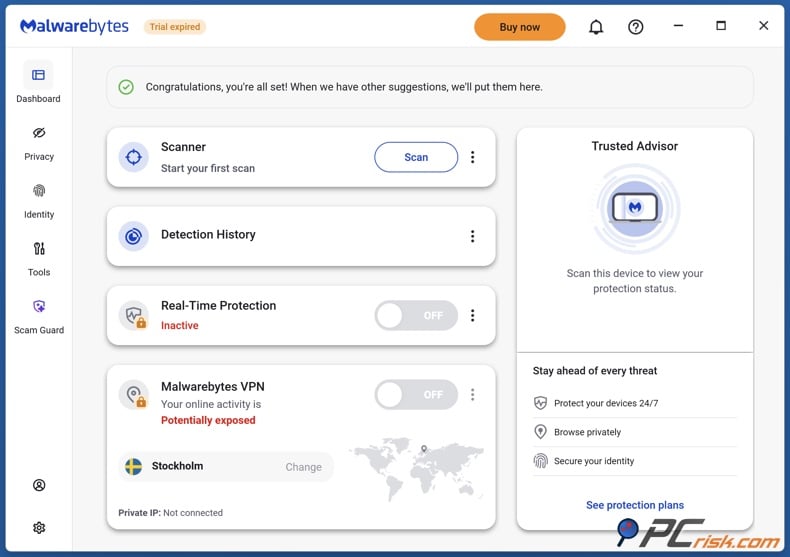
Malwarebytes is the best choice if you want a simple antivirus without lots of extra features. It's not the most complete suite, but it's one of the easiest to use. We can highlight its user-friendly interface, quick setup, minimal performance impact, and strong real-time protection. Malwarebytes focuses on malware, ransomware, phishing, exploit blocking, and web protection, instead of trying to cover everything. In our tests, it detected 17 out of 20 trojans and all 20 ransomware samples, showing it's a solid core protection tool.
Malwarebytes offers more billing flexibility than many expect. Subscriptions from the company's online store auto-renew by default, but if you buy from online or physical retail stores, they are set to manual renewal. This matters if you want to avoid recurring charges. You can also turn off auto-renewal in your account, and canceled subscriptions stay active until they expire.
- Pros: very simple interface, strong ransomware and exploit protection, and good manual-renewal options if you buy through retail.
- Cons: the free version only scans on demand, there's no built-in firewall or parental controls, and there are occasional false positives, along with complaints about support and renewal issues.
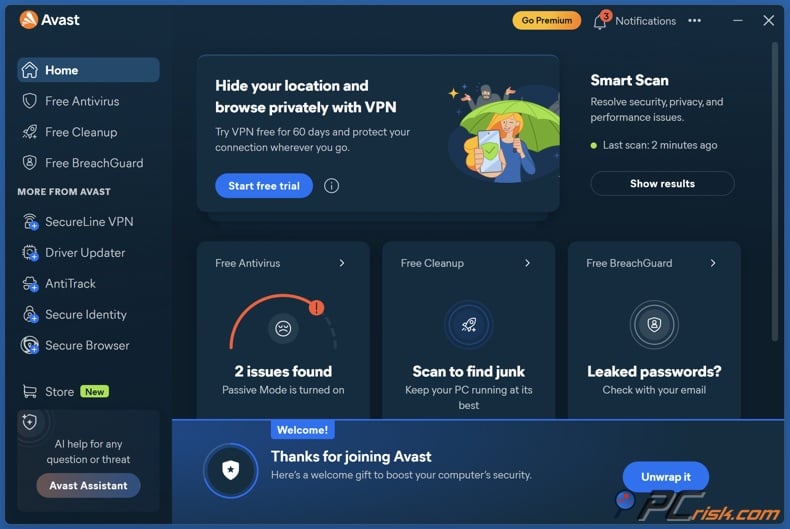
Avast is the best free backup option on this list. It's a top pick for anyone who wants manual renewal and a worry-free experience if their subscription expires. We at PCrisk appreciate its malware detection, ease of use, and strong free version. The free edition offers core protection, including real-time scanning, phishing defense, and even a built-in firewall. In tests, Avast blocked all 20 ransomware samples, all 20 malicious email attachments, and 17 out of 20 Mac-specific threats, though it was weaker with PUPs. Paid plans add features like ransomware shielding, webcam protection, sandboxing, VPN, anti-tracking, and tune-up tools.
Avast's cancellation process is easy to follow in your account portal, and the company clearly says that canceling before your next billing date stops another charge. After cancellation, your subscription status changes to Expiring, and you keep paid access until the expiry date. After that, you may lose access or switch to the free version. This makes Avast the safest option to let expire by accident, since the free version still offers good protection.
- Pros: great free fallback, strong protection, and a clear opt-out process.
- Cons: the free version can be pushy with upgrade prompts, the company has some past privacy concerns from 2020, and the difference between free and paid is not always big unless you want premium features.
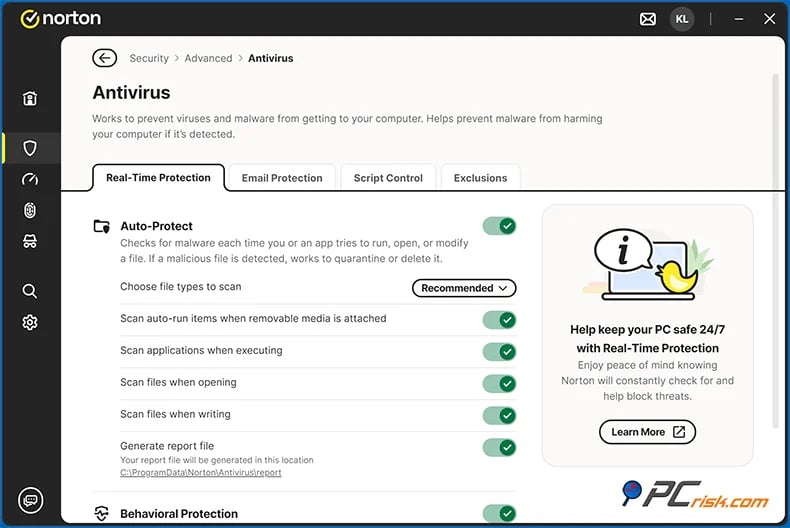
Norton is the most feature-packed suite here, but it's not the easiest for manual-renewal buyers. It's still excellent software. We praise its top malware protection, wide range of features, and strong cross-platform support. Norton 360 includes a password manager, firewall, unlimited VPN on some plans, cloud backup, parental controls, dark web monitoring, and, in some areas, identity theft protection. Our tests found 100% ransomware blocking, strong Trojan protection, and very good phishing and malicious URL defense, though PUP detection was weaker. If you want one premium package for your family's devices and online needs, Norton is a strong choice.
Norton is less attractive for this article's focus because of its renewal pricing. Renewal costs can be high, and some popular plans more than double after the first year. You can turn off auto-renewal in your account, but the process includes retention offers before you finish canceling, and there's no permanent free desktop version if you forget to renew.
- Pros: probably the most feature-rich suite here, strong protection, and good value for families.
- Cons: very high renewal prices, no real free backup, some upselling, and an interface that can feel cluttered compared to simpler options.
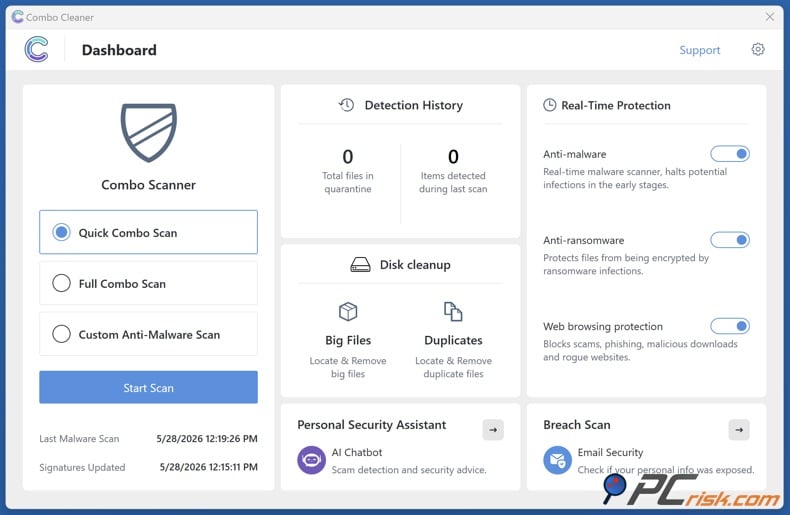
Combo Cleaner is the Editor's choice. Combo Cleaner is owned and run by RCS LT, which also owns PCrisk.com. Combo Cleaner has a strong case: It is a cross-platform security and cleanup tool with real-time antivirus, anti-ransomware, web blocking, disk cleanup, and an in-app AI assistant, all while running smoothly. In our tests, it detected 19 out of 20 trojans, all 20 ransomware samples, 17 out of 20 malicious email attachments, and all 20 Mac-specific threats using its dual-engine system.
Combo Cleaner stands out because it uses six-month billing instead of just annual plans, so you're not locked in for as long. There's a 7-day free trial, and prices start at about $45-$50 for 6 months on one computer. Subscriptions from the official site usually auto-renew through Paddle, but you can cancel using the purchase email link, by contacting support, or through Paddle's subscription tools.
- Pros: shorter billing periods, strong cleanup tools with protection, and good test results.
- Cons: less coverage in independent benchmarks, no built-in firewall or VPN.
How we test antivirus software
We at PCrisk believe that simple checklists are not enough for antivirus testing. Their published method focuses on how well software detects, blocks, and removes real threats without harming the rest of the system. We use up-to-date malware samples collected from daily work with ransomware, adware, spyware, phishing sites, infected attachments, and other active threats. This approach aims to mirror real-world infection paths instead of outdated classroom scenarios.
Malware detection is the most important part of the process. We check real-time protection by introducing threats in the same ways people encounter them every day, such as downloads, malicious email attachments, and infected USB drives. We also test on-demand scanning by installing dormant malware on the system and seeing whether scans detect it. Our team notes how threats are stopped, how alerts appear, and if anything gets through before cleanup starts. This matters because good detection numbers alone do not guarantee the software will inform users well or handle quarantined files properly.
We review features beyond the main scanner and do not just treat them as marketing points. Our method looks at ransomware protection, firewall and network defense, web protection against bad links and phishing, email scanning, antispam, and extras like VPNs, password managers, parental controls, and clean-up tools. The tests are hands-on: if a suite claims ransomware protection, we use real ransomware in the lab; if it claims firewall strength, we simulate network attacks; if it includes a VPN, we connect to servers to check if it works. This matters because many antivirus products seem similar on paper but can be very different in real use.
Performance and usability are important parts of our tests. Our team performs everyday tasks with and without the antivirus running, checks startup time, CPU and memory usage, how quickly apps open, and how responsive the system feels. We also rate how noisy or intrusive the software is in daily use. Notifications should be helpful, settings should be easy to understand, and the software should not pressure users to turn it off. This is especially important for people who want to manage renewals themselves, since the product should be easy to use, not just strong in lab tests.
We use both virtual and physical machines for testing. Virtual machines are easy to reset after malware tests, while physical machines help test threats that can detect virtual setups and give more realistic performance results. The test systems run updated operating systems, common consumer software, and fake personal files to mimic real use. After testing, we score each product: 60% for malware detection and removal, 15% for performance, 10% for usability and interface, and 15% for features and extras. This scoring is good news for people looking for an antivirus without auto-renewal, since it prioritizes protection over convenience.
What happens if you don't renew your antivirus
It is important to know that turning off auto-renewal does not mean you lose protection right away. ESET says turning off auto-renewal does not cancel your current subscription, so protection lasts until it expires. Malwarebytes says canceled subscriptions for Windows and Mac stay active until their expiration dates. Avast says that after you cancel renewal, your status changes to Expiring, but you can keep using the paid features until the expiry date. This is important because many people worry that manual renewal will turn off their antivirus immediately, but in most cases, it just stops the next payment.
Things change once your subscription expires. ESET and Norton are strict because they do not have a permanent free desktop version, so if you miss a renewal, you need to renew manually or find another security product. Malwarebytes and Combo Cleaner are in the middle. They have free modes, but these are limited: Malwarebytes Free only does on-demand scans and removals, not real-time protection, and Combo Cleaner's free version scans and does some cleanup, but does not remove malware or offer real-time protection. Avast and Bitdefender are more forgiving, as both offer free versions you can use after your paid plan ends. Avast's free tier is the strongest for ongoing protection.
Free plans can be helpful, but they usually do not match the value of a paid annual subscription. Bitdefender's free version is a basic safety net for Windows. Malwarebytes Free works best as a cleanup tool or a second scanner. Combo Cleaner's free mode is more like a diagnostic tool with limited cleanup, not a full-time shield. Avast stands out because its free tier offers strong core protection, including real-time scanning and a firewall. Paid annual plans offer more: better ransomware protection, full real-time coverage, support for more devices, VPN, password manager, parental controls, dark web or identity tools, and better customer support.
The best plan after your subscription ends depends on which product you use. With Bitdefender or Avast, you can turn off auto-renewal and still have a solid free version to fall back on. With Malwarebytes or Combo Cleaner, manual renewal is possible, but their free modes should only be a short-term backup, not a long-term solution. For ESET or Norton, manual renewal works only if you are organized enough to renew on time or ready to switch to something else before your subscription ends. That is why the best antivirus without auto-renewal is not always the same as the best antivirus overall.
If you turn off auto-renewal, it is smart to set your own reminder instead of relying only on the company's alerts. ESET and Malwarebytes both send renewal reminders 30 days before your subscription ends. These reminders are helpful, but you should also set a calendar alert for yourself a month ahead. This gives you time to decide if you want to keep the same antivirus and to compare renewal prices with current deals before making a decision.
How to disable auto-renewal
Bitdefender is a good example because it clearly explains several ways to turn off automatic renewal. The steps may look different depending on whether your subscription is listed under My Payments or My Subscriptions. If you cannot access your main account, Bitdefender also provides a backup method through the Verifone billing portal.
Log in to Bitdefender Central and open either My Payments or My Subscriptions, depending on what you see in your account.
Find your subscription details. Sometimes you do this by clicking View details, and other times you use the options menu and select Subscription & Continuous Protection.
Select the option to stop future billing. Bitdefender may call this End Auto-Renewal, Cancel Subscription, or Stop automatic subscription renewal, depending on where you are in the process.
Choose your reason for canceling and finish the last confirmation step. Bitdefender updates your account right away and sends a confirmation email soon after.
If you cannot use the usual Bitdefender Central steps, follow the Verifone access-link instructions and turn off automatic renewal from the billing portal instead.
Other antivirus companies use similar steps, even if the menu names are different. For example, Norton uses My Subscriptions and an Unsubscribe option. Avast uses Manage subscriptions and either Unsubscribe or Cancel renewal. ESET uses its eStore with email verification and an auto-renewal switch. Malwarebytes uses the billing page in your account. The main idea is the same: find your subscription, stop the next billing cycle, keep your current term, and save the confirmation email.
Should you get an antivirus without auto-renewal?
If you keep track of your subscriptions, compare prices each year, and want to avoid surprise renewals, choosing an antivirus with manual renewal makes sense. This is especially helpful since first-year and renewal prices can be very different. People who like to find seasonal deals, buy retail codes, or switch product tiers often get better value by turning off auto-renewal.
Manual renewal is less ideal if you often miss renewal emails, ignore support messages, or manage several family devices. This can be risky, especially with products like ESET and Norton that do not offer a permanent free version. If your subscription lapses, you might lose protection. Even with products that have free versions, the downgrade can be bigger than you expect. Free versions of Malwarebytes and Combo Cleaner are helpful, but they do not replace the full paid versions.
In short, only choose an antivirus without auto-renewal if having control over your billing is more important to you than the risk of losing protection. If you are organized, this usually works well. If you tend to forget renewals, Avast or Bitdefender are safer manual-renewal choices because they offer better backup options after your subscription ends. Advanced users who want full control and can remember to renew on time will like ESET. If you want a complete suite and do not mind handling renewals yourself, Norton is still a good option, though it can be more expensive.
Final thoughts
The best antivirus software without auto-renewal in 2026 is not just the one that bills you the least often. It is the one that gives you strong protection, a clear way to stop automatic billing, and a good backup plan if your subscription ends. Based on this, Bitdefender is our top overall recommendation. It has the best all-around security here, strong in-house and lab results, a free Windows version, and clear instructions for ending auto-renewal.
ESET is still our top pick for advanced users who want minimal system impact and greater control over the scanner, but it is less forgiving for manual-renewal buyers, since there is no permanent free desktop version. Malwarebytes is easy to recommend for anyone who values simplicity and can buy through a manual-renewal retail path. Avast is the best choice for forgetful users because its free fallback is unusually strong. Norton is a good option for households that want all premium features in one place, but it is one of the least budget-friendly renewals. Combo Cleaner is the editor's choice for buyers who want antivirus plus cleanup tools and a shorter six-month billing cycle.
If we had to narrow it down to three names for this topic, the best shortlist would be Bitdefender for overall balance, Avast for the best free fallback after expiry, and Malwarebytes for the simplest experience if you prefer manual renewal. These three cover what most people want from 'without auto-renewal': better control, fewer surprise charges, and less risk if you delay renewal.
Frequently asked questions (FAQs)
What does an antivirus without auto-renewal mean?
It means antivirus software you can keep on a manual-renewal basis. Usually, this means turning off automatic billing in your account, though Malwarebytes says some retail purchases are manual-renewal by default. It does not mean the product never uses subscriptions.
Which antivirus is the best overall if I want control over renewal?
Bitdefender is the top all-around recommendation. We rank it first in the current lineup; its in-house and lab results are excellent, it offers a real free Windows version, and Bitdefender provides clear support for ending automatic renewal.
Which antivirus is the safest one to let expire accidentally?
Avast is the safest choice because it offers a free version with strong core protection, and Avast says a canceled subscription may switch to the free version after expiry. Bitdefender is also safer than average because it has a free Windows edition.
Which products do not offer a permanent free desktop version?
In our current set, neither ESET nor Norton offers a permanent free desktop option. ESET gives a 30-day fully functional trial, and Norton offers a 14-day trial, but neither is meant to be a forever-free desktop safety net.
Can I buy Malwarebytes on manual-renewal terms?
Yes. Malwarebytes says subscriptions bought from its online store auto-renew by default, but those bought from online or physical retail stores are set to manual renewal by default. If you buy directly and want manual renewal, you can still turn auto-renewal off in your Malwarebytes account.
Does turning off auto-renewal cancel protection immediately?
Usually no. ESET says turning off auto-renewal does not cancel your current subscription, Malwarebytes says canceled subscriptions stay active until they expire, and Avast says paid use continues until the expiry date after renewal is canceled. This action stops the next bill but does not end your current term.
Which option is best for advanced users?
ESET is the best fit for advanced users in this lineup. We highlight its low-impact protection, strong detection rates, and wide customization options. The trade-off is that these advanced settings can feel overwhelming if you want something simpler.
Why do renewal prices often feel so much higher than first-year pricing?
This happens because introductory pricing and renewal pricing are often different parts of the same offer. Our review shows this clearly for several vendors, especially Norton, Avast, and Bitdefender. That gap is a big reason many buyers prefer to turn off auto-renewal and decide manually at the end of the term.
Share:
 Facebook
 X.com
X.com
 LinkedIn
 Copy Link

Rimvydas Iliavicius
Researcher, author
Rimvydas is a researcher with over four years of experience in the cybersecurity industry. He attended Kaunas University of Technology and graduated with a Master's degree in Translation and Localization of Technical texts. His interests in computers and technology led him to become a versatile author in the IT industry. At PCrisk, he's responsible for writing in-depth how-to articles for Microsoft Windows.
▼ Show Discussion