
We may earn commissions from products we recommend. Learn more.
Best antivirus software for gaming in 2026 | Top 5 picks

Best antivirus software for gaming in 2026
When we review antivirus software for gamers, we do not just look for the best malware detection. Instead, we focus on which product keeps your gaming PC safe without causing lag during gameplay. We consider detection rates, how the software runs in the background, how it handles full-screen games, junk-cleaning features, and the quality of each brand's game mode or quiet mode. For this guide, we included only antivirus brands featured in our antivirus reviews and evaluated them specifically for gaming.
At PCrisk, we look at this topic differently from a typical "best antivirus" list. Gamers often download launchers, updates, mods, voice chat apps, and community files, which increases the risk of phishing, infostealers, fake mods, and malicious downloads. The best gaming antivirus in 2026 is the one that blocks these threats in real time and runs so smoothly that you barely notice it - until it protects you from a bad download.
Table of Contents:
- Introduction
- How to choose a gaming PC-friendly antivirus program
- Best antivirus software for PC gaming
- Best antivirus software for gaming comparison
- How we test antivirus software
- Do you need an antivirus for your gaming PC?
- Does antivirus software affect gaming performance?
- Can a free antivirus protect your gaming PC?
- Wrapping up
- Frequently asked questions (FAQs)
How to choose a gaming PC-friendly antivirus program
The first thing we check is whether a game mode is truly helpful or just marketing. Some antivirus programs only mute pop-ups, which is nice but not a real performance boost. ESET's Gamer Mode lowers CPU use, delays updates and tasks, and turns on automatically for full-screen games. Bitdefender's Game Profile silences alerts and postpones scans and updates. Avast's Do Not Disturb Mode blocks notifications, can pause Windows Updates, and offers a performance-boosting setting. Norton's Game Optimizer goes even further on supported multi-core PCs by moving non-essential apps to a single CPU core, aiming for smoother gameplay, higher FPS, and lower lag. This difference is important when we rate gaming antivirus options.
Next, we look at malware detection rates, because there is no point in choosing a "light" antivirus if it misses the very threats gamers run into. In our in-house tests, Bitdefender, ESET, Malwarebytes, Avast, Norton, and Combo Cleaner all showed very strong ransomware results, while their results against trojans, email-borne malware, and potentially unwanted programs varied more. Bitdefender detected 19 of 20 trojans and all 20 ransomware samples. ESET caught all 20 ransomware samples and improved from 15 of 20 trojans in real time to 19 of 20 in a full scan. Malwarebytes caught all 20 ransomware samples and remained notably light in everyday use, but it is more security-first than feature-heavy. Avast removed all 20 ransomware samples and all 20 malicious email attachments, though its PUP detection was weaker in our test. Norton blocked 100% of ransomware samples and performed strongly on web and phishing protection.
Device cleaning is another important but often overlooked feature for gaming PCs. While antivirus software will not turn a slow computer into a fast one, it can help by removing junk files, clearing temporary clutter, and freeing up disk space. Bitdefender's OneClick Optimizer cleans junk files, browser data, and registry problems. Avast Cleanup removes leftover junk and browser clutter, but it is sold separately or with higher Avast plans. Combo Cleaner, which we cover later, includes cleanup tools as part of its package. On the other hand, Malwarebytes focuses on security and privacy, not tune-up tools, and ESET is more about efficient scanning and browser/privacy cleanup than full PC cleaning. This difference matters most when your SSD is getting full, and you want one tool for both security and basic maintenance.
In-game threat detection is not about scanning the game after you play. What matters is whether the antivirus can block threats before they reach your PC, like fake mods, infected updates, phishing links in chats, scam giveaways, and malicious attachments. Our antivirus software tests focus on real-time protection, blocking bad URLs, phishing pages, and infected emails, since that is how most threats get in. For gamers, this is the right approach. We want an antivirus that stops a bad mod, fake launcher, or suspicious Discord link before it causes problems.
Extra features and price are also important. Things like a VPN, password manager, secure browser, cloud backup, firewall, webcam protection, and anti-ransomware folder protection can be useful for gamers, especially if you stream, save payment info, or have lots of accounts. We prefer useful extras over long lists of features you will not use. Price matters, too: the cheapest plan may not include the gaming features you need. Bitdefender's basic plan is affordable, but some gaming tools are only in higher tiers. Norton's best gaming features are in Norton 360 for Gamers, not the cheapest plan. Avast's cleanup tools are also in separate or higher-priced bundles. For gamers, it is better to pick the right feature set for your needs than just go for the lowest price.
Best antivirus software for PC gaming
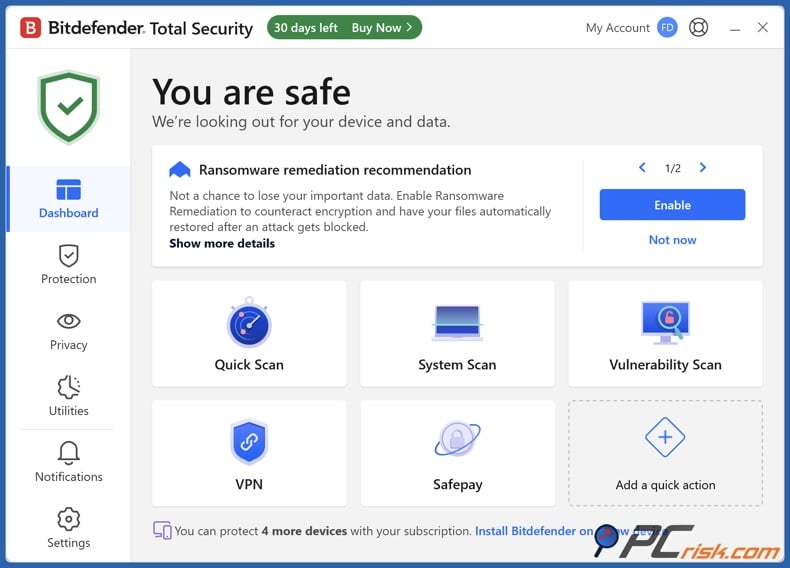
Bitdefender - If you want the best value for gaming, Bitdefender is our top pick for most players. It stands out for its strong malware detection, low impact on performance, helpful web protection, and features that actually matter to gamers. It stands out for its lightweight performance, strong lab results, and a wide range of features. Bitdefender's support pages also show that Game Profile can silence alerts and delay scans or updates while you play. For cleanup, OneClick Optimizer helps by removing junk files, clearing browser leftovers, and freeing up space. The main downside is that the best gaming features are not included in the cheapest plan. We recommend Bitdefender for gaming and suggest considering the higher-tier suites that include profiles and optimizer tools, not just the basic entry-level option.
- Pros: great protection, smart gaming features, and useful cleanup.
- Cons: VPN limits on many plans, and some of the best extras only come with the more expensive tiers.
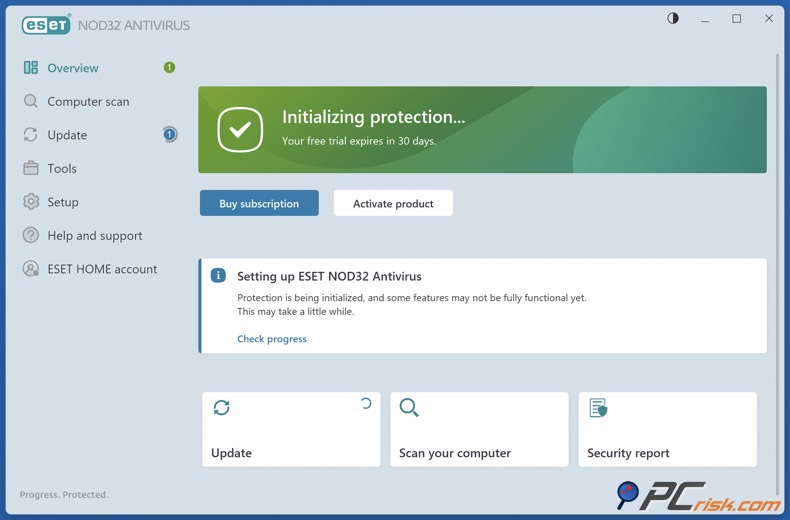
ESET - ESET is our choice for gamers who want a simple, reliable security layer that still lets them stay in control. We note its quiet background operation, strong detection, and deep customization. ESET's statements are clear about its focus: low CPU use, no pop-ups during full-screen play, and delayed updates or tasks while you are gaming. This makes ESET a great pick for competitive players who really dislike interruptions. Our tests also showed perfect ransomware blocking and strong results against trojans and malicious attachments. Where ESET falls short is in device cleanup. It is not a full tune-up suite. Its strengths are smart scanning, Gamer Mode, multithread performance, and some browser and privacy cleanup, but not deep junk-file cleaning.
- Pros: extremely light, excellent Gamer Mode, high-quality custom controls.
- Cons: pricey upper tiers, no permanent free desktop plan, and the settings are more demanding than they look.
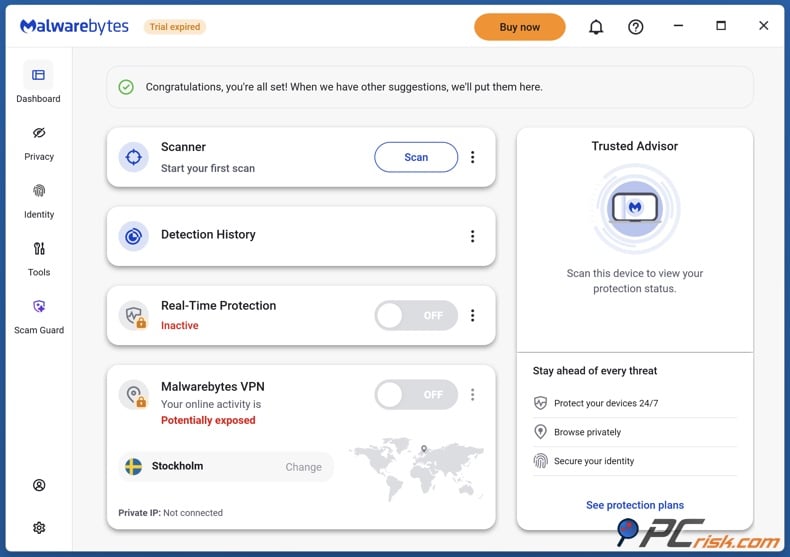
Malwarebytes - Malwarebytes is our pick for gamers who want simplicity above everything else. If you prefer an antivirus that is clean, minimal, and light, Malwarebytes is a strong choice. In our review, we praise its excellent malware detection, strong ransomware prevention, and fast scans with little impact on daily use. Malwarebytes also positions itself to gamers as protection that "won't slow you down," which aligns with how we see it: not as a flashy suite with special profiles, but as a quiet security layer that mostly stays out of your way. However, Malwarebytes is not a gaming optimizer. We want to point out that it lacks system tuning, a firewall, and broader "internet security" extras. Its full scans can be heavy, so it is best to run them outside of gaming sessions.
- Pros: clean design, strong ransomware and web protection, light in routine use.
- Cons: no firewall, Play Mode is more modest and manual, free tier is not enough as a primary gaming shield.
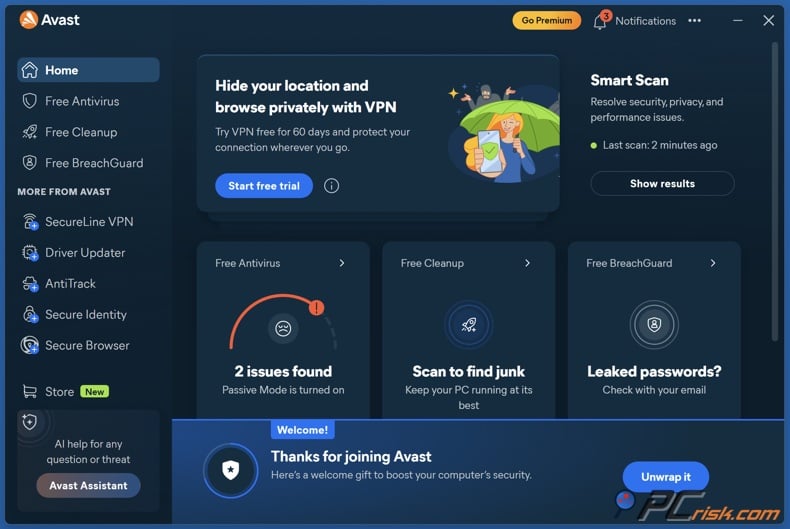
Avast - Avast is still one of the best choices for gamers on a budget, especially if you want a real free option before paying for anything. We can praise Avast for its excellent malware detection, strong free version, and easy setup, which is great for gamers who do not want to spend time adjusting settings after installing Windows. For gaming, Avast's Do Not Disturb Mode is more useful than many people think. It automatically detects full-screen apps, blocks notifications from Avast and other programs, can pause Windows Updates, and has a "maximize performance" option that sets Windows to high-performance mode for that app. This is helpful for gaming. For cleaning, Avast offers more device maintenance, but you should know that Cleanup Premium is sold separately or as part of bigger bundles like Avast One or Ultimate.
- Pros: very good free tier, excellent full-screen interruption control, strong lab performance.
- Cons: marketing pressure, leftover trust issues from past privacy concerns, and a busier product lineup than I would like.
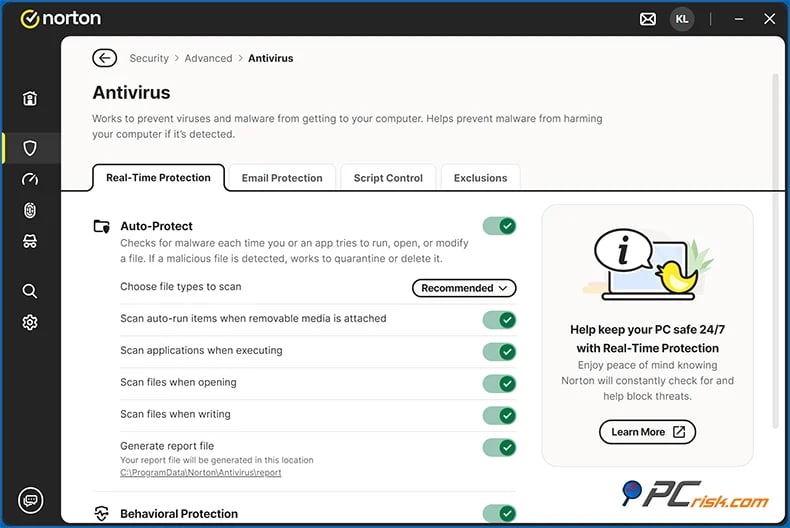
Norton - Norton is the most gaming-focused option in this guide, with features designed for players. Norton is powerful, full of features, and much lighter than its old reputation suggests. Its silent or Do Not Disturb mode works well for games and movies in full screen. The main highlight for gamers in 2026 is Norton 360 for Gamers and Game Optimizer. According to Norton's documentation, Game Optimizer moves non-essential apps to one CPU core, frees up the rest for your game, auto-detects games, and aims to boost FPS and lower latency on supported multi-core PCs. This gives Norton a stronger gamer identity than the other suites here. Norton is best if you want dedicated gamer features and lots of extras in one package, especially if you plan to use all those features.
- Pros: strong security, very good full-screen behavior, and the best dedicated gamer perk if you choose the Gamers tier.
- Cons: high renewal pricing, some upselling, and plan complexity.
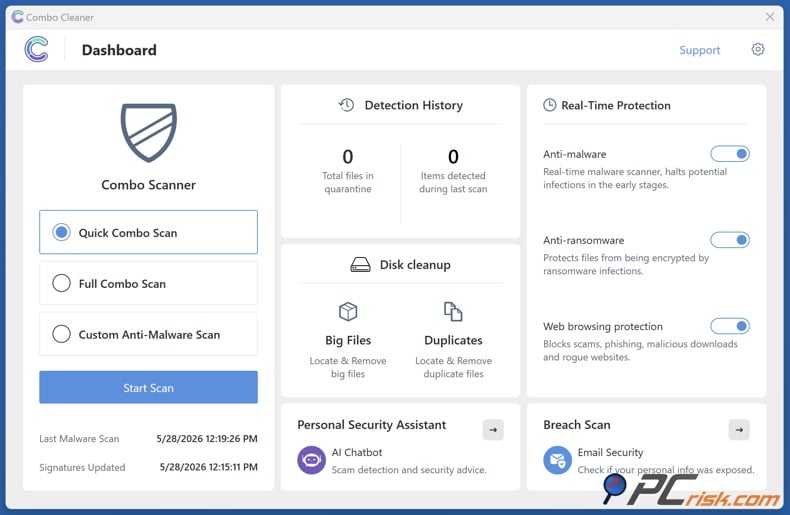
Combo Cleaner - Combo Cleaner is our editor's choice in this guide. We want to be clear: Combo Cleaner is owned by RCS LT, which also owns PCrisk.com. What stands out about Combo Cleaner for gaming PCs is its simple and direct design. It offers real-time antivirus protection, anti-ransomware, web-blocking, and built-in cleanup tools in one package. It uses almost no CPU at idle and causes little slowdown day to day. It also has useful cleanup tools like Big Files, and Duplicate Finder, plus a new AI assistant that can analyze suspicious screenshots and explain threats in plain language. We want to highlight strong results against ransomware and trojans in in-house tests. If you want a security and cleanup app that is straightforward and easy to use, Combo Cleaner is a good choice. If you want a long track record in independent lab tests, keep in mind that its third-party results are still limited.
- Pros: balanced protection, cleanup features, responsive support, and low day-to-day impact.
- Cons: no dedicated gaming mode, no built-in firewall or VPN, and less third-party lab depth than the biggest names.
Best antivirus software for gaming comparison
Before you check the table, keep in mind this comparison is all about gaming, not just finding the lowest price. Sometimes, the cheapest option does not include the best gaming features. For example, Bitdefender's gaming tools are only in its higher-tier plans, Norton's top gaming feature is in Norton 360 for Gamers, and Avast's cleanup tools are part of separate or larger bundles. The last column shows our estimate of the CPU headroom you might gain for gaming, not an official number from the vendors.
| Antivirus | Starting price | Game mode or booster | Device cleaning | CPU power increase potential |
| Bitdefender | $24.99/year | Yes, via Game Profile on premium desktop suites; it silences alerts and postpones updates/scans. | Yes, via OneClick Optimizer and device tune-up tools in higher suites. | Low to moderate if you use the right tier; more about fewer interruptions than raw CPU reallocation. |
| ESET | $39.99/year | Yes, Gamer Mode decreases CPU usage, disables pop-ups, and delays updates/tasks. | Limited; more browser/privacy cleanup than full PC cleaning. | Low to moderate; its strength is a small footprint rather than heavy boosting. |
| Malwarebytes | $49.99/year | No standout dedicated game profile in its current consumer pitch; its gaming story is low overhead. | No full PC cleaner in PCRisk's review. | Low; it stays light, but it does not add much optimization logic. |
| Avast | $39.99/year | Yes, via Do Not Disturb Mode; it suppresses notifications, can pause Windows Updates, and can maximize performance. | Available through Avast Cleanup, Avast One, or Ultimate rather than the basic core plan alone. | Low to moderate; good full-screen behavior, especially if paired with cleanup tools. |
| Norton | $39.99/year on 360 Standard; gaming-specific Norton 360 for Gamers costs more. | Yes, Silent Mode works in full screen, and Game Optimizer in Norton 360 for Gamers actively reallocates CPU resources on supported PCs. | Core Norton 360 is not a cleaner-first suite, though some bundles add Utilities Ultimate. | Moderate to high on supported multi-core PCs with Game Optimizer; otherwise low with Silent Mode only. |
Here is what stands out from the table. For the best mix of security and gaming features, Bitdefender and ESET are the top choices. If you want features made just for gamers, Norton is the clear pick. If you are looking for a strong free option, Avast is still a great choice. And if you prefer simple, lightweight protection instead of lots of gaming controls, Malwarebytes is still worth considering.
How we test antivirus software
At PCrisk, we do not rely on marketing claims or demo files for our antivirus reviews. We use real, recent malware from the wild, including suspicious downloads, phishing links, infected attachments, trojans, ransomware, PUPs, and other threats. We test real-time protection by simulating common infection methods like downloads, email attachments, and USB drives. For on-demand scans, we add malware to the system and check how well the software detects, classifies, quarantines, and cleans up threats. We also check whether any traces remain in memory, the registry, or system settings after an infection attempt.
For gaming, we pay close attention to how antivirus software affects performance during normal use and in full-screen mode. We measure system impact during everyday tasks like opening apps, browsing, copying files, and playing media. We also track boot times, CPU use, and memory use on both high-end and lower-end PCs. For gamers, the key questions are: does the antivirus stay quiet during matches, avoid pop-ups in full screen, skip heavy tasks at the wrong time, and feel light when the PC is busy with games, launchers, voice chat, and browser tabs?
We also look at more than just the basic scanner. Our process checks web protection, phishing blocking, firewall behavior, email defense, ransomware protection, and extras like VPNs, password managers, and system tools. The best gaming antivirus is not just the one with a nice game mode label. It is the one that combines strong malware prevention, good anti-phishing, smart network protection, and a quiet design that does not make you want to turn it off.
We rate antivirus software using a weighted system that focuses on what matters most. Right now, we give 60% to malware detection and removal, 15% to performance impact, 10% to usability and interface, and 15% to features and extras. This makes sense for gamers, too. We do not want performance to matter more than protection, since a lightweight antivirus that misses threats is not helpful. But we also care about usability and resource use, because if an antivirus keeps interrupting your game or slows down your PC, you are likely to turn it off.
Do you need an antivirus for your gaming PC?
Yes, we think a gaming PC still needs antivirus software in 2026, and not because gamers are careless. It is because gaming activity naturally creates more exposure points than many standard workflows do. Gamers join communities, click invite links, try new launchers, download updates, install mods, use voice chat, stream, and sometimes wander outside official ecosystems looking for tweaks, add-ons, or fixes. Malwarebytes' gaming page points directly to phishing, ransomware, spyware, account takeover, malicious mods, and DDoS risk as gamer threats, while ESET's research has repeatedly highlighted infostealers hidden in cracks, cheat tools, and even compromised modding channels.
A gaming PC is also a big target when you consider what is stored on it. You might have launcher logins, browser sessions, saved payment cards, chat logs, screenshots, email access, and even work accounts or creator tools if you use the same PC for more than gaming. Norton focuses on protecting devices, game accounts, and digital assets, which is a fair way to describe what is at risk in a modern gaming setup. One infostealer can threaten more than just your games - it can put your whole digital identity at risk.
Still, antivirus software is not the only solution. It is just one layer of protection. Good habits are important too: use official download sources, create strong unique passwords, turn on multifactor authentication, watch out for "free skin" or "free currency" scams, and be careful with cheats or unofficial mods. Antivirus gives you a strong last line of defense if you slip up. For gamers, that extra protection is worth it.
Does antivirus software affect gaming performance?
Yes, antivirus software can affect gaming performance. The real question is when and by how much. In our experience, all antivirus programs use resources at some point, especially during first scans, scheduled scans, big updates, or when cleaning up infections. Our Malwarebytes review is honest about this: it uses little CPU when idle, but a full scan on an infected system can push CPU usage to 100% for a while. In our Norton review, we note that full scans can consume resources, even when idle use is low.
The good news is that the best antivirus suites for gaming keep their impact low during actual gameplay. Bitdefender gets points for low system impact and uses Game Profile to delay scans and updates. ESET does something similar with Gamer Mode, lowering CPU use and delaying tasks. Avast reduces interruptions and can pause Windows Updates in Do Not Disturb Mode. Norton adds Silent Mode and, in gamer plans, Game Optimizer. These features do not mean there is no impact, but they do help ensure your gaming sessions are not interrupted by antivirus activity.
This is why we generally do not recommend disabling antivirus while gaming. Norton's guidance is explicit: a well-designed antivirus should stay on while you play, especially when gaming online, downloading mods, or clicking links in chats. We agree. The better move is to choose a suite with a proper game profile or quiet mode, then schedule deep scans for off-hours. That way you keep the protection layer that matters when something suspicious slips into your launcher folder, browser cache, or downloads directory.
To sum up, keep background protection on and make sure heavy scans or updates do not run during your matches. The best gaming antivirus in 2026 gets this right. The worst ones still make you manage them too much.
Can a free antivirus protect your gaming PC?
A free antivirus can give basic protection for a gaming PC, but whether it is enough depends on the product and your habits. In this guide, Bitdefender Free and Avast Free are the best free options because they both offer real-time protection. Bitdefender Free covers basic malware and phishing threats, while Avast Free gives strong core protection and includes Do Not Disturb mode. If you want to spend as little as possible but still have always-on protection, these are the two free products to try first.
Malwarebytes Free is a bit different. It is helpful, but it is not in the same class as other free options because, as our review says, it is mainly an on-demand scanner and cleanup tool without real-time protection after the trial ends. ESET does not have a permanent free desktop antivirus, and Norton's home products are paid except for short trials. Some give real ongoing protection for free, while others just offer cleanup tools.
If you are a careful gamer who uses official stores, avoids cheats, and does not click every "free gift" link in chats, a good free antivirus might be enough. But if you stream, use mods, download often, or store payment info and valuable accounts, paid versions are easier to recommend. They usually add features gamers need most, like better ransomware protection, quieter gaming modes, improved web filtering, optimization tools, VPNs, backups, and stronger account protection.
Wrapping up
If you want the best mix of security, gaming features, and everyday use, Bitdefender is our top choice. It covers most needs, offering strong detection, minimal interruptions, and useful cleanup tools. If you prefer something lighter that stays in the background, ESET is a great alternative.
If you want something simple, Malwarebytes is a strong option. It focuses on the basics, which many players appreciate. For the best free antivirus, Avast is still hard to beat. If you want extra gamer features and are willing to pay, Norton stands out for its Game Optimizer and gamer-focused tools.
In the end, the best antivirus for gaming in 2026 is the one that matches your play style, not just the one with the biggest performance claims. For most gaming PCs, Bitdefender or ESET are solid picks. If you want a free option, go with Avast. For a simple setup, choose Malwarebytes. For lots of gamer features, Norton is best. It's always smarter to keep protection on and set it up right, rather than turning it off and hoping for the best.
Frequently asked questions (FAQs)
Does antivirus software slow gaming performance?
Antivirus can slow things down, but this usually happens during scans, updates, or cleanup - not during normal gaming. The top choices in this article help by using a gaming mode to reduce interruptions. Malwarebytes and Norton show that heavy scans still use significant CPU power, so it's better to schedule scans outside of game time rather than turning off protection.
Should a gaming PC have an antivirus?
Yes, you should have an antivirus. A gaming PC is still an internet-connected device with accounts, chats, downloads, and often saved payment info. Gamers also face extra risks from bad mods, phishing, fake giveaways, cheat tools, and info-stealing malware. Antivirus is a must for any gaming setup that connects to the internet.
What matters more for gamers: game mode or malware detection?
Detection is more important. Game mode helps, but only if the antivirus can actually stop real threats. Our tests focus most on detection and removal, and we agree. An antivirus that is quiet but misses ransomware or info-stealers is not a good choice for gamers.
Is game mode the same as a game booster?
No, they are not the same. Game mode or quiet mode usually just hides notifications and delays scans or updates. A game booster actually tries to free up or prioritize system resources. Norton Game Optimizer is a good example of a game booster, while ESET, Bitdefender, and Avast mainly focus on cutting down interruptions and background activity.
Which antivirus is best for the least system impact?
If you want the least impact on your system, ESET and Bitdefender are the best choices. Malwarebytes is also good if you want a simple, security-focused app. ESET is especially strong for fast scans and few interruptions, and both Bitdefender and Malwarebytes get good marks for performance.
Can a free antivirus protect a gaming PC well enough?
Sometimes, yes. Bitdefender and Avast offer the best free options here because they still give you real-time protection. Malwarebytes works better as a cleanup tool after the premium trial, not as your main shield. Whether free is enough depends on which product you use and how risky your gaming habits are.
Should we disable antivirus while gaming or while installing mods?
No, you should not disable antivirus. You should keep antivirus on while gaming, and this is even more important when using mods, patches, or community files. These are the times you need real-time protection and web filtering most. If you're worried about performance, use game mode and schedule scans for later.
Can antivirus block fake mods, phishing links, and scam giveaways?
A good antivirus can block many of these threats. A strong antivirus can stop phishing links, flag bad downloads, and protect you from malware in fake mods or cheat tools. Antivirus is not perfect, but it's one of the best ways to stop attacks before a fake file or login page causes real problems.
How often should we scan a gaming PC?
We recommend using real-time protection all the time and running full scans occasionally, instead of scanning manually all the time. Do a quick scan after a suspicious download, mod install, or launcher problem. Schedule deeper scans when you're not gaming.
Share:
 Facebook
 X.com
X.com
 LinkedIn
 Copy Link

Rimvydas Iliavicius
Researcher, author
Rimvydas is a researcher with over four years of experience in the cybersecurity industry. He attended Kaunas University of Technology and graduated with a Master's degree in Translation and Localization of Technical texts. His interests in computers and technology led him to become a versatile author in the IT industry. At PCrisk, he's responsible for writing in-depth how-to articles for Microsoft Windows.
▼ Show Discussion