
We may earn commissions from products we recommend. Learn more.
How to get unbanned on OmeTV in 2026 with a VPN | Top 5 Picks

How to get unbanned on OmeTV in 2026 with a VPN? | Top 5 Picks
OmeTV is a widely used random video chat platform that connects strangers for live conversations via web and mobile apps. It is considered a free, ad-free alternative to the now-defunct Omegle, offering country selection, built-in translation, and social features. These options appeal to users looking for quick, anonymous video chats. However, OmeTV is also known for strict moderation and frequent bans, including instances where users feel they were blocked unfairly or for minor infractions.
This article provides an overview of OmeTV ban reasons, the standard unban process, a guide on using a VPN (Virtual Private Network) service to help restore access, and possible challenges.

Disclaimer: PCrisk.com does not promote, encourage, or endorse bypassing or breaking service rules and terms. This information is provided for educational purposes to help users understand privacy tools and practical troubleshooting. Users are responsible for following OmeTV's rules, terms, and local laws, and should use any methods described here at their own risk.
Unban OmeTV with NordVPNSpecial deal30-day money-back guarantee→
Table of Contents:
- Introduction
- Why was I banned on OmeTV?
- How to get unbanned on OmeTV?
- How is a VPN useful for OmeTV?
- Access OmeTV with a VPN in 2026
- Best VPNs for OmeTV
- Can you use a free VPN for OmeTV?
- Common issues and solutions when accessing OmeTV with a VPN
- How to access OmeTV without a VPN?
- Is using a VPN to access OmeTV legal?
- In closing
- Frequently Asked Questions (FAQ)
Why was I banned on OmeTV?
OmeTV is a live webcam chat service that connects users with random people worldwide. Beyond basic video chat, it offers a website, mobile apps, social networking features, country selection, and message translation. These capabilities distinguish it from simple random chat sites and explain the platform's strong stance regarding moderation, authentication, and user controls.
OmeTV upholds strict public rules. The platform prohibits obscene language, rude or discriminatory behavior, nudity, sexually suggestive conduct, displaying body parts below the chest, pointing the camera at device screens, showing photos or text signs, using webcam emulators, sending links, advertising, spam, and attempting to alter the service with scripts, plug-ins, bots, or other external tools. Only adults may use the service; minors are not permitted.
Many users feel their bans are undeserved because OmeTV's rules state that even accidental or brief violations can be penalized. Moderators review reports continuously, and the system can automatically ban users who receive multiple complaints in a short period. Therefore, minor mistakes, such as an unintended camera angle, misunderstood gesture, poor lighting, background details, or repeated complaints - may lead to bans, even if the violation was unintentional.
OmeTV's privacy policy indicates that the service collects data, including IP address, browser details, timezone, operating system, platform information, camera and microphone lists, internal user IDs, and, on mobile devices, identifiers like serial number, IMEI, MAC address, or phone number. The policy also states that account data may be used for authentication and to block users who violate rules. Hence, bans may involve multiple factors, including your IP address, browser session, app data, account, and device identifiers.
Therefore, users may remain blocked even after switching networks or using a VPN (Virtual Private Network) tool, since OmeTV may combine several identifiers. This does not necessarily mean the VPN failed. If you believe your ban was unfair, your frustration is understandable. However, it is important to review OmeTV's rules carefully before attempting to use the service again to avoid repeating the behavior that led to the restriction.
How to get unbanned on OmeTV?
The standard OmeTV unban process is simple, although it is not always satisfactory. There are three main options - wait for a temporary ban to expire, appeal through OmeTV's support form or contact email, or (if available) use the paid unban option. OmeTV states that banned users can return immediately by "paying for unban", and support channels are listed on the official website.
However, OmeTV does not guarantee that appeals will succeed and reserves the right to limit access, change ban durations, or block IP addresses without notice. The company's terms specify that temporary access restrictions are at its discretion and may change. While a manual appeal is the most official route, it is not always the fastest and does not guarantee a successful outcome.
Regarding the paid option, third-party reports from 2025 and 2026 indicate the immediate unban fee is about 10-15 USD, and OmeTV confirms this option exists. While the fee is relatively modest, it can be frustrating if you believe the ban was issued in error. OmeTV's refund policy states that refunds are generally not provided for digital products or services, except in limited cases such as duplicate payments or technical errors.
Many users turn to VPNs for OmeTV unbans. A VPN provides a different IP address and can help you start a new session without paying the unban fee - hence, these tools are a common workaround for OmeTV bans. However, OmeTV also collects browser, device, account, and cookie data. To get the best results - use a VPN and implement steps like clearing website data, reinstalling the application, or starting from a clean browsing session.
Our top recommendation for streaming and privacy. NordVPN consistently leads our tests with fast speeds, reliable geo-unblocking, and a strict no-logs policy.
- ✔ Unblocks geo-restricted streaming services reliably
- ✔ 202+ locations across 111 countries
- ✔ 30-day money-back guarantee · Special deal available
How is a VPN useful for OmeTV?
A VPN usually encrypts your Internet traffic and routes it through a remote server managed by the VPN provider. As a result, websites and online services typically see the VPN server's IP address instead of your own. For OmeTV, this means your network identity appears different, helping to separate your current session from any previously flagged or blocked IP addresses.
OmeTV collects IP addresses and country data and may block certain IPs to enforce its rules. If your ban is linked to your network address, connecting through a reputable VPN server can restore access. If more identifiers are involved, a VPN can still help, but you may also need to clear browser cookies, app storage, or use a different device profile.
A VPN also offers privacy benefits on OmeTV. According to the service's privacy policy, its architecture may require a direct connection between users, making your IP address accessible to others even if it is not shown in the interface. Using a VPN prevents exposure of your home IP, providing a privacy buffer between you and other users.
Beyond bypassing bans, VPNs are useful for everyday browsing. They encrypt traffic on public Wi-Fi, reduce local network monitoring, and help access services blocked on managed networks such as schools or workplaces. Another prevalent VPN use is to access geoblocked or geo-restricted sites and services, including streaming, sports broadcasts, news, gaming, local app stores, social media platforms, and so forth. In many countries, VPNs are legal and widely used for security and privacy. This broader value often justifies a VPN subscription, even if your initial need was for a single platform like OmeTV.
However, it is important to remain realistic. A VPN cannot guarantee uninterrupted access to OmeTV, as some VPN IPs may be flagged, and server performance can vary. Detection methods may also change. In spite of these limitations, a high-quality VPN remains the most practical and privacy-friendly solution for addressing IP-based OmeTV blocks, protecting your connection, and bypassing network restrictions without resorting to paid unban services.
VPNs improve privacy by encrypting users' Internet traffic and masking their IP addresses, but these services do not replace dedicated security software. VPNs do not detect malware, block malicious files, remove unwanted applications, or protect against phishing and scams. Security software continues to be essential, particularly when visiting unfamiliar websites or using online services that may contain fake ads, suspicious links, or harmful downloads. Combo Cleaner protects user devices by scanning for malware and unwanted files, detecting suspect items, blocking harmful sites, and delivering real-time protection against common online threats.
A VPN encrypts your traffic — but your device still needs protection against malware and ransomware. Combo Cleaner adds the missing layer of defense.
Download Combo CleanerAntivirusDetect & remove malware threats→Access OmeTV with a VPN in 2026
We always recommend using a reputable VPN provider rather than a random free app. If your goal is to use a VPN to unban OmeTV, prioritize a service with fast connection speeds, a large server network, a kill switch, leak protection, and easy-to-use apps for both desktop and mobile.
The typical VPN setup process in 2026 is relatively simple:
1. Pick a reputable VPN provider. When choosing your VPN, take note of the following aspects: server coverage breadth, unlimited speed and data, strong and stable speeds, security features, and a solid privacy stance. We recommend NordVPN - our Top 2026 VPN Choice.
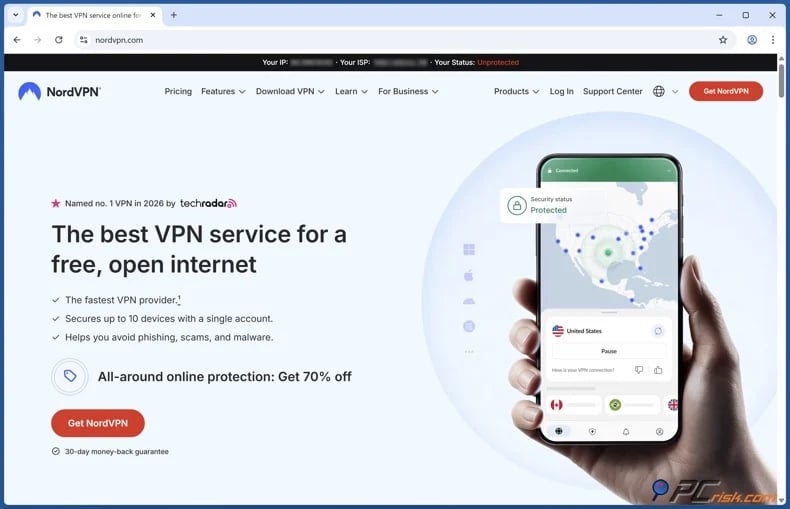
2. Download/Install the VPN app on the device you use for OmeTV. With most major providers, you will be able to set up the VPN on multiple of your devices, including laptops, phones, tablets, and more. Typically, a single subscription covers more than just a single device.
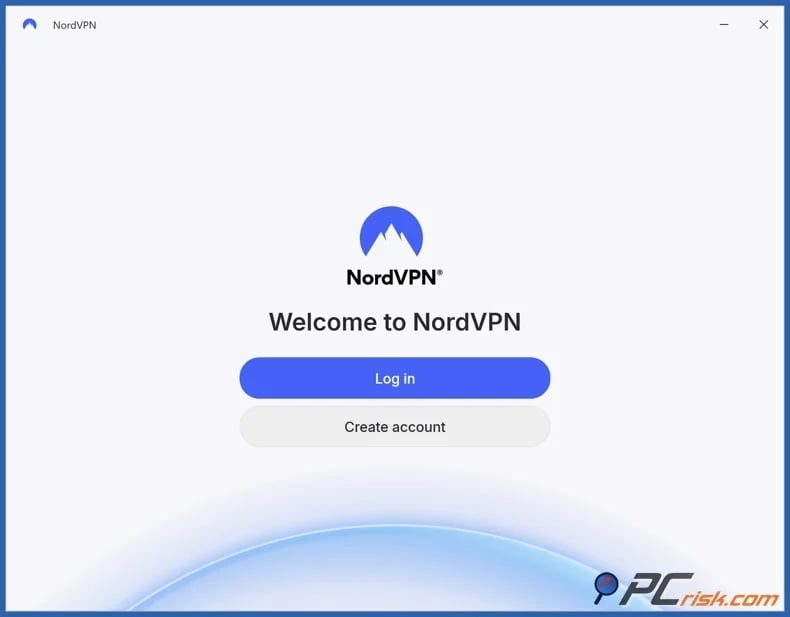
3. Sign in and connect to a nearby server or a different country if necessary. Keep in mind that server distance can exacerbate speed loss and latency.
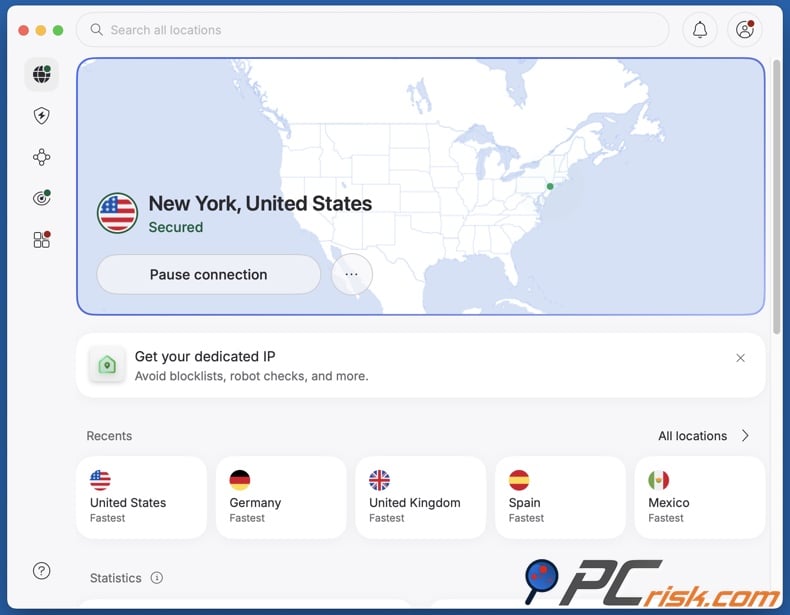
4. Open OmeTV again and test access. If the service still recognizes you, switch servers and try a clean browser session or another network. If issues continue, check out the "Common issues and solutions when accessing OmeTV with a VPN" section of this article.
It must be emphasized that no VPN can guarantee OmeTV unbans; these tools cannot enable access to all restricted websites from all locations at all times. Some services actively detect and block suspected VPN traffic.
Best VPNs for OmeTV
No VPN can guarantee uninterrupted access to every service, including OmeTV. Detection methods evolve, IP addresses are recycled, and access may depend on server selection, device status, and whether a ban is linked to more than just your IP. However, the five VPNs below remain PCrisk's top recommendations for 2026 and are well-suited for OmeTV (for a detailed comparison, check out our dedicated article).
1. NordVPN
NordVPN is our Top Pick for 2026 and offers the most balanced features for OmeTV. It delivers fast speeds, an extensive server network, an independently audited no-logs policy, broad device support, a kill switch, and router compatibility. For OmeTV, this means quick server switching, stable video chats, and multiple location options to obtain a new IP if needed.
2. Surfshark
Surfshark is the best value option for those wanting to protect multiple devices with one subscription. This VPN has an unlimited simultaneous device connection policy, a broad international network, and strong overall performance. If you frequently switch between devices, Surfshark makes maintaining OmeTV access straightforward.
3. Mullvad VPN
Mullvad is ideal for those wanting to minimize personal data collection. Among the privacy-first features are its independently verified no-logs policy, no personal information requirement for registration (including no email address), and anonymous payment options. While Mullvad VPN is not always the top choice for unblocking, it is a strong option for those prioritizing privacy.
4. Proton VPN
Proton VPN is the option that balances transparency and safety. It is an excellent starting point if you want a reputable free option. Proton VPN's free plan is not ad-supported and has no data limits. For OmeTV, the paid version offers more flexibility, but the free plan is far safer than unreliable free VPN apps.
5. ExpressVPN
ExpressVPN is a premium option for those wanting a hassle-free experience. This VPN is recognized for its highly polished apps, straightforward troubleshooting, stable performance, and strong privacy features. It is a solid choice if you want an easy setup and are willing to pay more for simplicity.
Can you use a free VPN for OmeTV?
You can use a free VPN for OmeTV, but these services are generally unsuitable and may be far less trustworthy. OmeTV is a real-time video chat platform that collects IP addresses, as well as browser, cookie, account, and device data. To use it effectively, you need a VPN with stable speeds, fresh IPs, strong leak protection, and reliable session management. Most free VPNs perform poorly in one or more of these areas.
Top VPN ReviewsExclusive dealsExpert-tested · hands-on reviews→
The following are some of the primary limitations and risks linked to free VPNs:
Limited and overused IP pools: free VPNs often recycle a small set of exit IPs among many users, making them easier for platforms to detect, restrict, or block. On OmeTV, this can result in repeated access failures even if the VPN connects successfully.
Slow speeds and unstable sessions: video chat requires low latency and connection stability. Free VPN servers are often overcrowded, leading to freezing, poor video quality, microphone lag, disconnects, and failed reconnections. This is particularly problematic on random chat services, where dropped connections immediately end conversations.
Weaker security features: many free VPNs lack a kill switch or robust leak protection, or implement these features poorly. If the VPN disconnects during a chat and your real IP is exposed, your network identity may be compromised. Since OmeTV bans are often based on IP controls, this presents a serious risk.
Privacy tradeoffs: unreliable free VPNs often profit through ads, aggressive tracking, bundled software, or broad data collection. These practices undermine your privacy, especially when chatting with strangers. Risks increase if the app is fake, repackaged, or includes unwanted software. It is pertinent to mention that "free VPN" has been used as a disguise for malware.
Poor support and troubleshooting: if OmeTV blocks a server or retains your previous session, free VPNs rarely offer effective assistance. Reputable paid services typically provide documentation, live support, or clear troubleshooting resources. In contrast, low-quality and free providers frequently provide no support.
If you choose to use a free VPN, Proton VPN's free plan is the most reliable option. It is reputable, does not rely on ads, and is the best free choice among our recommendations. However, manage your expectations. Free services are not optimized for OmeTV and do not guarantee successful unbanning.
Common issues and solutions when accessing OmeTV with a VPN
Even with a trusted VPN, OmeTV may remain difficult to access. The platform enforces bans using IP restrictions and collects browser data, internal IDs, device data, and cookies, according to its privacy policy. Therefore, troubleshooting often requires more than just switching servers.
OmeTV continues to report a ban: this typically indicates the platform is associating you with your previous session through cookies, browser fingerprints, application data, or device identifiers, not just your previous IP address.
Solutions:
- Connect to a different VPN server.
- Clear cookies, cache, and site data in your browser.
- If you use the mobile app, clear app storage or reinstall the application.
- Try a private browsing window or a different browser.
- If possible, test access from another network.
VPN connects, but video chat is slow or disconnects: real-time video is affected by crowded servers, long-distance routing, and unstable Wi-Fi. Free or overloaded servers are especially susceptible to these issues.
Solutions:
- Connect to a server that is geographically closer to you; try another one in the same country before changing locations entirely.
- If possible, switch to a wired connection or stronger Wi-Fi/mobile.
- If applicable, pause bandwidth-intensive background activities, such as downloads, streams, background apps, etc.
Camera or microphone does not work in OmeTV: the issue may stem from browser or app permissions, or from a stale session after reinstalling or clearing data, rather than the VPN itself. OmeTV relies on proper camera functionality and notes that defective cameras can impact chat usability.
Solutions:
- Recheck browser or app permissions for camera and microphone.
- Restart the browser or device after enabling permissions.
- Test the camera in another app to confirm it works.
- If you use a browser, disable unnecessary extensions and refresh the session.
OmeTV loads, but you immediately get blocked again: this can happen if you reconnect with the same behavior that caused the first ban, or if your selected VPN IP is already of poor quality. It can also happen when your browser session and old app data were not properly cleared.
Solutions:
- Connect to a different server and start from a clean session.
- Avoid using filters, screen sharing, text signs, or camera angles that risk triggering moderation.
- Keep your face visible, lighting decent, and background neutral.
- Review OmeTV's rules before trying again.
Your real IP leaks after VPN disconnects: a temporary VPN interruption can reveal your original network identity if the app does not have the proper protections enabled.
Solutions:
- If available with your VPN, enable the kill switch.
- If available with your VPN, enable DNS leak protection.
- Reconnect before reopening OmeTV.
- Avoid suspicious free VPNs with poor connection stability.
App behaves differently from the browser version: the mobile application uses device-level information and stored app data more extensively, while the browser version is easier to reset by clearing cookies or using private windows.
Solutions:
- If the app keeps failing, test the browser version.
- If the browser version works but the app does not, clear the app's stored data.
- Keep the VPN connected before launching OmeTV.
If you encounter these issues frequently, purchasing a reputable VPN is worthwhile, as its support teams can assist with server selection and troubleshooting. While even a high-quality VPN cannot guarantee OmeTV access, quality support can reduce trial and error.
How to access OmeTV without a VPN?
If you prefer not to use a VPN, open (web-based) proxies and the Tor Browser are the primary alternatives. While both can provide basic access, neither is as effective as a quality VPN for OmeTV.
Open (web-based) proxy
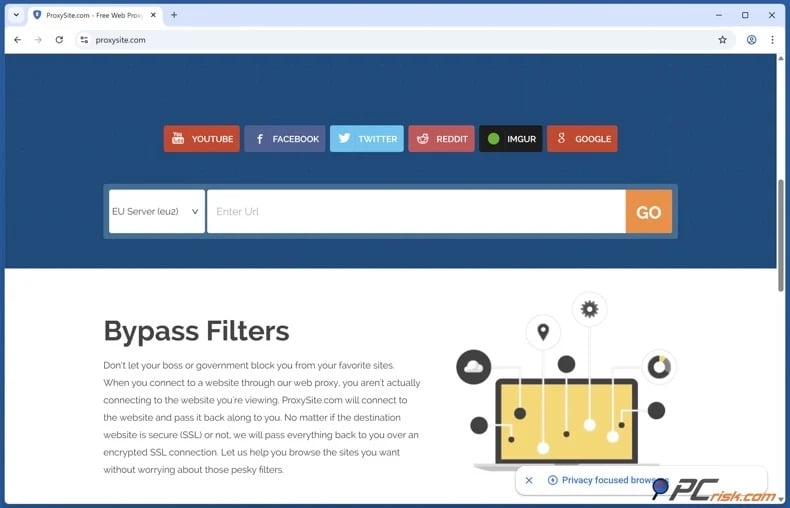
An open (web-based) proxy is typically a browser-based service that accesses websites on your behalf using a different IP address. Its main advantage is simplicity, as it usually requires no installation and is sufficient for basic browsing on restricted networks. However, OmeTV is an interactive, camera-based live chat platform, not a simple webpage. Most open proxies lack the speed, strength, or capability to support real-time video, often breaking scripts, struggling with media permissions, or failing entirely. Additionally, web proxies usually protect only a single browser tab, offering less extensive privacy than a VPN.
Furthermore, there is a risk associated with data leaks. According to OmeTV's privacy policy, the service may require direct connections between users' computers, making IP management critical. Browser-based proxies are generally less reliable than VPNs for handling the network paths required for live communication. Even if a proxy loads the website, it may not provide the consistent privacy needed for a video chat platform.
Tor Browser
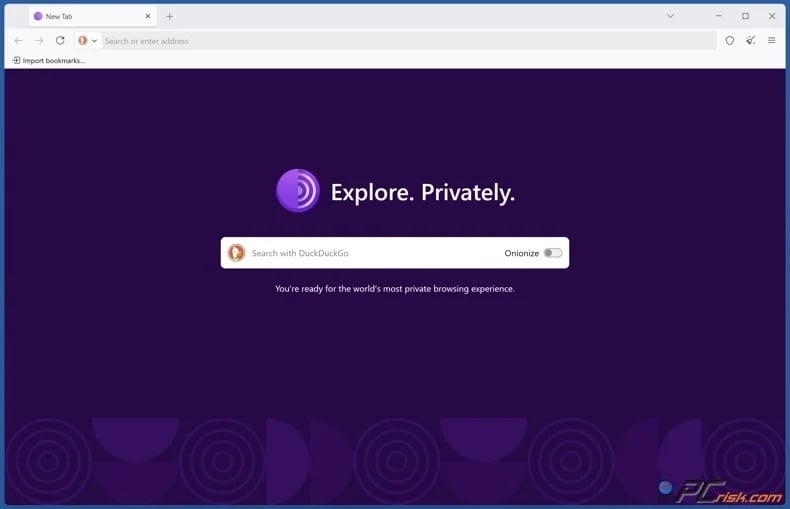
The Tor Browser prioritizes privacy by routing traffic through multiple volunteer relays, making tracking difficult and supporting anonymous browsing. Tor is effective for accessing censored websites or reducing traceability during standard web use. However, its performance is limited for video chat, as added latency and reduced throughput hinder real-time media. OmeTV requires fast, stable connections, so Tor often results in sluggish performance, connection issues, or a poor user experience. Additionally, some services distrust Tor exit nodes, and that can cause further issues.
To summarize, while proxies and Tor have general uses, a reputable VPN is typically the most workable solution for OmeTV. VPNs offer greater speed, cross-platform compatibility, and better support for real-time media - thus making them better suited for regular use, including OmeTV.
Is using a VPN to access OmeTV legal?
In most countries, VPN use is legal. VPNs are widely used to encrypt traffic, protect users on public Wi-Fi, and limit exposure of browsing data. This is the conventional legal position in most of Europe, North America, and many other regions. However, VPN use does not override local laws or justify illegal activity. Actions that are unlawful without a VPN remain unlawful with one.
However, some countries ban, restrict, or tightly regulate VPN use. The specifics vary by country:
North Korea - Internet access is extremely limited for the population, with the wider Internet available only to a small, state-approved group. Private VPN use is highly restricted and unsafe.
Turkmenistan - Turkmenistan has one of the most restrictive Internet environments globally. VPNs and other circumvention tools are often blocked, and users might face penalties for attempting to bypass state controls.
Belarus - Belarus frequently blocks anonymizers, Tor, proxy services, and VPN tools, especially during politically sensitive periods. While VPN access may sometimes be possible, the legal and practical environment remains restrictive.
Iraq - Iraq is often cited as a country where VPNs are banned or heavily restricted, with measures introduced as efforts to fight extremist online activity. Enforcement and access may vary, but Iraq should not be considered VPN-friendly.
China - China allows some corporate and state-approved VPNs, but unauthorized VPN services are blocked or restricted as part of broader Internet censorship. Non-approved VPN use may carry legal and practical risks.
Russia - Russia has increased efforts against VPN services and other circumvention tools. The government blocks many VPNs and pressures technology platforms and service providers to restrict access to tools that bypass state censorship.
Iran - Iran upholds strict Internet controls and frequently restricts access to global platforms, messaging services, and circumvention tools. Unauthorized VPN use is generally restricted or legally risky, especially during periods of unrest.
United Arab Emirates - VPNs are not automatically illegal in every situation. They are commonly used by businesses and individuals for legitimate privacy or security purposes. However, using a VPN to commit an offense, hide unlawful activity, bypass blocked services, or violate telecommunications rules can create serious legal risk.
Oman - Oman is considered a legally sensitive or grey-area environment for VPNs. Consumer VPN use is discouraged or restricted, and business use may require regulatory approval. Users should review current local laws before relying on a VPN.
Even if VPN usage is legal, using one to bypass OmeTV's technical restrictions may violate the platform's rules or terms of service. As a result, OmeTV may re-ban users, reject sessions, or take other actions if it detects circumvention. While VPNs are legal privacy tools in many countries, not all platforms permit their use for every purpose.
In closing
OmeTV bans can be frustrating, as the moderation system may penalize accidental, brief, or frequently reported behavior as quickly as intentional misconduct. Official options include waiting, appealing, or paying for an immediate unban, but these are often unsatisfactory if you believe the ban was unjust.
VPNs can serve as the most practical workaround for OmeTV bans. A reputable VPN can change your blocked IP, enhance privacy, and bypass network restrictions at school, work, or on public Wi-Fi. However, OmeTV may also monitor device, browser, cookie, and account information. Hence, for the best results - use a reliable VPN alongside a clean session and follow platform rules. When utilized responsibly, a VPN is an effective tool for OmeTV and overall online privacy.
Frequently Asked Questions (FAQ)
Why was I banned on OmeTV?
Most OmeTV bans result from rule violations, user complaints, or automated moderation. The platform may treat accidental or brief violations as actual offenses, leading some users to feel their bans are unfair.
How to get unbanned on OmeTV?
You can wait for the ban to expire, contact OmeTV support to appeal, or use the paid unban option if available. OmeTV states that users may return immediately by paying an unban fee, which is typically around $10-15, according to recent third-party reports. Using a VPN may also allow you to regain access by providing a different IP address and session.
What to look for in a VPN for OmeTV?
Choose a VPN with fast speeds, a large server network, stable applications, a kill switch, strong leak protection, and robust privacy practices. For OmeTV, easy server switching and reliable mobile performance are especially important.
Is it legal to access OmeTV with a VPN?
In most countries, VPNs are legal. However, they are banned or heavily restricted in countries such as North Korea, Turkmenistan, Belarus, Iraq, China, Russia, and Iran. The UAE and Oman also impose significant restrictions in certain situations. Remember that using a VPN does not remove legal accountability or exempt you from platform rules.
Share:
 Facebook
 X.com
X.com
 LinkedIn
 Copy Link

Karolis Liucveikis
Experienced software engineer, passionate about behavioral analysis of malicious apps
Author and general operator of PCrisk's News and Removal Guides section. Co-researcher working alongside Tomas to discover the latest threats and global trends in the cyber security world. Karolis has experience of over 8 years working in this branch. He attended Kaunas University of Technology and graduated with a degree in Software Development in 2017. Extremely passionate about technical aspects and behavior of various malicious applications.
▼ Show Discussion