
We may earn commissions from products we recommend. Learn more.
How does ad blocking work in 2026? Everything you need to know

How do ad blockers work in 2026
At PCrisk, we often deal with the problems caused by bad online ads. We see deceptive banners, fake update prompts, scam pop-ups, malicious redirects, unwanted push notifications, and browser hijackers from aggressive ad networks. This is why ad blockers are still important in 2026, and why we want to explain what they really do.

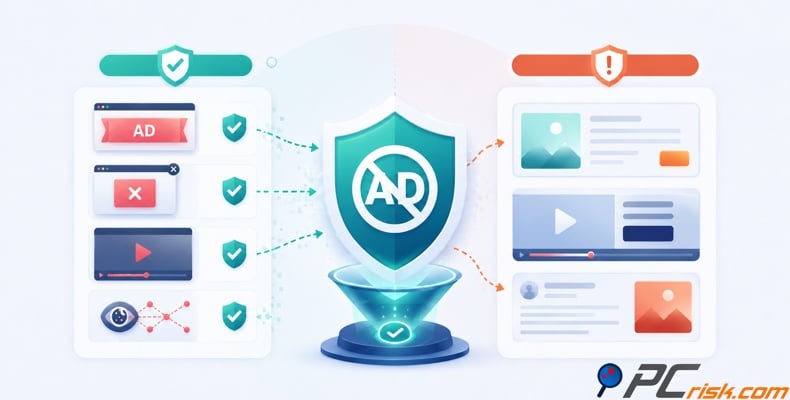
In short, modern ad blockers spot ads and tracking patterns, then block those requests, hide the ad elements, or stop code that tries to bring them back. But in 2026, things are more complicated than before. Ads are delivered in more dynamic ways, browsers have changed how extensions can filter traffic, and publishers are better at detecting blockers. This has led the best ad blockers to use layered filtering, stronger privacy protection, faster rule updates, and more system-wide solutions.
In this article, when we talk about specific products, we mean the ad blockers from our 2026 PCrisk ad blocker roundup: AdGuard, Surfshark CleanWeb, Total Adblock, AdLock, and Adblock Plus. These five represent the main types of ad blocking today, from browser-based filtering to VPN-based and system-wide protection.
Block ads with AdGuardSpecial deal30-day money-back guarantee→
Table of Contents:
- Introduction
- What is an ad blocker?
- How do ad blockers work?
- Types of ad blockers in 2026
- Advantages and disadvantages of ad blocking
- How ad blocking improves privacy and how ad blockers know what is an ad
- Can ad blockers block all ads, and how can publishers detect an ad blocker?
- What is the future of ad blocking
- In closing
- Frequently asked questions (FAQs)
What is an ad blocker?
An ad blocker is software that filters or hides ads and tracking elements before they load or show up on a page. This can mean blocking requests to ad servers, removing ad spaces from the page, stopping pop-ups and overlays, or blocking trackers that follow you across websites. The result is a cleaner page, fewer distractions, and often less background activity in your browser.
At its core, an ad blocker uses a set of rules. It checks what a website tries to load against these rules. If a request, script, frame, image, or page element matches, the blocker can stop it, hide it, or allow it if the user has made an exception. Adblock Plus explains this with blocking filters, content or element hiding filters, and exception filters. EasyList is still the main list many blockers use to spot common ad patterns online.
The main idea behind ad blockers is the same, but how they are delivered has changed. In 2026, an ad blocker might be a simple browser extension, a mobile app, a desktop app with system-wide filtering, or a privacy feature inside a VPN. In our tests, these differences matter. Adblock Plus is still popular for browser and mobile use, while AdGuard and AdLock can filter beyond just one browser. Surfshark CleanWeb includes ad and tracker blocking as part of its VPN service.
It's also important to distinguish ad blockers from the built-in "intrusive ads" controls in browsers. Some browsers only block a small set of the most disruptive ads, but this is not the same as using a dedicated third-party blocker. A full ad blocker gives you much more control over filter lists, trackers, exceptions, cosmetic hiding, and protections against phishing or malware.
How do ad blockers work?
Modern ad blockers use several layers. The first is network filtering. When a page loads, the browser or filtering engine requests many resources, such as HTML, scripts, images, fonts, videos, analytics, and ads. The blocker checks these requests against its rules. If a request matches an ad domain or pattern, the blocker cancels it before it loads. Chromium's declarativeNetRequest API and Mozilla's documentation both describe this as rule-based request handling, where the browser checks for conditions and executes actions rather than letting the extension see every request in real time.
This declarative model is important in 2026 because it aligns with how Chromium-based browsers currently work. With Manifest V3, Chrome moved from the old webRequest blocking to declarativeNetRequest. Google says this improves privacy and performance, since the browser can enforce rules without the extension checking every request. Simply put, the browser now acts as the enforcement engine, and the extension provides the rules.

The second layer is cosmetic filtering. Blocking network requests is best, but it does not always solve everything. Sometimes a page leaves an empty space for an ad, or the ad code is mixed with other page code. Sometimes the problem is not the ad itself, but things like sticky boxes, autoplay videos, floating frames, or newsletter prompts left behind. Content filters and element hiding rules help here. Adblock Plus explains how its content filters hide page elements, and its newer snippet systems can target more specific page behaviors.
The third layer is script intervention. Many websites do more than just load ads—they also run scripts that try to rebuild blocked ad spaces, send tracking beacons, or warn you that an ad blocker is active. Ad blockers fight back by adding small rules or code snippets that stop certain JavaScript actions, remove overlays, or block anti-adblock code from working. AdLock explains this process as using DNS filtering, URL filtering, content filtering, CSS injection, and JavaScript injection, showing how good blockers use several techniques together.
The fourth layer is exception handling and user control. A good ad blocker needs features like whitelisting, custom rules, and selective allowances. Real websites are complicated. A rule that blocks a sponsored frame on one site might also hide a real video player or a cookie banner on another. That is why tools like Adblock Plus and AdGuard let you set custom filters, allowlists, and per-site choices. The blocker is not just blocking ads - it is always balancing blocking with making sure the page works well.
On Safari and Apple devices, this usually works through declarative content blocking. Apple describes content blockers as rule-based systems built for speed, and points out that Safari can use these rules without letting the extension see your browsing activity like more invasive extensions might. We see this as a clear sign of where things are headed. Fast ad blocking in 2026 relies more on browser-managed or OS-managed rule systems, instead of running everything as a heavy extension script.
System-wide blockers take things further. Instead of just filtering a single browser tab, they try to filter traffic across the whole device or multiple apps. AdGuard says system-wide filtering means it can filter traffic from any app, not just the browser, and it also supports HTTPS filtering with exceptions for sensitive sites. AdLock also mentions DNS and HTTP filtering, including steps for certificates on Android. In short, the best standalone blockers now act more like traffic managers for your whole device, not just browser add-ons.
This explains why two blockers that look similar in your browser can work very differently. In our PCrisk tests, AdGuard did especially well because of its system-wide filtering, strong anti-tracking, and ability to handle anti-adblock tactics. AdLock also stood out for its broad blocking and strict no-acceptable-ads policy. Surfshark CleanWeb takes a different approach by including ad and tracker blocking in its VPN, which makes setup easier for many people but can limit detailed control compared to a dedicated blocker.
Types of ad blockers in 2026
In 2026, we see four main types of ad blockers, and our five featured products fit into these groups.
The first type is the classic browser extension, which many people know best. It works inside the browser, uses filter lists, blocks requests, and hides ad elements on pages. Adblock Plus is the best example of this, and AdGuard also has a simple browser extension for those who want just browser-only blocking instead of full device-wide protection.
The second type is the standalone or system-wide blocker. These are more powerful because they work across multiple browsers and can often filter traffic from other apps as well. In our roundup, AdGuard and AdLock are the best examples of this approach. Both work across multiple platforms and offer more advanced filtering than a simple extension, with a focus on privacy and ad removal. Total Adblock also fits here with its app-based and broader device coverage, though its user experience is a bit different.

The third type is VPN-integrated ad blocking. Surfshark CleanWeb is our main example. Instead of making you install a separate blocker and set it up, CleanWeb works with the VPN service to block ads, trackers, malware, and phishing as part of one package. For people who want to manage privacy and browsing protection in one place, this is appealing. The downside is that it depends on the VPN and usually gives you less detailed control than a dedicated blocker.
The fourth type is the hybrid blocker. We think this is becoming the most important kind in 2026, even if users do not always call it that. A hybrid blocker uses several methods at once: browser rules, element hiding, anti-tracking filters, DNS filtering, HTTPS filtering, and exception handling. AdGuard is the best example in our list, and AdLock also uses a multi-step filtering process. Hybrid blockers are needed because modern ads come in many forms - through scripts, embedded frames, app traffic, tracking links, pop-ups, or fast-changing ad domains.
Because there are so many types, there is no single "best" ad blocker for everyone. If you just want a cleaner browsing session on your laptop, a browser-focused blocker might be enough. If you want better coverage across devices and apps, a system-wide or VPN-integrated tool could be better. At PCrisk, we usually advise readers to pick a blocker based on where the ads show up, how much privacy matters to them, and how much control they want over rules and allowlists.
Advantages and disadvantages of ad blocking
The first big advantage of ad blocking is clear as soon as you load a busy page. There are fewer banners, autoplay videos, overlays, and moving distractions, so the web is easier to read. In our tests and in vendor documentation, the best blockers make pages clearer and often faster by stopping unnecessary ads and tracking resources from loading. This is not just about comfort. Less clutter means fewer scripts using your computer's resources and less wasted bandwidth.
The second big advantage is security. At PCrisk, we do not see ad blocking as just a convenience. We also think about malvertising, phishing redirects, and fake pages that come through ad networks or sponsored links. Microsoft reported a large malvertising campaign in 2025 that hit nearly one million devices, showing that "just an ad" can still be a threat. This is why we value blockers that filter malicious domains or offer phishing protection, not just remove banners.
A VPN encrypts your traffic — but your device still needs protection against malware and ransomware. Combo Cleaner adds the missing layer of defense.
Download Combo CleanerAntivirusDetect & remove malware threats→"If suspicious pop-ups, redirects, or browser slowdowns continue even after you turn on an ad blocker, Combo Cleaner can help you check whether adware, browser hijackers, or other unwanted software is already installed on your PC. We recommend it as a practical next step when blocking ads is not enough and you want to scan for the root cause instead of only hiding the symptoms."
A third advantage is better comfort on mobile devices and lower-powered systems. Blocking ads and trackers reduces background activity, which can improve battery life, data use, and how responsive your device feels. This is especially helpful on pages full of analytics scripts, video inserts, and pop-ups. Even a good browser extension can help, while broader tools like AdGuard, AdLock, and Surfshark CleanWeb can extend these benefits beyond just one browser window, depending on your platform.

There are also some disadvantages, and we want to be clear about them. The biggest is compatibility. Some sites break when strong filters remove scripts or containers the site needs. This can leave gaps or cause login flows, comment sections, paywalls, or video players to stop working properly. Adblock Plus and other major blockers support exceptions for this reason. False positives are just part of using ad blockers.
Another downside is the ongoing battle with websites and platforms. Publishers find ways to detect blockers, ad platforms change how they deliver ads, and big services try new anti-adblock methods. Our 2026 roundup shows that even the best blockers can sometimes struggle against advanced anti-adblock tactics or fast-changing video ads, especially on big platforms and in mobile apps. So, while ad blocking makes browsing much better, it is not a one-time fix - you need to keep it updated.
There is also an ethical and economic downside. Many publishers, especially smaller ones, rely on ads to fund their content. Blocking all ads everywhere can cut into their revenue. That is why some tools, like Adblock Plus, support the Acceptable Ads model by default. This model is controversial - some users want no ads and full privacy, while others are okay with less intrusive ads. In 2026, picking a blocker is still partly about your own philosophy as a reader, not just your technical needs.
How ad blocking improves privacy and how ad blockers know what is an ad
Block ads with AdGuardSpecial deal30-day money-back guarantee→
Privacy is one of the main reasons to use an ad blocker in 2026, even if visible ads do not bother you much. The modern web tracks people in many ways, not just with banners. The FTC says websites and apps can track you with cookies, pixels, and device fingerprinting. So when a blocker stops ad-tech and trackers, it is also protecting your privacy while cleaning up the page.
This is why we often say a good blocker is just as much about reducing tracking as removing ads. Our top-rated AdGuard highlights its tracking protection as a privacy feature, with controls for cookies, referrers, location, and other browser data. Surfshark CleanWeb also includes tracker blocking and phishing protection with its ad blocking, while AdLock and Total Adblock promote their malicious-domain and tracker defenses as key features. When you block ad-tech, you often block the tracking that comes with it.

So how does a blocker know what an ad is? The short answer is filter intelligence. EasyList is still the main public filter list used by many blockers, and Adblock Plus explains that blockers use different rule types, like blocking filters, content filters, and exception filters. These rules look for known ad domains, URL patterns, script names, CSS selectors, and behaviors that are usually part of ad or tracking systems.
In the past, people thought of ad blocking as just a simple blacklist of ad websites. In 2026, that is not enough. Modern filters can block a request before it loads, hide a page element after the HTML is shown, or use code snippets and advanced selectors to stop more complex ad behaviors. Adblock Plus explains that its filters can hide specific elements, match visible text, use XPath, and apply exceptions, showing how detailed the logic is now.
This is also why filter updates are so important. Advertisers, trackers, and anti-adblock scripts are always changing. Google says that Manifest V3 content-filtering extensions rely on filter lists that change often, and Chrome now supports fast rule updates. If a blocker's filters are out of date, it will miss new ad domains, new page layouts, and new tricks. At PCrisk, we see frequent updates as one of the best signs that an ad blocker is still worth using.
Can ad blockers block all ads, and how can publishers detect an ad blocker?
No ad blocker can truly promise to block every ad in every situation. We say this not to downplay the tools, but to set the right expectations. Our PCrisk roundup is clear: the ad world changes all the time, and while top blockers remove most banners, pop-ups, and video ads, some ads will still get through if the format is new, the platform changes how ads are delivered, or the ad is built into the content itself.
The hardest ads to block are those that do not act like regular third-party ads. Sponsored articles, native ads, host-read promotions, and some types of embedded shopping links can look more like normal page content than a typical banner or ad frame. When ads are built into the main content, a blocker has to decide if it can remove them without breaking the page. This is why "all ads blocked" does not mean "all monetization blocked."
Video ads are another challenge. If a platform puts the ad into the same video stream or uses tightly controlled first-party methods, it is harder for the blocker to separate the ad from the content. The ad-tech industry calls this server-side ad insertion, where the ad is mixed closely with the content, making traditional blocking harder. This is also why some blockers work better on desktop web video than in locked-down mobile apps.
As for publisher detection, the techniques are usually less mysterious than they sound. A common method is to place bait elements or scripts into the page, often with names and patterns that blockers are likely to hide or suppress, then check whether those elements disappeared or failed to load. The IAB's public ad block detection script describes creating DIVs likely to be hidden by browser-based ad-blocking tools, which is still a useful shorthand for how many basic anti-ad-block detection methods work.
Another common method is to check if expected ad requests or scripts loaded. If the site notices that a standard ad did not load, or that an ad space is empty, it can guess that a blocker is active and respond accordingly. Google Ad Manager's ad blocking recovery messages make this process official by letting publishers ask users to allow ads or support the site in other ways. In short, detection is now a built-in feature, not just a workaround.
What happens after detection depends on the publisher. Some show a polite message. Others blur or block the content. Some ask you to log in or subscribe. The IAB's earlier advice to publishers described adblock detection as a way to deny access, educate users, or offer alternatives. There have also been legal and privacy concerns about detection in Europe, reminding us that anti-adblock code is not just technical - it can also raise questions about what a site checks on your device and why.
For users, the main point is simple. A good blocker can stop most ads most of the time, but no blocker works perfectly without updates. Filters need to be kept current, exceptions may be needed, and some ad types are always harder to block. If a site stops working, it does not always mean the blocker failed - it might just mean the site and the blocker are in the usual back-and-forth that has been going on for years.
What is the future of ad blocking
By 2026, ad blocking will not rely on a single tool that blocks everything. Instead, it will use more layers, clearer rules, and better privacy features. For example, Chromium uses browser-managed rule systems like declarativeNetRequest, while Safari focuses on fast content blocking. Across devices, there will be more use of DNS filtering, app-level controls, and system-wide traffic management. The best tools will be those that adapt to each platform, rather than relying on outdated methods.
We believe privacy will remain closely linked to ad blocking. Online ads are increasingly using browser-based systems like the Protected Audience API, which shifts some ad decisions to your device. This might reduce some tracking, but people will still want control, quieter pages, and fewer ads. Blockers will get better at distinguishing between useful website features and unwanted tracking or manipulation.
Publishers will continue to use ad formats that are difficult to block, such as native ads, pop-up prompts, and video ads embedded in the page. So, ad blocking is not just about stronger filters. It is about adapting quickly, finding new ways to handle these ads, and using smarter filters that clean up pages without causing problems. That is why we recommend well-established products that are regularly updated and have a solid reputation.
In closing
Here is our main advice: For the best results in 2026, pick one trusted ad blocker, keep it up to date, review its settings, and whitelist sites you trust. If you want a simple browser tool, Adblock Plus is still a good option, though its Acceptable Ads policy may not suit everyone. For more complete protection, AdGuard and AdLock use a modern, multi-layered approach. If you prefer ad blocking as part of a privacy bundle, Surfshark CleanWeb is a strong choice. Total Adblock is also a good all-around product, but its pricing may not work for everyone.
At PCrisk, we view ad blockers as just one part of a safer browsing setup. They help reduce clutter, limit tracking, and block many harmful ads, but they are not a substitute for good security habits. If your browser is already hijacked, adware is installed, or suspicious redirects keep happening even with blocking turned on, you should focus on cleaning up your device and investigating the problem, not just adding more filters. We suggest keeping this approach in mind for 2026.
Frequently asked questions (FAQs)
Are ad blockers legal?
Yes, in most cases. Users are typically allowed to filter ads on their own devices. This view has also been supported by several major legal cases in Germany involving Adblock Plus. Most legal disputes focus on publishers challenging blocker providers or technical details, not on regular people deciding how their browser displays a page.
Are ad blockers safe?
Most well-known ad blockers are safe, but not every extension that claims to block ads or protect privacy can be trusted. At PCrisk, we have seen cases where adware or unwanted extensions pretended to be privacy tools or blockers. We suggest using trusted products with clear development, regular updates, and a good reputation, instead of downloading random extensions.
Do ad blockers speed up websites?
Yes, most of the time. When a blocker stops ad scripts, trackers, autoplay widgets, and other third-party content, your browser has less to process. This often means pages load faster, look cleaner, use less data, and feel smoother, especially on sites with lots of ads. The exact speed boost depends on the site, but both major vendors and our own tests confirm the benefit.
Should I use more than one ad blocker at the same time?
Usually, you should not use more than one ad blocker at the same time. Running several blockers can cause rule conflicts, use more resources, and make websites break or detect ad blockers more easily. Using multiple blockers can make pages work poorly and may make detection easier. One well-configured blocker is usually better than two competing on the same page.
Will an ad blocker break some websites?
Yes, sometimes. This can happen if a filter blocks a needed script, hides something that is not an ad, or does not work well with the way a site is built. Luckily, most good blockers let you allow certain sites, set custom exceptions, or adjust settings for each page. Fixing the problem is often as easy as trusting the site or turning off a rule for that page. Serious problems are possible but rare.
Do ad blockers work on mobile apps?
Some ad blockers work on mobile apps, but their coverage depends on how they are built. Blockers for browsers can help in mobile browsers, while system-wide or VPN-style blockers can cover more apps. Still, some apps and platforms are harder to filter than desktop web pages. This is why tools like AdGuard, AdLock, and Surfshark CleanWeb focus on broader filtering, and why our tests show that ad-blocking works differently on desktop web and mobile apps.
Are free ad blockers enough?
For many people, free ad blockers are enough, especially if you just want to block ads in your browser. However, free does not always mean the best choice. Some free tools have fewer features, less control, or business models that allow some ads by default. Paid blockers are not always better at blocking ads, but they often include system-wide filtering, anti-phishing tools, support for more devices, and active customer support.
Do ad blockers replace antivirus or anti-malware tools?
No. An ad blocker helps you avoid malicious ads, fake redirects, and some tracking or phishing, but it cannot remove infections already on your device. If you already have unwanted software, adware, browser hijackers, or constant redirects, you need an anti-malware tool to find and remove them.
Why do some ad blockers still show certain ads?
This happens because not all blockers work the same way, and not all ads are delivered in the same format. For example, Adblock Plus allows Acceptable Ads by default unless you change the setting. Some ads are also hard to block because they are built into the page or delivered in ways that filters cannot easily catch. If you still see some ads, it could be due to product policies, filter updates, exceptions, or the limits of the ad format.
Share:
 Facebook
 X.com
X.com
 LinkedIn
 Copy Link

Rimvydas Iliavicius
Researcher, author
Rimvydas is a researcher with over four years of experience in the cybersecurity industry. He attended Kaunas University of Technology and graduated with a Master's degree in Translation and Localization of Technical texts. His interests in computers and technology led him to become a versatile author in the IT industry. At PCrisk, he's responsible for writing in-depth how-to articles for Microsoft Windows.
▼ Show Discussion