
We may earn commissions from products we recommend. Learn more.
Best antivirus for business in 2026 | Top 5 picks

Best antivirus for business in 2026
At PCrisk, we believe businesses need a different approach to choosing antivirus software than home users. Companies have to protect much more than just a single laptop or a few personal accounts. They are responsible for employee devices, customer data, financial records, cloud accounts, email systems, and daily operations - all of which can be disrupted by a single phishing attack or an unpatched device. That is why we created this guide featuring antivirus brands previously reviewed on PCrisk, and then checked our reviews against each vendor's current business product pages, operating system support, management tools, and refund policies.
Timing is important too. According to Verizon's 2026 DBIR, 48% of breaches now involve ransomware, and 31% begin with software vulnerabilities. Microsoft's latest Digital Defense Report also shows that most attacks are still financially motivated, with extortion, ransomware, and data theft being the most common. The FTC to warns that phishing emails and texts are often used to steal credentials or deliver malware, and it recommends using security software that updates automatically as a basic layer of protection. While antivirus is not your entire security program, in 2026 it remains one of the first tools we recommend for every business device.
Table of Contents:
- Introduction
- Why businesses need antivirus software
- Differences between personal and enterprise antivirus
- Best antivirus for business comparison
- The best antivirus software for businesses in 2026
- How we test antivirus software for enterprise and business protection
- How to choose the best antivirus for your business
- Final recommendations
- Frequently asked questions (FAQs)
Why businesses need antivirus software
Businesses need antivirus software because even small companies now face more risks than before. A company laptop is not just for work anymore - it is used for SaaS apps, email, VPN, cloud storage, video calls, and often as a personal device after hours. This is why CISA recommends making sure the whole network is protected by antivirus or antimalware software and that signatures stay updated.
These risks are real. Verizon's SMB breach data shows that exploiting vulnerabilities was the way in for 20% of attacks, almost as common as credential abuse. Many organizations are slow to patch, with only about 54% of edge-device vulnerabilities fixed in a year and a median fix time of 32 days. Antivirus cannot replace patching, but a good endpoint product can help reduce risk while your team works on updates. The best business suites also add features like vulnerability visibility, device control, anti-phishing, and central policy enforcement.
Email is another big reason businesses still need strong protection. Microsoft reported that 78% of email threats in Q1 2026 were link-based, and malicious attachments still made up a significant part of attacks. Business email compromise was also common, with about 10.7 million attacks that quarter. In January 2026, Microsoft said Defender for Office 365 blocked over 13 million malicious emails tied to Tycoon2FA in October 2025. This shows that business protection is not just about stopping files on disk - it is about catching bad links, scripts, fake credentials, and harmful actions before a phishing email leads to a breach.
Another key reason is business continuity. Ransomware remains one of the most disruptive threats, and its costs come from downtime and recovery, not just ransom payments. CISA's guidance stresses the need for layered protection, backups, patching, and anti-malware. In practice, antivirus is just one part of a larger defense, but it is still essential. Without it, every employee, inbox, and browser session faces more risk than necessary.
Differences between personal and enterprise antivirus
The main difference between personal and business antivirus is not just features - it is how they are managed. Consumer products are designed for a single user who installs and manages protection on a single device. Business products focus on centralized visibility, policy control, remote deployment, reporting, and support for different operating systems and business needs. For example, Bitdefender uses a single console for status and quick fixes. ESET offers ESET PROTECT as a unified platform, available in the cloud or on-premises. Avast's small business security uses an online management platform and Business Hub. Norton is clear that its Small Business product is for small businesses that do not need a dashboard or remote management.
Licensing and intended use are important, too. Many small organizations make the mistake of choosing a home antivirus because it seems cheaper, even though it may use the same detection engine. However, personal plans usually do not offer centralized management, business deployment options, or terms suitable for commercial use. Norton is clear about this: Norton 360 is not for commercial use, but Norton Small Business is designed and licensed for small companies. This is a good reminder for any owner thinking about using a consumer plan for their business.
Business and enterprise products usually protect more than just endpoints. ESET's business platform includes management consoles, mail security, advanced threat defense, and cloud or on-premises administration. Bitdefender's GravityZone covers desktops, laptops, file servers, and both physical and virtual machines, with add-ons like Email Security, Patch Management, and Full Disk Encryption. Avast's business products add centralized endpoint security and email scanning for supported clients. In short, business protection is built for company workflows, not just single devices.
Another key difference is depth versus simplicity. Some business products, like Bitdefender and ESET, offer advanced policy and deployment options for IT admins. Others, like Norton Small Business and Malwarebytes for Teams, are made simpler for owners without in-house IT who just want reliable protection with less hassle. This choice is as important as malware scores.
Best antivirus for business comparison
We base our ratings on our published PCRisk reviews. The business information comes from the vendors' official business pages and support documents as of July 16, 2026. Device limits, refund policies, and package options may vary by reseller and region, so we suggest checking your local store before making a decision.
| Product | PCrisk review rating | Protected devices for business or enterprise plans | Supported operating systems | Best for business size | Money-back guarantee | Endpoint security | Management console |
| Bitdefender | 4.5 | 1 to 100 devices online for GravityZone SMB products, with larger deployments available through partners and broader enterprise tiers | Windows, macOS, Linux; mobile security is available in higher business tiers and add-ons | Small to mid-sized businesses that want layered endpoint protection and room to grow | 30 days | Yes, next-gen endpoint security | Yes, GravityZone single console |
| ESET | 4.4 | Up to 50 devices can be purchased online, with sales handling up to an unlimited number of devices | Windows, macOS, Linux, Android, with iOS and iPadOS management and mobile protection options through the platform | SMBs, mid-market teams, and organizations that want cloud or on-prem control | 30 days | Yes, modern endpoint protection | Yes, ESET PROTECT, cloud or on-prem |
| Malwarebytes | 4.3 | 1 to 20 devices in Teams, with larger business deployments available through Malwarebytes' business platform | Windows, Mac, Android, iOS | Sole proprietors, boutiques, and small offices without a full IT team | 60 days on annual plans | Yes, multi-layer business device protection | Limited, account-based admin with device alerts and monthly reports rather than a full enterprise console in Teams |
| Avast | 4.2 | 1 to 100+ devices | Windows, macOS, Android, iOS; Windows Server support is available in higher business tiers | Small businesses that want flexible licensing and easy cloud management | 30 days | Yes, centrally monitored endpoint security | Yes, online management platform and Avast Business Hub |
| Norton | 4.1 | Up to 10 employees, with 2 devices per user, effectively up to 20 devices on current plans | Windows, macOS, Android, iOS | Very small businesses and owner-managed teams | 60 days | Yes, but positioned as essential endpoint protection | No dedicated business dashboard on the core product, only simplified account-based management |
Looking at the table, the differences between the products are clear. Bitdefender and ESET are best for organizations that want a full endpoint security platform with policy control and room to grow. Malwarebytes works well for smaller teams that want security without a lot of admin work. Avast is in the middle, offering flexible small business plans and cloud management. Norton is a good fit for very small businesses, but it is less useful if you need advanced dashboards, remote policy control, or large-scale management.
The best antivirus software for businesses in 2026
To create this ranking, we began with products we had already reviewed at PCrisk and considered which were best for business use in 2026. We looked at malware protection, management features, business fit, platform support, and how well each product serves organizations of different sizes and IT experience.
Bitdefender
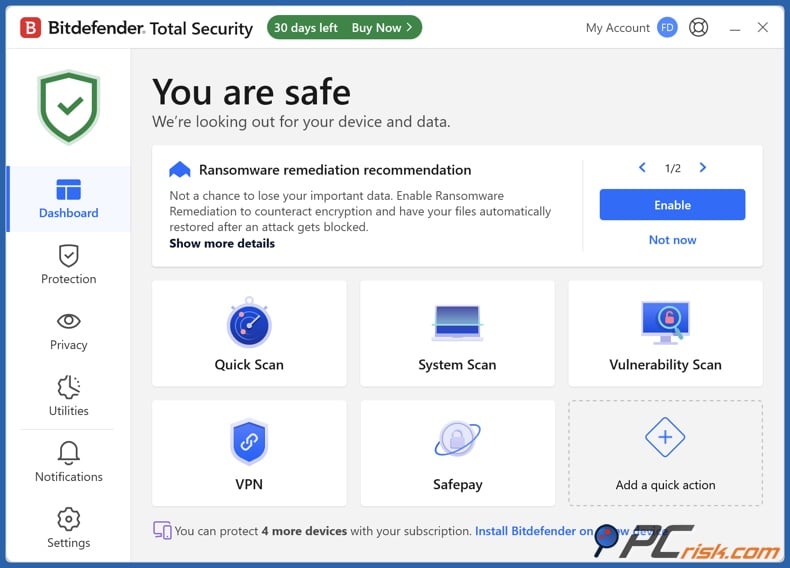
We picked Bitdefender as the top business antivirus for 2026 because it offers the best mix of strong protection, layered security, and easy central management. In our consumer review, Bitdefender scored 4.5 on PCrisk and impressed us with its excellent malware detection, wide feature set, and minimal system impact. For businesses, GravityZone covers desktops, laptops, file servers, and both physical and virtual machines, all managed from a single console. Bitdefender also makes it easy to choose the right SMB edition: Small Business Security for simple, automatic protection, Business Security for straightforward use, and Business Security Premium for companies that need stronger defenses against advanced threats.
One of Bitdefender's biggest strengths is how easily it grows with your business. You can start with just a few devices and expand to cover more as your company grows, without needing to switch products. Bitdefender offers layered defense, machine learning, quick setup, centralized reporting, and a management console designed for real administrators. It's also a great choice if your business uses Windows, macOS, and Linux devices together.
Extra features are important too. Bitdefender offers Email Security add-ons for Microsoft 365, Gmail, Exchange, and more, which is valuable since email threats are still a huge problem. It also includes patch management, encryption, and advanced business options that go beyond basic antivirus. This makes Bitdefender a strong choice for both small companies and SMBs looking to build a solid security foundation over time.
Bitdefender stands out for its strong protection, low impact on devices, well-designed console, and flexible business options. However, some of the best features are only available as add-ons or in higher-priced plans, so costs can add up. It may also be more advanced than very small businesses need, so the smallest teams might not use all the features they pay for. Still, if you want the most well-rounded and future-ready business antivirus, Bitdefender is our top pick.
ESET
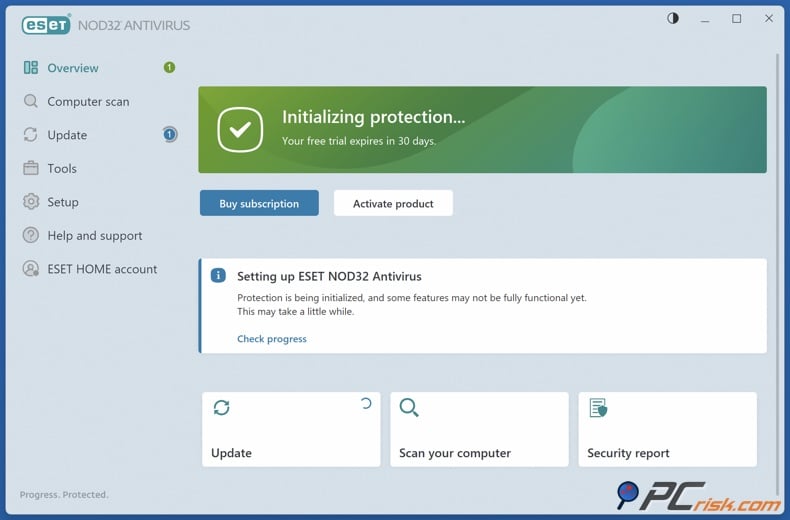
ESET is our second choice because it's great for businesses that want low system impact, flexible policies, and strong admin control. In our PCrisk review, ESET scored 4.4. We liked its quiet operation, reliable detection, and customizable scans, though its advanced settings can be overwhelming for non-technical users, and the top tier can be pricey. For businesses, these advanced features are actually a plus. ESET PROTECT offers a unified security platform, works in the cloud or on-premises, and can handle anything from a few devices to large deployments.
ESET is a strong fit for organizations that want hands-on admin control. The company focuses on prevention, modern endpoint protection, and a console that gives you clear network visibility and control. ESET supports Windows, macOS, Linux, and Android devices, and its broader platform also covers iOS and iPadOS. This broad support is helpful for businesses with mixed devices and teams that need to manage both office and mobile equipment from a single location.
A major advantage of ESET for businesses is its email protection. If your company is worried about email threats, ESET recommends ESET PROTECT Complete, which adds mail security for Exchange or IBM servers and cloud protection for Exchange Online and Gmail. This business-focused approach is important since phishing is still a big problem. We think ESET is best for organizations that want strong endpoint protection and the ability to add more advanced email, encryption, and threat defense features as needed.
The main downside is that ESET is not the simplest option for non-technical owners. It's designed for admins who want control, but very small teams might find it more complex than they need, and the top packages can be costly. Still, for SMBs with some IT experience, ESET is one of the smartest and most satisfying business antivirus options available.
Malwarebytes
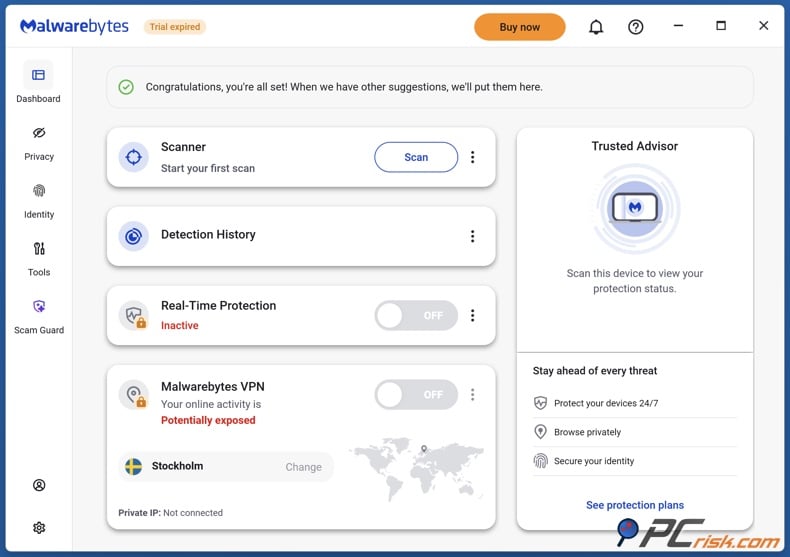
Malwarebytes ranks third because it fits the needs of small businesses that want solid protection without having to manage complex security tools. In our PCrisk review, Malwarebytes scored 4.3. We liked its malware detection, ransomware prevention, light system impact, and easy-to-use interface. The Teams version is aimed at sole proprietors, small businesses, and offices, with plans for 3, 10, or 20 devices and support for Windows, Mac, Android, and iOS.
Malwarebytes stands out for being easy to set up and use. It offers always-on protection, phishing and scam defenses, mobile Scam Guard, VPN, Browser Guard, and priority support. Business owners and admins get a simple account-based workflow, device alerts, and monthly security reports. While it doesn't have the deep console features of Bitdefender or ESET, for many teams, this level of oversight is enough and much easier to manage.
Malwarebytes is especially well suited for today's environment, where scams come from many sources, not just email. The company has invested in strong scam detection tools, which is important in 2026 as threats now appear in texts, mobile links, fake websites, and social media. If your business is mostly cloud-based, remote, and focused on protecting staff from everyday scams and fraud, Malwarebytes is a practical option.
Malwarebytes Teams works best for small businesses, not for large enterprises needing advanced management. It doesn't offer the deep console features or traditional mail and server security that ESET and Bitdefender provide, which is why it ranks third. Still, for small offices that want simple, fast, and easy protection, Malwarebytes is one of our top recommendations.
Avast
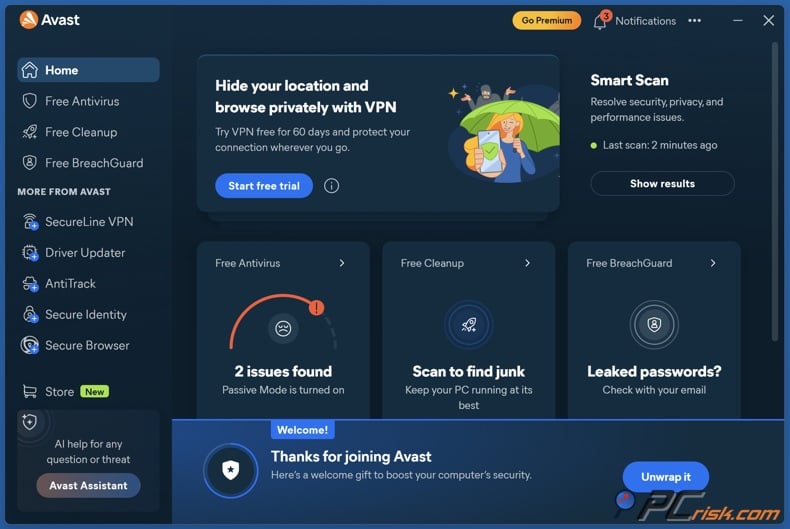
Avast comes in fourth place for good reason. In our PCrisk review, it scored 4.2. We appreciated its strong detection, easy setup, and user-friendly interface, though some users still have concerns about its 2020 privacy issue and the upgrade prompts in the free version. For businesses, the key point is that Avast offers a flexible lineup for small companies, covering 1 to over 100 devices, with cloud management and easy-to-understand endpoint protection.
Avast is best for SMBs that want centralized management without excessive complexity. Its online platform lets you deploy protection, monitor devices, and manage subscriptions all in one place. The cloud-based Business Hub is designed to make security easier to maintain and optimize. Avast focuses on protecting every endpoint centrally, with patch management to keep software up to date.
Avast also does a good job with email and web protection. Mail Shield scans incoming and outgoing emails in real time for viruses and malicious links when using email clients like Outlook. File Shield, Web Guard, and Real Site protect against malware downloads and phishing. Avast supports a wide range of operating systems for small offices, including Windows, macOS, Android, iOS, and iPadOS, with Windows Server support in higher business plans.
Avast isn't ranked higher mainly because, while it's strong and flexible, it doesn't feel as complete or forward-looking as Bitdefender or ESET for businesses planning ahead. It's also not as simple as Norton for very small teams or as easy to use as Malwarebytes for small offices. Still, Avast is a solid choice for SMBs that want cloud management and broad platform support, but it doesn't lead enough categories to move up in our ranking.
Norton
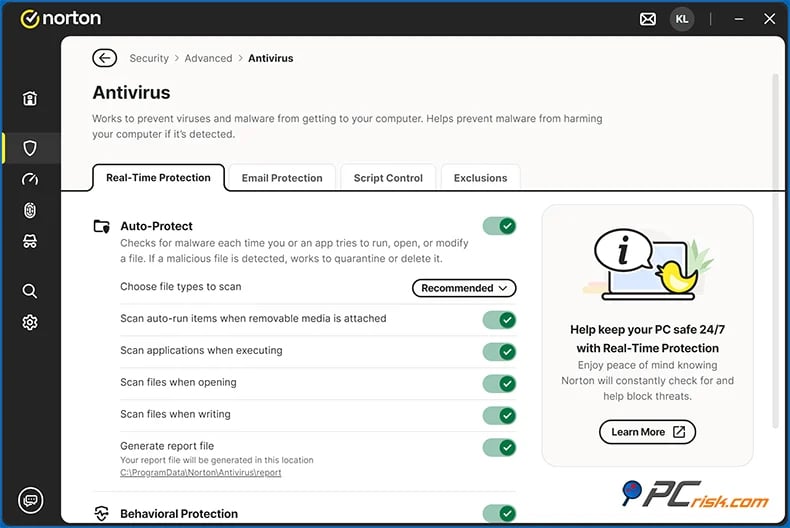
Norton is fifth in our ranking, but that doesn't mean it's a bad business product. It's just more specialized than the others. In our PCrisk review, Norton scored 4.1. We liked its malware protection, wide range of features, cross-platform support, and user-friendly design, but noted its high renewal prices and somewhat fragmented interface. Norton Small Business is made for up to 10 employees, covering 2 devices per user, so it's best for microbusinesses, owner-run firms, and very small teams that don't need a full business security platform.
Norton's main strength is the value it offers in a simple package. The standard Small Business plan includes Device Security, Cloud Backup, Secure Browser, Software Updater, Utilities Ultimate, and Password Manager. The Premium plan adds Secure VPN, extra backup storage, Driver Updater, financial and social media monitoring, and 24/7 business tech support. These features make Norton a good choice for businesses that care more about backup, support, and easy protection than about advanced management tools.
Norton also helps protect against identity and fraud risks. The Small Business plan includes dark web monitoring for business details like tax IDs, company emails, phone numbers, and payment data. For many small business owners, this visibility is valuable because the biggest worry is often a stolen account, fraudulent payment, or compromised business identity - not just advanced cyberattacks.
Norton is ranked fifth because it's designed for businesses that don't need a management dashboard or remote admin features. This honesty makes it easy to place. Norton is a good fit if you run a very small company and want strong protection, lots of extras, and minimal admin work. But if you need advanced management, policy controls, detailed reporting, or support for many devices, it's less suitable. For the right small business, it's useful, but it's too limited for the wider business market.
Combo Cleaner - Editor's choice
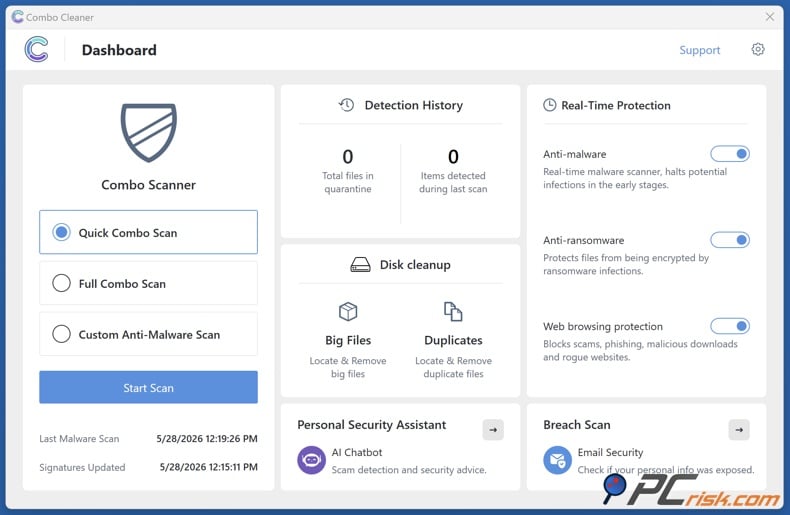
We've listed Combo Cleaner last and separately as our Editor's choice for readers who want antivirus plus cleanup and optimization tools in one package. To be transparent, Combo Cleaner is made by RCS LT, which owns PCrisk.com. Because of this, we're not comparing it directly to the other brands, though it's still part of our antivirus coverage.
Combo Cleaner stands out for its all-in-one approach, not for having a big enterprise console or a wide product range. In our review, it scored 4.0 on PCrisk. We liked its real-time antivirus, anti-ransomware, malicious website blocking, cleanup tools, light system impact, quick human support, and in-app AI assistant for explaining threats and suspicious screenshots. It works on Windows, macOS, iOS, and Android, with paid plans covering up to 10 devices.
A VPN encrypts your traffic — but your device still needs protection against malware and ransomware. Combo Cleaner adds the missing layer of defense.
Download Combo CleanerAntivirusDetect & remove malware threats→If you want a security tool that does more than just detect threats, Combo Cleaner is worth a closer look. It combines real-time antivirus, anti-ransomware defense, malicious website blocking, and cleanup features in one app, which can save time for busy users and small teams. Download it if you want straightforward protection with the added benefit of clearing clutter and helping your devices stay responsive.
Combo Cleaner is best for freelancers, small businesses, and anyone who wants simple protection and maintenance tools in one app. Its main drawbacks are clear: there's less independent benchmark data than for bigger brands, and it doesn't have a built-in firewall or VPN. Still, if you want antivirus and cleanup together, Combo Cleaner is straightforward, easy to use, and genuinely helpful.
How we test antivirus software for enterprise and business protection
At PCrisk, we focus on malware detection and removal in our testing. We use live, up-to-date malware samples, controlled environments, real-time blocking, on-demand scans, remediation checks, and follow-up scans after cleanup. We also look at usability, performance impact, and bonus features. Our final score is based on these factors: 60% for malware detection and removal, 15% for performance impact, 10% for usability and interface, and 15% for features and extras.
For business-focused reviews like this, we adapt our methodology to match real business needs. First, we keep our core PCrisk approach and test how well the antivirus stops ransomware, trojans, infostealers, malicious attachments, phishing pages, and suspicious downloads. This is essential because a business product with weak endpoint protection is not effective, no matter how good the admin console looks.
Second, we test how easy it is to deploy and manage the antivirus. In business settings, management tools are almost as important as endpoint protection. We check how simple it is to deploy agents, set policies, review alerts, verify updates, and monitor devices without wasting admin time. This is especially important for Bitdefender, ESET, and Avast, which offer centralized control through a single console or online platform. It also helps us see the limits of simpler products like Malwarebytes Teams and Norton Small Business, which have less detailed dashboards.
Third, we look at features that matter to businesses, not just consumers. Email scanning, anti-phishing, mail security, rollback options, reporting, support for different operating systems, and coverage for unmanaged or remote devices are much more important to businesses than parental controls or family identity features. We also check if the vendor offers options for patch management, encryption, or larger deployments. These are the features that set business antivirus apart from home products.
How to choose the best antivirus for your business
Begin by looking at antimalware quality. This is always our first step. PCrisk's scoring model gives the most weight to malware detection and removal for a reason. If a product cannot reliably stop malware, phishing, and ransomware, nothing else matters. That is why Bitdefender and ESET score highly in our reviews, and why all five products we list are good options for businesses of different sizes.
Check platform compatibility closely. Many companies have a mix of devices, even if they consider themselves mainly Windows users. Macs, Android and iPhone devices, Linux machines, and servers often appear in the workplace. ESET and Bitdefender offer broad support for different business platforms. Avast is also strong for small and medium businesses, while Malwarebytes and Norton cover the main device types well for smaller teams. Your antivirus should match your actual device inventory, not just what you expect.
Consider scalability when you buy, not after. It is easy to waste money on a product that works now but needs to be replaced as you grow. If your business is likely to expand, Bitdefender and ESET offer the easiest upgrade paths. Avast also scales well for small and medium businesses. Malwarebytes works well for up to 20 devices, but beyond that, you will need a different platform. Norton is more suited for very small businesses.
Do not overlook email security. Email is still a major risk for businesses. Microsoft continues to report billions of email-based phishing threats and millions of business email compromise attempts. If your business uses Microsoft 365, Exchange, or Gmail, you need more than just local file scanning. ESET stands out here with clear mail security options in its PROTECT platform. Bitdefender also offers an email security add-on for major providers. Avast gives good client-side Mail Shield protection, but this is not the same as full business mail security.
Pick the management level that fits your team. If you have an admin or someone comfortable with policy and deployment, Bitdefender, ESET, and Avast provide full business consoles. If not, simpler products may be better. Malwarebytes is designed for businesses with little or no IT staff, and Norton Small Business is made for companies that do not need a business dashboard. A product your team can manage is safer than a more advanced one that no one will set up correctly.
Consider BYOD and remote work. Verizon's SMB breach analysis found that many compromised systems were linked to corporate credentials on unmanaged devices. If employees use personal devices to access work email, documents, or collaboration tools, choose products with broad platform support, good account management, and clear ways to deploy to remote users. Malwarebytes, ESET, and Norton are good for smaller, distributed teams, while Bitdefender and Avast are better for companies wanting more centralized control.
Look at price in context, not just the first-year cost. Consider renewals, support, backup, VPN, cleanup tools, mail security, and the number of devices covered. Norton may seem appealing because of its extras and support, but you need to be comfortable with renewals and less dashboard depth. Malwarebytes can seem pricey per device but makes sense for small office packages. Bitdefender and ESET may cost more as you add business features, but those features can replace other separate products.
Final recommendations
To sum up our main advice: Pick Bitdefender for the best all-around business antivirus, with strong protection, centralized management, and room to grow. Go with ESET if you want great protection, more admin control, and a choice between cloud or on-prem management. Malwarebytes is a good fit for smaller offices that want modern protection without much hassle. Avast works well if you need flexible SMB licensing and cloud-based management. Norton is best for very small businesses that want simple protection, backup, and support, rather than a full business dashboard.
Our detailed advice depends on your company size. If you run a very small, owner-managed business, Norton or Malwarebytes are likely easier to use than more complex platforms. For growing SMBs with different devices and some IT know-how, Bitdefender and ESET are better long-term choices. If you want to save money but still need centralized cloud management, Avast is a solid pick.
Frequently asked questions (FAQs)
Can a business use a free antivirus?
Technically, a business can install a free antivirus, but we do not recommend using a free consumer product for business protection. CISA says every organization should have antivirus or antimalware that stays updated. Business products also offer management, reporting, policy control, and licensing features that free tools usually do not have. Free antivirus might work as a temporary fix on a personal device, but it is not a solid security plan for a business.
Can I use a personal antivirus for my small business?
In most cases, you should not rely on a personal antivirus for your business. Norton, for example, clearly states that Norton 360 is not for commercial use and offers Norton Small Business for small companies instead. Personal antivirus products are made for one user and one device, while business versions are designed for managing multiple devices and offer extra protection for businesses.
Can antivirus software protect against phishing attempts?
Yes, antivirus software can help protect against phishing, but it is not perfect and cannot do it alone. A good antivirus can block bad links, infected attachments, suspicious downloads, and some scam websites. Bitdefender, ESET, Avast, Malwarebytes, and Norton all focus on anti-phishing features, but Microsoft and CISA warn that phishing is still a big risk. That is why user training, email security, MFA, and secure settings are still important.
Does malware spread by email still exist?
Yes, email-based malware is still a real problem. Microsoft reported 8.3 billion email phishing threats in the first quarter of 2026 and blocked over 13 million malicious emails linked to Tycoon2FA in October 2025 alone. Email remains a major way for attackers to steal credentials, send malicious links, fake invoices, and compromise business accounts.
Do Macs in a business still need antivirus?
Yes, Macs in a business still need antivirus. Businesses should not assume macOS devices are immune to phishing, credential theft, malicious downloads, or threats that affect multiple platforms. Bitdefender, ESET, Avast, Malwarebytes, Norton, and Combo Cleaner all offer Mac support, showing that using different operating systems is now common in business.
What is an endpoint management console?
An endpoint management console is the tool that lets you check protection status, install security agents, review incidents, and manage policies for all your business devices. Bitdefender calls this a single console with quick fixes, ESET offers ESET PROTECT as a cloud or on-prem web console, and Avast has an online platform called Business Hub. If a product does not have this feature, it is usually better for very small businesses than for those needing centralized control.
Should a small business choose cloud-managed or on-prem antivirus?
For most small businesses, cloud-managed antivirus is the best choice because it cuts down on infrastructure work and makes remote management easier. ESET says cloud deployment lets you access cybersecurity data from anywhere and eases the load on your IT team. Bitdefender supports both cloud and on-prem setups. On-prem is still useful if you need more local control or have special internal needs.
How many endpoints should a business license cover?
When deciding how many endpoints your business license should cover, count more than just company laptops. Include desktops, servers, shared devices, and any mobile or BYOD devices that access company email or data. Verizon's SMB breach data shows a clear link between compromised credentials and unmanaged devices.
Can antivirus replace employee training and email security?
No, antivirus cannot replace employee training and email security. Antivirus is an important layer of protection, but you still need user awareness, secure email settings, regular updates, backups, and MFA. Both Microsoft and CISA recommend a layered approach, and the best business products are those that work well within that model, not those that try to replace it.
Share:
 Facebook
 X.com
X.com
 LinkedIn
 Copy Link

Rimvydas Iliavicius
Researcher, author
Rimvydas is a researcher with over four years of experience in the cybersecurity industry. He attended Kaunas University of Technology and graduated with a Master's degree in Translation and Localization of Technical texts. His interests in computers and technology led him to become a versatile author in the IT industry. At PCrisk, he's responsible for writing in-depth how-to articles for Microsoft Windows.
▼ Show Discussion