
We may earn commissions from products we recommend. Learn more.
Best cheap antivirus programs in 2026 | Top 5 picks

Best cheap antivirus programs in 2026
Affordable antivirus software should still offer solid protection. In 2026, we at PCrisk believe the best budget antivirus programs focus on the basics: reliable malware and ransomware detection, strong web protection, good performance, and straightforward pricing. Extra features like a VPN, password manager, firewall, email protection, or device cleanup are nice to have, but they should not make up for a weak antivirus engine.
In this guide, we only included antivirus products that PCrisk has reviewed. Bitdefender is still our top pick for affordable antivirus because it offers a low starting price, strong protection, support for multiple platforms, and a good range of security features. ESET is a great choice if you want lightweight and customizable protection. Avast stands out for its strong free version, Norton has a wide range of security tools, and Malwarebytes is best for those who want simple malware protection without extra clutter.
Price is just one factor to consider. Introductory discounts can make antivirus software seem very cheap for the first year, but renewal prices are often much higher. That's why I looked at both current promotional prices and regular renewal rates, as well as how many devices are covered and what features you get for your money. The prices listed below are in US dollars and were checked with PCrisk and vendor sites in August 2026. Keep in mind that promotions, taxes, device options, and renewal rates may change.
Table of Contents:
- Introduction
- Antivirus price comparison
- Best cheap antivirus programs in 2026
- How we test antivirus software
- What to look at and which features matter most in a cheap antivirus program
- Final recommendations
- Frequently asked questions (FAQs)
Antivirus price comparison
The table below compares antivirus products from PCrisk's current rankings. We listed them mainly by their lowest starting price. If several products have about the same starting price, we also considered the value of their entry-level options. Please note that prices are promotional or starting rates and may vary by country, number of devices, subscription length, and renewal period.
| Antivirus | Entry paid plan | Other notable plans | Free option | Platforms |
| Bitdefender | Antivirus Plus Multiplatform: $24.99 first year for 1 device, or $29.99 for 3 devices | Total Security: $59.99 first year for 5 devices; higher Premium and Ultimate tiers add broader privacy and identity features | Yes | Windows, macOS, Android, iOS |
| ESET | NOD32 Antivirus: from $39.99 per year according to our current PCrisk listing | Home Security Essential is around $59.99 for 3 devices; Premium has typically been around $79.99, while Ultimate costs considerably more | 30-day trial, but no permanent free desktop version | Windows, macOS, Android; iOS support is limited and there is no traditional ESET antivirus app for iPhone or iPad |
| Avast | Premium Security: $49.08 first year for 1 Windows PC or Mac plus 1 mobile device | Premium Security for 10 devices: $69.48 first year; higher packages can add VPN, cleanup, and anti-tracking | Yes | Windows, macOS, Android, iOS |
| Norton | AntiVirus Plus: $29.99 first year for 1 device | AntiVirus Plus can also cover 5 devices for $39.99 first year; Norton 360 tiers add VPN, dark web monitoring, parental controls, and more | No permanent free desktop edition | Windows, macOS, Android, iOS |
| Malwarebytes | Standard: from $59.99 per year for 3 devices | Plus adds a VPN and has typically started around $79.99 per year | Yes, but primarily for on-demand scanning and malware removal | Windows, macOS, Android, iOS |
There are two key things to know about these prices. First, Bitdefender is especially competitive for entry-level users. Its Antivirus Plus Multiplatform plan starts at $24.99 for one device, or $29.99 for three devices for the first year. This plan is available for Windows, macOS, Android, and iOS and includes malware and ransomware protection, web and scam protection, data-breach alerts, and a VPN limited to 200 MB per device per day.
Second, the introductory price is not the same as the long-term price. Norton is a good example: Norton AntiVirus Plus costs $29.99 for the first year on one device, but the renewal price is $59.99. Avast's $49.08 Premium Security plan renews at $77.99 per year for one desktop and one mobile device, and its 10-device plan goes from $69.48 to $99.99 at renewal. If you're on a tight budget, it's important to look at the total cost over two or three years, not just the first-year price.
Best cheap antivirus programs in 2026
1. Bitdefender: Best cheap antivirus overall
Check our top Antivirus list
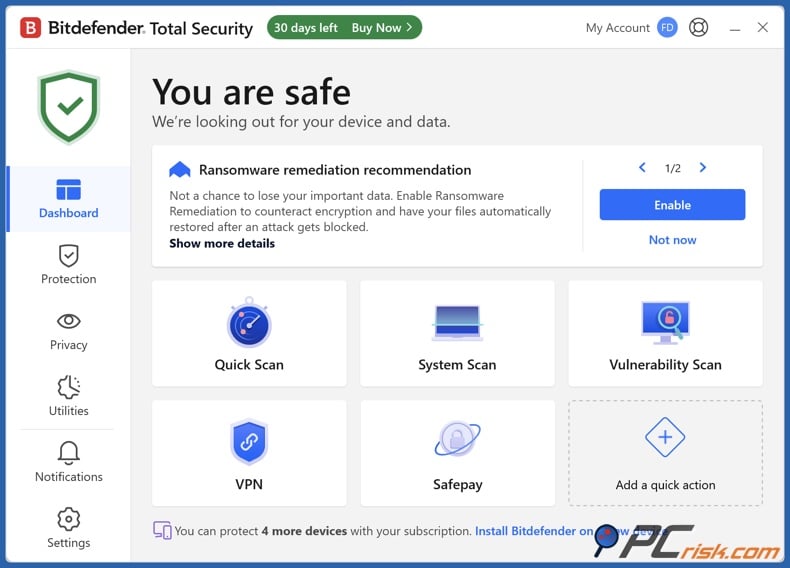
Bitdefender is our top pick for anyone who wants an affordable antivirus that still delivers strong protection. At PCrisk, we give Bitdefender a 4.5 out of 5, the highest score on this list. We liked its malware detection, wide range of features, and light system impact. Our main complaints were the VPN limits on cheaper plans, a basic iOS app, and that some extras cost more.
The Antivirus Plus Multiplatform plan is a great deal for budget shoppers. Bitdefender currently charges $24.99 for one device or $29.99 for three devices for the first year. You get protection against malware, ransomware, phishing, scams, web threats, data breaches, and a basic VPN with 200 MB per day per device. The three-device plan stands out as one of the best entry-level options for both price and coverage.
If you upgrade to Total Security, you get extra features like a password manager, device optimization, cryptomining protection, and a privacy firewall, with support for Windows, macOS, Android, and iOS. The five-device Total Security plan is $59.99 for the first year. If you need unlimited VPN or advanced privacy, you can choose a higher plan, but we don't recommend it if your main goal is saving money.
Bitdefender takes the top spot because of its strong protection. In AV-TEST's April 2026 Windows 11 test, Bitdefender Total Security earned the highest score of 6 points for protection, performance, and usability. Our own review found the same: excellent malware protection with little impact on your system.
- Compatibility: Windows, macOS, Android, and iOS. Bitdefender's entry-level product currently supports Windows 7 SP1 and newer, macOS Big Sur 11.3 and newer, Android 7 and newer, and iOS 14 and newer. Keep in mind that these requirements may change with future updates.
- Pros: Excellent protection, competitive first-year pricing, a three-device plan for $29.99, support for multiple platforms, ransomware and web protection, and low impact on performance.
- Cons: The standard VPN is limited to 200 MB per day per device, some extras require higher-tier plans, and the first-year price is lower than the renewal rate.
2. ESET: Best cheap antivirus for lightweight, customizable protection
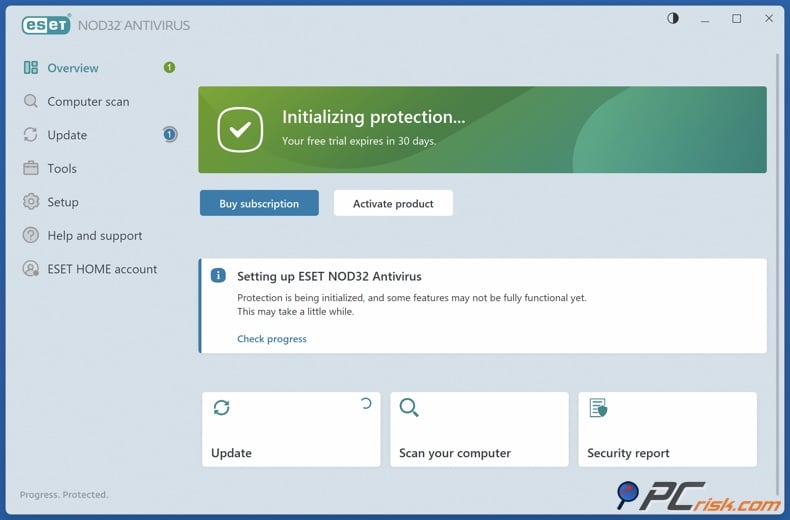
ESET comes in second because it balances protection, performance, and control very well. We rate it 4.4 out of 5. In our review, we liked how quietly it runs, its reliable detection, and the detailed scan and security settings. However, some advanced options might be too much for beginners, and the higher ESET plans can get pricey.
If price is your main concern, NOD32 is the entry-level option, starting at $39.99 per year. Upgrading to ESET HOME Security Essential adds features such as a firewall and network protection, safe banking and browsing, and anti-phishing tools. ESET's current plans also highlight real-time protection against malware, ransomware, spyware, and phishing.
ESET's higher plans now include more privacy features. The Premium tier offers unlimited VPN, encryption, and extra folder security. The Ultimate tier increases VPN device limits and adds identity protection. These extras are helpful, but not essential if you just want affordable malware protection.
Independent tests back up ESET's reputation. In AV-TEST's April 2026 Windows evaluation, ESET Security Ultimate scored 6 out of 6 for protection and usability, and 5.5 out of 6 for performance. This matches our experience: ESET is a great pick if you want quiet background protection without losing detection quality.
- Compatibility: ESET offers consumer protection for Windows, macOS, and Android. Note that, according to ESET's June 2026 support documentation, there is currently no ESET security app for iOS or iPadOS.
- Pros: Strong malware protection, low impact on your system, great customization, anti-phishing and network tools, and a 30-day trial.
- Cons: No permanent free desktop antivirus, advanced settings might be overwhelming for some, and higher-tier plans can get expensive.
3. Avast: Best cheap antivirus with a strong free option
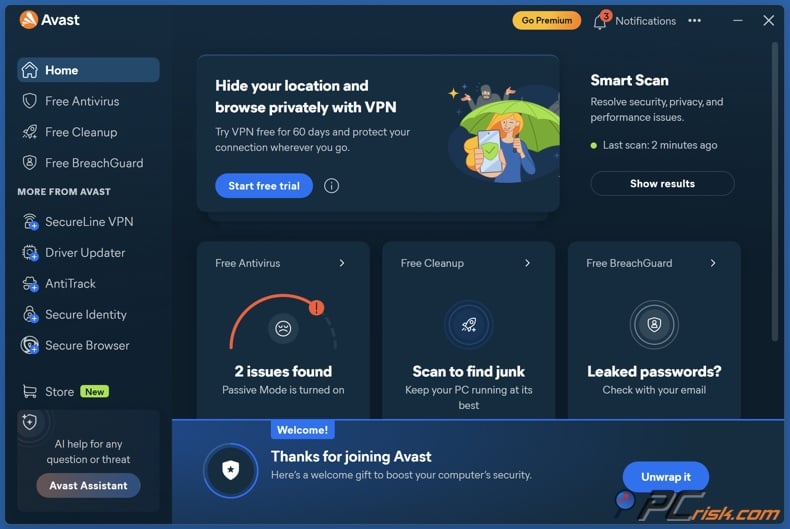
Avast earns third place for its great upgrade path for budget-minded users. You can start with Avast Free Antivirus and upgrade to Premium Security later if you want more features. We rate Avast 4.2 out of 5 for its strong malware detection, generous free protection, and easy-to-use interface.
Avast Premium Security costs $49.08 for the first year for one Windows PC or Mac and one mobile device. The 10-device plan is $69.48 for the first year, which is a good deal for families with several devices since the per-device cost is much lower. Avast works on Windows, macOS, Android, and iOS.
The paid version of Avast offers more than just malware scanning. Premium Security includes protection against online and email scams, phishing, malicious attachments, and extra privacy features. Email Guard works with popular accounts like Gmail and Outlook, and you can add up to five email accounts. Our review also highlights Ransomware Shield, webcam protection, a sandbox, firewall, and malicious-site blocking.
Avast continues to perform well in detection tests. AV-TEST gave Avast Free Antivirus a perfect 6 out of 6 for protection, performance, and usability in April 2026. In our own tests, Avast caught all 20 ransomware samples, though it was less effective against potentially unwanted programs.
The main downside is the price after the first year. Premium Security's $49.08 single-desktop offer increases to $77.99 at renewal, and the $69.48 10-device plan rises to $99.99. The free version also shows upgrade prompts, and Avast's past privacy issues may still concern some users.
- Compatibility: Windows, macOS, Android, and iOS. Exact features differ by operating system.
- Pros: Great free version, strong test results, user-friendly interface, good pricing for multiple devices, email scam protection, firewall, and extra ransomware defenses.
- Cons: The free version often shows upgrade prompts, renewal prices are much higher than the first-year offer, and some top features require a paid plan.
4. Norton: Best cheap first-year suite for extra features
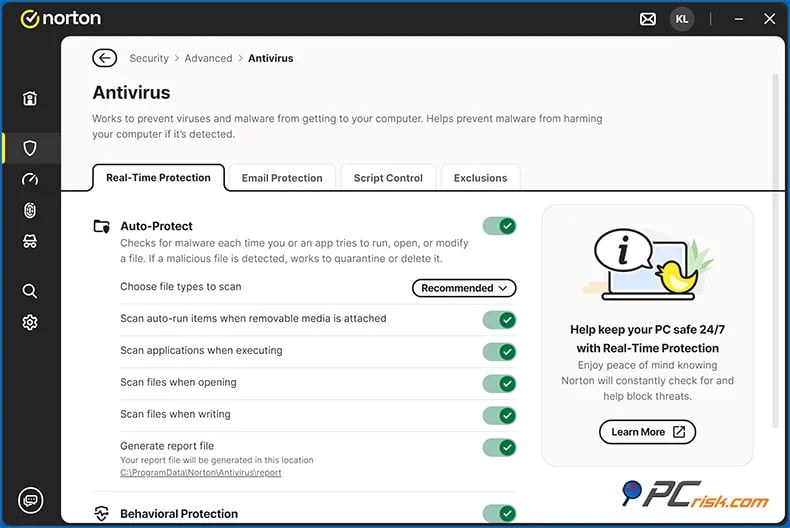
Norton seems very affordable in the first year. AntiVirus Plus costs $29.99 for one device, but renews at $59.99. There's also a five-device plan for $39.99 for the first year. This makes Norton appealing if you want more than just basic malware protection at a low starting price.
We give Norton a 4.1 out of 5. Its main strengths are strong malware protection, lots of features, and support for many platforms. AntiVirus Plus includes antivirus, scam protection, a password manager, and 2 GB of cloud backup. Norton 360 plans add extras like unlimited VPN, dark web monitoring, more cloud storage, and parental controls, depending on the plan.
Norton's protection is strong, so the low starting price does not mean you are sacrificing security. Norton 360 got a perfect 6 out of 6 for protection, performance, and usability in AV-TEST's April 2026 Windows 11 test. Our review also found Norton especially strong in malware protection and praised its wide range of features.
The main drawback is the renewal price. This is why we ranked Norton below ESET and Avast in this guide about affordable antivirus. Norton's renewal table (as of March 2026) lists AntiVirus Plus at $59.99 for one device, and some Norton 360 plans cost even more after the first year. Getting Norton at a big introductory discount can be a good deal, but always check the renewal price before you buy and again before your subscription renews.
- Compatibility: Windows, macOS, Android, and iOS. Norton currently allows AntiVirus Plus licenses to cover a PC, Mac, tablet, or smartphone.
- Pros: Very low first-year price, strong malware protection, password manager and cloud backup included, works on many platforms, and lots of optional features.
- Cons: Renewal prices are much higher, upselling can be distracting, and the interface could be more unified.
5. Malwarebytes: Best cheap antivirus for simplicity
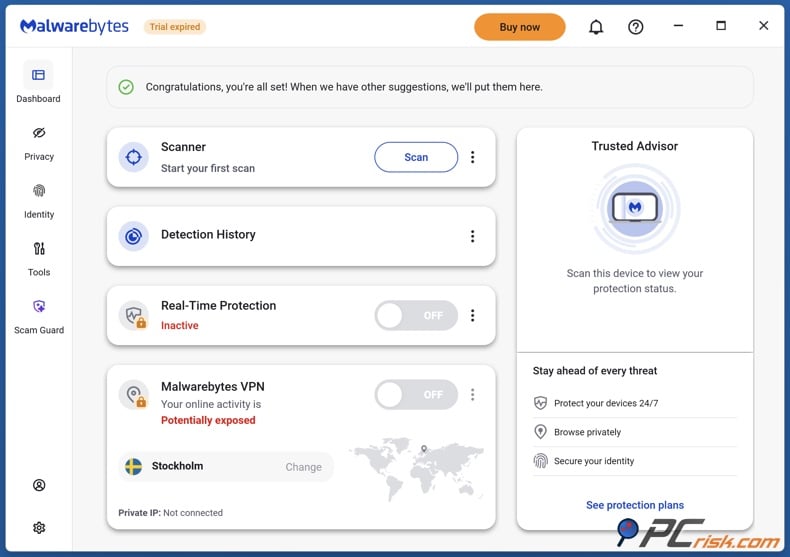
Malwarebytes is our pick for people who do not want a security suite full of menus, tools, and extras. We rate it 4.3 out of 5. Its best features are strong malware and ransomware protection, fast scans, low impact on daily performance, and a simple interface.
Malwarebytes ranks lower in this price-focused list because the Standard plan starts at $59.99 per year for three devices. This is not a bad price for three-device coverage, but it is higher than the entry-level offers from Bitdefender, Norton, ESET, and Avast. The Plus package adds a VPN, and there are larger plans for users with more devices.
Malwarebytes focuses on core security. The paid version protects against malware, ransomware, malicious websites, and other online threats. It works on PCs, Macs, Android devices, and iPhones, though features vary by platform. Our review notes that Malwarebytes does not include a built-in firewall or parental controls, unlike some larger suites. This simplicity can be a plus if you do not need those extras.
It's important to understand what the free version offers. The free version of Malwarebytes can scan for and remove existing infections, but our review points out that it doesn't provide the ongoing real-time protection you get with the paid version. So, we see the free edition mainly as a cleanup tool or a way to get a second opinion, not as a full replacement for a paid antivirus.
In AV-TEST's April 2026 Windows results, Malwarebytes Premium scored 5.5 out of 6 for protection and a full 6 out of 6 for performance and usability. This matches its reputation as an antivirus that runs quietly in the background.
- Compatibility: Windows, macOS, Android, and iOS, with features varying by operating system.
- Pros: Easy-to-use interface, strong real-time protection against malware and ransomware, quick scans, good everyday performance, and support for multiple platforms.
- Cons: The starting price for three devices is higher than some competitors', the free version doesn't include real-time protection, and it offers fewer extra features than other suites.
Editor's choice: Combo Cleaner
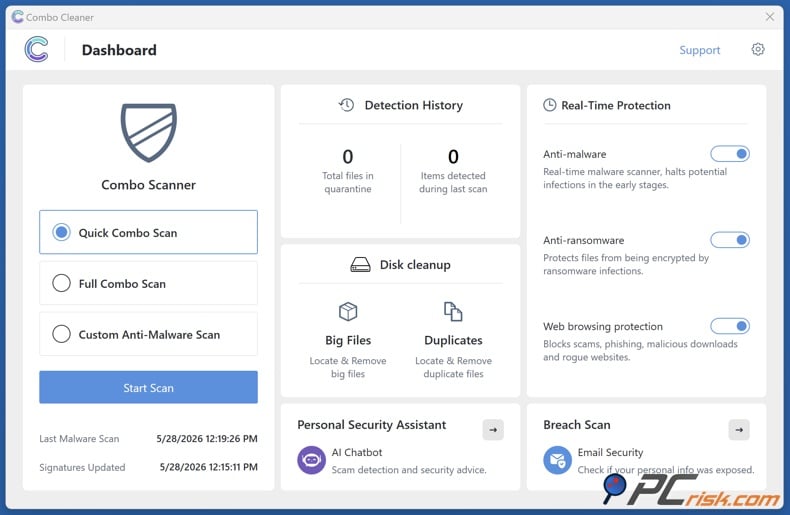
We've chosen Combo Cleaner as our Editor's choice. It brings together real-time antivirus, ransomware protection, malicious website blocking, and disk-cleaning tools into a single app for Windows, macOS, Android, and iOS. In our review, we found it lightweight during everyday use and liked how it combines malware protection with device cleanup.
We want to be fully transparent about our connection to this product. Combo Cleaner is made by RCS LT, which also owns PCrisk.com. We mention this relationship in both our antivirus overview and our Combo Cleaner review, so you can take it into account. In our hands-on tests, Combo Cleaner detected 19 out of 20 trojan and infostealer samples, all 20 ransomware samples, and 17 out of 20 malicious email attachments from our test sets.
The desktop version bills every 6 months rather than once a year, and you need a paid license for malware removal and real-time protection. The free version lets you scan and do some cleaning, and you can try the full product with a trial.
How we test antivirus software
At PCrisk, we do not rate antivirus software by simply installing it and checking its menus or features. Malware evolves too fast for that to show real protection. Instead, we test using recent, real-world malicious samples we find while investigating malware, suspicious downloads, phishing attempts, bad links, and infected email attachments.
We start by testing real-time protection. We mimic common infection methods such as malicious downloads, email attachments, and files from USB drives. We check if the antivirus detects the threat, blocks it before it can change the system, how it labels the threat, and how clearly it tells the user what happened.
Next, we test on-demand scanning. We place malware samples in the test environment and run both full and custom scans to see what the antivirus finds when threats are already there. Our malware library covers trojans, worms, ransomware, rootkits, and keyloggers, including new samples that can be hard for signature-only systems to catch.
Finding threats is not enough. We also check how well the antivirus cleans up, looking at whether it quarantines or removes bad files and if any traces are left in memory, the registry, or elsewhere. We run another scan afterward to see if the cleanup worked.
We also check features beyond the main scanner. This includes testing ransomware defenses with real ransomware in a safe setup, firewall and network protection, blocking bad websites, phishing protection, browser security, and email scanning. We want to see if these features really help, not just if they are listed on the box.
Performance is important as well. We use both virtual machines and real computers, so we can safely reset test setups and also see how products work on actual hardware. We check how responsive the software is, how much system resources it uses, how it scans, and whether it interferes with normal computer use.
Our final antivirus score is based on 60% malware detection and removal, 15% performance impact, 10% usability and interface, and 15% features and extras. Protection is the most important part, since an antivirus with a nice interface and lots of extras is not useful if it cannot stop malware.
We also look at independent tests rather than relying solely on our own lab. For example, AV-TEST regularly tested 14 Windows home-security products in March and April 2026, using up-to-date versions and real-world threats. Bitdefender, Avast, and Norton got top scores for protection, performance, and usability, while ESET and Malwarebytes also did well.
What to look at and which features matter most in a cheap antivirus program
Start by focusing on antimalware protection. We would choose to spend $30 on strong malware protection with fewer features over $20 for a suite packed with extras that performs poorly against real threats. Make sure the antivirus offers real-time protection, on-demand scanning, ransomware defenses, behavior-based detection, phishing protection, and a solid track record in both hands-on and independent tests. In our reviews, malware detection and removal make up 60% of the final score.
Next, check compatibility. Before you buy, make sure the antivirus supports your operating system and that your subscription covers all the devices you want to protect. Features can vary between platforms. For example, a Windows app might include a firewall and full malware scanning, but the iOS version may focus on web, phishing, privacy, or scam protection because of Apple's restrictions. ESET currently does not offer an iOS or iPadOS security app, while Bitdefender, Avast, Malwarebytes, and Norton have multi-platform packages that include iOS coverage with features suited to the platform.
Consider the total cost over the entire subscription period. The price you see in a promotion is usually only for the first year and may increase later. For example, Norton AntiVirus Plus starts at $29.99 for the first year but renews at $59.99. Avast Premium Security goes from $49.08 to $77.99 at renewal. Bitdefender also notes that its first-year price may increase upon renewal.
Think about how many devices you need to protect. A one-device license might seem cheapest, but packages for three, five, or ten devices often cost less per device if you have a desktop, laptop, phone, and tablet. For example, Bitdefender offers three devices for $29.99, Avast charges $69.48 for 10 devices in the first year, and Malwarebytes Standard starts at $59.99 for three devices.
Email and web security are important because many attacks start outside your files. At PCrisk, we test how antivirus programs handle malicious links, phishing pages, downloads, and infected email attachments. A good budget antivirus should block threats before a dangerous attachment runs or before you enter your password on a phishing site. For example, Avast Premium Security includes Email Guard to spot suspicious emails and attachments, while ESET's Essential suite offers anti-phishing and email protection.
Ransomware protection should be a priority. While traditional file signatures help, good ransomware protection also monitors for suspicious actions, such as rapid, unauthorized file encryption. In our tests, we use real ransomware in safe environments to see how quickly the antivirus stops encryption.
A firewall can be useful, but do not choose an antivirus just because it advertises a firewall. We check if network protection manages incoming and outgoing connections, suspicious activity, and port scans. ESET's larger home packages, Avast Premium Security, Norton's suites, and higher Bitdefender plans all include some form of network or firewall features.
It is better to have a few useful extras than a long list you will not use. A password manager is helpful if you plan to use it. A VPN can be valuable, but a limited VPN is not the same as an unlimited one. For example, Bitdefender's cheaper plan limits VPN usage to 200 MB per device per day, while ESET Premium and some Norton 360 plans offer unlimited VPN usage. Choose a plan based on whether you really need these extras.
Also, think about how easy the antivirus is to use and how it handles notifications. If it shows too many warnings or upgrade ads, you might start ignoring important alerts. That is why we rate interface quality, clear threat notifications, minimal ads, and easy navigation in our reviews.
Final recommendations
If you want to save money but still get good protection, Bitdefender is our top pick for 2026. The current introductory prices, $24.99 for one device and $29.99 for three, are great deals, especially since Antivirus Plus now works on multiple platforms. It offers strong protection against ransomware, web threats, phishing, and malware, and has excellent test results, making it the most balanced choice here.
ESET is our top alternative if you want lightweight performance and more control. It's a good fit for experienced users who prefer to adjust scanning and protection settings rather than rely on automatic settings. The main downsides are the lack of a permanent free desktop version and limited security options on iOS, which may not suit budget shoppers.
Avast is a great choice if you want to start with a free antivirus, especially if you might upgrade to a multi-device plan later. The free version scores well in independent tests, and Premium Security adds extra protection against ransomware, email threats, privacy risks, and scams. Just be sure to check the difference between the starting price and the renewal rate.
Norton is a good deal when the introductory price is the priority, particularly if you want extras such as a password manager and cloud backup. However, I would not choose it based on the $29.99 first-year price alone. Its $59.99 stated renewal price for AntiVirus Plus demonstrates why long-term cost matters.
Malwarebytes is a great pick if you prefer a simple security tool over one packed with features. While its three-device plan costs a bit more, the easy-to-use interface, strong malware and ransomware protection, and low impact on your system can make it worth the price if you want to avoid complicated security suites.
The key takeaway is not to choose antivirus software just because it looks cheapest. Look at malware protection, how many devices are covered, which operating systems are supported, any extra features, the first-year price, and the renewal cost. Saving $10 now isn't a good deal if the software is missing something you need or becomes much more expensive later.
Frequently asked questions (FAQs)
Is antivirus software worth buying anymore?
Yes, paid antivirus is still worth it in 2026, especially if you want more than just basic malware scanning. Many paid options include extras like ransomware protection, web and phishing defenses, network monitoring, password managers, VPNs, cloud backup, email security, and protection for multiple devices. The real value is in the full set of features, not just replacing what your operating system already offers.
But not everyone needs the most expensive plan. If your main concern is malware and web protection, a basic paid product like Bitdefender Antivirus Plus or ESET NOD32 might be a smarter choice than a premium suite.
Can I use multiple antivirus programs together?
We do not recommend using two real-time antivirus programs simultaneously on the same computer. They often check the same files and activities, which can cause conflicts, double scanning, false alarms, or slow down your system.
A second tool can still help if you use it only for on-demand scans, not as another always-on antivirus. For example, the free version of Malwarebytes works as an on-demand scanner and removal tool, but it does not offer the real-time protection you get with the paid version.
Is a free antivirus good enough for basic protection?
For some people, yes. Avast's free version gives you real-time protection and other basic security features, and Bitdefender also has a free option. In April 2026, AV-TEST gave Avast Free Antivirus a perfect 6 out of 6 for protection, performance, and usability, showing that free does not always mean weak.
Paid versions are more appealing if you need extra ransomware protection, advanced web and email security, support for multiple devices, a firewall, VPN, parental controls, password management, or better customer support. Always check the features each product offers instead of assuming paid software is better just because it costs more.
Does a cheap antivirus protect against ransomware?
A good antivirus should protect against ransomware. At PCrisk, we test this by using real ransomware samples in a safe environment. Bitdefender, ESET, Malwarebytes, Avast, and Norton all include ransomware protection or tools that watch for ransomware activity in their paid products.
Antivirus is just one part of protecting against ransomware. You should also back up your important files so you are not left with only one copy if something goes wrong, like an attack, hardware failure, or accidental deletion.
Do I need antivirus on Mac, Android, and iPhone as well as Windows?
Security needs are different for each platform, so check what each company actually offers instead of assuming 'multi-platform' means the same features everywhere. Antivirus programs for Windows and macOS can do more thorough malware checks, but mobile systems have different technical limits.
This is especially clear on iOS. ESET says it does not have a security app for iOS or iPadOS, while other companies in this guide offer iOS tools that focus on phishing, dangerous websites, scams, unsafe networks, privacy, and similar risks, rather than full-system antivirus scans.
Which cheap antivirus is best for an older or slower computer?
We suggest starting with ESET or Bitdefender, and consider Malwarebytes if you like a simple interface. In our review, ESET is quiet and lightweight, and Bitdefender did well in our performance tests. Malwarebytes is also built for simplicity and got a perfect 6 for performance from AV-TEST in April 2026.
No antivirus uses zero resources. Full scans can temporarily use more CPU and disk, even if background protection is light. On an older computer, keep real-time protection on, but schedule full scans for times when you are not using the PC for heavy tasks.
Share:
 Facebook
 X.com
X.com
 LinkedIn
 Copy Link

Rimvydas Iliavicius
Researcher, author
Rimvydas is a researcher with over four years of experience in the cybersecurity industry. He attended Kaunas University of Technology and graduated with a Master's degree in Translation and Localization of Technical texts. His interests in computers and technology led him to become a versatile author in the IT industry. At PCrisk, he's responsible for writing in-depth how-to articles for Microsoft Windows.
▼ Show Discussion